




the security.brief
Step-by-step instructions for deleting your DNA test results, destroying your physical sample, and closing your Ancestry account for good.
Millions of people have sent Ancestry a vial of their saliva in exchange for a breakdown of their ethnic origins and a list of newly discovered relatives. However, that doesn’t mean it’s safe to do. Genetic data isn’t like a password you can reset if it leaks. It’s permanent. It identifies you and your relatives, and once a company has it, getting it fully out of their systems takes more than deleting an app. This guide walks through exactly how to remove your data from Ancestry, whether you want to delete just your DNA and test results or close your account entirely.
>> Read More: The Best Data Removal Services of 2026
What Data Ancestry Actually Has on You

If you’ve taken an AncestryDNA test, several pieces of your information are being stored in their databases. You’ll need to handle each piece separately to get all of it deleted. Here are the four categories of data that Ancestry actually has on you:
- Your DNA test results: All processed genetic data used to generate your ethnicity estimates and match you with relatives.
- Your physical saliva sample: The actual biological material you mailed in, stored in a lab unless you specifically request its destruction.
- Your family tree: Names, relationships, dates, and documents you’ve added, which may include information about living relatives who never consented to being included.
- Research consent: If you opted in, Ancestry and its research partners may use your de-identified genetic data in ongoing studies.
Deleting one of these doesn’t automatically delete the others. That’s the part most guides gloss over, but we’ll show you how.
Pro Tip: Relatively confusing removal request processes is par for the course when it comes to getting your data deleted from most companies. However, once you submit the request, companies tend to honor that request relatively quickly. In our experience, it normally only takes a few days for a company to honor the request.
How to Remove Your Data From Ancestry.com
You can remove individual categories of your data from Ancestry or delete your entire account, removing everything at once.
How to Download Your Data First
Before deleting anything, it’s worth downloading a copy for yourself, since Ancestry’s deletion process is irreversible.
- Log in to your Ancestry account and go to your DNA settings from the account menu.
- Find the download option for your raw DNA data, and separately, export your family tree as a GEDCOM file from your tree settings if you want to keep that too.
- Confirm your password when prompted, then check your email for a download link. Save the files somewhere secure, since this is your only copy once your account is gone.
Store this data on a safe local storage device in case you ever want to use it in the future.
How to Delete Just Your DNA Test Results
If you want your genetic matches and ethnicity results deleted, but want Ancestry to keep the rest of your data, follow these steps:
- Go to your DNA Settings page from your account menu.
- Find “Delete DNA Test Results and Revoke Consent to Processing.” Enter your password when prompted and confirm.
- Expect processing within a few days. Ancestry notes that your results should disappear from your own account quickly, though it can take longer for your profile to stop appearing as a match on other users’ accounts.
This removes your test results and match data from the database, but it does not destroy your physical saliva sample or delete your family tree. Those require separate steps.
How to Request Destruction of Your Physical Sample
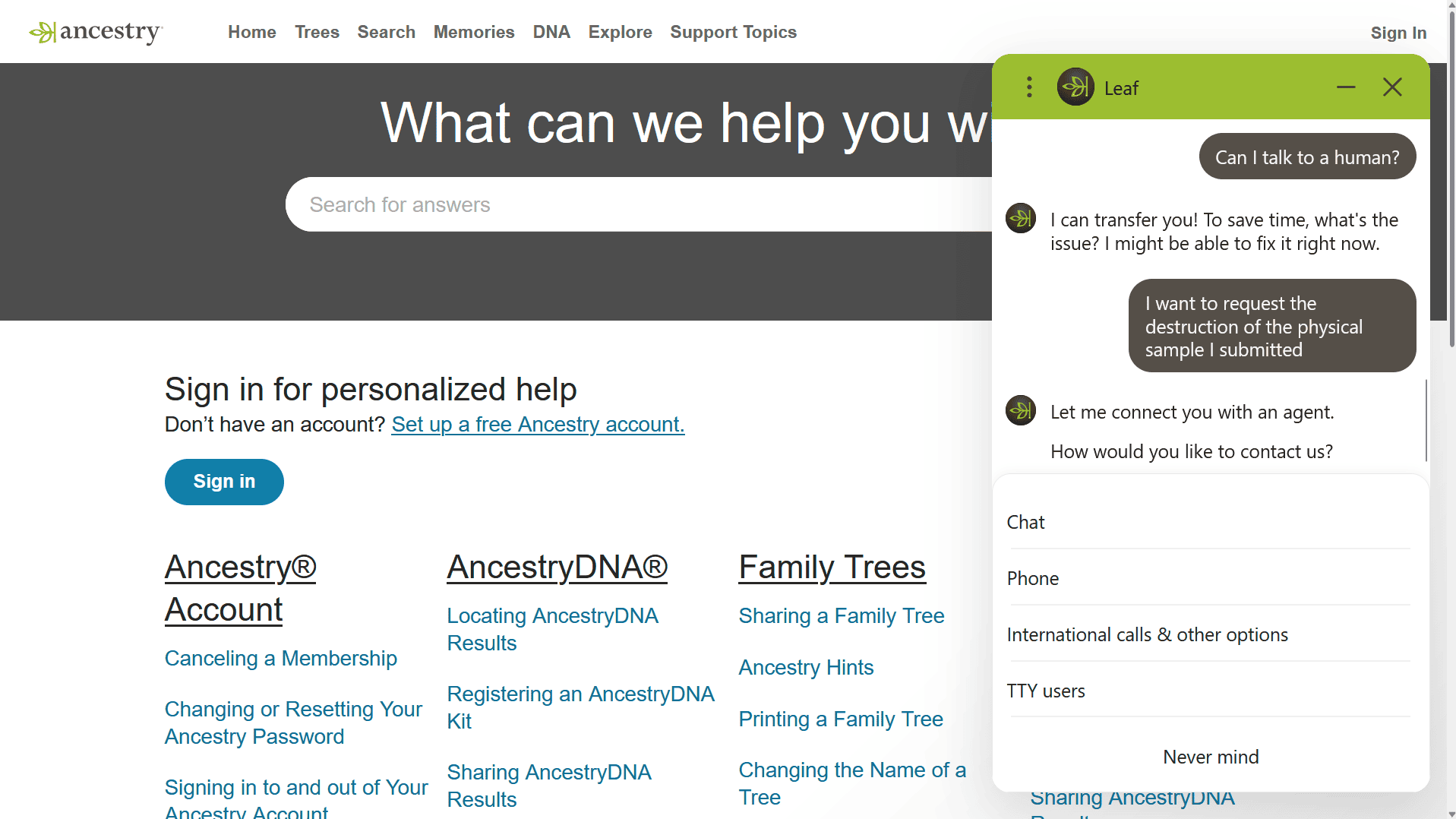
Your saliva sample sits in a lab even after you delete your digital results, unless you take an extra step to specifically request its destruction as follows:
- Contact Ancestry Member Services directly and request that your physical DNA sample be destroyed. This can’t be done from the settings menu alone if you’re only deleting your DNA results rather than your whole account.
- Be ready to verify your identity, typically with the email associated with your account and possibly the activation code from your original test kit.
- Watch for a confirmation email. Ancestry sends notice once your sample has actually been destroyed, which is worth holding onto as a record.
If you delete your entire account instead of just your DNA results, sample destruction happens automatically as part of that process, without a separate request.
>> Related Reading: Five Easy Opt-Outs to Protect Your Identity and Privacy
How to Withdraw Research Consent
If you agreed to let Ancestry or its research partners use your genetic data for studies, you can revoke that at any time without deleting your data in just two steps:
- Go to your DNA Settings and find the Consents section.
- Withdraw consent for research participation. This stops your data from being used in future research going forward.
Withdrawing consent doesn’t undo the past. Ancestry is clear that data already used in ongoing or completed studies, or included in published results, can’t be pulled back after the fact. If this matters to you, the earlier you withdraw consent, the less of your data ends up in that position.
How to Delete Your Entire Ancestry Account
If you delete your account, all of your data is removed at once, your tree, your test results, and your physical sample. It takes a bit more effort than any individual category, but it’s still the best way to delete all of your data from Ancestry. Here’s how to scrub all of your data stored on Ancestry by deleting your account:
- Go to the account deletion page, accessible through your account settings or directly at ancestry.com’s account deletion URL, and sign in.
- Read the warnings carefully. Ancestry will list everything that gets permanently deleted, including your DNA test results and the associated physical sample.
- Check the confirmation box acknowledging that your DNA results will be deleted and your saliva sample destroyed, then select a reason for leaving and continue.
- Enter the confirmation code sent to your email. Keep the deletion window open while you check your inbox, since closing it means starting over.
- Finalize the deletion. You’ll be logged out immediately and lose access to your tree, matches, and results right away, even though full deletion from Ancestry’s systems takes up to 30 days.
Just know that this is the most permanent option, so don’t expect to be able to reopen your account if you want to take a second look at your results a year down the line.
>> Check Out: How to Remove Your Name From the Internet
What Happens After You Submit a Request
Timelines vary depending on what you’re deleting. DNA results typically disappear from your own account within a few days, though matches can linger longer on relatives’ accounts. Full account deletion is completed within 30 days. Physical sample destruction is confirmed by email once it’s done, and if you don’t receive that confirmation within a reasonable window, always follow up with Ancestry support directly rather than assuming it happened.
What Deletion Doesn’t Cover
While deletion removes your data that Ancestry stores associated with your account, there are a few limitations. Most notably:
- Data already shared with third-party research partners, or included in studies that are already underway or published, generally can’t be retracted.
- If you shared your tree publicly or other users copied information from it into their own trees, deleting your account doesn’t remove those copies.
- Closing your Ancestry account has no effect on the dozens of other data broker and people-search sites that may already have your name, address, and other personal details from entirely separate sources. Check out our guide to removing your address from the internet to see what you can do about this data.
These limitations are important to note as deleting your information from Ancestry could give you a false sense of privacy. The information they delete at your request could still be in the hands of others.
Removing Your Data Across the Web
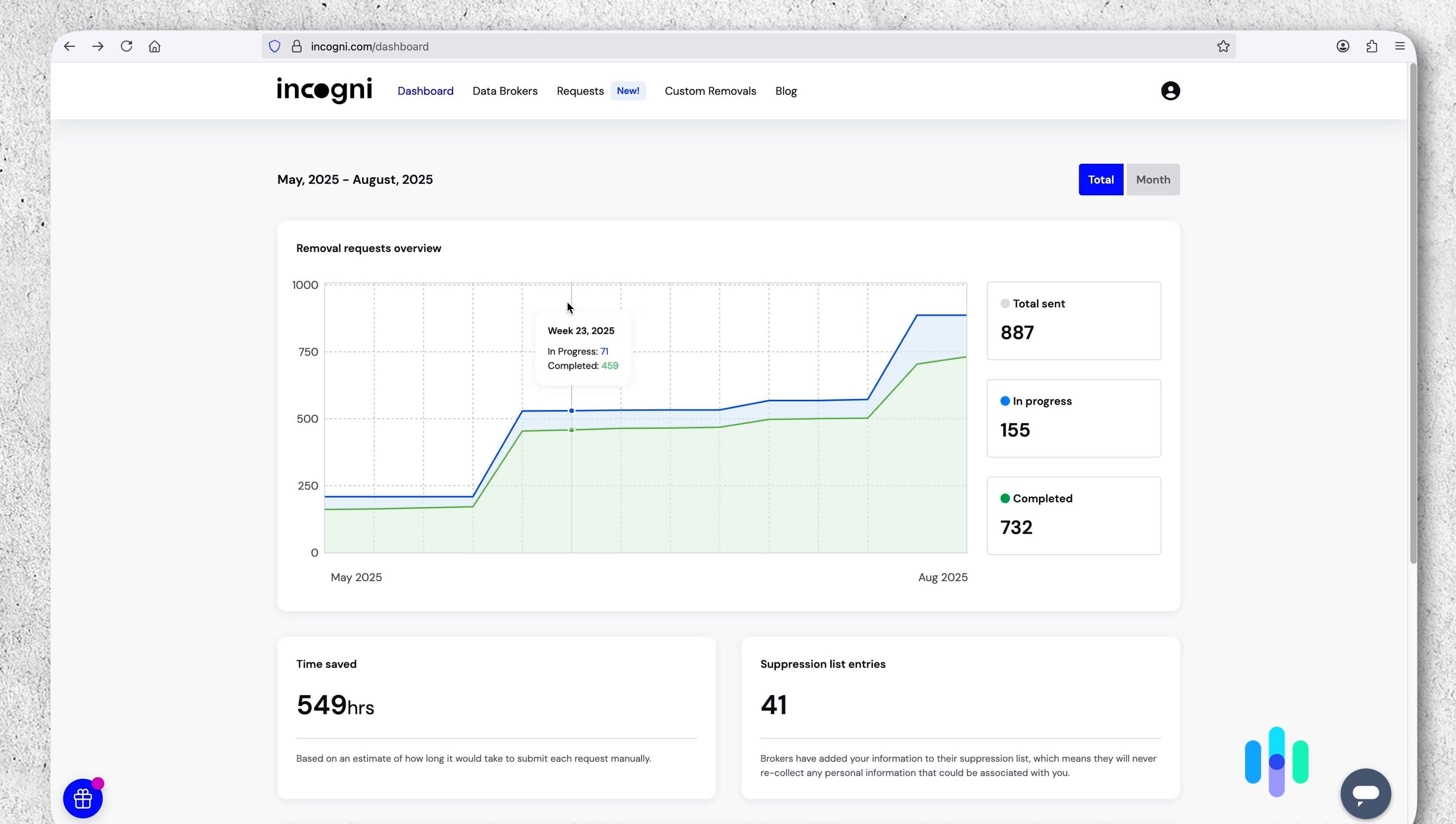
To get your data off most websites, we recommend using a data removal service, like Incogni.
Genealogy research often means entering your full name, birth date, and family relationships into a platform built to make that information discoverable. That information can get scraped by data brokers regardless of what you do inside Ancestry’s own settings. Incogni automates opt-out requests across hundreds of those broker sites on an ongoing basis to keep your personal data private. We cover how it works and our experience trying it in our Incogni review.
This is a different problem than the one this guide covers, but a common one for anyone who’s spent time on genealogy sites.
Expert Insight: Incogni now offers bundles that include identity theft protection services from Coveron. That can help you recover if the worst case scenario, identity theft, of your information being on data brokers occurs. Check out our Incogni vs LifeLock and Incogni vs Aura comparisons to see if it’s the right bundle for you.
Why People Remove Their DNA Data
Genetic testing companies have had a rough few years of headlines. 23andMe’s 2025 bankruptcy filing pushed several state attorneys general to publicly remind customers that they could request their genetic data be deleted before the company’s assets, including its DNA database, potentially changed hands.1 Further, a 2018 breach at MyHeritage exposed account credentials for over 92 million users.2 DNA-matching sites have even been used by law enforcement to identify suspects through relatives who never took a test themselves.
None of that means Ancestry specifically has been breached or sold, but it illustrates the underlying risk. DNA data is uniquely sensitive. It can reveal health predispositions, family secrets, and biological relationships you didn’t ask to share. Once a company holds that data, its future depends on that company’s policies, ownership, and security, not just yours.
FAQs
-
How Long Does It Take to Delete My DNA Data From Ancestry?
Deleting just your DNA test results is typically processed within a few days. Deleting your entire account, which includes destroying your physical sample, takes up to 30 days to fully complete across Ancestry’s systems. If you don’t receive a confirmation of the deletion of your data within those time frames, reach out to Ancestry’s customer support for help.
-
Will Deleting My Account Also Destroy My Saliva Sample?
Yes. Full account deletion automatically marks your physical sample for destruction. If you only delete your DNA test results without closing your account, you need to separately contact Ancestry Member Services to have your physical sample destroyed.
-
Can I Delete My DNA Results Without Deleting My Whole Account?
Yes. Ancestry’s DNA Settings page has a specific option to delete your DNA test results and revoke consent to processing, separate from closing your account or deleting your family tree.
-
Can Ancestry Still Use My Data After I Delete It?
Data already used in completed or published research generally can’t be retracted, even after you withdraw consent or delete your account. Withdrawing consent stops future use of your data, but it doesn’t undo what’s already been done with it.
-
Does Deleting My Ancestry Data Remove Me From Data Broker Sites?
No. Ancestry account deletion only affects the data stored directly with Ancestry. Your name, address, and other details may still appear on separate data broker and people-search sites that gathered your information independently.
Citations:
- State of California Department of Justice. (2025). Attorney General Bonta Urgently Issues Consumer Alert for 23andMe Customers.
https://oag.ca.gov/news/press-releases/attorney-general-bonta-urgently-issues-consumer-alert-23andme-customers - Have I Been Pwned. (Retrieved 2026). MyHeritage Data Breach.
https://haveibeenpwned.com/Breach/MyHeritage