
Norton Antivirus Review
Excellent malware detection, clunky app experience — here's our full take on Norton Antivirus.
 &
&
 Last Updated on Aug 13, 2026
What We Like
- 100 percent malware detection: Norton absolutely killed it when it came to detecting the types of Android malware that are most prevalent today.
- Strong virus protection: Norton also performed well when it came to detecting the vast majority of viruses on Windows and Mac.
- Encrypted password vault: Norton's password manager stores your logins in an encrypted vault — unlike Chrome's built-in password storage, which isn't encrypted at all.
What We Don't Like
- Multiple subscription options: Norton offers a lot of plans, which is great if you want a complete digital security solution, but can be overwhelming for newcomers.
- Clunky desktop experience: While it wasn't the worst user experience we've ever had testing out a desktop antivirus app, the constantly changing combination of apps, extensions and windows grew tiresome pretty quickly.
- Prices increase after the first year: Norton's website isn't the most straightforward when it comes to their prices after the first year.
Bottom Line
the security.brief
Norton Antivirus excels in malware detection with a 9.7/10 rating but has a history of lawsuits and price hikes after the first year. Great mobile apps, clunky desktop.
Norton needs no introduction. It’s one of the leading antivirus and cybersecurity brands that offers all-around protection against any imaginable online threat. But here at Security.org, we want to see proof before believing anything. So we purchased a Norton antivirus subscription and installed it on our computers. We tested its ability to detect and block malware, how it safeguards devices, and how advanced the protections it provides are. We also looked at any potential drawbacks. If you’re looking to find out if Norton is a suitable option for you, there’s no better place to find the answer than here.
Our User Experience
Deciding on a Norton product is the crucial first step, and it also happens to be the most tedious. Norton offers a lot of products, from antivirus software to a VPN and password manager. And often, you’ll find those products bundled together. Thankfully, it gets easier once you’re over the hurdle of choosing a package.
If you’re looking for antivirus protection, we recommend starting with the AntiVirus Plus subscriptions, the most basic antivirus package from Norton. It’s basic in the sense that it doesn’t offer many extras, unlike the Norton 360 packages that include the Norton Secure VPN among other products. However, when it comes to malware detection and protection, the AntiVirus Plus subscription is just as good as any Norton antivirus.
Did You Know: Security companies identify five malware vulnerabilities every minute, with this number growing rapidly.1 The good news is Norton updates its malware definition database multiple times a day to stop these new threats from infecting your system.
Since our goal in the first place is to see how well Norton’s antivirus works, we purchased the AntiVirus Plus plan. To do that, we signed up for an account first and then bought a license once we were logged in. It was pretty straightforward: we entered our payment information, checked out, and within seconds, we had bought ourselves antivirus software.
Next, we downloaded the software and installed it. The installation process took longer than we expected, and we even had to restart our device after the installation, but that’s normal for antivirus software. Just a reminder to save everything you’re working on before the installation.
Oddly, once the app was installed, it said we were in a trial for 30 days, which shouldn’t be the case because we had already bought a subscription. We had to sign in first, apparently, but the sign-in page didn’t show up the first time we opened the app. And that had been the theme throughout our entire testing process: Norton’s antivirus software is well-built, but the user experience could be improved. Still, Norton was easy to use.
The Options From Norton
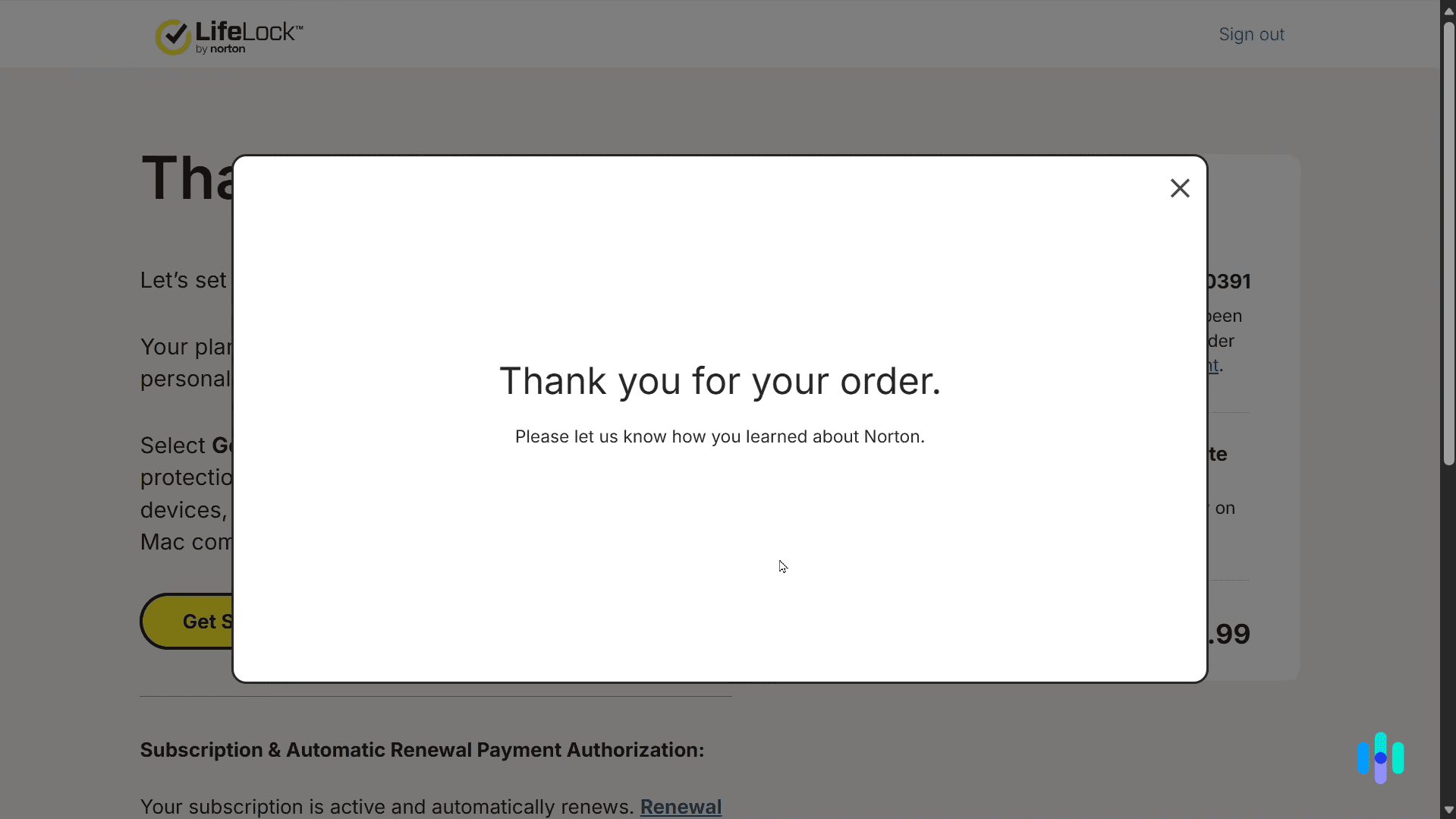
Before we dive deeper, it’s worth covering your options from Norton. Basically, there are three types of antivirus subscriptions.
The first one is a bare-bones subscription with just antivirus protection and a few helpful extras like a password manager, a smart firewall, and cloud backup. Subscriptions under this tier are called Antivirus Plus, which is what we tested for this review.
Next, we have Norton 360, which is Norton’s all-around digital security suite that includes everything in Antivirus Plus and additional tools like a VPN, parental-control software, AI scam protection, and a privacy monitor.
Lastly, LifeLock with Norton 360 subscriptions offer traditional identity monitoring service on top of all Norton 360 features. You can learn more about LifeLock in our LifeLock review.
Since we wanted to focus our testing on the antivirus software, we took advantage of the low introductory price of the Norton Antivirus Plus subscription. But overall, if you’re looking for total digital protection, Norton 360 is the best way to go.
With that out of the way, let’s talk about what we got from Norton Antivirus Plus, starting with device security.
What’s Inside Norton AntiVirus Plus
Once you’re past the signup process, there’s more to Norton AntiVirus Plus than malware scans alone. Here’s a closer look at what’s actually inside the apps, from how it hunts down threats to the extras bundled into our subscription.
Device Security
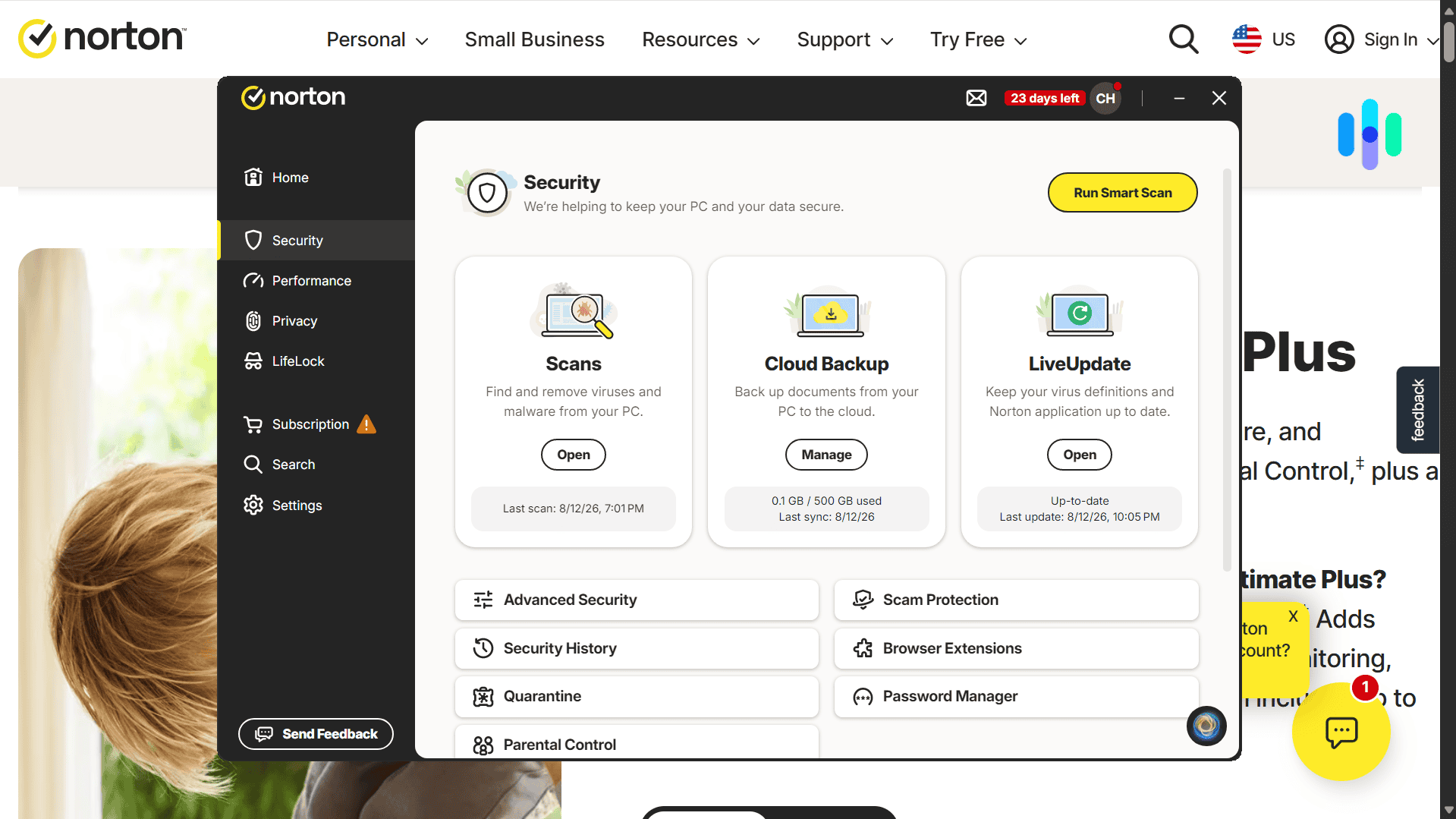
This section of the app contained the meat of the antivirus software – malware detection. More specifically, this was where we initiated our malware scans.
Norton gave us six options:
- Smart Scan: The Smart Scan combined a malware check, a performance check, and a privacy check into one pass – it was the option Norton recommended by default.
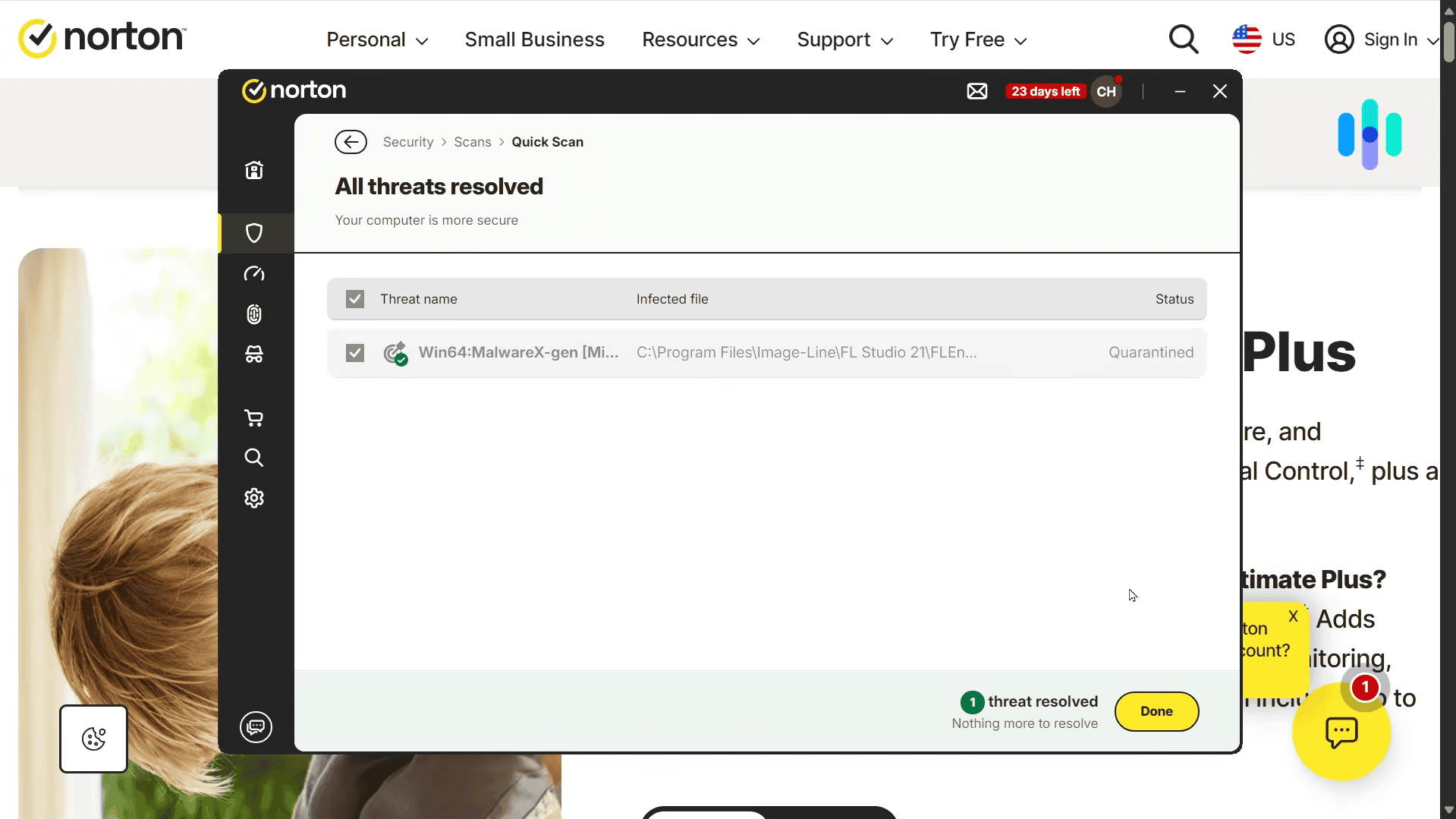
- Quick Scan: The Quick Scan option scanned our entire computer, but focused mainly on areas where malware was most likely to hide. That included key registries and processes running in the background. It’s used for regular maintenance, ideally once a week.
- Full Scan: As opposed to Quick Scans, Full Scans looked at every single file. They understandably took longer – sometimes up to 30 minutes. We recommend doing a full scan at least once a month.
- File Scan: The File Scan scanned a specific file, folder, or drive we selected on the spot. We used this whenever we downloaded or received a file from an unknown or unverified source.
- Startup Scan: The Startup Scan checked the programs and processes set to launch when the computer booted up – a common place for malware to hide.
- Explorer Scan: The Explorer Scan let us right-click any file or folder in Windows File Explorer and scan it directly, without opening the Norton app first.
FYI: Norton’s Full Scans were impressively quicker than other malware we tested. When we reviewed McAfee, the initial full scan ran for more than five hours.
So what exactly is Norton scanning for, anyway? Well, any kind of threat that is in Norton’s malware database. That includes all known trojan viruses, computer worms, ransomware, adware, and even bloatware. It doesn’t pick and choose; it looks for anything that might be harmful to your devices.
During our testing, we found Norton actually layers three types of detection together: signature-based, behavior-based, and cloud-based machine learning.
Signature-based detection is the old-school way of catching malware. Norton compares every file against its malware database, and if a file contains malware signatures — basically, malicious code patterns already in that database — Norton flags it down. Think of it like a cop pulling over a car that matches the description and plate of a getaway vehicle.
Behavior-based detection is more advanced, since it can catch malware even when it’s not yet in a database. We saw this firsthand during testing: Norton flagged files that behaved suspiciously — like a file copying itself into different folders without our permission — rather than relying on a known signature. That’s what makes behavior-based detection effective against newly developed malware and zero-day attacks. Back to the cop analogy: this is like pulling someone over for speeding or swerving, not because their car matches a wanted description.
The third layer, cloud-based machine learning, works differently from the first two: instead of checking a file against a fixed database or watching how it behaves on your machine, Norton runs it against threat patterns pulled from across its entire customer base in the cloud. That means a piece of malware caught on someone else’s device can strengthen the protection on yours within hours, not whenever the next database update ships. It’s the same underlying technology behind the Intrusion Prevention System, Behavioral Protection, and Advanced Machine Learning features covered in more detail in our Norton 360 review.
Between six scan types and three layers of detection working together, Norton gave us more ways to catch malware than we expected from an entry-level antivirus subscription. That combination is a big part of why its detection results held up so well in our testing. More on that later.
Password Manager
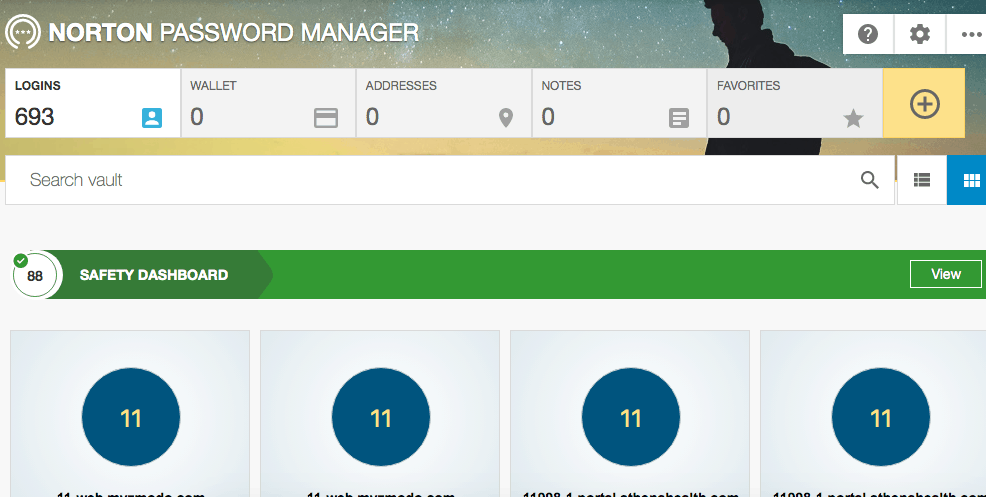
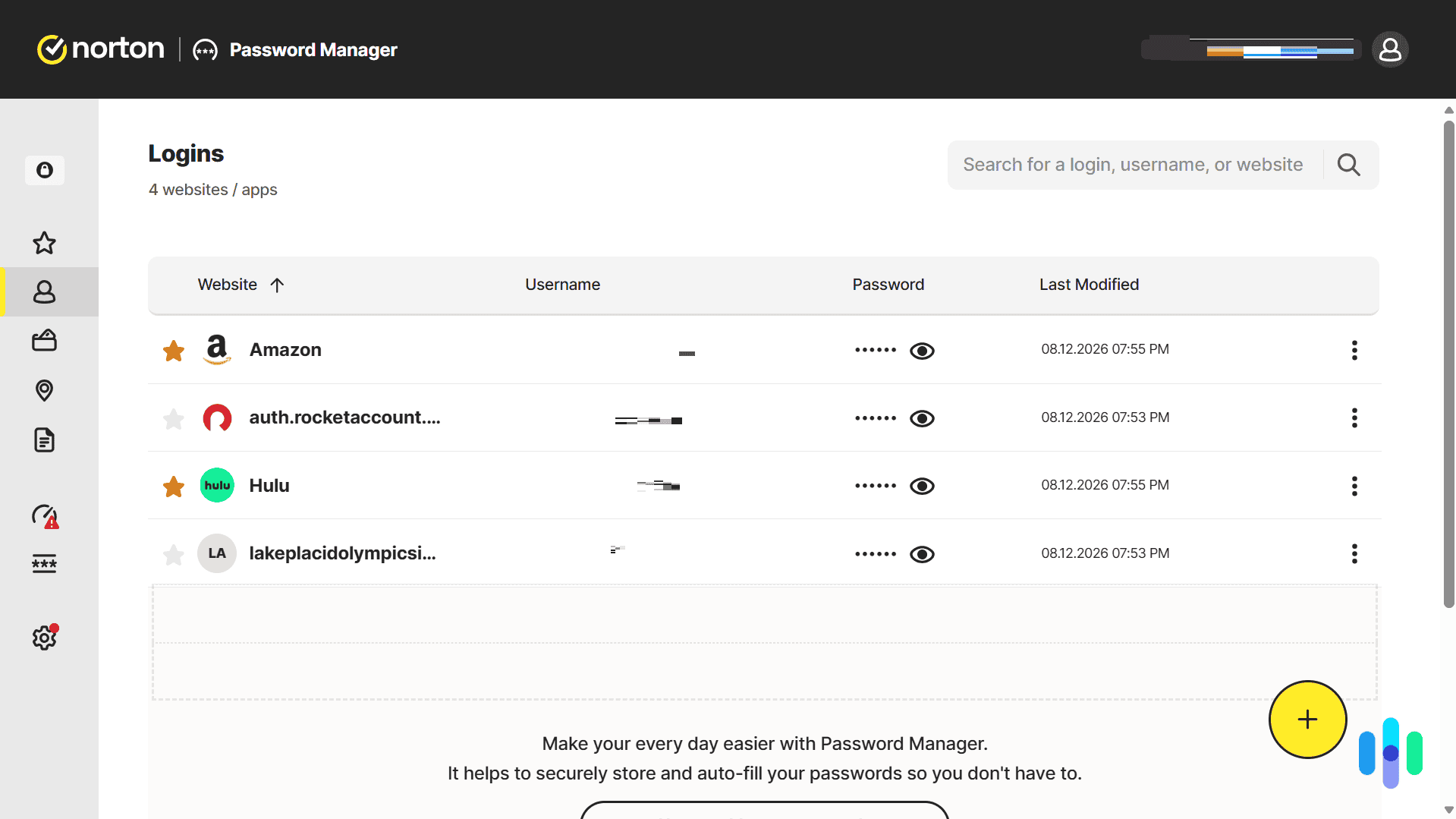
Now, part of our antivirus subscription was also a password manager, but when we clicked “Set Up” on the Norton app, we were brought back to the Norton website and told to install a separate browser extension and mobile app. We downloaded the extension for Chrome and were brought to another web page, where we entered our email address. After signing in to our account on Norton’s website, it asked us to create a vault with a dedicated vault password separate from our Norton account password. We detailed our full setup experience in our Norton Password Manager review. Overall, the process was a bit tedious, but it’s worth it considering that Norton’s password vault is encrypted, unlike Chrome’s password storage that isn’t by default.
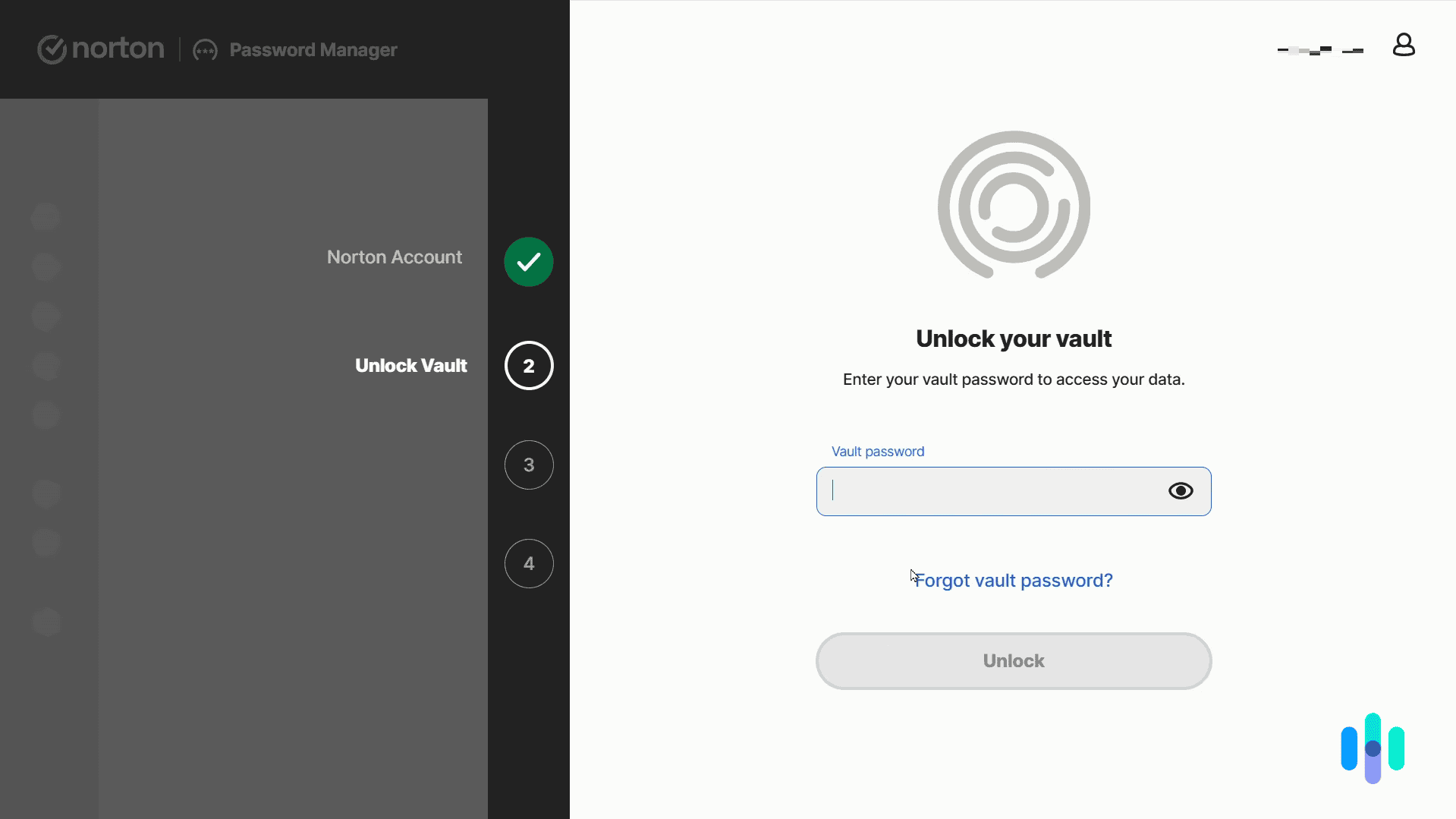
When we got into the vault, it let us choose whether to manually add our login information one by one or import our passwords from Firefox. The problem? We saved our passwords in Chrome, but they didn’t accept the CSV file that we already had on our computer. Rather, we had to download the importer app, extract our passwords from Chrome, convert them from CSV to JSON, and then drag that file into Norton’s vault. If this sounds complicated, it’s because it was. But after about three tries, we finally got it right and were able to drop our file in the vault. Now, when we go to websites where we already have accounts, Norton fills it in for us, which is very convenient despite the really disorderly setup process.
FYI: To import your passwords into the Norton Password Manager, you’ll need to download an Importer app from the Norton website.
That was it for the Norton Antivirus Plus macOS app, except for one thing: at the bottom of the app, it said Additional Apps & Services. Curious, we clicked on it and found a description of the Ultimate Help Desk, which was basically an IT service starting at $19.99 a month (or $69.99 for a single one-time service without a subscription) where we could get help “on-demand.” We assumed that this was already available on a free level, so we did not sign up.
Cloud Backup
Aside from the antivirus itself and the password manager, there’s another feature included in our Norton AntiVirus Plus subscription that’s easy to overlook: cloud backup. Norton gave us a two GB cloud backup, which we were able to access from the online dashboard.
On the cloud backup section of the dashboard, we were able to drag and drop files from our computer, kind of like Google Drive. The difference is that it’s encrypted, so we can be sure that no one but us has access to the files.
The cloud backup may seem like a weird addition to Norton’s features, but in fact, it’s a very effective measure to protect important files from ransomware. Cybercriminals carry out ransomware attacks by locking users out of their local files, usually through encryption, and then asking for ransom in exchange for the files. If you have backup of your most important files on the cloud, you can recover them anytime without paying a ransom — a valuable safety net on top of Norton’s malware protection. In fact, Norton is one of our top-rated ransomware protection software.
Did You Know: Over 5,400 ransomware reports were filed worldwide in 2024, with a third occurring in the final quarter of the year. The United States was the most targeted country in the quarter, with more than 900 attacks reported.2
Testing Norton Antivirus Plus
According to AV-Test, an independent antivirus testing lab, Norton’s record of detecting 100 percent of widespread malware dates back to October 2013. Compared to the industry average of 99 percent, still impressive, Norton is a cut above the rest.
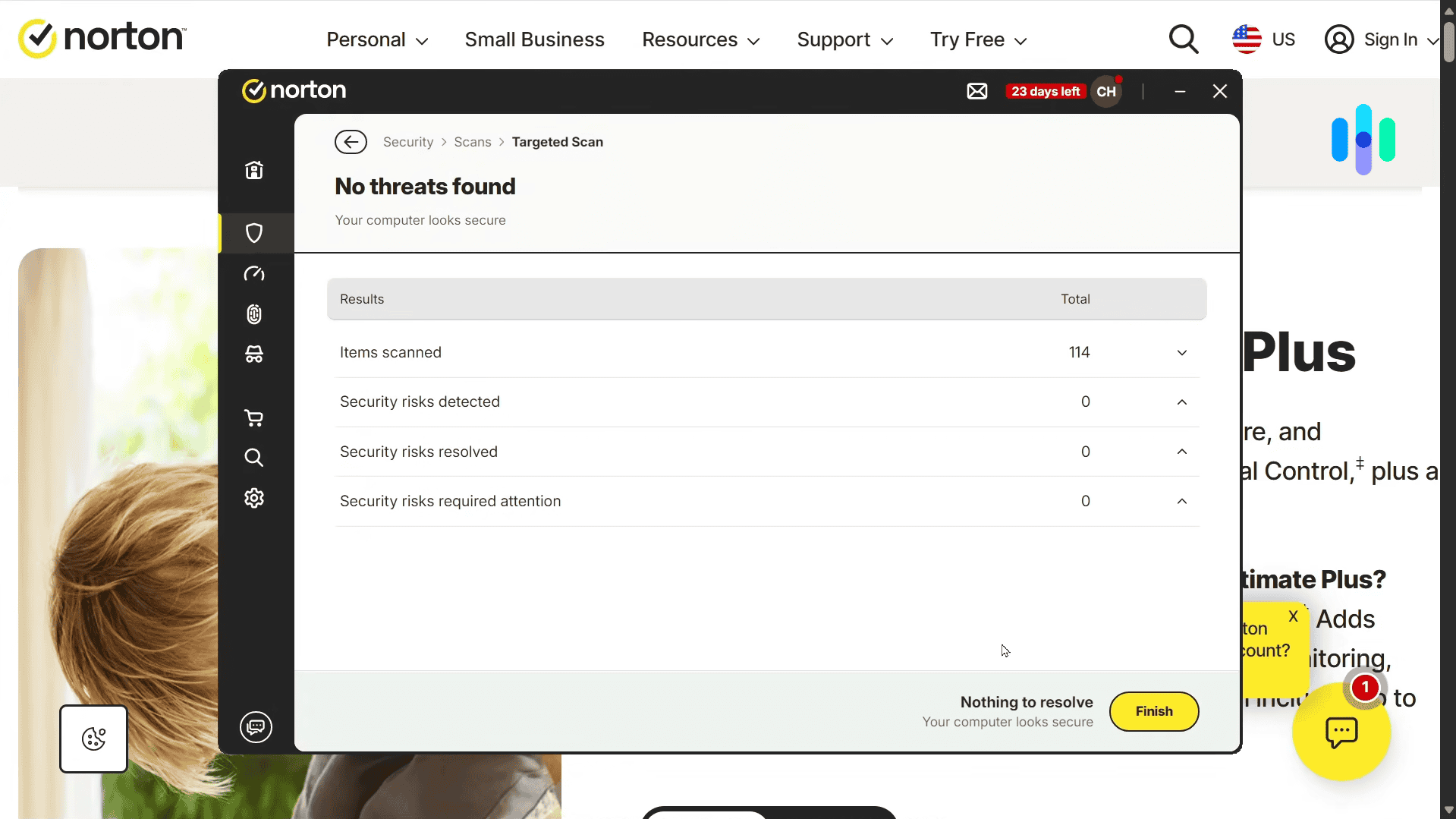
But we don’t just go by other people’s test results. We also performed our own tests on Norton after downloading five different types of viruses disguised as different types of files: XLSX, EXE, DOC, XLSM and SLX files. With Norton on, the software detected four out of the five, leaving only the DOC file undetected. That would have been a problem had we clicked on it; the DOC file would’ve taken over our Mac as an administrator. An 80 percent detection rate puts Norton solidly ahead of the pack — only five percent of the 40 software programs we tested detected 100 percent of those same five viruses, so Norton continues to perform well above average for virus detection.
FYI: Cybercriminals are favoring fileless malware attacks because they bypass basic antivirusdefenses.3 These scripts live in the system memory and hijack legitimate computer processes. The good news is antivirus apps like Norton can detect these attacks using a combination of behavior detection and AI tools.
Paying for Norton Antivirus Plus
Norton is a big-name brand antivirus with a rich feature set and excellent malware detection capabilities, so it must be expensive, right? Well, we paid $29.99 for the first year of our Norton Antivirus Plus subscription. This is a lower price than most other antivirus programs, which cost around $39.99 per year. But again, since this price only applies to the first year, we can’t say for sure if Norton will save you money over time. We cover all of their subscription options on our Norton pricing page for more information.
Note: We’ve done some deep diving to compare Norton Antivirus to other providers, such as Malwarebytes, McAfee, and TotalAV. Only one of these other providers makes our list of the best alternatives to Norton.
The Norton Mobile Applications
Even though we tested out Norton on our trusty old MacBook Pro, we also wanted to see what customers thought of its iOS and Android apps, which have ratings of 4.7 out of five stars on the App Store and 4.6 out of five stars on the Google Play Store, respectively. And while there were some negative recent comments regarding auto-renewal for subscriptions, in general, the apps worked well for people and were certainly easier to install than the desktop app.
Note: Our AntiVirus Plus subscription didn’t cover the mobile apps, but if you upgrade to the next tier, Norton 360 Deluxe, you will get coverage for up to five devices, including smartphones. Deluxe costs $49.99 for the first year.
How Norton Handles Privacy
Security and privacy don’t always go together. Antivirus software has the capability to scan your device to look for malware, but before you let it “look” through your files, it is crucial that you know exactly how the software and the company behind it treat your personal privacy.
We read through Norton’s privacy policy, particularly what types of data they collect, and we found nothing out of the ordinary. We actually appreciate that they have separate privacy notices for different products and services. That way, you know exactly what they collect when you use a specific Norton product.
For their desktop security software (antivirus), they may log and store:
- Spam emails reported by the user
- Malware detections reported by the user
- File backups stored in the user’s cloud backup
The apps also store device data such as:
- IP address and location data (approximate)
- Operating system version
- Device manufacturer and model
- Device identifiers (e.g., MAC address)
- Other security software running alongside Norton (e.g., Windows Defender)
- Browsers installed (e.g., Chrome, Firefox, etc.)
- Websites visited when web protection is turned on
- Files identified as potential malware (for the malware database)
- File metadata, including file paths
- Network and connection data
- Crash reports
Keep in mind that Norton has a separate data collection for each product, including the VPN. That’s noteworthy because for antivirus software with web protection features, logging web history is normal. For VPNs, that’s a big no-no. It goes against Norton VPN’s no-logs policy. And of course, data collected by the antivirus software doesn’t carry over to Norton VPN. All told, Norton seems to know what it’s doing when it comes to protecting users’ privacy.
>> Also see: Bitdefender vs Norton
Need Help? Norton Customer Support Experience
When we needed help setting up the password manager component of our antivirus software, we did a search on Norton’s online help center, which quickly brought us instructions. However, we could’ve also taken advantage of their live chat, 24/7 phone support, or even their support staff on Facebook and X. We’re impressed with their 24/7 support, as most companies just have business hours during the weekdays.
Our Norton Antivirus Research and Data
The following is the data and research conducted for this review by our industry-experts. Learn More.
Encryption
| In Transit | Yes |
|---|---|
| At rest? | Yes |
| All network communications and capabilities? | Must get Norton VPN |
Security Updates
| Automatic, regular software/ firmware updates? | Yes |
|---|---|
| Product available to use during updates? | Yes |
Passwords
| Mandatory password? | Yes |
|---|---|
| Two-Factor authentication? | Yes |
| Multi-Factor authentication? | Yes |
Vulnerability Management
| Point of contact for reporting vulnerabilities? | Yes |
|---|---|
| Bug bounty program? | Yes |
Privacy Policy
| Link | https://www.nortonlifelock.com/us/en/privacy/global-privacy-statement/ |
|---|---|
| Specific to device? | No |
| Readable? | Yes |
| What data they log | Name, date of birth, home address, email address, ID scan, credit card details, Social Security number, login credentials, customer service communications, mobile device ID, IP address, network usage data, browsing history, financial transactions, geolocation data |
| What data they don’t log | n/a |
| Can you delete your data? | Yes |
| Third-party sharing policies | Shares information with third parties. |
Surveillance
| Log camera device/ app footage | n/a |
|---|---|
| Log microphone device/ app | n/a |
| Location tracking device/ app | Yes |
Parental Controls
| Are there parental controls? | Norton Family lets you block apps and sites you don’t want kids to see, implement safe search terms, schedule screen time, and get reports about what your kid is doing online. |
|---|
Company History
| Any security breaches/ surveillance issues in past? | Yes |
|---|---|
| Did they do anything to fix it? | Yes |
Additional Security Features
| Anything like privacy shutters, privacy zones, etc.? | n/a |
|---|
Is Norton Antivirus Plus For You?
It’s clear that Norton Antivirus Plus isn’t for everyone. Its main drawbacks, of course, are its dodgy legal history, with several class action lawsuits along with some major security vulnerabilities. But the software works well, especially when it comes to detecting malware.
If Norton sounds good to you, then you can save money by bundling it with a VPN or identity theft protection. To learn more, read about Norton Secure VPN pricing or LifeLock pricing.

-
Astra. (2025). State of Continuous Pentesting Report 2025.
https://www.getastra.com/reports/state-of-continous-pentesting-insights/2025 -
Check Point. (2025). Ransomware Annual Report 2024.
https://cyberint.com/blog/research/ransomware-annual-report-2024/ -
Deep Strike. (2025). Malware Statistics: Latest Attacks, Trends, and Survival Strategies.
https://deepstrike.io/blog/Malware-Attacks-and-Infections-2025 -
Law 360. (2013). Symantec Inks $11M Deal Ending Claims It Used Scare Tactics.
law360.com/articles/424823/symantec-inks-11m-deal-ending-claims-it-used-scare-tactics -
Law 360. (2013). Symantec Will Pay $10M To End Software Double-Billing Suit.
law360.com/articles/430254