Aura Parental Control Review and Pricing in 2026
We spent two weeks testing Aura’s parental control feature, and found it comprehensive as a standalone service and a useful addition to their Family plan.
 Last Updated on Jul 01, 2026
What We Like
- Bundled digital security: Aura offers a standalone parental control plan, but it can also come bundled with Aura’s family identity and digital protections.
- Easy to use: Setting up and maintaining parental control with Aura is a breeze with their easy-to-navigate dashboard and real-time activity alerts.
- Unlimited devices: All plans that offer parental control support unlimited devices.
What We Don't Like
- No location tracking: Currently, Aura does not offer any type of location tracking for their parental controls.
- Only supports mobile devices: Aura’s parental controls do not work for desktops, laptops, or Chromebooks. They only work for iOS and Android devices..
- Minimal social media monitoring: Most of Aura’s social media monitoring focuses on identity theft instead of overall kid safety.
Bottom Line
the security.brief
Our team spent two weeks with an Aura Family plan to test out their parental controls feature. We liked it overall, barring a few important exceptions.
Keeping kids safe online has become one of the toughest challenges parents face today. Between social media, gaming platforms, and seemingly endless screen time, it can feel impossible to keep up with what your children see and who they talk to online. Parental control apps help you manage exactly that.
Although parental control isn’t all Aura does, they offer a dedicated plan specifically for their parental control tools. It’s also included in their identity protection plans that support kids if you’re looking for 360 online security. We recently spent two weeks testing the full feature set of Aura’s parental controls to see if it’s worth it as a standalone product.
Overall, we found it offers top-tier web-based monitoring and advanced filtering capabilities at a low cost, but it lacks private message monitoring. That said, how does it stack up against the best parental control apps in the industry and is it the right choice for you? We’ll help you figure that out in this review.
An Overview of Aura’s Parental Control Feature
Over the past few years, Aura has acquired several smaller digital security firms and unified them into a cohesive identity protection and digital security platform. One of those acquisitions was Circle Media Labs in 2021, which now powers Aura’s parental control feature.1
With Circle powering Aura’s parental control component, you can monitor your children’s online activity, filter inappropriate content, and set screen time limits. It is limited to mobile devices, however, we find its web-based monitoring stands out in the industry.
Even with Aura’s reputation, they still keep their prices low. That’s why we think they offer solid value as their low priced plans still come with broader capabilities than most parental control apps. However, dedicated parental control apps tend to offer more granular control. Check out our Bark review or Qustodio review if you’re looking for a dedicated parental control app instead.
Did You Know: Bundling your services with Aura gives you top-notch tools to protect your identity and secure your devices. Its protections earned it a spot on our list of the best identity theft protection services. You can read more in our Aura identity protection review.
Key Features and Capabilities
To test Aura’s parental control feature, we purchased a Family plan to use their full suite of capabilities. During that time, here are the features most useful for keeping kids safe online:
Content Filtering
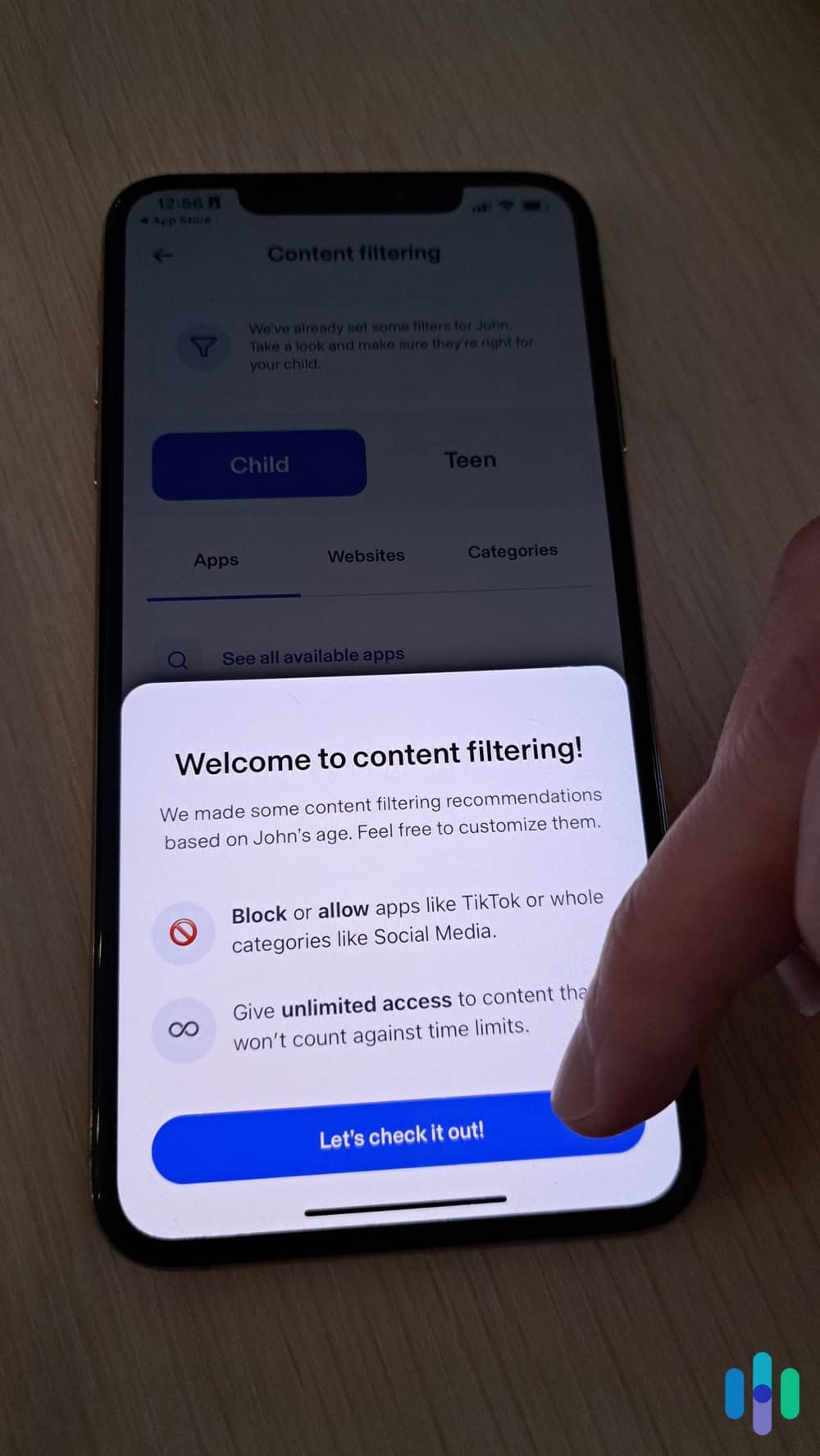
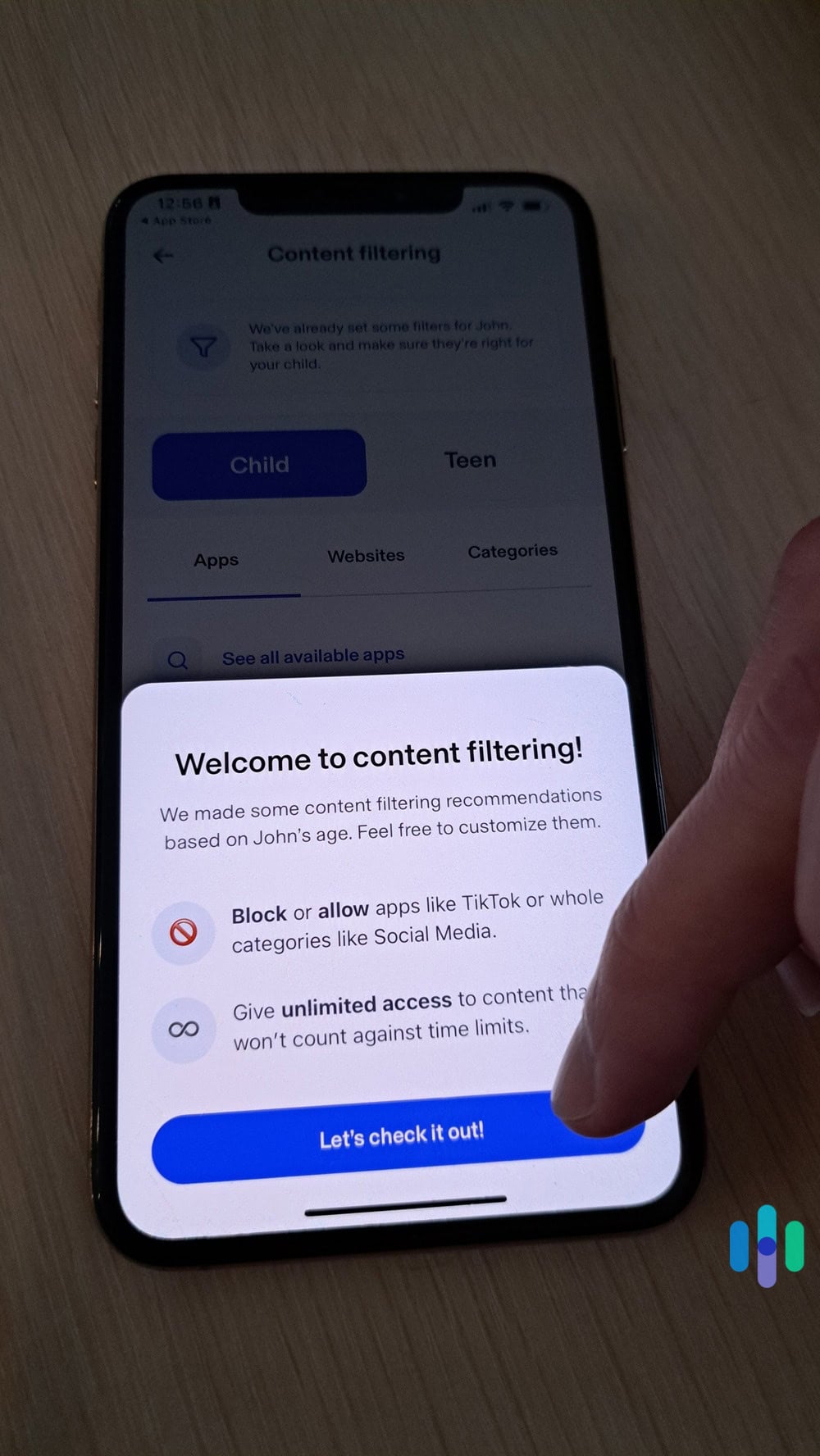
Aura allows you to block more than 25 categories of websites, including pornography, violence, gambling, and drug-related content. We found the filtering worked well during our tests, catching most inappropriate sites. If you find a site missing, Aura allows you to block specific sites as well.
You can customize which categories to block for each child, which is helpful if you have kids of different ages. For example, you might block social media entirely for a 10-year-old but allow limited access for a teenager.
Activity Monitoring
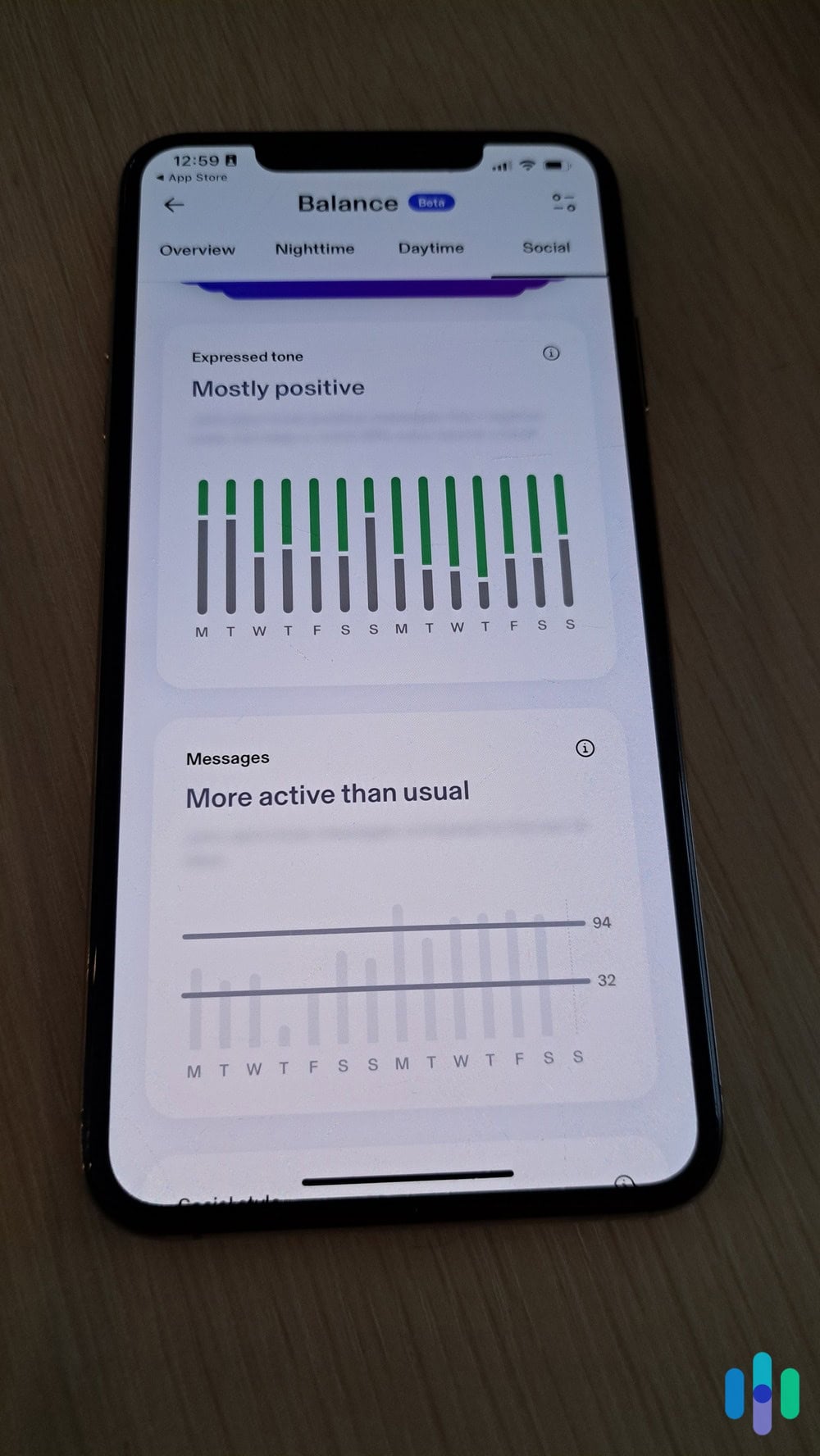
The dashboard provides a comprehensive view of your children’s online activity. We particularly like the way they offer an overview look at how your kids interact with others online. That can help you identify early signs of cyberbullying or catch online predatory behavior before it escalates into a real-life danger. Aura’s automated system even helps you catch these risks with personalized insights.
FYI: 45 percent of teens report that they’re “almost constantly” online.2 That’s one reason why cyberbullying can be particularly damaging for kids, as it can follow them everywhere they go.
App Management
With the activity monitoring dashboard, you can also see which apps your kids are spending the most time on. It also alerts you if they start spending more time on a particular app than usual. We used these insights to help decide which apps most needed parental controls. Then, we can either block those apps entirely or set an appropriate use limit.
Pricing and Plans
For all the identity monitoring and digital protection tools Aura offers, they keep their costs surprisingly low starting at $8.33 per month. For comparison, Bark’s parental control app starts at $14 per month. Here’s a look at Aura’s pricing for the two plans that include parental controls:
| Aura Plan | Parents | Family |
|---|---|---|
| Devices Covered | Unlimited | Unlimited |
| Online Activity Monitoring | Yes | Yes |
| Parental Controls | Yes | Yes |
| Cyberbullying and Predator Monitoring | Yes | Yes |
| Identity Monitoring & Insurance | No | Yes, up to $5 million |
| VPN, Antivirus, and Password Manager | No | Yes |
| Three Bureau Credit Monitoring | No | Yes |
| Price | Starts at $8.33 per month | Starts at $20 per month |
Aura offers an Individual and Couple plan as well, but neither offers parental controls. Also, combining either with the Kids plan costs more than the Family plan even though the Family plan covers up to five adults and unlimited kids. That’s why we only recommend the Kids or Family plan if you’re looking for Aura’s parental controls.
Our Experience Using Aura Parental Controls
Now that you understand the capabilities and cost of Aura’s parental controls, let’s go over our hands-on experience.
Installation and Setup
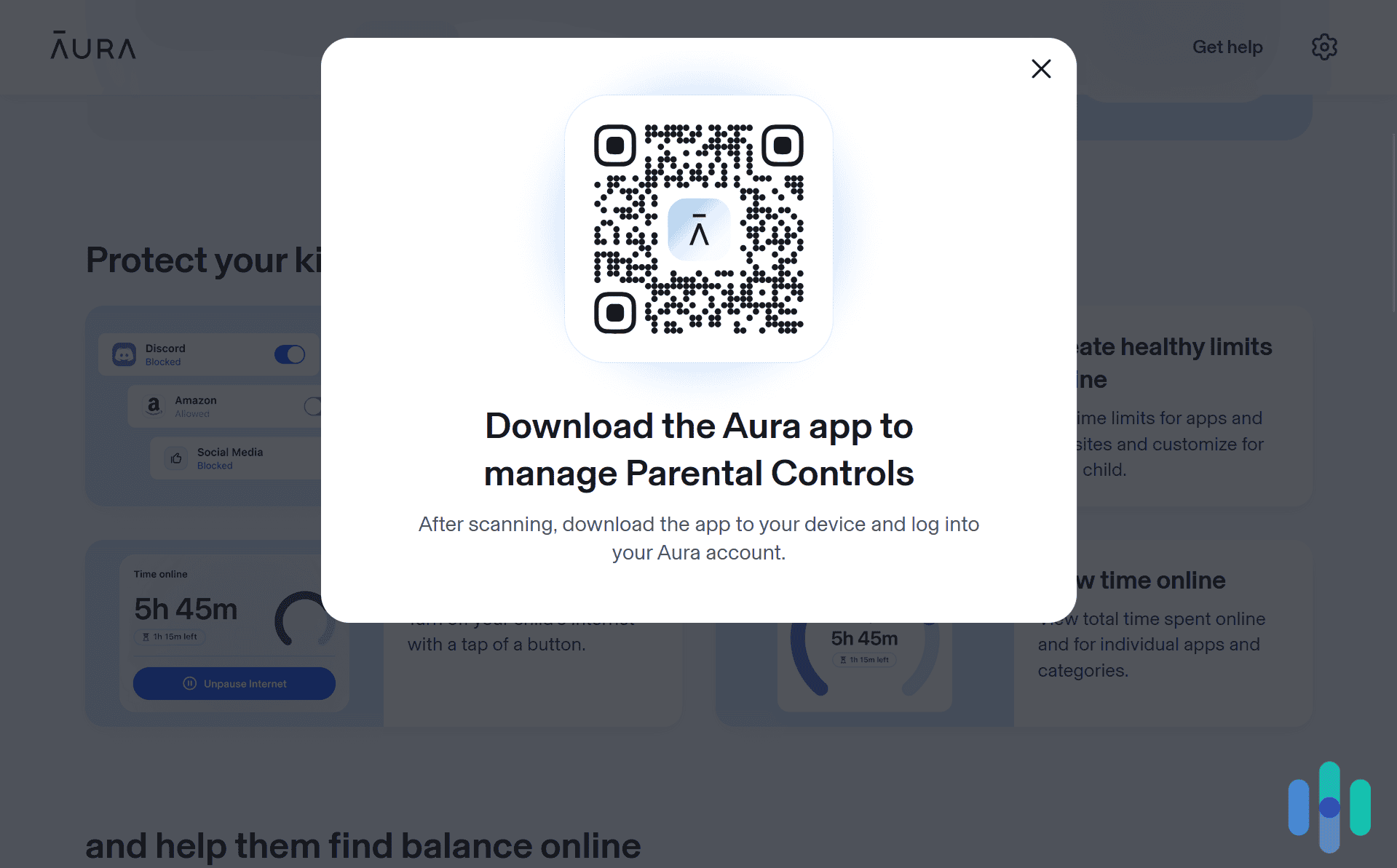
Setting up Aura’s parental controls took us about 20 minutes from start to finish. The process involves creating an account, downloading apps to your children’s devices, and configuring the settings for each child.
Here’s how the setup process works:
- Download the Aura app on your kid’s phone.
- Log into your account.
- Hit the “Ready!” button when asked if you’re ready to set up parental controls.
- Next, identify the device as one that belongs to your child. This switches the Aura app into Child mode.
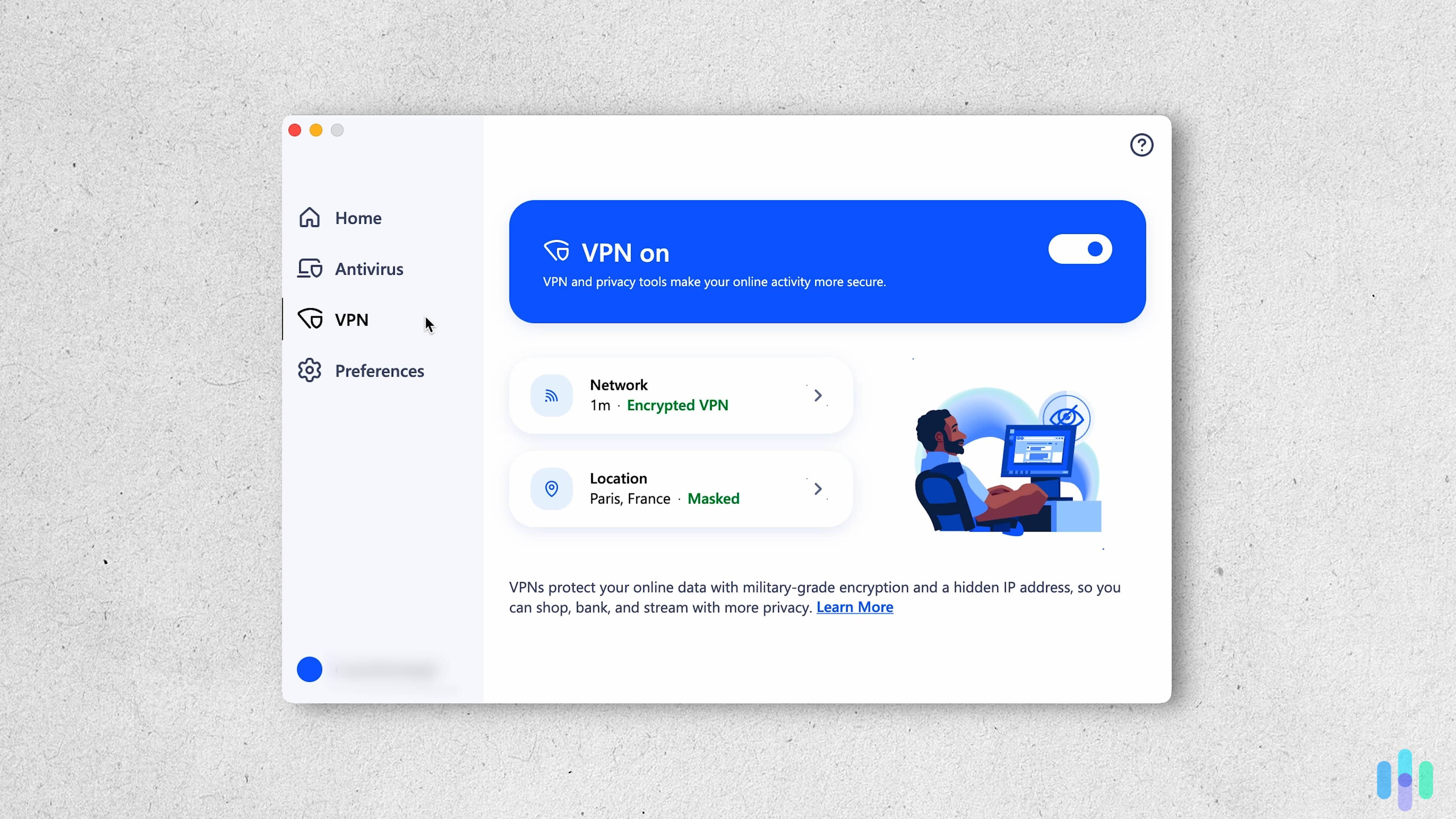
Note that you need to enable Aura’s VPN on your kid’s device for their parental control feature to work. Also, Aura’s parental controls do not currently work for desktops or laptops.
The Dashboard Experience
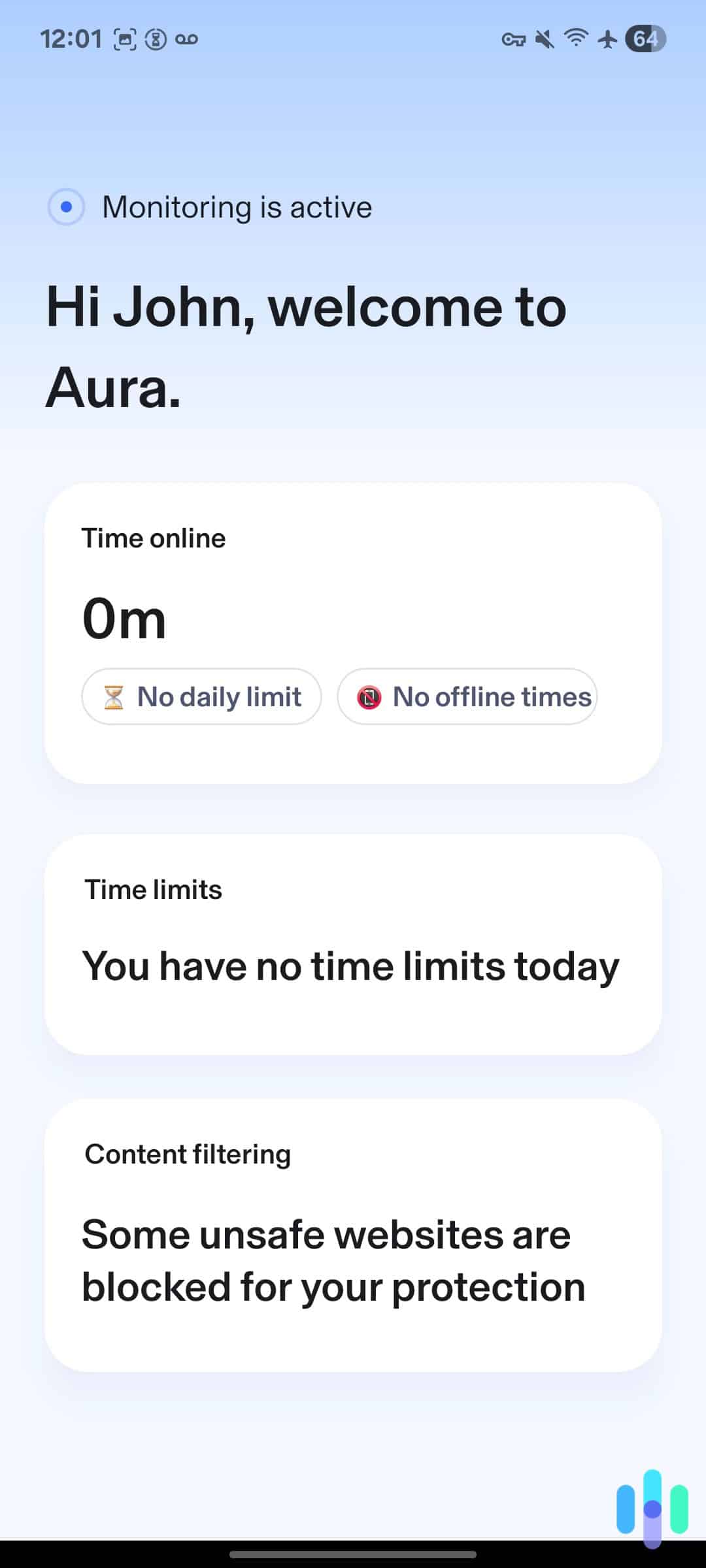
Once everything is set up, the parent dashboard becomes your command center. We tested it on both desktop and mobile, and found the mobile app particularly convenient for checking in on activity throughout the day. The interface is clean and intuitive, with real-time alerts that make it easy to spot potential issues quickly.
You can switch between different children’s profiles quickly, view their activity summaries, and adjust settings on the fly. The dashboard also shows device usage trends, helping you identify unexpected changes like increased late-night phone use or excessive gaming.
Monitoring and Filtering Tools
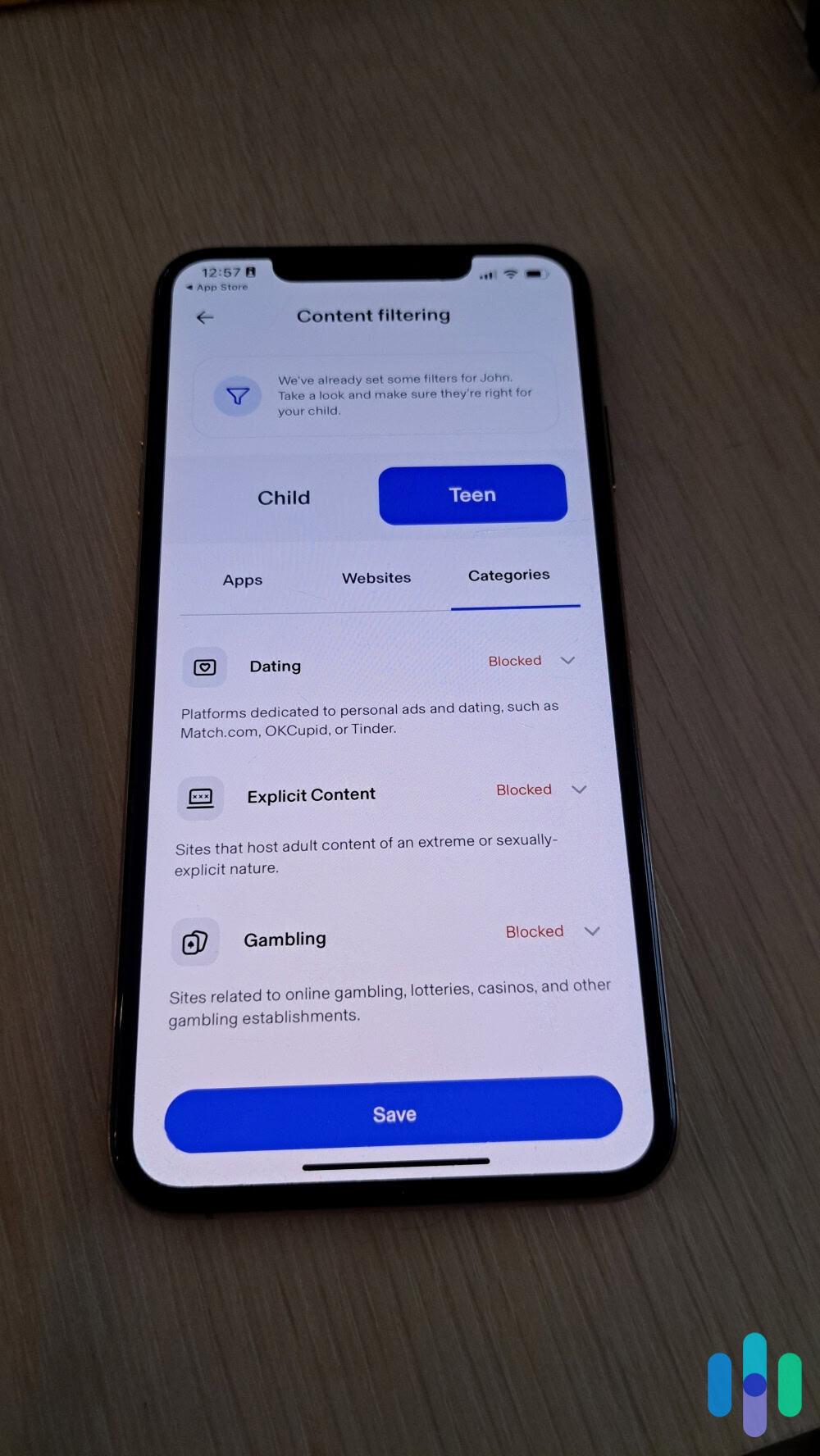
The heart of any parental control system is its ability to filter out harmful content. After deciding which of the over 25 available categories we wanted to block, Aura’s web filtering prevented us from accessing roughly 90 percent of sites we tested in the blocked categories. Any sites it missed, we just manually added. These categories also apply to phone apps with similar levels of accuracy.
In addition to filtering harmful content, parental control apps should also monitor what your kids are doing online. This is one area Aura excels. It provides extensive logs of every site your kid visits, including when they attempt to access blocked sites. However, Aura’s more limited when it comes to social media monitoring as they primarily focus that monitoring on identity theft risks. You can still see how much time your child spends on social platforms and block access entirely, but you can’t view specific messages or posts.
Expert Insight: Remember how we said you need to enable Aura’s VPN to set up their parental controls on your kids’ devices? That actually powers their web filtering tool. The VPN blocks blacklisted sites preventing your kids from accessing them regardless of which browser they use. Check out our review of Aura’s VPN to learn the ins and outs of how it works.
Screen Time Management
Managing how much time kids spend on devices is one of the most common reasons parents turn to parental control software. Aura provides several tools for this purpose, though they rarely work well for Apple products according to our tests. Apple’s closed system prevents third-party apps from limiting access to their devices. For iPhones and iPads, we recommend using the built-in Screen Time app alongside Aura for monitoring.
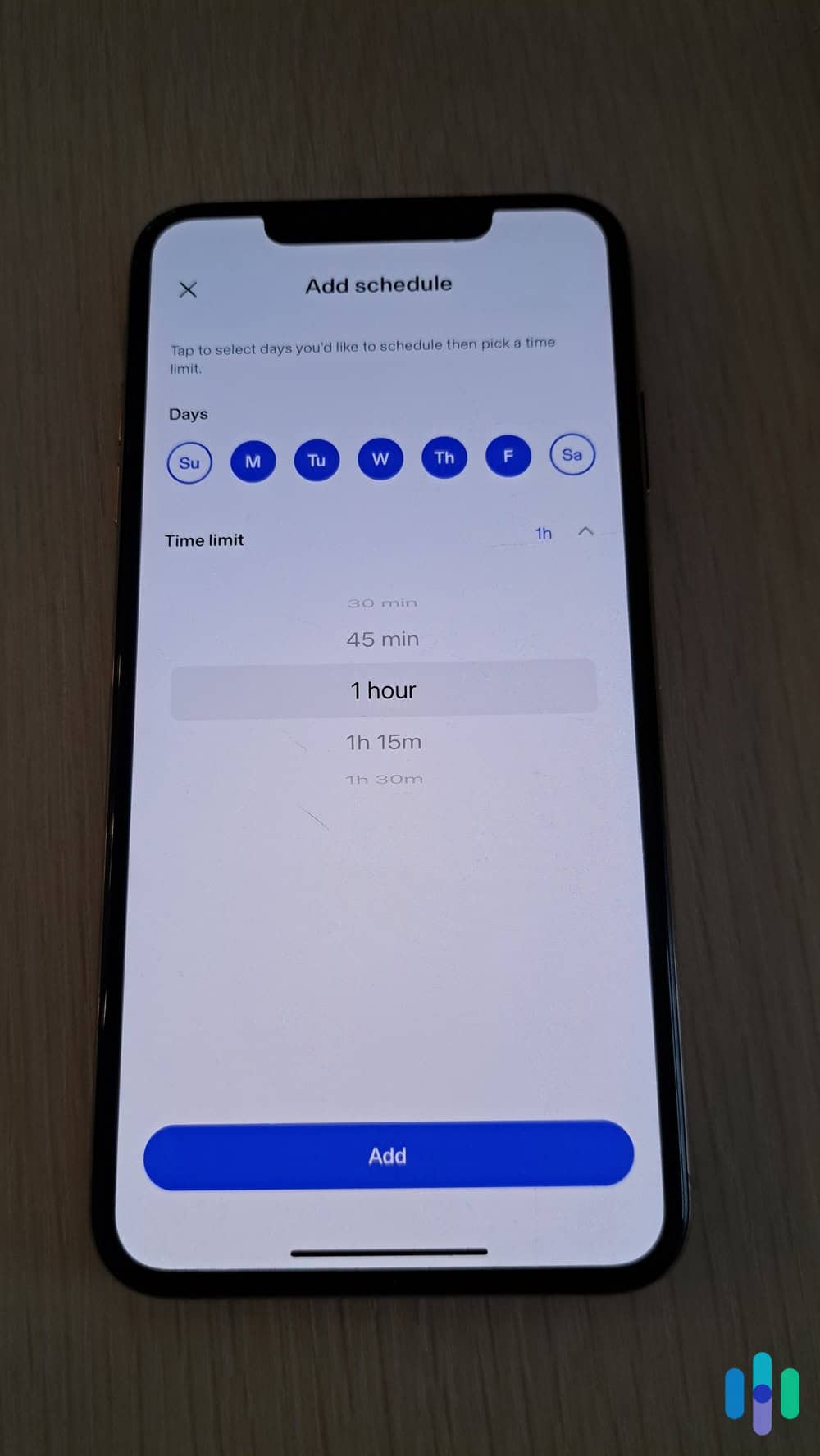
If your kids use Android devices, you can set daily screen time limits for each child. You can also set limits for specific apps or app categories. Either way, the system sends warnings when time is running out and locks the device once the limit is reached. While tech-savvy kids may get some extra time if they carefully switch between their Apple and Android devices, this feature worked well overall.
Beyond planned limits, Aura also features a “pause the internet” button, which immediately disconnects a child’s device from the internet. This came in handy during our testing when we needed to get immediate attention or enforce an instant break. It works across all devices linked to the child’s profile.
>> Read More: Best Android Parental Control Apps of 2026
Aura Vs. The Competition
Oddly enough, Aura’s strongest and weakest points compared to competitors like Qustodio and Bark come from their monitoring capabilities. For monitoring your children’s web browsing, Aura’s among the best. They can provide a full list of sites they tried to visit as well as useful insights into the way they use the web.
On the other hand, for social media monitoring, Aura is lackluster. It cannot monitor anything done within a social media app, so all private messages remain unmonitored. Both Qustodio and Bark offer at least some monitoring of private messages for additional protection.
Of course, Aura is also the only one of the three to offer comprehensive identity and digital protections with their standout Family plan. It provides great value if your family is looking for complete online security.
Does Aura Work on Gaming Consoles?
Aura’s parental controls don’t extend to gaming consoles like PlayStation, Xbox, or Nintendo Switch. This is a common limitation across most parental control software — gaming consoles have built-in parental control systems that don’t allow third-party apps to monitor or restrict usage. However, some third-party apps, like Bark, offer workarounds with devices that connect to your router. They can then provide granular control of your internet access to any device on your network, including gaming consoles.
Can Kids Bypass Aura Parental Controls?
We tested several common workarounds kids use to bypass parental controls, and Aura held up reasonably well against most of them. Aura successfully blocked every location spoofing app we tested. Those can sometimes bypass screen time limits. It also caught our VPN use when we tried to bypass it that way. The only method we found that worked was rebooting our Android device in safe mode. However, that prevents most other apps from loading as well.
At the end of the day, no parental control system is foolproof. There’s always some way to get around device restrictions, but Aura makes it difficult enough that most casual bypass attempts won’t succeed.
Final Thoughts: Does Aura Fit Your Family?
After extensive testing, we found Aura parental controls to be a solid choice both as a standalone product or when bundled with Aura’s identity protection suite. The platform successfully blocks inappropriate content, provides useful activity insights, and makes it relatively easy to manage screen time across multiple devices.
The real question is whether to bundle it with all of Aura’s other protections through their Family plan or opt for Aura Parents with just the parental controls. At just $10 more per month, we think the Family plan is well worth it as it adds up to $5 million in identity theft insurance, comprehensive monitoring, and a suite of digital security tools. Try it out with their 14-day free trial to find out which option’s right for you, risk-free.
Frequently Asked Questions
-
Do Aura’s parental controls work on Chromebooks?
No, currently Aura’s parental controls are limited to iOS and Android devices. It does not work on any laptops including Chromebooks.
-
Can my child see that Aura is monitoring their device?
Yes, the Aura app is visible on their device and can’t be hidden. We believe transparency is important, and most experts recommend telling children about monitoring rather than doing it secretly.
-
How many devices can I monitor with Aura?
You can monitor unlimited devices and unlimited children with either Aura plan that includes their parental control feature. This is a significant advantage over competitors that charge per device or per child.
-
Does Aura slow down my child's device?
During our testing, we didn’t notice significant performance impacts on modern devices. Older smartphones with limited RAM might experience slight slowdowns, but it shouldn’t be substantial enough to cause problems.
-
Can I monitor text messages with Aura?
Aura does not offer monitoring for text messages, only the use of messaging apps. This is one of Aura’s limitations compared to other parental control apps.
-
What happens if my child's device is offline?
Screen time limits and blocked apps continue to work offline, but you won’t receive real-time activity updates until the device reconnects to the internet.

-
Tracxn. (2025). List of Aura's Acquisitions.
https://tracxn.com/d/acquisitions/acquisitions-by-aura/__bJloiH_YVuo510u4LiNGiZE1j044LV3l07f9gvBcEvw#list-of-acquisitions -
Pew Research Center. (2024). Teens, Social Media and Technology 2024.
https://www.pewresearch.org/internet/2024/12/12/teens-social-media-and-technology-2024/