ExpressVPN Keys Review and Pricing in 2026
Our cybersecurity experts bought an ExpressVPN subscription to test out their newly included password manager.
 &
&
 Last Updated on Apr 13, 2026
What We Like
- Zero-knowledge encryption: All of our data stored in ExpressVPN Keys was kept private thanks to its zero-knowledge encryption. That means even ExpressVPN can’t view our data.
- Independently audited security: ExpressVPN undergoes regular third-party audits to confirm its security posture.
- Password health monitor: If our passwords were involved in a data breach, ExpressVPN notified us and helped us change our passwords.
What We Don't Like
- Expensive: Since ExpressVPN Keys comes as a part of an ExpressVPN subscription, you’d need to buy the whole package, which costs $4.79 per month if you commit to an annual plan.
- Credit card payment issues: We’re not sure why, but ExpressVPN wouldn’t accept our credit card at checkout, so we had to pay through PayPal.
- No family plan: Families will struggle to use ExpressVPN Keys since it only offers one user account. For instance, since everyone in our family uses Gmail, we could only store the credentials for one account with ExpressVPN Keys.
the security.brief
ExpressVPN Keys, included with ExpressVPN, offers zero-knowledge encryption but is costly at $4.99/month. No family plan; requires ExpressVPN subscription.
We recently tested ExpressVPN and got a pleasant surprise – some subscriptions now come with a password manager called ExpressVPN Keys. We recognize how crucial password management is to digital privacy, so we tested ExpressVPN Keys ourselves to see how it compares to some of our highest-rated password managers.
For one week, we used ExpressVPN Keys as our primary password manager, testing how easily it integrates into our workflow. We also dug deep through its security features and protocols, even doing stress tests on its vault security. Let’s go over the results.
Expert Insight: While ExpressVPN is pricier than our top-pick VPNs, it’s still an excellent choice. It has all the core features required of a VPN, and it can go toe-to-toe with the best of them in terms of privacy and security features.
How Much Does ExpressVPN Keys Cost?
Unlike most password managers, ExpressVPN Keys is only available as an inclusion of ExpressVPN’s Advanced and Pro plans. The total cost depends on how long the subscription is, with monthly, annual, and two-year plan options available.
| ExpressVPN Subscriptions | Advanced | Pro |
|---|---|---|
| Monthly plan | $13.99/mo | $19.99/mo |
| 1-year plan | $4.79/mo | $7.19/mo |
| 2-year plan | $3.59/mo | $5.99/mo |
We went with the month-to-month Advanced plan. That cost us $13.99 for one month, and it came with the same 30-day money-back guarantee as the longer subscriptions. We find that generous, since most brands only include such guarantees on longer subscriptions.
ExpressVPN is actually within the industry average. We compared it to NordVPN – another VPN brand with a password manager. NordVPN’s two-year pricing for a bundle that includes NordPass (password manager) costs $3.89 per month, just a touch higher than ExpressVPN’s two-year Advanced plan.
>> Learn More: NordPass Review 2026
Signing Up for ExpressVPN Keys
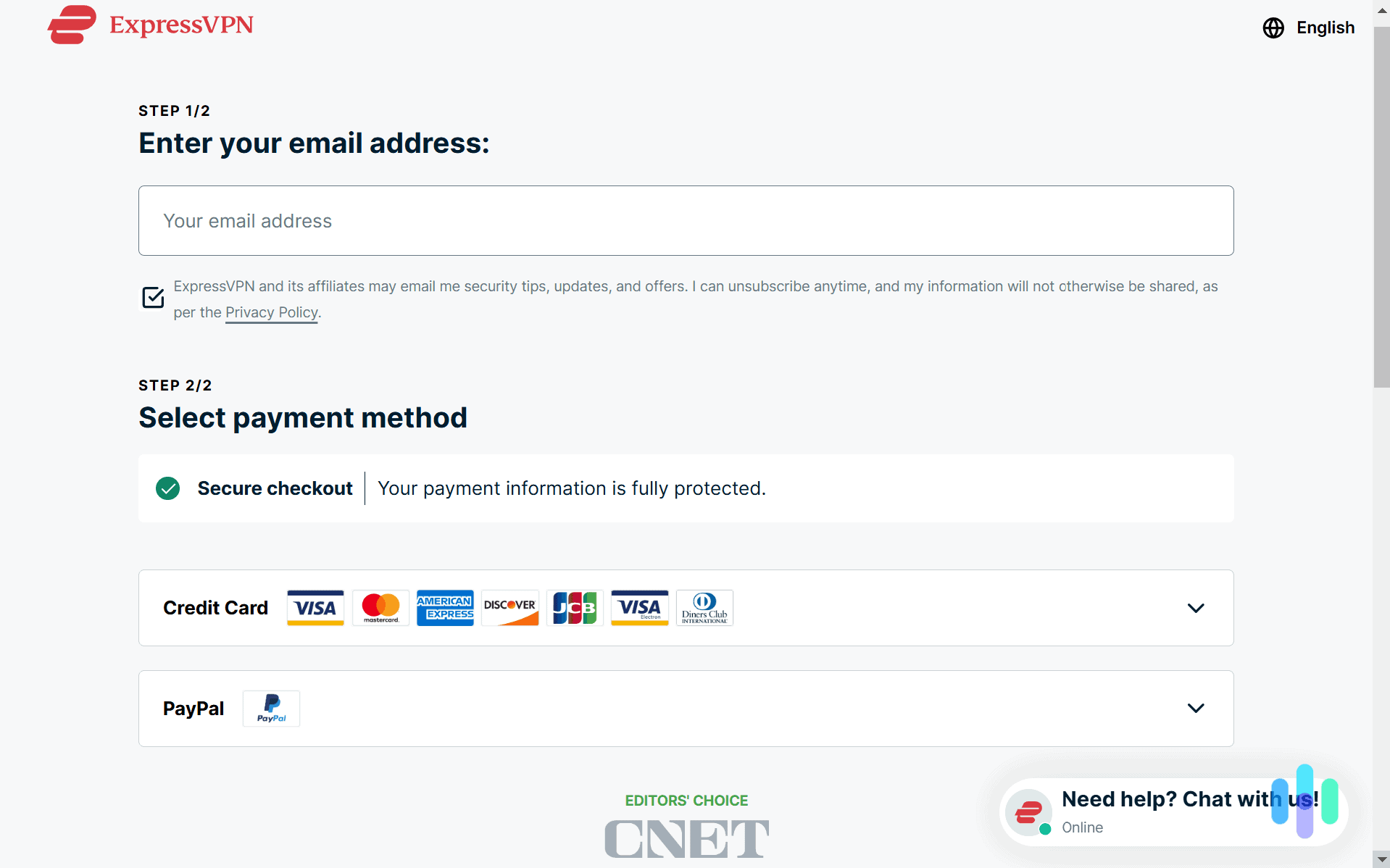
Buying a subscription to ExpressVPN was easy. All we needed to do was enter our email and fill out our credit card information. They didn’t take cryptocurrency as a payment method, so our information was tied to our account. That’s a bigger con for their VPN service, since the main point of a VPN is to make you anonymous online.
FYI: If we subscribed for the annual plan to take advantage of the savings, ExpressVPN would auto-renew at the then-current rate. While a price increase after the initial term is standard for the industry, that pricing may be higher than the $5 to $7 per month that we’re used to with some competitors.
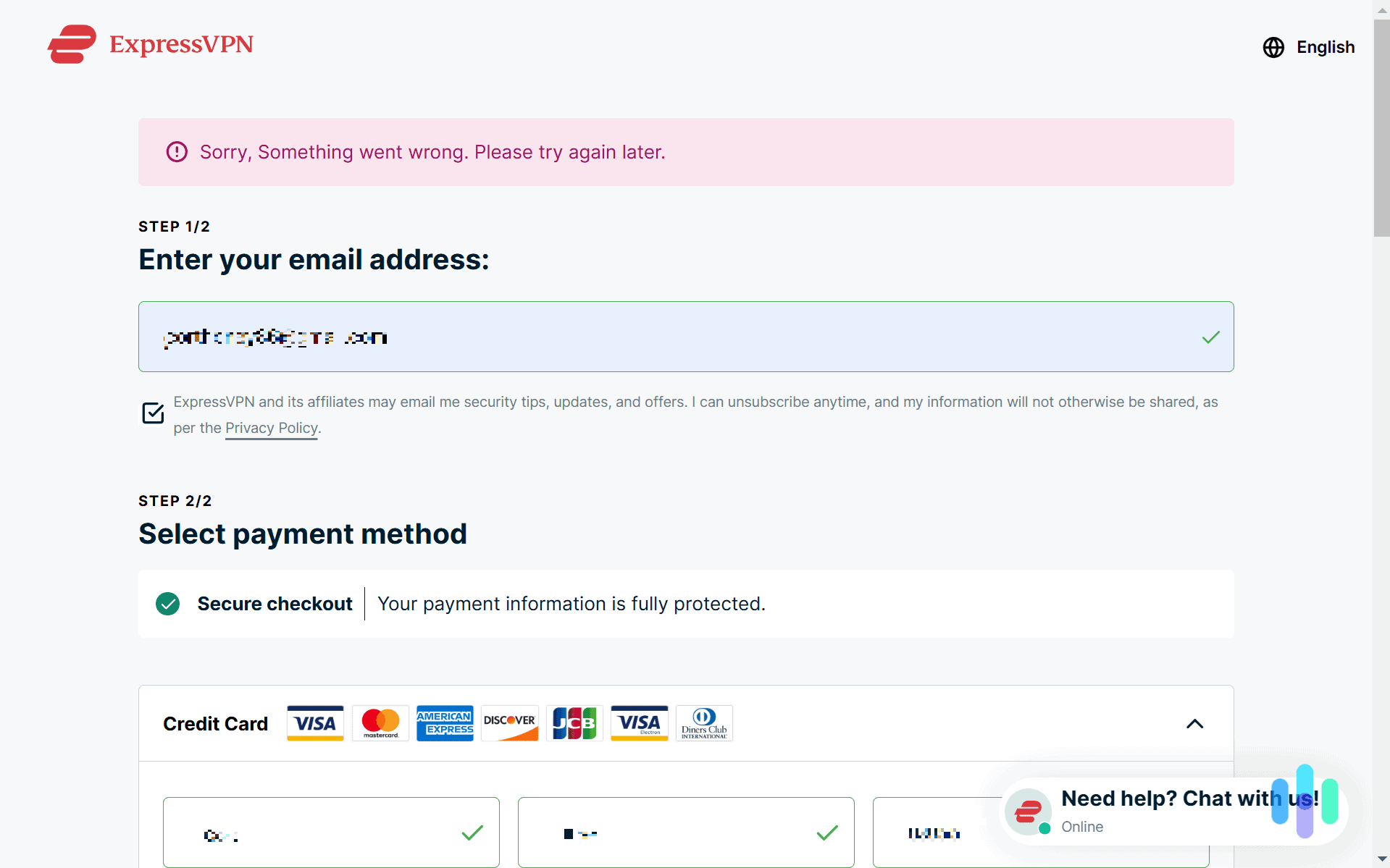
We unfortunately hit a snag after filling out our payment information and hitting ‘Subscribe Now.’ ExpressVPN wouldn’t take our payment, even after several tries. We had to switch to PayPal using the same credit card to get it to work. It finally went through, and we were prompted to either use their randomly generated password or choose our own password for our account. We opted for the latter. Keep in mind, that’s only for the account password. We strongly recommend creating a separate, unique master password for your Keys vault to maximize your security. More on that later.
>> Read About: Is PayPal Safe? What You Need to Know
Adding Our Passwords to ExpressVPN Keys
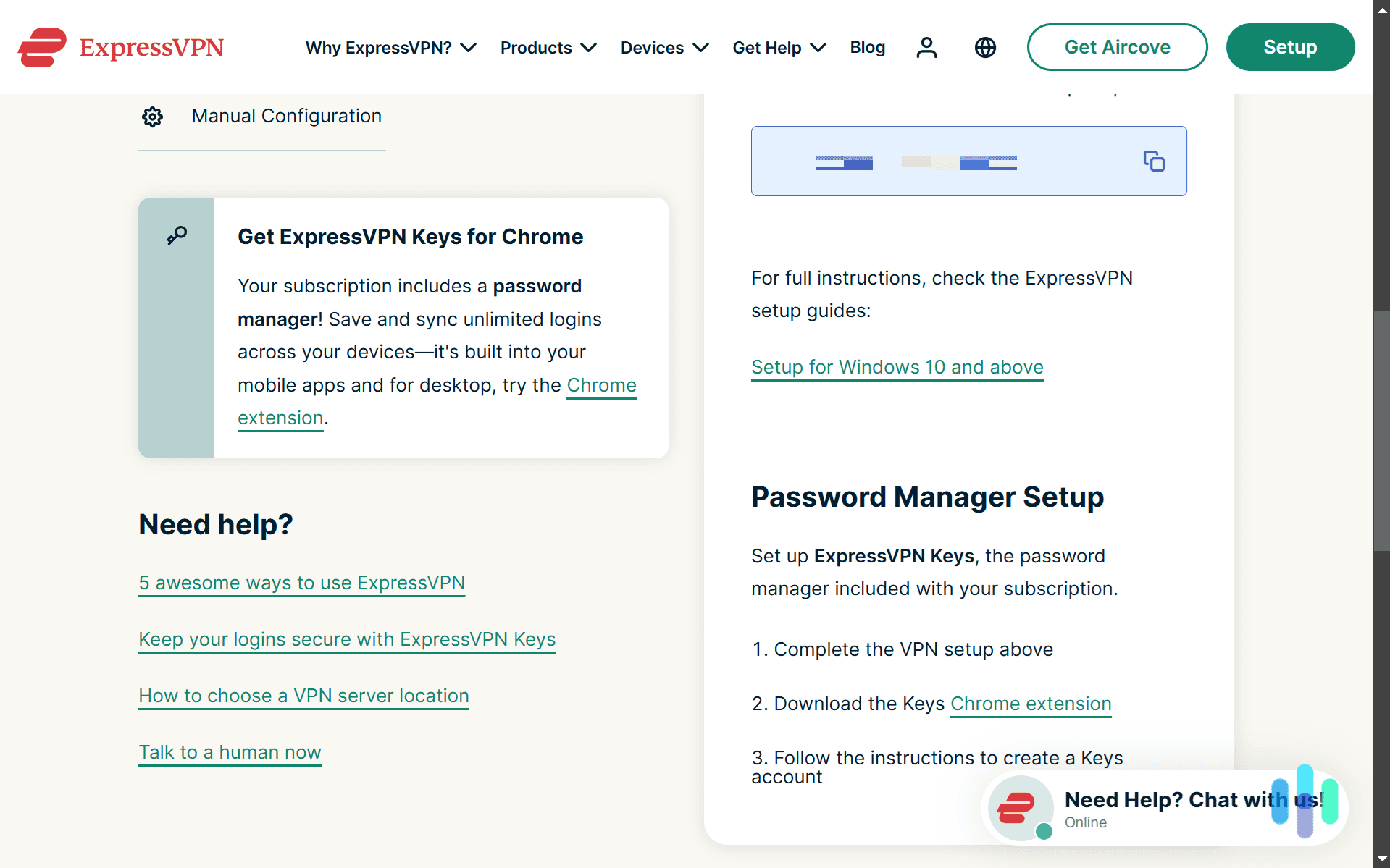
Once we got through activating our ExpressVPN subscription, we followed the steps at the bottom of the ExpressVPN setup page to start using ExpressVPN Keys. When we downloaded the ExpressVPN desktop app, there was even a pop-up reminding us to download the ExpressVPN Keys Chrome extension, which we did. When we switched to a Firefox browser, that pop-up automatically suggested the ExpressVPN Keys Firefox extension instead. Unfortunately, we couldn’t use ExpressVPN Keys from the ExpressVPN desktop app.
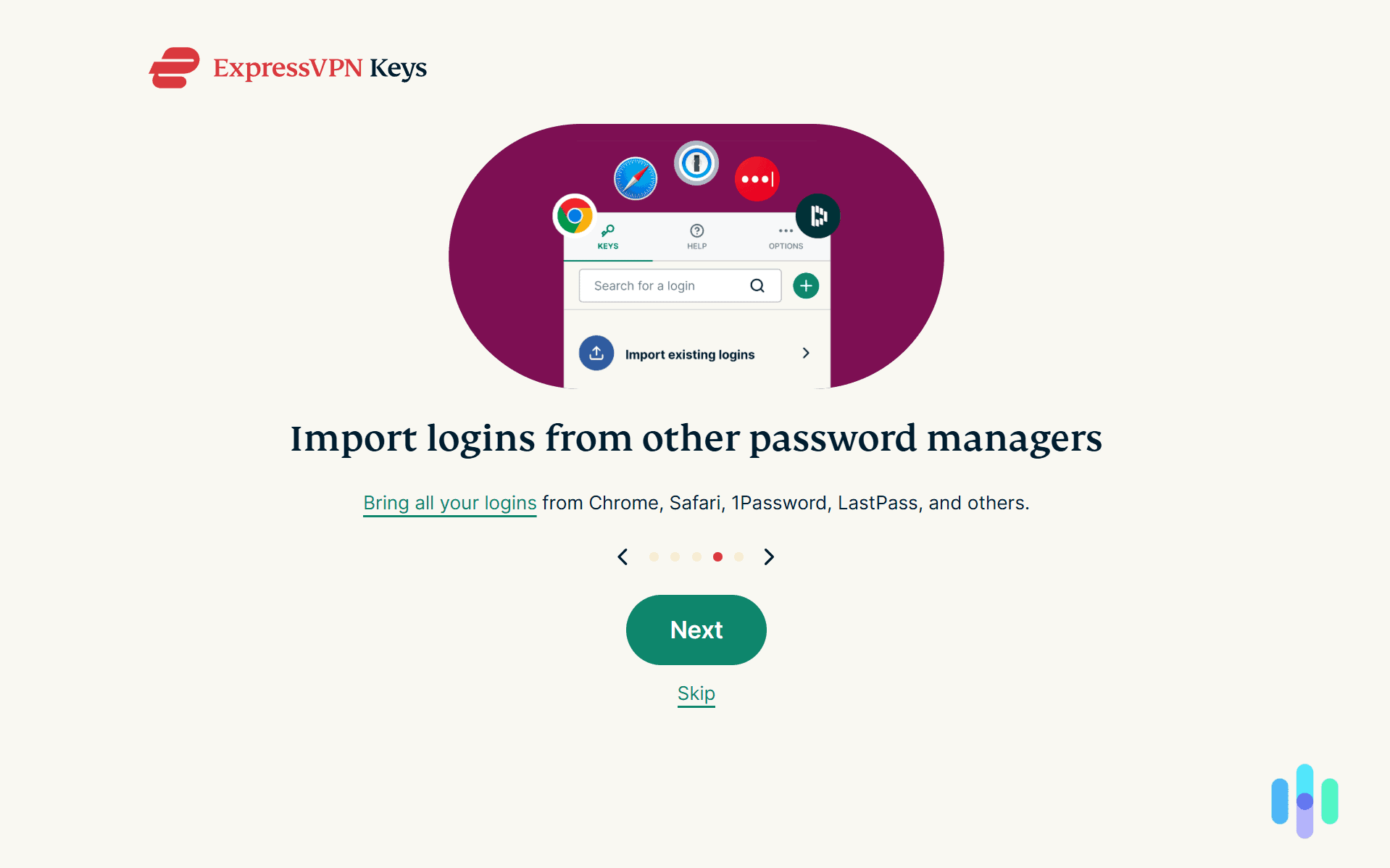
Adding the browser extension to Google Chrome was as easy as hitting ‘Add to Chrome’ from that pop-up we just talked about. When we turned on our extension, it gave us a quick walk-through on how to use it, including how we could import passwords from other password managers. That made it easy to start using ExpressVPN Keys without a lengthy setup process, making it accessible even to those who have never used a password manager before.
After completing the walk-through, we set up our ExpressVPN Keys vault. The setup process required us to create a master password to unlock our vault and offered the option to download a recovery code as a PDF in case we ever lost access to our master password. Alternatively, we could have copied the code and pasted it into a document of our choosing.
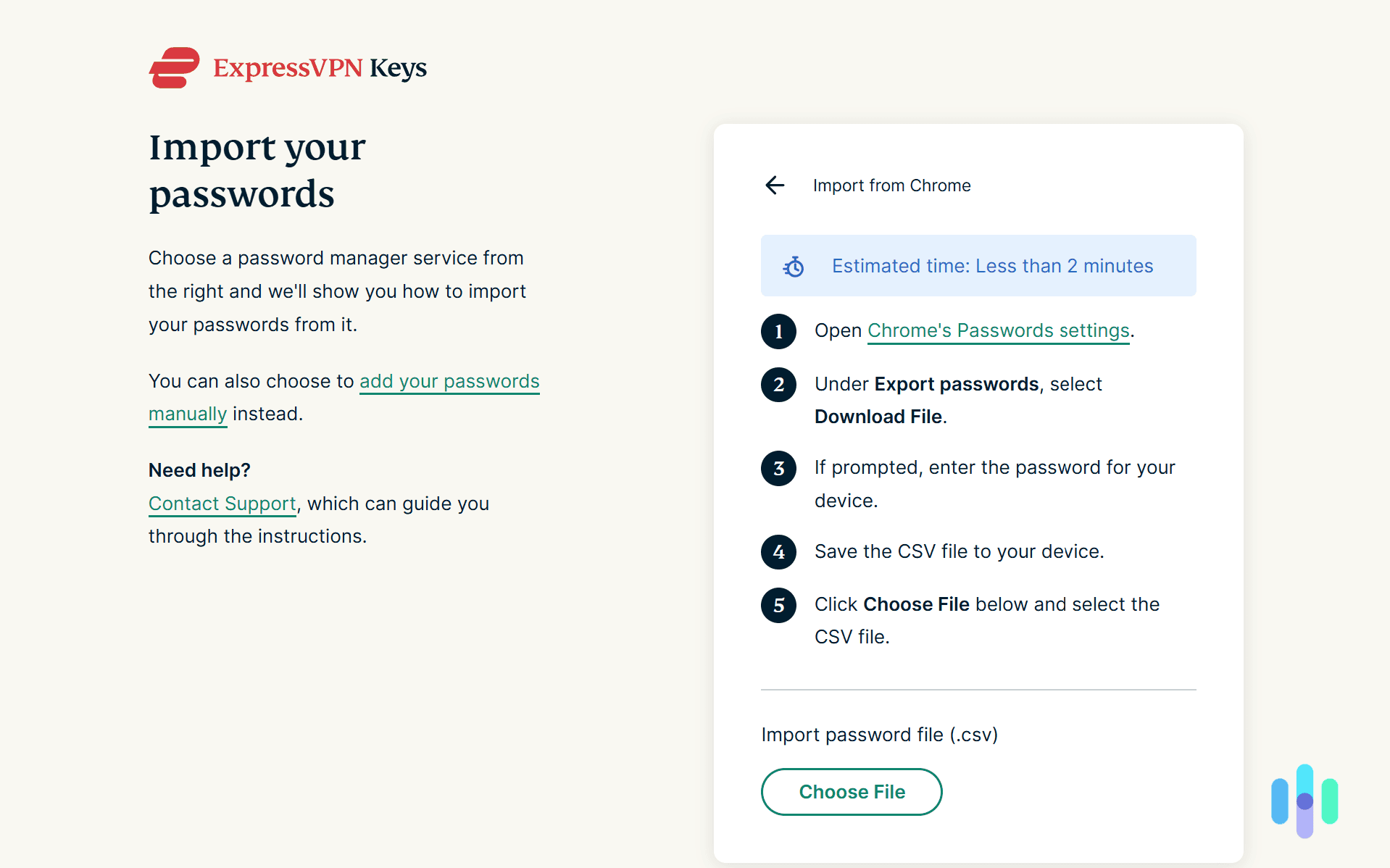
Then it was time to add our passwords. Since we mostly use Chrome, we exported our passwords stored in Chrome so we could import them to ExpressVPN. The page for setting up passwords directed us right to the Chrome page for exporting our login details, which was a nice touch. All we did was download that export file and upload it to ExpressVPN. That took us less than a minute. And just like that, we were ready to go.
ExpressVPN Keys Features We Liked Most
Once we got a few passwords into ExpressVPN Keys, we were able to test its full set of features. While we were using it for a full month, we found that these six features stood out the most.
Import Passwords From All Major Password Managers
Just like we imported our passwords from Chrome’s built-in password manager, we could also import our passwords from any other password manager using the same process. Password managers let you export your stored data as a CSV or Excel file, which you can upload into ExpressVPN Keys. Then, ExpressVPN Keys makes sense of the file to pull out your login information.
Since ExpressVPN Keys needs to be able to understand the spreadsheet, it needs to offer support for the platform. While most password managers offer this feature, we thought ExpressVPN Keys made it easier than most. It linked directly to the page that let us export passwords from all supported password managers.
Password Generator
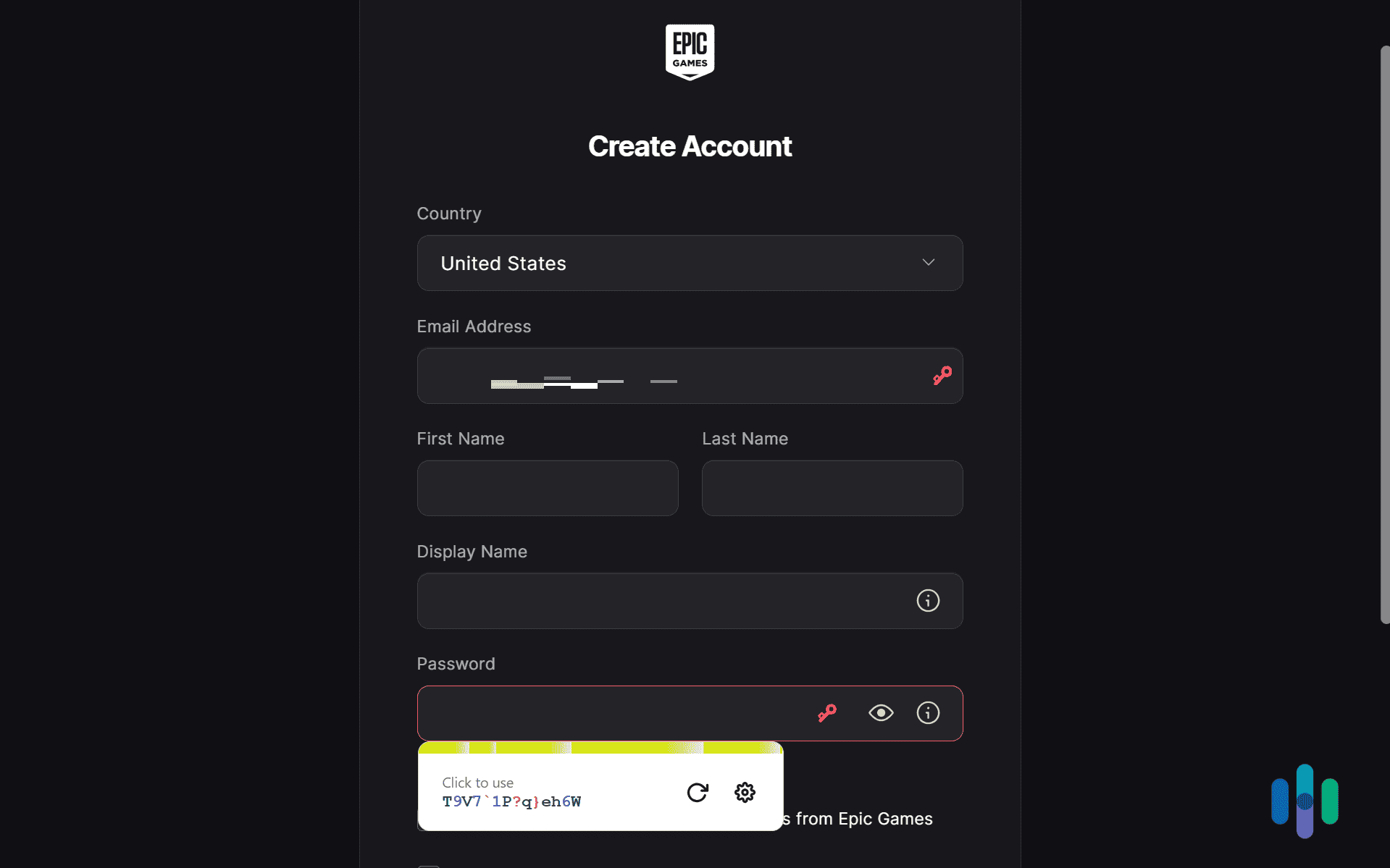
With ExpressVPN Keys installed on our browser, anytime we created an account, it could randomly generate a secure password for us. All we had to do was click the little red key in the password line. Then, a randomly generated password popped up that we could click on to use, and it was automatically saved to ExpressVPN Keys.
By clicking on the settings button, we could adjust the length of the password as well as if it used special characters, numbers, or capital letters. We generally kept it to its standard setting, but those options came in handy a few times. For instance, when we created an account for our local water utility, they didn’t allow special characters. Since we could turn off special characters, we could still generate a password that worked. We thought the extra touch of showing us how long it would take to crack the randomly generated password was nice as well. It worked kind of like our very own password strength checker tool.
Unlimited Password Storage
Most password managers offer unlimited password storage, especially the paid versions, but it’s still a feature worth highlighting. The last thing anyone wants is to hit a storage limit after entering all their login credentials. That’s what happened when we tested Dashlane’s free version. Thankfully, we were able to upgrade to unlock unlimited password storage.
Did You Know: If you can’t afford a password manager, you can still keep your passwords safe with the best free password managers. All of them offer top-notch security with only a few limitations. Even free password managers with limited password storage can help you better secure your most sensitive accounts — like the ones you use for online banking, for example.
Password Health Monitoring
Although our passwords remained in good health for the month we tested ExpressVPN Keys, we were relieved that we would have been notified if any of our passwords were vulnerable. That could mean anything from our passwords being in a data breach to a password we reused often.
Those insights helped us keep all of our online accounts secure, but of course, ExpressVPN Keys can only go as far as monitoring passwords. We strongly recommend keeping tabs of your password health and whenever necessary, using ExpressVPN Keys’ password generator to replace vulnerable passwords.
>> Try It Out: Security.org Random Password Generator
Zero-Knowledge Encryption
The last thing we want is for our passwords to get exposed because we used a password manager. After all, we’re trusting ExpressVPN Keys with a lot of sensitive information. How can we know that all of our passwords won’t get exposed if they experience a data breach? The answer lies in zero-knowledge encryption.
With zero-knowledge encryption, nobody can see your passwords — not even ExpressVPN Keys. Zero-knowledge encryption keeps your passwords hidden from external and internal threats, only granting you access through your master password, which only you know. We don’t just take ExpressVPN Keys at their word — they went through a third-party audit to verify these claims.1
>> Read More: What Is a Data Breach?
30-Day Money-Back Guarantee
What makes ExpressVPN Keys 30-day money-back guarantee special is that it works with the monthly subscription as well as the long-term subscriptions. That means we got to try ExpressVPN completely risk free while only paying for a month up front. If we liked it, we could resubscribe for a longer term at a discounted rate.
Pro Tip: Although we could extend our subscription term, we couldn’t take advantage of ExpressVPN’s lowest prices since they’re reserved for new customers. So, we’d recommend buying as long of a subscription as you’re comfortable with in the beginning. That way, you can still get a full refund in 30 days if you don’t like it, without missing out on those introductory deals.
Final Thoughts: Is a Subscription to ExpressVPN Keys Worth It?
Subscribing to ExpressVPN solely for its password manager isn’t the best value proposition. The bulk of your subscription fee goes toward the VPN service, so if you don’t need VPN protection, you’re essentially overpaying. For comparison, when we tested standalone password managers like Total Password, we found options starting at around $1.99 per month — a fraction of ExpressVPN’s cost.
That said, ExpressVPN Keys is a solid password manager that we enjoyed using. For anyone who needs both a VPN and a password manager, we think the ExpressVPN bundle is definitely worth considering. ExpressVPN Keys is even better if you’re already subscribed to ExpressVPN, because you get access for free.
Frequently Asked Questions About ExpressVPN Keys
-
Can I buy an ExpressVPN Keys subscription on its own?
No, ExpressVPN Keys is only available as a bundle with ExpressVPN. The lowest price point is $3.59 per month if you buy the two-year Advanced plan.
-
How do I access ExpressVPN Keys after subscribing?
Once you pay for an ExpressVPN subscription, you can access ExpressVPN Keys by downloading the browser extensions for any browsers you use. There isn’t a desktop app for it, so browser extensions are the only option. To find them, go to the setup page on ExpressVPN’s site after logging in to your account.
-
Is there a free version of ExpressVPN Keys?
Access to ExpressVPN Keys requires an ExpressVPN subscription. If you’re already paying for ExpressVPN, you can use ExpressVPN Keys for free. Otherwise you’ll need to pay. However, the 30-day money-back guarantee lets you try it risk-free.
-
Is it safe to use ExpressVPN Keys?
It might seem like adding all of your passwords to ExpressVPN Keys could increase your exposure, but the reality is that password managers make your accounts safer. They let you use more secure passwords since you don’t need to remember them. ExpressVPN also uses zero-knowledge encryption, so they don’t have access to your passwords — even when you store them in their password manager.
-
How many devices does ExpressVPN support?
While an ExpressVPN subscription only supports eight devices, that refers to simultaneous connections to their VPN. You can install their password manager on as many devices as you want. That goes for their VPN, too — you just can’t connect more than eight devices to the VPN at one time.

-
Cure53. (2022). ExpressVPN Keys Chrome Extension Penetration Test Report.
cure53.de/pentest-report_expressvpn-keys-extension.pdf