Proton Pass 2026 Review & Pricing — Tested by Cybersecurity Experts
With a good free version, high-end privacy protections, unlimited logins, and intuitive apps, Proton Pass is a solid password manager.
 &
&
 Last Updated on Mar 23, 2026
What We Like
- High-end privacy: Proton Pass is open-source and audited, has AI-powered account protection, and lets you generate email aliases for signing up on sites or filling out forms.
- Excellent free version: There’s a free plan that lets you try out the service risk-free, with unlimited logins, weak password alerts, a password generator, and email aliases.
- User-friendly apps: Proton Pass has apps for desktop, mobile, and browsers that are easy to install and navigate. We found it easy to add logins, credit cards, identities, and more to our vault.
What We Don't Like
- No live chat support: Proton offers helpful support guides, but is missing live chat support and also doesn’t provide access to a chatbot.
- A bit pricey: Proton Pass is overall affordable, but its prices are a bit steeper than some top competitors (like NordPass and RoboForm).
Bottom Line
the security.brief
The company behind the privacy-focused ProtonMail nails it again with the secure and private Proton Pass password manager. It even comes with a free version.
Proton is the company behind the popular privacy-focused email service (ProtonMail) and Proton VPN, one of the best VPNs of 2026. It’s easy to see that the company has a strong focus on digital privacy and security, so if you’re looking to secure your online accounts, their password manager might be a good choice. It’s called Proton Pass, and we had just spent the past few weeks testing it out.
We can confirm that it offers good value. It was able to go toe-to-toe with other top password managers thanks to its high-end privacy features, open-source apps, and the AI that lives within the app to help secure Proton Pass. The password manager only has minor drawbacks, really. For example, Proton Pass doesn’t have emergency access, which is a feature you get with most top password managers. Its prices are also a bit steep compared to some competitors, and it doesn’t provide live chat support.
Keep reading to learn more about Proton Pass and why we think it’s an excellent (but sometimes flawed) choice for password protection.
Proton Pass Plans and Pricing
Proton Pass offers a free version and several paid subscription tiers. To keep things simple, we’ll cover the free and paid plans separately, but here’s a breakdown of their included features.
| Proton Pass Features | Proton Pass Free Version | Proton Pass Paid Version |
|---|---|---|
| Unlimited Logins | Yes | Yes |
| Automatic Sync Across All Devices | Yes | Yes |
| Mobile Apps & Browser Extensions | Yes | Yes |
| Password Generator | Yes | Yes |
| Weak Password Alerts | Yes | Yes |
| Unlimited Credit Cards | No | Yes |
| Storage | 1 GB | Up to 500 GB |
| Dark Web Monitoring | No | Yes |
| Integrated 2FA Support | No | Yes |
| Hide-my-email aliases | Up to 10 | Unlimited |
| Secure Link Sharing | No | Yes |
| Proton Sentinel | No | Yes |
Proton Pass Free Version
Proton Pass’ free version provides enough features to let us try the service risk-free before buying a subscription. We especially like how it lets you secure unlimited logins, just like the free version of RoboForm. We’ve seen other free password managers limit the number of records you can store in your vault. For example, Keeper only supports up to ten records, and Dashlane accepts a maximum of 25 records.
The most impressive free feature, at least to us, is the ability to create up to 10 email aliases. These are randomly-generated email addresses that forward messages to your main inbox. They protect your privacy so you don’t have to use your real email when signing up for online services. We recommend using an email alias when you’re not sure if a website can be trusted with your data.
However, the free version has some limitations. It doesn’t let you secure credit cards, it lacks integrated two-factor authentication (2FA), it doesn’t offer dark web monitoring, and it doesn’t include the “Proton Sentinel” feature (more on this below). You also can’t share saved items with people you trust.
>> Further Reading: The Best Free Password Managers in 2026
Proton Pass Paid Version
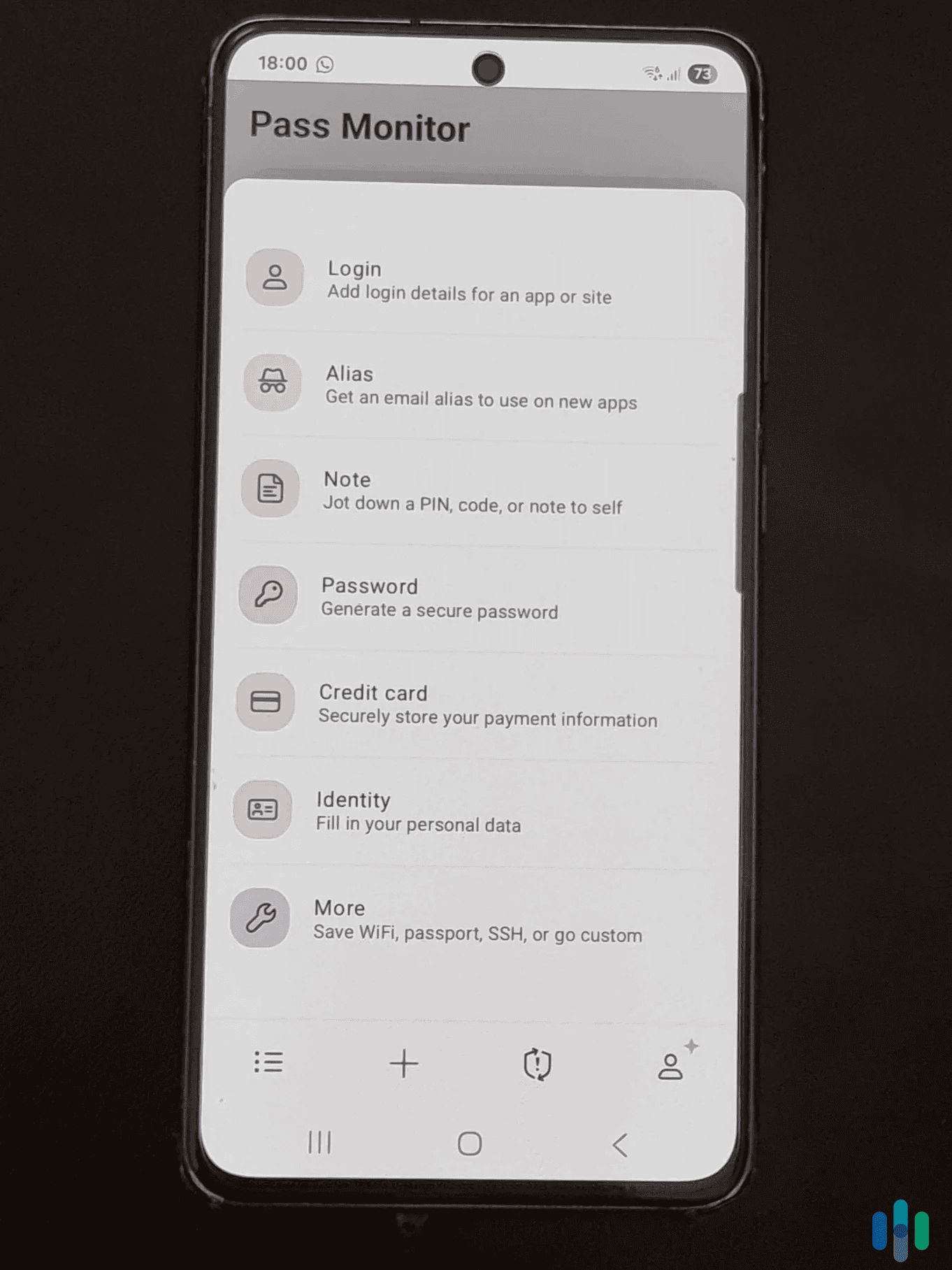
Proton Pass offers three paid tiers: Pass Plus, Pass Family, and Proton Unlimited. The first two offer the same features. The main difference, as you could probably guess, is that Pass Plus covers one user, whereas Pass Family protects families with up to six users.
Proton Unlimited is the standout because it gives you access to all of Proton’s products, including Proton VPN, Proton Mail, Proton Drive, Proton Calendar, and Proton Wallet. It also expands Proton Drive storage to 500 GB. We think it offers great value since it costs only $9.99 per month and includes so many privacy-focused products, but it really depends on what you’re looking for. If you only need a password manager, Pass Plus is still the best way to go.
| Pass Plus | Pass Family | Proton Unlimited | |
|---|---|---|---|
| 1-Month Plan | $4.99/month | $6.99/month | $12.99/month |
| 1-Year Plan | $2.99/month | $4.99/month | $9.99/month |
FYI: Looking for a password manager for your business? Proton Pass also offers business-oriented plans starting at $1.99 per user per month (billed annually).
Proton Pass Features
There’s a certain set of features we really want to see in every password manager we recommend, and Proton Pass has all of them.
First is zero-knowledge encryption. This means that nobody (not even Proton Pass) can access your saved data. Not just account usernames and passwords; when we tested Proton Pass, we also stored credit cards, encrypted notes, driver’s licenses, passports, bank accounts, crypto wallets, medical records, and more.
Next is auto-fill. This one’s non-negotiable; a password manager is just not good enough if you need to copy and paste your passwords from the vault whenever you need to use them. We tried out Proton Pass’ auto-fill feature on 20 websites (desktop) and apps (smartphone), and it always correctly auto-filled our login credentials.
Lastly, Proton Pass has a built-in password generator. We think this is necessary because the whole point of using a password manager is so you can have a unique password for every online account. Not only did Proton Pass suggest strong passwords, it also offered to automatically save them to our vault.
Good to Know: Proton Pass is open-source, which means anyone can check the code for security issues. Proton Pass has also been independently audited by a security firm. The audit’s results confirm that Proton Pass is safe to use. Plus, the audit is public, so anyone can read it.1
Integrated Two-Factor Authentication
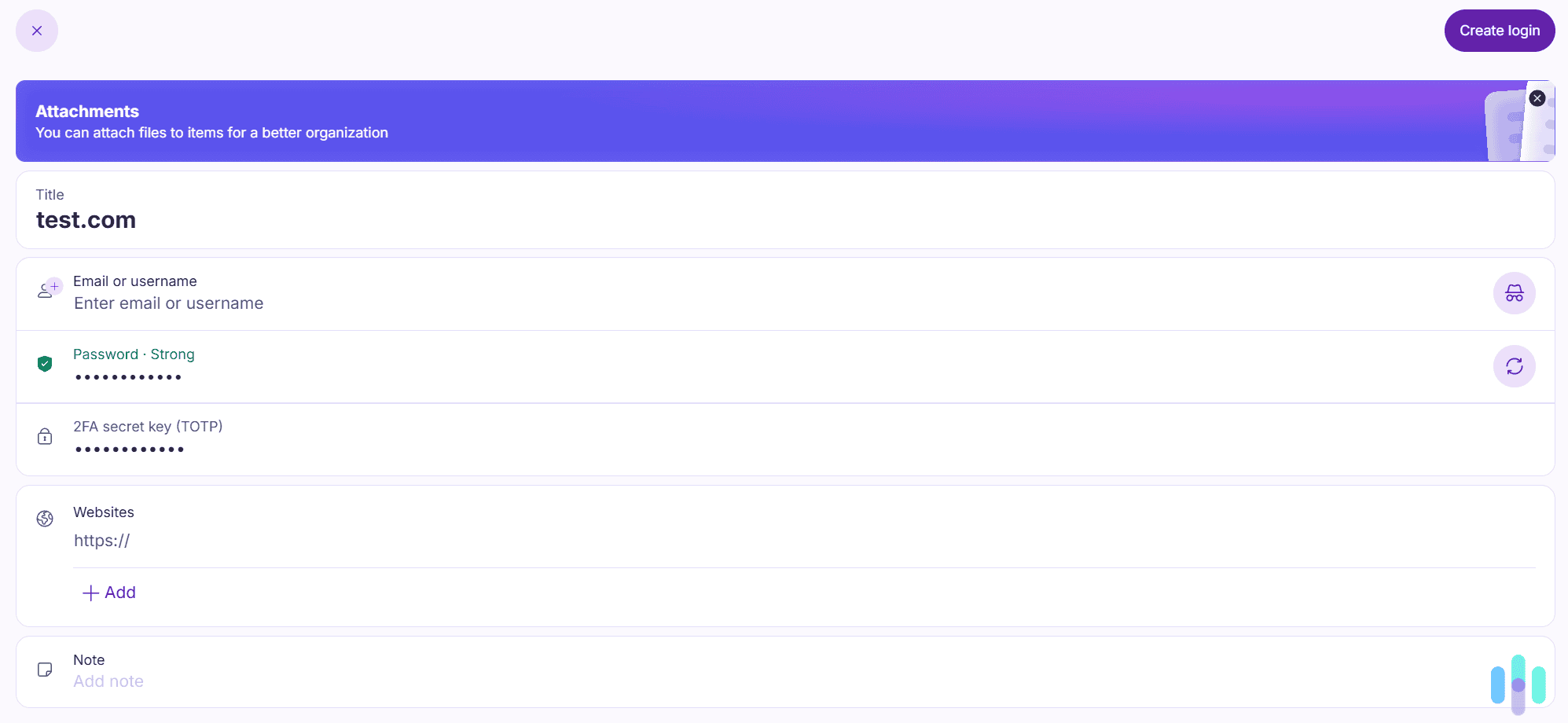
Proton Pass – or at least the paid version – has integrated support for 2FA. Basically, Proton Pass can generate authentication codes for any websites you have saved logins for. This is convenient because you don’t need to use a separate authenticator app (like Google Authenticator). Whenever the feature is available, we always prefer to use our password manager for authentication. Another password manager we’ve seen with this ability is NordPass. (See our NordPass review for more.)
We found it very easy to use 2FA codes with Proton Pass. Basically, you have to set up 2FA on your desired website, then copy-paste the secret key in the Proton Pass entry for the platform. After that, when you log into the service via Proton Pass, its browser extension or mobile app will automatically generate the 2FA code, allowing you to quickly use it.
>> Read More: The 2026 Guide to Two-Factor & Multi-Factor Authentication
Email Aliases
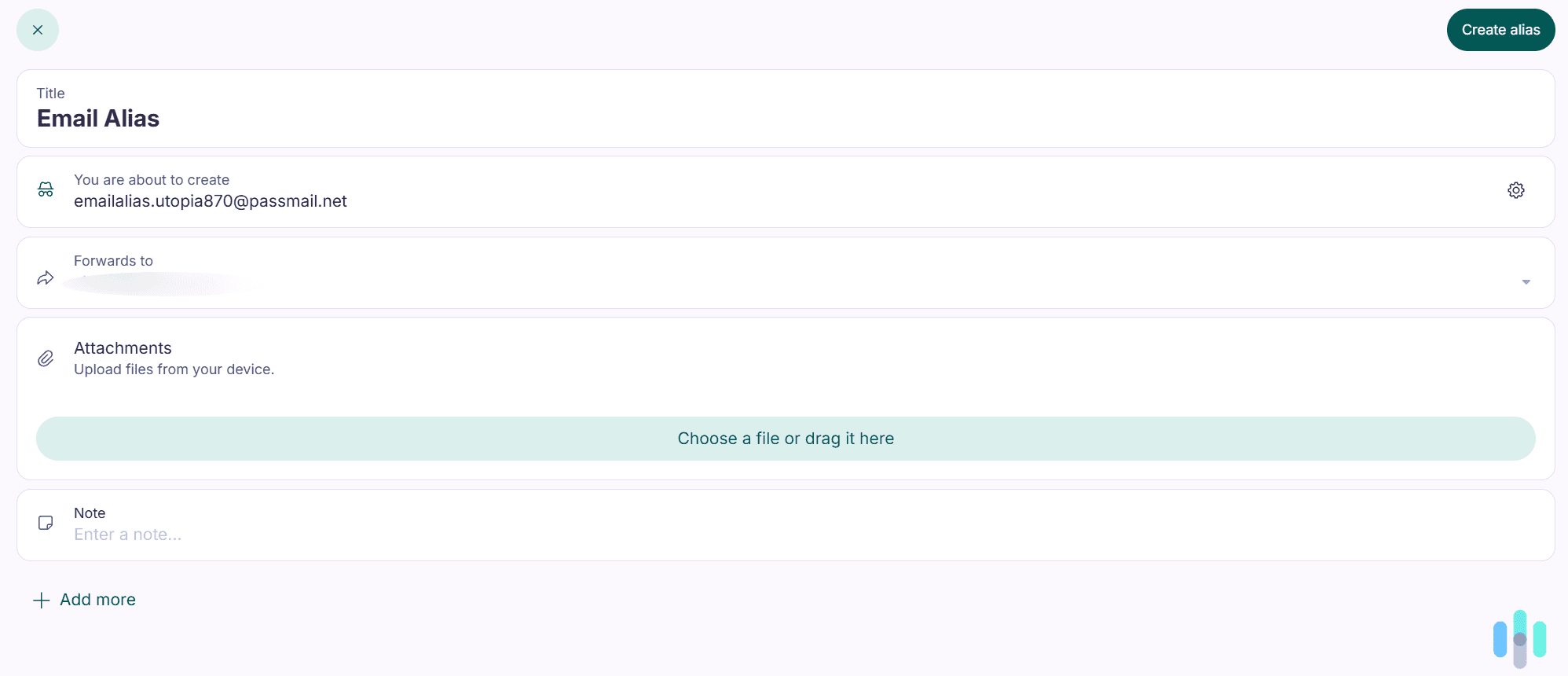
As mentioned earlier, Proton Pass can also generate email aliases you can use to hide your real email address. You can use it when you create an account, sign up for a newsletter, or fill out an online form. The feature is very simple to use. Just generate the alias, upload a file or add a note, save it, and Proton Pass will automatically forward messages sent to that alias to your primary email.
We recommend using this feature if you need to create an account on a website you don’t trust. This way, you won’t have to worry about malicious actors or advertisers getting access to your email address. You can also use email aliases if you want to limit or stop spam emails.
>> Related Reading: What Can Someone Do With Your Email Address?
Pass Monitor
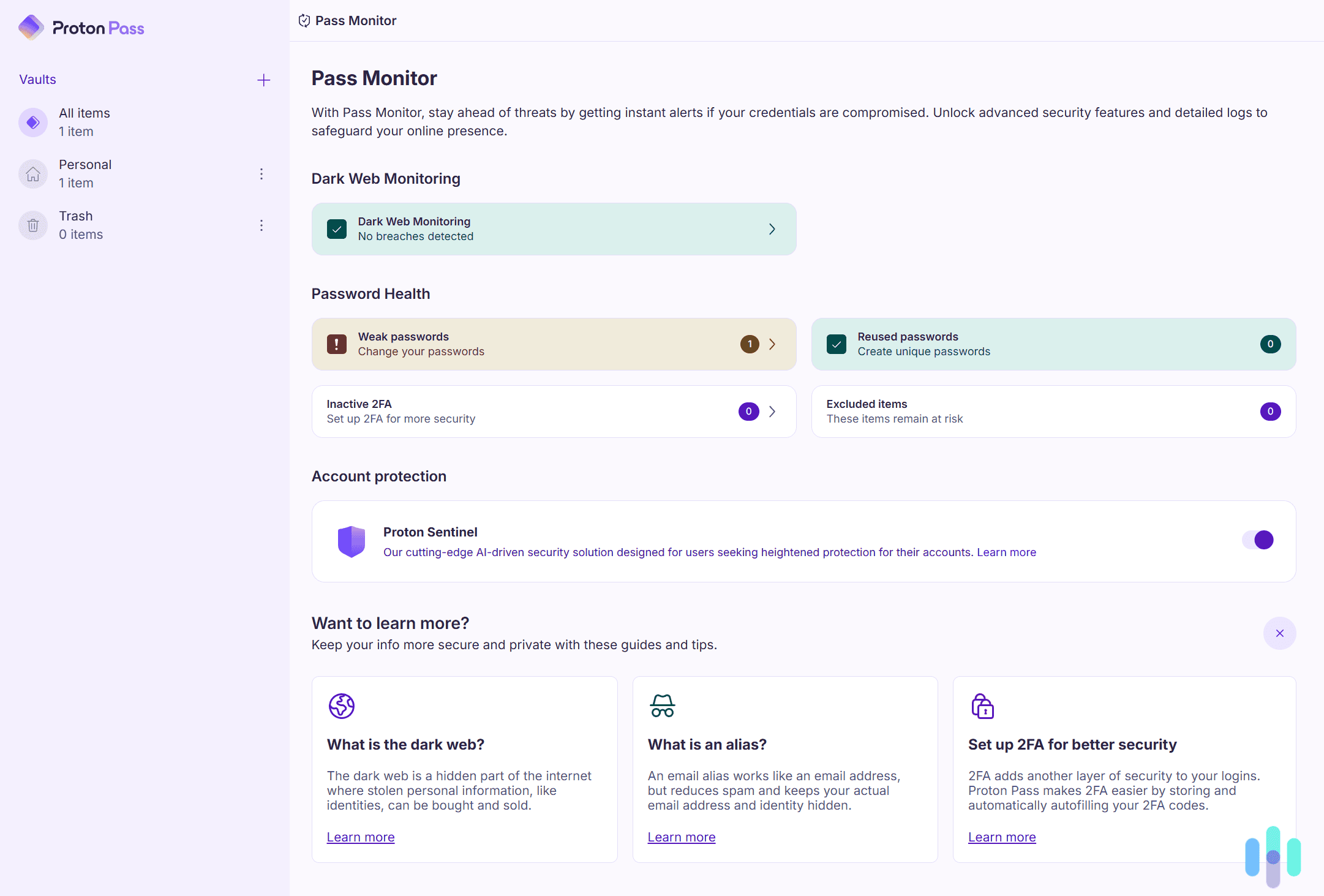
Pass Monitor is a suite of security tools designed to help you better secure your online accounts and data. It includes weak password alerts, dark web monitoring, and Proton Sentinel.
- Weak password alerts let you know if you’re using a password that’s not secure, or if you’re using a duplicate login. Both of those issues could compromise your accounts. The feature also notifies you if 2FA is inactive.
- Dark web monitoring alerts you if your personal information is leaked on the dark web. Proton Pass scans for sensitive data, such as passwords, usernames, full names, dates of birth, phone numbers, Social Security Numbers, and credit cards.
- Proton Sentinel combines AI-driven security solutions with human analysis to provide advanced account protection. The tool adds strict challenges for suspicious login attempts, more in-depth information about account and login changes, and 24/7 escalation of suspicious login attempts. We recommend turning this feature on if you want more control over your account security.
We especially like how Proton Pass’s dark web monitoring scans for data breaches related to both your main email address and any email aliases you create. That way, you’ll find out if any website you’ve recently used has experienced a data breach.
Secure Sharing
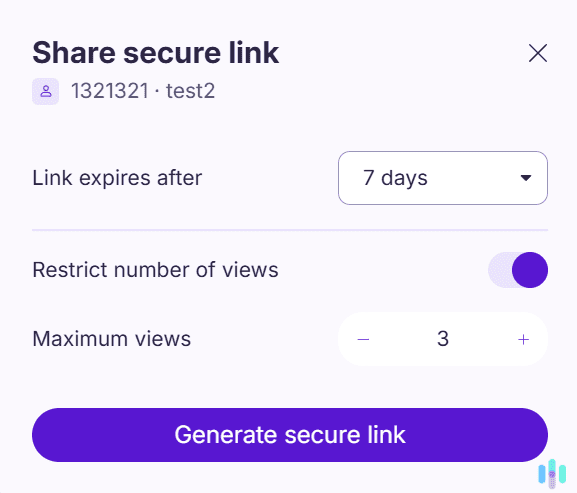
Proton Pass lets you easily and quickly share any entry with people you trust. If you want to share it with existing Proton users, you just need to type in their email addresses. We also like how you can share Proton Pass data with non-Proton users via a secure link. You can set the link to expire after a certain period of time: one hour, 24 hours, seven days, 14 days, and 30 days. You can also restrict how many times it can be viewed.
Expert Tip: For the highest level of protection, we recommend setting secure links to expire after 24 hours. You should also only allow them to be viewed one or two times.
What Is Proton Pass Missing?
Proton Pass is an overall good and feature-rich password manager. Our only complaint is that it’s missing emergency access, which is a feature many top competitors (like NordPass, RoboForm, and Keeper) include. Emergency access is a feature that lets you select a trusted contact to access your password manager data. This works pretty well as an account recovery method, or if you need someone to access the data if you don’t have internet access or can’t use the service.
FYI: While Proton Pass is currently missing emergency access, this might change in the future because the service has mentioned that it plans to add this feature in the near future.2
Proton Pass User Experience
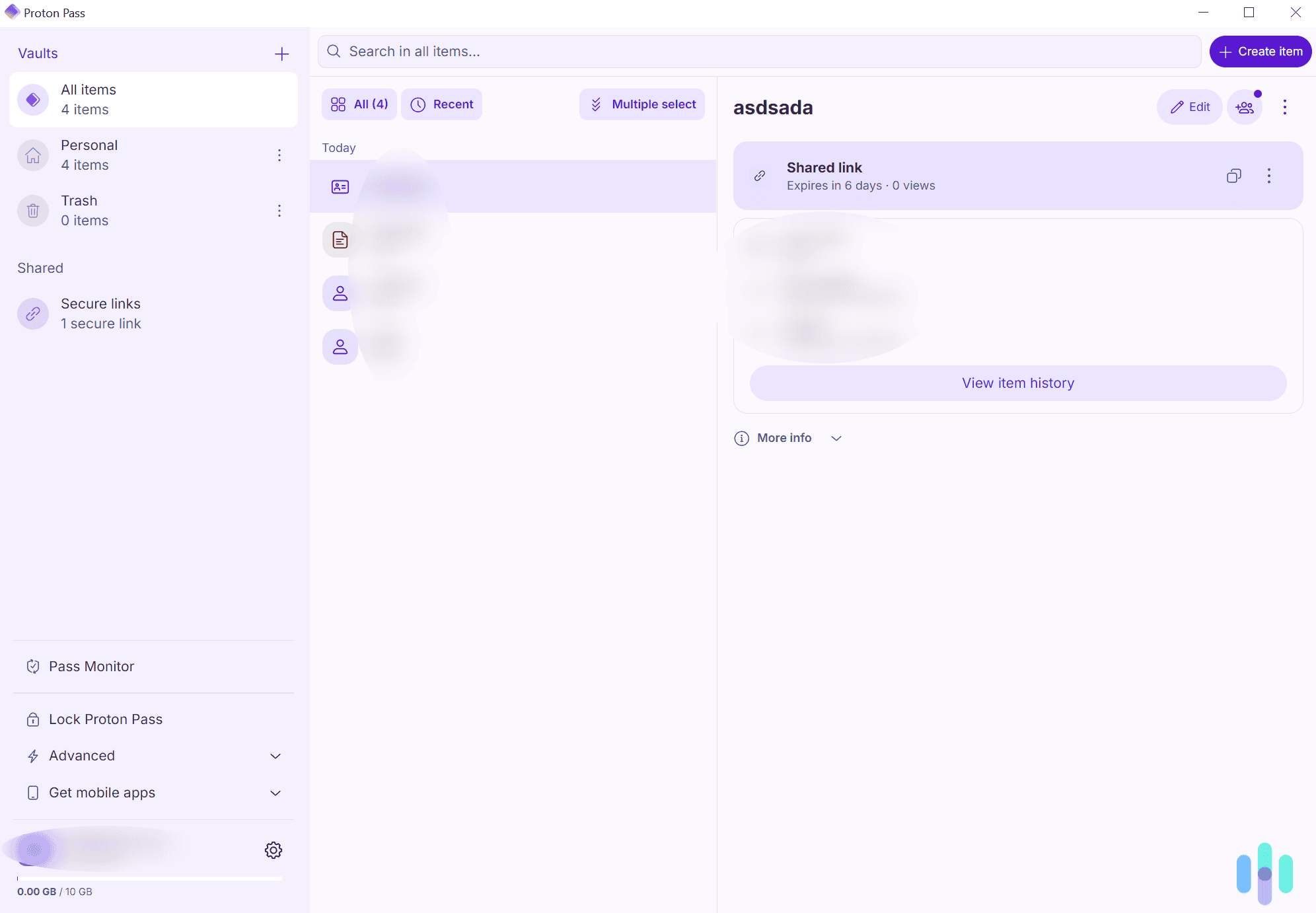
We tested Proton Pass on all desktops, smartphones, and browsers. It has native apps for Windows, macOS, Linux, Android, and iOS, and also offers browser extensions for Chrome, Safari, Firefox, Edge, and Brave.
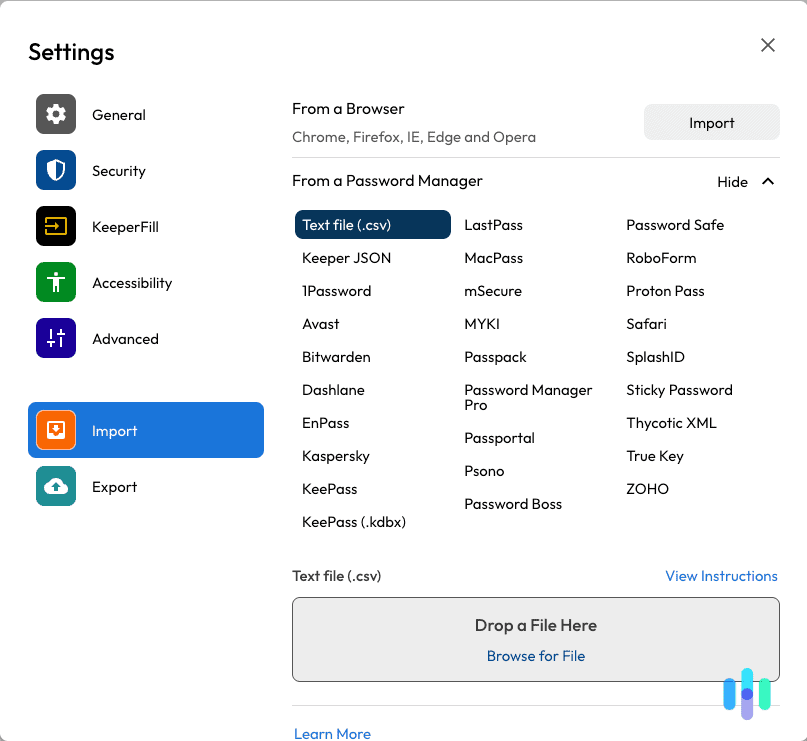
We found it very easy to install and set up Proton Pass. Downloading and installing one of its apps or browser extensions doesn’t take more than one minute. It’s also very easy to import existing passwords, and Proton Pass supports login imports from over 15 password managers, including 1Password, Bitwarden, Dashlane, and RoboForm.
Navigating and using Proton Pass is also very straightforward. It was easy to find and use the service’s different tools. Plus, all settings and features have brief but detailed explanations that help you quickly understand what everything does.
Adding an entry to Proton Pass is also really simple. We added a few logins, two credit cards, and an email alias, and we didn’t spend more than 15-20 seconds on each entry. Overall, it was a friction-less experience.
Feature Highlight: Proton Pass gives you a Recovery Kit when you create your account. This is a file that helps you recover your Proton Pass data if you get locked out of your account.
Proton Pass Customer Support
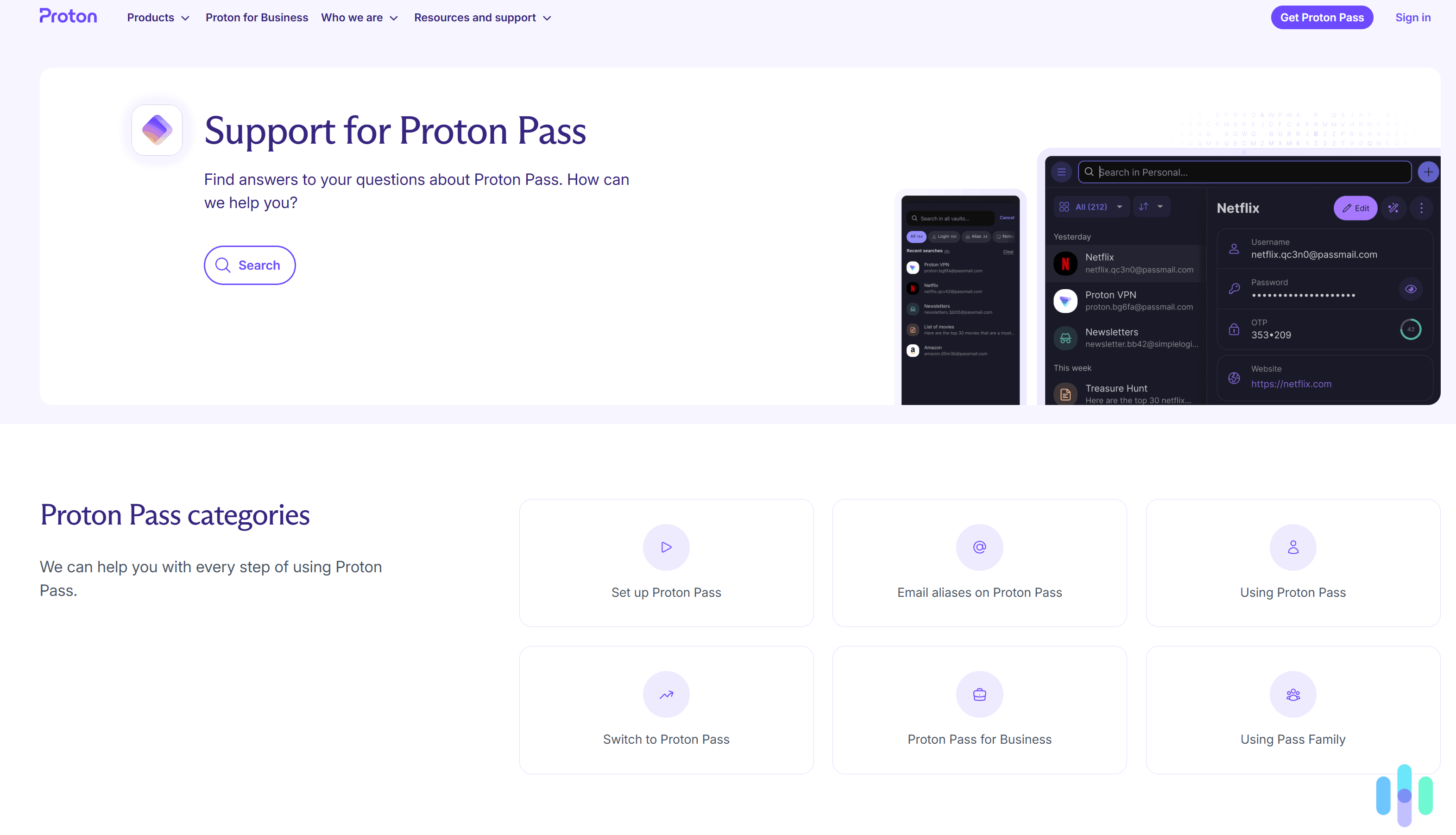
We didn’t find ourselves needing help setting up or using Proton Pass, but we checked out their customer support options anyway. Proton Pass provides access to detailed guides (with screenshots) and tutorials that show you how to set up the service and import passwords. There are also guides on how to use different features.
Proton Pass also offers a way to report issues, which the service’s reps will answer over email. However, we think it’s a shame that Proton Pass is missing live chat support. Some top competitors include this support channel, like RoboForm and NordPass, for example. And others that don’t offer live chat still provide access to a chatbot, such as Dashlane and 1Password, for instance.
Bottom Line: Does Proton Pass Provide Good Value?
We think Proton Pass is an overall solid password manager. It includes all key features you’d expect from a good password manager, from zero-knowledge encryption to a working auto-fill tool. It also has intuitive apps for desktop, mobile devices, and browsers.
We especially recommend getting Proton Pass if you’re focused on privacy, as the service is open-source and audited. It also has an AI-powered feature that enhances account security, making it much more difficult for malicious actors to compromise it.
Another reason to get Proton Pass? The free version. It’s hard to find a free password manager these days that offers all the basic things you need – unlimited password storage, auto-fill, and a password generator. Proton Pass Free offers all of those features.
Overall, we’d say that Proton Pass is one of the stronger password managers we’ve tested. After months of testing, we decided to give it a 9.0 out 10 score.
Frequently Asked Questions
-
Is Proton Pass trustworthy?
Yes. The service is open-source, so anyone can check the code to make sure it’s secure. Proton Pass has also been independently audited, confirming it’s safe. And the service also has built-in privacy protections, like an email alias generator and AI-backed account security.
-
Is Proton Pass free forever?
Yes, the service has a free version that’s free for life. The free plan allows unlimited logins, supports automatic sync across all devices, alerts you about weak logins, and lets you generate passwords. However, you can’t save credit cards, you don’t get integrated 2FA support, and you can’t use dark web monitoring.
-
Can Proton Pass generate passwords?
Yes, Proton Pass offers a built-in password generator. It lets you generate passwords that are up to 64 characters long, or create memorable passphrases that are up to ten words long. You can also customize the passwords by choosing whether or not they include special characters, capital letters, or numbers.
-
Is Proton Pass a VPN?
No, Proton Pass is a password generator, a service that securely stores personal information, auto-fills login information on trusted sites, and generates strong passwords. Proton Pass is owned by Proton, which also has Proton VPN, one of the best VPN services in 2026. You can bundle Proton Pass with Proton VPN (and other security services) via the “Proton Unlimited” subscription tier.
-
Proton Pass. (2025). Proton Pass is open source and audited for security.
https://res.cloudinary.com/dbulfrlrz/images/v1714571291/wp-pme/Cure53-proton-pass-20230717_411424e470/Cure53-proton-pass-20230717_411424e470.pdf?_i=AA -
Proton Pass. (2025). Proton Pass roadmap for summer.
https://proton.me/blog/pass-roadmap-summer-2025