



the security.brief
Opting out of PeekYou takes 15 minutes. Manually remove your data for free or use Incogni for automatic removal from multiple sites, saving time.
Did you know someone can figure out a whole lot about your identity with just one of your online usernames? You might think your username isn’t connected to your identity at all. But, the reality is, if you’ve ever posted personally identifying information on any account using that username, people search sites like PeekYou can find it. And then, they connect that information with all of the other information about you they can find on the web.
While we’re going to go through the manual process of opting out of PeekYou here, we recommend investing in one of the best data removal services. A data removal service automatically scrubs your data from multiple data brokers and people search sites like PeekYou. After testing Incogni, it’s the service we’d recommend for most people due to its easy set up and fast results. But if that’s not in your budget right now, start taking control of your online privacy by manually opting out of PeekYou.
What Is PeekYou?
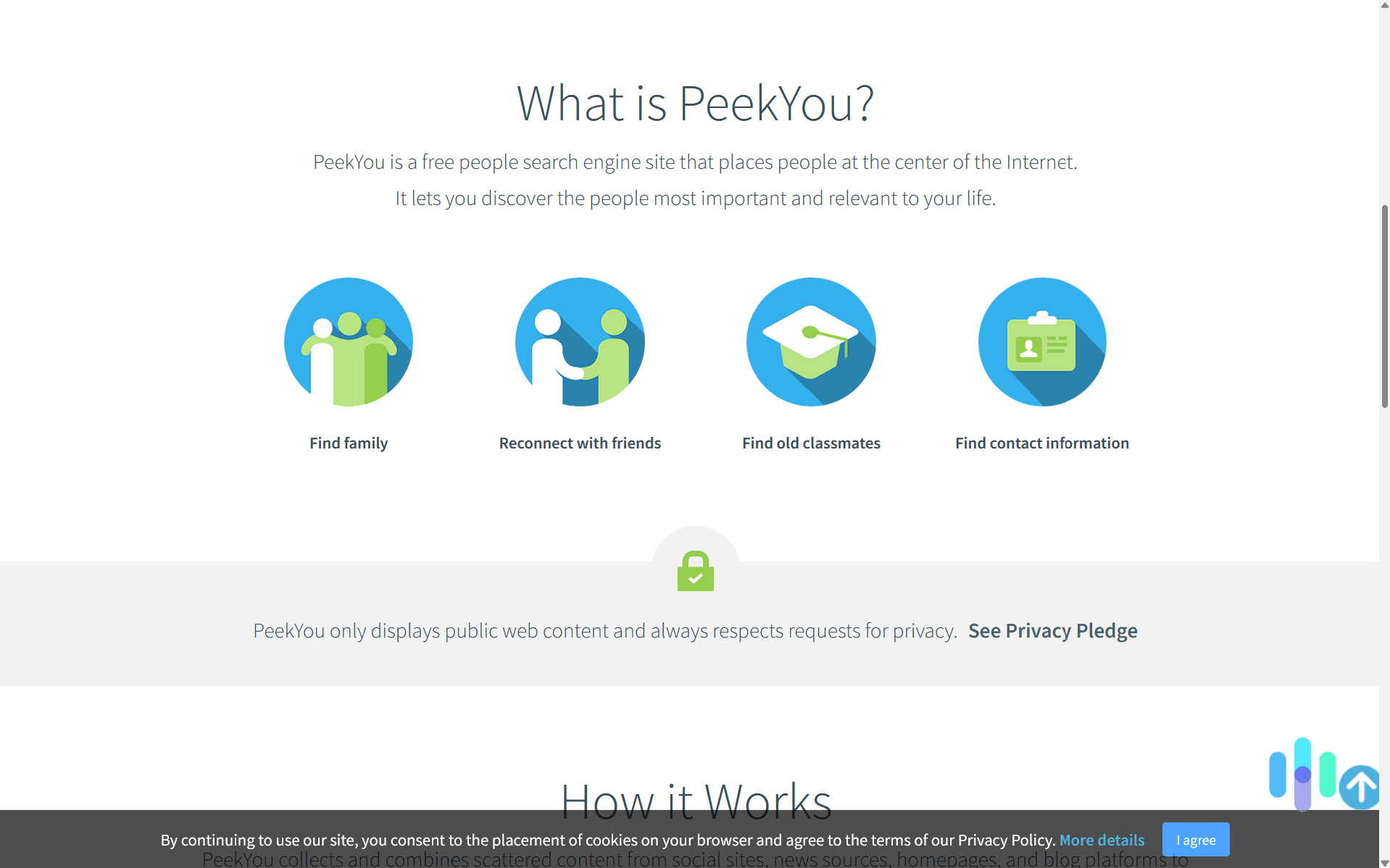
Focused on data available on the internet, PeekYou aggregates all of the details posted about you on social media sites, news sites, and other websites. Then, they provide a tool for searching based on your name or username on various sites. This lets someone gather all of your publicly available data through a quick search.
Although they advertise themselves as tools for connecting with old acquaintances, people search sites like PeekYou can and are being used for malicious purposes. Since it lets users search for people based on usernames, for example, it can be used for doxxing. That’s when someone connects your online username with your real personal data and then shares that information publicly, usually to get people fired from their jobs or to enable targeted in-person harassment.
>> Read About: What Is Doxxing? And How Can You Keep Your Child Safe?
How We Opted Out of PeekYou
We found PeekYou’s opt-out process significantly easier than most people search sites. When we opted out of Spokeo, we needed to find the profile we wanted removed on their site first, which wasn’t easy.
PeekYou didn’t make us go through this song and dance. Instead, we filled out their opt-out form with our details, submitted and confirmed it, and they removed our data from their site within a reasonable timeframe.
>> Read More: How to Opt Out of LexisNexis
Pro Tip: There are hundreds of data brokers and people search sites out there. To really secure your information, you’d need to opt out of all of them. We recommend using a data removal service. These services go through that tedious process for you, saving you countless hours and ensuring your personal data stays off data broker lists.
How to Remove Your Data Manually From PeekYou
Now let’s walk through the exact process we followed to opt out of PeekYou for free:
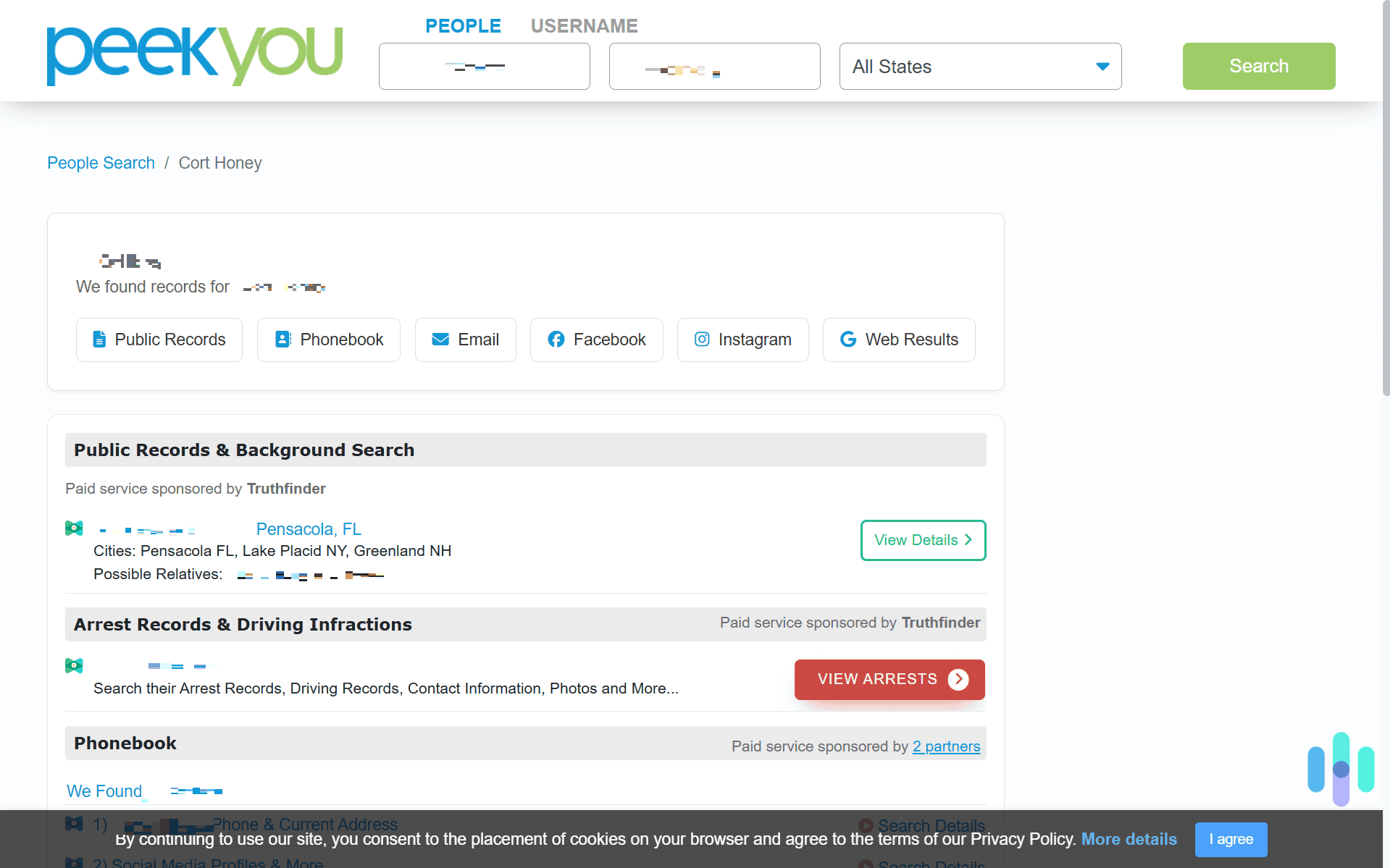
1. First, head over to PeekYou’s website. You can use the search function to look up your name and see what information they have on you. Note the last address they have listed. That’s one of the ways you’re going to identify yourself to PeekYou when submitting your opt-out request.
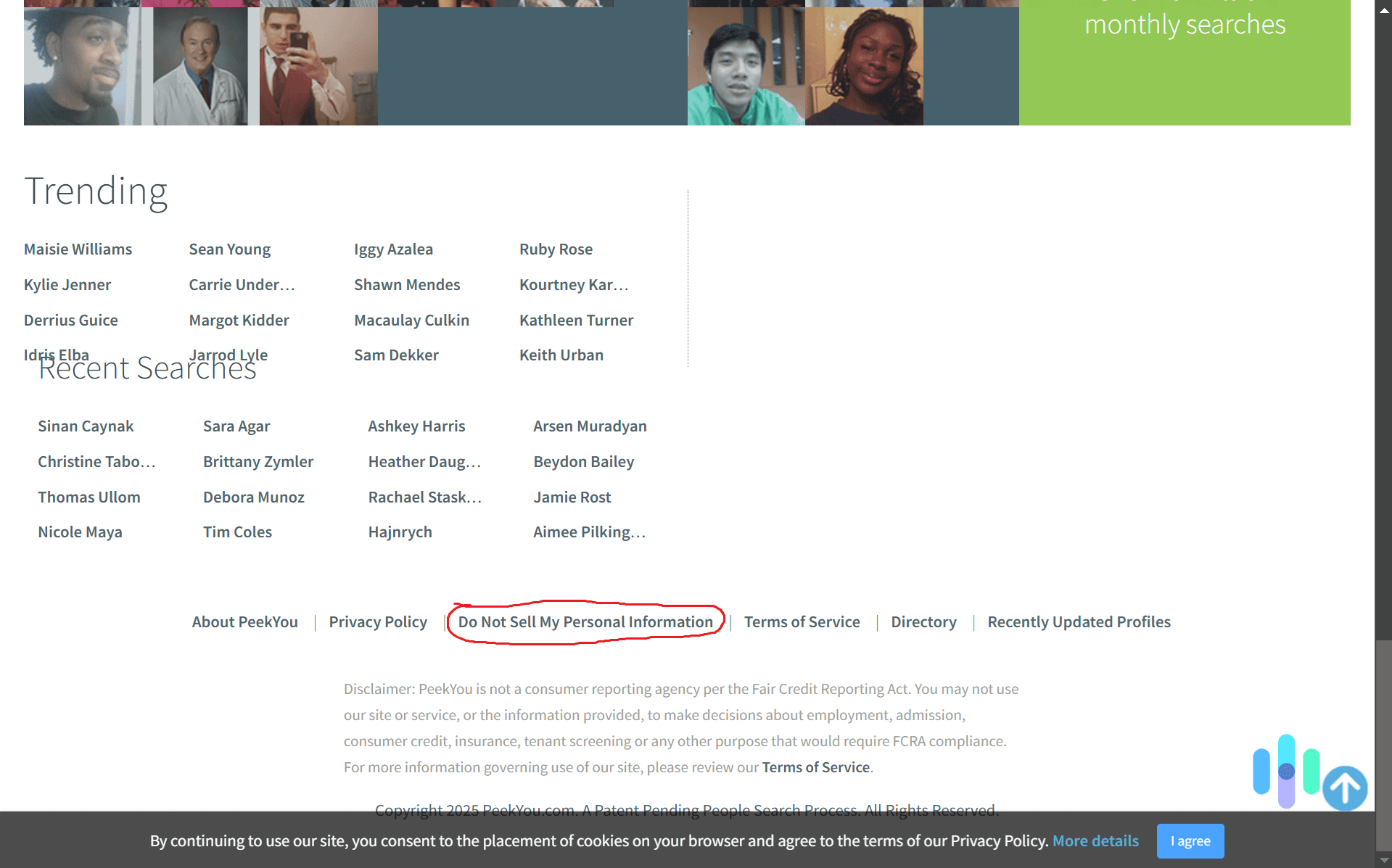
2. With the town and state PeekYou connects with your profile in hand, head down to the very bottom of their site. In the footer, you’ll see a link called “Do Not Sell My Personal Information.”
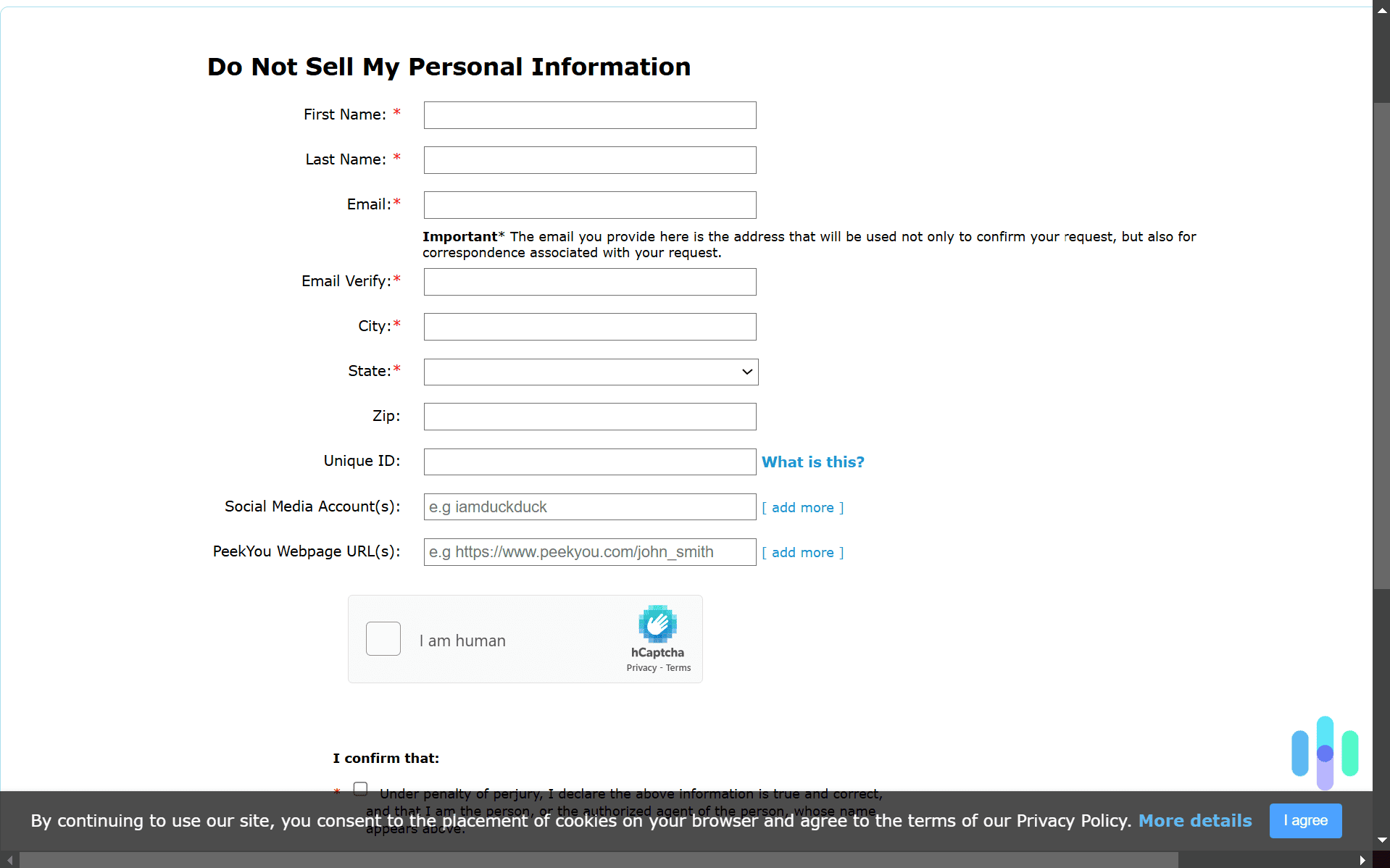
3. Once you click the “Do Not Sell My Personal Information” link, you’ll be directed to a basic opt-out form. Fill out that form with as much information as you can. This is the information they’ll remove from their site. Make sure you enter the city and state you wrote down in step one. Then, complete the CAPTCHA, check off all four consent boxes, and hit “Submit”.
4. After submitting the opt out request, PeekYou sends a verification email to the email you provided in the opt out form. This is an important step as you need to confirm you made the opt out request. In the email they send, there will be a link you need to click to complete your opt out.
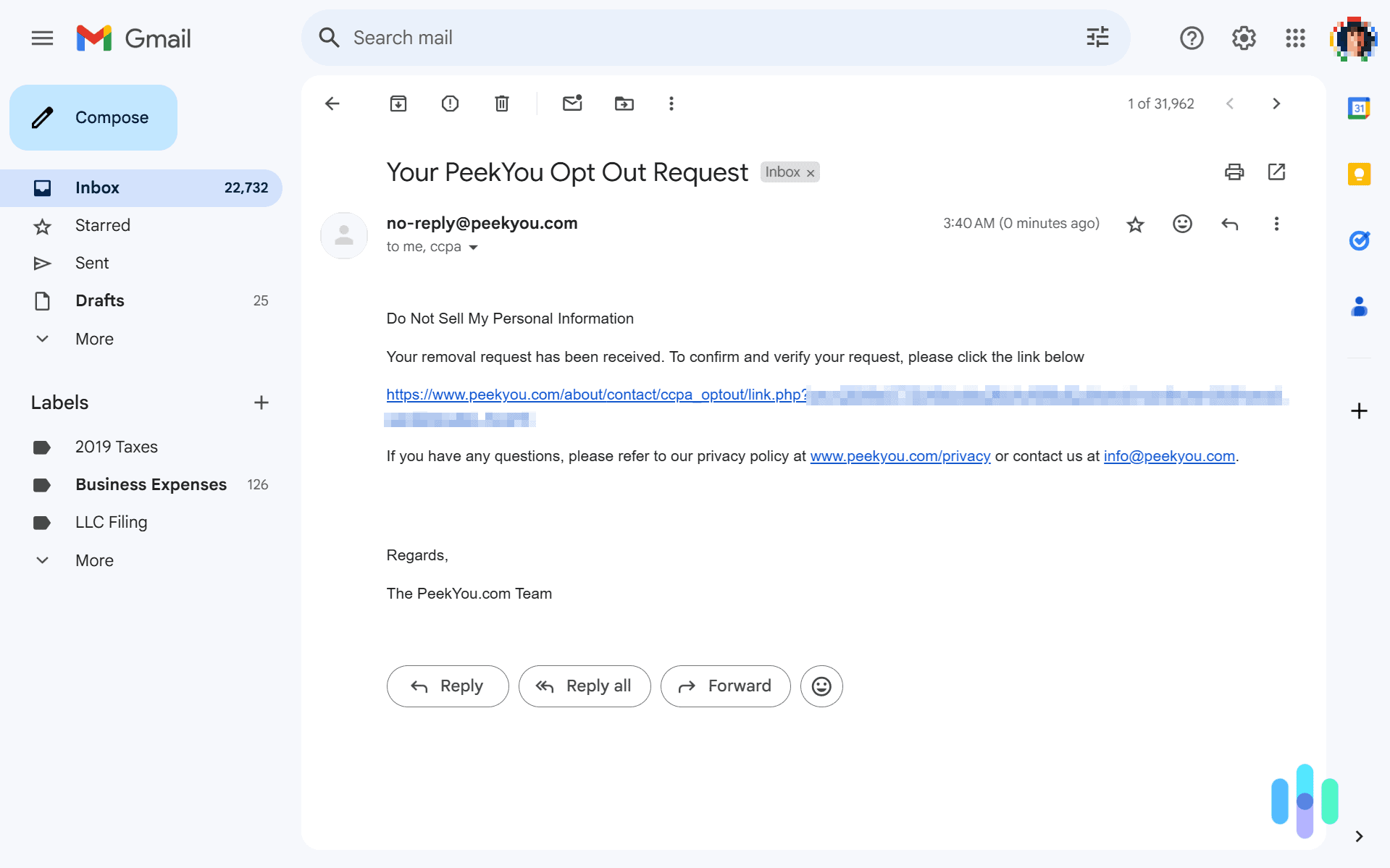
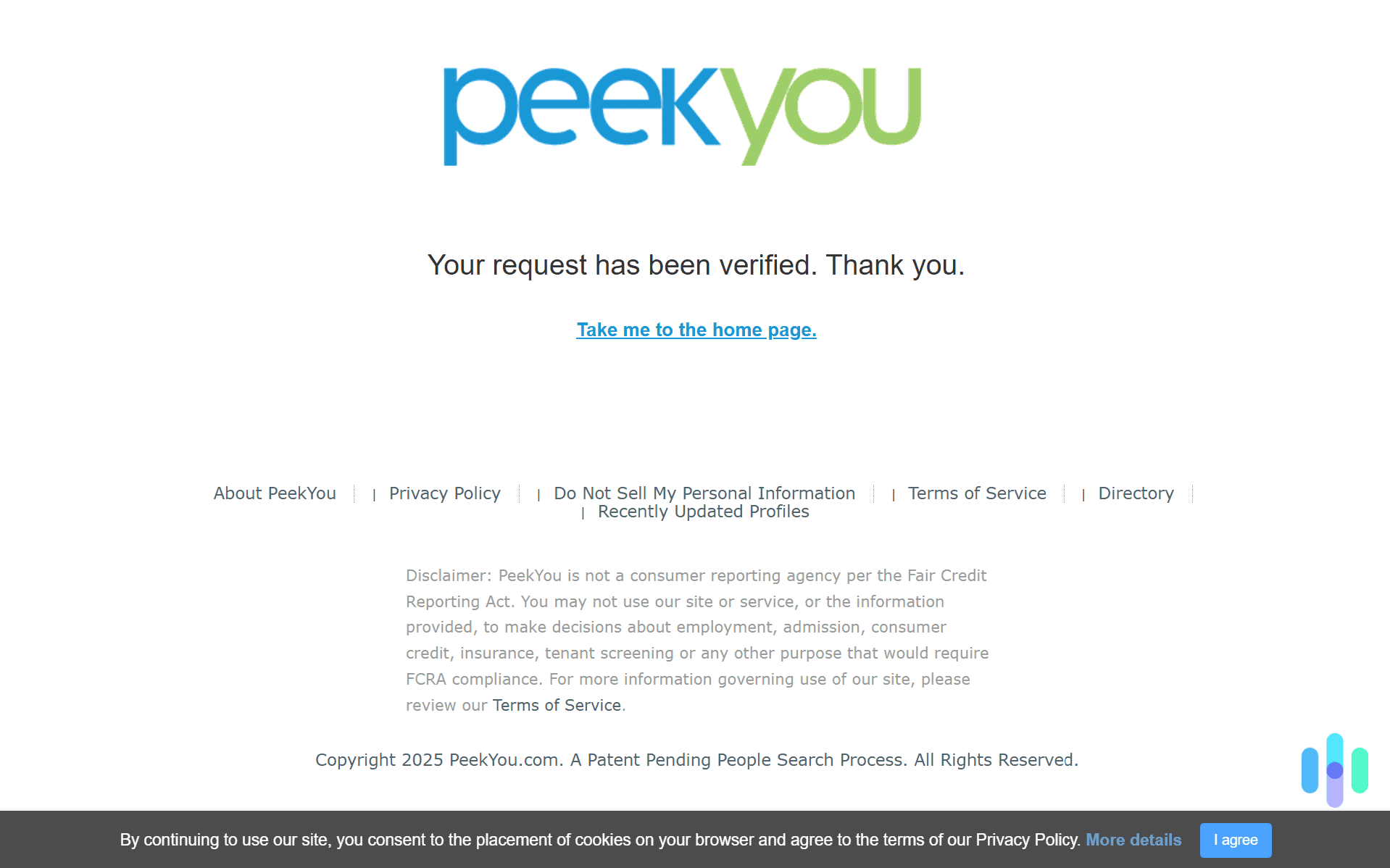
5. Clicking the link in the verification email completes the opt out process. If done successfully, you should see a page that says your request has been verified.
That’s all there is to it. Opting out of PeekYou took us about 15 minutes, and if you follow our step-by-step guide, you can complete it even faster. When you’re done opting out of PeekYou, we recommend following our list of five easy opt outs to protect your identity next.
>> Learn About: How to Opt Out of TruthFinder
Use Data Removal Sites and Services to Opt Out of PeekYou
While opting out of PeekYou is a relatively straightforward process, there are hundreds of similar sites out there, and we need to opt out of every single one of them to stay safe online. If you don’t have the time to dedicate to opting out of people search sites and data brokers, we highly recommend investing in a data removal service. They do the opt-out process for you, either manually or automatically. For instance, when we tested Optery, they automatically opted us out of up to 300 sites, but they also let us request a manual opt-out from any sites they missed. Although that process took some time, we appreciate the thoroughness.
Did You Know: We compared Optery and Incogni side by side. Even though we preferred Incogni overall, Optery certainly had its benefits. Read the full comparison to find out which service would be a better fit for you.
When we tested Kanary, on the other hand, they only used an automatic opt-out process, but they checked for our information against a massive database of sites. Their database includes more than 400 sites like PeekYou, giving you comprehensive protection without the manual legwork.
>> Learn More: Kanary vs Incogni: Comparing Two Data Removal Services
Incogni makes it easy to search for your information and remove it from PeekYou.

Recap: How to Opt Out of PeekYou
Opting out of PeekYou was a fairly straightforward process compared to most data brokers and people search sites. It only took us about 15 minutes, and we think you could do it even faster since you have our step-by-step guide. Removing our information from PeekYou helped us separate our real name from our online accounts.
But PeekYou is one of hundreds of people search sites and data brokers that expose our personal information. That’s why even though the opt-out process is easy, we still recommend using a data removal service. Use one, and they’ll secure your information in weeks rather than months. They’ll even continue monitoring and removing your data automatically.
FAQs About Opting Out of PeekYou
-
How long does it take to opt out of PeekYou?
It took us about 15 minutes to opt out of PeekYou. We think you can do it even quicker since you have our guide to follow whereas we needed to figure it all out on our own.
-
Why does PeekYou have my information after I opted out?
Opting out of PeekYou doesn’t prevent them from recollecting your information in the future. Data brokers continuously refresh their databases from public records and online sources. You’ll need to regularly check PeekYou to see if they’ve recollected your information and then opt out again.
-
Can I prevent PeekYou from collecting my information?
Since PeekYou only collects publicly available information, you cannot prevent them from creating a profile with your information. We recommend using a data removal service like Incogni to automatically request the removal of your information every time they recollect it.
-
What’s the best way to opt out of PeekYou?
Our favorite way to opt out of PeekYou was by using Incogni. Getting access to Incogni only added about two dollars to our Surfshark subscription. Then, it automatically requested the removal of our data from hundreds of sites within a few weeks.
-
Does it cost money to opt out of PeekYou?
Manually opting out of PeekYou is free. It only takes about 15 minutes of your time. But, they can recollect your information after they remove it. That’s why we recommend investing in a quality data removal service like Incogni, Kanary, or Optery.