

the security.brief
Your phone probably isn't listening — but the tracking is just as invasive. Learn how voice assistants, app permissions, and data brokers fuel targeted ads.
There’s no concrete evidence that a major ad platform has secretly fed your microphone audio into its ad-targeting engine. Google, Meta, and Amazon all deny it. Security researchers who have tested the claim have not found evidence of it happening at scale.1
This doesn’t mean the surveillance driving these eerily accurate ads isn’t real. It just works differently than you think, and in some ways that makes it harder to avoid. Let’s dissect this topic and find out how advertisers, big tech brands, and apps actually use to deliver personalized ads to your phone.
How Voice Assistants Actually Work
Your phone does listen constantly, but for a very specific reason. Siri, Google’s Gemini, and Alexa are designed to detect a wake word (“Hey Siri,” “Hey Google,” “Alexa”) so you can speak a command without unlocking your device first. That always-on listening happens locally on the device itself. Audio is only sent to a company’s servers after the wake word is detected.
In our research, company disclosures have confirmed that voice assistants frequently suffer “false accepts,” accidental triggers where background noise, TV audio, or similar-sounding words fool the assistant into thinking it heard the wake word. When that happens, a snippet of audio does get recorded and sent upstream.
Apple, Amazon, and Google have each acknowledged this. All three companies admitted at various points between 2019 and 2021 that human contractors were reviewing audio clips, including some recorded without the user’s knowledge, to improve their voice recognition systems. Each company subsequently revised its data retention policies after the disclosures caused public backlash.
FYI: The shift from Google Assistant to Gemini does not change any of this. Gemini uses the same microphone and wake word detection model, so it carries the same false accept risk.
What Companies Say About Ads
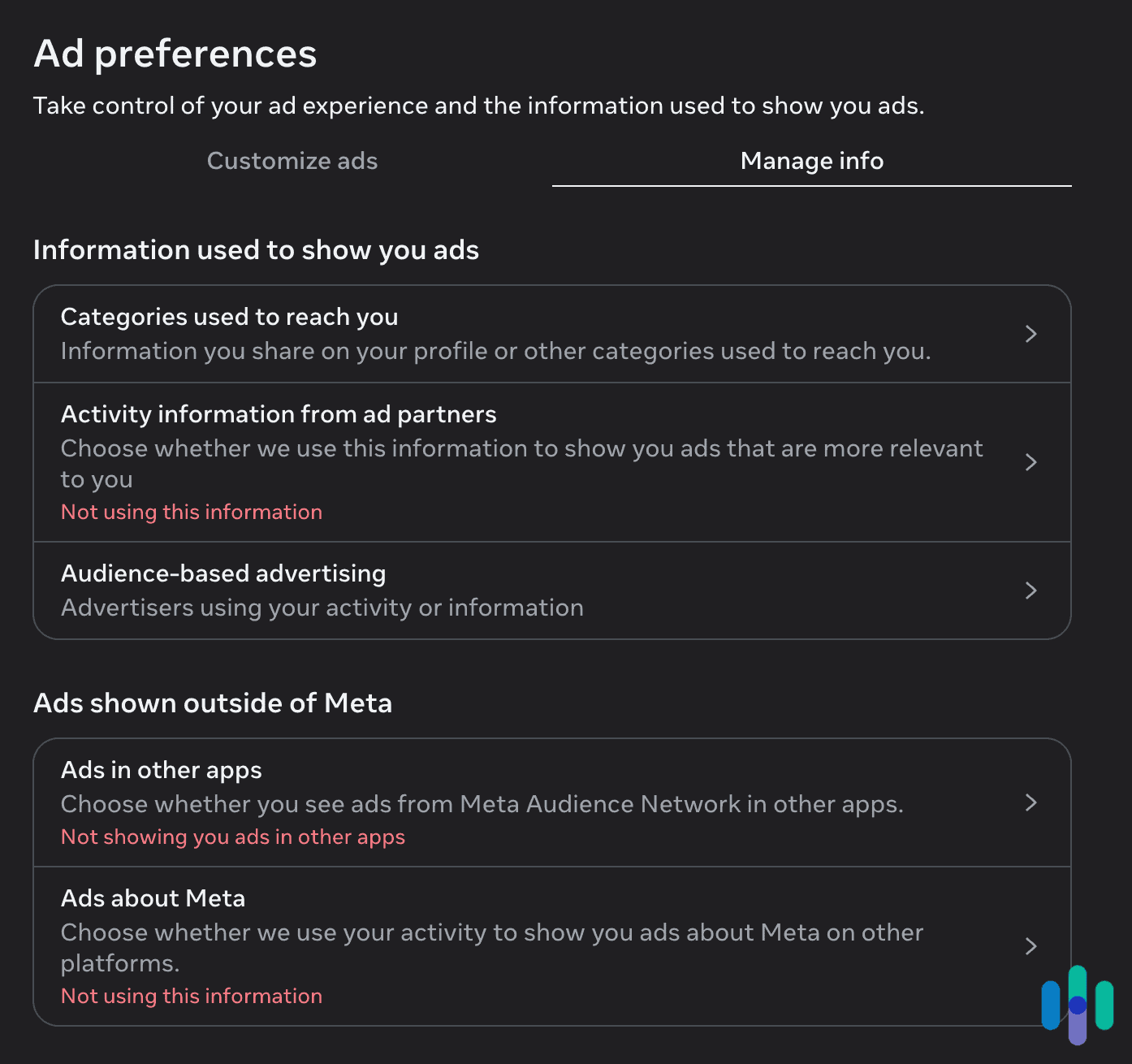
Every major platform is explicit on this point. Meta has stated publicly and repeatedly that it does not use microphone audio to target ads. Mark Zuckerberg even stated so under oath during congressional testimony. Google states that its assistant listens only for wake words and discards all other audio without processing it for advertising. That policy carries forward to Gemini as it replaces Google Assistant across Android devices. Apple, following a $95 million class-action settlement in early 2025, emphasized that Siri data has never been used to build marketing profiles or sold to third parties.2
That settlement covered users of Apple devices from 2014 to 2024. Plaintiffs cited examples of Siri apparently picking up private conversations and triggering related ads. Apple did not admit wrongdoing, but the scale of the settlement signaled that accidental recordings were a real and documented problem, even if their use for advertising could not be proven.
>> Learn More: The Data Big Tech Companies Have on You
What You Agree to When You Install an App
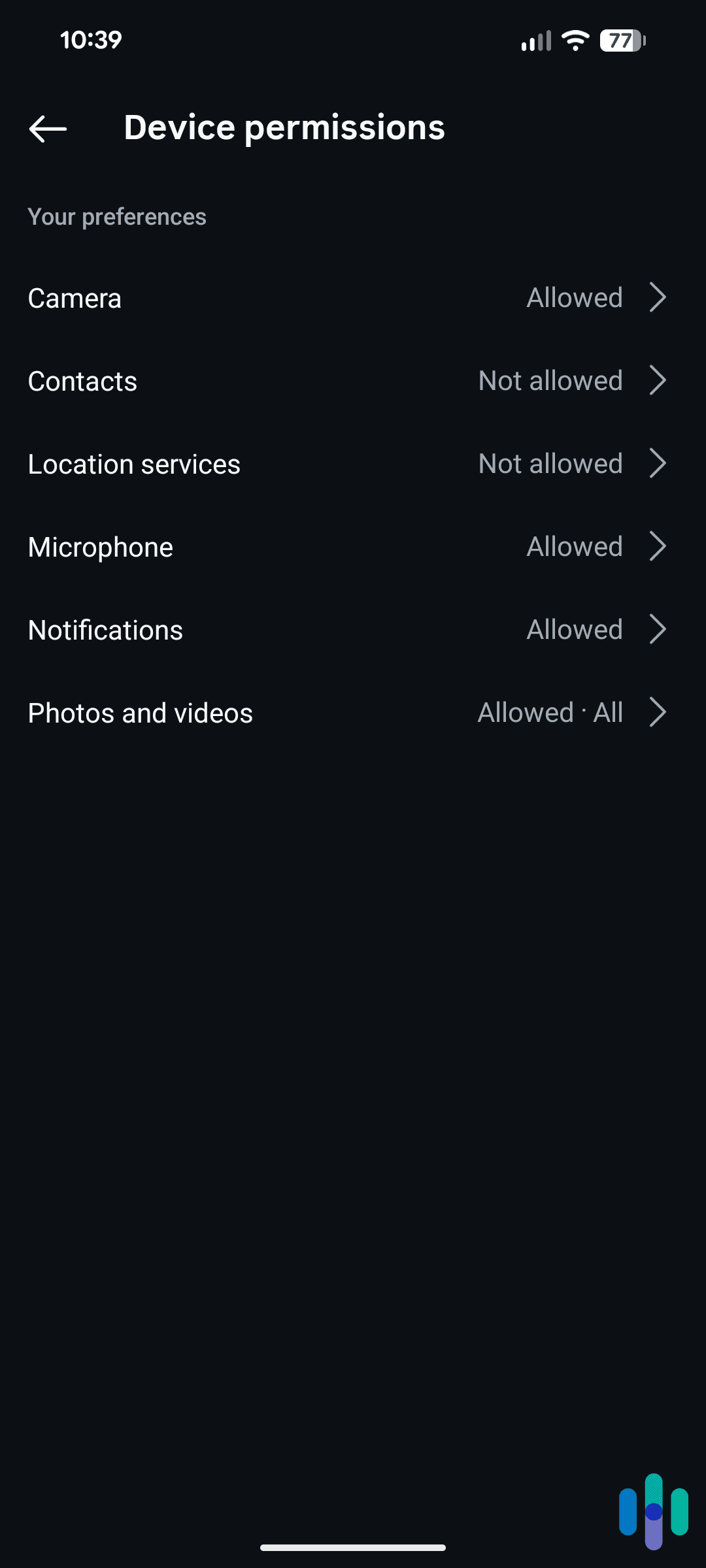
Every app you install asks for something. Sometimes it is your location. Sometimes it is your contacts. Sometimes it is your microphone, your camera, or your entire media gallery. Most people tap “Allow” without reading why, and the terms of service that govern what happens to that access are rarely written to make the answer clear.
Terms and Conditions as Consent Mechanism
Under U.S. and EU law, companies are required to disclose how they collect and use your data. They satisfy this requirement through privacy policies and terms of service that users must nominally agree to before using an app or service. In practice, these documents run to thousands of words and are written in legal language that the average person won’t understand. Our own data removal service usage research found that only three percent of Americans always read privacy policies, and 34 percent say they have never read one.
What those documents often contain is permission, buried in plain sight, for the company to collect data from your device’s microphone, camera, and media library for purposes that include “improving services,” “personalizing content,” and “delivering relevant advertising.” The language is broad by design. It allows companies to argue they have disclosed what they are doing without most users ever learning what that actually means.
>> Check Out: How to Remain Anonymous on the Internet
Microphone Access
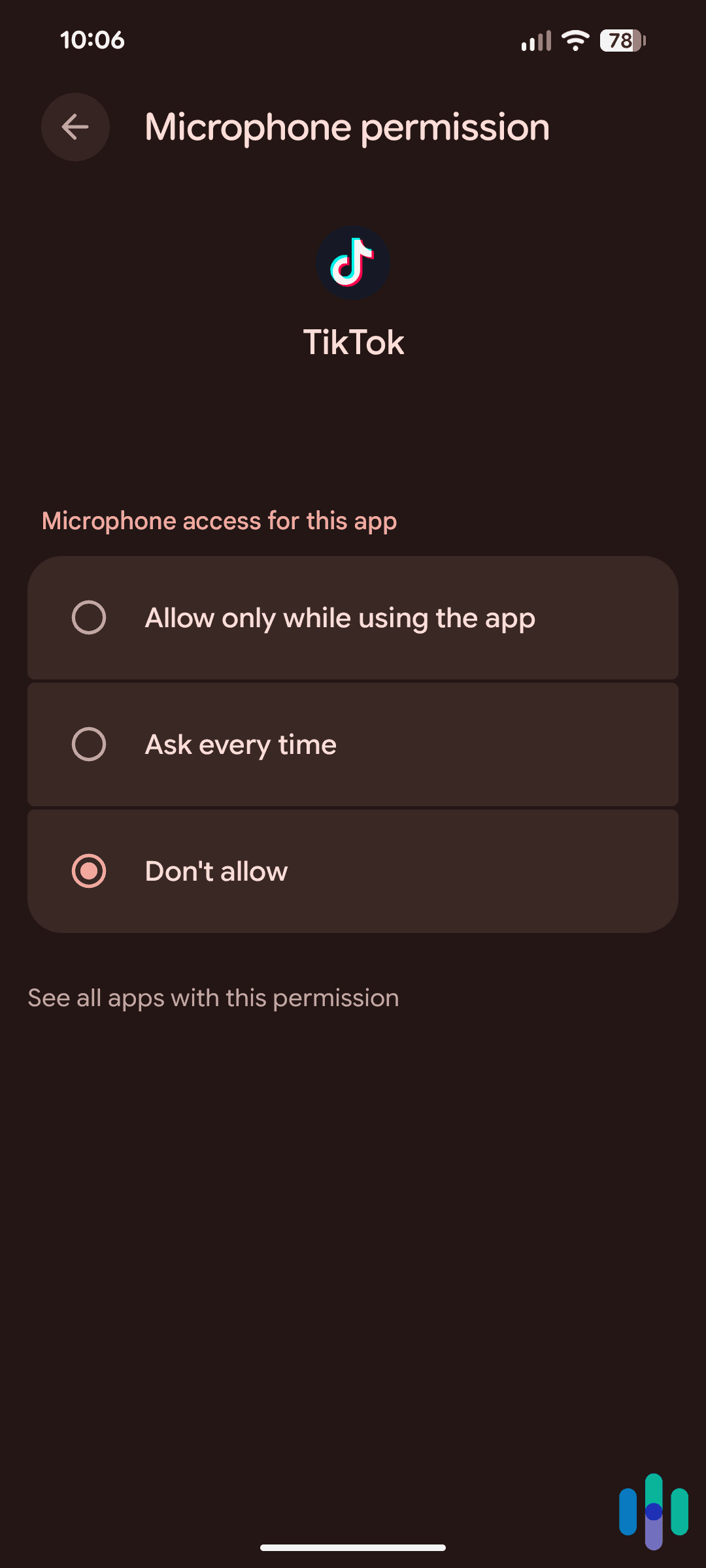
Microphone permission is among the most sensitive you can grant. When you allow an app access to your microphone, you are authorizing it to activate that hardware while the app is in use and, in many cases, while it is running in the background. The intended purpose varies by app. For example, a messaging app needs the microphone to send voice notes or for voice typing, while a fitness app may need it for voice commands. Some social platforms may use it for live video. The permission itself does not distinguish between these use cases. Once granted, access is access.
Apps like TikTok, Instagram, Snapchat, and many others request microphone access as part of their standard setup. For apps built around video and audio creation, this is expected. The concern arises when the same permission is used beyond its stated purpose. Several apps have faced scrutiny for activating the microphone in circumstances users did not anticipate. TikTok acknowledged in 2022 that its app accessed clipboard data on iOS more often than its functionality required, a disclosure that raised broader questions about what else the app might be accessing without users’ knowledge. The microphone has remained a focus of ongoing regulatory attention in both the U.S. and Europe.
Voice input features compound the issue. When you use voice-to-text on a keyboard app, dictation in a notes app, or a search bar that accepts spoken queries, your audio is typically processed by a third-party service. That service may retain the audio, use it to train models, or share processed transcripts with partners. The original app’s privacy policy may not mention this at all, because the voice processing is handled by a vendor whose own terms apply.
Media Gallery Access
Gallery access, officially called photo library permission on iOS and media access on Android, lets an app read the images and videos stored on your device. This includes the metadata attached to each file, like the GPS coordinates where the photo was taken, the timestamp, the device model, and in some cases, facial recognition data that your phone has already generated locally.
Advertisers can use this information to build a detailed picture of your habits, locations, relationships, and interests without ever asking you directly. A photo taken at a sporting event, a restaurant, or a political rally reveals details about your habits and interests to a targeting system. A series of photos taken at the same location every morning tells that system where you work or worship. Many popular apps, including social platforms and photo editors, request full gallery access by default. Apple’s iOS 14 introduced limited photo access as an alternative, allowing users to share only selected images, but the default prompt is still full access.
The connection between gallery data and ad targeting is less visible than the microphone question. Metadata from photos has been identified in multiple regulatory investigations as a source of location data that companies collect without users understanding they are sharing it.
>> Learn More: How to Remove Your Information From the Internet
What “While Using the App” Actually Means
Both iOS and Android now offer tiered permission options for sensitive data. For location, users can choose “only while using the app,” “always,” or “never.” Similar options exist for microphone access on newer versions of both operating systems. The practical difference matters. “Only while using” is meant to limit access to foreground activity. Many apps still request the broader “always on” permission and provide a vague justification, such as enabling background features, that most people accept without question.
Background microphone or sensor access can be triggered by a wide range of app states, including push notifications, background sync events, and widget refreshes. In each case, the app wakes briefly and, if it has standing permission, can activate sensors during that window. None of this is disclosed in plain language at the point of installation.
How Microphone Access Is Used to Target Ads
As we’ve touched on, the question of whether your microphone feeds your ads directly has been contested. Whether microphone data and voice-derived information play some role in the broader ad-targeting ecosystem is far less disputed. Several documented channels connect audio access to advertising outcomes, even when no single company admits to listening in the way most users imagine.
Voice Assistants and Ad-Adjacent Data Collection
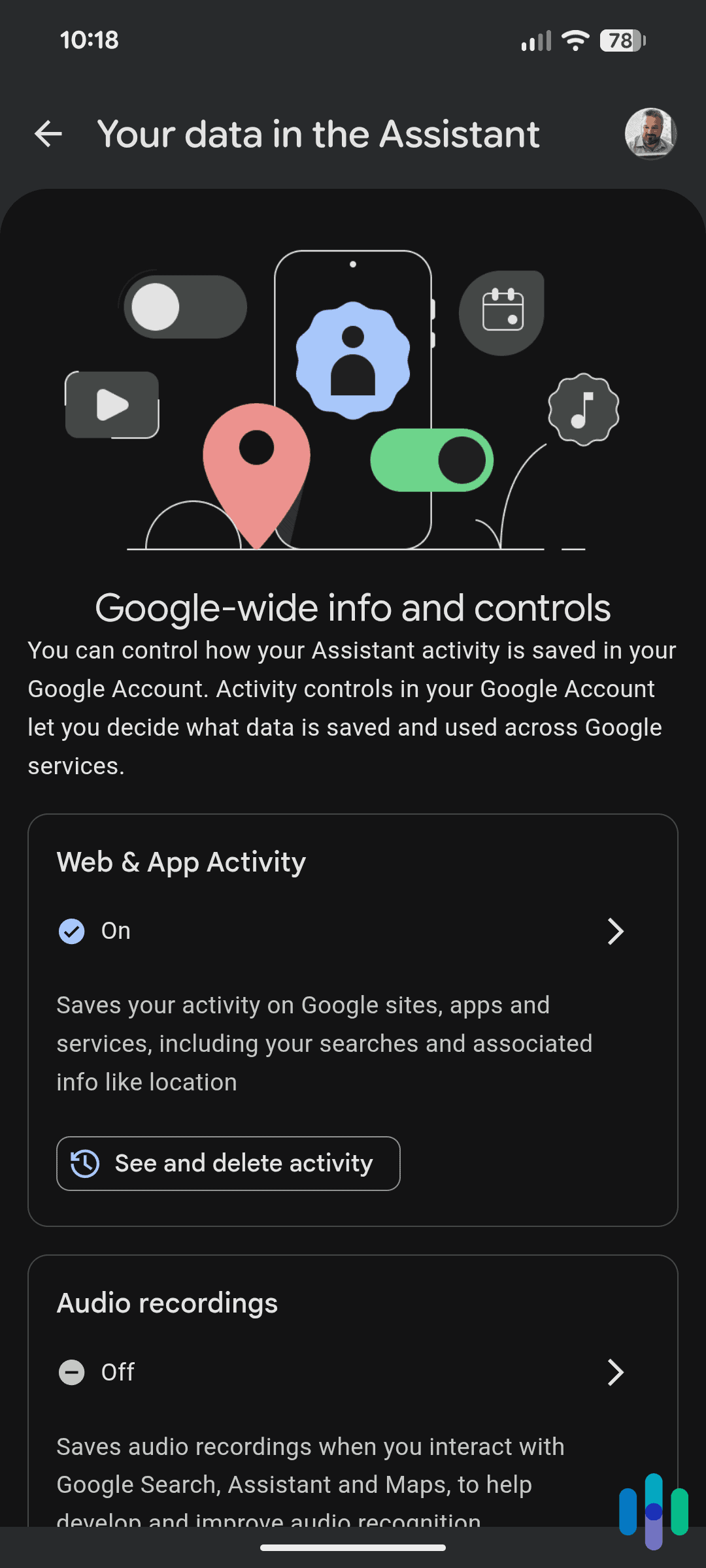
When you ask Siri to set a timer, tell Gemini to play a song, or ask Alexa about the weather, that interaction is logged. The content of your request, the time it was made, the device it came from, and the follow-up actions you took are all recorded. Google has been explicit that voice search queries feed into your broader search and interest profile, which informs what ads you see across Google’s properties. Asking your assistant about flights, medications, or home improvement projects is functionally equivalent to typing those queries into a search engine.
Gemini deepens this integration considerably compared to Google Assistant. Since Gemini is designed to work across Gmail, Google Docs, Google Drive, and Google Calendar, it has access to a wider slice of a user’s digital life than its predecessor. A user who asks Gemini to summarize an email thread, draft a reply, or pull up a document is feeding context about their professional activity, interests, and relationships directly into Google’s ecosystem. Google states that this data is used to improve Gemini’s responses and is governed by its existing privacy policy, but the breadth of what Gemini can access by design is substantially greater than what Google Assistant could reach. Gmail itself has been the subject of a Google data breach, with hundreds of millions of credentials exposed across multiple incidents.
Amazon’s relationship between Alexa interactions and advertising is more direct. Amazon operates one of the largest digital advertising businesses in the world, and Alexa is deeply integrated into how users discover and buy products. In 2023, Amazon confirmed that Alexa voice interactions inform the interest-based advertising displayed across Amazon’s platforms and partner sites. Amazon positions this as a benefit to users: ads become more relevant when Alexa knows what you have been asking about. You can opt out through Alexa’s privacy settings, but the default is opt-in, and most people are unaware the connection exists.
Pro Tip: To opt out of personalized Alexa ads, open the Alexa app and navigate to More, then Settings, then Alexa Privacy, and select Manage Skill Permissions and Ad Preferences. Toggle off internet-based ads. We also recommend reviewing these settings for each Echo device linked to your account.
Third-Party SDKs and In-App Audio Access
Most apps are not built entirely from scratch. Developers use software development kits, known as SDKs, provided by third parties to handle analytics, advertising, payments, and other functions. When an app has microphone permission and it runs an advertising SDK, there is a question of what that SDK can access. The SDK operates within the same permissions the app has been granted, meaning it may technically have access to the same hardware the app itself uses.
Several academic studies have examined the question of SDK microphone access, but researchers have not found evidence of continuous audio recordings. They did find that audio snippets were transmitted under specific conditions, including when ads were being displayed. The advertising SDK market is dominated by a small number of large players, including Google’s AdMob, Meta’s Audience Network, and AppLovin. Each of these platforms sets its own policies on what data SDKs may collect from host apps. Those policies prohibit unauthorized microphone access in their stated terms. Whether enforcement keeps pace with actual SDK behavior across millions of apps is a separate question, and one that regulators in the EU and U.S. have started examining more closely.
The Lawsuits That Changed the Conversation
Several legal actions have shifted this topic from internet folklore to federal courtrooms. Here are a few that stood out to us.
- Apple Siri settlement (January 2025): Apple paid $95 million to resolve claims that Siri had recorded private conversations without consent and that those recordings were sometimes shared with third parties, including advertisers. Apple did not admit wrongdoing.
- Amazon Alexa class action (July 2025): A federal judge in Seattle ruled that Alexa users could pursue a class-action lawsuit accusing Amazon of deceptively recording private conversations and retaining them for commercial use, including training its AI models.3 The case is ongoing.
- The CMG “Active Listening” leak (2023–2024): A leaked pitch deck from CMG Local Solutions advertised an “active listening” ad-targeting capability using microphones in smartphones and smart TVs. The document named Google as a partner and described voice data being combined with behavioral profiles to serve targeted ads. Google removed CMG from its Partners Program after reviewing the claim. Meta, Amazon, and Microsoft also denied involvement. The program was reportedly discontinued.
Other Ways Ads Know What You Want
Microphone access is one part of a much larger data infrastructure. Even without any audio, the behavioral profile built from your everyday phone use is detailed enough to make ad targeting feel like mind-reading. These are the other major channels.
Behavioral Data and Browsing History
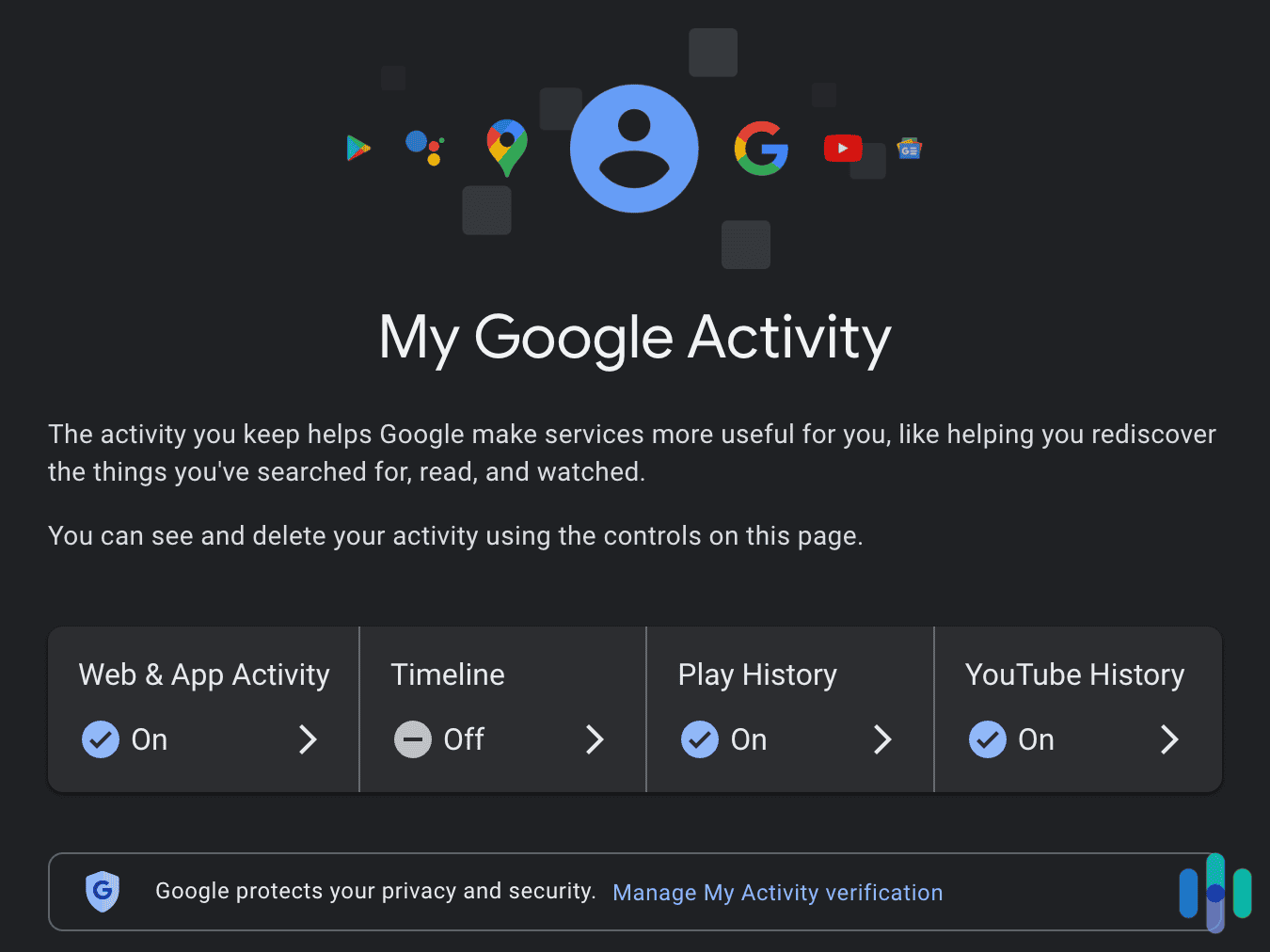
Every search, webpage, and product listing you glance at for more than a few seconds gets collected, timestamped, and added to a profile. Advertisers buy access to that profile through real-time bidding auctions that happen in milliseconds every time a webpage loads. The Electronic Frontier Foundation has described real-time bidding as among the most privacy-invasive surveillance systems in existence. It exposes personally identifiable information to thousands of advertisers and data brokers with every page view.
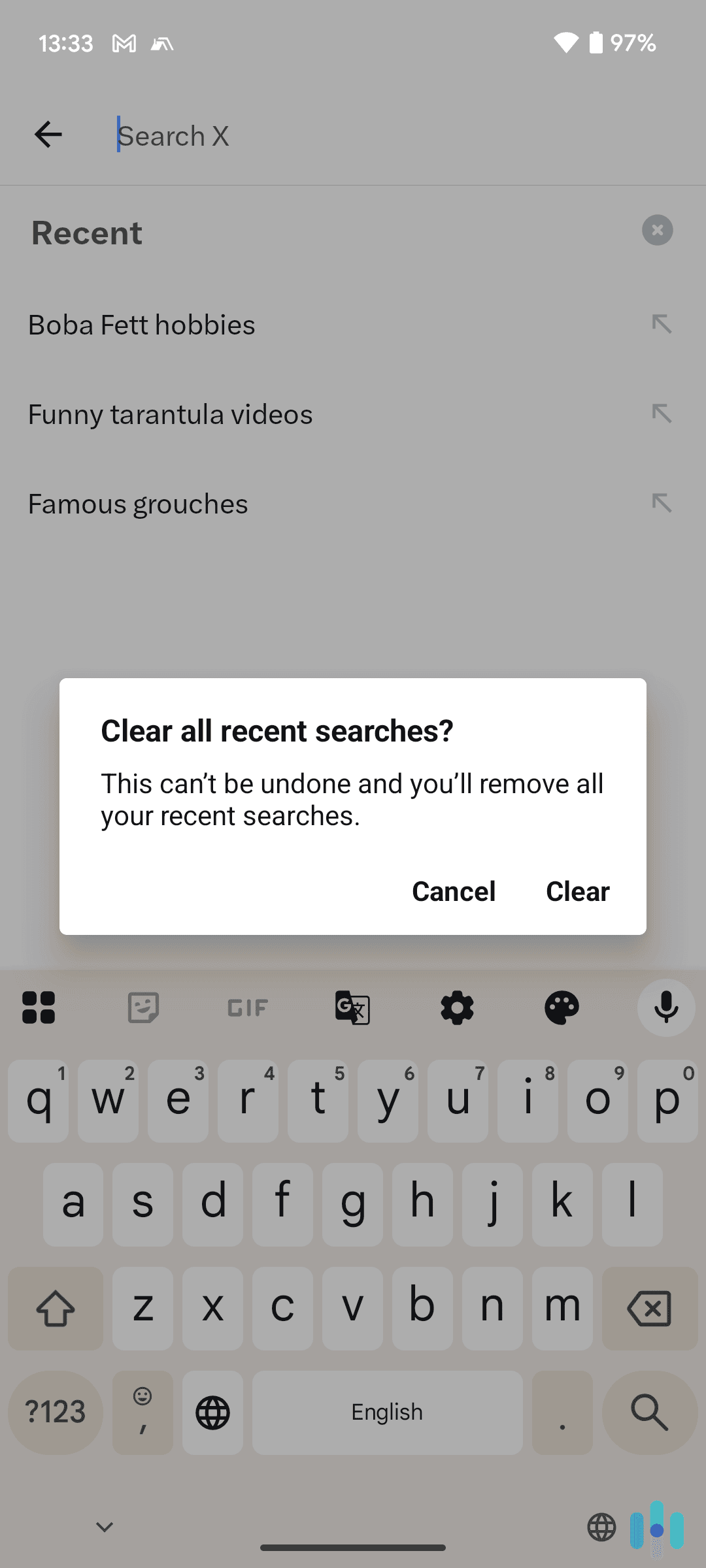
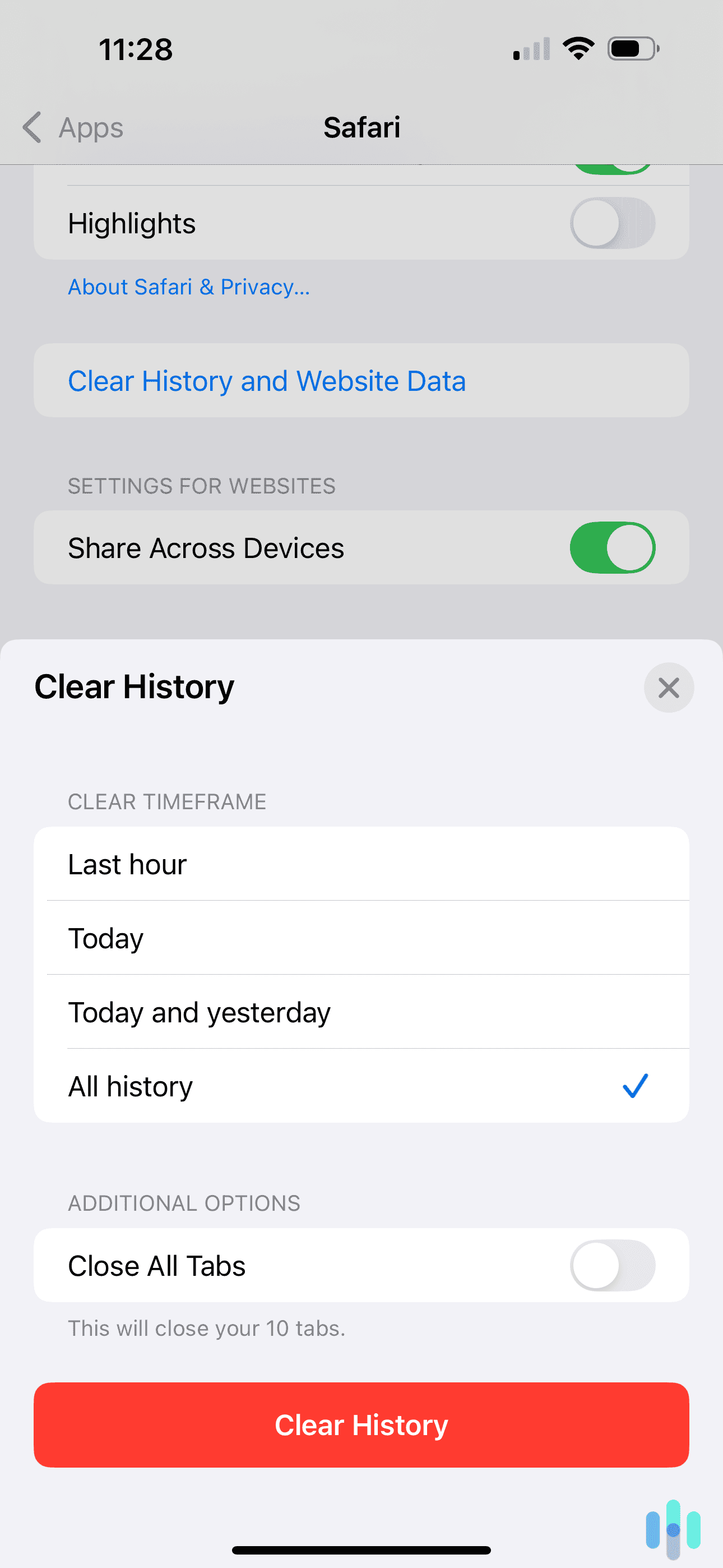
>> Check Out: How to Clear Your Search History in 2026
Data Brokers
An entire industry of data brokers collects, packages, and sells personal information drawn from loyalty programs, public records, app permissions, and purchase histories. Most of these companies operate invisibly to consumers yet build detailed profiles that advertisers use to find and reach specific audiences. When the ads feel like they know you, they often do, because a broker sold a file that describes you to a buyer you have never interacted with.
Cross-Device Tracking and Fingerprinting
Companies can link your behavior across your phone, laptop, smart TV, and other devices using a combination of login matching, IP address correlation, and device fingerprinting. Fingerprinting builds a persistent identifier from passive signals like your browser version, screen resolution, and installed fonts. This data is difficult to block and nearly impossible for most users to detect or reset.
Coincidence and Selective Memory
We notice and remember the ad that follows a conversation because it feels surprising, but we also forget the dozens of ads that had no resemblance to anything we discussed. Researchers have found that people fill gaps in their knowledge with their own theories when companies are vague about their data practices. The microphone theory is intuitive, but it’s also wrong in most cases. That doesn’t mean the surveillance isn’t happening, though.
Shared Interests, Not Shared Conversations
A simpler explanation for the “we talked about it and the ad appeared” experience is that you and the person you spoke with likely share demographic traits, location, and browsing habits. Behavioral targeting systems do not need to have overheard you. They may have simply identified your conversation partner as someone in the same audience segment and served you matching ads based on the prediction that you would respond similarly.
What You Can Actually Do About It
The permissions you grant, the terms you agree to, and the tracking that follows are all real concerns. These steps address the most significant ones.
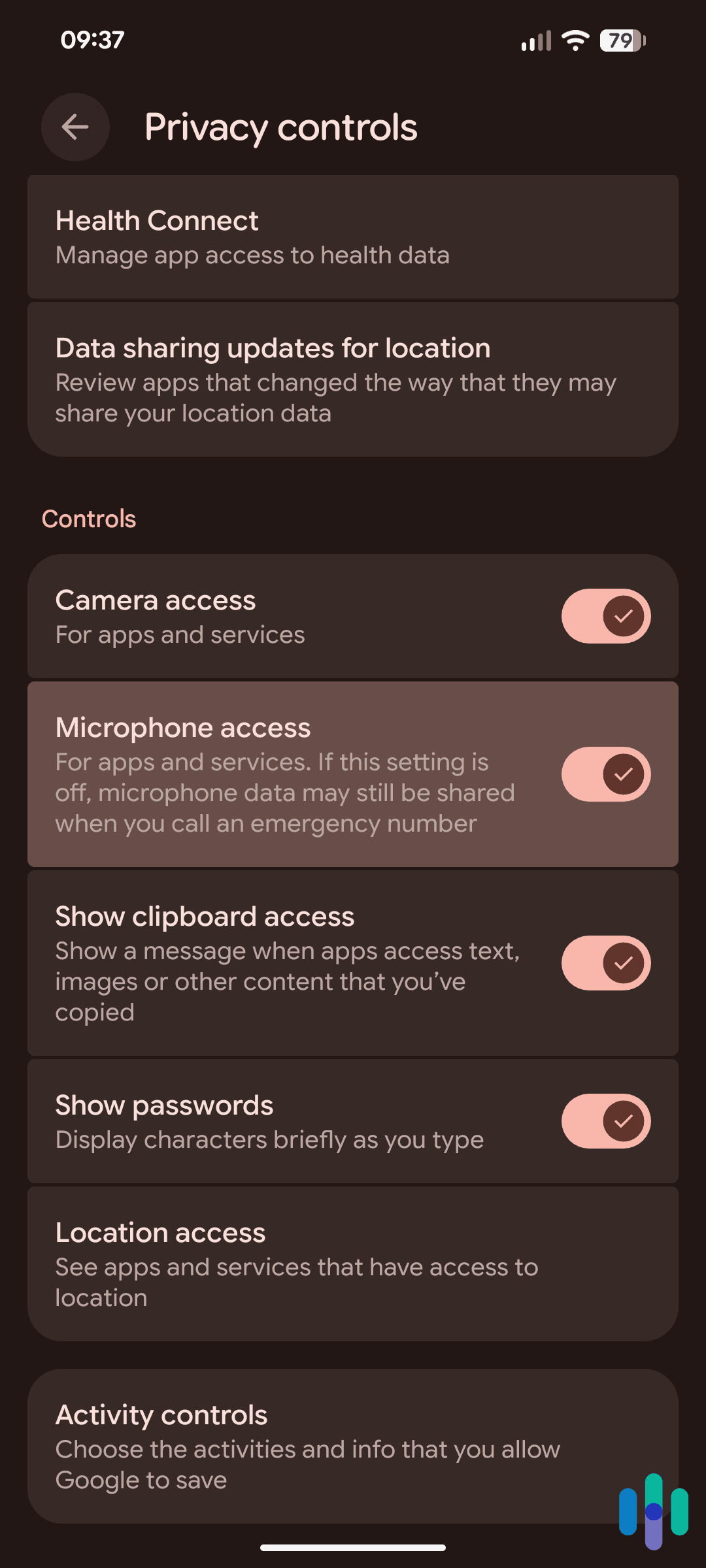
- Audit microphone permissions: On iPhone, go to Settings > Privacy & Security > Microphone to see every app with microphone access. On Android, go to Settings > Privacy > Permission Manager > Microphone. Revoke access for any app that does not have a clear, functional reason to need it. Social apps, retail apps, and games rarely need microphone access to function.
- Review photo and media gallery permissions: On iPhone, go to Settings > Privacy & Security > Photos to see which apps have access to your library. We recommend choosing “Selected Photos” rather than full access, which limits what an app can read to only the images you deliberately share. On Android, go to Settings > Privacy > Permission Manager > Photos and Videos for the equivalent controls. Be cautious of apps that request full gallery access but have no obvious photo-related function.
- Limit ad tracking: On iPhone, go to Settings > Privacy & Security > Tracking and disable “Allow Apps to Request to Track.” On Android, open Settings > Privacy > Ads and opt out of personalized advertising. Keep in mind that neither eliminates ads, but both remove the advertising identifier that lets platforms link your behavior across apps and sessions.
- Delete your voice assistant history: Apple, Google, and Amazon all allow you to review and delete recorded voice interactions. On iPhone, go to Settings > Siri & Search and delete your Siri history. On Android, voice activity for both Google Assistant and Gemini is managed in your Google Account under Data & Privacy > Web & App Activity. Filter by “Assistant” to find and delete voice interactions. For Alexa, navigate to Settings > Alexa Privacy inside the Alexa app.
- Use a VPN on public networks: A VPN encrypts your traffic and masks your IP address, which reduces the effectiveness of IP-based cross-device tracking on networks you do not control. It does not block in-app tracking or data brokering, but it adds a layer of protection when you are away from home. See our picks for the best VPNs currently available.
- Request deletion from data brokers: Many data brokers are required by law to honor deletion requests. The removal of data from data brokers can be done manually, but services exist that automate the opt-out process across hundreds of brokers simultaneously. This does not eliminate data collection entirely, but it reduces the depth of profiles available for purchase about you.
- Keep software updated: Software updates patch security vulnerabilities that could otherwise be exploited by malicious apps seeking unauthorized microphone or sensor access. This is particularly relevant for apps downloaded outside of official app stores.
Pro Tip: See our guide to the best data removal services to find a service that fits your needs and budget.
Bottom Line
No credible evidence has established that major ad platforms secretly use your microphone to target ads. The companies deny it, independent security researchers have not confirmed it, and the logistics of doing so at scale would make it a costly and risky approach.
What we do know is that your phone participates in a surveillance ecosystem that is genuinely extensive. Your browsing behavior, purchase history, location data, app usage, and social connections are collected, aggregated, and sold many times over. When that data is exposed in a data breach, it can end up in the hands of people with far worse intentions than serving you an ad. The ads feel like listening because the tracking is that thorough, not because someone is playing back your dinner conversation on a server somewhere. Understanding how this targeting works is the first step toward taking back control of your digital life.
Frequently Asked Questions
-
Can apps listen to your conversations without permission?
Not legally, and not without leaving detectable traces. On both iOS and Android, microphone access requires user permission, and the operating system displays a visual indicator whenever the microphone is active. On iPhone, that indicator is an orange dot; on many Android devices it appears green. Apps that access the microphone without permission would be rejected from the App Store or Google Play during review and would likely be flagged by security researchers. That said, apps sometimes request microphone access for unclear reasons, and users grant it without a second thought.
-
Why do I see ads for things I only talked about and never searched?
The most likely explanations do not require a microphone. Behavioral targeting systems build detailed profiles from your browsing history, app activity, location data, and purchase behavior, and they are often better at predicting your interests than you might expect. You may also underestimate how much you’ve signaled interest in a topic through prior searches, paused videos, or saved content you’ve forgotten about. Additionally, if you discussed something with another person, they may have searched for it. Targeting algorithms can identify shared audience segments based on overlapping demographic and behavioral data.
-
Is it illegal for companies to record your phone conversations?
In the United States, recording a private conversation without the consent of at least one party is a federal crime under the Electronic Communications Privacy Act. For companies operating apps or voice assistants, any recording must be disclosed in the terms of service, and consent is typically obtained through the app installation or device setup process.
-
How do I stop my phone from listening to me?
The most effective steps are to revoke microphone permissions for apps that do not need them, disable your voice assistant’s always-on wake word detection when you are not using it, and regularly delete your voice history from Siri, Gemini, and Alexa. Beyond the microphone itself, limiting ad tracking through your phone’s privacy settings and opting out of data broker profiles will address the broader surveillance infrastructure that actually drives most targeted advertising.
-
Does Facebook listen to your conversations for ads?
Meta says no, and there is no verified evidence that it does. Independent security researchers who have monitored network traffic from the Facebook app have also found no evidence of audio being transmitted outside of expected use cases like video calls and voice messages.