
the security.brief
Gmail breaches and attacks have targeted billions of accounts over time, exposing emails and personal data through phishing and security flaws.
If you use Gmail, you’ve probably seen alarming headlines about a “Gmail data breach” at some point in the last few years. The details in those stories can be confusing, and for good reason. What is often described as a single data breach is usually a more complicated story involving infostealer malware, massive credential dumps, and third-party incidents that only tangentially involved Google’s own systems.
We are going to break down every major Gmail-related data breach. What actually happened, how many people were affected, what Google did about it, and what you can do right now to check whether your information was exposed.
Expert Insight: Identity theft protection services offer active data breach monitoring tools that notify you if your information becomes compromised in a breach. That way, you can immediately change your passwords to minimize any negative impacts. Check out our list of the best identity theft protection services to find one that fits your needs.
The Major Gmail-Related Incidents: A Timeline
There have been several notable incidents that have collectively put hundreds of millions of Gmail credentials into the hands of bad actors. But these incidents are not all equal. Understanding the difference between them matters, because it changes what steps you need to take.
2014: The First Major Gmail Credential Dump
In September 2014, nearly five million Gmail addresses and plaintext passwords were posted to a Russian Bitcoin security forum.1 It was one of the first high-profile incidents to put Gmail squarely in the news as a security concern.
Google maintained that its own servers had not been compromised. The company’s assessment, supported by security researchers, was that the credentials had been assembled from years of phishing attacks and breaches at third-party sites, not from a direct hack of Google’s infrastructure. Still, the company moved quickly. It locked affected accounts and required those users to reset their passwords before regaining access.
2025: The Infostealer Credential Leak (183 Million Accounts)
In October 2025, cybersecurity researcher Troy Hunt added a massive dataset to Have I Been Pwned (HIBP), the widely used breach notification platform.2 The dataset, compiled by threat intelligence firm Synthient, contained approximately 183 million unique email addresses and their associated passwords, totaling around 3.5 terabytes of data.
Gmail accounts made up a substantial portion of the exposed credentials. Many news outlets described this as a “Gmail breach,” which Google pushed back on. In a series of posts on X, the company stated that reports of a Gmail breach were false and that the data came from a misunderstanding of how infostealer databases work.
To be clear, the credentials in this dataset were not stolen from Google’s servers. They were harvested by infostealer malware and spyware that quietly run on infected devices and capture login credentials. Criminals then compile these logs into massive aggregated files and trade them on underground forums.
Of the 183 million credentials added to HIBP, about 91 percent had already appeared in the platform’s database from prior exposures. The genuinely new material amounted to roughly 16.4 million accounts. While still a significant number, it reframes the actual scale of new exposures.
2025: The Salesforce / Salesloft Incident
In the summer of 2025, Google was caught up in a different kind of breach involving a Salesforce database used internally to manage communications with potential advertisers.3 A hacking group used social engineering to gain access to the system. Specifically, they placed a voice phishing call to a Google employee and convinced them to install a malicious program. The exposed data included business contact information.
Google confirmed on August 28, 2025 that the attackers had also compromised OAuth tokens for a “Drift Email” integration during the incident. In response, Google revoked those tokens and temporarily disabled the integration between Google Workspace and the Salesloft Drift application. The company notified affected Google Workspace administrators and stated clearly that Google Workspace and Alphabet itself had not been compromised beyond the Salesforce database.
The business contact data stolen in this incident was subsequently used to fuel a wave of highly convincing phishing and vishing campaigns targeting Gmail users. That is part of why Google issued a broad advisory urging its users to update passwords and enable stronger authentication. We recommend reading our phishing protection guide to learn how you can protect yourself.
Start using Incogni to protect your data with automatic data breach monitoring and removal from data brokers.

Early 2026: Another Unsecured Database Exposure
In late January 2026, security researcher Jeremiah Fowler discovered a publicly accessible, completely unsecured database on the open internet.4 There was no password, no access controls, and no encryption. The 96-gigabyte database contained approximately 149 million sets of login credentials, stolen from individual devices through malware, including around 48 million Gmail accounts.
The number of records in the database was still growing when Fowler found it, suggesting the malware pipeline feeding it was still active. After multiple attempts to reach the database owner, Fowler reported it directly to the hosting provider. It took nearly a month before the database was taken offline. During that entire time, it was accessible to anyone with a browser.
Who Was Responsible?
There is no single responsible party across all of these incidents, which is part of what makes the Gmail breach stories so complicated. The 2014 dump was attributed to an aggregation of phishing and third-party breaches. The 2025 infostealer dataset was compiled from countless sources, including malware campaigns, older leaks, and credential stuffing operations, with no single originating actor. The Salesforce incident has been attributed to ShinyHunters, a prolific cybercrime group also connected to other high-profile breaches.
What they share is a common strategy. Rather than attempting to break into Google’s heavily defended infrastructure directly, attackers go after the weakest link, which is individual users and their devices.
How Many People Were Affected?
Each Gmail data breach affected a different number of people, with the largest exposing 183 million email addresses. Here’s a breakdown of how many people were affected by each breach:
| Incident | Year | Records Involved | Gmail Accounts Affected | Google Systems Breached? |
|---|---|---|---|---|
| Credential dump on Russian forum | 2014 | ~5 million | ~5 million | No |
| Synthient infostealer dataset (HIBP) | 2025 | 183 million unique emails | Significant portion | No |
| Salesforce / Salesloft breach | 2025 | Business contact data | Limited Workspace accounts | Salesforce database only |
| Fowler unsecured database | 2026 | ~149 million total | ~48 million | No |
How Were the Incidents Discovered and Resolved?
- The 2014 dump was discovered when the credentials appeared on a public Russian forum. Google responded by identifying affected accounts, locking them out, and requiring password resets.
- The 2025 infostealer dataset was added to Have I Been Pwned by Troy Hunt after Synthient shared it with him. Because HIBP is a notification platform, this effectively made the data searchable and gave users a way to check their own exposure. Google’s response was to clarify the nature of the data publicly and reiterate existing digital security recommendations.
- The 2026 unsecured database was reported by Fowler to the hosting provider after direct outreach failed. The resolution took nearly a month, and there is no public accounting of how many people may have accessed it during that window.
Did You Know: If your computer is infected with a virus, there are tell-tale signs. Once you notice one of those signs, you need to start taking action immediately to remove the virus from your device and minimize damage.
Has There Been a Lawsuit or Settlement?
As of early 2026, no lawsuit had been filed directly against Google in connection with the 2025 infostealer incidents. Google’s position, that its systems were not breached and that the credentials originated from malware on users’ own devices, has largely held up to scrutiny, which limits their potential liability.
That said, Google has faced legal action on related privacy grounds. A California federal jury ordered Google to pay more than $425 million in damages in a class action lawsuit. The lawsuit alleged the company had unlawfully collected information from approximately 98 million users who had opted out of app tracking.5 In a separate case, Google reached a settlement over allegations that it continued to collect location data even when users had disabled location history.
What Can You Do to Check If You Were Affected?
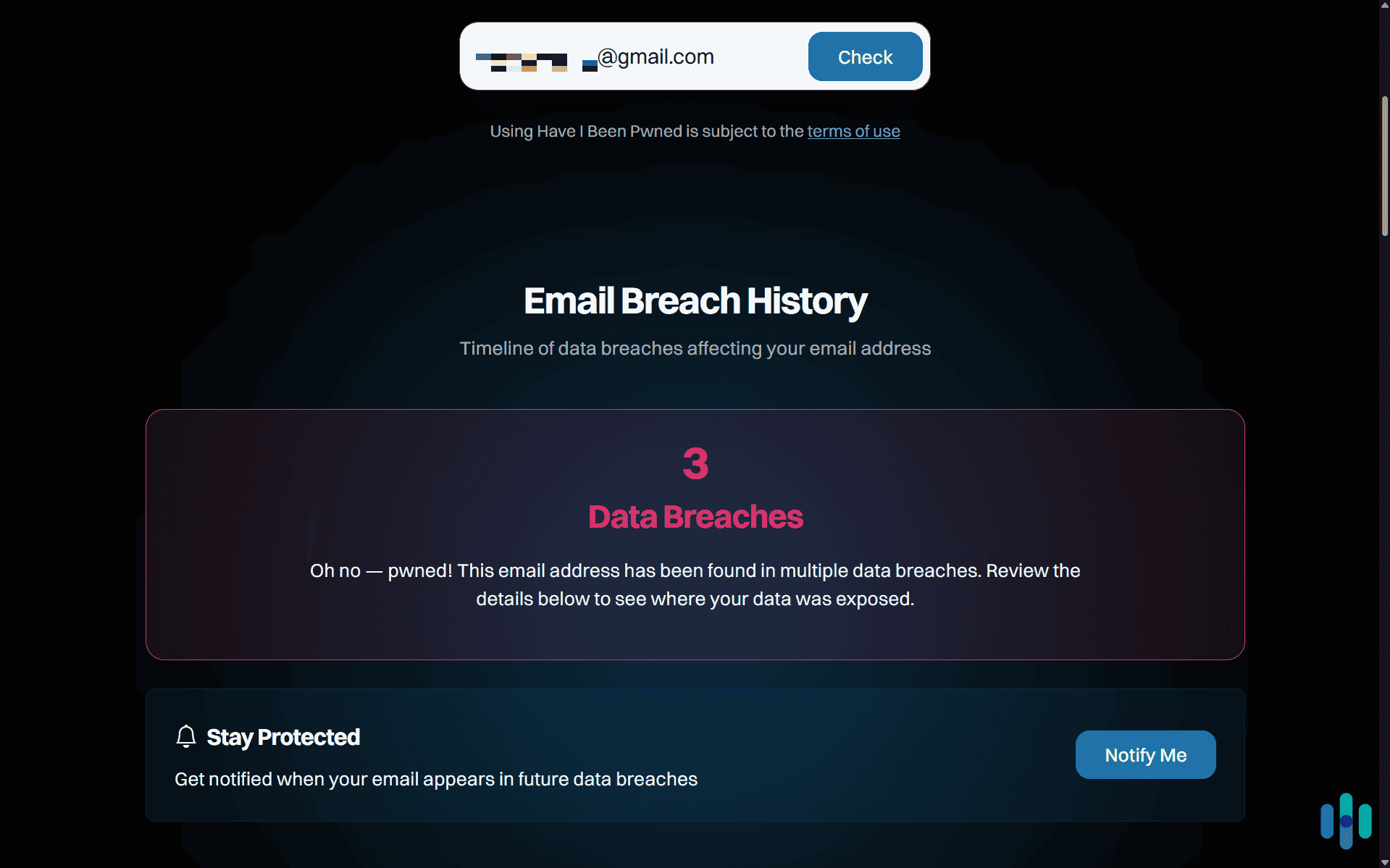
The most direct way to check is through Have I Been Pwned. Enter your Gmail address, and the site will tell you whether it appears in any of the known breach datasets in its index, including the 2025 Synthient collection. If your email appears, that does not necessarily mean your account was actively accessed. However, it does mean your credentials were exposed, so you should change them immediately.
Beyond that, here is what we would recommend.
Check Your Google Account Security Activity
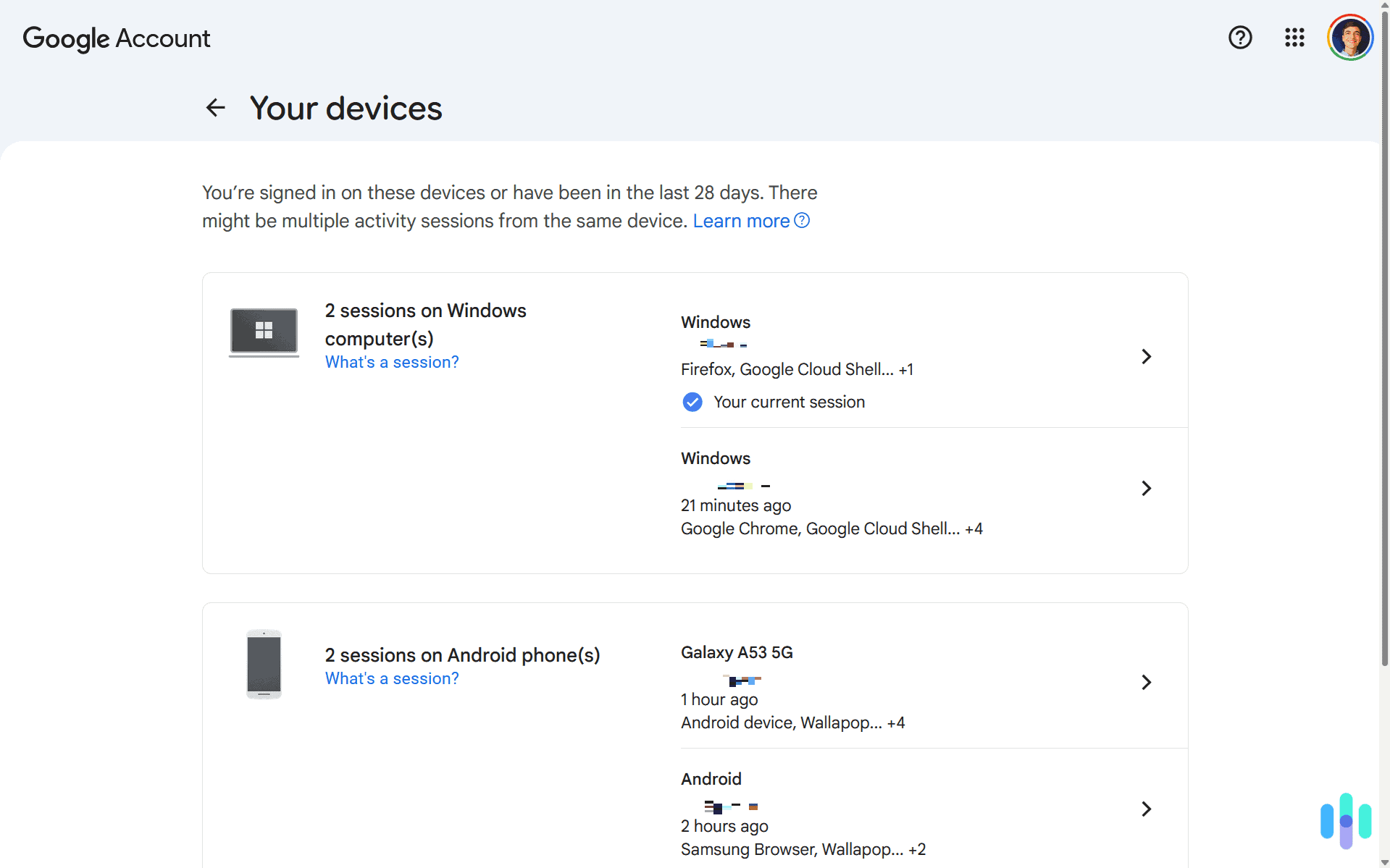
Go to your Google Account, then navigate to Security, then Recent Security Activity. Look for sign-ins from unfamiliar locations or devices. If you see anything you do not recognize, treat it as a compromise and take action immediately.
Review Active Devices
Under Security in your Google Account, you will find a list of all devices currently signed in. Remove any devices you do not recognize.
Audit Third-Party App Access
Head to your Google Account, go to Security, then Third-Party Apps and Services. Revoke access for anything you do not actively use or do not recognize. Attackers sometimes use authorized OAuth apps to maintain persistent access even after a password change.
Check Gmail Forwarding and Filters
In Gmail Settings, check both the Forwarding and POP/IMAP tab and the Filters and Blocked Addresses tab. Attackers sometimes set up forwarding rules or filters that hide password reset emails, making it harder to detect or recover from a compromise.
Enable Two-Step Verification or Switch to Passkeys
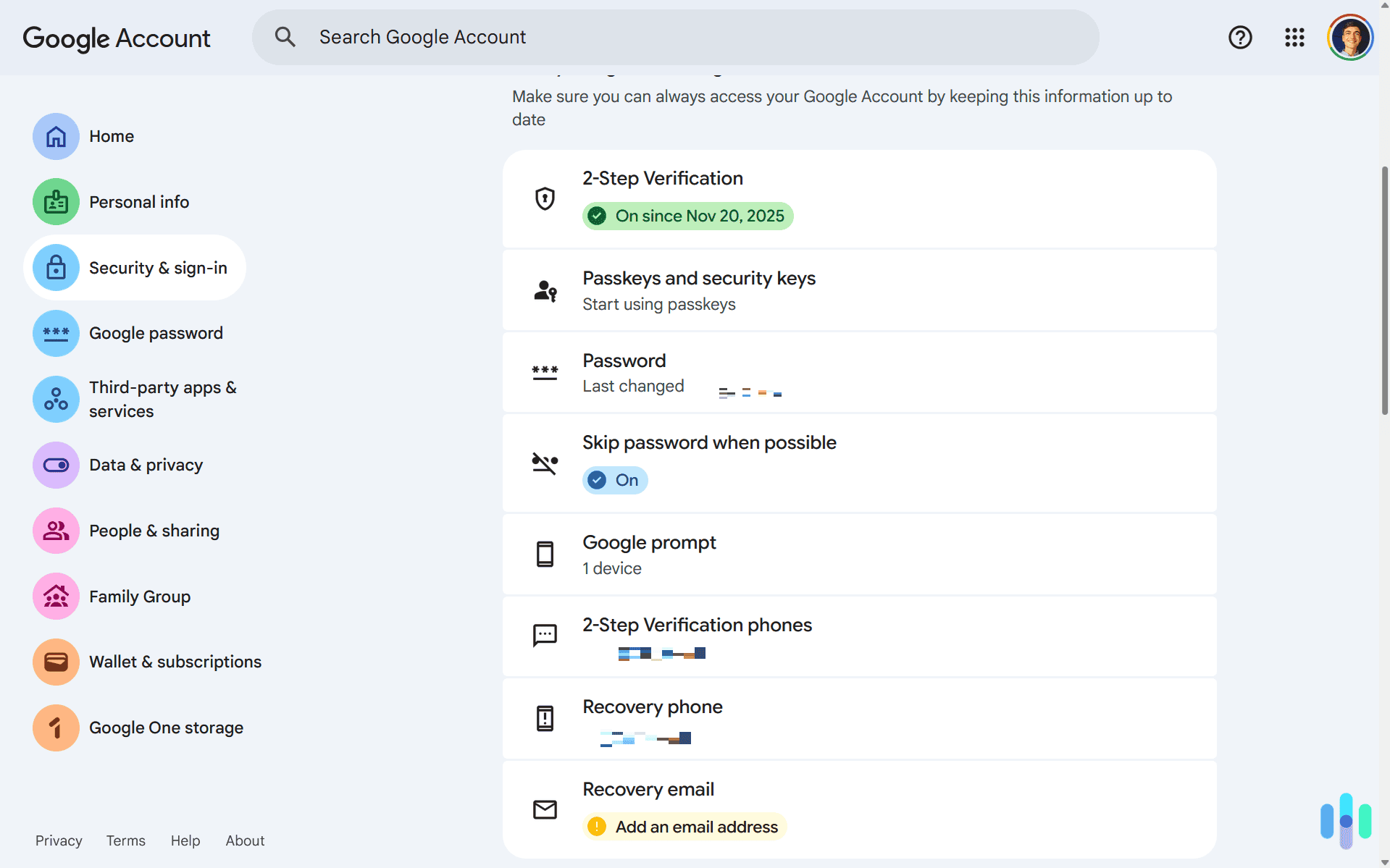
If you have not already, turn on two-step verification on your Google Account. Google now supports passkeys as well, which use biometric or PIN-based authentication and are significantly harder to compromise than a password-plus-SMS setup.
Change Your Password and Do Not Reuse It
As soon as you find out your email appeared in any breach, change the password on your Google Account. We recommend using a high-quality password manager to generate and store a unique credential. The risk of password reuse is real. A stolen Gmail login can cascade into access to every other account tied to that email address.
>> Learn More: Understanding Password Managers
Run Google’s Password Checkup
If you use Chrome, Google’s Password Manager includes a checkup tool that scans your saved credentials and flags any that have been found in known breaches, are reused across sites, or are considered weak. It largely assesses the same criteria as our password strength checker. Need help creating a secure password? Use our free password generator.
A Note on Your Personal Data Beyond the Breach
One thing that often gets overlooked after a credential exposure is that your personal information may have been circulating in data broker databases long before any breach occurred. This can include your name, email address, phone number, and home address. Data brokers collect and sell this information openly, and after a breach it tends to spread further. That is worth thinking about if you want to reduce your broader attack surface.
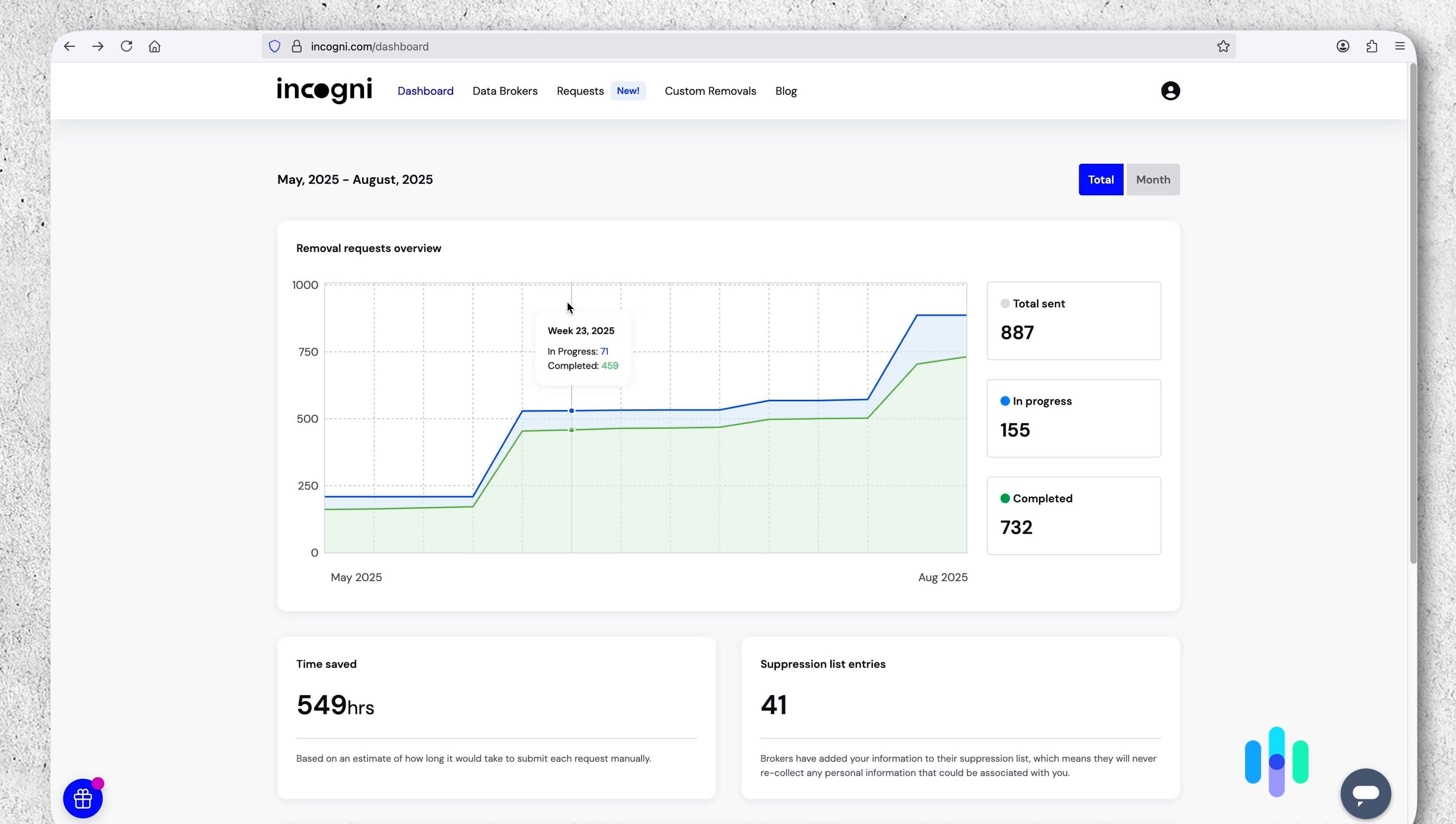
A data removal service like Incogni can help with that. During our three months testing Incogni it reduced how much of our personal information bad actors can easily find. This helps protect you against targeted phishing attempts or social engineering attacks. If the recent Gmail-related incidents have you thinking more seriously about your digital footprint, it is worth looking into.
FYI: There are plenty of data removal services out there beyond Incogni. During our tests, we found they vary wildly in their quality. Incogni is always a safe choice, but you might find an even better fit for your needs in our list of the best data removal services.
The Bottom Line
The recurring “Gmail data breach” headlines are worth taking seriously, even if the framing is often imprecise. Google’s own servers have not been the source of these credential exposures. The real vulnerabilities are infostealer malware on user devices, phishing, and the aggregation of credentials stolen elsewhere. But the risk to Gmail users is real regardless of where the data originated. Losing access to your account, or having someone else silently monitor it, can have consequences that extend well beyond your inbox.
If you use Gmail, we highly recommend you check to see if your credentials were in any Gmail data breach. Then, change your password immediately if you find out your information has leaked. We also recommend enabling two-step verification or start using passkeys, auditing your account for security risks, and regularly monitoring your information for data leaks. Taking these steps helps ensure the security of your Gmail account against past and future data breaches.
Frequently Asked Questions
-
Was Gmail actually hacked in the 2025 data breach?
No. Google’s own servers were not hacked in the 2025 incidents. The credentials that surfaced in breach databases were harvested by infostealer malware running on individual users’ devices. Then, criminal groups compiled those stolen credentials into large aggregated datasets. That distinction matters for understanding the risk, but it does not make the exposed credentials any less real or dangerous.
-
How do I know if my Gmail account was part of a data breach?
The most reliable way to check is by entering your Gmail address at Have I Been Pwned. The site indexes credentials from major breach datasets, including the 2025 Synthient collection, and will tell you immediately whether your address appears in any of them. You can also run a Password Checkup through Google’s Password Manager if you use Chrome, which will flag saved credentials that have been found in known breaches.
-
What should I do immediately if my Gmail was involved in a data breach?
Change your Google Account password right away, and make sure the new one is unique and not used on any other site. Then turn on two-step verification, or switch to a passkey if possible. Passkeys are significantly harder for attackers to bypass than a standard password and SMS code. After that, check your account’s recent security activity for unfamiliar sign-ins, review the list of devices currently signed into your account, and look through your Gmail settings for any forwarding rules or filters you did not set up yourself.
-
Can a hacker access my Google account even if they only have my email address?
An email address alone is not enough to access your account, but it does give attackers a starting point. With your address in hand, they can attempt credential stuffing using passwords from other breaches, launch targeted phishing emails, or impersonate Google support to try to get you to hand over a verification code. This is why enabling two-step verification and never sharing those codes with anyone is so important. Even if an attacker has your password, they still cannot get in without that second factor.
-
Will Google notify me if my account is part of a data breach?
Google monitors for large credential leaks and will prompt affected users to reset their passwords when it detects their account appears in a breach dataset. However, Google did not issue a mass notification to all users in connection with the 2025 infostealer incidents. The company has also stated it will not always notify users when the credentials came from third-party malware rather than a direct compromise of its systems. That means you should not wait to hear from Google. Proactively checking Have I Been Pwned and reviewing your account security settings is the more reliable approach.