

Bark Parental Control App Review and Pricing in 2026
Bark’s parental control app impressed us with its AI-powered alerts, but limited iOS and desktop monitoring can be an issue.
 Last Updated on Jan 29, 2026
What We Like
- Advanced AI monitoring: Over 30 apps and social media platforms are automatically monitored for warning signs of danger.
- Customizable alerts: Choose which websites and platforms you want to monitor with smart exceptions for fine-tuned filtering.
- Unlimited devices: All family plans cover unlimited devices and children.
What We Don't Like
- Limited iOS support: Apple’s restrictions prevent the Bark app from monitoring texts and calls on iOS devices, unlike on Android devices.
- Limited desktop monitoring: Bark can only monitor content on Chrome or Edge on desktops and laptops.
- Limited customer support: Live help is limited to set hours and is available only to current customers.
Bottom Line
Most parental control apps either let you spy on every single thing your kid does or barely scratch the surface. We’re not huge fans of either approach as we want our kids to have their privacy, but we also want to be able to keep them safe. After testing Bark, we can say that it finds that happy middle ground. It uses artificial intelligence to flag potentially dangerous content, so you don’t need to read through every text and post, but you’re still notified if there’s a safety concern.
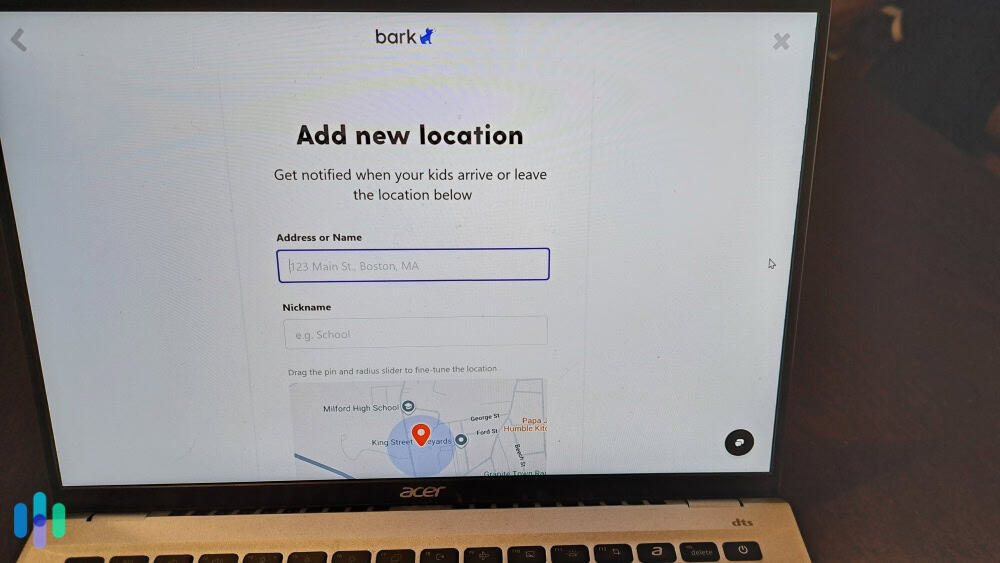
We spent several weeks testing Bark across multiple devices and platforms. Our team installed it on both Android and iOS devices, monitored various social media accounts, and evaluated how well the AI identifies genuine threats versus false alarms. After completing our tests, we found it competes with the best parental control apps available. However, it’s far from perfect as we’ll discuss in this review.
What Is Bark?
Bark is a parental control app designed to monitor modern communication platforms. It uses machine learning algorithms to identify potentially concerning patterns on your kids’ social media platforms, text messages, or emails. With the average teen receiving over 200 app notifications per day, we believe that kind of automated monitoring is a necessity in today’s digital world.1
To keep an eye on all those notifications, Bark monitors text messages, emails, YouTube activity, and over 30 social media platforms including Instagram, TikTok, Snapchat, Discord, and others. It also provides screen time controls and web filtering, though capabilities vary depending on your child’s device.
Pro Tip: Before installing Bark on your kids’ devices, go over what it does and why you’re installing it. During that talk, also reassure them that it does not mean you can spy on their activities so that they still have a sense of privacy. It only notifies you if there’s a potential danger.
Key Features We Tested
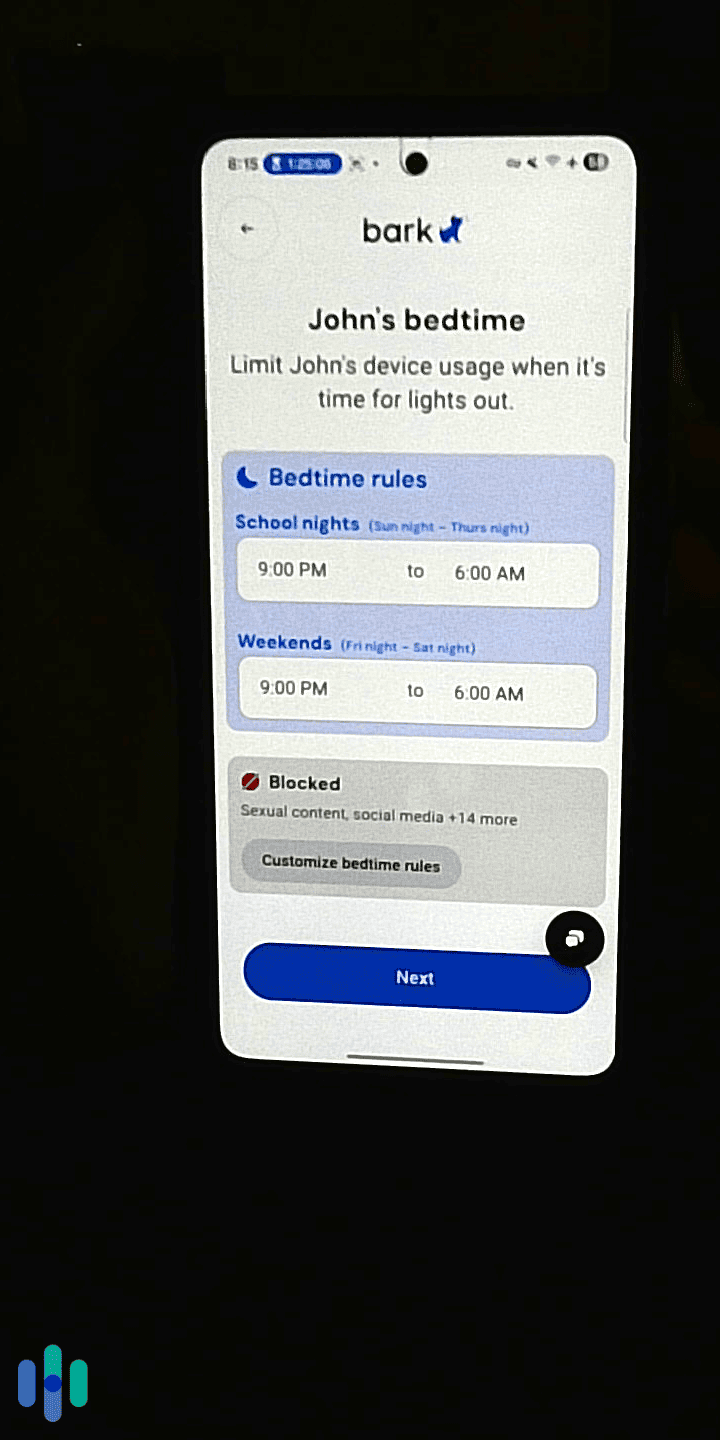
During our evaluation, we tested all three of Bark’s core features: content monitoring, screen time management, and web filtering. We tested Bark’s capabilities across the most popular platforms for kids. This includes all major social media platforms, messaging apps, email services, and even locally stored photos and videos.
Impressively, Bark can work well with platform-specific parental controls. For example, we tested it with Snapchat’s parental controls. Instead of overlapping with it, Bark actually complemented it by providing the missing features.
However, Bark’s capabilities vary significantly for Android and iOS devices due to built-in restrictions on iOS. That limits its monitoring on some apps to only the amount of time the app was used. This is a common issue with parental control apps as Apple imposes strict privacy controls on its devices.
Content Monitoring and Alerts
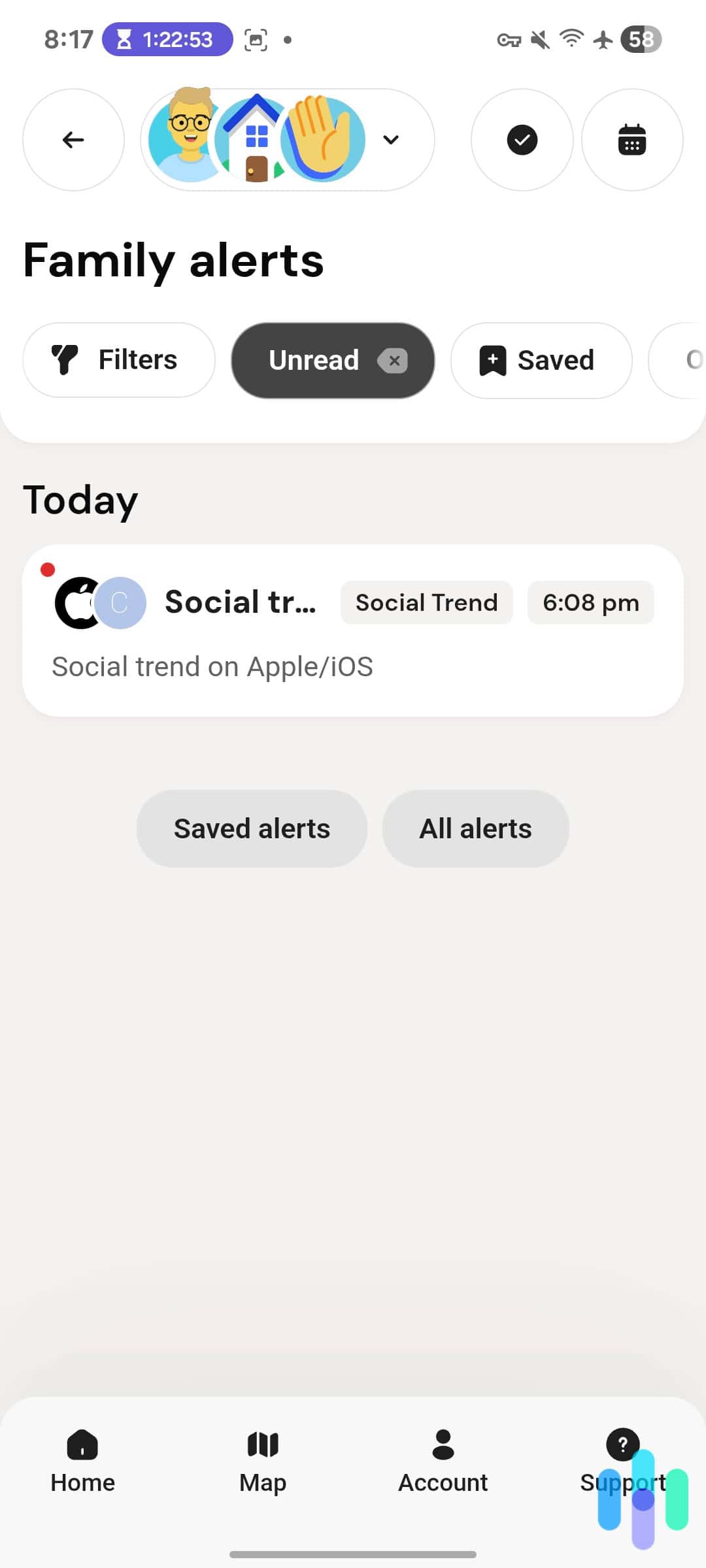
Here’s where Bark really differentiates itself. Rather than creating a searchable database of everything your child types, the AI scans content for specific concerns and only alerts you when it detects potential issues.
To test this, we set up fake accounts and then ran sample scenarios involving various types of concerning content. We tested how well Bark’s algorithm could identify explicit language, references to self-harm, bullying behaviors, and communications from unknown adults. It successfully identified concerning content in 97 percent of our tests with only a few false positives.
The alerts arrive via email and push notification. Each alert provides context about what was flagged and why. That makes it easy to keep up-to-date on concerning content your kid views, posts, or sends, without feeling like you’re spying on them. According to the CDC, this type of parental monitoring improves the mental health of children.2
How the AI Actually Works
The technology behind Bark uses natural language processing to understand context, not just keywords. This means it can distinguish between a teenager saying “I’m going to kill this test” versus expressing genuine violent ideation. It also enables the detection to keep up with new slang for potentially harmful activities as it uses the broader context, instead of keywords, to identify concerns.
The AI looks for concerning patterns across multiple categories including violence, weapons, drugs, alcohol, sexual content, depression, suicidal ideation, and predatory behavior. According to Bark, the AI has been trained on millions of examples for each category to improve accuracy.
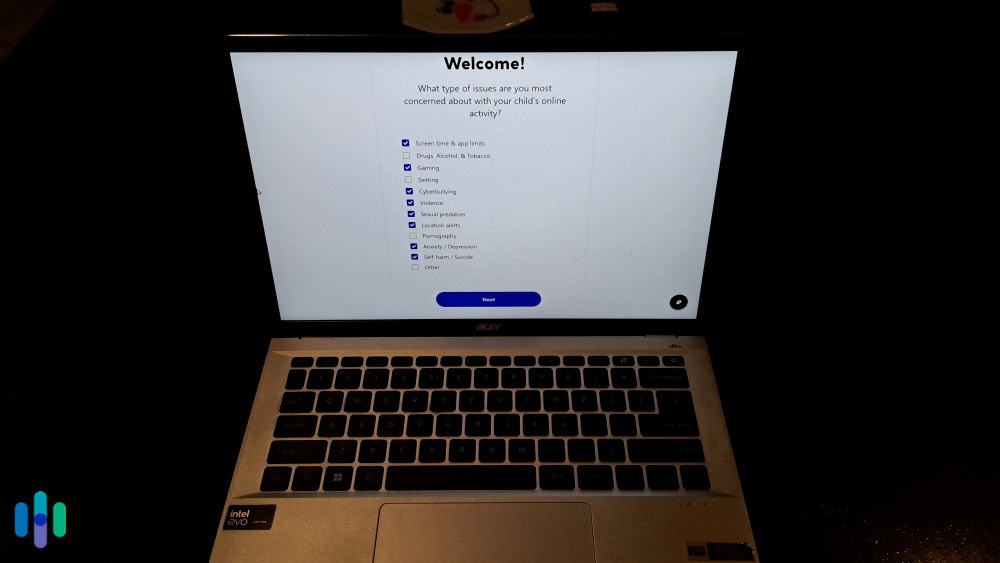
Expert Insight: Check your alert settings in the Bark dashboard to customize which categories trigger notifications based on your family’s specific concerns. You can even create smart rules like monitor all social media platforms except Facebook.
Screen Time Management
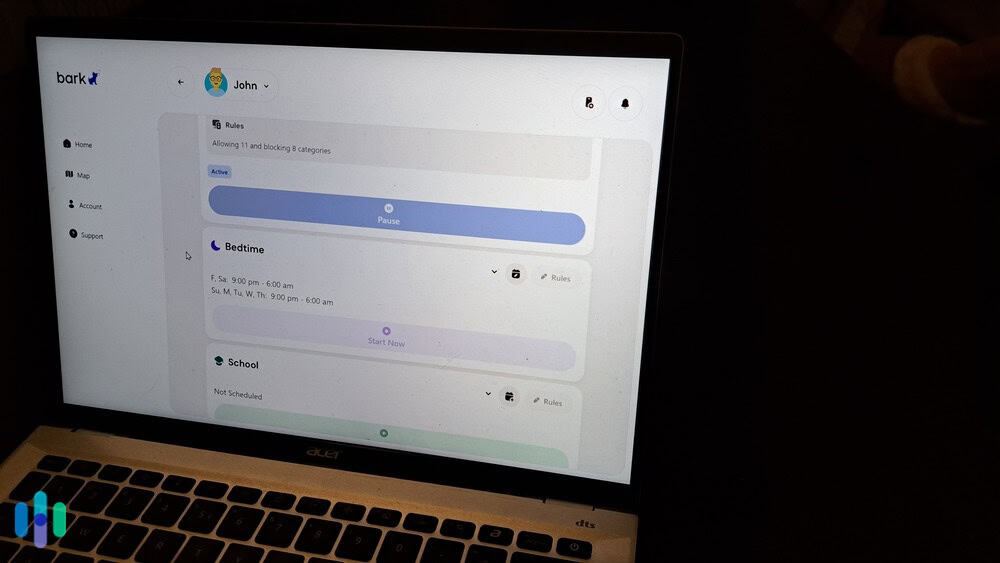
We used Bark’s screen time feature to set daily time limits, create schedules for when devices can be used, and instantly pause internet access. We particularly liked the scheduling flexibility. It let us easily set specific “screen-free” periods during dinner and bedtime. However, we ran into some platform-specific limitations.
On Android devices, screen time management works as expected. We could set different schedules for weekdays versus weekends, block apps during homework hours, and ensure phones weren’t being used past bedtime. The controls worked smoothly, and we couldn’t find any easy workarounds on our test devices.
When we switched to protecting an iPhone, we had to use Apple’s built-in Screen Time feature to limit screen time. Apple’s closed ecosystem prevents third-party apps from limiting screen time on all iOS devices. Using Apple Screen Time alongside Bark works, but it’s less seamless than Android.
Web Filtering Capabilities
Bark’s web filter blocks access to inappropriate websites across 17 different categories including pornography, violence, gambling, and illegal activities. During testing, we tried accessing various questionable sites to evaluate its effectiveness blocking effectiveness.
The filter caught most problematic content, though we did find some gaps — particularly with newer sites that hadn’t been categorized yet. Whenever we ran into a site that it failed to block, we manually added the site to the block list. Bark also allows you to whitelist sites if it has a site incorrectly categorized that you allow your kid to access.
One clever feature stood out to us. When Bark blocks a website, it logs the attempt and can alert parents if their child repeatedly tries accessing inappropriate content. This provides insight into online behavior without requiring invasive monitoring.
Did You Know: You can regularly review blocked website attempts in your dashboard. That can give you insights into what content your child is seeking out so that you can address any underlying curiosities through conversation.
Bark Pricing
Bark offers two subscription tiers, both reasonably priced compared to competitors. The pricing structure focuses on families rather than per-device costs, which makes it practical for households with multiple children.
| Plan | Bark Jr | Bark Premium |
|---|---|---|
| Devices covered | Unlimited | Unlimited |
| Screen time management | Yes | Yes |
| Web filtering | Yes | Yes |
| Location tracking | Yes | Yes |
| Content monitoring across 30+ apps and platforms | No | Yes |
| Monthly price | $5 | $14 |
| Annual price | $49 ($4.08 per month) | $99 ($8.25 per month) |
We tested the Premium plan since that includes the flagship AI monitoring features. At $99 annually for unlimited kids and devices, it’s competitively priced — especially for families with multiple children. By comparison, some competitors charge per child or per device, which can quickly exceed $200+ annually.
If you’re on the fence about using a parental control app, we suggest taking advantage of Bark’s free trial. It lasts for a full week, so you can test out its features and see if it’s the right choice for you. If you’re looking for more free alternatives, check out our list of the best free parental control apps.
Value Assessment
For the features provided, we found Bark’s pricing to be reasonable. Similar to when we tested Aura’s parental control, the unlimited device coverage means you’re not paying extra as kids accumulate tablets, computers, and eventually multiple phones. We think families with three or more children will likely see the most savings versus per‑device plans.
Setup and Ease of Use
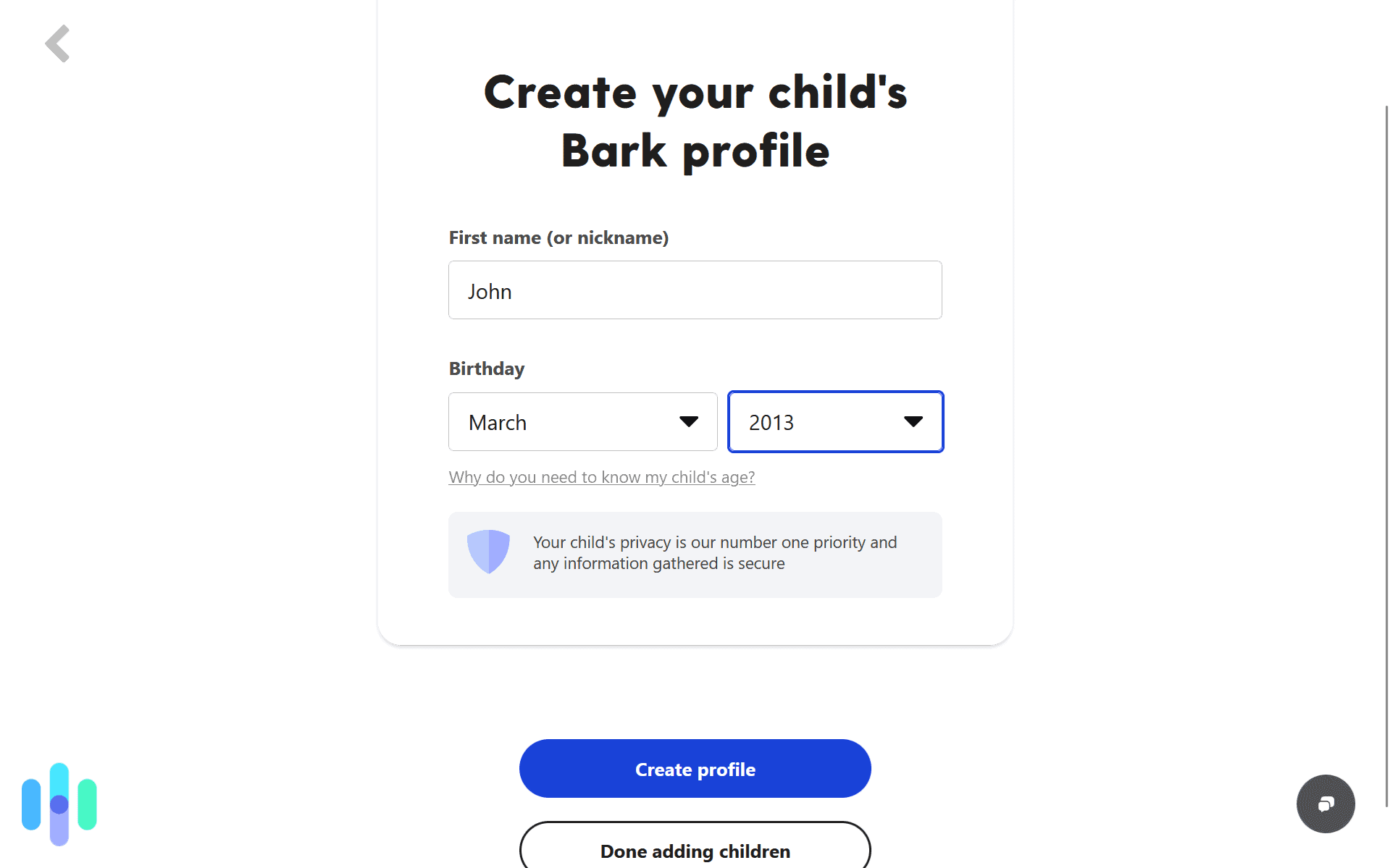
Installation took us about five minutes for Android devices and about 15 minutes for iOS devices. This includes downloading the Bark app, connecting social media accounts, and configuring monitoring preferences through the parent dashboard.
The parent interface is accessible via web browser or mobile app. We found the dashboard intuitive, with clear navigation between monitoring alerts, screen time settings, and web filtering controls. It never took more than two clicks from the home screen to access a feature or setting.
Android Setup
Setting up Bark on Android devices was straightforward. We installed the Bark for Kids app, granted necessary permissions, and within minutes had full monitoring and control capabilities activated. During the entire duration of our tests, the app ran quietly in the background without significantly impacting device performance.
iOS Setup
iPhone setup requires more steps due to Apple’s restrictions on third-party monitoring. We had to configure email forwarding for message monitoring, manually connect social media accounts, and use Apple’s Screen Time feature alongside Bark for comprehensive control. It’s more complicated than Android, but we still found it manageable thanks to Bark’s step-by-step instructions.
>> Comparison Shopping: Best Parental Control Apps for iPhones in 2026
Adding Social Media Accounts
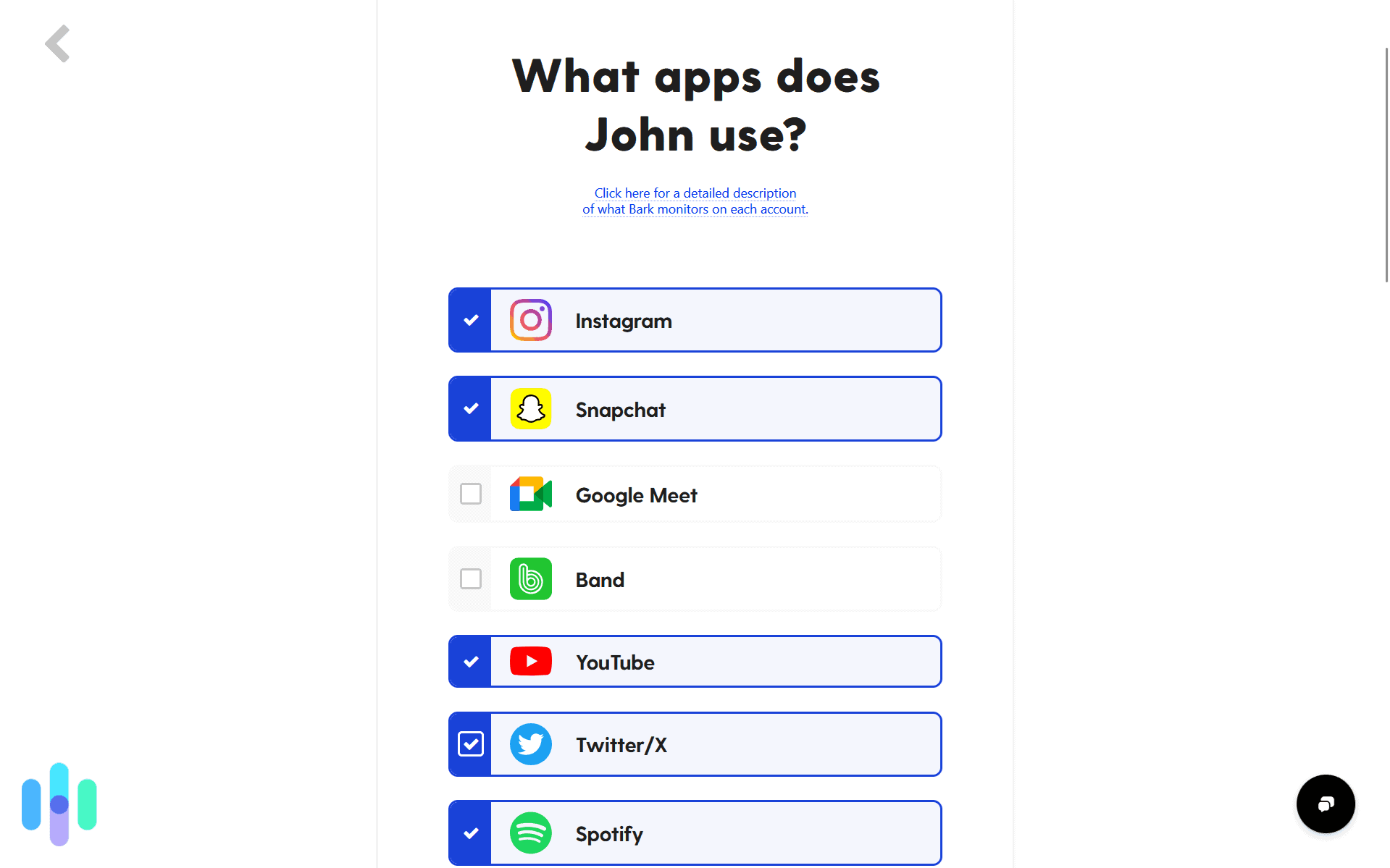
For social media monitoring across both platforms, we needed to connect accounts through Bark’s dashboard. You’ll need to add the login credentials of the accounts you intend to monitor. Not to worry, because we checked Bark’s data security and found that it encrypts all data in their database to ensure those credentials remain secure even if they experience a data breach. However, some services like Instagram require periodic re-authentication. Bark sent us a notification anytime this was required.
Learning Moment: Complete the initial setup together with your child, using it as an opportunity to discuss online safety and establish clear expectations about digital behavior. Also remind them to always come to you if they notice suspicious activity online or receive messages from unknown strangers.
Bark vs. The Competition
While Bark excels in many areas, we did encounter some frustrations during testing. The most significant limitation involves iOS devices. Apple’s restrictive ecosystem means Bark simply cannot offer the same comprehensive monitoring on iPhones that it provides on Android devices. We couldn’t monitor texts sent through iMessage without complicated workarounds, and the screen time controls felt like managing two separate systems simultaneously. However, that’s true of all the competitors we’ve tried as well.
Another disappointment is that you cannot view full conversation histories or browse through your child’s messages on demand. Bark only shows you the specific content that triggered an alert. While this protects privacy, it means you lack context around flagged interactions. For comparison, when we tested Qustodio, we could read full message histories giving us the full context of any concerning texts. Which option is best depends on your preferences.
Finally, we found that monitoring some platforms requires you to reauthenticate the account you wish to monitor. That means you’ll need to rely on your child to provide the reauthentication code whenever the account disconnects from Bark, unless you already have their credentials. Similar to the Apple restrictions, this is due to the platform, not Bark, so it’s a consistent issue with competitors as well.
Recap: Is Bark Right for You?
After extensive testing, we believe Bark offers one of the most practical approaches to parental monitoring available today. The AI-powered alert system solves a genuine problem: how do busy parents keep kids safe online without becoming full-time surveillance operators?
Bark won’t satisfy parents who want to read every message or track their child’s physical location throughout the day. But for families concerned about online predators, cyberbullying, mental health crises, or exposure to inappropriate content, it provides intelligent monitoring that actually fits into real life.
Frequently Asked Questions
-
Does Bark Monitor Snapchat?
Yes, but with limitations. Bark can monitor Snapchat content on Android devices through accessibility permissions, though coverage isn’t as comprehensive as platforms with API access. On iOS devices, Bark requires periodic screenshot uploads from your child’s device to monitor Snapchat activity.
-
Can Kids Bypass Bark?
Technologically savvy teenagers might find workarounds, though Bark makes it reasonably difficult. Kids would need administrative access to uninstall the app, which requires the parent password. We attempted various bypass methods during testing — using VPNs, creating new accounts, factory resetting — and found that Bark alerts parents to most circumvention attempts.
-
What age is Bark appropriate for?
Bark works for children of any age with devices, though it’s most relevant for kids aged nine to 17 years old who use social media and messaging apps. The content categories monitored align best with concerns parents have about pre-teens and teenagers.
-
Can Bark see deleted messages?
No, Bark only monitors content while it exists on connected platforms and devices. If your child deletes a message before Bark’s AI scans it, the content won’t be analyzed or flagged. However, Bark’s AI is constantly scanning for new messages, so your kid would need to delete it immediately to prevent it from being monitored.
-
Does Bark monitor incognito mode?
Yes, Bark can monitor and block websites even in incognito or private browsing modes. On iOS devices, coverage of private browsing is limited by Apple’s system restrictions.
-
How accurate are Bark's alerts?
We found Bark’s AI highly accurate during testing, with very few false positives. The company reports their algorithms have been trained on millions of conversations to understand context and distinguish genuine concerns from harmless communications.

-
Michigan Medicine. (2023). Study: Average teen received more than 200 app notifications a day.
https://www.michiganmedicine.org/health-lab/study-average-teen-received-more-200-app-notifications-day -
Centers for Disease Control and Prevention. (2024). Parental Monitoring.
https://www.cdc.gov/healthy-youth-parent-resources/positive-parental-practices/parental-monitoring.html