

The Best Android Parental Control App in 2026
If you live in an Android household, these are the parental control apps we recommend you install.
 Last Updated on Mar 11, 2026

- All-in-one digital security bundles that includes a parental controls, a VPN, antivirus, and identity theft protection
- All features in one easy-to-use app
- Live agents available 24/7 if you need help using tools

- Can monitor 30+ social media platforms
- Only sends critical alerts, so you don’t get overwhelmed with constant notifications
- Offers resources and scripts to help navigate difficult conversations

- Detailed activity reports can be sent weekly or monthly
- Easy to block and uninstall apps on your child’s device
- Location features can alert you when kids arrive at school and get home
These days, teens spend over seven hours per day on average scrolling through screen media.1 They spend even more time staring at screens while doing schoolwork. That’s a lot of opportunities for exposure to inappropriate content, cyberbullying, or online predators.
Parental control apps can help. These apps aren’t about spying on your kids or invading their privacy. They’re about creating guardrails while your children develop the judgment they need to navigate digital spaces safely. You can monitor social media interactions, track location in real time, limit screen time by app or category, and even detect signs of cyberbullying through AI-powered content analysis. We’ve spent months testing the best parental control apps for Android devices to find what works, what doesn’t, and which app deserves a spot on your family’s devices. Let’s take a look at our results.
Our Top Picks for Android Parental Control Apps
- Aura Parental Control - Best for Complete Digital Security
- Bark Parental Control App - Best for Social Media Monitoring
- Qustodio Parental Control App - Best for Comprehensive Control
Our Testing Methodology
We tested dozens of Android parental control apps across multiple criteria using real-world scenarios. We installed each app on Samsung Galaxy and Google Pixel devices, monitoring their impact on device performance and assessing how easily tech-savvy teens could circumvent the controls. We prioritized these key factors:
- Ease of setup and daily use: We timed how long it took for us to set it up and assessed how easy it was to navigate the app.
- Comprehensiveness of monitoring features: We looked at the level of detail of web and app monitoring. Our team also looked for any blind spots or loopholes that kids could exploit.
- Accuracy of content filtering: We attempted to access blocked web pages or content that’s inappropriate for kids.
- Quality of alerts and reporting: Our team timed how quickly notifications came through and the frequency of reports.
- Battery and performance impact: We assessed battery usage and the impact on system resources.
- Value relative to cost: We compared premium parental control apps to free options to see if paying for a subscription was worth it.
- Customer support responsiveness: Our experts contacted the customer service teams and assessed their contact methods, helpfulness, and response times.
Quick Comparison Chart
| System |
Aura
|
Bark
|
Qustodio
|
|---|---|---|---|
| Ranking | 1st | 2nd | 3rd |
| Ratings | 9.6/10 | 9.5/10 | 9.3/10 |
| Web Filtering | Yes | Yes | Yes |
| Screen Time Limits | Yes | Yes | Yes |
| Social Media Monitoring | Yes | Yes | Yes |
| Location Tracking | Yes | Yes | Yes |
| Free Device Limit | Unlimited | Unlimited | Unlimited |
| App Blocking | Yes | Yes | Yes |
| Call/SMS Monitoring | No | Yes | Yes |
| Monthly Cost | $8.33 | $14 | $4.58 |
| Read Review | Aura Review | Bark Review | Qustodio Review |
-
1. Aura Parental Control - Best for Complete Digital Security
View Plans Links to Aura.com
Aura combines parental controls with other digital security tools. We’ve reviewed Aura’s identity theft protection and tested Aura’s VPN security and found them reliable. We like the simple, intuitive dashboard that shows all the tools and every family member’s online activity at a glance. Aura even throws in dark web monitoring to alert you if your child’s personal information appears in data breaches.
>> Keep Reading: The Best Identity Theft Protection Services of 2026
What We Like
- All-in-one digital safety platform that goes beyond basic parental controls
Excellent customer support with live agents available 24/7 - Easy to navigate interface that doesn’t overwhelm parents with technical jargon
- Competitive pricing when you consider all included features
What We Don’t Like
- Social media monitoring less extensive than Bark and Qustodio
- No free plan available
- Learning curve for parents unfamiliar with VPN and identity protection concepts
Setting Up Aura on Android

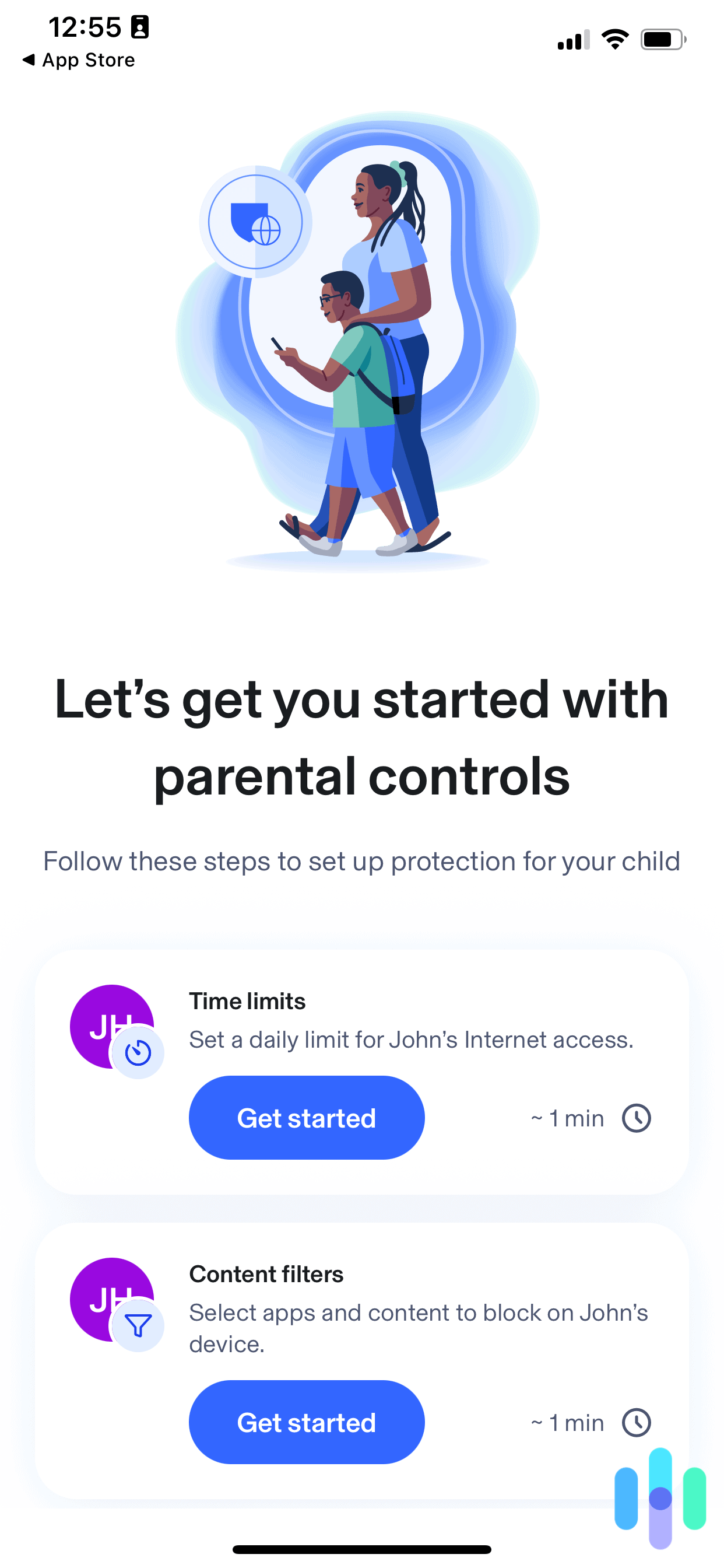
Aura had one of the fastest setup wizards for parental control apps we’ve tested. Installing Aura took us about 10 minutes per device, which is faster than average for comprehensive parental control apps. The setup wizard walked us through each step with clear instructions and explained why each permission is necessary. This is something we appreciated as parents who value transparency.
You’ll need to grant Aura accessibility permissions, which allow it to monitor app usage and enforce screen time limits. The app clearly explains that these permissions don’t give Aura access to passwords or sensitive data. Once configured, the parent dashboard syncs within minutes, showing your child’s device activity in real time.
Content Filtering and Web Protection
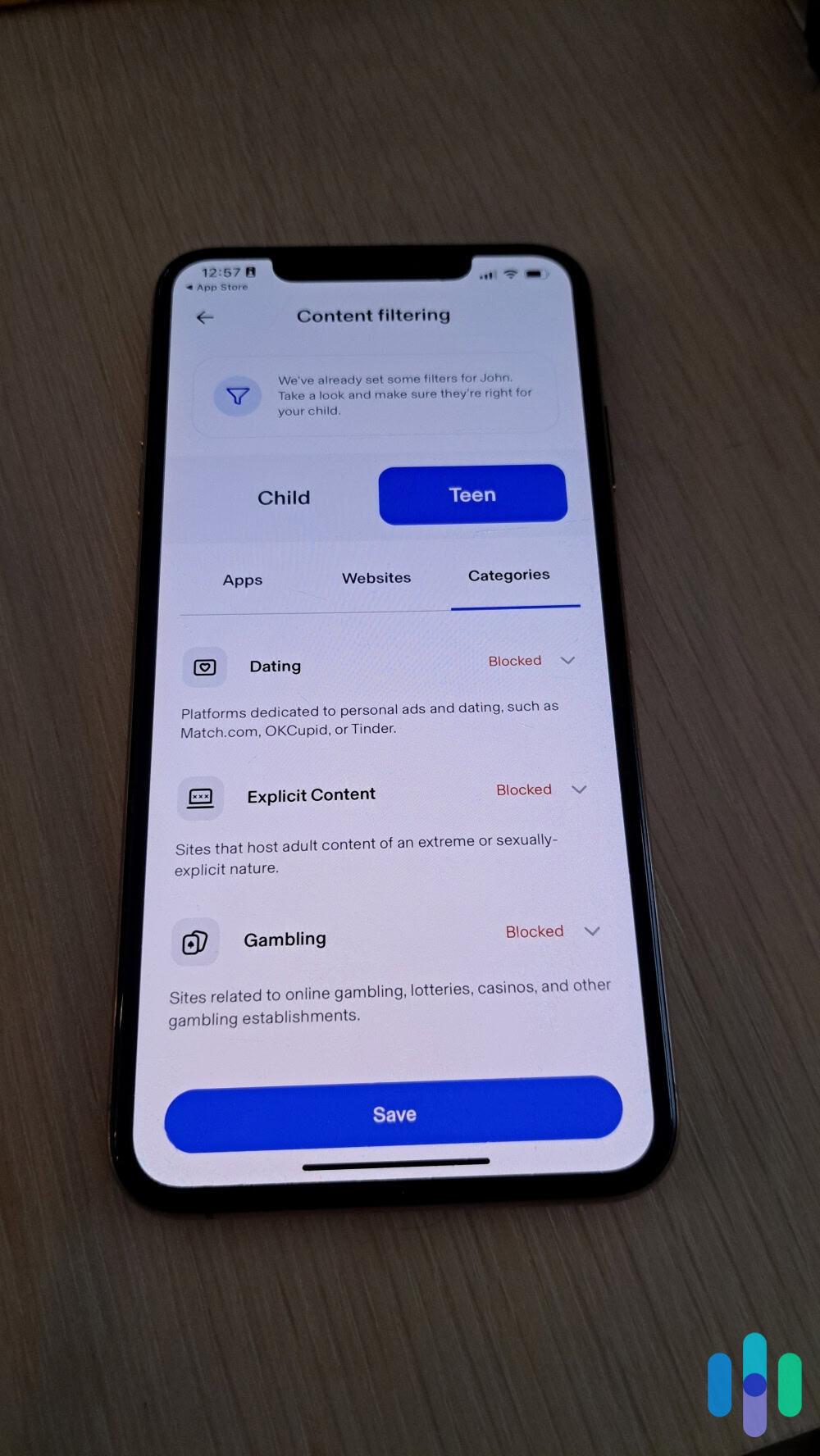
Aura’s web filtering caught 94 percent of inappropriate websites in our testing, blocking access to adult content, gambling sites, and violent material automatically. You can customize filtering levels by age group. We could choose from elementary, middle school, and high school. You can even create custom rules for specific websites.
The SafeSearch enforcement worked across Google, Bing, and YouTube, preventing kids from disabling safe browsing settings. We liked the instant alerts when our test device attempted to access blocked content, which gave us opportunities for teaching moments about online safety.
>> Learn More: A Parent’s Guide to Protecting Their Kids Online
Screen Time Management
We found it simple to set daily screen time limits with Aura’s schedule builder. You can create different rules for weekdays versus weekends, set app-specific time limits, and schedule device lockdown periods during homework or bedtime hours. The app sends warnings to your child 10 minutes before time expires, reducing the frustration of sudden lockouts.
Pro Tip: You can use the “Pause Internet” button that instantly disables all online access across your child’s device. We recommend using it for dinnertime or family activities when your child won’t put down their phone or tablet.
Overall Digital Security Value
What sets Aura apart is the bundled identity theft protection and VPN service. Given that more than 1.7 billion people had their data compromised in 2024, having dark web monitoring for your children’s personal information provides genuine peace of mind.2 The VPN protects kids when they’re using public Wi-Fi at school or coffee shops, encrypting their internet traffic automatically.
For families wanting comprehensive digital security beyond just parental controls, Aura delivers exceptional value. The $20 monthly cost for a family covers unlimited devices and includes features you’d typically pay for separately with other providers.

We found having access to a VPN, identity theft protection, and parental control features in one bundle was easier to manage than separate subscriptions. - All-in-one digital safety platform that goes beyond basic parental controls
-
2. Bark Parental Control App - Best for Social Media Monitoring
Try for Free Links to Bark.us
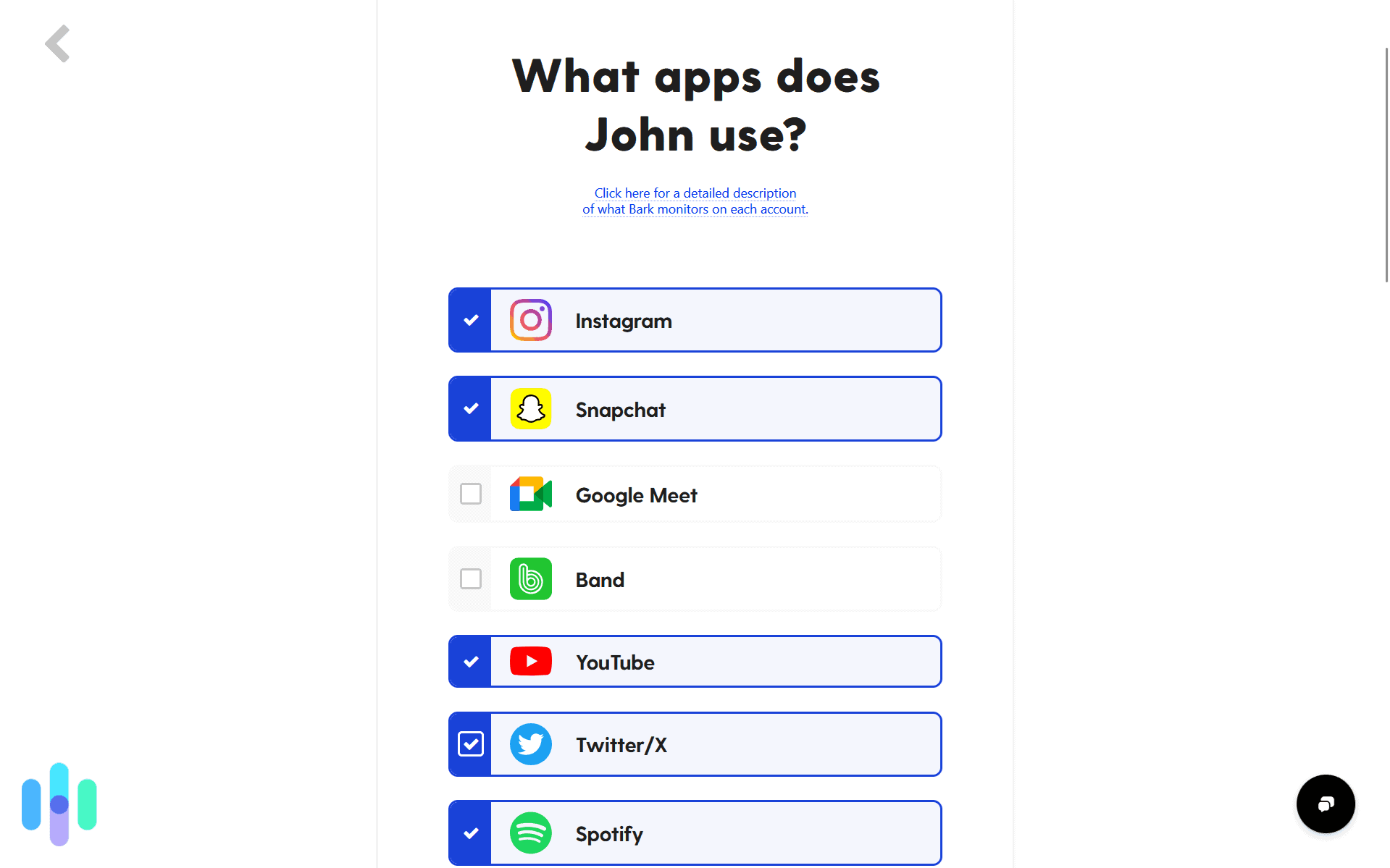
Bark stands out for its social media monitoring features. It can watch over 30+ social media platforms and messaging apps using advanced AI to detect concerning content. It doesn’t send a notification every time your child likes something they shouldn’t. Bark only alerts parents when potential issues arise, avoiding notification overload. You also get access to expert recommendations for addressing specific situations discovered through monitoring.

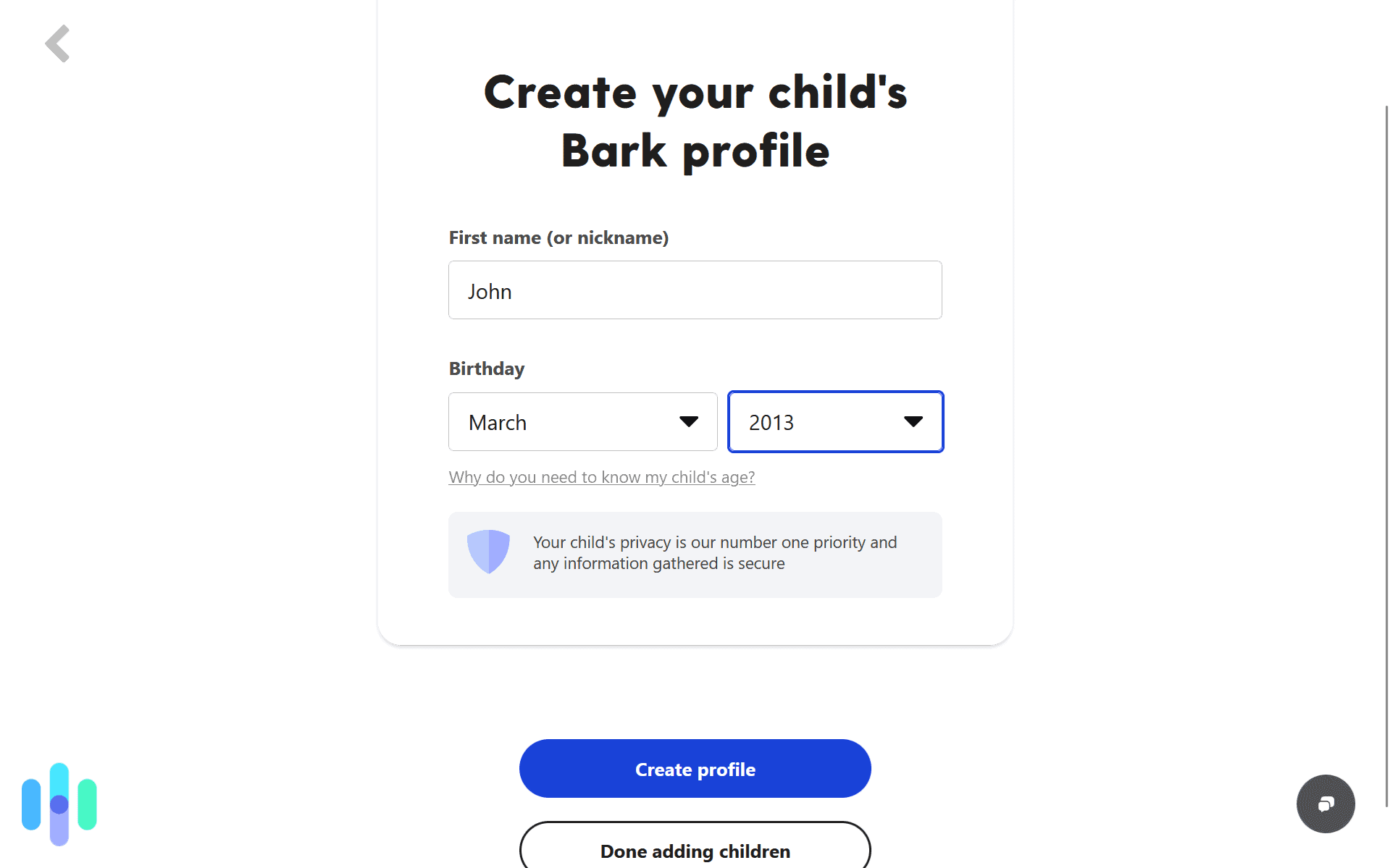
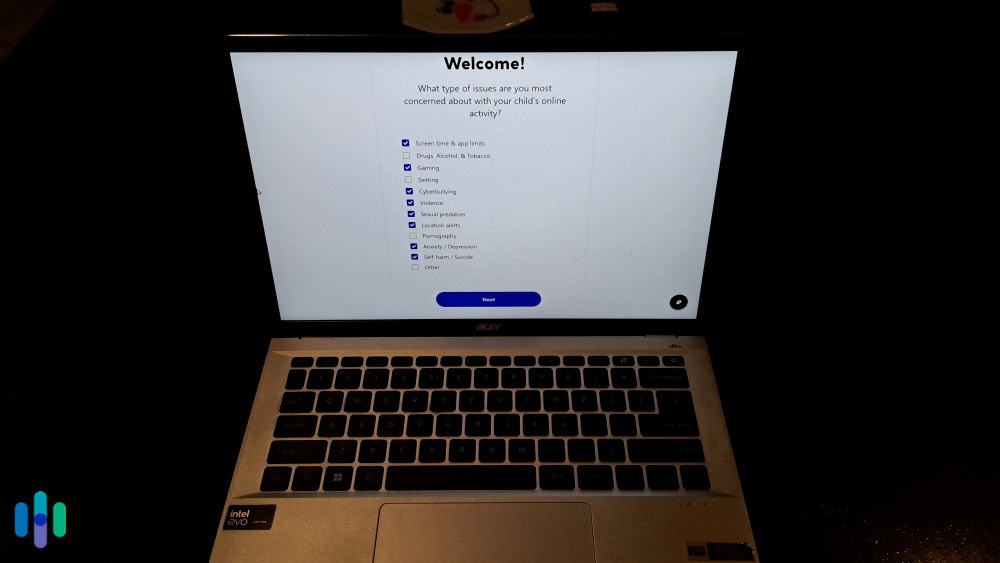
We found it easier to create a child profile on our laptop before configuring their Android device. What We Like
- Unmatched social media coverage including TikTok, Instagram, Snapchat, and Discord
- Smart alerts focus on genuine risks rather than every message your child sends
- Helpful resources and scripts for discussing sensitive topics with kids
- Works across Android, iOS, and computers from one subscription
What We Don’t Like
- Social media monitoring requires account credentials, which some teens may resist
- Setup complexity varies significantly depending on which platforms you’re monitoring
- Some features require technical knowledge for full functionality
Social Media Monitoring Capabilities
Bark’s AI-powered monitoring analyzes text messages, social media posts, comments, and direct messages for signs of cyberbullying, depression, suicidal ideation, sexual content, drug references, and online predators. During our testing, the system flagged concerning language patterns with impressive accuracy, catching subtle warning signs that manual monitoring would likely miss.
We like that Bark scans for context, not just keywords. For example, the app can tell the difference between a teen discussing a friend’s mental health struggles, which is flagged as a concern, versus casually using slang.
FYI: Research shows 58 percent of students have experienced some form of cyberbullying, which is why we recommend using parental control apps to monitor for early signs.3
Alert System and Parent Dashboard
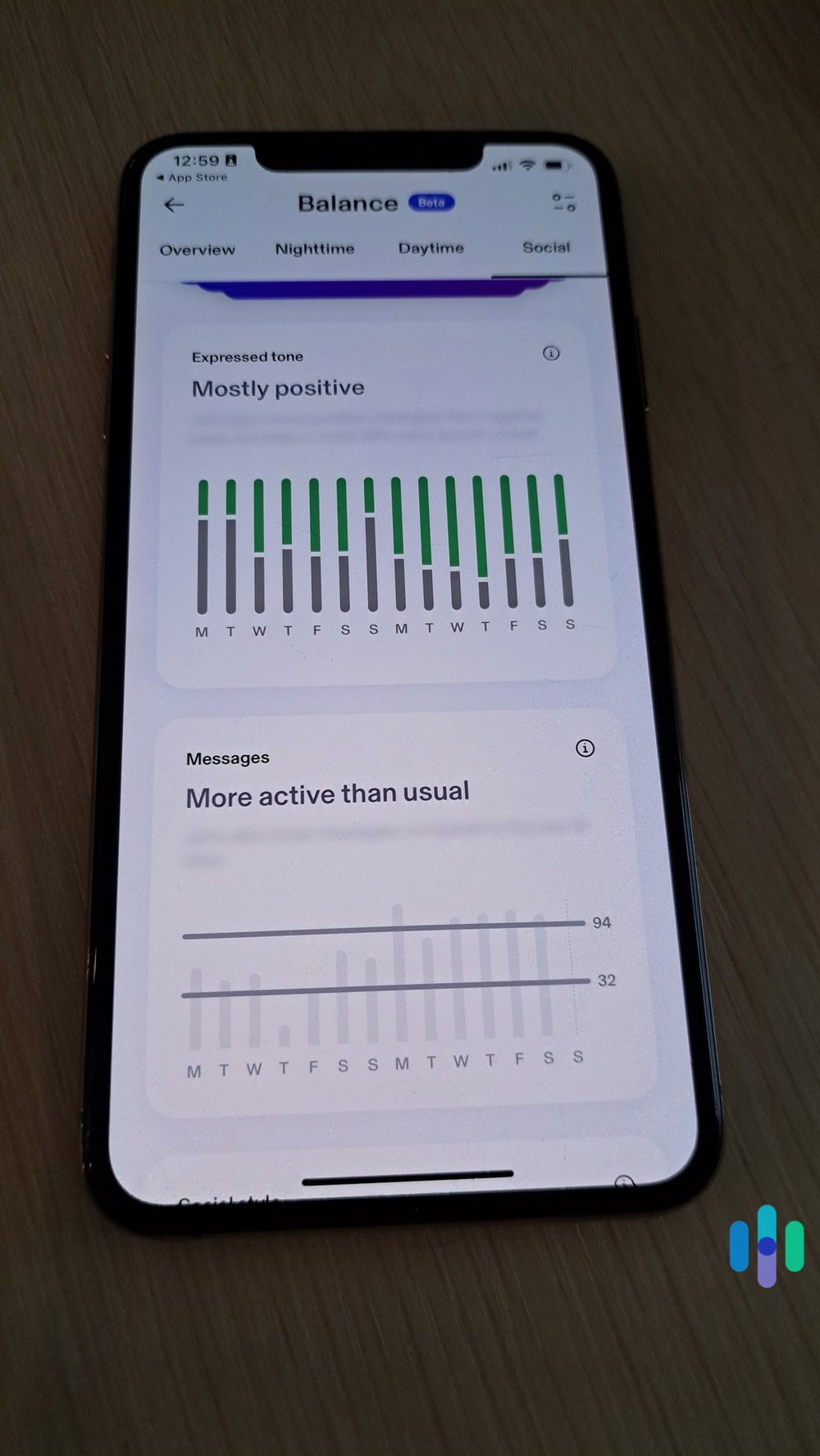
Rather than overwhelming parents with every digital interaction, Bark only sends alerts when the AI detects potential problems. Each alert includes the concerning content, context about why it was flagged, and expert-written guidance for addressing the situation with your child.
We tested this by having a colleague send messages containing concerning phrases to the monitored device. Bark identified and alerted us about potential risks within minutes, providing specific excerpts, and explaining what triggered the alert. We like that the dashboard organizes alerts into severe, moderate, or minor categories, so we know what to prioritize.

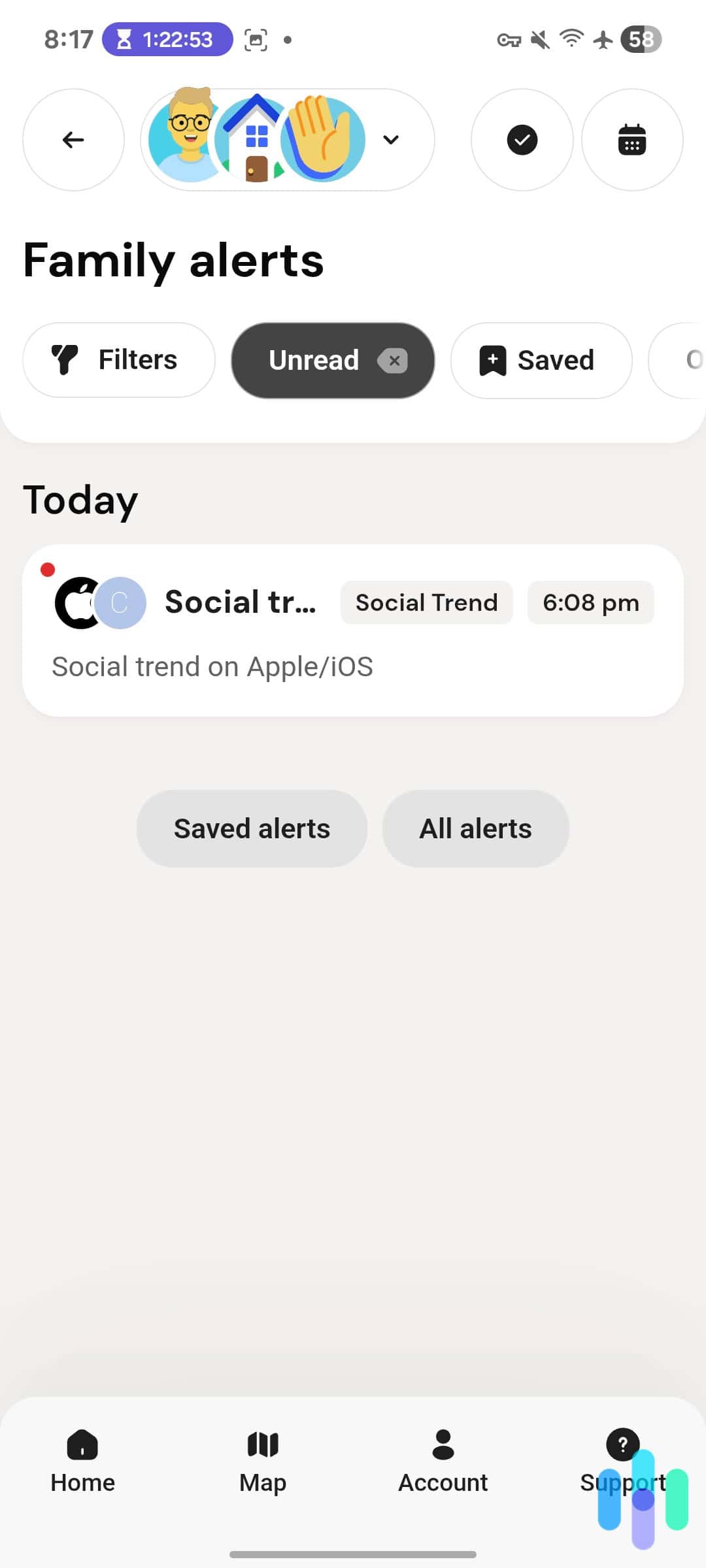
Bark sends alerts on social media trends, so you can stay up to date on any dangerous activities. Screen Time and App Management
We found Bark’s screen time controls flexible. You can set schedules for when your child can access their device, but unlike some competitors, Bark allows kids to request exceptions through the app. We received a request notification and could instantly approve or deny it. It’s great for when they have legitimate needs outside normal screen time hours.
The app blocking feature lets you restrict access to specific apps by category or individually. During testing, these blocks held up well even when the test device was restarted or apps were updated. We tested this when Snapchat ran an update that was visible to the child. Our kid still couldn’t access the app outside of their dedicated screen time.
>> Find Out: How to Set Up Parental Controls on Snapchat
Overall Protection and Privacy Balance
During our testing, we found that Bark strikes a good balance between monitoring and privacy. By alerting parents only about concerning content rather than providing access to every message, it respects teens’ reasonable expectations of privacy while maintaining safety oversight.
We recommend Bark for families primarily concerned about social media risks, cyberbullying, and online predators. The $14 monthly cost is justified by the breadth of platforms covered and the quality of AI-powered analysis.

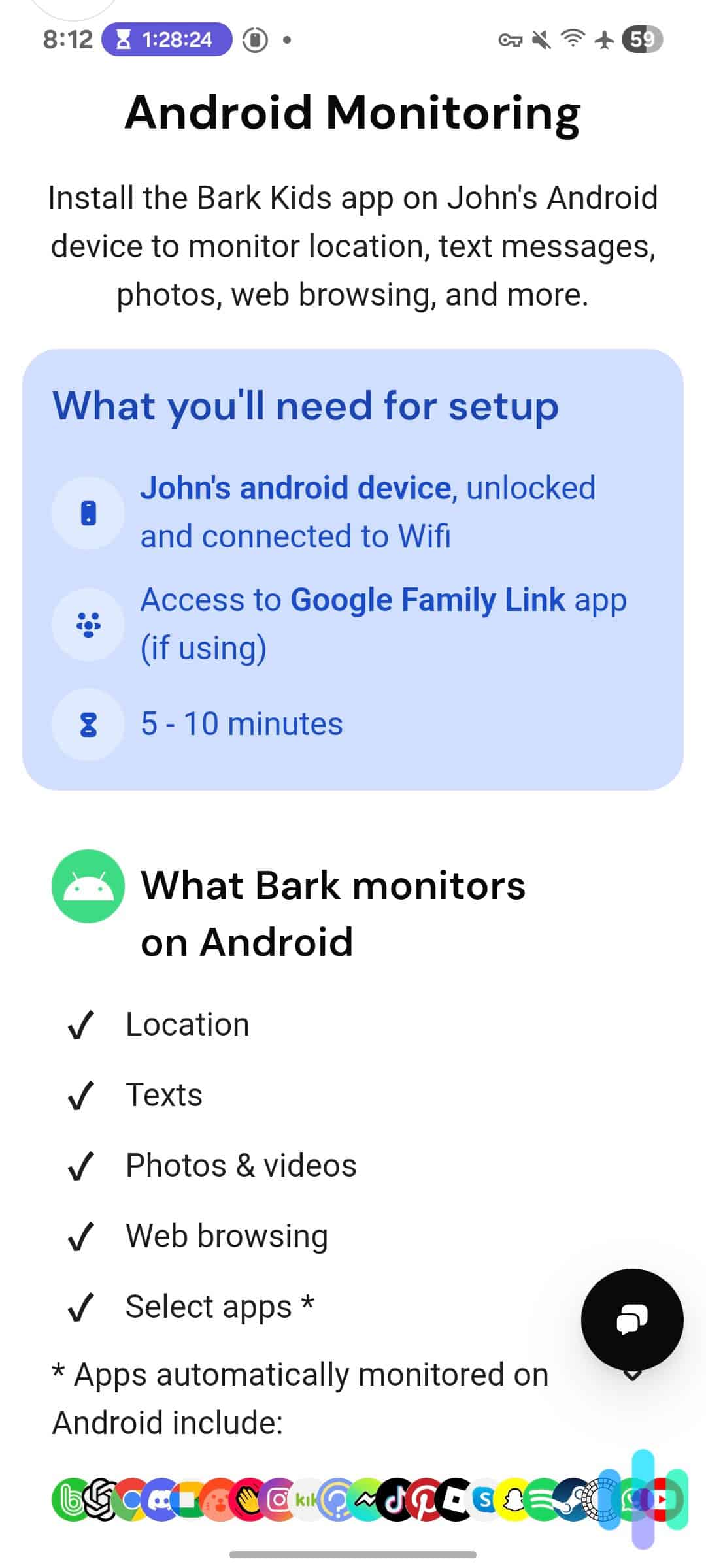
Some of the apps Bark can monitor on Android devices. -
3. Qustodio Parental Control App - Best for Comprehensive Control
View Plans Links to Qustodio.com
If you’re looking for granular control over every aspect of device usage with detailed activity reports, then you’ll want to sign up for Questodio. In our testing, we found it the easiest to set up across Android, iOS, Windows, and Mac devices. While there is a free tier, we recommend taking advantage of the three-day free trial of premium features. Alternatively, there’s a 30-day money-back guarantee if you need a little longer to see if it suits your family.
>> Check Out: The Best Free Parental Control Apps of 2026
What We Like
- Detailed activity reports showing exactly how devices are used
- Reliable location tracking with geofencing alerts when kids arrive or leave designated areas
- Call and SMS monitoring on Android devices provides extra oversight
- Competitive pricing
What We Don’t Like
- Limited social media monitoring compared to Bark
- You need to approve a lot of permissions for full functionality
- Some Android features require keeping the app visible, making it easier for teens to detect
Installation and Device Management

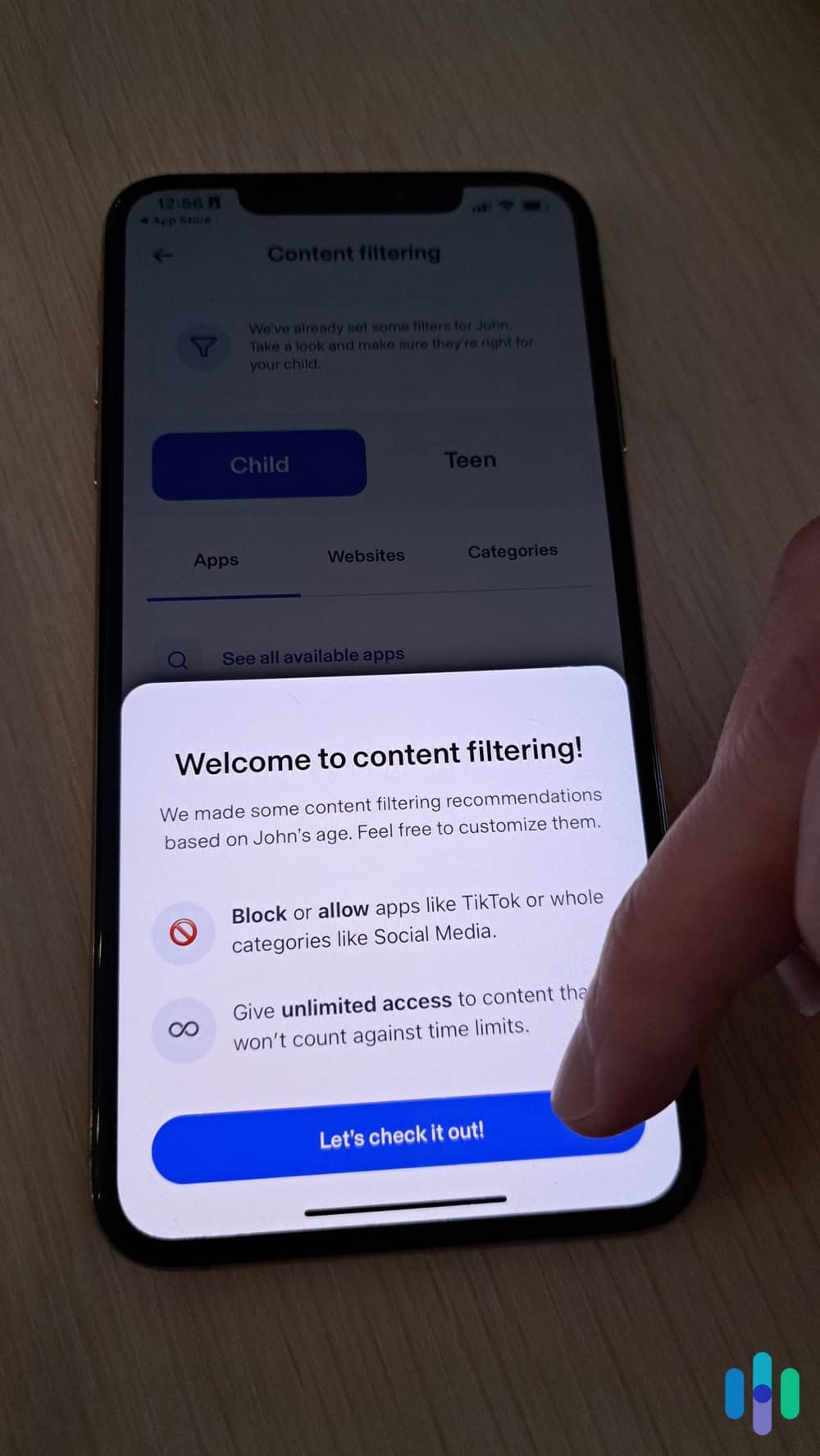
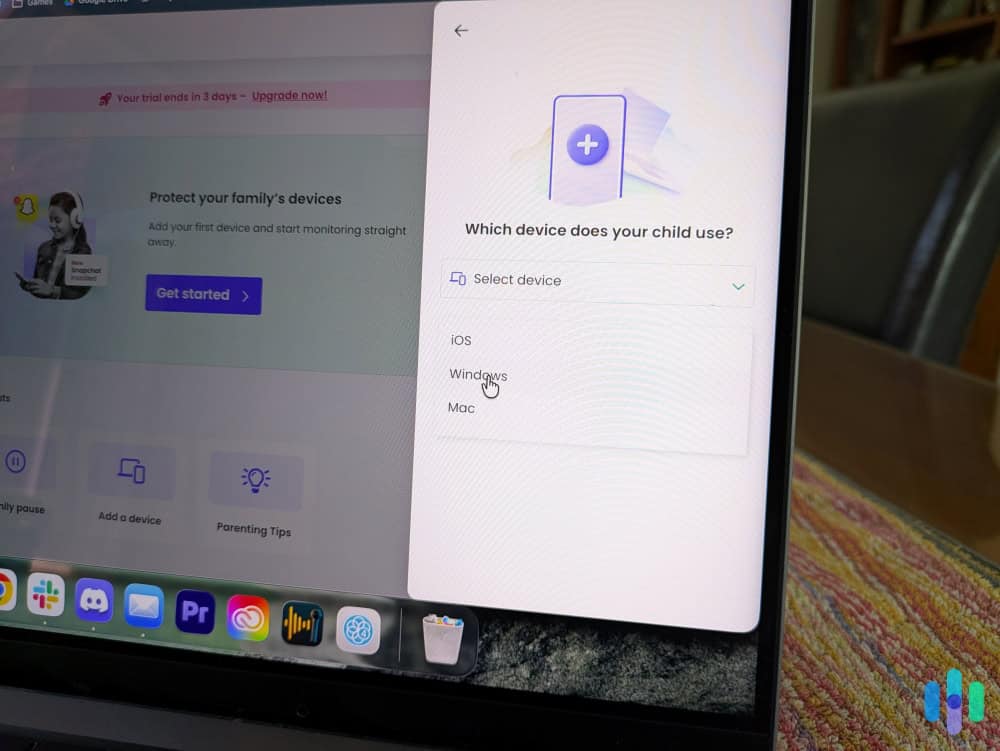
We recommend setting up your child’s profile on a desktop or laptop first, and then installing the Qustodio Android app on your child’s device. Qustodio’s setup process is straightforward, but requires more manual configuration than Aura. After creating your parent account online, you install the companion app on each child’s device and link them to your dashboard. You will need to change permissions in the settings to gain full access. Qustodio automatically took us to the page to toggle the setting. The whole process took us about 15 minutes per Android device during testing.
We like that Qustodio works across virtually every platform, and your subscription covers multiple devices and operating systems. If your family uses a mix of Android phones, iPads, and Windows laptops, Qustodio manages them all from one dashboard without requiring separate subscriptions.
>> Check Out: The Best Parental Control Apps for iOS
Web Filtering and Content Controls
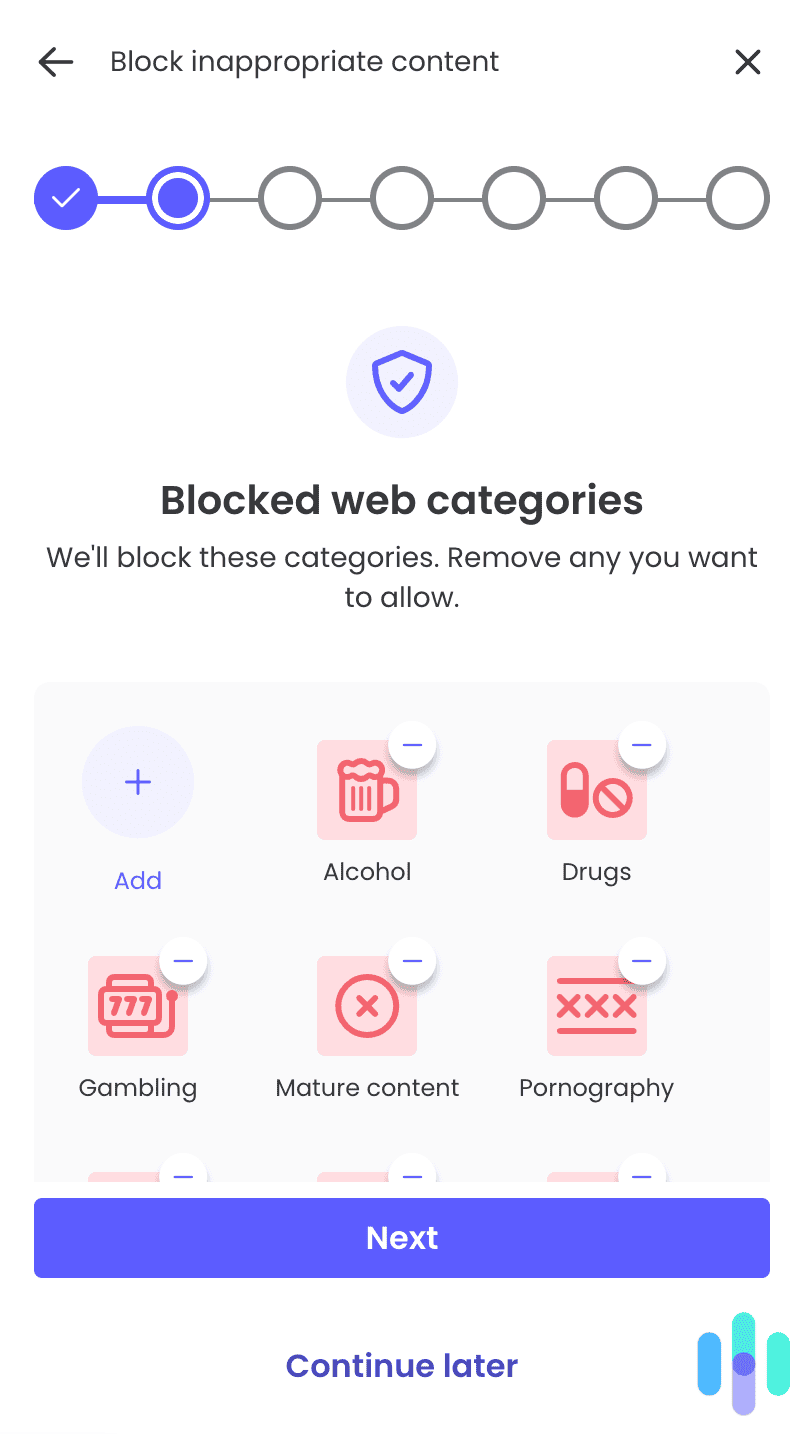
Qustodio’s web filtering impressed us with its granularity. Beyond standard category blocking (adult content, violence, drugs, gambling), you can create custom rules for individual websites and set time-of-day restrictions for specific content categories. For example, you might block gaming sites during school hours but allow them in the evening.
The filtering works across all browsers installed on the device, preventing kids from getting around the controls by switching from Chrome to Firefox. In our testing, the filters remained effective even after Android system updates, which is a common weak point for some competitors.

We could choose what web categories to block entirely or at specific times of the day. Activity Monitoring and Reports
Where Qustodio shines is its detailed activity reporting. The dashboard shows exactly which apps were used, for how long, which websites were visited, who our child called or texted, and even specific search terms entered across browsers and platforms. Instead of constantly refreshing the dashboard, we scheduled daily and weekly email reports. These reports summarize all digital activity with charts and graphs.
This level of detail can help you identify concerning patterns. For example, we spotted a sudden increase in late-night device usage and frequent searches about sensitive topics. We found this type of monitoring armed us with the information needed to discuss risky online behaviors.
Location Services and Geofencing

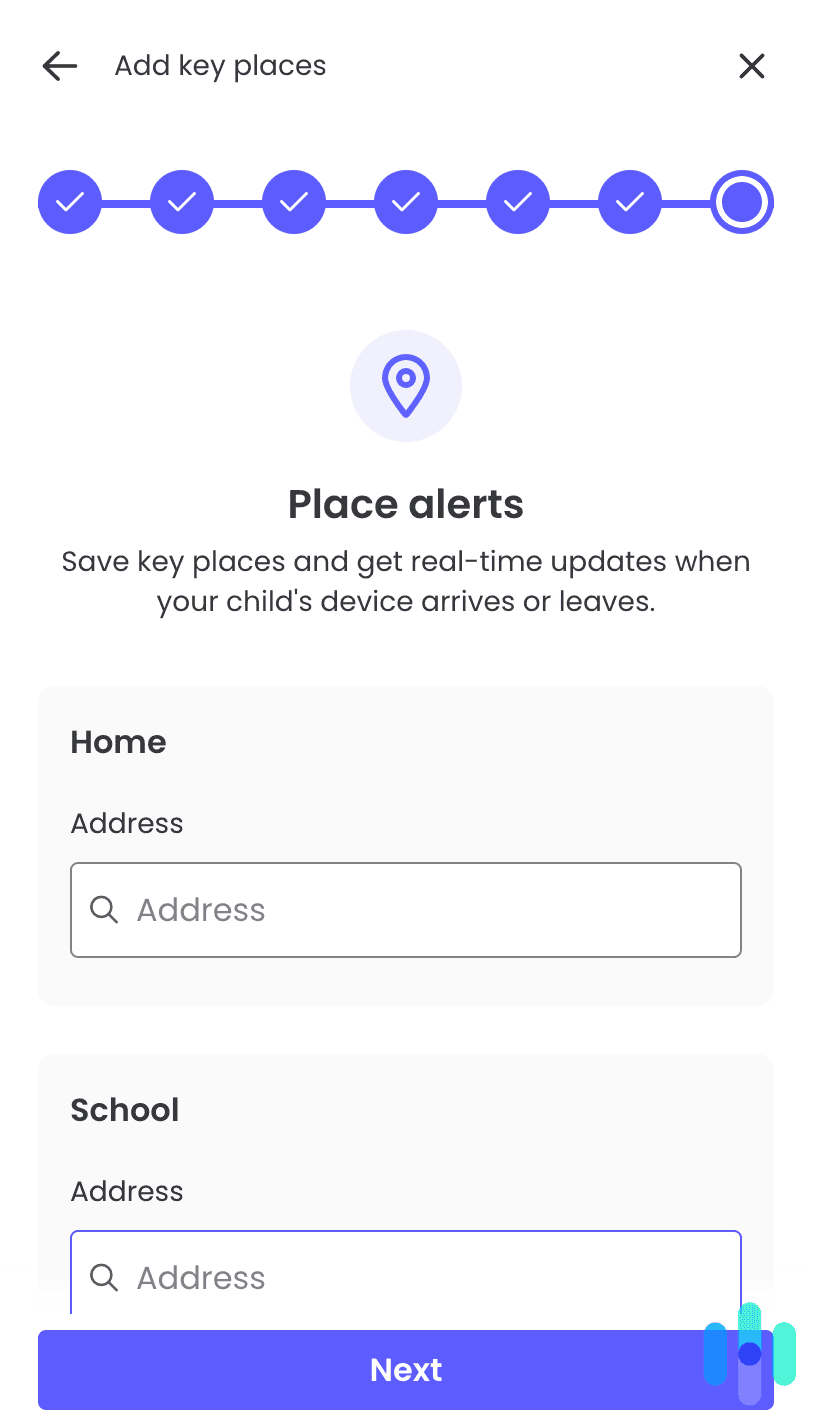
We set up multiple locations to get instant alerts when our children arrived and left these addresses. Qustodio’s location tracking provides accurate, real-time GPS positioning and location history for the past 30 days. We like the geofencing feature, which lets you set up safe zones (home, school, grandparents’ house) and receive automatic notifications when your child arrives or leaves these areas.
In our testing, location updates were accurate within 20 feet and refreshed every few minutes. We did notice an impact on battery life, but it wasn’t excessive. Our test device lost about 10 percent additional battery per day with location tracking enabled, which is typical for GPS-based monitoring.
Pro Tip: We recommend setting up geofence alerts for school and home arrival times. It’s an easy way to stay informed without constantly checking your child’s location manually.
How to Choose the Right Android Parental Control App
We’ve found the best way to choose a parental control app is to start by identifying your main concerns. Are you most worried about excessive screen time, exposure to inappropriate content, social media risks, or physical safety through location tracking? All the apps we tested excel at different things. Bark is great for social media monitoring, while Qustodio offers more comprehensive device control and detailed reporting. Aura is best for parents with children who regularly use the public internet and play video games.
You should also consider your child’s age and tech savviness. Younger children need robust content filtering and screen time limits but less invasive monitoring. Teenagers benefit more from social media oversight and communication monitoring, as their risks shift toward cyberbullying, sexting, and interactions with strangers online.
It’s also a good idea to evaluate your comfort level with this technology. Some parental control apps require more technical setup and ongoing management than others. If you struggle with technology, prioritize apps with excellent customer support and intuitive interfaces over those with the most features. Finally, consider whether you want a standalone parental control solution or a comprehensive digital security package that includes identity protection and VPN services for the whole family.
Installing Parental Controls on Android Devices
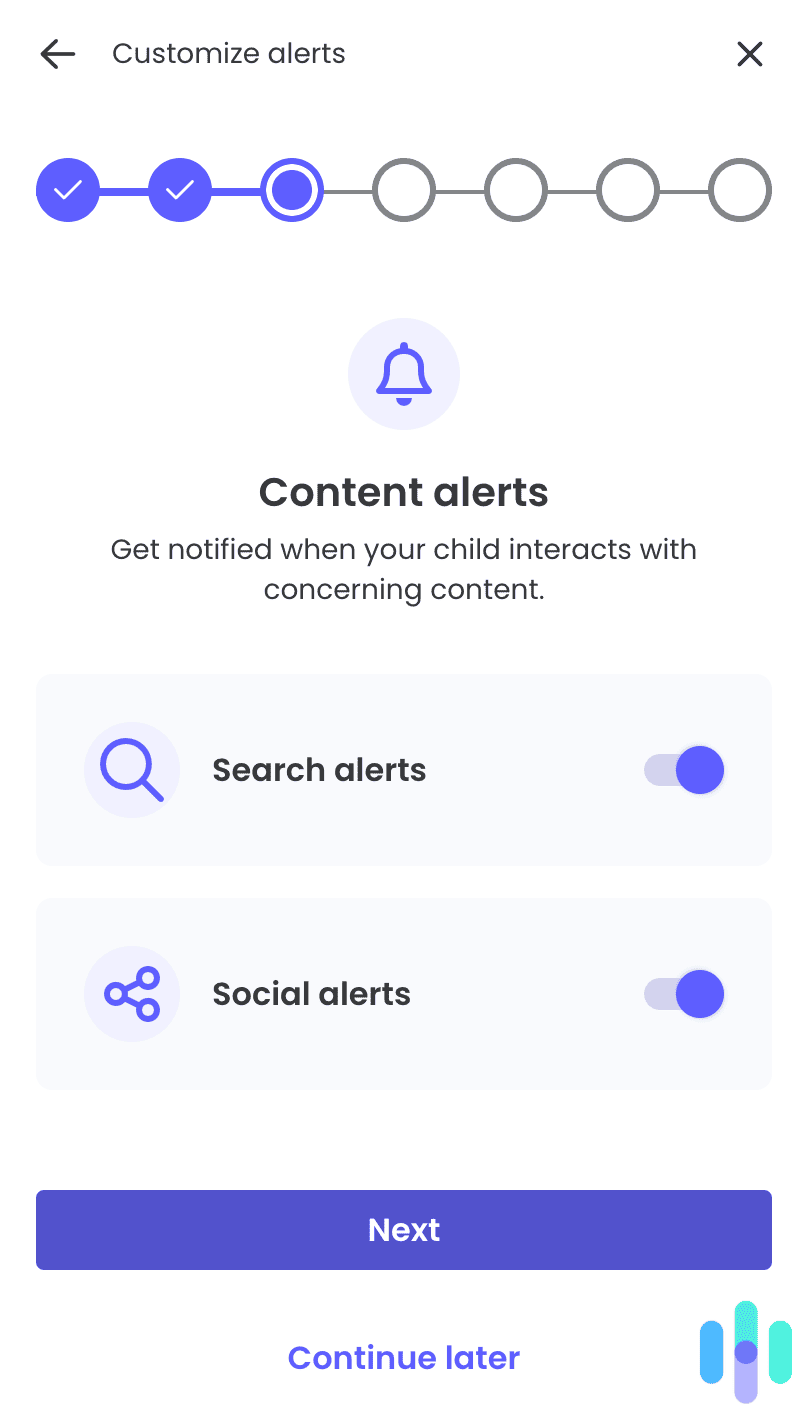
Keep in mind that most Android parental control apps need accessibility permissions and device administrator access to function properly. These permissions allow the app to monitor usage, enforce restrictions, and prevent children from uninstalling the controls. During installation, Android will display warnings about these permissions. This is normal and doesn’t indicate the app is malicious.
After installation, test the controls thoroughly before relying on them. Try accessing blocked websites, using apps during restricted hours, and verifying that location tracking works accurately. Most parental control apps include testing guides or demo modes that let parents verify functionality without generating false alerts.
Pro Tip: We recommend installing the app and configuring the settings with your child present. Explain what the app does, why you’re installing it, and what behaviors will trigger alerts. This transparency might reduce the feeling of surveillance and keep communication channels open.
Understanding Privacy Concerns with Parental Controls
Parental control apps access significant amounts of personal data, which can raise legitimate privacy questions. Reputable apps like Aura, Bark, and Qustodio encrypt data in transit and storage, maintain strict data retention policies, and never sell children’s information to third parties. However, we still recommend reviewing an app’s privacy policy before installation.
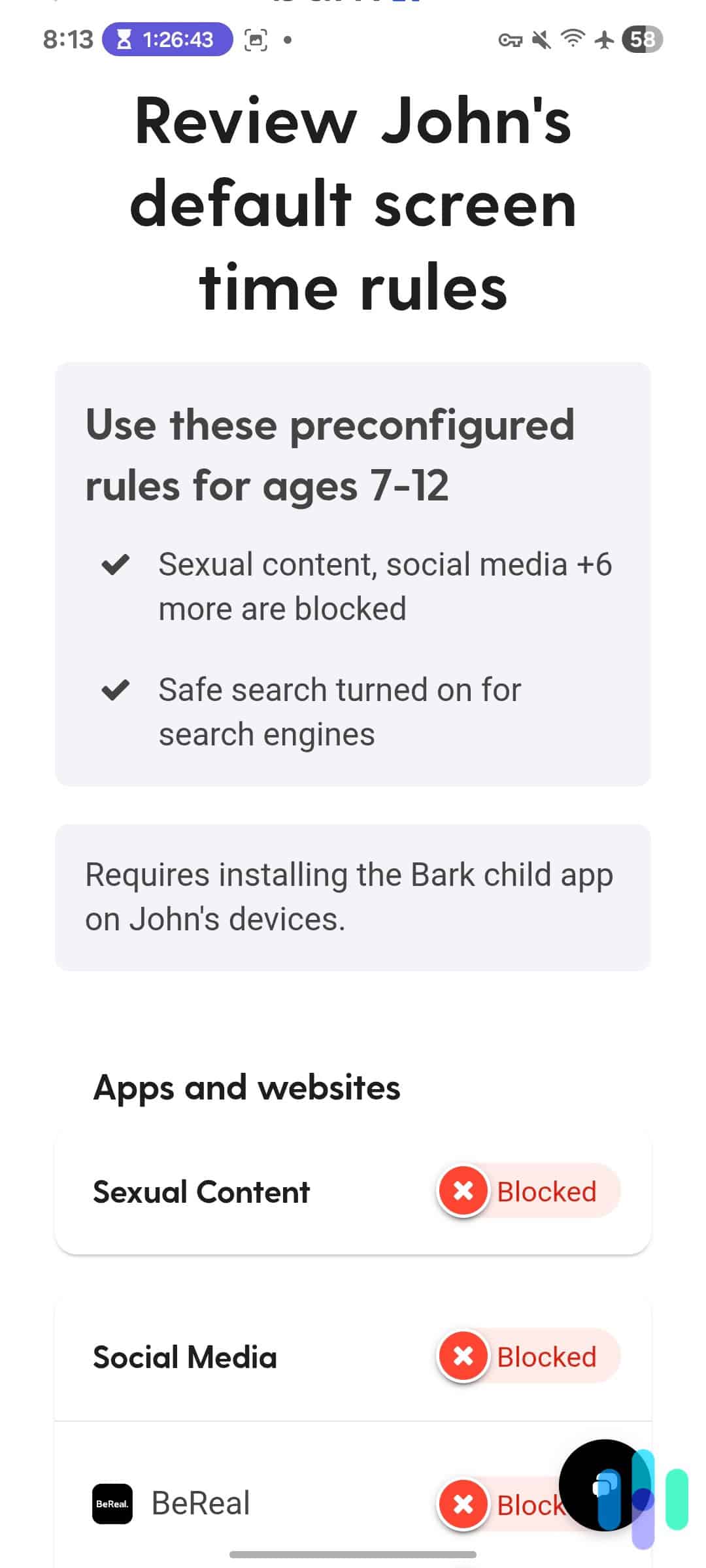
The bigger privacy question involves your relationship with your child. Child development experts recommend age-appropriate monitoring that decreases as children demonstrate responsible behavior. For example, a 10-year-old needs different oversight than a 16-year-old. Consider implementing monitoring as an opportunity to discuss internet usage. Explain why certain websites are blocked and the reasoning behind screen time limits. You can even gradually increase privacy as your child matures and earns your trust.
How Effective Are Android Parental Control Apps Really?
Parental control apps are tools, not magic solutions. Tech-savvy teenagers can find workarounds. For example, they might be able to use VPNs to bypass filters, factory reset their phones to remove monitoring apps, or use a friend’s device.
Remember that the goal isn’t to create an impenetrable digital fortress. You’re establishing reasonable boundaries, maintaining awareness of your child’s online activities, and identifying potential problems early enough to address them. This effectiveness depends heavily on implementation. We’ve found that parental control apps work best when combined with ongoing dialogue about online safety, clear family rules about device usage, and consequences for attempting to circumvent protections.
>> Learn More: The Most Popular Hiding Apps Parents Should Know About
Should You Use Free Android Parental Control Apps?
Free parental control apps exist, but they typically offer extremely limited functionality—basic web filtering and simple screen time limits at most. Many free apps generate revenue through advertising, which creates perverse incentives to collect and monetize your family’s data. Some free parental control apps have been caught selling browsing history and location data to third-party advertisers.
Google’s built-in Family Link offers free basic controls for Android devices, including app approval, screen time limits, and location tracking. It’s a reasonable starting point for younger children or families on tight budgets. However, it lacks social media monitoring, content analysis, and the sophisticated alerting systems that paid apps provide. If your concerns extend beyond basic screen time management, investing in a reputable paid service like Aura, Bark, or Qustodio provides significantly better protection and peace of mind.
>> Check Out: The Best Free Parental Control Apps of 2026
Final Verdict: What Android Parental Control App Should You Use?
Choosing the right Android parental control app comes down to matching features with your family’s specific needs. If you want comprehensive digital security that goes beyond parental controls to include identity theft protection and VPN services, Aura is the best option. For families concerned about social media risks, cyberbullying, and online predator protection, Bark’s AI monitoring is unmatched. Parents wanting granular control with detailed activity reporting across multiple platforms should consider Qustodio.
No app is perfect, though. We all know that determined kids will always find creative workarounds. However, implementing reasonable monitoring and controls significantly reduces risks, creates teaching opportunities, and provides peace of mind that you’re doing your part to protect your children during their most vulnerable years online.
Frequently Asked Questions
-
Can my child tell if I've installed a parental control app?
Most parental control apps are visible on Android devices because they require active permissions to function properly. Some apps offer “stealth modes” that hide icons, but we believe transparency is generally more effective than secrecy for maintaining trust.
-
Do parental control apps work when my child uses mobile data instead of Wi-Fi?
Yes, reputable Android parental control apps monitor and filter activity regardless of connection type. This includes Wi-Fi, mobile data, and public hotspots. The protection follows the device, not the network.
-
Will parental control apps drain my child's phone battery?
Parental control apps do consume battery, typically adding 10 to 20 percent per day, depending on which features are enabled. Location tracking and continuous monitoring have the most significant impact.
-
Can parental control apps monitor incognito or private browsing?
Yes, Android parental control apps with proper permissions can monitor and filter activity even in private browsing modes. The monitoring occurs at the system level, before the browser processes the request.
-
What happens if my child uninstalls the parental control app?
Quality parental control apps require administrator passwords to uninstall and send immediate alerts if someone attempts removal. Some apps can remotely lock the device if uninstallation is detected.
-
Are parental control apps legal to use?
Yes, parents have legal authority to monitor devices they own that are used by minor children. Laws vary by location, but monitoring your own child’s device is generally protected, especially when the child is made aware of the monitoring.
-
Nexus Teen Academy. (2025). Teen Phone Addiction Statistics 2025: What the Numbers Reveal About Our Digital Habits.
-
The HIPAA Journal. (2025). More Than 1.7 Billion Individuals Had Personal Data Compromised in 2024.
https://www.hipaajournal.com/1-7-billion-individuals-data-compromised-2024/
- Cyberbullying Research Center. (2025). 2025 Cyberbullying Data.