

Best iPhone Parental Control Apps in 2026
After testing over a dozen parental control iPhone apps, our experts deemed Aura the best for its advanced web-based monitoring.
 Last Updated on Mar 11, 2026
- Affordable bundles that include identity theft protection, antivirus, and a VPN alongside parental controls
- Intuitive dashboard that doesn’t require a tech degree to navigate
- Excellent content filtering that catches inappropriate material across browsers and apps
- Industry-leading social media monitoring that scans for cyberbullying, predatory behavior, and mental health concerns
- Alert system that notifies parents only about concerning content rather than every single activity
- Covers unlimited devices for one flat monthly fee
- Available free plan is perfect for dipping your toes in and deciding if a parental control app is right for you
- Detailed activity reports that show exactly how your child spends their screen time
- Panic button feature that lets kids send emergency alerts to parents
Handing your kid an iPhone feels like giving them a gateway to everything on the internet — good and bad. On top of the risks of exposing your kid to inappropriate content, kids spending too much time on screens has been linked to them experiencing anxiety and depression symptoms.1 Parental control apps can help you manage both risks.
However, not every parental control app will work. In fact, Apple’s famously locked-down ecosystem prevents many from working with iPhones entirely. That’s why we spent the last few weeks testing over a dozen of the best parental control apps for iPhones to find which options work well alongside Apple’s Screen Time feature. Aura led the pack with its advanced web-based monitoring followed by Bark and Qustodio. Let’s dig in.
Expert Insight: Apple’s built-in Screen Time feature lets you set screen time limits on any of your kids’ iPhones and iPads. We recommend using it alongside a third-party parental control app as most third-party apps cannot enforce screen time limits on Apple products, but they provide more advanced monitoring features than Apple’s built-in tools.
Our Testing Methodology: How We Picked the Best iPhone Parental Control Apps
We tested each app on our iPhone XS Max running iOS 26. During each test, we evaluated the apps across a consistent set of criteria. That way, we could accurately rank each app with objective results. Here are the criteria we used to assess each iPhone parental control app:
- Ease of Installation: Installing the app on our kid’s phone and the management app on our own, as well as setting up our parental controls, should be a seamless experience that takes no more than ten minutes.
- Content Filtering: We look for both flexibility and ease-of-use when it comes to setting up content filtering. Ideally, the app offers intelligent presets with the option to customize settings as needed.
- Screen Time Management: Beyond daily screen time limits, we like apps that allow us to set schedules, so that we can set different limits for weekdays and weekends. This should be easy to change for vacations and holidays.
- Overall User Experience: Every aspect of the parental control app for both us as parents and our kids should be intuitive and helpful. We particularly like it when apps send our kids warnings when they’re approaching their limits. That way they can learn to better self-manage their device usage.
Each of the over dozen apps we considered were tested by our team of digital security experts. They have well over two decades of combined digital security experience with specialties in helping families stay safe online.
The Best iPhone Parental Control Apps at a Glance
- Aura Parental Control - Best Web-Based Monitoring
- Bark Parental Control App - Best for Private Message Monitoring
- Qustodio Parental Control App - Best Free Plan
Side-by-Side Comparison of the Best iPhone Parental Control Apps in 2026
| System |
Aura
|
Bark
|
Qustodio
|
|---|---|---|---|
| Ranking | 1st | 2nd | 3rd |
| Ratings | 9.6/10 | 9.5/10 | 9.3/10 |
| Number of Devices | Unlimited | Unlimited | Unlimited |
| Social Media Monitoring | Limited | Advanced | Average |
| Content Filtering | Excellent | Average | Average |
| Location Tracking | No | Yes | Yes |
| Read Review | Aura Review | Bark Review | Qustodio Review |
-
1. Aura Parental Control - Best Web-Based Monitoring
View Plans Links to Aura.com
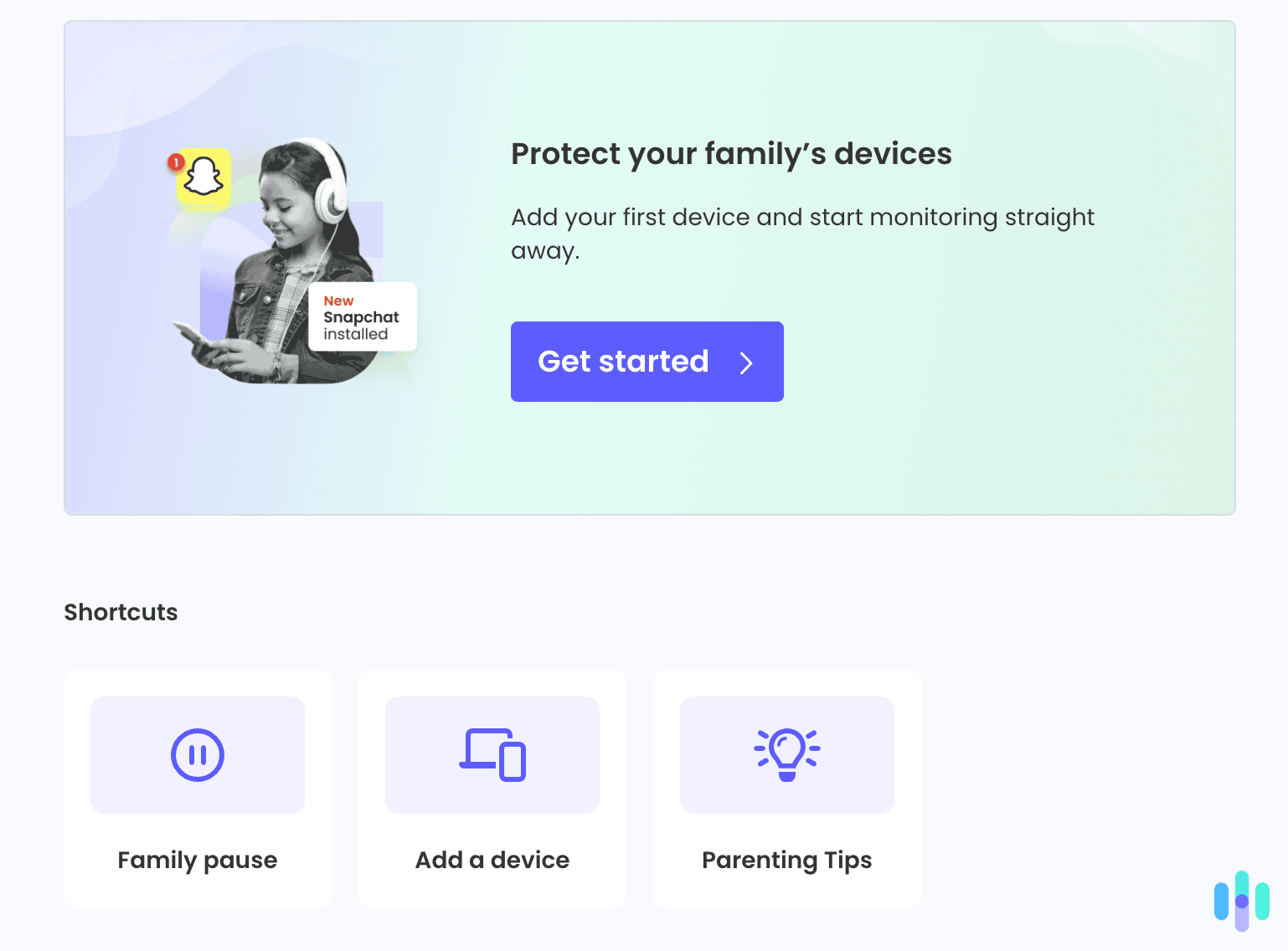
Aura isn’t just a parental control app — it’s an entire family digital safety platform that bundles parental controls with identity theft protection, VPN service, and antivirus protection. You can still get the parental controls on their own, but the best value comes from their bundles. If you’re already considering identity monitoring services (and honestly, you probably should be), Aura’s parental control features feel like a substantial bonus rather than an add-on. We cover the full breadth of their services in our Aura review.
What We Like
- Affordable, yet comprehensive digital security bundles
- Excellent web filtering and content blocking
- Clean, intuitive parent dashboard
- 24/7 customer support with knowledgeable staff
- Covers unlimited devices
What We Don’t Like
- Social media monitoring capabilities are limited compared to Bark
- No free plan, only a free trial
- Cannot monitor private messages on any app
Aura Setup and Installation
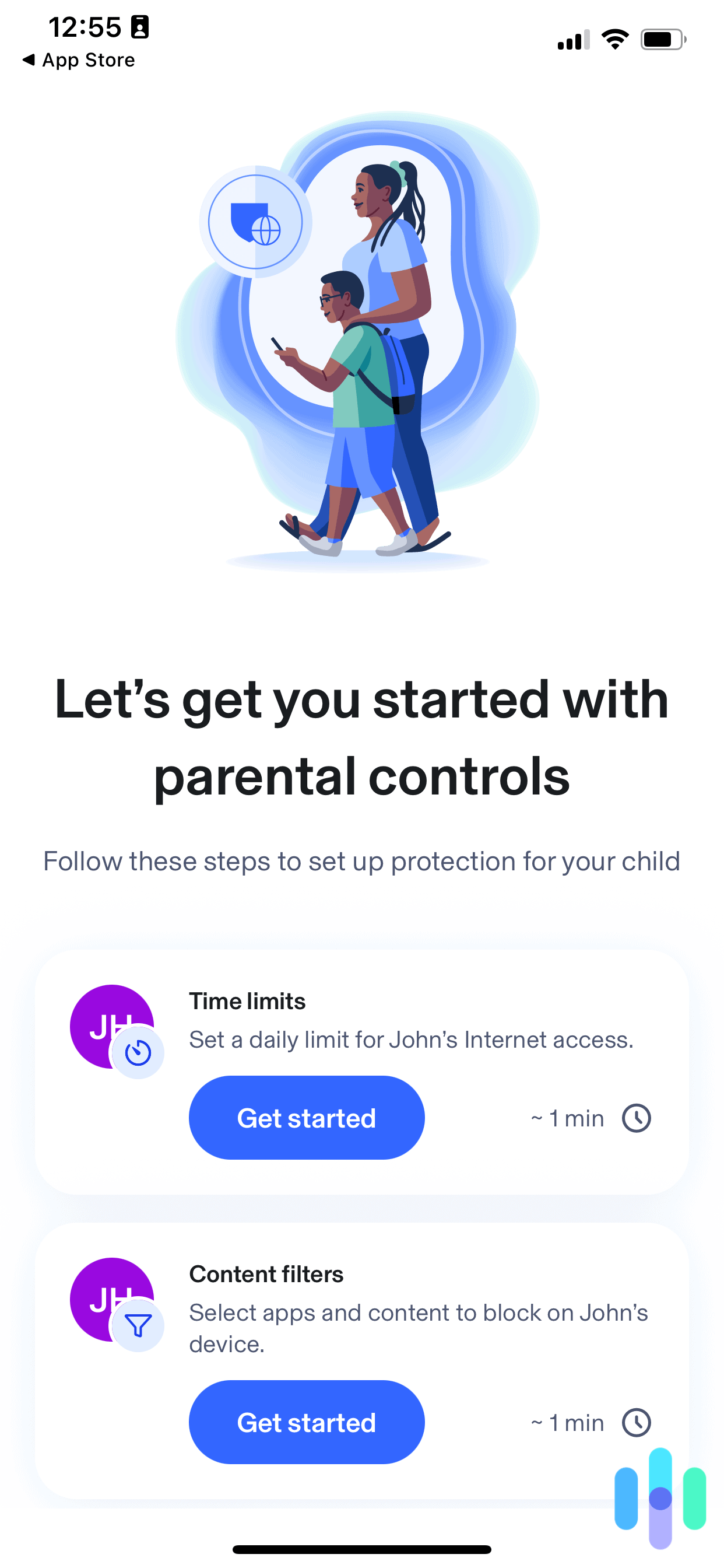
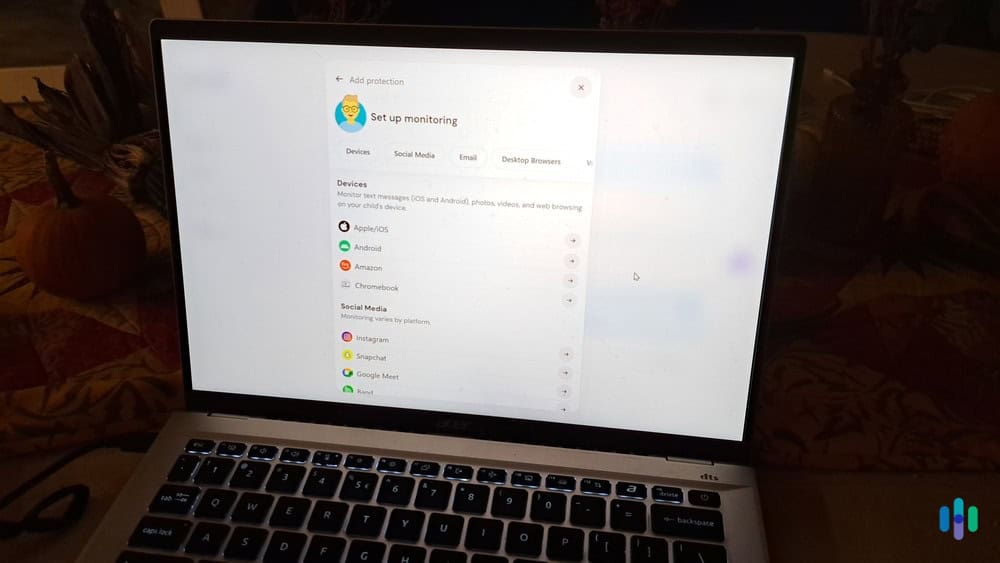
Getting Aura running on our iPhone and a test iPhone that we restricted took about 15 minutes from start to finish. The process requires installing the Aura app on both devices, creating an admin profile and a child profile, and enabling Aura’s VPN on the child’s iPhone (this is how Aura monitors web activity). Aura provides a clear step-by-step walkthrough for the whole process.

Aura provides a clear step-by-step walkthrough for setting up and customizing your parental controls. >> Read More: A 2026 Guide to VPNs
Aura Content Filtering
Aura’s content filtering impressed us during testing. We tried accessing various inappropriate sites using different browsers and search methods. Aura successfully blocks over 90 percent of inappropriate sites while rarely showing false positives for legitimate resources. This accuracy stems from their combination of URL filtering, keyword detection, and AI-powered content analysis to make blocking decisions in real-time.
The easiest way to customize filtering is by category — violence, adult content, gambling, drugs, etc. However, you can also create custom blocked/allowed lists for specific websites. Throughout our tests, Aura blocked 127 web requests with us just blocking categories. It showed two false positives for a niche bodybuilding forum and a small handmade goods site. For those, we just quickly added them to our allowlist.
Aura Social Media Monitoring

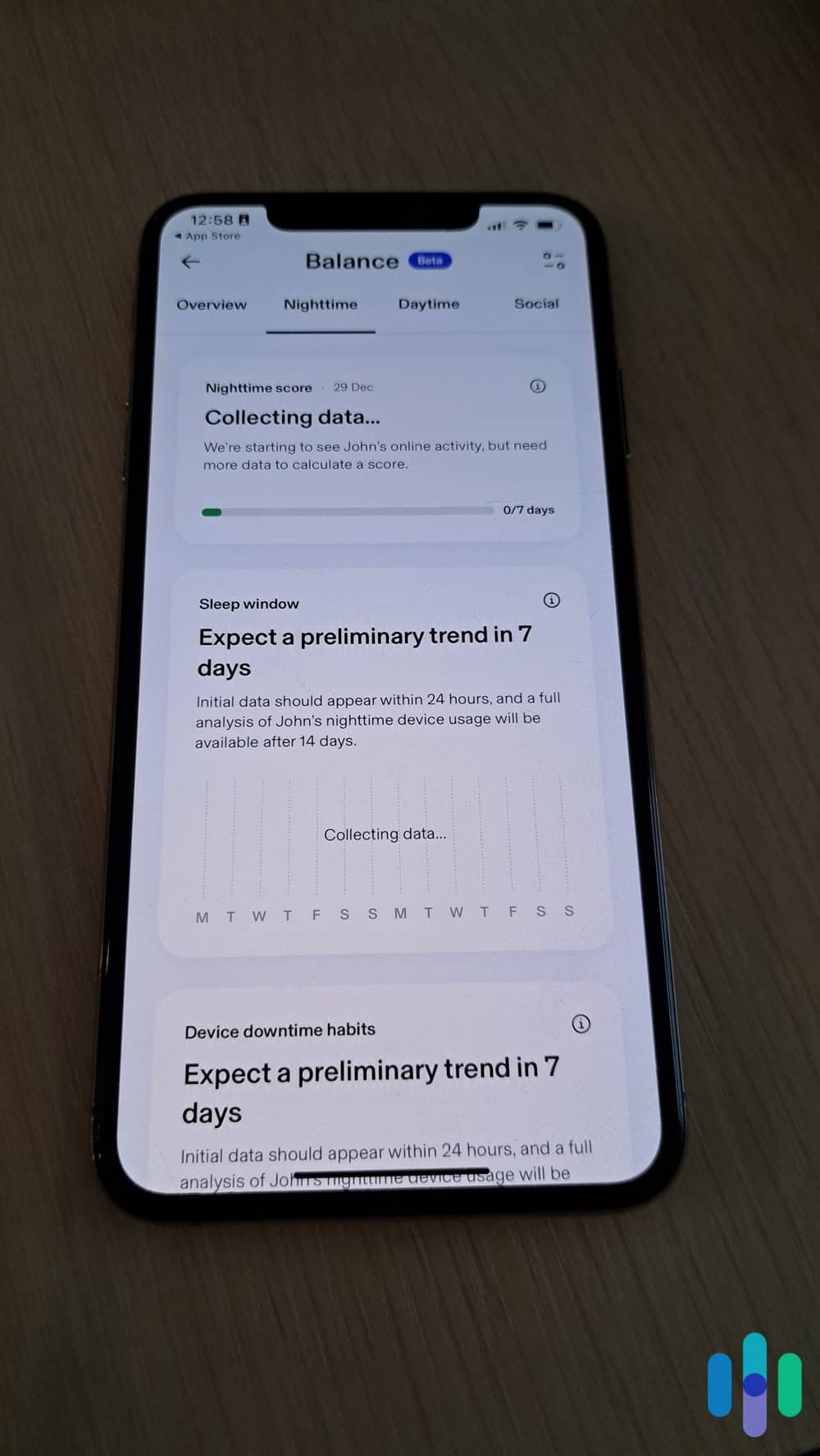
After collecting enough data, Aura shows trends of how your kids typically use their devices. While Aura can’t monitor private messages on social media, they offer innovative behavior-based monitoring for how your kids engage with social media. They assess the overall tone of posts and comments as well as the tone of the content they watch. This provides an overall trend that you can follow. Aura even alerts you to sudden changes which can tip you off to something going wrong in their personal life.
FYI: If you have younger children who primarily use iPads rather than iPhones, Aura works identically on both devices since they share the same operating system.
Overall Aura Experience
What sets Aura apart is its ease of use. Everything from the initial setup to regular monitoring and making changes as kids age is easy to do with Aura. They provide clear step-by-step guidance with an intuitive dashboard that never makes a setting more than a few clicks away. Plus, their web-based monitoring is among the best with its advanced filtering capabilities.
-
2. Bark Parental Control App - Best for Private Message Monitoring
Try for Free Links to Bark.us
Bark takes a different philosophical approach than most parental control apps. Instead of giving you access to read every single text message and social media post (which feels pretty invasive and time-consuming), Bark uses AI and machine learning to scan your child’s communications for concerning content. When it detects potential problems like cyberbullying, sexual content, drug references, or signs of depression, it sends you an informative alert.
What We Like
- Exceptional social media monitoring across over 30 platforms
- Smart alert system that flags concerning content without overwhelming parents
- Unlimited device coverage for one flat monthly fee
- Monitors texts, emails, and photos in addition to social media
- Includes resources and guidance for addressing issues the app flags
What We Don’t Like
- Social media monitoring on iPhone is more limited than on Android due to iOS restrictions
- Screen time management features feel basic compared to competitors
- Website filtering can be overly aggressive causing false positives
Bark Setup and Installation
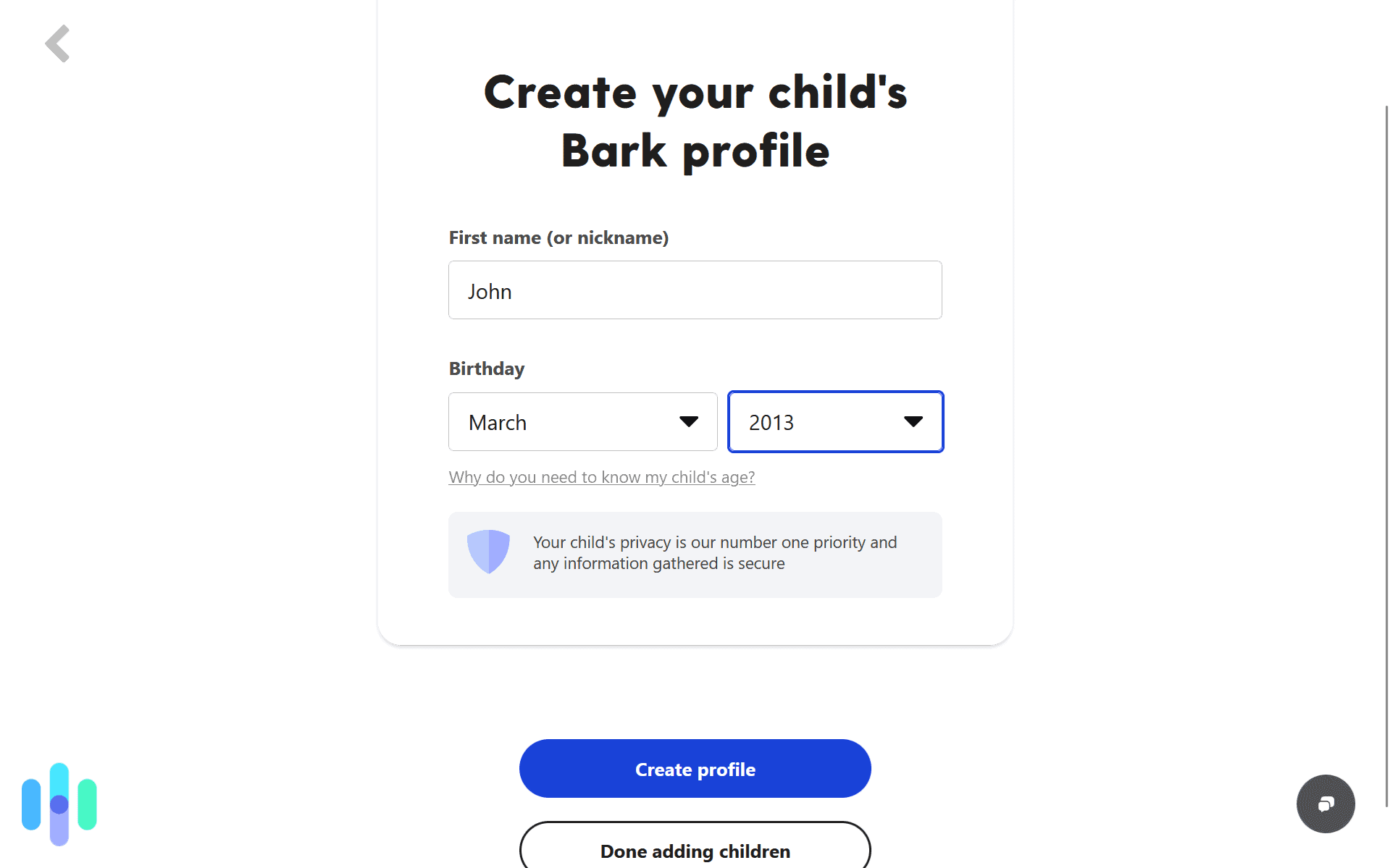
Installing Bark on iPhone requires a bit more effort than some competitors because of how many permissions Bark needs to operate. For instance, Bark’s social media monitoring feature requires you connect each platform individually through Bark’s website (not the app). This involves logging into your child’s accounts from the Bark portal and granting Bark permission to scan content. It took us close to 20 minutes to connect eight social media accounts.

Once we downloaded the Bark app on our kid’s phone, we could set up our monitoring settings through the web app. For monitoring texts and photos, you’ll need to set up regular iCloud backups and grant Bark access to your child’s iCloud account. This is the workaround for Apple’s restrictions on accessing message data directly. It means Bark’s monitoring isn’t real-time — there’s typically a delay of a few hours — but it’s the best solution available without jailbreaking. Remember, Aura doesn’t offer any private message monitoring.
Bark Content Filtering
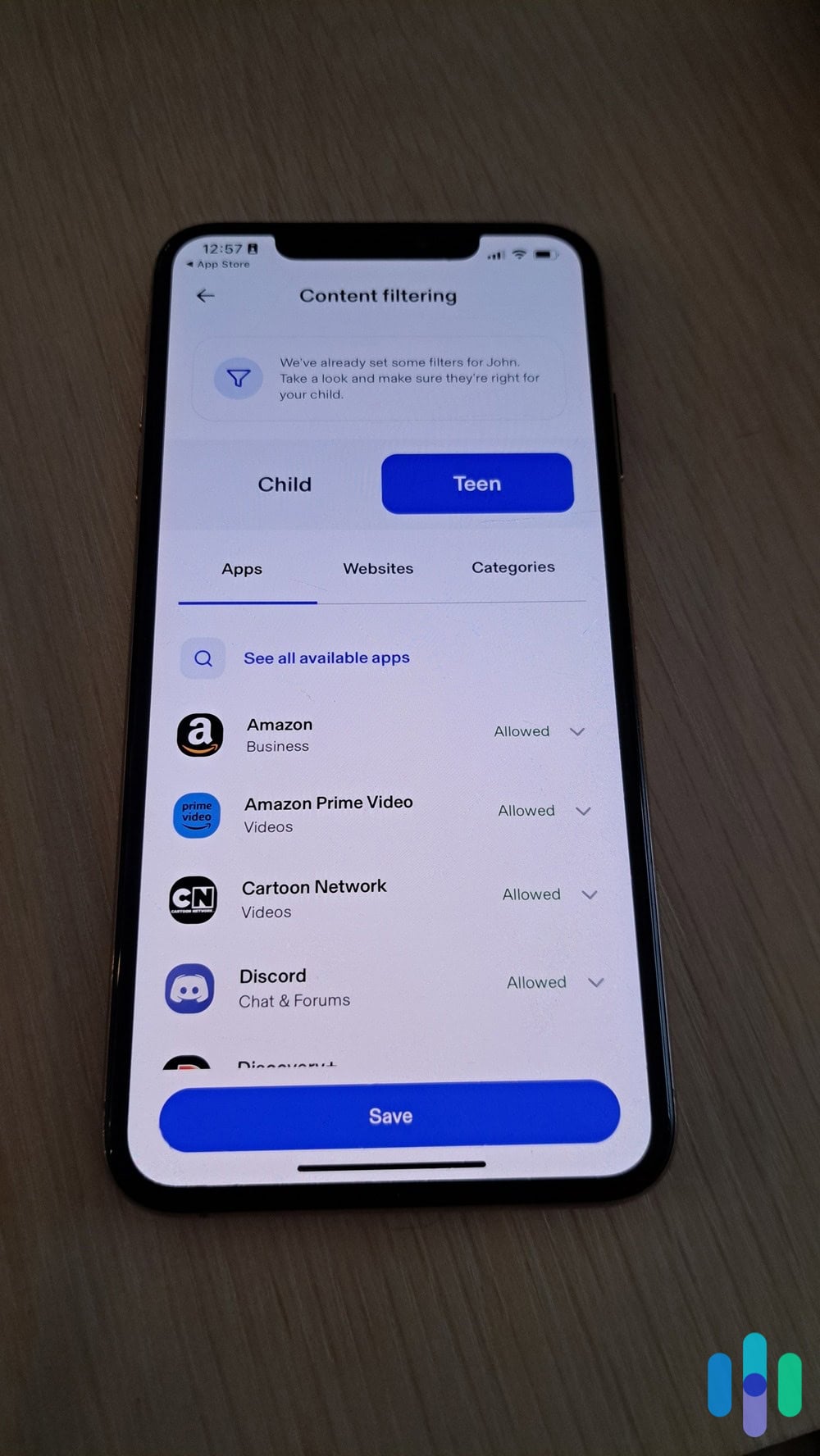
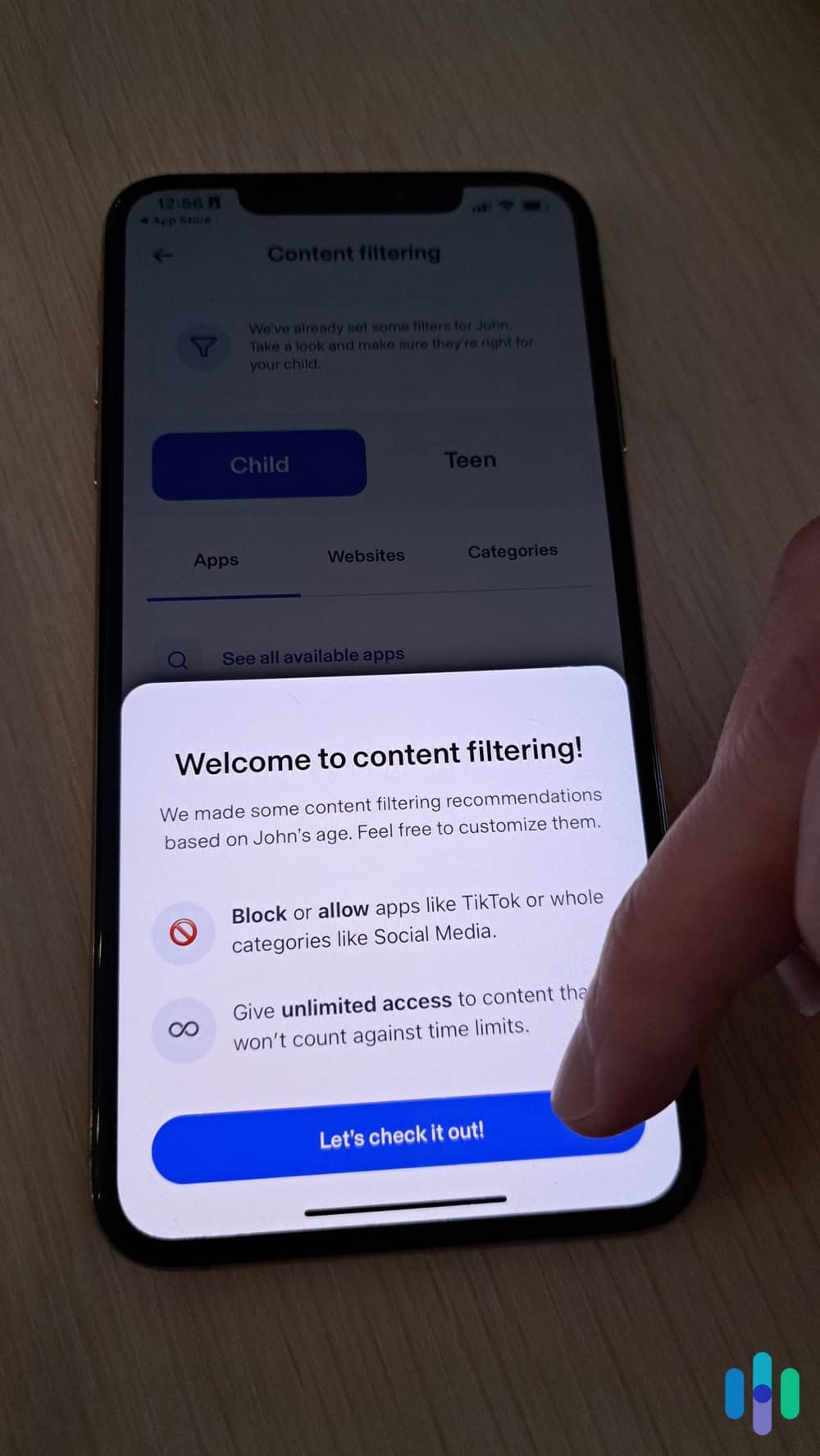
Bark’s web filtering works well but isn’t as granular as Aura or Qustodio. You can choose from preset filtering levels (Young Child, Pre-Teen, or Teen) or create a fully customized filter. During testing, the “Teen” level blocked pornography and extreme violence but allowed social media, gaming sites, and most YouTube content through. This makes sense for Bark’s trust-but-verify philosophy.
Expert Insight: We didn’t find the need to create a custom filter as we found the preset filters from Bark to be appropriate for the corresponding age group.
Bark Social Media Monitoring
Despite the lengthy set up, this is where Bark shines. During testing, we had a friend’s teenager (with full knowledge and consent) use various social media platforms in ways that should trigger alerts. They discussed hypothetical scenarios around self-harm, posted profane messages, and engaged with accounts posting inappropriate content. Bark caught every single concern and sent detailed alerts explaining what triggered the flag and why it matters. This can even work for online games which is why we mention Bark as a tool for setting up parental controls in Roblox.
In those alerts, Bark provides useful context. Rather than just saying “your child used profanity,” the alert shows you the specific message, explains what about it triggered concern, and offers suggestions for how to address the issue with your child. These real-time alerts can help you catch risks before they escalate into real-life dangers.
B How to Set Up Parental Controls in Minecraft
Overall Bark Experience

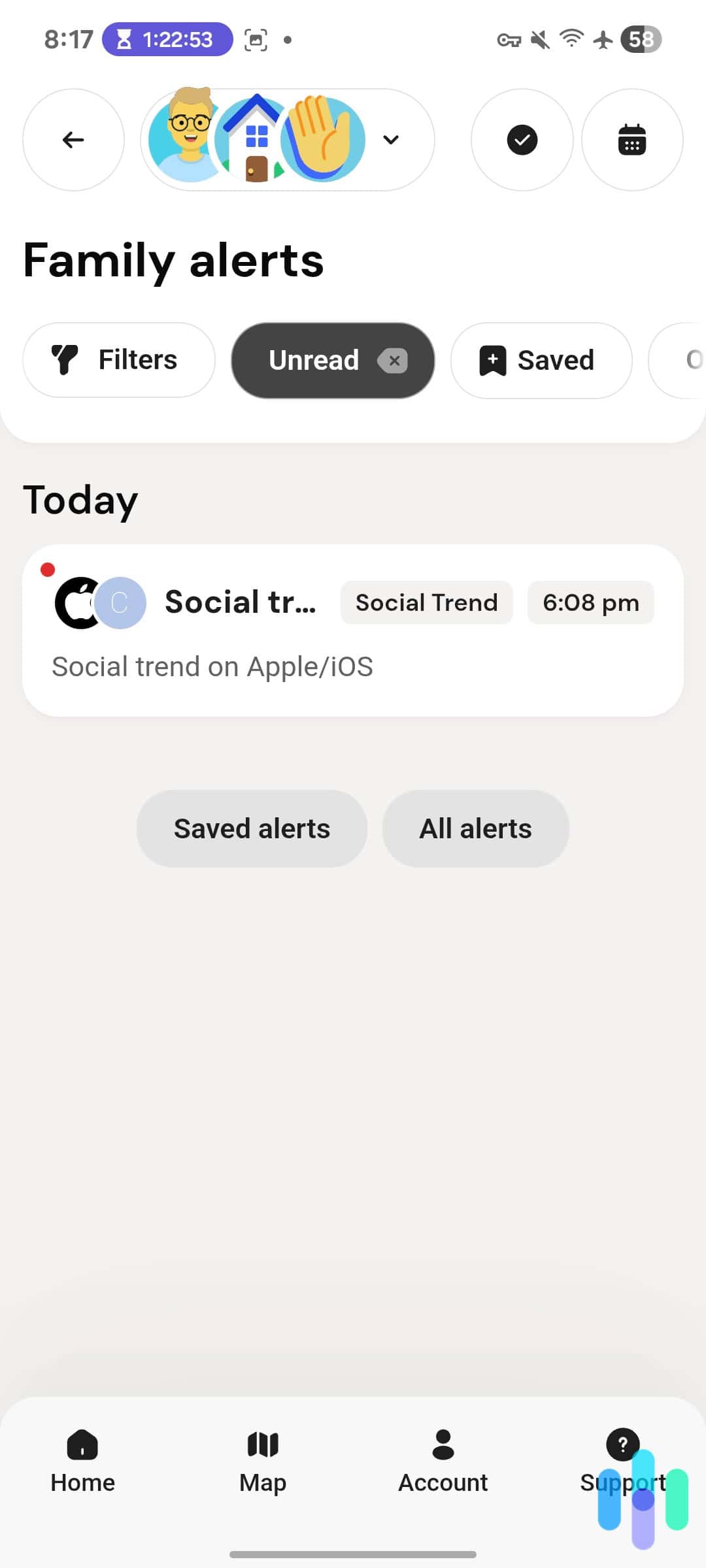
To keep us ahead of potential dangers, Bark sent us alerts about new and risky social media trends. Bark offers an interesting approach to social media monitoring that allows kids to retain their privacy while still having a few safety guardrails in place. The alert-based system respects your teen’s privacy for normal, healthy interactions while still alerting you to concerning content. We also appreciate that all their plans support unlimited devices and kids making it a good choice for big families.
-
3. Qustodio Parental Control App - Best Free Plan
 View Plans Links to Qustodio.com
Qustodio has been in the parental control game since 2012, and that experience shows in how polished and feature-complete the platform feels. Despite that, they still offer a free plan that you can use for as long as you want. Of course, the features are limited, but it can be enough for some families that only want basic monitoring and screen time controls.
What We Like
- Works seamlessly across all major operating systems
- Detailed activity reports with visual timelines
- Easy-to-use app blocking and time limit controls
- Panic button feature for emergency parent alerts
- Strong customer support with live chat option
What We Don’t Like
- Social media monitoring requires the more expensive Premium plan
- Can impact device battery life more than competitors
- YouTube monitoring on iPhone is limited
- Call and SMS monitoring not available on iOS due to Apple restrictions
Qustodio Setup and Installation

We could fully set up Qustodio’s parental controls using the web dashboard and our kid’s iPhone. Qustodio’s installation process on iPhone is refreshingly straightforward. Download the app, create your family account, add your child’s profile, and follow the prompts to install the child app on their device. The whole process took us about 10 minutes. Like Aura, Qustodio also requires setting up a VPN profile to monitor web activity on top of several other permissions.
One nice touch: Qustodio’s setup wizard walks you through configuring all the key features rather than dumping you into a settings menu to figure things out yourself. You’ll make decisions about filtering levels, screen time rules, and monitoring preferences during initial setup. This makes it easy to choose appropriate restrictions for your child without missing any available features.
Did You Know: Qustodio offers a free version that covers one device with limited features—perfect for testing before committing to a paid subscription. They also offer a Basic plan starting at $4.58 per month, although it only covers up to five devices.
Qustodio Content Filtering
Qustodio’s content filtering is aggressive and effective. You can choose preset age-appropriate filtering levels or customize which specific categories to block. During testing, we like the “alert only” mode for specific categories. It provides a nice middleground between blocking and allowing sites. Instead, it sends an alert anytime your child accesses that category of content, perfect for teens who may need to research sensitive topics for school projects.
App management is similarly granular. You can block specific apps entirely, set time limits, or restrict them to certain hours of the day. Qustodio also lets you approve or deny app installation requests from your dashboard. This creates a more collaborative approach to restrictions between you and your kid, which we appreciate. When our kid wanted to download Fortnite on their iPhone, we approved them as long as they let us set up Fortnite parental controls.
Qustodio Social Media Monitoring

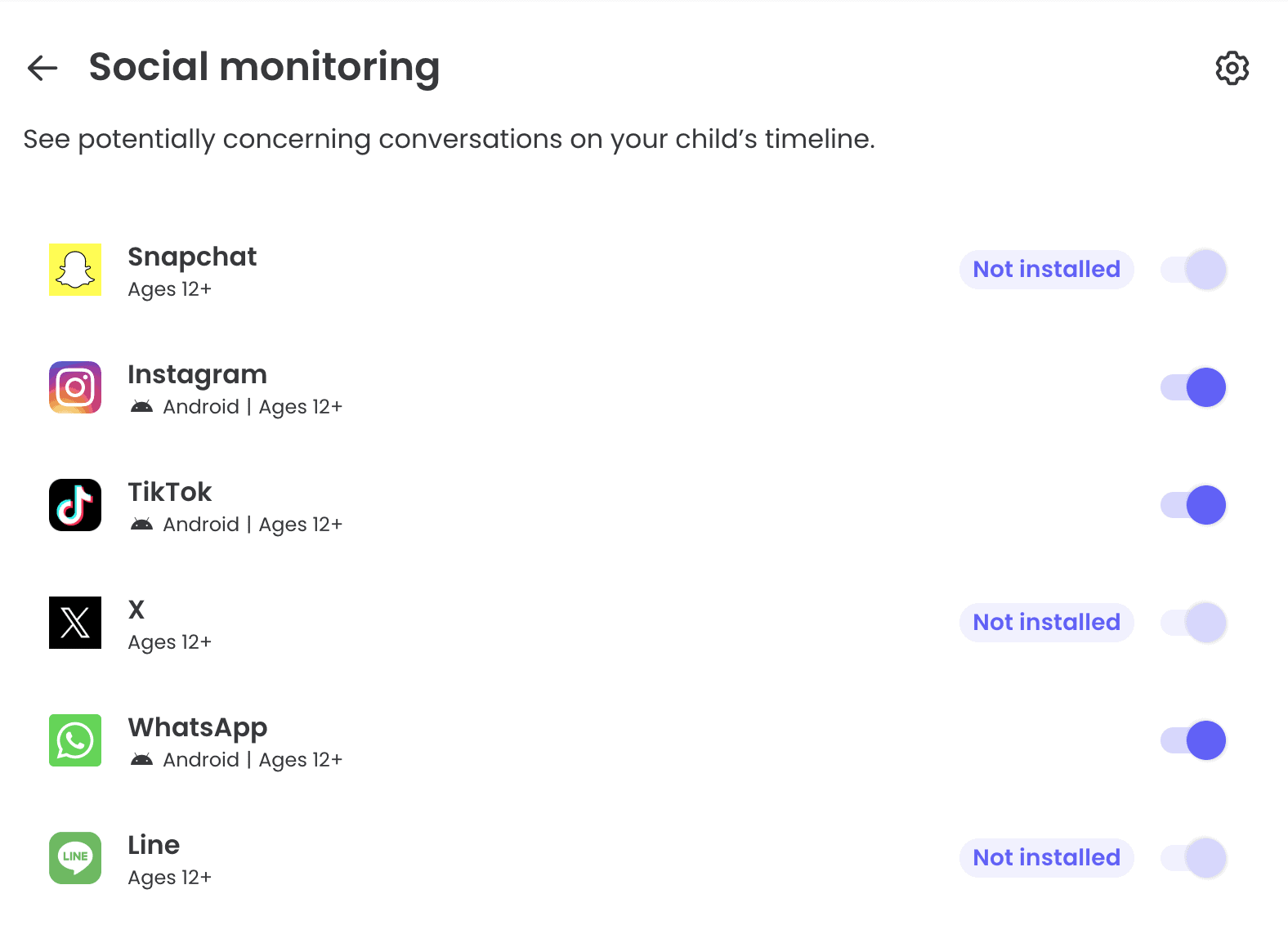
We could deactivate any social media app on our kid’s phone through the Qustodio dashboard. Qustodio offers one of the most detailed activity reports in the industry. For social media, it shows the exact amount of time they spend on each social media app and the time period that they used it. That way, you can check to see if social media is getting in the way of their classes. However, for actual social media content, Qustodio can only monitor WhatsApp and Line on iOS devices.
Overall Qustodio Experience
Qustodio delivers a traditional, comprehensive approach to parental controls. It gives you detailed visibility and granular control over nearly every aspect of your child’s device usage with their paid plans or basic control with their free plan. While we generally prefer Aura and Bark, Qustodio is a great option for parents looking to test the waters using parental control apps without committing to a subscription.
Do You Really Need Third-Party Controls?
Apple’s Screen Time feature, built into iOS since 2018, provides basic parental controls at no additional cost. You can set app limits, filter content, restrict purchases, and even manage Screen Time settings for your child’s device from your own iPhone. So why pay for a third-party app?
The honest answer is that Screen Time works fine for many families, especially those with younger children or parents who just want basic time limits and content filtering. But Screen Time has significant limitations: no social media monitoring, limited web filtering (works best for Safari), no location tracking, and no ability to monitor communications. It’s also surprisingly easy for tech-savvy kids to bypass by changing the device time or reinstalling apps.
Third-party apps offer monitoring capabilities that Screen Time simply can’t match because of the data they can access and analyze. If your primary concern is limiting TikTok to one hour per day, Screen Time does that. If you’re worried about who your child is talking to online and whether they’re being cyberbullied, you need Aura, Bark or Qustodio.
>> Read About: All About iPhone and iPad Parental Control Settings
How Hard Is It to Install These Apps?
A parental control app makes it easy for us to manage which streaming services our kids can use on their iOS devices.
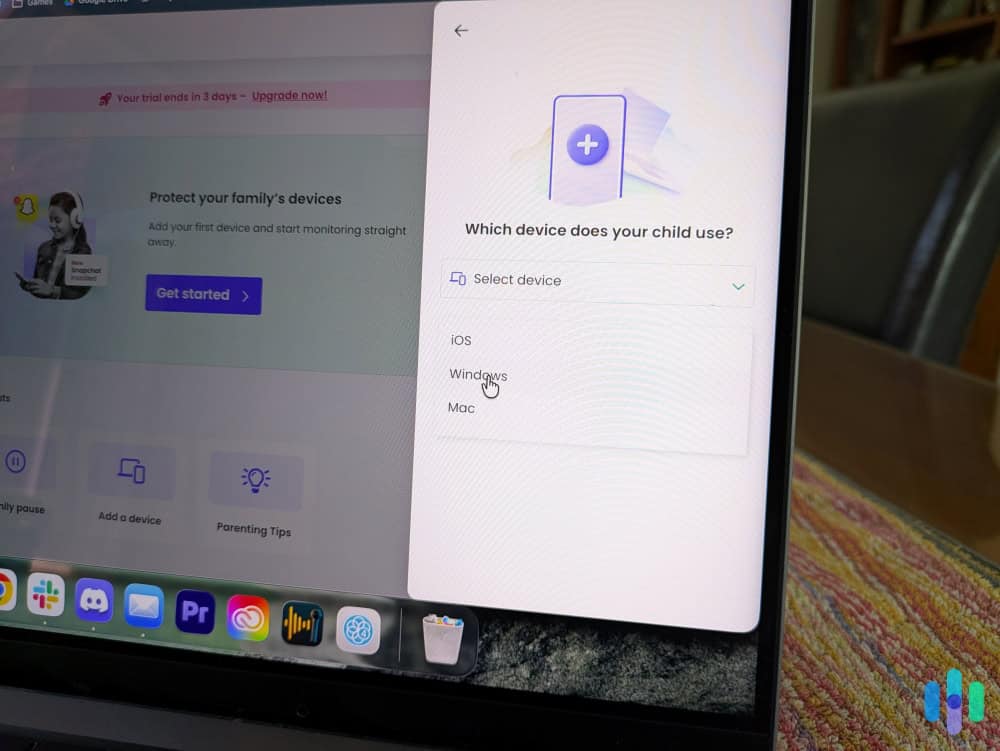
Installing parental control apps on an iPhone is more involved than installing a typical app, but it’s just a matter of following on-screen instructions. The on-screen instructions mean all you need to do is accept the VPN configuration and all necessary permissions after installing the app on your device and your child’s device.
Usually, explaining to your child why you need their device password and what the app will and won’t monitor is the trickiest part. We recommend being straightforward about what you’re installing and why, rather than trying to hide it (which rarely works anyway and damages trust). Most of these apps take 15 to 30 minutes to fully set up per device, with Bark taking the longest due to the individual social media account connections required.
Pro Tip: Most parental control apps offer free trials or money-back guarantees—take advantage of these to test the app with your actual family before committing to a long-term subscription.
Will My Teen Know I’m Monitoring Them?
Yes, your teen will know you’ve installed parental control software. These apps are visible on the device, require permissions that create notification alerts, and often add a VPN icon to the status bar. Some apps like Qustodio even display periodic reminders that monitoring is active. That can help kids get the full benefit of parental controls as it helps them develop healthy screen time habits long-term.2
The healthiest approach is transparency: explain what you’re monitoring, why you believe it’s necessary, and under what conditions you might reduce monitoring as they demonstrate responsibility. Most parental control apps work better as a deterrent and safety net rather than a surveillance system.
>> Check Out: Most Popular Hiding Apps Parents Should Know About
Are Parental Control Apps Worth the Cost?
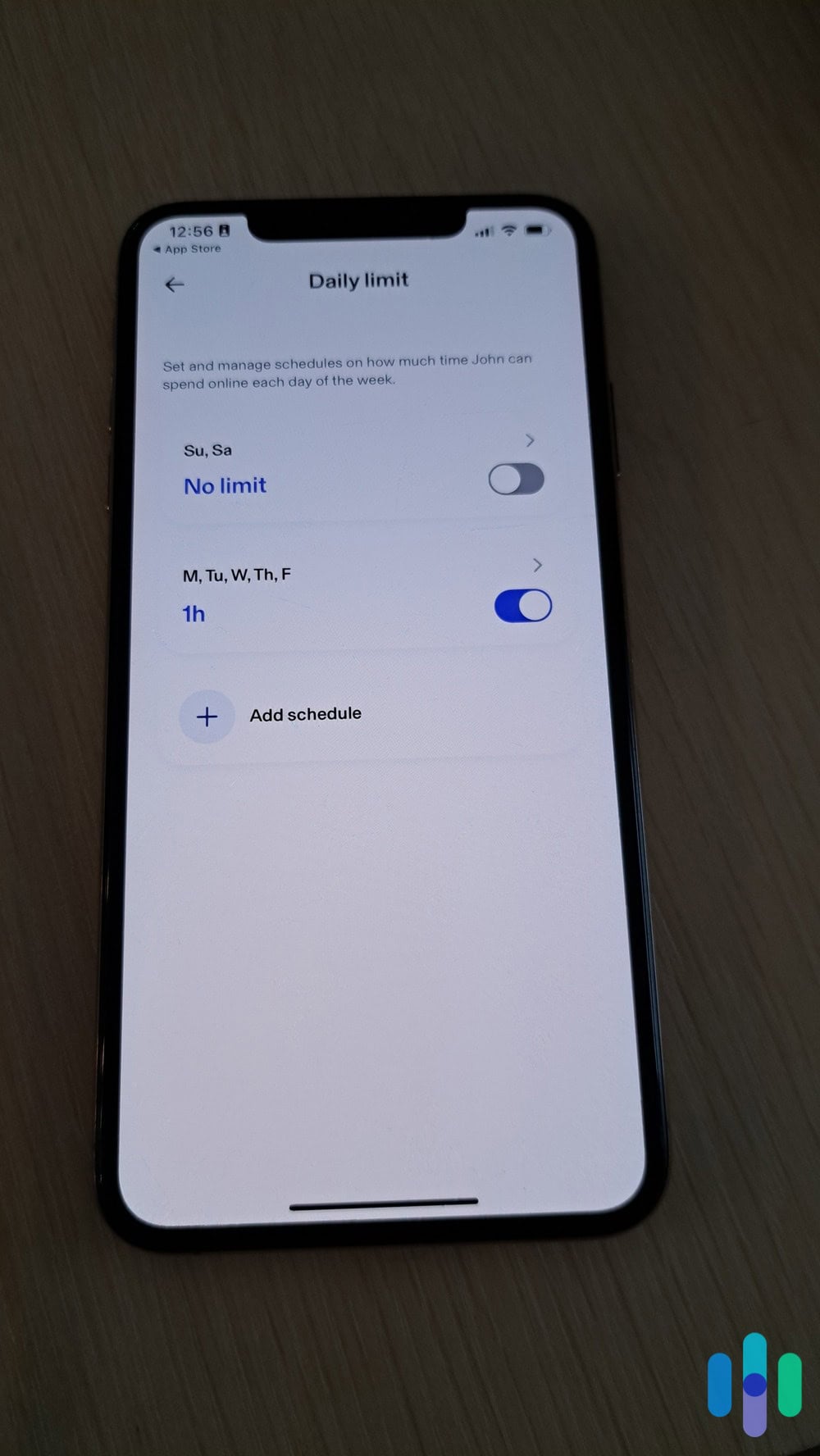
Whether parental control apps justify their subscription fees depends entirely on your family’s specific situation. For families with young children just getting their first devices, the answer is probably yes. The peace of mind and ability to gradually expand freedom as kids mature is valuable. For parents of older teens who’ve consistently demonstrated good judgment online, the monitoring might feel unnecessary and the cost harder to justify.
Parental control apps can also act as a layer of protection against identity theft, which is increasingly becoming a problem for minors.3 That protection alone can make the price of a parental control app well worth it. Plus, with parental control apps helping identify early signs of mental health struggles, you can catch early issues before they turn into costly and potentially dangerous ones.
That said, if your budget is tight, starting with Apple’s free Screen Time feature and adding a third-party app only if you identify specific gaps makes perfect sense. You can also look for apps that cover unlimited children for one subscription fee, like Aura or Bark.
Final Thoughts: Which iPhone Parental Control App is Right For You?
Choosing the best parental control app for iPhone ultimately depends on what matters most to your family. Aura delivers the best web-based monitoring and an easy-to-use interface perfect for less tech-savvy parents. Bark excels if social media monitoring and early warning alerts are your primary concerns, particularly for families with teenagers navigating complex online social dynamics. Qustodio provides a lifetime free plan that can act as a solid starting point for parents looking to dip their toes in.
None of these apps are perfect — Apple’s iOS restrictions mean iPhone parental controls will never be quite as comprehensive as what’s possible on Android. But they’re all significant improvements over Apple’s built-in Screen Time feature, especially for families who need more than basic app limits and content filtering.
Frequently Asked Questions
-
Can my child delete or disable parental control apps?
While determined tech-savvy teens can sometimes find workarounds, these apps use device management profiles that require the parent’s password to uninstall. Most also alert parents immediately if the app is tampered with or removed.
-
Do these apps work on iPads too?
Yes, all three apps work on iPads. Since iPads use the same operating system as iPhones, the functionality and setup process is identical.
-
Will parental control apps slow down my child's iPhone?
There’s minimal impact on performance during normal use. You might notice slightly faster battery drain since these apps run continuously in the background, but it’s typically only five to 10 percent additional battery usage per day.
-
Can these apps monitor Snapchat and other messaging apps?
Monitoring capabilities vary significantly by app and platform. Bark offers the best social media monitoring but requires account access, while on iPhone specifically, direct message monitoring is limited compared to Android due to Apple’s privacy protections.
-
What happens if my child gets a new phone or resets their device?
You’ll need to reinstall the parental control app and reconfigure settings after a device reset. Most apps maintain your configuration profiles in the cloud, making reinstallation faster than initial setup.
-
Are these apps legal to use?
Yes, parents have legal authority to monitor their minor children’s devices. However, laws vary by location, and using monitoring apps on an adult’s device without their consent is generally illegal.
-
Centers for Disease Control and Prevention. (2024). Daily Screen Time Among Teenagers: United States, July 2021–December 2023.
https://www.cdc.gov/nchs/products/databriefs/db513.htm -
University of Oxford. (2024). Parental control apps – an essential part of modern parenting or an unnecessary distraction?
https://www.oii.ox.ac.uk/news-events/parental-control-apps-an-essential-part-of-modern-parenting-or-an-unnecessary-distraction/ -
Javelin. (2024). 2024 Child & Family Cybersecurity Study, Social Media and Children: A Dangerous Game of Trust and Deceit.
https://javelinstrategy.com/whitepapers/2024-child-family-cybersecurity-study-social-media-and-children-dangerous-game-trust