

TikTok has become one of the most popular social media platforms, with nearly two billion users worldwide.1 With that many people creating and sharing content, it’s inevitable that you’ll occasionally encounter accounts you’d like to avoid. Whether it’s spam content or just someone whose content you’d prefer not to see, you can get rid of any unwanted accounts by blocking them.
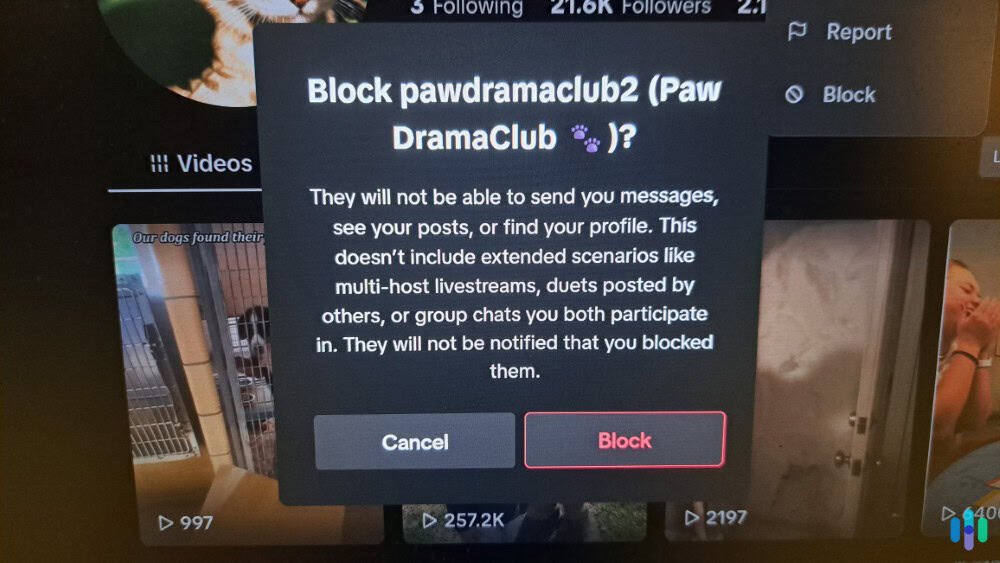
Blocking someone on TikTok prevents you from seeing their content and them from interacting with your content and profile. They won’t even be able to see that your profile exists, meaning they can’t message you either. Blocking someone only takes about 30 seconds and it’s reversible if you change your mind later. Our experts are here to show you three methods you can use to block and unblock someone on TikTok. Let’s dig in.
Did You Know: If you’re concerned about your kids using TikTok, parental control apps can help you monitor their use of the platform. The best parental control apps send automatic alerts about concerning behavior by using AI to automatically analyze their messages and the content they engage with.
How to Block Someone on TikTok
Regardless of which device you use, the process for blocking someone on TikTok is the same. You can block people from their profile page, from a comment they left, or from a direct message they sent you. Here’s the step-by-step breakdown for each method.
Method #1: Blocking from Their Profile
The most straightforward way to block someone is directly from their profile page:
- Navigate to the profile of the person you want to block. You can do this by tapping their username from a video or comment, or by searching their name.
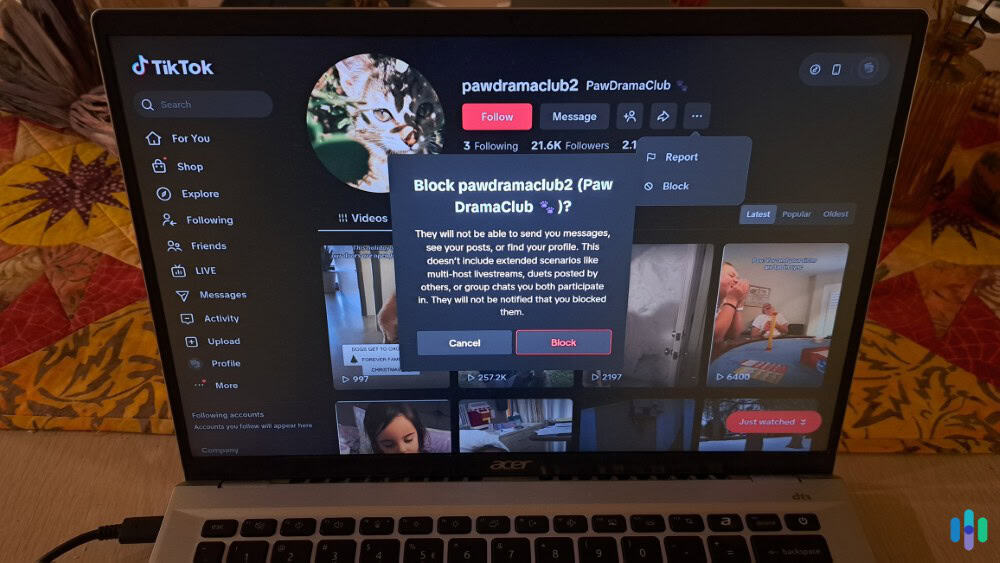
- Open the options menu from their profile by tapping the three-dot menu in the upper-right corner of the screen.
- Tap on “Block” and TikTok will ask you to confirm your decision.
- Confirm you want to block the user by tapping “Block” again.
- Leave their profile, wait a moment, and then try to navigate to their profile again to confirm the block worked. It should say that the user is blocked.
We find this the easiest way to block someone on TikTok as you can always navigate to a profile from anywhere in the app.
>> Read About: How to Block and Unblock Someone on Facebook
Method #2: Blocking from a Comment
If you don’t want to visit someone’s profile to block them, you can also block them directly from a comment. Here’s how:
- Press and hold on the comment left by the person you want to block.
- Select “Block” from the menu that opens up.
- Confirm your choice to block the user.
- Leave the video and wait a moment. Then, navigate back to where you saw their comment and check that it’s invisible to you to confirm the block was successful.
This is a convenient way to block people if you regularly post your own videos as you may start noticing the same people commenting on every video.
Heads Up: When you block someone on TikTok, their existing comments on your posts will still be visible to others. To get rid of all their comments, you’d need to delete each comment individually. Blocking only prevents them from leaving future comments.
Method #3: Blocking from Direct Messages
If you’re receiving unwanted DMs, you can block the sender directly from the message thread with the following process:
- Open the message conversation.
- Tap the user’s profile picture or name at the top.
- Select the three-dot menu.
- Choose “Block” from the options and confirm.
- Leave the direct messages menu, wait a moment. Then, navigate back to your messaging center and check that their message thread is gone to confirm that they were successfully blocked.
When you receive an unsavory DM, we recommend this approach as it allows you to block the user without having to visit their profile and potentially see more unsavory content. We also recommend blocking them on Snapchat and other social media, so the blocked person can’t message you elsewhere.
>> Learn More: 50% of American Parents Think a TikTok Ban Would Make Kids Safer Online
Why You Might Need to Block Someone on TikTok
First of all, you don’t need a reason to block someone on TikTok. You can just do it on your own accord. With 41 percent of Americans having experienced online harassment and cyberbullying statistics continuing to climb, blocking is a crucial feature for all social media, including TikTok.2 It’s no surprise that this is one of the most common reasons people block others on TikTok.
You might also want to block accounts that send unwanted direct messages, especially if they’re spammy or inappropriate. Some users block ex-partners or former friends to maintain healthy boundaries, while others block accounts that constantly post triggering or upsetting content. Or, you might even just not like the person’s username. The reason doesn’t matter as long as it gives you a more enjoyable experience on TikTok.
Expert Inisght: You don’t need a serious reason to block someone. If an account makes you uncomfortable or diminishes your TikTok experience, that’s reason enough to use the block feature.
What Happens When You Block Someone
Understanding what blocking actually does can help you decide if it’s the right move for your situation. Here’s an overview of what happens when you block someone on TikTok:
- You Become Hidden: The user you blocked will no longer be able to find any of your content including comments on other people’s posts.
- Removal From Their “For You” Page: Your posts will no longer show up in the blocked user’s “For You” page or “Following” feed, even if the algorithm would normally show them.
- Inaccessible DMs: While they’ll still be able to see a message thread if you’ve sent them DMs in the past, the account associated with the messages will now say “Account Not Found.” They also will no longer be able to send you new DMs.
TikTok doesn’t notify the person that you’ve blocked them. However, if they try to visit your profile, they’ll see a message saying “No content” or won’t be able to find your account at all. This can indicate to them that they’ve been blocked, though it could also suggest you’ve deleted your account or changed your username.
It’s worth noting that blocking someone doesn’t delete any messages or interactions from your perspective. You’ll still be able to see your side of previous conversations in your message history, but you won’t receive any new messages from that account.
Pro Tip: If you’re concerned about someone knowing they’ve been blocked, consider also making your account private and using restricted mode to limit who can interact with you.
How to Unblock Someone on TikTok
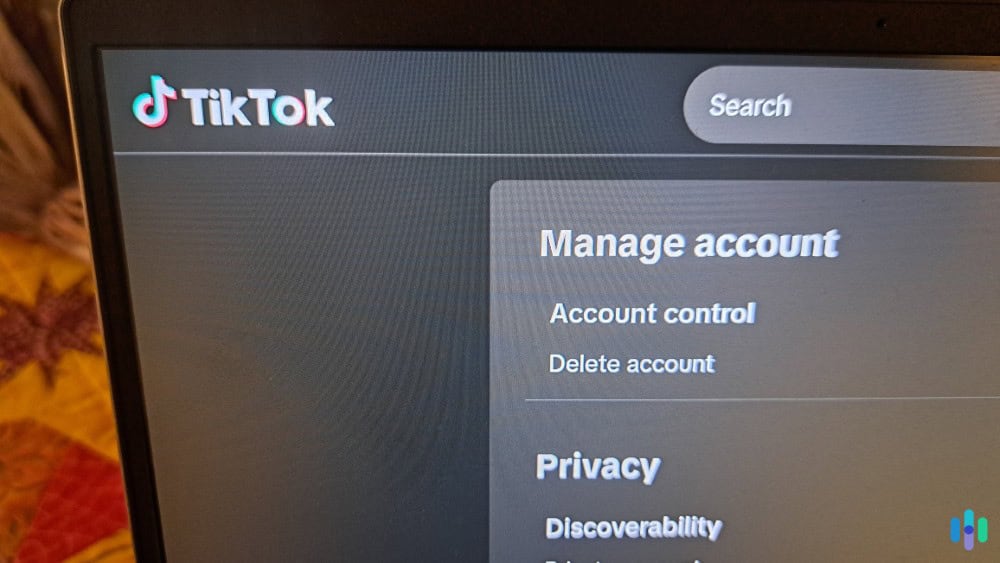
Unblocking is just as simple as blocking. It just requires a slightly different process since you’ll no longer be able to find the person’s profile. Still, it’s good to know that when you do block someone, it’s not permanent. You can unblock them with ease by following the steps below:
Step-by-Step Unblocking Process
- Open TikTok and go to your profile by tapping the “Profile” icon in the bottom right corner.
- Tap the three-line menu icon in the upper right corner.
- Select “Settings and privacy” from the menu.
- Under the “Privacy” section, tap on “Blocked accounts.” This opens up a list of everyone you’ve blocked.
- Scroll down to find the person you want to unblock then tap the “Unblock” button next to their username.
- TikTok will ask you to confirm by tapping the “Unblock” button again.
Once you unblock someone, they can immediately find your profile, view your public videos, follow you, and send messages (assuming your privacy settings allow these actions). However, they won’t automatically re-follow you if they followed you before. They’ll need to follow you again manually if they want to reconnect.
>> Read More: How to Block and Unblock Someone on Instagram
Additional Privacy Tools Beyond Blocking
While blocking is one of the most powerful privacy tools TikTok offers, it’s not your only option for managing interactions. Understanding the full range of privacy features can help you avoid getting to the point where you need to block someone. It can also make your experience on TikTok safer and more enjoyable. Here are our most used privacy features in TikTok.
Privacy Tip: Another way to make your TikTok experience safer is by using one of the best TikTok VPNs whenever you use the app. It can make your real location appear as though it’s somewhere else, keeping your approximate location masked at all times.
Restricting Comments
You can filter comments to automatically hide those containing keywords of your choice. Go to “Settings and privacy,” then “Privacy,” and select “Comments.” Here you can turn on comment filtering and add keywords you want blocked. According to TikTok’s own safety reports, this feature helps reduce exposure to harmful content without completely cutting off communication.
Making Your Account Private
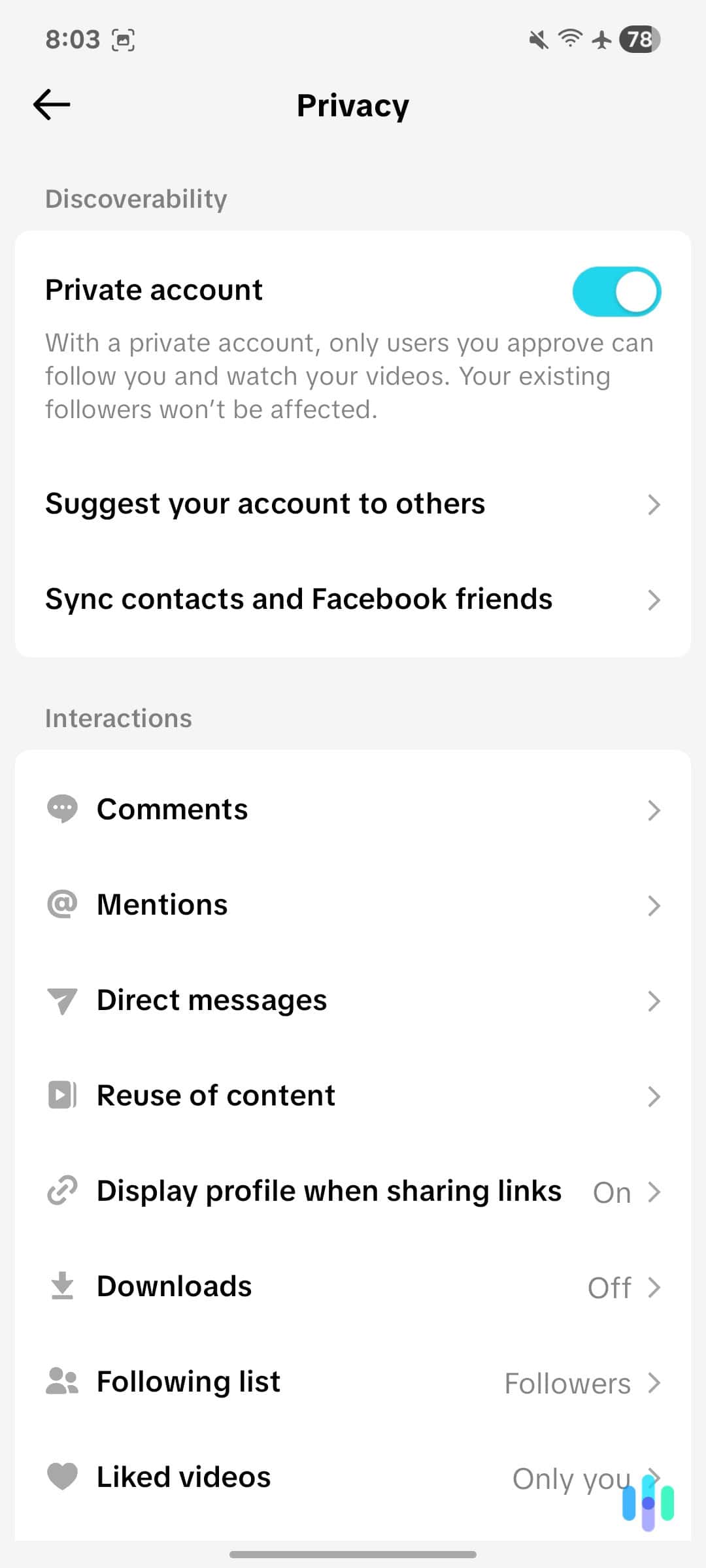
A private account means only approved followers can see your videos, send you messages, or view your liked videos. This gives you complete control over your audience. To enable this, go to “Settings and privacy,” then “Privacy,” and toggle on “Private account.”
>> Check Out: Web of Deception: How to Prevent the Latest Online Scams
Limiting Who Can Interact
TikTok lets you customize who can comment on your videos, duet with you, stitch your content, or send you messages. These settings are found in the “Privacy” section and can be set to “Everyone,” “Friends,” or “No one” depending on your comfort level. Just go into the menu for the type of interaction you want to limit and set your restriction.
FYI: You can set different privacy levels for different features. For example, you might allow everyone to comment but restrict duets to friends only.
Recap: When Should You Block Someone on TikTok?
There are tons of reasons you might want to block someone on TikTok and you can do so with ease. We always recommend taking the action if you’re considering it as you can always unblock them if you change your mind.
That said, we also recommend using TikTok’s other privacy tools so that you don’t get to the point where you need to block someone. These tools allow you to choose who can view your content and engage with you on TikTok. Unless you hope to become an influencer, we recommend making these privacy settings restrictive to reduce the privacy risks of using TikTok.
Frequently Asked Questions
-
Does TikTok notify someone when you block them?
No, TikTok does not send a notification when you block someone. However, they may realize they’re blocked if they try to view your profile and can’t find it.
-
Can someone still see my videos if I block them?
No, blocked users cannot see any of your videos, profile information, or even find your account through search. Your content becomes completely invisible to them.
-
What's the difference between blocking and restricting on TikTok?
TikTok doesn’t have a “restrict” feature like Instagram. Blocking is the primary tool for limiting another user’s access to your account and content.
-
If I unblock someone, will they know?
TikTok doesn’t notify users when they’re unblocked. They’ll simply regain the ability to find and interact with your profile if your privacy settings allow it.
-
Can I see a list of accounts I've blocked?
Yes, you can view all blocked accounts by going to Settings and privacy > Privacy > Blocked accounts. This list shows everyone you’ve ever blocked who remains blocked.
-
Will blocking someone delete our message history?
Blocking doesn’t delete previous messages from your view, but you won’t receive any new messages from the blocked account. Their messages will still appear in your message history.