
DuckDuckGo VPN Review 2026: A Browser-Gated VPN That Protects Your Whole Device
DuckDuckGo's VPN can only be turned on in its browser, but once running, it protects every app on your device.
 &
&
 Last Updated on Sep 25, 2026

What We Like
- Bundled privacy value: For $9.99 a month, subscribers get a no-logs VPN alongside Duck.ai, personal information removal, and identity theft restoration support in one subscription.
- One less app to install: Because the VPN lives inside the DuckDuckGo browser itself, there's no separate app to download and manage.
- Clean leak protection: In our testing, DNS and IP leak checks came back clean across every server we connected to.
What We Don't Like
- Limited device compatibility: Because the VPN lives inside the DuckDuckGo browser, it only works on the platforms that browser supports: Windows, Mac, iOS, and Android.
- Minimal configurability across the board: Without a dedicated app, DuckDuckGo offers limited settings to tailor the way it works to your needs.
- Limited server selection: During testing, we counted server locations in a relatively small number of countries, concentrated in North America and Europe.
Bottom Line
the security.brief
DuckDuckGo's VPN can only be turned on through its own browser, but once active it protects your whole device. We tested it for speed and leaks.
For $9.99 a month, DuckDuckGo bundles a VPN with its other privacy-oriented services. However, the VPN can feel restrictive since it can only be turned on from inside its own browser. Thankfully, the protection isn’t limited to the browser. Once we turned it on, it covered everything on our test device, including apps that have nothing to do with DuckDuckGo.
We tested the VPN by connecting across multiple server locations, running leak tests, and using it for everyday browsing on both desktop and mobile. Here’s how it stacks up against top VPNs like NordVPN. To cut to the chase, NordVPN outperformed DuckDuckGo in nearly every category. Head over to our NordVPN review to see if it’s the right choice for you.
Did You Know: A 2023 Pew Research Center survey found that 73 percent of US adults are concerned about how companies use their personal data.1 Using a private browser like DuckDuckGo can help limit the amount of your personal data that companies collect.
Since DuckDuckGo’s VPN is switched on through a browser but claims to protect more, we tested where that boundary actually sits. Here’s what we covered:
- Device-wide protection check: We turned the VPN on through the DuckDuckGo browser, then checked whether traffic from separate, standalone apps was also routed through the encrypted tunnel.
- Leak tests: We connected to multiple server locations and checked for DNS and IP leaks outside the VPN tunnel.
- Kill switch behavior: We manually disconnected from the VPN mid-session several times to see whether traffic kept flowing unprotected during the gap.
- Speed tests: We ran speed tests on nearby and long-distance servers, then compared them against our baseline connection.
- Everyday use: We browsed, streamed, and switched between servers inside the DuckDuckGo browser on both a Windows desktop and an Android phone.
These tests provided objective results on how well DuckDuckGo’s VPN protects your online activity under pressure and how it performs for everyday use.
Expert Note: A privacy-first search engine launching a VPN makes sense, but they’re two fundamentally different products. Encrypting and routing an entire device’s traffic reliably at scale is a bigger challenge than just encrypting DNS requests in a browser. That’s why we treated DuckDuckGo’s VPN as its own product rather than assuming its browser performance carries over.
Speed and Performance
Right after signing up, we ran speed tests to see how well DuckDuckGo’s VPN performs. Given that DuckDuckGo isn’t a dedicated VPN company and the service is still relatively new, we expected a smaller server network to hurt speed, especially on long-distance connections. Here’s what we found.
| Server Location | Avg. Download Speed | Download Speed Reduction |
|---|---|---|
| Baseline (no VPN) | 91.4 Mbps | — |
| Nearby (U.S. East) | 71.8 Mbps | ~21% |
| Mid-distance (U.K.) | 58.2 Mbps | ~36% |
| Long-distance (Japan) | 39.5 Mbps | ~57% |
Nearby server speeds held up fine for streaming and everyday browsing, though the 21 percent drop is larger than we typically see when running VPN speed tests on competitors. Still, that’s fast enough to stream without a hitch, at least on nearby servers. It provided us with a fast enough connection to stream 1080p video without buffering. We also didn’t notice any lag during normal use.
The long-distance drop was steeper. Connecting to a server in Japan from the U.S. East Coast cut our speeds by more than half. That lines up with what we’d expect from a smaller, less-optimized server network compared to a provider like NordVPN. We noticed the impact most on bandwidth-heavy activities. In particular, streaming stuttered noticeably, and uploading a video to our YouTube channel took noticeably longer than it does on our baseline connection.
Testing Note: We ran speed tests using the WireGuard VPN protocol, which is the only protocol DuckDuckGo’s VPN currently supports. WireGuard is typically the fastest protocol we test. The trade-off is flexibility. Some networks, like restrictive corporate Wi-Fi or firewalls in certain countries, block WireGuard’s UDP-based traffic outright.
Privacy and Security
With no protocol options, DuckDuckGo’s privacy and security come down to the protection offered by the WireGuard protocol and DuckDuckGo’s own privacy policy.
DuckDuckGo, Inc. is headquartered in Paoli, Pennsylvania, so it operates under U.S. laws and can be subject to U.S. legal requests. That makes its privacy policy particularly important. It claims the VPN is a no-logs service, meaning it doesn’t record which sites you visit, your DNS requests, your IP address, or how long you stay connected. We’re inclined to trust its policy claims as DuckDuckGo built a strong reputation around not tracking users. However, unlike NordVPN, DuckDuckGo has yet to publish results from an independent third-party audit to verify its no-logs claims.
>> Check Out: Best No-Log VPN Services of 2026
Leak Tests
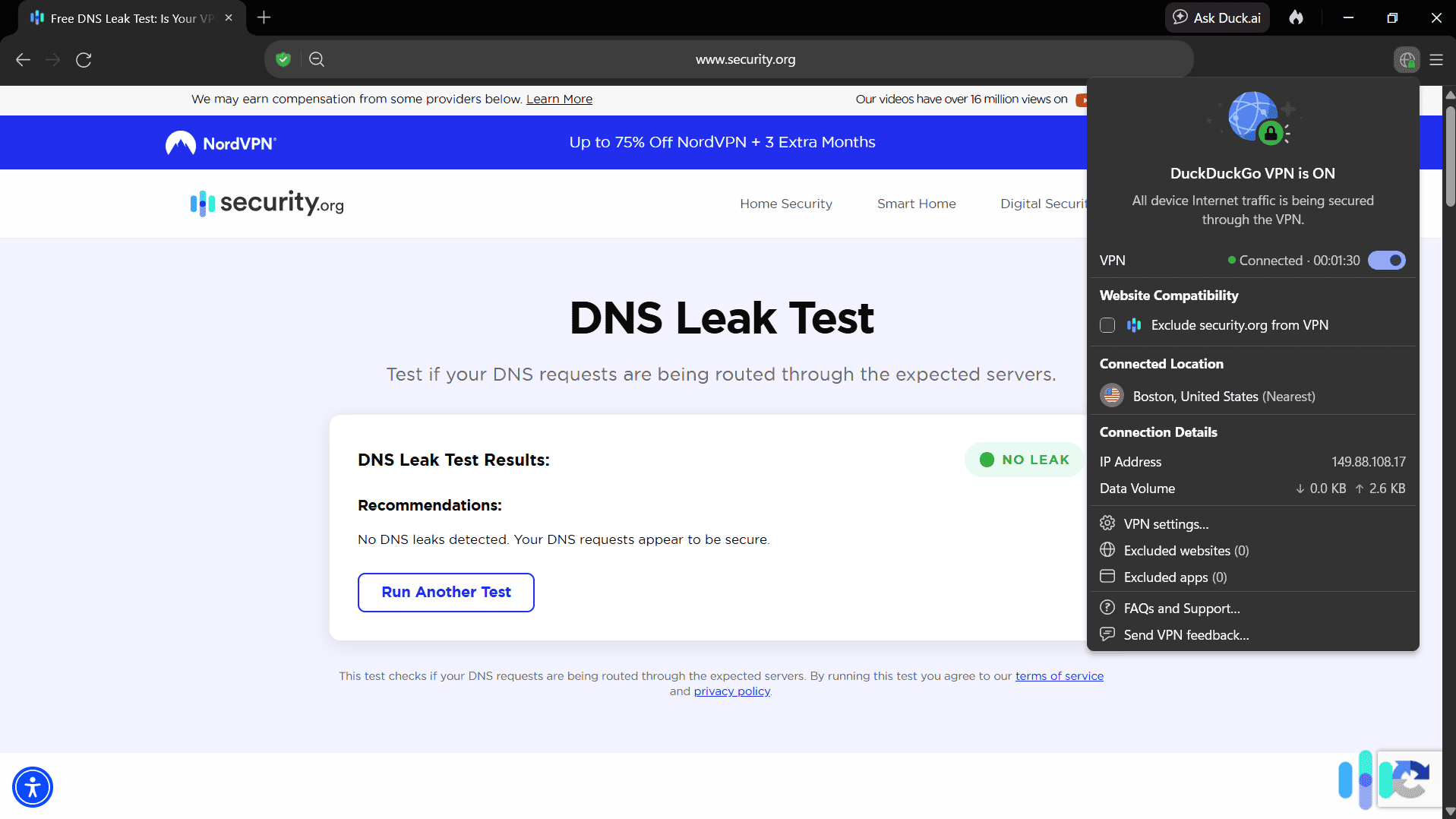
Rather than dwell on a no-logs claim we can’t verify ourselves, we focused our testing on privacy and security results we could confirm directly. We ran DNS, IP, and WebRTC leak tests to ensure the VPN doesn’t accidentally expose your real IP address or location while it’s supposedly protecting it. Our tests came back clean across every server we tried, and across every app we tested, not just the browser. In each case, our real IP address and DNS requests stayed hidden behind the VPN’s address, with no exposure outside the encrypted tunnel.
>> Try It Out: Our Free DNS Leak Test Tool
The Kill Switch Question
DuckDuckGo doesn’t market a kill switch as a named, configurable feature the way most competitors do. When we manually dropped our VPN connection to test for kill switch behavior, the app paused our internet traffic and attempted to reconnect automatically. That prevented an unprotected connection from slipping through during the gap. Functionally, it works like a kill switch without a visible toggle to control or adjust that behavior.
Our Take: In practice, the protection worked every time we tested it. But the lack of a labeled, user-controllable kill switch means you’re trusting that this behavior stays consistent, since you can’t verify or configure it yourself.
Features
DuckDuckGo’s approach to features mirrors its approach to search results: fewer choices, less configuration, deliberately minimal. Here are the features included with a DuckDuckGo subscription that stood out during our tests:
- Device-wide coverage: Once switched on through the browser, the VPN routed all traffic on our test devices, including standalone apps unrelated to DuckDuckGo, across up to five devices simultaneously.
- Local network exclusions: On Android, iOS, and Mac, local devices like printers and smart home gadgets stay accessible with the VPN active. We confirmed this on our Android device.
- Duck.ai access: Subscribers get private access to third-party AI models, including higher-tier options like Claude Opus on the Pro plan, with chats DuckDuckGo says are anonymized and never used for AI training.
- Personal Information Removal: DuckDuckGo scans data broker sites for your name and address and requests removal on your behalf, though this feature is currently limited to U.S. subscribers regardless of tier.
- Identity Theft Restoration: All subscribers, regardless of region, get access to a dedicated case manager if their identity is compromised.
What’s missing stood out just as much during testing. There’s no split tunneling option on any platform we tested, no multi-hop routing, no dedicated streaming servers, and no ad or malware blocker built into the VPN layer itself.
Feature Note: The bundle is the real product here. On its own, a $9.99 VPN with this thin feature set would be a tough sell. Packaged with AI access, data removal, and identity restoration, the math changes, since getting this same combination of services elsewhere would mean juggling three or four separate subscriptions.
User Experience
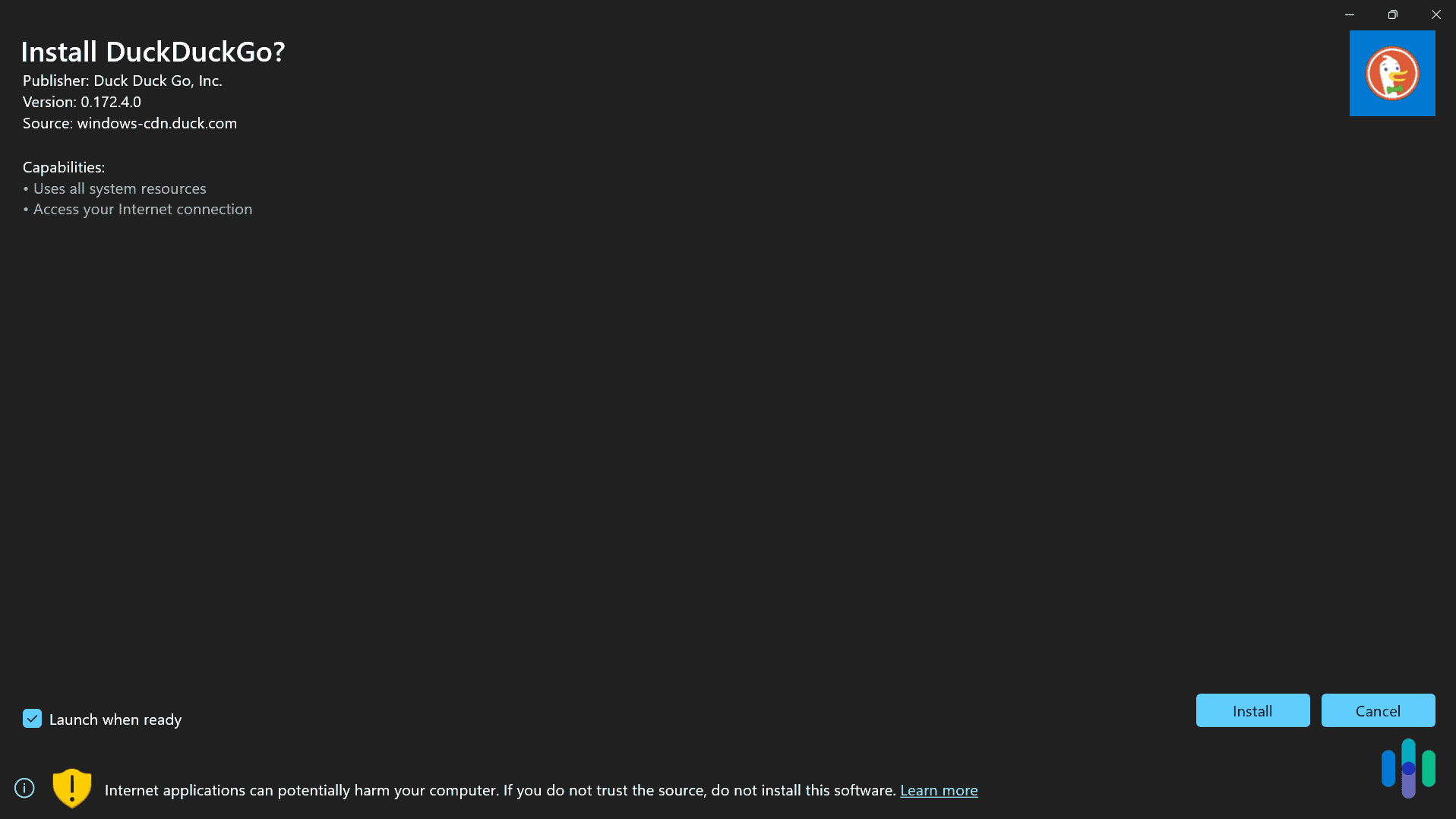
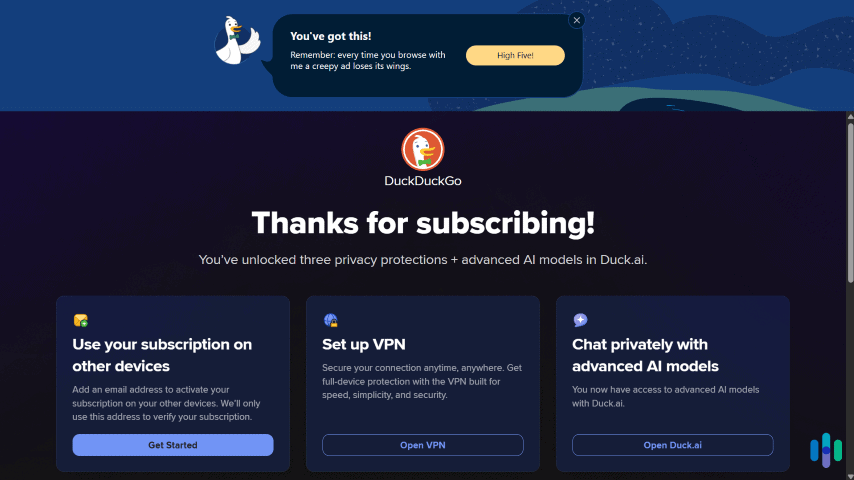
Because the on/off switch for the VPN only lives inside the DuckDuckGo browser, testing it meant downloading the browser on both a Windows desktop and an Android phone. Turning the VPN on took one click from a globe-with-lock icon in the toolbar, and we were connected within a couple of seconds on both platforms.
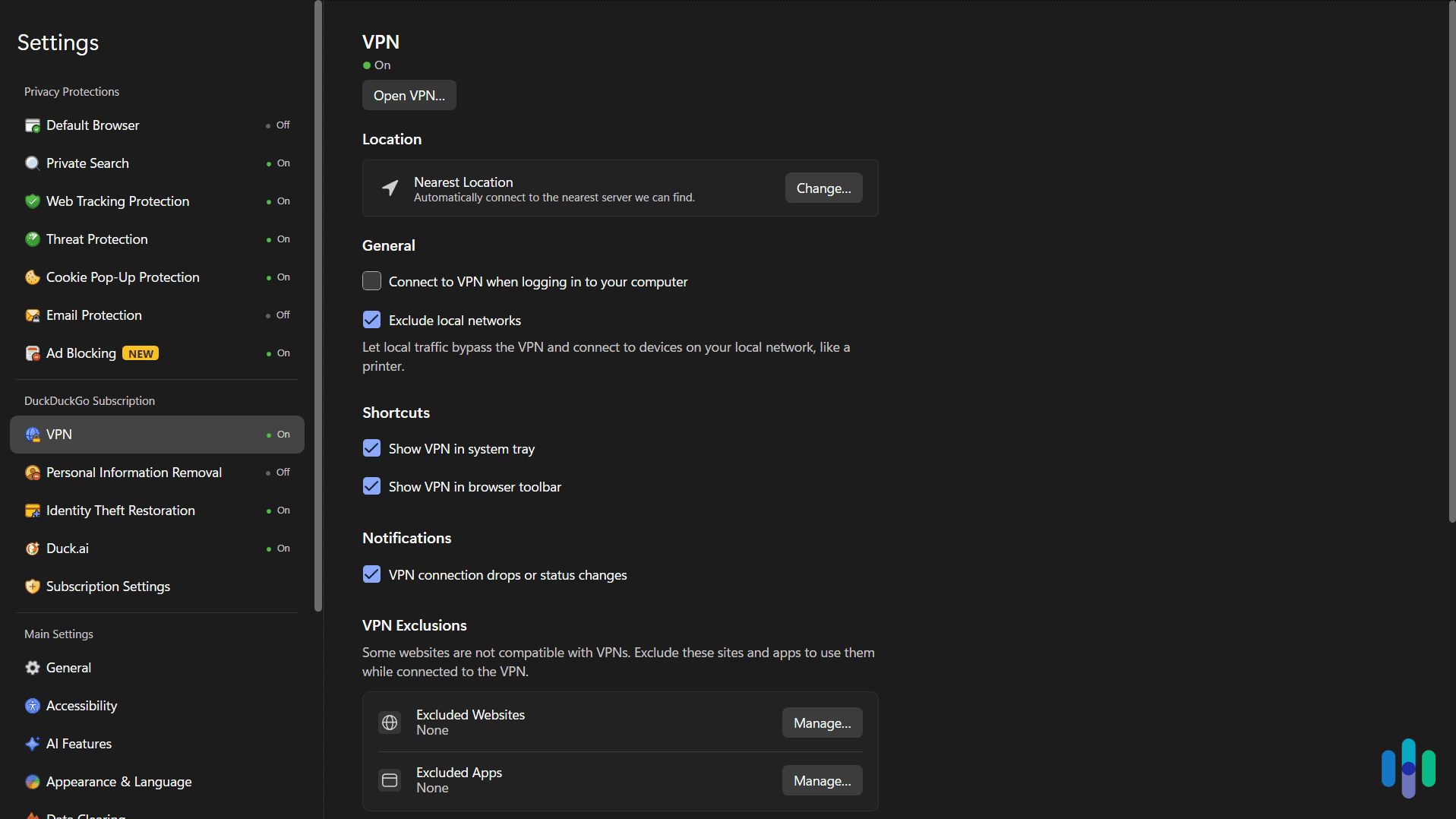
The settings menu is sparse. There’s a server location picker and basic connection info, but not much else to configure, which tracks with how minimal the rest of the feature set is. Switching servers on Android took slightly longer than on desktop, typically five to seven seconds compared to two or three on Windows, though neither felt slow in practice.
The trade-off is control, not coverage. Users who want to fine-tune protocol choice, pick specific servers, or advanced routing won’t find those options here, and anyone who doesn’t want DuckDuckGo’s browser simply can’t access the VPN at all, regardless of how good the protection is.
>> Learn More: Is DuckDuckGo Safe?
Pricing
DuckDuckGo’s subscription comes in two tiers, and the VPN’s pricing structure is worth understanding before you subscribe. The difference between tiers has nothing to do with the VPN itself, only the other tools bundled in. Here’s an overview of both plans:
| Plan | Plus | Pro |
|---|---|---|
| VPN | Yes | Yes |
| AI models included | Duck.ai standard models | Duck.ai standard models, Claude Opus 4.8, and higher usage limits |
| Personal information removal | Yes | Yes |
| Identity theft restoration | Yes | Yes |
| Monthly Rate | $9.99 | $19.99 |
| Annual Rate | $99.99 | $199.99 |
The VPN, data removal, and identity restoration features are identical across both tiers. The only thing the Pro plan changes is what you get out of Duck.ai. That means anyone subscribing primarily for the VPN has no real reason to pay double for Pro unless the AI upgrades specifically appeal to them.
Pricing Note: At $9.99 a month, DuckDuckGo’s Plus tier costs more than any of NordVPN’s long-term plans. Of course, NordVPN doesn’t include AI access, but the top-tier plan does include identity theft protection through Coveron. You can also add data removal through Incogni at checkout.
How DuckDuckGo’s VPN Compares to NordVPN
Comparing prices alone doesn’t work here, since the two products aren’t priced against each other the same way two dedicated VPNs would be. DuckDuckGo and NordVPN are solving different problems, but they’re both realistic options for someone shopping for privacy tools. Put side-to-side, here’s how DuckDuckGo and NordVPN compare:
| Feature | DuckDuckGo VPN | NordVPN |
|---|---|---|
| Starting price | $9.99 per month (full bundle) | $3.49 per month (2-yr plan) |
| How you access it | Only through DuckDuckGo’s browser | Standalone app, all major platforms |
| Protection scope | Device-wide once active | Device-wide |
| Server footprint | Limited, concentrated in North America and Europe | 137 countries |
| Simultaneous devices | 5 | 10 |
| Kill switch | Automatic reconnect-blocking, no visible toggle | App-level and system-level |
| No-logs audit | Not independently audited for VPN specifically | Independently audited every year |
| Bundled extras | AI access, data removal, identity restoration | None at base tier |
| Nearby speed reduction | ~21% | Under 15% in our testing |
NordVPN wins on nearly every metric that matters for a VPN. It offers broader server coverage, an independently audited no-logs policy, a named and configurable kill switch, faster long-distance speeds, and a standalone app that doesn’t require a specific browser. DuckDuckGo’s advantage is entirely about the bundle. If AI access, data removal, and identity restoration are all things you’d otherwise pay for separately, the math can still work out in DuckDuckGo’s favor even though NordVPN’s VPN offers more.
Stronger Privacy Fundamentals: NordVPN pairs an independently audited no-logs policy with a kill switch that works at both the app and system level. It’s also installable as its own app without requiring a specific browser.
Our Verdict: Who Is DuckDuckGo’s VPN For?
DuckDuckGo’s VPN is best suited for people who already use the DuckDuckGo browser and want additional privacy tools without managing multiple subscriptions. If you’ll use its VPN, AI tools, data removal, and identity restoration service, the bundle genuinely provides good value. For that specific audience, the browser requirement isn’t a downside, since they’re already there.
For anyone shopping for a VPN as a standalone purchase, the calculus is different. The browser requirement, the limited server selection, and the lack of a configurable kill switch are real limitations compared to dedicated VPN providers. NordVPN and NordVPN alternatives offer more transparency, more control, and faster long-distance speeds for a lower entry price.
DuckDuckGo VPN FAQs
-
Does DuckDuckGo have a VPN?
Yes. DuckDuckGo’s subscription bundle, which starts at $9.99 a month, includes a no-logs VPN alongside AI access, data removal, and identity theft restoration.
-
Is DuckDuckGo's VPN available on other browsers?
No. It can only be turned on and managed from inside the DuckDuckGo browser. There’s no extension for Chrome, Firefox, Safari, or Edge. That said, once activated inside the DuckDuckGo browser, it routes all network traffic through the VPN, even when you use other browsers.
-
Does DuckDuckGo's VPN protect apps other than the browser?
Yes. In our testing, once the VPN was switched on through the browser, it protected traffic from every app we tested, including standalone apps with no connection to DuckDuckGo.
-
Does DuckDuckGo's VPN have a kill switch?
Not one that’s named or configurable. In our testing, the app blocked traffic while it attempted to reconnect after a dropped connection. That’s the same way a kill switch works, except without any user control.
-
How many devices can use DuckDuckGo's VPN at once?
Up to five devices simultaneously on either subscription tier.
-
Pew Research Center. (2023). How Americans View Data Privacy.
https://www.pewresearch.org/internet/wp-content/uploads/sites/9/2023/10/PI_2023.10.18_Data-Privacy_FINAL.pdf