



the security.brief
Security.org explains how we test and rate home security systems, cameras, and doorbells from setup to final SecurityScore.
Since 2018, Security.org has been testing home security products the way they’re actually meant to be used: in real homes, by real people. Our team has a combined 100+ years of experience in law enforcement and security, and every product we evaluate goes through a hands-on testing process that we repeat consistently across every review.
We personally order the products we test. We install them (or have them installed) ourselves. We live with them. And then we write about what that experience was actually like, not what the spec sheet says it should be. This page explains our process for reviewing home security systems, security cameras, and doorbell cameras.
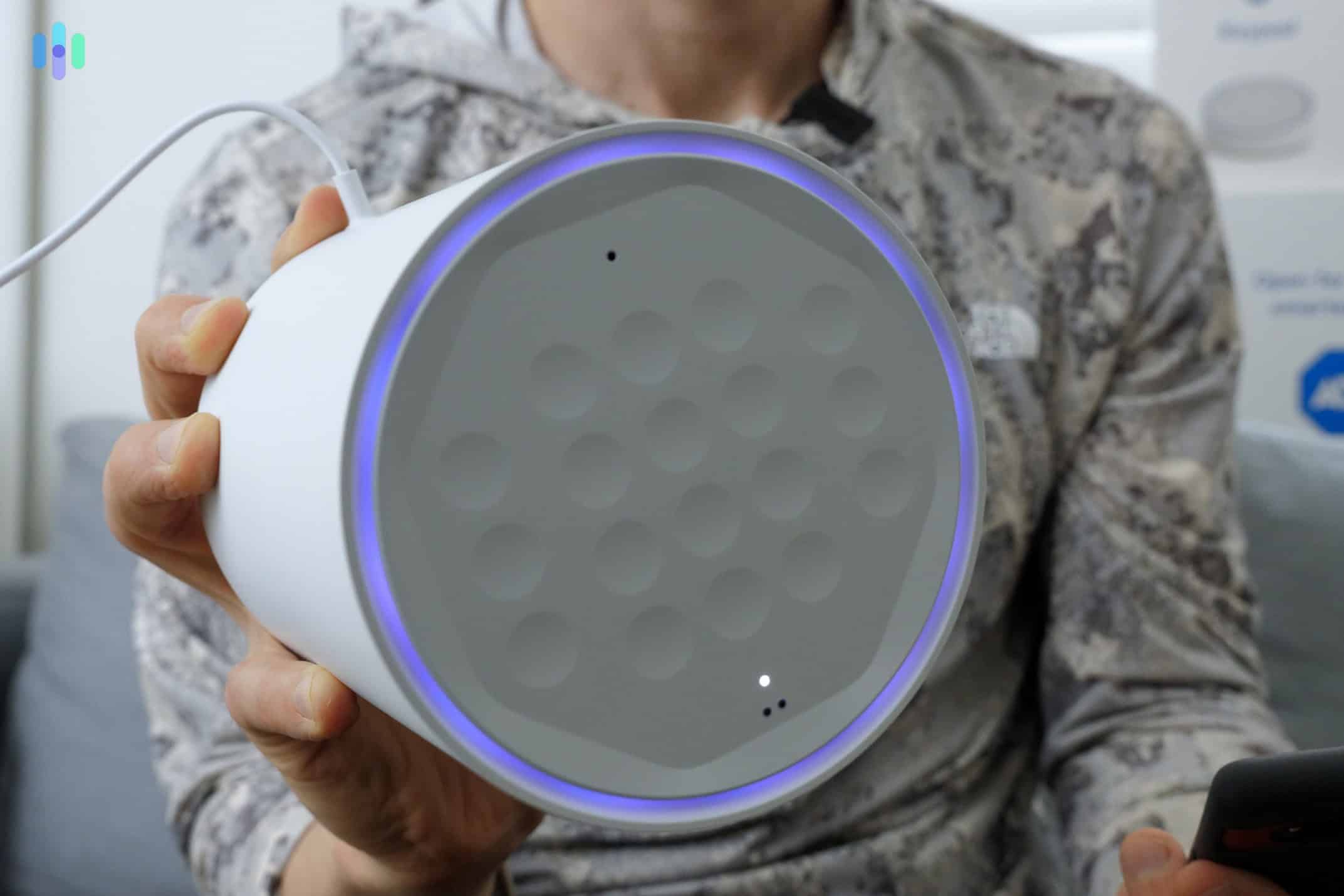
Our Commitment to Honest Testing
We don’t accept payment for positive reviews. Advertisers have no input into our editorial process, ever. While we do earn affiliate commissions when readers click through to a product, that never influences how we score or rank what we test. If a product underperforms, we say so.
When a manufacturer provides a unit for review, we disclose it. Our testing process doesn’t change based on how we received the product.
We also don’t use AI to generate our content. Every review on Security.org is written by a human who has spent time with the product, someone who can tell you what it actually felt like to set up a video doorbell at 10 p.m. or whether a motion alert woke them up at 3 a.m. for a false alarm. That kind of detail only comes from experience, and it’s the kind of detail that actually helps you decide.
How We Review Home Security Systems
Testing a home security system isn’t a weekend project. It takes weeks of living with a system, triggering alarms at odd hours, reading the fine print, and pushing customer support to see how they hold up. Here’s exactly how we do it.
1. Equipment and Hardware
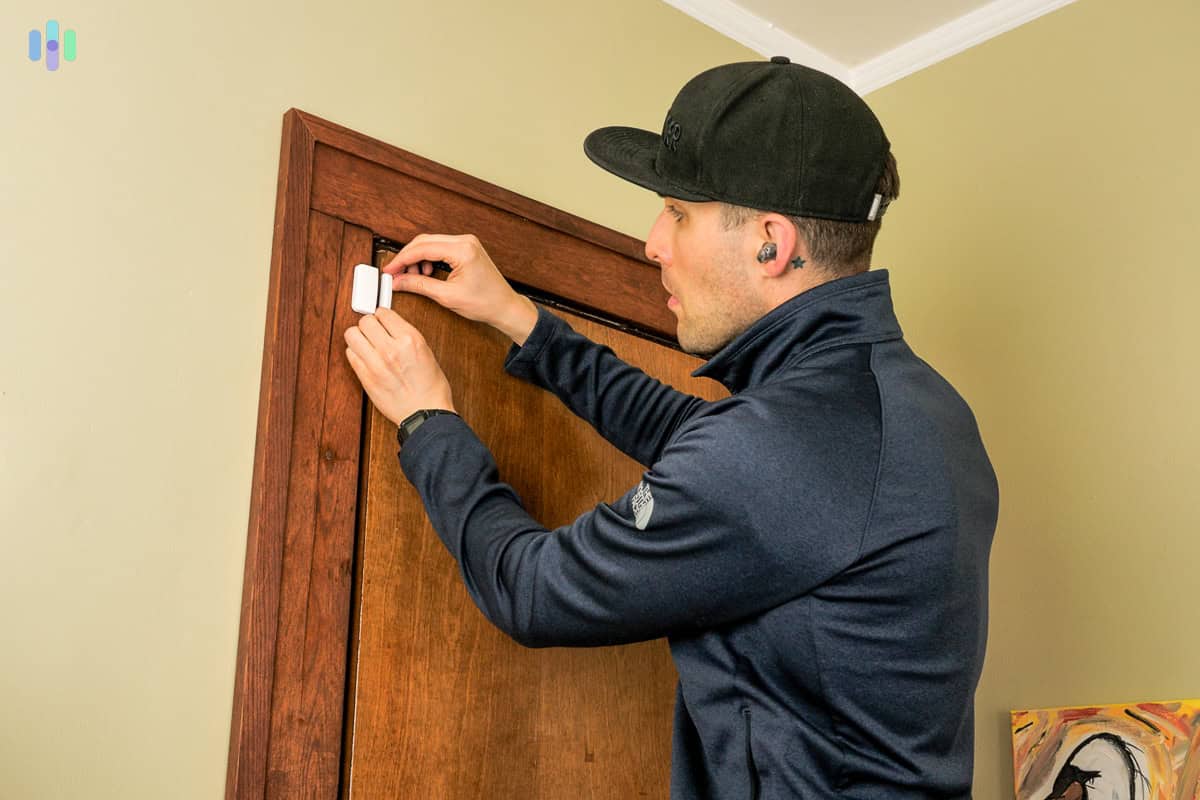
We unbox and handle every component in the standard package, typically including the base station, keypad, door and window sensors, motion detectors, and any additional peripherals. We assess build quality directly, checking how things feel in hand, how mounting hardware holds up, and whether sensors are built to last or feel like they’ll snap off a door frame in six months. We also note whether sensors use proprietary or standard mounting, which matters if you’re a renter or if you plan to move.
2. Installation
Home security systems fall into two camps: DIY and professionally installed. We test both.
For DIY security systems, we time the full installation from unboxing to a live, operational system, following only the included instructions with no manufacturer walkthroughs and no YouTube tutorials. A solid DIY system should be up and running in under 60 minutes without tools beyond what’s included. We log exactly where the process breaks down or requires a second read of the instructions, because if it tripped us up, it’ll trip up your readers too.
For professionally installed security systems, we schedule and sit through the full installation just like a paying customer would. We record how long the technician took from arrival to a fully operational system, whether they showed up within the quoted window, and how clearly they walked us through the setup before leaving.
3. Monitoring
We trigger a minimum of 15 test alarms per system, spread across morning, afternoon, and late-night hours. We then record how long it takes for a monitoring agent to make contact each time. Our benchmark is 60 seconds or less for an initial response. We also note whether the agent correctly identifies the alarm type, asks for the verbal passcode, and follows proper dispatch protocol.
When available, we also test security system self-monitoring capabilities. Specifically, we measure push notification latency on both iOS and Android from the moment a sensor triggers to the moment the alert appears on a locked screen, using a stopwatch. Anything over 30 seconds gets flagged.
4. App and Smart Home Integration
We test the companion app on both iOS and Android, logging the exact number of taps required to complete the three most common actions: arming the system, disarming it, and pulling up the live camera feed. A well-designed app should complete each of those in three taps or fewer.
We also test integrations with smart home platforms, specifically Amazon Alexa, Google Home, and Apple HomeKit where supported, running at least five voice commands per platform and confirming the system responds correctly each time.
5. Contracts and True Cost
We read the full service agreement, not just the pricing page. We flag early termination fees, contract cancellation processes, auto-renewal clauses, and any costs that require scrolling past the fold to find. We then calculate the true cost of ownership by adding equipment costs (including any required add-ons for full functionality), one-time activation or installation fees, and the total monitoring cost over the contract term (e.g. 36 months). That number is what we use for comparing security system costs.
6. Customer Support
We contact each company’s support team three times per channel (phone, live chat, and email), asking a consistent set of five pre-purchase questions about monitoring contracts, equipment compatibility, and cancellation terms. From there, we record first-response time for each contact and score agents on whether they answered the question accurately, asked clarifying questions where appropriate, and avoided upselling before addressing the inquiry. Phone and chat responses should come within five minutes; email responses within 24 to 48 hours.
How We Review Security Cameras
Security cameras deter crime because they show you what’s happening, when it’s happening — clearly enough to act on. But whether a security camera actually does that depends on a lot of variables that don’t show up in a product listing. Here’s how we test security cameras.
1. Video Quality
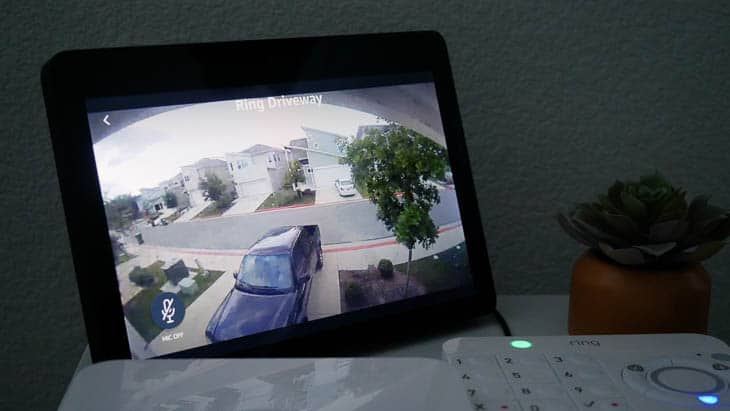
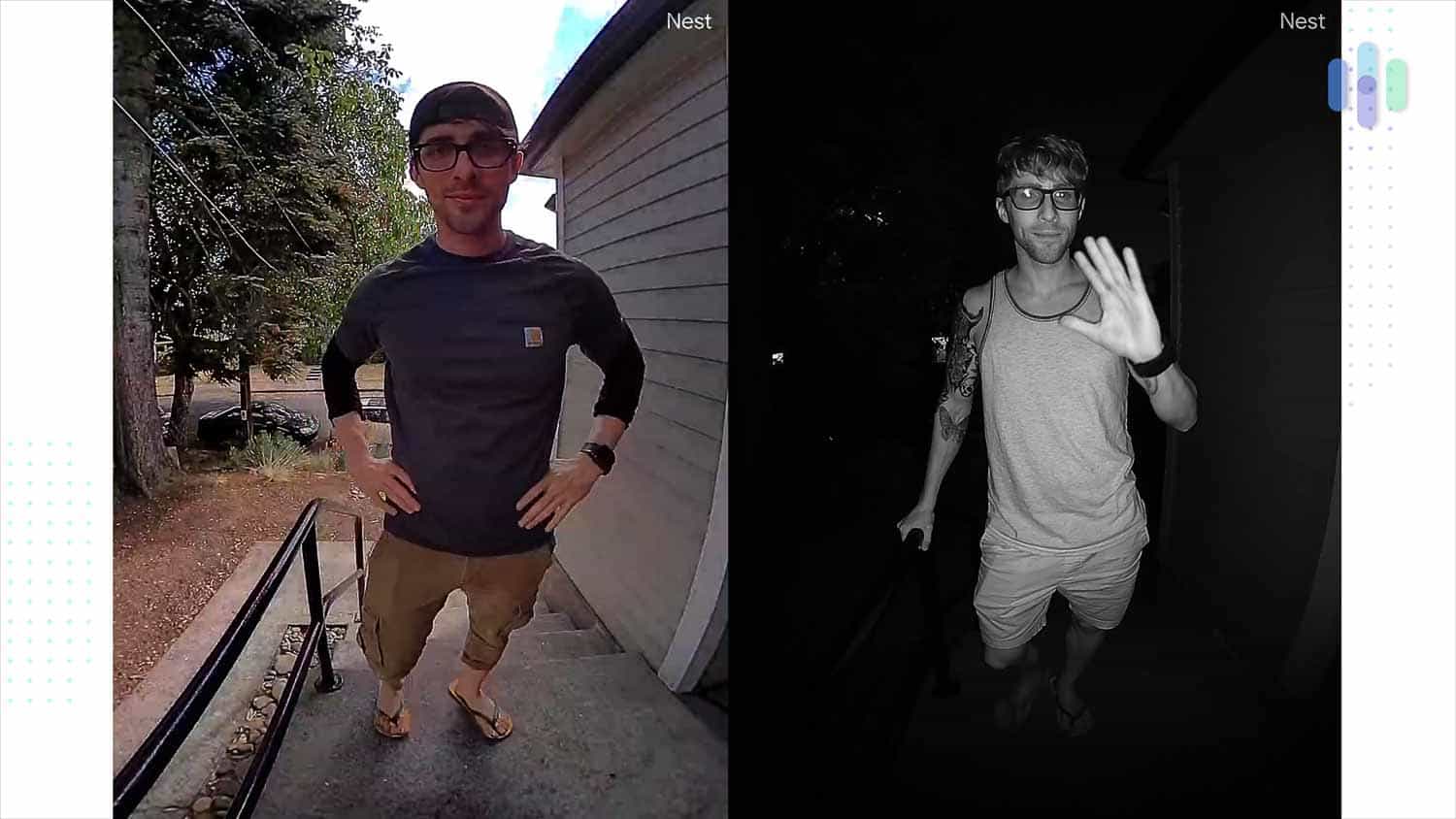
We don’t rely on spec sheets. What we do is we record actual test footage across four conditions:
- Full daylight
- Late afternoon with high-contrast backlighting
- Dusk
- Complete darkness.
For night vision, we walk a test subject through the frame at 10, 20, and 30 feet and assess whether the image is clear enough to identify a face or read a license plate at each distance. We also use test footage to verify resolution ratings (1080p, 2K, 4K) against actual recorded output.
2. Field of View and Coverage
We always mount test units at standard security camera installation heights of 8 to 10 feet and measure the actual field of view in degrees using a protractor grid, then compare that against the manufacturer’s advertised spec. A variance of more than 10 degrees gets flagged. We also have test subjects walk through the frame at 5, 10, and 20 feet to identify blind spots and edge distortion, which is particularly common on lenses wider than 130 degrees.
3. Motion Detection and Alerts
We run a minimum of 20 motion detection tests per camera across multiple scenarios, including a person walking at normal pace, a slow-moving vehicle, a small pet, and ambient motion like tree branches in the wind.
When running these tests, we log false positive and false negative rates. We also measure alert latency from trigger to push notification on a standard LTE connection. Anything over 15 seconds consistently gets noted in the review.
4. Two-Way Audio
Where two-way audio is offered, we test audio clarity at 5, 10, and 20 feet. We listen for lag, audio clipping, and whether the speaker is loud enough to be heard clearly outdoors in ambient noise above 60 dB, roughly the volume of a busy street. Audio lag over 1.5 seconds makes real conversations difficult and gets flagged accordingly.
5. Storage and Footage Access
Storage testing varies depending on what the camera supports.
For local storage, we insert a compatible SD card or connect to an NVR, trigger at least 10 events, and measure how quickly each clip is accessible after recording, both within the app and via direct file access. For cloud storage, we run the same 10-event test and measure retrieval speed through the app and web browser, on both a strong Wi-Fi connection and a throttled connection to see how the experience degrades. Where hybrid options are available, we test both independently and note whether the system falls back to local storage seamlessly if the cloud connection drops.
6. Installation and Durability
We install each security camera — both indoor and outdoor cameras — and document the time from opening the box to a live, recording camera. For indoor cameras, we note whether the mounting options work on a shelf, a wall, or both, and whether the cable management is tidy enough for a living space. For security cameras placed outdoors, we assess weatherproofing ratings (IP65, IP67, etc.) by verifying them against manufacturer documentation and cross-referencing with at least six months of verified owner reviews to check whether real-world durability matches the rating. For wireless cameras of either type, we track battery life under realistic use of 10 to 20 motion events per day and project how often a typical user would need to recharge.
How We Review Doorbell Cameras
A doorbell camera has a narrower job than a security camera, but it’s one of the hardest to get right. The field of view has to work at close range, the audio has to hold up in real conversations, and the motion detection has to tell the difference between a delivery driver and a passing car. Here’s how we evaluate all of it.
1. Video Quality and Field of View
We test doorbell cameras at standard installation height, approximately 48 inches, on a front door. We follow a standard installation to properly evaluate coverage, not only the horizontal field of view but the vertical, as well. Can you see a full person standing at the door without them having to crouch into frame? Can the camera capture a package left at ground level? Are there blind spots where porch pirates can hide? We answer those questions using actual test footage.
2. Motion Detection and Zones
Just like with security cameras, we run a minimum of 15 detection tests per doorbell camera across four scenarios that are most relevant to doorbell camera functionality:
- A person approaching the door
- A person passing on the sidewalk at 10 feet
- A car in the street at 20 feet
- Ambient environmental movement
Most doorbell cameras we test also support custom detection zones. This is a core feature, so we make sure to configure them and run five additional tests to confirm the zones behave as programmed. We measure alert latency from motion trigger to phone notification using a stopwatch on a locked screen.
3. Two-Way Audio and Visitor Interaction
We run 10 simulated visitor interactions to evaluate audio clarity, latency, and whether conversations feel natural enough to replace opening the door. We note experiences from these tests from both ends — the homeowner using an app to access their door and the visitor speaking through the doorbell camera itself. We flag any audio lag over one second on either side, since anything beyond that makes a back-and-forth conversation noticeably awkward. When available, we also test quick-reply messages and pre-recorded responses.
4. Wired vs. Battery Installation
For wired doorbells, we verify compatibility with standard 8 to 24V AC doorbell wiring and record total installation time from first tool pick-up to a functioning doorbell. For battery models, we track charge time from 0% to 100% and project battery life based on the motion volume logged during our test period, typically two weeks of active use.
5. Chime and Existing Doorbell Compatibility
We test whether the unit works with an existing indoor mechanical and digital chime and flag any cases where a separate connector, adapter, or additional hardware purchase is required. A doorbell that needs a $30 add-on to replace a standard doorbell is not the plug-and-play product it’s marketed as, and we say so.
How We Score Products
Every home security product we review receives a SecurityScore out of 10. The score is built from weighted criteria that vary by product type but stay consistent within each category, so every system we review is measured by the same standards. For home security products, those criteria include equipment quality, installation, ease of use, monitoring options, company reputation, and value.
To see a full breakdown of how we calculate SecurityScores across every product category we cover, visit our SecurityScore page.
Who Does the Testing
Our home security reviews are written by Security.org experts with backgrounds in home security, law enforcement, and consumer technology. Our team has a combined 100+ years of combined experience in security, which means when we evaluate a motion sensor’s detection range or a monitoring center’s response time, we’re not just running a checklist. We know what good looks like because we’ve seen it in the field.
Questions about our process? Reach us at info@security.org.