Arlo vs. Lorex Security Cameras Comparison
Our experts put two smart security cameras, Arlo and Lorex, head to head.


 &
&
 Last Updated on Nov 18, 2025
- Exceptional video quality up to 4K
- Commercial-grade quality and construction
- Several custom recording options
- High-quality wireless security cameras
- AI-driven features to improve safety and accuracy
- Smart home integrations with third-party systems
the security.brief
Arlo excels with wireless tech and smart features, while Lorex offers durable, affordable cameras with excellent local storage. Lorex wins on cost; Arlo on advanced tech.
Editor’s Note: We like Arlo and Lorex cameras, but ADT is our preferred security setup. ADT uses Google smart devices and has an easy-to-use app for setting up schedules and routines. Read our ADT Pricing guide. ADT is currently offering up to $400 off installation and a free security camera or video doorbell with new systems.
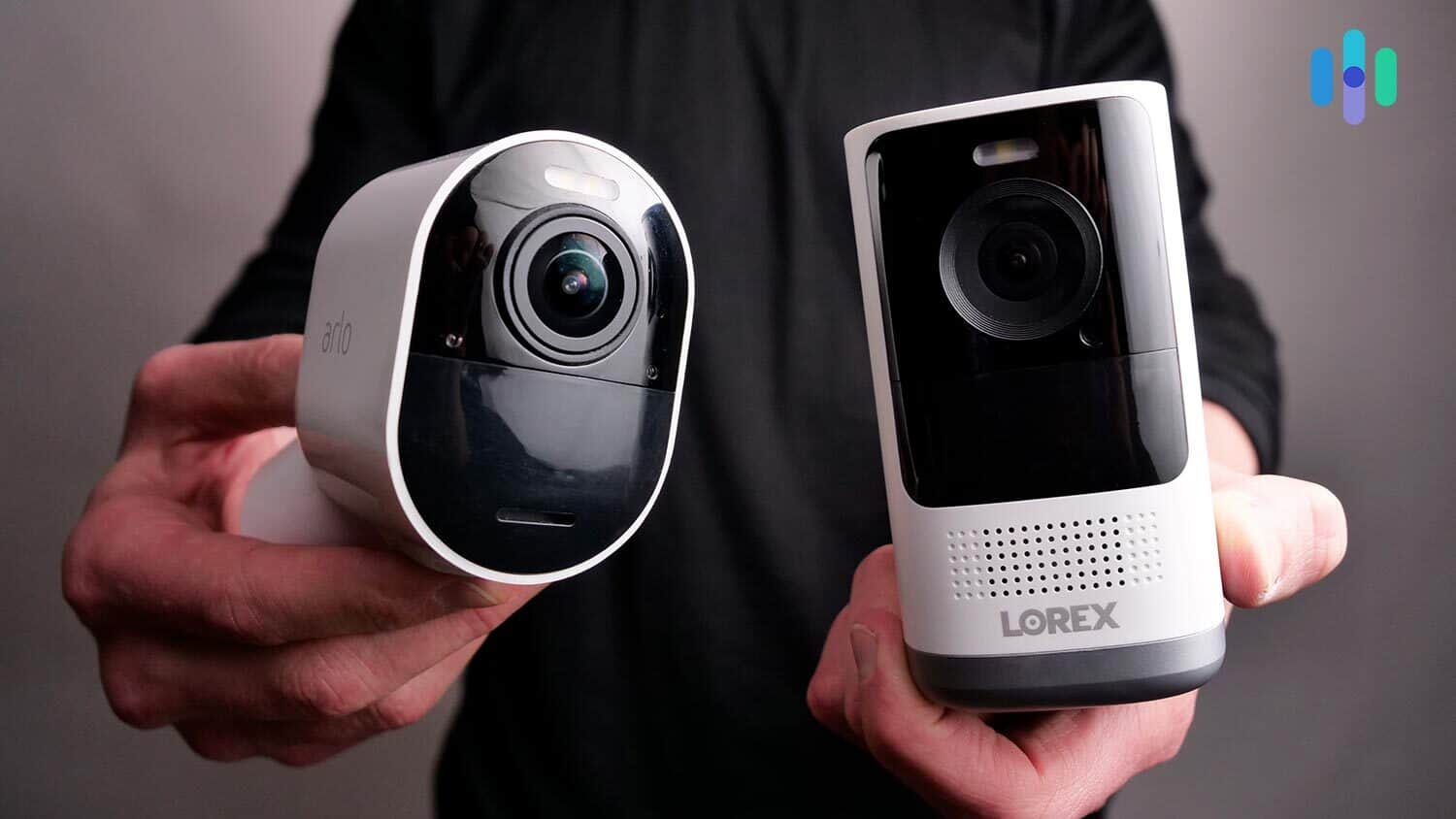
Arlo and Lorex are home security powerhouses that offer a wide range of security camera options. Both have numerous indoor cameras, outdoor cameras, and video doorbells. And if you’re looking for the most advanced and most sophisticated security camera features, you can look to these two brands to provide exactly what you need.
In this comparison, we’ll put Arlo and Lorex head to head to decide which offers better cameras, video storage solutions, and smart features. We’ll also discuss their pricing and our experience installing security cameras from both brands. Let’s go!
Overview of Arlo and Lorex
Much like a boxing match, let’s start by introducing our contenders.
Arlo stands out as the pioneer who revolutionized home security with wire-free cameras that anyone could install. Their original Arlo Wire-Free broke ground with battery power and Wi-Fi streaming capabilities. Today, they’ve expanded far beyond cameras – Arlo now offers a comprehensive security ecosystem including their Arlo Home Security System with professional monitoring. Their latest Pro 5S 2K and Ultra 2 models showcase cutting-edge AI detection and 4K video quality that rivals professional systems.
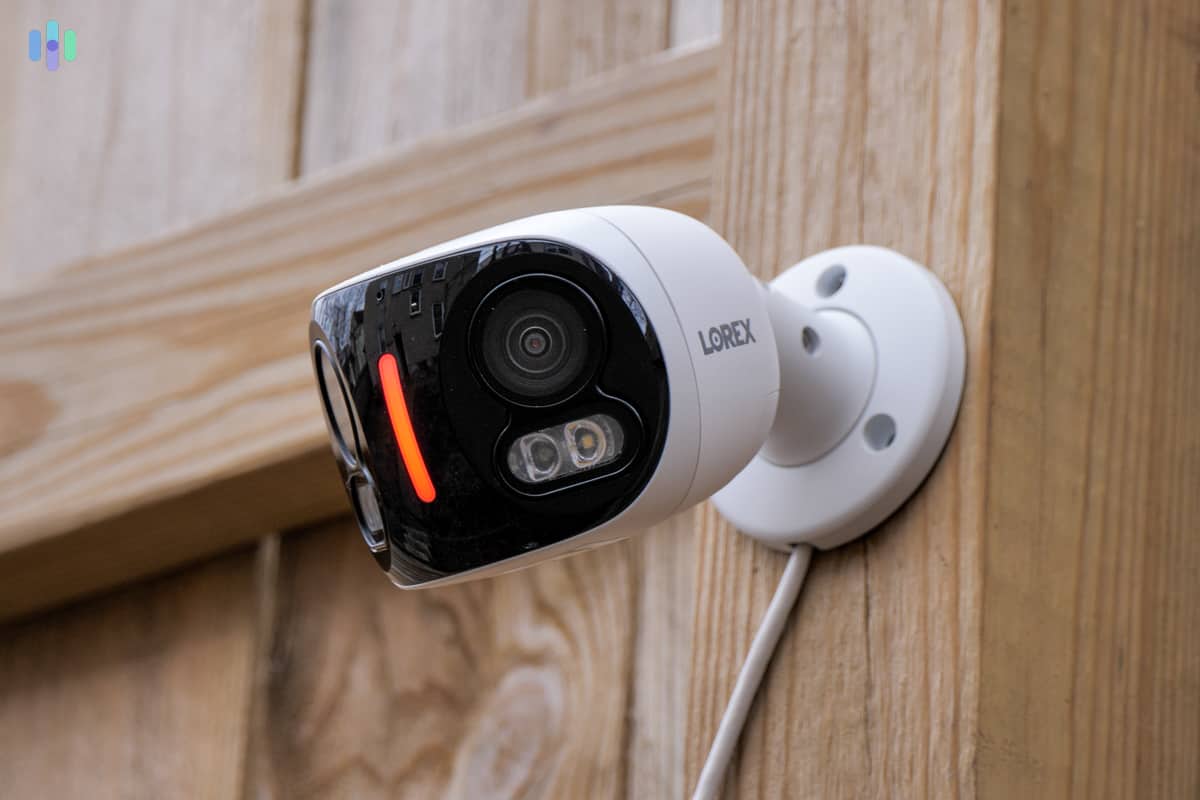
Meanwhile, Lorex brings over three decades of commercial security expertise to your doorstep. Since 1991, they’ve protected everything from shopping centers to government facilities with their military-grade equipment. What’s exciting is how they’ve adapted that same bulletproof technology for residential use. Their current lineup includes revolutionary Fusion cameras that combine Wi-Fi convenience with durability, plus new AI-powered systems that can identify specific vehicles and even detect if someone’s carrying a weapon.
Both are trusted names in home security, but each has its own strengths and weaknesses.
Similarities and Differences
While both brands deliver premium security solutions, they take fundamentally different approaches to protecting your home. Think of it like choosing between a Tesla and a diesel truck – both will get you there, but the experience and capabilities differ significantly.
- Equipment options: Lorex maintains an extensive catalog with over 200 camera models and dozens of recording systems, while Arlo keeps things streamlined with about 15 carefully curated options. Arlo emphasizes wireless simplicity, whereas Lorex offers everything from basic analog to advanced IP cameras.
- Video storage: Lorex cameras typically store videos in an NVR or DVR, a local recording device with a hard drive. Arlo also offers local storage options through USB storage devices, but most of its cameras store videos in the cloud.
- Video resolution: Both Arlo and Lorex cameras range in video resolution from 1080p HD to 4K.
- Monthly fees: Lorex stays true to the no-subscription model for most cameras, though their new Fusion line offers optional cloud plans. Arlo requires their Secure subscription starting at $7.99 monthly for single cameras or $12.99 for unlimited cameras.
- Smart features: Arlo’s AI can now recognize familiar faces, detect packages, animals, and vehicles with remarkable accuracy. Lorex has caught up significantly with their Smart Motion Detection Plus, which identifies people and vehicles without requiring a subscription.
- Night vision: Lorex’s latest cameras feature Color Night Vision that works up to 150 feet in complete darkness. Arlo counters with their ColorPro technology on newer models, delivering full-color footage at night without using spotlights.
Arlo and Lorex Equipment Options
Now that we’ve given you an overview of our two heavy-hitting security camera brands, let’s get into more details, starting with the options they offer.
Lorex Cameras
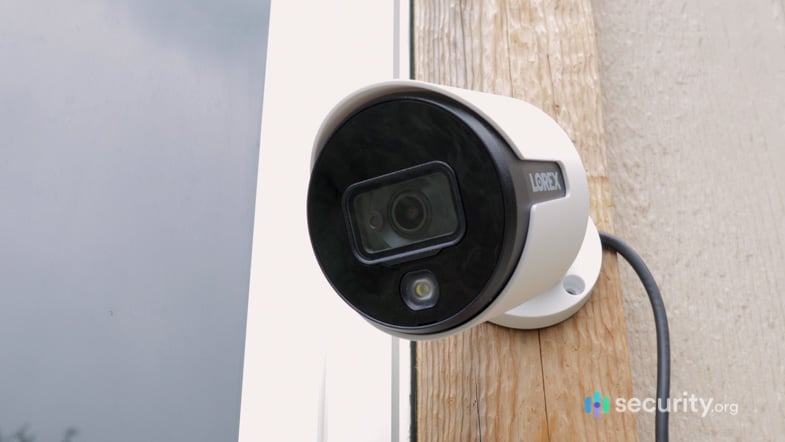
Lorex has really diversified their lineup in recent years. You’re looking at four distinct categories, each serving different security needs and budgets.
Their analog cameras remain the budget champions, typically running $40 to $80 per camera when bundled with a DVR. Yes, you’ll need to run coaxial cables, but these workhorses deliver reliable 24/7 recording without breaking the bank.
Digital IP cameras are the sweet spot for most homeowners. Using Power over Ethernet (PoE), a single cable handles both power and data transmission. The video quality jumps significantly here – we’re talking crisp 4K footage that captures license plates from 50 feet away.
The game-changer is Lorex’s new Fusion series of Wi-Fi cameras. They connect to your home network but can also record locally to an SD card or their Fusion NVR. At $99 to $149 per camera, they’re competitively priced too.
Their wire-free options now include solar-powered models that essentially run forever without charging. The 2K QHD Wire-Free cameras offer 6-month battery life and person detection without monthly fees – a rare combination in today’s market.
Arlo Cameras
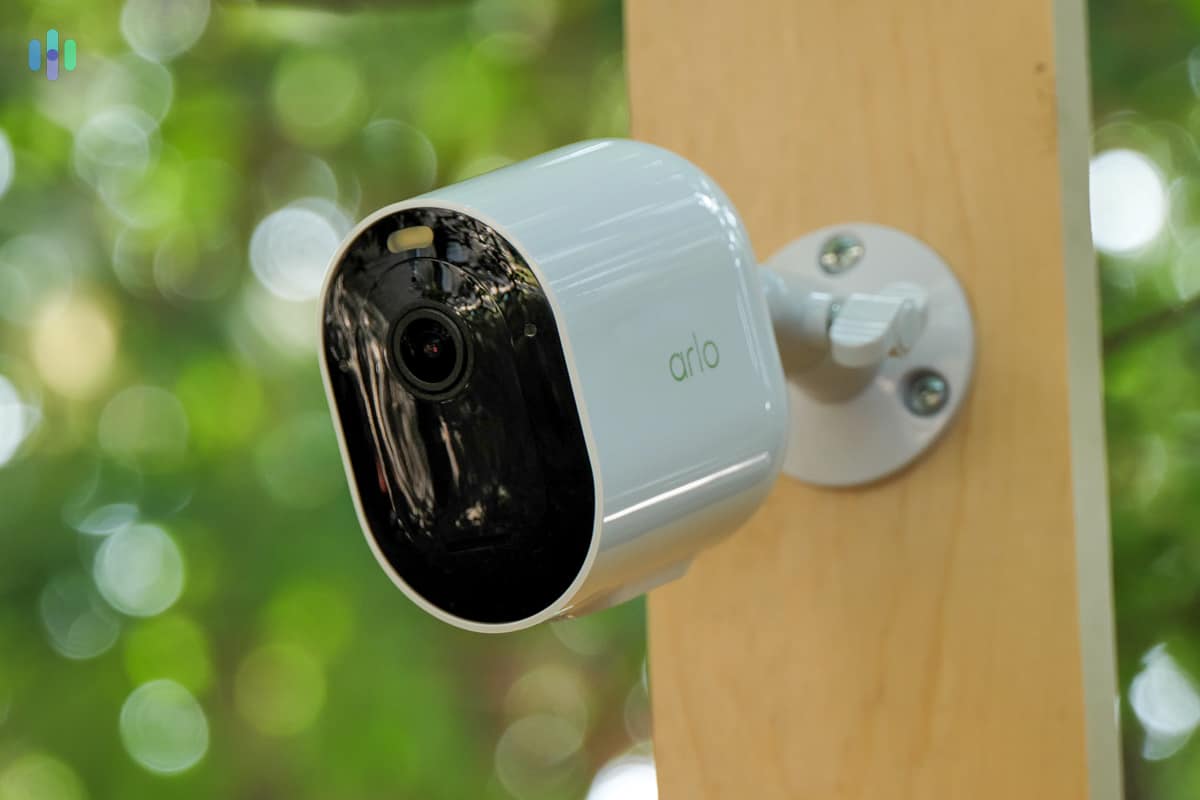
Arlo keeps their lineup refreshingly simple, focusing on wire-free cameras.
The Essential series serves as the entry point, with the Essential Indoor 2nd Gen at $39.99 and the outdoor Essential XL Spotlight at $149.99. These deliver solid 1080p video with all the smart features you’d expect. The XL version impressed us with its one-year battery life.
Step up to the Pro series, and things get serious. The Pro 5S 2K ($249.99) became our go-to recommendation thanks to its dual-band Wi-Fi, integrated spotlight, and HomeKit Secure Video support. The color night vision works brilliantly without blinding your neighbors.
At the pinnacle sits the Ultra 2 ($299.99), delivering 4K HDR video with a massive 180-degree field of view. One Ultra 2 can monitor an entire driveway or backyard – it’s like having a wide-angle security lens that misses nothing.
The wildcard remains the Arlo Go 2, now supporting both 4G LTE and Wi-Fi. Perfect for monitoring remote properties, RVs, or construction sites, though you’ll pay $249.99 plus data fees for that flexibility.
Our Pick For Equipment
Arlo and Lorex both make a good case for themselves. The sheer number of options from Lorex is enough to accommodate any security camera shopper, but the quality of Arlo cameras is undeniable.
Here’s how we’d break it down: Choose Lorex if you want professional-grade equipment with local storage and no recurring costs. Their systems excel at continuous recording and long-range night vision. Pick Arlo if you prioritize ease of installation, smart home integration, and cutting-edge AI features. You can’t really go wrong either way.
FYI: Arlo and Lorex both make our list of the best wireless security cameras.
Video Storage: Cost and Features
After buying your equipment, the next thing you’ll have to figure about is where your recorded videos will go. Cloud and local storage are your primary options, and Arlo and Lorex offer both.
Local Storage
For local storage enthusiasts, Lorex remains king. Their NVRs now come with up to 8TB of storage – that’s months of continuous 4K recording from multiple cameras. The latest models include AI-powered search, letting you find specific events instantly instead of scrubbing through hours of footage.
What really sets Lorex apart is redundancy. Their higher-end NVRs support RAID configurations, essentially backing up your footage automatically. Commercial properties have used this for years, and now you can have that same peace of mind at home.
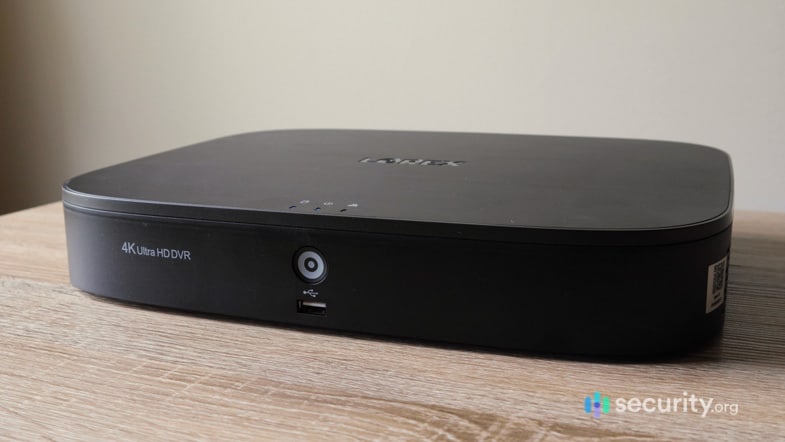
The cost equation has improved too. A 2TB NVR with 8-channel support runs about $299, and that includes remote viewing capabilities through their app. No monthly fees, ever.
Arlo’s approach stays minimal – plug a USB drive into their SmartHub or Base Station and you’re recording locally. It works, but lacks the sophistication of Lorex’s systems. The SmartHub does enable some clever features though, like continuing to record during internet outages then uploading everything once connection resumes.
Cloud Storage
Cloud storage is where Arlo truly shines. Their Secure plans, starting at $7.99 monthly for single cameras or $12.99 for unlimited cameras, deliver way more than just storage.
The real value comes from Arlo’s smart features: 30-day video history, advanced AI detection, emergency response capabilities, and even package detection that can alert you the moment deliveries arrive.
Arlo’s theft replacement guarantee deserves special mention – if someone steals your camera, they’ll replace it free. That’s confidence in their product and peace of mind for you.
Lorex has finally embraced cloud storage with their Fusion cameras, offering 7 days free or 30 days for $3.99 per camera monthly. It’s basic compared to Arlo but appreciated for those wanting off-site backup without the complexity of setting up their own cloud server.
Our Pick for Video Storage
This really depends on your philosophy about data ownership. Local storage advocates will love Lorex’s robust NVR systems – set them up once and record for years without fees. Cloud believers will appreciate Arlo’s sophisticated online platform with AI-powered search and sharing capabilities. We lean toward Arlo for most users simply because accessing footage from anywhere without port forwarding or dynamic DNS is invaluable.
Video Quality Battle
Arlo and Lorex both offer several security cameras, and their video resolutions vary. For this part, we’re taking popular options from each brand and comparing them.
For Arlo, we’re taking the Arlo Ultra that we tested alongside Arlo Pro models in our Arlo security camera review. And to represent Lorex, we have the Lorex 4K UHD that we featured in our Lorex review.
Resolution
Both cameras deliver stunning 4K footage, but the implementation differs significantly. Arlo’s Ultra 2 uses HDR (High Dynamic Range) to balance exposure across the entire frame – crucial when monitoring areas with both shadows and bright sunlight. In our testing, this made a huge difference for cameras facing windows or covering driveways.
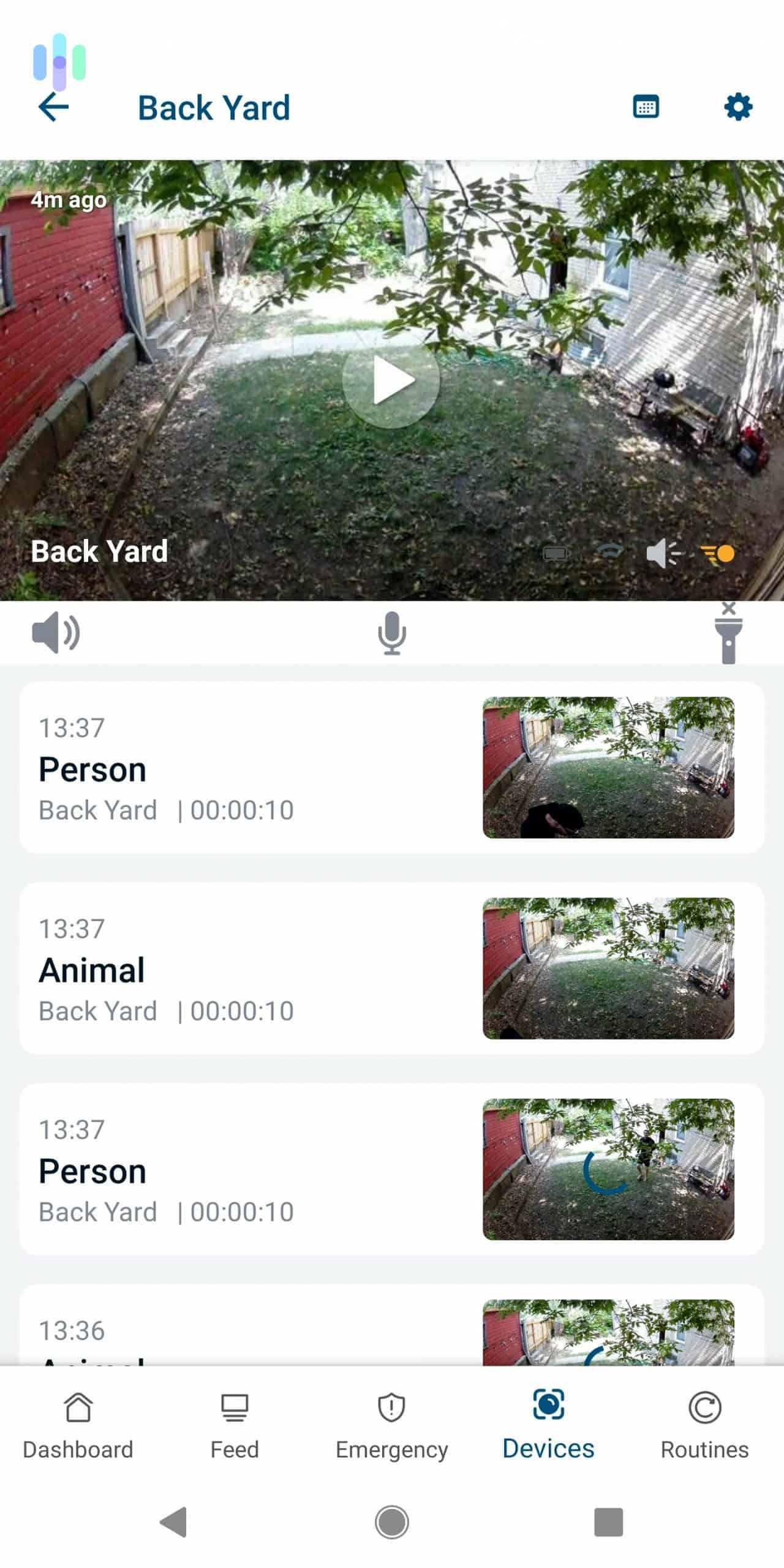
Lorex takes a different approach with their 4K cameras, prioritizing raw detail over dynamic range. Their 8-megapixel sensors capture incredibly sharp images that hold up even when digitally zoomed. Law enforcement actually prefers this approach because it’s better for identifying faces and license plates.
Night Vision
Both cameras feature color and Infrared night vision.
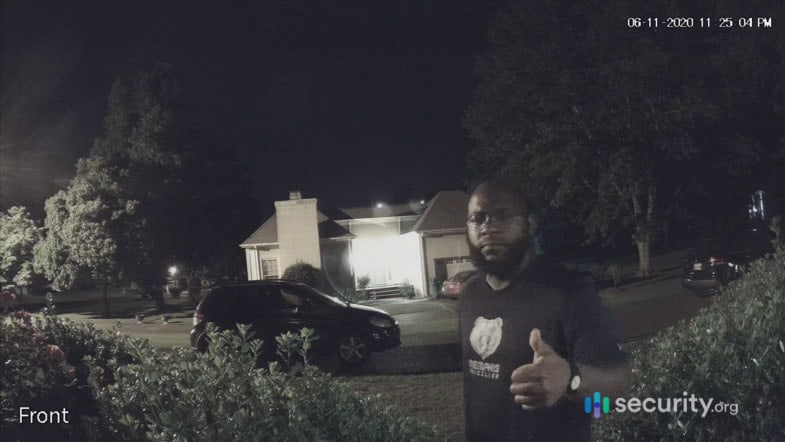
Arlo’s approach combines an integrated spotlight with advanced image processing. When motion triggers, the spotlight illuminates the area for full-color recording. Smart enough to distinguish between people and animals, it won’t blast your cat with light at 3 AM. The infrared mode reaches about 25 feet effectively.
Lorex’s Color Night Vision technology feels like magic. Using an f/1.0 aperture (extremely wide lens opening) and advanced sensors, these cameras produce color footage in near-total darkness without any visible light. We’re talking usable color video with just moonlight or a distant streetlight. When it’s pitch black, the infrared system kicks in with that impressive 150-foot range – you could monitor a football field.
Overall, we prefer Lorex’s night vision.
Field of View and Zoom
Next, let’s talk about coverage.
The Arlo Ultra 2’s 180-degree diagonal viewing angle remains unmatched in the consumer market. Install one at a corner, and it literally sees wall to wall. The 12x digital zoom maintains surprising clarity thanks to that 4K resolution – you can read text on packages from across the yard.
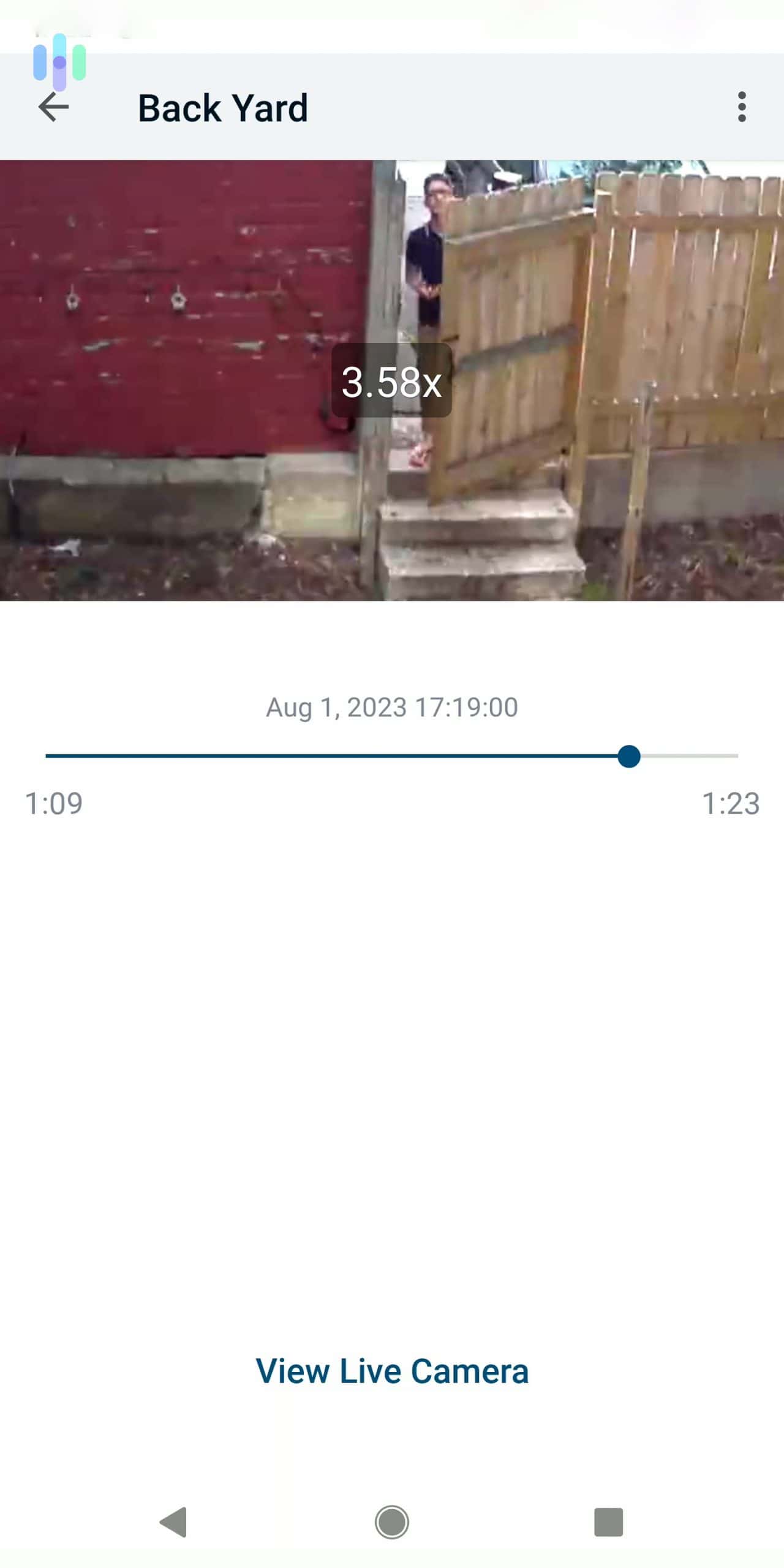
Lorex’s narrower 105-degree field suits them for focused monitoring – think doorways, gates, or specific valuables. Where they excel is optical zoom. Some Lorex PTZ (pan-tilt-zoom) cameras offer 25x optical zoom, meaning no quality loss when zooming in. For large properties, this changes everything.
Our pick for field of view and zoom is Arlo.
Our Pick for Video Quality
The Arlo Ultra 2 takes this round for most homeowners. Its combination of 4K HDR, ultra-wide viewing angle, and smart features creates an unbeatable package for typical residential needs. However, if you need long-range night vision or true optical zoom for a large property, Lorex’s specialized cameras might serve you better.
Smart Detection
Security cameras are more than just for recording. They can give you insight about your home that no other security products can. For instance, with person detection, a camera can tell you if there’s a person inside your home. With facial recognition, a camera can tell you if that person is someone it recognizes.
Arlo and Lorex offer those smart features, but let’s see which one does it better.
Arlo Smart Detection
Arlo uses different methods to improve detection. The most simple is zone-based detection, letting you identify zones within the frame where motion detection is necessary. Any movement outside of those zones is ignored. This is a useful feature if your camera faces the street, for example, and you want to cut down the number of false alarms you get.
Going a step further, Arlo can tell you if the movement it detected is caused by a human being. Person detection is valuable especially for outdoor video monitoring. Besides that, some Arlo cameras have package detection, which allows them to notify you if a package has been delivered to your doorstep. It can also be a useful feature to combat porch pirates.
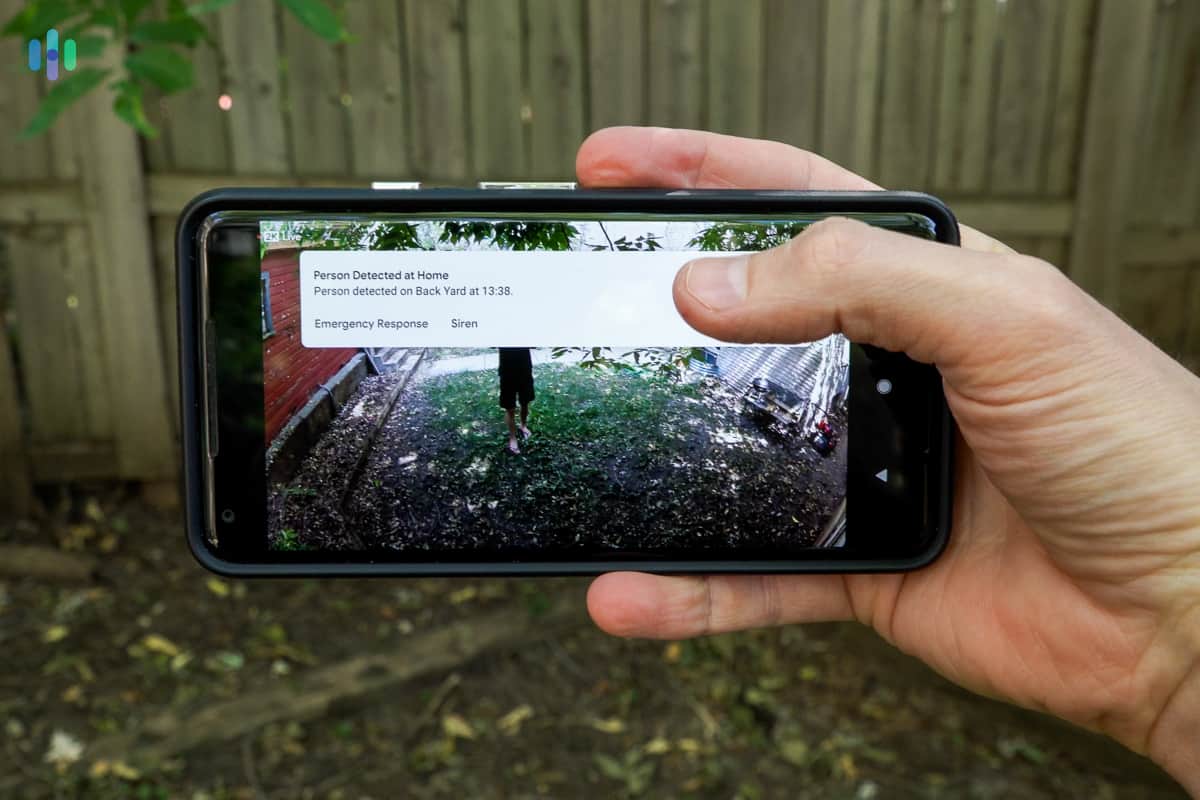
FYI: You’ll need a paid cloud plan to access person and package detection, starting at $2.99 per month for each camera or $9.99 per month for unlimited cameras. Learn more from our Arlo pricing page.
Lorex Smart Detection
Lorex has seriously stepped up their AI game. Their Smart Motion Detection Plus, available on newer models without subscription fees, accurately distinguishes between people and vehicles. This alone eliminates 90 percent of false alerts from trees, shadows, and pets.
Face detection on compatible NVRs works surprisingly well. The system builds a database of familiar faces over time, eventually learning your family, friends, and regular delivery drivers. Getting alerts for “Unknown Person Detected” versus “John at Front Door” makes a huge difference in how you respond.
The challenge remains the setup process. You’ll need to access the NVR directly to configure these features – no quick app adjustments here. But once configured, the system runs autonomously without cloud dependence, which many users prefer for privacy reasons.
Our Pick for Smart Detection
While Arlo offers slicker implementation and easier setup, Lorex wins this category for delivering advanced AI features without monthly fees. Their facial recognition and person/vehicle detection work offline, keeping your data private while providing professional-grade intelligence.
Cost Comparison
Lastly, let’s talk about pricing, both for equipment and cloud recording.
Arlo’s pricing spans from $39.99 for the Essential Indoor 2nd Gen to $299.99 for the Ultra 2. Most users find the sweet spot with the Pro 5S at $249.99 or the Essential Spotlight XL at $149.99. Bundle deals often knock 20 to 30 percent off when buying multiple cameras.
Lorex offers incredible value, especially in bundles. A 4-camera 4K system with 2TB NVR runs about $599 – that’s $150 per camera including professional-grade recording hardware. Individual cameras range from $49 for basic models to $299 for advanced PTZ cameras. Their new Fusion Wi-Fi cameras hit the $99 to $149 sweet spot.
The ongoing cost difference is substantial. Arlo’s Secure plan at $12.99 monthly ($155.88 yearly) for unlimited cameras adds up over time. After three years, you’ve spent nearly $500 on storage alone. Lorex’s one-time NVR purchase looks better long-term, though you sacrifice cloud convenience and smart features.
Consider total cost of ownership: A 4-camera Arlo Pro 5S system with three years of cloud storage runs about $1,650. A comparable Lorex 4K system with NVR costs around $600 total. That $1,000 difference buys a lot of additional cameras or smart home gear.
Arlo or Lorex: Which Is Better?
After extensive testing and real-world use, we can confidently say both brands excel in different scenarios. Your choice depends on priorities: convenience versus control, monthly flexibility versus upfront investment, cloud intelligence versus local privacy.
The case for Lorex:
Choose Lorex if you want professional-grade security without ongoing costs. Their cameras deliver exceptional night vision, reliable 24/7 recording, and advanced AI detection that works offline. Perfect for tech-savvy users who value data privacy and long-term value. The initial setup requires more effort, but you’ll have a system that runs autonomously for years.
The case for Arlo:
Go with Arlo for the premium smart home experience. Their wire-free cameras install in minutes, integrate seamlessly with Alexa, Google, and HomeKit, and deliver cutting-edge features through regular updates. Yes, the monthly fees add up, but you’re getting constantly improving AI, professional monitoring options, and the peace of mind that comes with theft replacement. Ideal for busy families who want security that just works.
FAQs
Have some more questions? Let’s sort them out here.
-
Are Lorex cameras difficult to install?
Wired Lorex cameras require running cables, which can take several hours for a multi-camera system. However, their new Fusion Wi-Fi cameras install as easily as Arlo’s – just mount and connect to your network. If you’re not comfortable with ladder work or drilling, professional installation runs about $99 to $199 per camera.
-
Does Arlo record continuously?
No, Arlo cameras use motion-activated recording to preserve battery life. However, the Arlo Ultra 2, Pro 4, and Pro 5S support continuous video recording (CVR) when connected to power and with an active Secure Plus or Safe & Secure Pro plan. This feature costs extra but provides gap-free coverage for critical areas.
-
Can I use Arlo outdoors?
Yes, all current Arlo cameras except the Essential Indoor work outdoors. They’re rated IP65 or higher, meaning they handle rain, snow, and temperature extremes from -4°F to 113°F. We’ve tested them through harsh winters and scorching summers without issues.
-
Can I record Lorex footage to my own cloud account?
Yes, many Lorex NVRs support FTP upload to cloud services like Dropbox or Google Drive. You can also use their Lorex Cloud app for remote access without opening ports on your router. Some tech-savvy users even set up their own NAS (network-attached storage) for private cloud functionality.
-
Are Lorex cameras expensive?
Individual Lorex cameras are quite affordable, typically $50 to $150 each. The perceived high cost comes from buying complete systems with NVRs, but when you calculate per-camera cost, they’re often cheaper than competitors. A four-camera 4K system at $599 breaks down to just $150 per camera including recording hardware – that’s excellent value for commercial-grade equipment.