



the security.brief
A dedicated IP VPN gives you one address that's yours alone. We explain how it works, who actually benefits, and the privacy trade-off worth knowing first.
When you connect to a VPN, it typically assigns you a shared VPN server IP address. Even the best VPNs do that, and for good reasons. It gives you extra privacy, because now, all other VPN users connected to the same VPN server IP address (which can be in the hundreds) will have the same IP address as you. On the other hand, VPNs with dedicated IPs work differently. They assign you an IP address only you can use. That’s why it’s called a dedicated IP.
That sounds like a small technical difference, but using a dedicated IP changes how websites, banks, and remote work systems treat your connection. Below, we break down how a dedicated IP actually works, who benefits from one, the privacy trade-offs, and what it costs to add one to your plan. Spoiler alert: dedicated IPs cost extra from most VPN providers.
How a Dedicated IP VPN Works
A standard VPN connection puts you behind a shared server IP. That means several other people will be sharing that address with you, making it harder for any one person’s traffic to be isolated. A dedicated IP flips that setup. Instead of joining a shared pool, you’re assigned one address tied to your account. Every time you connect, whether from your laptop, your phone, or a router, your connection is routed through the same IP address.
It’s a paid add-on on most VPNs, layered on top of a regular subscription. You still get the encryption and tunneling that make a VPN a VPN. The only thing that changes is whether you connect through an IP address specifically for you or a shared IP address.
So how does a dedicated IP VPN work? Typically, each VPN server has a pool of hundreds up to tens of thousands of IP addresses. When you connect to that server, you’re assigned a random IP address belonging to that pool. But if you purchase a dedicated IP from your VPN, the server reserves that address and routes it to your account specifically, which means it won’t be assigned to other users even if they connect to the same server. So basically, you’re still connecting to a normal VPN server. What changes is the kind of access you have to that server.
Expert Insight: When you purchase a dedicated IP address from a VPN, you need to select a server for your dedicated IP. You’ll still be able to connect through the VPN’s other servers, but those connections will use shared IP addresses instead of your dedicated one.
Dedicated IP vs. Shared IP VPN
So what’s the difference between using a dedicated IP versus a shared IP? It all comes down to how many people an address is doing double duty for.
A shared IP is efficient by design. Thousands of users can rotate through the same handful of addresses, which keeps costs down for VPN providers and makes any individual user’s activity harder to track. The trade-off is that a shared IP inherits the reputation of everyone else using it. If another user on that address gets flagged for suspicious activity, everyone connected through it can feel the consequences, from extra CAPTCHAs to sites completely blocking your connection.
A dedicated IP removes that shared reputation entirely. The address reflects only your activity, which is exactly why it solves problems like flagged logins and repeated CAPTCHAs. However, that also introduces some privacy trade-offs that we’ll cover below. But first, let’s talk about who actually benefits from using a dedicated IP VPN.
>> Read More: Do VPNs Hide Search & Browsing History?
Why People Use a Dedicated IP VPN
A dedicated IP solves problems that come specifically from sharing an address with strangers. Here are some scenarios where it tends to matter most.
- Remote access to work systems: Many corporate networks only allow connections from approved IP addresses, which means if you’re using a shared IP pool from a VPN, your IT team will have to whitelist the entire IP address range. A dedicated IP gives them one address to whitelist.
- Fewer CAPTCHAs and account flags: Shared IPs handle a constant stream of requests from different people, which looks like bot behavior. Even Google notes that using a VPN can flag your connection for unusual activity, requiring a CAPTCHA check before using the service.1
- Smoother banking and e-commerce logins: Financial sites and online stores often flag logins from an IP tied to hundreds of other accounts, sometimes freezing access until you verify your identity. A consistent, single-user address avoids that pattern entirely.
- Reliable access for hosting or remote servers: If you manage a home server, security camera feed, or router-level VPN connection, a fixed IP means the address never shifts out from under you.
- Fewer repeated identity checks: Streaming, gaming, and subscription accounts sometimes ask for extra verification when they see a login from an unfamiliar or fast-changing address. A dedicated IP looks the same to those systems every time, which cuts down on how often that verification step comes up.
None of these apply to every user. If your VPN use is mostly streaming or general browsing, a shared IP works fine. But if one or more of the scenarios above apply to you, consider getting a dedicated IP VPN. But first, know that there are privacy trade-offs.
>> Learn More: Types of VPN Protocols: Explanation and Comparison
The Privacy Trade-Off of a Dedicated IP
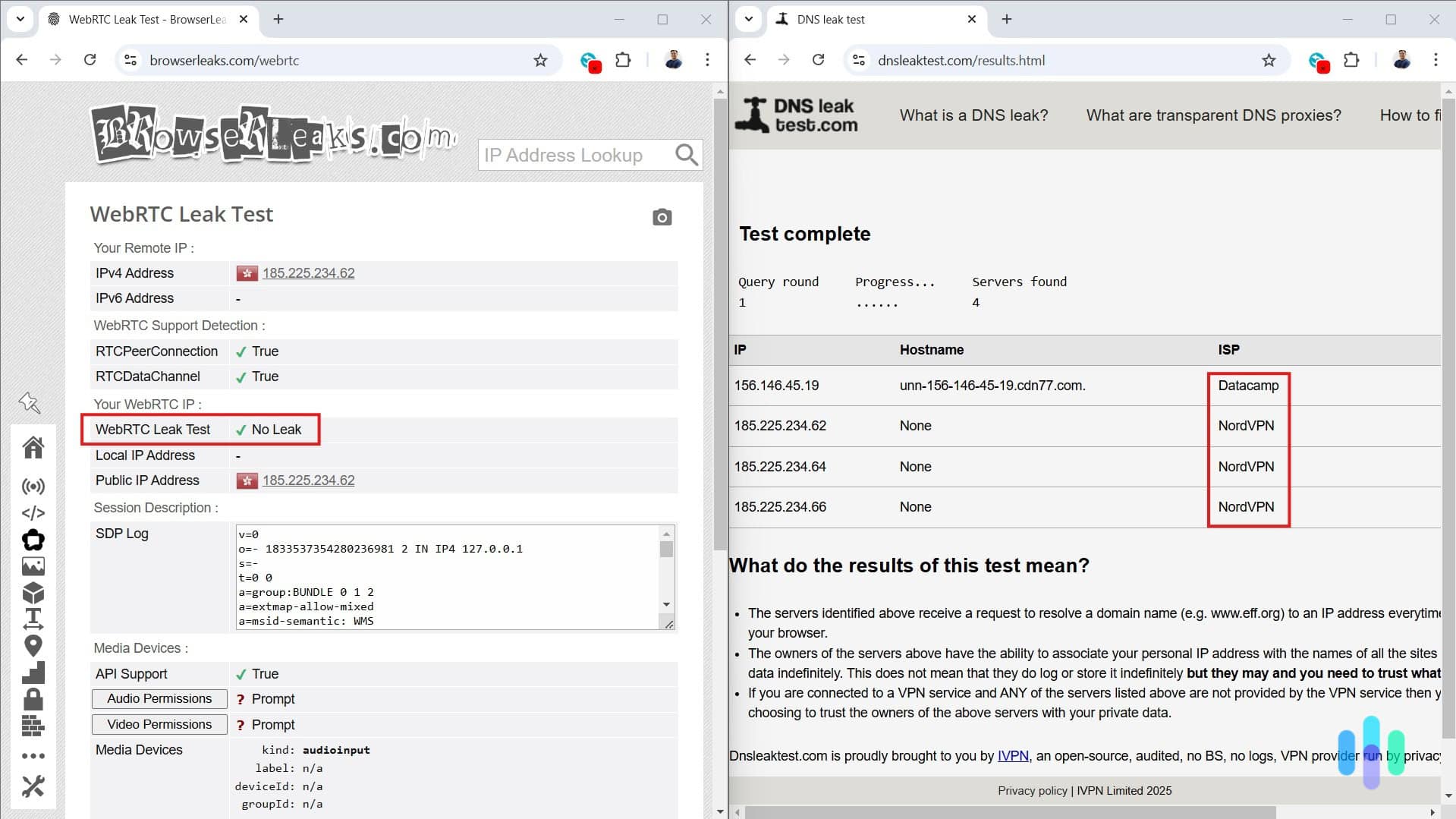
A dedicated IP is not the same thing as your ISP-assigned home IP. It still runs through the VPN provider’s infrastructure, so your real home address stays hidden from the websites you visit. However, it gives up one layer of the anonymity a VPN normally provides.
Blending in with a crowd of other users on a shared IP makes any single action harder to trace back to one person. A dedicated IP removes that crowd. Every connection from that address is you, and only you, which means a website building a profile of that address is building a profile of one account. A dedicated IP also strengthens a related technique called “fingerprinting,” which
Pro Tip: Your Content Here
combines signals such as your IP address and device details to recognize you across the web and target ads.2
The good news is that In practice, the risk is actually narrow. Because you’re still connected to a VPN< your traffic is still encrypted. That privacy trade-off we mentioned is mostly about correlation across sessions on the websites you visit. Using a dedicated IP does not expose your real identity or location, which limits what someone can do with your IP address. For most of the use cases we mentioned above, that minor trade-off is worth it. However, if you want to maximize your anonymity online, a shared IP or regular server rotation is still the better default.
In short, decide whether or not to get a dedicated IP based on what you’re trying to protect against. A shared IP is the stronger choice against a website trying to build a behavioral profile of you specifically. A dedicated IP is the stronger choice against the everyday friction of CAPTCHAs, fraud flags, and access restrictions that come from spammers, scrapers, and other abusers sharing an IP address with you. We cover more differences in our static verse dynamic IP address guide.
Pro Tip: A dedicated IP only holds up if the VPN behind it is doing its job, with real encryption, an audited no-logs policy, and a kill switch that catches you if the connection drops. Check out the best no-log VPNs for a list of the top choices that genuinely respect their users’ privacy.
How to Get a Dedicated IP VPN
Getting a dedicated IP is usually a short process layered on top of buying a regular VPN. It’s usually offered as an add-on you can buy at checkout or add to your account once it’s set up. Here’s the basic steps to add a dedicated IP to your VPN subscription:
- Choose a VPN provider that offers a dedicated IP add-on
- Select a base subscription plan
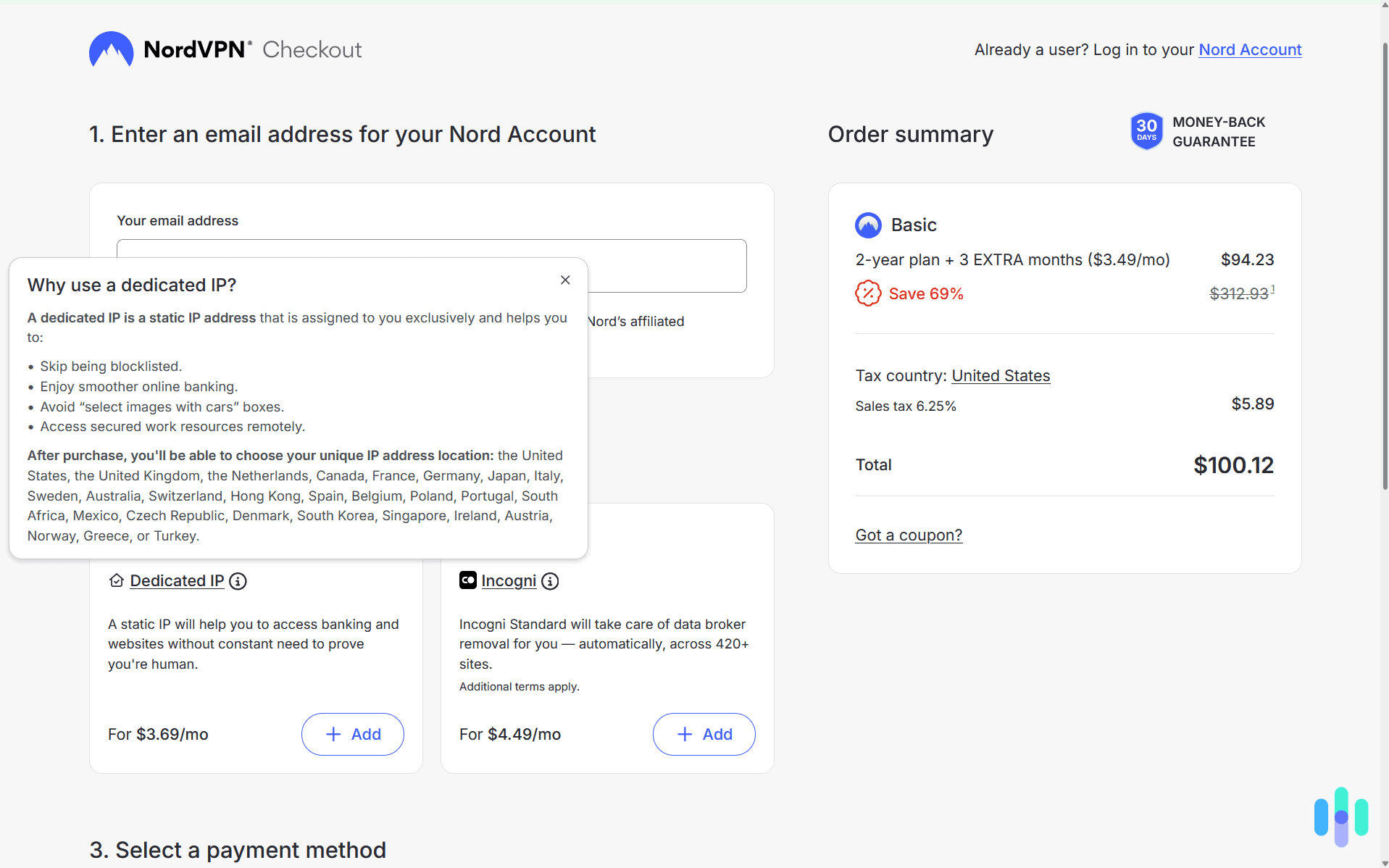
- Add the dedicated IP option during checkout and pick from the available server locations
- Connect to your assigned server the same way you’d connect to any other, with no extra configuration on your end
If you already have an existing VPN account and would like to add a dedicated IP, here’s how it usually goes.
- Log into your account dashboard.
- Look for the subscription-related tab and find the dedicated IP add-on.
- Pick your server location and wait for your VPN provider to set up your dedicated IP.
- Once done, every time you connect to that location, you’ll get assigned your dedicated IP address.
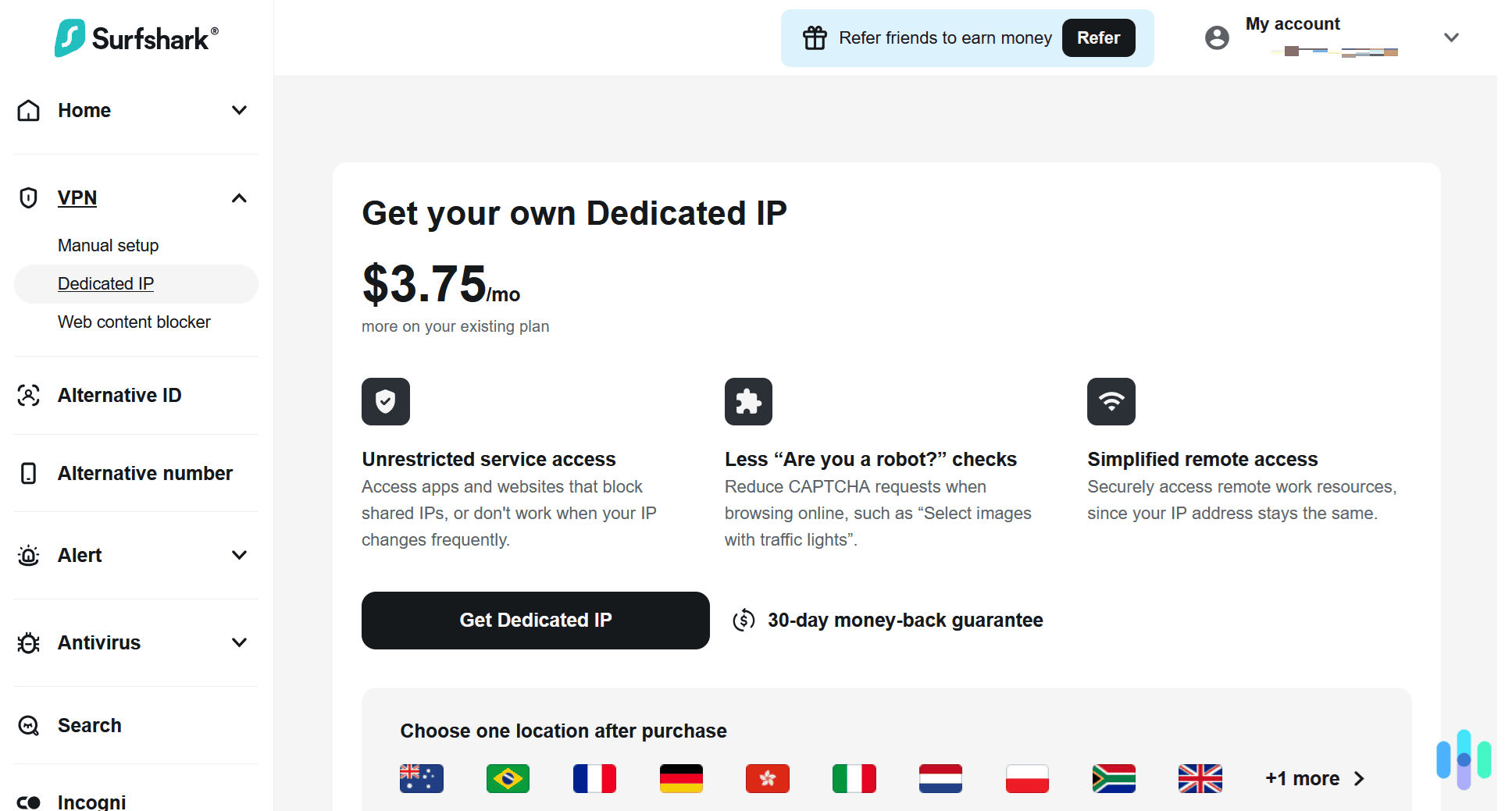
Once you set up a VPN with a dedicated IP, that address stays tied to your account for as long as you keep the add-on. We go over the average cost of adding a dedicated IP to your VPN plan in our VPN cost guide. Typically, it adds $3 to $10 to your bill per month.
Recommended Option: After testing over 50 VPNs, we find NordVPN consistently offers a top-tier service and their dedicated IP option holds that trend. For an extra $3.69 per month on a two-year plan, you can pick an IP in several locations, with the same audited no-logs policy and kill switch as the rest of the service. Check out our NordVPN review and NordVPN price guide for more details.
Recap: Do You Need a Dedicated IP VPN?
For most users, we recommend sticking with the standard dynamic IP address that most VPN providers offer by default. It enhances your privacy and is sufficient for most people’s needs. We only recommend opting for a dedicated IP address if you have a specific need for one. For instance, your bank might always block your regular VPN connection or you might need to provide an IP address for your work logins. In those cases, a dedicated IP provides real value.
>> Related Reading: How To Change Your IP Address in 2026
FAQ
-
Is a dedicated IP VPN the same as a static IP from my internet provider?
No. An ISP-issued static IP is tied to your home connection and physical address. A dedicated IP VPN is assigned by the VPN provider and sits between you and the websites you visit. That keeps your actual home IP address hidden.
-
Does a dedicated IP make a VPN less secure?
Not in terms of encryption. Your traffic is still encrypted the same way it would be on a shared server. The trade-off is narrower: a fixed address is easier to correlate across sessions than one that rotates.
-
Can more than one device use the same dedicated IP?
Yes, within your account’s device limit. The dedicated IP is tied to your subscription, not to a single device, so you can connect a laptop, a phone, and a router to it under the same plan as long as they all fall within the simultaneous connections cap.
-
Will a dedicated IP stop CAPTCHAs completely?
It reduces them significantly but doesn’t eliminate them. Sites can still flag a login for other reasons, including one that shows VPN traffic in general. A dedicated IP removes the specific problem of a shared address being flagged for high request volume from many different users.
-
Does a dedicated IP cost extra on top of a regular VPN plan?
Yes. It’s an add-on layered on a base subscription rather than a separate standalone plan, and pricing varies by provider.
-
Is a dedicated IP worth the extra cost?
It depends on how often you run into the problems it solves. Someone who deals with frequent CAPTCHAs, flagged banking logins, or remote work whitelisting will likely find it worth the small monthly add-on. Someone who mainly streams or browses casually usually won’t notice a difference.
-
Do all VPN providers offer a dedicated IP option?
No. It’s a common feature among larger providers, but plenty of VPNs skip it entirely, especially ones built around maximizing anonymity through shared, frequently rotating addresses. Checking a provider’s feature list before signing up is the only way to know for sure.