

Best Ransomware Protection Software in 2026, Expert-Vetted Recommendations
TotalAV tops our list for blocking ransomware before it can encrypt a single file, with strong real-time detection and a price that won't break the bank.
 Last Updated on May 05, 2026

- Blocks ransomware before a single file can be encrypted
- Behavior-based detection reliably catches zero-day ransomware variants
- Affordable first-year pricing with coverage for up to 6 devices
- Dedicated Ransomware Shield with folder-level access control
- Cloud Protect catches zero-day threats in real time
- Bundled with a top-rated VPN, dark web monitoring, and private search

- Cloud backup protects your files so ransomware has nothing to hold hostage
- 100% Virus Protection Promise
- Industry-best 60-day money-back guarantee
Each year, ransomware attacks become more common and costly. In 2025, the FBI received 3,611 complaints of ransomware.1 Those victims lost a total of over $30 million, so each ransomware infection costs an average of roughly $8,300. Needless to say, it’s a serious issue that can cost you big time. Thankfully, the best antivirus software includes ransomware protection.
However, the antivirus market is riddled with overpromises that can leave users exposed. That’s why we put over 15 solutions through our rigorous testing protocol to weed out the bad, and sometimes dangerous options for you. TotalAV offered us the best proactive ransomware protection, followed by Surfshark Antivirus and Norton Antivirus. Let’s dig in to figure out which one’s best for you.
Overview of 2026’s Best Ransomware Protection Software
- TotalAV Antivirus - Best Proactive Protection
- Surfshark Antivirus - Best All-in-One Device Security Bundle
- Norton Antivirus - Best Cloud Backup and Recovery
- Aura Antivirus - Best for Bundling with Identity Theft Protection
- McAfee Antivirus - Best for Unlimited Devices
Comparison of the Best Ransomware Protection Software in 2026
| System |
TotalAV Antivirus
|
Surfshark Antivirus
|
Norton Antivirus
|
Aura Antivirus

|
McAfee Antivirus

|
|---|---|---|---|---|---|
| Ranking | 1st | 2nd | 3rd | 4th | 5th |
| Ratings | 9.3/10 | 8.9/10 | 9.7/10 | 9.5/10 | 8.8/10 |
| Starting price | $19/year (renews at $99) | $50.85/year (renews at $119) | $29.99/year (renews at $59.99) | $35.99/year (renews at $69.99) | $29.99/year (renews at $89.99) |
| Devices covered | Up to 8 (varies by plan) | Up to 5 | Up to 10 (varies by plan) | Up to 10 (varies by plan) | Up to unlimited (varies by plan) |
| Real-time protection | Yes | Yes | Yes | Yes | Yes |
| Behavior-based detection | Yes | Yes | Yes | Yes | Yes |
| Dedicated ransomware shield | No | Yes | No | No | No |
| Cloud backup | No | No | Yes, up to 500 GB | No | No |
| Firewall | No | No | Yes | No | Yes |
| VPN included | With premium plans | Yes | With premium plans | Yes | Yes |
| Identity theft protection | Yes (up to $1M insurance) | Yes (up to $1M insurance) | Yes (up to $3M insurance) | Yes (up to $5M insurance) | Yes (up to $2M insurance) |
| Money-back guarantee | 30 days | 30 days | 60 days | 60 days | 30 days |
| Platforms | Windows, Mac, Android, iOS | Windows, Mac, Android | Windows, Mac, Android, iOS | Windows, Mac, Android, iOS | Windows, Mac, Android, iOS |
| Read Review | TotalAV Antivirus Review | Surfshark Antivirus Review | Norton Antivirus Review | Aura Antivirus Review | McAfee Antivirus Review |
-
1. TotalAV Antivirus - Best Proactive Protection
Get TotalAV Links To TotalAV
Product Specs
Virus Detection Yes Malware Detection Yes Firewall No Full, quick, and scheduled scans Yes Real-time protection Yes Behavior-based monitoring No
Why Choose TotalAV?

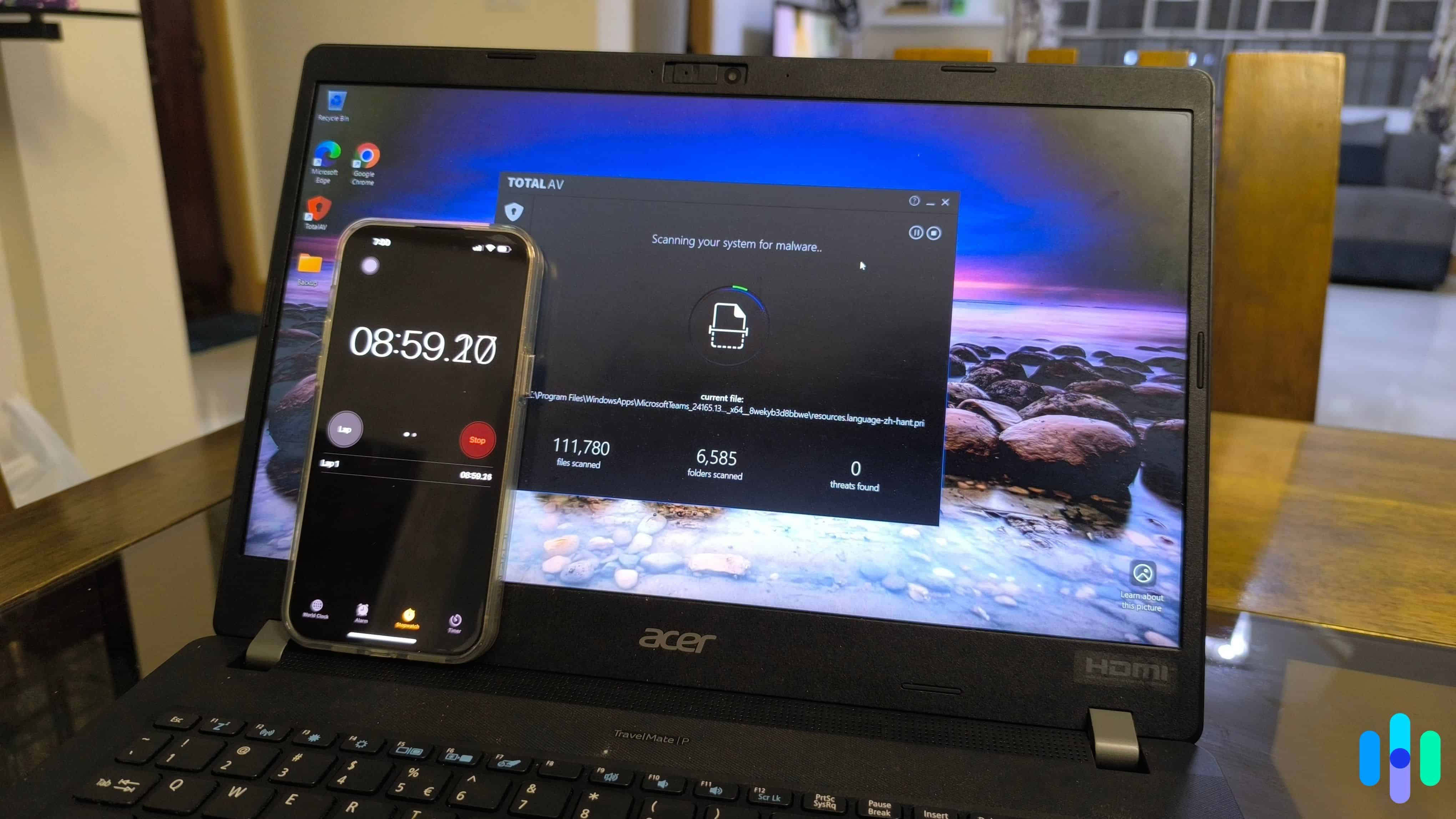
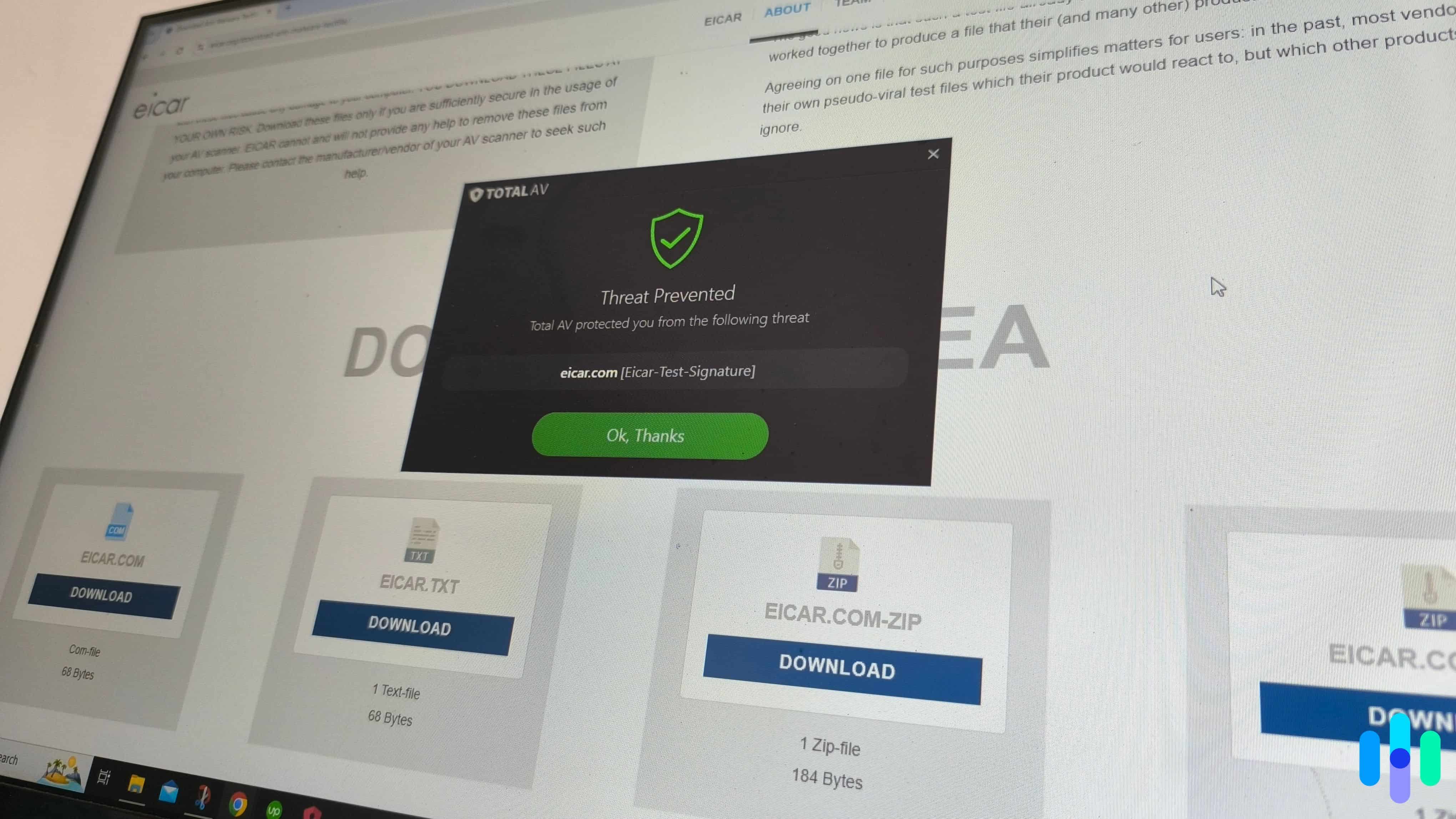
When we attempted to download ransomware test files, TotalAV successfully intervened, preventing the download We recommend TotalAV as the best ransomware protection for most people because of how it handles active threats. When we ran a ransomware simulator during testing, TotalAV blocked execution before the malware could lock up a single file. That is the outcome you need from ransomware protection, and TotalAV delivered it consistently across every test we ran.
TotalAV uses a combination of signature-based detection and machine learning to catch both known ransomware strains and emerging variants. This combination works well as it caught 99.6 percent of malware during our tests and 100 percent of malware in third-party .assessments by AV-Test2 Its real-time protection runs constantly in the background, scanning downloads and monitoring program behavior for anything that looks like unauthorized file encryption. That means you’re constantly protected.
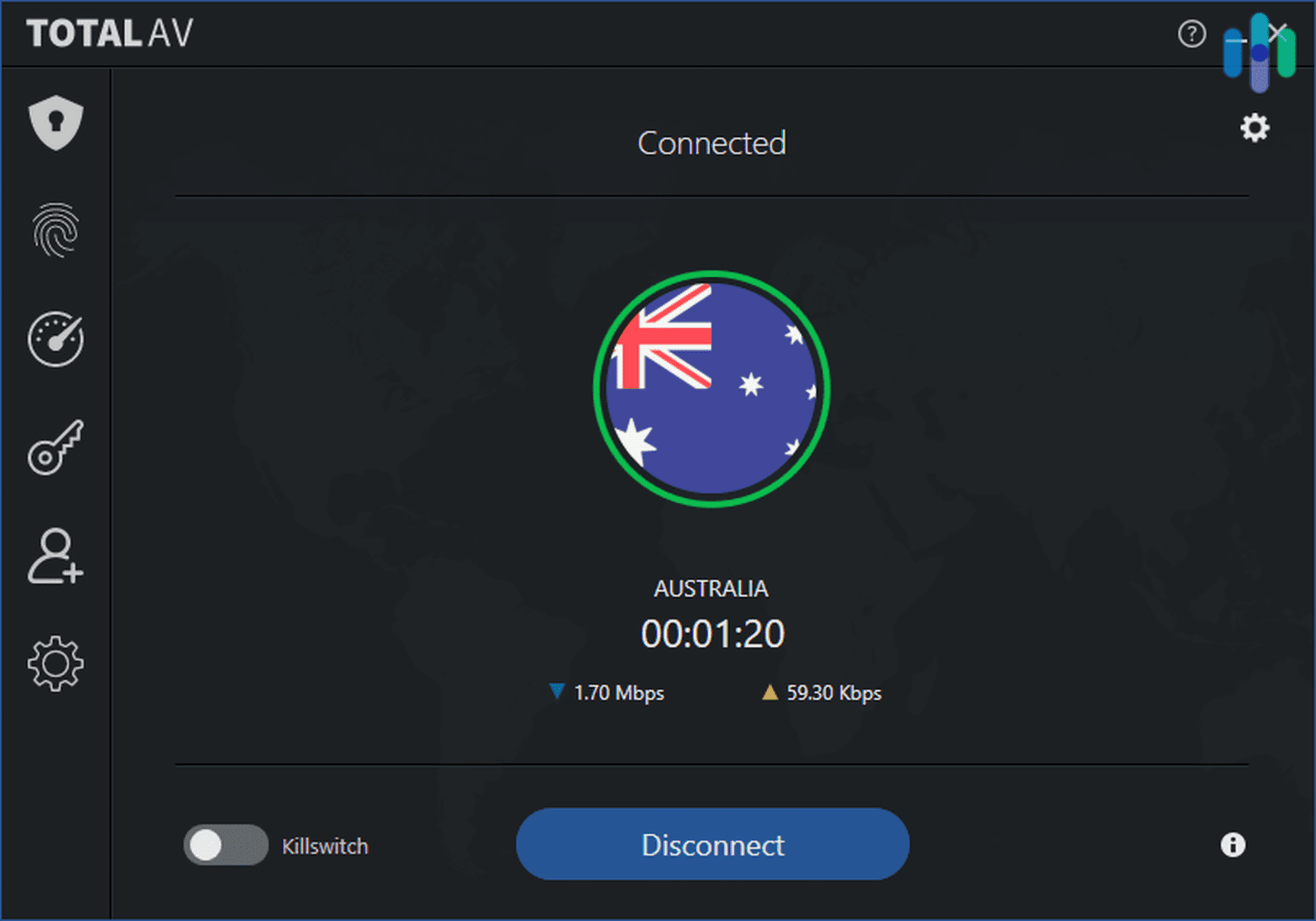
Beyond ransomware, TotalAV bundles a VPN, password manager and ad blocker. Check out our TotalAV VPN review and Total Password review for our full opinion on those tools. It also offers identity theft protection, although if that’s what you’re looking for you might be better off with Aura. For the price, very few security suites offer as comprehensive and thorough protection as TotalAV.
What We Like
- Blocked ransomware execution completely in our simulator tests
- 99.6 percent malware detection rate in independent lab testing
- Clean, intuitive interface — easy to set up and use on any platform
- Affordable first-year pricing; excellent value on the Total Security plan
- VPN included in premium plans
What We Don’t Like
- No firewall — relies on your OS or router for network-level protection
- Renewal prices increase significantly after the first year
- Identity theft monitoring is U.S. only
- Real-time protection not available on the free plan after the trial ends
Ransomware Protection Testing
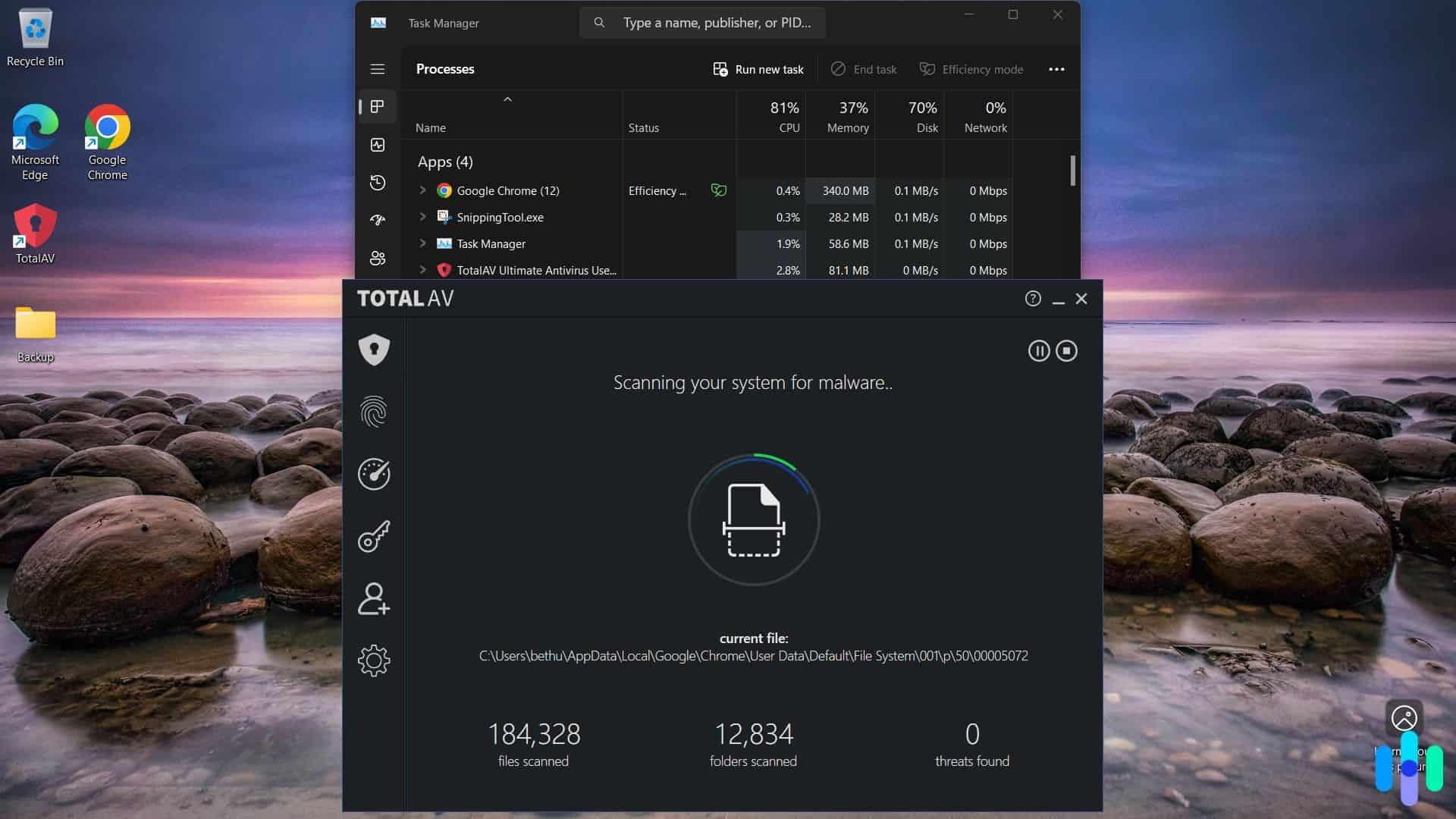
During our tests, TotalAV barely impacted our computer’s performance We put TotalAV through two rounds of ransomware testing. First, we ran a behavior simulator that mimics the file-encryption patterns of real ransomware without causing actual damage. TotalAV identified and blocked the simulated attack before a single file was touched. Second, we downloaded a compressed folder containing multiple live malware samples, including ransomware variants. TotalAV allowed the archive to download but immediately flagged and quarantined the contents the moment we attempted to extract them. That means it caught the malware before it could cause any damage to our device.
These results held across Windows and macOS. On Android, real-time protection blocked malicious app installations before they could execute. Independent labs back this up. Like we mentioned, AV-Test’s evaluations found TotalAV detected all known and zero-day malware samples tested. TotalAV stays ahead of threats as well by providing automatic malware definition database updates.
Heads Up: One limitation to TotalAV’s protection is its lack of a firewall. You’ll need to use your operating system’s built-in network protection. For most home users this is fine, but worth noting if you are evaluating TotalAV for a small business environment. If this is a priority for you, head over to our list of the best firewalls or learn more in our SPI firewall guide.
User Experience
TotalAV’s dashboard is one of the cleanest we tested. Everything is clearly labeled, scan types are easy to find, and the status screen gives you an immediate read on whether protection is active and up to date. Setting up real-time protection took under five minutes on both Windows and macOS. The mobile apps are similarly well designed, with protection status visible from the home screen without navigating into menus. They even offer a protected QR code scanner that’ll prevent you from opening malicious links.
Pricing
Initial subscriptions with TotalAV are very affordable. However, there’s a trick to getting the best price. You need to wait on the checkout screen for a few minutes until they offer you another discount. This gets you an extra $10 off. With this discount, TotalAV’s plans range from $19 to $39 for the first year.
Renewal rates are a different story with TotalAV going from one of the most affordable in the first year to one of the most expensive in subsequent years. For instance, a comparable plan to Surfshark One only costs $39 for the first year, but renews at $149. Surfshark One costs $50.85 for the first year and then $119 at renewal. We compare their prices further in our Surfshark vs TotalVPN comparison.
-
2. Surfshark Antivirus - Best All-in-One Device Security Bundle
Get Surfshark Links to Surfshark.com
Product Specs
Virus Detection Yes Malware Detection Yes Firewall No Full, quick, and scheduled scans Yes Real-time protection Yes Behavior-based monitoring Yes
Why Choose Surfshark Antivirus?

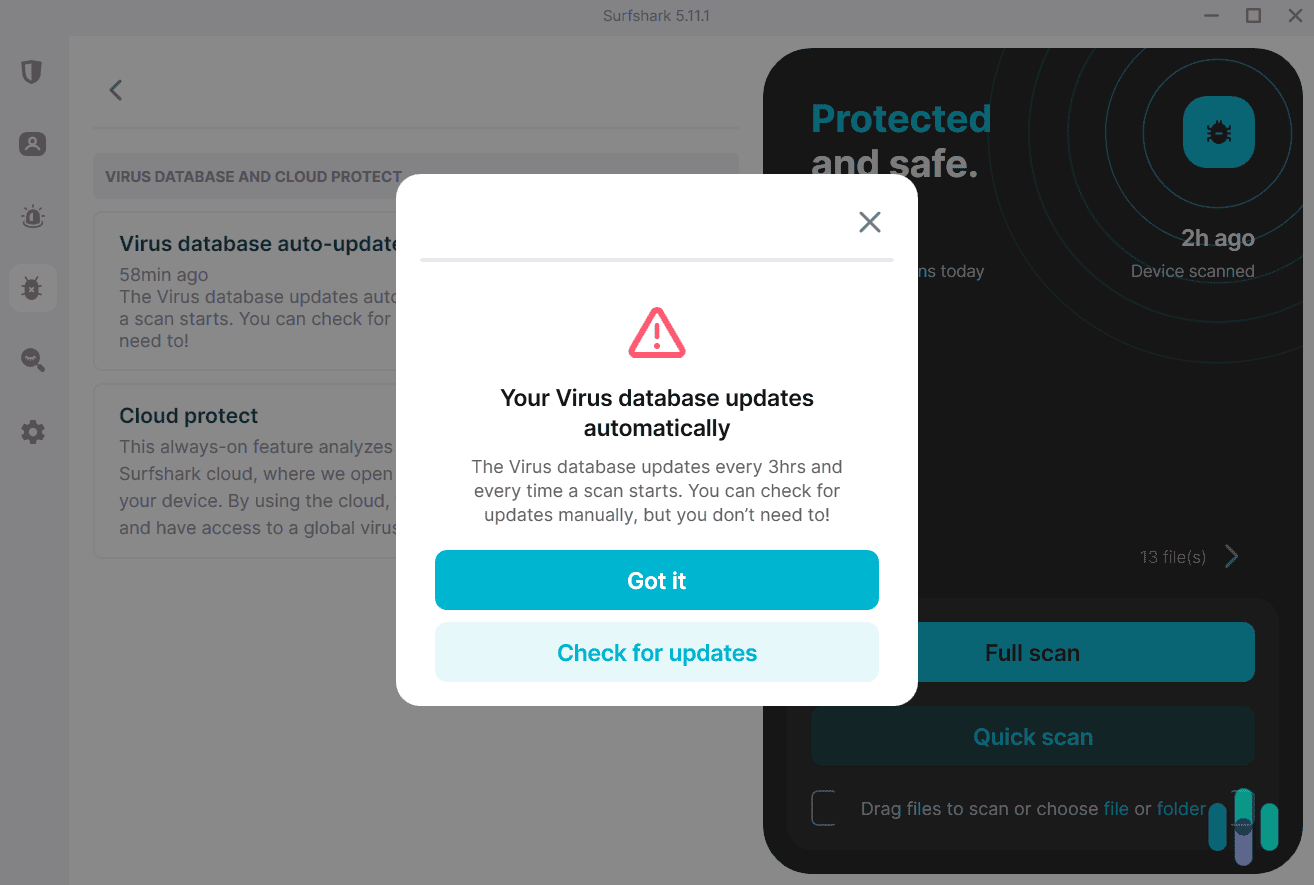
Surfshark Antivirus automatically updates its malware database every 3 hours. As part of a broader security suite, Surfshark Antivirus excels as an all-in-one digital security solution. One subscription bundles a full-featured VPN, antivirus with a dedicated Ransomware Shield, dark-web monitoring, and an ad-blocker. While TotalAV’s antivirus performs slightly better, Surfshark wins when comparing every other tool offered by both providers. Once we tested Surfshark VPN, we quickly understood why it’s widely considered one of the best VPNs on the market.
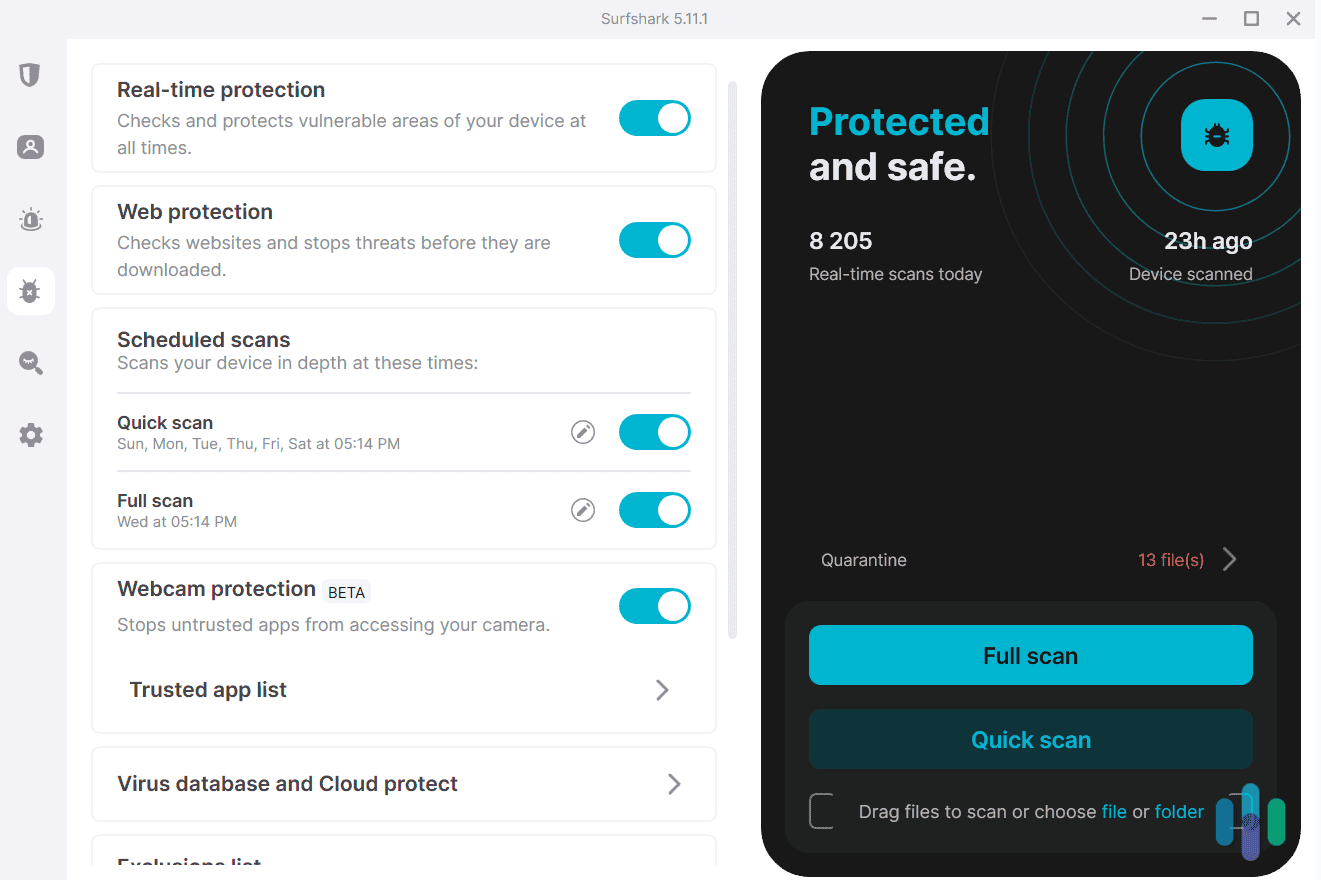
The Ransomware Shield offers unique protection to your most sensitive files. It locks down files in selected folders, only allowing whitelisted applications to read, write or modify those files. If an unknown process attempts to access them, Surfshark blocks it and alerts you immediately. This is particularly valuable for protecting document libraries, photo collections, and business files.
In AV-Test’s 2025 assessment of Surfshark Antivirus, Surfshark detected 100 percent of the 19,213 known malware samples tested.3 This shows that Surfshark keeps an up-to-date malware database. It also detected 100 percent of the 407 zero-day threats tested, showing the effectiveness of its behavior-based detection.
What We Like
- Dedicated Ransomware Shield with granular folder-level access control
- 100 percent detection rate in the latest AV-Test assessment
- Cloud Protect catches zero-day threats without impacting device performance
- Malware database updates every three hours
- Full-featured VPN bundled at no extra cost
- Webcam protection included (rare at this price point)
What We Don’t Like
- Antivirus is only available as part of the Surfshark One bundle, not standalone
- Web protection is Windows only; macOS users do not get this feature
- Not available on iOS
- Phishing detection is not as strong as top competitors like Norton or TotalAV
- Subscription only enables the antivirus on up to five devices
Ransomware Protection Testing
We tested Surfshark’s ransomware protection using the same behavior simulator we used for TotalAV. Surfshark’s real-time protection blocked the simulated ransomware attack before any file encryption began. We also tested the Ransomware Shield directly by attempting to write to a protected folder from an application not on the whitelist. Surfshark blocked the access attempt and displayed an alert within seconds.
We then ran a full malware scan against a set of ransomware samples. Surfshark detected and quarantined all files without a single false positive. That matches the perfect results from AV-Test’s 2025 assessment as we discussed above, putting Surfshark above industry-averages.

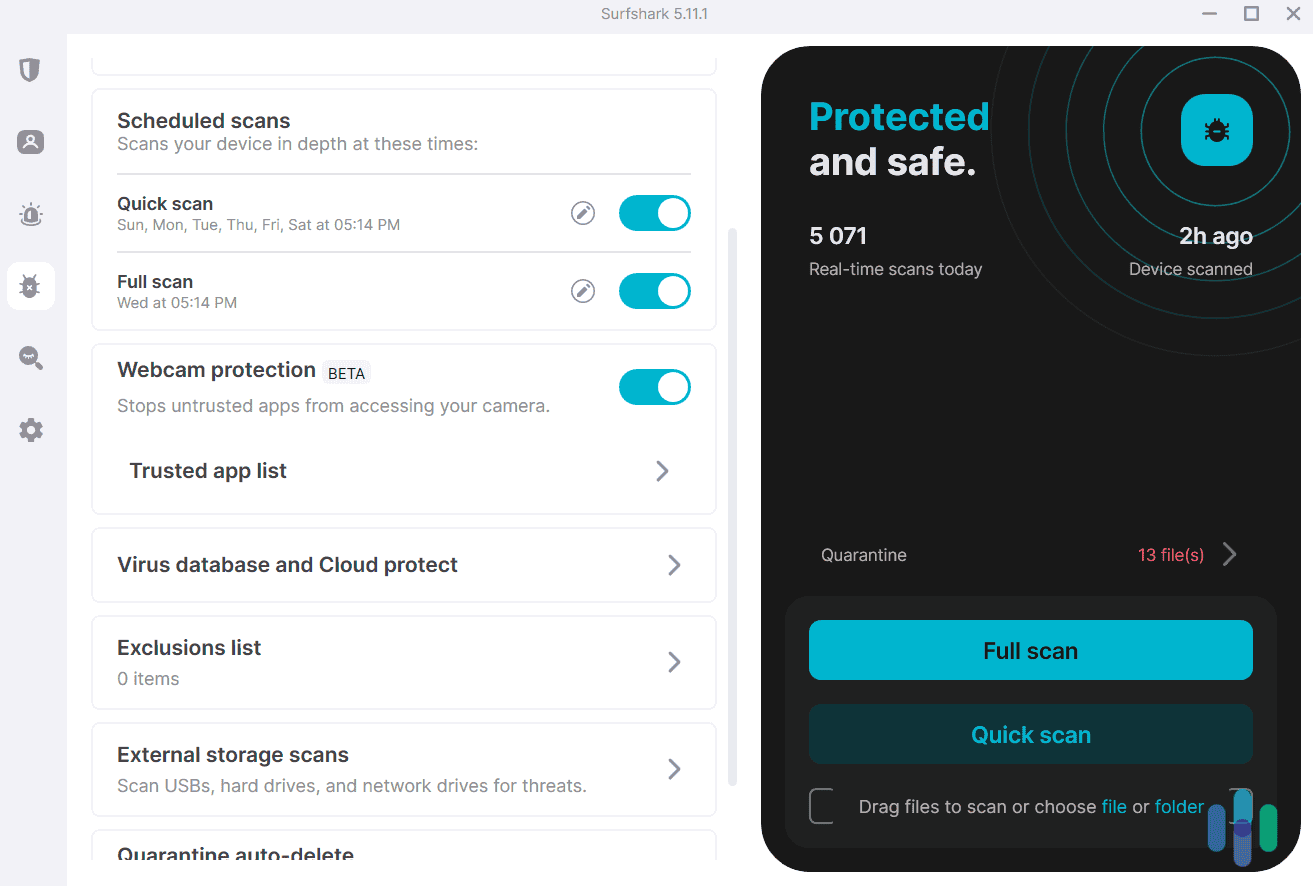
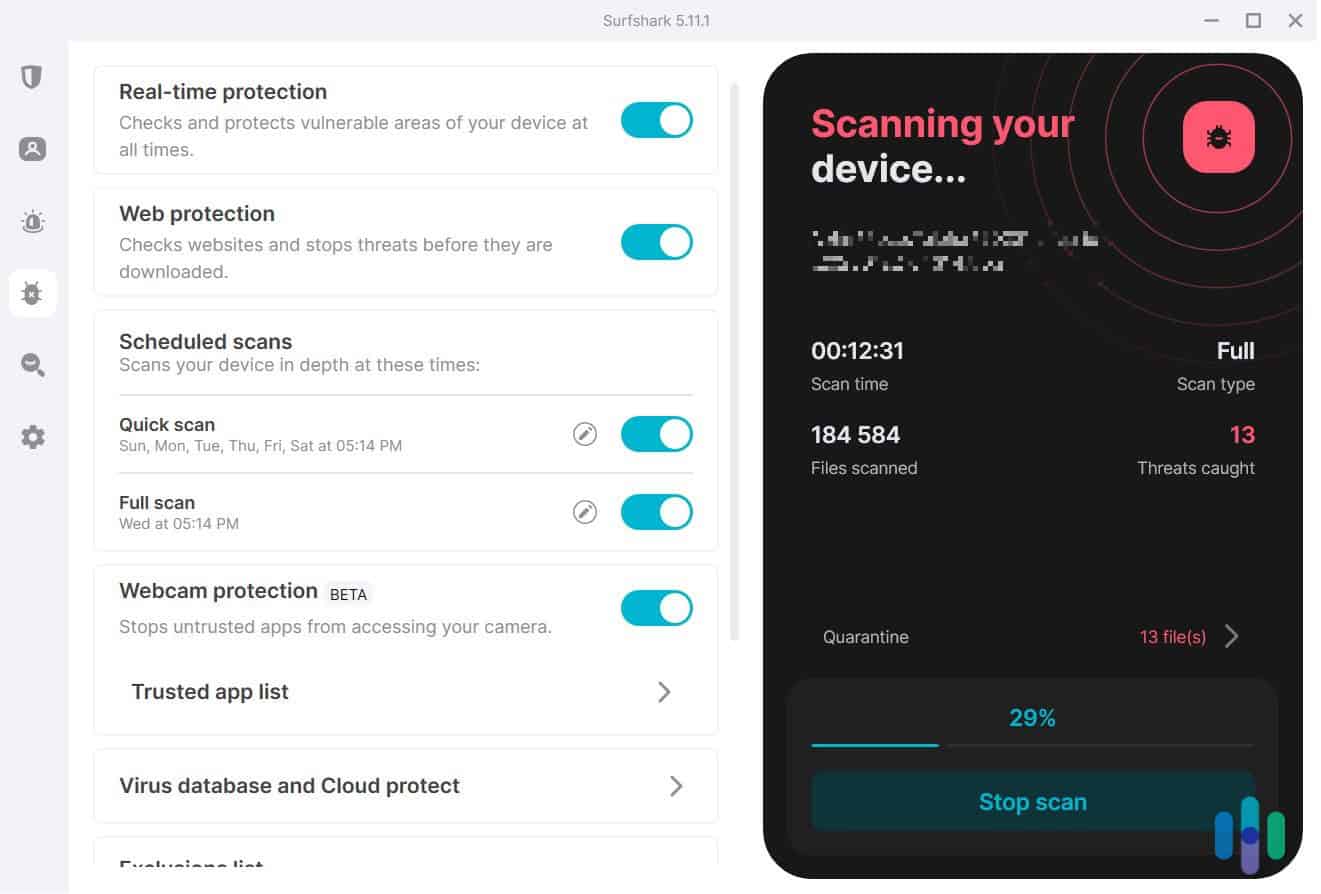
Surfshark’s comprehensive scans even include external storage devices User Experience
The Surfshark One interface is clean and well organized. There’s a dedicated dashboard for Surfshark’s VPN, antivirus, Alert and Search tools. You can easily navigate to any dashboard with the side panel menu. Within each dashboard, you can set up the features of the tool. Some features are also tucked into the Settings dashboard. Setting up the Ransomware Shield requires going into antivirus settings and specifying which folders to protect. It took us about two minutes to set up by following the clear instructions in the app.
FYI: It’s worth noting that Surfshark’s antivirus is not available on iOS. We don’t consider this a big drawback as iPhones and iPads don’t need a traditional antivirus due to the closed ecosystem that Apple enforces. That’s why the top iPhone antivirus apps focus on phishing protection and breach monitoring instead of device scanning.
Pricing
Surfshark’s antivirus is available exclusively through the Surfshark One and Surfshark One+ bundles. Both plans offer antivirus coverage for up to five devices and unlimited devices for their other tools. Here’s a quick overview of Surfshark’s current pricing:
Surfshark Plan Length Surfshark One Surfshark One+ One Month $17.95 $20.85 One Year $3.38 per month $6.98 per month Two Years $2.28 per month $4.18 per month You can try out either plan risk-free with Surfshark’s 30-day money-back guarantee. All you need to do to get a refund is request it within 30 days through the chat box on Surfshark’s website. It’s one of the easiest refund processes we’ve tested.
>> Read More: Surfshark Alternative ID Review and Pricing in 2026
-
3. Norton Antivirus - Best Cloud Backup and Recovery
 View Plans Links To Norton
Product Specs
Virus Detection Yes Malware Detection Yes Firewall Yes Full, quick, and scheduled scans Yes Real-time protection Yes Behavior-based monitoring Yes
Why Choose Norton Antivirus?

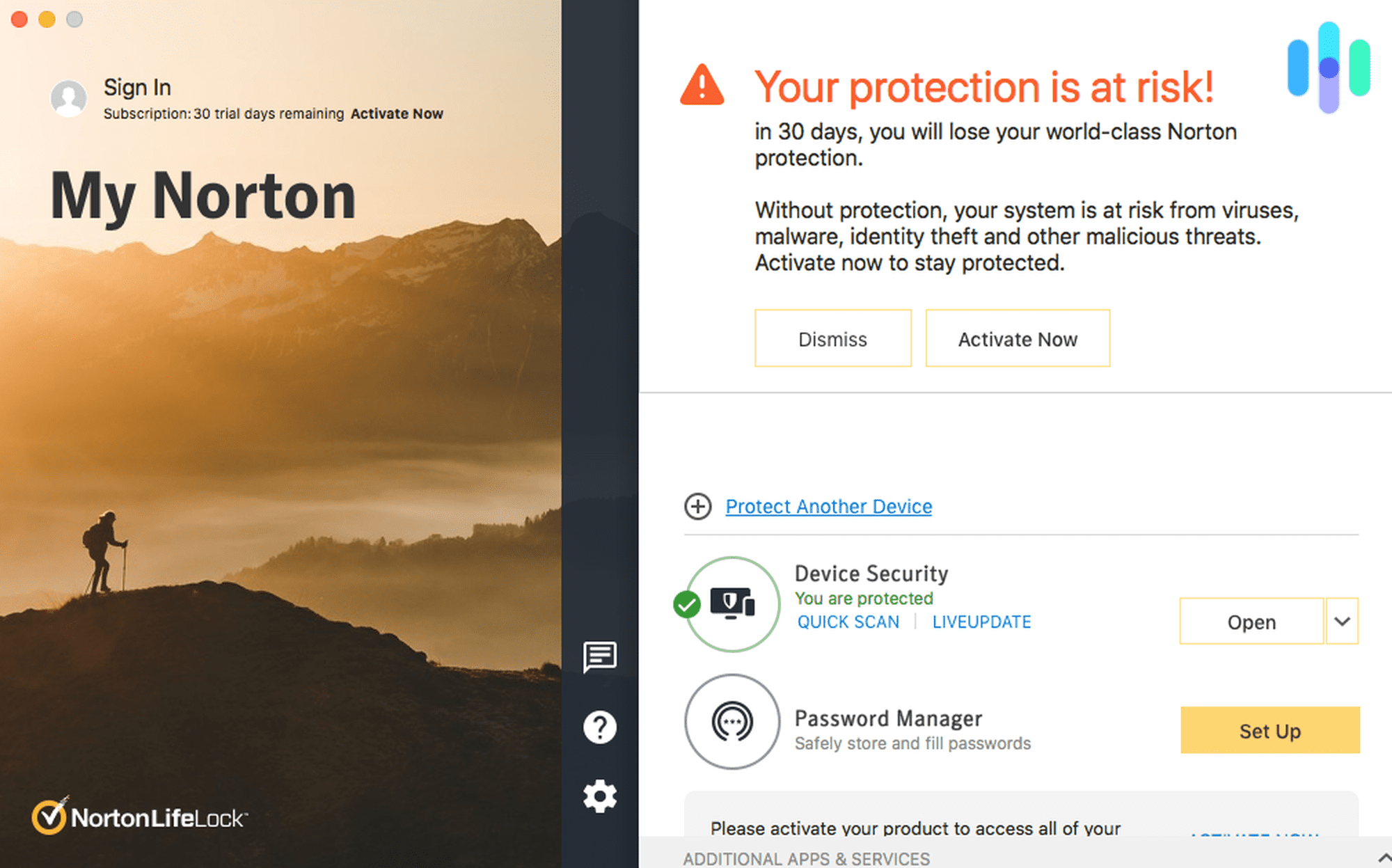
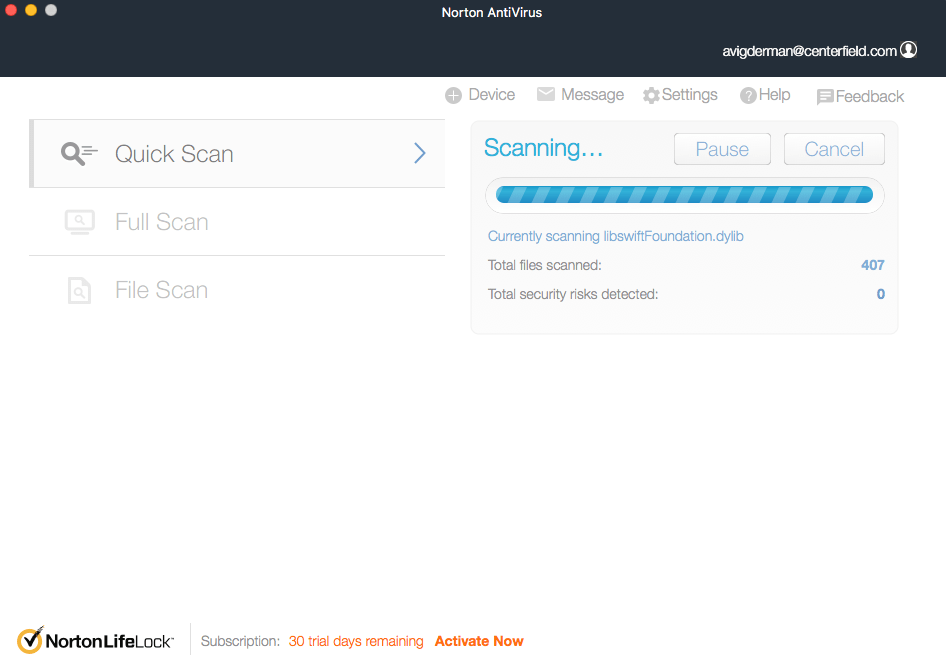
Norton Antivirus provides live malware database updates to stay ahead of current ransomware threats Norton Antivirus earns the third spot because it addresses ransomware from a different angle: recovery. All plans include up to 500 GB of cloud backup, which lets you store copies of your important files on Norton’s secure servers. If ransomware manages to encrypt your local files, you can easily restore them from backup and delete the encrypted files. On the Deluxe plan, that backup space is 50 GB — enough for most users’ documents, photos, and work files.
That said, Norton provides more than just recovery. It uses SONAR (Suspicious Object and Network Activity Reporting) behavioral monitoring to actively identify processes that behave like ransomware, instead of solely relying on known threat signatures. This gives Norton a notable advantage when it comes to detecting new ransomware variants.
The effectiveness of Norton’s ransomware protections show in its near-perfect virus detection results in independent third-party lab tests. It even backs up the effectiveness of its malware prevention with a 100 percent Virus Protection Promise. If your device becomes infected and Norton cannot remove the malware from your device, you get a full refund.
What We Like
- Cloud backup gives you a clean recovery path if ransomware succeeds
- 100 percent Virus Protection Promise
- Smart Firewall adds a layer of network-level protection missing from most competitors
- SONAR behavioral monitoring catches new ransomware variants
- 60-day money-back guarantee — twice the industry standard
- Covers Windows, Mac, Android, and iOS on all plans
What We Don’t Like
- First-year promotional prices increase significantly at renewal
- Full identity theft protection requires a LifeLock bundle, which costs more
- VPN’s server infrastructure lags behind dedicated providers
- Can cause noticeable system slowdown during full scans
Ransomware Protection Testing
We ran the same behavior simulator against Norton Antivirus that we used for TotalAV and Surfshark. Norton blocked the simulated ransomware attack before any files were modified. We then downloaded a set of live ransomware samples in a compressed archive. Norton flagged the archive at the extraction stage and quarantined all threats before any executable could run. It also achieved similar results in third-party lab tests with Norton detecting all malware samples in AV-Test’s assessments since 2015.
We also tested Norton’s cloud backup recovery by encrypting copies of test files and restoring them from the Norton cloud. The process was straightforward — it took less than three minutes to fully restore our files. This recovery workflow is what separates Norton from the other picks on this list: even in a worst-case scenario, you have a clean path out without paying a ransom.
User Experience

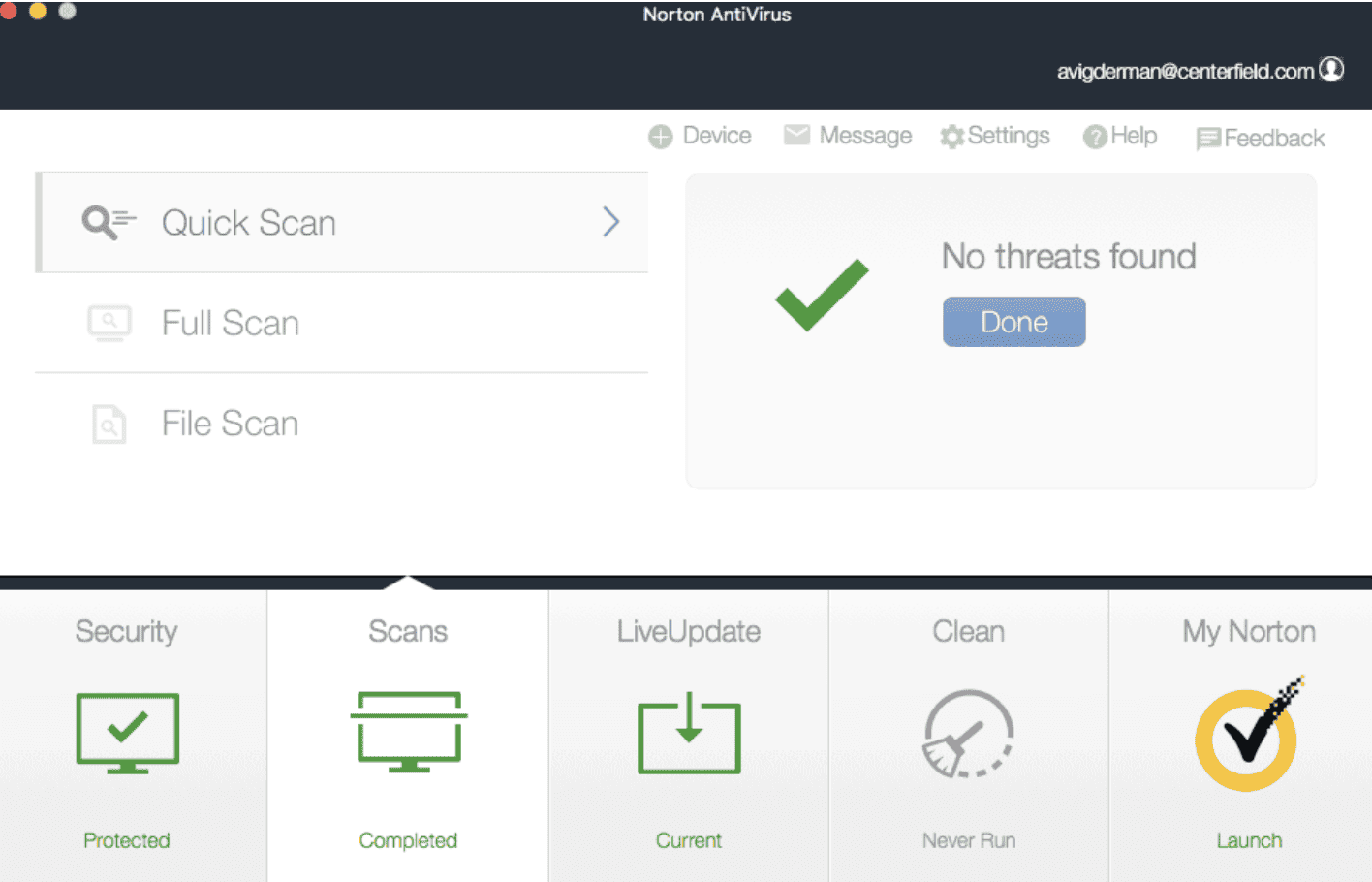
Norton’s streamlined interface made it easy for us to run manual scans any time we wanted Norton’s dashboard is well organized and clearly explains what each feature does, making it approachable for non-technical users. Setting up cloud backup is one of the first things the app prompts you to do after installation, which is good practice. It also automatically configures the Smart Firewall for typical home use, which you can customize as needed. The mobile apps are powerful and easy-to-use as well with both Android and iOS apps offering scam detection, malware protection and a VPN.
Pricing
Norton Antivirus starts at $29.99 for the first year. This basic plan supports one device and includes an antivirus, 2 GB of cloud backup, and a password manager. For access to Norton’s other tools, you’ll need a Norton 360 plan which starts at $39.99 for the first year. These plans add Norton’s VPN, dark web monitoring, expanded cloud backup, and support for additional devices.
You can get more value by bundling Norton 360 with LifeLock for identity theft protection and insurance of up to $3 million. Those bundles start at $99.99 for the first year. We cover our thoughts on Norton’s other tools in our Norton 360 review.
Expert Insight: After the first year discount, Norton’s prices tend to roughly double at renewal time. That’s fairly typical for the industry, so we can’t knock Norton too much here. Plus, Norton uniquely offers a 60-day money-back guarantee every time your plan renews instead of only the first time you subscribe.
-
4. Aura Antivirus - Best for Bundling with Identity Theft Protection
 Select a Plan Links To Aura.com
Product Specs
Virus Detection Yes Malware Detection Yes Firewall No Full, quick, and scheduled scans No scheduled scans Real-time protection Yes Behavior-based monitoring No
Why Choose Aura Antivirus?
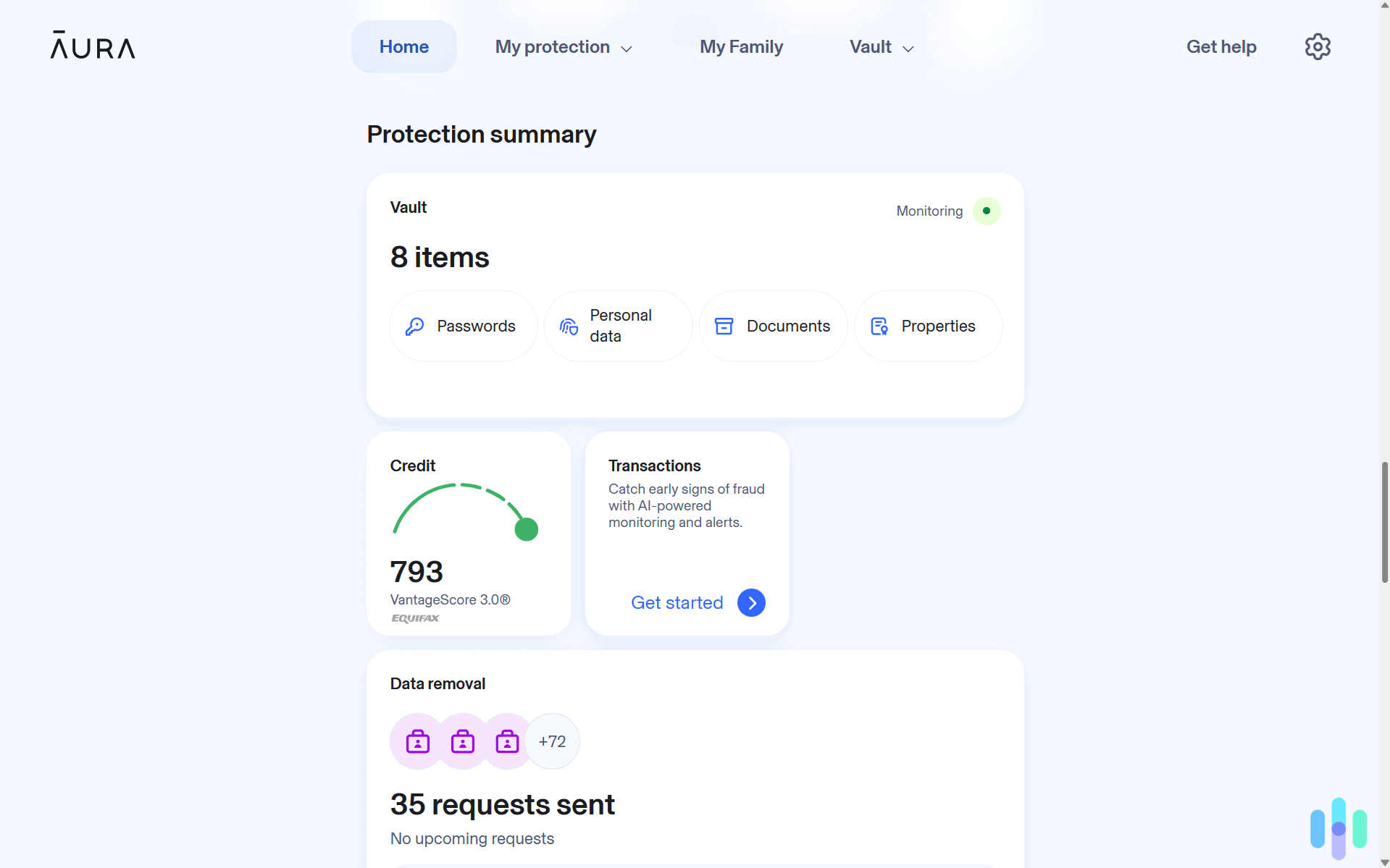
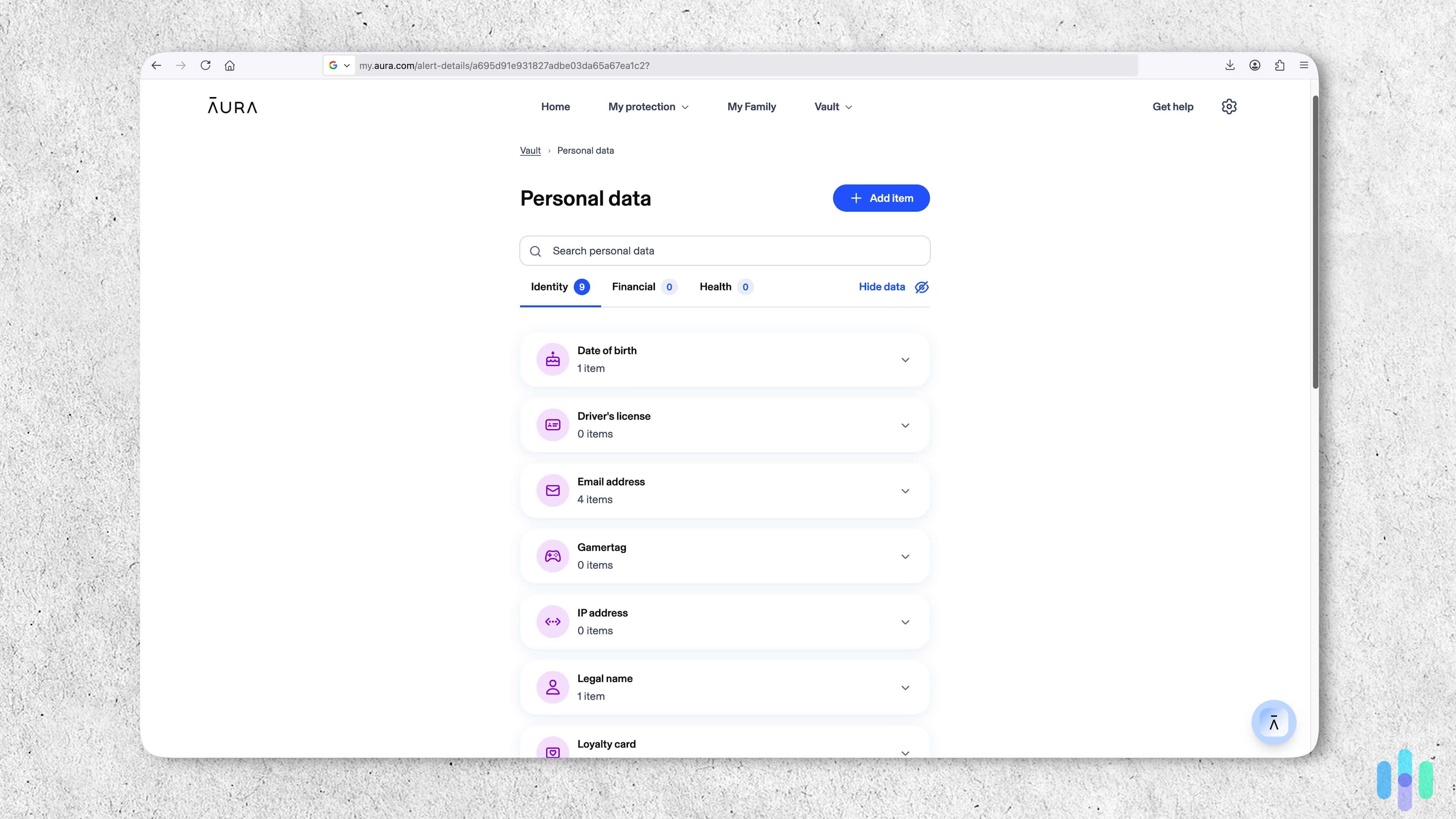
Aura actively monitored every piece of information we added to our personal data vault Aura sits in a category of its own on this list. Where the other picks lead with antivirus and bolt on identity features, Aura leads with identity protection and includes a solid antivirus as part of its broader security platform. That makes it the best pick for anyone who is more concerned with protecting their personal and financial information than their devices.
On the antivirus side, Aura is capable but not exceptional. It detected approximately 98 percent of malware samples in our in-house tests of ransomware, trojans, spyware, and rootkits. It detects malware in real-time as you download, extract and execute files on your computer. Once detected, Aura quarantines the threat and automatically deletes it in seven days if you take no action. We also like the low system resources required for Aura’s antivirus engine to run in the background.
Where Aura stands out is the layer above the antivirus. Most plans include identity theft insurance of up to $5 million, three-bureau credit monitoring, dark web scanning, financial fraud monitoring, and a VPN powered by Hotspot Shield. That’s some of the best identity theft protections available. If a ransomware attack is part of a broader identity theft attempt — which is increasingly common — Aura covers both sides of that exposure.
What We Like
- Up to $5 million in identity theft insurance
- All plans include antivirus, VPN, and a password manager
- Real-time ransomware detection with automatic quarantine and deletion
- Low system performance impact during both scans and idle protection
- 60-day money-back guarantee with a 14-day free trial
- Simple, non-technical interface — no configuration required
What We Don’t Like
- Yet to receive assessments from independent labs like AV-Test
- Lacks a firewall across all plan tiers
- Real-time download protection is only available for Windows
- No scan scheduling, which limits control over when full scans run
- Detection rate trails behind TotalAV and Norton Antivirus
Ransomware Protection Testing
We tested Aura’s ransomware protection on a Windows 11 machine. Real-time protection caught and quarantined ransomware samples as they were extracted from a compressed archive, before any executable could run. Aura did not require manual configuration to activate ransomware protection — it was running from the moment installation completed.
Aura’s 98 percent malware detection rate in our testing is competitive, but the top performers detected 100 percent of malware tested. That two percent difference is small enough that it’s a worthwhile tradeoff for Aura’s advanced identity protection capabilities, if that’s what you value most.
Noteworthy Limitation: Aura has not received a third-party lab review by AV-Test. They test the effectiveness of different antivirus software against thousands of samples of known malware and zero-day threats. That said, our in-house testing results showed Aura’s performance trailed TotalAV, Surfshark and Norton, but it still beats industry averages.
User Experience
Aura is among the easiest antivirus programs to set up on this list. Installation takes two minutes, and the app requires no manual configuration. The dashboard puts antivirus status, VPN connection, and identity monitoring alerts all in one place for easy management. However, you need to trigger full scans manually as scan scheduling is not available.
Another note is that real-time protection does not work on Mac, working through a browser extension rather than at the system level. That’s a meaningful difference if you regularly open files outside a browser — like email attachments, USB transfers, or files from network shares.
>> Check Out: Aura VPN Pricing and Hands-On Review in 2026
Pricing
Aura’s prices start at $35.99 per year for the base tier, which covers three devices and includes antivirus and VPN. The Plus plan adds a password manager, basic identity protection and covers five devices for $47.99. The Ultimate plan covers ten devices and adds the full identity theft protection suite as well as basic credit monitoring for $59.99. All plans come with a 14-day free trial and a 60-day money-back guarantee. Renewal pricing is higher than first-year promotional pricing — check the current rate before subscribing.
Pro Tip: All of Aura’s dedicated identity theft protection plans include the full suite of Aura Antivirus features and tools. They start at $12 per month when billed annually, but they include more advanced identity protection such as three-bureau credit monitoring instead of the one-bureau monitoring included in the Ultimate plan. We think it’s well worth the premium as we discuss in our review of Aura.
-
5. McAfee Antivirus - Best for Unlimited Devices
 View Plans Links To McAfee
Product Specs
Virus Detection Yes Malware Detection Yes Firewall Yes Full, quick, and scheduled scans Yes Real-time protection Yes Behavior-based monitoring Yes
Why Choose McAfee Antivirus?

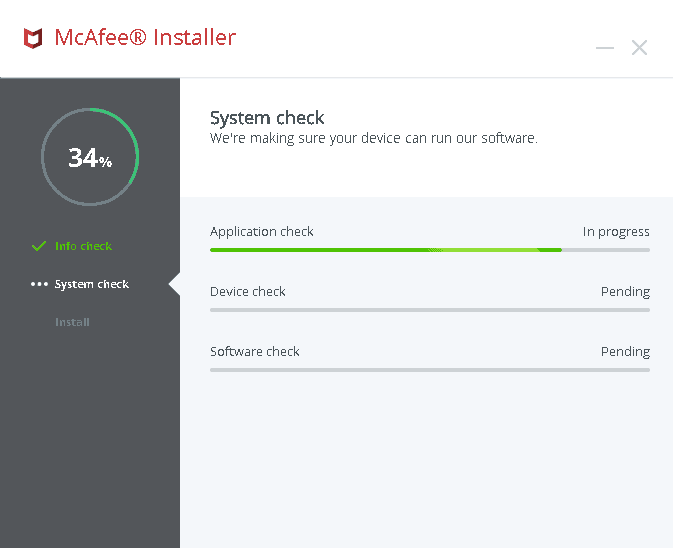
After downloading McAfee, it ran a complete system check on our device McAfee rounds out our list because it is the best option for households or small teams that need to protect a large number of devices without paying per device. Its mid-tier and higher plans cover an unlimited number of Windows, Mac, Android, and iOS devices under a single subscription. That can mean substantial savings for anyone with more than three or four machines to secure.
As for performance, McAfee achieved a 100 percent malware detection rate in our testing and in recent independent lab evaluations. Its Global Threat Intelligence (GTI) network flags suspicious files and URLs in real time. Alongside those reputation checks, McAfee also applies behavior‑based blocking to stop ransomware by detecting patterns such as rapid, bulk file encryption. To top it off, McAfee’s Ultimate plan includes reimbursement of up to $25,000 of financial losses from a successful ransomware attack.
McAfee is also one of the few programs on this list to include a full firewall, which adds network-level protection. This helps prevent ransomware that’s infected one device from connecting and infecting your other devices on your Wi-Fi network.
>> Read About: What Is Cyber Insurance? The Complete Guide
What We Like
- 100 percent malware detection rate in our testing and in AV-Comparatives evaluations
- Unlimited device coverage starting at the Premium plan tier
- Firewall included in all plans
- Up to $25,000 ransomware reimbursement on the Ultimate plan
- 30-day free trial with no credit card required
What We Don’t Like
- Full scans can cause noticeable system slowdown during active use
- Renewal pricing jumps significantly after the first year
- Privacy policy collects more device and browsing data than most competitors
- Some identity theft monitoring features require auto-renewal
- No cloud backup — ransomware recovery depends entirely on blocking, not restoration
Ransomware Protection Testing
We tested McAfee using the same ransomware behavior simulator used throughout our evaluation process. McAfee’s real-time protection flagged and blocked the simulated attack before any files were modified. We also ran a full malware scan against a compressed set of ransomware, trojan, and spyware samples. McAfee detected every threat in the archive and quarantined all files without manual intervention.
McAfee’s GTI cloud intelligence was active throughout both tests, cross-referencing suspicious files against its global threat database in real time. This performance remained consistent across AV-Test’s analyses as well with McAfee detecting 100 percent of the 12,728 known malware samples and the 285 zero-day threats tested.4
User Experience

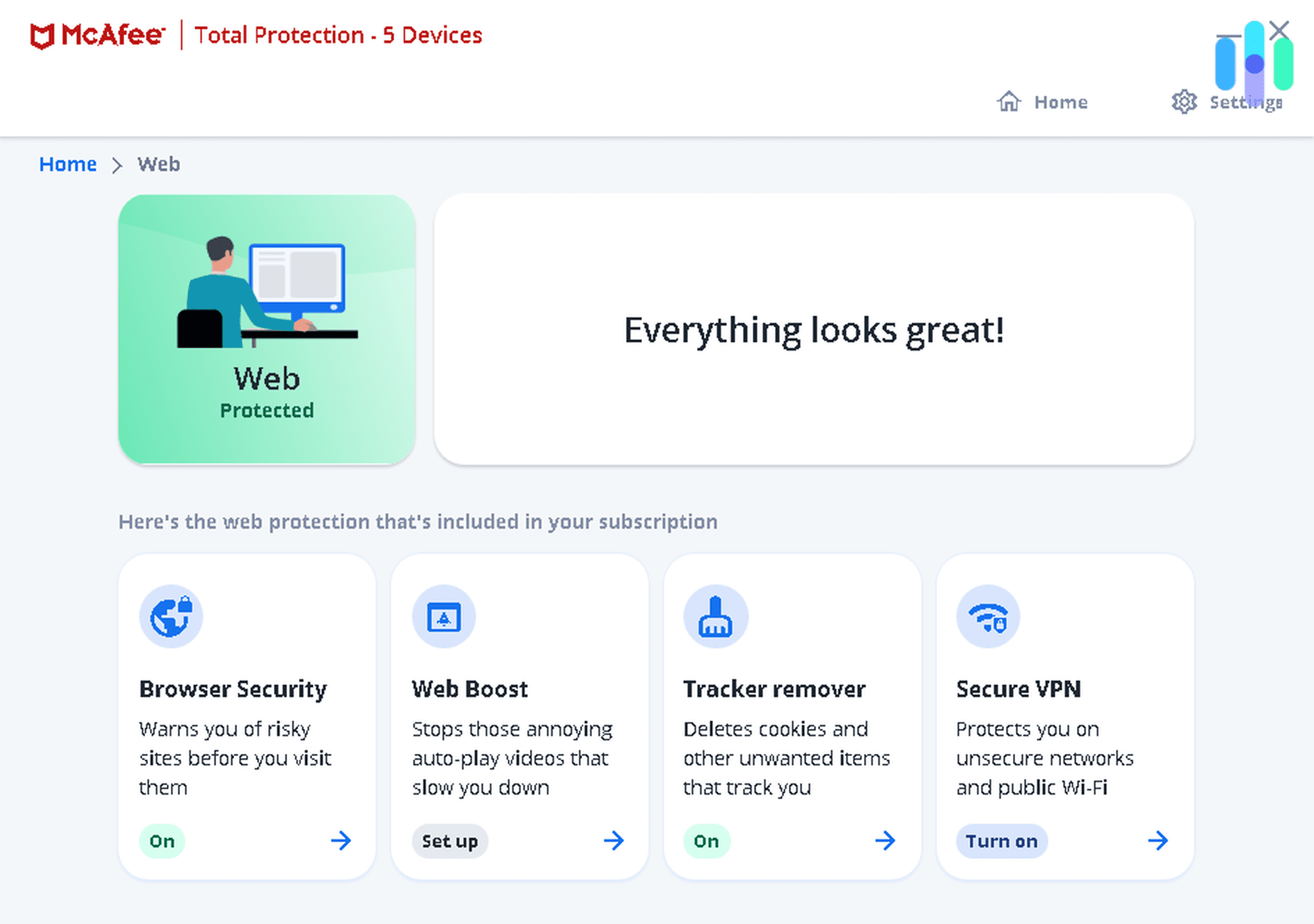
We found it easy to navigate McAfee’s interface with features categorized by protection type McAfee’s dashboard has improved considerably in recent versions. Security status is clearly displayed on the home screen, scan options are easy to access, and the firewall is pre-configured to work for typical home use without requiring manual rules. The biggest usability friction is during full scans, which slowed our system down enough that we noticed a lag when switching applications. We never experienced that with TotalAV, Surfshark or Aura.
McAfee’s unlimited device coverage is its best practical feature. For a household with laptops, desktops, phones, and tablets across multiple family members, a single McAfee subscription can cover them all. With competitors, you’d need to buy several licenses.
Pricing
McAfee Antivirus costs $29.99 per year for the Basic plan that covers one device. The Essential plan expands coverage to up to five devices for $39.99 per year. For unlimited devices, you’ll need at least the Premium plan at $49.99 per year. It also adds personal info scans and a social media privacy tool. Then, there’s the Advanced and Ultimate plans at $89.99 and $149.99 per year, respectively. They add broader identity protections, up to $2 million identity theft insurance and ransomware reimbursement. All plans include a 30-day money-back guarantee and a 30-day free trial for new users.
Methodology: How We Chose the Best Ransomware Protection
Our team has spent over 1,000 hours researching, installing, and actively testing antivirus software across Windows, macOS, Android, and iOS devices. For this guide, we focused specifically on ransomware performance rather than general malware detection. That’s a meaningful distinction because ransomware behaves differently, causes immediate and visible damage, and demands a different standard of protection. As such, we assessed each antivirus based on:
- Ransomware Detection Capability: We conducted our own tests with behavior simulators that mimic real ransomware encryption patterns and live ransomware samples to determine each antivirus’s detection capabilities. Then, we cross-referenced our results against third-party lab analyses that test live malware and zero-day exploits to ensure our recommendations are reliable.
- System Performance Impact: Ransomware protection only works if it is running. We measured CPU and RAM usage during full scans, quick scans, and idle real-time monitoring on the same Windows 11 and macOS test machines. Protection that degrades user experience tends to get disabled — which defeats the purpose.
- Ease of Setup and Use: We timed each program from installation to active real-time protection on both Windows and macOS. That gave us a quantitative measurement for assessing setup, but we also wanted to consider how easy it feels to use on a daily basis. This gave us a feel for an average user’s impressions on the overall usability of each provider.
- Pricing and Value: Instead of just looking at the bottom-line, we consider the full cost of ownership in comparison to the value of the subscription. That means we look out the first year and renewal prices as well as the full suite of features included with each tier.
We tested each antivirus on the same test hardware, using the same ransomware simulators and live sample sets across all candidates. Then, we cross-referenced our results with independent data from third-party organizations, like AV-Test, to ensure our findings held up against standardized industry benchmarks.
What Is Ransomware and How Does It Work?
Ransomware is a type of malware that encrypts the files on your device and demands payment, typically in cryptocurrency, in exchange for the decryption key. Once your files are encrypted, you cannot access them without either paying the ransom (with no guarantee you’ll receive the key) or restoring from a clean backup. There is no technical shortcut — modern ransomware uses encryption that cannot be broken without the key.
How Ransomware Gets onto Your Device
The most common delivery methods of ransomware include:
- Phishing emails with malicious attachments or links
- Malicious downloads disguised as legitimate software
- Exploit kits that target unpatched software vulnerabilities
- Compromised Remote Desktop Protocol connections in business environments
Ransomware can also spread laterally across a network once it has infected one machine. That’s why endpoint protection is particularly important for anyone working in a shared network environment. However, preventing initial infection is still your best line of defense. We give specific tips in our phishing protection guide.
What Happens During an Attack
Most ransomware executes in stages. First, it establishes itself on your device and communicates with a remote server controlled by the attacker. Next, it assesses your files, identifying which ones to encrypt based on their type and location. Then it encrypts them, often replacing each file with an encrypted version and deleting the original. Finally, it displays a ransom note telling you how much to pay and where to send it. By the time that note appears, the damage is done — which is why prevention is essential.
Who Ransomware Targets
Ransomware attacks individuals and organizations alike. Consumer-facing attacks tend to target photo libraries, documents, and financial files. Enterprise ransomware targets servers, databases, and backup systems, and often comes with significantly higher ransom demands. Hospitals, schools, and local governments have been among the most frequently targeted institutions in recent years because of their dependence on continuous data access and historically underfunded security budgets.
>> Learn More: What is a Data Breach and How to Prevent a Breach in 2026
How to Choose the Best Ransomware Protection
Not all antivirus programs handle ransomware the same way. Here are the features that matter most:
Real-Time Protection
The single most important feature. Real-time protection monitors your device continuously, scanning files as they are downloaded, opened, or modified. A program that only runs on-demand scans will not catch ransomware until after you manually run a scan — which will usually be too late.
Behavior-Based Detection
Signature-based detection identifies known ransomware by matching it against a database of known threats. Behavior-based detection goes further, identifying ransomware by what it does rather than what it looks like. Since ransomware authors regularly modify their code to evade signature detection, behavior-based analysis is essential for catching new variants.
Dedicated Ransomware Shields
Some programs offer folder-level protection that prevents any unauthorized application from modifying files in designated locations. This is an additional layer of protection that can catch ransomware even if it manages to slip past real-time scanning. Surfshark is the only one on this list to include this feature.
>> Beginner’s Guide: How to Run an Antivirus Scan on Your Computer or Phone
Cloud Backup
No protection is perfect. Programs that include automatic cloud backup give you a recovery option if ransomware does succeed — you restore your files from the cloud rather than pay the ransom. Norton 360 is the only program on this list to include cloud backup as a built-in feature.
Zero-Day Threat Coverage
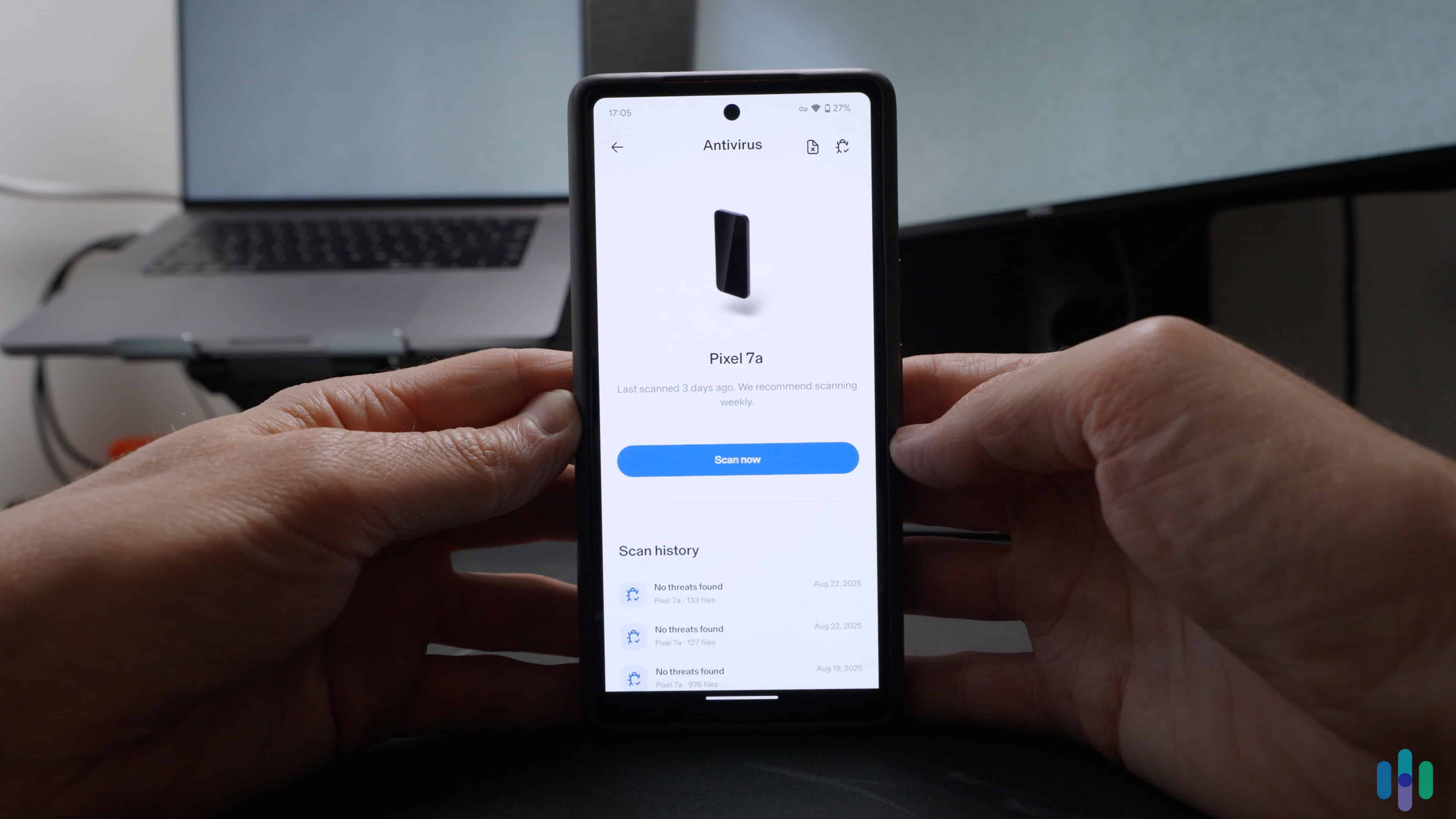
Cloud-based detection and machine learning allow antivirus programs to catch ransomware that has never been seen before. Look for programs that update their threat databases multiple times per day and that analyze suspicious files in the cloud without requiring you to wait for a local database update.
Device Coverage and Pricing
Consider how many devices you need to protect and whether the program’s pricing scales reasonably. Some programs, like McAfee, offer unlimited device coverage at a flat annual rate. Others charge per device or cap coverage at a small number. If you are protecting a household with multiple computers and smartphones, ensure your plan supports the number of devices you own.
Recap
Ransomware is one of the most disruptive threats an individual or business can face online. The only reliable defense is stopping it before it starts. After testing more than 15 antivirus programs against live ransomware samples and behavior simulators, these five programs stood out as the strongest performers for home and personal use in 2026.
- TotalAV is our top overall pick for consistently blocking ransomware before encryption begins, with strong independent lab scores and affordable pricing.
- Surfshark One is the best bundle, with a dedicated Ransomware Shield that adds folder-level protection and a perfect AV-TEST score to back it up.
- Norton 360 is the best choice if you prioritize ransomware recovery — its cloud backup gives you a clean exit even if an attack succeeds.
- Aura is the best pick for people who want ransomware protection and identity theft coverage in one place, with up to $5 million in identity theft insurance included.
- McAfee Total Protection is the best option for households with many devices, offering unlimited device coverage, a firewall, and up to $25,000 in ransomware reimbursement on its top plan.
If you are looking for protection beyond antivirus, see our guides to the best data removal services and identity theft prevention. Both of them address the downstream risks that often follow a ransomware attack or data exposure event.
Frequently Asked Questions
-
Does antivirus software actually protect against ransomware?
Yes, provided it has real-time protection and behavior-based detection. Antivirus programs that only scan on demand or check against known threat signatures are less effective against new ransomware variants. The programs we recommend all use behavioral analysis and cloud-based detection to catch ransomware before it can encrypt files, including variants that have never been seen before.
-
What is the best free ransomware protection?
Windows Defender, built into Windows 10 and 11, includes a feature called Controlled Folder Access that prevents unauthorized apps from modifying protected folders. It is a legitimate first line of defense at no cost for Windows users. That said, it does not include behavioral ransomware detection, phishing protection, or the kind of zero-day coverage that paid programs provide. TotalAV and McAfee both offer limited free versions or free trials if you want to test a paid program before committing.
-
Can ransomware be removed once it has encrypted my files?
In most cases, no. Modern ransomware uses encryption strong enough that it cannot be reversed without the decryption key. An antivirus can quarantine or remove the ransomware program itself, but that does not unlock your files. Recovery options after an attack are limited to restoring from a clean backup, using a publicly available decryptor if one exists for that specific ransomware strain, or paying the ransom. However, we do not recommend paying the ransom, since payment does not guarantee file recovery and funds further attacks.
-
Is paying a ransomware ransom ever a good idea?
Law enforcement agencies including the FBI recommend against paying ransoms. Payment does not guarantee attackers will provide a working decryption key, and it signals that you are a viable target for repeat attacks. If you are hit with ransomware, report it to the FBI’s Internet Crime Complaint Center (IC3) and consult a cybersecurity professional before making any payment decisions.
-
How is ransomware different from other malware?
Most malware operates covertly, stealing data, logging keystrokes, or using your device’s resources without you noticing. Ransomware is designed to be noticed — its entire model depends on making you aware that your files are encrypted so you will pay to recover them. This makes it uniquely disruptive because it causes immediate, visible damage rather than quietly siphoning information over time. It also makes real-time prevention especially critical, since there is no slow, undetected window during which you might notice before damage is done.
-
Federal Bureau of Investigation. (2026). Internet Crime Report 2025.
https://www.ic3.gov/AnnualReport/Reports/2025_IC3Report.pdf -
AV-Test. (2025). AV-TEST Product Review and Certification Report.
https://www.av-test.org/en/antivirus/home-windows/windows-11/april-2025/protectednet-totalav-6.2-251215/ -
AV-Test. (2025). AV-TEST Product Review and Certification Report.
https://www.av-test.org/en/antivirus/home-windows/windows-10/june-2025/surfshark-antivirus-5.15–5.16-251315/ -
AV-Test. (2026). AV-TEST Product Review and Certification Report.
https://www.av-test.org/en/antivirus/home-windows/windows-11/february-2026/mcafee-total-protection-1.35-261114/