



the security.brief
We explain how VPN port forwarding works, which providers still support it, and when you actually need an open port.
A VPN normally hides you from the internet. Port forwarding does the opposite. It opens one controlled doorway through that hidden connection, so an outside device like a torrent peer or a game server can reach something on your network.
This guide covers what VPN port forwarding does and why it counts for torrenting and self-hosting. It also covers which providers still support it and the security tradeoffs of opening a port at all.
FYI: Torrenting is often linked to pirating copyrighted material, but it’s also used for data distribution and to train decentralized AI models. Despite efforts to curb torrenting, in 2025 there were more than 50 million monthly active users.1
What Is VPN Port Forwarding?
Port forwarding is a networking rule. It tells a router, or a VPN server, to send incoming traffic on a specific port straight to one device instead of dropping it. Every internet connection uses ports. These are numbered channels that separate different kinds of traffic on the same IP address. Web browsing typically rides on port 443. A BitTorrent client might listen on a much higher, randomly assigned one.
Without forwarding, unsolicited incoming connections get blocked by default. That happens on your home router, and again on a VPN’s network address translation. That is good for privacy, but it also means outside devices cannot initiate a connection to you. That is a problem for anything built on two-way traffic instead of the one-way requests a browser makes.
VPN port forwarding solves that by carving out one port on the VPN’s exit server and mapping it to your device inside the encrypted tunnel. Traffic aimed at that port reaches you. Everything else on that server still gets blocked, so the rest of your connection stays closed the way a VPN is meant to work.
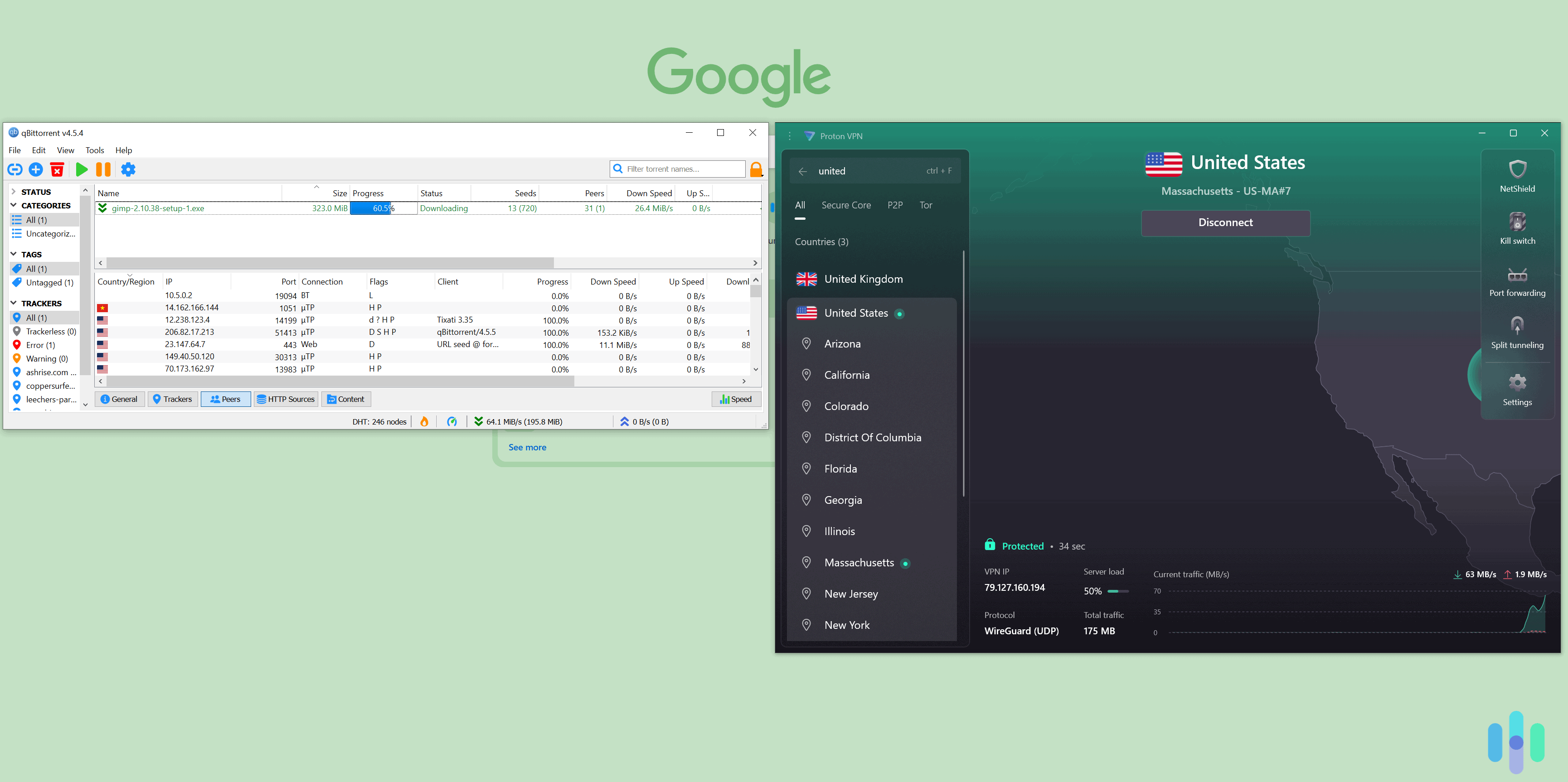
How VPN Port Forwarding Works
A VPN already encrypts your traffic and routes it through a server that masks your real IP address. Port forwarding adds one exception to that setup. Instead of every inbound connection getting blocked, one designated port on the VPN server gets tied to your device inside the tunnel.
Providers that offer this feature assign the port one of two ways. Some hand out a static port that stays the same every time you connect, which suits anything needing a consistent address, like a self-hosted game server. Others assign a dynamic port that changes between sessions, often through a protocol called NAT-PMP, which requires the app to fetch the current port automatically.
Either way, the traffic stays wrapped in the same encryption as the rest of your session. Port forwarding changes what can reach you, not how securely it travels once it does. The protocol your app uses, whether WireGuard-based or older, generally handles the forwarded port the same as every other packet.
Why You Might Want a VPN With Port Forwarding
A handful of activities depend on other devices being able to connect to you first. If you fall into one of these categories, an open port stops being a nice-to-have and becomes the thing that makes the activity work.
- Torrenting and seeding. A forwarded port lets other peers in a swarm connect to you directly. That speeds up downloads and lets you seed back at full speed.
- Hosting a game server. Multiplayer games that run their own server, instead of using a hosted one, need an open port for players to join.
- Remote access to a home device. Reaching a home computer, a media server, or a storage box from outside your house often requires a reachable port.
- Security camera or NVR access. Some camera systems expect an inbound connection to stream footage to a phone app when you are away from home.
FYI: None of these are out of the ordinary. They are common enough that entire best-of lists weigh them, including our guides to the best VPNs for torrenting and the best VPNs for gamers.
Which VPNs Support Port Forwarding
Support for this feature has thinned considerably. Several major VPNs dropped port forwarding entirely in recent years, citing abuse and security concerns. A smaller group still offers it in some form.
Private Internet Access offers dynamic port forwarding on most of its servers and remains one of the more straightforward options to set up. Proton VPN includes port forwarding on its paid plans through NAT-PMP, gated to specific servers. Mullvad has historically supported it too. Providers periodically add or drop the feature, so the current server list is worth checking before you commit to a plan on this basis alone.
NordVPN offers port forwarding through its Dedicated Server add-on, which hands you a private server to configure yourself instead of sharing space on the network’s standard infrastructure. That server is entirely yours, so a forwarded port on it stays isolated to your own device instead of sitting on a shared exit point other providers route many users through.
NordVPN’s Dedicated Server add-on gives you a private server you configure yourself, with port forwarding managed on your own setup instead of shared infrastructure.

Security Risks of Port Forwarding
Opening a port is, by definition, opening a door. The VPN’s encryption still protects the traffic that passes through it. Your device behind that port becomes directly reachable from the internet in a way it was not before, and that reachability carries its own risks.
- A wider attack surface. Any service listening on that port, whether a torrent client or a camera feed, is now exposed to anyone who finds it. That includes strangers well beyond the peers you meant to reach.
- Weak default credentials. IoT devices and self-hosted apps often ship with default logins. A forwarded port makes those defaults reachable from the open internet instead of staying confined to your home network.
- Unpatched software. A vulnerability in the forwarded application becomes exploitable by anyone who finds the open port. Automated scanners look for exactly this kind of opening. In 2025, unpatched software was responsible for 20 percent of all reported data breaches.2
- Port scanning exposure. An open port on a VPN’s shared exit server can be discovered through routine internet-wide scans. No targeted attack is required.
None of this makes port forwarding unsafe to use. It means the person opening the port carries more responsibility for what runs behind it, from patching software to using strong, unique credentials.
How to Set Up VPN Port Forwarding
The exact steps vary by provider, but the general process for a VPN that supports the feature follows a consistent pattern.
- Confirm the provider and server support it. Not every server on a given VPN offers port forwarding, even when the provider does.
- Enable the feature in the app or account dashboard. Some providers manage this through the desktop app, others through a web-based portal.
- Note the assigned port. Static assignments stay the same across sessions. Dynamic ones may need to be re-fetched each time you connect.
- Point your application at that port. Torrent clients, game servers, and remote-access tools each have a settings field for the listening port.
- Test the connection. An online port checker or the application’s own status confirms whether the port is reachable from outside your network.
Pro Tip: Our general VPN setup guide is a useful starting point if this is your first time going beyond the basic connect button. Our router VPN guide covers the router-level version of this same concept.
VPN Port Forwarding vs. Alternatives
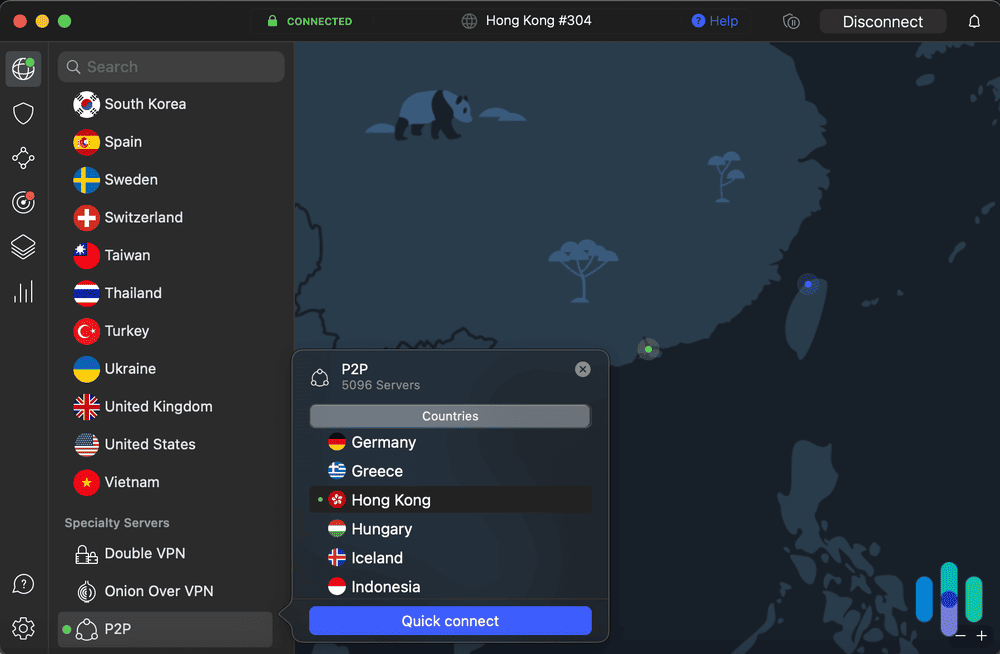
Port forwarding is not the only way to make a home device reachable from outside your network. For some use cases, it is not even the best one.
Dynamic DNS services pair with router-level port forwarding to give a changing home IP address a fixed hostname. That is a router feature, not something your VPN provider controls. Mesh VPN tools built for self-hosting create a private network between your own devices without opening any port to the wider internet, trading a direct connection’s speed for a smaller attack surface. Split tunneling solves a related but different problem, letting specific apps bypass the VPN rather than opening a path through it.
Which approach fits depends on the goal. Torrenting and hosting a public game server both benefit from a fully open port. Reaching a personal device you control is often better served by a tool that never exposes a port to strangers at all. Port forwarding is a narrow tool for a narrow set of problems. Most everyday VPN use, from streaming to general browsing security, never touches it. For the activities that do need it, our best VPNs roundup filters providers by exactly this kind of feature support.
Frequently Asked Questions
-
Does a VPN block port forwarding by default?
Yes. A VPN’s network address translation blocks unsolicited inbound connections by default, the same way a home router does. That is why the feature has to be explicitly enabled rather than working automatically.
-
Is port forwarding the same as a static IP?
No. A static or dedicated IP address stays the same between sessions, but that alone does not make any port on it reachable. Port forwarding is a separate setting configured on top of a static address, and some providers offer one without the other.
-
Can I use port forwarding and a kill switch at the same time?
Yes. A kill switch cuts your connection if the VPN tunnel drops, which protects the forwarded port too. If the tunnel fails, the port closes along with everything else.
-
Does port forwarding slow down my VPN connection?
Not in any noticeable way. Forwarding a port changes how one type of traffic reaches you, not how the tunnel encrypts or routes data. It does not add measurable overhead to your overall speed.