Defender Security Cameras: 2026 Review and Pricing
Defender has three camera models to choose from. Is one of them right for you? Let’s find out.
- Up to 4K video resolution
- Three cameras to choose from
- Prices starting at $35


the security.brief
Defender cameras are a solid budget pick, with models starting at $35 and featuring up to 4K resolution. There are no monthly storage fees, but don't expect professional monitoring.
Editor’s Note: Instead of relying only on a camera, we highly recommend a home security system. You can pick and choose the devices that make sense for you. Find out more in our guide to the Best DIY Home Security Systems of 2026.
There’s really no excuse these days to have a home security system without cameras. All of the best home security systems offer cameras for a reason. While door sensors and smoke alarms are important, you also need to be able to see what’s happening in and around your home. And with camera prices getting more affordable all the time, it’s easy to find good-quality cameras that won’t break your budget.
Defender cameras certainly qualify as affordable. You can pick up a 2K model for as little as $35, and even premium models never cost more than $200 — putting Defender right in line with the options on our list of the most affordable security cameras. They also feature a lot of the same specs as the best home security cameras on the market today. But, what makes these cameras so cheap and what kind of quality are you getting for that price? After all, cheap, unreliable cameras aren’t worth $40. Heck, they’re not even worth $20!
Below, you’ll find all you need to know about Defender cameras. We take a close look at all three of the company’s offerings, checking out their image resolution, breaking down their features, considering setups, and comparing prices. By the time we’re done, we promise you’ll know whether you should invest in a Defender camera or look elsewhere.
Pricing Defender Cameras
We know, we know. You want to hear about the price of Defender security cameras right up front. So let’s get to it.
Defender offers several camera options, including the 4K Sentinel, the 2K Defender, the Frontier PTZ, and the Everwatch PTZ. All three are reasonably priced, so choosing the camera that’s right for you will likely come down to deciding which one fits your particular security needs best.
| Camera | Main features | Price |
|---|---|---|
| 4K Sentinel | 4K resolution and DVR/NVR recording | Systems start at $549 |
| 2K Defender | 2K resolution and optional cloud or local recording | $35 |
| Frontier PTZ | 2K resolution, solar powered, cellular connectivity, and optional cloud or local recording | $169 |
| Everwatch PTZ | 4K resolution, 360-degree panning, optional cloud or local recording | $95 |
No matter which model you choose, you’ll pay a one-time fee for equipment and that’s it. All of Defender’s cameras utilize local recording, so you never have to pay storage fees. The Defender app gives you access to live and recorded footage so that you don’t have to pay monthly subscription fees for alerts or monitoring. Of course, the downside to no subscription fees is that you don’t have the option to purchase professional monitoring of any kind. In other words, you’re on your own when it comes to keeping up with what’s happening at home.
We like having a monitoring option, particularly for vacations when we’d rather not constantly check our feeds. That said, if self-monitoring works for your lifestyle, you’ll save the $25 to $50 per month most providers charge for professional monitoring. You can find more examples of subscription-free security systems on our no-monthly-fee home security page.
Pro Tip: Want to save more money? Check out Defender’s camera bundles. They include an NVR as well as several cameras at a reduced price. For instance, a 1 TB NVR with four 4K cameras costs $549. You’re essentially getting the NVR for $269 compared to buying four standalone cameras individually. Normally, NVRs cost around $350 on their own.
DeDefender regularly runs promotions on their products, so it’s worth bookmarking their website and checking back for current deals. The company also offers a price-match guarantee. With it, if you find a Defender camera for a lower price at any authorized dealer within 30 days, Defender will refund the difference. Finally, Defender has a 30-day return policy. You should know that you’re responsible for any shipping fees, but it’s reassuring to know you won’t be stuck with the full purchase price if you decide Defender isn’t the right fit.
Three Cameras
Given that all three of Defender’s cameras are reasonably affordable, the real question is, which one is right for you? Let’s talk about what you get with each one.
4K Sentinel
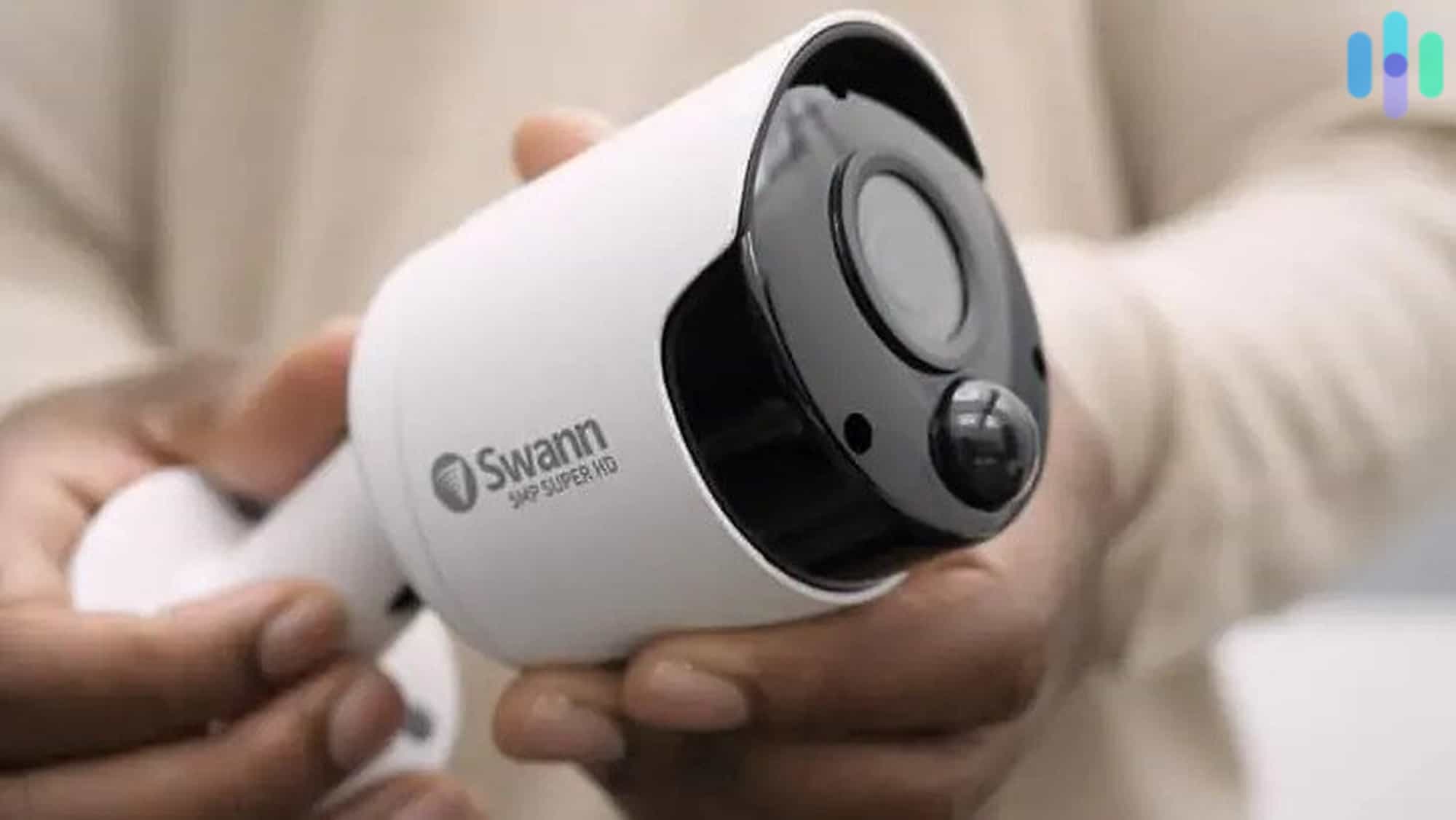
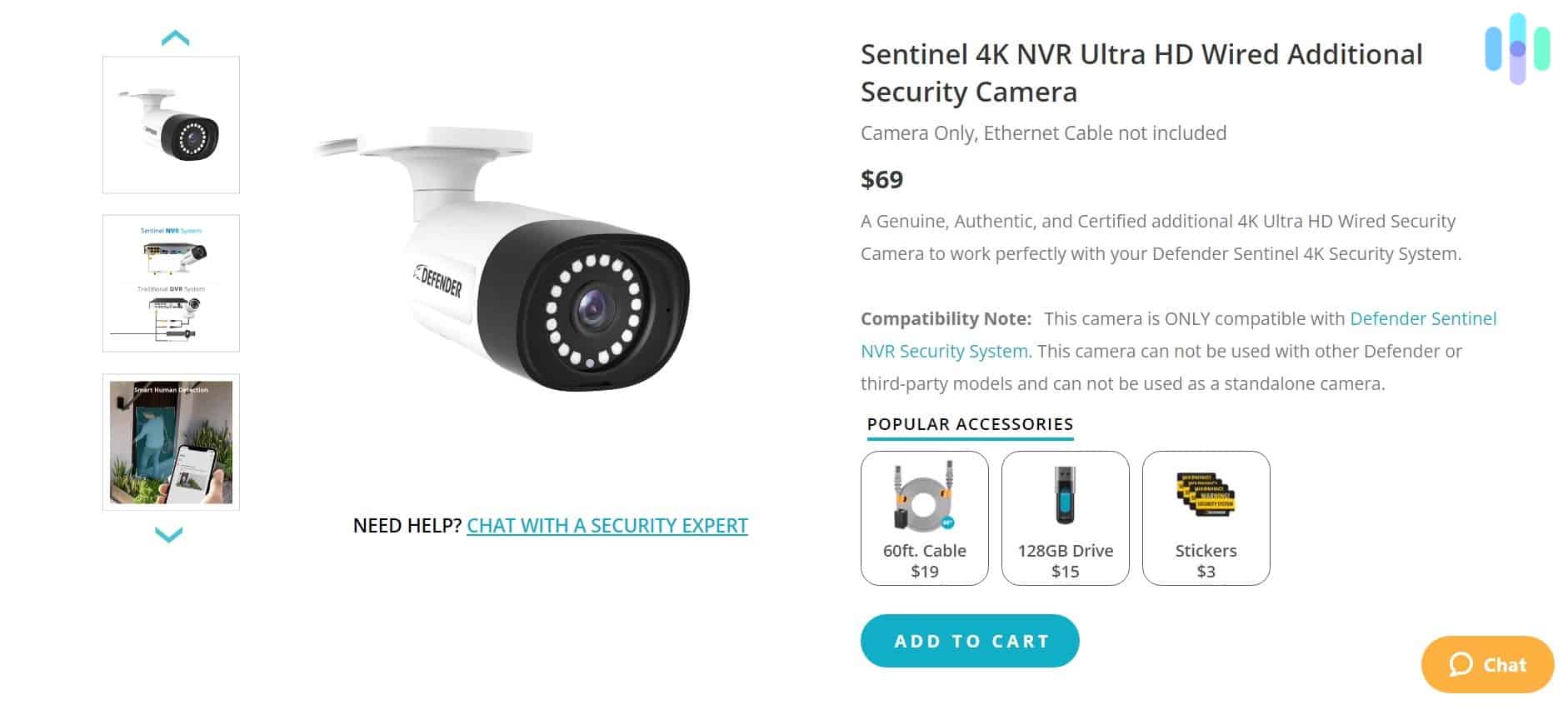
The central features of the Sentinel camera are its 4K Ultra HD image quality and its DVR/NVR recording capabilities.
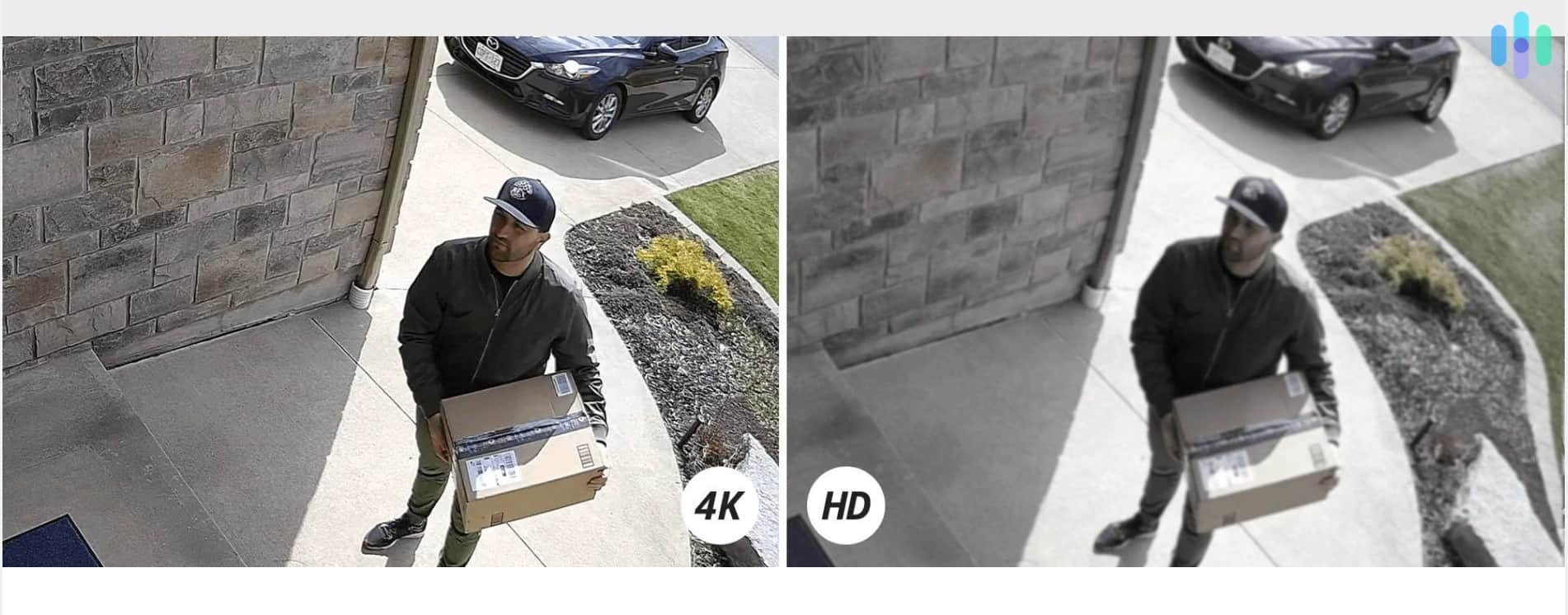
4K means genuinely sharp images. It produces about eight million pixels, about four times the detail of the 1080p resolution most cameras offer. That’s sharp enough to read the label on a package sitting on your doorstep.
The advantage of a DVR/NVR system is that you always have access to your video recordings on-site. You don’t have to spend money on cloud storage, and you can review footage any time you want. You get a full 1 TB of storage, enough to record up to 500 hours of HD video before you have to erase footage.
Know the Difference: An NVR, or network video recorder, records video just like a DVR does. Where DVR systems process the footage at the DVR itself, NVR systems process the footage at the camera.
The 4K Sentinel has a number of other great features as well:
- Three recording options: All Defender cameras allow you to record using motion detection, set recording timers, or record continuously. You decide which one gives you the most peace of mind.
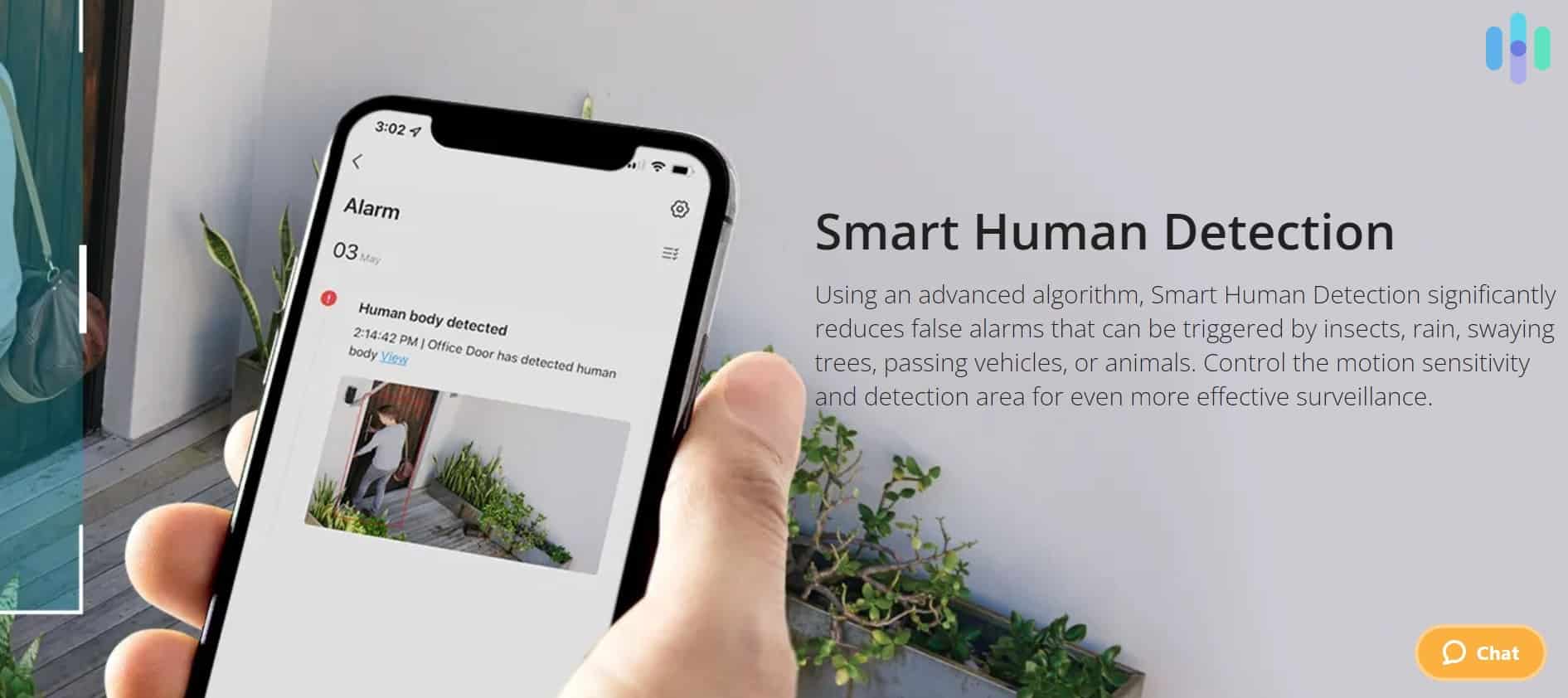
- Smart human detection: Set your camera to capture human movement and only human movement. That way, when leaves, cars, and squirrels happen by your front door, you won’t get all those false alerts.
- PoE wired connection: With PoE, you don’t have to worry about plugging your camera into a wall outlet. The Ethernet cord, included in most Sentinel packages, provides all the power your camera needs. Note: Only the NVR comes with PoE. The DVR system requires you to plug cameras into an outlet.
- Audio recording: Defender’s 4K Sentinel doesn’t just record video; it also records audio. Unfortunately, this Defender model doesn’t include two-way audio.
- Real-time alerts: Any time your 4K Sentinel picks up human movement, it records that movement, but it also sends you a real-time alert. Pull up the app and check out what’s happening on the live feed.
- IP66 rating: 4K Sentinel cameras are secure from dust and protected from strong water jets. As an added bonus, they’re rated for temperatures between 4 degrees below zero and 122 degrees Fahrenheit. Looking for other great cameras with high IP ratings? Check out our list of the best outdoor security cameras.
FYI: PoE stands for Power over Ethernet. It means you don’t have to connect your device to a separate power source. As long as it’s connected to the internet via an Ethernet cord, you have power.
2K Defender GO
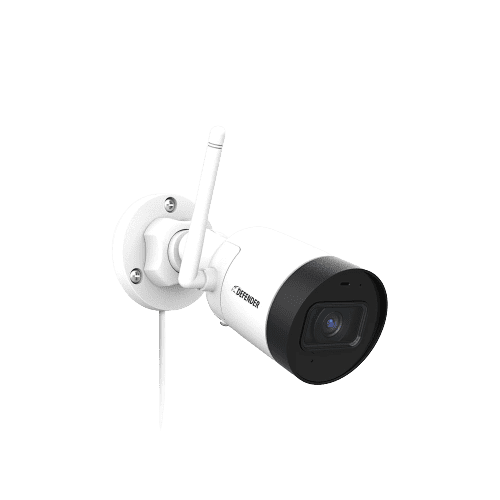
As the name implies, the 2K Defender GO camera offers 2K resolution. It’s not quite 4K, but it’s still a meaningful step up from the 1080p standard. You get roughly twice the pixel density, allowing for noticeably cleaner digital zooming. The 2K Defender GO also features a relatively wide 130-degree field of view.
The other prominent feature of the 2K Defender GO is that it utilizes onboard recording through a micro-SD card. You don’t have to purchase an extra storage device, and you don’t have to bother with Ethernet cords. However, it does not come with a micro-SD card, so factor that into your budget.
Like the 4K Sentinel, the Guard features audio recording. In addition, it has an IP67 rating, which means it’s dust tight and can withstand short immersion in water.
Finally, the 2K Defender GO offers several impressive features, such as:
- Two-way talk
- Smart human detection
- Color night vision
- Spotlight
Frontier PTZ
The advantage of the Frontier PTZ over Defender’s other cameras is that it doesn’t rely on Wi-Fi. Instead, the Frontier PTZ uses a 4G cellular connection to stream footage. This allows you to set it up anywhere and offers stronger protection against someone hacking into your system and viewing your live feeds.
On top of its cellular connection, the Frontier PTZ also comes with a solar panel for power. That really accentuates its placement flexibility. You’ll never need to worry about charging its battery or finding a spare outlet to plug it into. It’s the ideal choice for those with an outdoor storage unit or a remote cabin that needs security.
Side-by-Side Comparison
| Features | 4K Sentinel | 2K Defender GO | Frontier PTZ |
|---|---|---|---|
| Image resolution | 4K (3840 pixels x 2160 pixels) | 2K (2560 pixels x 1440 pixels) | 2K (2560 pixels x 1440 pixels) |
| Field of view | 107 degrees | 130 degrees | 115 degrees |
| Storage | DVR or NVR | Micro-SD card | Micro-SD card |
| Video transmission | Ethernet | Wi-Fi | 4G cellular |
| Power supply | PoE or wall outlet | Wall outlet | Solar with battery |
| Real-time alerts | Yes | Yes | Yes |
| Live video feeds | Yes | Yes | Yes |
| Two-way audio | Yes | Yes | Yes |
| Night vision | Black and white or color | Black and white or color | Black and white or color |
| IP rating | IP65 | IP65 | IP65 |
| Price | Starts at $549 | $35 | $169 |
Defender Downsides
Defender cameras have a lot going for them. With IP ratings of 65, they’re rugged and durable. They don’t require a monthly subscription, and they all make use of local storage, so there’s no need to pay for cloud storage.
Of course, there are differences between them. The Sentinel’s 4K image resolution, for example, is levels above the Frontier PTZ’s 720p resolution if there’s a poor cellular connection. On the other hand, the Sentinel system requires power cables and an internet connection.
While Defender cameras offer solid value and reliable performance, we did identify a few key limitations worth considering before making a purchase.
No Monitoring
We get it: Defender is a security camera company, not a security company. They don’t offer devices like door sensors, smoke alarms, or smart locks, and they don’t offer any sort of professional monitoring services.
We preach professional monitoring on all our pages. Here’s the thing: You just can’t know when an emergency is going to happen. If you’re in the dentist’s chair when someone tries to break into your house, you’re just going to miss it. Even if you can check your real-time alerts most of the time, you’re still going to want to go on vacation every once in a while. Who wants to check their camera feeds from the beach? At least with subscription monitoring, you can sign up for a month while you’re away and then go right back to self-monitoring if you choose. With Defender, you don’t even have that option.
That said, Defender’s camera-focused approach does come with benefits. You’ll save money without monthly monitoring fees, and their cameras deliver impressive performance for the price. Just understand that you’re accepting full responsibility for monitoring your property 24/7.
Limited Power Options
Most Defender cameras either require that you plug them into a wall outlet or use Power over Ethernet (PoE) cables connected to an NVR system. While plenty of outdoor security cameras require wired connections, we’d appreciate seeing Defender offer battery-powered models that don’t require a solar panel.
Wire-free cameras powered by rechargeable batteries eliminate all cables while requiring less real estate than a solar-powered camera. Yes, you’ll need to recharge or swap batteries periodically — some users find this inconvenient. But for mounting cameras in locations far from power outlets, or for renters who can’t drill holes for wiring, battery-powered options prove invaluable. More choices give customers better solutions for their specific situations.
By the way, if you’re looking for a truly wire-free camera, you might want to check out our review of Blink cameras.
Definitions: Wireless security cameras communicate through Wi-Fi but must be plugged into a power source. Wire-free security cameras communicate through Wi-Fi and are powered by batteries, so they require no wires.
The Defender Experience
Customer support matters more than you might think with security cameras. When your camera won’t connect to Wi-Fi at 10 p.m., or the image suddenly goes blurry, you need reliable help — not just another troubleshooting article.
Defender provides multiple support channels for assistance. For non-urgent issues, you can submit support tickets anytime through their website. If you need immediate help, live chat support is available Monday through Friday, 8 a.m. to 4 p.m. ET. While these hours cover standard business times, you’re largely on your own for evening and weekend issues.
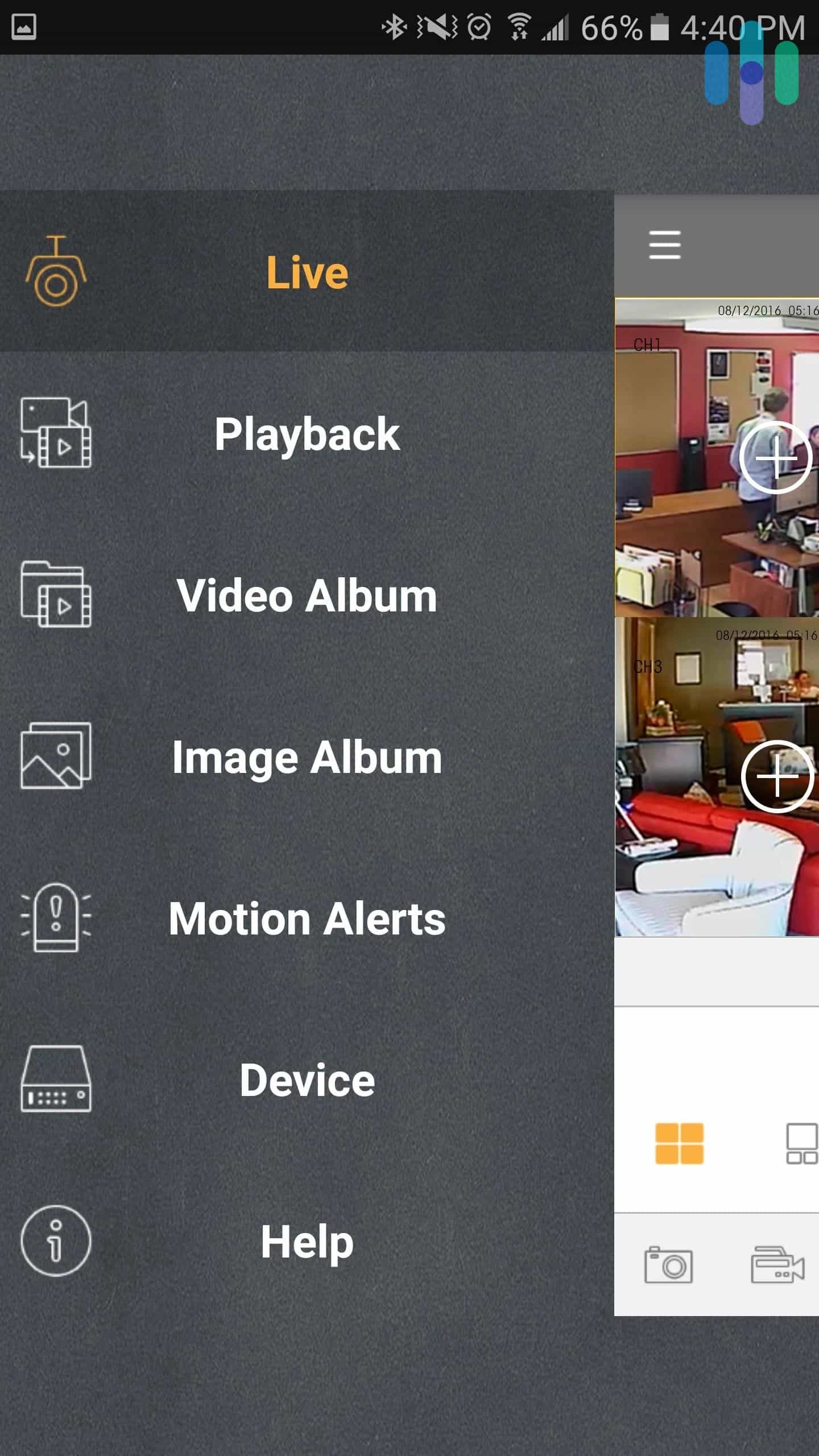
As for the Defender HD app, it does give you access to your video feeds and recordings. We found the interface straightforward and simple to use. However, we were accessing it through our Android phone and sometimes had trouble getting it to connect to our system quickly.
Do You Need a 4K Security Camera?
The industry standard for security cameras is 1080p for a reason. It gives enough clarity for most folks without increasing the cost for 4K resolution that most people can’t fully appreciate while streaming from their smartphones anyway. But, once you start using the digital zoom features of a camera, you can definitely notice a difference in clarity.
So, when would you need a 4K security camera? Well, since the main time you’ll notice the increase in resolution is when you use digital zoom, any camera you use that could benefit from clearer zooming can benefit from 4K resolution. For example, we like to use a 4K outdoor camera that points at our entryway and the walk-up to our entryway. This lets us zoom in on any visitor’s face with a clear picture. We also like them surveilling our driveway so we can see the license plate of anyone who pulls up clearly.
Why is the 4K Sentinel So Much Cheaper Than Other 4K Security Cameras?
There are a couple of specs in the 4K sentinel that let Defender Security sell them so cheaply. For one, they generally sell them in four camera bundles at a minimum. By selling their cameras in bulk, they can take a smaller profit margin while still making decent money off of each sale.
As for the specs of the camera, they only feature 15 FPS. For reference, most movies you watch are in 24 FPS at a minimum. And a lot of gamers tend to like 60 FPS at least for their video games. So, 15 FPS will look a bit choppy. They also require recording through NVR or DVR meaning they are hardwired and need extra equipment from Defender Security for the 4K Sentinel camera to work.
So, are those tradeoffs worth the lower price for the 4K Sentinel? It really depends on your situation. If you need a lot of security cameras for your home or business, the 4K Sentinel is a great option. That extra cost for NVR or DVR equipment becomes minimal when buying a bulk amount of cameras. Think of anywhere from 6 to 18 cameras when we talk about bulk cameras. If you want a 4K security camera without these constraints, check out our roundup of the best 4K security cameras.
Recap
Overall, we liked Defender cameras, particularly the 4K Sentinel with its crystal-clear picture. We’re fans of local storage, so we appreciated that all of Defender’s models utilize either DVR, NVR, or micro-SD onboard recording. We were still able to choose between motion-triggered recording, scheduled recording, and continuous recording. In addition, we were impressed with all the cameras’ high IP ratings.
Of course, every security setup is different, and what works great for one homeowner might be totally wrong for another. That said, if you want a budget-friendly surveillance solution that puts local storage front and center over cloud-based features, Defender cameras punch above their weight for the price. Here’s a quick cheat sheet to help you figure out if they’re the right fit:
You’ll like Defender cameras if:
- You’re looking for a durable outdoor camera
- You’re looking for a high-quality camera with an affordable price tag
- You prefer self-monitoring
You’ll probably be unhappy with Defender cameras if:
- You want a truly wire-free camera
- You’re looking for professional monitoring options
- You need a camera with the widest field of view
Defender Security Cameras FAQ
Want to know even more about Defender cameras? Check out our FAQ below.
-
How do I view Defender security camera footage on my app?
To view Defender security camera footage on your app,
- Log on to your Defender HD app.
- Select the three lines in the top left-hand corner.
- In the list of options, choose Playback.
- Tap on the device icon in the top right corner.
- Tap Devices.
- Choose the devices from which you want to see footage.
- Select date and choose the month and date from which you wish to see footage.
- Tap Confirm.
- Your selected footage should begin playing in the playback window.
-
What is the best security camera?
Our favorite security cameras come from SimpliSafe. They offer innovative active monitoring features that enable their monitoring agents to access your cameras and use them to ward off threats. It’s not required, though, as they offer both a free self-monitoring plan and a self-monitoring plan with cloud storage for video recordings.
-
How much do Defender cameras cost?
The cost of a Defender camera depends on which model you choose. Standalone cameras start at just $35 and go up to $195 whereas security camera systems start at $549 and go up to $2,455. Overall, we find Defender offers solid value with good specs for the money as long as you plan to self-monitor.
-
Can I see my Defender live feeds on my phone?
Yes, you can see Defender live feeds on your phone or other electronic device. Simply download and install the Defender HD app from either Google Play or the Apple App Store.
- Make sure you have added all your cameras to the app device list.
- Tap the device icon in the top right-hand side of the app.
- Tap the device you wish to access, and tap All to select all channels.
- Tap Start Live to pull up a live stream from that device.