


the security.brief
Split tunneling lets you use a VPN for some apps while others bypass it, improving speed but reducing security for non-VPN traffic.
If you want to safeguard your online privacy using a virtual private network (VPN), there are certain trade-offs you have to make, the most notable of which is a decrease in internet speed.
In order to protect your online data, a VPN needs to encrypt and decrypt all incoming and outgoing traffic, as well as direct all internet communications through a VPN server. This entire process, commonly known as VPN tunneling, impacts the speed at which your traffic travels between your device and its intended destination. When we test the speed of VPNs, we consider anything below a 40% reduction in speed to be pretty good. Most VPNs don’t even hit that benchmark.
But what if there was a VPN feature that would allow you to bypass that process when accessing certain apps, services, and websites, while maintaining a VPN connection for all other online communications on your device? Well, thankfully there is! This feature is called split tunneling, and it’s the focus of this guide. Let’s discuss what split tunneling is, how it works, and how you can use it.
What Is Split Tunneling?
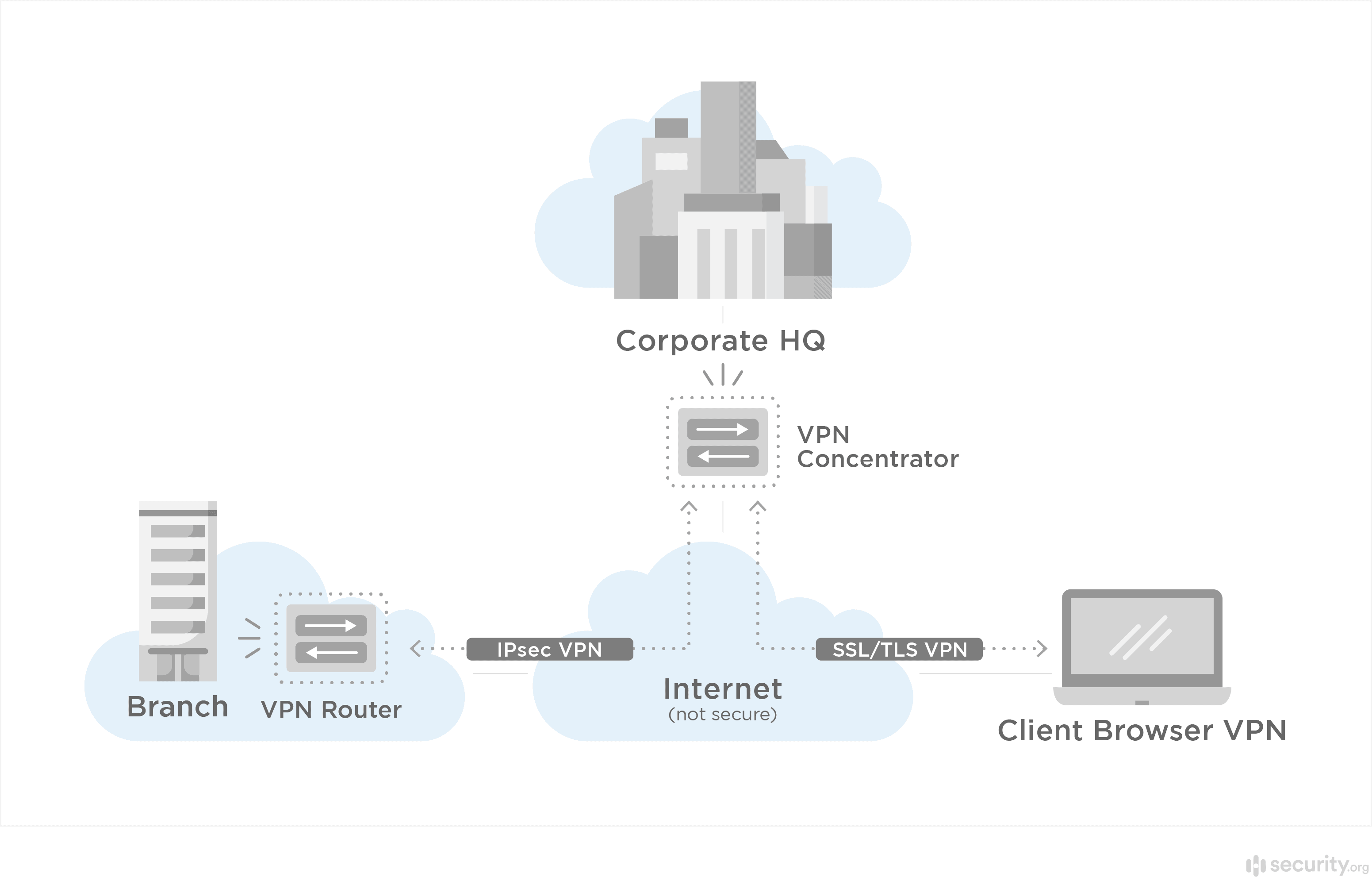
Split tunneling divides your internet traffic into two separate pathways. One routes through the encrypted VPN tunnel, protecting your data with military-grade encryption. The other connects directly to the internet, bypassing the VPN entirely. This gives you control over which apps and websites use VPN protection versus the ones that access the internet at full speed.
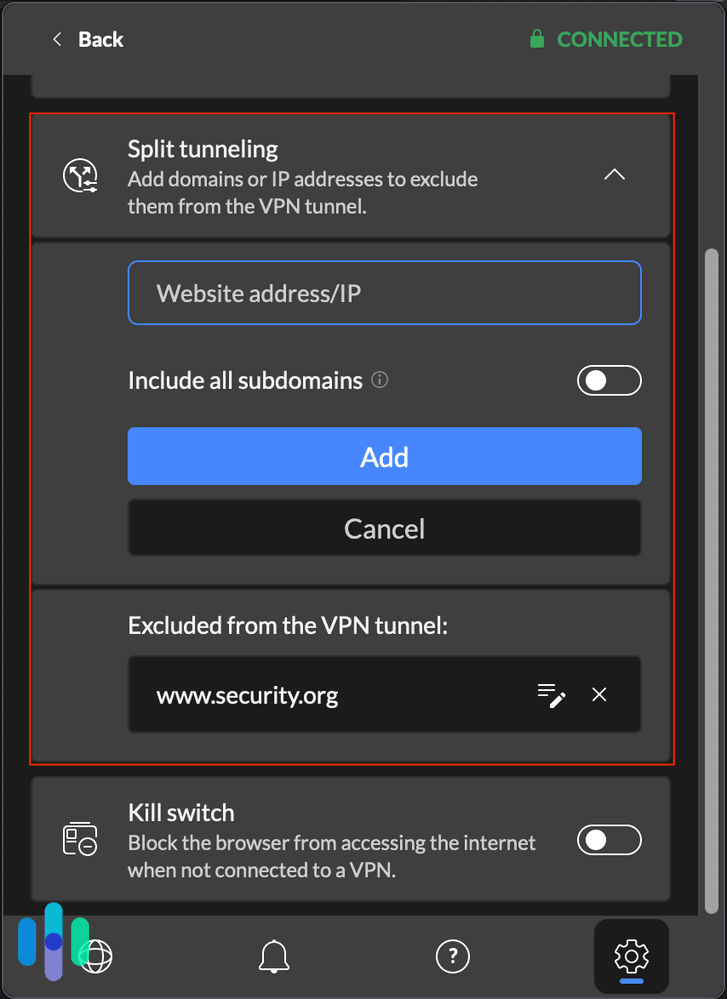
The purpose of split tunneling isn’t to increase your online security, but to let you access certain apps, websites, or online services at normal internet speeds, even if you’re connected to a VPN. You can use it to protect yourself while doing sensitive activities like online shopping or remote work. This way, less critical traffic, like local news sites or smart home devices, run at normal performance.
FYI: Split tunneling can be useful when multitasking. Some apps don’t work well with VPNs, so if you want your device to enjoy VPN protection while using those apps, you can use split tunneling to exclude them from the VPN tunnel.
How Split Tunneling Works
Setting up split tunneling is fairly easy. You’ll find the feature in your VPN’s settings menu. It’s usually under “Advanced” or “Connection” options. From there, you can create rules that determine which traffic uses the VPN tunnel and which doesn’t. Most VPNs we’ve tested offer three main configuration options. They can exclude specific apps, certain websites, or use inverse split tunneling. This is where you specify what apps or websites should use the VPN.
Here are some examples of online services that can benefit from the use of split tunneling:
- Netflix and other streaming services: Streaming services use your IP address to determine your location. If you want to maintain access to shows available to your region, you can let them bypass the VPN tunnel. Conversely, you can set Netflix to use the VPN tunnel to change your Netflix streaming region.
- Local services like weather and news: These apps also determine your location through your IP address. By letting them bypass the VPN tunnel, you’ll get access to the latest local updates even if your VPN IP address is set to somewhere else.
- Online banking apps: Some banking apps block VPN IP addresses or IP addresses from outside their service area, making it impossible to connect to them through a VPN tunnel. Split tunneling provides a simple solution without making you have to turn off your VPN completely.
- Closed-off networks: If you’re accessing a work network, local printer, or NAS device, split tunneling helps protect local network communication. We think it’s valuable for remote workers who need to access company resources, but want to maintain personal privacy for other activities.
Once you’ve configured which apps will bypass the VPN tunnel, they’ll be able to connect directly to the internet without encryption and VPN tunneling, whether or not your device is connected to a VPN.
» Further Insight: What Someone Can Do With Your IP Address
Inverse Split Tunneling: What It Is and How It Works
Most of the top VPNs on the market offer a split tunneling feature, but only an elite few offer the more advanced inverse split tunneling. With inverse split tunneling, instead of selecting what to exclude from the VPN, you choose what to include. Everything else on your device connects directly to the internet. We find this approach is ideal when you only need to secure specific activities, like accessing work applications or handling financial transactions.
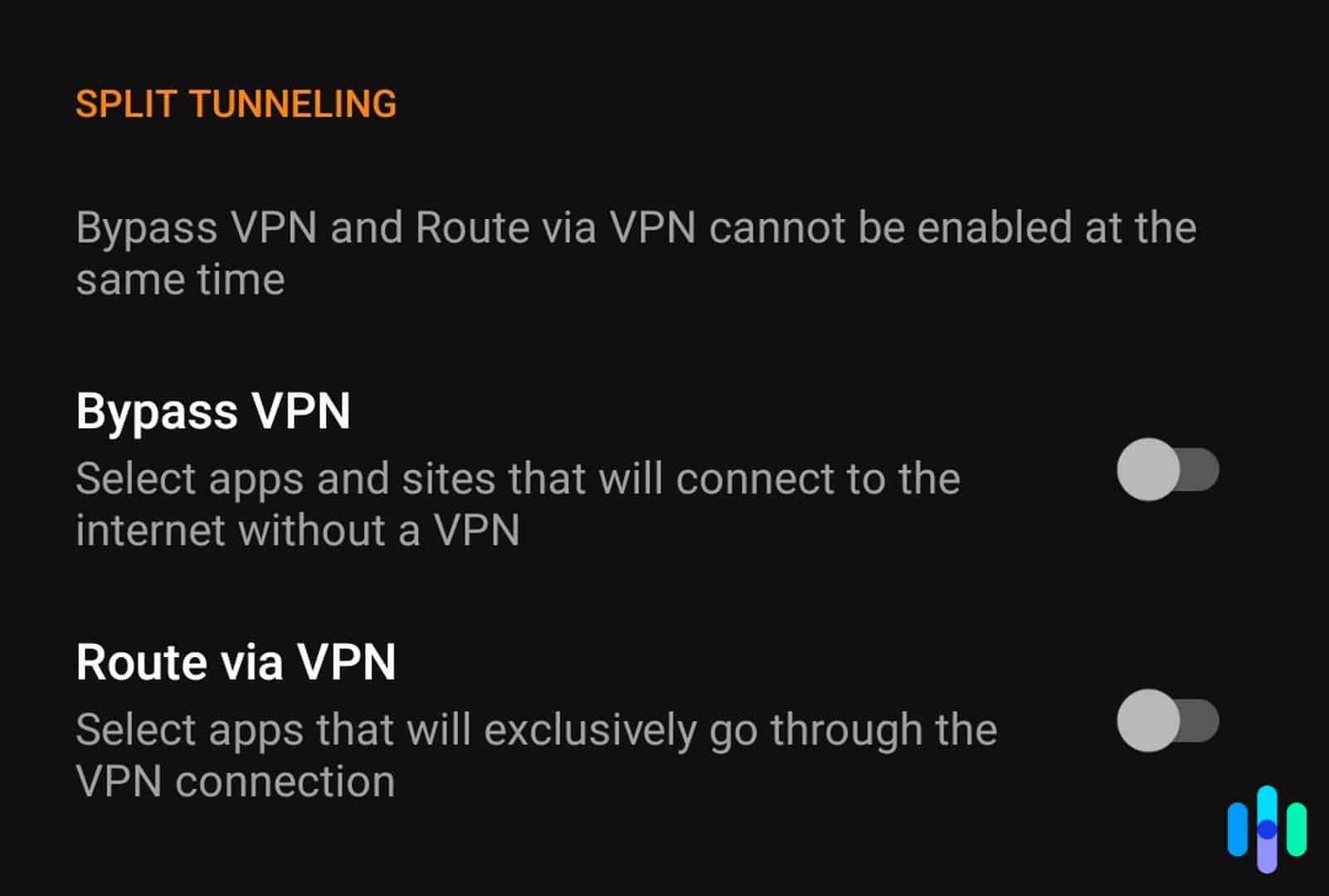
We’ve used split tunneling while working from a coffee shop. We needed to access our company’s cloud storage, but we also had tabs open for social media and the news. With inverse split tunneling, we routed our work application through the VPN tunnel to keep the corporate data encrypted. Our casual browsing worked normally without impacting our work connection.
Although it sounds simple, very few VPNs offer inverse split tunneling, such as Private Internet Access. You can read our Private Internet Access review to learn more about its unique feature.
Pro Tip: Some VPN providers use different terminology for split tunneling. ExpressVPN calls it “route list,” NordVPN refers to it as “app split tunneling,” and Surfshark labels it “Bypasser.”
Things to Consider When Choosing a VPN With Split Tunneling
Just because a VPN promises a split tunneling feature doesn’t mean the experience is the same with other VPNs. Here are some things to consider when choosing a VPN with split tunneling.
App vs. Browser Split Tunneling
You can access VPNs on a device using either a VPN app or a browser extension. With the former, all internet communications on your device are encrypted. With the latter, only communications through the browser are secured.
The same applies to split tunneling. Your split tunneling settings on a VPN app affect your entire device, whereas the split tunneling settings on your browser extension affect only your browser.

Per-App Settings vs. URL/Domain Exclusion
Ideally, you want a VPN that gives you the option to exclude both specific apps and websites from the VPN tunnel, but this is not always the case. Some VPNs allow you to exclude only apps, while others let you exclude only website URLs.
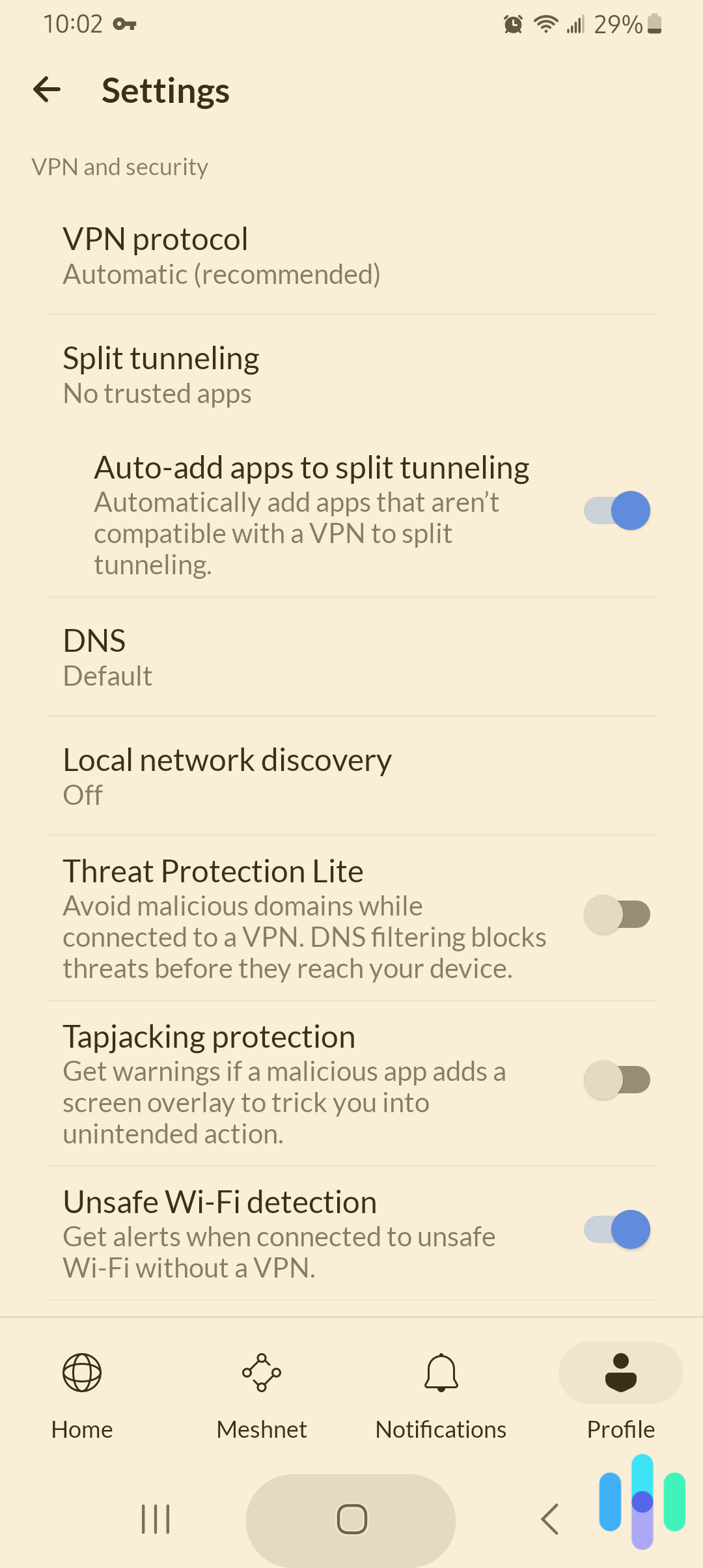
The first type, known as per-app settings, provides a list of all the apps installed on your device when setting up split tunneling. From there, you can choose which apps can bypass the VPN tunnel.
FYI: Per-app split tunneling is more common on Android smartphones, whereas most Windows VPNs with split tunneling allow users to exclude both apps and websites.
We’ve found that URL/domain exclusion offers more granular control. You can specify exact websites or entire domains to bypass the VPN. For instance, you might exclude “*.company.com” to access all your company’s internal resources while keeping everything else protected.
Split Tunneling on Certain Operating Systems
Unfortunately, split tunneling is only available on some operating systems. Apple’s ecosystem restricts this feature due to their sandboxing requirements. MacOS users face similar restrictions, though some VPNs like Windscribe have developed workarounds.
» Learn about: VPNs Best for the iPhone
Windows and Android offer the most comprehensive split tunneling support. Most major VPN providers offer full functionality on these platforms. Linux users can also access split tunneling through command-line interfaces. We have found that the setup process requires more technical knowledge.
Conclusion: Does Split Tunneling Have Any Impact on Your Privacy?
Split tunneling is a useful tool for optimizing your VPN experience. By routing traffic based on your specific needs, you protect yourself during sensitive activities and enjoy unrestricted speeds for everyday browsing.
Bypassing a VPN on certain sites and apps helps you maintain your regular internet speed and functionality, while also enhancing your security when browsing online. Split tunneling might also be useful for accessing local networks and devices like printers and file-sharing systems without interrupting the VPN.
Overall, split tunneling is a great feature to have in a VPN. It’s not always necessary, and it doesn’t have a direct effect on your privacy, but it can make your VPN experience a whole lot better. Plus, by letting you maintain both a VPN and an unencrypted connection at the same time, it eliminates the need to switch off your VPN, ensuring that your online data that needs to remain private remains private.
When selecting a VPN with split tunneling capabilities, we recommend prioritizing providers that offer both standard and inverse split tunneling. You should confirm support for your specific operating systems. Remember that while split tunneling offers convenience, any traffic routed outside the VPN tunnel is visible to your ISP and potentially vulnerable to interception. We suggest choosing your exclusions wisely.
VPN Split Tunneling FAQ
Do you have any more questions about VPN split tunneling? Check out this FAQ; you might find the answers here.
-
Is split tunneling good or bad for my privacy?
Split tunneling can be good for your privacy if you use it correctly. Rather than turning off your VPN completely, you can use split tunneling to maintain a VPN connection for apps and websites that need VPN protection, while excluding those that don’t work particularly well with VPNs. However, make sure to exclude only apps that you don’t mind going through unencrypted tunnels, as excluded apps enjoy no VPN protection whatsoever.
-
Do all VPNs offer split tunneling?
Not all VPNs offer split tunneling, but the feature is becoming increasingly common. Most of our top-pick VPNs offer split tunneling.
-
Is split tunneling the same as a VPN kill switch?
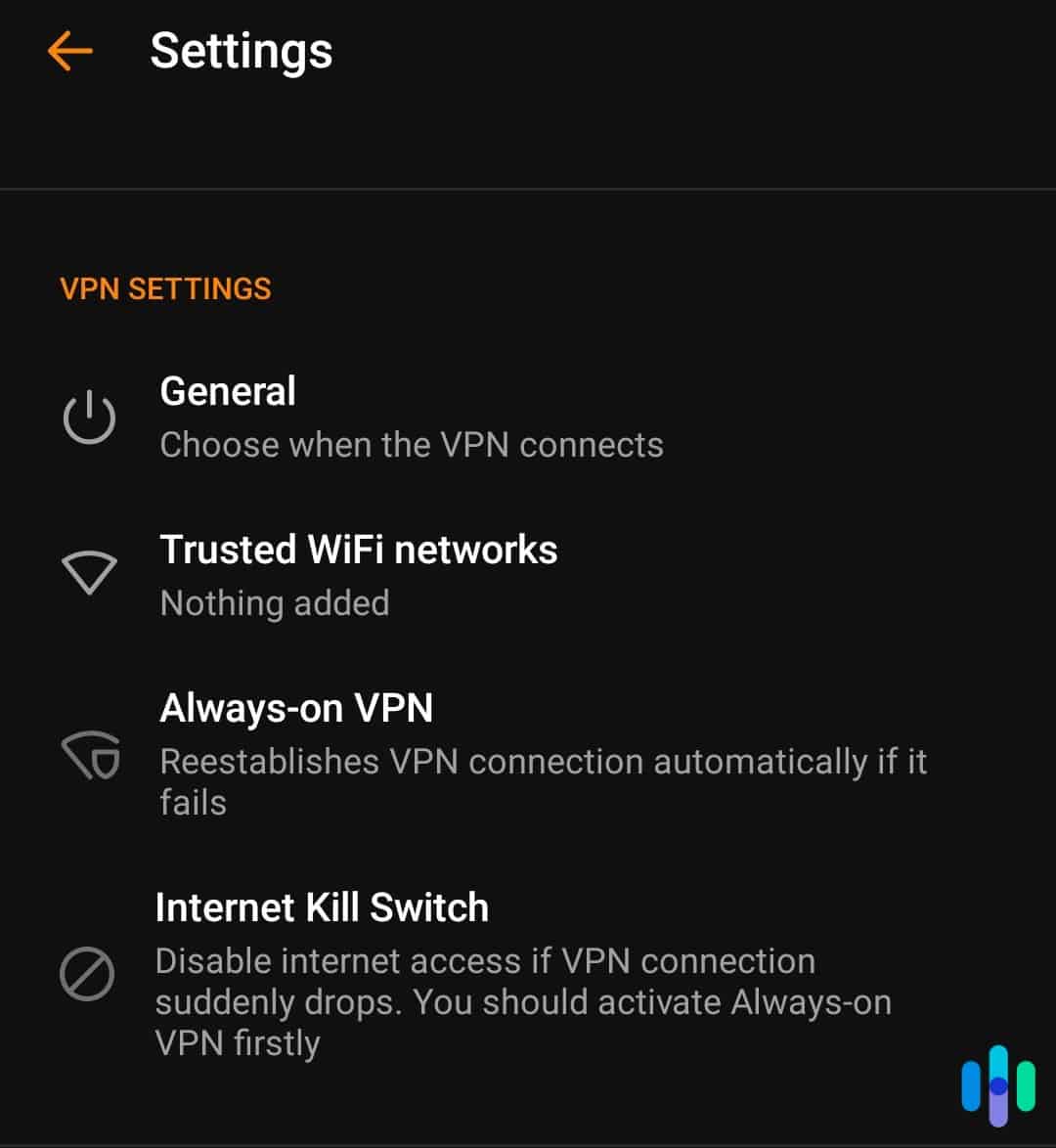
No. Split tunneling and a VPN kill switch are two different features. Split tunneling creates two separate tunnels so you can choose which tunnel to use with which apps. On the other hand, a VPN kill switch ensures all your online traffic goes through only the VPN tunnel by disrupting your device’s internet connection whenever the VPN connection drops.
-
Can I use split tunneling and a kill switch at the same time?
Yes, you can use both features at the same time with most VPNs. When both features are active, the kill switch will disrupt the internet connection of only apps and websites that are not excluded by the split tunneling feature. However, there are also some VPNs that don’t allow the use of both features simultaneously.
-
Should I turn on split tunneling?
Turn on split tunneling when you need to balance security with performance or compatibility. We use it to access local network resources, use region-locked services, improve streaming speeds, or work with VPN-incompatible applications.