ADT Security Camera Review 2026
We tested ADT's full camera lineup across both the ADT Pro Install and ADT Blu platforms — here's what we found.
 &
&
 Last Updated on May 29, 2026

What We Like
- Two distinct camera lineups for different budgets: ADT Pro Install brings Google Nest Cams with AI detection and facial recognition. ADT Blu offers ADT's own 2K cameras at a more accessible price point.
- 2K HDR video across both platforms: Whether you go with a Nest Cam or an ADT Blu camera, you're getting sharp, usable footage. The 2K wired Nest Cams and all three ADT Blu cameras deliver detail clear enough to make out faces and read package labels without zooming in.
- Smart detection that goes beyond motion: Every camera in both lineups distinguishes between people, animals, vehicles, and packages — not just general motion. In our testing, this reduced false alerts.
What We Don't Like
- No local storage on either platform: All ADT cameras rely on cloud storage. If you lose your internet connection, recordings stop. There's no microSD slot or NVR option on any model.
- Facial recognition limited to Pro Install: ADT Blu cameras don't support facial recognition. That feature remains exclusive to Nest Cams via ADT Pro Install.
- Monitoring required to access most features: On both platforms, a paid plan is required to use cloud storage, live video, and the ADT+ app. Canceling your plan significantly limits camera functionality.
Bottom Line
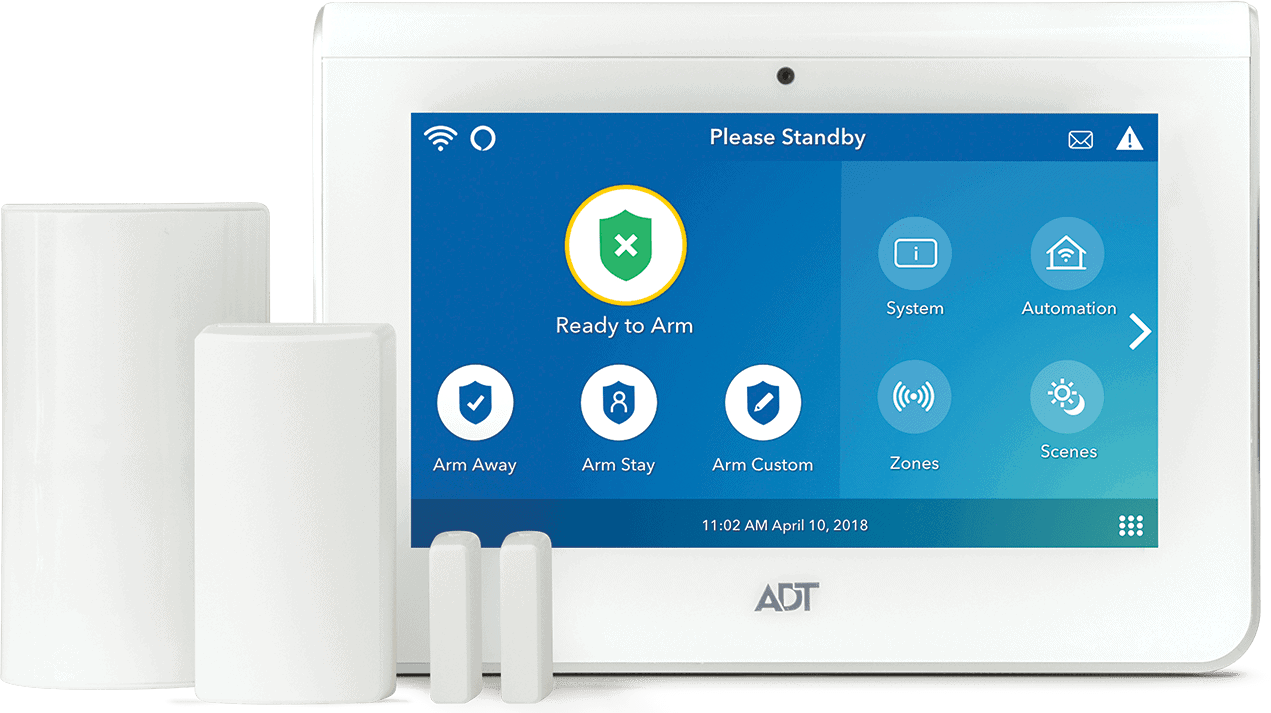
ADT has been securing homes for over 150 years, and its camera lineup has evolved considerably. Through a partnership with Google that began in 2020,1 ADT Pro Install customers now get access to Google Nest Cams — some of the most capable security cameras on the market. Just this year, however, ADT launched ADT Blu, their DIY platform, which introduced a separate lineup of ADT-branded cameras designed for self-installation.
Our team has tested both platforms extensively. Paul Frew tested the ADT Pro Install system with Nest Cams in a family home over a six-month period, covering everything from installation to day-to-day camera performance and professional monitoring response. We separately tested ADT Blu’s camera lineup in an apartment setting, evaluating the self-install process, smart detection accuracy, and self-monitoring capabilities. Here’s what we found across both platforms.
>> Related: Full ADT Pro Install System Review
Platform Overview: ADT Pro Install vs. ADT Blu Cameras
Before getting into the specs and testing results, it’s important to understand that ADT Pro Install and ADT Blu are separate platforms with separate camera ecosystems. The cameras are not interchangeable, and the monitoring structures are different.
| ADT Pro Install | ADT Blu | |
|---|---|---|
| Camera brand | Google Nest | ADT-branded |
| Camera models | Nest Cam (battery), Nest Cam Indoor (wired, 3rd gen), Nest Cam Outdoor (wired, 2nd gen), Nest Cam with Floodlight | ADT Blu Indoor Camera, ADT Blu Outdoor Camera, ADT Blu Doorbell Camera |
| Max resolution | 2K HDR (wired models); 1080p HDR on other models | 2K HDR (all models) |
| Facial recognition | Yes (via Google Home Premium) | No |
| Installation | Professional only | DIY only |
| System requirement | Requires a full ADT Pro Install system | Cameras work as standalone devices; ADT Blu system optional |
| Monitoring required | Yes — from $49.99/mo | Yes — from $9.99/mo (self-monitoring) or $34.99/mo (pro monitoring) |
| Contract | Required with financing | No contract |
| App | ADT+ | ADT+ |
Camera Specs
ADT Pro Install — Google Nest Cam Specs
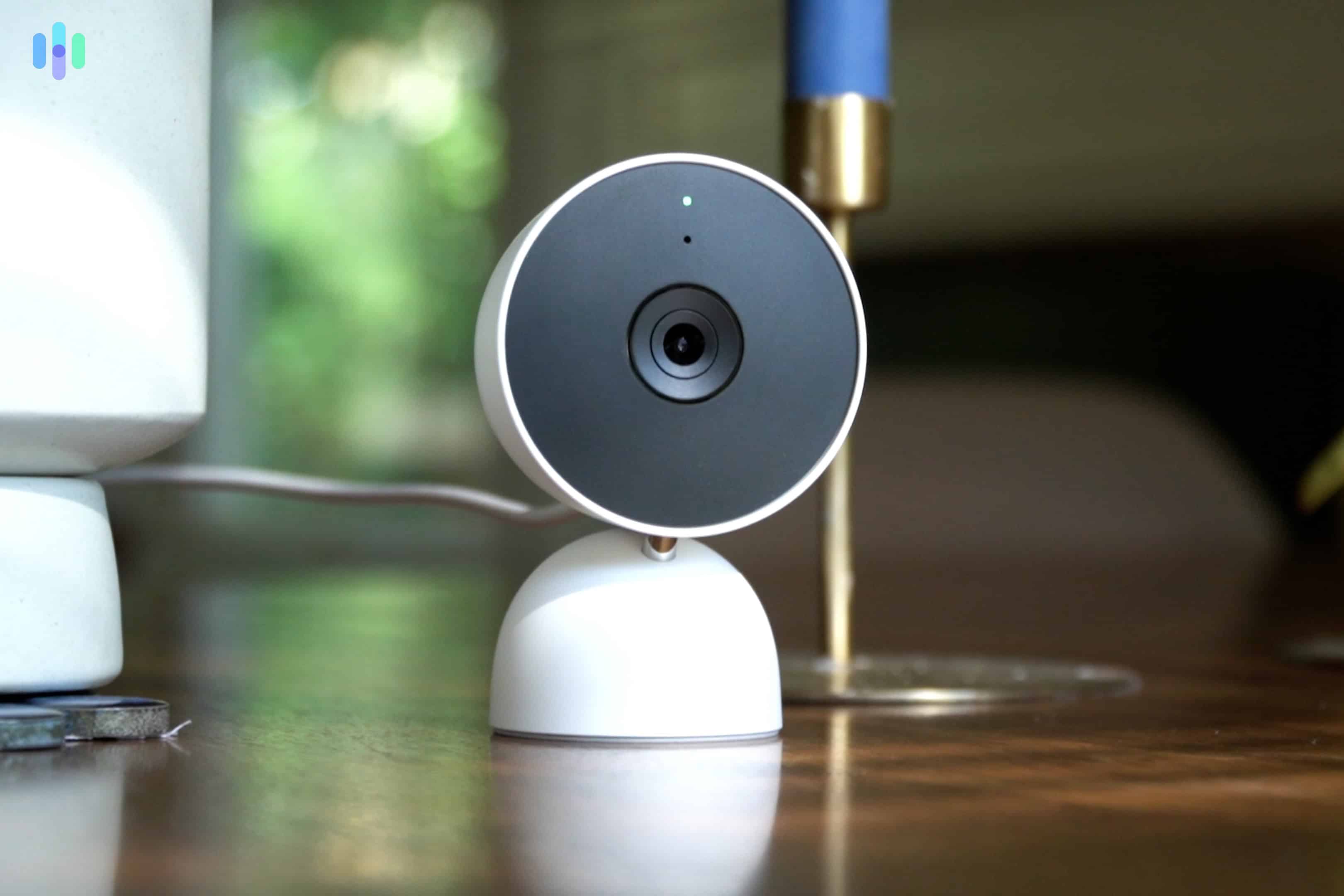
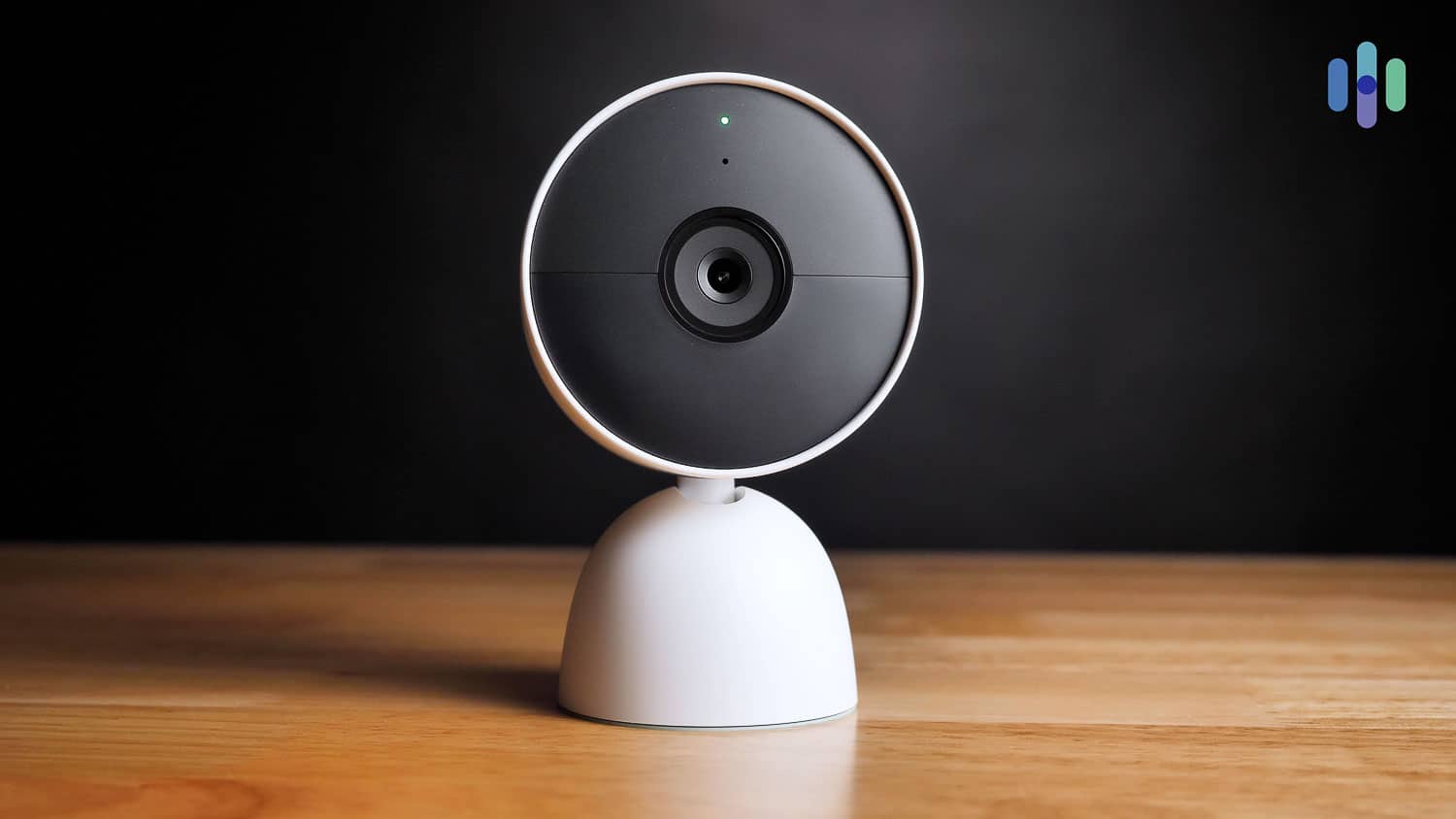
All four Nest Cams available through ADT Pro Install are powered by Gemini AI, delivering smart detection for people, animals, vehicles, and packages across every model. They made our list of the best security cameras with AI.
The two wired models step up to 2K HDR with a wider 152-degree field of view, while the battery-powered Nest Cam and the Nest Cam with Floodlight shoot in 1080p HDR at 130 degrees.
| Camera | Resolution | Field of View | Power | Night Vision | Price |
|---|---|---|---|---|---|
| Nest Cam (battery) | 1080p HDR | 130° | Battery | Yes | $179.99 |
| Nest Cam Indoor (wired, 3rd gen) | 2K HDR | 152° | Wired | Yes | $99.99 |
| Nest Cam Outdoor (wired, 2nd gen) | 2K HDR | 152° | Wired | Yes | $149.99 |
| Nest Cam with Floodlight | 1080p HDR | 130° | Hardwired | Yes + floodlights | $279.99 |
The standout spec upgrade in the current Nest Cam lineup is the 152-degree field of view on the two wired models. During our testing, that extra coverage made a real difference outdoors. It allowed us to capture the full width of our front porch and a stretch of the walkway without needing to reposition the camera. The 130-degree models are still solid for most use cases, though we noticed occasional blind spots at the edges of wider entryways.
Expert Insight: The Nest Cam Indoor (wired, 3rd gen) at $99.99 is the strongest value in ADT’s Pro Install camera lineup. At that price you’re getting 2K HDR video and a 152-degree field of view. It outperformed SimpliSafe’s wireless indoor camera ($149.99) during side-by-side testing on both specs at a lower price point.
ADT Blu — ADT-Branded Camera Specs
All three ADT Blu cameras deliver 2K HDR video — actually sharper than the battery-powered Nest Cam — with smart detection for people, animals, vehicles, and packages. The Doorbell Camera offers the widest field of view of any ADT camera at 180 degrees, the theoretical maximum for a security camera.
| Camera | Resolution | Field of View | Power | Weather Rating | Price |
|---|---|---|---|---|---|
| ADT Blu Indoor Camera | 2K HDR | 130° | Wired (plug-in) | Indoor | $69.99 |
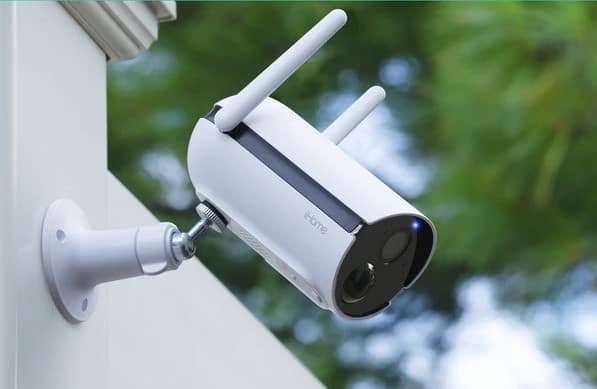
| ADT Blu Outdoor Camera | 2K HDR | 130° | Battery | IP65 | $89.99 |
| ADT Blu Doorbell Camera | 2K HDR | 180° | Battery | IP65 | $109.99 |
The ADT Blu cameras punched above their weight in our testing. The Outdoor Camera’s IP65 weather rating matches the Nest Cam Outdoor (wired), and the Doorbell Camera’s 180-degree field of view beats every other ADT camera — Nest Cams included. The trade-off we noticed is the lack of facial recognition and a more limited smart home ecosystem compared to the Nest lineup.
FYI: ADT Blu cameras connect exclusively to the ADT+ app and are not compatible with Google Home. If you want Google Home integration with your ADT cameras, that’s only available through ADT Pro Install’s Nest Cam lineup.
Installation
ADT Pro Install — Professional Installation
Every ADT Pro Install system is set up by a certified ADT technician. There’s no DIY option on this platform, unfortunately, even though Nest Cams are designed for easy self-installation. We scheduled our installation through ADT’s customer line, had an appointment within two days, and the technician arrived on time with all equipment pre-configured.
Before touching anything, our technician did a full walkthrough of the house. They asked about entry points, pet ownership, and which rooms we spent the most time in. They used that information to decide where to set up everything from sensors to camerasThe Nest Cam Outdoor landed at a slightly off-center angle from the front door — not where we would have put it — but it captured a wider stretch of the walkway as a result. The indoor Nest Cam ended up in a hallway corner that covered two rooms simultaneously. Both placements were better than our original instinct.
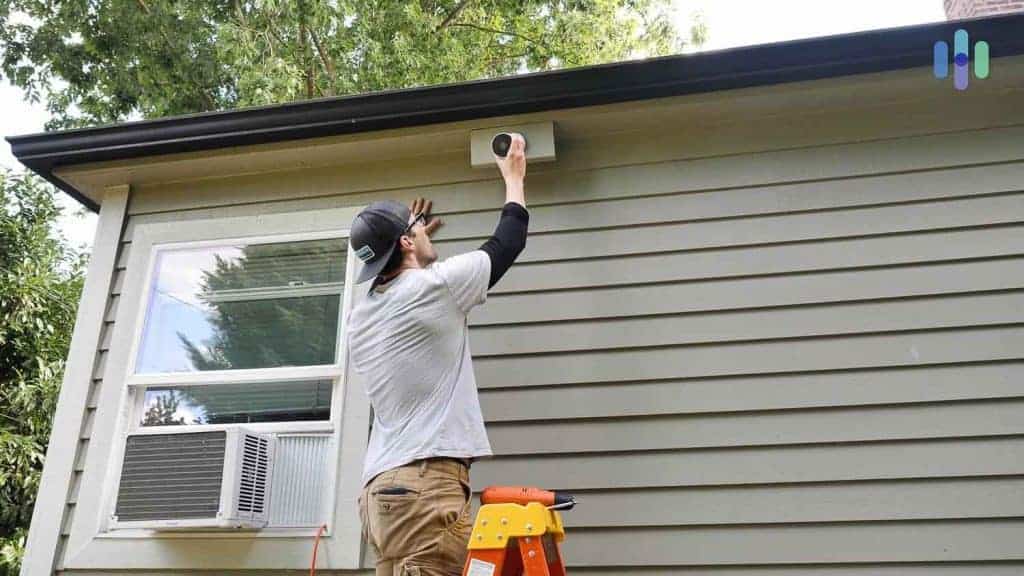
The full installation took just under two hours for a four-camera, five-sensor setup. The technician walked us through the ADT+ app before leaving, showing us how to review footage, set up activity zones, and create our first automation rule. Installation started at $100 for our setup, though costs scale with system complexity.
Pro Tip: If your system includes the Nest Cam with Floodlight, professional installation is the right call regardless. That model requires hardwiring to a junction box, the type of work that may legally require a licensed electrician depending on your state.
ADT Blu — DIY Installation
ADT Blu is designed for self-installation from the ground up. We had our three-camera, four-sensor ADT Blu system fully operational in 35 minutes. Every step was guided through the ADT+ app — connecting the base, pairing sensors, and setting up cameras — without any tools or prior technical knowledge needed.
The ADT Blu Outdoor Camera gave us the most options during placement, since it runs on battery power and doesn’t require proximity to an outlet. We tested it in three different locations before settling on the best angle. The Doorbell Camera’s wire-free design also made positioning straightforward.
If you get stuck at any point, ADT offers free video call support with a live technician through the ADT+ app. We didn’t end up needing it, but we appreciate knowing it was available.
>> Related: DIY vs. Professional Installation: Which Is Right for You?
Day-to-Day Use
Video Quality in Real Conditions
Both platforms delivered consistently clear footage in our testing, but the experience differed in a few meaningful ways.
The 2K wired Nest Cams (Indoor 3rd gen and Outdoor 2nd gen) produced the sharpest footage we’ve recorded from any ADT camera. During daytime, we could make out facial features and read address numbers from across the street. The HDR handling on both models handled mixed lighting well — our covered porch, which sits between a bright yard and a shaded doorway, came through without the blown-out highlights we’ve seen on lower-quality cameras.
Both platforms delivered consistently clear footage in our testing, but the experience differed in a few meaningful ways.
The 2K wired Nest Cams (Indoor 3rd gen and Outdoor 2nd gen) produced the sharpest footage we’ve recorded from any ADT camera. During daytime, we could make out facial features and read address numbers from across the street. The HDR handling on both models handled mixed lighting well — our covered porch, which sits between a bright yard and a shaded doorway, came through without the blown-out highlights we’ve seen on lower-quality cameras.
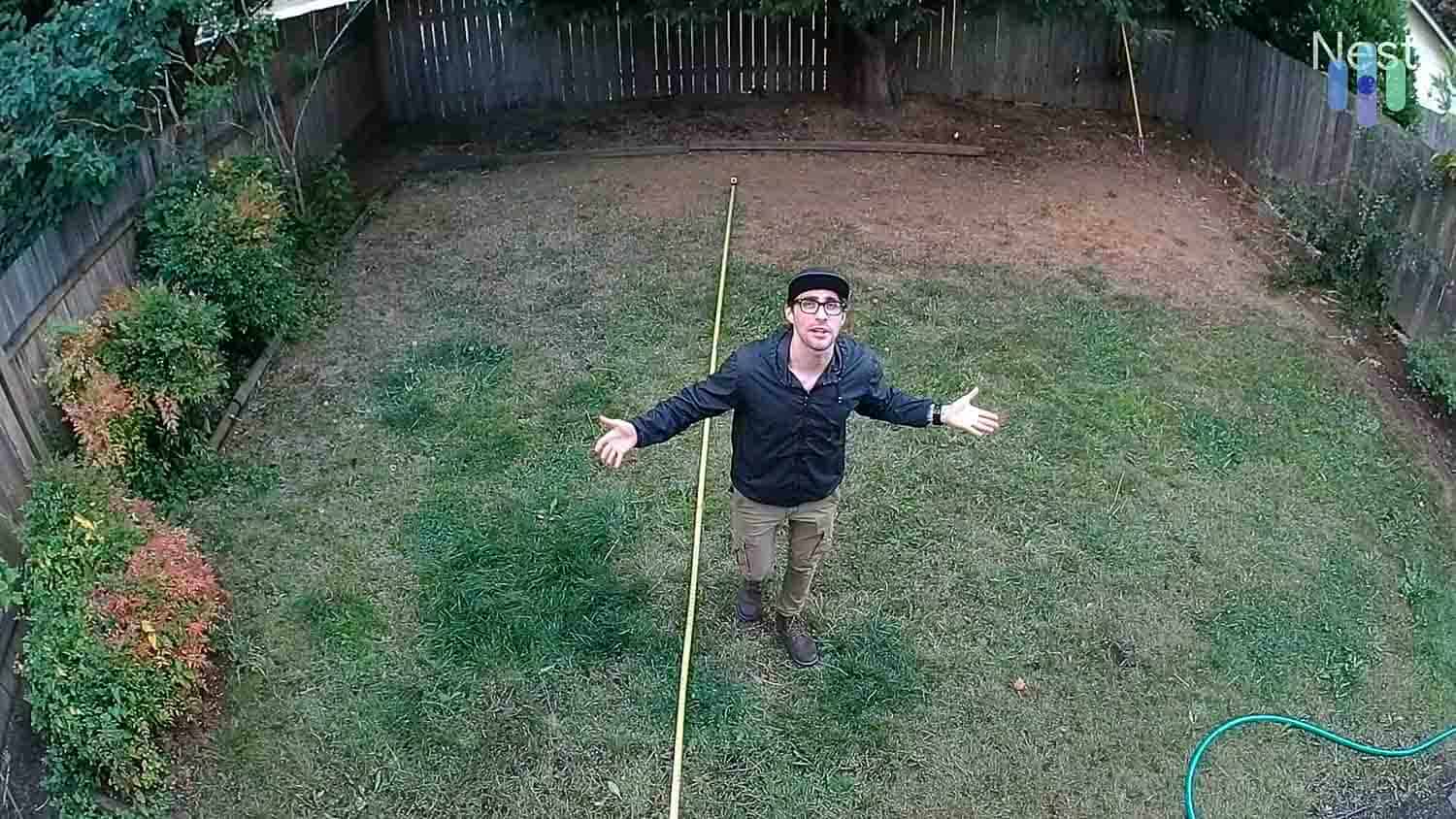
Night vision on the Nest Cams was also solid. The infrared LEDs held up to about 20 feet before detail started to drop off. We didn’t notice any significant difference in night performance between the 1080p battery model and the 2K wired models. Plus, if you opt for the floodlight-equipped Nest Cam, you can get full-color night vision when the lights are on.
The ADT Blu cameras performed comparably in standard conditions. At 2K HDR across the board, footage was sharp enough for identifying faces and reading package labels. The Outdoor Camera’s color night vision — which uses ambient light rather than infrared when available — produced more natural-looking footage after dark than the Nest Cams’ infrared mode, though with slightly less reach in total darkness.
Smart Detection and Alerts
Both platforms distinguish between people, animals, vehicles, and packages — and in our testing, both did it reliably. We logged alert accuracy over 30 days on each platform and found that the Nest Cams generated fewer false positives in high-traffic outdoor environments, likely due to Gemini AI’s more mature object detection model. The ADT Blu cameras were accurate on straightforward scenarios but occasionally misclassified a delivery driver’s bag as a “package” before the person fully entered the frame.
Where ADT Pro Install pulls ahead is facial recognition. With Google Home Premium included in the top-tier monitoring plan, Nest Cams learn the faces of regular visitors and send personalized alerts — “Paul is at the door” rather than “person detected.” We set up five household members and three regular visitors during our testing period. Recognition accuracy was consistent, even at night and in partial profiles. This feature is not available on ADT Blu.
The ADT+ App
Both platforms use the same ADT+ app, and it’s one of the strongest points in ADT’s overall experience. We used it to access live feeds, review event footage, set activity zones, manage automations, and control smart home devices — all without switching to a separate app. The layout is clean, navigation is intuitive, and footage loaded quickly even on a standard mobile connection.
The one friction point was activity zone setup, which required more steps than we’d seen on comparable apps like Ring’s. But once configured, the zones held reliably and eliminated most of the perimeter false alerts we’d been getting from passing cars.
Our Experience:: When our ADT motion sensor alerted us to movement in the kitchen late at night, we pulled up the Nest Cam live feed in the ADT+ app within seconds and confirmed it was our cat — not an intruder. That kind of immediate visual verification is one of the most practical day-to-day benefits of having cameras integrated with your security system rather than running separately.
Video Verification
Video verification is one of the features that makes ADT cameras more than just recording devices. When a verified alarm triggers, ADT’s monitoring agents gain brief access to your most recent video history to confirm whether emergency dispatch is warranted. In our testing, this meaningfully reduced the chance of a false dispatch — agents were able to confirm a genuine alarm faster than a standard audio-only call would allow.
Research suggests that up to 98 percent of non-verified security system alarms turn out to be false activations.2 Video verification directly addresses that problem. Police departments that deprioritize unverified alarm calls respond faster to video-verified ones — a meaningful benefit in a genuine emergency. ADT isn’t the only provider offering this feature — SimpliSafe includes it through its Core and Pro plans — but ADT’s implementation through six redundant monitoring centers puts it among the strongest we’ve evaluated.
Monitoring
ADT Pro Install Monitoring
Speaking of monitoring, ADT Pro Install requires professional monitoring for all systems. Prices start at $49.99 per month, with the final price determined by your equipment and features. They gave us the final pricing after consultation. Camera support, cloud video storage, Google Home Premium (which unlocks facial recognition), and video verification are all included in the top-tier plan.
In our response time testing, ADT averaged 28 seconds across 20 alarm simulations. That’s about five seconds faster than Vivint’s 33-second average in our Vivint vs. ADT comparison. The SMART Monitoring feature sent text-based alerts to all household members within 10 seconds of each simulated alarm, giving us the option to confirm or cancel before an agent called.
FYI: ADT’s six redundant monitoring centers mean that even if one facility goes offline due to a regional outage, monitoring continues uninterrupted from another. In our experience, this is one of the strongest arguments for ADT’s monitoring service over competitors with fewer facilities.
ADT Blu Monitoring
ADT Blu offers a significantly more flexible monitoring structure, with both self-monitoring and professional monitoring options and no long-term contract required.
| ADT Blu Plan | Monthly Cost | Monitoring Type | Cloud Storage (30 days) | ADT+ App Access |
|---|---|---|---|---|
| Camera-Only Self-Monitoring | $9.99/mo | Self | Yes | Yes |
| Full System Self-Monitoring | $14.99/mo | Self | Yes | Yes |
| Professional Monitoring (No Cameras) | $24.99/mo | Professional | No | Yes |
| Professional Monitoring (With Cameras) | $34.99/mo | Professional | Yes | Yes |
We tested ADT Blu on the $14.99 Full System Self-Monitoring plan for 30 days. On this plan, we had full access to the ADT+ app, cloud video storage with 30-day event history, and smart detection alerts for all three cameras. During this time, we were responsible for reviewing alerts and contacting emergency services ourselves since there’s no monitoring center involvement on self-monitoring plans.
Self-monitoring worked well for daytime use when we were near our phones. Where it fell short was overnight and during periods when we weren’t actively checking alerts. On two occasions, our Outdoor Camera flagged motion events that we didn’t review until the following morning. For anyone who travels frequently or wants guaranteed 24/7 response, we recommend upgrading to the $34.99 professional monitoring plan with camera support — it adds ADT’s monitoring network without requiring a contract.
Pro Tip: If you cancel your ADT Blu monitoring plan, you lose access to the ADT+ app and most camera features. Unlike Ring or Blink cameras that allow basic live viewing after canceling a plan, ADT Blu cameras lose most functionality without an active subscription. Factor this in before choosing the self-monitoring route.
Privacy and Security
ADT’s privacy practices are worth knowing before you buy. Here’s what our research audit found:
| Category | Details |
|---|---|
| Encryption in transit | Yes |
| Encryption at rest | Yes |
| Two-factor authentication | Yes |
| Automatic firmware updates | Yes |
| Logs camera and microphone data | Yes |
| Third-party data sharing | Yes — shared with third parties per ADT’s privacy policy |
| Data deletion | Available only in California |
| Prior security incidents | Yes (2020 employee access incident) — ADT addressed the issue and implemented corrective measures |
The 2020 incident — in which an ADT employee accessed customer camera feeds without authorization — is worth knowing about, though ADT took corrective action and there have been no comparable incidents since. The encryption practices and automatic firmware updates reflect standard industry security, and two-factor authentication is available and worth enabling on your account.
>> Read More: The Legality of Security Cameras and Video Surveillance
Can ADT stand toe-to-toe with other brands? Find out below.
ADT is a great choice, but there may be better options out there. See how ADT compares to our favorite security cameras.
Our ADT Indoor Camera Research and Data
Final Verdict: Are ADT Security Cameras Worth It?
The answer depends entirely on which platform you’re evaluating.
ADT Pro Install with Nest Cams is one of the most capable professionally monitored camera setups we’ve tested. The Nest Cam Indoor and Outdoor (wired) models deliver sharp 2K HDR video, wide 152-degree coverage, and facial recognition that genuinely works. Paired with ADT’s six-center monitoring network, video verification, and SMART Monitoring, it’s a cohesive system where the cameras and the monitoring reinforce each other. The $49.99 starting monthly price is high, but it includes Google Home Premium — a $10 per month subscription from Google — and video verification capabilities that most competitors can’t match. If you’re serious about home security and want professional installation and monitoring, it’s worth the investment.
ADT Blu cameras are a strong option for DIY installers who want 2K hardware and ADT’s monitoring network at a lower price point. The three-camera lineup is well-priced, self-installs in under 40 minutes, and performs reliably in real-world conditions. The lack of facial recognition and the mandatory subscription — even for self-monitoring — are the main drawbacks. But at $34.99 per month with camera support and no contract, it competes well against the field.
For a deeper look at how ADT compares to other providers, see our comparisons:
Not sure which camera is right for your setup? Our security camera buying guide covers what to look for based on your home type, budget, and monitoring preferences.
FAQs
Do I have to pay for ADT security cameras upfront?
It depends on your platform. ADT Blu cameras must be paid for upfront, as financing isn’t available on the DIY platform. ADT Pro Install customers can pay upfront or finance equipment over up to 60 months at zero percent APR, subject to credit approval. Financing typically requires a contract for the financing term.
Will ADT be able to watch my security camera feeds?
ADT does not have ongoing access to your camera feeds. The only exception is video verification — a feature on ADT’s top-tier monitoring plan that gives monitoring agents brief access to your most recent video history when an active alarm triggers. This access is limited to the duration of the alarm event and is used solely to verify whether emergency dispatch is warranted.
Will adding security cameras increase my monthly fee?
Yes, on both platforms. For ADT Pro Install, camera support is included in the top-tier monitoring plan, so adding cameras moves you to that tier. For ADT Blu, camera support requires either the $9.99 camera-only self-monitoring plan or the $34.99 professional monitoring with cameras plan. Sensor-only plans on either platform do not include cloud video storage.
Do ADT cameras work without Wi-Fi?
No — ADT cameras on both platforms require a Wi-Fi connection to record to the cloud and stream footage through the ADT+ app. Unlike the ADT Base hub, which has cellular backup for alarm communications, the cameras themselves do not have cellular fallback. If your internet goes down, camera recording and live viewing will be unavailable until connectivity is restored.
What is the difference between ADT Pro Install and ADT Blu cameras?
ADT Pro Install uses Google Nest cameras — AI-powered, with facial recognition, 2K HDR on wired models, and deep Google Home integration. ADT Blu uses ADT’s own camera lineup — also 2K HDR across all three models, with smart detection but no facial recognition, and no Google Home compatibility. Pro Install cameras require professional installation; ADT Blu cameras are designed for DIY self-installation. Read our full ADT camera pricing page for a side-by-side cost breakdown.
-
ADT. (2023, Mar 28). ADT and Google announce availability of first integrated smart home security system for DIY customers.
newsroom.adt.com/corporate-news/adt-and-google-announce-availability-of-first-integrated-smart-home-security-system-for-diy-customers -
Google. (2020, Aug 3). A partnership with ADT for smarter home security.
blog.google/products/google-nest/partnership-adt-smarter-home-security/ -
ScienceDirect. (2020, Sept). Burglary reduction and improved police performance through private alarm response.
sciencedirect.com/science/article/abs/pii/S0144818820301435