
UFO VPN Review and Pricing Guide 2026: Is This VPN Safe?
Let's take a closer look at UFO VPN, a VPN with fast speeds but a checkered past in terms of privacy.
 &
&
 Last Updated on Nov 14, 2025

What We Like
- Free VPN with 21 server locations: Much like TunnelBear, one of the best free VPNs, UFO VPN offers a free version with access to more than 20 server locations.
- Multi-device support: UFO VPN’s free plan lets you use up to 10 devices per account, which is something we don’t normally see from free tiers.
- Fast speed: After testing UFO VPN three times, we can say that it is fast. It nearly matched our raw internet speed on one occasion, which almost never happens with VPNs we test.
What We Don't Like
- History of breach: UFO VPN experienced a data breach in 2020, and the types of data leaked were the ones UFO VPN claimed to not have logged from its users.
- Proprietary VPN protocol: While there are some proprietary VPN protocols we like, like Hydra from Hotspot Shield and NordLynx from NordVPN, it's difficult to trust UFO VPN's protocols since they don’t share their technical specs.
- Almost non-existent customer support: With only email support – and an unresponsive one at that – you’d better hope not to run into any issues or you’d be on your own.
Bottom Line
the security.brief
UFO VPN is fast but has had data breaches, poor privacy practices, and almost non-existent customer support. Better VPN options exist.
To us, the name UFO VPN conjures up an image of a VPN service with out-of-this-world speeds, features, and performance. In our continuous search for the best VPNs, we tested UFO VPN to see if it lived up to our expectations. We’ll share with you our findings below; we’ll also discuss its pricing, free trial features, and history of privacy breaches.
UFO VPN Free Features
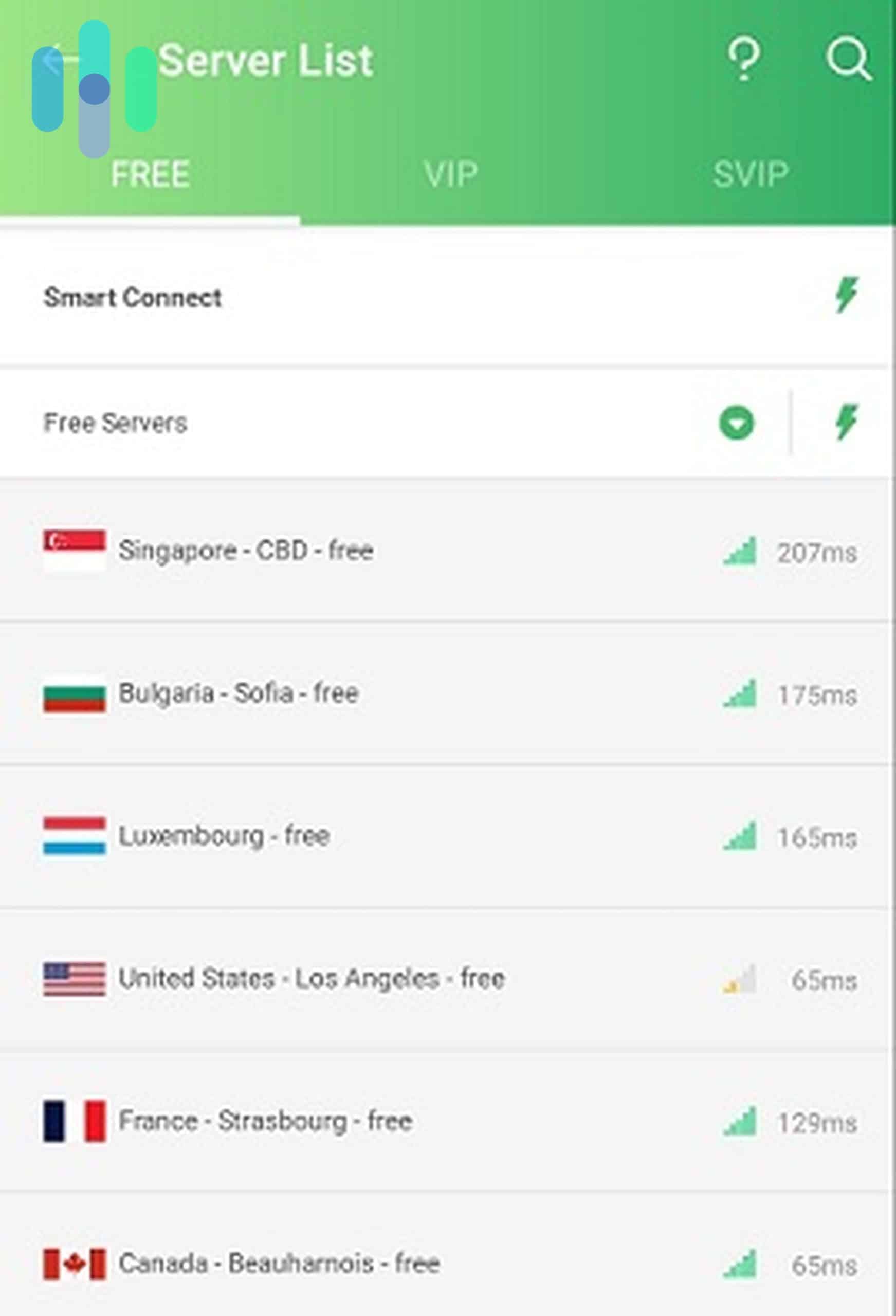
We began our tests with the UFO VPN Free. At first glance, it’s an impressive VPN free trial. It protects one device per account, connects to all servers that are tagged “Free,” and has fast server networks based on their latency shown in the app. After a few initial tests, we confirmed that UFO VPN Free is indeed fast, maintaining about 80 percent of our normal internet speed during testing.
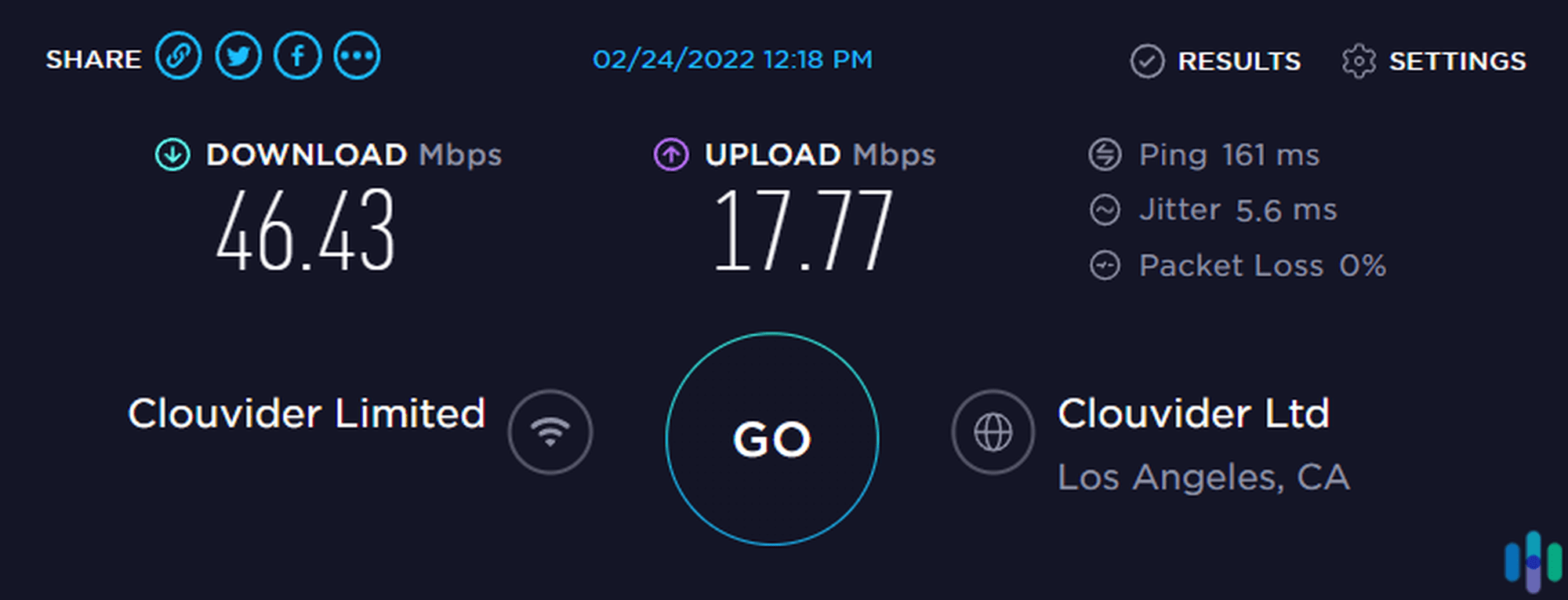
We recommend using the free version for everyday browsing and streaming. So what’s the catch? Well, the UFO VPN trial has limitations that the premium version doesn’t. For starters, UFO VPN Free has access to only 21 server locations — still an impressive number for a free VPN, but significantly lower than the premium version’s more than 50 locations.
It also limits you to one device per account, whereas the premium version can protect up to five devices. And lastly, the free version is ad-supported. Every time we connected on our Android phone, it displayed a 30-second unskippable video ad, while the Windows and iOS apps featured persistent banner advertisements.
UFO VPN Subscription Costs
After spending some time with the free version, we upgraded our subscription to VIP, UFO VPN’s premium subscription.
| Plans | Cost |
|---|---|
| 1-month plan | $11.99 |
| 1-year plan | $49.99 |
| 2-year plan | $83.99 |
UFO VPN’s pricing sits in the mid-range category. At $11.99 monthly, it’s in the same ballpark as premium competitors like NordVPN, our top-rated VPN. And just like NordVPN’s pricing, UFO VPN rates go down if you choose a longer subscription. The monthly rates of the one-year and two-year plans are $3.84 and $2.99, respectively.
You can learn more about competitive trial pricing in our cost assessment of PureVPN.
Pro Tip: Instead of the seven-day plan, go for a one-month plan if you want to try out UFO VPN. Along with the one-year and two-year plans, the one-month plan comes with a 30-day money-back guarantee.
UFO VPN Privacy Policy
Before we dive deep into UFO VPN’s features, let’s discuss its privacy policy. The privacy policy is one of the most crucial factors we consider when reviewing VPNs. That’s because if you use a VPN, you’re practically entrusting your personal and browsing data to the VPN company.
Think of this: By using a VPN, you hide your internet traffic from your internet provider through encryption. Your encrypted traffic goes to your VPN instead. Now, if the VPN company’s privacy practices are shady — such as logging IP addresses and sites visited, sharing data with third parties, or doesn’t secure stored customer data — then it’s no different than letting your ISP see your traffic.
>> Another VPN Option: VPN Proxy Master
UFO VPN claims to be a no-logs VPN, which means it’s not supposed to log IP addresses, web activities, and other usage data that can be tied back to its users. UFO VPN’s privacy policy also claims that it doesn’t sell or rent customer data, and that it only shares information with third parties when necessary, such as to:
- Comply with laws, regulations, and court orders
- Detect unlawful use of its products and technical issues
- Enforce its Terms of Use and Privacy Policy
- Protect the company’s rights, property, and safety
That sounds reassuring on paper. However, a 2020 data breach has rocked our confidence. In July 2020, security researchers discovered 1.2 TB of user data from UFO VPN and six other Hong Kong-based VPN services on an unsecured database. The leaked information included plaintext passwords, IP addresses, session tokens, and device identifiers. It’s exactly the type of data UFO VPN claims it doesn’t collect. UFO VPN has since secured the database, but they’ve never explained why they were storing this sensitive information to begin with.
UFO VPN Features
For the sake of this review, we proceeded to test the VPN’s features.
Does UFO VPN Have a Kill Switch?
UFO VPN has a kill switch. On the Windows app, just open the menu panel on the left and toggle the kill switch button on. What does it do exactly? Well, it’s a backup feature that protects your privacy in case the VPN suddenly disconnects. When that happens, which is a possibility with any VPN, the kill switch will block off all your internet traffic. Doing so prevents third parties, like your internet provider, the government, or hackers who might be spying on you from seeing your real IP address and browsing history.
How Many Servers Does UFO VPN Have?
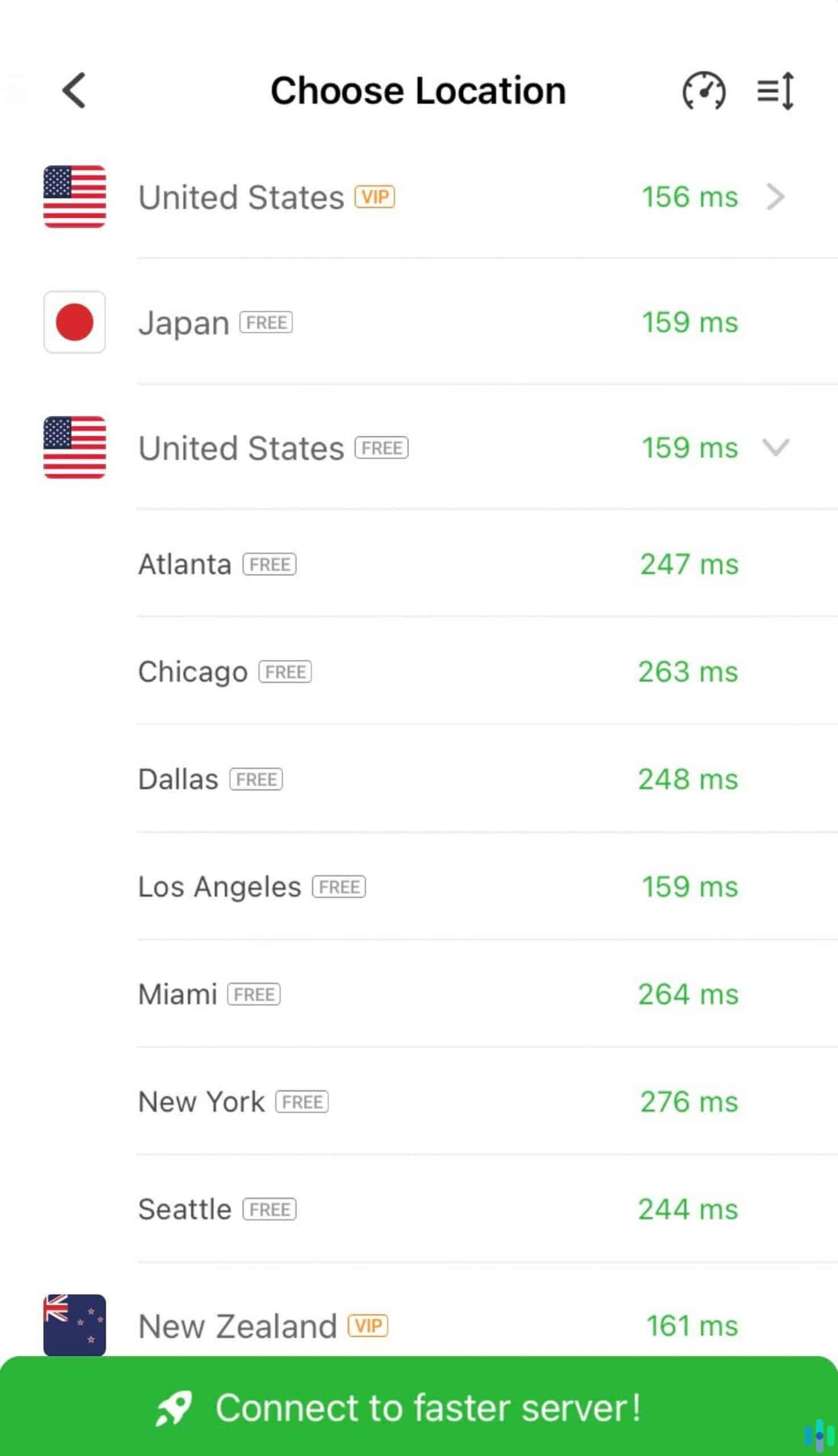
UFO VPN claims to have over 2,000 servers spread across its over 50 server locations. We can’t say for sure if it does, in fact, have 2,000 servers, since the app only lets you choose the location and not the specific server. We counted 105 countries in the app, with heavy coverage in Europe, Asia-Pacific, and North America. In the United States, UFO VPN offers servers in multiple states, including California, New York, Texas, and Florida.
Can UFO VPN Stream Netflix?
We like that UFO VPN has dedicated streaming servers for Netflix in Japan and South Korea. In our testing, both servers successfully bypassed Netflix’s VPN detection, which let us access anime and K-dramas from our account.
We also tested if the normal servers can access Netflix, and we got mixed results. We were able to stream while connected to servers in the U.S., U.K., and Australia, but when we hopped onto a server in Germany, Netflix flagged us down. If your sole purpose is watching Netflix, UFO VPN may be worth considering, but don’t expect to get good results all the time.
FYI: Even the best VPNs sometimes have trouble accessing Netflix. The streaming giant and other streaming platforms are continuously working to blacklist VPN IP addresses from accessing their libraries.
Does UFO VPN Offer Split Tunneling?
Neither UFO VPN’s free version nor premium version offers split tunneling, but then, this feature is not as common as a VPN kill switch. Split tunneling allows you to split your device’s internet traffic into two tunnels, one protected by the VPN and the other unprotected. We find this useful when certain apps or services don’t play well with VPNs. For instance, many U.S. banking apps block VPN connections as a security measure. Without split tunneling, we’d need to disconnect from our VPN just to check the account balance.
What VPN Protocols Does UFO VPN Use?
We like to think of VPN protocols as virtual delivery systems for your encrypted traffic. They consist of a set of instructions on how your data travels between your computer and the VPN server. Some protocols put privacy as the top priority, while others put emphasis on speed. Industry-standard protocols like OpenVPN and WireGuard have undergone extensive security audits and are widely trusted. In our experience, the most reputable VPNs use WireGuard as their default protocol since it gets the balance of speed and security right.
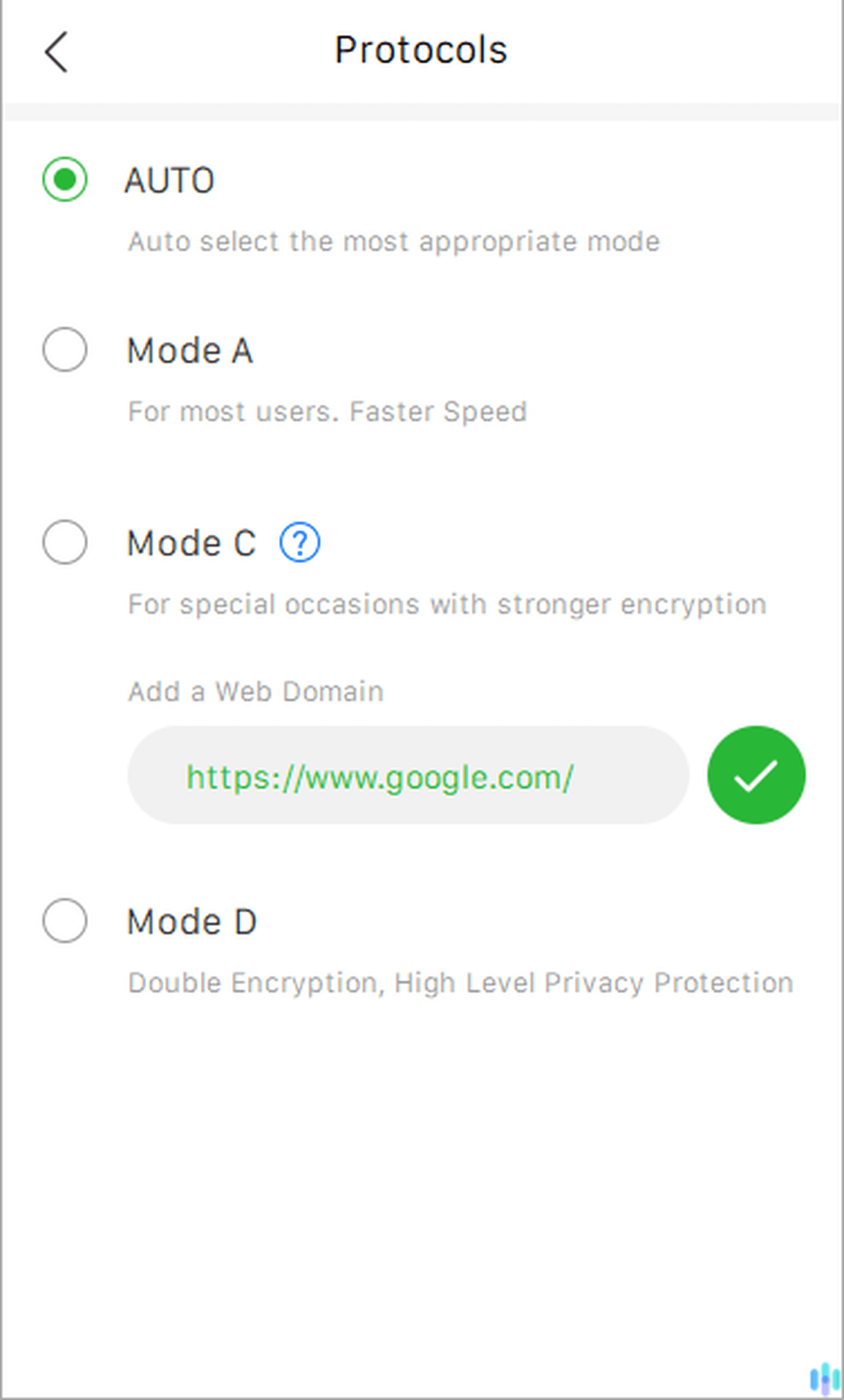
UFO VPN uses proprietary protocols that are labeled Mode A, Mode C, and Mode D.
- Mode A: This protocol supposedly has fast speeds, and is the recommended protocol for most users. Likely, it offers less privacy than the other protocols.
- Mode C: According to UFO VPN, this protocol offers stronger encryption, which is instrumental in bypassing geo-restriction that Mode A can’t unblock.
- Mode D: This protocol is privacy-focused, offering double encryption.
The lack of transparency about UFO VPN’s proprietary protocols raises concerns. Without independent security audits or technical documentation, we have no way to verify the security claims UFO VPN makes about these modes.
Is UFO VPN’s Performance Out of This World?
After dissecting UFO VPN’s features, we tested its performance, mainly its speed and security.
Speed Test
To test UFO VPN’s speed, we used Ookla’s speed test tool while connected to a server in Australia. Why Australia? Well, distance factors into the overall speed of a VPN. Closer servers yield better speeds, so we opted to use a server that is moderately far from where we live. That way, we’d know for sure if UFO VPN can deliver fast speeds from different locations around the world.
In addition to testing UFO VPN’s speed, we also tested our internet speed prior to each test. We tested the VPN and our internet three times, and these were the results.
| UFO VPN Speed Test | Latency | Download Speed | Upload Speed |
|---|---|---|---|
| First test without VPN | 2 ms | 49.81 Mbps | 33.82 Mbps |
| First test with VPN | 144 ms | 41.56 Mbps | 36.57 Mbps |
| Second test without VPN | 5 ms | 51.02 Mbps | 43.69 Mbps |
| Second test with VPN | 126 ms | 50.36 Mbps | 36.47 Mbps |
| Third test without VPN | 2 ms | 46.25 Mbps | 39.41 Mbps |
| Third test with VPN | 85 ms | 39.16 Mbps | 33.74 Mbps |
FYI: Other factors that might affect your VPN speed are your current network congestion, server load, server latency, and connection type.
These tests prove that UFO VPN is indeed fast. On one occasion, it even nearly matched our internet download speed, which almost never happens with VPNs that we test.
Security Test
The second half of our performance test has to do with how secure UFO VPN is. We specifically tested for IP address leakage through WebRTC and DNS vulnerabilities.
WebRTC is a browser feature that enables real-time communication for video calls and live streaming. It’s built into Chrome, Firefox, Edge, and Safari. The only issue is that WebRTC can accidentally expose your real IP address even when you’re connected to a VPN. It’s a privacy vulnerability that malicious actors could exploit.
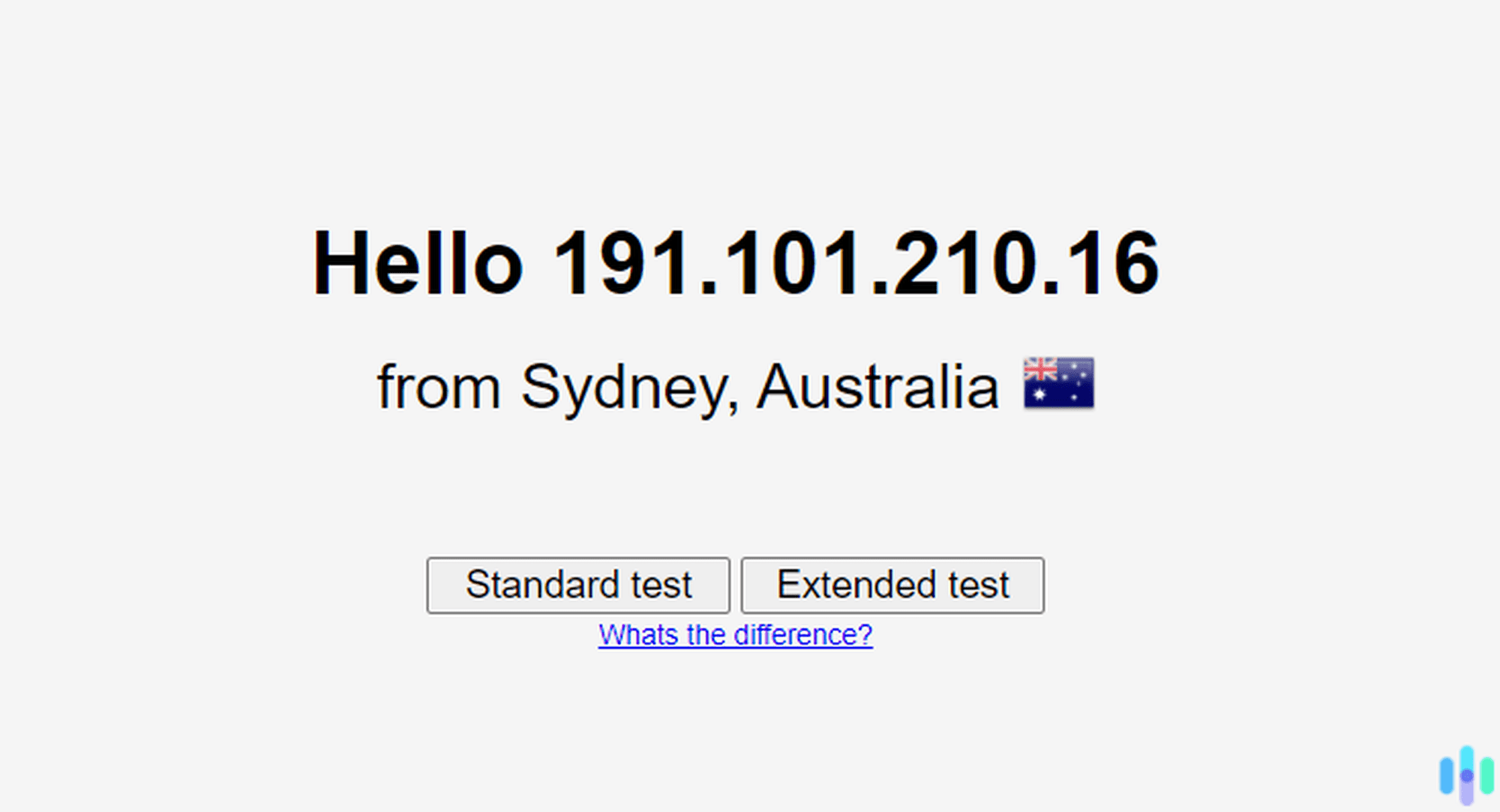
To test for WebRTC leakage, we used ExpressVPN’s online tool. It detects a user’s IP address through WebRTC, so if you use the tool while connected to your VPN and it still detects your real IP address, that indicates a leak. Fortunately, when we tested UFO VPN, the WebRTC leak test tool detected UFO VPN’s IP address. That means that there were no leaks.
On the other hand, DNS leakage happens when your device’s DNS requests while connected to a VPN bypasses the encrypted tunnel. If that happens, your internet provider can see your real IP address, and anyone with the right tools and knowledge can disrupt your DNS requests to steal your IP address. The method for detecting DNS leaks is similar to that of detecting WebRTC leaks. And when we used the DNS leak test tool, it detected our UFO VPN IP address, indicating that there were no leaks.
Is UFO VPN User-Friendly?
Besides having the right features and good performance, we want our VPN to be easy to use and reliable. Throughout our testing period, we noted UFO VPN’s execution in that regard, and here’s our overall experience.
Getting a UFO VPN Subscription
The signup process for a UFO VPN subscription is streamlined, for the most part. Since we downloaded and tested the free version beforehand, we used the app to upgrade to a VIP account. We simply clicked the Free Trial button in the left panel of the app, and it took us to UFO VPN’s checkout page. There, we selected a plan, entered our email, and provided our payment information.
We hit a snag during checkout when UFO VPN’s payment processor, Paymentwall, took nearly five minutes to load. We’ve read reports from customers who experienced the same problem. Once the payment page finally loaded, the transaction completed quickly and our premium features activated immediately.
Using the UFO VPN Apps
We downloaded UFO VPN on our Windows computer, Android phone, and iPad, and the app experience on each platform varied wildly.
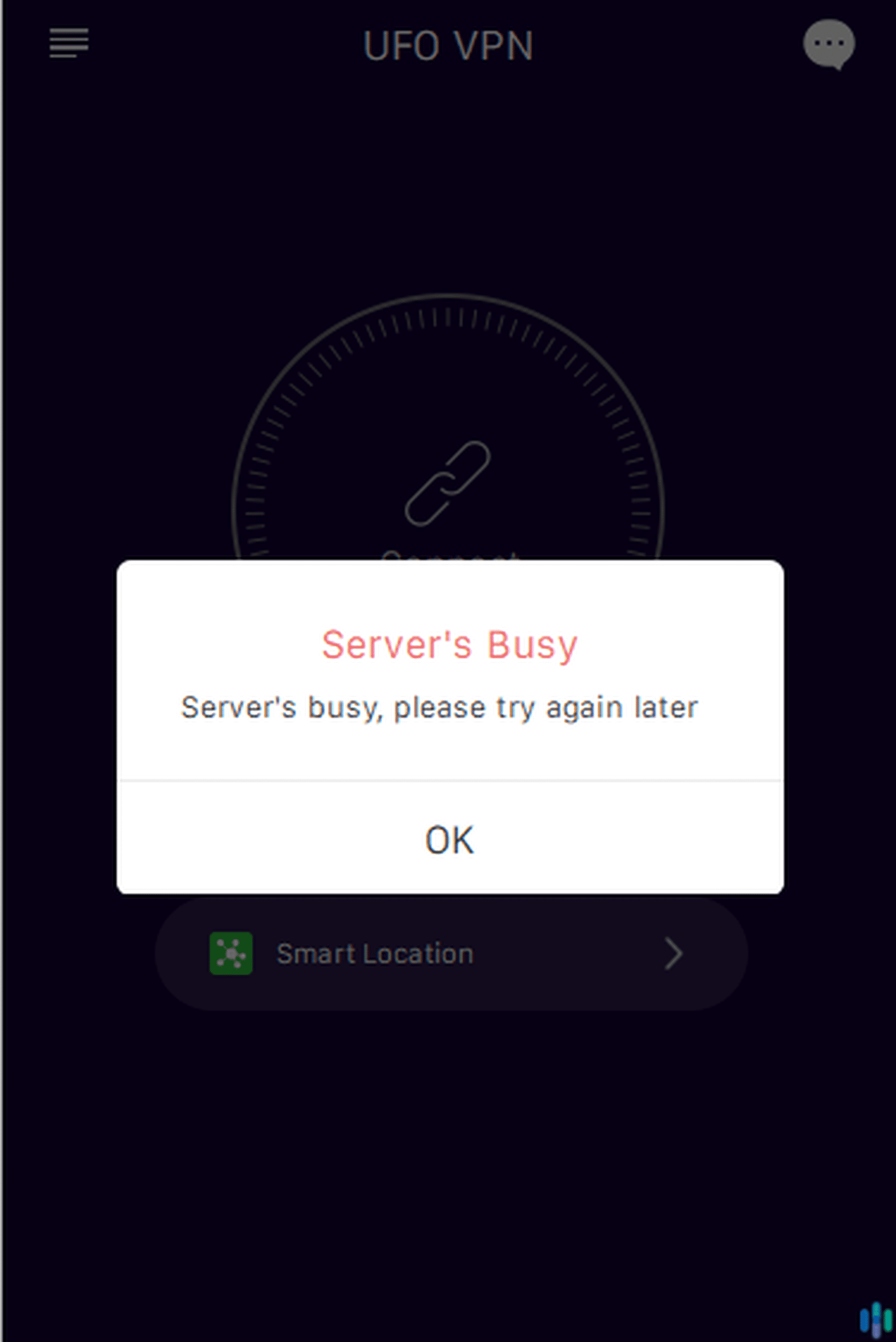
On Windows, the app seemed simple enough to use. However, when we tried connecting for the first time, an error appeared, saying that the servers were busy. That went on for several days, and when we contacted UFO VPN’s customer support, they didn’t respond. We also tried basic troubleshooting, such as restarting our device and reinstalling the app, to no avail. The issue resolved on its own after three days and we still don’t know what caused it. After that, it was smooth sailing.
On our iPad, the app felt a bit wonky because it’s optimized for iPhone use only. However, it functioned well. It includes a built-in network speed test that measures your connection quality after connecting to any server. We found it handy for finding the fastest server based on our location. Our only problem with it is that it sometimes took a while to connect. On more than one occasion, we had to wait a couple of minutes.
We liked the Android app the most in the beginning. However, maybe it was just the animated UFO that launched when we connected to a server. We soon discovered it has a major flaw in that there is no way to log into a premium account. We also got bombarded with ads when opening the app, while connecting, and after disconnecting. It felt more like adware than a legitimate VPN service.
Conclusion: Is UFO VPN a Good VPN?
In the end, we decided to cancel our subscription and move on to other VPNs. UFO VPN has some positives, but in our opinion, the good doesn’t outweigh the bad. So here are our key takeaways from our review:
UFO VPN does well when it comes to:
- Speed: UFO VPN servers are fast, which makes them good for streaming, gaming, downloads, and other bandwidth-heavy activities.
- Server locations: Even the free version offers over 20 server locations to choose from.
- Netflix and streaming: UFO VPN has servers dedicated for Netflix and Disney Plus streaming, and even some of its regular servers work with streaming platforms.
- Long-term subscription pricing: UFO VPN costs as little as $2.99 per month with the two-year plan.
UFO VPN needs to improve its:
- Privacy practices: Its history of breaches in 2020 and their implications that UFO VPN does, in fact, log data is a huge red flag.
- Apps: The apps’ user interface and the overall user experience they provide leave a lot to be desired.
- Customer support: Despite promising 24/7 customer support, UFO VPN doesn’t have live chat or phone support. The 24/7 customer support refers to email support, which, in our experience, isn’t responsive.
- Features: UFO VPN’s features are limited. Adding features like split tunneling would certainly increase its usefulness.
We’re doubtful that UFO VPN will make our list of the best VPNs anytime soon. If you’re looking for the cream of the crop of VPNs, we suggest giving our NordVPN review and Surfshark review a read. NordVPN and Surfshark currently stand atop our list of the best VPNs.
FAQs
Before we end this post, let's review and answer the most frequently asked questions about UFO VPN.
-
Is UFO VPN a legitimate VPN?
Yes, UFO VPN is a legitimate VPN company based in Hong Kong.
-
Does UFO VPN work on smart TVs?
UFO VPN doesn’t have native apps for smart TVs. It’s limited to iOS, Android, Windows, and Mac devices.
-
Is UFO VPN free?
UFO VPN apps are free to download, but you’ll need a subscription to enjoy its premium features. If you wish to use UFO VPN for free, you’ll have to live with some limitations, like reduced server locations and speeds, a one-device limit, and ads.
-
Is UFO VPN good for online gaming?
UFO VPN has fast servers dedicated for mobile online games such as Call of Duty Mobile. PUBG Mobile, and LOL: Wild Rift. However, it doesn’t have dedicated servers for PC games.
-
NordVPN. (2020). Why did 7 free VPNs leak logs they never should’ve had?. nordvpn.com/blog/free-vpn-data-breach