Geeni Security Camera Review 2026: Affordable Security Cameras
Although it flies under the radar, Geeni offers a great selection of affordable security cameras.
 &
&
 Last Updated on Dec 09, 2025

What We Like
- Affordability: All products except one cost less than $100. The cheapest Geeni camera sells for just $25.
- Strong core features: All cameras come with at least 1080p HD resolution, night vision, two-way talk, and motion detection.
- Computer vision for automatic tracking: Some Geeni cameras can detect and follow moving objects by panning mechanically.
What We Don't Like
- Confusing options: A lot of the cameras offer the same features but in a different body, making it more difficult to compare and choose the right option.
- No cloud backup: It’s good that Geeni doesn’t require monthly subscriptions, but we weren’t thrilled that most cameras lack cloud backup.
- Limited smart features: With the exception of automatic tracking and activity zones, Geeni doesn’t offer smart features.
Bottom Line
Editor’s Note: Geeni has some great affordable cameras, but we recommend upgrading to a SimpliSafe home security system. They have more affordable devices, plus SimpliSafe runs promotions year-round with free cameras and discounts as high as 60% off plans.
There are many things we all wish for, and better security for yourself and your family is probably high on your list. We’re taking a closer look at a brand that aims to grant that wish using budget-friendly security cameras. Enter Geeni, the maker of some of the most affordable cameras you’ll ever see.
It’s not our first rodeo with affordable cameras. We’ve reviewed dozens of them. Some, such as the Wyze cameras we tested, turned out great, while others didn’t. Let’s see where the pieces fall for Geeni. In this review, we’ll discuss Geeni’s camera options, strongest features, and shortcomings to find out whether they’re worth buying. Let’s get started!
Geeni Security Camera Options
Geeni sells a mix of indoor and outdoor cameras, some of which have special features such as automatic motion tracking and built-in security lighting. All Geeni cameras except one cost less than $100, so it’s immediately clear Geeni is a budget brand. Take a look at our guide to Geeni’s costs and pricing for a full breakdown of the value you can expect from these budget-friendly cameras.
The cheapest option, at $24.99, is Geeni Peek, a 1080p HD indoor camera with a compact design that’s perfect for monitoring small spaces. You can learn more about Yi Home in our Alder review, since it was the camera included when we tested Alder.
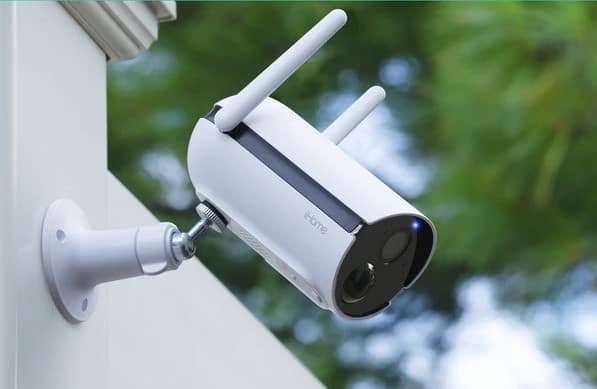
On the other end of the price spectrum is the Geeni Freebird, a $89.99 battery-powered indoor/outdoor security camera that looks a lot like the Ring Spotlight Cam Battery we tested. It’s weatherproof and rechargeable, and it has an impressive four-month battery life. It may not be as long-lasting as the two-year life of the Blink Outdoor camera we reviewed, but four months is solid for a battery-powered camera that doesn’t require any hubs.
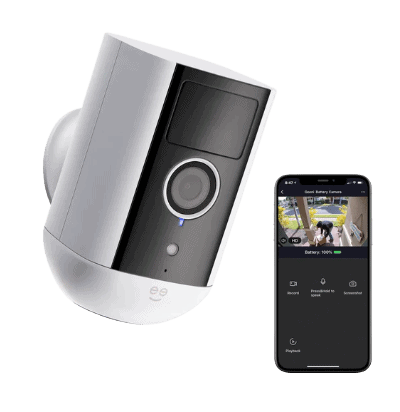
Between those two options are some intriguing cameras, including the Geeni Lookout, which is a pan-and-tilt outdoor camera that can track and follow movement (we don’t see a lot of those!). Here’s the complete list:
| Geeni security cameras | Description | Price |
|---|---|---|
| Geeni Glimpse | Plug-in indoor camera with basic features | $24.95 |
| Geeni Peek | Plug-in indoor camera with 1080p resolution and basic features | $24.99 |
| Geeni Aware | Plug-in indoor camera with 360-degree rotating base and swivel neck | $29.99 |
| Geeni Insight Mini | Plug-in indoor camera with 2K resolution | $29.99 |
| Geeni Scope | Pan and tilt indoor camera with motion tracking | $34.99 |
| Geeni Smart | Plug-in indoor camera with 2K resolution and motion tracking | $34.99 |
| Geeni Look | Plug-in indoor camera with flexible stem for easy installation | $34.99 |
| Geeni Sentinel | Pan-and-tilt indoor camera with activity zones | $59.99 |
| Geeni Hawk 3 | Basic Wi-Fi outdoor camera | $59.99 |
| Geeni Eagle | Plug-in outdoor camera with 2K resolution and spotlight | $69.99 |
| Geeni Lookout Auto-Follow | Plug-in outdoor camera with 2K resolution and motion tracking | $69.99 |
| Geeni Elite | Pan-and-tilt indoor camera with 2K resolution and AI detection | $49.99 (2-camera set) |
| Geeni Doorpeek | Wired doorbell camera | $69.99 |
| Geeni Freebird | Battery-powered outdoor camera | $89.99 |
| Geeni Sentry | Outdoor camera equipped with floodlight | $89.99 |
| Geeni Vista | Battery-powered outdoor camera with solar panel compatibility | $79.99 |
FYI: The iHome branded cameras from Geeni have been discontinued. While you might still find some remaining stock on third-party retailers, Geeni has focused its efforts on expanding its own brand lineup with newer models that offer similar or better features.
How Geeni Cameras Are Similar: Necessary Features
Geeni security cameras vary vastly in design and where they’re meant to be placed, but they all share a set of features. They have the same video quality, they all have night vision and two-way talk, and they all offer motion detection.
Video Quality
All Geeni security cameras have at least 1080p HD resolution with a few that step up to 2K. None are 4K, but 1080p is the industry standard and is a well-balanced resolution for security cameras. It has enough pixels to produce clear images day and night, but it uses way less bandwidth to livestream than 4K cameras. With good compression, streaming 1080p video requires only 3 Mbps of bandwidth, while streaming 4K video requires five times as much.1
You know who else offers 1080p HD cameras with no 4K options? Ring, one of the best security camera brands. A 4K camera may sound great on paper, but 1080p HD is still the king of security camera resolution.
Night Vision
Speaking of video quality, all Geeni cameras have some form of night vision. Most use infrared night vision, a type of illumination technology that uses invisible infrared light to light up the surrounding area. The result is clear but black-and-white footage.
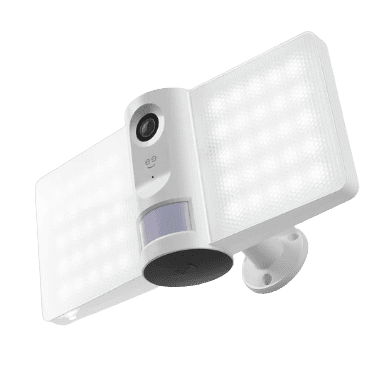
A few others use color night vision. The Geeni cameras with this tech use built-in smart lights to illuminate the area. It’s less discreet because the light is visible, but that’s exactly what some people want in their security cameras — particularly outdoor models.
Pro Tip: See our security camera guide for more details on the pros and cons of infrared night vision and color night vision.
Two-Way Audio
Geeni cameras also include two-way audio, which means recordings and livestreams include audio and you can speak with anyone in the vicinity while livestreaming. You can use two-way audio for anything from telling delivery people where to leave your packages to telling your dog to get off the couch.
Motion Detection
All Geeni cameras are equipped with motion sensors to detect movement and alert you. It’s the most basic security feature Geeni offers. With motion detection, you’ll be alerted when a family member arrives at home or an intruder breaks in.
Paired with the ability to stream live videos to your phone, Geeni’s motion detection allows you to monitor your home anytime and from anywhere without having to sit in front of a screen 24/7.
How Geeni Cameras Differ: Special Features
Geeni cameras all offer the above core features, which is exactly what you can expect from security cameras that sell for around $30. The slightly more expensive Geeni cameras, though, have special features. Let’s check them out.
Pan and Tilt
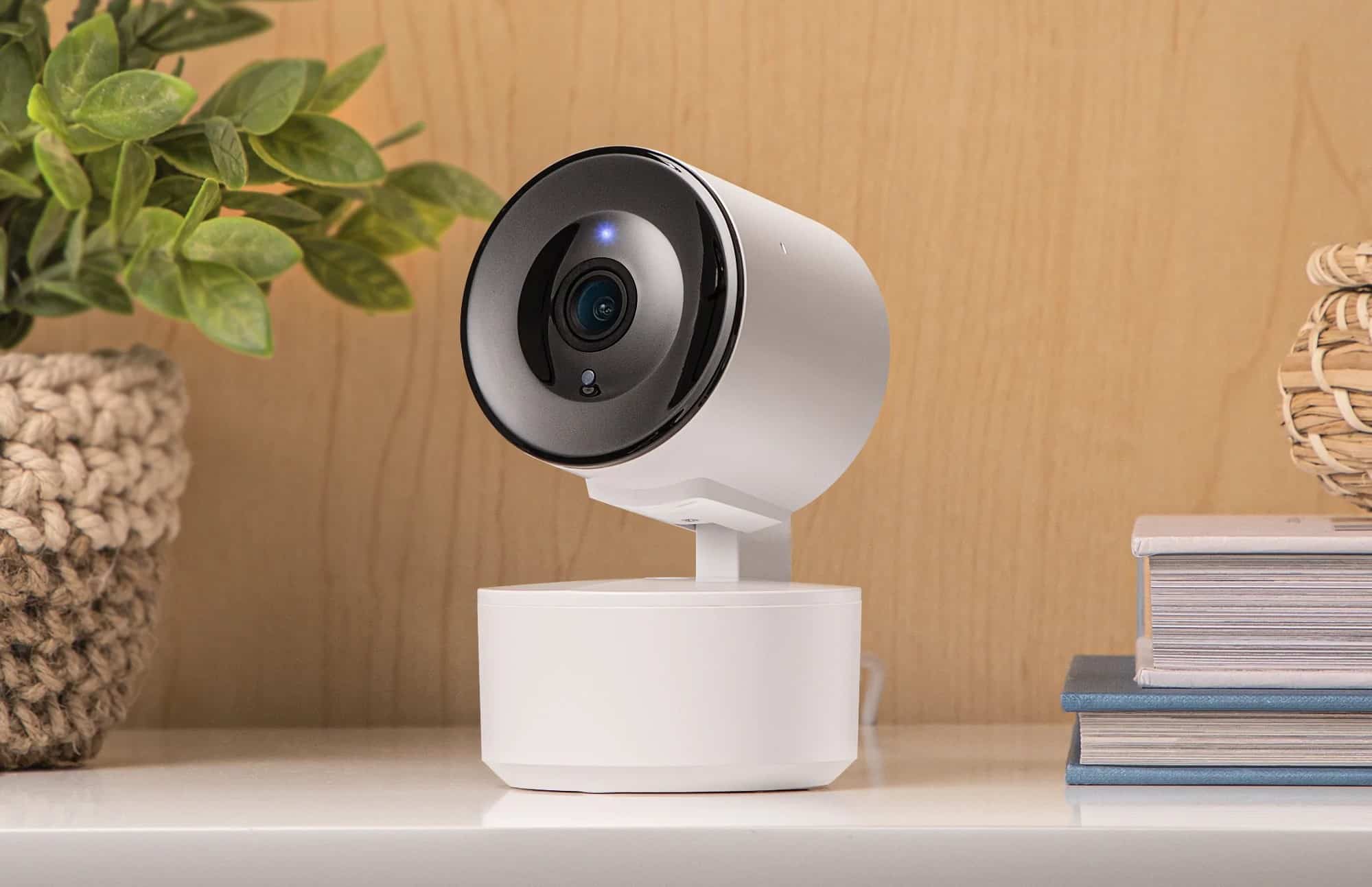
The Geeni Scope, Sentinel, Lookout, and Elite cameras can pan and tilt, allowing for a wider view of the surroundings. You control the pan-and-tilt action through the Geeni app, giving you up to 355 degrees of horizontal rotation and 90 degrees of vertical tilt on most models.
Did You Know: All Geeni cameras use the unified Geeni app for control and monitoring. This makes it easier to manage multiple cameras and smart home devices from a single interface.
One thing to note about pan-and-tilt cameras is that they have a narrower field of view than those that don’t pan and tilt. Most Geeni cameras have a viewing angle of about 130 degrees, but the pan-and-tilt versions have an angle of only about 110 degrees.
Unlike some competitors, Geeni’s pan-and-tilt cameras now include waypoint patrol features on select models, allowing you to set predetermined positions the camera will automatically scan at intervals you choose — similar to what we loved when we reviewed the Wyze Cam Pan.
FYI: The Wyze Cam Pan offers Pan Scan, with which you can set up to four stopping points and the camera will pan on its own at a set interval to give you a view of each point.
Automatic Motion Tracking
Several Geeni cameras now offer automatic motion tracking, including the Geeni Sentinel, Lookout, Elite, and Smart models. This feature has been improved with better AI algorithms that can distinguish between people, pets, and vehicles on compatible models.
Motion tracking uses computer intelligence to follow a moving object. If a person walks into frame, for example, the cameras will pan automatically to follow where the person goes.
It’s a great feature, but it relies on the camera’s ability to detect motion in the first place. With a narrower field of view, the pan-and-tilt cameras with automatic tracking must be placed in an optimal location with a complete view of the room to detect motion reliably.
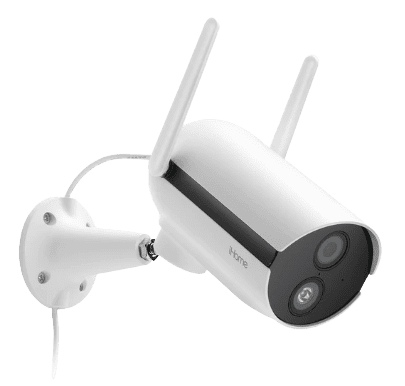
The Geeni Lookout Auto-Follow is now the flagship outdoor camera with motion tracking, offering weatherproof construction and the ability to track movement across a wide area — something that remains relatively uncommon in outdoor security cameras at this price point.
Activity Zones
Another useful special feature that aims to reduce false alarms and improve motion alerts is activity zones. It lets you create a custom zone within the camera’s view and limit motion detection to just that area, which means any movement from areas prone to false alarms will be ignored.
We often see activity zones offered by more expensive security cameras, such as the Google Nest Cam (battery) we reviewed, so we were surprised that some of the Geeni cameras have it. Even more impressive is that cameras like the Geeni Sentinel and Geeni Scope cost less than $60, and newer models like the Geeni Elite include this feature in multi-camera bundles under $50.
Geeni has also expanded activity zones to several outdoor models, including the Eagle and Lookout Auto-Follow, addressing what was previously a limitation of indoor-only zones.
Security Lighting
The Geeni Sentry and Smart Floodlight Camera also have integrated lighting to provide color night vision. The integrated smart light is more than just for night vision though. It also serves as security lighting. The floodlight on the Geeni Sentry is motion-activated. It turns on when the camera detects motion to potentially deter would-be burglars and trespassers.
One downside of the Geeni Sentry is that it needs to be hardwired to an existing floodlight. Other than that, it’s a good combination of smart light and security camera.
Are Geeni Cameras Easy to Install?
As a budget option, Geeni positions itself as a DIY option with easy-to-install hardware. Of course, the installation process differs from one camera to another, but Geeni offers three main installation options.
- Plug-in: Plug-in cameras require a power source, ideally a wall outlet.
- Battery: Battery-powered cameras are rechargeable, which means you can put them up anywhere within your Wi-Fi’s reach. The battery life varies, but models like the Geeni Freebird and Vista promise up to four months of battery life on a single charge, with the Vista supporting optional solar panels for continuous power.
- Hardwired: The Geeni Sentry is Geeni’s only hardwired option. It replaces an existing floodlight with a power rating between 100 and 240 volts.
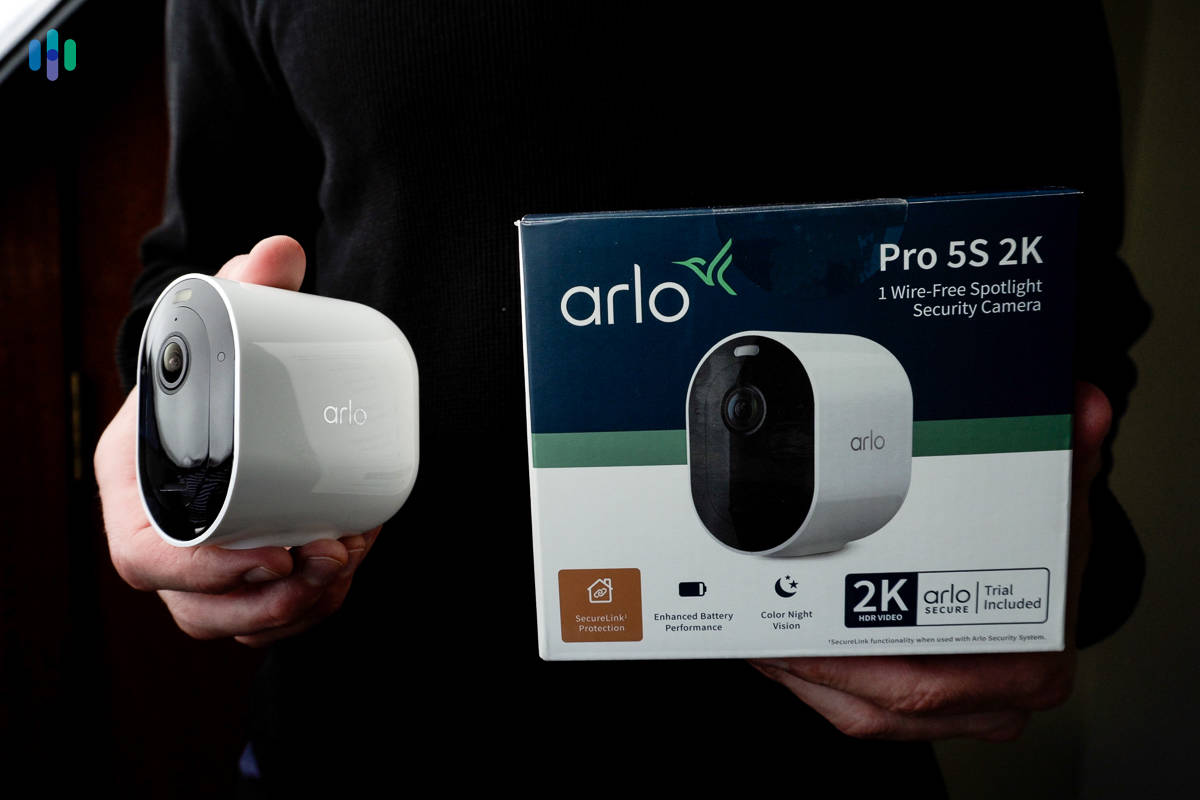
Aside from powering the cameras, you’ll need to connect them to the internet to be able to stream videos to your phone. All Geeni cameras connect to Wi-Fi, and none of them — not even the battery-powered ones — require a hub. That’s an advantage over the Arlo wire-free cameras we looked at that often require a base station.
On the flip side, Geeni’s security cameras support only 2.4 GHz Wi-Fi, so make sure to connect them to the 2.4 GHz band if you have dual-band Wi-Fi.
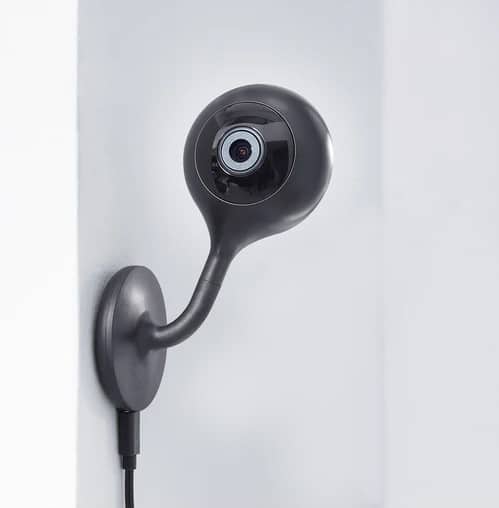
As for placement, Geeni made it easy to position its cameras. They have swivel bases, some of them have magnetic mounts, and one even has a flexible stem you can fold and twist as needed.
Overall, Geeni cameras are easy to install.
Pro Tip: Connecting too many devices to a single Wi-Fi band can cause crowding and affect your overall internet speed. If possible, connect your smartphones, smart TVs, and computers to the 5 GHz network to free up space for devices that support only the 2.4 GHz Wi-Fi band.
How About Video Storage?
Geeni is a budget brand not only in terms of hardware, but also in terms of video storage. Most security camera brands offer cloud subscriptions to store recordings in the cloud, but most Geeni cameras use only local recording. They have a slot for a microSD card (64 GB to 128 GB in most cases) where videos may be recorded for later viewing. You can also stream recorded videos to your phone if the cameras are connected to the internet.
One downside of local storage, though, is that your recordings are as good as gone if the camera is stolen or destroyed. That’s why we recommend having cloud backup, but unfortunately, Geeni still doesn’t offer cloud storage options, focusing instead on keeping costs down with local-only storage.
Final Verdict: Is Geeni a Good Brand?
Geeni is a competitive brand in the crowded world of affordable security cameras. It has unique strengths, such as not requiring a cloud subscription to record videos and offering special features like motion tracking and built-in security lights. Getting those features from cameras that cost less than $100 is a good deal.
Geeni, however, isn’t the best brand for affordable security cameras. Wyze takes that throne, because even though its cameras are priced similarly to Geeni’s, Wyze offers considerably more and smarter features. Check out our page on the most affordable top-quality security cameras to learn more.
Geeni FAQs
Let’s answer some of the most asked questions about Geeni.
-
Is Geeni a Chinese brand?
No, Geeni is not a Chinese brand. It is owned by Merkury Innovations, a tech company based in New York.
-
Does Geeni offer doorbell cameras?
Yes, Geeni offers the Doorpeek wired doorbell camera with 1080p HD resolution, two-way talk, night vision, and motion detection. They’ve also recently introduced a battery-powered version for homes without existing doorbell wiring.
-
Do I need a monthly subscription to use Geeni cameras?
All Geeni cameras have a microSD card slot for local video storage, so a cloud subscription is not required. Most Geeni cameras don’t support cloud recording.
-
Do Geeni cameras work with Alexa or Google Assistant?
All Geeni cameras work with both Alexa and Google Assistant, but voice controls are limited to just a few commands.
-
Does Geeni sell other types of home equipment?
Yes. Geeni is primarily a smart-home brand, and its most popular products include smart lights and security cameras. Most of Geeni’s products connect to a smartphone app called the Geeni app. With the app, you can control any integrated device in your home.
-
Synopi. (n.d.). Bandwidth Required For HD FHD 4K Video Streaming.
https://www.synopi.com/bandwidth-required-for-hd-fhd-4k-video