

Start with Norton’s 60-day money-back guarantee and see how it fits your semester.
The Best Antivirus for Students in 2026, Tested by Security Researchers
Norton AntiVirus Plus leads our list for students because one plan covers a laptop, phone, and tablet and adds scam protection.
All of our content is written by humans, not robots.
Learn More
By
 &
Last Updated on Oct 19, 2026
&
Last Updated on Oct 19, 2026
 &
&
 Last Updated on Oct 19, 2026
About our Methodology and Testing
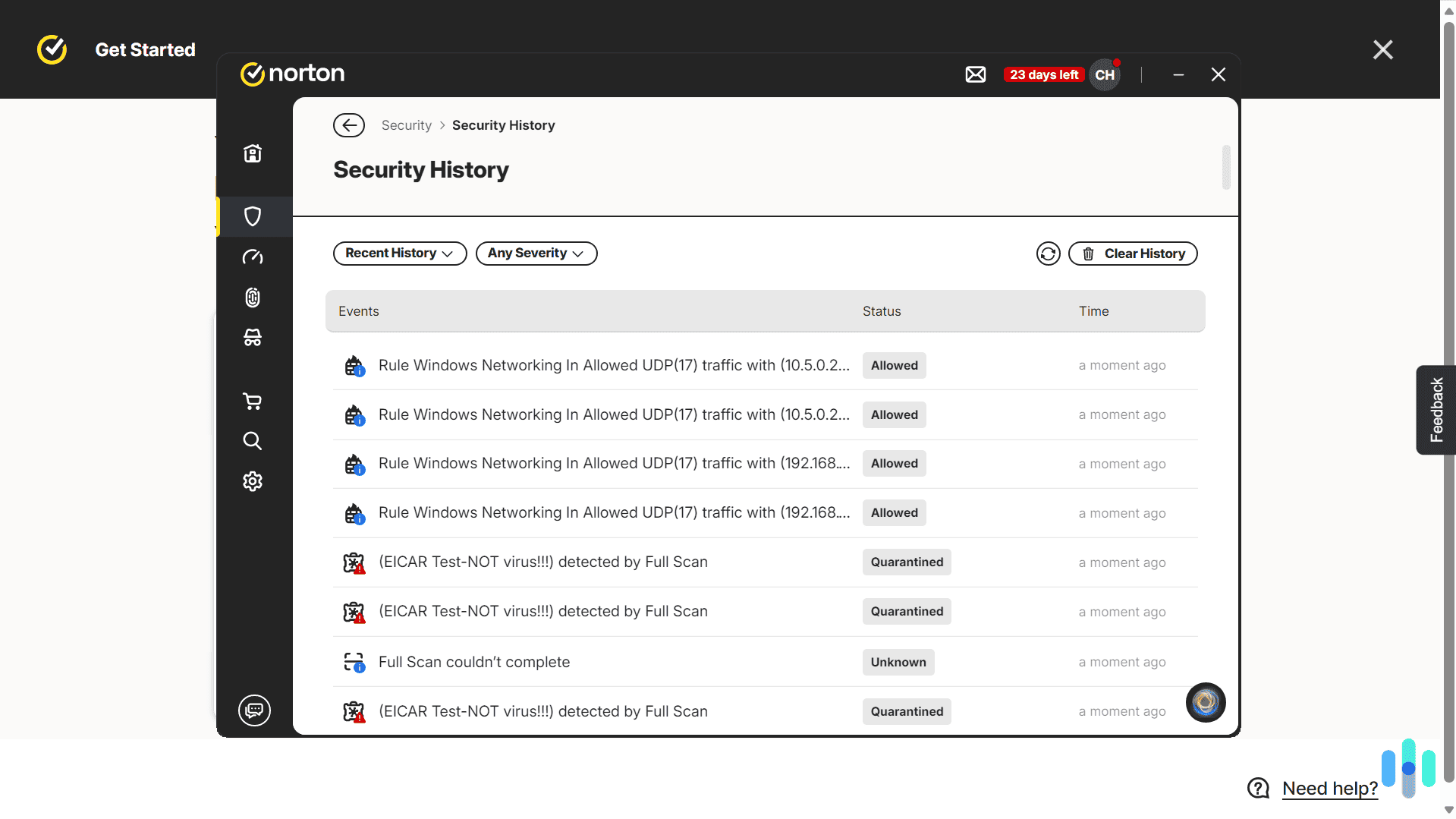
We tested more than 40 antivirus programs over three months. We used EICAR and AMTSO test files to check detection and compared our results against independent labs such as AV-TEST and AV-Comparatives. For this list, we ranked the finalists on student priorities, including device coverage, scam protection, and how much each product slows a laptop. Our complete testing methodology explains every step.
1,500+
research hours
40+
antivirus tested
200+
malware removed
20+
hours of total scan time
4
antivirus recommended
All of our content is written by humans, not robots.
Learn More
Best for Multi-Device Coverage with Scam Protection
Norton Antivirus
Best for Multi-Device Coverage with Scam Protection-Norton Antivirus

Top Features
- Five devices for $39.99 in the first year
- Scam Protection with Safe Web, Safe SMS, and Norton Genie
- 60-day money-back guarantee
View Plans
Links To Norton
Best for Antivirus Plus Identity Donitoring
Aura Antivirus
Best for Antivirus Plus Identity Donitoring-Aura Antivirus

Top Features
- Plans start at $3 per month, billed annually
- VPN included in all plans
- Credit monitoring and identity insurance on higher tiers
Select a Plan
Links To Aura.com
Best for Cleaning Up Slower Laptops
TotalAV Antivirus
Best for Cleaning Up Slower Laptops-TotalAV Antivirus

Top Features
- System cleanup tool on Windows and Android
- Real-time protection with automatic updates
- Apps for Windows, macOS, iOS, and Android
Get TotalAV
Links To TotalAV
the security.brief
Norton is our top antivirus for students in 2026. See how three other picks compare on device coverage, scam protection, and extra features.
Your laptop probably holds every paper you’ve written, your financial aid logins, and a browser full of saved passwords. Then you carry it to campus Wi-Fi and coffee shops and click links in group chats. A good antivirus is worth having for all of that. But which one is right for you?
For most students, we recommend Norton AntiVirus Plus after testing 40 of the best antivirus programs available. It supports most devices and includes Scam Protection, which helps flag sketchy texts and links before you tap them. We also like Aura, TotalAV, and Surfshark for students that need bundled identity protection, a lower price, or a high-quality VPN. Let’s dig in to find the best option for you.
Best Antivirus for Students
- Norton Antivirus - Best for Multi-Device Coverage with Scam Protection
- Aura Antivirus - Best for Antivirus Plus Identity Donitoring
- TotalAV Antivirus - Best for Cleaning Up Slower Laptops
- Surfshark Antivirus - Best Bundled VPN
Best Antivirus for Students at a Glance
| System |
Norton Antivirus
|
Aura Antivirus
|
TotalAV Antivirus
|
Surfshark Antivirus
|
|---|---|---|---|---|
| Ranking | 1st | 2nd | 3rd | 4th |
| Ratings | 9.7/10 | 9.5/10 | 9.3/10 | 8.9/10 |
| Device coverage | One to unlimited | Three to 10 | Three to eight | Up to five devices |
| Firewall | Yes | No | No | No |
| Bundled VPN | Yes, on Norton 360 plans | Yes | Yes, on higher tiers | Yes |
| Money-back Guarantee | 60 days | 60 days | 30 days | 30 days |
| Read Review | Norton Antivirus Review | Aura Antivirus Review | TotalAV Antivirus Review | Surfshark Antivirus Review |
Our Antivirus Picks for Students
-
1. Norton Antivirus - Best for Multi-Device Coverage with Scam Protection
 View Plans Links To Norton
Product Specs
Virus Detection Yes Malware Detection Yes Firewall Yes Full, quick, and scheduled scans Yes Real-time protection Yes Behavior-based monitoring Yes
Why We Picked It
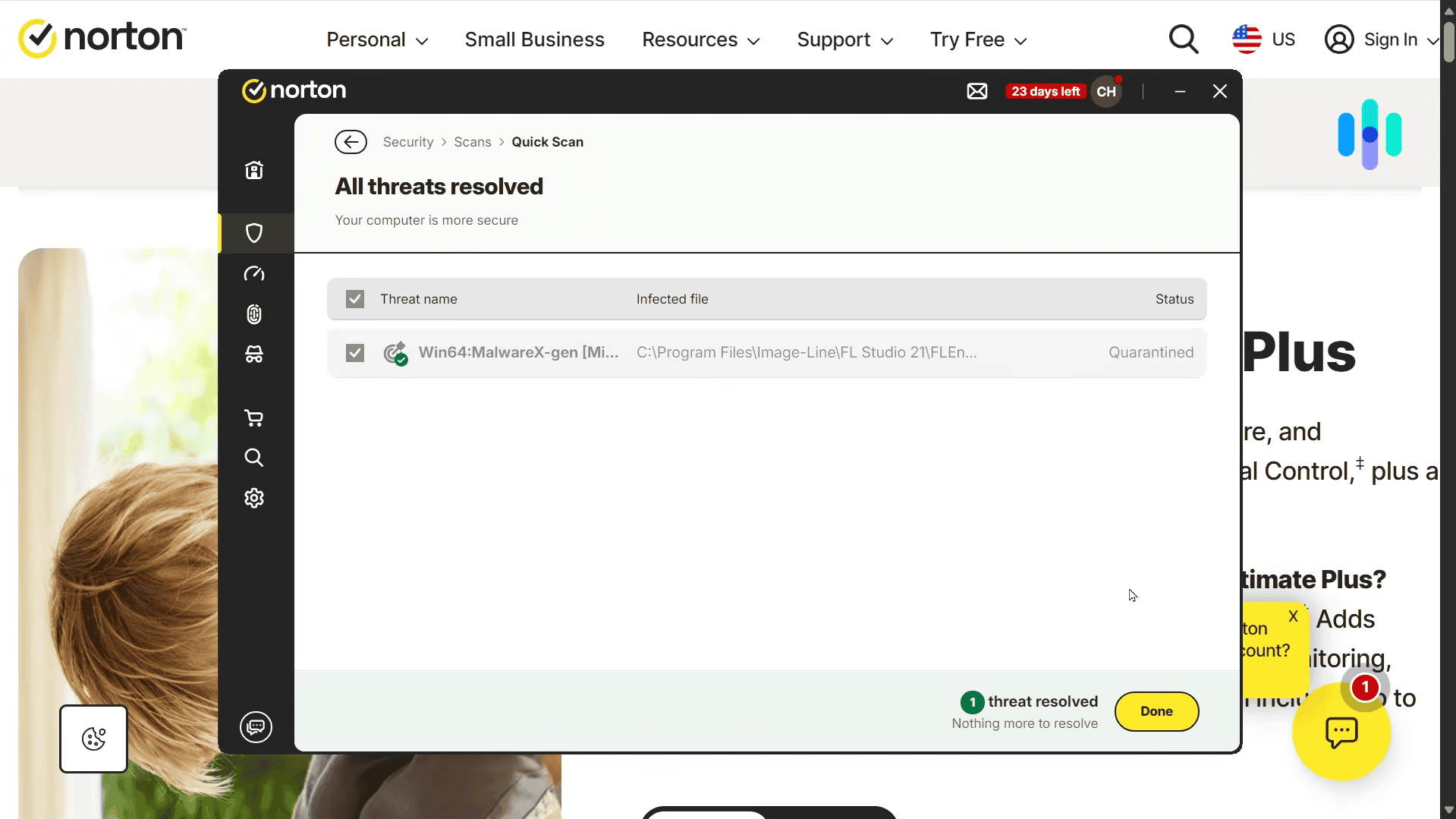
Norton earned our top spot because its features line up with how students use their devices. In our testing, Norton caught every malware test file we used. Its layered defense combines signature scanning, behavior analysis, cloud threat intelligence, and a Smart Firewall. Further, Norton consistently receives a perfect score from AV-TEST’s independent evaluations with thousands of malware samples.1
Scam Protection is a standout feature for students. It includes Safe Web, Safe SMS, and the Norton Genie assistant, which help flag risky links, texts, and messages. This offers a layer of protection against the types of malware that can spread in group chats, marketplace listings, school email, and fake job offers targeting students.

Norton successfully protected us against every malware test file we downloaded What We Like
- Five devices for $39.99 in the first year
- Scam Protection with Safe Web, Safe SMS, and Norton Genie
- Smart Firewall and Password Manager included
- 60-day money-back guarantee on annual plans
- Apps for Windows, macOS, iOS, and Android
What We Don’t Like
- Renewal prices are higher than first-year prices
- AntiVirus Plus has no VPN, so students need Norton 360 for that
- The two GB of Cloud Backup works on Windows only
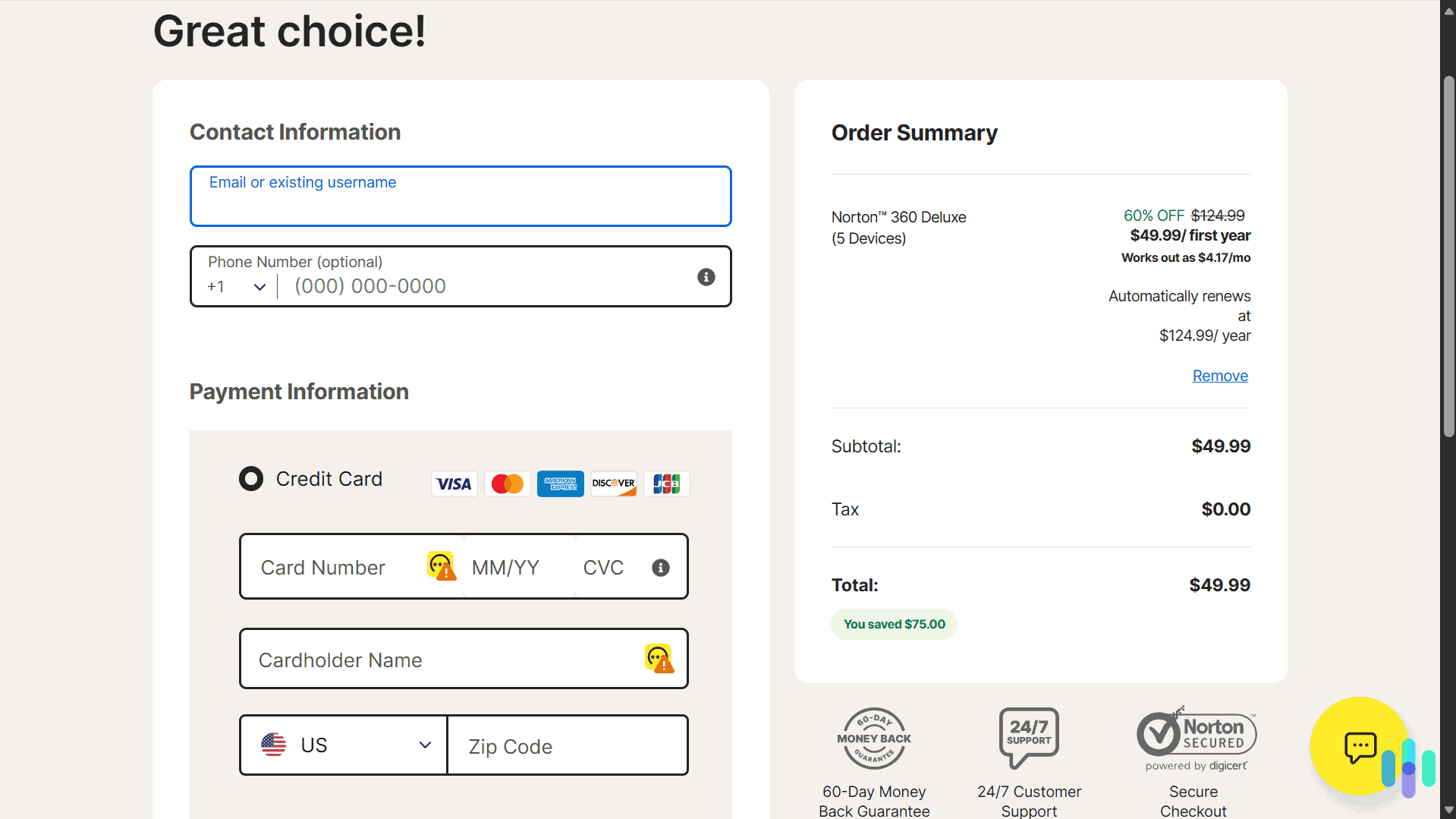
Norton is the safest default for most students. A single Windows laptop fits the one-device plan, or opt for the five-device plan to cover all your gear. If you also want a VPN for campus Wi-Fi, you can step up to Norton 360 Standard. It costs $39.99 for the first year and includes a VPN for three devices. If you’re a big gamer, you can also consider Norton 360 for Gamers at $44.99 for the first year that comes with a game optimizer feature.
Affordable Options: Norton’s plans can fit most student budgets. To protect one device, pricing starts at $29.99 for the first year, which averages out to just $2.50 per month. Annual plans also come with a 60-day money-back guarantee, so you can test it out and then get a refund if you decide it’s not for you.
-
2. Aura Antivirus - Best for Antivirus Plus Identity Donitoring
 Select a Plan Links To Aura.com
Product Specs
Virus Detection Yes Malware Detection Yes Firewall No Full, quick, and scheduled scans No scheduled scans Real-time protection Yes Behavior-based monitoring No
Why We Picked It
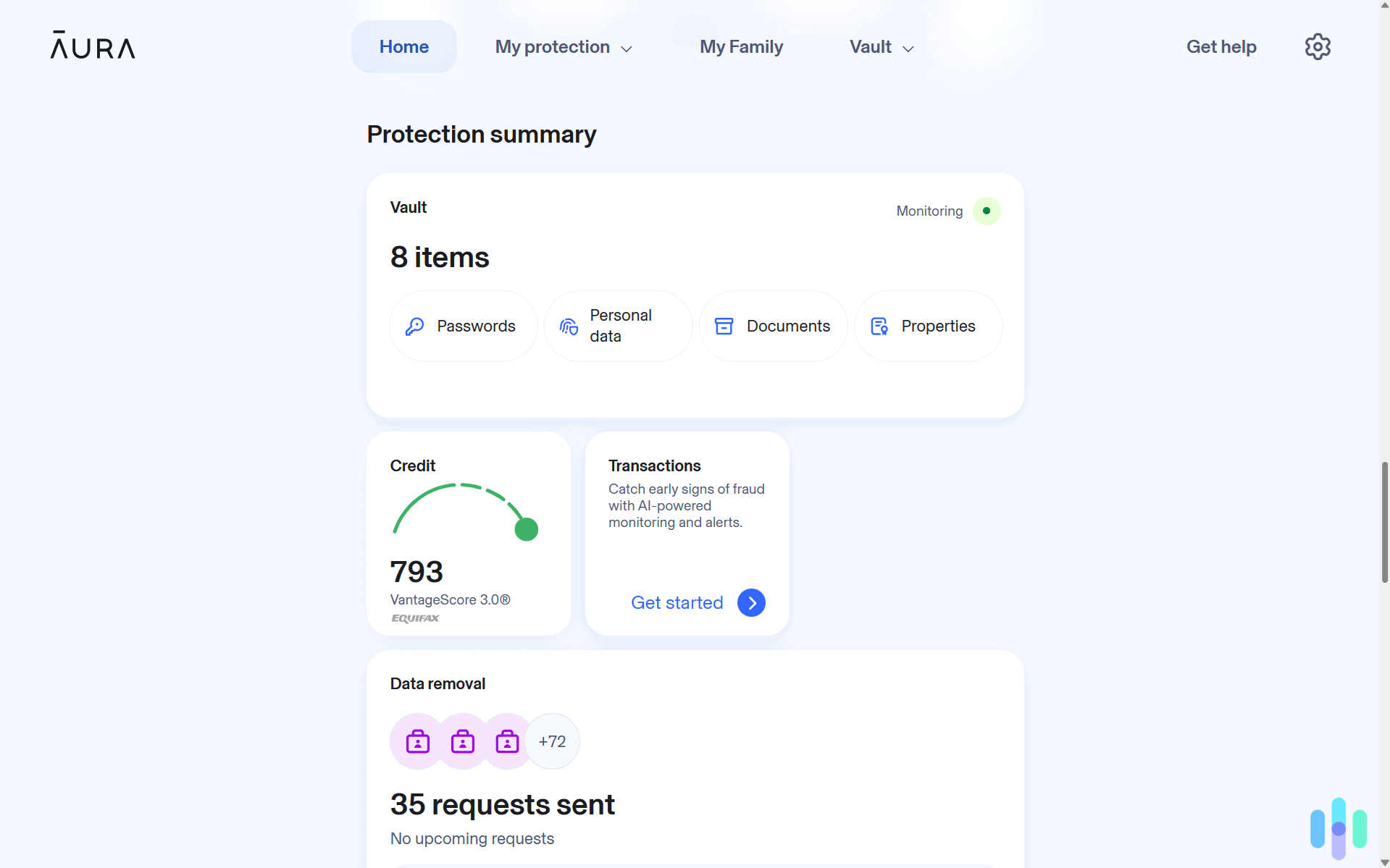
Students often open their first credit card, sign a lease, and apply for loans within a few years. Each step puts a Social Security number and other personal data into new hands. Aura earned second place because it addresses that risk. It pairs antivirus with identity protection in one subscription, keeping your’ devices and personal information safe.
As for the quality of Aura’s antivirus, it caught 99.6 percent of malware samples in our testing and blocked every EICAR download attempt. Pricing remains affordable as well, with plans that include a VPN starting at $3 per month. However, we recommend opting for the Ultimate plan at $5 per month because it adds credit monitoring and $1 million in identity theft insurance.
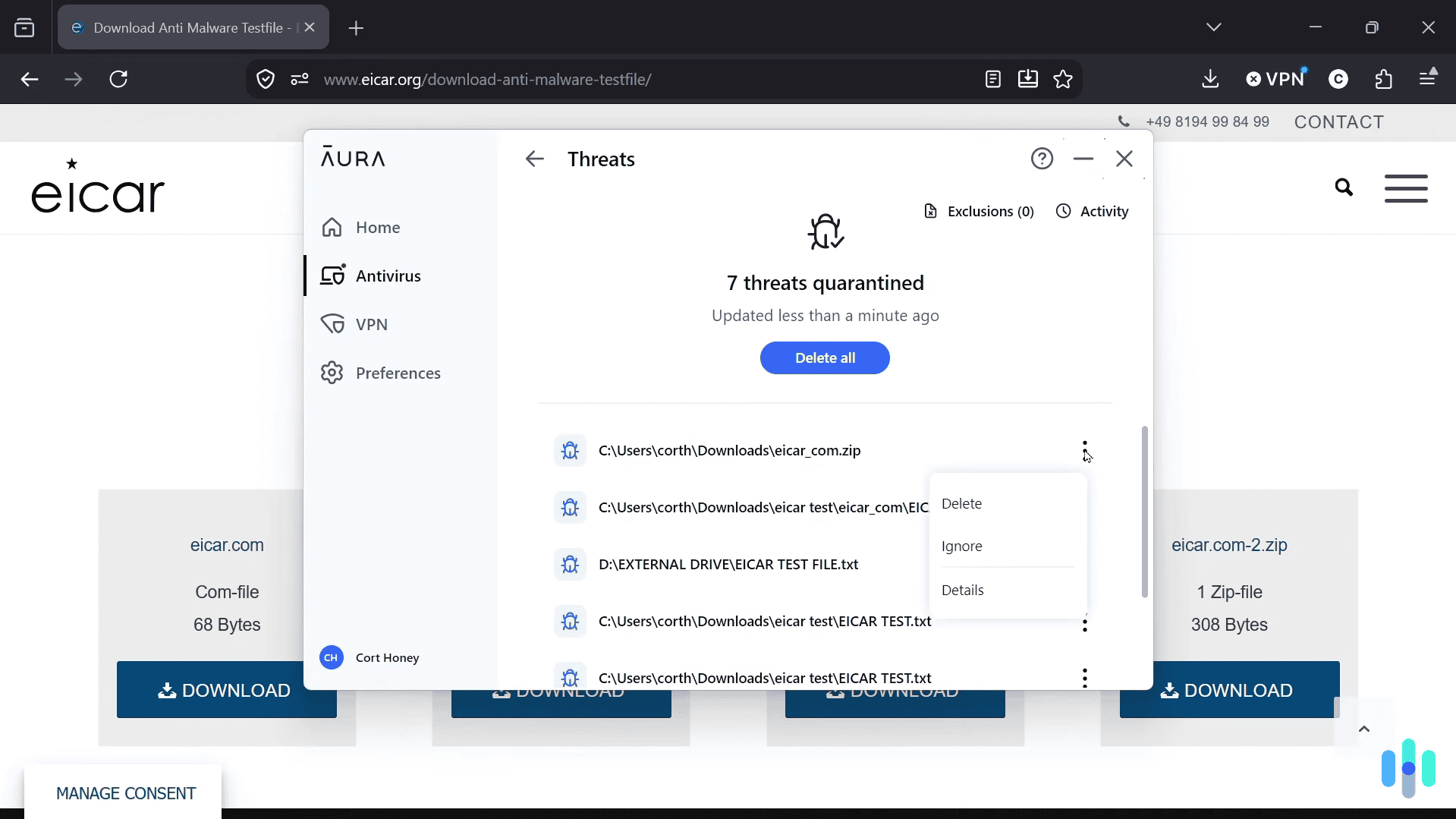
Aura immediately quarantined every malware test file we downloaded What We Like
- Antivirus, VPN, and password manager in one plan
- Credit monitoring and identity protection on higher tiers
- Automatic malware quarantine after comprehensive scans
- 60-day money-back guarantee
What We Don’t Like
- Annual billing only
- Real-time threat detection works on Windows devices only
- No firewall, and the basic plan covers only three devices
We recommend Aura if you want protection for both your devices and your identity. It’s a particularly good pick for students with loans or a credit card, as they’ll get the most value from the identity tools. The bundle also costs less than buying antivirus and monitoring separately.
>> Alternative Option: AVG Internet Security and Antivirus Review 2026
-
3. TotalAV Antivirus - Best for Cleaning Up Slower Laptops
 Get TotalAV Links To TotalAV
Product Specs
Virus Detection Yes Malware Detection Yes Firewall No Full, quick, and scheduled scans Yes Real-time protection Yes Behavior-based monitoring No
Why We Picked It
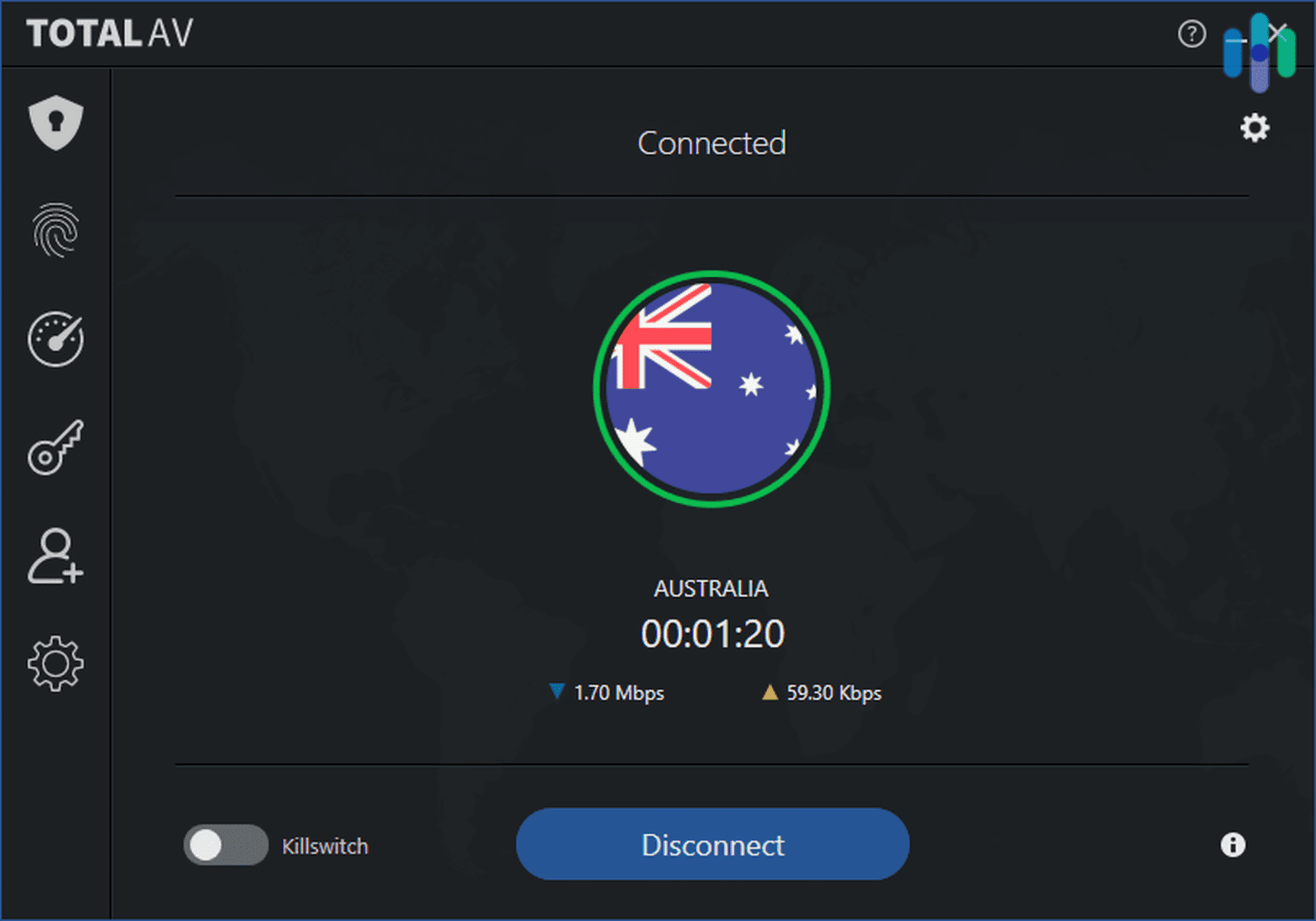
Many students keep a laptop for four years or longer, and older machines slow down. TotalAV pairs strong malware protection with a system cleanup tool. In our testing, a minute-long scan found junk files, tracking cookies, and startup programs on our Windows laptop. We removed them, cleaning up about 30 GB of storage and improving our startup time.
During our performance tests, TotalAV blocked the EICAR test file on all 10 download attempts. It also caught test files we tried to move over a USB drive and a local network. We appreciated the automatic malware definition updates and real-time protection running in the background as well. For $49 for the first year of Total Security, we felt we received solid value, although renewal price hikes are significant.
What We Like
- Real-time protection and manual scans
- System cleanup tool on Windows and Android
- Automatic malware definition updates
- Apps for Windows, macOS, iOS, and Android
What We Don’t Like
- No firewall
- The free version has no real-time protection
- Prices rise after the first year
In our view, TotalAV suits students who want protection and a performance tune-up from one app. Its free plan is also good if you just want a scan of your device to ensure it’s not currently infected. However, we still recommend most students go with a paid plan for real-time protection.
-
4. Surfshark Antivirus - Best Bundled VPN
 Get Surfshark Links to Surfshark.com
Product Specs
Virus Detection Yes Malware Detection Yes Firewall No Full, quick, and scheduled scans Yes Real-time protection Yes Behavior-based monitoring Yes
Why We Picked It
One of Surfshark’s big selling points for its VPN is its support for unlimited connections. However, when you step up to Surfshark One for their antivirus, it’s limited to just five devices. You can still use the VPN on unlimited devices, but you can only activate the antivirus on up to five devices. Still, it’s one of the best antivirus with VPN bundles and it also includes dark web monitoring.
During our tests, Surfshark blocked every EICAR download attempt and prevented access to known phishing links. With the browser extension installed, it also flagged dangerous sites in our Google search results. When we ran a manual scan of our Windows laptop, it found all test malware files except one hidden in a .zip archive.

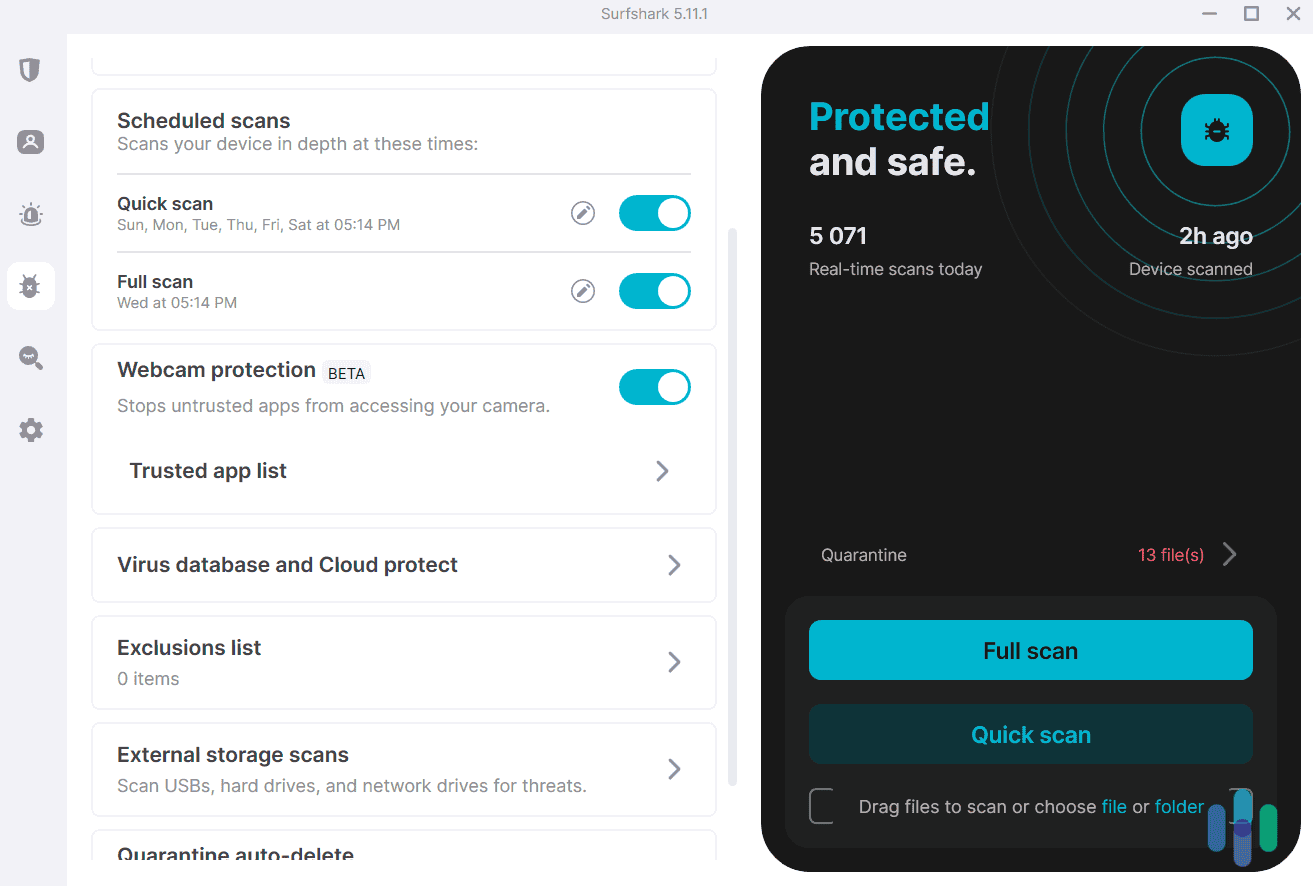
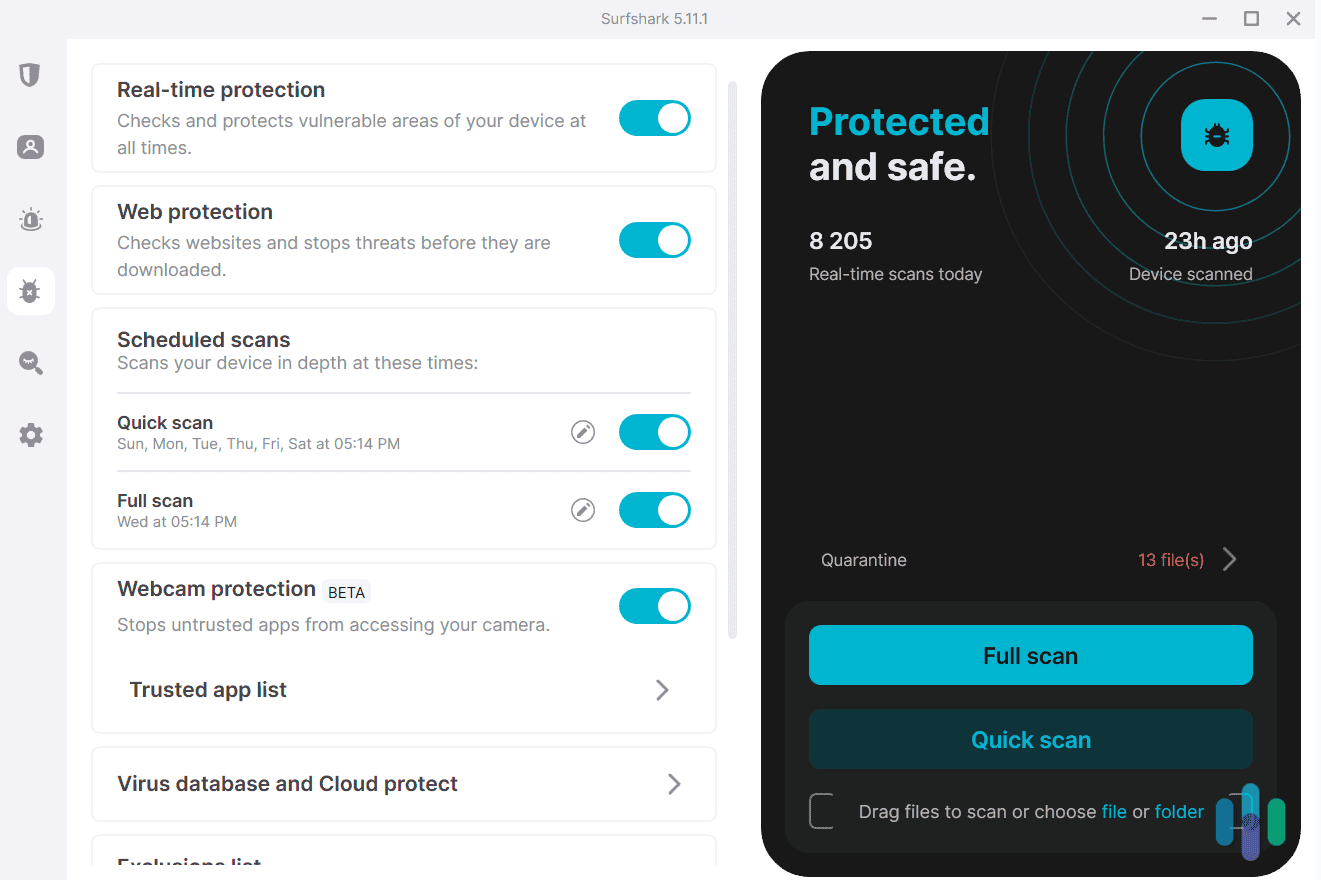
After scanning just over 5,000 files, Surfshark Antivirus found and quarantined 13 potential threats What We Like
- Antivirus, VPN, and data breach monitoring in one app
- Unlimited devices on a single subscription
- Scheduled, quick, and full scans
- Automatic virus database updates
What We Don’t Like
- No antivirus features on iOS and iPadOS
- No firewall or system cleanup tool
- Ransomware protection covers macOS only
We recommend Surfshark if you own mostly Windows, Mac, and Android devices and want a VPN bundled in. Students who carry an iPhone or iPad will want a different pick as Surfshark Antivirus lacks iOS support.
>> Read More: Does Windows 10 Need or Come With Antivirus in 2026?
Do Students Need Antivirus Software?
Yes, in our opinion. Windows and macOS ship with basic built-in protections. Students also face phishing messages, malicious downloads from file-sharing sites, and infected USB drives passed between classmates. Built-in tools rarely catch all of those attack vectors. Our guide on whether you need antivirus breaks down when built-in tools are enough.
Schools face their own risks. A 2025 Sophos survey of 198 higher education providers hit by ransomware found that 35 percent traced the attack to an exploited vulnerability. Nearly half named unknown security gaps as the top organizational cause.2 These network-level security gaps at your school can expose your devices to attacks that antivirus software can help thwart as well.
FYI: Modern antivirus handles more than classic malware. The best products also block ransomware, warn you about phishing sites, and flag suspicious downloads before they run. That layered approach matters most for students who use public Wi-Fi every day.
What Students Should Look For in an Antivirus
Students face unique risks that some antivirus programs are better at dealing with than others. To find the ones that work best for a student’s use-case, consider the following factors:
- Device coverage: Students typically carry a laptop, phone, and tablet, so a plan that covers several devices saves money.
- Scam and phishing protection: Fake job offers, rental listings, and marketplace scams frequently target students, making link and message scanning a valuable feature.
- Efficient performance: A security app should not slow down a laptop that already struggles with heavy coursework.
- Renewal price: Intro discounts run deep, but renewal rates can double, so we weigh the price after year one.
- Money-back window: Some providers offer a money-back guarantee of up to 60 days, which gives you nearly an entire semester to fully test the product.
These are the main factors we used to create this list. However, if you are shopping on a budget, head over to our cheap antivirus guide for lower-cost options. Alternatively, if you have a lot of devices, check out our round up of the best antivirus for multiple devices. They all offer plans that support multiple devices.
Expert Insight: Just need to check if a link is safe? Run it through our link checker for free to see if it’s safe before you click it.
How to Match a Plan to Your Devices
The right plan depends on the devices you own and how you use them. We compared common student setups and found these matches.
- One laptop: A single-device plan covers you and usually costs the least.
- Laptop, phone, and tablet: Look for a plan that covers at least three devices and includes mobile apps.
- Frequent public Wi-Fi: Choose a plan that bundles a VPN, which encrypts your traffic on open networks.
- Gaming laptop: Look for a gaming or quiet mode that limits pop-ups and background scans during play.
- Shared setup with roommates or family: Pick a plan with a higher device limit and confirm it supports everyone’s operating systems.
One note, always check platform support before you pay for extra features. Antivirus companies regularly roll out features exclusive to specific operating systems. For instance, Norton’s Game Optimizer, which makes it one of the best antivirus for gamers, is only available on Windows devices. If you’re looking for Mac-specific options, check out our Mac antivirus roundup.
Ready to Protect Your Laptop?
View Plans
Links To Norton
Methodology
Our Testing Process
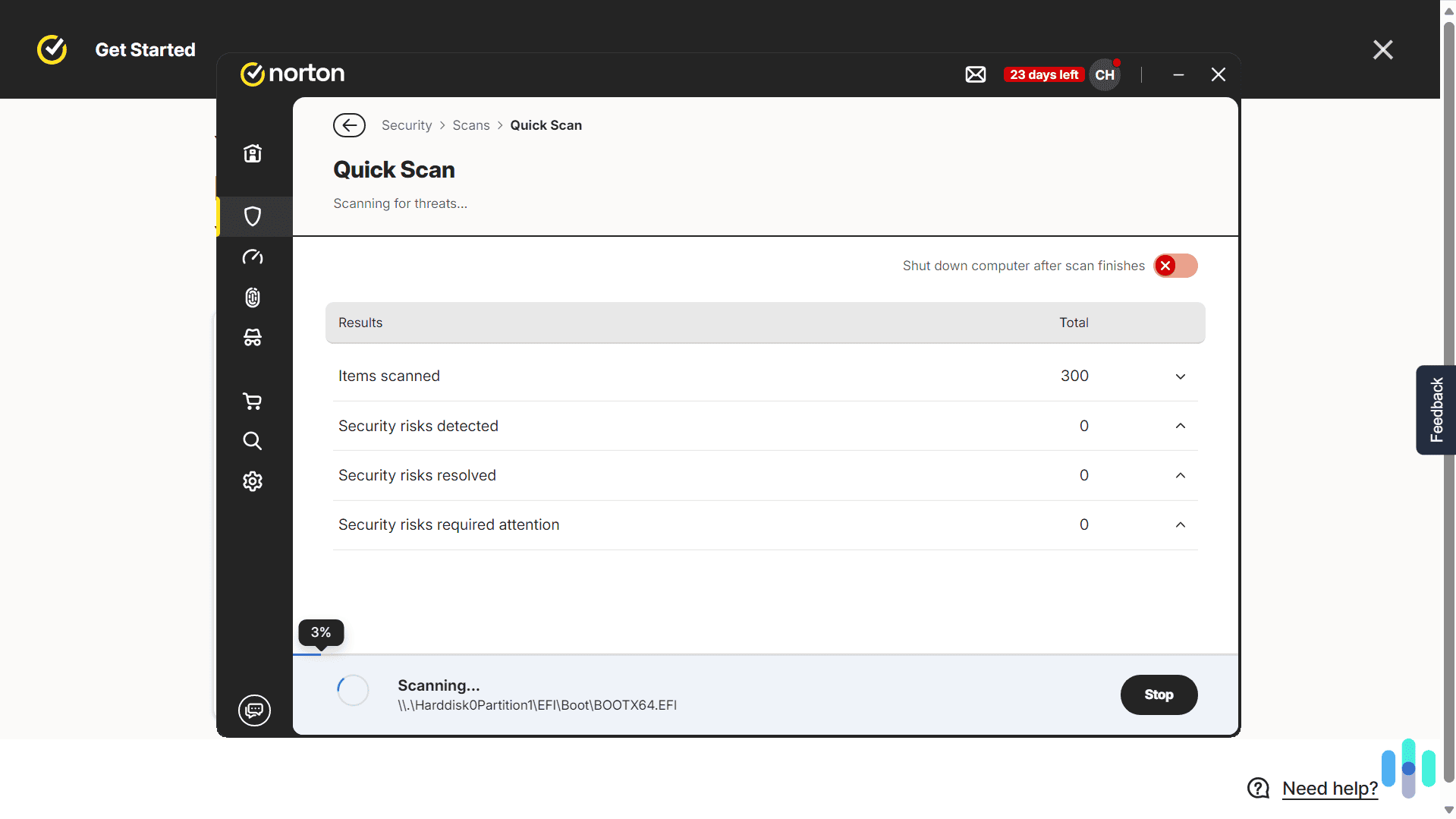
Our team installed each antivirus on Windows, macOS, Android, and iOS devices where the product supports them. We then ran the same checks on each one over three months according to our Editorial Guidelines. One test involved downloading EICAR and AMTSO test files, which are harmless files that every legitimate antivirus should flag, and recording whether real-time protection blocked them. For select products, we also moved test files over USB drives and local networks.
Next, we ran full and quick antivirus scans to see how each product affected our test devices, watching for slowdowns, freezes, and app crashes. After completing our tests, we cross-referenced our findings with third-party results from AV-TEST and AV-Comparatives. Finally, we reviewed web and ransomware protections, extra features, pricing, device limits, renewal rates, and refund terms.
Our Evaluation Criteria
We spent hours running complete scans with every antivirus software we tested
We applied our standard antivirus criteria, then weighted them toward student needs. Each product was scored based on five key factors:
- Malware protection: How well each product blocked and removed test malware.
- Performance impact: How much each product slowed our test devices during scans and daily use.
- Scam and phishing defenses: Which products flag risky links, messages, and downloads.
- Device coverage: How many devices a plan covers and which platforms it supports.
- Value: First-year pricing, renewal pricing, and the length of the money-back guarantee.
Together, these criteria produced a SecurityScore for each product. We then adjusted our rankings based on the unique needs of students. To understand the mechanics behind these tests, see our explainer on how antivirus works.
Who We Are and Why You Can Trust This List
Brett Cruz leads our antivirus testing and brings years of hands-on experience with cybersecurity tools. He’s backed by a team of security experts with thousands of hours of experience testing security products every year. That team includes:
- Gene Petrino: A retired law enforcement sergeant with more than 30 years of service, who serves as a senior advisor.
- Ozzie Enriquez: A former DHS Senior Watch Officer and Duty Director with more than 30 years in national security, who advises on digital risk assessment.
- Corey Birnstengel: Our content editor who has produced more than 200 video reviews.
- Cort Honey: An engineering graduate who has logged more than 1,000 hours of hands-on product testing.
Together, this team reviews every product before we recommend it. No provider can pay for a spot on this list.
>> Check Out: Bitdefender Internet Security and Antivirus Review 2026
Bottom Line
Norton AntiVirus Plus is the antivirus we’d point most students toward. The 60-day money-back guarantee gives you nearly a full semester to try it before you commit. Plus, you can easily expand your coverage by upgrading to Norton 360 or even a LifeLock bundle.
Our other picks each solve a specific need. We recommend Aura for identity monitoring, TotalAV for a built-in cleanup tool, and Surfshark for its bundled VPN. Whichever you choose, check the renewal price before you buy.
Frequently Asked Questions
-
What is the best antivirus for students?
In our assessment, Norton AntiVirus Plus is the best antivirus for most students. Its five-device plan covers a laptop, phone, and tablet, includes Scam Protection, and only costs $39.99 for the first year.
-
Do antivirus companies offer student discounts?
Availability varies by brand and changes often. Check your school’s software portal and each brand’s checkout page before you buy. Most student discounts only apply for the first-year, so make sure to check what the plan costs at renewal before committing.
-
Is free antivirus good enough for a college student?
Some free versions offer a starting point, but they often leave out real-time protection. TotalAV’s free version, for example, relies on manual scans. We recommend a paid plan if you want scam protection, a firewall, or multi-device coverage.
-
How many devices should a student cover?
Most students should plan for at least three, a laptop, a phone, and a tablet or second computer. A five-device plan leaves room for a gaming console or a roommate’s shared device.
-
Can I use my parents' antivirus plan?
Sometimes. Some family plans can cover a student’s devices, but each plan sets its own device limit and household rules. Ask the account holder to confirm the device limit before you set it up on your devices.
Citations
-
AV-TEST. (2026). Norton Internet Security.
https://www.av-test.org/en/antivirus/home-windows/manufacturer/norton/ -
Sophos. (2025). The State of Ransomware in Education 2025.
https://www.sophos.com/en-gb/blog/the-state-of-ransomware-in-education-2025