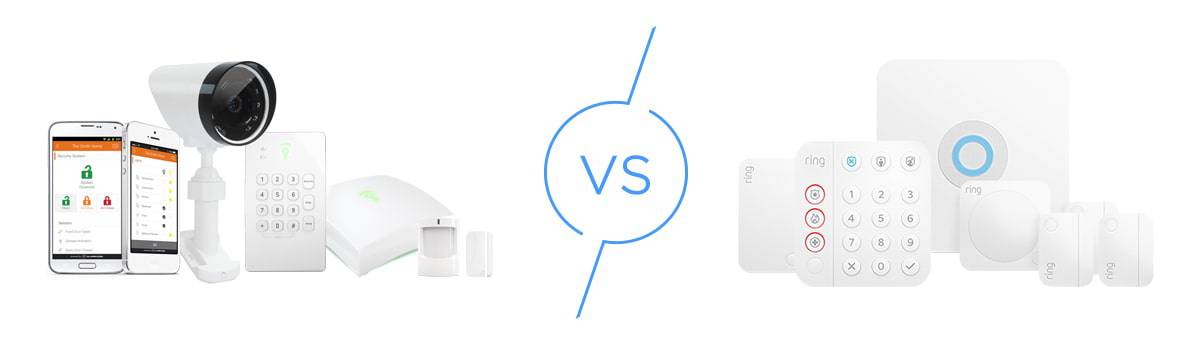
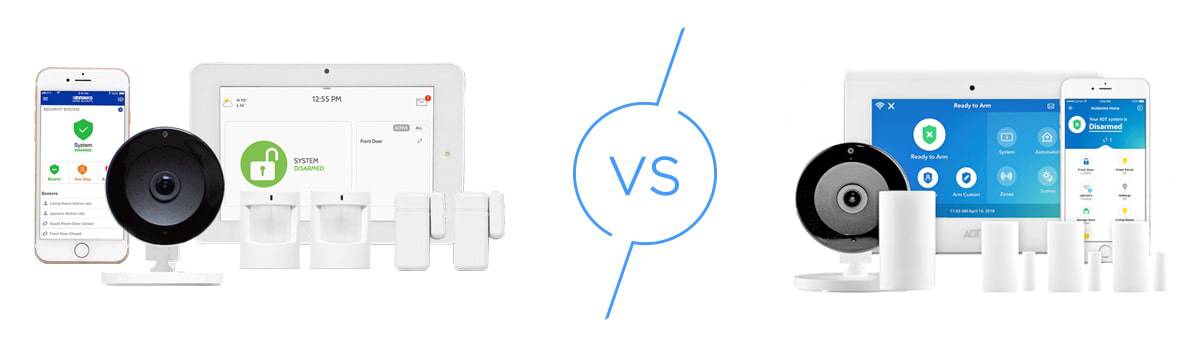
ADT vs. Ring Alarm: Comparing Old vs. New
ADT and Ring approach home security differently, so we tested them both to see which is better and ADT won.

 &
&
 Last Updated on Jul 22, 2026
- Professional installation for all Pro Install systems; DIY installation available separately through ADT Blu
- 24/7 monitoring with six redundant centers across the U.S.
- Over 150 years of security expertise and innovation
- Professional monitoring starts at $19.99 per month
- No contract required
- Amazon-owned company (acquired in 2018)
the security.brief
ADT's professional installation and superior smart-home integration make it better than Ring, despite Ring's affordable DIY setup and flexible monitoring options.
If you’re choosing between ADT and Ring for home security, you’re looking at two fundamentally different approaches. ADT has over a century of experience and offers professional-grade equipment and installation. Meanwhile, Ring offers modern DIY-friendly systems powered by Amazon’s technology. We tested both systems extensively in our homes and found that while Ring is budget-friendly and flexible in its approach to monitoring, ADT offers better protection and professional support.
ADT vs. Ring Alarm: In A Nutshell
Here’s a quick comparison showing the differences between these two security providers. As you’ll see, they have their own approach to protecting your home.
| Features and details | ADT | Ring Alarm |
|---|---|---|
| Installation | Professional | DIY |
| Monitoring | Professional | Self-monitored or professional |
| Monitoring contracts | 3 years, but month-t0-month options are available | Month to month |
| Cost of equipment | $350 and up | $200 and up |
| Cost of professional monitoring | $49.99 per month and up | $20 per month |
| Security system control options | ADT Base, app, voice control | App, remote keypad, voice control |
| Smart home support | Z-Wave, Alexa, Google Assistant, and direct integrations | Z-Wave, Alexa, and Google Assistant |
| Supported cameras | Google Nest cameras | Ring-brand cameras |
| Cost of cloud storage | Included in highest monitoring plan | $10 per month |
| Money-back guarantee | 6 months | 30 days |
Do ADT and Ring Have Similarities?
ADT and Ring share some common ground when it comes to core security features.
Let’s start by talking about their equipment. Both home security systems rely on wireless sensors to detect intrusion, support environmental hazard sensors, and offer state-of-the art security cameras with AI-powered alerts. So far so good.
As far as monitoring goes, ADT and Ring both offer 24/7 professional monitoring with emergency dispatch for police, fire, and medical emergency services.
Both companies also support smart home integration. For starters, their security cameras and video doorbells work with voice assistants. During our testing, we could arm both systems with Alexa or Google Assistant. The cameras from both providers also delivered crisp 1080p HD or higher video with reliable motion detection.
How Are They Different?
Beyond those minor similarities, ADT and Ring Alarm almost never see eye to eye. Let’s have a look at their key differences.
- Equipment: ADT goes beyond security equipment to offer smart thermostats, lights, and locks. With Ring, you’ll need to buy these smart home devices separately, though the system does integrate with select third-party products.
- Installation: ADT uses professional installation for all systems, although DIY installation is available separately through ADT Blu, which uses a different equipment lineup. Ring focuses on DIY installation as its primary option, with professional installation available through third-party providers.
- Monitoring: ADT offers both systems with monitoring contracts (up to 3 years) and month-to-month options. Ring doesn’t require a contract no matter what, so you can pause monitoring anytime you want.
- Security cameras: Ring is best known for its dozens of top-of-the-line security cameras and doorbell cameras. ADT’s cameras are also of great quality, since they are from Google Nest, with four camera and two doorbell camera options available.
There’s lots to discuss in order to see which is better, so let’s get into the details of our experience with ADT and Ring installed in our home.
ADT and Ring Features and Tech
When it comes to securing your home, it’s vital to choose technology you can rely on. We’ve tested ADT and Ring Alarm systems before, and we know both are reliable. So, we’re going to go over exactly how ADT and Ring Alarm protected our home.
ADT Features and Tech
ADT uses the ADT Base as the hub of the system — a compact device that connects wirelessly to all sensors and communicates with ADT’s monitoring centers. It’s cellular-ready, which means it can use cellular signals to send alerts when its primary communication is out. Our Wi-Fi tends to drop out during storms, so the cellular backup came in handy on more than one occasion.
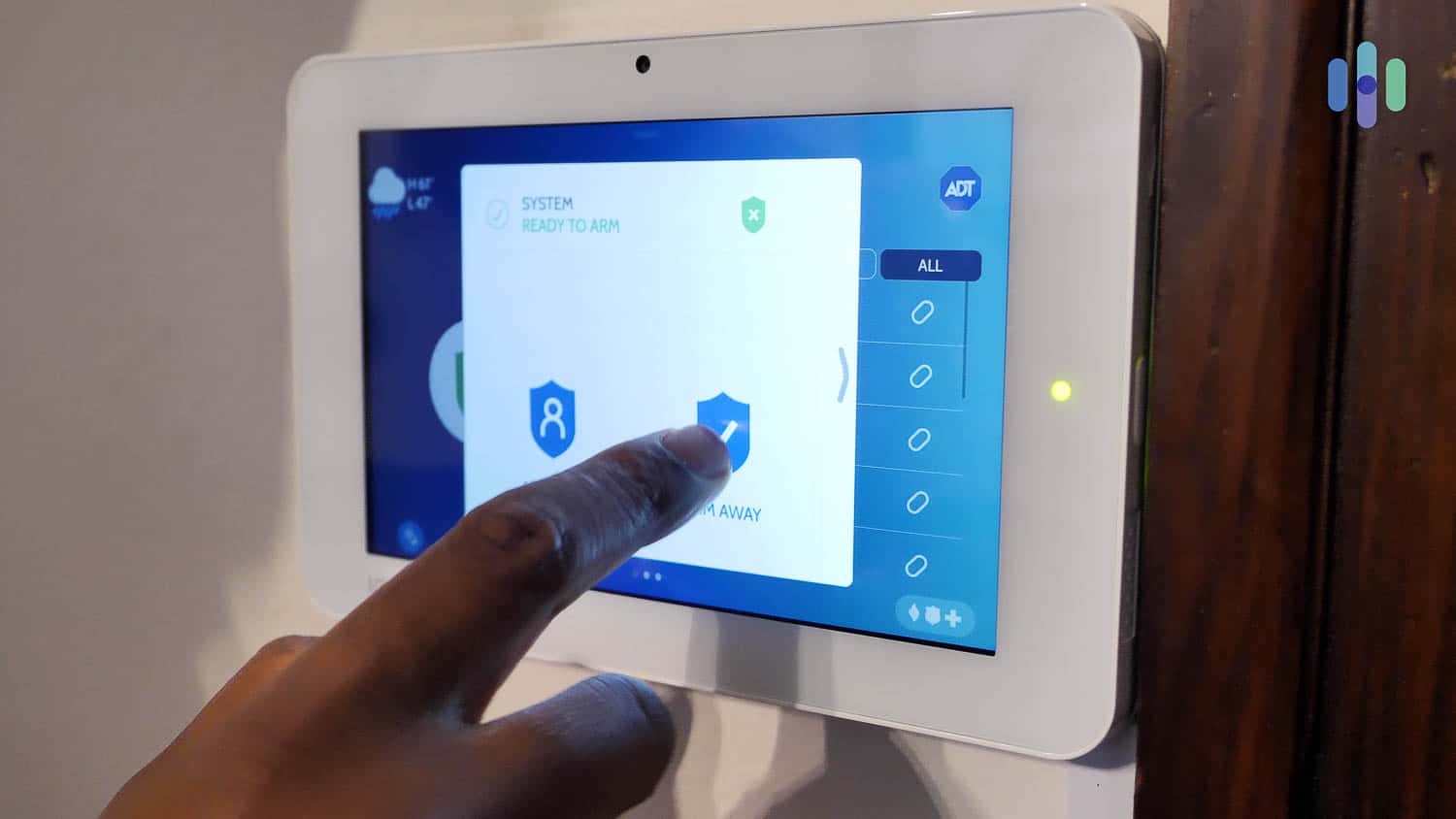
ADT’s touch-screen panel is cellular-ready, which means it can use cellular signals to send alerts when its primary communication is out. Our Wi-Fi tends to drop out during storms, so the cellular backup came in handy on more than one occasion.
Side Note: Newer ADT systems no longer include a touch screen panel, but uses a physical keypad built into a cylindrical base station. While we do miss the touch screen, the new base station looks sleeker and is more versatile to different placement options.
The ADT Base couldn’t do anything on its own to protect our home, though. That’s where the wireless sensors and devices come in. ADT offers a wide range of accessories and components, like motion sensors, entry sensors, glass break sensors, smoke alarms, and more. We bought one motion sensor and three entry sensors for our home. Each component connected to our ADT Base, monitoring our home for activity. Adding more sensors or alarms was as easy as ordering them online and adding them to our control panel.
We could also add home automation devices, but we controlled them mainly through the ADT app. The first automation we set up was lowering the temperature in our house when we armed our system. It made a noticeable impact on our heating bill during our month of testing. We also paired ADT with Google Assistant for voice AI since we also bought Google Nest Cams, but it can be paired with Alexa too.
Ring Alarm Features and Tech
Ring Alarm is more app-centric. Most of the core functionalities are easiest to access in the app, from arming and disarming the system to naming and designating sensors.
That said, Ring Alarm systems also have a central device called a base station — essentially a hub — that connects the system to the app. Unlike ADT’s touch-screen panel, though, the base station lacks an interface. Instead, we had to use a wireless keypad to arm and disarm the system when we weren’t using the app.
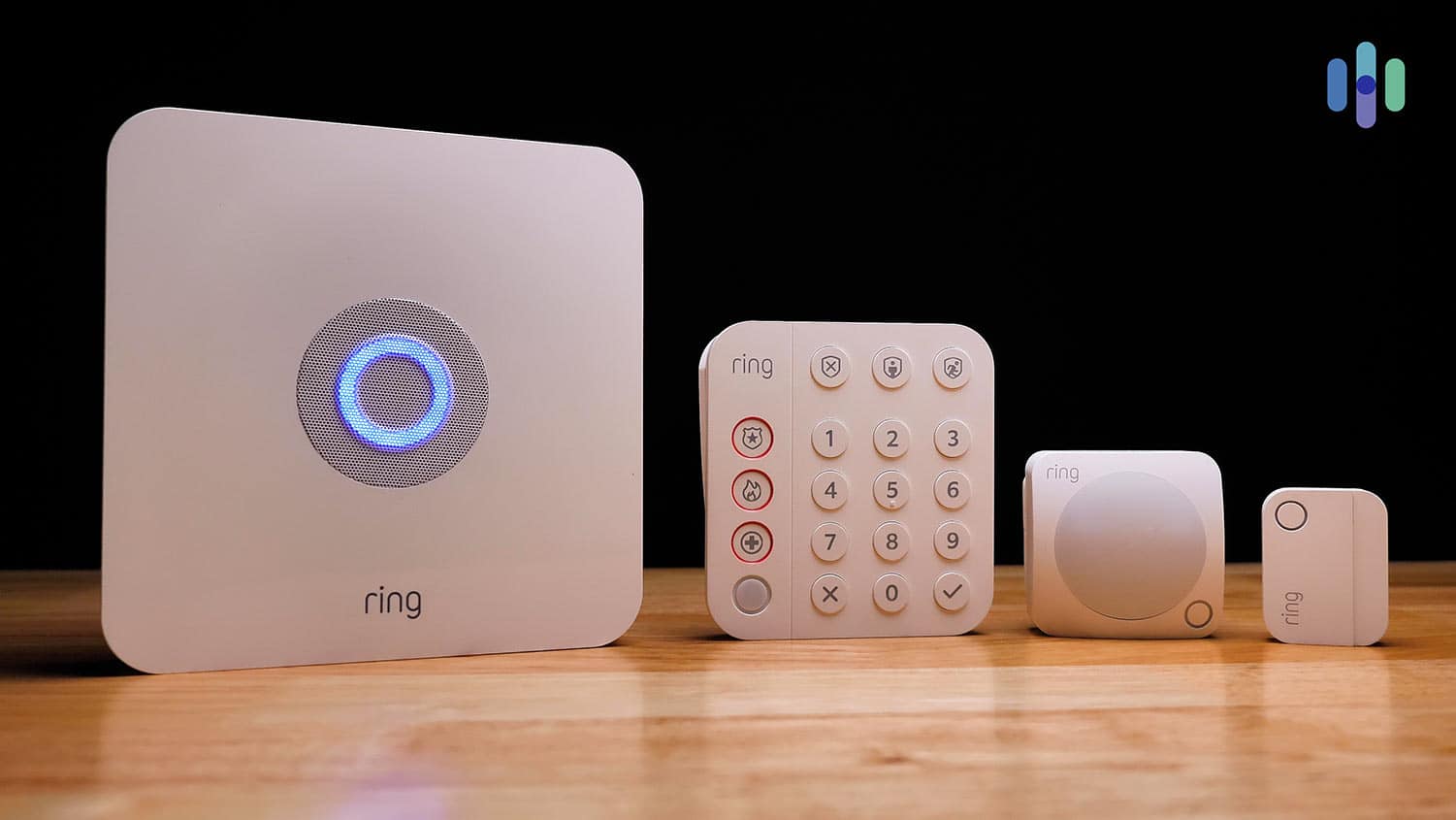
The Ring app is the hub for everything from alarm controls to video feeds. In our testing, we found the app intuitive. We had no trouble checking sensor statuses, viewing camera feeds, and adjusting settings. The app even sends alerts that distinguish between people, packages, and vehicles detected by the cameras.
Much like ADT, Ring Alarm has a cellular chip, but its main communication method is Wi-Fi. However, activating the cellular chip requires a professional monitoring plan, starting at $20 per month. If you plan to self-monitor Ring, you need a reliable internet connection to ensure all alerts go through but we always recommend professional monitoring.
The only issue is that Ring’s equipment selection is lacking specialized sensors. While Ring covers the basics well, ADT offers more options like CO and water leak detectors. Ring’s smoke and CO listeners also don’t detect hazards directly. They only listen for your existing alarms, which adds an extra point of potential failure.
Tip: For a full list of Ring home security equipment, read our Ring Alarm review, in which we tested a basic Ring Alarm kit along with a few extra devices.
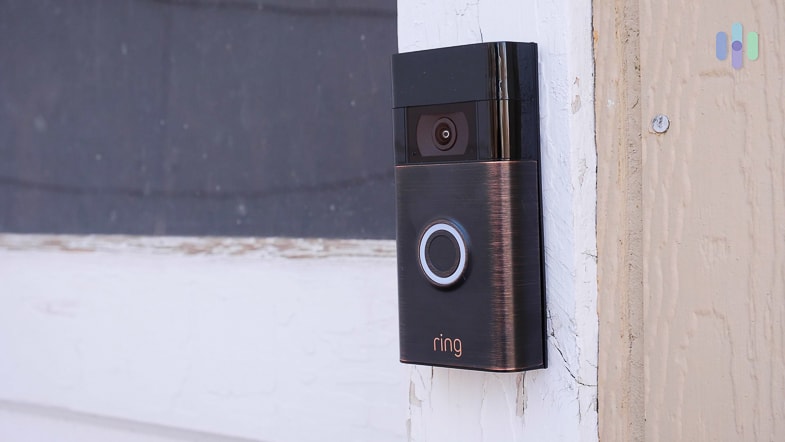
Ring’s strongest tech asset is its wide selection of security cameras and doorbell cameras. Ring started as a doorbell camera brand, after all. The cameras seamlessly connect to the Ring Alarm, and we could monitor our home from anywhere with the Ring app. Since we subscribed to the cloud storage plan, the cameras automatically recorded motion clips we could review up to 180 days after the clip got recorded.
Who’s the Winner?
Based on our experience testing both systems, ADT is a little better when it comes to features and tech. It offers more control options and a larger selection of equipment with more highly specialized functionality. For a little more information, check out our ADT review.
ADT and Ring Security Cameras
ADT and Ring believe in the power of security cameras as crime just like we do,1 and both offer several video surveillance options.
ADT Security Camera Options
With ADT, we got Google Nest Cams. We separately reviewed ADT’s security cameras, so head on there if you want more details. But essentially, the Nest Cams are some of the smartest security cameras on the market right now.
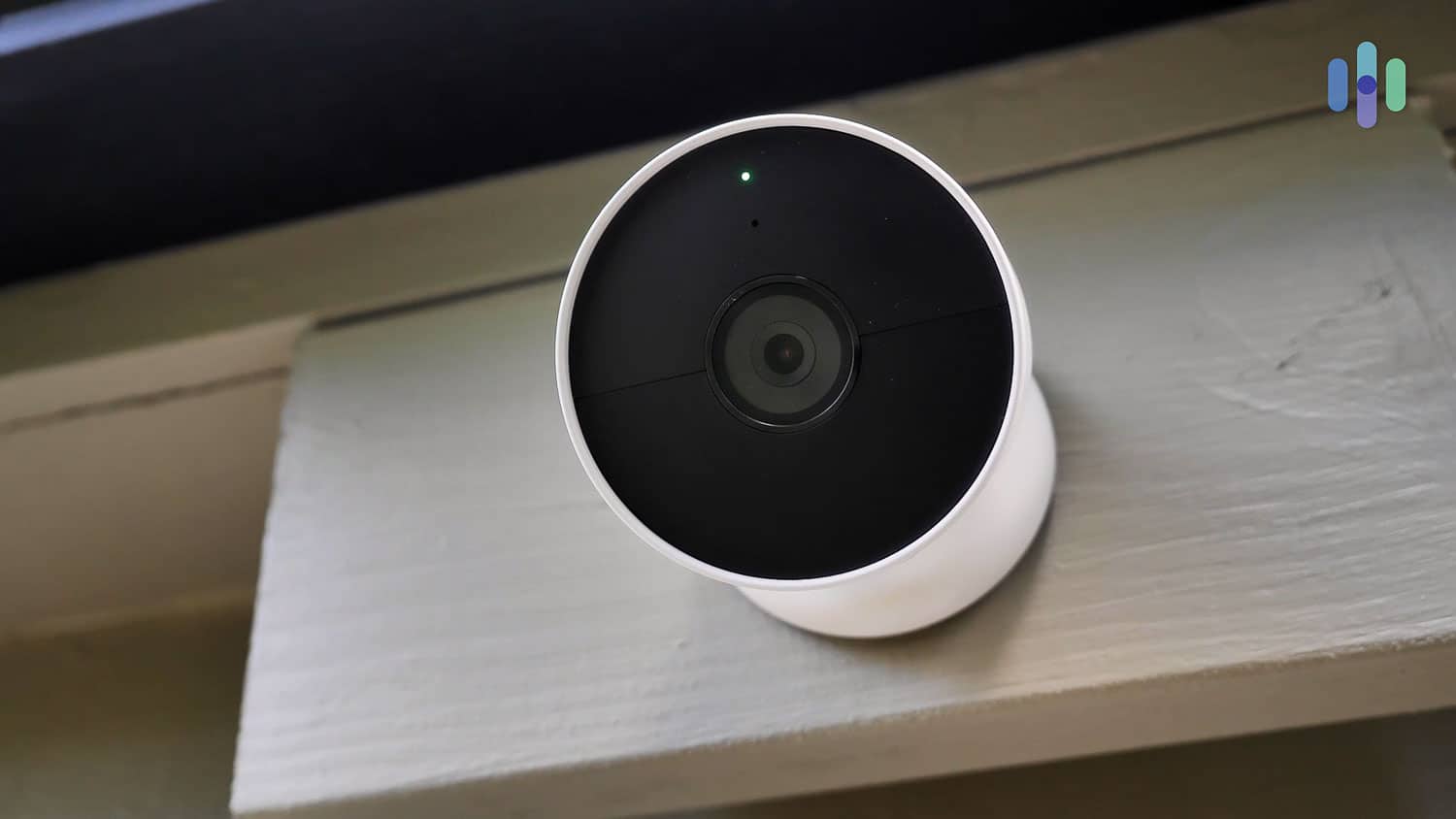
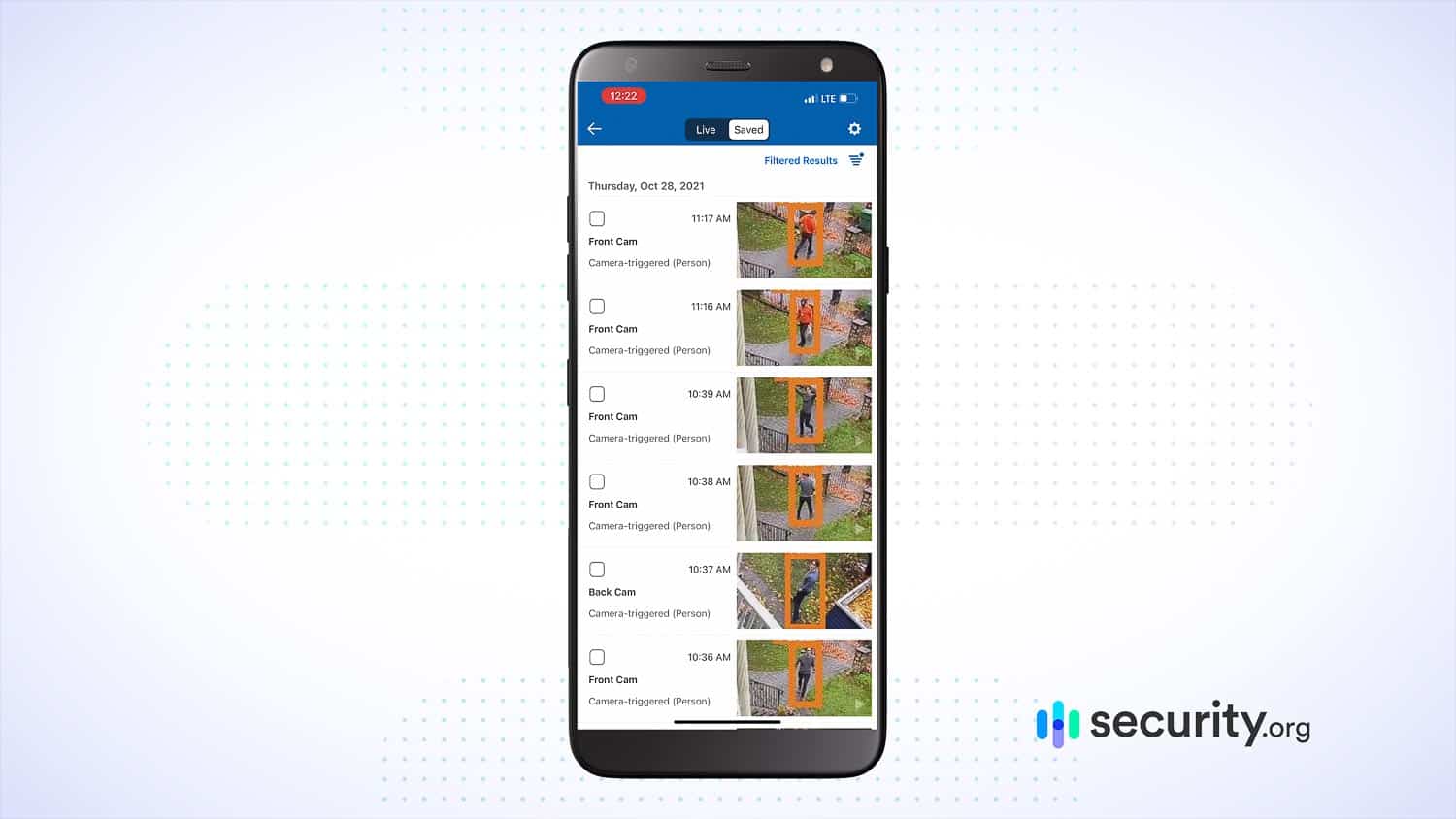
When we reviewed Nest Cams, we noted how great they are with advanced features such as person detection and facial recognition. They even used AI to learn the faces of people who frequently visited our home. This meant our alerts told us who was at our house too which helped us decide which notifications we needed to pay attention to. When we had a friend drop off their drill for us to borrow, our Nest Cam told us when they arrived. Facial recognition let us know it was our friend and not a stranger.
FYI: To enable facial recognition on the Nest Cams, you’ll need a Nest Aware subscription starting at $8 per month but you don’t need to pay that additional fee if you have an ADT system. ADT monitoring plans that support security cameras include Nest Aware in their monthly rate.
The current Nest camera lineup includes:
- Nest Cam Battery (here’s our Nest Cam Battery review for more information)
- Nest Cam Indoor Wired
- Nest Cam Outdoor Wired
- Nest Cam With Floodlight
- Nest Doorbell (wired and battery) (here’s our Nest Doorbell review for more information)
Given that ADT and Google Nest charge the same amount for these cameras, we recommend buying through ADT to get the option of ADT monitoring.
Ring Security Camera Options
Ring started as a brand offering a handful of doorbell cameras, which later expanded into security cameras and then security systems. As you’d expect, the company put its security camera expertise to good use.
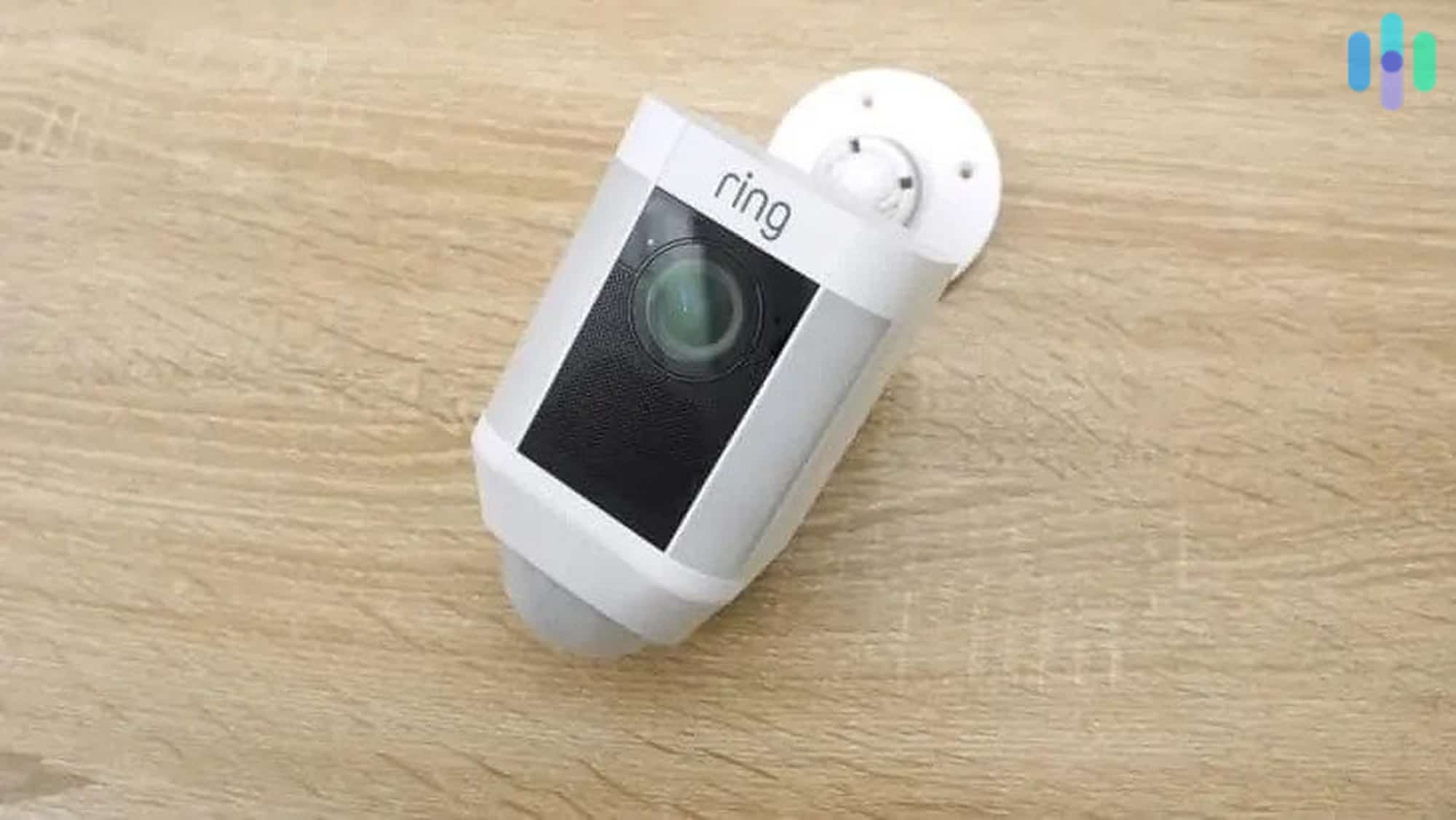
We found all of our Ring cameras reliable, and they often include a wide swath of security features beyond what we normally see in other security cameras. The Ring Spotlight Cam we reviewed, for example, came with two integrated motion-sensitive spotlights.
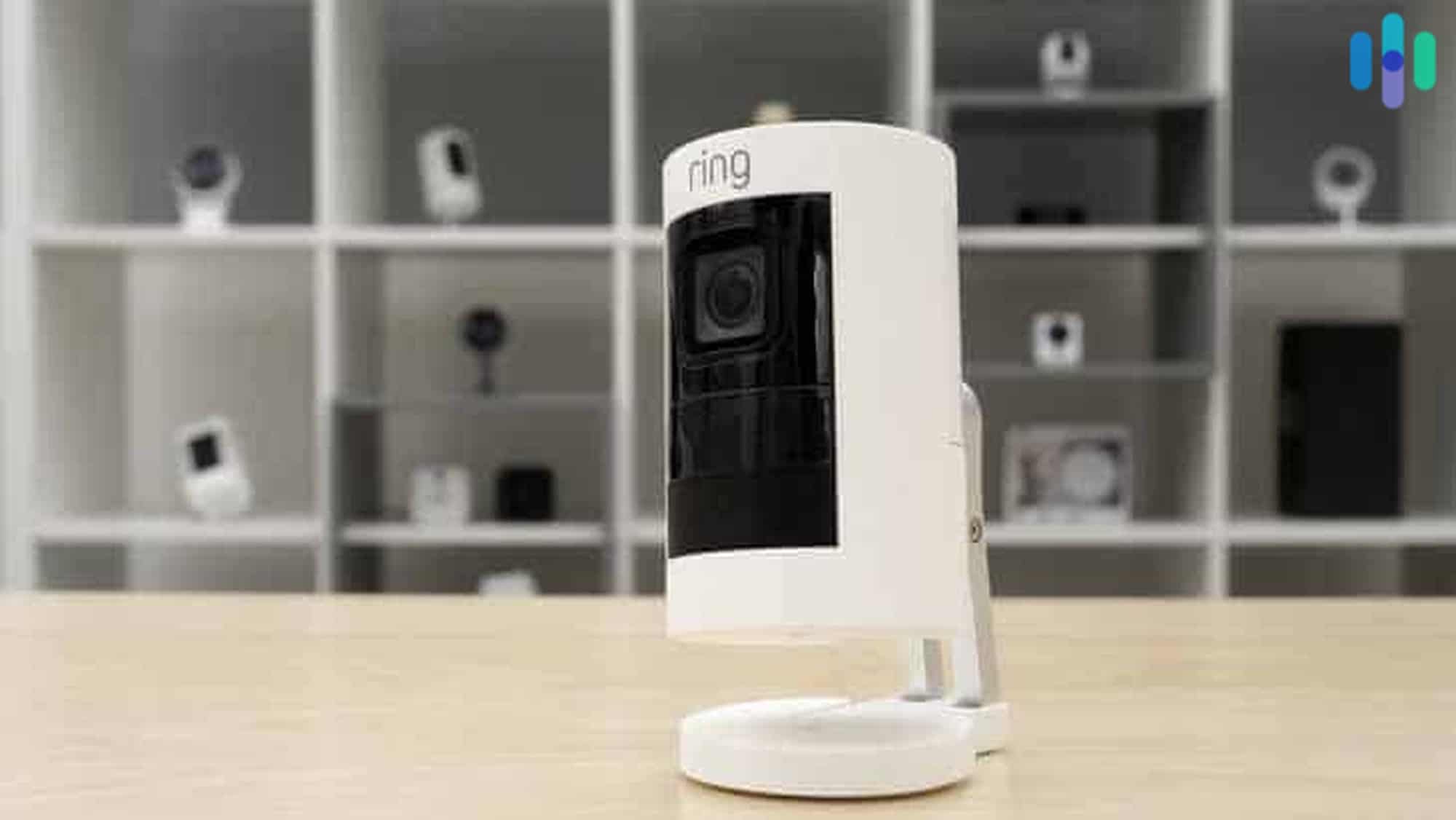
Like most cameras besides the Google Nest Cams, Ring cameras lack facial recognition. Although, they could still distinguish people from other moving objects which kept our false alerts down. Ring’s premium cameras use radar-assisted motion detection and activity zones to fine-tune our alerts even more.
The current lineup includes:
- Ring Indoor Cam
- Ring Outdoor Cam
- Ring Spotlight Cam
- Ring Floodlight Cam
Ring also remains great at making doorbell cameras, as you can see in our Ring video doorbell review. While testing it, we could speak to our guests through our smartphone. We used that feature to spook away a porch pirate once while we were at work.
The cameras use the same app as the security system, which means when we received an alert from one of our Ring Alarm sensors, we could immediately check the live feed of the closest camera.
Who’s the Winner?
The security camera category is a toss-up between ADT and Ring. Since ADT has partnered with Google Nest, a whole world of AI-based indoor and outdoor surveillance has opened to customers. With Ring, you get the full features of the cameras on the Ring app. This is a tough one to call, but we’d give the edge to ADT for all around quality and professional installation.
Monitoring: Professional or DIY?
Hardware isn’t the only thing you should look at when comparing security systems. You should also consider how it’s monitored, and ADT and Ring are completely different in this area.
ADT provides professional monitoring for all systems. The company has six monitoring centers staffed by trained security professionals 24/7. When an alarm triggers, these operators verify the threat and can dispatch police, fire, or medical responders within seconds. In our testing, ADT responded within 30 seconds on average.
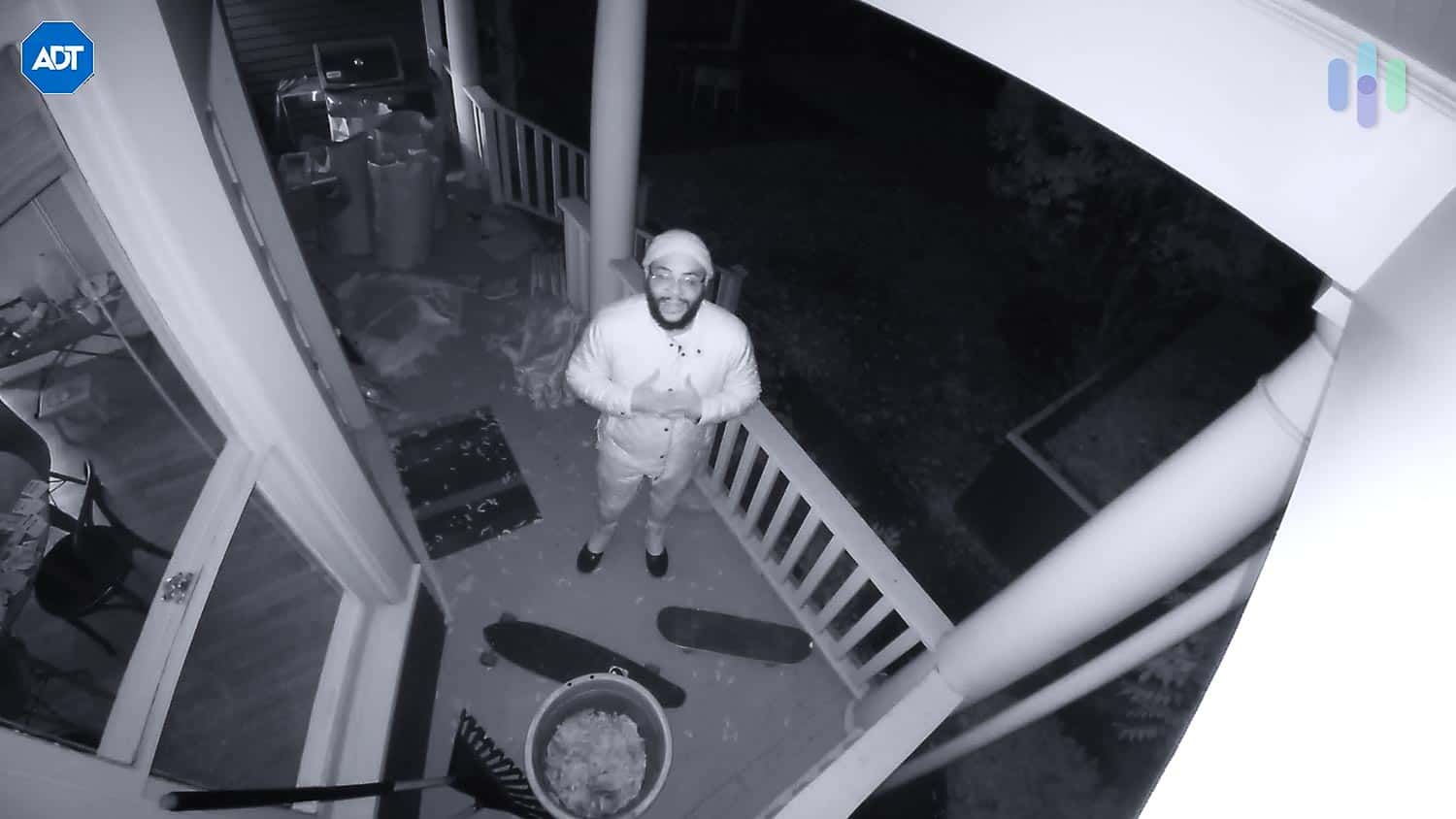
ADT monitoring starts at $49.99 per month, which covers professional monitoring, cellular backup, and app access. Higher tiers are available with additional features including video monitoring and home automation. See ADT’s current pricing for the latest plan details.
On the other side of the coin, Ring doesn’t require professional monitoring. You can self-monitor without monthly fees. The downside is that you’ll be the one to respond to every alert. You’ll have to verify the alerts yourself and then call emergency services if necessary. We know we don’t have time for that so we signed up for professional monitoring.
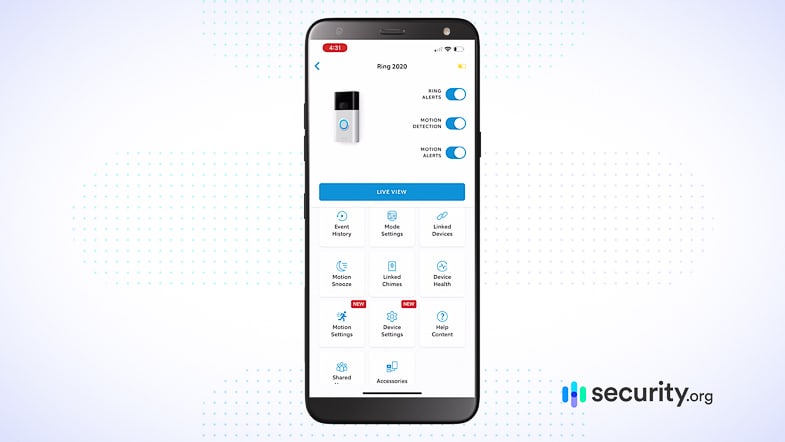
Professional monitoring from Ring costs $20 per month, which is included in the AI Pro plan. We found that this plan, despite costing half of what ADT costs, offers enough for us since it added core capabilities like cellular backup and cloud storage for unlimited cameras.
There’s also a $99 per month virtual security guard plan (professional monitoring for security camera) that can be added in the same way as professional monitoring, but we think it’s overpriced considering SimpliSafe offers a similar service for $32.99 per month. Take a look at our SimpliSafe review; it offers a good balance between Ring and ADT.
Who’s the Winner?
From a budget perspective, Ring is the winner because you have the option to self-monitor for free or pay $20 for professional monitoring. When it comes to features, reliability, and whole-home protection, however, ADT is the clear winner.
Installation: Professional or DIY?
Another decision you’ll have to make is whether to have your system installed by the pros or do it yourself.
ADT uses professional installation for all its systems. Professional installation starts at $100, with prices varying based on the complexity of your system. During our professional installation, the ADT technician spent two hours setting up our devices and explaining each feature. They even showed us how to use smart home integrations and walked us through the mobile app.
We went with professional installation so our ADT technician could choose the best locations for our equipment to maximize our system’s coverage. If you prefer a DIY approach, ADT offers a separate platform called ADT Blu with its own equipment lineup designed for self-installation.
The installation service is covered by a six-month money-back guarantee. If anything goes awry because of faulty installation and ADT can’t fix it within six months, you’ll receive a full refund. That’s the industry-best in terms of money-back guarantees and one of the reasons ADT is our favorite professionally installed security system.
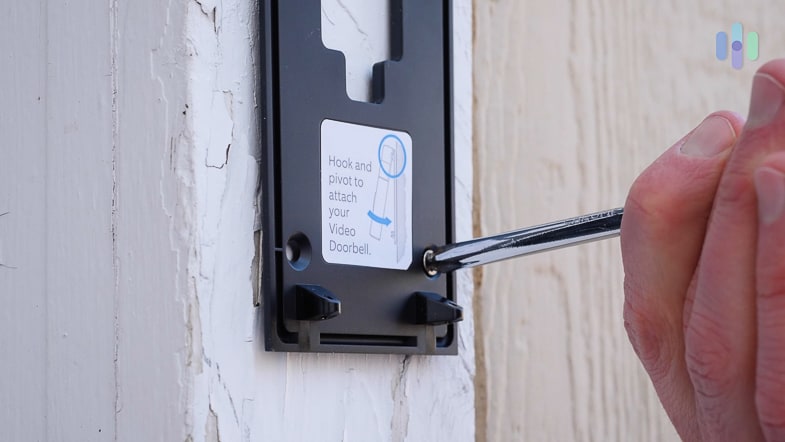
Ring takes a DIY-first approach to installation. The system comes with clear instructions and an intuitive app that guides you through each step. We had our five-piece Ring Alarm system installed and running in less than 30 minutes. Professional installation is available via OnTech, but we don’t think you’ll need it given the DIY process is so simple.
Who’s the Winner?
This is a matter of preference. If you want professional installation, there are not a lot of options better than ADT. If you prefer to do things yourself or if you want to avoid installation fees, Ring Alarm’s DIY setup is the way to go.
Customer Service and Support
Customer support is one of the often ignored factors that actually has a huge impact on your overall home security experience. We always end up having to contact support at some point no matter which system we’re using, so picking a company with good after-sales support is necessary.
Customer service is a top priority for ADT. Yes, there are lots of negative customer reviews online and our experience with ADT support is hit or miss, but the fact that its customer support is available 24/7 invites confidence. We used their live chat for quick questions and called them when we needed more technical guidance.
We also like that ADT has dealers all over the country, so it won’t take too long to provide service if your system needs repairs.
Ring, on the other hand, has a strong online presence. Even though its live-chat support is not available 24/7 (only 5 a.m. to 9 p.m. MT), there are helpful tutorials on the Ring website and the phone line is available 24/7. Between those two options, we were always able to troubleshoot our issues on our own. There’s no need to wait for a technician to show up.
All Ring products are covered by a one-year limited warranty and a 30-day refund policy.
Who’s the Winner?
Although both companies offer good customer support and we could always get the help we needed, ADT wins by a hair thanks to its 24/7 live chat option. When it’s late at night and we need help with our security system, we don’t like having to pick up the phone to get our system issues resolved like we had to with Ring.
Final Words: ADT or Ring?
After extensive testing, ADT is our top choice. The combination of high-quality equipment, reliable monitoring, and smart home integration creates a security ecosystem that’s hard to beat. While Ring offers impressive flexibility and value, ADT’s decades of security expertise show in the details, like faster response times and sophisticated sensor options.
Even though ADT fits our preferences better, ADT and Ring Alarm are both exceptional security systems with top-notch features and tech. It all comes down to your preference.
Choose ADT if you want:
- Professional installation and monitoring.
- A more complete smart-home experience.
- An easy-to-use system with loads of control options.
- Cellular monitoring and a reliable professional monitoring network.
Go with Ring Alarm if you want:
- DIY setup.
- Flexible monitoring options.
- Affordable equipment and monitoring.
- Security camera–heavy setup.
FAQs on ADT and Ring
Still having trouble choosing? These FAQs (and our answers) may help.
-
Which is better at integrating with third-party home-automation products: ADT or Ring?
Both ADT and Ring use Z-Wave to integrate with third-party home-automation products, but ADT supports more types of products than Ring. Ring is currently limited to smart locks, smart smoke and carbon monoxide detectors, smart dimmers and switches, and a few smart thermostats. ADT has wider support for smart lighting systems, garage door controllers, and more.
-
Can Ring monitor ADT systems?
Ring doesn’t take over monitoring for other security systems. It monitors only Ring-branded systems.
-
Can ADT monitor Ring Alarms?
ADT can take over monitoring for other systems, but it currently doesn’t support Ring Alarms. Ring uses proprietary equipment that only its partner monitoring center has access to.
-
Can I pair Ring security cameras with ADT?
No. ADT works only with security cameras from its own lineup and Google Nest cameras. Ring security cameras won’t pair with ADT systems.
-
Do either ADT or Ring Alarm offer video verification?
ADT includes video verification with plans that support cameras. This feature allows monitoring agents to visually confirm emergencies before sending authorities. Ring offers a more advanced option. The Virtual Security Guard service costs an extra $99 per month and features live agents actively monitoring your camera feeds.
-
ADT. (2022). Do Surveillance Cameras Deter Crime?
adt.com/resources/do-surveillance-cameras-statistically-reduce-crime