

Ring Pan-Tilt Indoor Cam Review and Pricing 2026
Ring's original pan-tilt cam now costs under $60 and the 2K version with zoom and auto-tracking available costs under $70.
 Last Updated on Nov 02, 2026
What We Like
- Full room coverage with one camera: With 360 degrees of panning, one camera can watch an entire room.
- Privacy shutter: Both cameras have a privacy cover, but the 2K's built-in shutter is better. It blocks the camera and mic with one slide, while the original's cover is removable and manual.
- Auto-tracking: The 2K version follows detected people around the room and returns to its starting position afterward.
What We Don't Like
- Subscription for saved video: Without a subscription, you can’t store footage. Plans start at $4.99 per month.
- 2.4 GHz Wi-Fi only: Neither model supports 5 GHz Wi-Fi connections. They can only connect through 2.4 GHz bands.
- Manual steering on the original: The original Ring Pan-Tilt has no auto-tracking, and its privacy cover is a separate piece that’s easy to lose.
Bottom Line
the security.brief
Our Ring pan-tilt indoor camera review compares the $59.99 original model and the $69.99 2K model on auto-tracking, privacy, video quality, and plan costs.
Fixed home security cameras tend to lose the full story. Your dog wanders into the far corner or a kid walks out of frame, and you’re left with a video that misses all of the action. The Ring Pan-Tilt Indoor Cam fixes that with a motorized base that makes the camera pan and tilt, covering more ground than regular indoor cameras.
Ring sells two versions. The original Pan-Tilt Indoor Cam arrived in 2024 and currently costs $59.99, while the Pan-Tilt Indoor Cam 2K launched in October 2026 at $69.99. The newer version adds auto-tracking, sharper video at 2K resolution, and a built-in privacy shutter. We cover both, plus what Ring’s subscription adds to the bill. If you’re weighing a fixed camera too, our Ring Indoor Cam review covers Ring’s standard model, or check out our list of the best security cameras for a broader look at the industry.
Quick History: Ring Pan-Tilt Indoor Cam Generations
Pan and tilt on a Ring camera used to mean adding a motorized mount to an Outdoor Cam, but that changed when Ring launched the Pan-Tilt Indoor Cam in May 2024. It’s Ring’s first integrated pan-tilt camera, and it cost $79.99 at launch. That’s the same camera we’re reviewing here, except it now only costs $59.99.
The reason it’s gotten cheaper? There’s a new pan-tilt Ring camera in town, and it’s the Ring Pan-Tilt Indoor Cam 2K. As the name suggests, it upgrades the resolution to 2K. That’s not all. It also offers up to six times enhanced zoom, and two other headline features the original version still doesn’t have:
- Auto-tracking: If a person walks into frame, the 2K version follows them around automatically. The caveat is that it tracks only one person at a time, but it’s better than the original version’s manual-only panning and tilting.
- Upgraded privacy shutter: The 2K’s built-in shutter slides over the lens, so you can see right away that the camera is off. With the original, the privacy shutter is removable, which makes it easy to misplace.
Both versions of the Ring Pan-Tilt Indoor Cam are still available today, priced $10 apart. So let’s go through our experience with both cameras to help you decide if they’re a fit in your home and which model suits your needs better.
Ring Pan-Tilt Indoor Cam vs. Pan-Tilt Indoor Cam 2K
Let’s start with a quick spec comparison of the two cameras. We’ve tested security cameras for over a decade, and we’ve learned that specs don’t tell the whole story, but they can help you rule out the wrong camera fast. This table shows what the extra $10 gets you.
| Spec | Pan-Tilt Indoor Cam (original) | Pan-Tilt Indoor Cam 2K |
|---|---|---|
| Price | $59.99 | $69.99 |
| Release | May 2024 | October 2026 |
| Video | 1080p HD | 2K (2560 x 1440), up to 6x enhanced zoom |
| Night vision | Color night vision | Infrared |
| Camera field of view | 143 degrees diagonal | 132.8 degrees diagonal |
| Pan / tilt | 360 degrees / 169 degrees | 360 degrees / 175 degrees |
| Auto-tracking | No | Yes, one person at a time |
| Privacy | Removable manual cover | Built-in shutter |
| Wi-Fi | 2.4 GHz | 2.4 GHz |
| Siren | 72 dB, remote-activated | 72 dB, remote-activated |
| Size | 2.37 x 2.37 x 5.78 in | 2.6 x 2.6 x 5.19 in |
| Warranty | One year | One year |
Like we said, specs don’t tell the whole story. We’ll walk you through our complete experience with both cameras to give you that full story.
First Impressions
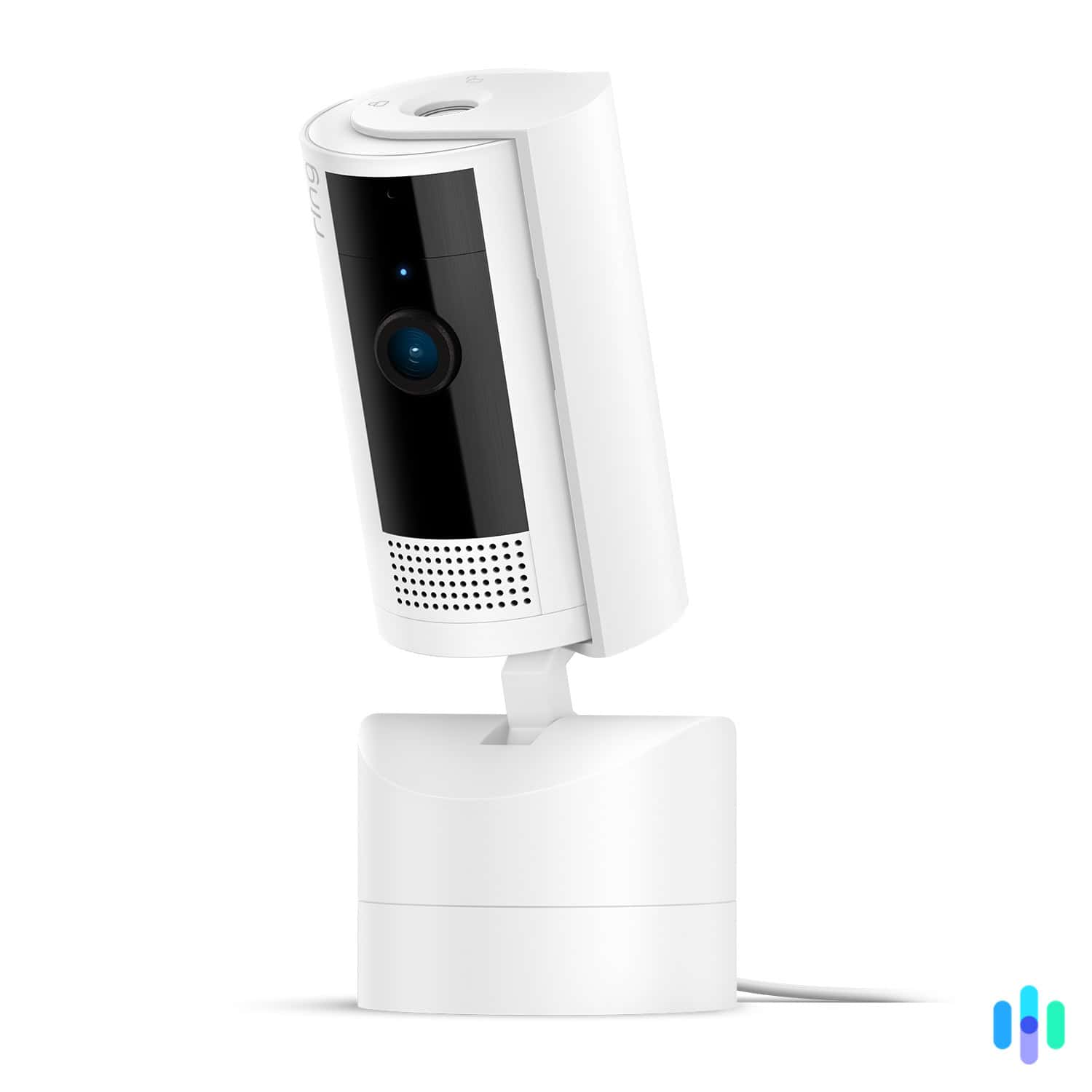
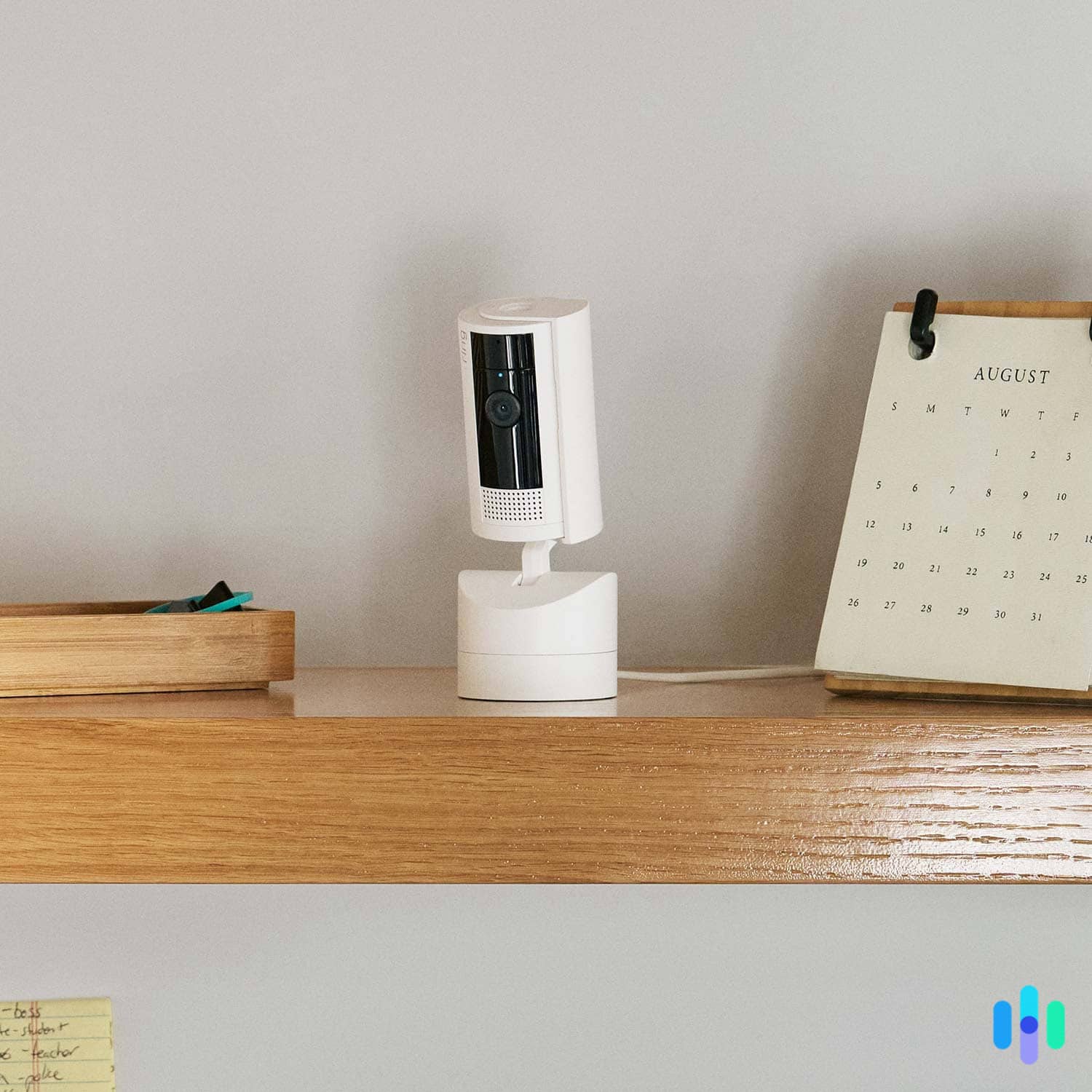
The Ring Pan-Tilt Indoor Cam is a small white cylinder on a round base. It looks a lot like a slimmed-down smart speaker with a lens sitting on a head that turns on its own. That makes it easy to put on a shelf without drawing attention. The 2K model keeps that shape, with a slightly wider base and a shorter body. Neither one looks like a camera that’s trying to watch you, which is a plus in a living room or nursery.
Setting up these cameras followed the same routine as the other Ring cameras we’ve tested. You plug the camera in, scan its QR code in the Ring app, and pick your 2.4 GHz Wi-Fi network. Each camera took no more than five minutes to set up and connect to the app.
After connecting the cameras to the app, we immediately tested the pan-tilt function. The first time we dragged a finger across Live View and watched the camera swing around to follow, the appeal was obvious. This allowed us to cover a room that normally needs two cameras with just one device. If you’ve been using a fixed Ring Indoor Cam and kept wishing you could see around the corner, this is the upgrade you were picturing.
Heads Up: The Ring Pan-Tilt Indoor Cam is made for indoor use only. It isn’t weather-resistant, so it shouldn’t go on a porch, patio, or any other outdoor spot. Instead, you can attach a Pan-Tilt Mount to the Ring Outdoor Cam for the same capabilities.
Key Features
After spending some time with each camera, we found a few key features that stood out.
360-Degree Pan and Tilt
Both the original and the 2K rotate a full 360 degrees side to side, so neither has trouble looking around an entire room. You can steer either one from Live View by dragging on the screen, allowing one camera to cover a large living room or open-plan space that would otherwise need two fixed cameras.
On top of rotating, both cameras can also tilt up and down. The original tilts 169 degrees, while the 2K expands that to 175 degrees. Both provided us with floor-to-ceiling coverage during our tests, so the extra six degrees made little difference to us. However, if you’re keeping an eye on a pet, the 2K’s extra floor coverage can be useful. For most homes, we don’t think the tilt difference should drive your decision.
As for performance, the two cameras are almost identical. A full 360-degree rotation takes about 10 seconds, which is fast enough to follow a person at a walking pace. When we ran break-in simulations, though, we found that a person could easily outrun the cameras’ rotation speed. On the plus side, the motors are quiet, especially during the day when there’s some background noise. At night we could hear them more clearly and it was audible in the live stream with two-way audio on.
Video Quality and Zoom
The tilt functionality makes it easy to get the perfect angle when placing the Ring Pan-Tilt Indoor Cam on a high shelf
This is one of the main areas where the original Ring Pan-Tilt Indoor Cam and the 2K version diverge. The original records 1080p HD, which is fine for recognizing a person or a pet in a normal room. The 2K model records at 2560 x 1440 and adds up to 6x enhanced zoom. We found the extra resolution and zoom useful for identifying faces across the room and seeing the details of items on the table.
Beyond resolution, there’s also a slight difference in smoothness. In daylight, the 2K records at up to 30 FPS, while the original maxes out at 24 FPS. That’s not a big gap, but it’s worth noting on a pan-tilt camera, since the image is moving while it records. During testing, clips from the 2K were noticeably smoother while rotating or tilting, which made faces and tiny details easier to pick out.
>> Further Reading: The Best 4K Security Cameras of 2026
Auto-Tracking on the 2K
Another huge difference between the two Ring Pan-Tilt Indoor Cam models is that the newer one has auto-tracking. It’s arguably the most useful feature of the 2K version. Here’s how it worked during our tests:
- Person detected: When someone stepped into view, the 2K picked them up and locked on.
- Camera follows: As the person moved around the room, the camera panned and tilted to keep them in frame.
- Camera resets: Once the person was out of sight, the camera returned to its original position.
There’s one caveat. The 2K can only track one person at a time, and in our experience, it could only keep up with a walking pace. It doesn’t move any faster than the manual rotation we tested earlier. We actually benchmarked this feature by having two people walk into frame at the same time, and then go separate directions. The camera locked on the first person it detected and completely ignored the other.
In our opinion, that makes auto-tracking better for keeping tabs on family than for catching an intruder. An intruder that notices the camera can still easily run out of frame, or if they have a partner, it’ll only track the first person. To compare this to the smart detection of other cameras, see our best AI security cameras list.
Pro Tip: Aim the camera at a high-traffic area or entryway. When auto-tracking ends, the camera returns to its starting position, so make sure that starting view covers the spot you most want to watch.
Privacy Controls
Ring has faced its share of privacy criticism over the years, with some cameras getting hacked, so we appreciate that these cameras come with privacy shutters.1 A camera that automatically tracks people in your home should be easy to disable, but we found the 2K version’s privacy shutter more effective.
The original comes with a removable manual cover that you place over the lens yourself. It works, but it’s a loose piece you have to remember to put on, and the cover itself is easy to misplace. With the 2K version, the shutter is built into the camera itself. One slide blocks both the camera and the mic, so there’s nothing to lose or forget. We far preferred this setup.
Did You Know: A privacy cover or shutter helps protect your privacy at home, but laws also cover where you can place a security camera, and they vary by state. Check our security camera laws guide before you choose where to place your camera.
Ring Pan-Tilt Indoor Cam Price and Plans
Now that you know what each camera can do, the next question is which one gives you more for your money. The original Ring Pan-Tilt Indoor Cam costs $59.99, and the 2K costs $69.99. For that extra $10, the 2K adds higher resolution, zoom, auto-tracking, and a built-in shutter, which we think is worth it for most people. Either way, you’re only paying a small premium over a fixed camera for the motor and 360 degrees of coverage.
That said, the camera is only part of the cost. Like most Ring devices, all cloud-based features sit behind a Ring Protect subscription. Live View and motion alerts work without one, but recorded video history and AI-powered detection requires a plan. You can try a paid plan for free with Ring’s 30-day free trial. Our guide to security camera costs shows what these fees look like across brands.
Ring Protect Plans
Ring sells its cloud features through Ring Protect, and the plan you need depends on how many cameras you run. Here’s what each tier costs:
| Plan | Solo | Multi | Pro |
|---|---|---|---|
| Covered Cameras | One | Unlimited | Unlimited |
| Professional Monitoring | No | No | Yes |
| AI Video Descriptions | No | No | Yes, for Ring Alarm systems |
| Monthly Price | $4.99 | $9.99 | $19.99 |
| Annual Price | $49.99 | $99.99 | $199.99 |
While we prefer cameras with local storage, so a subscription is not required to store footage, Ring’s plans offer good value. It includes storage of clips for 180 days, whereas most competitors only provide up to 30 days for similar prices. The Multi plan also covers unlimited cameras at one address, so the cost per Ring camera drops as you add more. Most competitors impose a limit on the number of cameras supported even on premium plans.
Expert Advice: If you’re already invested in the Ring ecosystem, especially if you own the Ring Alarm Pro base station, we recommend upgrading to the Pro plan. It adds professional monitoring to your Ring Alarm system and limited local storage that keeps recording when your Wi-Fi is down. You can read about our experience with the monitoring service in our Ring Alarm review.
How the Pan-Tilt Indoor Cam Works With the Ring App
Everything runs through the Ring app, so if you already own a Ring camera or doorbell, it’ll feel familiar. The Ring Pan-Tilt Indoor Cam shows up in your device list like any other, and you tap it to open the Live View. Let’s go over a few specific ways we used the Ring app with our Pan-Til Indoor Cameras.
Live View Controls
In Live View, you drag your finger across the picture to turn the camera, and it follows. On the 2K, you can also pinch to zoom up to 6x. For both cameras, two-way talk and the siren are a tap away if you catch something wrong while watching live.
Expect some lag when you pan or tilt by hand, with the extent of the delay determined by your Wi-Fi signal. In our testing, the camera responded to a touch in about a second or less when our camera was next to our router. When we moved it into a room on the opposite side of the house, it took up to three seconds to respond.
Home Position and Motion Alerts
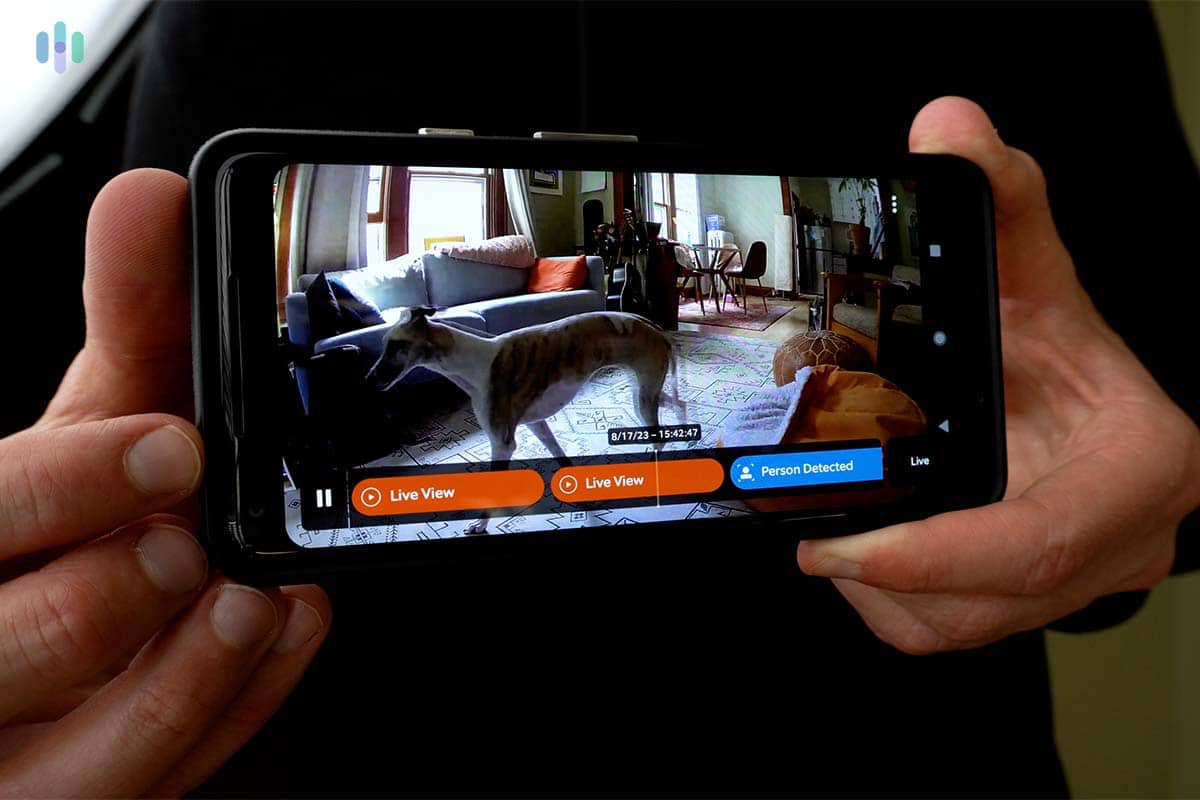
The 2K lets you set a home position, which is the spot the camera returns to after you move it. We found this feature useful. After we panned away to check another part of the room, the camera automatically went back to its set position. That way, the main entrance to our living room was always being watched, regardless of where we left it last.
Recording and Video History
With a Ring Protect plan, the app saves recorded events so you can scroll back through up to 180 days of them. We used these recordings every day when we came home, scrolling back to see when the camera caught motion and what it was following. This made it easier to just quickly check motion alerts for emergencies while we were out instead of watching the full scene play out. Every plan also includes a Multi-Cam Live View feature, so you can watch several Ring cameras at once.
How the Ring Pan-Tilt Indoor Cam Compares
Ring isn’t the only brand making a pan-tilt home security camera. Wyze, eufy, and Tapo all sell models that cost about the same or less, and a few offer a higher resolution or local storage. Here’s how they compare:
| Ring Pan-Tilt Indoor Cam 2K | Wyze Cam Pan v4 | eufy Indoor Cam S350 | Tapo C225 | |
|---|---|---|---|---|
| Price | $69.99 | $59.98 | $139.99 | $49.99 |
| Video | 2K | 4K | 4K plus 2K telephoto | 2K |
| Pan / tilt | 360 degrees / 175 degrees | 360 degrees / 180 degrees | 360 degrees / 75 degrees | 360 degrees / 149 degrees |
| Auto-tracking | Yes | Yes | Yes | Yes |
| Wi-Fi | 2.4 GHz | Dual-band | Dual-band Wi-Fi 6 | 2.4 GHz |
| Local storage | No | microSD up to 512 GB | microSD up to 128 GB | microSD up to 512 GB |
| Subscription needed to record footage | Yes | No | No | No |
Wyze Cam Pan v4
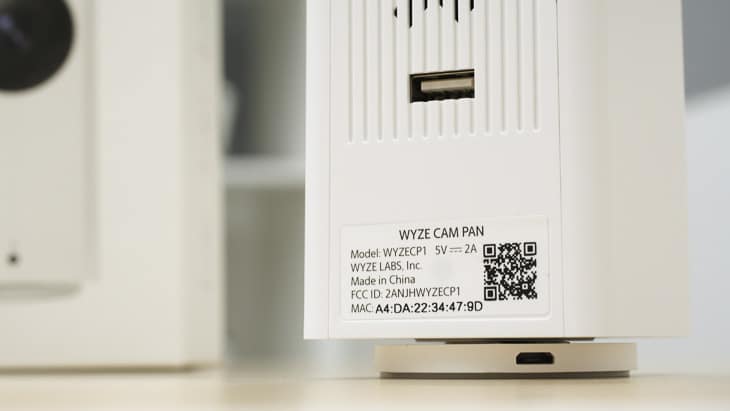
Wyze’s prices are hard to beat on value. At just $59.98, the Wyze Cam Pan v4 provides 4K video, 360 degrees of pan, 180 degrees of tilt, dual-band Wi-Fi, and an IP65 rating, which means you can use it outdoors. It also takes a microSD card, so you can record without a subscription. However, after testing the Wyze Cam Pan ourselves, we found that Ring provides a more polished app and overall ecosystem than Wyze.
eufy Indoor Cam S350
For a more premium option, the S350 uses two lenses, a 4K wide one and a 2K telephoto one. That second lens enables an 8x hybrid zoom while panning 360 degrees and tilting up to 75 degrees. However, it costs more than the rest of this group and offers less tilt than the Ring Pan-Tilt Indoor Cam. Like Wyze, we also found the software less polished than Ring’s app, but the local storage and dual-lens approach are nice touches.
>> Read More: eufy security cameras
Tapo C225
Tapo is the lowest cost pick. The C225 still features 2K video, 360 degrees of pan, 149 degrees of tilt, and motion tracking. Plus, it takes a microSD card, so you can record without a subscription, and its privacy mode turns the lens away from the room. However, it supports 2.4 GHz Wi-Fi only, just like Ring’s cameras. We also found the Alexa integration lackluster compared to Ring.
Who The Ring Pan-Tilt Indoor Cam is For
A Ring Pan-Tilt Indoor Cam suits you if you want one camera to watch a whole room, you already use the Ring app, and you don’t mind a subscription for saved video. It’s a good fit for living rooms, nurseries, pet areas, and homes with open floor plans. If pets are your main reason for buying an indoor camera, the Pan-Tilt 2K works well with its auto-tracking feature. You can see other options in our list of the best pet cameras. If you need to watch the outdoors, look at Ring’s separate Pan-Tilt Mount for the Outdoor Cam Plug-In instead.
>> More Ring reviews: Ring Spotlight Cam Battery Review
Our Verdict
After testing both cameras, we think the Ring Pan-Tilt Indoor Cam does its main job well. One camera with 360 degrees of pan and over 150 degrees of tilt can watch a room that would otherwise take two fixed cameras. As for pricing, we find it fair for both versions at $59.99 for the original and $69.99 for the 2K. That extra $10 gets you sharper video, up to 6x zoom, auto-tracking, and a built-in shutter. If you already use Ring, the app is easy to pick up as well, and Alexa support is built in.
However, neither camera is perfect. Saving video clips requiress a Ring Protect plan, both cameras are indoor-only and limited to 2.4 GHz Wi-Fi, and some lower-cost rivals support local storage and up to 4K resolution. Overall, we think the 2K is the better buy for most homes, since it’s only an extra $10 for auto-tracking, a better privacy shutter, and a clearer video feed. Only opt for the original if you want the lowest cost option available.
Ring Pan-Tilt Indoor Cam FAQ
-
Is the Ring Pan-Tilt Indoor Cam waterproof or outdoor-safe?
No. Both the Pan-Tilt Indoor Cam and the Pan-Tilt Indoor Cam 2K are indoor-only. Ring’s outdoor pan-tilt option is a separate Pan-Tilt Mount for the Outdoor Cam Plug-In.
-
What's the difference between the original and the 2K?
The 2K costs $10 more and adds 2K video, up to 6x zoom, auto-tracking, and a built-in shutter. Both pan 360 degrees and connect over 2.4 GHz Wi-Fi.
-
Does the Ring Pan-Tilt Indoor Cam need a subscription?
Live View works without a plan, but you need a Ring Protect plan to save videos. Plans start at $4.99 a month or $49.99 a year for one camera.
-
Does it track movement automatically?
Only the Ring Pan-Tilt Indoor Cam 2K does. It follows one person at a time. The original doesn’t track, so you can only pan and tilt it manually from the app.
-
Can I mount the Ring Pan-Tilt Indoor Cam on a wall or ceiling?
Yes. You can place it on a flat surface, mount it on a wall, or hang it from a ceiling.
-
Does it work with Alexa?
Yes. Both cameras work with Alexa, so you can pull up the view on an Echo Show.
-
Does it work on 5 GHz Wi-Fi?
No. Both models use 2.4 GHz Wi-Fi only.
-
Can I turn off the camera for privacy?
Yes. The original has a removable manual privacy cover, and the 2K has a built-in shutter that slides over the lens and microphone.

-
Federal Trade Commission. (2023). Ring’s privacy failures led to spying and harassment through home security cameras.
https://consumer.ftc.gov/consumer-alerts/2023/05/rings-privacy-failures-led-spying-harassment-through-home-security-cameras