
Ring Security Camera Review: Hands-On Tests, Expert Recommendations
Whether you need a discreet indoor cam or a floodlight-equipped outdoor powerhouse, Ring's lineup covers more ground than almost any other brand on the market.
 &
&
 Last Updated on Jun 29, 2026
What We Like
- Wide camera selection: From compact indoor cams to 4K floodlight cameras with radar-based motion detection, Ring gives you plenty of options to customize your setup.
- Resolution has jumped significantly: Ring's newer cameras now shoot in Retinal 2K and 4K, a major upgrade from the 1080p-across-the-board lineup we covered previously.
- 180 days of cloud storage: Ring Protect plans include up to 180 days of video history, which beats the 30-day history most competitors we've tested offer.
What We Don't Like
- No local storage; recording requires a paid plan: Every Ring camera relies entirely on cloud storage, so you won't be able to review any recorded footage without a Ring Protect subscription.
- Newer 4K and 2K models make older cameras hard to recommend: The Spotlight Cam Plus and Floodlight Cam Plus are still being sold at full price, but they're older generation and only have a 1080p resolution.
- Field of view trails some competitors: Even on Ring's higher-end models, the viewing angle tops out at 150 degrees — narrower than what we've seen from brands like Arlo, which can reach 180 degrees on select cameras.
Bottom Line
the security.brief
With over a dozen security camera models to choose from, finding the right Ring camera is challenging. This review will help.
Ring started out as a doorbell camera brand, but it eventually became one of the most recognizable names in home security. Amazon acquired the company in 2016, and since then, Ring has expanded well beyond doorbells into a full ecosystem of indoor and outdoor security cameras that we’ve spent considerable time testing.
Ring currently offers 12 security cameras spanning four distinct families: indoor cameras, outdoor cameras, spotlight cameras, and floodlight cameras. Ring’s pricing starts at around $60 and climbs up to $250 for the top-tier 4K models. We’ve tested several of these cameras firsthand, and in this review, we break down what each one offers, where Ring excels, and where other security camera brands might serve you better.
Your Security Camera Options From Ring
Ring’s camera lineup is larger than most brands we’ve tested. They have 12 cameras total — three times as many as the Nest Cam lineup. That roster depth of Ring is both a strength and a potential source of confusion. So before diving into individual models, it helps to understand how Ring organizes its cameras into four distinct families, each designed for a different part of your home.
- Ring Indoor Cams are compact, plug-in cameras designed for monitoring the inside of your home. They’re the most affordable entry point into the Ring ecosystem and they work well for keeping an eye on common areas, entryways, or rooms where you want a discreet presence.
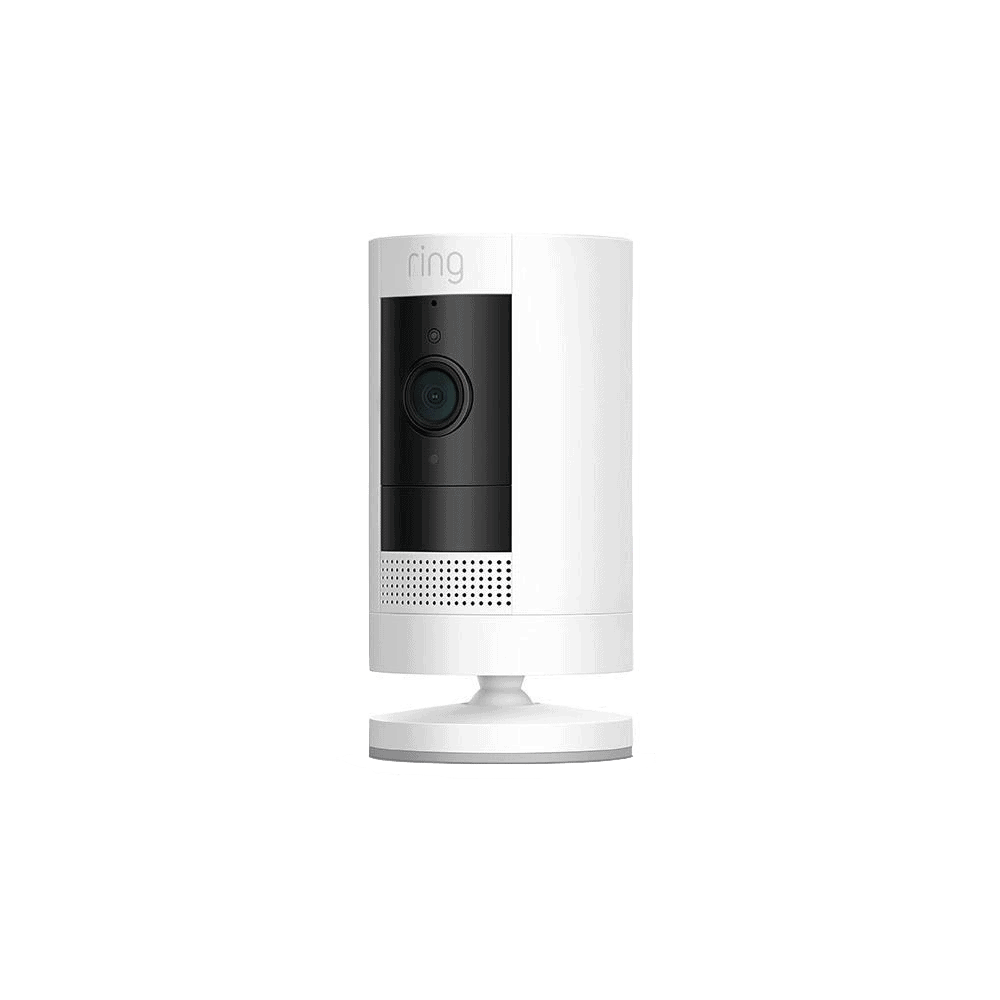
- Ring Outdoor Cams (formerly known as the Stick Up Cam) are Ring’s most versatile cameras, built for flexible placement inside or outside the home. They’re a solid all-purpose pick for homeowners who want coverage without committing to a hardwired installation.
- Spotlight Cams add built-in LED spotlights and a siren to the mix, making them better suited for corners, side yards, and blind spots where both visibility and deterrence matter.
- Floodlight Cams are Ring’s most powerful outdoor option, pairing ultra-bright floodlights with a camera and siren for large spaces like driveways, backyards, and garages.
Within each family, Ring further breaks things down by power source and feature tier. On the power side, you’ll typically find battery, plug-in, solar, and hardwired variants depending on the model. On the feature side, the standard model covers the essentials, the Plus steps up with improvements like color night vision, and the Pro adds the most advanced capabilities in the family, including Retinal 4K video, 3D motion detection, and Bird’s Eye View tracking on select models.
>> Related Reading: The Best Solar-Powered Security Cameras of 2026
A Look At The Ring Indoor Cam
| Features | Ring Indoor Cam (2nd Gen) | Ring Indoor Cam Plus | Ring Pan-Tilt Indoor Cam |
|---|---|---|---|
| Price | $59.99 | $79.99 | $59.99 |
| Resolution | 1080p HD | Retinal 2K | 1080p HD |
| Field of View | 115° | 125° | 360° pan / 169° tilt |
| Night Vision | Infrared | Color | Infrared |
| Two-Way Audio | Yes | Yes | Yes |
| Power | Plug-in | Plug-in | Plug-in |
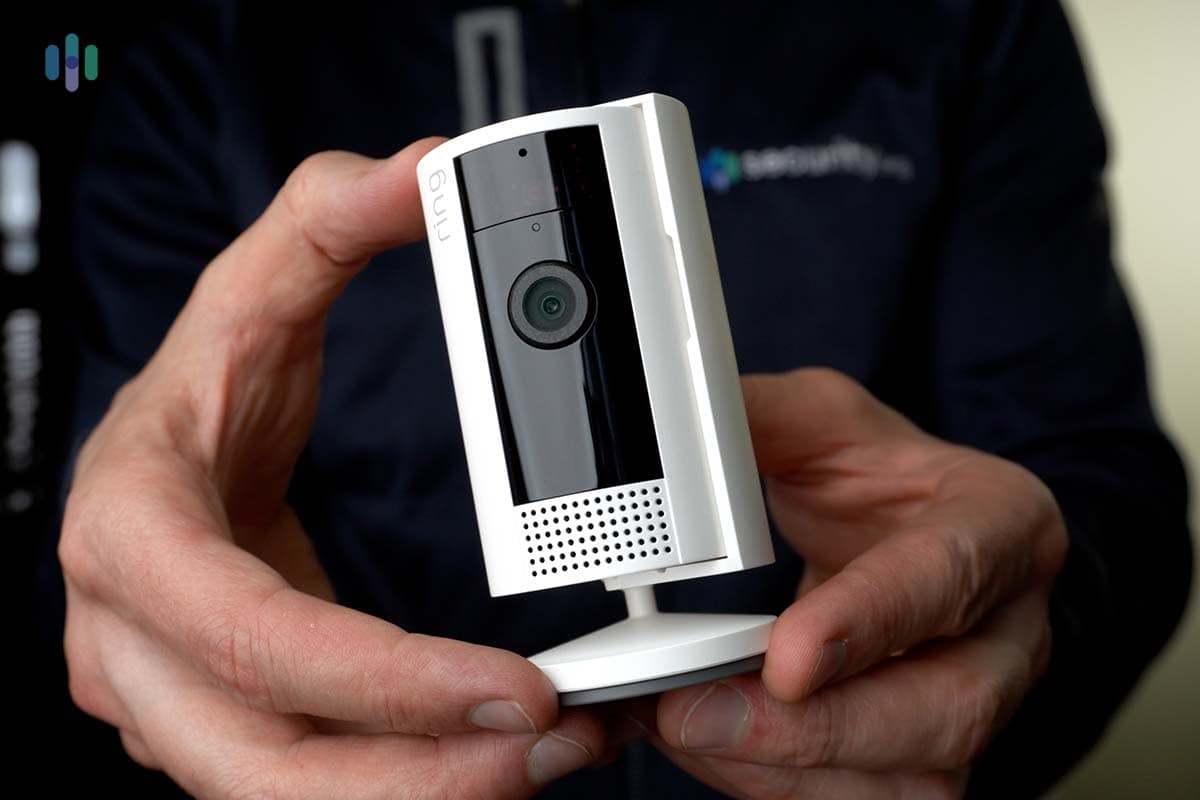
The Ring Indoor Cam (2nd Gen) is Ring’s entry-level indoor option, and we tested it extensively in our own home. At $59.99, it’s one of the most affordable security cameras we’ve come across. When we set it up on our work desk to monitor our office, we were struck by how small it was — small enough to sit comfortably in the palm of a hand, which made it easy to position discreetly without drawing attention. Video quality at 1080p HD was clear and reliable during the day, and the infrared night vision held up well in low-light conditions. That said, the 115-degree field of view is the narrowest in Ring’s lineup, and we did notice it required more deliberate placement to cover the office than wider-angle cameras we’ve tested. For a single room though, it gets the job done.
>> Learn More: Our Ring Indoor Cam Review
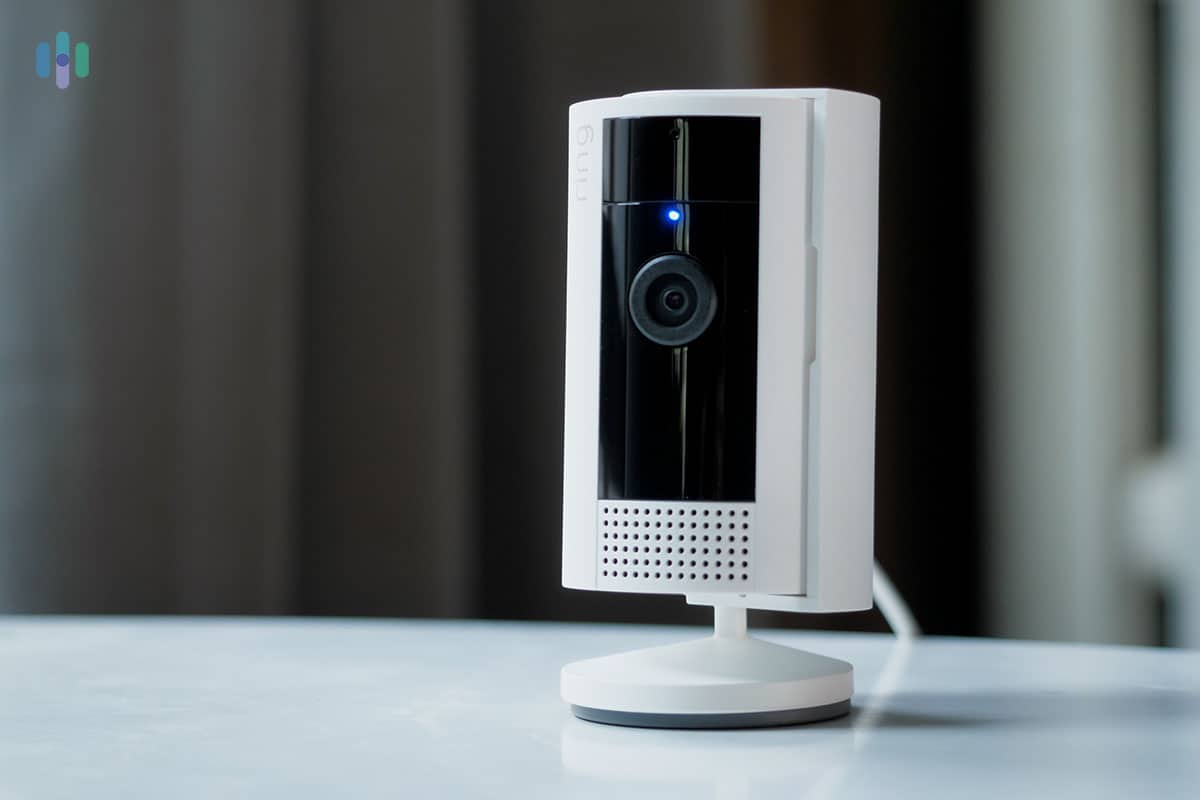
The Ring Indoor Cam Plus steps things up for just $20 more. The jump to Retinal 2K resolution brings noticeably sharper detail, and the addition of color night vision is a real stand-out at this price point. It produces full-color footage in low light rather than the standard black-and-white infrared night vision on most cameras. The wider 125-degree field of view also gives you more flexibility in placement. If you’re buying an indoor cam for the first time and your budget allows, the Plus is the version we’d steer you toward over the base model.
The Pan-Tilt Indoor Cam occupies a different niche entirely. Rather than a fixed lens, it features motorized pan and tilt functionality that lets you remotely adjust the camera’s view through the Ring app, which makes it a strong pick for larger rooms where a fixed camera would leave blind spots. At $59.99 it matches the base Indoor Cam on price. It’s worth noting that the Pan-Tilt’s 1080p resolution puts it a step behind the Indoor Cam Plus on video quality, so your choice between the two will likely come down to whether coverage range or image clarity matters more to you.
A Look At The Ring Outdoor Cam
| Features | Ring Outdoor Cam | Ring Outdoor Cam Plus | Ring Outdoor Cam Pro |
|---|---|---|---|
| Price | $79.99 | $99.99 | $199.99 |
| Resolution | 1080p HD | Retinal 2K | Retinal 4K |
| Field of View | 130° | 160° | 140° |
| Zoom | 8x | 6x | 10x |
| Night Vision | Infrared | Color (Low-Light Sight) | Color (Low-Light Sight) |
| Motion Detection | Standard | Standard | 3D (radar-powered) |
| Power Options | Battery, plug-in, solar | Battery, plug-in, solar, wired, PoE | Plug-in, wired, PoE |
| Two-Way Audio | Yes | Yes | Yes |
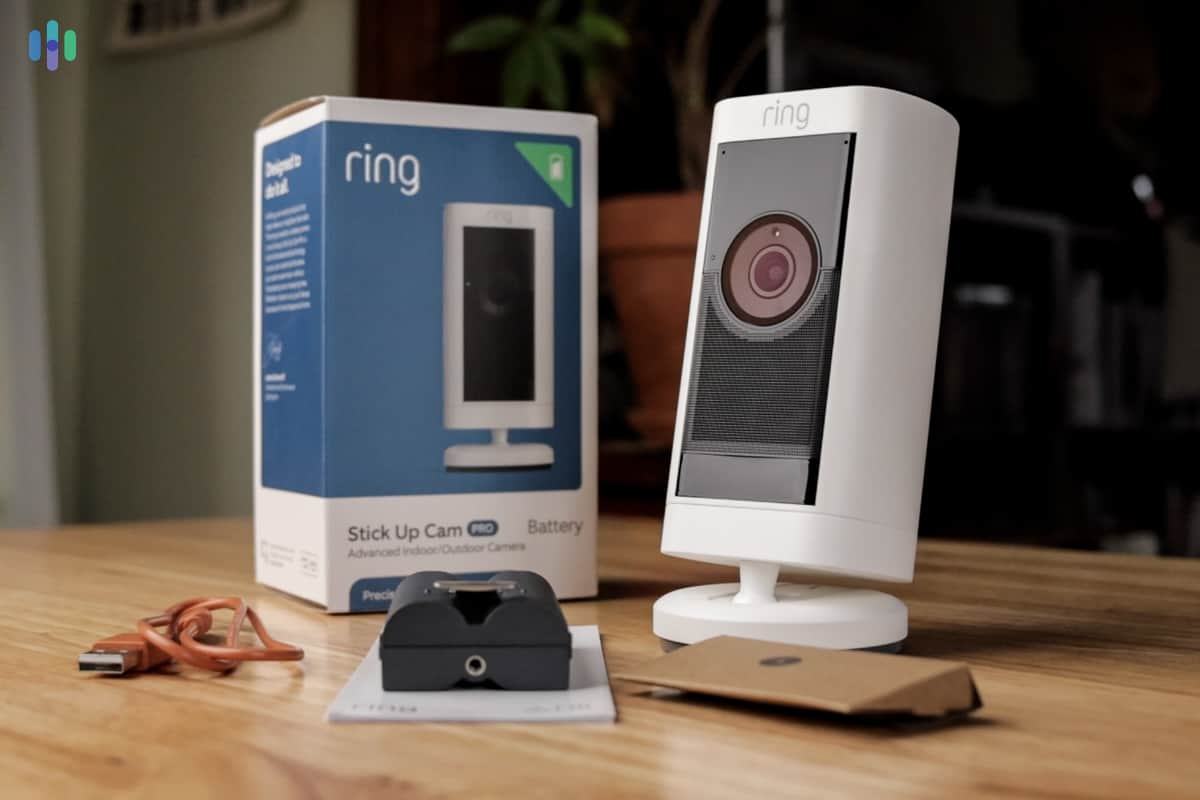
The Ring Outdoor Cam Plus is the camera we tested in this family, and the 160-degree diagonal field of view is one of the first things that stood out to us. That’s a substantial improvement over the 130-degree base model and wide enough to cover a full porch, side yard entry, or garage approach without needing to angle the camera aggressively. We tested the night vision before mounting it outdoors, and even in low-light conditions the Low-Light Sight feature produced full-color footage rather than the black-and-white infrared image you’d get from the base model. The Outdoor Cam Plus is available in battery, plug-in, solar, wired, and PoE configurations, so whatever your power situation, there’s likely an option that fits without any rewiring or special setup.
>> Read Our Full Review: Testing the Ring Outdoor Cam Plus
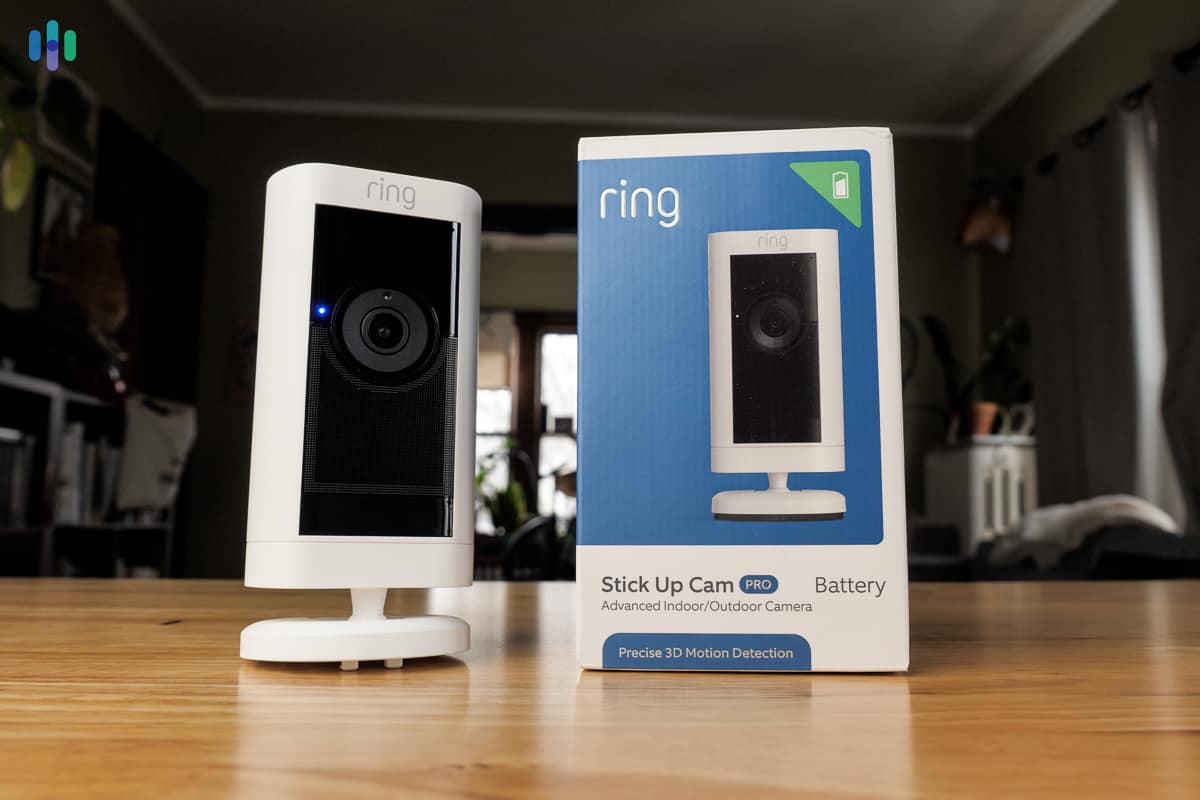
The base Ring Outdoor Cam (formerly the Stick Up Cam) is the entry point for this family and one of Ring’s best-selling cameras for good reason. At $79.99 in battery configuration, it covers the fundamentals without a lot of extras: 1080p resolution, infrared night vision, two-way audio, and motion alerts through the Ring app. It can be wall-mounted or set on a flat surface, making it a practical option for renters or anyone who doesn’t want to commit to a permanent install. The tradeoffs compared to the Plus is worth noting, though. The 130-degree field of view is noticeably narrower, color night vision is absent, and the resolution gap is real. Unless budget is the primary concern, we think the Plus is worth the extra $20.
The Outdoor Cam Pro sits at the top of this family and represents a significant step up from the other two. Its Retinal 4K resolution delivers four times the pixel count of a standard 1080p camera, and the 10x Enhanced Zoom keeps footage sharp even when you’re dialing in on details at a distance. The bigger differentiator is 3D Motion Detection, which uses radar technology rather than standard pixel-based motion sensing to deliver more precise alerts with fewer false triggers. It’s also the only camera in this family that supports 24/7 continuous recording with a compatible Ring Protect plan. The tradeoff is the price — at $199, it costs twice the Outdoor Cam Plus.
>> More Options: The Best 4K Security Cameras
A Look At The Ring Spotlight Cam
| Features | Ring Spotlight Cam Plus | Ring Spotlight Cam (2nd Gen) | Ring Spotlight Cam Pro (2nd Gen) |
|---|---|---|---|
| Price | $199.99 | $169.99 | $199.99 |
| Resolution | 1080p HD | Retinal 2K | Retinal 4K |
| Field of View | 140° | 140° | 140° |
| Zoom | N/A | 6x | 10x |
| Night Vision | Color | Color (Low-Light Sight) | Color (Low-Light Sight) |
| Motion Detection | Standard | Standard | 3D (radar-powered) |
| Spotlights | 375 lumens | 375 lumens | 600 lumens |
| Siren | Yes | Yes | Yes |
| Power Options | Battery, plug-in, solar, wired | Battery, plug-in | Plug-in |
| Two-Way Audio | Standard | Standard | Audio+ |
We’ve tested a previous-generation Ring Spotlight Cam Pro on our backyard fence, and the experience gave us a solid baseline for understanding what this camera family is capable of. The model we tested shot in 1080p and had a bulkier form factor than the current second-gen Pro, but it still impressed us with how well it handled motion detection in a high-traffic area. The radar-powered 3D Motion Detection carried over into the current Spotlight Cam Pro (2nd Gen), which has since been upgraded to Retinal 4K resolution in a more refined design. Based on our time with the previous model, the jump to 4K and 600-lumen spotlights makes the new Pro an even stronger pick for corners, side yards, and blind spots where both image clarity and deterrence matter.
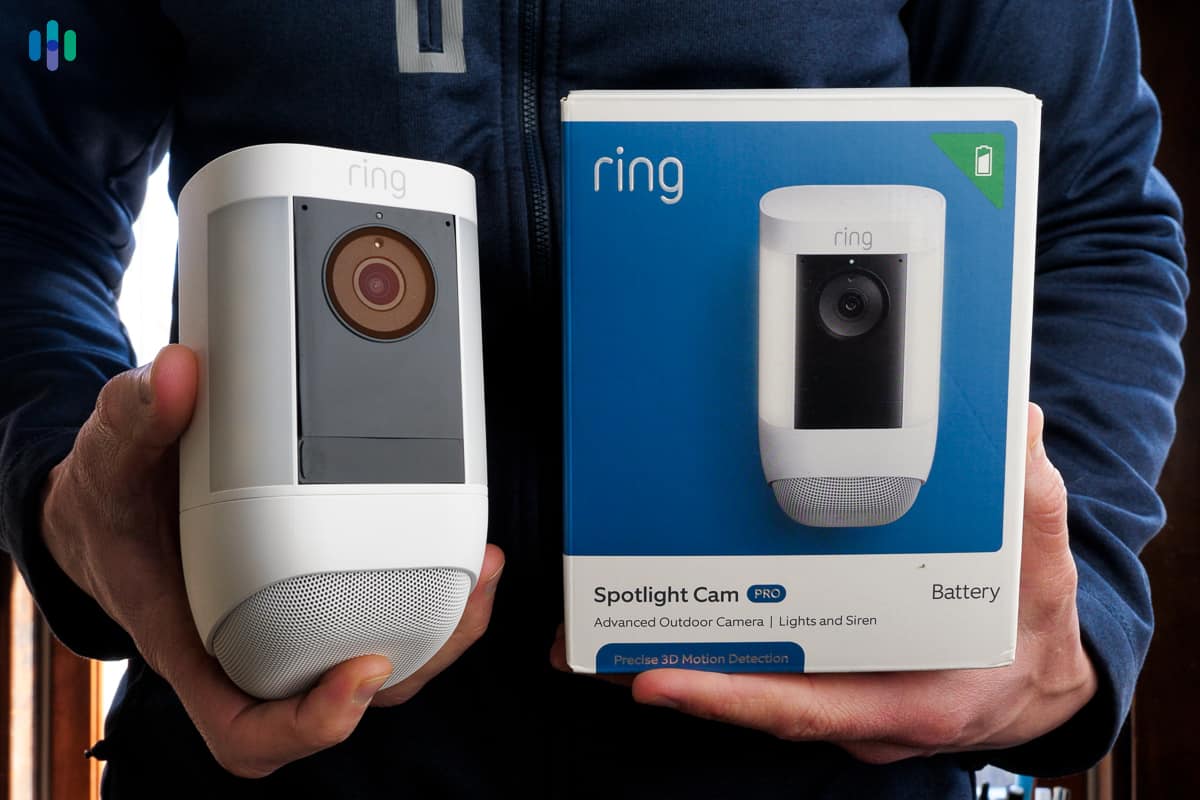
The Spotlight Cam (2nd Gen) is the newest addition to this family and the one we’d point most buyers toward at this point. It launched in mid-2026 with Retinal 2K resolution and a more compact form factor than the older Plus model, and it’s priced $30 less than the Pro while covering the basics exceptionally well. The 375-lumen built-in spotlights are bright enough for side yards, alleys, and patios, which is exactly what Ring positions this camera for. If you’re covering a narrower or tighter space and don’t need radar-based motion detection or 4K video, the Spotlight Cam (2nd Gen) is the most sensible buy in this family right now.
The Spotlight Cam Plus is the oldest model in this lineup and the hardest to recommend at its current price. At $199.99, it costs more than the newer Spotlight Cam (2nd Gen) while offering only 1080p resolution and standard motion detection. The broader range of power options, including solar and hardwired, does give it an edge for buyers in specific situations, and the 140-degree field of view is consistent with the rest of the family. But unless you specifically need a solar or wired configuration that the newer models don’t yet offer, it’s worth waiting for an updated version or going with the Spotlight Cam (2nd Gen).
>> Other Options: Our Top Outdoor Wireless Cameras
A Look At The Ring Floodlight Cam
| Features | Ring Floodlight Cam Plus | Ring Floodlight Cam (2nd Gen) | Ring Floodlight Cam Pro (2nd Gen) |
|---|---|---|---|
| Price | $199.99 | $199.99 | $279.99 |
| Resolution | 1080p HD | Retinal 2K | Retinal 4K |
| Night Vision | Color | Color (Low-Light Sight) | Color (Low-Light Sight) |
| Motion Detection | Standard | Standard | 3D (radar-powered) |
| Floodlights | 2,000 lumens | 2,000 lumens | 2,000 lumens (adjustable) |
| Siren | 105 dB | Yes | Yes |
| Power | Hardwired | Hardwired | Hardwired, plug-in |
| Two-Way Audio | Standard | Standard | Audio+ |
We’ve had a lot of hands-on time with the original Ring Floodlight Cam, which has since evolved into the current Plus and Pro lineup. One thing that stands out from our testing is just how much the dual floodlights change the experience compared to a spotlight camera.
The Floodlight Cam Plus is the entry point in this family and the most established model on the market. At $199.99 it’s hardwired only, which means installation requires existing outdoor wiring and we’d recommend bringing in an electrician if that’s not your comfort zone. What you get in return is 1080p HD video, 2,000 lumens of adjustable floodlight output, a 105 dB siren, and color night vision, all managed through the Ring app. It’s a capable setup for driveways, backyards, and garages, though the 1080p resolution is starting to show its age next to the newer models in this family.
The Floodlight Cam (2nd Gen) launched in mid-2026 and brings Retinal 2K resolution to the floodlight family at the same $199.99 price point as the Plus. The 2,000-lumen output matches the Plus, but the jump to 2K and 6x Enhanced Zoom makes a meaningful difference in how much detail you can pull from footage, especially at night. It’s hardwired only like the Plus, so the installation requirements are the same, but if you’re buying new today, the Floodlight Cam (2nd Gen) is the more sensible choice over the Plus in almost every scenario.
The Floodlight Cam Pro (2nd Gen) is Ring’s most capable outdoor camera and the one we’d point toward anyone who wants the best coverage money can buy in Ring’s ecosystem. Retinal 4K video, 10x Enhanced Zoom, radar-powered 3D Motion Detection, Bird’s Eye View tracking, and Audio+ two-way audio all come together in a single hardwired unit with adjustable floodlights that go up to 2,000 lumens. The Pro also supports plug-in power in addition to hardwiring, which gives it a bit more flexibility than the other two models in this family. If you’re covering a large driveway or backyard and identification detail matters, the step up to 4K here is one of the easier calls in Ring’s lineup.
Expert Tip: The average loss per home burglary in 2023 was $2,661, according to the FBI — a figure that doesn’t account for the emotional toll or the cost of repairing damaged doors, windows, and locks.1 A security camera system is one of the more cost-effective investments you can make against that risk.
The Ring App: The Glue That Ties Everything Together
Setting up motion zones for our Ring Spotlight Cam Pro to minimize false alerts.
Ring’s cameras don’t operate in isolation — the Ring app is what pulls the whole system together, and in our experience it’s one of the more polished camera apps we’ve used. Available on iOS and Android, it gives you a single dashboard to manage every device in your setup, view live feeds, adjust motion zones, customize privacy settings, and switch between Home, Away, and Disarmed modes. When a camera detects motion, the app sends a real-time notification to your phone, and tapping it pulls up a live view almost instantly. We also found the motion zone customization to be more intuitive than what we’ve seen from some competing apps, with a drag-and-drop interface that makes it straightforward to dial in exactly which areas you want monitored.
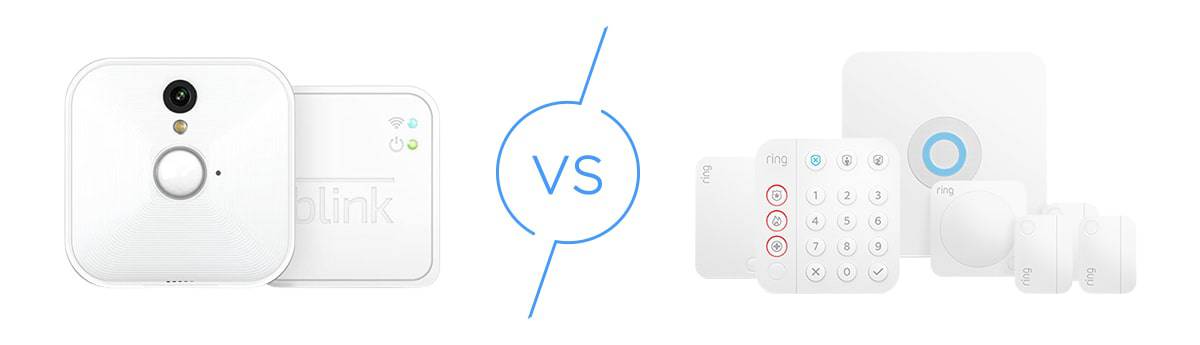
The Ring App isn’t just for Ring’s security cameras. It also manages Ring’s security system (the Ring Alarm system we reviewed) and Ring doorbell cameras, which means if you build out a full Ring ecosystem, you’re controlling your entire home security setup from a single place. For homeowners who already use Ring doorbells or are considering the Ring Alarm, that level of integration is a real advantage and one of the stronger arguments for staying within the Ring ecosystem rather than mixing brands.
Ring Protect: Is It Worth The Monthly Fee?
Ring’s cameras work without a subscription, but the free tier limited. Without a Ring Protect plan, you can still access live view and receive motion alerts, but you won’t be able to save, review, or share any recorded footage. That’s a significant limitation for a security camera, and in practice it means most Ring owners will end up paying for a plan at some point. The good news is that Ring Protect is priced reasonably relative to what you get. The storage window in particular stands out. At 180 days of video history, Ring offers significantly more cloud storage than most competitors we’ve looked at. Arlo’s base plan caps at 30 days, and even Google’s Home Premium Advanced only goes up to 60 days.
There are three tiers to choose from, and the right one depends largely on how many cameras you have and whether you want professional monitoring for a Ring Alarm system. The base plan covers a single camera and is fine for homeowners with a minimal setup, but the Plus plan is where Ring’s subscription gets more compelling, covering unlimited cameras at one location for just $10 a month. The Pro plan adds professional monitoring for Ring Alarm on top of everything else, which makes it the logical choice for anyone running a full Ring security system rather than just a few standalone cameras.
| Features | Ring Protect Basic | Ring Protect Plus | Ring Protect Pro |
|---|---|---|---|
| Price | $4.99/month per device | $9.99/month | $19.99/month |
| Cameras Covered | 1 | Unlimited (1 location) | Unlimited (1 location) |
| Video History | 180 days | 180 days | 180 days |
| Video Descriptions | Yes | Yes | Yes |
| Familiar Faces | Yes | Yes | Yes |
| Single Event Alert | Yes | Yes | Yes |
| Professional Monitoring | No | No | Yes (Ring Alarm) |
| 24/7 Backup Internet | No | No | Yes |
The AI-powered features included across all paid tiers add meaningful day-to-day value. Video Descriptions send a text summary of what triggered a motion alert so you can assess the situation without opening the app. Familiar Faces, currently in beta, lets you tag known people so your cameras can identify them when they appear on camera. And Single Event Alert groups similar motion events into one combined notification rather than flooding your phone every few minutes. These aren’t gimmicks, and in our testing, they noticeably reduced the friction of managing a multi-camera setup.
Whether Ring Protect is worth it comes down to how you plan to use your cameras. If you’re primarily relying on live view and real-time alerts, you can technically get by without a plan. But for anyone who wants to review footage after the fact — whether that’s checking who picked up a package or pulling video after a porch theft — a subscription is effectively required. At $9.99 a month for unlimited cameras at a single location, the Plus plan is the one most homeowners should default to. It’s not the cheapest option on the market, but the 180-day storage window and AI alert features make it one of the better values in the camera subscription space.
>> Related: Can Security Cameras Work Without Wi-Fi?
Ring vs. The Competition
Ring’s closest competitors in the AI-enabled security camera space are Google Nest Cams and Arlo, and each brand makes a credible case depending on what you prioritize. All three brands have leaned into AI-assisted alerts and intelligent motion detection, and all three work alongside a full security system, which is why they’re the natural group to compare.
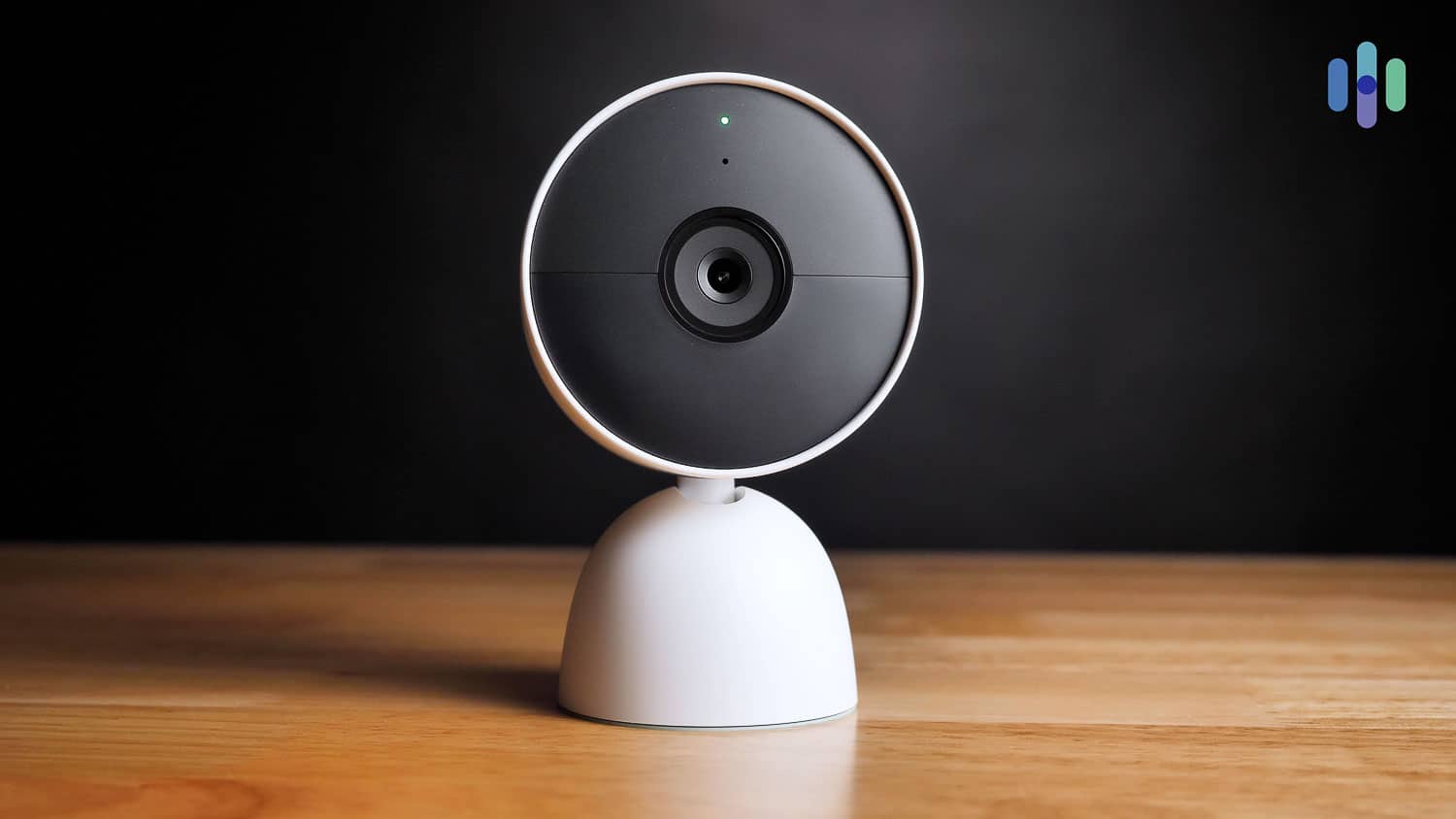
Google Nest Cams are worth serious consideration because they integrate with ADT Pro Install, meaning they can serve as the camera component of a professionally monitored security system. ADT is one of the highest-rated security systems we’ve reviewed, and that level of professional monitoring infrastructure is difficult to match. Check out our ADT review — if you’re looking for a full home security setup, it might be a better fit than Ring. That said, where Ring has the edge over Nest is roster depth and flexibility. Ring offers more camera types, more power configurations, and a wider price range, making it easier to build a setup tailored to a specific property.
FYI: A University of North Carolina at Charlotte study surveying 422 convicted burglars found that 83 percent would check for the presence of a security system before attempting a break-in, and 60 percent would move on to a different target if they found one.2
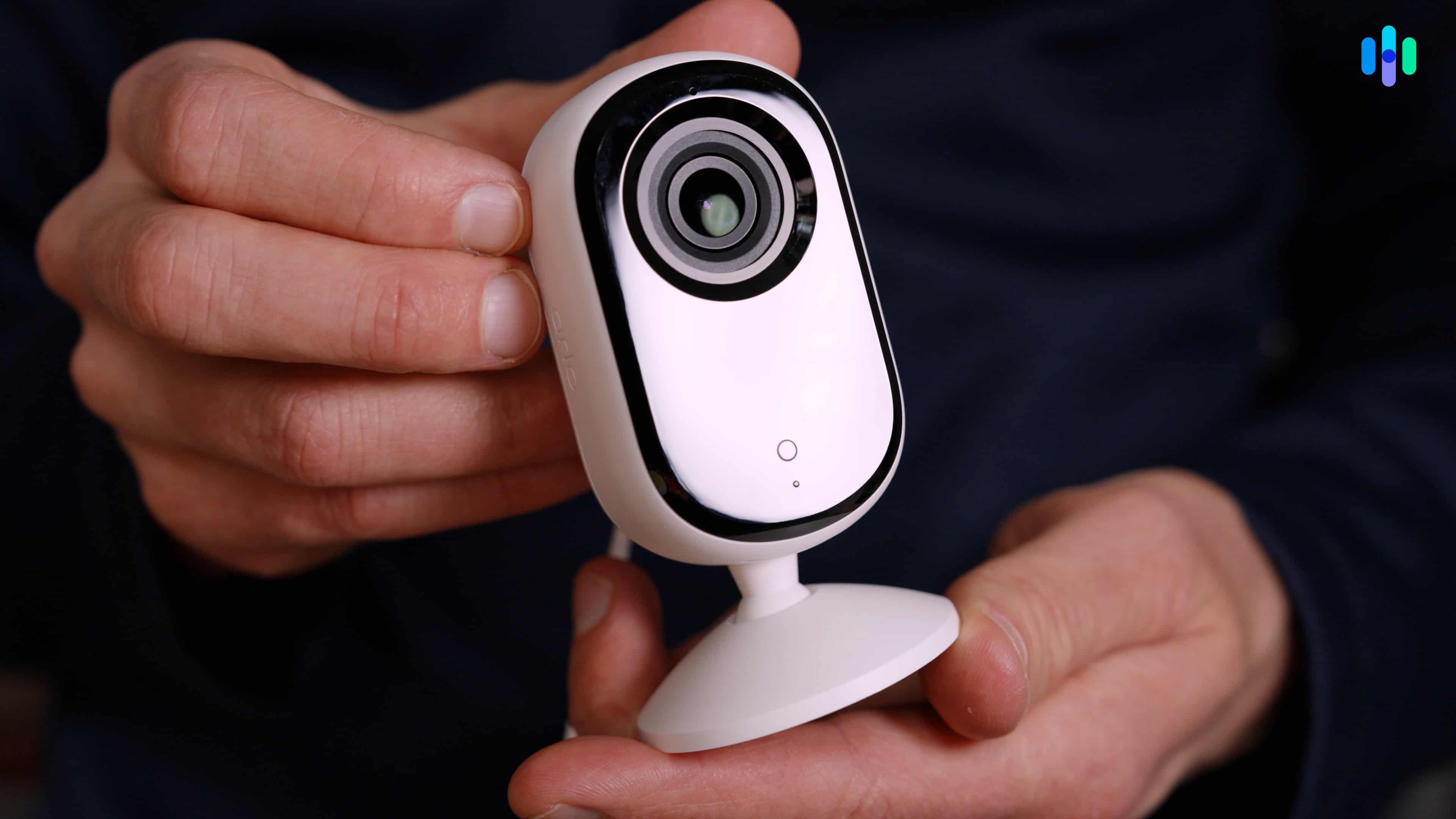
Arlo rivals Ring on camera selection and AI feature depth, and also offers its own security system. The main sticking point is cost. Arlo’s subscription starts at $9.99 per month for a single camera and jumps to $19.99 for unlimited cameras, compared to Ring’s $4.99 entry point and $9.99 unlimited plan. For homeowners building out a multi-camera setup, that gap adds up quickly, and Ring’s pricing structure is noticeably more wallet-friendly.
Wrap Up
Ring has come a long way from its Shark Tank rejection, and the current camera lineup reflects that trajectory. With 12 cameras spanning four families, power options ranging from battery to PoE, and resolutions now reaching Retinal 4K, Ring offers more flexibility than almost any other brand we’ve tested. The jump to 2K and 4K across newer models has addressed what was previously one of our main criticisms, and the Ring app remains one of the cleaner experiences in the category. If you’re building a camera system from scratch and want a brand that can scale with you, Ring is one of the easiest recommendations we can make.
That said, Ring isn’t the right fit for everyone. The lack of local storage is a limitation, and the subscription requirement for recorded footage is something buyers should factor into the total cost of ownership before committing. The Spotlight Cam Plus and Floodlight Cam Plus are also due for retirement at their current price points, now that newer 2K models are available at the same or lower cost. But if you go in knowing which models to prioritize and budget for a Ring Protect Plus plan, you’ll end up with a well-rounded, reliable security camera setup backed by one of the most recognizable names in the business.
FAQs
-
Do Ring cameras work without a subscription?
Yes, Ring cameras work without a subscription, but functionality is limited. Without a Ring Protect plan, you can access live view and receive real-time motion alerts, but you cannot save, review, or share recorded footage. A Ring Protect plan starts at $4.99 per month per device and unlocks 180 days of cloud video storage along with AI-powered features like Video Descriptions and Familiar Faces.
-
What is the best Ring security camera?
The best Ring security camera depends on your use case. For indoor monitoring, the Ring Indoor Cam Plus offers the best balance of price and performance with Retinal 2K resolution and color night vision. For outdoor use, the Ring Outdoor Cam Plus is our top all-around pick. For large areas like driveways and backyards, the Ring Floodlight Cam (2nd Gen) or Floodlight Cam Pro (2nd Gen) are the strongest options in Ring’s lineup.
-
Do Ring cameras have local storage?
No. Ring cameras do not support local storage of any kind. There is no SD card slot or NVR option across any model in Ring’s lineup. All video storage is cloud-based and requires a paid Ring Protect subscription starting at $4.99 per month.
-
What resolution do Ring cameras shoot in?
Ring cameras currently shoot in 1080p HD, Retinal 2K, or Retinal 4K depending on the model. Older models like the Spotlight Cam Plus and Floodlight Cam Plus shoot in 1080p, while newer cameras like the Outdoor Cam Plus and Floodlight Cam (2nd Gen) offer Retinal 2K. The top-tier Pro models across the Outdoor, Spotlight, and Floodlight families all shoot in Retinal 4K.
-
Are Ring cameras compatible with Alexa and Google?
Ring cameras are compatible with Amazon Alexa and Google Assistant. Since Ring is an Amazon-owned brand, Alexa integration is particularly deep, allowing you to view live camera feeds on Echo Show devices, receive motion announcements, and control your cameras with voice commands. Google Assistant support is available but more limited by comparison.

-
Federal Bureau of Investigation. (2019). Burglary. Crime in the United States, 2019.
https://ucr.fbi.gov/crime-in-the-u.s/2019/crime-in-the-u.s.-2019/topic-pages/burglary -
ScienceDaily. (2013) Through the eyes of a burglar: Study provides insights on habits and motivations, importance of security.
https://www.sciencedaily.com/releases/2013/05/130516160916.htm