
Save on Google Nest cameras with Walmart’s discounted everyday prices.
Nest Cam Review 2026
A look at Google Nest’s revamped lineup of security cameras
All of our content is written by humans, not robots.
Learn More
By
 &
&
 Last Updated on Feb 19, 2026
&
Last Updated on Feb 19, 2026
What We Like
- 2K HDR video quality on newest models
- At least 130-degree field of vision on all cameras
- AI-powered Gemini features with Google Home Premium
What We Don't Like
- No local video storage options
- Cameras are only weatherproof rated to IP54
- Ongoing transition to Gemini, causing some user issues
Bottom Line
Nest’s latest generation of Google Nest Cams offer impressive video quality and smart features for a lot less than the price of older Nest Cams. With the new Gemini-powered models featuring 2K HDR video and improved AI capabilities, this might be a good camera for you if you're looking for an easy DIY installation and powerful security features.
the security.brief
Google's new Nest Cams boast 130°+ vision, 1080p, and infrared night vision but lack local storage and pro monitoring. Subscription required for facial recognition.
Are these new cameras worth it? Let’s find out together in this review.
What’s New in 2026
Google has made significant updates to its Nest camera lineup, introducing Gemini-powered models that could change the role of security cameras in smart home ecosystems. Here’s what’s changed:
New Camera Models
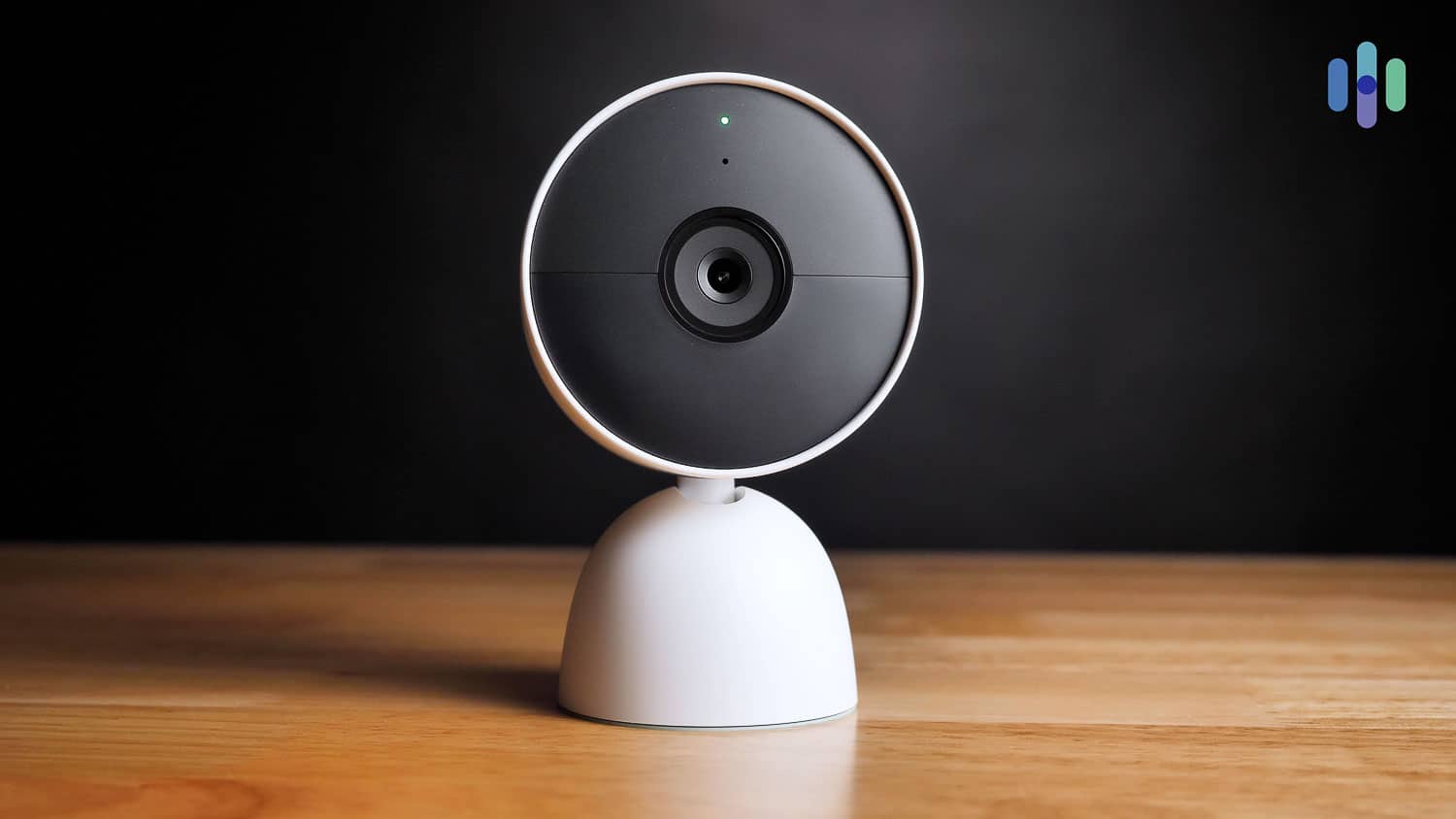
The latest generation includes the Nest Cam Indoor (wired, 3rd gen), Nest Cam Outdoor (wired, 2nd gen), and Nest Doorbell (wired, 3rd gen). These new models feature:
- 2K HDR video for improved clarity and low-light performance
- Wider fields of view for better coverage of yards, driveways, and doorways
- AI enhancements that deliver smarter activity alerts and visual summaries
- More durable construction made with recycled materials and eco-friendly packaging
Google Home App Replaces Nest App
Google has redesigned the Home app to bring Nest and Home controls into one platform. We found that the new app loads faster and is more reliable, while still serving as a centralized location for cameras, thermostats, locks, smoke alarms, and more. The new tabs for Activity and Automations make it easy to navigate to different features. We also noticed better camera preview performance and liked the new AI-driven daily summaries that respond to natural-language commands like “what time was the package delivered?”.
Gemini Replaces Google Assistant
Gemini AI has replaced Google Assistant on Nest speakers, displays, and smart home controls. This upgrade brings more natural conversations, contextual awareness, and smarter automation suggestions. However, in our testing, we’ve run into a few glitches and automation issues during the transition, so the rollout is still ongoing.
Google Home Premium Subscription
Nest Aware is now Google Home Premium. This new subscription unlocks advanced Gemini features, including more detailed alerts, extended video history, and AI-powered summaries.
Smart Alerts with Total Control

See Pricing
Links to Walmart
Nest Camera Comparison
| Feature | Nest Cam (Outdoor or Indoor, Battery) | Nest Cam Outdoor ( Wired, 2nd gen) | Nest Cam with Floodlight | Nest Cam Indoor (Wired, 3rd gen) |
|---|---|---|---|---|
| Smart Floodlight | No | No | Yes | No |
| Weather Resistant | Yes | Yes | Yes | No |
| Included Alerts | Motion, People, Vehicles, Animals | Motion, People, Vehicles, Animals | Motion, People, Vehicles, Animals | Motion, People, Vehicles, Animals |
| Intelligent Alerts (Google Home Premium Required) | Familiar Faces, Sound | Familiar Faces, Sound | Familiar Faces, Sound | Familiar Faces, Sound |
| 3-Hour Event History | Video Clips | Video Clips | Video Clips | Video Clips |
| Live Streaming | Yes | Yes | Yes | Yes |
| 24/7 Video History (Google Home Premium Advanced Required) | When Wired (Power Cable Sold Separately) | Yes | Yes | Yes |
| Recording During WiFi Outage | Up to One Hour | Up to One Hour | Up to One Hour | Up to One Hour |
| Field of View | 130 diagonal | 152 diagnooal | 130 diagonal | 135 diagonal |
| Aspect Ratio | 16:9 | 16:9 | 16:9 | 16:9 |
| Resolution | 1080p | 2K HDR | 1080p | 1080p |
| Price | $179.99 | $149.99 | $279.99 | $99.99 |
Key Similarities
After extensive testing, we detailed here the main similarities that we’ve found in Nest’s cameras. If you want the full info, check out our Nest Cam Indoor review and Nest Cam Outdoor review.
Storage
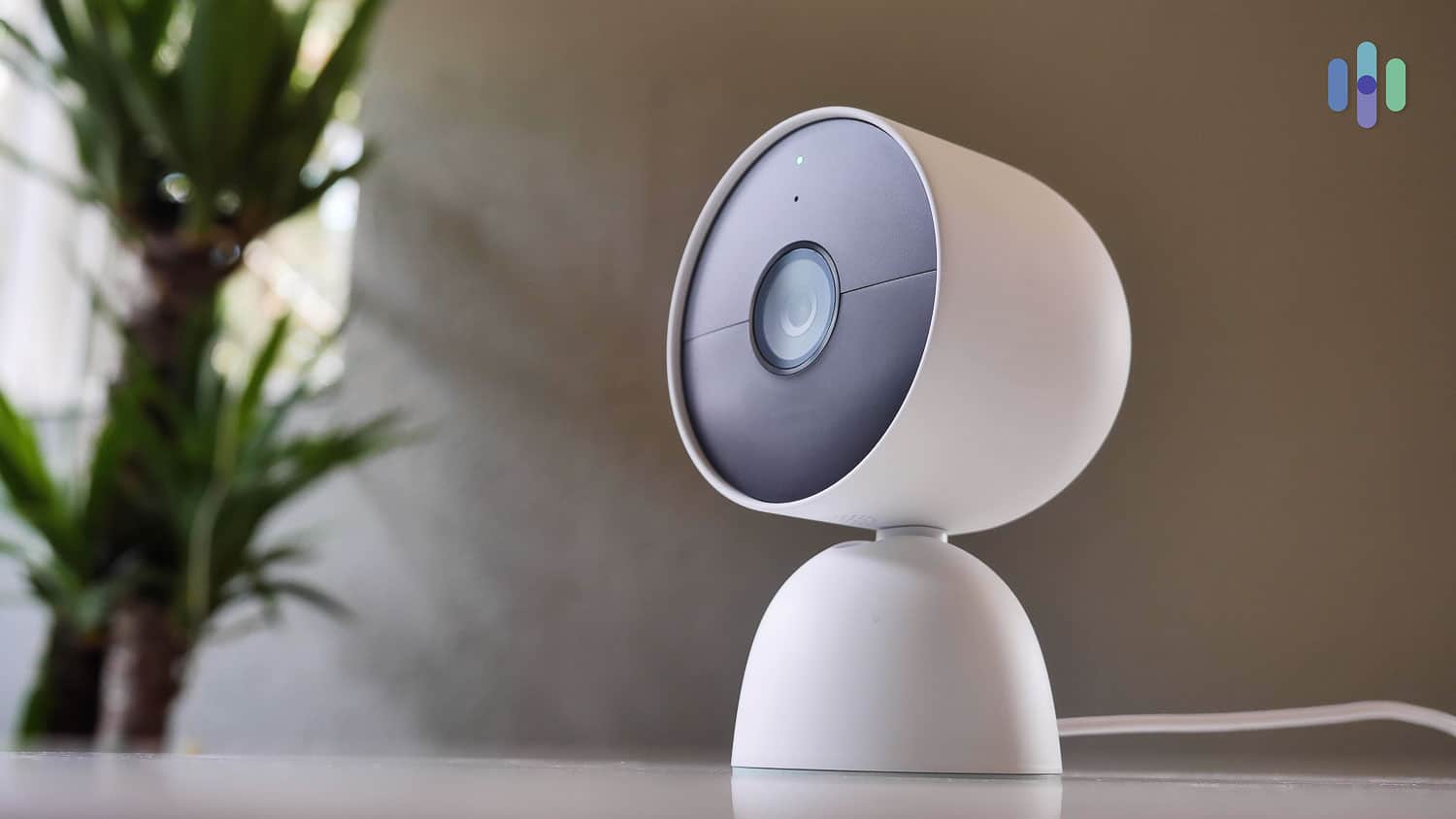
All security cameras from Google Nest store videos in the cloud. Local storage is not an option. Google Home Premium, which replaced Nest Aware in late 2025, is Google Nest’s cloud subscription service. One subscription covers an unlimited number of cameras, and it starts at only $10 per month.
Additionally, you can make Nest cameras record continuously now for up to 10 days. That is with the Google Home Premium Advanced subscription.
Another great thing about the Google Home Premium subscriptions is that they unlock additional features, including Familiar Face Alerts (facial recognition) and advanced Gemini-powered AI capabilities like detailed activity summaries and smarter alerts.
Here’s the pricing breakdown for Google Home Premium and Google Home Premium Advanced:
| No plan | Google Home Premium | Google Home Premium Advanced | |
|---|---|---|---|
| Event video history | 3 hours | 30 days | 60 days |
| 24/7 video history in days | No | 0 | 10 |
| Facial recognition | No | Yes | Yes |
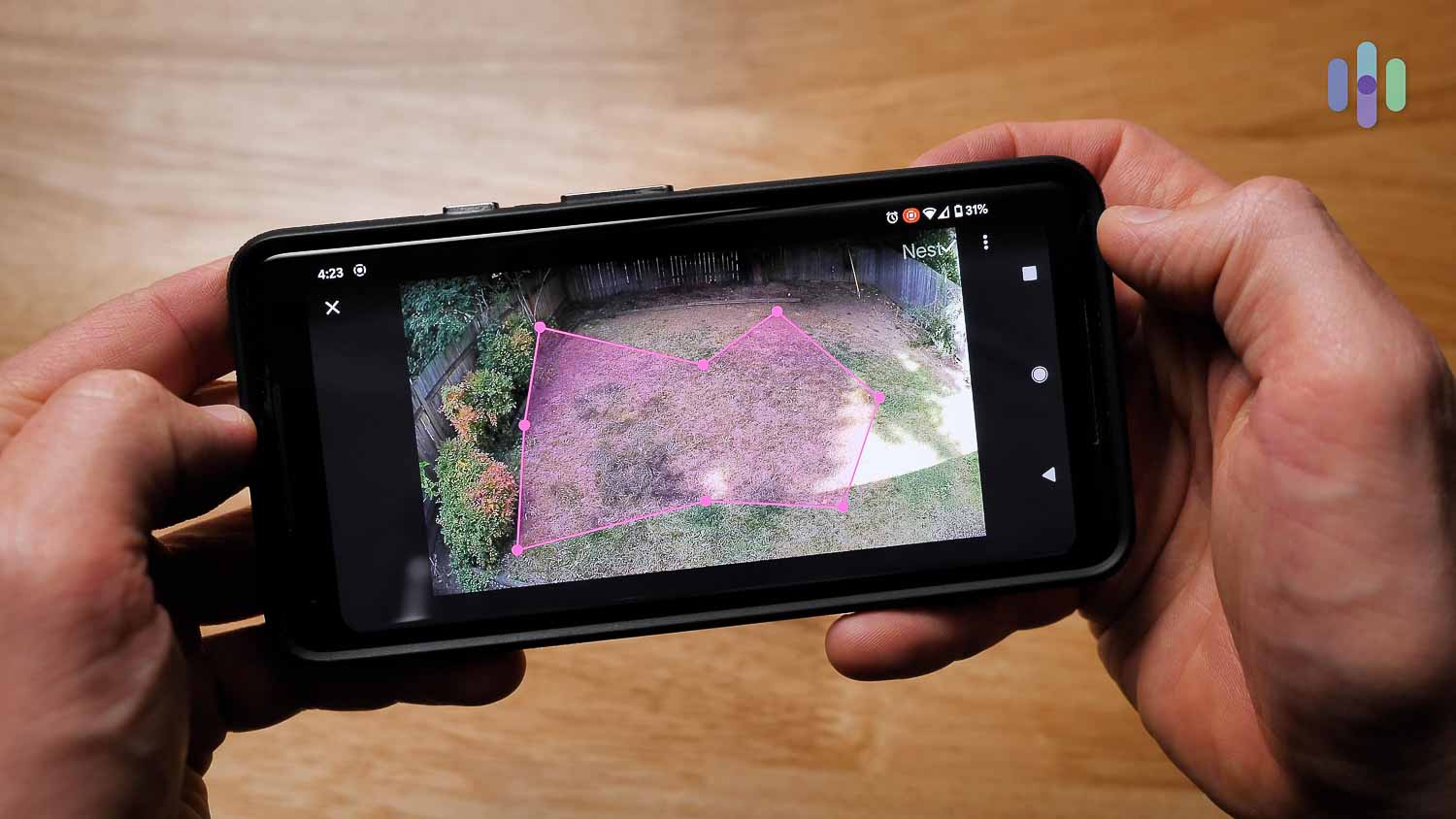
| Activity zones | No | Yes | Yes |
| Create and share clips | No | Yes | Yes |
| Gemini AI features | No | Yes | Yes |
| Monthly Price | $0 | $10 | $20 |
| Yearly Cost | $0 | $100 | $200 |
Smart Platform Integrations
In addition to controlling our Nest Cams through the Google Home app, we controlled them using Gemini and Alexa. What commands did we use, exactly? Using Alexa, we cast our Nest cameras’ footage on our Echo Show devices and our Fire TV. It was cool to see our family on our big-screen TV, and being able to make this happen using our voices alone made us feel like superheroes. If we wanted to get the footage off the screen, we could do that through Alexa.
Gemini worked similarly; we streamed our Nest footage on our Chromecast. In addition to the voice assistants, we set up our Nest Cams to work with Philips Hue smart lighting. We have a ton of smart light bulbs and fixtures in our home, so we set our lights to dim when we wanted to stream footage from our Nest cameras without glare. No matter which Nest camera we went with, we noticed that the smart home features were exactly the same.
The Google Home App
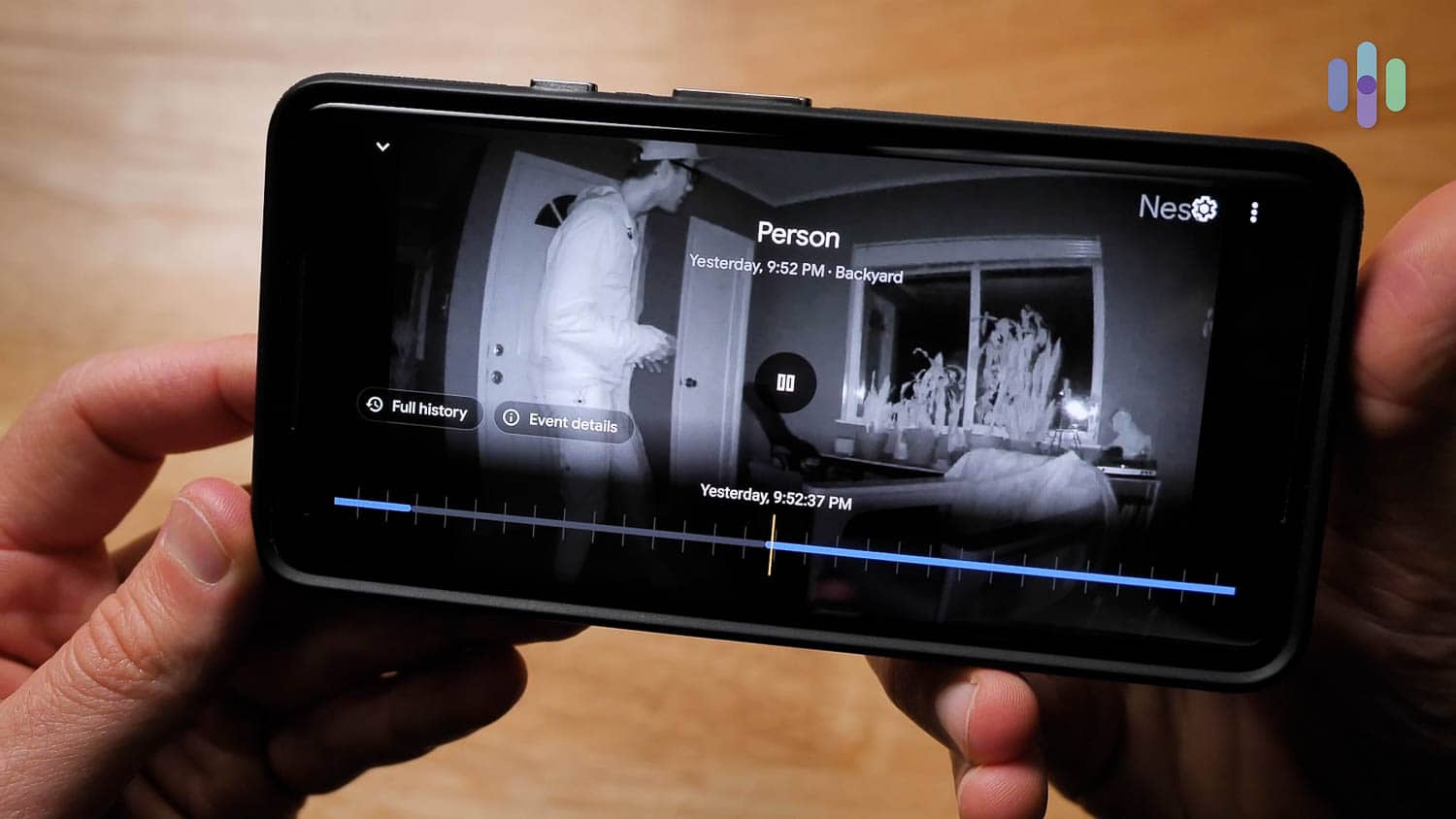
With all of the Nest cameras, we used the Google Home app whenever we were away from home. The app was where we viewed live footage, spoke to loved ones through two-way audio, rifled through cloud storage, received notifications, set up smart platform integrations, named people for familiar face alerts, and more.
Google redesigned the Home app in 2025 to unify Nest and Home controls. We noticed that it now offers faster load times, improved reliability, and new tabs for Activity and Automations. The app also now features integrated AI control through Gemini, better camera preview performance, and AI-driven daily summaries with natural-language commands.
It was super easy to use, and we loved how it integrated all of our Nest products under one virtual roof, from our Nest Learning Thermostat1 to our Nest Protect smoke and CO detector.
Other Google Home customers seemed to agree with us, as the app has a 4.6 on the Apple store2 and a 3.8 on the Google Play Store.3 Since we last reviewed the Nest cameras, this app has gotten a lot less buggy, so thank you to Google for making some vast improvements!
| Common features of Nest Cams | Details |
|---|---|
| Field of vision | 130+ degrees (152 degrees with 2K HDR on newest models) |
| Infrared night vision | Yes |
| Two-way audio | Yes |
| Local storage | No |
| Cloud storage | 3 free hours, 30 or 60 days with Google Home Premium subscription |
| Smart platform integrations | Alexa, Gemini, Phillips Hue light bulbs |
| Person detection | Standard with all battery-powered and wired Nest Cams |
| Facial recognition | Google Home Premium subscription required |
| Price | $99.99 to $279.99 |
Video Review
Key Differences
Of course, we also found a ton of differences between the Nest cameras, such as:
Video
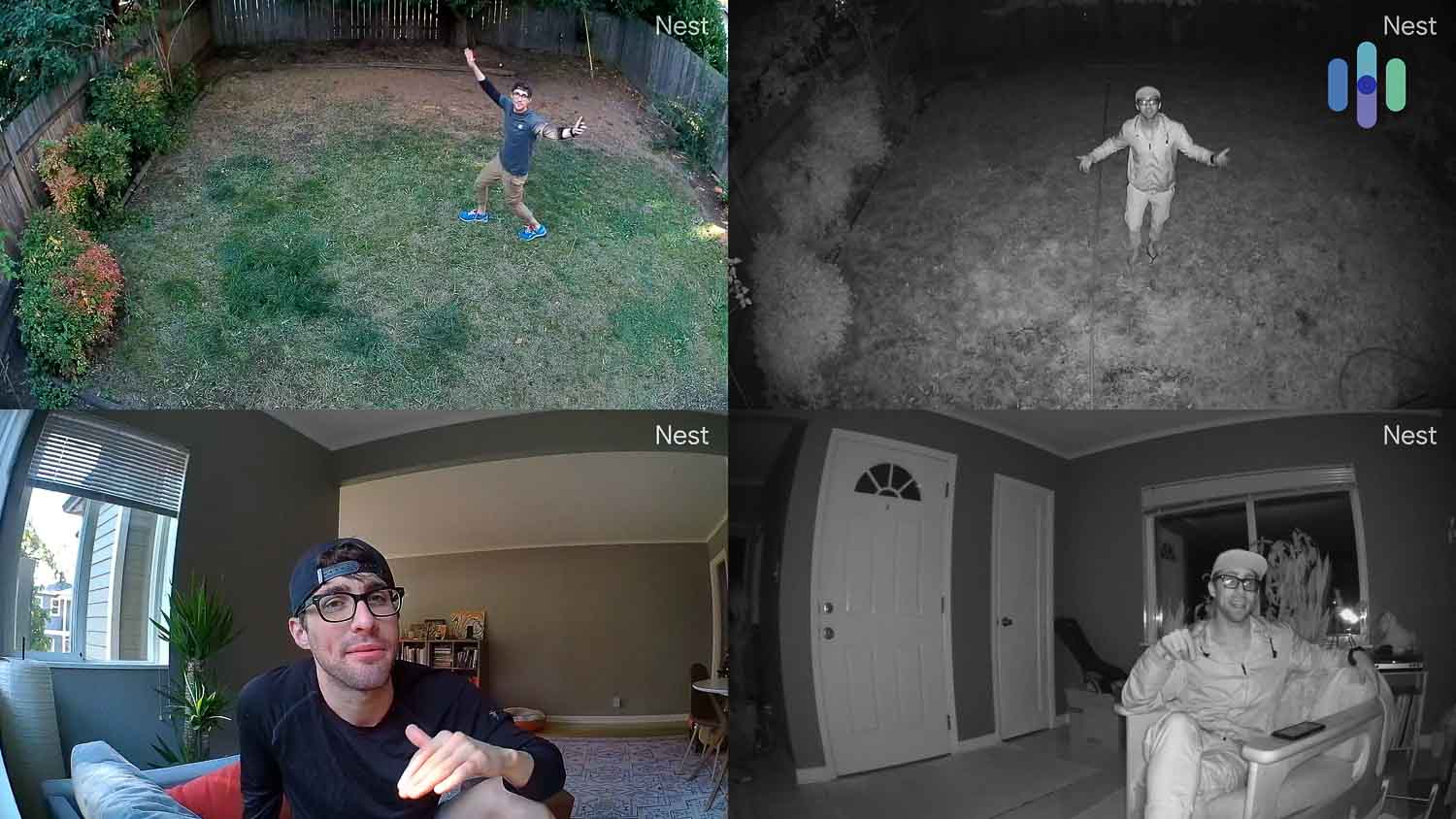
In live-streaming our batter-powered footage, we saw that the cameras have the industry standard of 1080p resolution, making for a crisp image no matter which camera we were testing.
The newest Gemini-powered Nest Cams, however, have significantly upgraded to 2K HDR video quality. We noticed better image quality and low-light performance compared to other models. The 2K HDR sharpened our live stream in high-contrast situations, making for super clear live video. It helped us avoid glare or distortions from outside lighting, too.4
Of course, we don’t just look at video quality. We also want to make sure a camera can see everything going on from where it’s positioned — no blind spots or missing action at the borders.
The newest models feature wider fields of view for better coverage of yards, driveways, and doorways. The 152-degree field of view on the wired outdoor model and wired indoor camera was more than enough to monitor everything that was going on.
If you want to learn more about getting the most out of your cameras, though, check out our guide to security camera installation. There are some tips and tricks in there that will help you make sure you’re protecting your property effectively.
Power
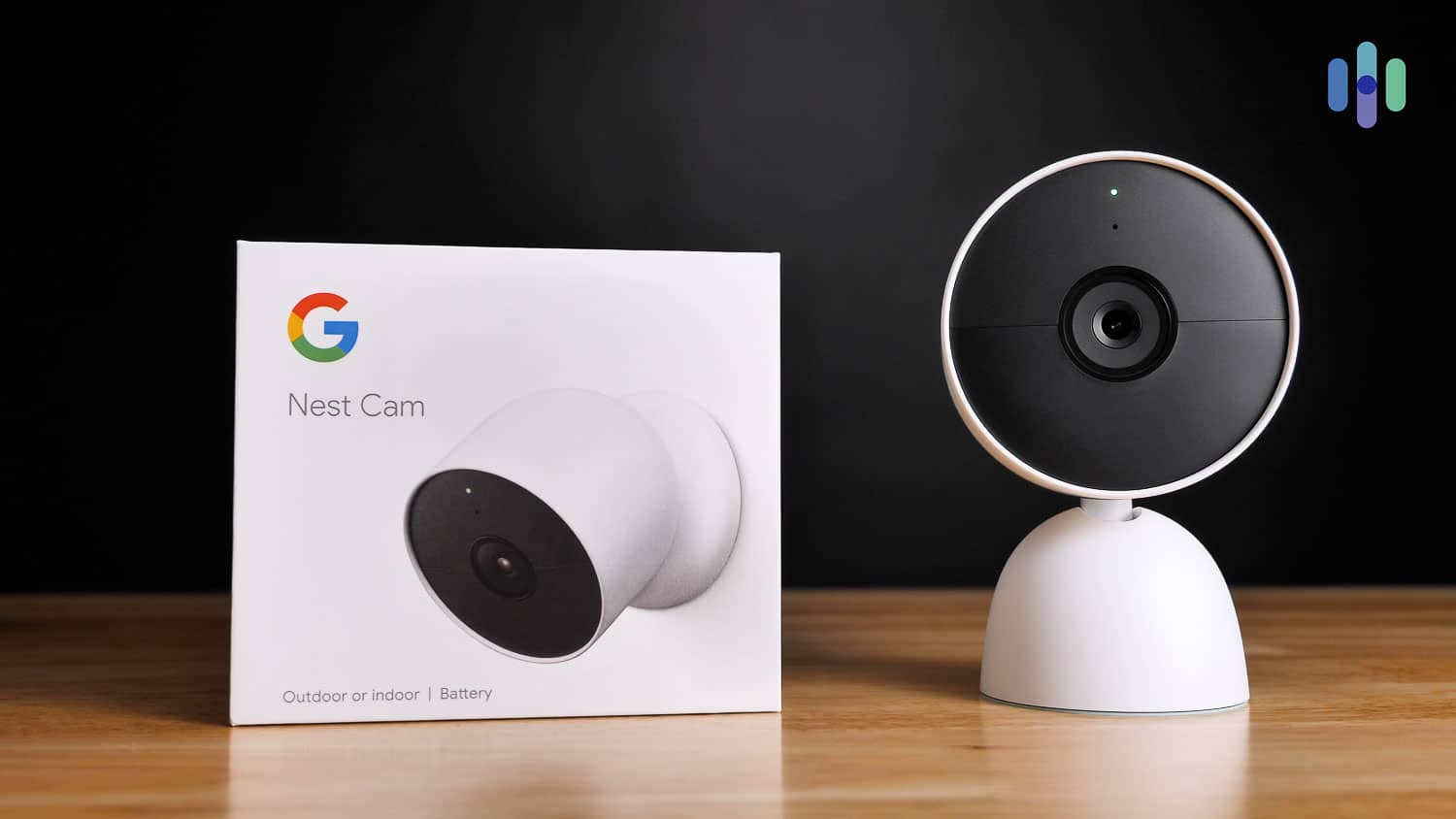
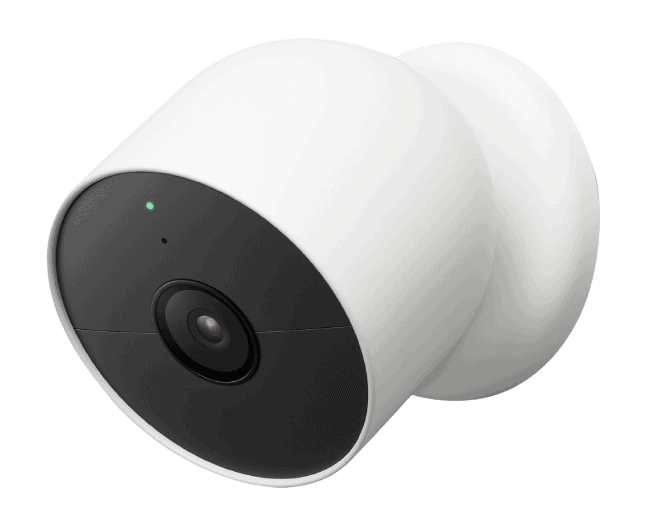
Three of the four Nest Cams require power. The $99 Nest Cam Indoor and the $149 Nest Cam Outdoor need plugging in, while the Nest Cam with Floodlight needs to be hardwired to a junction box. If you prefer wireless security cameras, your only option from Google Nest is the Nest Cam (indoor/outdoor, battery). It also happens to be the most versatile, as it can work indoors and outdoors.

Cost
Nest cameras used to be expensive, but the new generation of Nest Cams come with Nest’s more affordable pricing. The Nest Cam (outdoor or indoor, battery) costs $179.99. The Nest Cam Indoor (wired, 3rd gen) costs $99, while the Nest Cam Outdoor (wired, 2nd gen) costs $149.99. The Nest Cam with floodlight, which is the most expensive, costs $279.99.
While those prices are still above average, the cameras are jam-packed with smart features and great technology. In a sense, you’re getting your money’s worth. Compared to the Ring Spotlight Cam, for example, the Nest Cam with floodlight costs only about $50 more, but it delivers facial recognition a Google Home Premium subscription and person detection out of the box. The less expensive Ring Spotlight Cam doesn’t have either of the two features. (Read our Ring Spotlight Cam review here.)
For ways to save on Nest cameras around the holidays and big sales events, visit our lists of Nest Cams’ Black Friday and Cyber Monday deals and Nest Cams’ Prime Day deals.
| Camera | Cost |
|---|---|
| Nest Cam (outdoor or indoor, battery) | $179.99 |
| Nest Cam Indoor (wired, 3rd gen) | $99.99 |
| Nest Cam Outdoor (wired, 2nd gen) | $149.99 |
| Nest Cam with floodlight | $279.99 |
Money-Saving Tip: If you want to save money on Nest products, it always helps to bundle. Two and three camera packs can save you up to $90.
Two-Way Audio
When we spoke through the cameras’ speakers, we noticed that the Nest Cams had very clear audio. With older models, we had to repeat ourselves to the dog sitter a few too many times for our liking with the originals, so it was nice to have more straightforward communication with these devices.
Infrared Night Vision
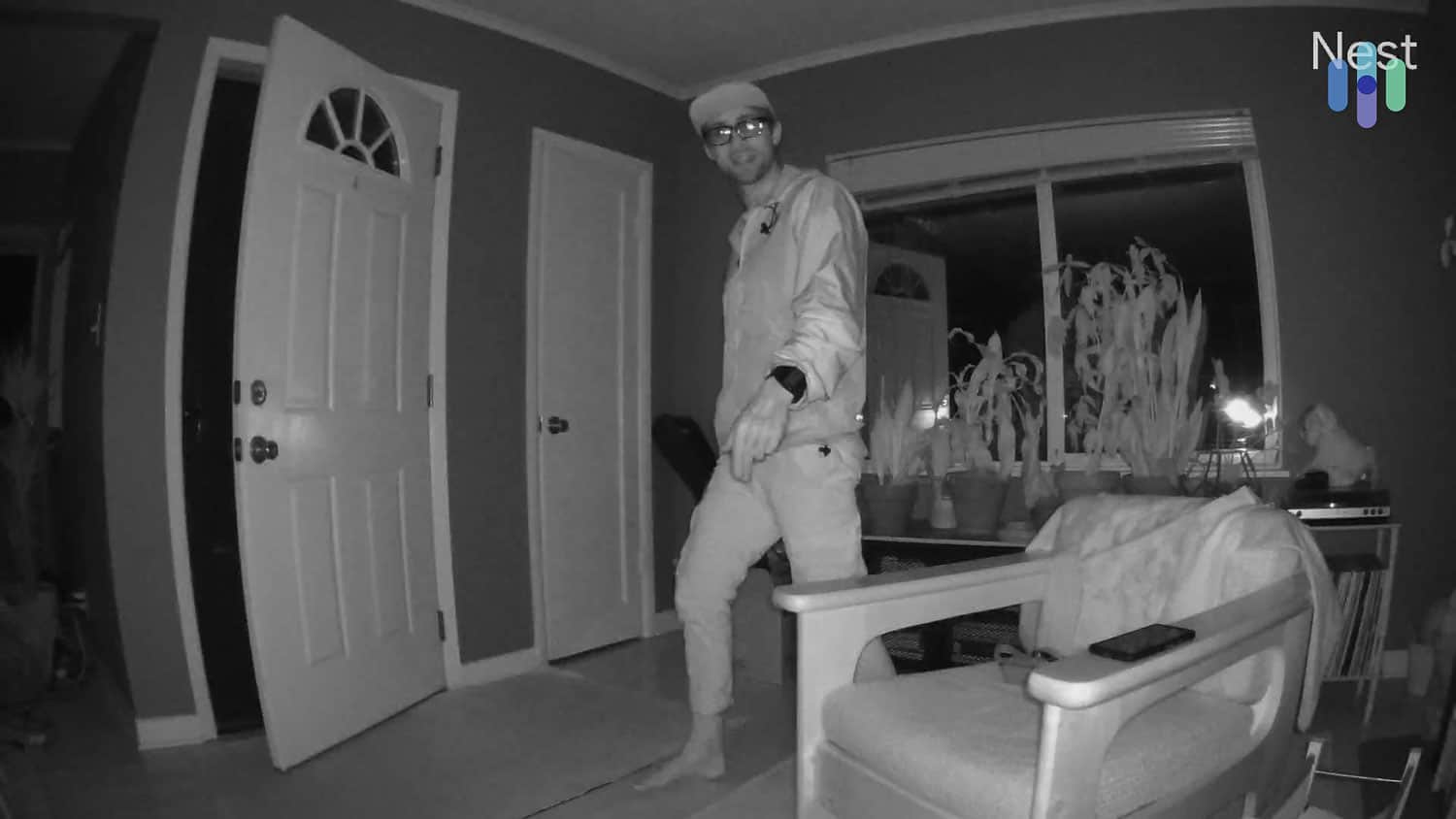
We didn’t just test out our Nest cameras during the day; we also tested them out at night and were pleased with the black and white footage made possible by the cameras’ six high-power infrared LED sensors. That being said, we’re waiting to get our hands on Nest’s new floodlight camera so we can see all that brilliant footage in color.
Artificial Intelligence
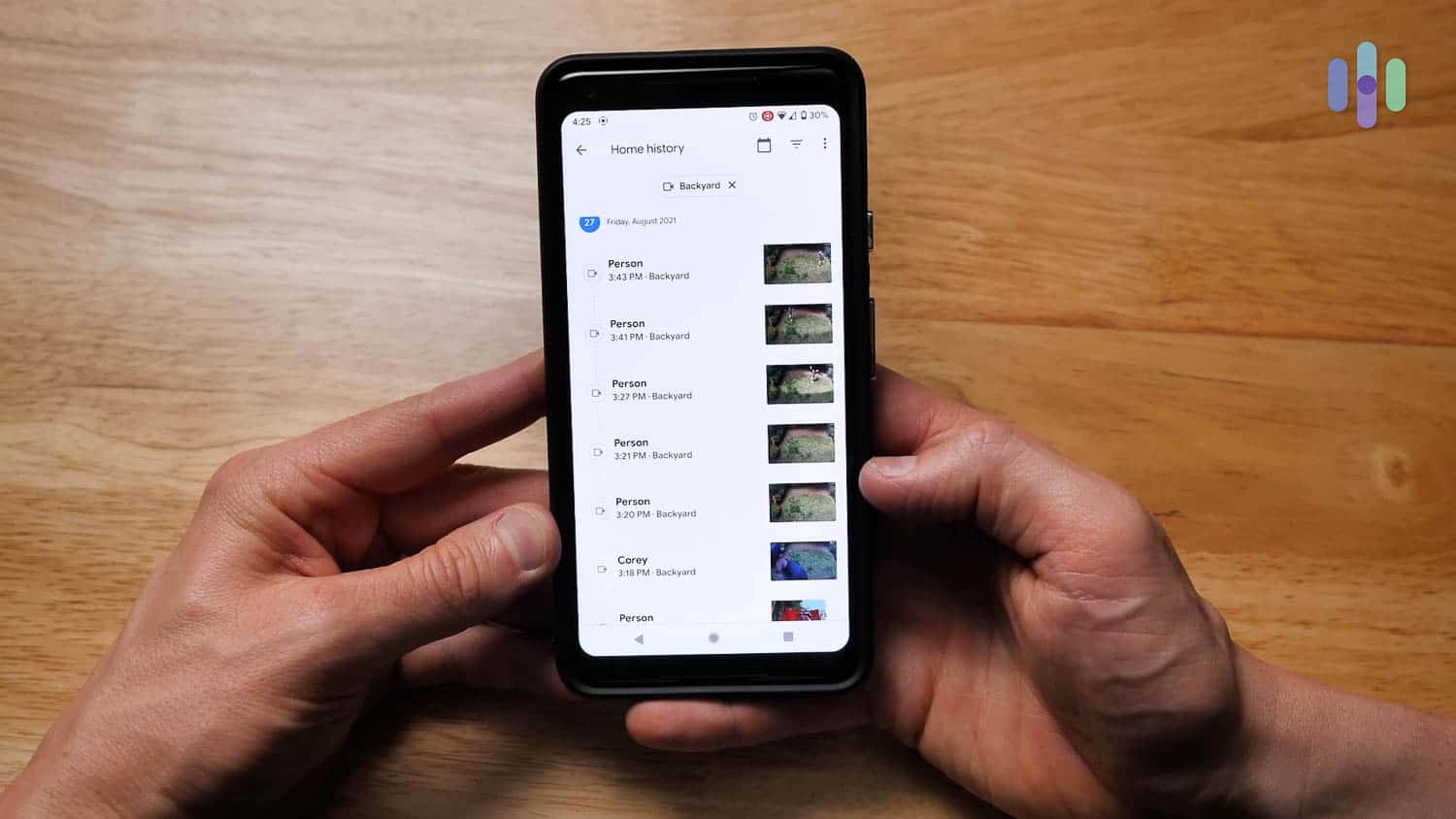
Remember when we said we’d come back to motion detection? So, when it came to customizing when we wanted our cameras to record, the possibilities were a bit different depending on the camera.
Nest’s facial recognition, included in our Google Home Premium subscription, allowed the cameras to learn and remember the facial features of people in or around the house. The new Gemini-powered models offer enhanced AI capabilities that deliver smarter activity alerts, visual summaries, and more detailed analysis of what’s happening around your home.
When the camera detected a person, our app asked us if we knew them. If we did, we said yes, and wrote their name in the Google Home app. Nest alerted us to people who weren’t familiar, too. It was super convenient when we wanted to keep tabs on our kids while we were at work, making sure they didn’t open the door for strangers.
Durability
The best way to determine a camera’s durability is by looking at its IP rating. The IP standard measures degrees of protection against solids and liquids. The measurement helps us, as product testers, understand the details of our camera beyond vague marketing terms like “waterproof.”
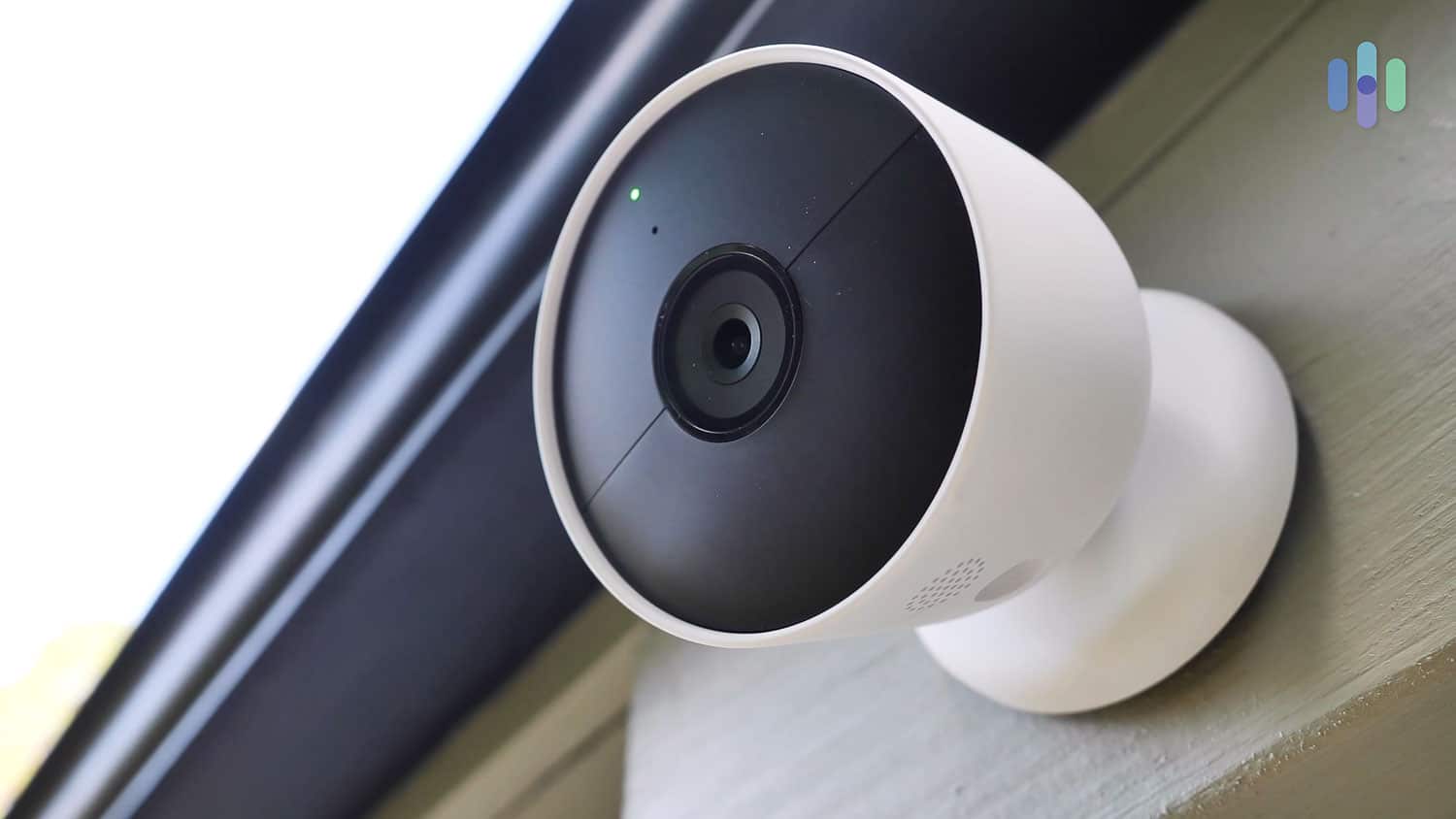
One thing we noticed about the Nest Cam (battery) is that the company says it’s usable indoors and outdoors, but the camera’s IP rating is only IP54. An IP54 rating means the device is not dust-tight and is protected from water splashes, but it falls short of being fully waterproof. The newer Nest Cam Outdoor (wired, 2nd gen) is more durable with an IP65 rating, making it water and dust resistant.
If you are to use the Nest Cam (battery) outdoors, we recommend placing it under cover, like in a patio or under the eaves. It may be able to withstand drizzles, but a torrid downpour could possibly ruin the camera’s electronics.
Installing Our Nest Cameras
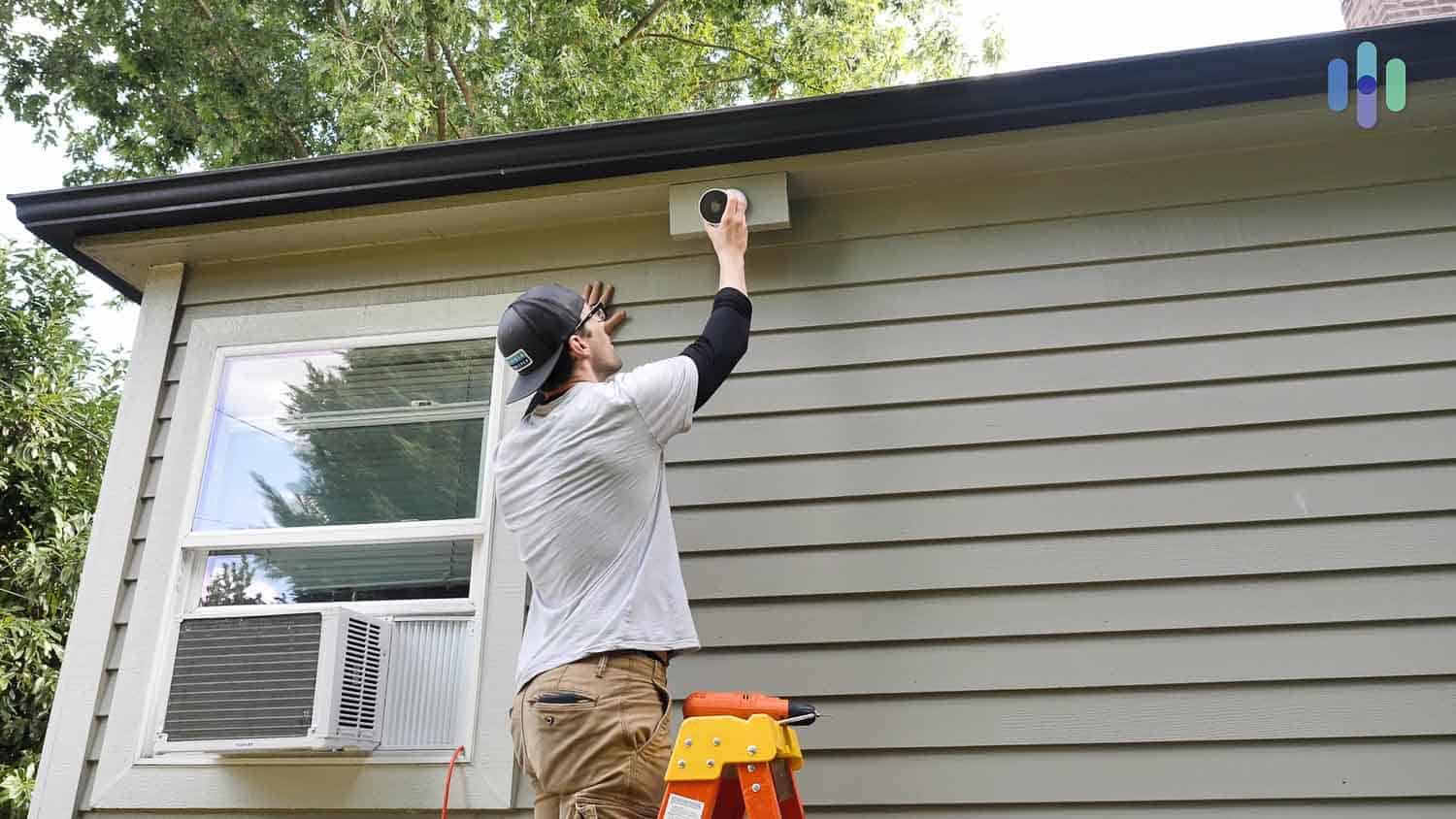
Like 60 percent of all security systems,5we had to install our Nest cameras all by ourselves. When it came to setting everything up, the app guided us through the process step-by-step, and we had our Nest Cams set up in only a few minutes each. If we wanted to mount them, that would take a bit more time and a little elbow grease, so we simply placed our cameras on flat surfaces and called it a day. And as far as the Nest Floodlight, that installation will involve some hardwiring, which we’d recommend leaving to a professional installer. The good news is, a Nest Pro can come to your home and install your Nest Cam for $99.
Monitoring Options
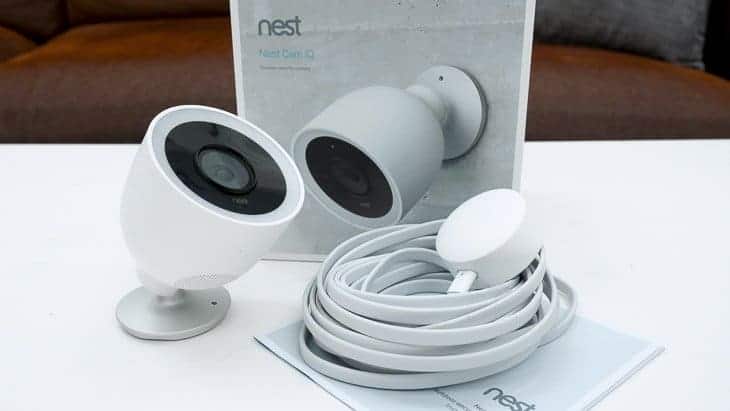
In addition to its IQ cameras like the Nest Cam IQ Indoor,6 Nest also discontinued Nest Secure, the brand’s home security system that offered professional monitoring as an add-on. The only option for us with Nest subscriptions, then, was to self-monitor our Nest Cams. If you want professional monitoring, it might be wise to look at a fully monitored security system instead of individual cameras. A classic company like ADT won’t let you down, though ADT’s monitoring costs are a bit steep at $60 per month. Also, we suggest looking at a package from SimpliSafe, which offers 24/7 monitoring starting at $14.99 per month.
See how Nest stacks up against the competition
We tested Nest and compared it side-by-side with other brands to give you the full picture.
Recap
In our extensive testing of each, we found that Nest’s cameras are some of the highest quality on the market today, especially in terms of video and artificial intelligence capabilities. We think the new Gemini-powered models with 2K HDR video are a significant upgrade, as they offer better image quality, improved low-light performance, and smarter AI-driven features.
We also got the same high-quality equipment and low-cost cloud storage with the company’s latest-generation Nest Cams. However, we weren’t thrilled with the Nest Cam (battery) with its IP54 rating, because it meant the camera is not dust-tight and can’t handle more than a few splashes of water.
With a Google Home Premium subscription and the redesigned Google Home app, managing your Nest cameras is easier, although the transition from Google Assistant to Gemini is still a little bumpy. In the end, though, all of our Nest Cams worked really well for us and made it easy to stay on top of our home’s security. And if you want a video doorbell, read our Nest doorbell review for more information.

View on Amazon
Links to Amazon.com
Citations
-
New York Times. (2011). A Thermostat That's Clever, Not Clunky. nytimes.com/2011/12/01/technology/personaltech/nest-learning-thermostat-sets-a-standard-david-pogue.html
-
Apple App Store. (2020). Nest App. apps.apple.com/us/app/nest/id464988855
-
Google Play Store. (2020). Nest App. play.google.com/store/apps/details?id=com.nest.android&hl=en_US
-
Adobe. (2021). What to know about HDR camera settings. adobe.com/creativecloud/photography/hub/guides/learn-about-hdr-camera-settings.html
-
PR Newswire. (2020). Parks Associates: 60% of Newly Acquired Security Systems Are Self-Installed. prnewswire.com/news-releases/parks-associates-60-of-newly-acquired-security-systems-are-self-installed-301017272.html
-
Google. (2015). Say hello to Nest Cam. blog.google/products/nest/say-hello-nest-cam/