

Mullvad VPN Review 2026: Expert Hands-On Testing
Mullvad keeps things simple with flat pricing and minimal features, but it might be too limited in a few areas.
 &
&
 Last Updated on Jul 27, 2026
What We Like
- No personal information required: You get a random account number instead of an email or name, and you can pay with cash or crypto for near-total anonymity.
- One flat price since 2009: No tiers, no renewal price hikes, no seasonal sales. Every plan length costs €5 a month.
- Deep audit history: Multiple independent firms have audited Mullvad's apps and infrastructure more than ten times since 2018, with results published in full.
What We Don't Like
- Streaming is hit or miss: Mullvad isn't built for unblocking services like Netflix, as we found out in our testing.
- No port forwarding: Mullvad removed the feature in 2023, which is worth knowing if you rely on it for gaming or self-hosting.
- A steeper learning curve: Split tunneling and several other settings require manual effort rather than a simple app toggle, making Mullvad harder to configure than most competitors.
Bottom Line
the security.brief
We tested Mullvad's no-account privacy model, flat pricing, and WireGuard-only setup firsthand. Here's how it holds up for everyday use.
Most VPNs need a few details from you to get started, even if it’s just an email address. Mullvad decided from the start that it doesn’t want to know anything at all, which is why it quickly became a fan-favorite for privacy-conscious VPN users. It hasn’t changed its position since. You can pay in cash or crypto, with no account login beyond a number they randomly generate for you. The commitment to anonymity comes at a consistent cost too. It’s kept the same flat €5-per-month price the entire time, regardless of how long a plan you buy.
For this review, we tested Mullvad across desktop and mobile for just over two weeks. We tried to use it the way someone who actually cares about anonymity would. We also ran the usual speed tests, leak checks, and streaming attempts to see how well it performs. Our team even carved out extra time to poke around the settings menu. What we really wanted to know was whether the privacy reputation holds up or whether it’s just a marketing gimmick.
What We Tested
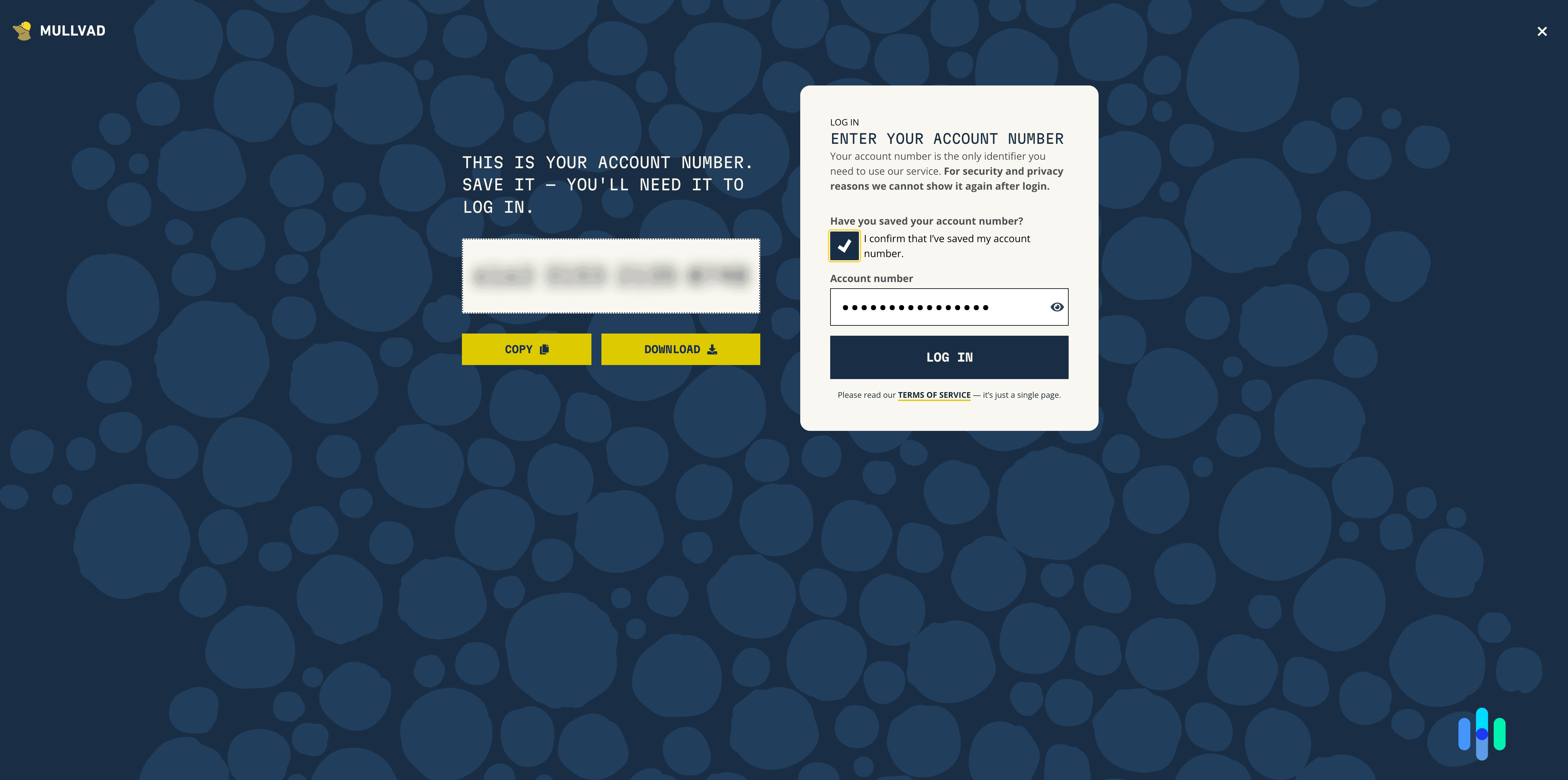
We started our test by creating an account, and surprisingly, Mullvad didn’t request any information from us. Not our email, not a username, and not even which country we’re from. Instead, it simply generated a unique account number that we used to log in across our devices for our two-and-a-half-week tests. We tested Mullvad on a Linux desktop, a MacBook, an iPhone, and a Pixel phone. The question we kept coming back to: what does that privacy-first design actually cost you in everyday speed, convenience, and features? Here’s what we put Mullvad through:
- Account and payment. Generating an anonymous account and completing a cryptocurrency payment, start to finish, with no email involved.
- Speed. Download, upload, and ping across three server distances to see how the WireGuard-only setup holds up.
- Privacy tools. DAITA, Multihop, and the always-on kill switch, tested in real scenarios rather than just switched on and left alone.
- Leak protection. Whether any IP, DNS, or WebRTC data slipped past the tunnel, checked across multiple servers and sessions.
- Streaming. How Mullvad handled popular streaming platforms, given its reputation as a privacy tool first and foremost.
Speed and Performance
We tested Mullvad’s speed by connecting to nearby servers, mid-distance servers, and distant servers, then comparing our download speed, upload speed, and latency to our baseline speed when not connected to a VPN. Unlike most VPNs we’ve tested, we only used the WireGuard protocol, which is all Mullvad offers. We’ll explain why later. We found that the results stayed close to our baseline and held up reasonably well farther out too. That tracks with WireGuard’s reputation as one of the leaner, faster VPN protocols out there.
| Server Distance | Download Speed | Upload Speed | Latency |
|---|---|---|---|
| Baseline (no VPN) | 94.6 Mbps | 94.7 Mbps | 3 ms |
| Nearby (New York) | 92.4 Mbps | 91.8 Mbps | 12 ms |
| Mid-distance (Japan) | 84.7 Mbps | 80.3 Mbps | 61 ms |
| Distant (South Africa) | 71.2 Mbps | 65.4 Mbps | 142 ms |
Even on the mid-distance Japan server, Mullvad was fast enough to hold a 1080p video call without freezing, but the higher ping cause minor lags during our two-hour gaming session test. On the distant South Africa server, a 2 GB file that downloaded in about three minutes on the nearby server took closer to nine. That’s worth weighing against our broader VPN speed testing, where providers like PureVPN, IPVanish, and NordVPN saw a minimal difference downloading the same 2 GB file across comparable distances.
Privacy and Security
Mullvad’s reputation rests on its privacy architecture, so we spent extra time here. We looked at how the encryption and protocol setup work, then ran leak tests to check our data was secure at all times.
Encryption and VPN Protocols
Unlike VPNs that offer multiple protocols, like Surfshark and NordVPN, Mullvad focuses on WireGuard alone. The company fully retired OpenVPN at the start of 2026, arguing that maintaining two protocols split its attention when WireGuard already covers what most users need. We have no problem with that, since we’ve confirmed through testing that WireGuard is fast and secure. Under the hood, it swaps the AES encryption most other protocols use for ChaCha20. This lightweight protocol is designed to run faster, drain less battery on phones, and resist hacking attempts more effectively.
Mullvad pairs WireGuard with something most VPNs don’t have: DAITA (Defense Against AI-guided Traffic Analysis). It’s an obfuscation technology aimed at disguising traffic patterns themselves, instead of just hiding your IP address. Here’s why that matters: even encrypted traffic gives off patterns, like packet size and timing, that AI can learn to associate with specific websites or activity. DAITA disguises those patterns by adding cover traffic and normalizing packet sizes. That means an observer watching your connection can’t reliably guess what you’re doing just from the shape of the data passing through.
Pro Tip: DAITA currently only works on a limited set of servers, in Amsterdam, London, Los Angeles, and New York. If you connect somewhere else, you won’t get the feature even with it turned on in settings.
Leak Tests
We didn’t just run one leak test and call it a day. Over three days, we cycled through servers on four continents, checking for IP, DNS, and WebRTC leaks each time we connected. Out of 36 individual checks, not one leaked. That’s the kind of result we look for before recommending a VPN. We didn’t want to see a clean result from just one server. The expectation was that our IP address and DNS requests remained hidden across different servers, distances, and days. And in that area, Mullvad held up.
Features
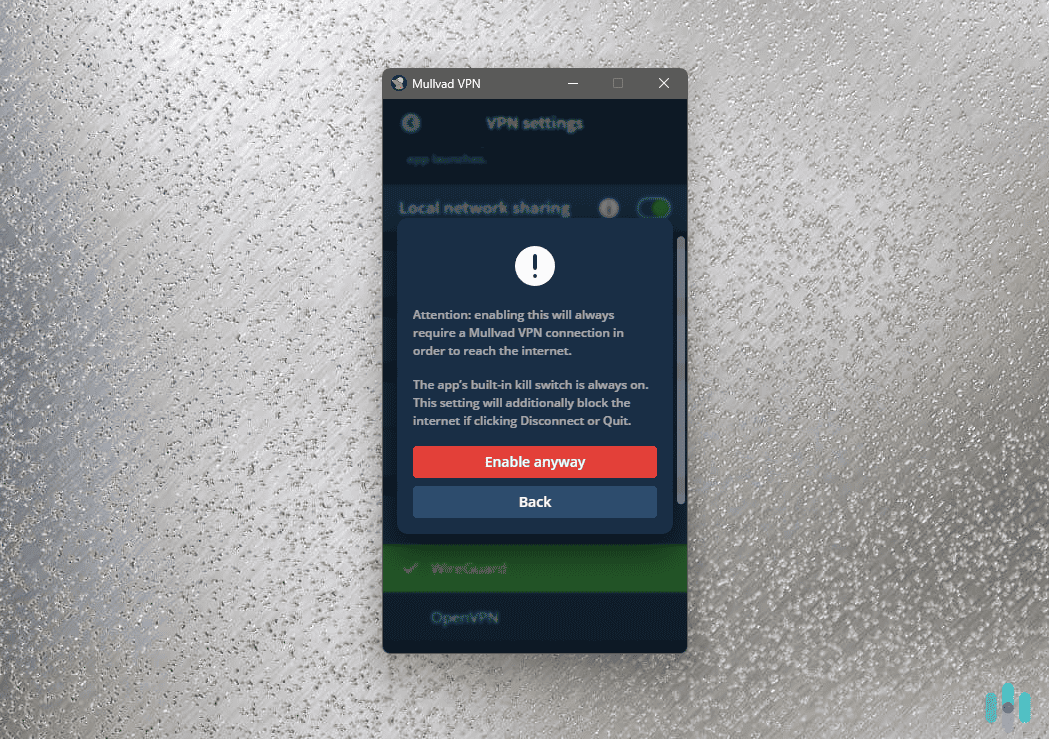
Mullvad offers privacy tools you won’t find bundled with most VPNs. These features are not simple to set up either. That might be a downside if you want something that works out of the box. Mullvad is built for people chasing the highest level of privacy available, and for that audience, a little extra setup might be worth it.
- Anonymous account creation. We generated a new account with a single click. That’s a departure from most VPNs, which ask for at least an email address to handle billing and account recovery. After paying the fee, the account activated within about ten minutes, with nothing on file that could tie the subscription back to us.
- Kill switch and Lockdown mode. Mullvad’s kill switch can’t be turned off. We simulated a VPN connection drop six times across desktop and mobile, and every time, our real IP address stayed hidden instead of falling back to our real connection. We also enabled Lockdown mode, which blocks all internet access until Mullvad reconnects.
- DAITA. We connected to one of the supported Amsterdam servers and ran a traffic capture while browsing normally. The packet sizes and timing were noticeably more uniform than our standard connection, which is what DAITA is supposed to do.
- Multihop. This routes your connection through two servers in different countries for a second layer of encryption. We set a Sweden-to-Canada route and confirmed the change with a follow-up leak test. We noticed our speed dropped by roughly half compared to a single-hop connection, though.
- Split tunneling. Unlike most VPNs, which let you exclude apps by name, Mullvad’s split tunneling works by IP address and port. That’s not very user-friendly, but you may get the hang of it once you know what you’re doing. We used it to route our video editing app outside the VPN tunnel while keeping everything else protected. It took a bit of time to set up, but it also gave us more precise control than a simple app list would have.
As you can tell, Mullvad’s feature set is less convenient than app-based toggles, but more exact once you’ve taken the time to set everything up.
Our Experience
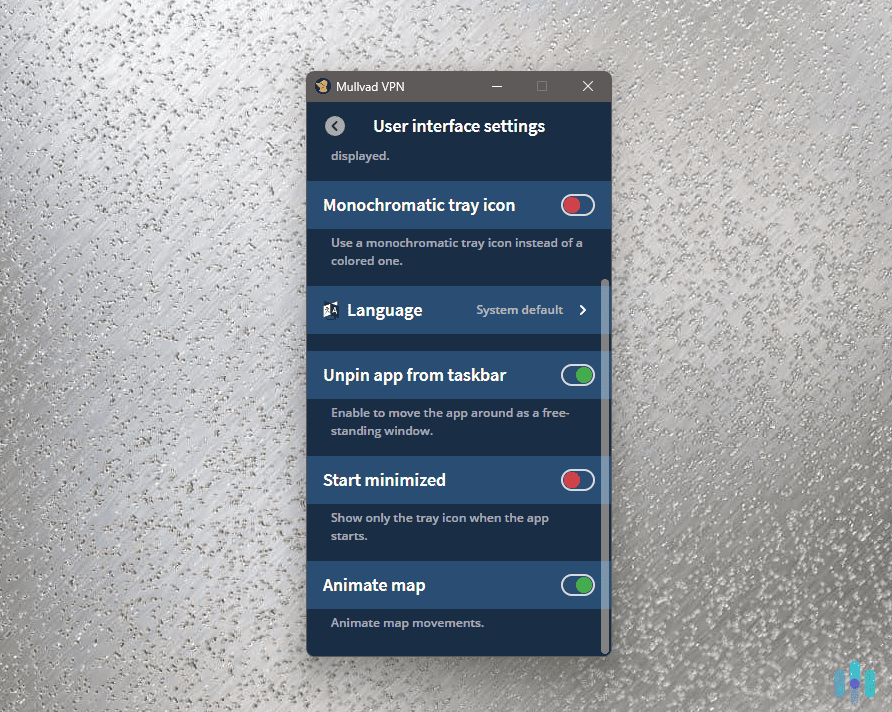
The desktop Mullvad app on our Linux machine opened to a plain map, a connect button, and an account number in the corner instead of a name. The overall look felt familiar to other VPN apps we’ve tested. The settings menu is where the action is, though. Configuring DAITA and Multihop together took us a few passes to get right, mostly because Mullvad explains what each feature is in technical language. We didn’t mind once we got the hang of it, but we don’t think it will be for everyone. If you’re looking for a VPN with simpler on-off toggles, we recommend choosing another privacy-focused VPN with user-friendly apps, like Proton or NordVPN.
Support is email-only. We sent a question about payment methods and got a clear, specific reply in about six hours. That was faster than we expected given the lack of a chat option. One small touch we liked: each device connected to your account gets an automatically generated two-word nickname instead of a generic label. This made it easy to tell our phone and laptop apart in the account dashboard without having to name them ourselves.
FYI: In between security and leak tests, we tried to access streaming libraries in other countries. The results were a coin toss. Sometimes Netflix and Disney+ worked flawlessly, and other times the platforms knew we were connected to a VPN. We’re not surprised considering that’s not what Mullvad is built for, but it’s worth considering if you want to use a VPN for streaming.
Pricing
Mullvad’s pricing might be the simplest in the industry. It’s €5 a month no matter how long you sign up for. That sounds great on the surface, but it also means there’s no discount for committing to a longer plan, like most other VPNs offer. Providers like NordVPN and Surfshark discount two-year subscriptions by up to 75 percent. The only exception Mullvad offers is a 10 percent discount for paying with cryptocurrency, since it’s cheaper for them to process.
| Plan Length | Price | What You Get |
|---|---|---|
| 1 month | €5/month (~$5.7 at the time of writing) | Full VPN access, 5 devices, all servers |
| 1 year | €60 at €5/month | Full VPN access, 5 devices, all servers |
| 1 decade | €600 at €5/month | Full VPN access, 5 devices, all servers |
The available payment methods get the same privacy treatment. You can pay with crypto or mail in cash if you want zero digital trail connecting you to the subscription. If you’re new to that idea, it’s worth reading up on the VPN legality basics before you pay.
One downside worth noting is that there’s no free trial, but a 14-day money-back guarantee applies to most payment methods. Cash and crypto purchases are excluded due to anti-money-laundering rules. This approach is different from most subscription-model VPNs we’ve tested.
How Mullvad Compares to Proton VPN and ExpressVPN
While Mullvad, Proton VPN, and ExpressVPN are three of the most trusted names in the VPN industry, they take different approaches to privacy and pricing. Mullvad doesn’t ask for any personal information at all. Proton VPN requires an email address, though it backs that up with an independently audited no-logs policy of its own. ExpressVPN requires an email too, and doesn’t offer anonymous payment options the way Mullvad and Proton do.
On price, Mullvad’s flat €5 a month sits in the middle of the pack. Proton’s free plan undercuts it entirely if you don’t mind a limited server list. ExpressVPN costs more across every plan length and adds a device-limit tier structure.
Streaming access tells a similar story. ExpressVPN is built to unblock services like Netflix reliably, and Proton does a solid job too, both landing on our best VPNs for streaming list. Mullvad makes no real effort here, since streaming is not its priority. If anonymity matters more, Mullvad’s the strongest of the three. For a broader side-by-side, see our VPN comparison guide.
| VPN | Starting Price | Personal Info Required | Device Limit | Jurisdiction |
|---|---|---|---|---|
| Mullvad | €5/month (flat) | None | 5 | Sweden |
| Proton VPN | $2.99/month (2 year plan) | 10 | Switzerland | |
| ExpressVPN | $2.79/month (2 year plan) | 8-14 (plan-dependent) | British Virgin Islands |
If anonymity matters more, Mullvad’s the strongest of the three. If you want strong privacy without giving up streaming access, we recommend Proton or ExpressVPN instead. For a broader side-by-side, see our VPN comparison guide.
Who Mullvad For
Paying with cash or crypto, skipping the email address entirely, and masking your IP address behind a service that’s been audited more than ten times by independent firms demonstrates Mullvad’s commitment to privacy. If you’re comfortable with Linux, command-line tools, or just enjoy fine-tuning your setup, you’ll feel at home here compared to more polished, app-first competitors like TunnelBear.
That being said, Mullvad’s privacy-first approach means it’s not as polished as your typical VPN. If you want to unblock Netflix or other streaming libraries, look elsewhere. Mullvad doesn’t optimize its servers for that use. The same goes if you want the largest possible device limit or a fully guided, beginner-friendly setup experience. For a broader sense of how Mullvad stacks up, our full VPN buying guide breaks down categories like the best no-log VPNs and the best VPNs for torrenting, both areas where Mullvad’s privacy-first design shines.
Frequently Asked Questions
-
Do I need an email to sign up for Mullvad?
No. Mullvad generates a random account number for you. You can also add funds and use the service without providing an email, name, or phone number.
-
Is Mullvad good for streaming Netflix?
Mullvad isn’t built for unblocking streaming services. In our testing, we ran into inconsistent access to Netflix and similar platforms.
-
What VPN protocol does Mullvad use?
Mullvad uses WireGuard exclusively as of January 2026, after retiring OpenVPN. WireGuard is faster and more modern than older protocols.
-
How much does Mullvad cost?
Mullvad charges a flat €5 per month regardless of how long a plan you buy. There are no tiers, discounts, or renewal price increases.
-
Is Mullvad's no-logs policy independently verified?
Yes. Mullvad has undergone more than ten independent security audits from firms including Cure53 and Assured AB. A 2023 Swedish police search of its offices also found no customer data to seize.