

While AVG logs your name, IP address, and browsing activity, NordVPN’s no-logs policy is backed by repeated independent audits.
AVG VPN Review
The AVG VPN boasts compatibility with Netflix and torrenting, but it has a long way to go when it comes to users’ privacy.
All of our content is written by humans, not robots.
Learn More
By
 &
&
 Last Updated on Sep 10, 2026
&
Last Updated on Sep 10, 2026

What We Like
- Kill switch: When an elbow knocked into our computer, accidentally turning off our Wi-Fi, AVG killed all of our web browsers to keep our ISP from seeing what tabs we had open.
- Torrenting: Believe it or not, not all movies and TV shows are on our favorite streaming platforms. For the rest, we torrented files using AVG to protect us.
- Netflix access: But let’s be honest: Most of what we want is on Netflix, which AVG worked with well.
What We Don't Like
- Logs web activity and traffic: This is the biggest reason why AVG’s VPN is an abysmal pick for those using a VPN for privacy purposes.
- Based in the Netherlands: We’re not anti-Holland in general, but the Netherlands are a member of the surveillance alliance the Nine Eyes, so AVG could be forced legally to hand over our personal information.
- Small server infrastructure: The 700+ servers across in about 50 locations pales in comparison to competitors like NordVPN with over 8,000 servers in 127 countries.
Bottom Line
AVG's VPN is just as powerful as their antivirus software, with a backup kill switch in case it loses connection so your web traffic stays hidden.
the security.brief
AVG VPN works with Netflix and torrenting but logs user data and is based in a Nine Eyes country, making it a poor choice for privacy seekers.
AVG is one of the first names that come to mind when we think of free antivirus software. It’s fairly well-known in the antivirus space. But did you know it has a VPN too? It’s not free, unfortunately, but the AVG VPN offers a 60-day free trial. We recommend testing it out, but before you do, read this review as there may be some pitfalls you’d want to avoid.
Features
| Logs data | Yes |
|---|---|
| Kill switch | Yes |
| Split tunneling | Yes |
| Netflix | Yes |
| Torrenting | Yes |
More Detailed Information
If you want all the details about our testing of AVG VPN, keep on reading.
Privacy
Let’s get this out of the way. When it comes to privacy, AVG is simply not a good choice for a variety of reasons. The big issue is that they log a ton of unnecessary information. It’s enough that anyone who got a hold of it could find out that we used their VPN service. The information AVG logs includes:
- Name
- Address
- Phone number
- Account number
- Password
- Payment information
- IP address
- Billing data
- Operating system
- Hardware
- City or country of device and network
- URLs of websites visited
Our research on VPN usage tells us that 40-percent of people use a VPN for general privacy. If you belong to that 40-percent, we’re just going to say it: AVG is a poor choice. That’s because of how much data it logs. What surprised us the most is that it logs URLs of websites visited and IP addresses. Those are key pieces of data. If someone cross references them, they’d be able to put together who visited which websites while connected to AVG.
But who would go to those lengths? Well, the government, for one. Thankfully, AVG no longer operates out of the Netherlands, so they’re not subject to any data-sharing alliances between countries. However, that doesn’t mean your data is entirely safe as the government can still request data from AVG. It’s just that they no longer have to turn it over after changing their base of operations to the Czech Republic.
We understand the importance of lawful investigations, but extensive data logging fundamentally conflicts with the privacy expectations most users have when choosing a VPN service.
Privacy AVG Doesn't Prioritize

Get NordVPN
Links to NordVPN
Security
Of course, government requests for user data are rare. What’s usually more important for VPN users is getting privacy and security while browsing. That means hiding your IP address from hackers, your internet provider, the people you interact with online, and even the websites you visit. It’s important to make sure your VPN isn’t leaking your IP address. To do that, we perform DNS and WebRTC leak tests.
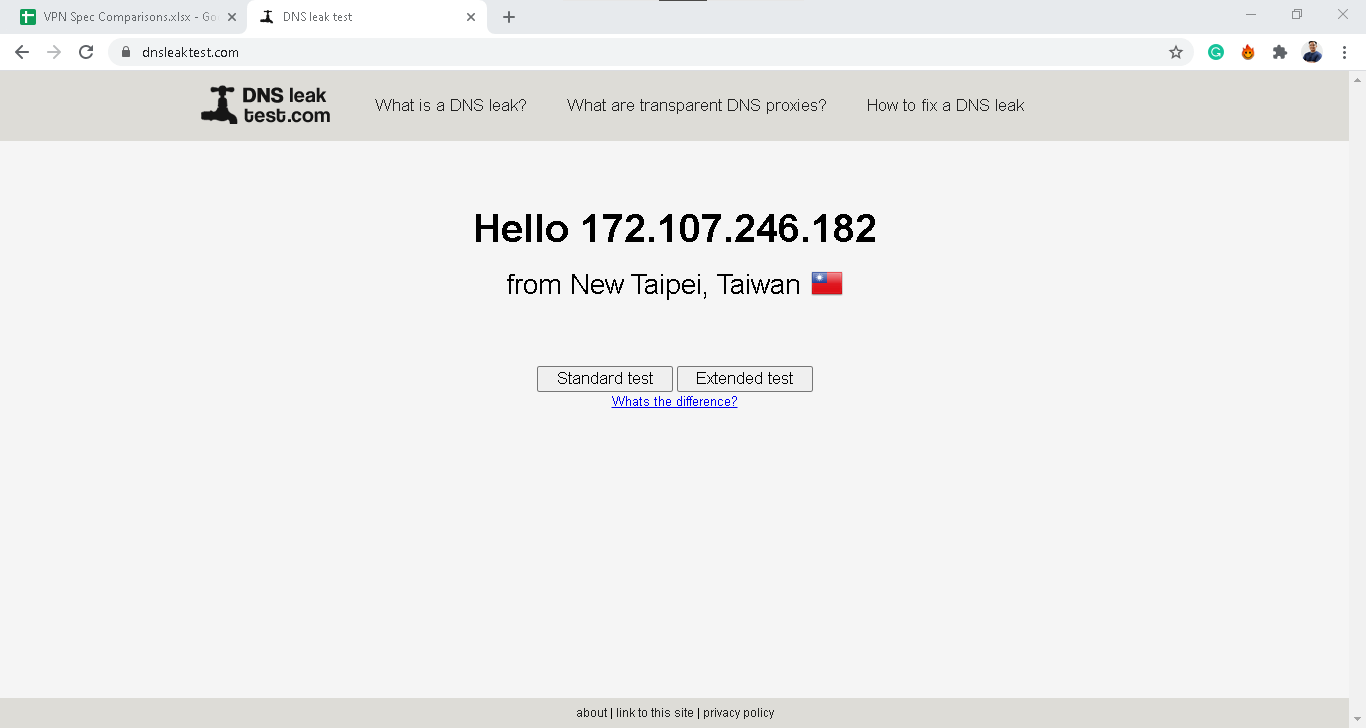
- DNS: To use an analogy, DNS is to IP address as name is to Social Security Number. In other words, DNS stands for Domain Name Server, and it’s what you type in to get to a website, most likely (that’s a lot easier than typing in a whole numerical IP address!). Using industry-standard testing tools, we found that our web traffic was truly encrypted when we had AVG VPN turned on.
- WebRTC: Rather than going through an intermediate server, WebRTC technology lets browsers communicate with each other directly, which means that they need the other’s private IP address. Chrome, Opera, and Microsoft Edge all enable WebRTC by default. That’s why we ran AVG VPN through WebRTC leak tests on Chrome, Opera and Microsoft Edge. It passed them all with no data exposed.
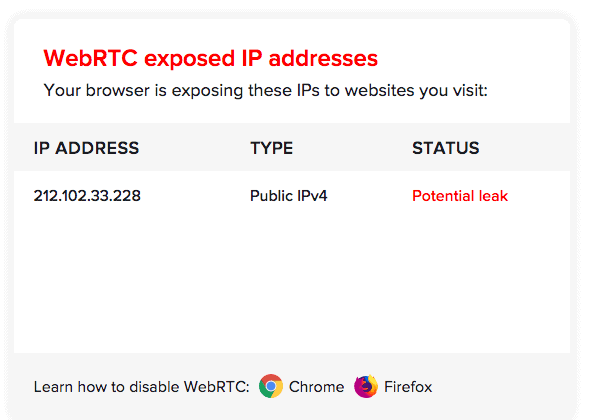
DIY: Want to verify AVG VPN’s security yourself? Take advantage of their 60-day free trial and run your own DNS and WebRTC leak tests using online tools.
So while AVG is clearly not ideal when it comes to their privacy jurisdiction and privacy policy, at the very least, they did the basic job of encrypting our online activities and device IP addresses.
Features
Again, people have various reasons for using a VPN; some people may want a VPN for Netflix, while others may want a VPN for torrenting. Whatever the reason, we’re pleased to say that AVG VPN works with both Netflix and torrenting, so you shouldn’t have any difficulties accessing entertainment.
Looking for a VPN for business? AVG recently added split tunneling. That allows you to route some traffic through their encrypted tunnel and bypass other traffic. This is crucial for accessing local network resources. Otherwise, traffic is routed through a VPN server and then back causing unnecessary slow-downs. That said, we still find the device limit too strict for business use-cases.
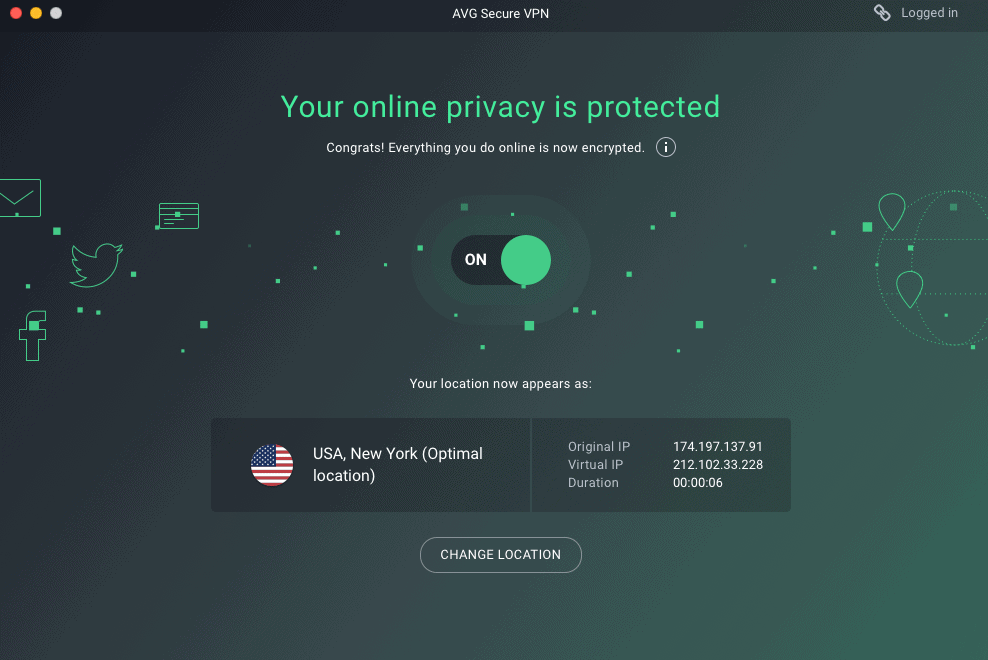
Now, as we said previously, on all compatible devices (which includes Windows, macOS, Android, and iOS), AVG will shut down all of your web browsers and apps if the VPN fails. That way, although you’ll lose your encryption, there’ll be nothing to encrypt, keeping your web activity safe from your ISP.
Speed Tests
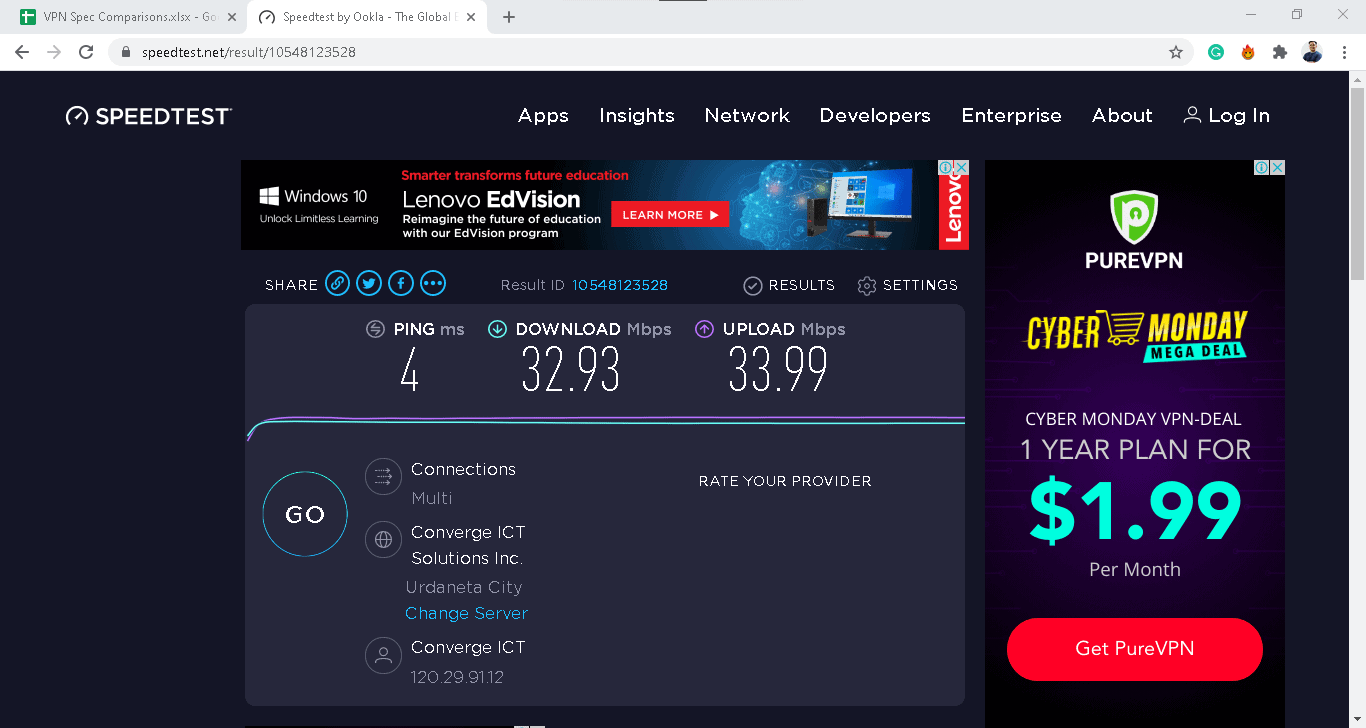
Internet speeds depend on more factors than your ISP plan. Server proximity, network congestion, device capabilities, and more all play a role.1 So we urge you to take our speed tests with a grain of salt.
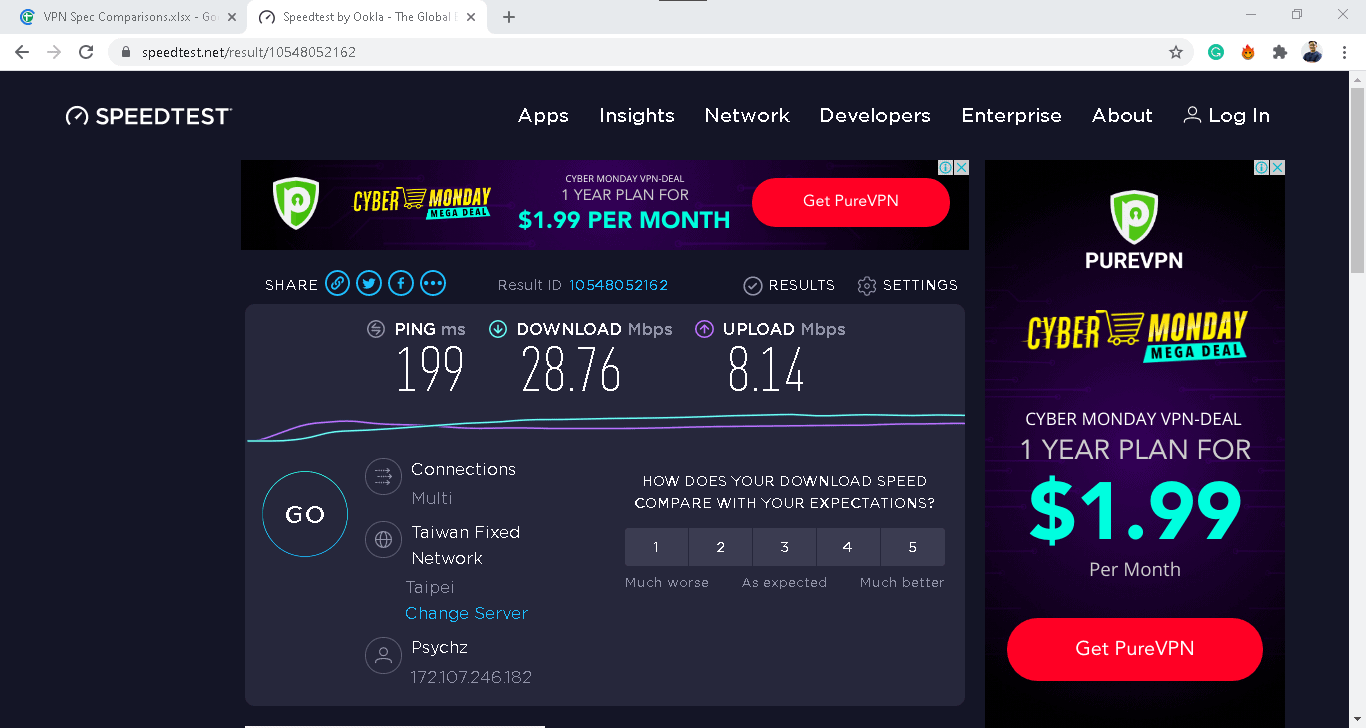
While most VPNs we test reduce our speeds by 10 to 30 percent, we experienced significant performance issues with AVG on Windows. While we saw decent speeds for Mac, there was a ton of latency when it came to Windows, so it’s safe to say that AVG is not one of the best Windows VPNs. Here is the raw data from our speed tests.
| Tests | Macbook Pro | Windows 10 Acer Aspire 5 |
|---|---|---|
| Ping without VPN (in ms) | 59 | 4 |
| Ping with VPN (in ms) | 44 | 199 |
| Ping Difference | 25% | 4875% |
| Download Speed without VPN (in mbps) | 21 | 33 |
| Download Speed with VPN (in mbps) | 15 | 29 |
| Download Speed Difference | 29% | 12% |
| Upload Speed without VPN (in mbps) | 22 | 34 |
| Upload Speed with VPN (in mbps) | 5 | 8 |
| Upload Speed Difference | 77% | 76% |
While the Windows download and upload speed differences were actually smaller than those on our Mac, the amount of latency on Windows makes AVG not an ideal pick for gamers. Overall, it’s a better VPN for Mac, with only 25 percent more latency with the VPN connected.
Pricing
While our AVG VPN pricing page goes over their subscription options in more detail, it’s definitely something we consider in our testing, as well.
| Length of Contract | Maximum Number of Devices | Cost Per Month | Total Billed Amount |
|---|---|---|---|
| 1 Week | 1 | $0.00 | $0.00 |
| 1 Year | 10 | $4.49 | $53.88 |
| 2 Years | 10 | $3.99 | $95.76 |
| 3 Years | 10 | $3.99 | $143.64 |
As you can see, AVG is not a completely free VPN, but instead a VPN with a free trial for 60 days, which counts for something. And beyond that free trial, AVG’s prices are pretty good, although certainly it’s not the cheapest VPN we’ve ever seen. To get the lowest price, sign up for two or three years, which oddly have the same monthly cost of $3.99. Of course, there are also bundles with AVG antivirus software available, so check out our AVG antivirus pricing page to learn about your options in greater detail.
Now, in terms of what an individual subscription to AVG VPN actually includes, we were pleased to find we could use up to 10 devices simultaneously. That’s double what they previously offered. We find this expanded device limit more practical for modern households, considering the average American home has 17 connected devices.2
FYI: Need even more device coverage? You might want to consider an alternative that supports unlimited devices like Surfshark. Read our review of Surfshark VPN to find out if it’s the right option for you.
With the expanded device limit, AVG VPN has become a more viable option for families and multi-device users.
Mobile Application
Interestingly enough, for 31 percent of VPN-users, the biggest reason to use a VPN was to be able to connect to public Wi-Fi, risk-free. If that’s the case, then there’s a good chance that they’re using a mobile VPN, most likely connecting to see the score of the game as they wait in line to return a package (one of the seventh circles of hell, in our opinion). For AVG, that means downloading:
- iOS: AVG Secure VPN & Proxy Server app, 4.7 out of five stars.
- Android: AVG Secure VPN– Unlimited VPN & Proxy Server, 4.4 out of five stars.
These are nearly perfect ratings, and we agreed that AVG’ mobile apps were really easy to use. Of course, they also have apps for Windows and MacOS that we did the speed tests on, but it’s nice to know that we’re covered on mobile, as well.
Recap
The bottom line is that, unless you’re very concerned about privacy, AVG VPN will work for most people, Mac-users in particular. With relatively fast speeds and reasonable pricing, it definitely performed the basic functions of a VPN and is worth the money.
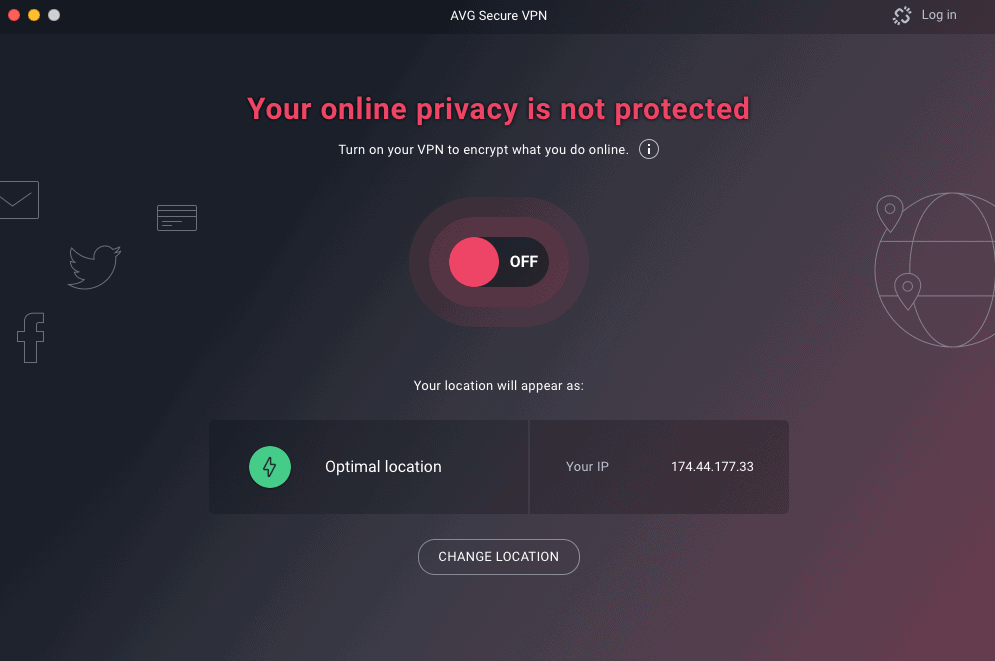
Buy AVG if you want…
- Netflix and torrenting access
- Two months to test their VPN risk-free
- Compatibility with iOS, Android, Windows and macOS devices
But opt for another VPN if you want…
- No logging of websites visited or IP addresses
- More expansive server network than 700 servers in about 50 locations
- Advanced features like multi-hop.
If AVG VPN isn’t for you, that’s okay; we’ve tested out dozens more, so you’re bound to find one option that works. Not sure where to start? Read our guide of the year’s best VPN service.
AVG VPN Frequently Asked Questions
We’re not done yet! Our readers have a ton of questions about the VPN from AVG, and we’re here to help.
-
Is the AVG VPN any good?
The AVG VPN is good for someone that wants to use a VPN for Netflix and torrenting. However, if privacy is a concern of yours, AVG is not the best choice, as it logs a ton of user information like their IP addresses, websites visited, and more web activity data.
-
Does AVG have a free VPN?
AVG offers its VPN for free for seven days. However, after that trial ends, it will cost anywhere from $4.39 to $4.49 a month.
-
Does the AVG VPN slow down internet speed?
Like all VPNs, AVG VPN slowed down our internet speed on both a Macbook Pro as well as a PC. On our Mac, we saw 25 percent more latency with slowdowns of 29 percent in download speed and 77 percent in upload speed. On our PC, we saw 4,875 percent more latency and decreases of 12 percent for download speed and 76 percent for upload speed.
-
Can AVG be trusted?
Because it logs customers’ IP addresses and URLs visited, AVG VPN cannot be trusted if you are looking for privacy. However, if you’re just looking to access another country’s streaming service or torrent non-copyrighted material, then you can trust AVG VPN.
Citations
-
Speed Test by Ookla. (Retrieved 2025). Understanding Internet Speeds: What’s Delivered vs. What You Experience.
https://www.speedtest.net/about/knowledge/understanding-internet-speeds -
Parks Associates. (2024). Parks: Average U.S. Internet Home Had 17 Connected Devices in 2023.
https://www.parksassociates.com/blogs/in-the-news/parks-average-us-internet-home-had-17-connected-devices-in-2023