
Windscribe VPN Review 2026: Testing Results
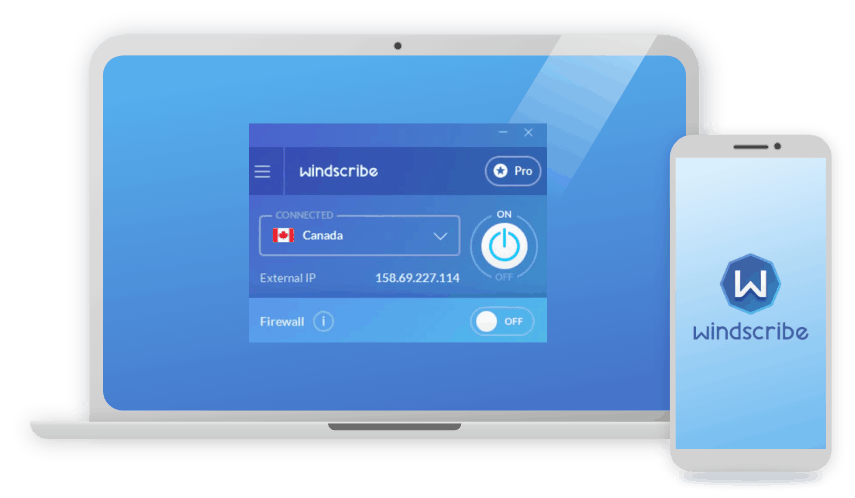
Looking for a free VPN that isn’t hamstrung by data caps and feature gaps? Windscribe might be for you.
 &
&
 Last Updated on Jul 27, 2026

What We Like
- A generous free plan: 10 GB of monthly data, unlimited device connections, and the full app experience, with no watered-down feature set for free users.
- An enormous feature set: Double Hop, static IPs, port forwarding, MAC spoofing, and a custom ad/tracker blocker called R.O.B.E.R.T. come standard, going well beyond what most VPNs bundle in.
- Unlimited simultaneous connections on every plan: Free or paid, there's no device cap to work around.
What We Don't Like
- No dedicated third-party audit of its no-logs policy: Windscribe has open-sourced its apps and passed a broader security penetration test, but it hasn't published a standalone no-logs audit like top competitors.
- Distant servers can be inconsistent: Speeds held up well nearby, but we saw more variability the farther we connected.
- Human support is slower than the chatbot: Windscribe's AI assistant, Garry, answers most questions quickly, but tickets that need a real person can take the better part of a day to get a reply.
Bottom Line
the security.brief
Windscribe offers a free VPN with 10GB/month in select countries but struggles with Netflix access and has slow Mac speeds. It's based in Five Eyes Canada.
Not every VPN is confident enough to let you use nearly the whole product for free, but that’s exactly the pitch Windscribe makes. It’s a Canadian VPN and privacy company founded in 2016 that’s remained fully self-funded and founder-owned ever since, without outside investors.1 That independence shows up in the product. Windscribe leans into configurable features and a free tier that actually holds up, although its usability lags behind the top VPNs in the industry.
For this review, we installed Windscribe’s free and Pro tiers across desktop and mobile and used both versions in day-to-day browsing, streaming, and downloading over four weeks. We ran our standard battery of speed tests, leak checks, and streaming access attempts. We also spent real time inside the settings menus, since Windscribe is more customizable than most VPNs we’ve tested. The goal was to see whether the free plan is actually usable long-term, and whether the Pro plan’s extra features are worth paying for.
What We Tested
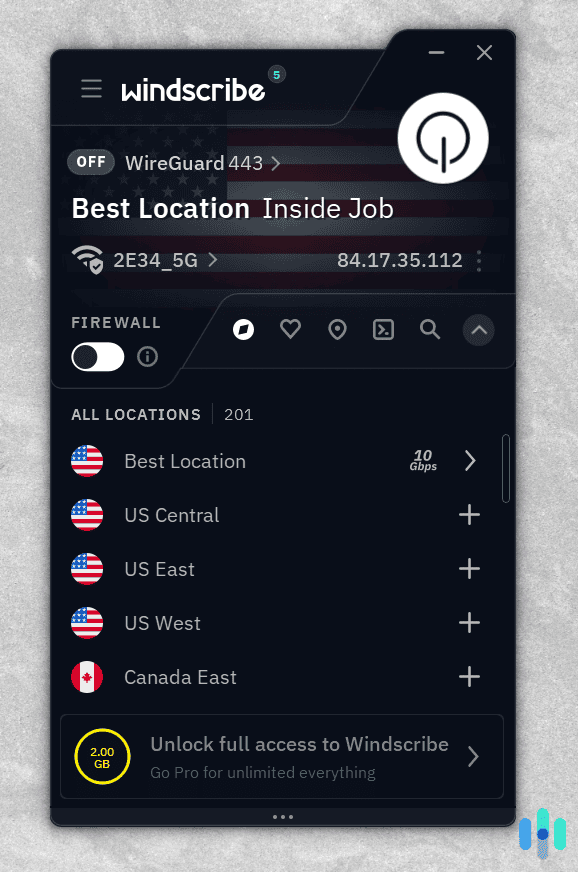
Testing Windscribe meant running both the free and Pro tiers side by side. We ran our tests on an iPad, a Google Pixel 9, a Lenovo ThinkPad, and an M2 MacBook Pro. We kept both accounts active for four weeks, switching between them daily to see exactly where the free tier’s limits show up in real use. We wanted answers on three fronts: whether the speeds held up, whether the deep feature list worked as advertised, and whether the privacy claims checked out.
To find that out, we put Windscribe through the following assessments:
- Speed tests: Download and upload speeds, plus latency, on nearby, mid-distance, and far-away servers, on both the free and Pro tiers.
- Feature testing: R.O.B.E.R.T., Double Hop, the Firewall kill switch, static IPs, and port forwarding.
- Privacy audit: Encryption standards, VPN protocol options, and how the no-logs policy holds up to scrutiny.
- Leak tests: IP address, DNS, and WebRTC leak checks to confirm nothing slips outside the encrypted tunnel.
- Streaming and app checks: Day-to-day use across the desktop and mobile apps, including whether streaming access differs between free and paid servers.
Speed and Performance
Windscribe performed well close to home, but the drop-off became more noticeable on far-away servers. We ran speed tests on a nearby U.S. server, a mid-distance European server, and a distant server in Singapore, using the WireGuard protocol on a Pro account for consistency. Here’s an overview of our results:
| Server Distance | Download Speed | Upload Speed | Latency |
|---|---|---|---|
| Baseline (no VPN) | 94.6 Mbps | 94.7 Mbps | 3 ms |
| Nearby (U.S.) | 91.8 Mbps | 90.6 Mbps | 16 ms |
| Mid-distance (Europe) | 85.3 Mbps | 82.1 Mbps | 52 ms |
| Distant (Singapore) | 68.4 Mbps | 61.7 Mbps | 187 ms |
On nearby and mid-distance servers, that’s fast enough to stream 4K video without buffering and hold a video call without any noticeable lag. The distant Singapore server was a different story: it was still fine for browsing and standard-definition streaming, but a 3 GB file download that took under five minutes on the U.S. server stretched to almost 15 minutes there. If your main use case is a server close to home, you likely won’t notice the difference. If you regularly need a server on the opposite side of the world, expect noticeably slower speeds. That kept it off our lists of the best VPNs for streaming and the best Netflix VPNs.
We also tested Windscribe’s free tier with varying results. Aside from our speeds periodically dropping by up to 90 percent, the free plan provided roughly the same speeds as the Pro plan. Those sudden sharp drops in our connection speed was likely due to surges in user traffic on the limited free servers. That can overwhelm the server and cause slower speeds for all connected users. We experienced these drops roughly twice for every three hours of use.
>> Check Out: Best VPNs for Torrenting in 2026
Privacy and Security
On top of a generous free tier, Windscribe also stands out for its customizability compared to most other VPNs. That flexibility shows up in its protocol and encryption options. We also ran leak tests to check that its connection security holds up across its servers.
Encryption and VPN Protocols
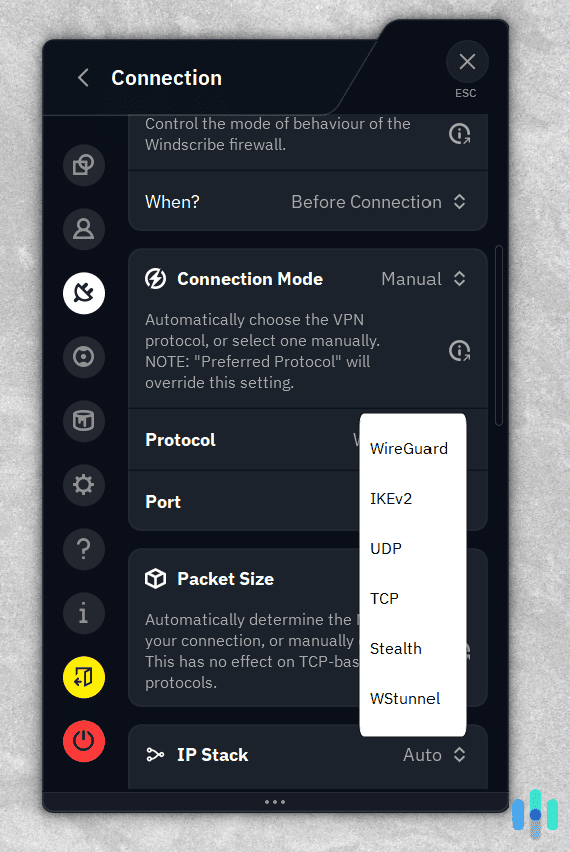
Windscribe supports five different VPN protocols you can choose from to protect your traffic. There’s WireGuard, OpenVPN, IKEv2, and two of its own protocols built for getting around VPN blocks, called Stealth and WStunnel. Each one protects your data in different ways. WireGuard uses a newer, lighter encryption method called ChaCha20, which is a big part of why it tends to run faster without sacrificing security. That’s why we recommend it for most use cases.
OpenVPN and IKEv2 both use AES-256 encryption — the same encryption used to secure confidential government documents — just implemented a bit differently under the hood.2 We like OpenVPN for its reputation. It’s been the gold standard for years when it comes to privacy. IKEv2, on the other hand, works well for mobile devices as it can keep up with quick network switches as you go between mobile data and a Wi-Fi network.
Windscribe also provides post-quantum encryption on WireGuard, meaning the connection is built to hold up against future quantum attacks, not just today’s threats. Only a few other competitors offer this level of protection, most notably NordVPN and Surfshark who support it for every device. Others, like ExpressVPN and Mullvad, offer more limited support. Windscribe landing in that early group is a notable move for a VPN that’s better known for its free plan than its cryptography.
Pro Tip: Windscribe’s Double Hop isn’t a single toggle inside one app the way NordVPN’s Double VPN is. You get the effect by connecting to one location in the desktop app, then connecting to a second, different location in the browser extension at the same time. It works great for browsing, but activities outside the browser are only routed through the desktop VPN location.
Leak Tests
We ran IP address, DNS, and WebRTC leak checks on four servers across the U.S., Japan, and the Netherlands. For each server, we connected twice a day for four days, split evenly between the WireGuard and OpenVPN protocols. That’s 32 tests total. Windscribe didn’t leak once. We also ran eight tests on the free servers over that same time period with the same result. No real IP address, DNS request, or browser-level leak made it outside the encrypted tunnel.
Features
Windscribe’s feature list is deep enough that it took us longer than usual just to get through the settings menu. On top of its impressive feature-set, Windscribe also provides unlimited simultaneous connections even on its free plan. We tested that directly by running the app on five devices — two laptops, two phones, and a tablet — at once without issue. During our tests, here were a few standout features:
- R.O.B.E.R.T.: A custom DNS-level blocker for ads, trackers, and malware domains, adjustable through preset categories or your own custom rules. We ran it against a list of 20 known tracker domains, and it blocked 18 of them without any noticeable slowdown in page load times.
- Static IPs and Port Forwarding: Static IPs are available as an add-on for a consistent address across sessions, and port forwarding worked cleanly when we set up a manual rule to access a home server remotely.
- Firewall: Instead of blocking your internet connection if your VPN drops like a standard kill switch, WIndscribe’s always-on Firewall blocks all traffic outside the VPN tunnel by default. We tested this by running a continuous ping and then killing the VPN process directly in the task manager. In every case, the ping dropped along with the VPN instead of falling back to our real IP.
- Config Generators: To make setup outside the official app easier, Windscribe’s config generator creates WireGuard, OpenVPN, and IKEv2 configuration files. We used this tool to export a WireGuard profile and load it onto a spare router. It took about ten minutes and then the whole network was running through a VPN.
Few VPNs let you get this granular without upgrading to a business-tier plan. Windscribe brings these core features, including R.O.B.E.R.T. and Firewall, to all of its plans including the free tier.
User Experience
Windscribe’s apps pack in more menus and toggles than most VPNs, and we’ll be honest, it took us a minute to feel at home in them. On the ThinkPad, getting started was painless: log in, land on a dashboard, hit quick-connect, and our connection was protected in under 30 seconds.
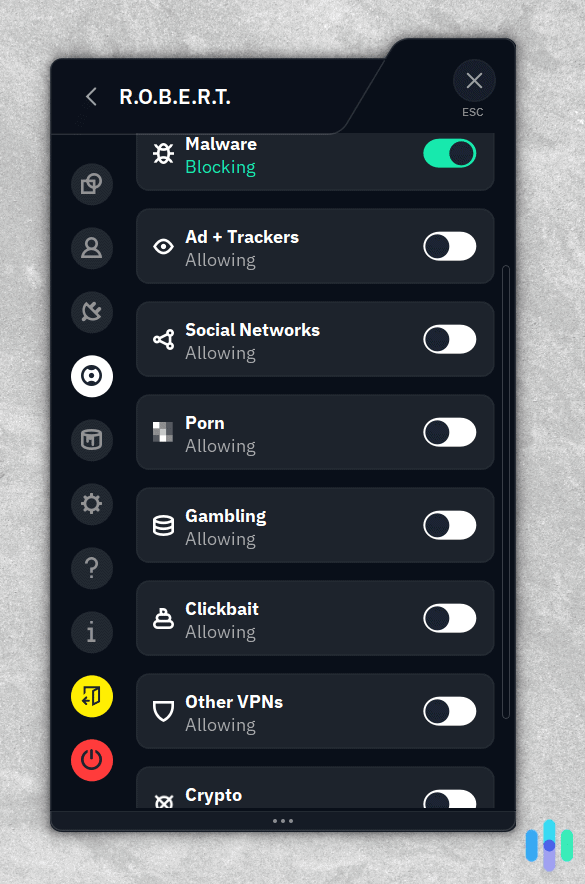
The learning curve crept in once we started poking around the settings panel. Setting up a custom R.O.B.E.R.T. rule to block an ad domain that kept slipping past the default filters took us about four minutes. That’s a lot of clicking through menus. Turns out, we had to do it through our account page on Windscribe’s website. Double Hop also caught us off guard. We expected a single switch, like with most VPNs. Instead, we had to connect the desktop app to one location, then separately pull up the browser extension and connect it to a second. It clicked once we figured out the two-step dance, but we ended up digging through Windscribe’s support site to make sure we’d done it right.
The mobile side felt like a completely different, friendlier app. On the Pixel 9, we were connected in three taps with no settings menu in sight. Still, the desktop’s depth is there — it’s just tucked away. The iPad app had that same easy feel. Best of all, hopping between our free and Pro accounts on the same device took just a single tap, no fuss at all.
Support turned out to be one of our favorite surprises. Garry, Windscribe’s AI chatbot, is more helpful than most VPN chatbots we’ve dealt with. He gave us real, specific answers, whether we asked why our Singapore server felt sluggish or how to get port forwarding running. Most competitor chatbots shrug us off toward generic help articles. Human support takes longer. A billing question we submitted took about 18 hours to receive a response. Not instant, but a real person did answer our question.
Expert Insight: If you want quicker human support for your VPN, consider Surfshark. They provide a 24/7 live chat with a live agent. When we tested Surfshark, the quality of their responses impressed us, guiding us to solutions quickly. It’s also affordable as you’ll see in our Surfshark price guide.
Pricing
Windscribe’s pricing is unusually flexible, with a free tier alongside Pro plans and an à la carte option for anyone who only needs a handful of server locations. Here’s an overview of Windscribe’s options:
| Features | Free | Pro | Build A Plan |
|---|---|---|---|
| Bandwidth limit | Up to 10 GB per month | Unlimited | Unlimited |
| Connection limit | Unlimited | Unlimited | Unlimited |
| Locations | 10 countries | All 69+ countries | $1 per location |
| R.O.B.E.R.T. access | Up to 3 rules | Up to 1,000 rules | Up to 10 rules |
| Price | $0 | Starts at $5.75 per month | $3 per month minimum |
While we’re not huge fans of Windscribe’s strict requirements to qualify for its seven-day refund policy, the free tier is generous. We recommend using it to test the full app experience before even considering one of the paid plans.
As for the paid plans, they offer decent value, especially if the R.O.B.E.R.T. rules are important to your needs. Otherwise, you can typically get better value from alternatives. For instance, the Build A Plan option carries a $3 per month minimum for just three locations. Other providers, like Surfshark and ExpressVPN, offer servers in 100+ locations for under $3 per month if you pay for two years upfront. That puts the Pro plan on the expensive end of the industry as well.
>> Learn About: How Much Does a VPN Cost?
How Windscribe Compares to NordVPN and Proton VPN
Before settling on Windscribe, consider Proton VPN and NordVPN. They’re two of our top alternatives and Proton VPN even offers a free plan that we tend to prefer. While Windscribe’s free plan gives you 10 GB a month of bandwidth and unlimited devices, Proton VPN’s free plan offers unlimited data instead. However, it caps you to one device. Both also limit you to servers in 10 countries. On the other hand, all of NordVPN’s plans are paid. However, it offers a 30-day money-back guarantee to let you test it risk-free.
On audits, Proton and NordVPN both have independently verified no-logs policies. Windscribe maintains a no-logs policy, although it’s yet to be independently audited. That said, it open-sourced its apps and passed broader security testing. Still, we prefer the privacy assurances of an independently audited no-logs policy. We go into the details of why this is so important in our Proton VPN review.
Jurisdiction is a similar story. Windscribe and NordVPN sit on opposite ends: Windscribe is based in Canada, a Five Eyes member, while NordVPN operates out of Panama, outside the major surveillance-sharing alliances. Proton VPN also avoids these alliances with its headquarters in Switzerland. Windscribe counters with its Double Hop and R.O.B.E.R.T. tools, plus a feature list that’s hard to match dollar for dollar. For a closer look at how these and other providers stack up side by side, see our VPN comparison guide.
| VPN | Starting Price (paid) | Free Plan | Server Locations | Jurisdiction |
|---|---|---|---|---|
| Windscribe | $5.75/month (yearly) | 10 GB/month, unlimited devices | 10 countries (free) / 69+ countries (paid) | Canada |
| NordVPN | $3.49/month (for two-year plan) | None | 167+ countries | Panama |
| Proton VPN | $2.99/month (for two-year plan) | Unlimited data, 1 device | 10 countries (free) / 148 (paid) | Switzerland |
If you want to test a VPN seriously before paying anything, Windscribe’s free plan gives you access to most features, whereas Proton’s free plan feels more restrictive. If an independently audited no-logs policy is non-negotiable for you, you’ll want NordVPN or Proton VPN instead. Check out our NordVPN review to see why it’s one of our top choices.
>> Related Reading: ProtonVPN vs. NordVPN
Who It’s For
Windscribe makes the most sense if you want to try a VPN’s full feature set before committing to a subscription. The free plan isn’t a stripped-down trial. It’s the same app, the same protocols, and 10 GB a month to actually use it. It’s also a strong fit if you like fine-tuning your setup: Double Hop, port forwarding, static IPs, and config generators are all available at varying tiers. The Pro tier’s unlimited data and server access makes it a solid choice if you’re looking for a quality for torrenting and streaming on services like Netflix from abroad.
If you need a VPN with an independently audited no-logs policy, or you need to connect to faraway servers, you’ll likely be better served elsewhere. The same goes if you want the simplest possible app with the fewest settings to think about; Windscribe’s depth can feel like a lot at first. If Windscribe has too many drawbacks for you, check out our lists of the best free VPNs and the best no-log VPNs for high-quality alternatives.
FAQ
-
Is Windscribe's free plan actually free?
Yes. Windscribe’s free plan includes 10 GB of monthly data with a confirmed email, unlimited device connections, and the full app experience, with no ads and most premium features.
-
Is Windscribe safe to use?
Yes. Windscribe uses strong encryption across its supported protocols, doesn’t log identifying data like your IP address or browsing activity, and passed our IP, DNS, and WebRTC leak tests. That said, it has yet to publish a dedicated third-party audit of its no-logs policy, unlike top competitors.
-
Does Windscribe work for torrenting?
Yes, on the Pro plan. Most Pro servers support P2P traffic, with a few locations excluded and clearly marked. The free plan does not support torrenting.
-
How many devices can I use with Windscribe?
Windscribe allows unlimited simultaneous device connections on both the free and paid plans, so there’s no cap to plan around regardless of which tier you choose.
-
Is Windscribe based in a privacy-friendly country?
Windscribe is headquartered in Toronto, Canada, which is part of the Five Eyes intelligence-sharing alliance. Canadian law doesn’t require VPN providers to retain user data, and Windscribe says it does not store identifying logs.
-
The National Law Review. (2026). Windscribe VPN Celebrates 10 Years of Independent, Open-Source Privacy Protection.
https://natlawreview.com/press-releases/windscribe-vpn-celebrates-10-years-independent-open-source-privacy -
Cybersecurity and Infrastructure Security Agency. (2024). Transition to Advanced Encryption Standard (AES).
https://www.cisa.gov/sites/default/files/2024-05/23_0918_fpic_AES-Transition-WhitePaper_Final_508C_24_0513.pdf