Blink Security Camera Review 2026: Affordable, But Is It Reliable?
Blink makes affordable security cameras designed to work without hassle – no contracts, an easy setup, and all necessary features.
 &
&
 Last Updated on Jun 25, 2026
What We Like
- Two-way audio: All Blink cameras feature two-way audio that’s clearer than a regular phone call.
- Low prices: Blink cameras cost significantly less than competing models with similar specs and capabilities.
- Solid video performance: We appreciate that each Blink camera features at least clear, 1080p HD video.
What We Don't Like
- Continue button: Every 30 seconds, we had to tap a “continue” button while livestreaming footage from our cameras.
- Limited advanced features: Don’t expect many bells and whistles like 4K resolution or facial recognition in any Blink camera.
- Narrow field of view: The most affordable Blink cameras only offer a 110-degree diagonal field of view, narrower than the 120-degree minimum we usually recommend.
Bottom Line
the security.brief
Blink's cameras are affordable but have limits: 5-minute live streaming, so-so night vision, and no professional monitoring. SimpliSafe offers better features.
Editor’s Note: Blink’s camera range is impressive. But we recommend a SimpliSafe security system. It has affordable equipment and better outdoor camera features, including a 140-degree field of view and night vision. Read more in our SimpliSafe review.
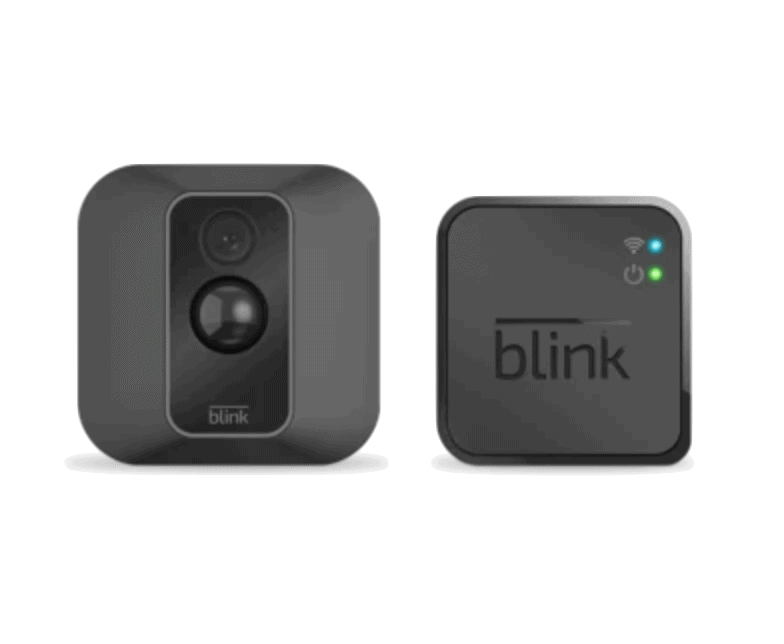
As an Amazon-owned company, we expected Blink cameras to provide us with great value. We were not disappointed. They ended up becoming some of our favorite affordable security cameras. While they don’t offer some of the more advanced features available in the best security cameras, they still provide the core capabilities we look for.
Do they offer enough capabilities for your needs, though? That’s exactly what we’re going to find out. We’re going to cover all the benefits and limitations we experienced when testing Blink’s camera lineup, so you can see if these devices are right for you. Let’s dive in.
Did You Know: Studies consistently show that security cameras help reduce crime.1 Preventing just one burglary easily pays for the cost of Blink’s cameras.
An Overview of Blink’s Camera Options
Currently, Blink primarily offers three different cameras; one indoor camera and two outdoor options. However, with the amount of accessories that Blink offers, it feels like they offer a lot more.
Blink Mini
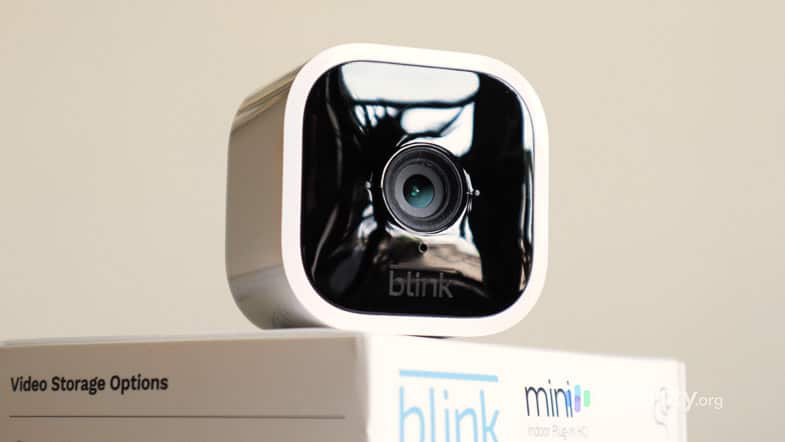
There are three different versions of the Blink Mini, with the latest being the Blink Mini 2K+. All of them are standalone indoor cameras you plug in with a USB cable for power, featuring motion-triggered recording, and two-way audio. The Mini and Mini 2 feature 1080p HD resolution, while the Mini 2K+ upgrades that to crisper 2K resolution.
The Mini 2 and 2K+ also feature a wider field of view at 143 degrees and 138 degrees, respectively, compared to the narrow 110-degree field of view on the first-generation Mini. That narrow field of view was one of our major complaints when testing the Mini, so it’s a welcome upgrade. These newer models also feature an integrated LED spotlight for full color night vision, and person detection with a cloud storage plan. We see it as a direct competition to the Wyze Cam we tested.
FYI: Blink also sells the Blink Mini Pan-Tilt, which features a motorized pan-tilt mount. You can buy the mount as an accessory separately, too. The bundle saves you $10, though.
Blink Outdoor 4
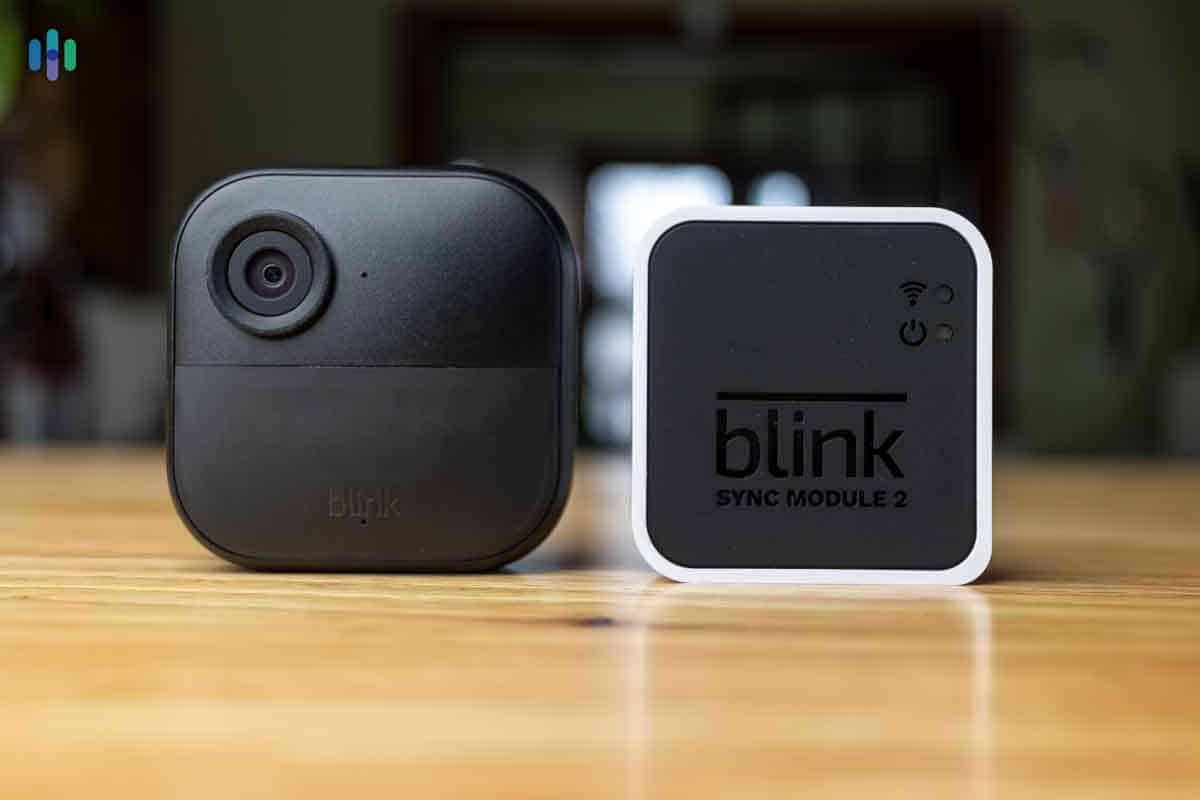
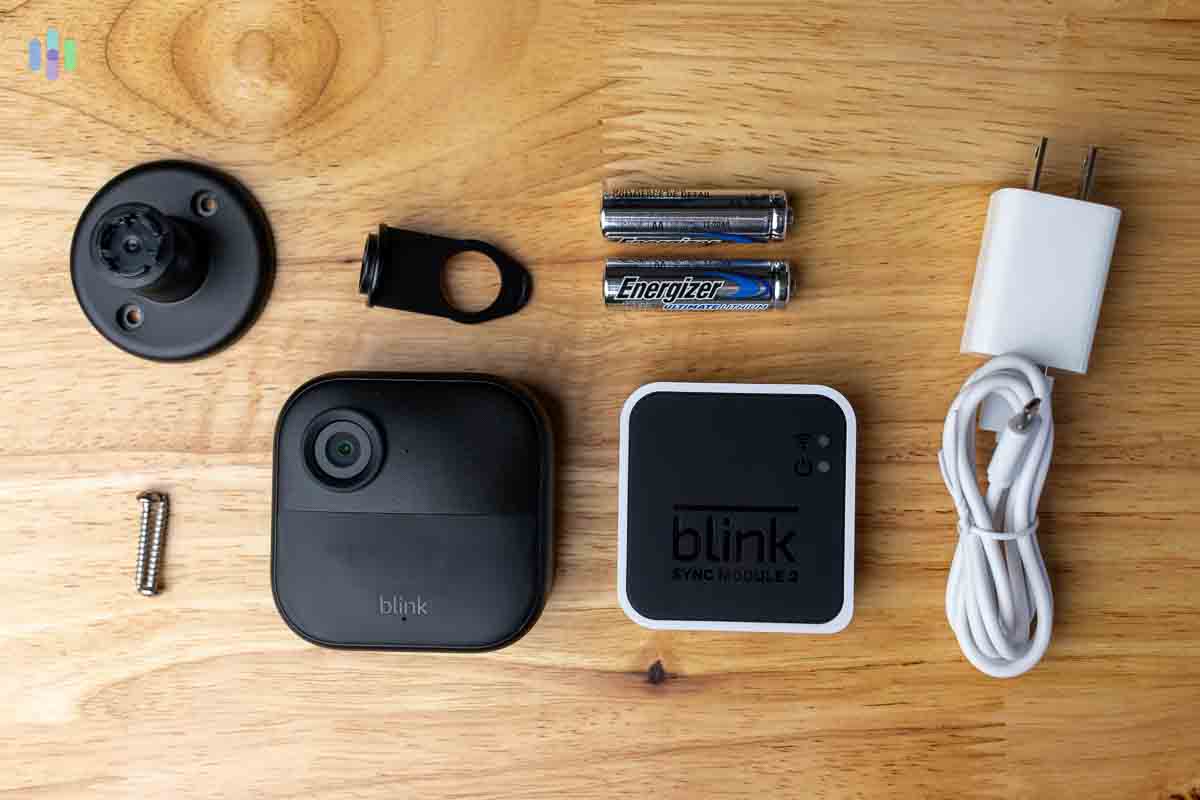
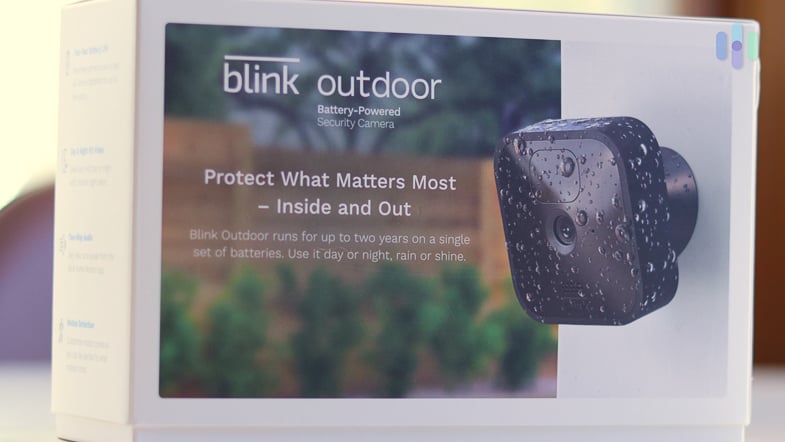
Blink’s Outdoor 4 camera is battery-powered and weather-resistant with an IP65 rating. The big selling point for us is the two-year battery life with just two AA lithium batteries. It also offers local storage through the Sync Module 2 or XR, which you need to have. The Sync Module 2 can connect up to 10 Blink cameras, making it ideal for multi-camera setups.
In this line, there’s also the upgraded Blink Outdoor 2K+. It’s largely the same camera as the Outdoor 4 with a few upgraded specs. Namely, it features 2K resolution instead of 1080p HD, enhanced audio for two-way talk, and full color low-light night vision. It only costs $20 more, so we think these upgrades are well worth it. This is also the same camera used in the Blink Solaris 2K+ bundle, which includes a solar panel and battery pack for the Outdoor 2K+.
Blink Wired Floodlight Cam
The Wired Floodlight Cam combines a powerful floodlight with the Outdoor 4 camera. Unlike the battery-powered Outdoor 4, this model needs to be hardwired to your home’s electrical system. The installation was easier than we thought, since Blink let us use our previous floodlight connection.
Now that we covered the basics, let’s dig into the details.
Blink Camera Pricing
We’ve mentioned that Blink’s cameras are affordable. But, how affordable are they really? Here’s a breakdown of Blink’s pricing:
| Blink Camera Model | Mini | Mini 2 | Mini 2K+ | Mini Pan-Tilt | Outdoor 4 | Outdoor 2K+ | Wired Floodlight Cam |
|---|---|---|---|---|---|---|---|
| Base Price | $29.99 | $39.99 | $39.99 | $39.99 | $79.99 | $99.99 | $99.99 |
| Includes a Sync Module | No | No | No | No | Yes | Yes | No |
| Resolution | 1080p HD | 1080p HD | 2K QHD | 1080p HD | 1080p HD | 2K QHD | 1080p HD |
| Field of View | 110 degrees | 143 degrees | 138 degrees | 110 degrees | 143 degrees | 135 degrees | 143 degrees |
| Motion Detection | Yes | Yes | Yes | Yes | Yes | Yes | Yes |
| Person Detection | No | Yes, with a cloud storage plan | Yes, with a cloud storage plan | No | Yes, with a cloud storage plan | Yes, with a cloud storage plan | Yes, with a cloud storage plan |
| Night Vision | Infrared | Full color and infrared | Full color and infrared | Infrared | Infrared | Full color and infrared | Full color and infrared |
>> Learn More: Blink Camera Black Friday Sales & Cyber Monday Deals in 2026
Pro Tip: Blink frequently offers discounts when you purchase multiple cameras at once. For example, buying a multi-camera system bundle can save you compared to purchasing individual cameras. You can also save by bundling cameras with a Blink Subscription Plan.
Key Similarities
We discovered a lot of key similarities between each Blink camera during our tests. In fact, we find their models have more in common with each other than differences. Here are the key features you can expect from every Blink camera.
Video Quality
Like Blink’s sister brand, Ring, you‘ll find some cameras offering 2K resolution. However, the rest only support 1080p resolution. We made a head-to-head comparison guide of Blink and Ring if you want to see how they fare against each other.
We were actually impressed with Blink’s image quality. Other cameras we’ve tested in this price range left us feeling like the colors didn’t pop enough even though they advertise HD quality. With Blink’s cameras, it was easy to distinguish a person’s face or attire if we needed to provide police with evidence.
That said, the first version of the Mini left us wanting a wider field of view. When we placed it on the end table in our living room, it couldn’t quite see wall-to-wall leaving a blind spot a burglar could take advantage of. We didn’t have that issue with the wider field of view in the Mini 2, Mini 2K+, Outdoor 4, or Outdoor 2K+.
>> Related Camera: Defender Security Cameras Review and Costs in 2026
Local or Cloud Storage
If you want to avoid monthly fees, Blink’s cameras are a great choice. Although their Mini cameras don’t require the Sync Module, every camera works with it and can use it for local storage. That means you can still record all of your motion-triggered clips without a continuous cost. All you’ll need is the Sync Module 2, which costs $49.99, and a USB drive for storage. That’s what we opted for since we already had to buy the Sync Module 2 with the Outdoor 4 we tested.
That’s not the only option, though. Blink also offers cloud storage plans that start at $4 per month. Any camera that supports person detection requires a cloud storage plan for the feature to work.
Two-Way Audio
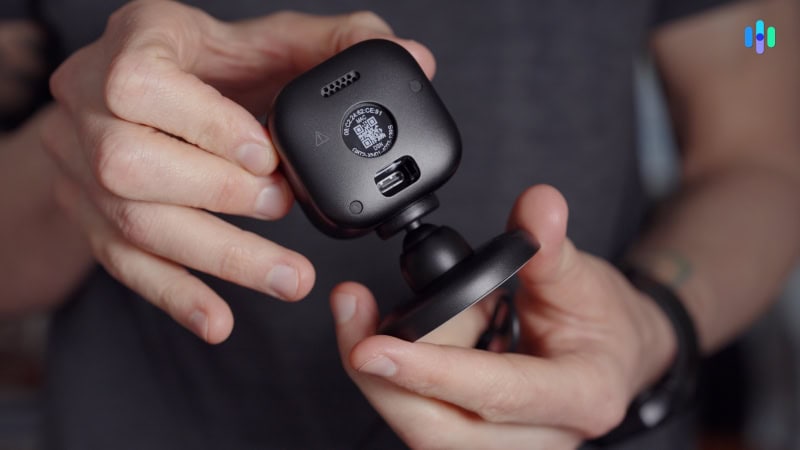
This has become a staple feature for almost every home security camera, but we still don’t take it for granted. Thankfully, all Blink cameras feature two-way audio. The audio for all their models is surprisingly clear, too. As long as the surroundings were relatively quiet, the audio came through clearer than a Facetime call.
Alexa Integration
A lot of home security companies make you pay a subscription to integrate your components with smart home ecosystems. Since Blink’s owned by Amazon, their cameras integrate with any Alexa devices for free. The integration was comprehensive, too. We could even set actions for other smart devices in our Alexa system when our Blink cameras detect motion or people.
Expert Insight: Pairing your Blink cameras with an Alexa smart speaker lets you use them as an intercom for your house. We keep an Alexa Echo in our kitchen. That let us use the two-way audio in our Blink cameras to let everyone know when dinner was done without having to shout. You can read more about that in our Echo Show review.
Easy Installation
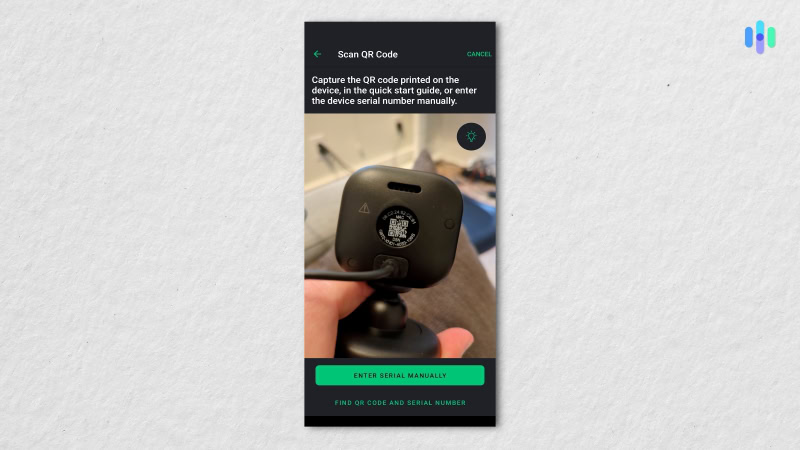
All of Blink’s cameras, even the Hardwired Floodlight Cam, were exceptionally easy to install. We spent more time figuring out where we wanted each camera than actually installing and setting it up. Each camera has a little QR code printed on it that you scan to connect it to the app. Then, it provides a step-by-step guide for installing it.
Key Differences
Of course, each Blink camera isn’t identical. We recommend using them together to create an overall security camera system for your home’s protection. That way, you can take advantage of these differences.
Wireless, Plug-In, or Hardwired
Unlike when we tested Arlo, which has almost entirely wireless security cameras, all three of Blink’s models use a different approach for power. The only wireless options are the Outdoor 4 and Outdoor 2K+. These models use two AA batteries for power that last up to two years. Most other security cameras we test only have a three to six month battery life, making Blink’s longevity stand out.
While not wireless, Blink’s Mini lineup of cameras are just as easy to install. They just need to plug into a USB port for power, so you don’t need to set them up right next to an outlet. It could be next to your computer or a power bank, instead. When testing the Blink Mini 2, we plugged it right into our desktop in our office.
The Wired Floodlight Camera is a bit more complicated. It connects to the same wiring as a standard floodlight, so if you don’t already have a floodlight in your home, we’d recommend getting some help from an electrician. We already have a floodlight above our garage, so we were able to easily swap it out with the Blink Wired Floodlight Camera.
>> Check Out: Best Wireless Cameras 2026: Expert-Tested & Reviewed
Night Vision
Unlike the Blink Outdoor 4 and 2K+, the Blink Mini 2 and 2K+ feature a built-in spotlight for full color night vision.
Don’t worry, every Blink camera has night vision. It’s just a matter of what type of night vision. They all support infrared night vision which gives black-and-white footage, but the Mini 2, Mini 2K+, and Wired Floodlight Camera have full-color night vision thanks to built-in lighting. The 2K+ models also feature full-color low-light night vision that provides full color footage with minimal ambient light.
Security Tip: Local police departments agree that motion-activated lighting is an effective crime deterrent.2 It makes criminals think that you’re home, encouraging them to move along. Both the Mini 2, Mini 2K+, and Wired Floodlight Camera feature motion-activated lights.
Person Detection
Blink’s app provided us with basic notification customizations.
We wish this was a standard feature on all Blink cameras and they seem to be moving in that direction. However, the older camera models that they still sell (looking at you, Blink Mini) can’t differentiate between different types of motion. That means, instead of a notification telling you your camera saw a person, it’ll only tell you that motion was detected.
All of Blink’s most recent cameras feature person detection. That includes the Blink Mini 2, Mini 2K+, Outdoor 4, Outdoor2K+ and Wired Floodlight Camera. It’s a built-in feature, but it requires a cloud storage plan to access since all processing is done on the cloud. If you’d rather use cameras that process videos locally and don’t need a subscription to access person detection, take a look at our review of Google Nest cameras from ADT.
>> Read More: The Best Indoor Cameras With Artificial Intelligence
Requires Sync Module
We only needed a screwdriver to mount our Blink Outdoor 4 above our garage door.
Surprisingly, only the Blink Outdoor models requires a Sync Module. The other cameras can work with one for storing clips, but they don’t need it. That’s because they don’t use batteries.
The impressive two-year battery life of the Outdoor 4 and 2K is largely thanks to the Sync Module. It allows them to connect to the internet in a more energy-efficient way through a streamlined connection to the Sync Module that connects to your Wi-Fi.
Industry Insight: There are a few other battery-powered cameras that take an approach similar to the Blink Outdoor 4 and 2K+. For example, the Arlo Ultra system we tested required a SmartHub. It still didn’t match Blink’s battery-life though. Our Arlo Ultra only lasted seven months on a single charge.
Blink’s Storage Options
To store clips from your Blink cameras, you’ll either need a cloud subscription or a Sync Module. None of the cameras offer internal storage.
Blink’s Cloud Storage Subscriptions
Compared to the rest of the industry, Blink offers cost-effective cloud storage plans. For example, SimpliSafe prices their cloud storage plan at $9.99 per month as of, which is comparable to the Blink Plus plan at $11.99 per month. That extra $2 for the Blink plan over the SimpliSafe plan gets you support for unlimited cameras instead of ten and stores 60 days of storage for clips instead of 30 days.
Additionally, Blink has rolled out AI plans designed to add AI features to their current cloud storage plans. Right now, they only add AI-generated video descriptions, but facial recognition and ‘unusual activity alerts’ are on the horizon. Pricing follows the same structure as the cloud storage-only plans.
| Blink Cloud Storage Plan | No Plan | Blink Basic | Blink Plus |
|---|---|---|---|
| Supported Cameras | None | One | Unlimited |
| Days of Cloud Storage | None | 60 days | 60 days |
| Person Detection | No | Yes | Yes |
| Live View Recording | No | Yes | Yes |
| Blink Moments | No | No | Yes |
| Lifetime Warranty | No | No | Yes |
| Storage-Only Pricing | Free | $3.99/mo ($39.99 per year) | $11.99/mo ($119.99 per year) |
| AI Plan Pricing | Free | $6.99/mo ($69.99 per year) | $19.99/mo ($199.99 per year) |
Blink’s Sync Modules
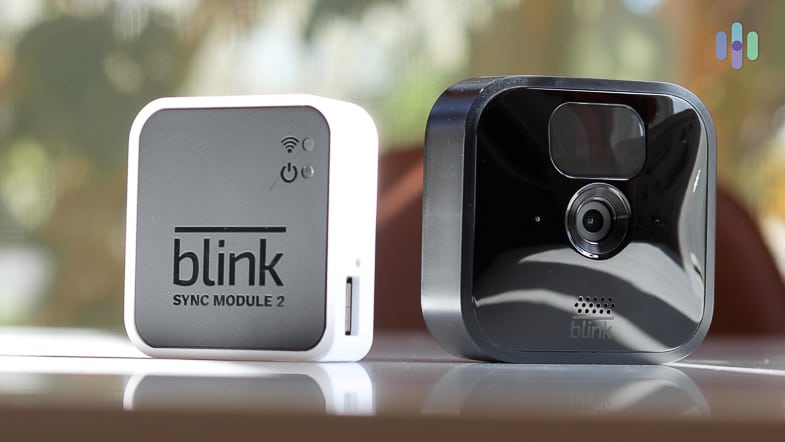
One of Blink’s greatest advantages over its sister brand, Ring, is that it offers local video recording. But for this to work, you’ll need a Sync Module — a hub that sits between your cameras and your home Wi-Fi network. Sync Modules have always been a part of Blink’s identity, and with their latest generation of cameras, there are three options available: Sync Module Core, Sync Module XR+, and Sync Module 2.
Each of those Sync Modules can support up to 10 cameras. The battery-powered models (e.g., Outdoor 4 and 2K+) all require a Sync Module to work, while it’s optional for wired and plug-in models (e.g., Mini 2 and 2K+). Still, we recommend pairing your cameras with a Sync Module to enable local recording via a local storage device. This depends on your Sync Module model. For the Sync Module 2, you’ll need to plug in a USB flash drive up to 256 GB. For the Sync Module XR+, you’ll need a microSD card up to 256 GB. Also note that the Sync Module Core doesn’t support local storage at all.
Here’s a quick comparison of Blink’s current Sync Module models available.
| Features | Sync Module Core | Sync Module 2 | Sync Module XR+ |
|---|---|---|---|
| Best for | Homes that don’t need local video storage | Homes that need local video storage, but don’t need the extended wireless range of XR+ | Homes with up to 2 Blink Outdoor 4 or 2K+ that need extended wireless range |
| Wireless range (hub to camera) | 100 feet | 100 feet | 100 feet (extends up to 400 feet for max of two Outdoor 4 or Outdoor 2K+ cameras) |
| Local storage device | None | USB flash drive | MicroSD card |
| Max storage capacity | None | 256 GB | 256 GB |
| Price | Usually bundled with Blink cameras at no extra cost | $49.99 | $69.99 |
Blink Home Monitor App
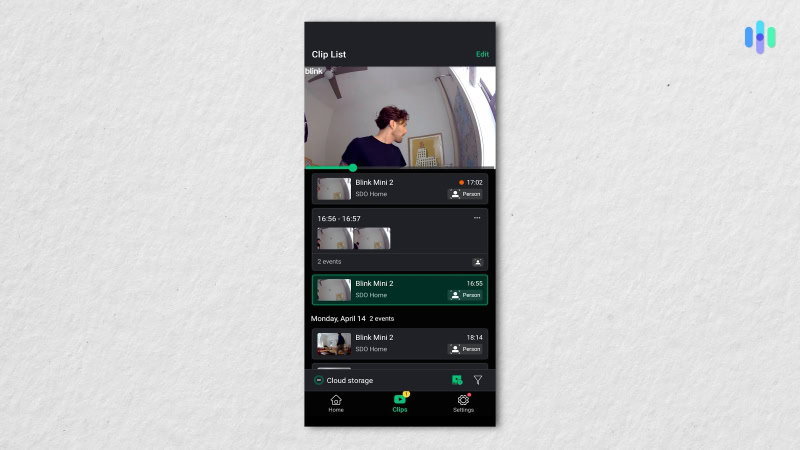
We found the Blink Home app to be pretty powerful and easy to use. It includes intuitive controls that didn’t require us to go digging for an instruction manual. We found it easy to lay out privacy zones, set motion sensitivity, configure clip length, fine-tune notifications, and set motion recording, audio, and night vision controls.
Our biggest issue was the need to keep tapping the screen every 30 seconds while live streaming. While it makes sense for saving battery, it was particularly annoying when we were trying to converse with the mainman. On the other hand, our favorite feature was managing and sharing recorded clips, which was really easy and fun.
Can Blink stand toe-to-toe with other brands?
It’s good to have options. See how Blink compares to these top security camera picks.
The Bottom Line
There’s no denying that there are higher quality cameras with more advanced features than Blink. None of them will beat Blink’s pricing, though. And that’s where Blink shines. Not in terms of innovative features or the best specs, but affordable cameras that provide great value.
Anyone on a tight budget looking to step up their home’s security, or just get an indoor camera to watch their pet, can’t go wrong with Blink. They provide all the core features our home security experts look for at a starting price of just $30. Plus, the system is scalable as after you purchase a sync module, you can get additional cameras for even less.
FAQs About Blink Cameras
-
Do all Blink cameras require a Sync Module?
No, only the Blink Outdoor 4 and 2K+ require a Sync Module. That said, all of Blink’s cameras can connect to a Sync Module for local video storage.
-
How do I avoid a monthly fee for my Blink cameras?
You never need to pay a monthly fee to use Blink cameras. But, to store video footage, you’ll either need a cloud storage plan or a Sync Module. If you have an existing Blink account that was created before April 15, 2020, you can get free cloud storage for your cameras.
-
Can I integrate my Blink cameras with a full security system?
Unfortunately, Blink does not offer a full security system. That’s one of the biggest drawbacks in our opinion as it also means there isn’t a professional monitoring option.
-
Why are Blink cameras so cheap?
Blink cameras give you everything you need without any of the bells and whistles keeping costs low. It also helps that they’re owned by Amazon so they can take advantage of their streamlined supply chain.
-
Do I need a USB flash drive or Micro SD card for local storage with my Blink cameras?
Whether you need a USB flash drive or Micro SD card depends on which Sync Module you own. The Sync Module 2 uses a USB flash drive whereas the Sync Module XR uses a micro SD card.

-
Journal of Development Economics. (2025). Keeping an eye on the villain: Assessing the impact of surveillance cameras on crime.
https://www.sciencedirect.com/science/article/abs/pii/S0304387825001087
-
Mission Hills, KS Police Department. (2025). Safety Lighting.
https://www.missionhillsks.gov/DocumentCenter/View/1296/Safety-Lighting