The 4 Best VPNs for Nvidia Shield in 2026
Our experts found that only four VPNs meet the same quality of the Nvidia Shield, and Surfshark leads the pack.
 &
&
 Last Updated on Jun 17, 2026
- Camouflage mode makes it easy to access obfuscated servers and get around VPN blockers
- A lightweight app for Nvidia Shield lets it run in the background without slowing down your system
- Supports unlimited devices
- Servers available in all 50 U.S. states
- Affordable subscription starting at $2.03 per month supports unlimited devices
- Renewal pricing is only slightly higher than the introductory price

- Servers in 129 countries give you access to almost any country’s streaming library
- Dedicated app for the Nvidia Shield makes it easy to use
- Proprietary NordLynx protocol keeps your speeds up so you can avoid buffering
the security.brief
The best VPNs for Nvidia Shield in 2026 are Surfshark, NordVPN, Proton VPN, and Private Internet Access, with Surfshark offering the best streaming connection.
If you have an Nvidia Shield hooked up to your TV, we know you like the best of the best. It’s advertised as the world’s best streaming device, and we tend to agree. The only way to improve it, really, is to pair it with one of the best VPNs.
Why? Because adding a VPN app to Nvidia Shield lets you stream more content. Streaming services block some of the content they offer based on your location, because they have to license shows and movies for each country. VPNs let you make streaming services think you’re located in a different country to get around those blocks.
Ready to take your streaming to the next level? Let’s dig into the best VPNs for Nvidia Shield.
The Best VPNs for Nvidia Shield
- Surfshark - Best for Easy Streaming Access
- Private Internet Access - Best for U.S. Streaming
- NordVPN - Best for International Content
- Proton VPN - Best for Slow Internet Connections
Comparing the Best VPNs for Nvidia Shield Side by Side
| System |
Surfshark
|
Private Internet Access
|
NordVPN
|
Proton VPN
|
|---|---|---|---|---|
| Ranking | 1st | 2nd | 3rd | 4th |
| Ratings | 9.5/10 | 9.4/10 | 9.7/10 | 9.3/10 |
| Servers | 4,500+ | 35,000+ | 8,600+ | 16,000+ |
| Server locations | 100 countries | 91 countries | 129 countries | 127 countries |
| VPN protocols | OpenVPN, WireGuard, IKEv2 | OpenVPN, WireGuard, IKEv2 | OpenVPN, NordLynx, WireGuard, IKEv2 | OpenVPN, WireGuard, Stealth |
| Read Review | Surfshark Review | Private Internet Access Review | NordVPN Review | Proton VPN Review |
-
1. Surfshark - Best for Easy Streaming Access
 Get Surfshark VPN Links to Surfshark.com
Product Specs
Server locations 100 countries countries Average Speed Loss 8% download & 50% upload Apps Windows, MacOS, Linux, Android, iOS, Chrome, Firefox, Edge, tvOS, Android TV, Fire TV Best Monthly Rate $1.78/mo with a 2-year plan Money-Back Guarantee 30 days full refund
Why Choose Surfshark for Your Nvidia Shield?
Most streaming sites try to block VPN connections by analyzing the IP address and data of the connection. Surfshark helps bypass these blocks by regularly refreshing the IP addresses of their servers and offering server obfuscation which removes any VPN identification data from your connection. These two factors really are noticeable. We’re rarely blocked from a streaming site when using Surfshark compared to most other VPNs.
Of course, you can use Surfshark for a lot more than your Nvidia Shield thanks to its unlimited connections. It even offers some of the best antivirus software this year for your computer. That took us by surprise. We we expected mediocre software like what we’re used to when VPN companies make antivirus. Instead we found that Surfshark’s antivirus stood up to some of the best in the industry, and it ended up on our list of the best antivirus software. That makes it a great option if you’re in the market for an antivirus too.

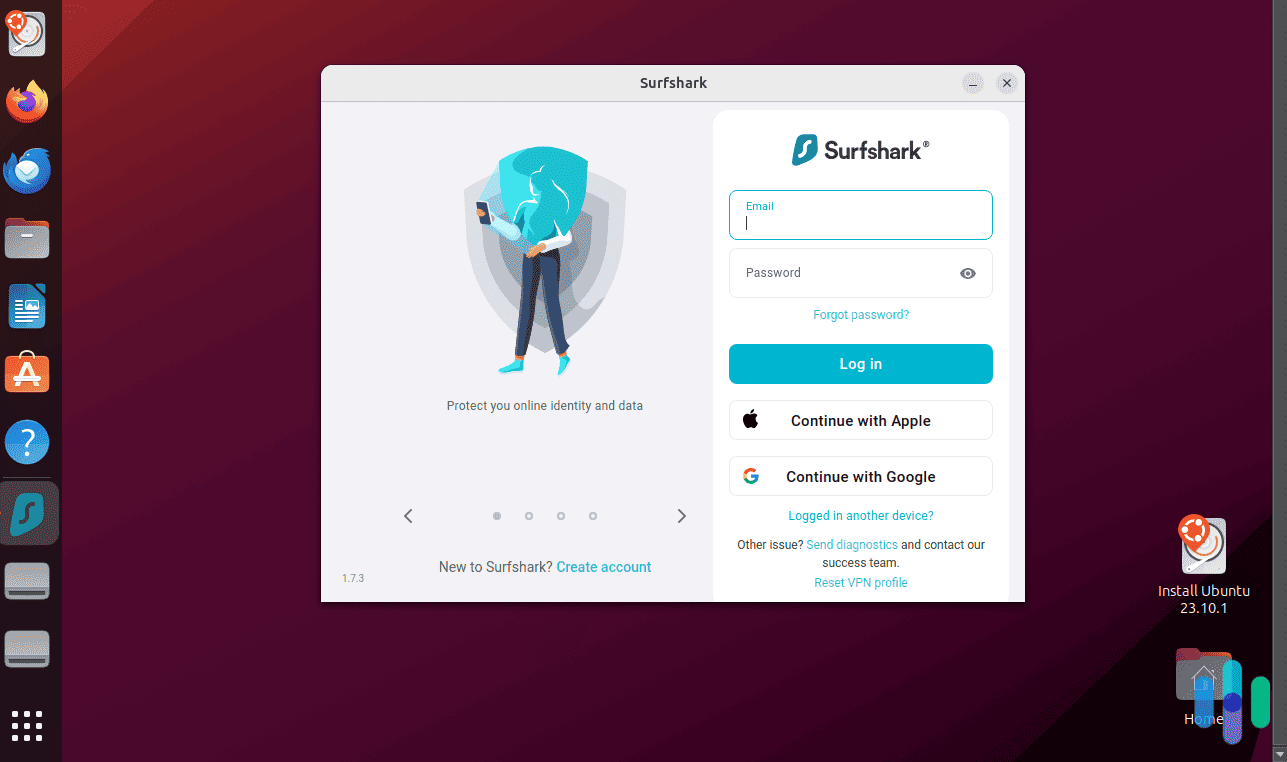
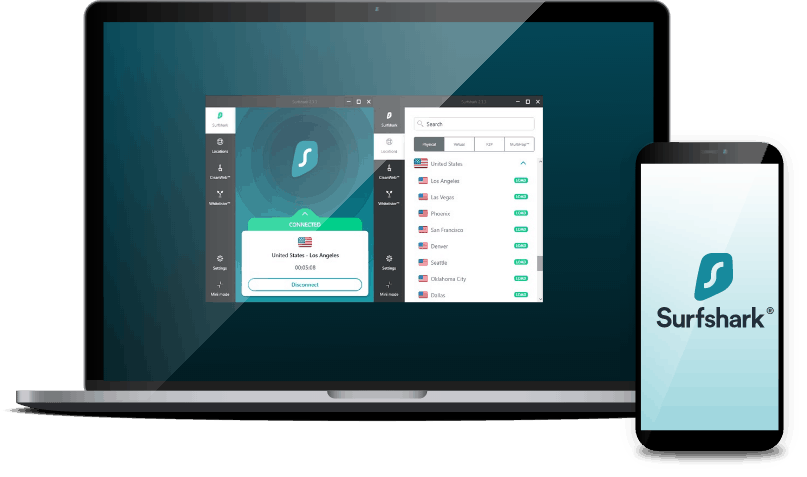
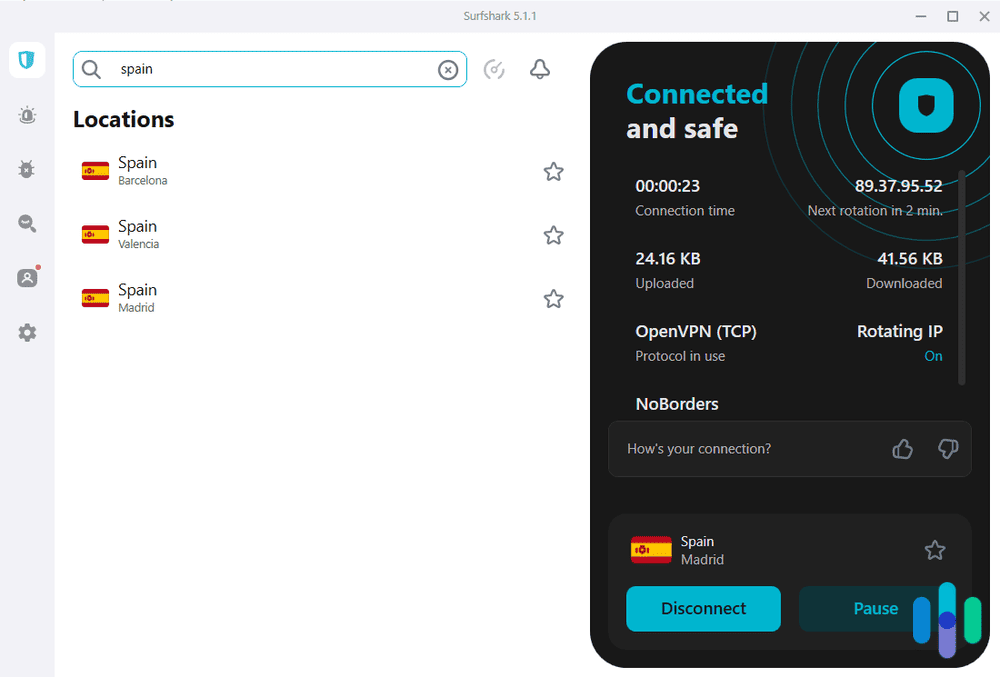
Surfshark connected to Madrid Pricing
As long as you’re ready to pay for a year or more up front, Surfshark’s pricing is near the best in the industry. A VPN alone costs as little as $2.19 per month, and adding antivirus increases the price by only 50 cents. If you plan to pay for your VPN on a month-to-month basis, though, we think NordVPN and Private Internet Access offer better value.
Here’s an overview of Surfshark’s plans.
Features Starter One One+ Devices supported Unlimited Unlimited Unlimited Ad blocker Yes Yes Yes Credit card and ID breach alerts No Yes Yes Antivirus No Yes Yes Webcam protection No Yes Yes Data removal from people-search sites and data brokers No No Yes 1 month price $15.45 $17.95 $20.85 1 year + 3 months price $47.85 ($3.19per month) $50.85 ($3.39 per month) $76.35 ($5.09 per month) 2 years + 3 months price $59.13 ($2.19 per month) $72.63 ($2.69 per month) $115.83 ($4.29 per month) Surfshark One+ comes with Surfshark’s automated data-removal service, called Incogni. We tested Incogni ourselves to see if the extra cost was worth it. We thought it did what it promised, but whether having your data removed from people-search sites and data brokers is worth it depends on your circumstances and what you’re trying to accomplish.
Pro Tip: If you already pay for identity theft protection, Incogni is probably not worth it. It doesn’t replace identity theft protection, but it can help reduce your online exposure to identity theft. It can also help cut down on spam calls, emails, and physical mail, since people-search sites and data brokers are where spammers can get your contact information.
Streaming Capabilities
For the most part, Surfshark has all the features that make NordVPN great for streaming. It has obfuscated servers (except Surfshark calls it camouflage mode), and there’s a kill switch too.
Surfshark, however, doesn’t have as many servers. That means there’s more of a risk that you’ll connect to a server banned by streaming sites. However, we didn’t find it to be much of an issue, partially thanks to how frequently Surfshark refreshes the IP address of their servers. We were still able to log in to all our streaming accounts, although one time we had to switch servers after a failed login attempt to Netflix. We dissect all the differences in our Surfshark vs. NordVPN comparison guide.
Nvidia Shield App
We were happy to see that Surfshark made a dedicated app for Nvidia Shield. That means we just needed to pull it up on the Google Play store and install it, just like we did with NordVPN. It supports split tunneling, too, so we set up that same exception to Gamestream when we’re connected to Surfshark.
-
2. Private Internet Access - Best for U.S. Streaming
 View Plans Links to Private Internet Access
Product Specs
Server locations 91 countries Average Speed Loss 5% download & 84% download Apps Windows, MacOS, Linux, Android, iOS, Chrome, Firefox, Android TV, tvOS Best Monthly Rate $1.98/mo with a 3-year plan Money-Back Guarantee 30 days full refund
Why Choose Private Internet Access for Your Nvidia Shield?
With servers in all 50 U.S. states, Private Internet Access is ideal for streaming region-locks U.S. content like sports events from your Nvidia Shield. They also have servers in 91 countries, so it works for international streaming, but lags behind Surfshark, NordVPN, and Proton VPN. That said, it still earned a spot on the best VPNs for travelers list.

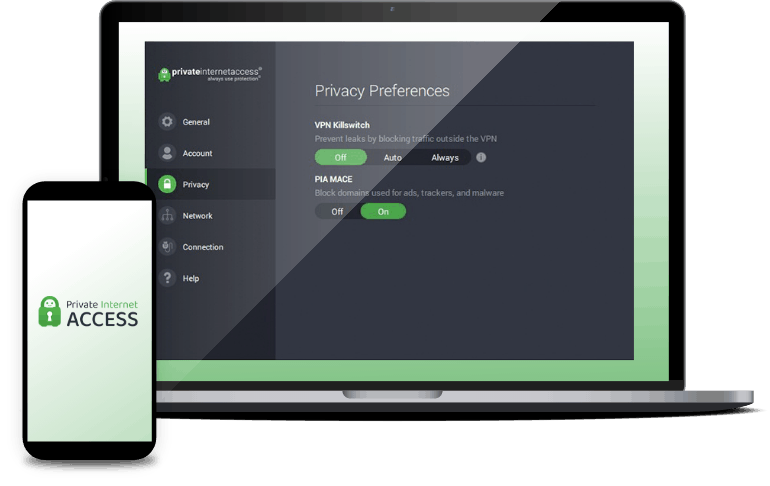
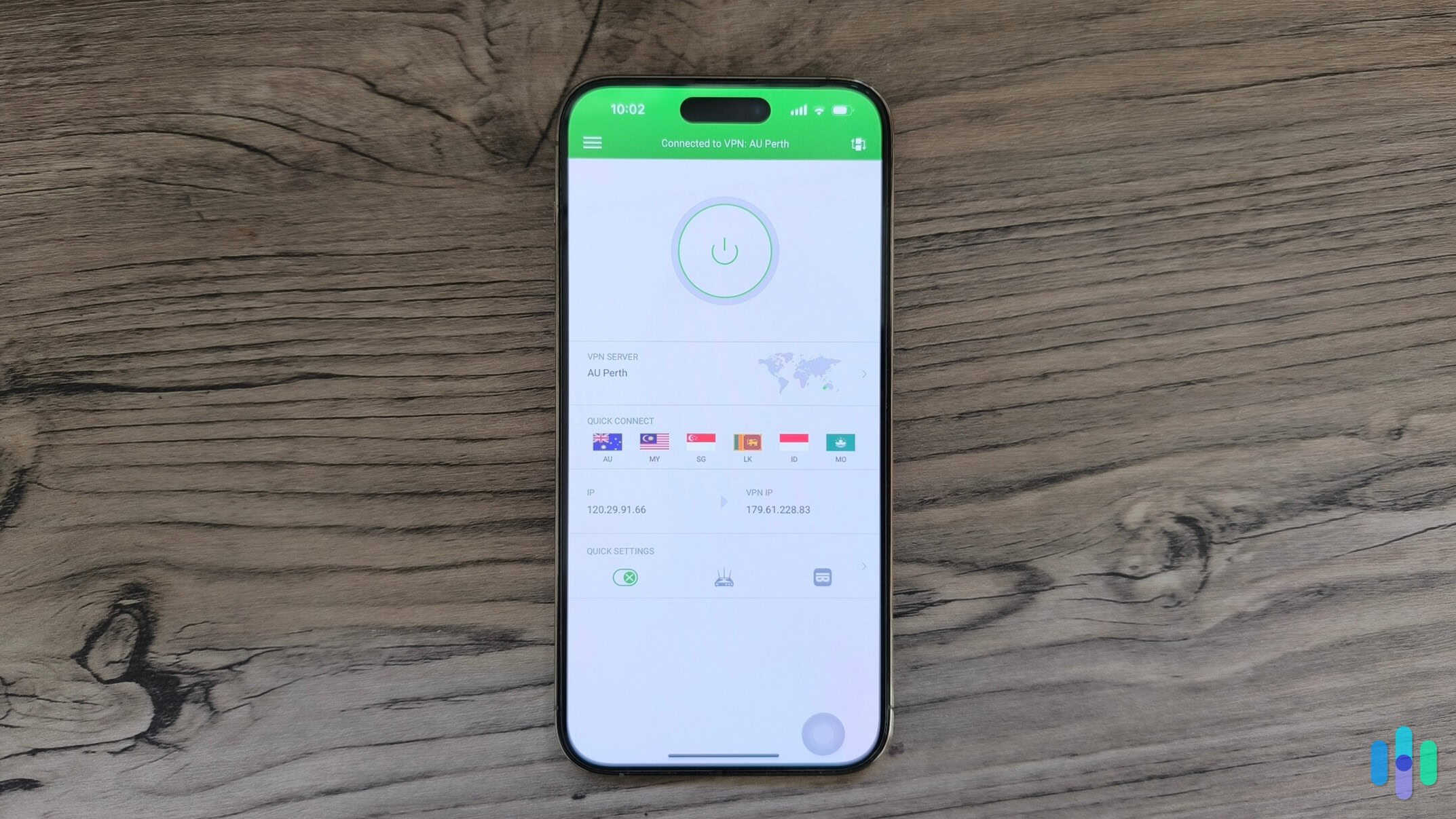
Private Internet Access on iPhone Pricing
Private Internet Access lets you access its VPN for $2.03 per month, but you’ll need to sign up for three years. We weren’t ready to make that commitment, so we went with a month-to-month plan. Here’s a quick overview of Private Internet Access’ plans.
Service 1 month 1 year 3 years + 3 months VPN $11.95 $39.95 ($3.33 per month) $79 ($2.03 per month) Antivirus $4.50 $24 ($2.00 per month) $36 ($1.00 per month) Dedicated IP address $5.00 $51 ($4.25 per month) $90 ($2.50 per month) We haven’t had a chance to test the antivirus software yet, but, based on what we’ve seen, we would go with Surfshark if you want antivirus protection. There are minimal details on how Private Internet Access’ antivirus works and its efficacy rates. It’s hard to tell if it will effectively protect your device. Surfshark’s antivirus has been tested by third parties such as AV-Test and, well, us.
FYI: AV-Test is a third-party company that tests antivirus software. It runs scans on thousands of known malware samples to see if they get detected. That’s why we value its results. When we saw that Surfshark tested well, it made us trust the company more.
Streaming Capabilities
When you’re streaming on ESPN+, some games are localized based on the state or country you’re in. That means you may not be able to see your hometown’s games if you moved a few states over. We did that after college, and we couldn’t watch our college’s hockey games anymore — until we bought a Private Internet Access subscription, that is.
Private Internet Access has servers in all 50 states. That means as long as ESPN+ doesn’t restrict beyond the state level, you’re guaranteed to find a server in the state you want to connect through. There’s more than one server in each state, too, so even for games restricted to a county, you may find it with Private Internet Access.

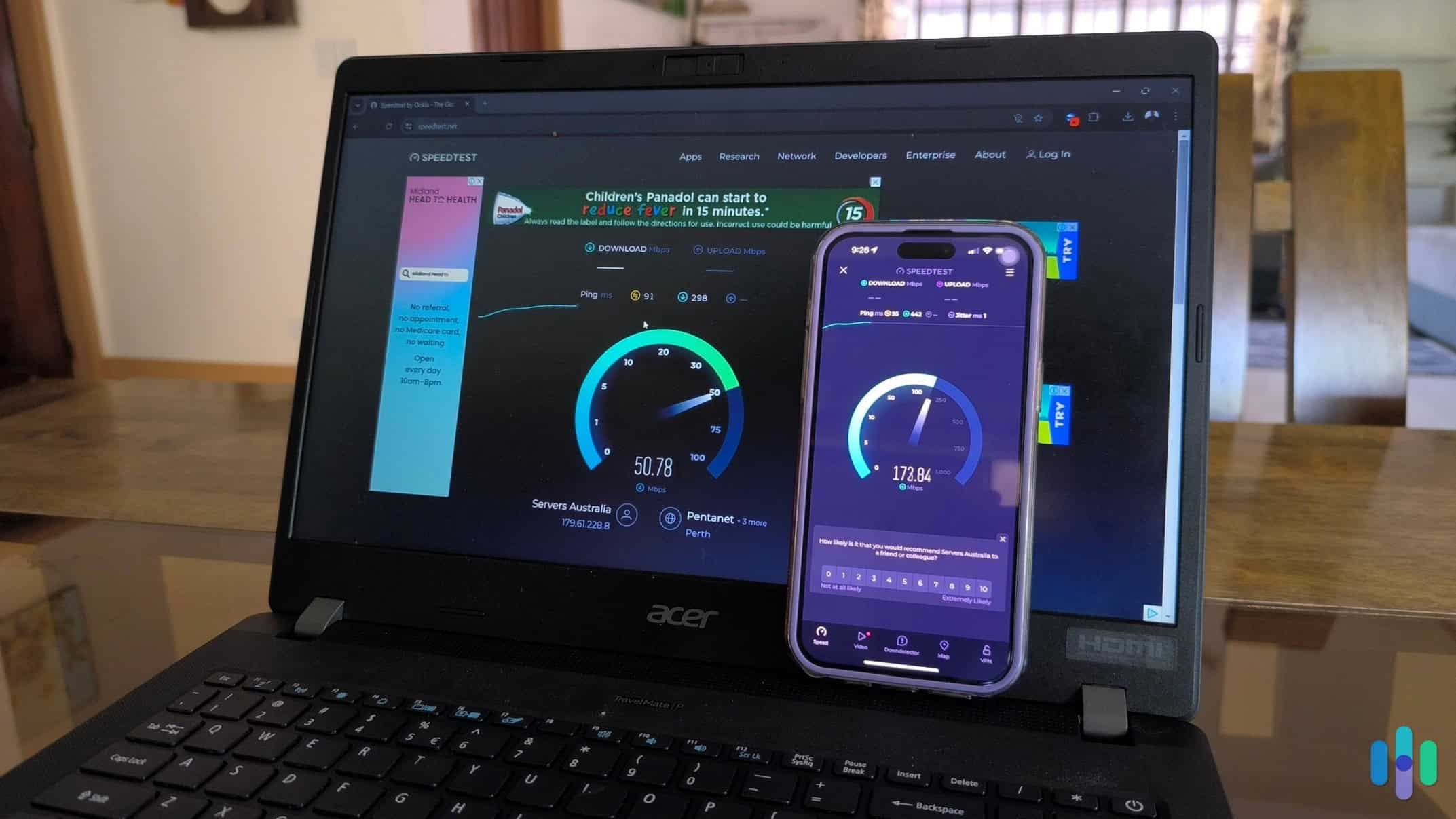
Testing Private Internet Access speed Nvidia Shield App
We have to be the bearer of bad news here: Private Internet Access does not have an app for Nvidia Shield. That means you need to set up Private Internet Access on a router. We’ve done it before, and it’s not as bad as you may think.
Pro Tip: If you have a hard time getting your printer to work, we don’t recommend putting a VPN on your router. You can end up breaking it. Instead go with one of our favorite VPN routers, the ASUS AX86U. We bought one preinstalled with Private Internet Access, so all we needed to do was log in to our Private Internet Access account on the router and it was ready to go. They put the VPN on the router for you, so all you need to do is plug it in and turn it on.
-
3. NordVPN - Best for International Content
 Get NordVPN Links to NordVPN
Product Specs
Server locations 137 countries countries Average Speed Loss 6% download & 4% upload Apps Windows, MacOS, Linux, Android, iOS, Chrome, Firefox, Edge, Android TV, tvOS Best Monthly Rate $3.09/mo with a 2-year plan Money-Back Guarantee 30 days full refund
Why Choose NordVPN for Your Nvidia Shield?
When we tested NordVPN, it gave us better privacy than any other provider. That may not matter to you since you plan to use the VPN only for streaming, which is legal in the U.S., but many of the protections that give you better privacy also help you get around the VPN restrictions that streaming services impose. That means we didn’t need to try a few different servers before one let us in, like we do with most VPNs. With servers in 129 countries, that makes it perfect for accessing international content.

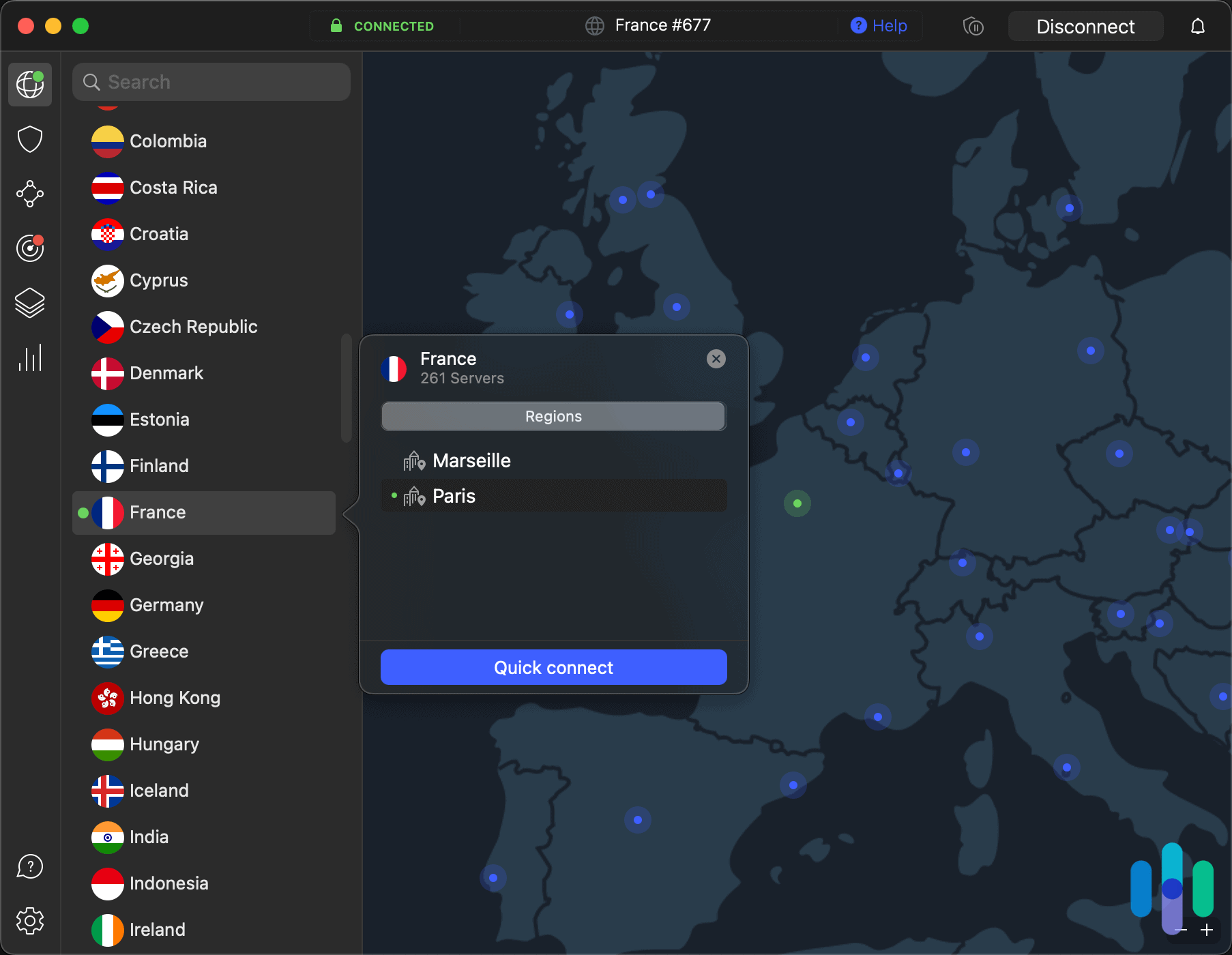
NordVPN desktop app connected to a Paris, France server Pricing
Because it’s our favorite VPN, you may expect NordVPN’s prices to be pretty high. That’s not the case though. Its costs are competitive with even the cheapest VPNs. Its two-year plan is a bit more than Surfshark and Private Internet Access, but the monthly prices are right in between the two.
Here’s an overview of what you can expect with each of NordVPN’s three plans.
Features Basic Plus Complete Prime Devices supported 10 simultaneous connections 10 simultaneous connections 10 simultaneous connections 10 simultaneous connections NordVPN Yes Yes Yes Yes Malware detection No Yes Yes Yes Browsing protection No Yes Yes Yes Password manager No Yes Yes Yes Data breach scanner No Yes Yes Yes 1 TB cloud storage No No Yes Yes Identity theft coverage None None None $1 million in coverage Cyber extortion protection None None None $100,000 in coverage 1 month price $12.99 $13.99 $14.99 $17.99 1 year price $68.85 ($4.59 per month) $82.35 ($5.49 per month) $97.35 ($6.49 per month) $127.35 ($8.49 per month) 2 year price $88.83 ($3.29 per month) $115.83 ($4.29 per month) $142.83 ($5.29 per month) $223.83 ($8.29 per month) Although they’re definitely affordable, we should point out the 10-device limit. Both Surfshark and Private Internet Access support unlimited devices, which may work better for some households. We don’t have 10 things in our home that would need VPN protection, though, so it’s never been a problem for us.
Streaming Capabilities
NordVPN is the fastest VPN we’ve used for streaming. It let us log in to Netflix using the first server we tried the entire time we tested it. That’s not something we can say for most VPNs we test. We think there are a few core reasons NordVPN made it so easy to bypass the restrictions streaming sites put on VPN use.
- Over 8,600 servers: The sheer number of servers NordVPN offers means streaming services can’t keep up with identifying them all. That gives you a higher likelihood of connecting to a server that hasn’t been blocked by streaming services.
- Obfuscated servers: In addition to the number of servers, NordVPN’s servers are designed to get around VPN restrictions. They use an obfuscation method to prevent any sites you visit, including streaming services, from knowing you’re using a VPN unless they know it by its IP address.
- Kill switch: A kill switch doesn’t help you bypass VPN restrictions, but it helps prevent streaming services from identifying that you’re using a VPN if your VPN suddenly drops its connection. Without a kill switch, your streaming service stays connected, which shows a sudden change in your IP address. Kill switches cut off your connection, preventing streaming services from seeing your real IP address.

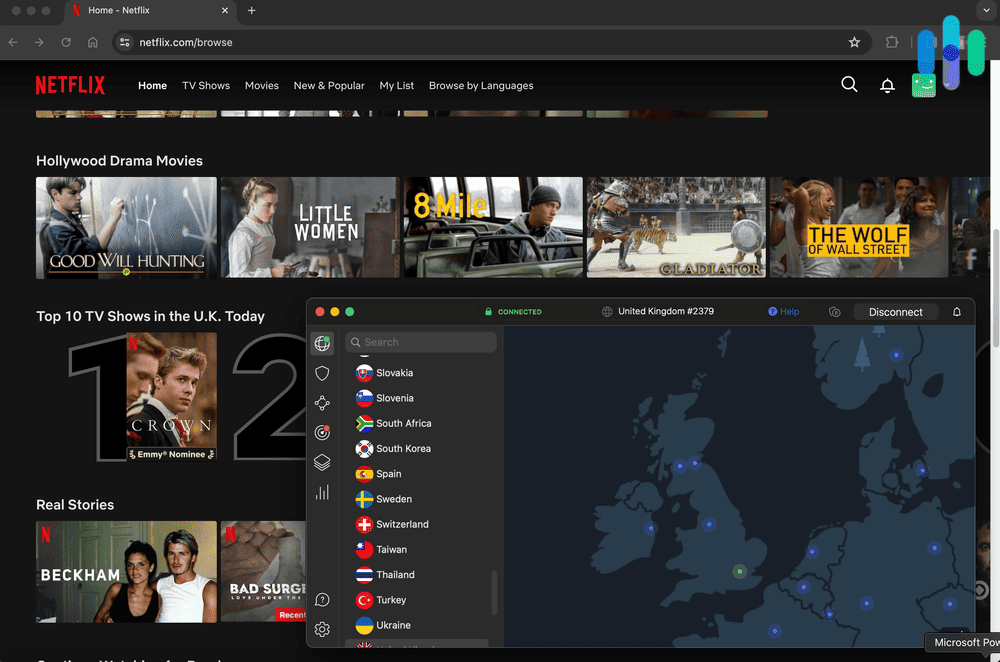
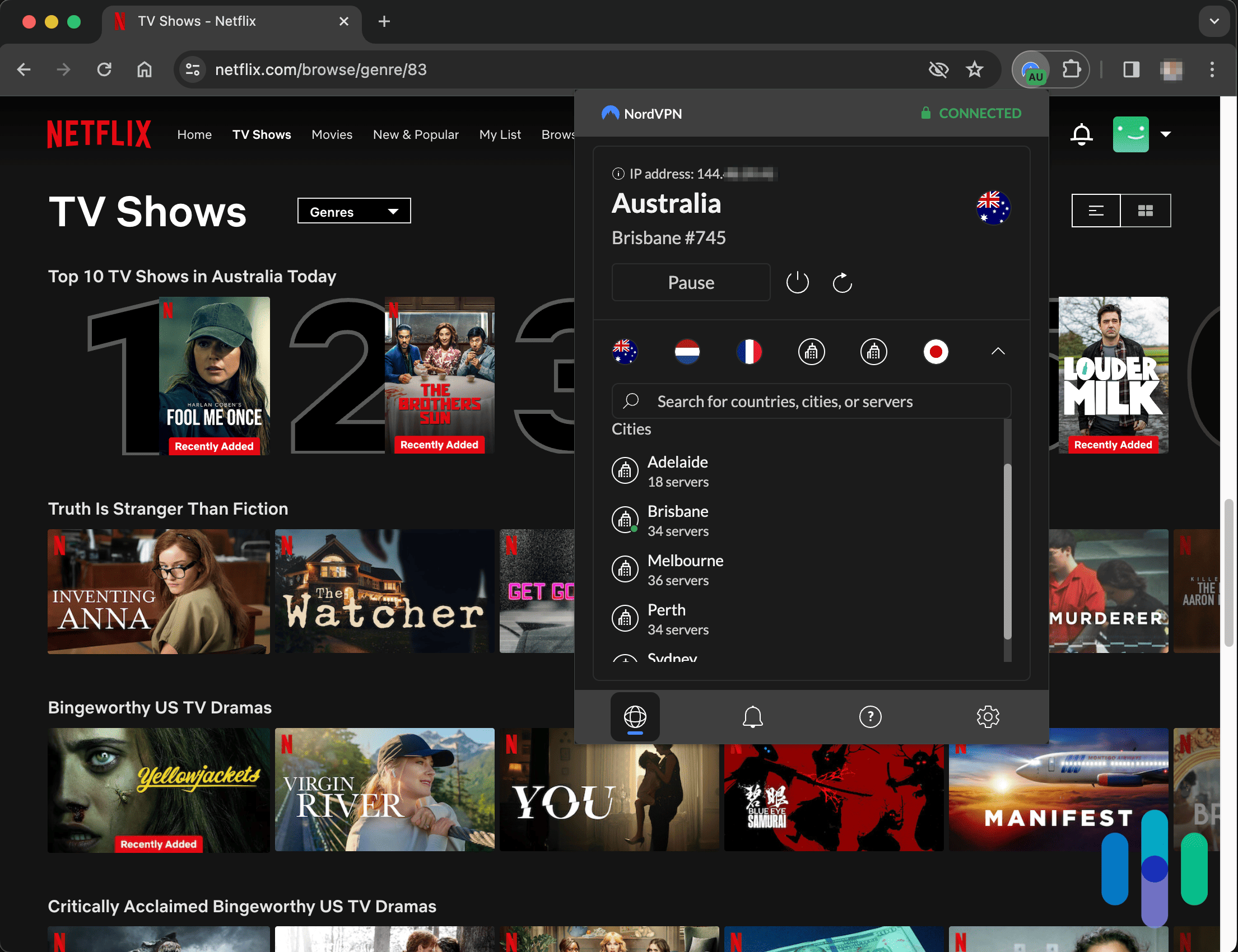
NordVPN Chrome App connected to Australia while browsing Netflix Nvidia Shield App
With a dedicated app, getting NordVPN working on our Nvidia Shield couldn’t have been easier. We just opened the Google Play store, downloaded the NordVPN app, signed up, and hit “Connect.” We could choose a country to connect to and open up new streaming opportunities.
What made NordVPN’s Nvidia Shield app special was the inclusion of split tunneling. It allowed us to choose apps that connected without going through the VPN, even when NordVPN was turned on. We put it on our Gamestream app so the VPN didn’t introduce any additional lag. VPNs always slow down your connection somewhat, since they force all data through the VPN server before going to the destination.
-
4. Proton VPN - Best for Slow Internet Connections
 View Plans Links to Proton VPN
Product Specs
Server locations 129 countries countries Average Speed Loss 8% download & 4% upload Apps Windows, MacOS, Linux, Android, iOS, Chrome, Firefox, Android TV, tvOS, Firestick Best Monthly Rate $2.99/mo with a 2-year plan Money-Back Guarantee 30 days
Why Choose Proton VPN for Your Nvidia Shield?

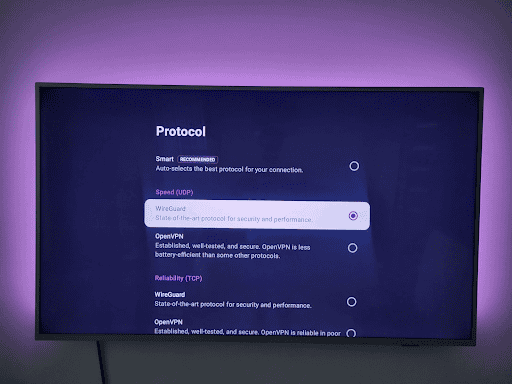
Proton VPN supports WireGuard on Nvidia Shield, which provides very fast streaming speeds. Proton VPN is one of the fastest VPNs in 2026, and its Nvidia Shield app lets you fine-tune your speeds. We find that feature particularly useful for slow internet connections as it helps minimize speed loss and prevent buffering. Its app is also intuitive and easy to navigate, and the VPN offers excellent streaming support.
Our most recent speed tests show that Proton VPN reduced download speeds by no more than eight percent. We didn’t notice buffering or long load times while watching HD and 4K videos.
Proton VPN has two subscription tiers: “VPN Plus” and “Proton Unlimited.” “VPN Plus” provides the best value for Nvidia Shield users, as it includes all core VPN features. Here’s a breakdown of its pricing options:
Proton “VPN Plus” Pricing 1-Month $9.99/month 1-Year $4.99/month 2-Years $4.49/month Proton VPN also has one of the best free VPN plans in 2026, but we don’t recommend it for Nvidia Shield users because it doesn’t support streaming. It’s only worth it if you want to use streaming platforms that don’t block VPNs, like YouTube.
FYI: All of Proton VPN’s plans are backed by a 30-day money-back guarantee. That means you can always try out their Proton Unlimited plan and see if you use their extra tools. If not, just cancel the plan and then resubscribe to the VPN Plus plan.
Streaming Capabilities
Proton VPN is excellent for streaming on Nvidia Shield, as it’s compatible with over 90 streaming platforms. The list includes Netflix, Max, Disney+, Amazon Prime Video, YouTube TV, BBC iPlayer, Crunchyroll, and more.
It’s also a very good VPN for streaming Netflix because it can access over 25 regional libraries. We used it to access the U.S., U.K., Japan, Canada, and Germany Netflix libraries. It worked flawlessly for each region.
>> Find Out More: The Best VPNs for Streaming in 2026
Nvidia Shield App
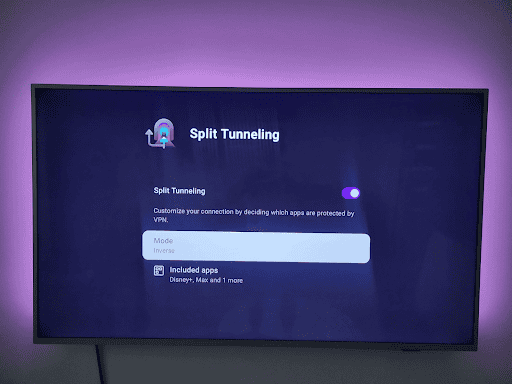
Proton VPN’s Nvidia Shield app supports split-tunneling for fine-tuning VPN speeds. Proton VPN’s Nvidia Shield app is very user-friendly. It took less than three minutes for us to download it from the Google Play Store, launch it and log in, and use it to connect to a VPN server.
The app is great for optimizing your VPN speeds. It supports WireGuard, which is a protocol known for its excellent speeds. It also supports split-tunneling, a feature that lets you choose which app traffic goes through the VPN.
Feature Overview: We used split-tunneling to only route Disney+, Max, and Netflix traffic through Proton VPN. That way, when we pulled up ESPN+, it still played our local teams.
Our Testing Process: How We Selected The Top VPN Services for NVIDIA Shield
Our Testing Process
VPNs are not all created equal, and our job is to find the ones that actually hold up under real-world use. Our team signs up for and actively tests every service we review over several weeks, starting with a thorough review of each provider’s privacy policy and independent audit findings (when available). Next, we run speed tests across nearby and distant servers. From there, we verify leak protection across all major leak types (DNS, WebRTC, IPv6) under both stable and interrupted connections, and deliberately drop connections to confirm kill switch behavior. We round out our evaluation by testing whether each VPN reliably unblocks popular streaming services, and assessing monthly and long-term subscription costs, simultaneous connection limits, and refund policies and free trial availability. Our complete process follows our Editorial Guidelines.
Our Main Testing Criteria
NVIDIA Shield sits at the intersection of high-performance streaming and Android TV’s open ecosystem. That’s a combination that creates specific demands a general-purpose VPN won’t address. We built our evaluation criteria around what Shield users actually need from a VPN. Here’s what shaped our scores:
- Android TV App Availability and Shield Compatibility: We treated native Android TV app support as a baseline requirement, testing each VPN’s Shield installation process and verifying that the app interface was genuinely usable on a television display.
- Streaming Performance and Unblocking Reliability: We measured sustained connection speeds while actively streaming through each VPN on Shield, checking whether performance held up well enough to support 4K HDR content without buffering or quality degradation. We also verified each provider’s ability to unblock major geo-restricted platforms including Netflix, Disney+, and Amazon Prime Video.
- Router-Level Compatibility for Whole-Network Coverage: We assessed each VPN’s support for router-level installation as an alternative to the native Shield app for households that want network-level protection. We evaluated setup documentation and compatibility with common router firmware.
Every VPN on this list cleared each of these criteria. We filtered out providers that perform well in demos but fall short under real Shield use conditions.
Why Trust Us
Security.org’s independent team of cybersecurity researchers and privacy specialists has a single mandate: helping you find a VPN that actually does what it claims. Our useful guides and reviews have been cited by The New York Times, CBS News, and TechRadar — the product of 740+ VPN and security reviews produced by 20+ researchers and hands-on testers since 2018.
Our VPN testing is spearheaded by Brett Cruz, a cybersecurity expert and VPN specialist who has reviewed hundreds of VPN services, privacy tools, and security software products. He uses a thorough, systematic testing process built around real-world use. The full team behind our VPN content includes:
- Corey Birnstengel: Editor and video content creator; responsible for 200+ hands-on video reviews on our YouTube channel
- Ozzie Enriquez: Senior advisor; former DHS Senior Watch Officer and DHS Duty Director for Current Operations, contributing expertise in security operations and digital risk assessment
- Cort Honey: Product tester; engineering graduate with a knack for making technically complex security concepts accessible and actionable for everyday readers
- Gene Petrino: Senior advisor; former S.W.A.T. commander and law enforcement veteran with three decades of real-world security expertise
Our recommendations are editorially independent. No brand can pay to influence our rankings.
Why Do I Need a VPN for My Nvidia Shield?
You don’t need a VPN for your Nvidia Shield. It’s a great streaming device with or without a VPN, but we find a VPN makes it better. Using a VPN lets you unlock the content on the streaming services you subscribe to. It won’t help you access streaming services you don’t pay for though.
By connecting through a VPN’s server, you run your signal through the VPN’s server before it reaches the streaming service. That hides your actual location, and instead displays the VPN server’s location. Why would you care about hiding your location for streaming services? Well, they block content from geographic regions based on which countries they’ve purchased licensing for a given show or movie. “Yellowstone” is not available on Netflix in the U.S., for instance, but Netflix in the U.K. has all but the latest season.
How Do I Use a VPN With Nvidia Shield?
The easiest way to use a VPN on Nvidia Shield is to pick a VPN that offers a dedicated app for Nvidia Shield. All you need to do is download it from the Google Play store, log in to your account, and hit “Connect” to start using a VPN on your Nvidia Shield.
Did You Know: A VPN app works as a control center for your VPN. It’s where you’ll adjust settings, use extra features, and choose a server to connect to. Since Nvidia Shield works on the Android operating system, any VPN that offers a VPN app should offer its full suite of features too. There aren’t any restrictions on VPN features for the Android operating system, such as the split tunneling issues with macOS.
Without a dedicated app, you’ll need to install a VPN on your router. We don’t recommend that for most people since you need to flash new firmware on your router. That means you’re changing the code that tells your router how to work. An error can damage your router beyond repair, and flashing new firmware on your router usually voids its warranty. Instead, we recommend buying a router that has already been flashed with the firmware needed to run the VPN you subscribe to.
Recap
Most VPNs haven’t released a dedicated Nvidia Shield app. That makes it fairly difficult to find one that works without requiring technical expertise most of us don’t have. It’s the main reason we made this list too. We tested over 40 VPNs with our Nvidia Shield to figure out which ones worked best. In the end, we liked three with dedicated apps and one that needed to be set up as a VPN router.
Surfshark took the lead as it offers reliable access to all streaming sites thanks to its obfuscation and regularly refreshed server IP addresses. Private Internet Access followed closely behind with servers in all 50 states making it great for catching local sports games from anywhere. On the other end, we recommend NordVPN for international content as they have servers in 129 countries. Proton VPN rounded out the list with impressive speeds.
FAQs About the Best VPNs for Nvidia Shield
-
What’s the best VPN for Nvidia Shield?
After our experts tested over 40 VPNs, four stood out when using them with our Nvidia Shield.
- Surfshark: Best for easy streaming access
- Private Internet Access: Best for U.S. streaming
- NordVPN: Best international content
- Proton VPN: Best for slow internet connections
-
Does Nvidia Shield work with VPNs?
Yes, Nvidia Shield works with VPNs. NordVPN, Surfshark, Proton VPN, and Private Internet Access have dedicated apps, so all you need to do to use them is install the app from the Google Play store, log in to your account, and hit “Connect.”
-
Is it safe to use a VPN on my Nvidia Shield?
As long as you’re using a reputable VPN, using one on your Nvidia Shield is safe. It will most likely impact your internet speeds though.
-
Will a VPN give me free access to streaming services on my Nvidia Shield?
No, a VPN will not give you access to streaming services for free. VPNs can help you find more content from the streaming services you already pay for, however, by giving you access to content libraries from other countries.
-
Do streaming services block VPNs on Nvidia Shield?
Streaming services try to block the use of VPNs, but the best VPNs get around that with obfuscated servers or a massive network of servers. We tested Surfshark, Private Internet Access, NordVPN, and Proton VPN, and they all reliably accessed streaming platforms.