


the security.brief
Torrenting can be risky due to legal issues and malware. Use a VPN like NordVPN or Surfshark to encrypt data and prevent ISP throttling. Enable a kill switch.
Online privacy is hard to come by, so when you’re doing something online that is frowned upon by the government, it’s best to stay obscure by using a VPN. We’re talking about torrenting, which is commonly used for pirating movies and shows (which is illegal and we don’t condone) but is also useful for sharing and downloading large files (which isn’t illegal).
But, if you’re doing what we condone, why would you even need a VPN to torrent? Some torrenting is prefectly legal. Still, some internet service providers (ISPs) throttle your internet speeds if they see that you torrent files. Using a VPN prevents them from ever finding out. So, our experts are going to show you how to use a VPN to hide your torrenting and protect yourself from the watchful eyes of the government and your internet provider.
Picking The Right VPN Is Critical
Even when you're torrenting completely legal files like Linux distributions or public domain content, ISPs can still throttle your speeds just because they detect P2P traffic. That's where a solid VPN becomes your best friend. Your ISP can’t see what you’re downloading. And if they catch you, they could throttle your internet speed. That’s why you need a good VPN that can hide your torrent traffic perfectly, and these ones were the best we’ve tested:


How to Torrent with a VPN
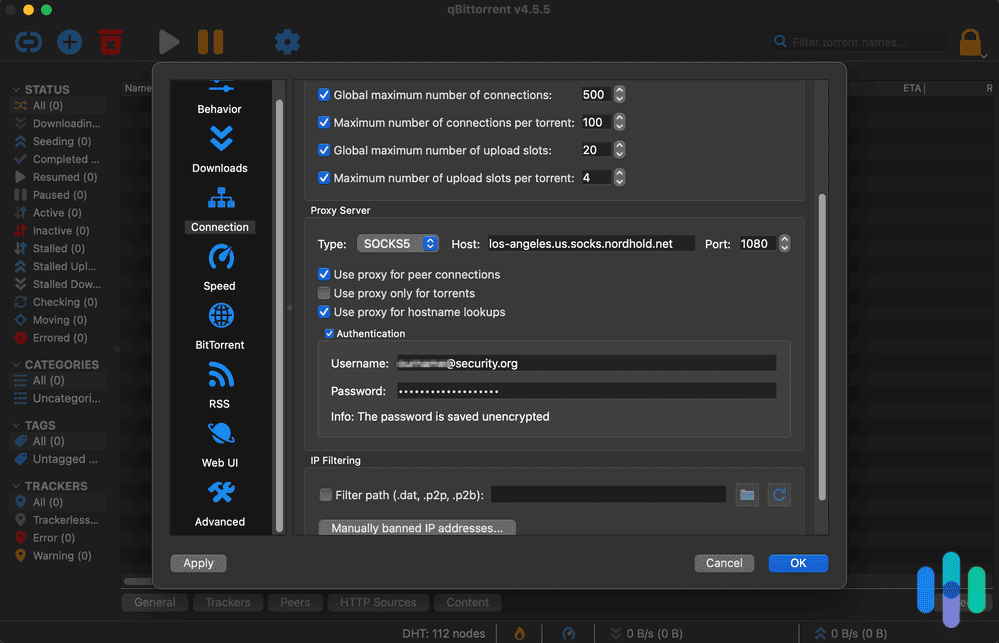
Let’s begin with the tactical advice. Here’s a step-by-step guide to torrenting with a VPN.
-
- Pick out a VPN service. VPN stands for virtual private network, and it’s a type of software that creates an encrypted tunnel between your computer and a network. Using a VPN hides your internet activity from your ISP. We compiled the best VPNs for torrenting, so that’s a great place to start. If you want to do your own research, we recommend double-checking that the VPN service allows torrenting, as not all apps do. In terms of cost, VPNs typically cost $2 to $15 per month, depending on whether you choose monthly billing or commit to a longer-term plan. There are also several free VPNs for torrenting that we’ve reviewed and recommended.
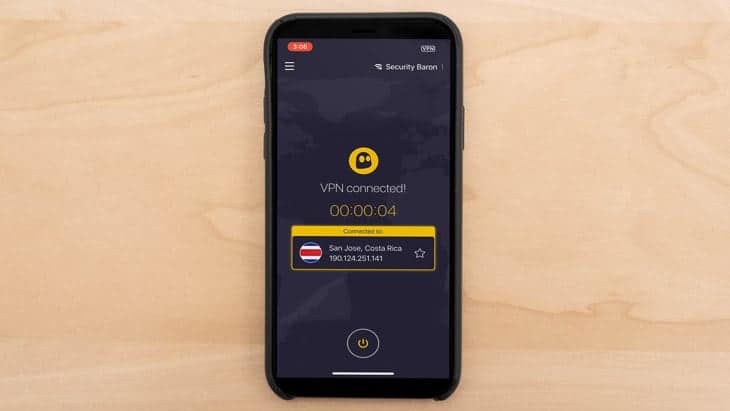
- Check that your VPN is working. After you select a service, make sure that you check that your VPN is working and that your data is fully encrypted, end-to-end.
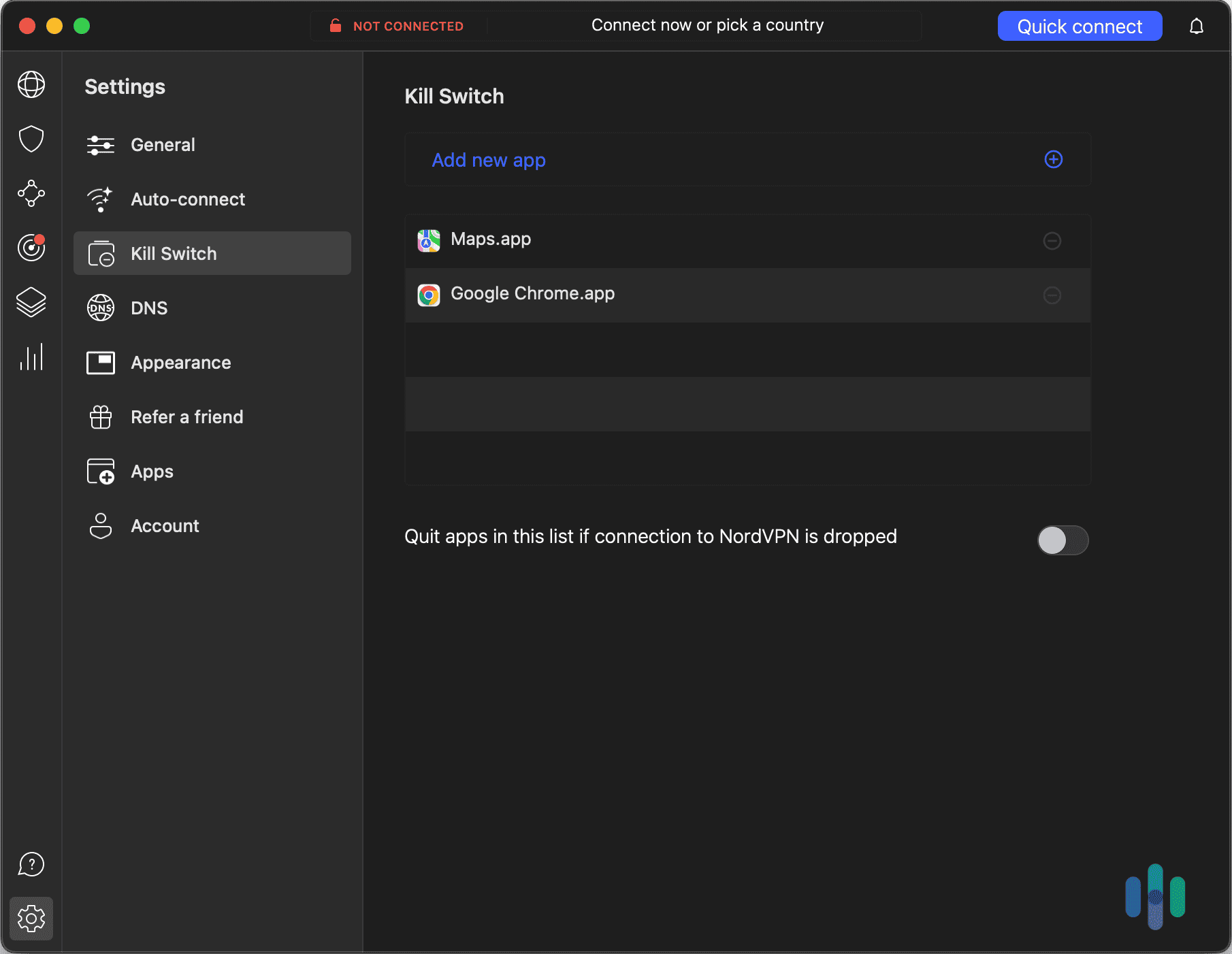
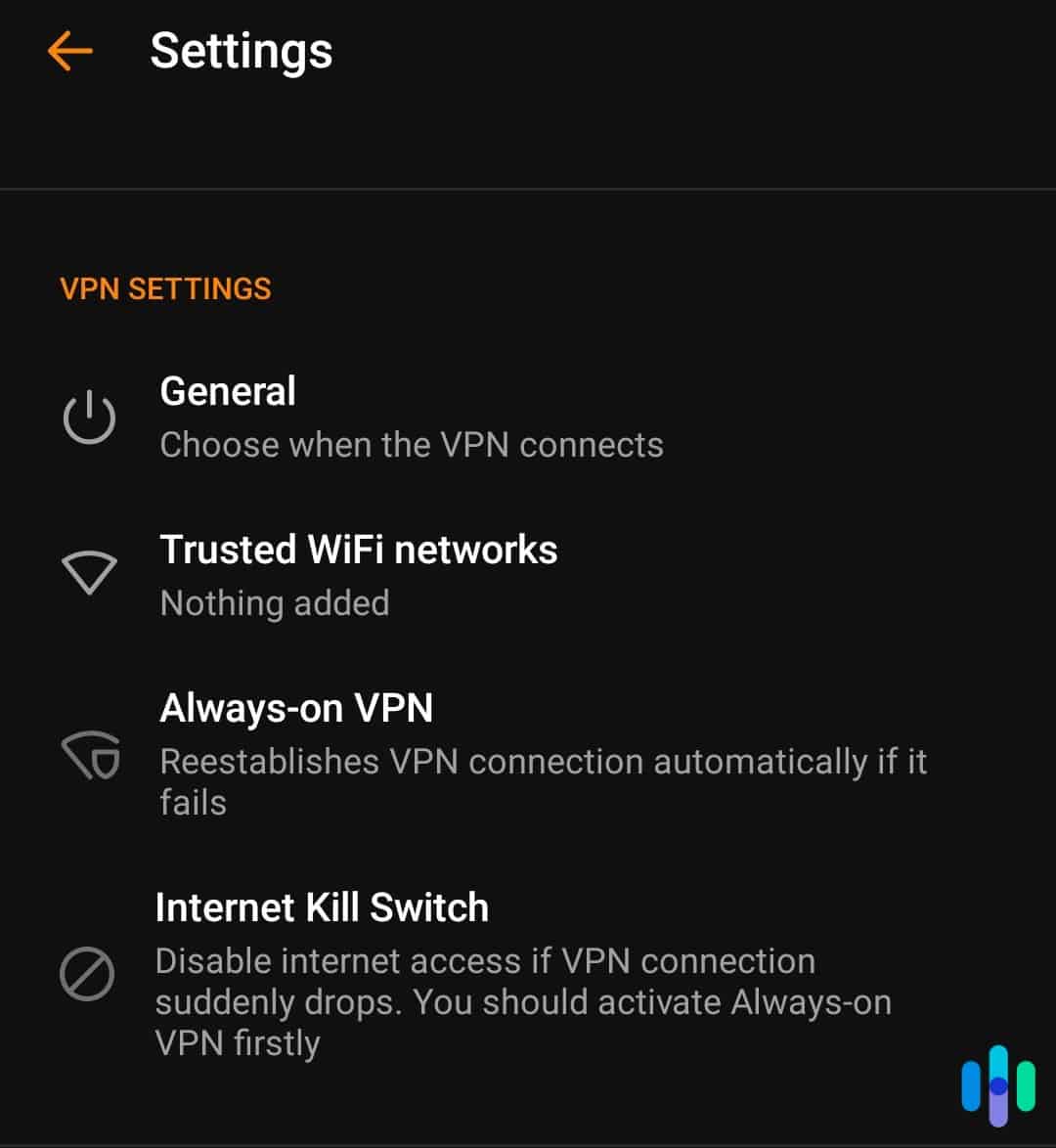
- Enable the kill switch. A “kill switch” shuts down all of your open apps and activity if your VPN stops working. This ensures that your activity isn’t exposed, even for a split second. A kill switch is a particularly useful tool for torrents because people can leave their computers downloading files for hours at a time. If, during this period, your VPN connection drops out, your IP address could be exposed, and you could be identified.
- Visit a torrenting site. Visit a torrenting website and search for the content that you want.
- Download the file. Once you have found the content that you want, click on its magnet link or download its torrent file, and voila! You’ve officially torrented with a VPN.
Money-saver: Most VPN services offer a 30-day, money-back guarantee, so you can test out a service before fully committing to it.
Why Would I Use a VPN to Torrent?
Believe it or not, a lot of your internet browsing is fully visible to your ISP. These companies could collect your personal data and hand it over or sell it to third parties. These third parties could be marketing companies, or they could be the government. Therefore, it’s crucial to protect your data from anyone who is trying to collect it without getting your explicit consent, especially important if you plan on downloading and sharing torrent files.
What Is Torrenting?
“Torrenting” refers to file sharing through a decentralized, peer-to-peer (P2P) sharing network. P2P file sharing lets users exchange files without uploading them to a server. Instead of downloading a file from one central server (like downloading an app from the App Store), you’re getting pieces of that file, called “packets,” from multiple people who already have it. It’s like borrowing pages of a book from different friends to compile the complete copy.
The packets are on a server (also called a “seeder”) in their entirety and are also shared throughout a network of computers. These are your “peers” or “leechers.” The torrent file keeps track of who has which packet and alternates where you’re downloading from. Each leecher acts as its own small server, reducing network load. However, as you are downloading, you’re also uploading, which can slow down your internet majorly.
What Is BitTorrent?
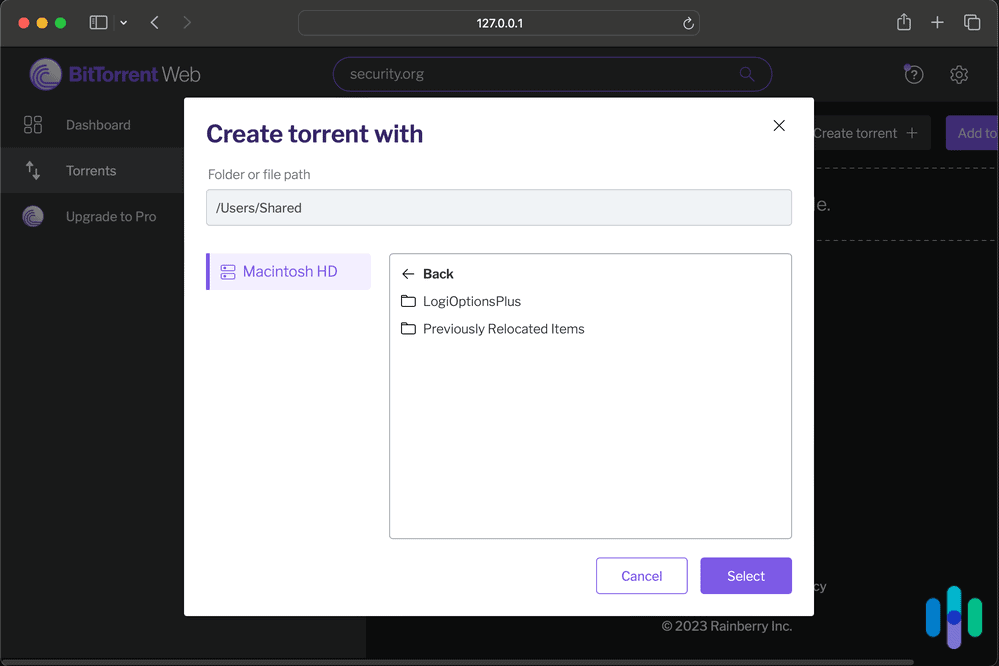
BitTorrent, sometimes abbreviated as BT, is the protocol that makes torrenting possible. It enables users to distribute data and electronic files over the internet in a decentralized manner. BitTorrent remains one of the most common protocols for transferring large files with over 100 million active users.1 To send or receive files, you can use a BitTorrent client, which is a desktop program that implements the BitTorrent protocol. Popular clients include μTorrent, Xunlei Thunder, Transmission, qBittorrent, Vuze, Deluge, BitComet and Tixati. BitTorrent trackers provide a list of files available for transfer and allow you to find peer users who can transfer the files.
Streaming vs. Torrenting
Streaming and torrenting can seem similar in that they both involve a file being sent to a device. The big difference is that a streaming file is played as it becomes available, while a torrenting download is stored onto memory. Another main difference is that direct downloads are from a single source, while torrents are P2P. P2P sharing allows you to download content from a source as well as from other users. Streaming and torrenting are both ways to watch content, and we’ve compiled the best VPNs for streaming, as well.
How Does Torrenting Work?
Torrenting doesn’t depend on a centralized server for storing files. Instead, bits of data from individual large files are saved by participating users, or peers, to facilitate the file-sharing process. A P2P communication protocol like BitTorrent breaks the files into pieces and moves them from uploaders (seeders) to downloaders (leechers) via a torrent client. The torrent client is a separate program that reads all the information in the .torrent file and connects users to exchange data.
Here’s a real-world example. Imagine you’re part of a remote team that needs to share a 10GB video project file. Instead of uploading it to Google Drive (which might take hours and eat up storage), you could create a torrent. Your colleagues would then download pieces of the file directly from your computer and from each other simultaneously. That makes the transfer faster for everyone involved.
How Does Peer-to-Peer File Sharing Work?
Peer-to-peer (P2P) file-sharing creates a network where every computer is both a client and a server.2 Then, users can share digital files directly with other computers on the newly created network. Virtually anyone can join a P2P network by installing particular software. That means millions of computers can be connected to share audio, video, images, and games.
Why Is Torrenting Popular?
Torrenting is a fast and easy way to share huge files. Furthermore, when we’re talking about huge files, we typically mean music, videos, and high-quality photos, aka the type of content that is most shareable. Another plus is that users can share content from other countries that they might not have access to through a streaming service.
Is Torrenting Illegal?
Torrenting itself is legal – it’s just a method of file transfer. The legal issues arise when people use torrenting to share copyrighted material without permission, per the Digital Millennium Copyright Act of 1988.3 If you get caught violating the copyright act, you can face fines ranging from $200 to $150,000 for each work infringed upon. Those who have led large-scale violations have even faced several years of federal prison time.4
» Explore: In General, Are VPNs Legal?
Why Hollywood Hates Torrenting
While torrenting copyrighted material is certainly illegal, it happens all the time. When users torrent music and movies, they are getting the content for free, without paying any of the creators. Since torrenting is so popular, illegal content downloads add up, costing U.S. business about $77 billion annually.5 We certainly don’t recommend torrenting copyrighted material because it’s illegal, but the trickle-down effect on the creative industry is another reason to steer clear.
Why Is Torrenting Dangerous?
Generally speaking, most torrents are relatively safe to download, as long as you know where they’re from. However, malware-ridden torrent files are widespread and are often linked to pirated copies of TV shows. Additionally, torrenting requires sharing a network with many (sometimes thousands) of users, and malware could be anywhere. In addition to being vigilant about file sharing, it’s also beneficial to invest in antivirus software.
Warning: Torrent users need to watch out for executable (.exe) or batch files (.bat) as these are commonly associated with scripts that install malware into computers.
Speeds While Torrenting With a VPN
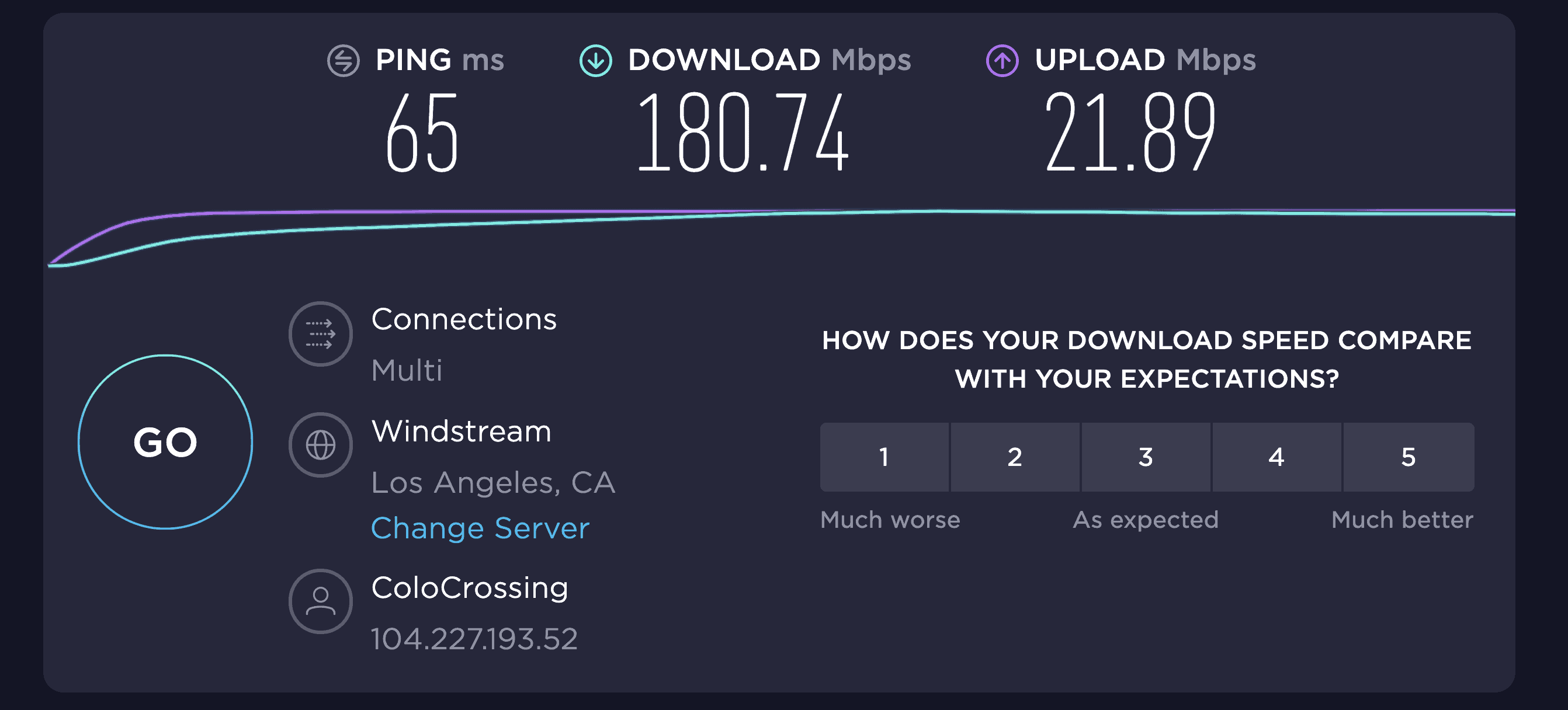
Unfortunately, VPNs will slow down your system, and so will torrenting. Here’s the thing though – in our testing, a quality VPN only reduces speeds by about 10 to 20 percent. That’s barely noticeable for most torrenting activities. The key is choosing the right server and protocol. A good way to increase VPN speeds is to choose a server that you’re physically close to. That’s why it is imperative to choose a VPN company that has a lot of servers, because the more servers a company offers, the higher the likelihood is that one will be near you.
Public Wi-Fi networks are great but can also cost you some speed, especially if there are multiple devices on the same network. If it’s possible, using a wired connection will increase connectivity. When it comes to VPN data consumption and cellular usage, you can choose a VPN protocol that uses the least amount of mobile data, like IKEv2 or IPSec, and avoid 256-bit Stealth OpenVPN. In some cases, VPNs can actually help your internet speeds. ISPs have been caught throttling P2P traffic and other large downloads.6 VPNs make it impossible for your ISP to see your traffic, and without knowing what you’re doing, they can’t throttle your traffic.
Is uTorrent Safe?
Yes, uTorrent is, in and of itself, safe when used properly. No spyware or malware will come from installing the program if it comes from an official website. However, the free version of uTorrent now includes ads, and some users have reported bundled software installations. Many security experts now recommend open-source alternatives like qBittorrent or Transmission, which don’t include ads or bundled software.
There are also plenty of bad actors in the torrenting world who want to infect your computer, and you might get exposed to them via uTorrent. That’s why we recommend torrenting with caution, ideally only downloading files from credible users. It’s also crucial to keep an eye out for files ending in .exe or .bat, which are often affiliated with scripts that can plague your system with malware.
How a VPN Protects You
A VPN allows you to communicate over a public, unsecured, unencrypted network privately and safely by establishing secure, encrypted connections. In other words, it routes data coming from your computer through servers in other locations and scrambles it to make it unreadable to bad actors (like hackers) who may want to spy on your activity. Wireless connections, like the Wi-Fi network at your favorite coffee shop, are especially vulnerable.
A VPN encrypts, or scrambles, data so that a hacker can’t see what you’re doing online. The VPN forms a tunnel between your computer and the VPN server and hides important information like your IP address, browsing history, credit card information, and downloads. The tunnel can’t be penetrated and the VPN connection is private. Further, you can use it on all of your devices, including your phone, laptop, and tablet. VPNs also protect data, like your emails, downloads, login information, and browsing history. A VPN alters your IP address, too, making it seem like you are using your computer elsewhere, and consequently, making it even harder to trace your activity back to you.
How to Choose a VPN for Safe Torrenting
Here are a few features you should look for in a VPN for torrenting:
- Security: Look for a VPN with AES-256 or ChaCha20 encryption (the same standard used by banks and governments) and modern protocols like WireGuard or OpenVPN.
- A kill switch: A kill switch will close out all applications and browsing activity in the unlikely event that your VPN fails.
- Ability to torrent: Some VPN services block torrenting, so if you’re planning to use the VPN for those purposes, double-check that it’s possible.
- A privacy policy with minimal logging: We generally don’t find it acceptable for a VPN company to log any of our web traffic, geolocation, or originating IP addresses. We have more flexibility for companies keeping track of information that’s necessary to uphold our accounts, like our names and payment information. Some of the biggest VPN providers now undergo regular third-party audits to verify their no-logs claims. This has become the gold standard in the industry. For further information on this topic, see our top picks for VPNs with no-logging.
- Speed: There’s no point in choosing a VPN that throttles your speeds so much that going about your business takes forever. We test for a difference in ping (latency), download speeds, and upload speeds. When we review VPNs, we use the speed test from Ookla, which measures speed in milliseconds for ping and megabits per second for download and upload speed.
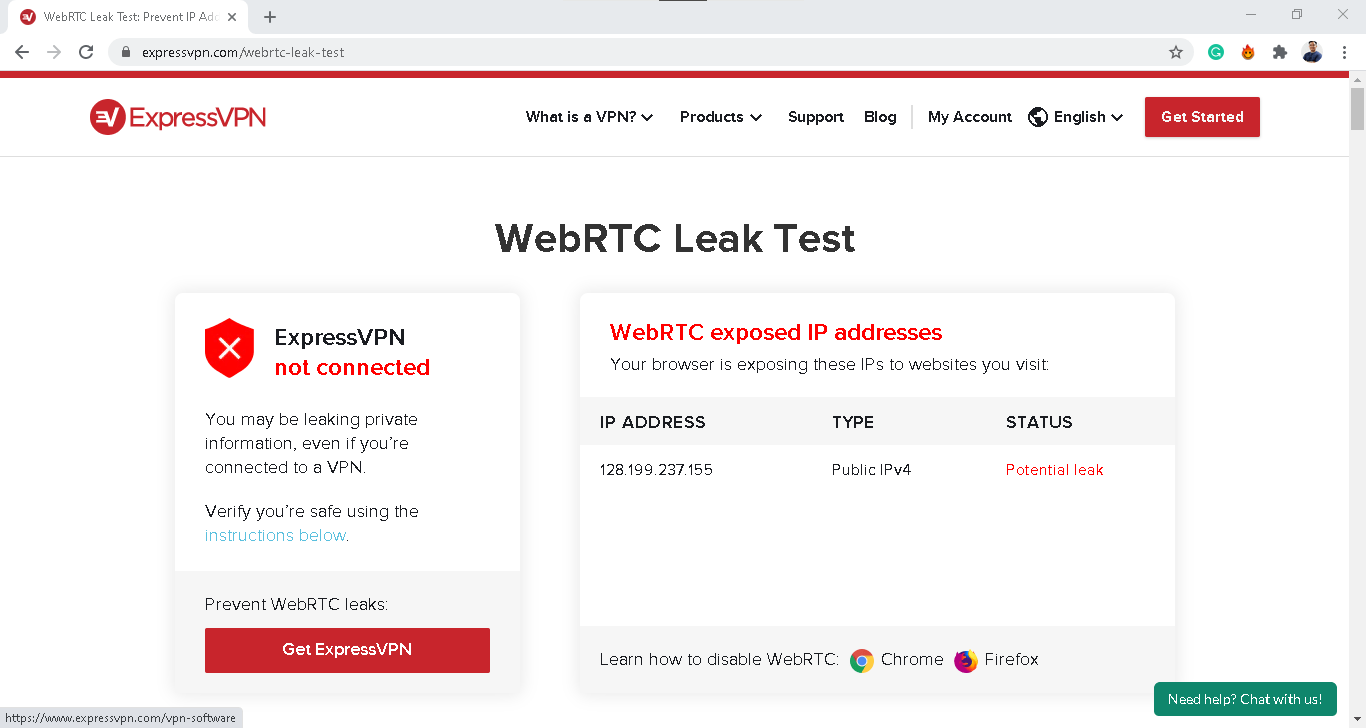
- WebRTC and DNS leaks: These are critical security vulnerabilities that can expose your real IP address even when connected to a VPN. That’s why we always run domain name server (DNS) and WebRTC leak tests.7 This ensures our IP address and browsing activity stays hidden anytime we connect through our VPN.
- Customer service: Last but not least is choosing a provider with excellent customer support options. Most companies offer an FAQ database and email support line, but live chat features and phone lines are more helpful.
Worst VPNs for Torrenting
Not all VPNs allow torrenting, so it’s important to double-check a VPN service’s features if you’re planning to torrent. For example, Encrypt.me does not allow torrenting, while KeepSolid VPN only allows torrenting on a handful of servers (California One, Ontario, Romania, Luxembourg, and Paris).
In Summary
Torrenting is a simple and effective way of sharing videos, music, and images. Using a VPN will protect all your sharing activity by encrypting your connection, making it impossible for your ISP to see what you’re up to. A VPN for torrenting can make your online activity more secure and private while keeping your data from getting monitored by your internet service provider or other people.
While torrenting is often associated with illegal acts online like pirating, it can be used for above-board and legal purposes. In fact, we do not recommend using a VPN to torrent copyrighted materials. Doing so is illegal, and like all digital security, VPNs aren’t 100 percent airtight. However, if you’re using torrents for legitimate purposes, a VPN adds an essential layer of privacy and prevents ISP throttling.
Before torrenting using a VPN, make sure the VPN you use is reliable and reputable. Once you install the VPN, check to see that it works correctly and that all your data is getting encrypted end-to-end. Also, enable your VPN’s kill switch feature to safeguard your privacy even further – this is great in case a VPN connection fails.
Bottom line: You want a VPN that respects your privacy with a verified no-logs policy and robust leak protection. You’ll also want fast speeds for large file transfers, responsive customer support, and a price that fits your budget. Without a VPN, torrenting can expose your IP address and your ISP can see what you’re doing online. That’s a privacy risk you don’t need to take.
FAQs
Still not sure about how to use a VPN for torrenting? We answered the most common questions below.
-
Is torrenting safe with a VPN?
Yes, torrenting with a VPN is completely safe, if you know and trust the P2P network you are using. Some people use P2P networks and torrent sites to spread malicious files, so you should always have your anti-malware program activated when you’re torrenting to protect yourself as well.
-
Can you go to jail for torrenting?
No, you do not go to jail for torrenting or using BitTorrent. Torrenting is just a file copy protocol which moves files around the internet efficiently. However, you could get arrested for downloading licensed content without the appropriate permissions.
-
Why should I use a VPN when torrenting?
You should use a VPN when torrenting because a VPN encrypts your traffic before it leaves your computer, meaning that your internet service provider cannot monitor your activity.
-
How dangerous is torrenting?
There’s a fair amount of danger in torrenting, especially without a VPN. One of the greatest dangers associated with torrenting relates to the integrity of the files being shared. As one of the most popular and widespread P2P-sharing protocols, torrents are a big target for hackers, unscrupulous advertisers, and other parties looking to infect systems.
-
Do I need to hide my IP when Torrenting?
When downloading torrents on a device with a torrent client, your IP address will be publicly available to others connected to that same torrent file. In turn, this leads to getting hacked, malware, and cyberattacks. So, while you don’t need to hide your IP when torrenting, it’s recommended you do it for added security and privacy.