Best Wired and Hardwired Home Security Systems (With Professional Installation) in 2026
If you’re looking for a wired security system, ADT’s hybrid approach (wired and wireless devices) and modern features make it the smartest choice for most homes.
 &
&
 Last Updated on Sep 17, 2026
- Equipment options that include some wireless components and hardwired cameras.
- An easy installation process with the option for either a DIY or professional installation.
- Local video storage with a large enough capacity to enable 24/7 recording.
- Monitoring options that allow you to freely switch between professional and self-monitoring.

- Reliability and service quality built on over 150 years of security experience
- State-of-the-art monitoring facilities with backups and contingencies
- Customizable security systems tailored to every home’s needs

- Hybrid approach with wired and wireless equipment options
- Professional installation by trained technicians ensures proper set-up
- Robust home automation features and smart home integration

- Ring Retrofit Kit converts wired sensors to work with Ring Alarm
- Affordable packages starting at $199.99 for sensor-only setups
- Offers wired and hardwired security and doorbell cameras
the security.brief
When it comes to wired reliability, ADT tops our list with its tested security equipment and monitoring service. Vivint also excels in installing wired equipment, while Ring Alarm offers a conversion kit for homes with old wired sensors.
Wired and hardwired home security systems are known for their reliability. They don’t experience wireless signal interferences and they don’t rely on batteries that run out. The problem is that there aren’t as many alarm companies offering wired equipment now as before, especially with the quick rise of easy-to-install wireless security solutions that offer advanced features such as smart home automation.
If you’re shopping for a dependable wired security system, your best bet today is a hybrid system that pairs wired and wireless equipment. You get the rock-solid reliability of hardwired connections alongside the convenience and modern features of wireless tech. That’s a big part of why ADT is one of the best security systems of 2026. We also recommend Vivint for their installation expertise, and Ring Alarm for their wired sensor conversion kits. Keep reading for our full guide on wired home security systems.

Summary of the Best Wired Security Systems
- ADT - Best for Reliability and Professional Monitoring
- Vivint - Best for Professional Installation and Smart Home Integration
- Ring Alarm - Best Conversion Kit for Homes With Wired Sensors
Wired Security Systems Comparison
| System |
ADT
|
Vivint
|
Ring Alarm
|
|---|---|---|---|
| Ranking | 1st | 2nd | 3rd |
| Ratings | 9.8/10 | 9.4/10 | 7.7/10 |
| Wired security cameras | Yes | Yes | Yes |
| Sensors (wired or wireless) | Wireless | Wireless | Wireless |
| Communication technology | Internet, cellular | Internet, cellular | Internet, cellular |
| Equipment price | Starts at $349 | Starts at $199 | Starts at $200 |
| Monitoring price range (per month) | $49.99 and up | $24.99 to $49.99 | $4.99 to $19.99 |
| Installation | DIY or Professional | Professional | DIY or professional |
| Money-back guarantee | 6 months | 3 days | 30 days |
| Contract length | Up to 3 years | Up to 5 years | Month-to-month |
| Read Review | ADT Review | Vivint Review | Ring Alarm Review |
-
1. ADT - Best for Reliability and Professional Monitoring

Product Specs
Equipment Costs Starting at $404 Monitoring Options Professional Monthly Monitoring Costs Starting at $24.99 Contract Lengths 36 months and up Installation Options Professional Smart Platform Integration Alexa and Google Home Type of Wired Equipment
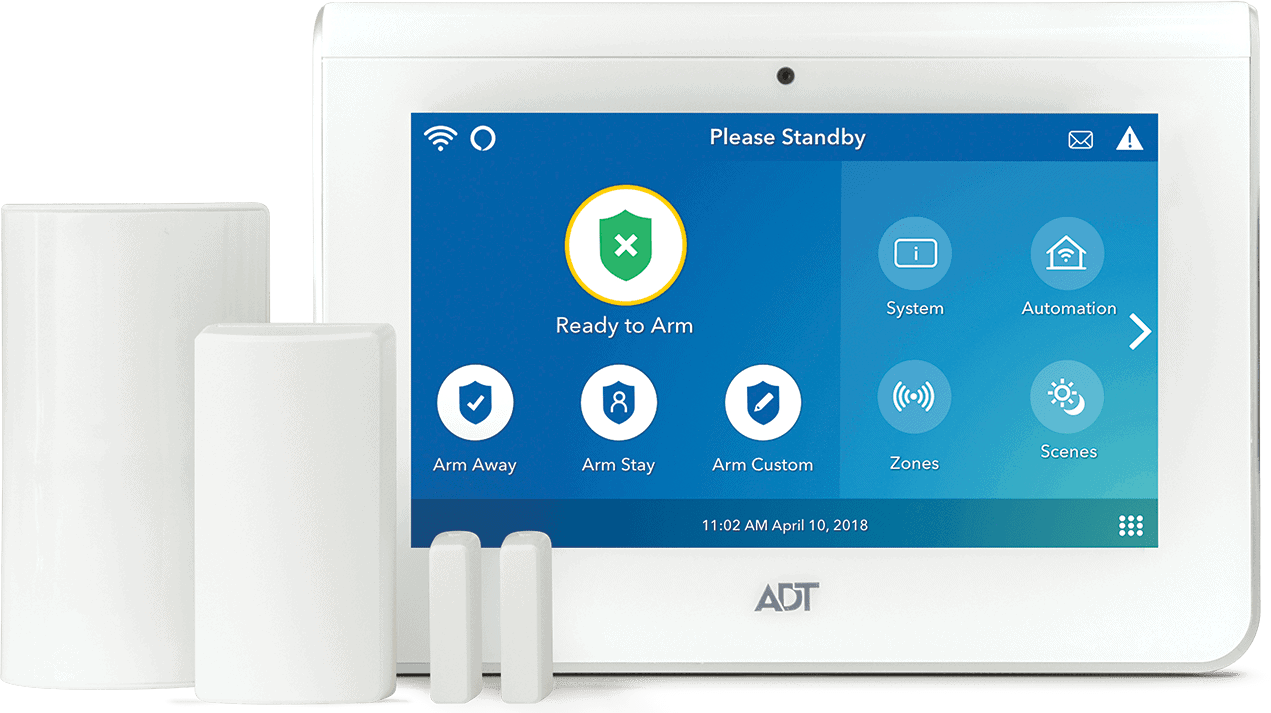
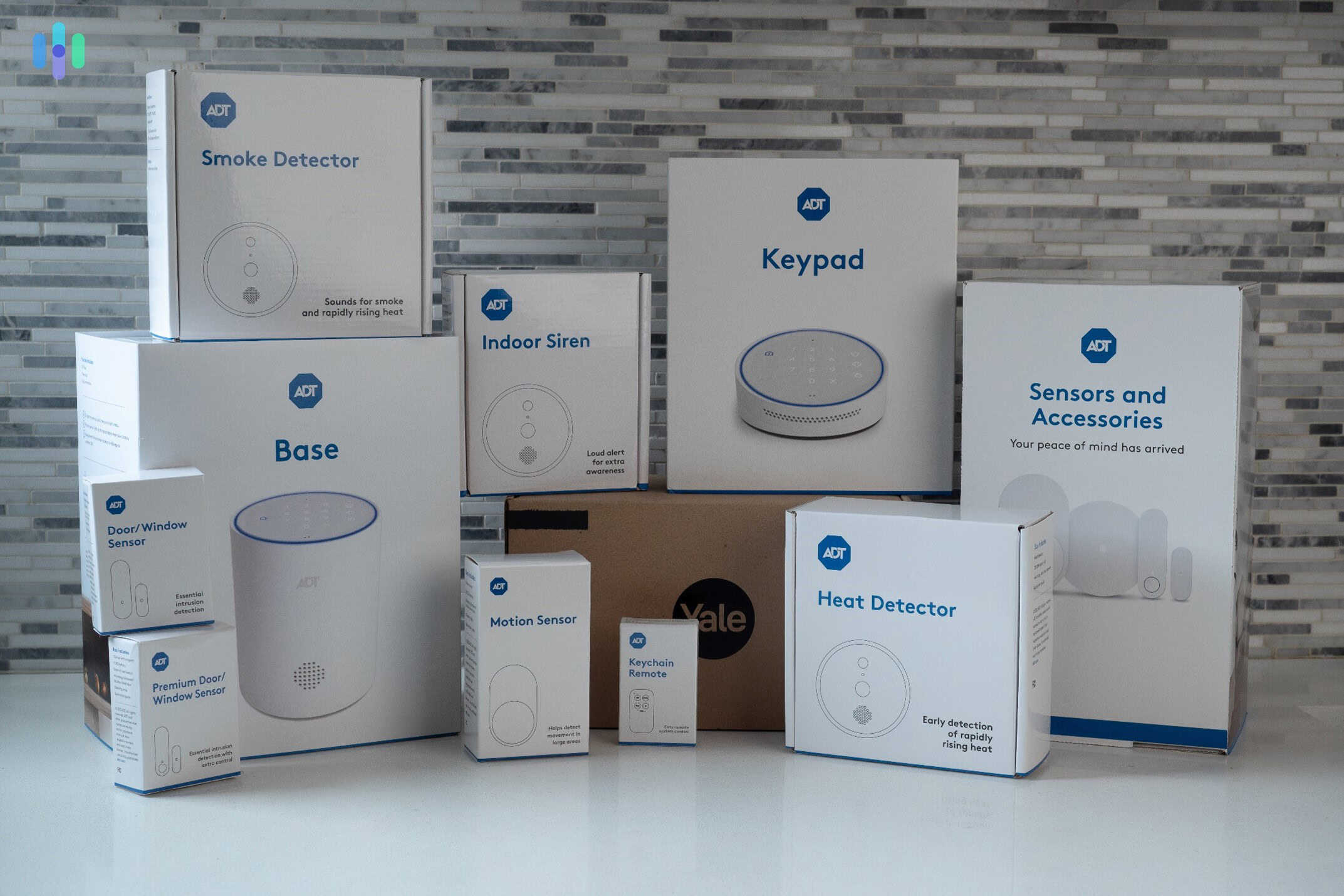
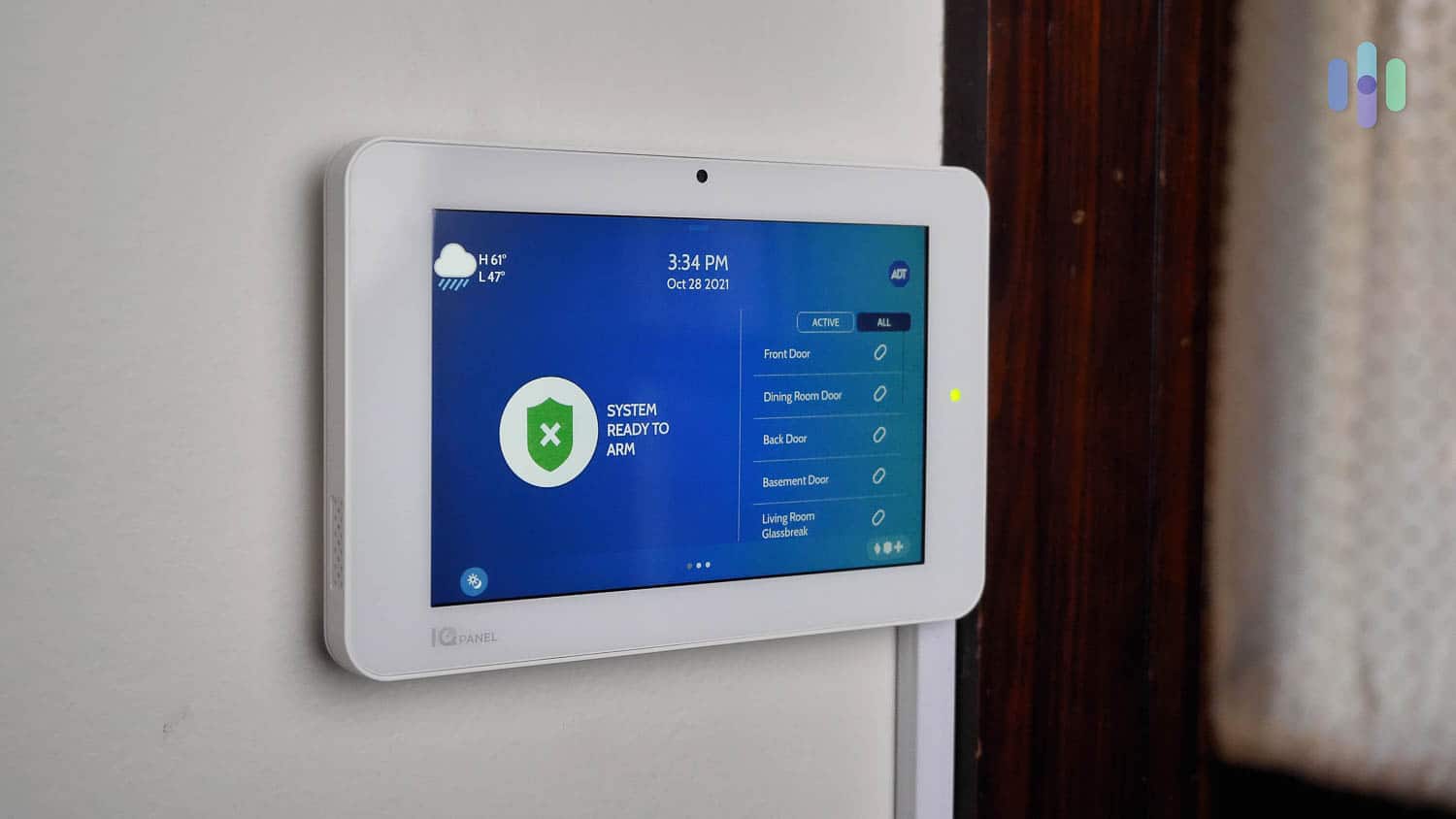
ADT security systems start with the ADT Base – a wired control hub that plugs into the wall for power. It connects to the internet wirelessly over Wi-Fi, but to compensate, it uses a built-in cellular chip to maintain communication with ADT’s monitoring center during internet outages. It also has a 24-hour battery backup in case your home loses power.
Aside from that, ADT offers wired equipment from Google Nest – for example, the Nest Thermostat1, Nest Doorbell Wired, Nest Cam Indoor (wired), Nest Cam Outdoor (wired), and Nest Cam with Floodlight. ADT has been partners with Google Nest since 202122, and because of this partnership, ADT home security system users have access to Google Nest’s mostly wired lineup of security cameras.
Pro Tip: If you own a business and you’re looking for a reliable, wired security system, ADT should be up for consideration. It has one of the best business security systems that offers a wider variety of features from access control to wired security cameras with DVRs.

Our ADT security system was mostly wireless, but key components such as the hub and a couple of cameras were wired. Installation
ADT offers both DIY and professional installation, but if you’re going for wired components, it pays to invest in professional installation. ADT’s pricing for installation starts at about $100 but can scale up depending on the size of the system. We paid a little over $150 for ours, and the cost covered everything from selecting optimal sensor placement to testing the entire security system post-installation.
It’s also thanks to professional installation that ADT can offer an industry-best six-month money-back guarantee. When a sensor they installed malfunctioned a month after installation, ADT’s technician came back and repaired it for free. We were told if they couldn’t fix something within six months, we could ask for our money back (equipment, installation, and monitoring fees). They have the longest money-back guarantee in the market. Others, such as SimpliSafe, offer a 60-day guarantee, but the industry average is 30 days.
>> Compare: SimpliSafe vs. ADT
Monitoring
ADT’s biggest selling point is its professional monitoring service, which is why it’s our best recommendation for those who are looking for a monitored security system with wired equipment. The ADT Base hub comes with backup power and cellular communication, keeping it in touch with ADT’s monitoring centers, which also have backup generators, servers, and communication lines. ADT operates six monitoring centers in the U.S. — a more resilient setup than Vivint’s two-center network.
>> Further Reading: Vivint vs. ADT
Pro Tip: If your home comes with existing wired security sensors, you may be able to activate and have ADT monitor them. Give ADT a call and they’ll help you figure out your best options.
What We Like
- Gold-standard professional monitoring service
- Mix of wired and wireless equipment from Google and ADT
- Six-month money-back guarantee
- Frequent deals
What We Don’t Like
- Requires a monitoring contract
- Monitoring fee can cost up to $50
- Customer support can be a mixed bag
- Professional installation service isn’t free

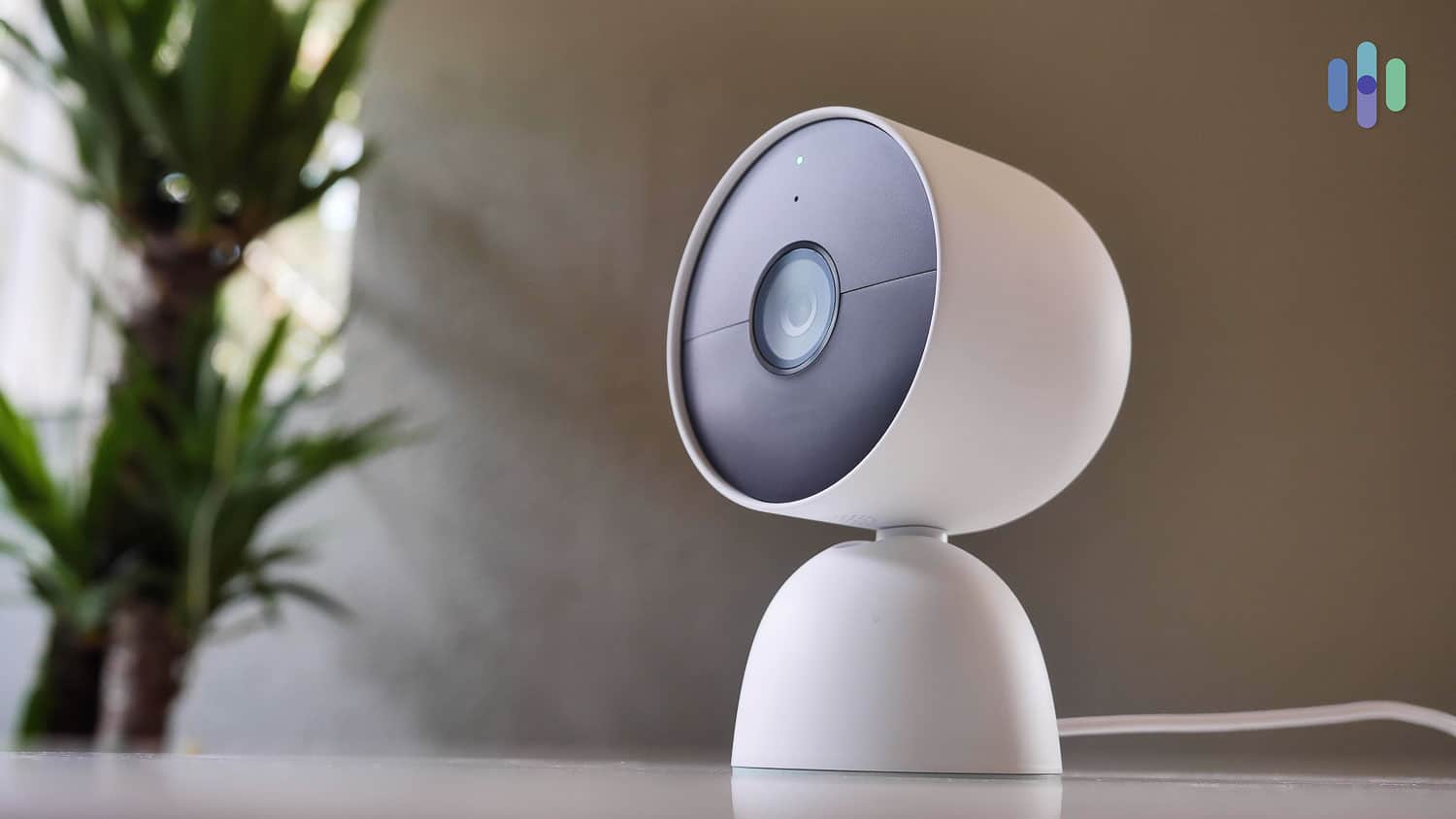
A closeup of the Nest Cam (indoor, wired) that we tested as a part of our ADT security system. Why We Picked ADT
During testing, we noticed ADT’s intelligent use of wired equipment to maximize reliability. The wired hub means it never relies on battery power to stay on, yet it uses wireless communication that is more reliable than wired landline. The wired ADT security cameras (all from Google Nest) also ensure continuous video monitoring and perimeter security.
Those wired components all play a part in ADT’s monitoring and emergency response. During testing, the ADT Base kept our sensors communicating with the monitoring center. When we ran break-in simulations, it made sure to send alert signals to ADT. The wired cameras played a role, too. ADT used them for video verification. Video-verified alarms are typically prioritized by police dispatch — a real advantage when every second counts.
A complete ADT security system review by Security.org’s Gabe turner -
2. Vivint - Best for Professional Installation and Smart Home Integration

Product Specs
Equipment costs Starting at $199 Monitoring options Professional Monthly monitoring costs Starting from $24.99 Contract lengths Starting at 42 months Installation options Professional Smart platform integration Alexa and Google Home Types of Wired Equipment

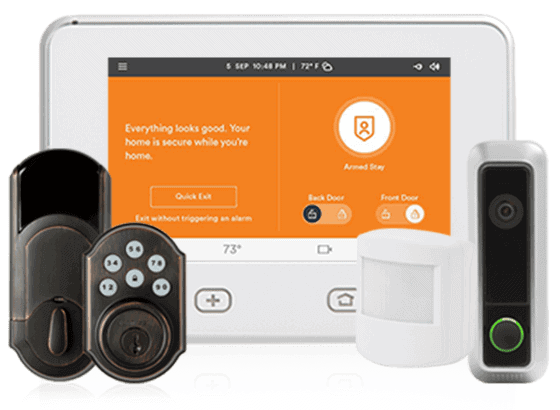
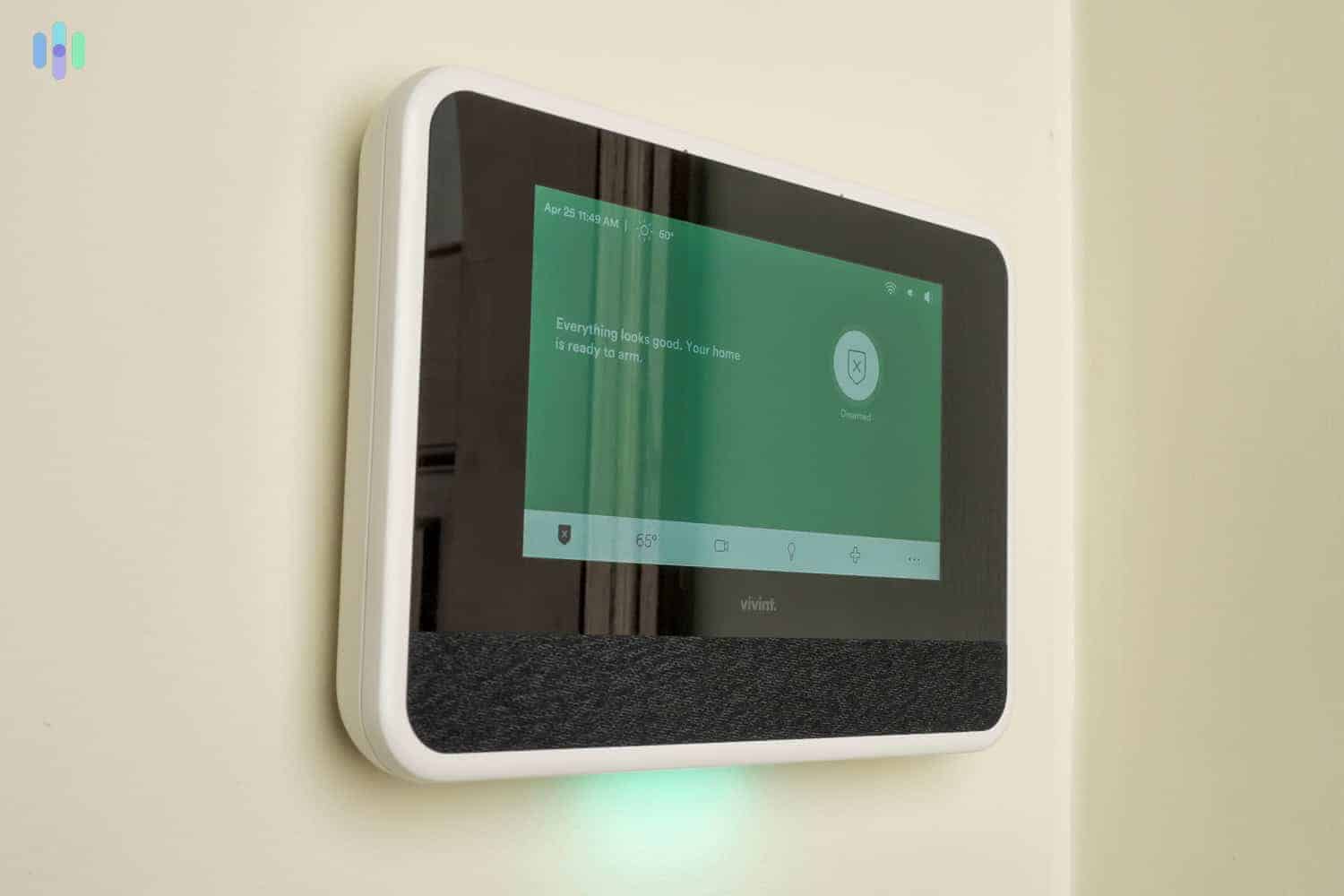
The Smart Hub may look like a tablet, but it’s a wired controller hub for the Vivint system Vivint is primarily wireless, but it offers wired equipment where it matters. We particularly like the Vivint Smart Hub, which is included in higher-tier packages. Unlike basic keypads, the Smart Hub plugs into an outlet and provides a 24-hour battery backup for added reliability. It also doubles as a responsive touchscreen controller for your whole system.
Vivint security cameras are also wired for power. The full lineup includes the Vivint Indoor Camera Pro (plugs into an outlet), Vivint Doorbell Camera (wired to existing doorbell wires), and the Vivint Outdoor Camera (wired for power, PoE/Wi-Fi hybrid). The outdoor camera is worth a closer look — it uses a Power-over-Ethernet connector. During installation, the technician drilled the PoE cable through the external wall, but instead of plugging it directly into a router, it connects to a Wi-Fi receiver. That means it picks up Wi-Fi signals better than most outdoor cameras, improving signal stability without requiring a fully wired network setup.
Installation
Vivint requires professional installation. That’s not an issue for us. For one, we’ve come to know Vivint as one of the best security systems with professional installation. They send out in-house technicians trained specifically for Vivint installation.
That matters, because proprietary equipment like Vivint’s requires specialized know-how to set up correctly. During installation, for example, Vivint’s technician took care to ensure our Vivint Outdoor Camera had no exposed wiring. That’s a bigger deal than it sounds — intruders sometimes snip wires to knock out security equipment, so concealing them is a real line of defense with any wired system.
Monitoring
We found Vivint’s speedy response times commendable. During our break-in simulations, they sent out text alerts less than 10 seconds after our system triggered an alarm. Text alerts offer a nice heads-up. Plus, we like that we could cancel the alert then and there if it were a false alarm. Vivint then follows up the text alerts with a phone call almost immediately if you confirm the alarm or in about 30 to 40 seconds if you don’t respond to the text alert.
Vivint is also one of the top cellular security systems because it offers cellular backup in case of internet outages. These are wireless features, but again, with current technology, we recommend combining both wired and wireless features to maximize your home security. Vivint’s prices for professional monitoring start at $24.99 per month, and can climb to $49.99 per month or higher once you add home automation features and security camera support.
 Expert TakeFrom Gene Petrino, Retired SWAT Commander and Law Enforcement“Call centers usually do not contact the police for at least 5 minutes, and by then, the suspect has already fled the scene. I have personally apprehended burglars as the homeowner provided detailed information on the suspect’s appearance and location after they were alerted to the intrusion on their smartphone. This is the advantage of having a system provide direct notification to the homeowner.”
What We Like
- Reliable wired equipment where it matters (hub and cameras)
- White-glove professional installation
- Fast monitoring response with text alerts
- Strong Z-Wave home automation
What We Don’t Like
- No DIY installation option
- Higher upfront equipment costs
- Monitoring contract up to five years
Why We Picked Vivint
Besides Vivint’s exceptionally white glove installation service, we like how it integrates well with third-party smart home devices. Vivint is a strong contender for our list of the best smart home security systems. It integrates well with smart home devices from other brands, especially those that use the Z-Wave wireless protocol. While the communication between Vivint and these Z-Wave devices are wireless, the products itself are sometimes wired. For example, Z-Wave smart thermostats, smart switches, and garage door controllers.
Pro Tip: Before buying a Vivint system for its smart home capabilities, consult Vivint’s tech support to ensure your existing smart home devices work with Vivint. Even though Vivint is Z-Wave enabled, we found that it doesn’t work with all types of Z-Wave devices.
-
3. Ring Alarm - Best Conversion Kit for Homes With Wired Sensors
 See Pricing Links to Ring.com
Product Specs
Equipment Costs Packages starting at $199.99 Monitoring Options Professional and DIY Monthly Monitoring Costs Starting at $19.99 per month Contract Lengths 1-12 months Installation Options DIY or professional Smart Platform Integration Alexa and Google Home
Type of Wired Equipment
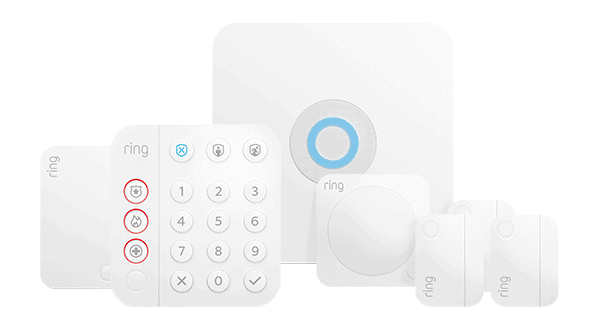
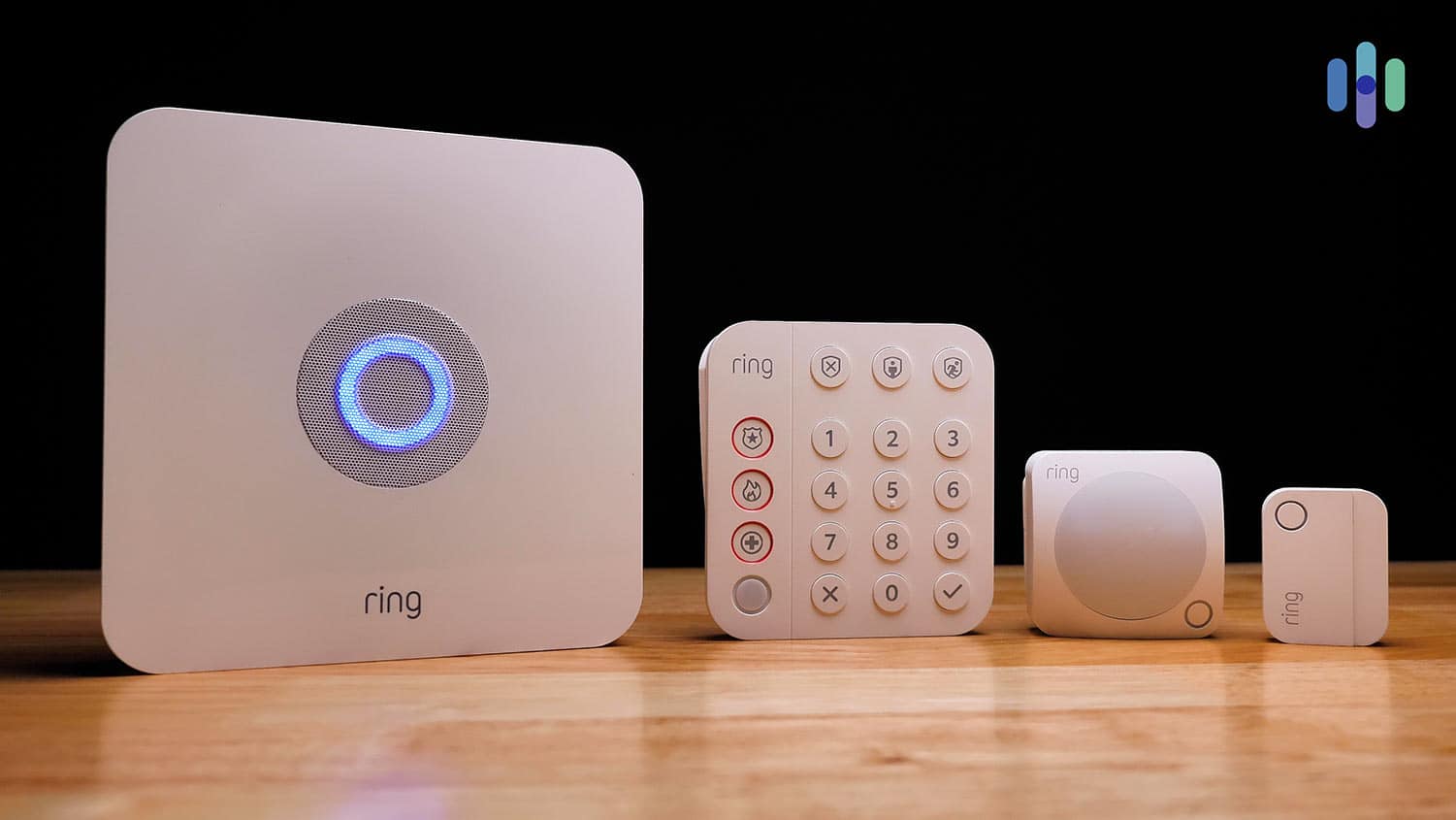
The Ring Alarm security system is mostly wireless, except for the plug-in base station. However, unlike the hub included in ADT and Vivint systems, the Ring Alarm base station doesn’t have buttons for controls. It’s simply a unit that combines together Ring Alarm systems. Still, because it’s wired, it enjoys the reliability of wired security equipment.
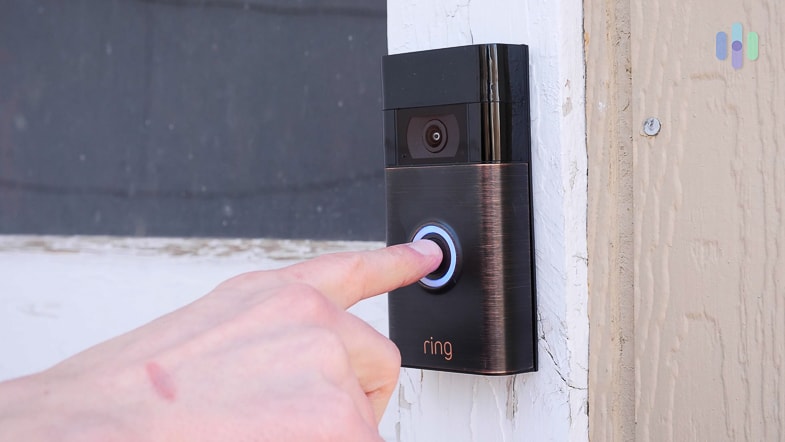
Other than that, Ring’s only wired products are Ring doorbell cameras and security cameras, such as the Ring Spotlight Cam we tested. They have a long list of wired options, from the plug-in Ring Indoor Cam to the PoE doorbell camera, the Ring Video Doorbell Elite. And even though the Ring Alarm security system is a separate product line from Ring security cameras and doorbell cameras, they can all work together through the Ring – Always Home app.

While the Ring Alarm security system itself is mostly wireless, it works with a wide variety of wired security and doorbell cameras. Installation
Unlike Vivint, Ring doesn’t require professional installation. It’s an option. You can book an appointment with OnTech, which specializes in Ring installation.3 3We recommend going that route if you’re getting a Ring Floodlight Cam Wired Plus or Pro, since those models need to be hardwired directly to a junction box.
As for the other Ring products, we were able to set them up ourselves without a hitch. The Ring Alarm sensors were pretty much plug-and-play, and while the Ring Video Doorbell Pro needed hardwiring to our existing doorbell setup, the installation was cut-and-dry. We followed the instruction manual to the dot and set it up in under 15 minutes.
>> More Information: How to Install Home Security Cameras
Monitoring
Ring also goes a different route than most other security companies in terms of monitoring. Professional monitoring is highly recommended, but not required. That means you could have a Ring security setup without paying monthly fees. It’s one of the best no-monthly-fee security systems right now, next only to SimpliSafe and abode, both of which offer completely wireless equipment.
Subscriptions are even cheaper than SimpliSafe, which is one of the most affordable security systems around. Professional monitoring starts at $20 per month with the Ring Protect Pro plan, covering all Ring cameras and doorbells in your home. For comparison, ADT starts at around $49.99 per month and SimpliSafe costs $22.99 per month for its standard monitoring plan.
What We Like
- Wide selection of wired security and doorbell cameras
- Advanced features including built-in security lights and smart detection
- Professional monitoring is optional
- Retrofit kits for existing wired equipment
What We Don’t Like
- Security and doorbell cameras require an internet connection
- No free or local video storage options
- History of security breaches
- Limited wireless range for wireless sensors

The Ring Video Doorbell, one of the wired doorbell cameras from Ring. Why We Picked Ring Alarm
We primarily picked Ring Alarm because of Ring’s wide selection of wired and wireless equipment, particularly in the doorbell camera and security camera departments. However, besides that, we recommend Ring for the Retrofit Kit. It’s a conversion system that allows existing wired security systems such as those that come with older homes to work with the mostly wireless Ring Alarm. We’re not so thrilled that it can only connect wired door and window sensors4, but it’s a good start for homes with existing wired components.
Pro Tip: We tried the Ring Retrofit Kit in a friend’s apartment with five wired door/window sensors and didn’t think it was worth it. The kit runs $69.99, but you’ll still need to factor in the cost of a separate basic Ring Alarm setup just to get those five old sensors working. It’s really only worth it if your home has a large number of existing wired door and window sensors. Otherwise, you’re better off starting fresh with a fully wireless setup.

Our Testing Process: How We Ranked The Top Wired Home Security Systems
How We Test Security Systems
Security systems are not all created equal, and our job is to find the ones that actually hold up. Our testers unbox, install, and test each system we review over several weeks or months. We document the full setup from unboxing to arming, run simulations to trigger sensors and time monitoring center response, and evaluate security system apps by using them for daily arming and disarming, smart home features, and receiving alerts.
We also simulate Wi-Fi and power outages — including false alarm scenarios — so we know exactly how each system behaves when it matters most. Then we weigh equipment costs, recurring subscription fees, and contract terms to make sure the best security systems we highlight justify their cost with real-world performance, in line with our Editorial Guidelines.
What We Looked For
During our testing of over 60 systems across the homes of our five security specialists, we used the following criteria to rank the best hardwired security systems:
- Hardwired Cameras: The most value out of hardwired security components comes from cameras. It improves their reliability and opens up more local storage options.
- Monitoring Options: We assess each provider’s monitoring response time, reliability, and extra features. We also like flexibility, so we test each provider’s self-monitoring capabilities as well as any self-monitoring subscriptions.
- Professional Installation: Hardwired systems are more difficult to install, so we want affordable professional installation options.
- Backup Power: Without backup power, your entire system goes offline if your home loses power. That’s why we always want backup power for the system’s base station that communicates our alerts to the provider’s monitoring centers at a minimum.
Our security specialists use these key criteria to reliably rank each hardwired security system in a repeatable way without bias.
About Our Experts
Security.org is made of security experts committed to making honest, unbiased recommendations. We work with more than 20 experts and product testers who have collectively logged over 25,000 hours of hands-on testing since 2018. Our team’s findings have been cited by well-known publications, including The New York Times, CBS News, and TechRadar.
Our home security system testing effort is headed by Paul Frew, one of our resident home security and personal safety experts who has tested hundreds of home security systems, security cameras, and doorbell cameras. Working with him in doing a thorough, systematic testing process is our team of security and safety experts, including:
- Gene Petrino: Retired S.W.A.T. commander and former law enforcement sergeant, contributing three decades of law enforcement and security expertise as a senior advisor
- Corey Birnstengel: Editor and videographer responsible for 200+ in-depth video reviews spanning eight product categories
- Matthew Adkins: Ph.D.-holding researcher with over 100 security systems evaluated and ranked
- Cort Honey: Engineer-turned-security reviewer with 1,000+ hours of product testing and a talent for making complex tech accessible to everyday readers
No security provider can buy their way onto our rankings. Our recommendations are unbiased and editorially independent.
Why Choose Wired Security Systems Over Wireless?
We usually favor wired security systems for their reliability and consistency. Because wired components draw continuous power and don’t rely on batteries, they eliminate the risk of sensors going offline due to missed battery changes.
Wired connections are also less vulnerable to signal interference from thick walls, competing wireless devices, or network congestion — making them a strong choice for larger homes or properties with tricky layouts. In fact, having wired components is one of the factors we considered when testing for the top security systems for large homes.
Wired systems also hold up better against tampering and outages. Hardwired control hubs and cameras maintain stable, consistent performance and — when paired with battery and cellular backups — keep running even if your power or internet goes down. This hybrid approach, wired where it counts most and wireless where flexibility helps, gives you a professional-grade setup that’s built to last.
Are Wired Systems Better Than Wireless?
Honestly, wireless systems work better for most modern homes. While there are a few exceptions, here’s why we generally recommend wireless security systems:
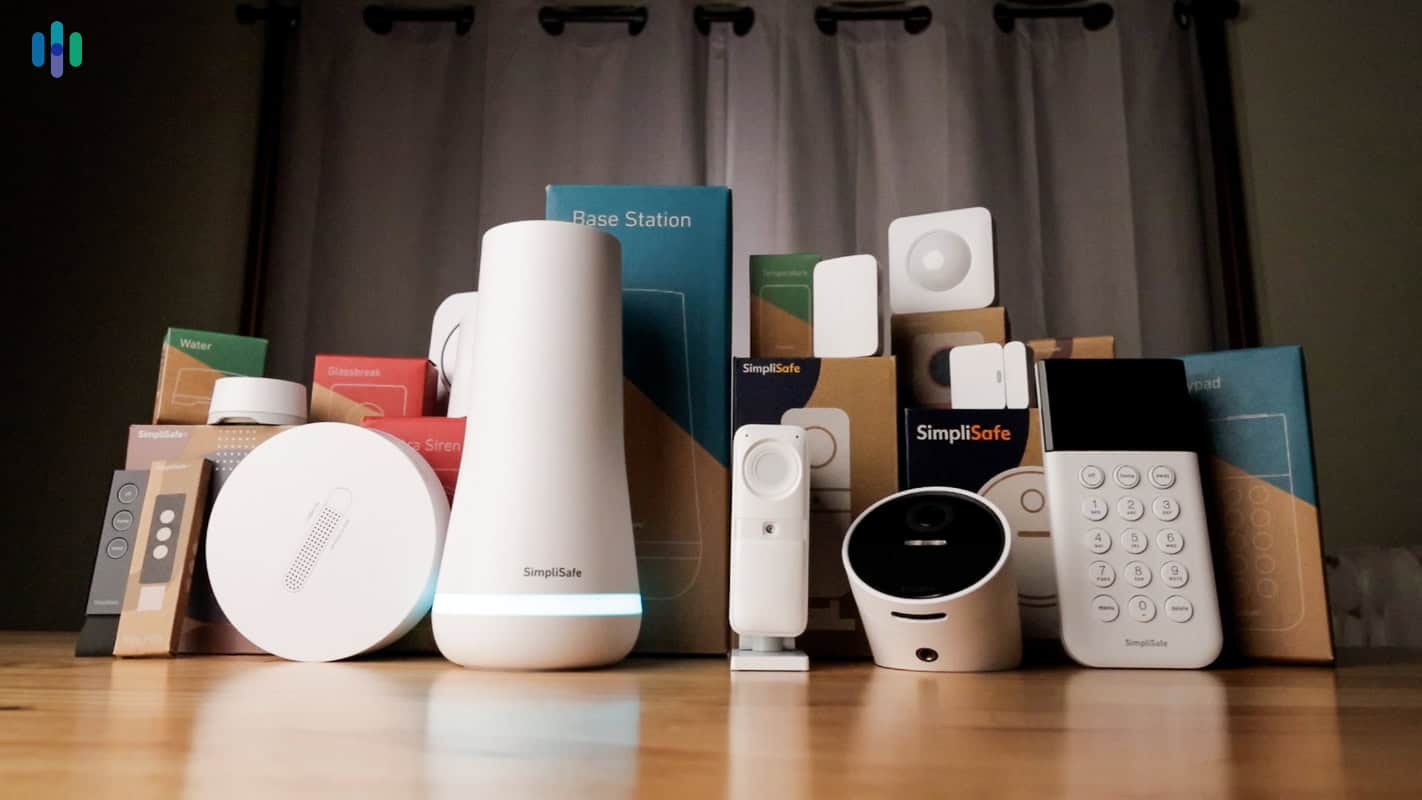
The decision whether to go wired or wireless should be based on your home’s unique needs, but if we look at things objectively, wireless systems make more sense in most modern homes today. Here are a few reasons:
- Advancements in technology have erased the advantage of wired systems. Previously, wired security equipment was considered far more reliable than wireless equipment, but modern wireless sensors are now virtually as reliable as wired sensors. If you can maintain battery replacement schedules, your wireless sensors should be as reliable as wired ones.
- Wired systems are easier to deactivate. While it’s true that wireless equipment can be prone to signal inference, it’s not any harder to deactivate a wired system. Landline and power lines can be cut from outside your house, which, in a fully wired setup, can cause your system to deactivate.
- Wired systems aren’t really cheaper to monitor. Wired security systems that rely on landline were believed to be more affordable to monitor, but that’s not really the case. While the monitoring company charges less for landline monitoring, you also have to maintain an active landline connection, which is mostly useless these days.
- Wireless systems are future-proof. It’s their greatest advantage. Wireless systems can adopt new technology through a simple firmware upgrade, whereas a wired system will likely require upgrading equipment to enjoy newer features.
Of course, there are exceptions to those. For example, if you have a large concrete home, it might still make sense to go with wired sensors because wireless signals can’t penetrate concrete well.5 Or if a reliable internet connection isn’t available to you, a landline-connected system is better than nothing. Our point, though, is if you have a shot to upgrade to a wireless security system and make it work, consider taking it rather than settling for a wired security system.
Must-Have Features For Wired Security Systems
Just to recap, we don’t recommend a fully wired setup. Instead, we recommend going hybrid, with some wired components and some wireless ones meshed together in a single system. And if you’re looking to buy such a security system, we strongly suggest looking for the features below.
Cellular Backup
All the options above require an internet connection, which can go down at the worst possible moments. Cellular backup is your safety net. It uses cellular signals to keep alerts flowing to you or the monitoring center even when your internet cuts out. ADT, Vivint, and Ring Alarm all include this feature with a professional monitoring plan.
Battery Backup
This is also important. A wired system likely requires power from your home’s electrical system, so when the power goes out, so does your security system. If possible, choose a system with battery backup in the hub. ADT, Vivint, and Ring Alarm all offer that feature.
Smartphone App Control
The advantage of going with a hybrid wired/wireless system is that it enables you to use modern features, including remote control via a smartphone app. As you saw, our top picks all use reliable, wired hubs, which are also responsible for control. With ADT, Vivint, and Ring Alarm’s respective apps, you can control your home security hub from anywhere as long as your phone is connected to the internet. You will also receive alerts and be able to arm and disarm your security system on demand.
>> Related: The Top Home Security Smartphone Apps of 2026
Are Smart Home Integrations Possible With Wired Systems?
Another possible upgrade for a wired system is smart home connectivity, but this deserves a section of its own because not all wired security systems support home automation. Traditional wired security systems — those that connect via a landline — don’t work with home automation. The Internet of Things (IoT) is the backbone of smart home automation, so without an internet connection, they’re simply not compatible.
That’s another reason why we recommend going with a hybrid system that offers wired equipment (like our top picks). They use wireless hubs and control panels that connect to the internet, making home automation possible. Here are some examples of smart home integrations you could implement:
- Security cameras connected to smart displays: This type of integration will let you view live camera footage on smart displays like the Google Nest Hub we reviewed.
- Sensors that can trigger smart devices: If you have smart appliances, smart lights, smart locks, or smart thermostats, you can trigger them using actions from wired and wireless sensors. For example, you can set your smart lights to turn on when a door is opened. (Note: Not all hybrid systems offer this level of automation. Check with the provider first.)
- Scheduled arming and disarming: You can also automate the security system itself. For example, you can set your hub to arm your wired and wireless sensors at 9 o’clock in the morning. It’ll follow the schedule like clockwork, ensuring you never leave your home unprotected.
Pro Tip: Check our list of the best smart home security systems, because some of them offer a few wired components as well. Vivint, for example, offers wired smart thermostats, and wired garage door controllers. Its cameras, however, are mostly wireless.
Recap
Wired security systems may have already become a rarity in today’s home security market, but they’re not completely phased out. Especially with our top-pick wired security systems that offer a mix of wireless and wired equipment, you can still get your money’s worth. As always, though, it all comes down to how well you tailor your security system to your specific security concerns and home layout. If you need help doing that, you can always check out our home security system guide.
FAQs
-
What’s the best hardwired system in the market?
ADT is our top pick for hardwired home security. It offers a well-integrated mix of wired and wireless equipment, giving you the flexibility of both approaches in a single system. To back that up with reliability, ADT’s professional monitoring is supported by multiple in-house monitoring centers spread across the U.S. — meaning if one goes down, another picks up the slack. That kind of redundancy translates to some of the most dependable home security coverage you can get.
-
Is a wired or wireless system better?
Objectively speaking, a wireless security system is better. It offers more advanced features, it’s more flexible and convenient to install, and you don’t have to worry about cut wires or landline outages. However, wired systems still have lots of upsides. They’re better for some large homes, for example, because you’re not limited by the sensor’s wireless range.
-
What are the top 5 security systems?
Right now, ADT, Vivint, and Ring are among the best security systems available. Most rely primarily on wireless equipment, but they’re top-notch when it comes to reliability and overall performance.
-
Are wired systems hard to install?
There are different types of wired systems, and the difficulty of setup depends on which type of system you have. Landline systems with wireless equipment are easy to install as long as your landline is active. Security systems that need electrical work, on the other hand, might require the help of a licensed technician.
-
Do wired security systems require professional installation?
It depends on the system, but we recommend professional installation. Experts ensure wiring is secure, devices function properly, and your system delivers reliable, tamper-resistant protection.
-
Google. (2024). Nest Thermostat.
store.google.com/us/product/nest_thermostat?hl=en-US&pli=1 -
ADT. (2024). ADT GOOGLE PARTNERSHIP.
adt.com/google -
OnTech. (2024). Ring Smart Home Security.
ontechsmartservices.com/collections/ring -
Ring. (2024). Ring Retrofit Alarm Kit – Quick Start Guides.
https://ring.com/support/articles/9p4y8/Installing-the-Ring-Retrofit-Alarm-Kit -
Signal Boosters. (2024). What Materials Block WiFi Signal?
signalboosters.com/blog/materials-that-block-wifi-signals/