
The Best VPNs for Desktop Computers in 2026
Our VPN experts tested more than 60 VPNs across Windows, Mac, and Linux to find the ones that deliver the best protection, performance, and features on desktop.
 &
&
 Last Updated on Aug 24, 2026

- Enhances Safari security with AES-256 encryption and available double-hop technology
- Lightning-fast speeds on Macs
- Offers a browser extension specifically made for Safari

- Has macOS and iOS apps that provide built-in access to tons of features
- Has support for unlimited simultaneous connections
- Is compatible with tons of popular streaming sites, like Netflix, Disney+, and Max

- Free version doesn’t cap data, allowing unlimited Safari browsing
- Free plan provides strong privacy and maintains fast speeds
- Has iOS and macOS apps that are great for beginners
the security.brief
Desktop VPNs offer more features and better performance than mobile or browser-only options. We've tested the top VPNs for Windows, Mac, Linux, and more to help you find the right fit.
Desktop is where VPNs shine the most. Unlike mobile apps or browser extensions, a desktop VPN encrypts all system traffic — every app, browser, and background process on your machine — giving you blanket protection. That makes it the right choice whether you’re working remotely, downloading large files, streaming, or gaming.
The tradeoff is that not all VPNs are built equally across desktop operating systems. Some providers offer feature-rich Windows apps but stripped-down Mac clients. Others lack Linux support entirely. After testing dozens of the top VPNs of 2026 across major desktop platforms and OS versions, we found broad differences in app quality, available features, and performance depending on your OS. We created this guide to help you find the right VPN for your specific desktop setup.
What to Look for in a Desktop VPN
We tested more than 60 VPNs and identified these as the most important factors for desktop users:
- Operating system compatibility matters more than it sounds. A VPN might have a polished Windows app but a limited macOS client or no Linux support at all. Always verify native app availability and features for your OS before committing.
- Full system protection is the key advantage of a desktop VPN over browser extensions. Look for VPNs that encrypt all traffic at the system level, not just what passes through your browser.
- Advanced features like kill switches, split tunneling, custom DNS, and protocol selection are typically only available on desktop. These give you precise control over how and when your traffic is protected.
- Performance is critical for power users. Desktop machines handle demanding tasks like large downloads, 4K streaming, online gaming. We suggest looking for VPNs that minimize speed loss under heavy use.
- Multi-device support lets you extend the same subscription to your phone, tablet, or router without paying extra. Most top VPNs allow between 6 and 10 simultaneous connections, although there are a few that offer unlimited connections which is particularly good for multi-device households. .
With those factors as a baseline, we’ve organized our desktop VPN guides below by operating system.
VPN Guides By Operating System
If you’re using a specific desktop OS, the guides below will help you find the right VPN for it.
- Best VPNs for Windows
- Best Free VPNs for Windows
- Best VPNs for Mac
- Best VPNs for Linux
- Best VPNs for Ubuntu
- Best VPNs for Chromebook
That said, most people nowadays use multiple desktop operating systems. If you’re looking for VPNs that work well across different platforms, keep reading.
Our Top Pick Desktop VPNs
- NordVPN - Best Desktop VPN for Overall Security and Speed
- Surfshark - Best Desktop VPN for Multiple Devices
- Proton VPN - Best Desktop VPN for Privacy-First Users
Comparing Top Desktop VPNs
| System |
NordVPN
|
Surfshark
|
Proton VPN
|
|---|---|---|---|
| Ranking | 1st | 2nd | 3rd |
| Ratings | 9.7/10 | 9.5/10 | 9.3/10 |
| Works With | Windows, macOS, Linux, Chromebook | Windows, macOS, Linux, Chromebook | Windows, macOS, Linux, Chromebook |
| Starting Price | $3.49/mo (2-year plan) | $2.19/mo (2-year plan) | Free; paid from $4.99/mo |
| Servers & Locations | 9,300+ servers in 137 countries | 4,500+ servers in 100 countries | 13,000+ servers in 129 countries |
| Independent Privacy Audit | Yes | Yes | Yes |
| Read Review | NordVPN Review | Surfshark Review | Proton VPN Review |
A Closer Look: The Best VPNs for Safari
-
1. NordVPN - Best Desktop VPN for Overall Security and Speed
 Get NordVPN Links to NordVPN
Product Specs
Server locations 137 countries Average Speed Loss 6% download & 4% upload Apps Windows, MacOS, Linux, Android, iOS, Chrome, Firefox, Edge, Android TV, tvOS Best Monthly Rate $3.49/mo with a 2-year plan Money-Back Guarantee 30 days full refund

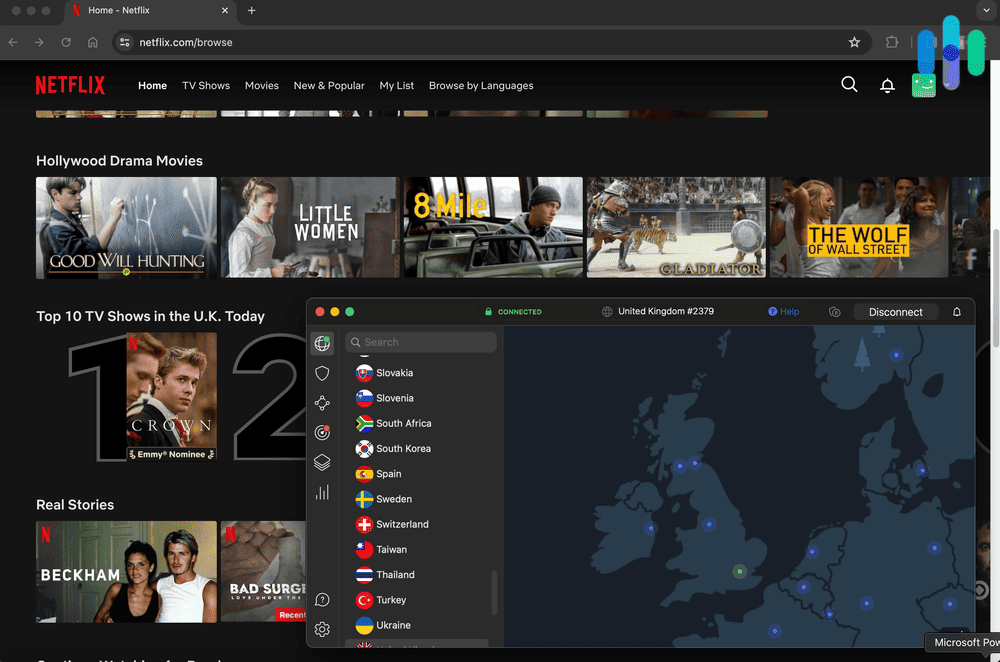
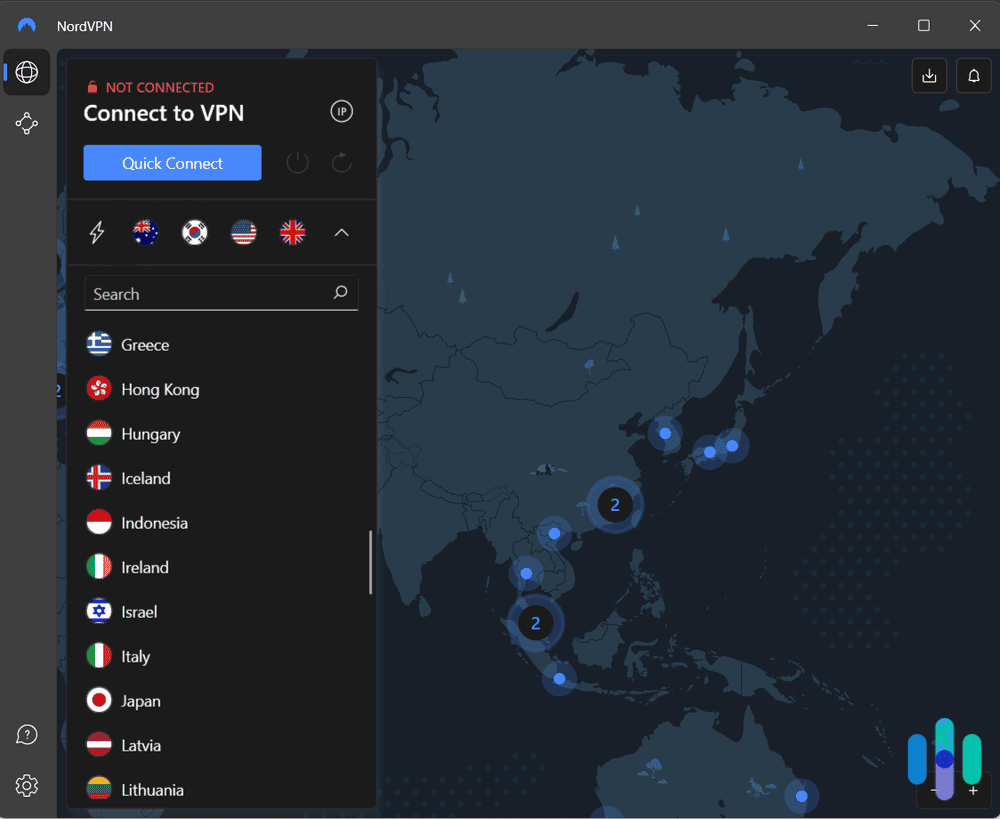
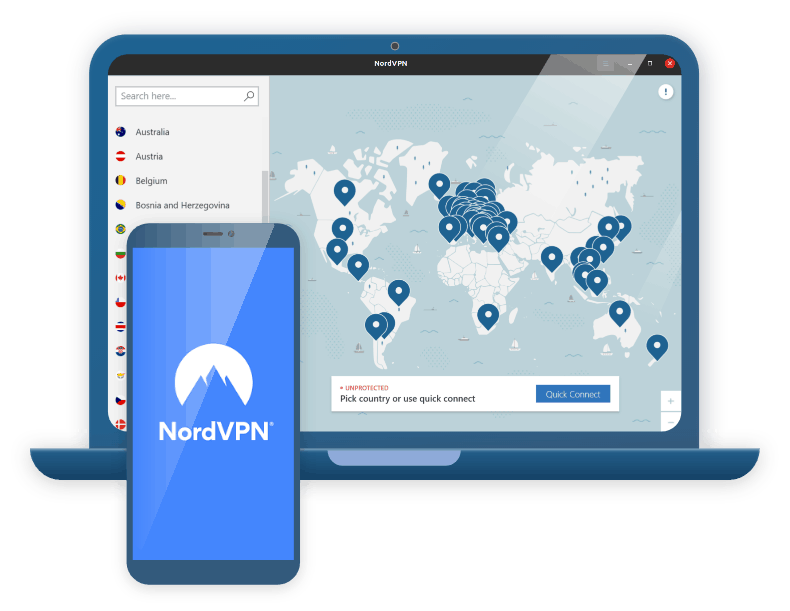
NordVPN macOS app interface NordVPN is the strongest all-around desktop VPN we tested, and it’s the one we’d recommend to most users. It earned a 9.7/10 SecurityScore based on our hands-on testing across Windows, macOS, and Linux — and the performance numbers back that up. In our speed tests using a 500 Mbps baseline connection, NordVPN averaged a 12% speed reduction on nearby servers and 18% on international ones, which is one of the fastest VPNs across the 60+ options we tested.
On the security side, NordVPN uses AES-256 encryption by default and supports WireGuard (via its NordLynx protocol), OpenVPN, and IKEv2. We found the kill switch to be reliable across all three desktop platforms — even some Linux distros — something that can’t be said for every VPN. Split tunneling is readily available on Windows and configurable on Linux, but not macOS due to OS limitations. NordVPN is a no-logs VPN that has passed multiple independent audits, including by Deloitte, giving us confidence in their privacy claims.
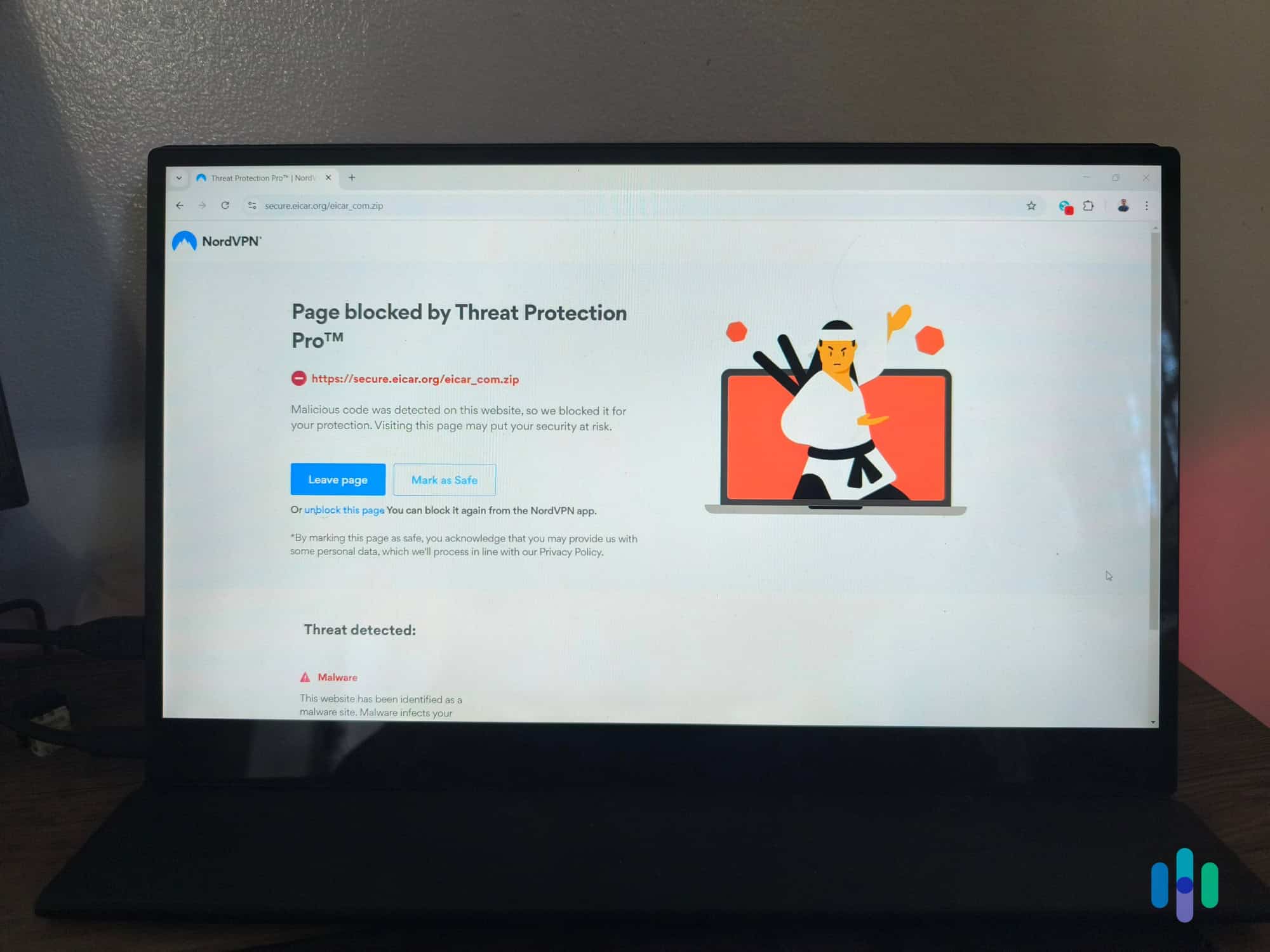
The desktop apps are genuinely well-designed. We found the Windows client the most feature-complete, with dedicated next-generation antivirus that blocks ads, trackers, and malicious sites without requiring the VPN to be active. The macOS app is close behind. Linux users get a functional command-line interface and a basic GUI that slightly mirrors the Windows app. During a 30-day test period, we experienced zero unexpected disconnections and consistent performance across streaming, large file transfers, and general browsing.
NordVPN supports up to 10 simultaneous connections, which is above average and should cover most households or multi-device users.
What We Like
- Fast speeds with minimal latency, download speed, and upload speed overhead
- Reliable kill switch across Windows, macOS, and Linux
- Next-generation antivirus blocks ads and trackers even when the VPN is off
- Passed multiple independent no-logs audits
What We Don’t Like
- Split tunneling not available on macOS
- Linux GUI is basic compared to Windows and macOS apps
- Renewal pricing is significantly higher than introductory rates
-
2. Surfshark - Best Desktop VPN for Multiple Devices
 Get Surfshark VPN Links to Surfshark.com
Product Specs
Server locations 100 countries countries Average Speed Loss 8% download & 50% upload Apps Windows, MacOS, Linux, Android, iOS, Chrome, Firefox, Edge, tvOS, Android TV, Fire TV Best Monthly Rate $2.49/mo with a 2-year plan Money-Back Guarantee 30 days full refund

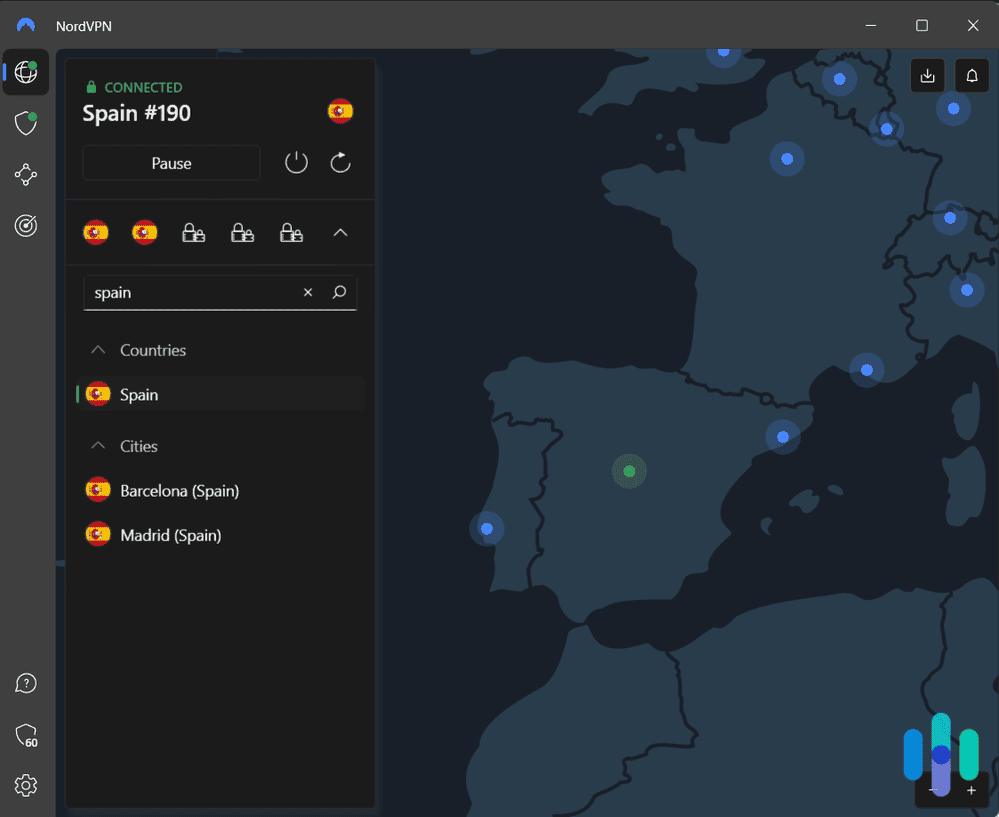
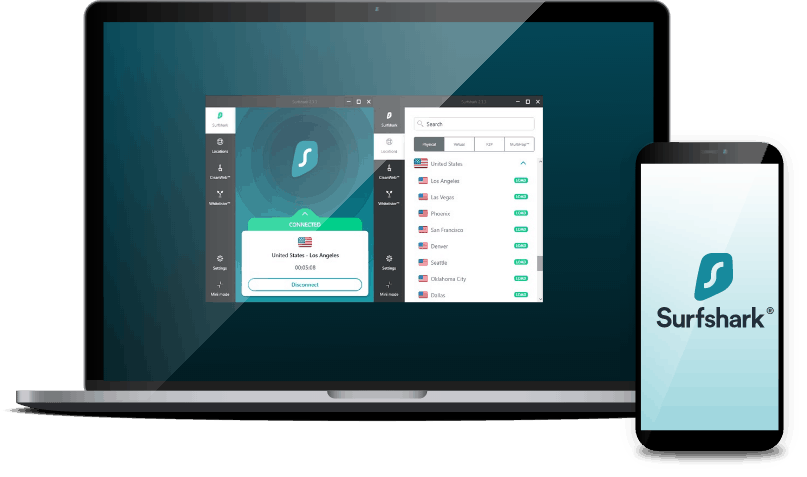
Testing Surfshark on a Macbook Surfshark’s stand-out feature is unlimited simultaneous connections — and for households or anyone juggling multiple desktops, laptops, and mobile devices, that matters. There’s no per-device cap, which makes it an affordable VPN for power users who want to protect everything under a single subscription.
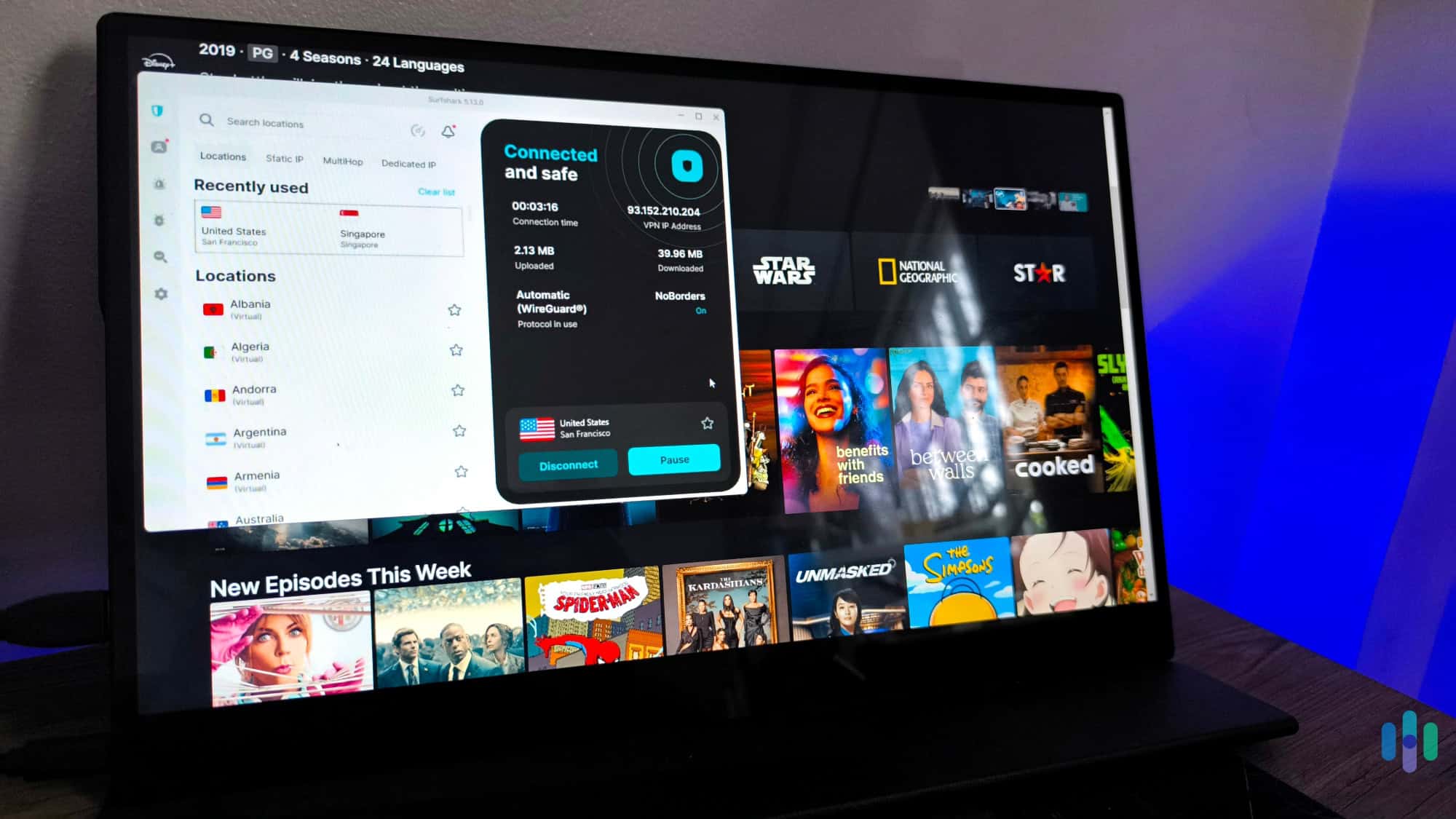
Performance was strong across our test suite. On a 500 Mbps connection, Surfshark averaged about 15% download speed loss on domestic servers and 22% internationally — slightly more overhead than NordVPN, but still well within acceptable range for streaming and downloading. We streamed 4K content on three simultaneous devices without buffering during testing. The Windows and macOS apps both support WireGuard, OpenVPN, and IKEv2, and the interface is clean and easy to navigate even for less tech-savvy users.
We also found Surfshark’s security credentials solid. It uses AES-256-GCM encryption, includes a kill switch on all desktop platforms, and offers both split tunneling and a rotating IP feature called IP Rotator, which periodically changes your IP without disconnecting. The CleanWeb feature blocks ads, trackers, and phishing domains — similar to NordVPN’s next-generation antivirus. An independent audit by Cure53 verified their no-logs policy.
Like most desktop VPNs we tested, Surfshark’s Linux app is functional but more limited than the Windows and Mac clients. It’s available as a GUI for some distros and CLI-only for others. Surfshark also supports Chromebook, making it a flexible pick for mixed desktop environments.
What We Like
- Unlimited simultaneous connections
- Clean, user-friendly desktop apps on Windows and macOS
- CleanWeb blocks ads and trackers at the VPN level
- Affordable long-term pricing with consistent feature parity across platforms
What We Don’t Like
- Slightly higher speed overhead than NordVPN in international tests
- Linux GUI only available on select distributions
- Some advanced features (like IP Rotator) buried in settings
-
3. Proton VPN - Best Desktop VPN for Privacy-First Users
 View Plans Links to Proton VPN
Product Specs
Server locations 129 countries countries Average Speed Loss 8% download & 4% upload Apps Windows, MacOS, Linux, Android, iOS, Chrome, Firefox, Android TV, tvOS, Firestick Best Monthly Rate $2.99/mo with a 2-year plan Money-Back Guarantee 30 days

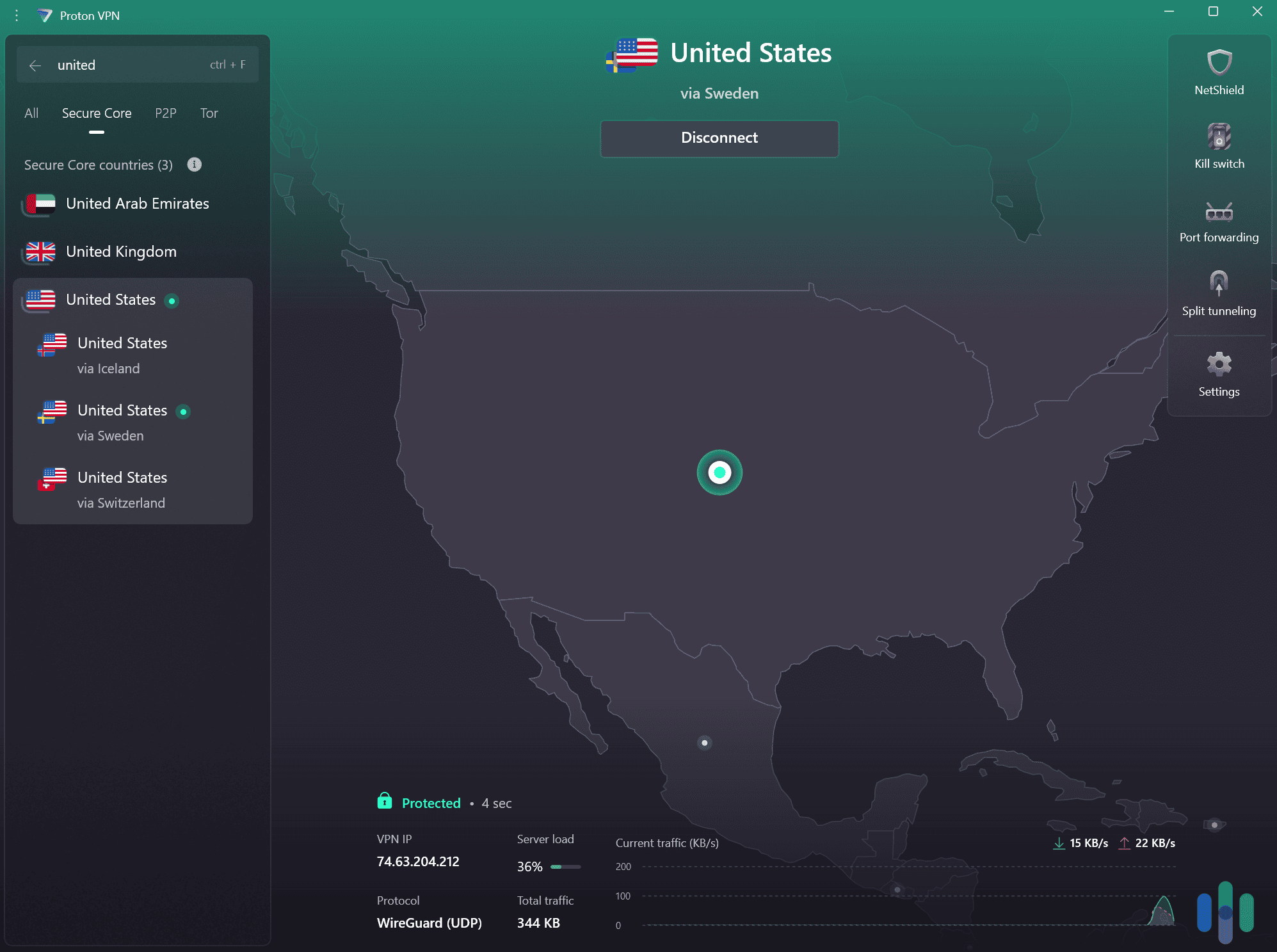
Proton VPN’s Windows app interface Proton VPN is the only VPN on this list with a genuinely free VPN that doesn’t impose data caps — and even on paid plans, it earns its place based on privacy credentials alone. It scored 9.2/10 in our testing, and it’s the VPN we’d recommend to anyone whose top priority is privacy over speed or convenience. Proton is based in Switzerland, outside the jurisdiction of US and EU surveillance alliances.
In our speed tests, Proton VPN averaged a 17% speed reduction on nearby servers using WireGuard, and around 25% on international servers. Those speeds are acceptable for most tasks, though slightly more overhead than NordVPN or Surfshark at the top end. Where Proton shines is in its transparency: it’s the only major VPN we tested with a fully open-source desktop client, and it publishes the results of independent audits by SEC Consult. This makes it verifiable in a way most VPNs simply aren’t.
Proton’s VPN app quality is high across Windows and macOS, with a clean interface and access to Proton’s unique features: Secure Core (routing traffic through privacy-friendly countries before exiting), NetShield (ad and tracker blocking), and VPN Accelerator (a proprietary protocol tweak that helps offset speed loss on long-distance connections). The Linux app has a GUI, which is uncommon among VPN providers and a genuine plus for Linux users. Kill switch and split tunneling are also available on all desktop platforms.
Proton VPN supports up to 10 simultaneous connections on paid plans. The free plan is limited to 3 countries and one connection at a time, but it remains a legitimate option for light desktop use.
What We Like
- Open-source desktop clients with independently verifiable code
- Secure Core adds an extra layer for high-risk users
- Full-featured Linux app with a GUI
- Swiss jurisdiction keeps it outside US/EU intelligence-sharing alliances
What We Don’t Like
- Speed overhead is higher than NordVPN, especially on long-distance servers
- Free tier limited to 3 server locations and one simultaneous connection
- Secure Core routing noticeably reduces speeds on affected servers

Our Testing Process: How We Selected The Top VPNs for Desktop Computers
Our Testing Principles
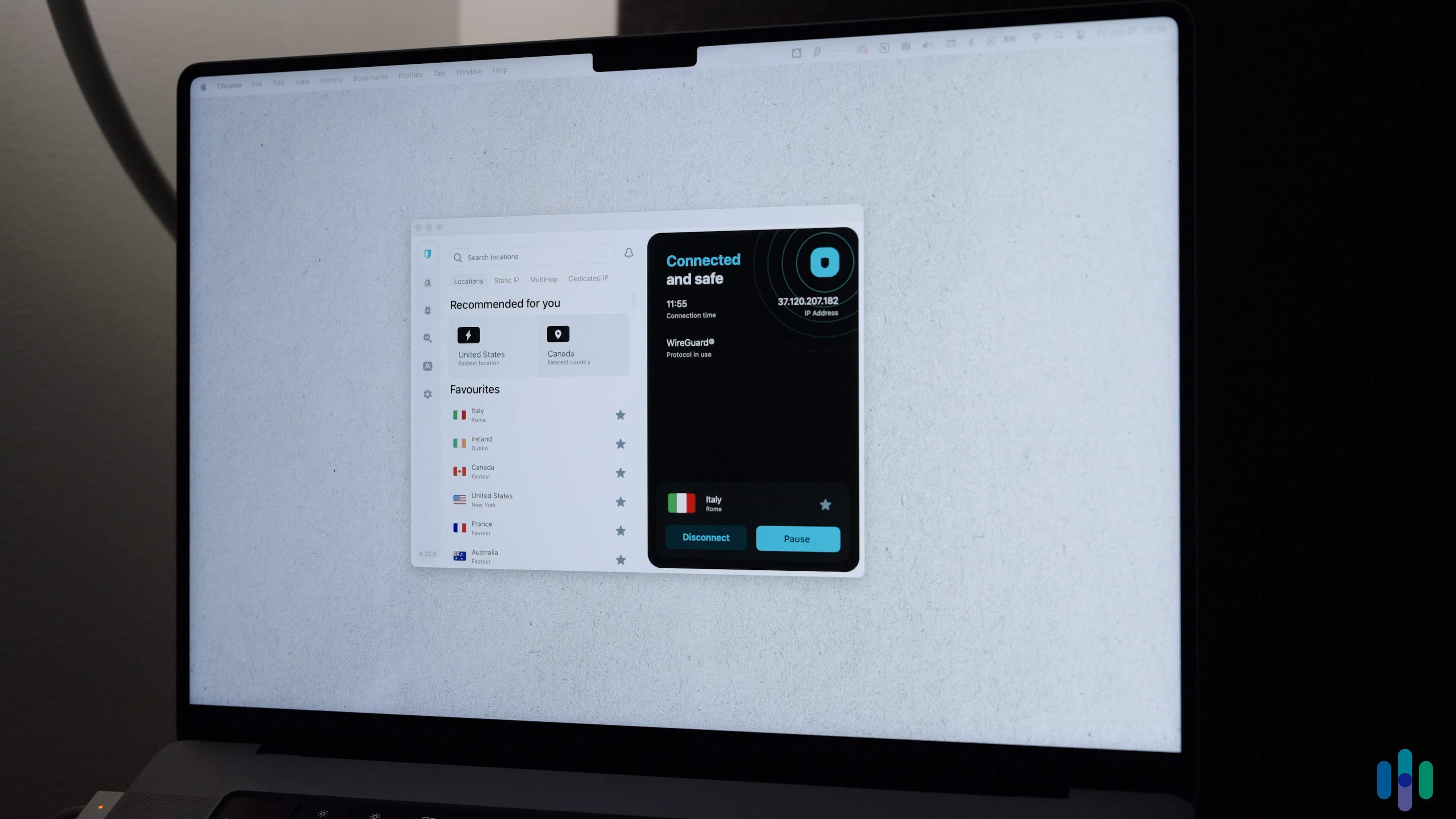
At Security.org, we put every VPN through a strict evaluation before it earns a spot on any of our recommendations. Our evaluation involves our team purchasing, installing, and using each VPN just like any VPN user would. We also look at measurable metrics — speeds across multiple server locations, DNS and WebRTC leaks, kill switch performance, and encryption and VPN protocols. Privacy is also important to us, so we scrutinize privacy policies against published independent audits. We also weigh subscription pricing, device limits and plan flexibility, in accordance with our Editorial Guidelines. This process ensures every VPN we list reflects real-world reliability, not just benchmark scores.
Our Primary Review Criteria
Every metric we assess reflects what actually matters most for desktop VPNs. Here is a breakdown of our primary review criteria:
- Speed testing: Unlike on mobile devices, most online services on desktop are limited by your connection speed rather than your computer’s performance. That’s why VPN speed tests are especially important: any VPN‑induced slowdowns will be immediately apparent.
- Security: Most people use their desktop instead of their mobile device for sensitive tasks like making big purchases or applying for loans. This makes the security of VPNs for desktops extra important. We fully test each VPNs kill switch, split tunneling behavior, leak protection, and protocol availability. We also reviewed their audit history and privacy policy.
- App quality and usability: We used each desktop app for at least 30 days and evaluated interface design, ease of configuration, and whether advertised features were accessible without digging through menus. We paid specific attention to differences between Windows, macOS, and Linux clients, since feature parity across platforms varies significantly by provider.
- Compatibility and device limits: We confirmed native app availability for each major desktop OS and noted any limitations (e.g., CLI-only Linux support). We also tested simultaneous connection limits and checked router compatibility for users who want network-level protection.
These key criteria allow us to reliably recommend VPNs based on what matters most when using one on a desktop.
Why Trust Our Recommendations
We are an independent team of security experts committed to honest, unbiased VPN recommendations. We have 20+ privacy and security experts who have collectively clocked over 25,000 hours of testing across over 740 physical and cybersecurity guides since 2018. Our work has been cited by major outlets including The New York Times, TechRadar, and CBS News.
Our VPN testing is led by Brett Cruz, a cybersecurity expert who has tested hundreds of VPNs, privacy tools, and cybersecurity software with a methodical, hands-on approach. The broader team behind our VPN recommendations includes:
- Ozzie Enriquez: Former Deputy Director of Security at the Missile Defense Agency, U.S. Pentagon, contributing expertise in national security, threat analysis, and digital privacy as a senior advisor
- Gene Petrino: Retired law enforcement sergeant and S.W.A.T. commander, contributing three decades of law enforcement and security expertise as a senior advisor
- Cort Honey: Engineer-turned-security reviewer with 1,000+ hours of product testing and a talent for making technical concepts easy to understand
- Corey Birnstengel: Editor and videographer responsible for 200+ in-depth video reviews across multiple product categories
No company can pay to change our rankings. Our recommendations are editorially independent.
Why Desktop VPNs Offer More Than Mobile or Browser Options
If you’ve ever used a VPN as a Chrome extension and wondered whether it’s enough, the short answer is: usually not. Browser extensions only protect traffic from that one browser window. Background apps, system updates, other browsers, and most desktop software run completely outside the VPN tunnel — meaning your real IP address and unencrypted traffic are still exposed for a significant portion of your online activity.
A desktop VPN client, by contrast, encrypts traffic at the operating system level. Every app on your machine — your email client, file sync software, game launchers, messaging apps — routes through the VPN tunnel automatically. This system-level protection is especially important for remote workers using corporate tools, gamers who want to protect their full setup, and anyone working on sensitive projects.
Desktop clients also give you access to the full feature set most VPNs offer: kill switches, split tunneling, custom DNS, protocol selection, and threat protection tools. These features are either absent or stripped down in mobile and browser-only versions. If you’re choosing between a browser extension and a full desktop client, the desktop client wins for nearly every use case.
Desktop VPN Features That Actually Matter
Not all VPN features are equally useful on desktop. Here’s what we found most impactful during testing:
- Kill switch: This is non-negotiable. A kill switch cuts your internet connection if the VPN drops unexpectedly, preventing your real IP from being exposed. We tested kill switch reliability on all three major platforms and found meaningful differences — some VPNs had kill switches that delayed by several seconds, long enough for apps to briefly reconnect without protection.
- Split tunneling: This lets you route some apps through the VPN while others use your regular connection. It’s useful for maintaining local network access (like printers or NAS drives) while keeping sensitive apps protected. Availability varies by OS — several providers offer split tunneling on Windows but not macOS.
- Protocol selection: WireGuard is generally the fastest modern VPN protocol and is now supported by most top VPNs. OpenVPN remains the most established for security-conscious users. Being able to switch protocols manually is useful when one is blocked on a network (common on restrictive corporate or hotel Wi-Fi).
- DNS leak protection: When properly configured, a desktop VPN routes all DNS queries through its own servers. Without leak protection, your DNS queries — which reveal every site you visit — can slip through to your ISP even when the VPN is active. We tested for DNS leaks on all featured VPNs and confirmed protection was working as expected.
- Threat protection/ad blocking: Several top desktop VPNs now include built-in ad and tracker blocking at the network level. NordVPN’s next-generation antivirus and Surfshark’s CleanWeb work without requiring a separate browser extension, and in our testing, both blocked the majority of ad and tracking domains effectively.
Conclusion
For most desktop users, NordVPN is the safest choice — it delivers the best combination of speed, security features, and cross-platform reliability we found in testing. Surfshark is the better pick if you’re protecting a lot of devices on one subscription, and Proton VPN earns its spot for anyone who puts privacy and transparency above all else.
Whatever you choose, a full desktop VPN client will always provide more complete protection than a browser extension or mobile-only setup. If you’re spending significant time on a Windows, Mac, or Linux machine, that system-level coverage is worth having.
FAQ
-
What is the best VPN for desktop computers?
NordVPN is the best VPN for desktop computers based on our testing. It delivers fast speeds with minimal overhead, reliable kill switch behavior across Windows, macOS, and Linux, and strong privacy credentials backed by independent audits. Surfshark is a close second, especially for users who want to protect multiple devices under one subscription. For privacy-first users, Proton VPN is the most transparent option, with open-source clients and Swiss jurisdiction.
-
Do I need a VPN on my desktop computer?
A VPN on your desktop provides meaningful protection in several situations: using public Wi-Fi, working remotely and accessing sensitive data, avoiding ISP tracking, accessing geo-restricted content, or simply wanting more privacy online. Unlike a browser extension, a desktop VPN encrypts all system traffic — not just your browser — which makes it more comprehensive. Whether you need one depends on your threat model, but most users benefit from at least occasional use.
-
Is a desktop VPN better than a browser extension?
Yes, for most purposes. A desktop VPN encrypts all traffic from your computer at the OS level, covering every app, browser, and background process. A browser VPN extension only protects traffic within that specific browser, leaving everything else exposed. Desktop VPNs also offer features not available in extensions, including kill switches, split tunneling, DNS leak protection, and protocol selection. If comprehensive protection is the goal, a full desktop client is the better choice.
-
Which VPN works best on both Windows and Mac?
NordVPN and Surfshark both offer strong, feature-complete apps for Windows and macOS with minimal differences between them. NordVPN’s Windows client is the most fully featured of anything we tested, and its Mac app is close behind — the main gap is split tunneling, which isn’t available on macOS. Surfshark’s macOS app includes split tunneling and has a nearly identical feature set to its Windows version, making it a strong choice for users who move between both platforms.
-
Are there free desktop VPNs worth using?
Proton VPN is the only free desktop VPN we recommend without significant caveats. Its free tier has no data cap, uses the same encryption as its paid plans, and doesn’t rely on ads or data monetization to fund itself. The limitations are server access (three countries) and one simultaneous connection. Most other free VPNs impose data caps, log user activity, or monetize your data — making them a poor tradeoff. If budget is a concern, Proton VPN’s free plan is the starting point we’d suggest.