
Avira Phantom VPN Review and Pricing Guide 2026: A VPN for Cybersecurity
We tested Avira Phantom, a VPN from German internet-security brand Avira, to see if it’s a worthwhile VPN.
 &
&
 Last Updated on Jan 13, 2026
What We Like
- All-in-one apps: Avira’s app includes the VPN plus additional cybersecurity features such as antivirus software and a password manager.
- Usable free version: The Avira antivirus, the Avira VPN comes with a free version with limited monthly data allowance and access to limited servers.
- Cheap mobile plan: For users exclusively on smartphones, a $4.99-per-month plan is available to secure only mobile browsing.
What We Don't Like
- Expensive monthly plans: Avira’s monthly rates are higher than the industry average at $6.50 per month on a one-year plan.
- Not very user-friendly: The all-in-one app is convenient, but it makes navigation more difficult compared to dedicated VPN apps.
- Limited server locations: With servers in only 35 countries, Avira Phantom doesn't have a network of servers as large as its top competitors.
Bottom Line
the security.brief
Avira Phantom VPN is fast and reliable but lacks features like split tunneling. Its free version is limited; Pro costs $10/month, with a cheaper mobile plan.
Everyone in the field of cybersecurity recognizes Avira’s iconic umbrella logo. We’ve known it since the turn of the millennium – the more-than-decent antivirus software that offers free malware protection.
These days, Avira also offers a VPN. And yes, there is a free version similar to Avira’s antivirus software. It’s called the Avira Phantom VPN. We spent a few weeks testing it to see how good it is – both the free and the premium versions. We installed it on our devices, ran rigorous security tests, benchmarked its performance, and compared it to other top-rated VPNs. Keep reading to see what we learned.
What You’ll Get With Avira Phantom Free
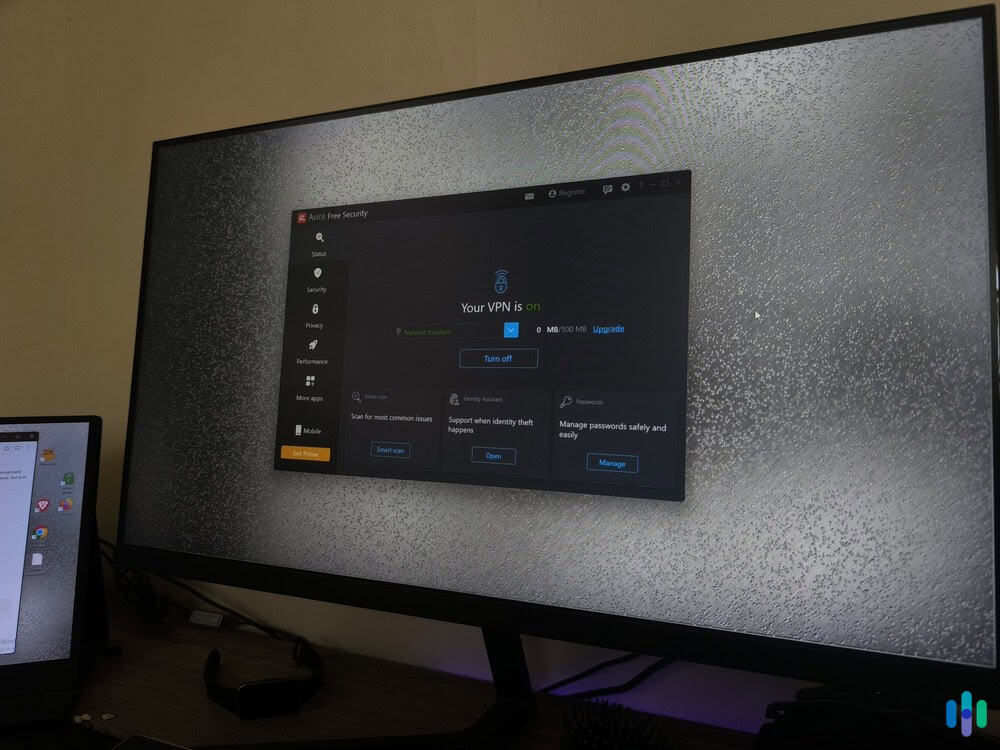
We found Avira Phantom’s free version pretty decent as far as free VPNs go. It didn’t make our list of the best free VPNs, but feature-wise, we actually found it similar to the premium Avira Phantom version, except for three things:
- There’s no kill switch: The kill switch is a backup security feature that disconnects your device from the internet if the VPN malfunctions, shielding you from potential data leaks.
- There’s a data limit: You can only consume up to 500 MB of data per month while connected to the free VPN. For reference, Netflix uses about one GB of data per hour when streaming in standard definition.1
- Limited servers: The free version never let us pick a server location. Every time we connected, it automatically linked us up with the nearest available server.
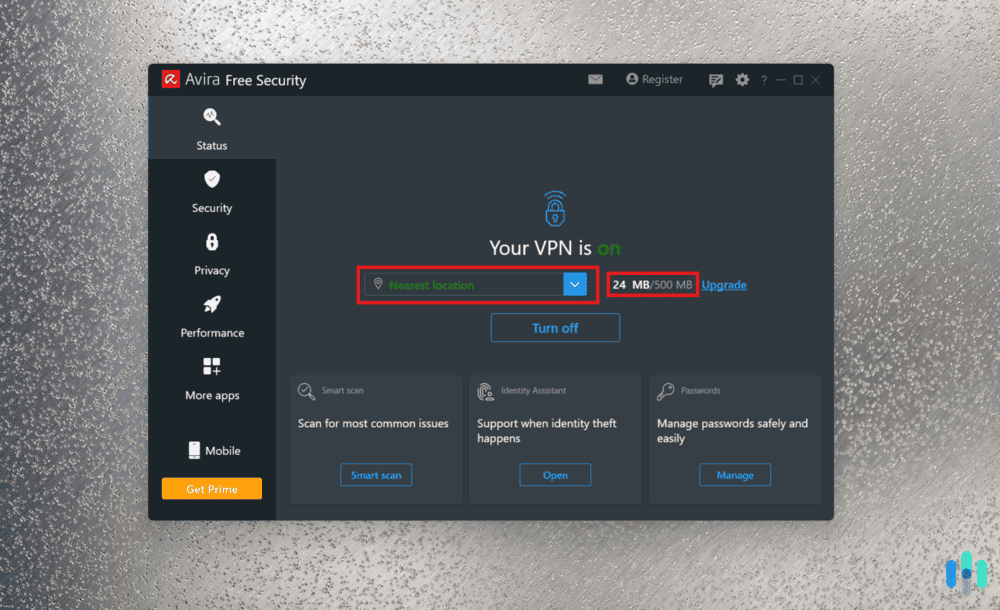
Is Avira Phantom Free worth using? If your primary purpose is to keep your browsing activity private, we think it’s a decent option. However, if you need a VPN for heavy bandwidth activities or activities that require a specific server location, Avira Phantom Free is a no-go. For instance, if you need a VPN for watching Netflix, the limited bandwidth and server location will hinder you. We’d suggest upgrading to the premium version instead – or better yet, check out our top-pick VPNs for Netflix streaming.
Tip Tester: We were able to double our Avira Phantom Free data allowance simply by signing up. That said, 1 GB per month is still not nearly enough for us.
Avira Phantom Pro VPN Plans
If you really want to stick with Avira, these are Avira Phantom Pro’s premium subscriptions:
| Avira Phantom plans | Monthly | Yearly | Monthly Mobile Plan |
|---|---|---|---|
| Total amount billed | $10 | $78 | $4.99 |
| Monthly cost breakdown | $10 | $6.50 | $4.99 |
As a VPN you pay for month-to-month, Avira Phantom’s $10-a-month rate is actually affordable. It’s similar to Proton VPN’s pricing for its VPN Plus plan, one of the best VPNs with affordable rates.
If you’re looking for a VPN for long-term use, however, Avira’s pricing is quite high. In VPNs, the monthly rate nosedives as the subscription length gets longer. Just take a look at Surfshark’s pricing. It costs $15.45 if you pay monthly, but if you get a two-year subscription, the monthly rate dips to about $2 per month. That’s why it’s one of the best long-term VPNs we recommend. With Avira, even getting a one-year subscription (longest available) drops the rate to only $6.50 per month. It is more affordable than the monthly plan, but still pricier than the competition.
Ways to Save
Even though it’s not the most affordable VPN we’ve tested, there are ways to save on your Avira Phantom VPN subscription. For mobile users who need a VPN only on their smartphones, there’s a mobile-only plan that costs just $4.99 a month. Another option is to go all in on Avira’s cybersecurity products with Avira Prime, starting at $9.99 a month.
Avira Prime comprises Avira’s premium antivirus, VPN, performance booster, password manager, cookie cleaner, and other digital tools. It’s cheaper than the Avira Phantom Pro plans, but keep in mind that Avira Prime’s introductory prices aren’t the same as its renewal prices. You may be charged more after your initial subscription expires. Below is Avira Prime’s pricing for new users.
| Avira Prime | 1 Month | 1 Year | 2 Years |
|---|---|---|---|
| For 5 Devices | $9.99 | $59.99 | $204.99 |
| For 25 Devices | $12.99 | $134.99 | $259.99 |
FYI: You can use Avira Prime on your Windows, Mac, iOS, and Android devices, but the included digital security products differ on every platform. Avira Phantom is available on all platforms.
Dissecting Avira Phantom VPN Features
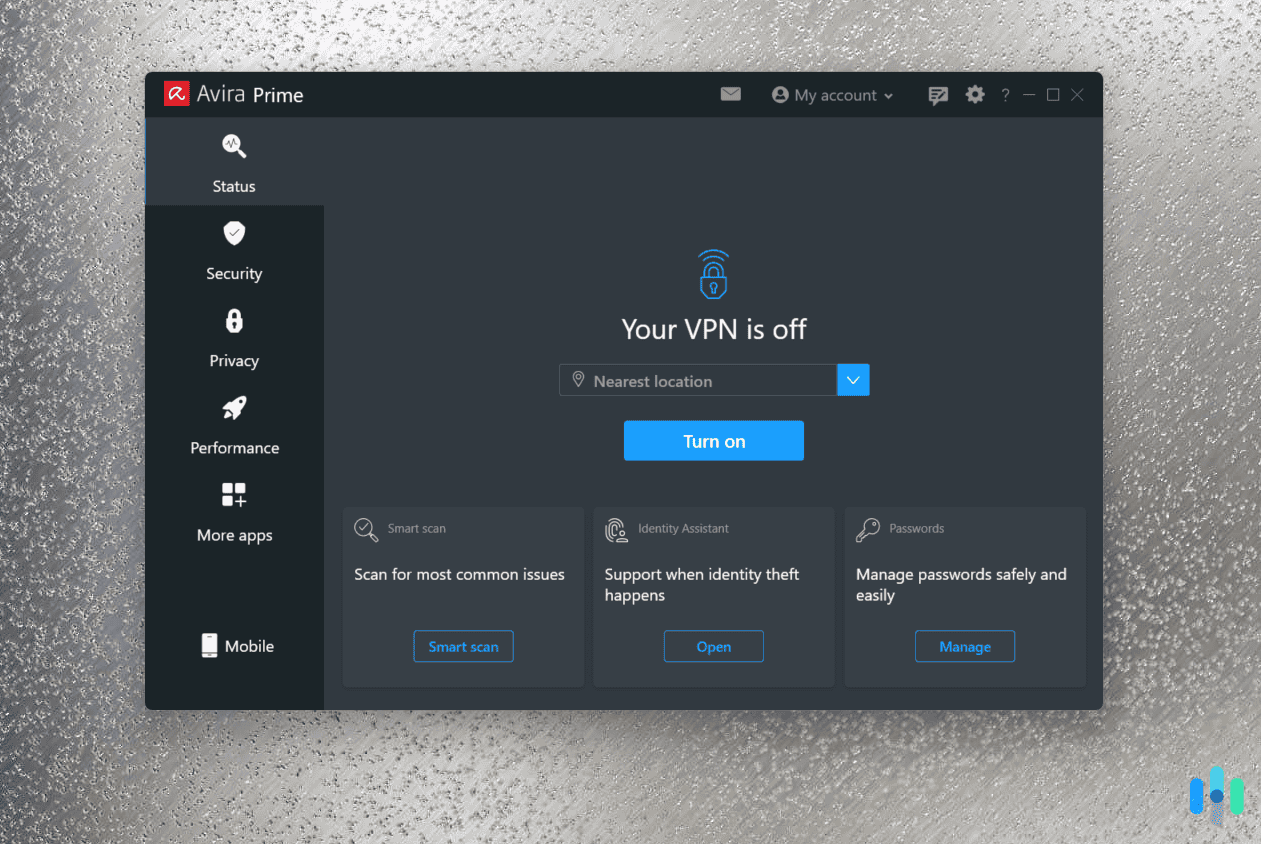
We think Avira’s pricing for its VPN is competitive, but can we say the same about its features? We bought a premium subscription to find out.
Right off the bat, we were disappointed by its lack of split tunneling and multihop, but even without those features we saw potential in Avira Phantom.
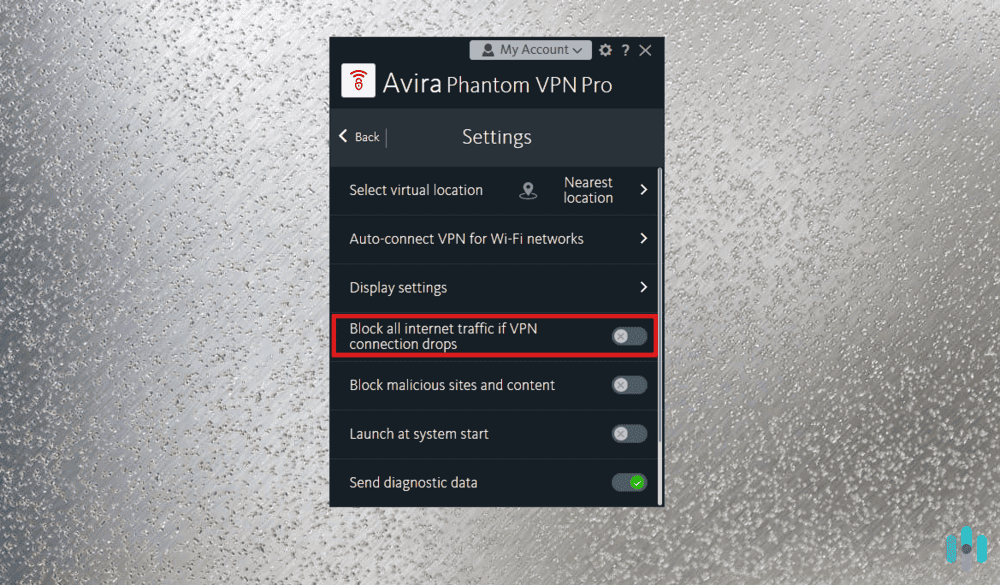
Kill Switch
A kill switch blocks your device’s internet traffic when your VPN disconnects unexpectedly. It’s a fail-safe measure that prevents your internet service provider (ISP) and the websites you’re currently viewing from seeing your real IP address and browsing data.
The kill switch is essential for privacy protection. Consider this scenario: You’re using a VPN to keep your torrenting activity private from your ISP. If your VPN connection drops unexpectedly, your traffic becomes exposed. Without a kill switch, you might receive a copyright infringement notice, or your ISP might throttle your connection speed.2
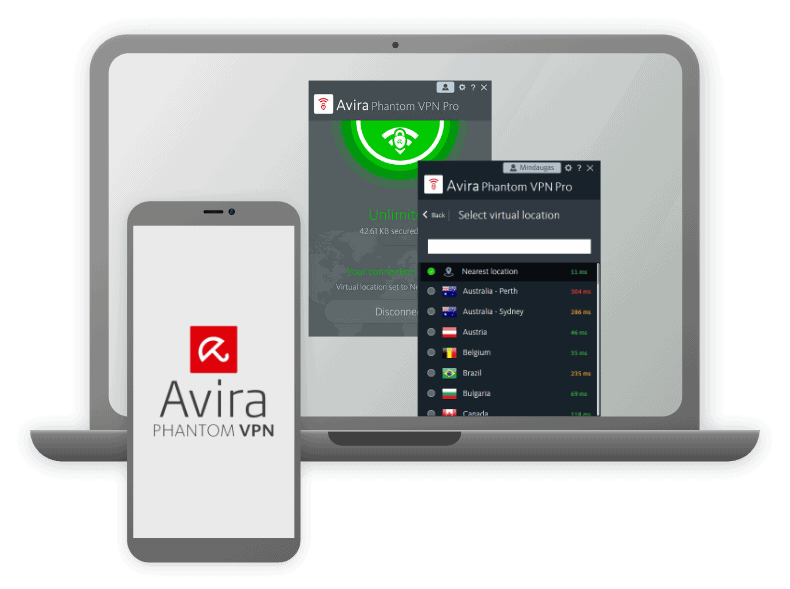
VPNs disconnecting unexpectedly is not uncommon, but with Avira Phantom you don’t have to worry about your privacy because of the kill switch feature. You can turn it on by clicking the gear icon on the Avira Phantom app and toggling “Block all internet traffic if VPN connection drops.”
Unblocking Netflix and Streaming Platforms
Avira Phantom had mixed success unblocking major streaming platforms. We were able to access Netflix using a Sydney server we connected to. Videos loaded within seconds and played continuously without buffering – impressive considering the 10,000+ miles distance from our location.
However, when we tried using the same server to access Disney Plus, the streaming platform actually noticed us. Clearly, Avira Phantom doesn’t make the list of the best VPNs for Disney Plus.
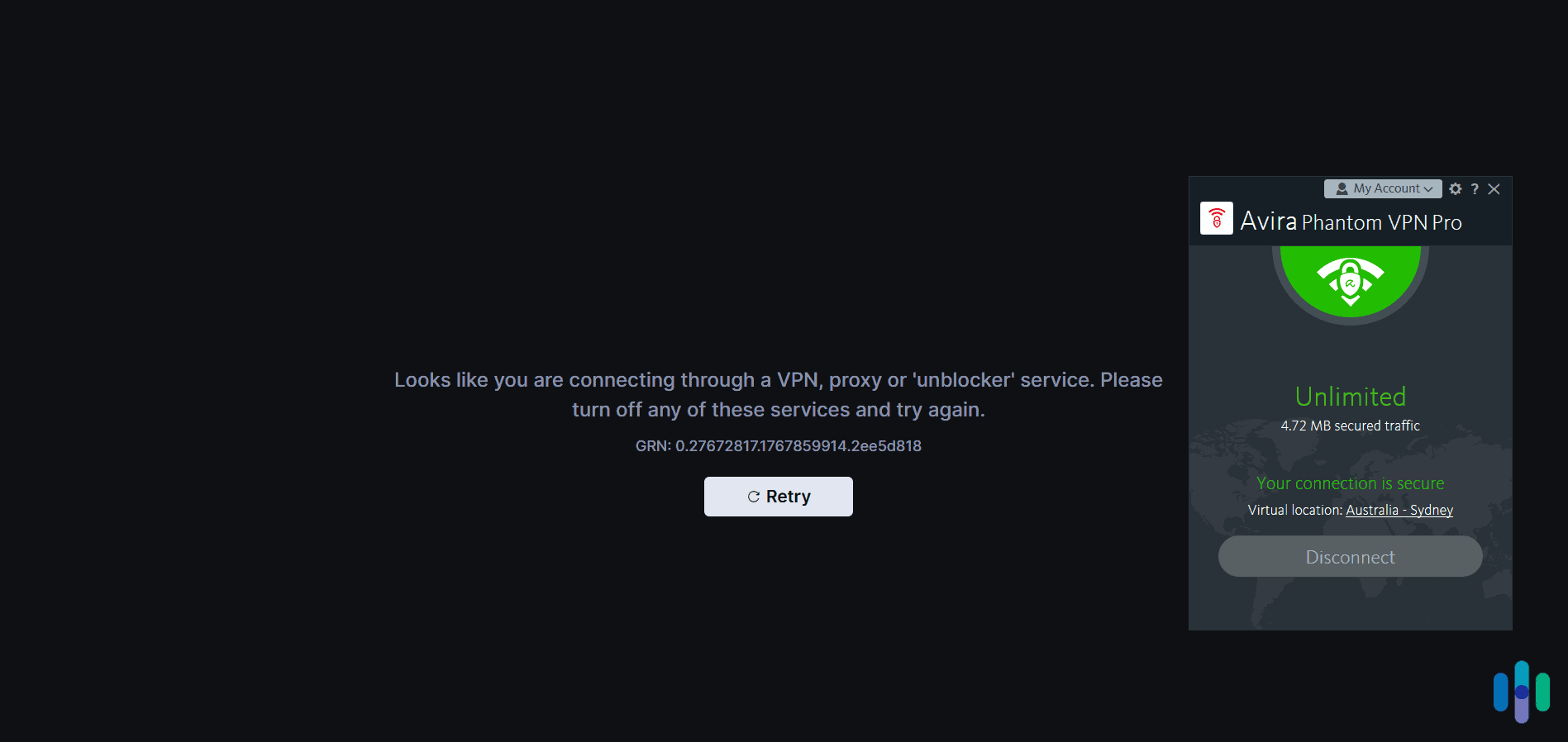
We’d also like to point out that Avira Phantom’s server network of 35 countries limits content options compared to competitors with 100+ locations. We wanted to access specific shows available only in smaller markets like Taiwan or the Philippines, but couldn’t due to the absence of servers in those regions.
>> Related: The Best VPNs for Streaming
Peer-to-Peer Downloads and Torrenting
Avira Phantom supports P2P file downloads and torrenting, even though it doesn’t have dedicated P2P servers. We had to do some digging to find servers that work, but that’s better than having a VPN that doesn’t support torrent downloads at all.
Using a VPN when torrenting is necessary. ISPs and the U.S. government frowns upon the use of torrent services, especially since they are used for illegal piracy. Since they can’t exactly see what you’re torrenting, you could receive a piracy notice even if you’re torrenting non-copyrighted materials. To avoid that, use a VPN to hide the fact that you’re using a torrenting service, both from your ISP and the government.
Quick Tip: If torrenting is part of your daily routine, the VPNs in our list of the best VPNs for torrenting may suit you better.
OpenVPN Tunneling
Among the many things we look at when reviewing VPNs, the VPN protocol is one of the most important. It’s a VPN’s delivery system that determines how your encrypted data travels from your computer to a VPN server. The protocol directly affects a VPN’s security and speed.
Avira Phantom uses different VPN protocols depending on your operating system. For Windows, Mac and Android devices, it uses OpenVPN, which has been widely considered the best VPN protocol for quite some time. It allows for fast data transfers while providing superb security. For iOS users, Avira Phantom uses IKEv2, which offers less security than OpenVPN but great speeds and a seamless transition when switching between Wi-Fi and cellular data.
Malicious-Site Blocking
Avira Phantom goes beyond just protecting your privacy; it also prevents malware from infecting your devices through malicious websites. It’s a nice cybersecurity feature to have, especially since malware is one means by which hackers steal private and personal data.
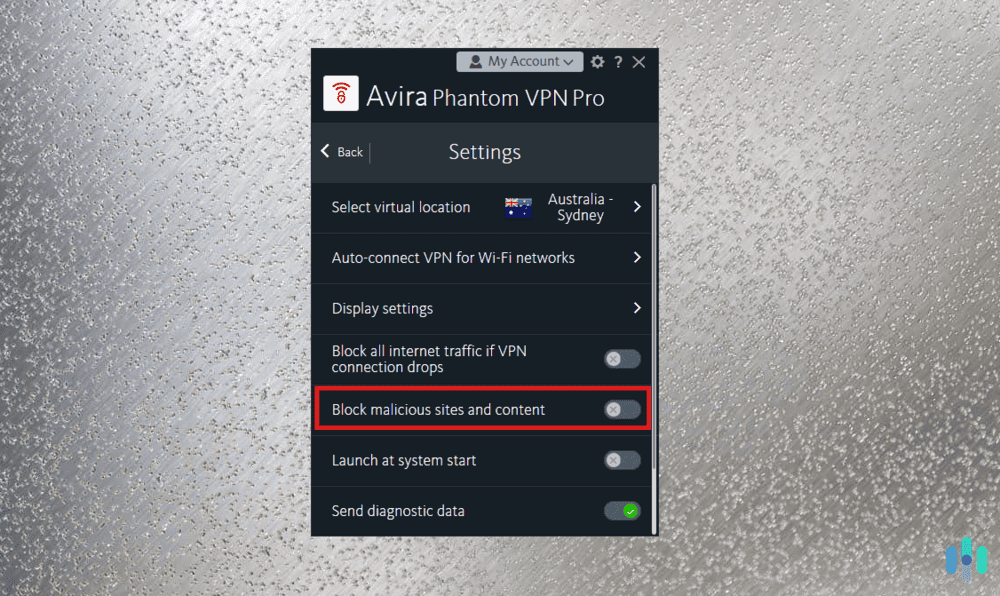
One thing to note though: Malicious-site blocking is not an antivirus. It doesn’t scan your downloads for malware like Trojan virus; it just prevents you from accessing websites that may be dangerous and blocks malicious content such as adware.
We found Avira’s malicious site blocking to be somewhat inconsistent. The feature relies on Avira’s threat intelligence database, which gets updated regularly but may not catch newly created phishing sites immediately. When we tested it against known malicious URLs from PhishTank’s database, it blocked about 70 percent of threats. For complete protection, we recommend pairing Avira Phantom with dedicated antivirus software.
Avira Phantom Privacy Policy
Avira operates from Germany, which falls under the jurisdiction of the 14 Eyes Alliance – an intelligence-sharing agreement between 14 countries. This means any government in the agreement can legally request customer data from Avira during criminal investigations. Understanding what data Avira collects becomes crucial in this context.
Avira’s privacy policy states they maintain a strict no-logs policy for browsing activities. They don’t record websites visited, data transferred, or DNS queries. However, they do collect minimal connection metadata including timestamps and bandwidth usage for service optimization. Importantly, Avira explicitly states they cannot link this metadata to individual users’ online activities, and they don’t share personal data with third parties except when legally required.
>> See More: The Best VPNs with a Zero-Logs Policy
Avira Phantom Performance Tests
So far, we’re only mildly impressed by Avira Phantom. Can its speed and security performance turn things around?
Avira Phantom Speed Test
For our speed test, we compared Avira Phantom’s speeds to our internet speed. We tested Avira Phantom at three different times, each time connecting to a server in Australia.
| Avira Phantom speed test results | Upload speed (in Mbps) | Download speed (in Mbps) | Latency (in ms) |
|---|---|---|---|
| Test 1 | 20.66 | 38.20 | 144 |
| Test 2 | 5.16 | 20.60 | 80 |
| Test 3 | 20.98 | 26.82 | 145 |
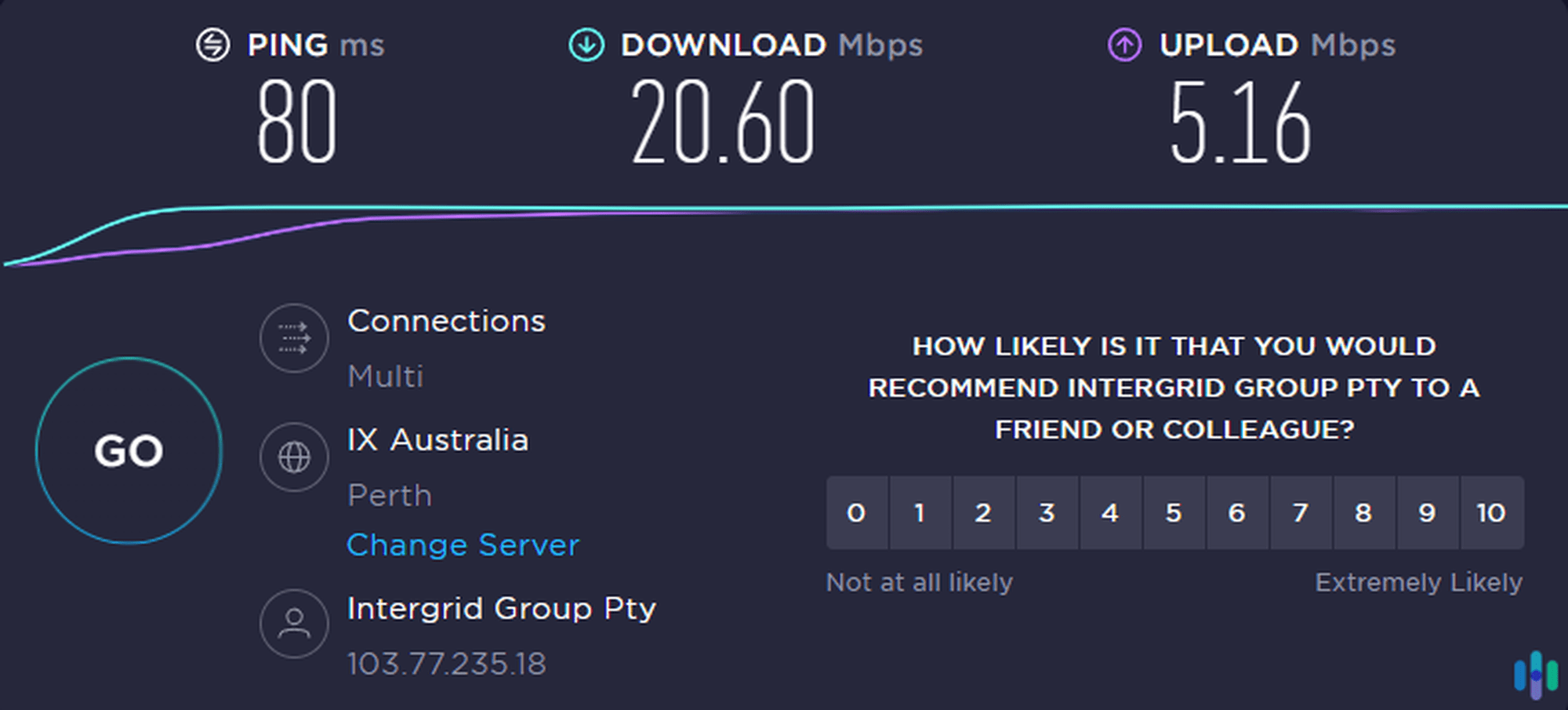
To establish a baseline, we also tested our internet speed prior to each Avira Phantom speed test.
| Our internet speed test results | Upload speed (in Mbps) | Download speed (in Mbps) | Latency (in ms) |
| Test 1 | 32.19 | 49.63 | 4 |
| Test 2 | 16.42 | 31.96 | 8 |
| Test 3 | 29.84 | 33.77 | 13 |
Besides the slight downtick in upload speed during our second test, Avira Phantom performed excellently. It maintained download speeds suitable for bandwidth-heavy activities such as streaming, torrenting, and downloads, and the latency is decent enough for online gaming. Overall, we think Avira is a moderately fast VPN. Just note that the fastest VPNs we’ve tested offer both speed and consistency. Check them out if you have a need for speed.
Security Tests
Next we tested Avira Phantom’s security, particularly its ability to block IP address leaks. VPNs hide your real IP address, but there are vulnerabilities that malicious actors could exploit to see it. As we explained in What Can Someone Do With Your IP Address?, it could be bad for you if that happens.
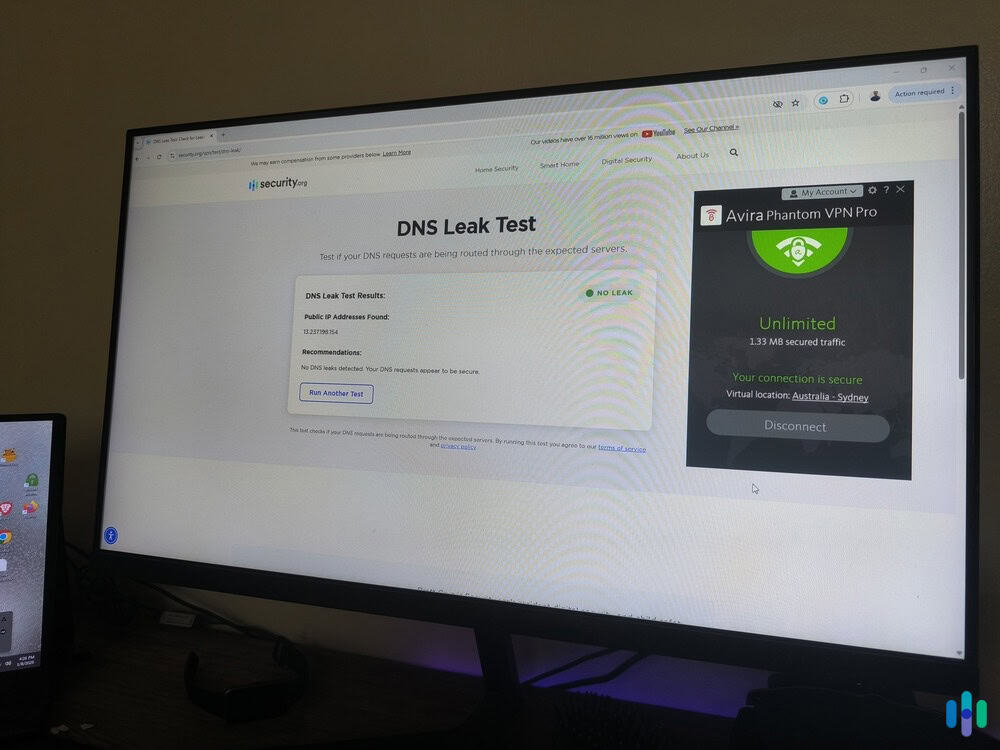
Two vulnerabilities are WebRTC leaks and DNS leaks. WebRTC and DNS are both useful. WebRTC is a browser feature that speeds up video streams, while the domain name system (DNS) is basically the internet directory that translates site URLs to IP addresses. Left unchecked by your VPN, however, they could be used to see your real IP address, so we tested if Avira Phantom could detect and block those leaks.
When you’re connected to a VPN, online WebRTC and DNS leak test tools should show the VPN’s IP address, not yours. We used multiple leak testing tools including IPLeak and BrowserLeaks while connected to servers across different continents.3 We even used our free DNS leak test tool. In all tests, Avira Phantom successfully masked our real IP address and prevented both WebRTC and DNS leaks.
The User Experience With Avira Phantom
Throughout our testing process, we worked closely with Avira Phantom’s apps, from turning on the VPN to navigating its (very limited) features. To cap off this review, we’ll share what we thought of Avira Phantom’s user experience.
Getting a Subscription
We downloaded Avira Phantom’s free version first, and the sign-up process was standard. We entered our email, created a password, and verified our email address. Once we were in, we were greeted by Avira Phantom’s very simple and straightforward app.
When it was time to upgrade to the premium plan, we simply clicked the My Account icon on the app and it directed us to Avira Phantom’s checkout page. There we selected a subscription (monthly, yearly, or mobile), selected a payment process, and entered our billing information. Upon clicking Pay Now, our Avira Phantom app notified us that we were upgraded to Avira Phantom Pro instantly.
Using the App
We went back to the Avira Phantom app to see what changed after we upgraded. We were hoping to see new features added, but, to our dismay, the app’s features remained the same. The data limit was gone, we gained access to all servers, and we were finally able to turn on the kill switch, but that’s all.
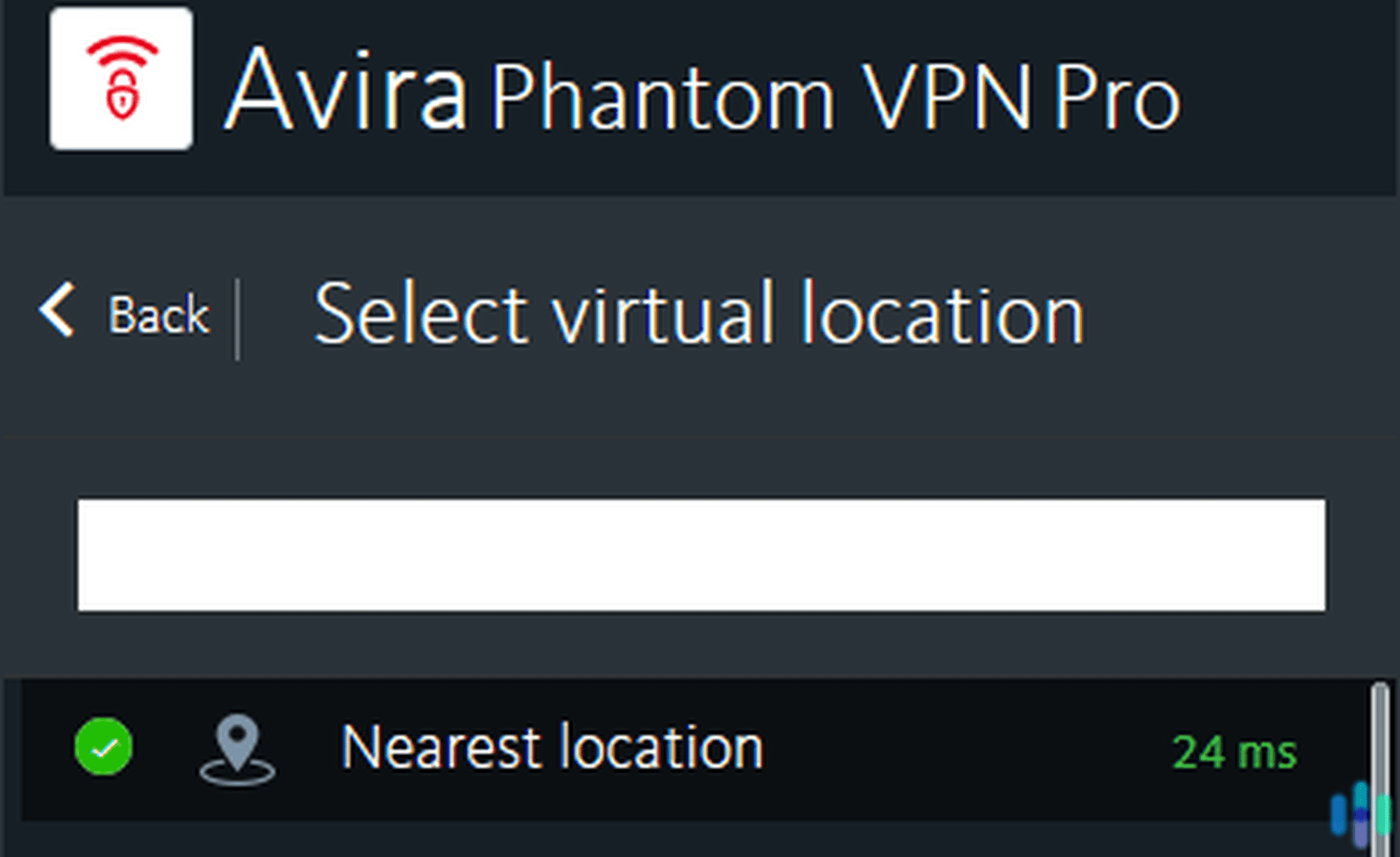
Still, we appreciate Avira Phantom’s minimalist approach. The app takes only a couple clicks to select a server location and connect. Plus, the server list displays real-time latency data for each location. This helps users choose optimal servers. For instance, our nearest server showed just 18 ms latency, perfect for speed-sensitive activities. A recent update also added a quick-connect feature that automatically selects the fastest available server.
Note: Avira has different apps for each product. Even if you choose the Avira Prime subscription, which includes a number of products, you’ll still end up using multiple apps.
Final Thoughts On Avira Phantom
After extensive testing, Avira Phantom proves itself as a competent mid-tier VPN. While it lacks the advanced features and extensive server network of market leaders like NordVPN, it excels at core VPN functions. It delivers impressive speeds, and the straightforward interface makes it accessible for VPN beginners. But is it the right VPN for you?
It might be, if you’re looking for
- A free VPN for light browsing. Avira’s tried-and-tested freemium model extends to the Avira Phantom free version. It’s a good VPN for browsing that offers the same security and speed as the premium version, but keep in mind its limitations.
- Good customer support. Premium users get access to live chat support, but even Avira’s email support replied quickly to our queries.
- A risk-free purchase. Avira Phantom has a 60-day money-back guarantee for its yearly plan and a 14-day money-back guarantee for the monthly plan.
Look elsewhere if you want
- Advanced features. Avira Phantom lacks split tunneling and multihop.
- Extensive server coverage. With servers in only 35 countries, Avira Phantom offers fewer location options than competitors with 90+ countries.
- Budget pricing. At $6.50 per month for annual plans, Avira costs more than budget leaders offering similar features for under $3/month.
- A VPN for torrenting. We were able to use Avira Phantom to torrent, but we had to try several servers before finding one that works. You’re better off with VPNs that have servers designated for torrenting.
If you’re looking for more options, then we urge you to read our NordVPN review. We highlight why NordVPN is our top VPN and why we recommend it for most people.
FAQs
Before we let you go, check out our answers to these FAQs about Avira Phantom.
-
Is Avira Phantom good for online gaming?
Avira Phantom can work for casual online gaming. Our tests showed the nearest servers typically maintain latency under 150 ms, which is acceptable for most games. However, competitive gamers requiring ultra-low latency should consider gaming-optimized VPNs instead.
-
Who owns Avira Phantom?
Avira Phantom is a product of Avira, a German company. In 2020, NortonLifeLock (now Gen Digital) acquired Avira, integrating it into their portfolio of cybersecurity brands.
-
Does Avira Phantom work on Linux devices?
No, Avira Phantom currently doesn’t work on Linux devices. It works only on Windows, Mac, iOS, and Android.
-
Does Avira Phantom include antivirus?
Avira Phantom doesn’t include antivirus, so it can’t detect and eliminate malware you may already have in your computer. It can, however, block malicious sites and content as you browse the internet, so, in a way, it can prevent viruses from entering your devices.
-
Netflix. (Retrieved 2025). How to control how much data Netflix uses. help.netflix.com/en/node/87
-
Recording Industry Association of America. (Retrieved 2025). Copyright Infringement Notices.
https://www.riaa.com/resources-learning/copyright-notices/ -
BrowserLeaks. (Retrieved 2025). WebRTC Leak Test.
https://browserleaks.com/webrtc