
NordVPN’s audited no-logs policy and always-on kill switch keep your streaming activity private the moment you connect, with no extra configuration required.
The Best VPNs for Android TV, Google TV & Chromecast in 2026
We tested dozens of VPNs on our Google TV, Android TV, and an old Chromecast to find the five best.
All of our content is written by humans, not robots.
Learn More
By
 &
 Last Updated on Oct 13, 2026
&
Last Updated on Oct 13, 2026
About our Methodology and Testing
2,500+
research hours
50+
VPNs reviewed
300
speed tests
6
experts consulted
5
VPNs recommended
All of our content is written by humans, not robots.
Learn More
Best Native Google TV app
NordVPN
Best Native Google TV app-NordVPN

Top Features
- Google TV app is easy to navigate with a remote
- Proprietary NordLynx protocol kept speed losses to about five to six percent
- Router-specific setup guides for dozens of models
Get NordVPN
Links to NordVPN
Best for Multiple Streaming Devices
Surfshark
Best for Multiple Streaming Devices-Surfshark
Top Features
- Every plan supports unlimited simultaneous connections
- Google TV app includes split tunneling and kill switch features
- Low prices starting at $2.49 per month
Get Surfshark VPN
Links to Surfshark.com
Best for Google TV's Content Hub
Proton VPN
Best for Google TV's Content Hub-Proton VPN
Top Features
- Works with roughly 90 different streaming platforms
- Optional free plan without a data cap
- Servers in 149 countries
View Plans
Links to Proton VPN
the security.brief
We tested over 50 VPNs on Android TV, Google TV, and Chromecast to find the five best options, plus exactly how to set up a VPN on each device.
You’ve probably landed here because a show you want to watch on your Android TV, Google TV, or Chromecast is locked in another country’s library. Or, maybe you’d rather your ISP not log everything that streams through your TV. A VPN helps with both of those situations, but only if it can actually run on the device you own.
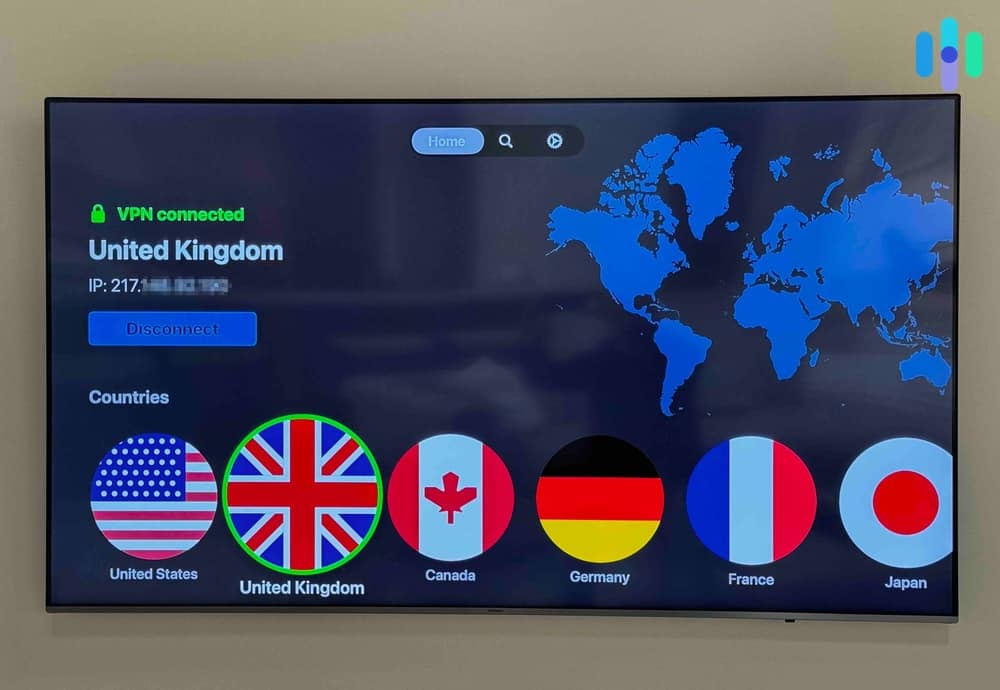
That’s trickier than it sounds. Android TV, Google TV, and Google TV Streamers support VPN apps through the Google Play Store. However, older Chromecasts lack VPN support and the workaround for it looks nothing like a normal app install. We tested the best VPNs on all three devices, checking which apps actually hold up on a TV remote and which providers make the Chromecast workaround as painless as possible. Here’s what we found.
The Best VPNs for Android TV, Google TV & Chromecast: Our Top 5 Picks
- NordVPN - Best Native Google TV app
- Surfshark - Best for Multiple Streaming Devices
- Proton VPN - Best for Google TV's Content Hub
- ExpressVPN - Best VPN Router for Chromecast
- CyberGhost VPN - Best for First-Time Setup Support
Comparing the Best VPNs for Android TV, Google TV & Chromecast
| System |
NordVPN
|
Surfshark
|
Proton VPN
|
ExpressVPN

|
CyberGhost VPN
|
|---|---|---|---|---|---|
| Ranking | 1st | 2nd | 3rd | 4th | 5th |
| Ratings | 9.7/10 | 9.5/10 | 9.4/10 | 9.1/10 | 8.9/10 |
| Native Google TV app? | Yes | Yes | Yes | Yes | Yes |
| VPN router options? | Router-specific self-setup guides | Router-specific self-setup guides | Router-specific self-setup guides | Pre-installed VPN router (Fortify) | General self-setup guides |
| Server locations | 137 countries | 100 countries | 149 countries | 105 countries | 100 countries |
| Lowest price | $3.49 per month | $2.49 per month | $2.99 per month | $2.99 per month | $2.19 per month |
| Read Review | NordVPN Review | Surfshark Review | Proton VPN Review | ExpressVPN Review | CyberGhost VPN Review |
The Best VPNs for Android TV, Google TV & Chromecast, Explained
-
1. NordVPN - Best Native Google TV app
Get NordVPN Links to NordVPN
Product Specs
Server locations 137 countries Average Speed Loss 6% download & 4% upload Apps Windows, MacOS, Linux, Android, iOS, Chrome, Firefox, Edge, Android TV, tvOS Best Monthly Rate $3.49/mo with a 2-year plan Money-Back Guarantee 30 days full refund
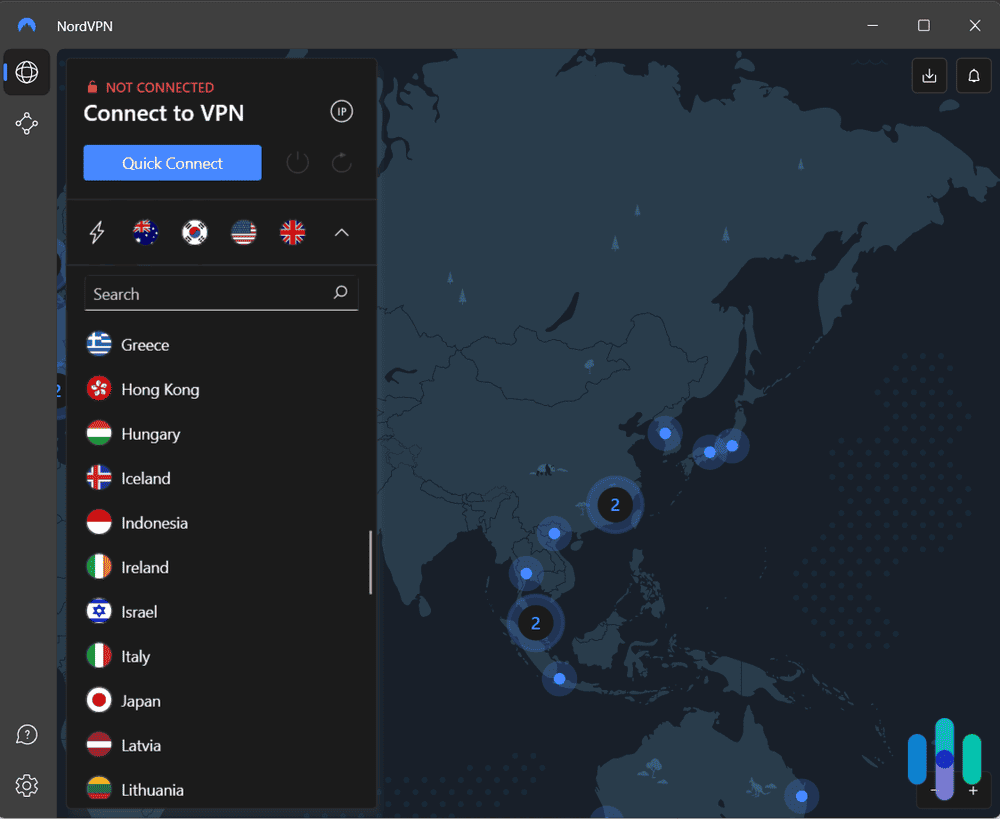
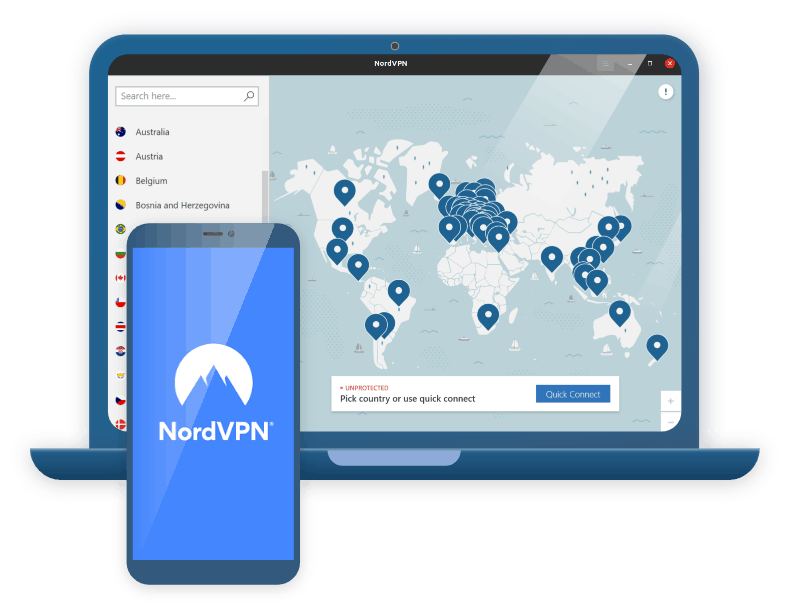
NordVPN’s Google TV app is built specifically for remote navigation instead of adapted from a phone layout. Every feature, including quick switching between its servers in 137 countries, is reachable without hunting through nested menus. However, you’ll need to set it up on your router to use it with an older Chromecast device. While trickier than installing an app, NordVPN provides dozens of guides for specific router models to make installation as easy as possible.
What We Like
- Native Google TV app built for remote navigation
- Independently audited no-logs policy
- NordLynx protocol (built on WireGuard) keeps download speed loss low
- Router-specific installation guides
What We Don’t Like
- Cap of 10 simultaneous connections
- No phone customer support
- Higher prices than most competitors
- Next-Gen Antivirus feature limited to the Complete and Prime tiers

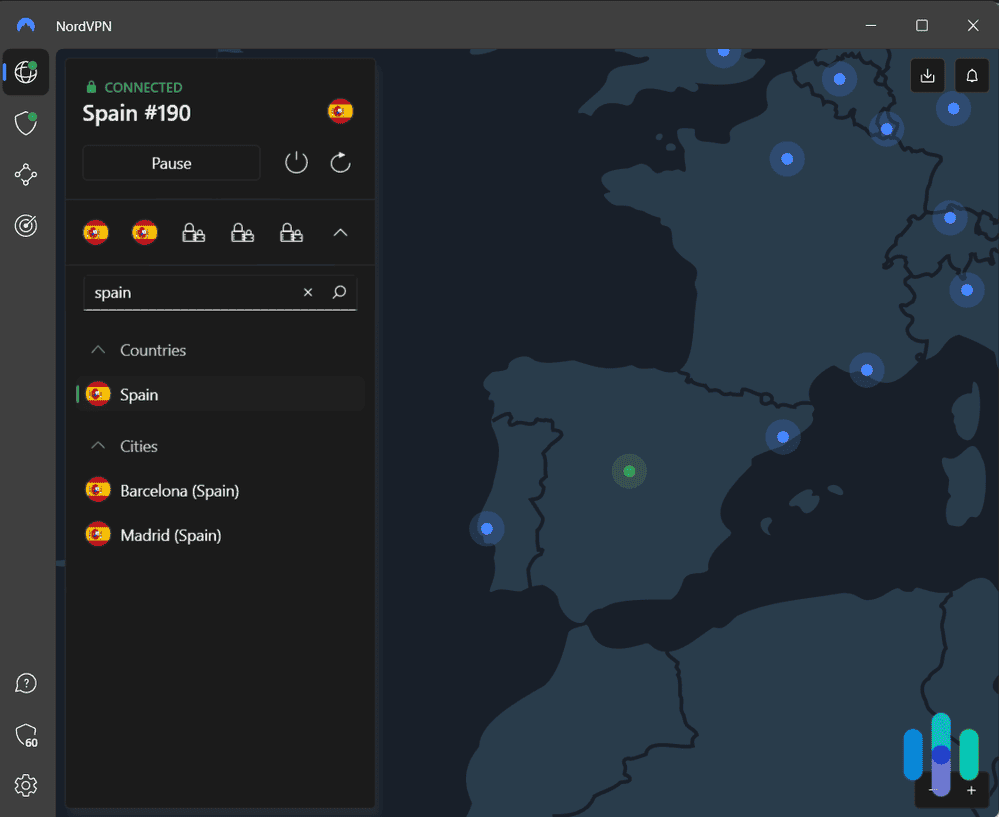
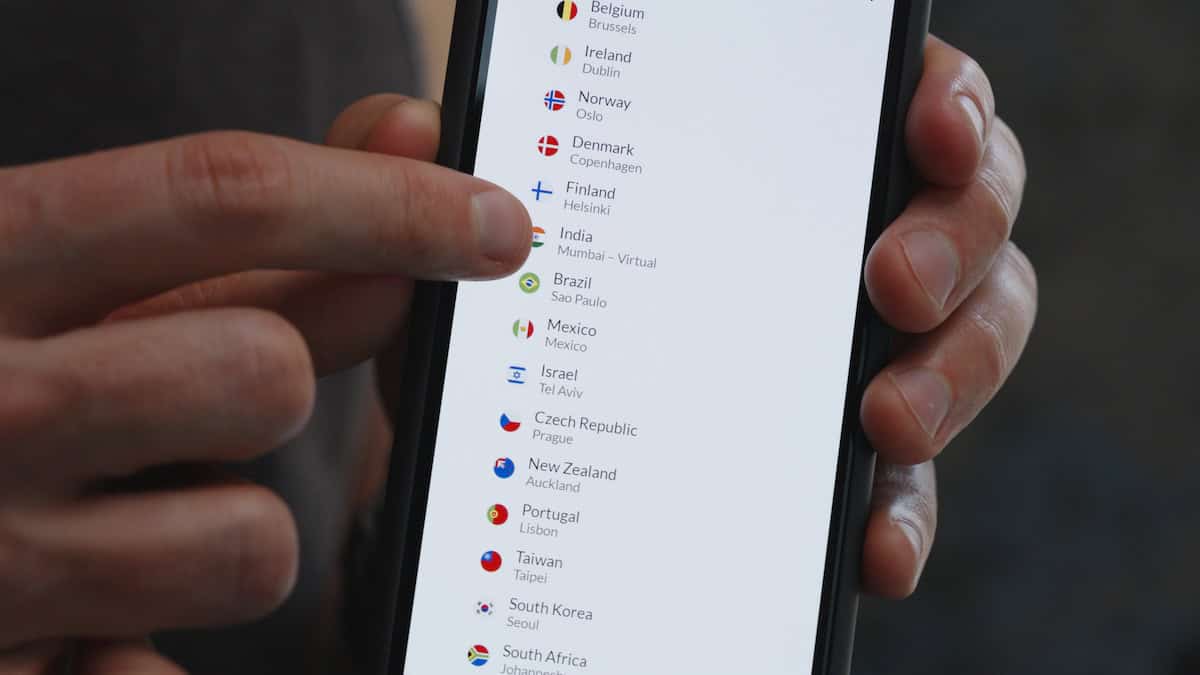
NordVPN maintained fast speeds even when we connected through a virtual server in India NordVPN’s server count is a big part of why it holds the top spot. With more than 9,300 servers across 137 countries, it easily handles heavy traffic during peak hours and can unlock almost any regional library. Beyond that, the proprietary NordLynx protocol genuinely improved our speeds when we compared it to the OpenVPN protocol. Across our broader speed testing of NordVPN’s apps, we consistently recorded download speed losses of only five to six percent. That gave us plenty of headroom to stream in 4K without buffering on our basic internet package.
As a premium service, NordVPN is one of the more expensive options on the market with plans starting at $3.49 per month. We think the server count and app quality justify the price, but it’s a definite drawback for anyone on a tight budget. Here’s the full breakdown of NordVPN’s pricing:
NordVPN Plan Basic Complete Prime One month $14.99 $19.99 $29.99 One year $5.49 per month $6.49 per month $9.49 per month Two years $3.49 per month $4.49 per month $7.49 per month Expert Insight: NordVPN’s high-quality Google TV app is a bigger advantage than most people realize. If you watch a show most nights, you’ll open your VPN app most nights too, so any bugs will eventually interrupt your nightly programming. During our tests, NordVPN’s app never caused an issue.
-
2. Surfshark - Best for Multiple Streaming Devices
Get Surfshark VPN Links to Surfshark.com
Product Specs
Server locations 100 countries Average Speed Loss 8% download & 50% upload Apps Windows, MacOS, Linux, Android, iOS, Chrome, Firefox, Edge, tvOS, Android TV, Fire TV Best Monthly Rate $2.49/mo with a 2-year plan Money-Back Guarantee 30 days full refund
We like Surfshark for its unlimited simultaneous connections on a single subscription. If your household has a Google TV Streamer in the living room, an older Android TV in the bedroom, a few phones, a tablet, and a computer, Surfshark covers all of them under one plan starting at $2.49 per month. However, like NordVPN, you’ll need to install it on a router for older Chromecast devices. Surfshark also offers router-specific setup guides to make the process easier.
What We Like
- Unlimited simultaneous device connections
- Kill switch and split tunneling available on its Google TV app
- Provides installation guides for specific router models
- Regularly refreshes server IP addresses
What We Don’t Like
- Headquartered in the Netherlands, a Nine Eyes member country
- Fewer server locations than NordVPN, Proton VPN, and ExpressVPN
- High per month prices without a multi-year commitment
- No phone support
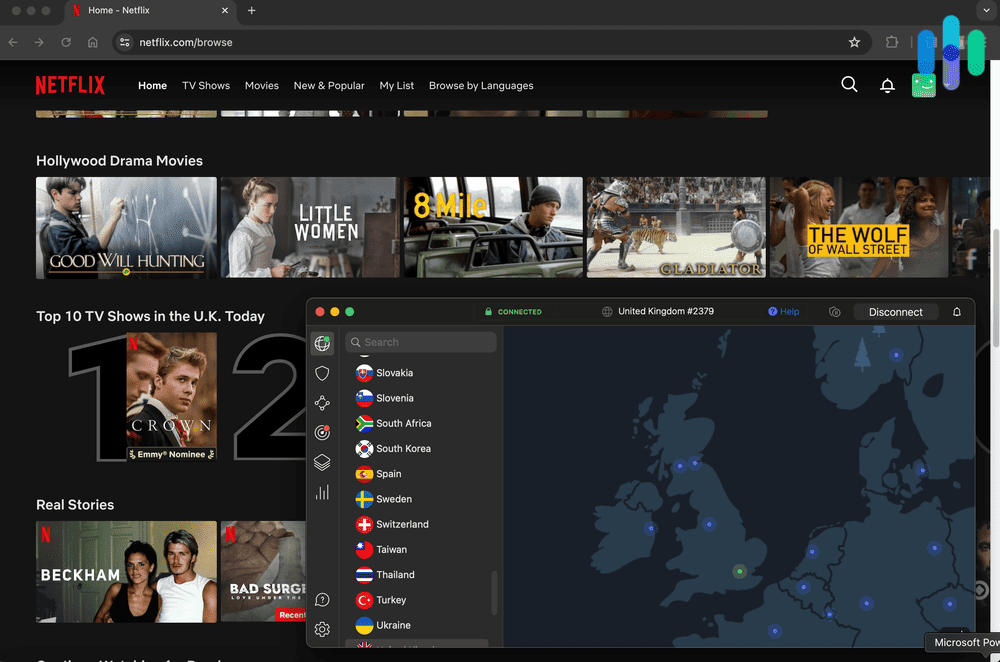
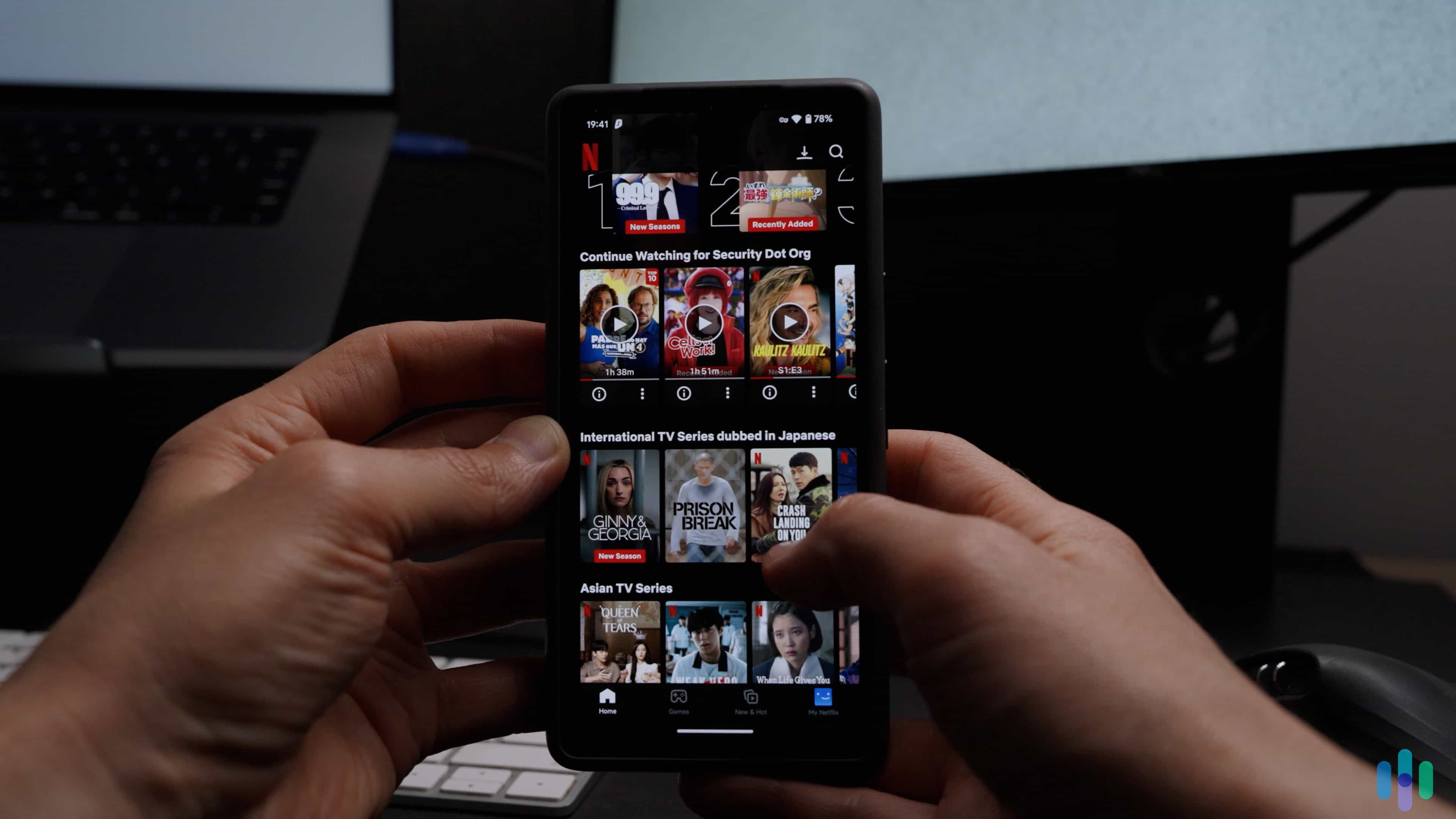
Surfshark consistently hid from Netflix’s VPN blocker Surfshark regularly refreshes their server IP addresses to help get past streaming platforms that try to block VPN usage. They keep lists of known VPN IP addresses, so when Surfshark refreshes its server IP addresses, they go undetected until they’re found again. This makes it a strong option if you’re regularly using a VPN on Netflix to access libraries from other countries. Netflix rarely blocked us when testing Surfshark’s servers in over a dozen locations.
Surfshark doesn’t offer its proprietary protocol on the Google TV platform or when set up through a router, but it supports both OpenVPN and WireGuard. We found WireGuard provides faster speeds, generally only slowing our download speed by about seven percent. That easily handled 4K streaming on four devices at once, our Google TV, Android TV, Chromecast, and laptop.
Month-to-month, Surfshark is relatively expensive. It’s difficult to recommend at those prices. However, if you’re ready to commit for a year or more, If you’re ready to commit for a year or more, Surfshark offers some of the best prices out there. Here’s a breakdown of Surfshark’s pricing:
Surfshark Plan Starter One One+ One month $16.45 $18.95 $21.85 One year $3.39 per month $3.59 per month $7.49 per month Two years $2.49 per month $2.79 per month $4.49 per month Heads Up: Surfshark is based in the Netherlands, a Nine Eyes member. That said, its no-logs policy has been independently audited multiple times, and it remains one of our top no-logs VPNs regardless of jurisdiction.
-
3. Proton VPN - Best for Google TV's Content Hub
 View Plans Links to Proton VPN

Product Specs
Server locations 145 countries Average Speed Loss 8% download & 4% upload Apps Windows, MacOS, Linux, Android, iOS, Chrome, Firefox, Android TV, tvOS, Firestick Best Monthly Rate $2.99/mo with a 2-year plan Money-Back Guarantee 30 days
Google TV pulls content from dozens of apps into a single home screen, so the more streaming platforms your VPN actually works with, the more of that hub you can unlock. Proton VPN officially supports around 90 streaming sites, including more than 20 separate Netflix regional libraries. That’s why we recommend it for anyone who wants more of Google TV’s built-in recommendations to actually be watchable once they tap through.
What We Like
- Works with about 90 streaming platforms
- Annual third-party privacy audits
- Over 20,000 servers across 149 countries
- Based in Switzerland, a strong privacy jurisdiction
What We Don’t Like
- No dedicated router app, only manual configuration
- Free plan limits you to 10 randomly assigned countries
- More expensive than Surfshark and CyberGhost VPN
- Live chat is only available to paying customers

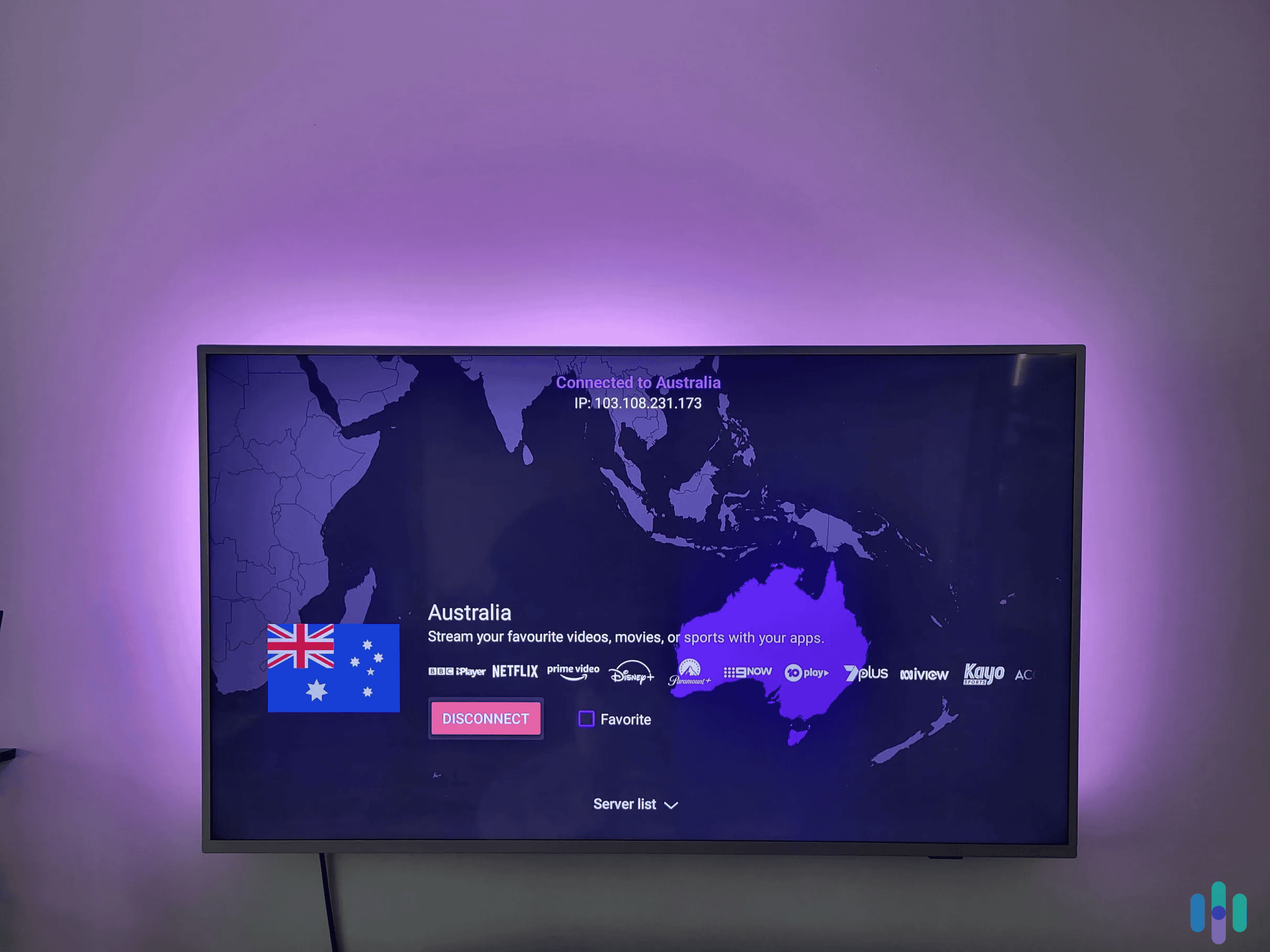
We tested Proton VPN’s servers around the globe on our Android TV Proton VPN’s Google TV app also runs on the Chromecast with Google TV. If you have an older, cast-only Chromecast, you’ll need to install Proton VPN on your router instead. Like NordVPN and Surfshark, Proton doesn’t have a router app, but it has some router-specific setup guides. Just not quite as many as NordVPN and Surfshark.
Instead of a proprietary protocol for speed like NordVPN’s NordLynx, Proton VPN uses a VPN Accelerator feature to optimize the open-source protocols it supports. Based on our testing, the open-source protocols with the VPN Accelerator lost only a few more percentage points of our download speed than NordVPN. We could still easily stream in 4K without buffering on our standard home internet connection.
In the past, Proton VPN charged premium rates higher than NordVPN. Nowadays, it’s the cheaper option with rates starting at $2.99 per month after a big price drop at the end of 2025. Here’s the current breakdown:
Proton VPN Plan VPN Plus Proton Unlimited One month $9.99 $12.99 One year $3.99 per month $9.99 per month Two years $2.99 per month $7.99 per month >> Read About: Surfshark Vs. Proton VPN: Which is Better?
-
4. ExpressVPN - Best VPN Router for Chromecast
 Get ExpressVPN Links to ExpressVPN

Product Specs
Server locations 105 countries Average Speed Loss 7% download & 24% upload Apps Windows, MacOS, Linux, Android, iOS, Chrome, Firefox, Edge, Android TV, tvOS Best Monthly Rate $2.79/mo with a 2-year plan Money-Back Guarantee 30 days full refund
Since a classic Chromecast can’t run any app at all, the most reliable way to protect one is at the router. ExpressVPN’s preconfigured VPN router, Fortify, is among the best VPN routers available. It even lets you send your Chromecast through a server in the U.K. while keeping all of your other devices on U.S. servers. You’ll also get a 12-month subscription to ExpressVPN.
What We Like
- Preconfigured router available with ExpressVPN preinstalled
- Lightway protocol offers strong performance
- Native, easy-to-use Google TV app
- Based in the British Virgin Islands, outside major surveillance alliances
What We Don’t Like
- More than 10 simultaneous connections requires a higher tier plan
- Slightly slower speeds than NordVPN in our testing
- Large price increase at renewal
- VPN router costs $199.99
For Chromecast specifically, ExpressVPN’s router setup guides are some of the clearest in the industry. You can also remove the manual installation entirely with its preconfigured router, Fortify. That’s a real advantage if you’re not comfortable setting up the router yourself. If you’re using Google TV, ExpressVPN has a polished native app for it. We particularly like its saved connection settings that let you label them for different streaming services.
ExpressVPN’s proprietary Lightway protocol was optimized for its specific apps and servers. In our testing its download speed loss landed just a bit behind NordVPN’s, but better than Surfshark’s and Proton VPN’s. We streamed several movies without any noticeable buffering.
Unlike the other options on this list, ExpressVPN expands its simultaneous connection limit at higher tiers. The Basic plan supports 10, the Advanced plan supports 12 and the Pro plan supports 14 simultaneous connections. Higher tier plans also include additional digital security tools like a password manager and basic identity protection. Here’s the full breakdown of ExpressVPN’s pricing:
ExpressVPN Plan Basic Advanced Pro One month $14.99 $16.99 $22.99 One year $4.99 per month $5.99 per month $8.99 per month Two years $2.99 per month $4.49 per month $7.49 per month >> Check Out: Best VPN Services for Disney+ Streaming in 2026
-
5. CyberGhost VPN - Best for First-Time Setup Support
 Get Cyberghost VPN Links To CyberGhost

Product Specs
Multihop No Obfuscated Servers No Kill Switch Yes Split Tunneling Yes Netflix Yes Torrenting Yes
CyberGhost doesn’t lead on speed, but its customer support is the most responsive on this list, a real help if router configuration is new territory for you. Its 24/7 live chat with helpful agents makes it a reasonable pick for anyone protecting a Chromecast for the first time. They reliably answered every question we threw at them. Plus, it’s the most affordable option with plans starting at $2.19 per month.
What We Like
- 24/7 live chat support
- More than 11,500 servers in 100 countries
- Based in Romania, outside major surveillance alliances
- Optimized streaming servers labeled for specific platforms
What We Don’t Like
- No dedicated router app, manual setup only
- Supports only seven simultaneous connections
- Expensive unless you commit for two years
- No obfuscation or camouflage mode

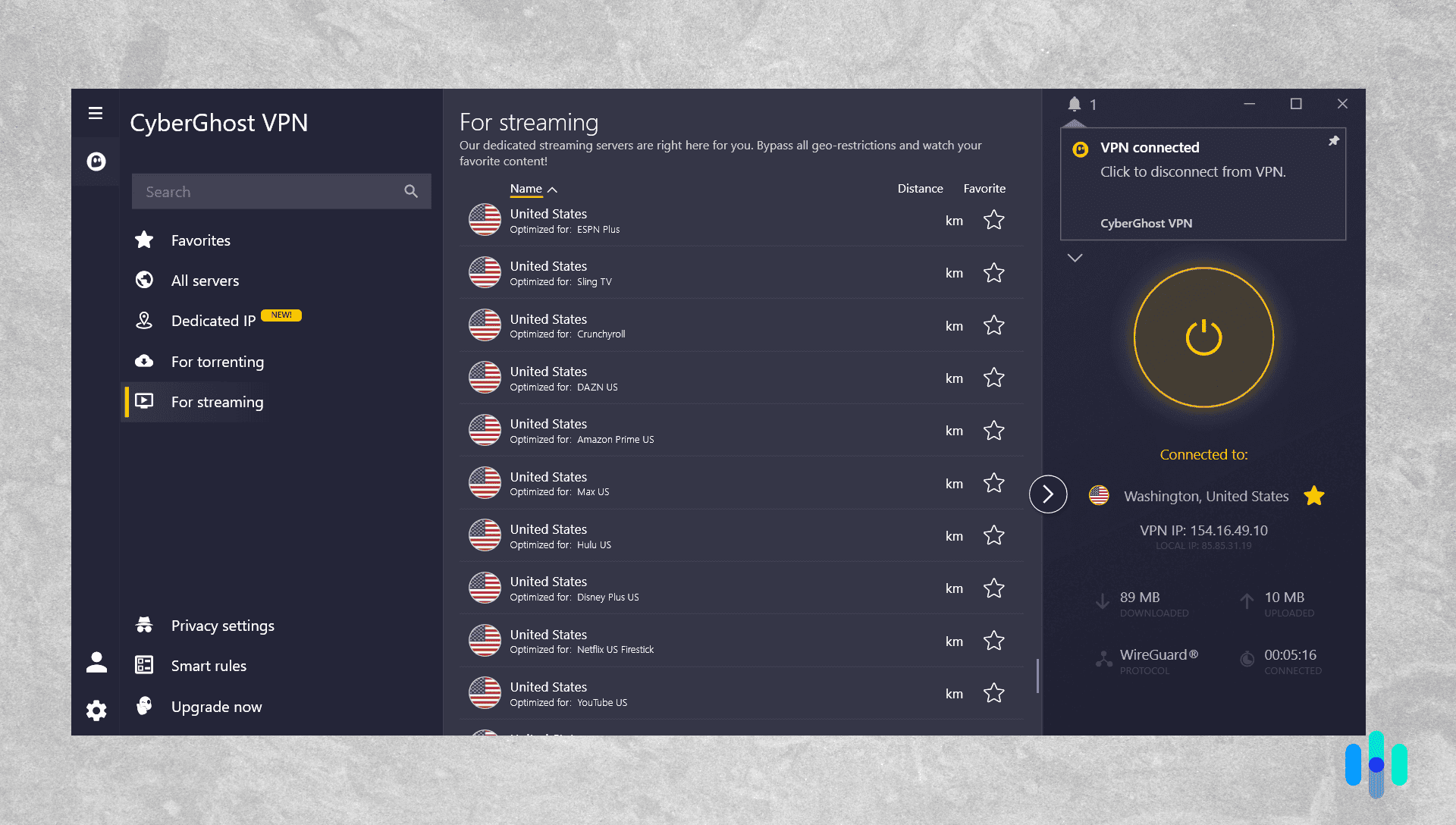
CyberGhost’s clearly labeled VPN servers made it easy to find one optimized for Hulu We had no trouble accessing major platforms on a Google TV device with CyberGhost as long as we picked a server labeled for that service. Other ones would work on occasion, but they were more likely to be blocked. Its download speed loss stayed competitive with NordVPN’s across our checks.
For Chromecast, CyberGhost requires manual router setup rather than a dedicated app, but its support team can walk you through it. That said, don’t count on finding a specific guide for your router if you plan to do it yourself. Instead, CyberGhost made a generic guide for installing a VPN on most routers.
With only one tier of service, CyberGhost’s pricing is simple. Here’s the current breakdown of CyberGhost’s pricing:
CyberGhost VPN Plan Length Price Per Month One month $12.99 Six months $6.99 Two years $2.19 >> Learn More: CyberGhost VPN Vs. ExpressVPN
How We Tested the Best VPNs for Android TV, Google TV & Chromecast
How We Approached Testing
Every VPN on this list went through our full testing suite in accordance with our Editorial Guidelines before it earned a spot. We signed up for each provider directly, installed its Google TV app on physical hardware, and ran it for several days of actual use rather than a single connection check. We also built out the router-level workaround that a cast-only Chromecast requires, since those devices don’t support VPN apps. Beyond the TV-specific checks, we ran our standard privacy audit on every provider, reviewing its logging policy, checking for IP and DNS leaks, and confirming its kill switch actually cuts the connection when triggered.
What We Weighted Most
Android TV, Google TV, and Chromecast each ask something different of a VPN, so we weighted our scoring around the gaps that separate a usable setup from a frustrating one. Here’s what separated our five picks from the rest of the VPNs we tested.
- Native App Usability: We rated how well each VPN’s Google TV app handled remote navigation, since an app built for a touchscreen makes switching servers a chore on a TV.
- Router-Level Chromecast Support: On top of checking for preconfigured routers, we also read each provider’s router installation guides to see how easy they’d be to follow.
- Streaming Unblock Consistency: Across several sessions over roughly a week, we tested how reliably each VPN could unblock major platforms.
Only providers that held up across all three factors made our final list.
The Team Behind This Guide
Brett Cruz leads our VPN testing and reviewed every recommendation on this page, drawing on years of hands-on evaluation across both digital and physical security products.
He works alongside Security.org’s broader research team, made up of security experts who log thousands of hours testing security products every year. A few of the people helping Brett Cruz with our VPN coverage include
- Gene Petrino: Retired S.W.A.T. commander who advises on our security testing standards.
- Corey Birnstengel: Editor who has produced hundreds of in-depth video reviews for our channel.
- Ozzie Enriquez: West Point graduate who advises on threat analysis and digital privacy.
- Cort Honey: Tester responsible for much of our hands-on product evaluation footage.
No VPN provider can pay for a spot on this list. Every ranking here reflects our own independent testing.
Android TV, Google TV & Chromecast Aren’t the Same VPN Setup
Google discontinued production of the Chromecast dongle in August 2024 and then stopped producing its replacement, the Chromecast with Google TV, in early 2025.1 That timeline splits your options into two very different setups.
If you own a Google TV Streamer or a Chromecast with Google TV, you’re running Google TV OS. It runs on top of Android TV, so you still have the Play Store just like with any Android TV box. That means you can install a VPN the same way you’d install one on your phone.
As for older, cast-only Chromecast, they can’t run apps. To get around this, you can install a VPN on your router that the Chromecast connects through. This is a more complicated setup, but most VPN services provide step-by-step setup guides to make it easier.
How to Install a VPN on Android TV or Google TV
Because Android TV and Google TV both run on the same Google Play Store foundation, installing a VPN is nearly identical to installing one on your phone. We used the following five step process to install the VPNs we tested on our Android TV and Google TV:
- On your Android TV or Google TV device, open the Google Play Store app.
- Search for your VPN by name, for example, “NordVPN.”
- Select the app and choose Install.
- Once installed, open the app from your home screen.
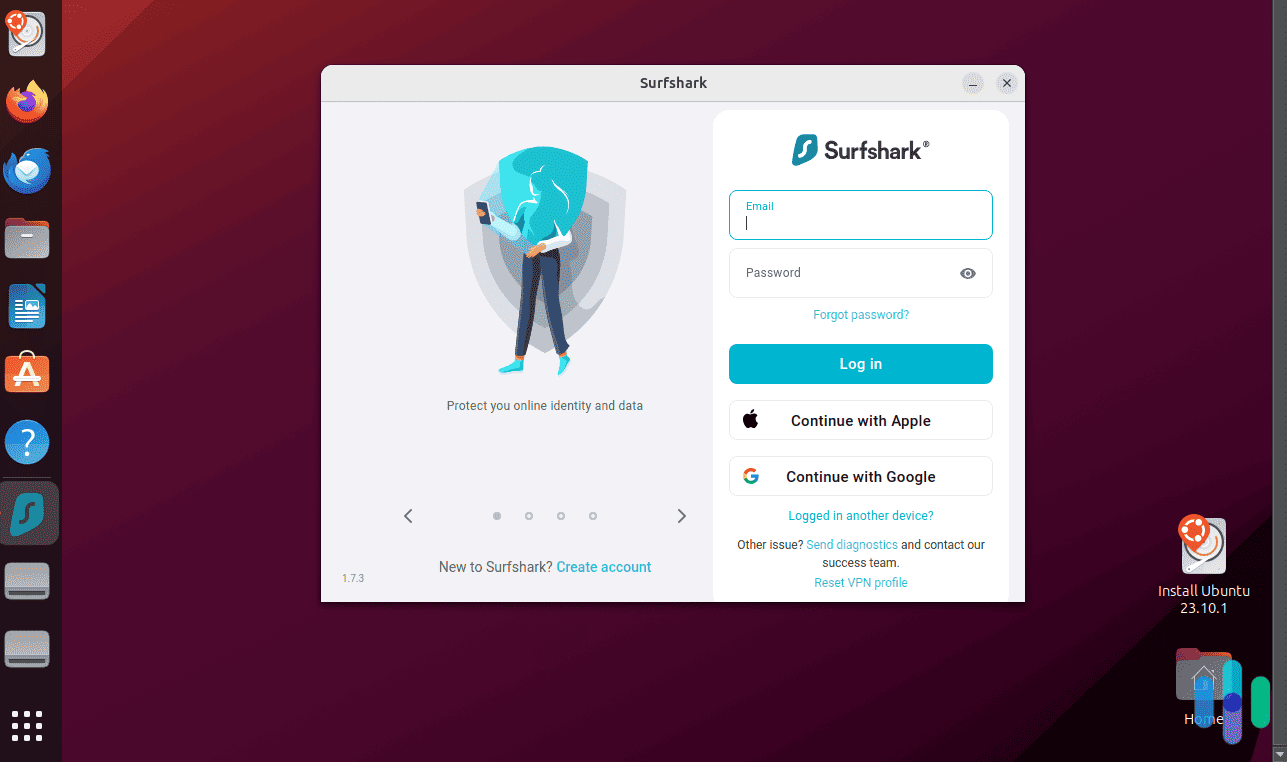
- Log in with your VPN credentials and connect to a server.
That’s the whole process for any device running Android TV OS, including a Google TV Streamer or a Chromecast with Google TV.
Built-In Protection for Every Cast
Get NordVPN
Links to NordVPN
How to Set Up a VPN for Chromecast
An older, cast-only Chromecast has no app store, so there’s nothing to install a VPN app from. Protecting it means routing your entire home network, or at least the Chromecast’s connection, through a VPN at the router level.
Method 1: VPN Router App or Firmware
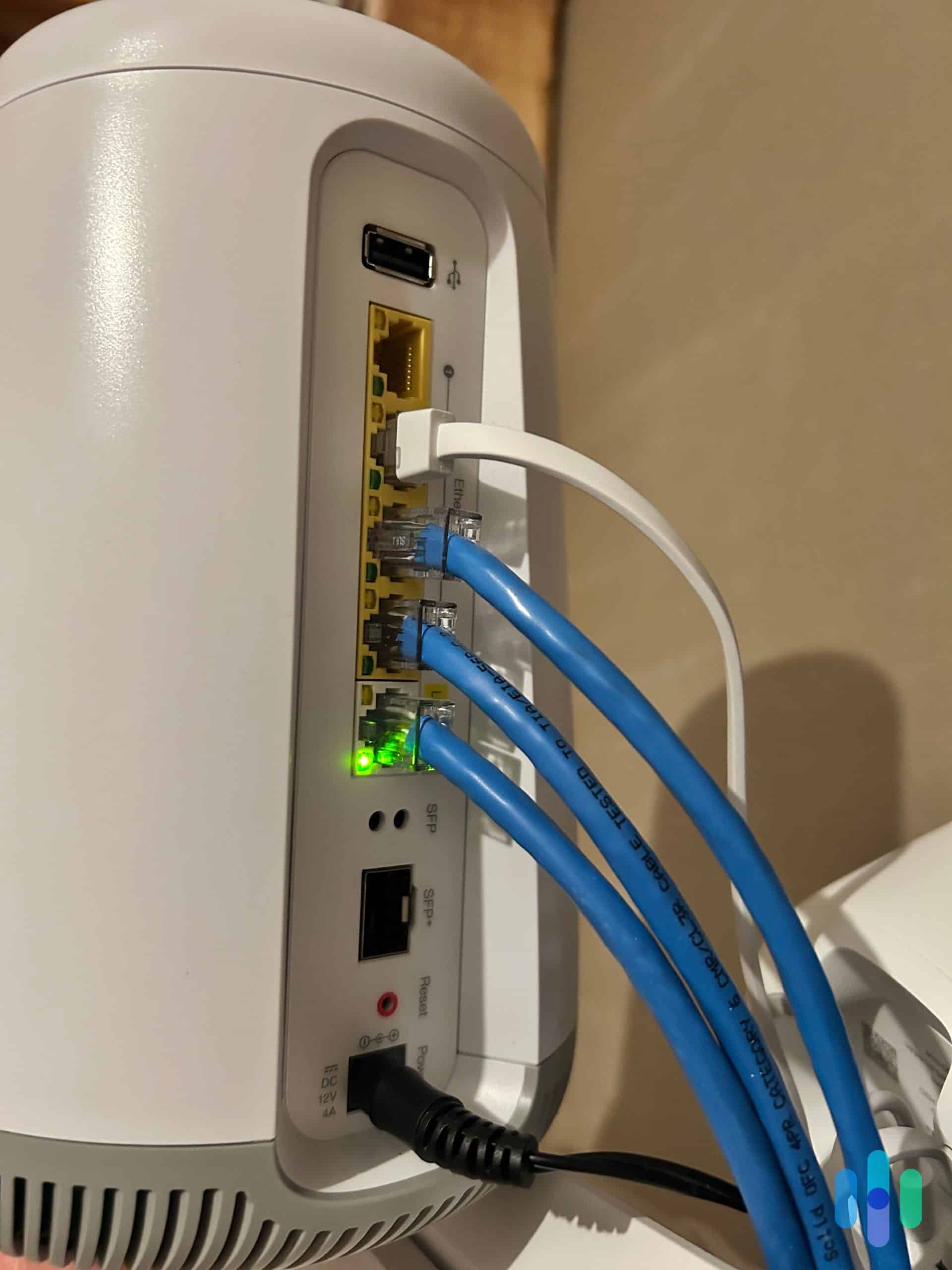
This is the most reliable method for a cast-only Chromecast, since it protects the device automatically without any per-app setup.
- Sign up for a VPN that offers router-level support, such as NordVPN, Surfshark, or ExpressVPN.
- Log in to your router’s admin panel, or purchase a preconfigured router if your VPN offers one.
- Follow your provider’s router setup guide to install the VPN client, or configure OpenVPN or WireGuard manually.
- Connect to a server in your desired location.
- Once your Chromecast connects to that router’s Wi-Fi network, its traffic routes through the VPN automatically.
See our VPN router setup guide for detailed, provider-specific instructions.
Method 2: Mirror Your Screen From a VPN-Protected Device
If router setup isn’t an option, you can connect your VPN on the phone, tablet, or laptop and then mirror your screen to your Chromecast. This protects your own device’s connection and can help with geo-restricted content, though it doesn’t encrypt the Chromecast’s own local network traffic the way a router-level VPN does. Here’s how to cast videos while connected to a VPN:
- Install and log in to your VPN app on your phone, tablet, or laptop.
- Connect to a server in your target country.
- Open the streaming app you want to cast from and select your content.
- Tap the Cast icon, press the Cast screen button, and select your Chromecast.
For most privacy purposes, the router method is the stronger option. That said, casting from a protected device is a reasonable fallback if you just need to unlock a specific region’s library for one session.
How to Change Your Region
Using a VPN with Android TV, Google TV, or Chromecast lets you access streaming libraries from other countries, but your streaming account’s region setting also needs to match your VPN server’s location. Here’s how to change your streaming account’s region settings:
- Sign in to your streaming account on a browser, not the TV app.
- Locate your account or region settings, usually under Account or Preferences.
- Change your country or region to match the VPN server you plan to connect to.
- Restart the app on your Android TV, Google TV, or casting device.
- Connect your VPN to a server in that same country before opening the app.
If you skip changing your account’s region setting, most streaming apps will still show your original country’s library regardless of where your VPN is connected.
Region-Specific VPNs: Already know which country’s library you want? Check out our Japan VPNs, Canada VPNs, or South Korea VPNs guides for providers with strong server infrastructure in your target region.
What You Need to Know About VPN Speed
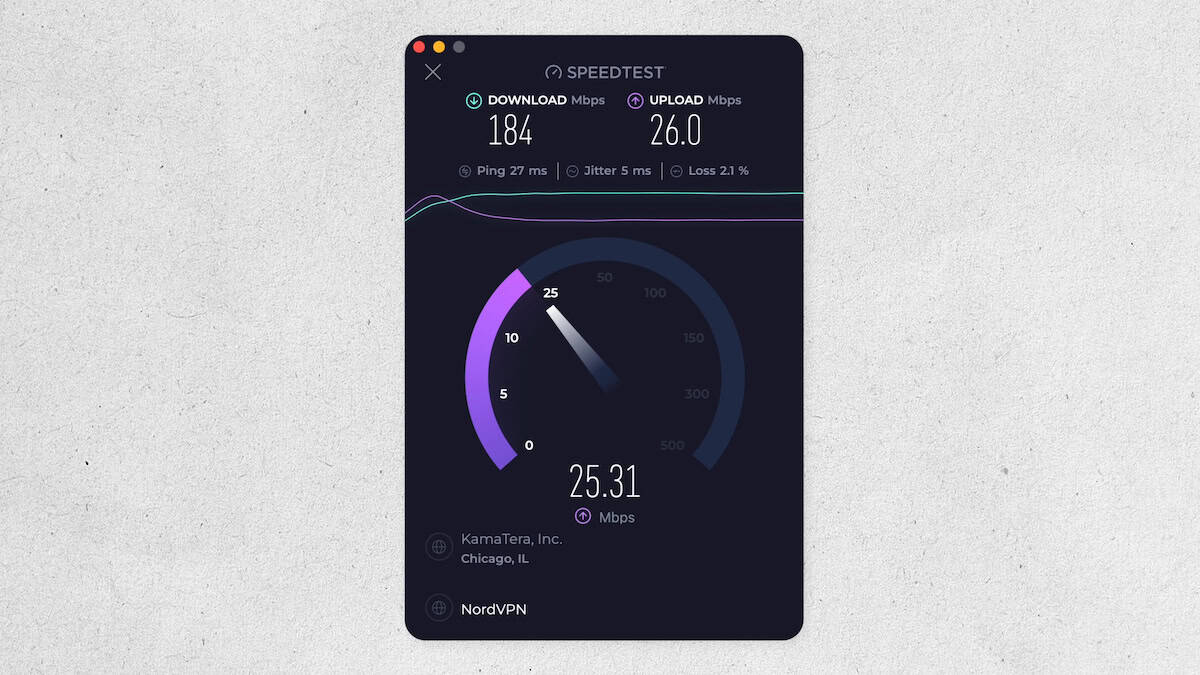
All VPNs slow your connection to some degree, since encrypting your traffic and routing it through another server takes processing time. The goal is to find a VPN that protects you without a noticeable hit to your streaming experience. Here are the three metrics that count for that objective:
- Download speed determines how quickly your device receives data, the most relevant metric for streaming. You need around 25 Mbps for stable 4K and five to 10 Mbps for HD.
- Upload speed affects how quickly you send data, a bigger factor for video calls or gaming than for streaming.
- Latency, or ping, measures how fast your signal bounces back. Lower is better, and it’s the biggest factor for gaming or live video chat, since high latency causes lag.
Router-level VPNs, the setup most cast-only Chromecast users need, tend to add a small additional speed cost compared to a native device app. That’s because the router is now handling encryption and routers have less processing power than smart TVs, phones, or laptops. See our full list of the fastest VPNs for a detailed comparison. If you’re also gaming on your setup, our best VPNs for gaming guide covers latency-focused rankings.
Troubleshooting Your VPN
Most VPN issues on Android TV, Google TV, or a router-protected Chromecast have straightforward fixes. Try following five troubleshooting steps will likely solve your issue:
- Clear cache and data: On your Google TV device, go to Settings, Apps, and select your VPN app, then choose Clear Cache and Clear Data. Restart the app and reconnect.
- Restart your devices: Restart your Android TV or Google TV device. If you’re using the router method, unplug your router for 30 seconds before plugging it back in.
- Switch protocols: In your VPN app’s settings, try switching between WireGuard and OpenVPN. WireGuard is typically faster, but OpenVPN has a long-standing history of stability.
- Reinstall the app: Uninstall your VPN app, restart your device, reinstall from the Play Store, and log back in.
- Check your router firmware: For Chromecast setups, confirm your router’s VPN configuration hasn’t been reset after a firmware update, which can silently disconnect the VPN.
If your VPN still isn’t connecting, confirm your streaming device is actually on the correct Wi-Fi network, since a router-level VPN only protects devices connected to that specific network.
Risks of Not Using a VPN on Android TV, Google TV & Chromecast
Streaming without a VPN exposes more than most people realize. Here are a few risks of streaming on your Android TV, Google TV, or Chromecast without the protection of a VPN:
- Smart TV tracking: Many connected TV platforms use automatic content recognition to log what you watch and share that data with advertisers, sometimes without clear consent, a practice that has resulted in class action lawsuits.2
- ISP visibility: Without a VPN, your internet provider can see what you’re streaming, when, and for how long. That data can then be sold or shared with third parties.
- Public or shared network exposure: On a shared home network or public Wi-Fi extended to a smart TV, unencrypted streaming traffic can be intercepted by anyone else on that connection.
- Geographic restrictions: If you’re traveling or in a region with limited content libraries, a VPN adds access alongside the added privacy layer.
Connecting through a VPN protects you from all of these risks by encrypting your traffic to keep your browsing history private. For a broader look at your options beyond these five, see our list of the most affordable VPNs.
>> Check Out: Best VPN for Public Wi-Fi in 2026
Recap
Android TV and Google TV both support Google’s Play Store, so installing a VPN on either one takes about as long as installing one on your phone. Chromecast is different. Without an app store of its own, protecting it means setting up a VPN at your router instead, or mirroring your screen from a device that’s already protected.
Our top pick overall is NordVPN, for its polished native Google TV app and router setup guides for dozens of models. If your household runs several streaming devices at once, Surfshark’s unlimited connections are hard to beat. Proton VPN is the strongest choice if unlocking a wide range of streaming platforms through Google TV’s content hub is your priority, while ExpressVPN’s preconfigured router makes Chromecast setup as simple as it gets. Finally, CyberGhost’s support team is there if you want help walking through the process for the first time.
FAQs
-
Can you use a VPN on Android TV or Google TV?
Yes. Android TV and Google TV both have the Google Play Store, so you can install a VPN app the same way you would on a phone. We recommend NordVPN, Surfshark, Proton VPN, ExpressVPN, and CyberGhost, all of which have native apps built for TV remote navigation.
-
Does Chromecast support VPN apps?
Older, cast-only Chromecast devices have no app store and can’t run a VPN app directly. If you own a Google TV Streamer or Chromecast with Google TV, it runs Google TV OS, which has the Google Play Store. From there, you can install a VPN app normally. For a cast-only Chromecast, you’ll need to set up a VPN at the router level instead.
-
Which VPN works best with Google TV?
NordVPN is our top overall pick. It combines a polished native Google TV app with broad server coverage and strong speeds. Surfshark is the better choice for households with several streaming devices since it offers unlimited connections in all plans.
-
Is there a free VPN for Android TV or Chromecast?
Most free VPNs cap speeds or data in ways that make streaming impractical, and some monetize your data instead of protecting it. We recommend a low-cost premium plan from NordVPN, Surfshark, or Proton VPN instead, with two-year pricing starting under $4 a month.
-
How do I know if my VPN is working on Android TV or Chromecast?
On Android TV or Google TV, your VPN app will show a connected status and the server location you’re routed through. For a router-protected Chromecast, check your router admin panel to confirm the VPN connection is active, or visit an IP-checking site from a browser on the same network to confirm your address has changed.
Citations
-
News from Google. (2024). 7 memorable moments in Chromecast's history.
https://blog.google/products-and-platforms/devices/google-nest/chromecast-history/ -
Courthouse News Service. (2026). Samsung faces class action over privacy concerns with smart TVs.
https://www.courthousenews.com/samsung-faces-class-action-over-privacy-concerns-with-smart-tvs/