Best VPNs for iPads in 2026
Access geo-restricted content and keep your browsing private on your iPad with our expert-vetted VPN recommendations.
 &
&
 Last Updated on Apr 13, 2026
- User-friendly app packed with security and privacy features
- Premium plans include antivirus and identity theft prevention features
- All 4,500+ servers are optimized for streaming services
- Open-source iPad app that has regularly passed third-party audits
- Affordable subscriptions starting at $1.98 per month
- Customizable home screen so you can prioritize features important to you
- Simplistic app design makes it easy to browse the servers in 105 countries
- Headquartered in British Virgin Islands and has a strict no-logs policy
- Multiple protocol options available that are designed for specific uses or network types.
Your iPad may not need an antivirus, but a VPN for your iPad can improve your online security. Unfortunately, picking the right VPN isn’t that easy — there are tons of iPad VPNs on the app store, and some of them are missing essential security features. And others simply provide poor value since they’re slow or bad for streaming.
But we put our experience and knowledge to good use, and tested 40+ top VPNs to see which ones provide the best online experience on iPads. The VPNs we decided to include in this article are all easy-to-use, good for streaming, and very secure.
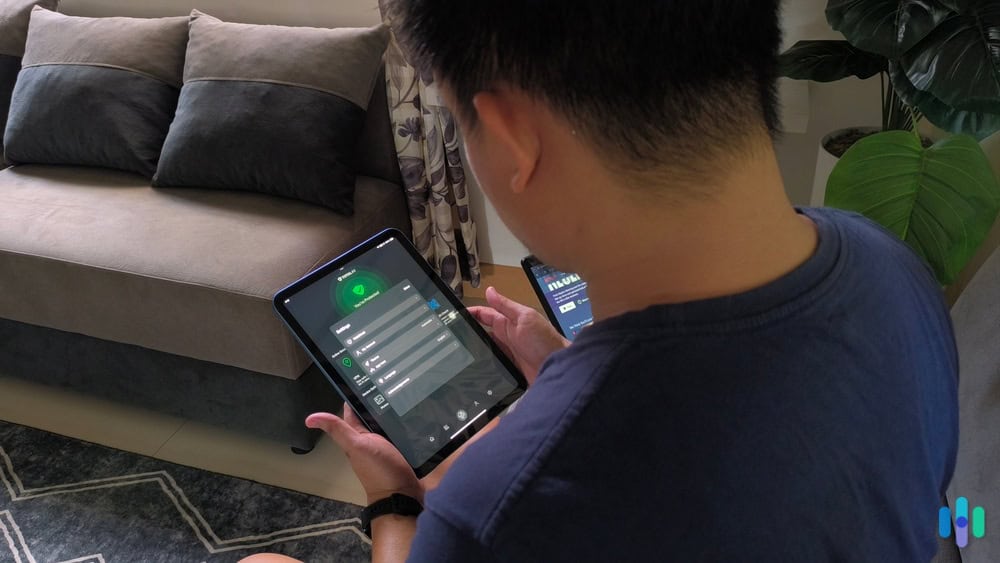
After hours of tests and research, we decided that Surfshark is the best VPN for iPad users. Surfshark’s iPad app is not only user-friendly but also packs great security features (like rotating IP addresses and dynamic multi-hop) and includes excellent streaming support. We were also happy with how Private Internet Access and ExpressVPN performed.
The Best iPad VPNs Ranked
- Surfshark - Best Budget-Friendly iPad VPN
- Private Internet Access - Best for Privacy
- ExpressVPN - Best iPad App
- NordVPN - Best for Security
- Proton VPN - Best Free VPN for iPad
Comparing iPad VPNs Side by Side
| System |
Surfshark
|
Private Internet Access
|
ExpressVPN
|
NordVPN

|
Proton VPN
|
|---|---|---|---|---|---|
| Ranking | 1st | 2nd | 3rd | 4th | 5th |
| Ratings | 9.5/10 | 9.4/10 | 9.1/10 | 9.7/10 | 9.3/10 |
| Servers | 3,200+ | Unknown | Unknown | 8,800+ | 15,000+ |
| Server locations | 100 countries | 91 countries | 105 countries | 129 countries | 127 countries |
| iPad app VPN protocols | WireGuard, IKEv2/IPSec | OpenVPN, WireGuard, IKEv2/IPSec | OpenVPN, WireGuard, Lightway IKEv2/IPSec | OpenVPN, NordLynx, IKEv2/IPSec | WireGuard, Stealth |
| Read Review | Surfshark Review | Private Internet Access Review | ExpressVPN Review | NordVPN Review | Proton VPN Review |
-
1. Surfshark - Best Budget-Friendly iPad VPN
Get Surfshark VPN Links to Surfshark.com
Product Specs
Server locations 100 countries countries Average Speed Loss 8% download & 50% upload Apps Windows, MacOS, Linux, Android, iOS, Chrome, Firefox, Edge, tvOS, Android TV, Fire TV Best Monthly Rate $1.99 per month (with a two-year plan)/mo with a 2-year plan Money-Back Guarantee 30 days full refund
Who Surfshark Is Best for
IPads aren’t cheap these days, so you might not want to spend even more money on subscriptions to protect it. However, Surfshark subscriptions don’t cost that much, even if you sign up for a year. The company doesn’t cut corners on privacy and security features to keep prices down. You get unlimited simultaneous connections, a kill switch, double VPN, and a rotating IP address that makes you harder to track.

Surfshark Main Screen iPad App User Experience
Surfshark’s iPad app is very simple to navigate. We especially like that you can customize the quick-connect feature. By default, it automatically connects you to the fastest server, but we tweaked it to instead connect us to a server location (the US, in this case) of our choice with just one click.
It’s also great that Surfshark has iPadOS widget support, so you can make changes to your VPN connection without having to open up the Surfshark app. We also think that Surfshark is great for families, as it allows unlimited simultaneous connections.
The iPad app also comes with split-tunneling. This feature lets you pick websites that bypass the VPN connection. We’re happy to see this, as not many VPNs include this feature on their iPad apps.
FYI: We tested Surfshark’s split-tunneling by setting it up to exclude our bank site from the VPN connection. We were able to use Surfshark to stream securely, while using our normal internet connection to check our bank accounts.

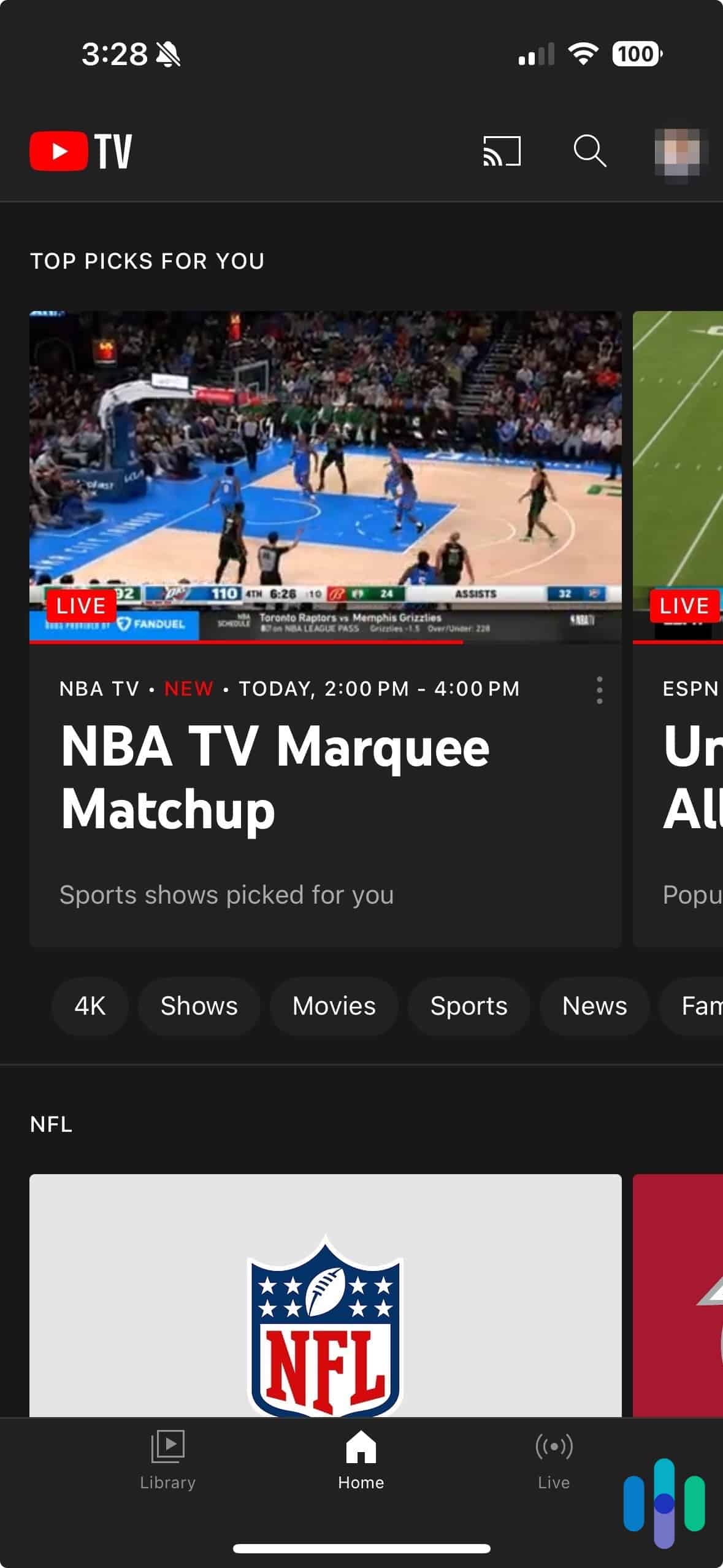
Watching YouTube TV on mobile with Surfshark VPN enabled The iPad app also includes a handy privacy tool called Rotating IP. It automatically cycles your VPN IP address at regular intervals — without ever dropping your connection — making it significantly harder for anyone to track your online activity. This is especially useful when you’re hopping on public Wi-Fi at a coffee shop or airport.
FYI: One caveat of the Rotating IP is that there’s a chance it gives you an IP address that’s blocked by websites you’re using. We suggest turning this feature off if you’re using any work or banking apps.
Security & Privacy
Surfshark has a strict no-logs policy that doesn’t record your web usage. The policy has been validated by independent security audits, and Surfshark publishes an annual transparency report.
Surfshark’s iPad app also comes with useful security features. This includes an ad blocker and Dynamic MultiHop, which secures your data with two layers of encryption. It’s similar to NordVPN’s Double VPN feature, but Surfshark’s is better because you can choose the entry and exit server locations you want.
>> Read More: Surfshark vs. NordVPN
Pricing
After reading all about the features above, you might be wondering how expensive Surfshark plans are. You’ll be surprised to know that prices start from just $2.19 per month on a two-year subscription. A one-year plan starts at $3.19. Both of these options are cheaper than services like NordVPN and ExpressVPN.
Here’s a quick overview of the Surfshark Starter subscription:
Surfshark Starter Subscription
Surfshark Starter Subscription 1-Month Plan Cost $15.45/month 1-Year Plan Cost $3.19/month 2-Year Plan Cost $2.19/month You get the best savings with the longest plan. While it’s a long commitment, you also get the best bang for your buck since it often includes extra months of service for free. Plus, Surfshark also backs all purchases with a 30-day money-back guarantee, so you can try it risk-free.
-
2. Private Internet Access - Best for Privacy
View Plans Links to Private Internet Access
Product Specs
Server locations 91 countries Average Speed Loss 5% download & 84% download Apps Windows, MacOS, Linux, Android, iOS, Chrome, Firefox, Android TV, tvOS Best Monthly Rate $1.98/mo with a 3-year plan Money-Back Guarantee 30 days full refund
Who Private Internet Access Is Best for
If you prefer privacy features over anything else, Private Internet Access (PIA) is a great pick. Its no-logs claims have been verified via audits and legal documents, and the app code is also available online for anyone to inspect.

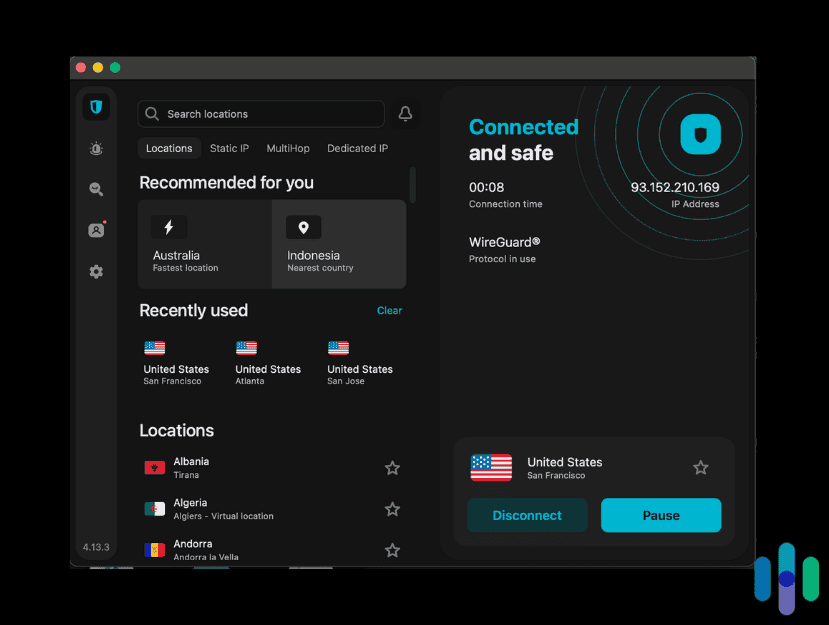
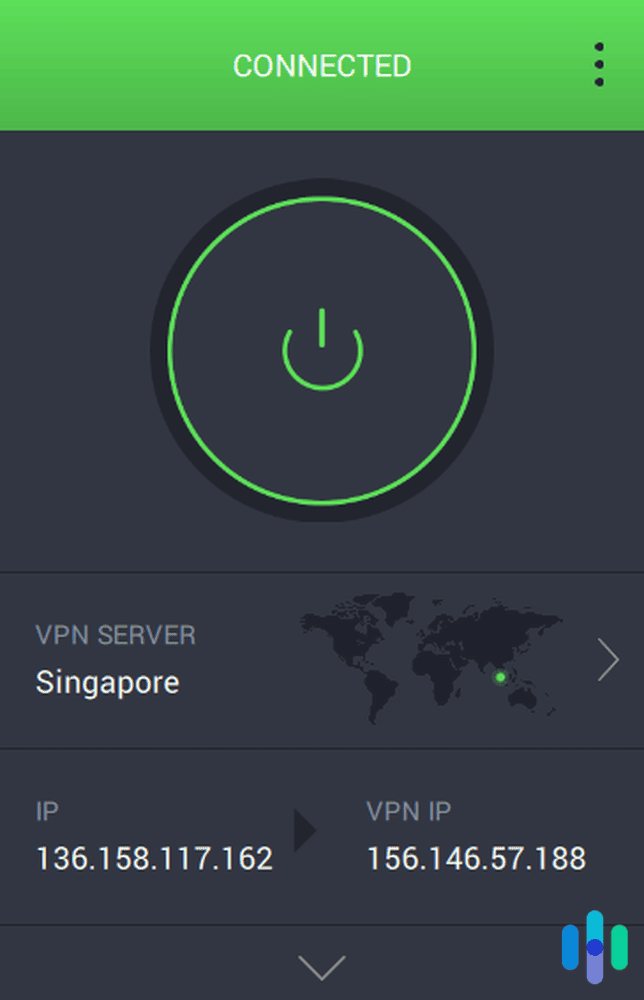
Private Internet Access connected to Singapore iPad App User Experience
Compared to Surfshark, PIA’s iPad app has a much simpler connection screen. It doesn’t have a digital map on the home screen, like with NordVPN, or a bunch of features to select, like with Surfshark. Instead, there are only a handful of buttons on the main screen.
PIA puts most of its features in the three-bar menu in the top-left corner. We actually like that, as it keeps the main screen uncluttered. We also like how the app has Siri integrations. For example, we were able to record a personalized phrase that allowed Siri to make the VPN app connect to a server.
Pro Tip: You can customize what you see on your Private Internet Access app home screen. Tap on the icon with arrows pointing up and down in the upper-right corner of the screen to see your options. By default, the home screen shows your originating IP address, VPN IP address, shortcuts to locations you’ve previously used, and quick settings.
Server Network & Streaming Support
PIA doesn’t publish its exact server count, but that’s not really a dealbreaker — the network spans 91 countries, so finding a fast server close to you is rarely an issue.

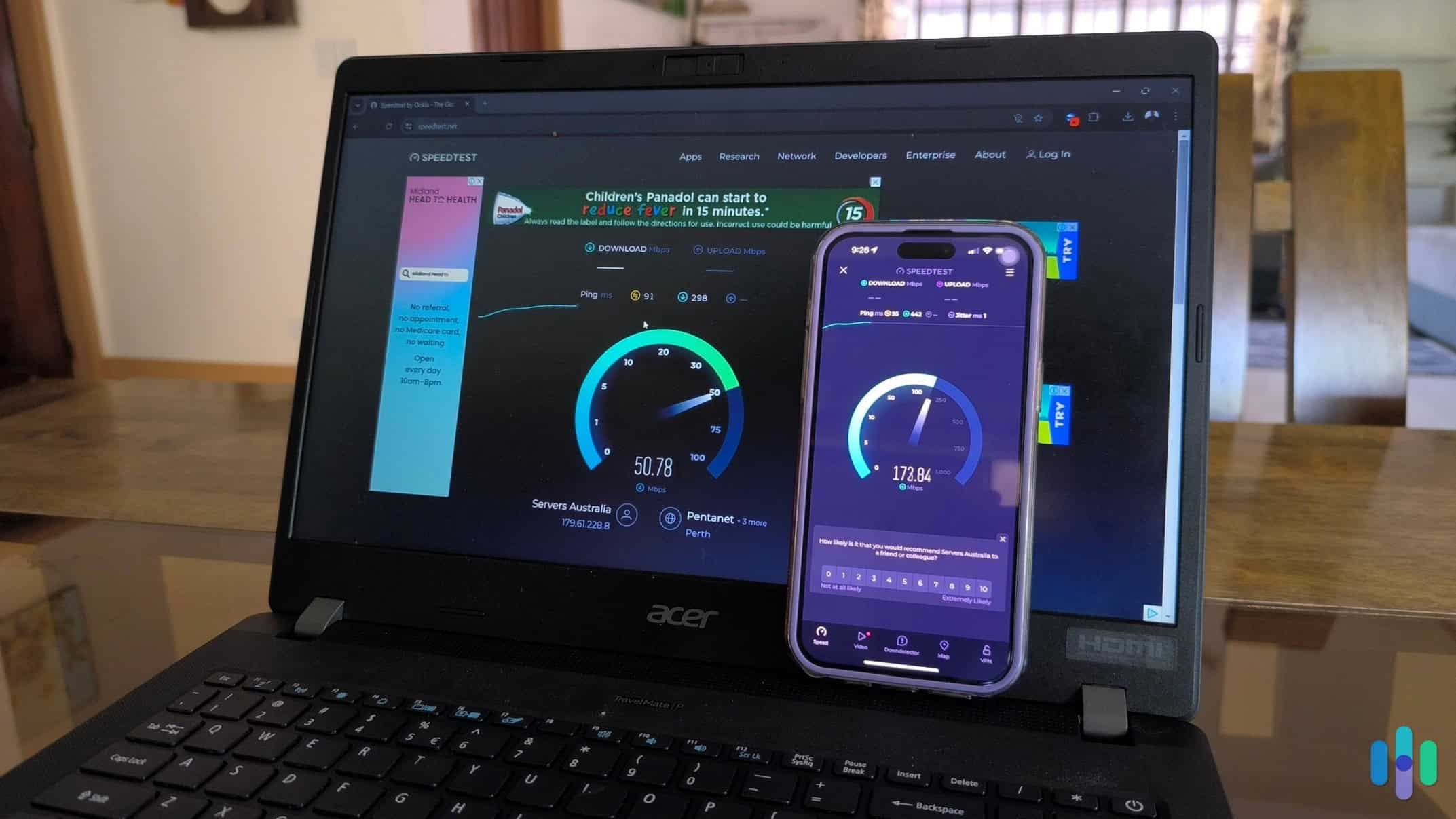
Testing Private Internet Access speed PIA provides good streaming support via dedicated streaming servers in 15+ countries. Its servers are optimized to work with 40+ popular streaming services, like Netflix, Disney+, Hulu, Max, Amazon Prime Video, and BBC iPlayer. If you’re mainly interested in streaming, Surfshark is still the better option since it accesses streaming services via all servers.
>> Read More: Private Internet Access Vs. Surfshark
Security & Privacy
PIA stands out for its privacy features. It has an audited no-logs policy just like Surfshark and other VPNs on this list. The policy has even held up in court. This is why we consider it to be one of the best no-log VPNs on the market.
In addition, PIA’s iPad app is open-source. Like Surfshark, PIA releases quarterly transparency reports that show how the VPN doesn’t comply with requests for user data.
PIA also provides strong security, but its iPad app isn’t as feature-rich as NordVPN. It doesn’t come with double VPN servers or an ad blocker (PIA only offers ad-blocking via Safari’s content blockers).
>>Read More: Private Internet Access vs. NordVPN
Pricing
PIA is one of the most affordable VPNs in 2025, with prices starting as low as $1.98/month if you sign up for the longest plan. If you’re on the fence about making such a commitment, keep in mind that the longest plan often includes extra months of service for free — plus, it also backs all plans with a 30-day refund.
Private Internet Access Pricing Plans
Private Internet Access Pricing Plans 1-Month Plan Cost $11.95/month 1-Year Plan Cost $3.33/month 3-Year Plan Cost $1.98/month >> Learn More: How Much Does Private Internet Access Cost in 2026?
-
3. ExpressVPN - Best iPad App
Get ExpressVPN Links to ExpressVPN
Product Specs
Server locations 105 countries Average Speed Loss 7% download & 24% upload Apps Windows, MacOS, Linux, Android, iOS, Chrome, Firefox, Edge, Android TV, tvOS Best Monthly Rate $2.79/mo with a 2-year plan Money-Back Guarantee 30 days full refund
Who ExpressVPN Is Best for
VPN apps should be user-friendly, just like the iPad interface. That’s why we think the ExpressVPN app is the best one we’ve tested. The interface is identical regardless to other device apps, so you instantly feel familiar.

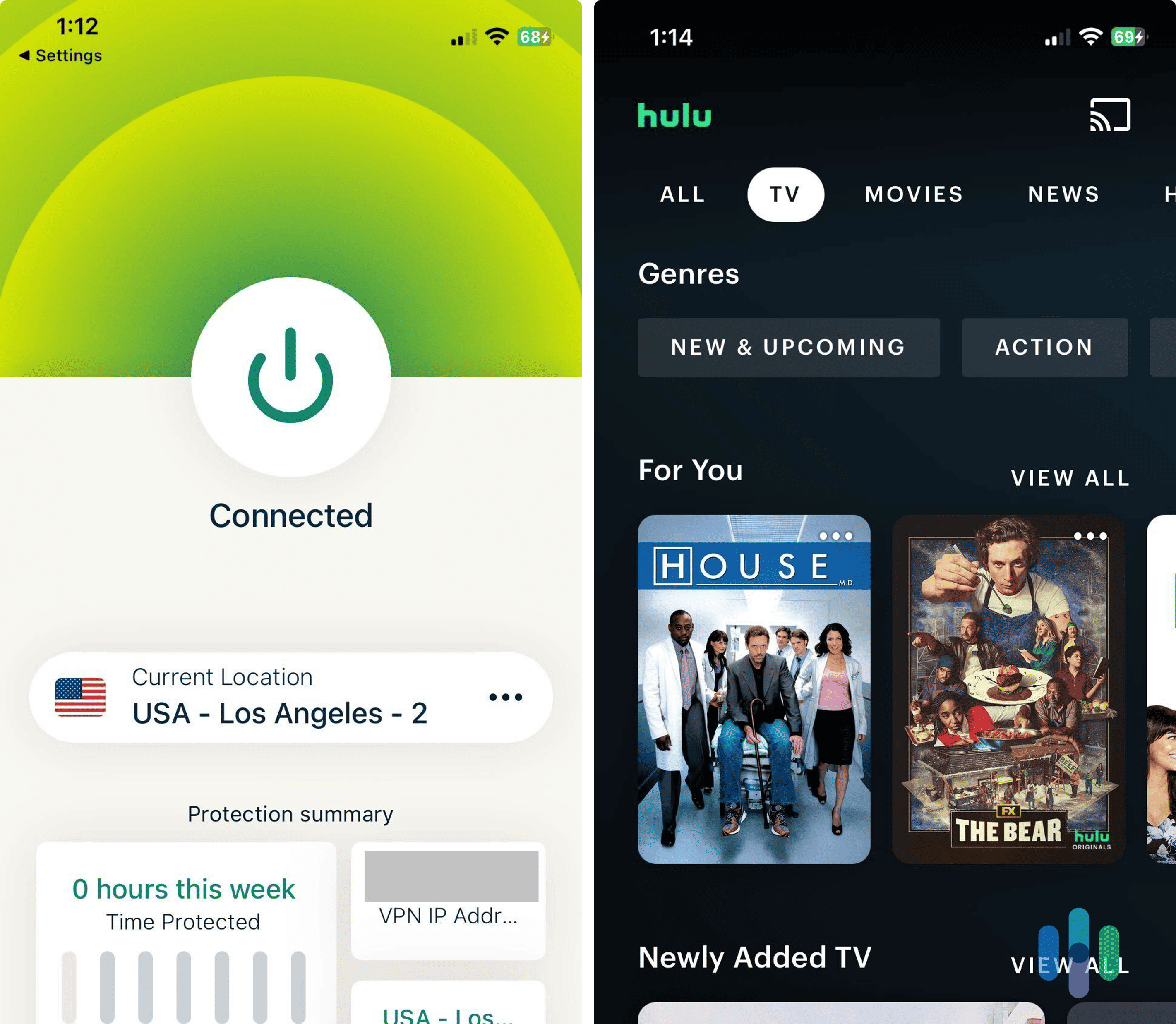
Testing the ExpressVPN iOS app while logging into our Hulu account. iPad App User Experience
The ExpressVPN iPad app doesn’t look like an enlarged iPhone app. In fact, the look and feel is more identical to ExpressVPN desktop apps. We found it easy to find our favorite servers, activate security features, and change protocols.
We tested the Lightway protocol, designed by ExpressVPN. The UDP option was noticeably faster, while the TCP protocol offered a more stable connection. Our connection did drop on Lightway – UDP during testing, but the kill switch kicked in immediately and prevented any data from leaking to our ISP.
Pro Tip: You can choose between 256-bit AES or ChaCha20 encryption for Lightway protocols. The 256-bit AES option is the default, but ChaCha20 is better if you’re experiencing sluggish speeds.
Server Network & Streaming Support

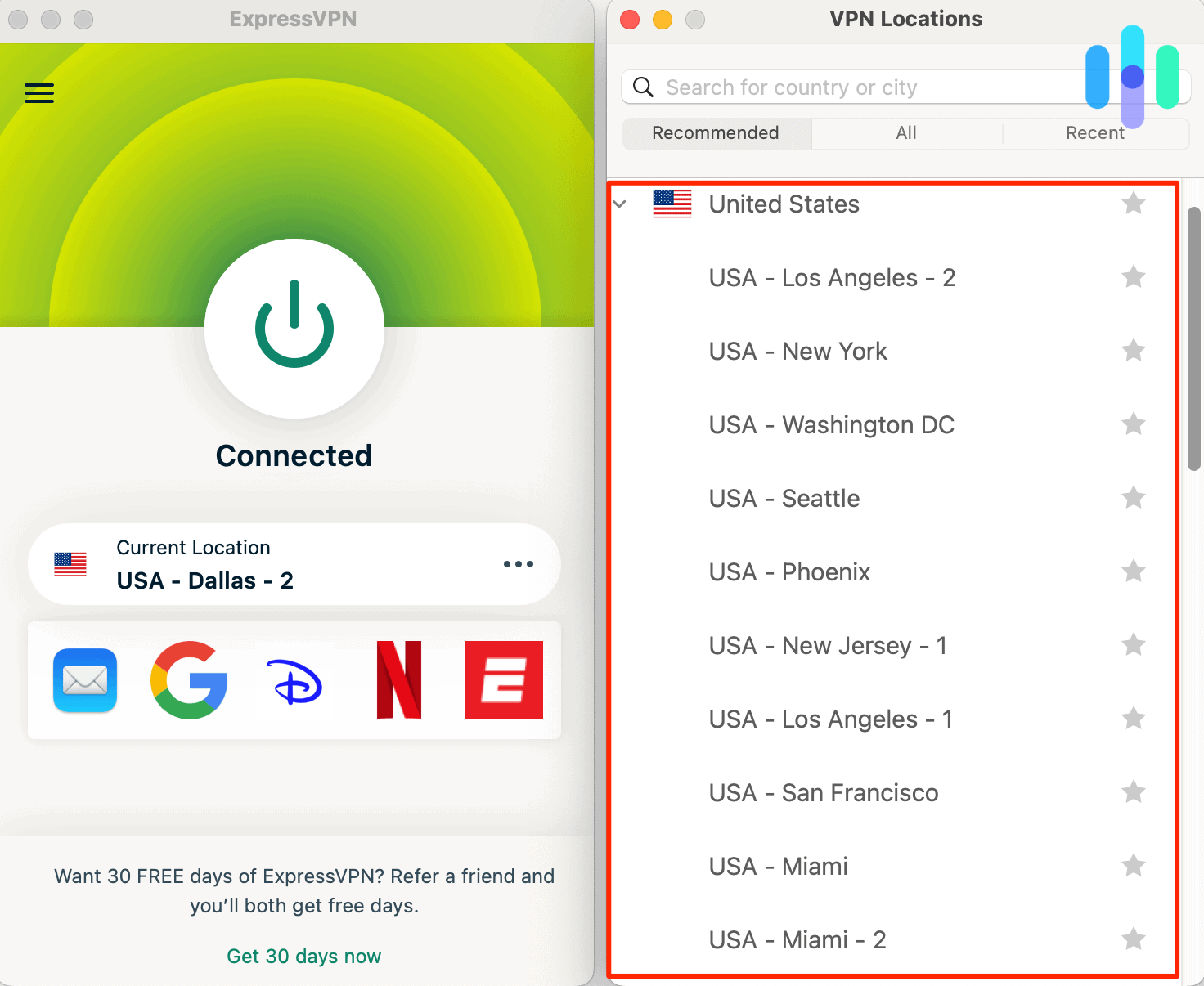
Browsing ExpressVPN’s server list featuring 105 countries. Like Surfshark, all ExpressVPN servers are optimized for streaming servers. You can choose any one of the 105 countries, log into your streaming account, and browse libraries. We found some new favorites on Netflix, Disney+, and Amazon Prime Video.
As we’ve mentioned, VPNs always reduce your internet speeds. In our testing, ExpressVPN’s download and upload speeds were on par with Surfshark. As long as you’re connected to the fastest server, you should have no trouble watching overseas content in high definition.
>> Read More: VPN Speed Test Results
Security & Privacy
ExpressVPN is headquartered in the British Virgin Islands — not just a great vacation spot, but a jurisdiction with no mandatory data retention laws, which helps back up its no-logs policy. This isn’t the only privacy feature the company has. Like Surfshark, ExpressVPN has a kill switch and regularly rotates IP addresses to make it hard for anyone to track you.
Premium plans even come with a password manager, Express Keys, which is available for iPad. It’s not the best password manager we’ve tested, but it’s a good deal if you’re looking for a digital security bundle.
>> Find Out: How Secure Is Your Password?
Pricing
ExpressVPN subscriptions aren’t cheap. Prices start at $3.49 per month on a two-year plan. The Basic plan is also limited to 10 simultaneous connections. Surfshark and PIA are unlimited and more affordable. ExpressVPN does offer a 30-day money-back guarantee for first-time users, if you’re curious to see if it is worth the extra cost.
ExpressVPN Pricing Plans 1-Month Plan Cost $12.99/month 1-Year Plan Cost $4.99/month 3-Year Plan Cost $3.49/month -
4. NordVPN - Best for Security
 Get NordVPN Links to NordVPN
Product Specs
Server locations 130 countries countries Average Speed Loss 6% download & 4% upload Apps Windows, MacOS, Linux, Android, iOS, Chrome, Firefox, Edge, Android TV, tvOS Best Monthly Rate $3.39 per month (with a two-year subscription)/mo with a 2-year plan Money-Back Guarantee 30 days full refund
Who NordVPN Is Best for
NordVPN is a great pick for iPad users looking for top-of-the-line security. It has a feature that blocks ad and web trackers, it scans for leaks associated with your account on the dark web, and more.

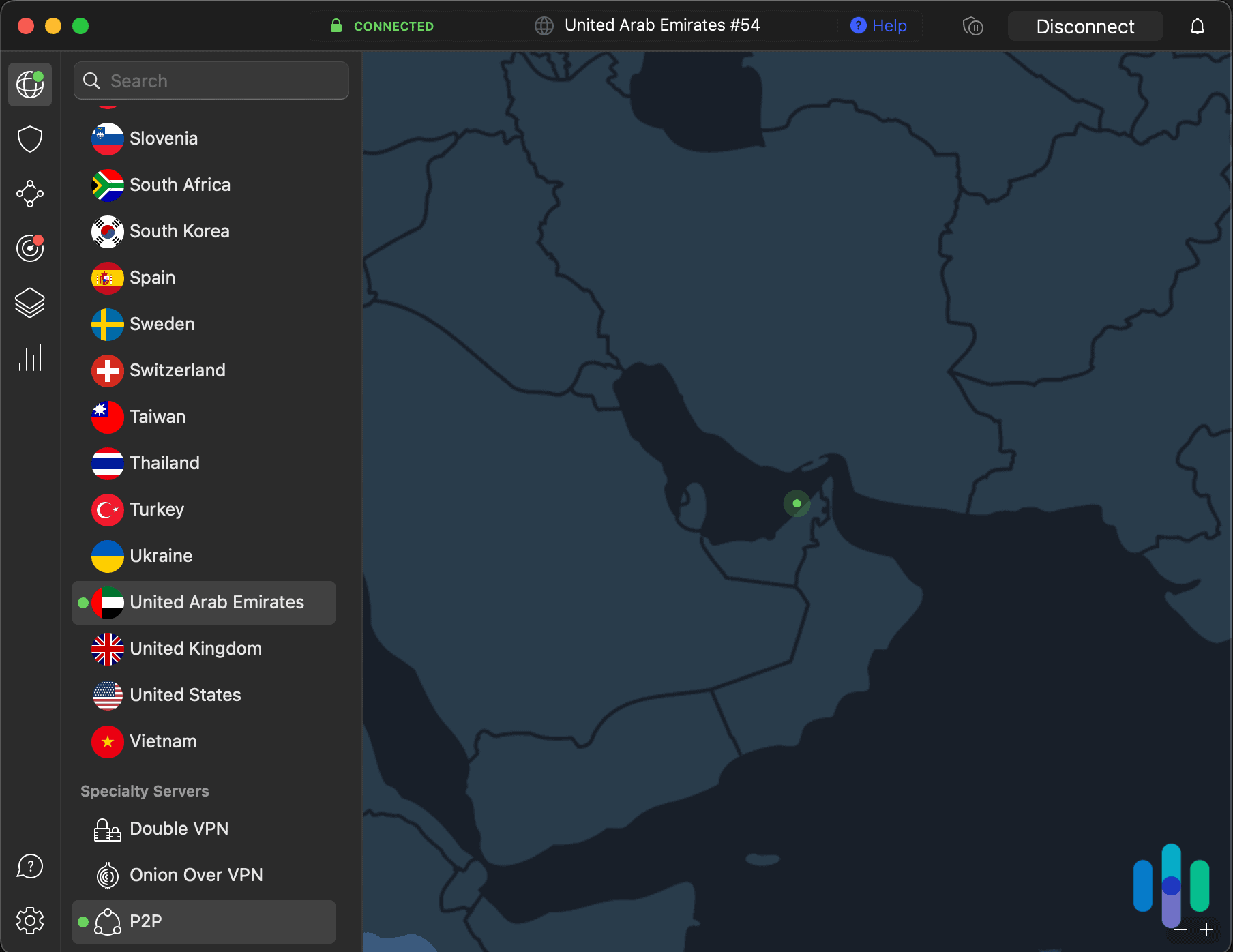
NordVPN connected to United Arab Emirates iPad App User Experience
NordVPN’s iPad app is extremely easy to install. We found its setup process straightforward (it took less than two minutes). Once we finished it, we were greeted with a nice, clean, easy-to-navigate interface.
The app makes it simple to connect to a server. There’s a quick-connect feature that automatically connects to the fastest server, and there’s also a search function to find a specific server location. We like the digital map where you can pick a country pin, and then hit the quick-connect feature to automatically connect to the fastest server in that country. However, we still prefer ExpressVPN’s app interface overall.
Like ExpressVPN, NordVPN also allows 10 simultaneous connections, which means you can install and use the VPN on up to 10 devices at once.
Server Network & Streaming Support
NordVPN has a massive server network with close to 9,000 servers spread across 129 countries. That kind of coverage makes it easy to find a fast server close to your location.
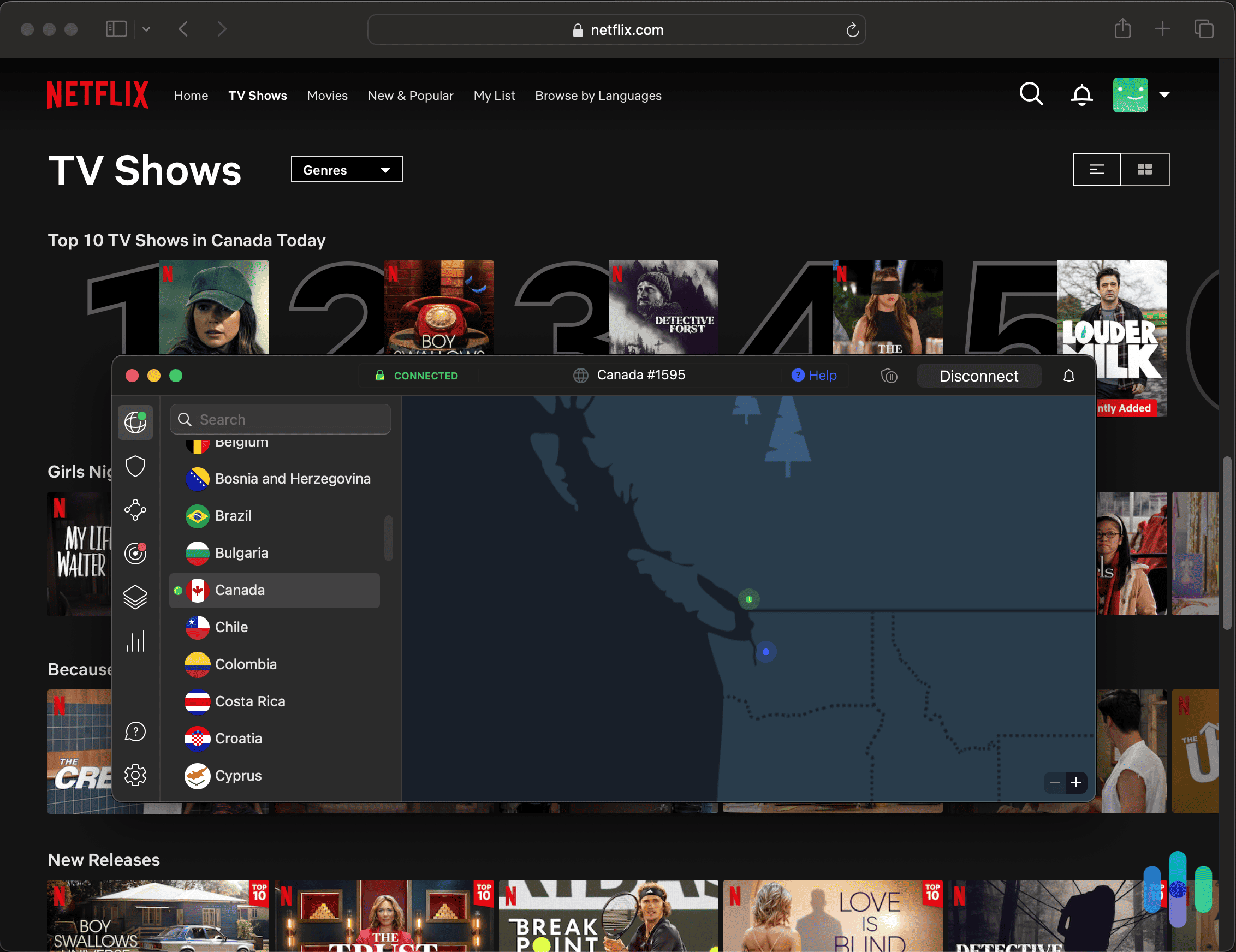
NordVPN is also a good VPN for streaming. We’ve tested its compatibility with tons of popular streaming services, including Netflix, Amazon Prime Video, Disney+, Max, and Hulu. NordVPN also has SmartPlay, which is enabled across all of its features. This feature makes it harder for streaming sites to block your VPN connection by mixing VPN and smart DNS technology (a smart DNS is a tool that switches DNS servers to help you access streaming content).

Using Safari with NordVPN while connected to Canada and browsing Netflix Security & Privacy
NordVPN provides excellent privacy, as it has a no-logs policy that has passed multiple security audits. On top of that, NordVPN is also headquartered in a privacy-friendly location (Panama), so it can’t be forced to hand any user data over (not that it would be able to do that). It even releases regular transparency reports that showcase how it doesn’t comply with government inquiries and DMCA requests.
The VPN also has excellent security features. It uses secure VPN protocols and it provides access to double VPN servers, which provide enhanced security by adding an extra layer of encryption to your connection. The iPad app also includes Dark Web Monitor, a handy tool that alerts you if your NordVPN account credentials turn up in any dark web data leaks.
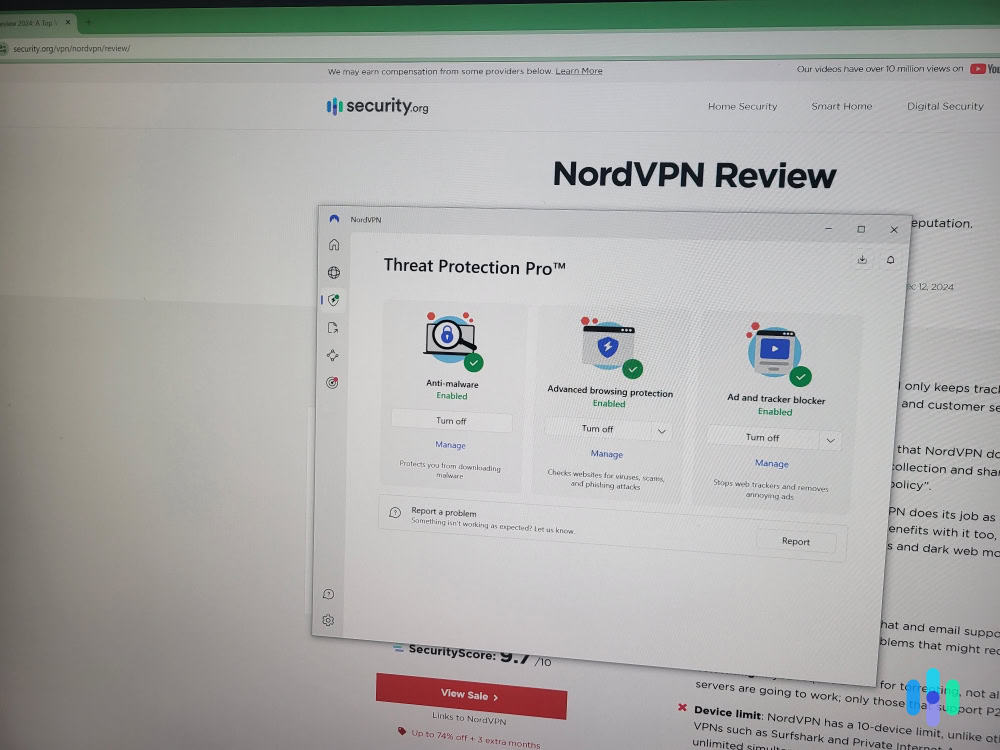
We even like NordVPN’s Threat Protection feature. It protects against web trackers, phishing sites, and malicious websites. It’s also able to block some ads. We tested Threat Protection while browsing the web in Safari, and it performed pretty well. While it only blocked 70 percent of ads, it passed all the web and ad tracker tests we ran.
>> Related: The Best VPNs for Safari
Pricing
NordVPN has several tier-based subscriptions, but we’ll only cover the lowest tier (called Basic) in this section since it includes all VPN features that are available on iPad. So, here’s a quick look at the pricing options for this subscription:
NordVPN Basic Subscription 1-Month Plan Cost $12.99/month 1-Year Plan Cost $4.59/month 2-Year Plan Cost $3.59/month We’d also like to mention that NordVPN backs all purchases with a 30-day money-back guarantee. If you’d like to read more about its pricing, check out our NordVPN pricing guide.
-
5. Proton VPN - Best Free VPN for iPad
 View Plans Links to Proton VPN
Product Specs
Server locations 129 countries countries Average Speed Loss 8% download & 4% upload Apps Windows, MacOS, Linux, Android, iOS, Chrome, Firefox, Android TV, tvOS, Firestick Best Monthly Rate $2.99 per month (with a two-year subscription)/mo with a 2-year plan Money-Back Guarantee 30 days
Who Proton VPN Is Best for

Proton VPN’s free version allows unlimited bandwidth, and offers free servers in five countries. If you only need a VPN for your iPad and don’t want to pay for a subscription, Proton VPN is your best bet. You’ll get unlimited bandwidth compared to other free VPNs that cap data usage between 2 GB and 10 GB per month. The free plan also delivers very fast speeds, strong security, and robust privacy.
>> Find Out More: The Best Free VPNs in 2026
iPad App User Experience

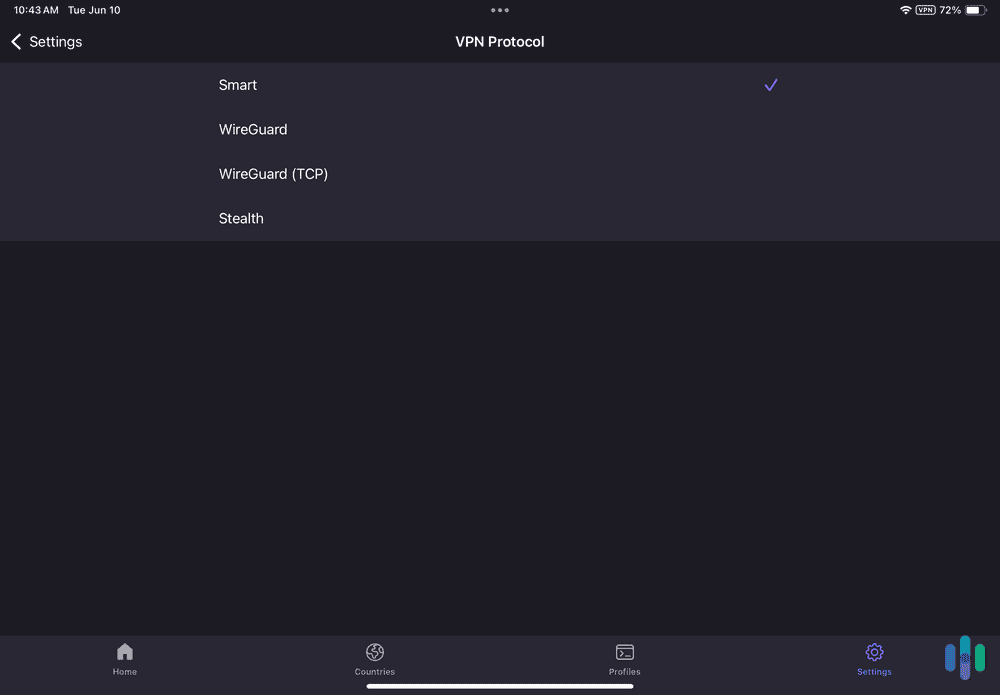
Proton VPN’s iPad app makes it easy to switch protocols. We found Proton VPN’s iPad app easy to use. The free version automatically picks the fastest server for you. That is convenient, though we think it’s a bit frustrating that you can’t manually choose the server. Also, free users can only connect one iPad device.
The app’s interface is simple to navigate. Plus, all settings and features have brief explanations, so you always know what everything does.
Feature Highlight: Paid iPad users get access to “Profiles,” a tool that lets you automate VPN connections. For example, we used it to set up a Netflix profile that auto-picks the fastest US server.
Server Network & Streaming Support
Proton VPN restricts free users to servers in five countries: the US, the Netherlands, Japan, Poland, and Romania. Unfortunately, it doesn’t include streaming support. We tested the VPN’s free servers with Netflix and Amazon Prime Video, and they never worked.
FYI: The paid version unlocks access to over 15,000 servers across 127 countries, which is comparable to NordVPN. It also includes support for over 30 streaming services, including Netflix, Max, Disney+, and YouTube TV.
Security & Privacy
Proton VPN’s free plan protects user privacy with a strict, independently-audited no-logs policy. We read through it, and can confirm that the VPN doesn’t log sensitive user data. In addition, all of Proton VPN’s apps are open-source (and audited), providing great transparency.
The VPN doesn’t use RAM-only servers, like NordVPN and Surfshark do. Instead, it enforces Full-Disk Encryption (FDE) across all servers, which provides a comparable level of data security.
>> Related Reading: Proton VPN vs. Surfshark
Pricing
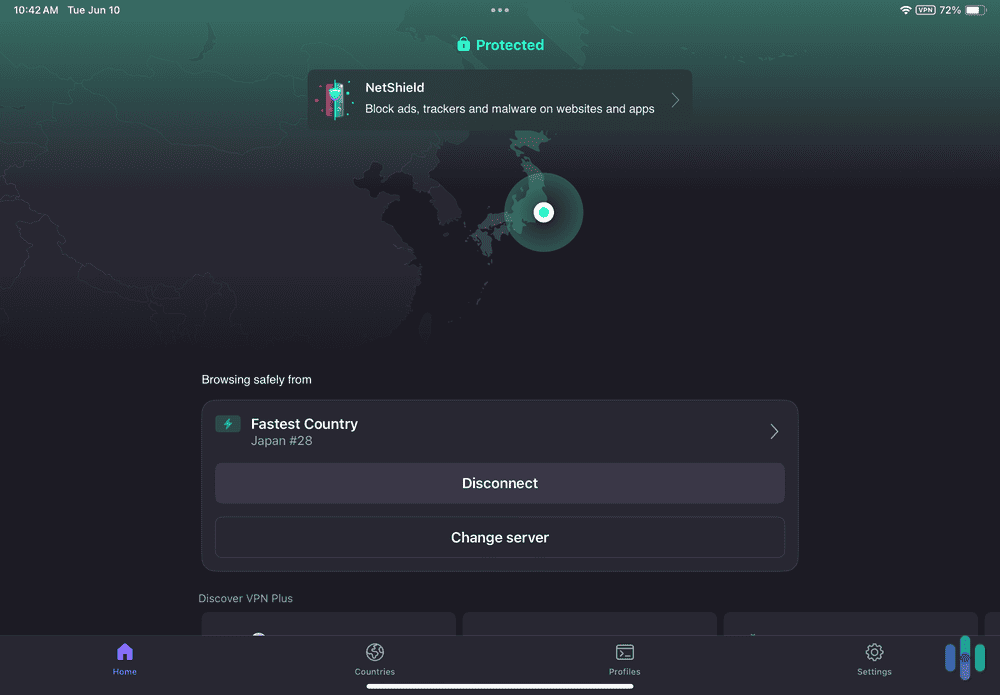
Proton VPN offers two paid tiers: “VPN Plus” and “Proton Unlimited.” “VPN Plus” includes all VPN features, whereas “Proton Unlimited” adds extra privacy tools, like Proton Pass and Proton Mail.
“VPN Plus” “Proton Unlimited” 1-Month $9.99/month $12.99/month 1-Year $2.99/month $6.49/month 2-Years $2.99/month $7.99/month All Proton VPN plans come with a 30-day money-back guarantee, but it’s prorated. This means the VPN will only refund you for the unused portion of your subscription.
>> Further Reading: How Much Does Proton VPN Cost in 2026?
Do iPads Have a Built-In VPN?
Not exactly. iPads have an option that allows you to set up a manual VPN connection. But you’ll still need to use login credentials and server information from a VPN provider to set up the manual connection.
We don’t recommend doing this since it’s difficult and time-consuming. It’s much easier to just download and install a good iPad VPN from the app store (like NordVPN, for example).
Why Do I Need a VPN for My iPad?
Here are the main reasons you might want to use a VPN on your iPad:
- Protect your online privacy. A VPN hides your IP address, which means nobody can use it to detect your real location. This happens because you use a VPN server to surf the internet, so only the VPN’s IP is visible on the web.
- Secure your web traffic. VPNs encrypt your internet traffic, which means they make it completely unreadable. If malicious actors would try to monitor your web data when you use a public Wi-Fi network to make online purchases or access your bank account, they’d only see gibberish.
- Avoid bandwidth throttling. Some internet service providers (ISPs) throttle your internet speeds based on the sites you visit or the amount of data you use. VPNs can prevent them from throttling you by hiding your browsing activities from your ISP.
- Enjoy a better streaming experience. VPNs stop streaming services from seeing your real location, so they can’t use geo-blocks to restrict your access to their platforms and content. For example, if you use a US VPN server to access Netflix, you’d be able to access the Netflix US library.
- Save money on online bookings. By hiding your location, VPNs also make it possible to get discounts when you book airline tickets or hotels. For example, you might get a discounted rate if you try to book an airline ticket while connected to a VPN server in a low-income country.
- Improve your gaming experience. If you play on distant gaming servers, you could use a VPN to stabilize your ping — you’d just need to connect to a VPN server in the same country as the gaming server. In addition, VPNs also help you circumvent unfair IP bans and avoid DDoS attacks.
Why Do Many iPad VPN Apps Lack Split-Tunneling?
Not a lot of iPad VPNs have built-in support for split-tunneling on their iPad apps. We reached out to a few top VPNs (like NordVPN, Proton VPN, and Private Internet Access), and asked about this. Their support reps told us that many VPNs struggle to implement this feature because Apple’s app store has very strict restrictions and requirements, which makes it harder for VPNs to implement new features on their iOS apps.
Surfshark is one of the few VPNs that includes split-tunneling on its iPad app. The feature is called Bypasser in the app. We tried it out when we tested the VPN’s iPad app for this article, and it worked very well.
Just keep in mind that iPad VPN apps with split-tunneling only let you split-tunnel website traffic. You won’t really find a good iPad VPN that lets you split-tunnel app traffic because doing that would require the use of a Mobile Device Management (MDM) profile. MDM profiles are normally used by businesses to manage employee devices, so a consumer VPN couldn’t implement this without compromising users’ privacy.
>> Read More: What Is VPN Split Tunneling, and How Does It Work?
How to Set Up a VPN on Your iPad
To set up a VPN on your iPad, you only need to follow three steps:
- Get a good iPad VPN. Our personal recommendation is Surfshark since its iPad app is user-friendly, includes security features unavailable on other VPN iPad apps, and has great streaming support.
- Download the VPN’s app from the app store. Find the VPN’s app on your device’s app store, and download it. Once it’s downloaded, it will be automatically installed on your device.
- Open the app and follow the on-screen instructions. The VPN app will tell you what settings you need to enable or allow for the VPN to work well. When you’re done setting it up, you can connect to a server and start surfing the web.
Methodology: How We Chose the Best VPNs for iPad
Methodology: How We Chose the Best VPNs for iPad
We downloaded and installed all five of the VPNs in this guide on our own iPads, testing each for a minimum of one month. We measured speed, ease of use, security, streaming, and more to see which services were best for iPads. To rank our top VPNs for iPads, we developed a specific set of criteria. Here’s a closer look at the metrics we used:
- Intuitive iPad apps: We looked for VPNs whose iPad apps have intuitive interfaces, make it easy to find and connect to VPN servers, and provide quick explanations for all settings and features.
- Streaming support: We only recommend VPNs that are compatible with popular streaming services like Netflix, Disney+, and Amazon Prime Video.
- Secure iPad apps: We only chose VPNs that boast industry-standard security. This includes military-grade encryption (256-AES), a kill switch, a no-logs policy, and DNS leak protection. Our top picks also use advanced security features like RAM-only servers or full-disk encryption
- Large server networks: All the VPNs on our list have servers in at least 90+ countries. This way, it’s very easy for users to find and connect to nearby server locations and to enjoy fast speeds.
- Pricing options: We only ranked VPNs that have affordable plans, provide attractive discounts via their long-term plans, and back all purchases with generous money-back guarantees.
Recap
Using a VPN on your iPad can help you get more from your streaming service subscriptions, improve your online privacy, and much more, but there are some VPNs you should avoid and others that have found a way to stand out. That means you can’t pick just any VPN. That’s why we tested over 40 VPN providers to find the best ones for iPads.
Which one is best for you ultimately depends on your needs. Surfshark is perfect when you want to sit back and stream content on your iPad. Private Internet Access is the best option for privacy-conscious users, and ExpressVPN offers the easiest app to get started with a VPN. NordVPN offers top-of-the-line security features and Proton VPN is handy if you don’t want to pay for a subscription.
FAQs About the Best VPNs for iPads
-
What’s the best VPN for my iPad?
Out of all the VPNs we tested, the best iPad VPNs are Surfshark (best for streaming), Private Internet Access (best for privacy), ExpressVPN (best iPad app), NordVPN (best for security), and Proton VPN (best free VPN).
-
Can I use a VPN on my iPad?
Yes, you can use a VPN on your iPad. All you need to do is download a VPN app from the App Store, open it, and connect to the VPN’s servers.
-
Is there a free iPad VPN?
Yes — we recommend using Proton VPN’s free version since it allows unlimited data. It also maintains very fast speeds, and it provides strong privacy thanks to an audited no-logs policy and a kill switch.
-
Will a VPN slow down my iPad?
A VPN will slow down your internet connection because it routes your connection through a server and encrypts it. Both of those things take time, which slows down your internet connection but shouldn’t slow down your iPad itself.
-
Does Find My iPad still work if I have a VPN?
Yes, Find My iPad still works when you’re connected to a VPN. It uses GPS data and data from Wi-Fi networks, both of which are not affected by VPNs, to locate your iPad.