Best No-Credit-Check Security Systems of 2026
ADT Blu leads our 2026 no-credit-check rankings for its high-quality cameras, flexible monitoring plans, and zero upfront financing barriers.
 &
&
 Last Updated on Aug 19, 2026

- ADT-branded 2K cameras with smart detection for people, animals, vehicles, and packages
- App-guided self-installation via ADT+; no technician required
- Flexible monitoring with no long-term contract

- Affordable professional monitoring
- High-end build quality on all equipment
- Low-cost starter packages

- Smart home integrations galore
- Low-cost security cameras
- Easy DIY installation
the security.brief
ADT Blu tops our no-credit-check security rankings for its 2K camera lineup, flexible monitoring, and zero credit check required. See how it compares to SimpliSafe, abode, and Ring Alarm.
A credit check shouldn’t stand between you and a reliable home security system. The good news is that several strong options skip the credit inquiry entirely — and they don’t cut corners on protection to do it.
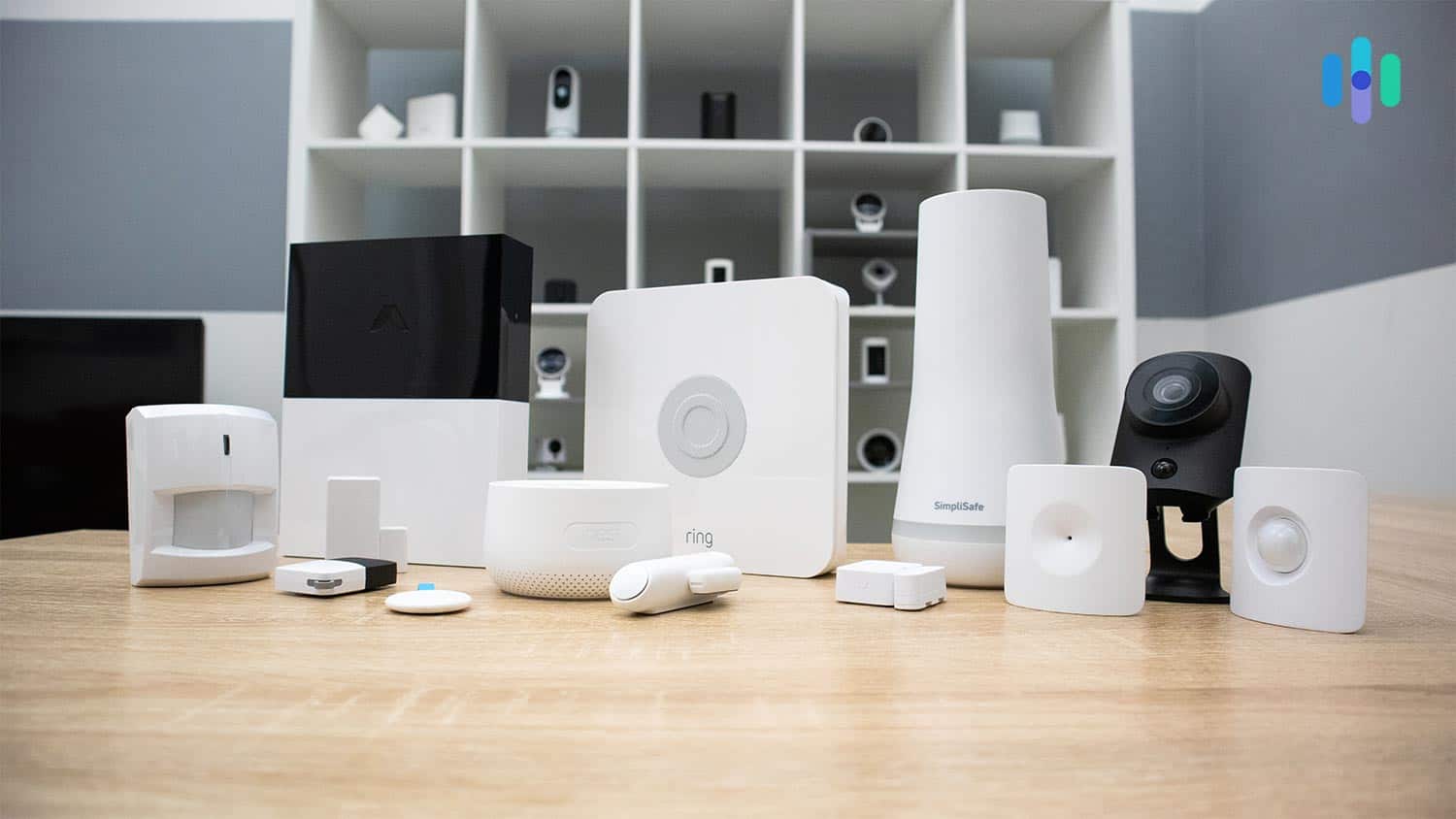
Today’s best no-credit-check security systems offer fully DIY setups with professional-grade monitoring at prices that won’t break the bank — no financing required. Some even pack in 2K cameras with smart motion detection that can tell the difference between a person, a pet, and a passing car. We put the top contenders through their paces and broke down the pros and cons so you can find the right fit for securing your home.
Summary of the Best No-Credit-Check Security Systems
- ADT Blu - Best Equipment and Professional Monitoring
- SimpliSafe - Best DIY Security System
- abode - Best No-Contract Security System
- Ring Alarm - Best Alexa-Compatible Security System
Comparison of the Best No-Credit-Check Security Systems
| System |
ADT Blu
|
SimpliSafe
|
abode
|
Ring Alarm

|
|---|---|---|---|---|
| Ranking | 1st | 2nd | 3rd | 4th |
| Ratings | 9.0/10 | 9.8/10 | 8.0/10 | 7.7/10 |
| Contract length | Monthly | Monthly | Yearly | Monthly or yearly |
| Installation type | DIY | DIY or Professional | DIY or Professional | DIY or Professional |
| Professional monitoring cost | Starts at $24.99/mo | Starts at $22.99/mo | Starts at $26.99/mo | Starts at $19.99/mo |
| Equipment cost | Starts at $249 | Starts at $250 | Starts at $150 | Starts at $199.99 |
| Read Review | ADT Blu Review | SimpliSafe Review | abode Review | Ring Alarm Review |
-
1. ADT Blu - Best Equipment and Professional Monitoring

Product Specs
Equipment Costs Packages starting at $249 Monitoring Options Professional or DIY Monthly Monitoring Costs Starts at $24.99 per month Contract Lengths Month-to-month Installation Options DIY Smart Platform Integrations Alexa and Google Home ADT Blu Overview
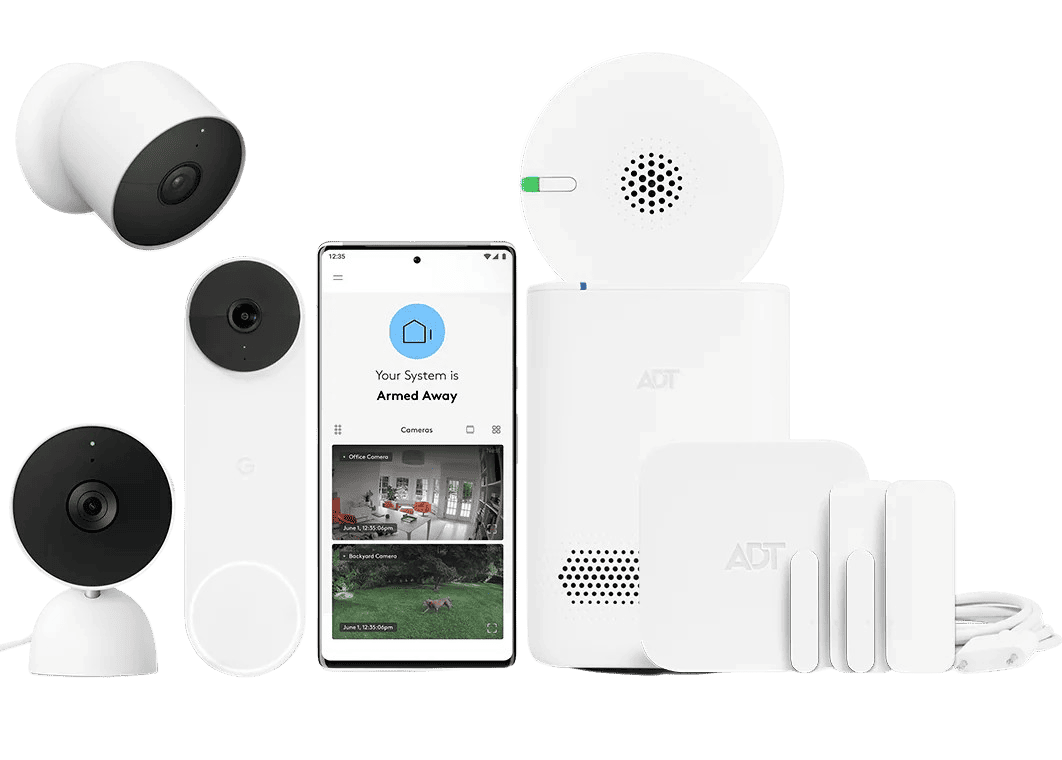
ADT has been securing homes for over 150 years, and ADT Blu represents the company’s push into DIY home security. No credit check, no long-term contract, and no professional installer required. The camera lineup covers indoor, outdoor, and doorbell options. They all deliver 2K HDR video with smart detection for people, animals, vehicles, and packages. That’s the kind of hardware you’d expect from a brand with that track record, at a price point that’s genuinely accessible.
Professional monitoring is available at rates lower than ADT’s traditionally installed systems and in line with other DIY-first providers. For buyers who’ve historically been priced out of premium home security, ADT Blu removes most of the barriers that made it inaccessible.
What We Like
- 2K ADT Blu camera lineup with smart detection for people, animals, vehicles, and packages
- State-of-the-art professional monitoring service
- Flexible monitoring with no contract required
- Excellent smart home integrations from multiple third-parties
What We Don’t Like
- Monitoring prices are higher than other DIY security brands
- Video support is only available on the most expensive plan
- Limited self-monitoring features
ADT Blu’s Pricing and Value
You can buy an ADT Blu security system directly from the website without speaking to a consultant, which sets it apart from the ADT Pro Install system that requires a custom quote. ADT Blu lets you build your system from the ground up, so you only pay for the equipment you actually need.
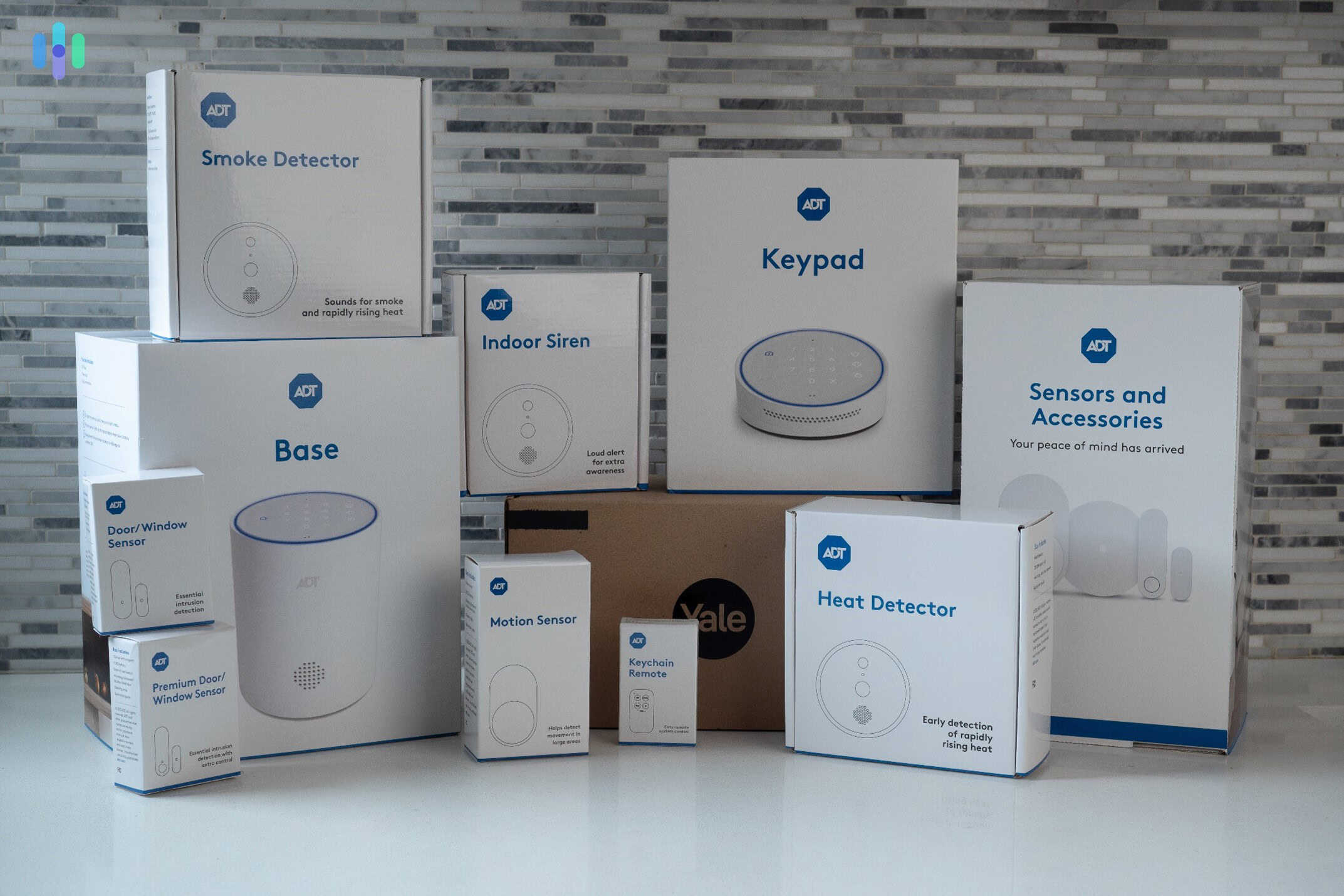
Pro Tip: If you’re just getting started, consider ADT Blu’s most affordable package. It includes a base station, three door/window sensors, and a motion sensor for $249. You can always expand your system later as your needs grow.
ADT Blu monitoring plans are also among the most flexible on this list. You can buy only cameras and self-monitor for $9.99, giving you access to 30 days of video history. For full system setups, the price bumps up to $14.99 — cloud storage also included for cameras. As for professional monitoring, the price tops out at $34.99 per month. This plan applies to those that include cameras. If your system doesn’t have security cameras, you’ll get a $24.99 professional monitoring monthly fee instead.
>> Full Comparison: ADT Vs. SimpliSafe
ADT Blu’s Equipment Quality

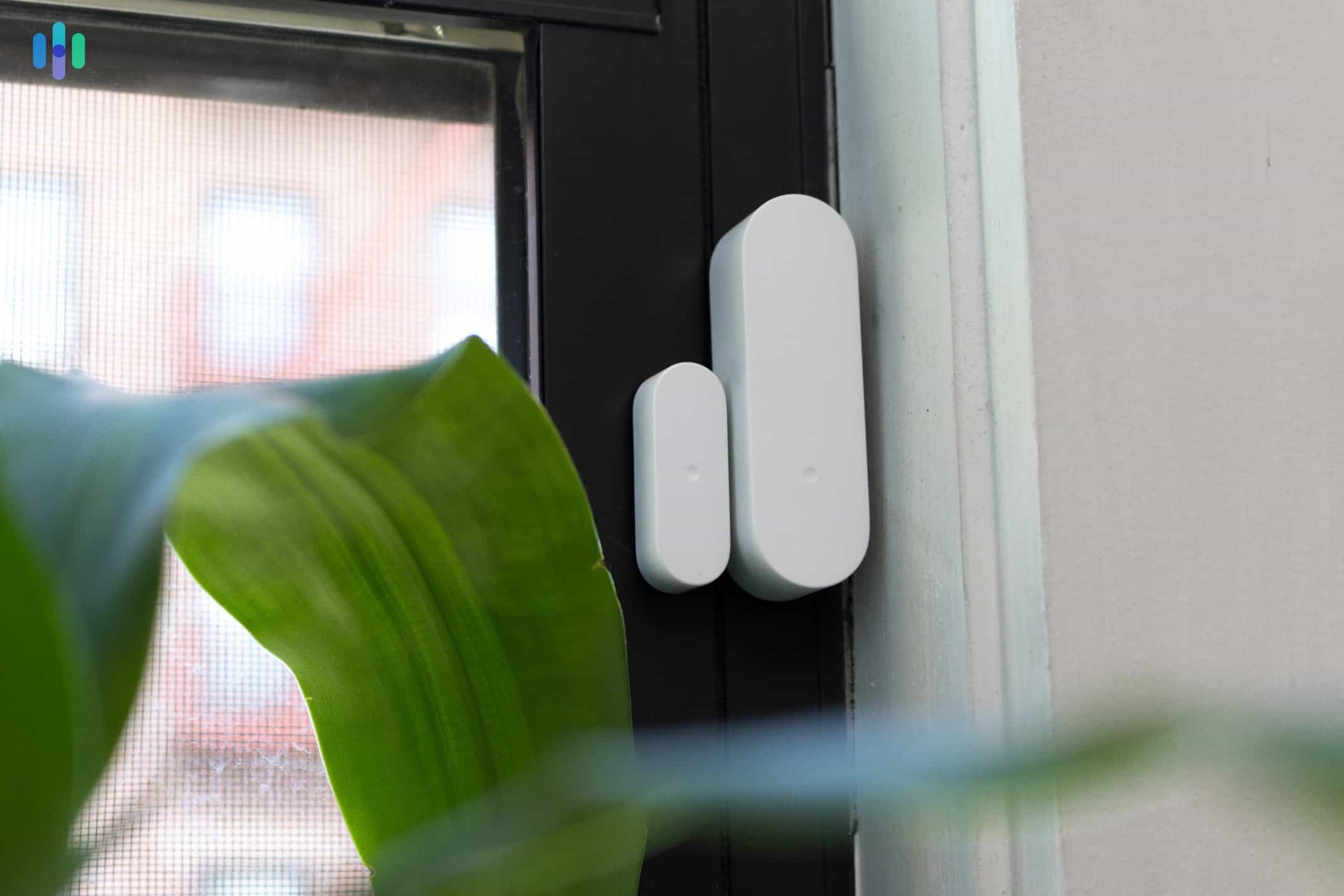
ADT Blu includes the same high-quality sensors as its professionally installed counterpart, ADT Pro Install. Where ADT Blu bests SimpliSafe and other brands on this list is in the quality and depth of its camera offerings. The ADT Blu Outdoor Camera delivers 2K HDR video with color night vision and smart detection that distinguishes between people, animals, vehicles, and packages. Once integrated with an ADT monitoring plan, those detections feed into the ADT+ app where you can set activity zones, review cloud-stored footage, and receive targeted alerts rather than generic motion pings.
ADT Blu also works with Z-Wave devices, which you can integrate and manage within the ADT+ app. This means you can add third-party devices outside of ADT’s own product catalog, expanding your system without being locked into a single ecosystem.
Our Experience with ADT Blu
It took us about 35 minutes to set up our ADT Blu system — slightly longer than SimpliSafe, but not by much. Everything was guided through the ADT+ app, which walked us through connecting the base, pairing sensors, and setting up cameras step by step. If we’d run into trouble, ADT’s tech support was at our beck and call.
Day-to-day management was also straightforward through the ADT+ app. We set up activity zones for our cameras, reviewed detection alerts, and created basic automation rules. The app experience was polished and everything we needed was easy to find.
Pro Tip: If you want ADT’s more advanced features — like Trusted Neighbor, which uses facial recognition to grant access to pre-approved visitors — that’s available through ADT’s Pro Install system. It’s worth checking out our full ADT review if you want to see what a professionally installed system can do.
-
2. SimpliSafe - Best DIY Security System

Product Specs
Equipment Costs Packages starting at $250.96 Monitoring Options Professional and DIY Monthly Monitoring Costs Starts at $22.99 Contract Lengths Month-to-month Installation Options DIY or professional Smart Platform Integration Alexa and Google Home SimpliSafe Overview

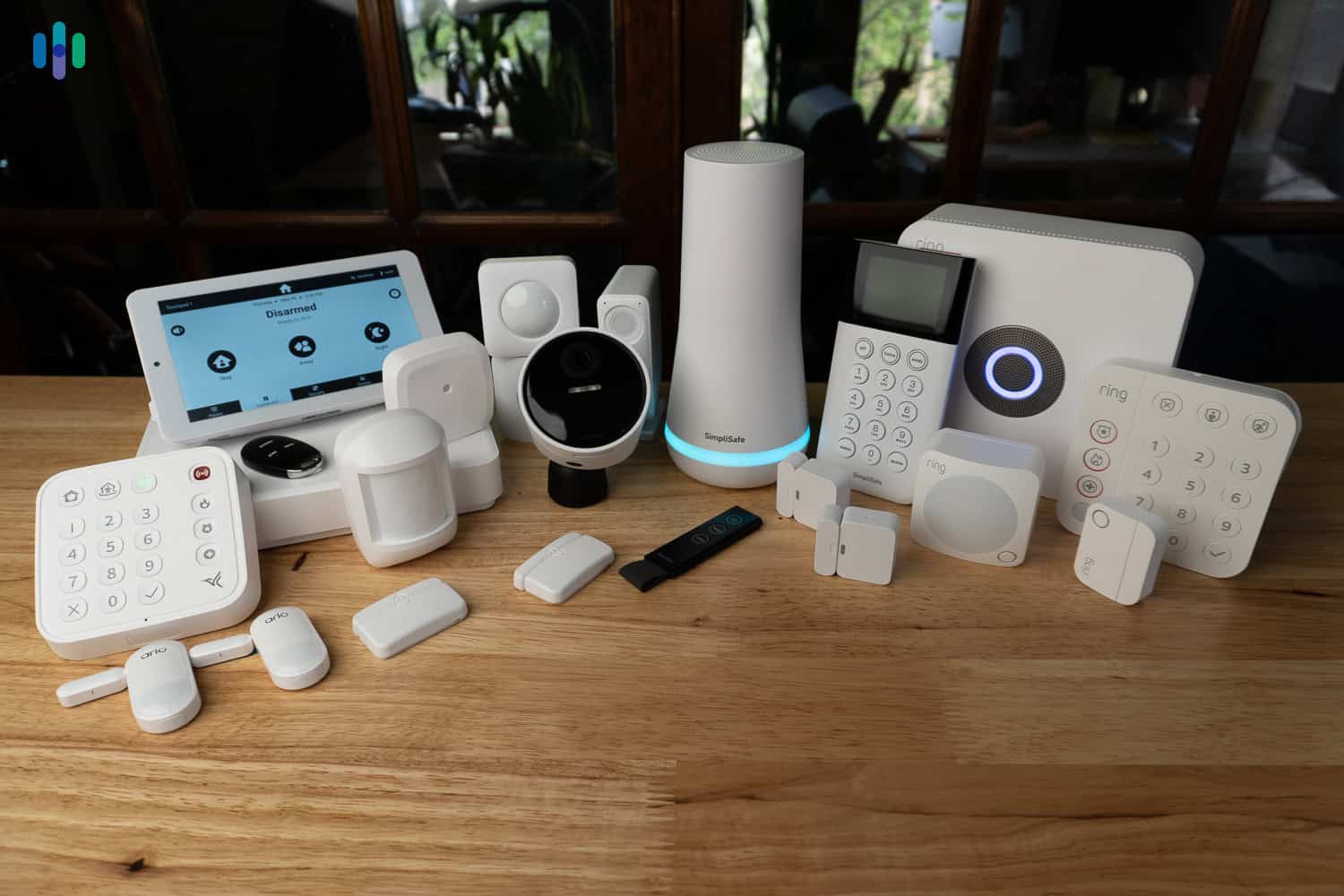
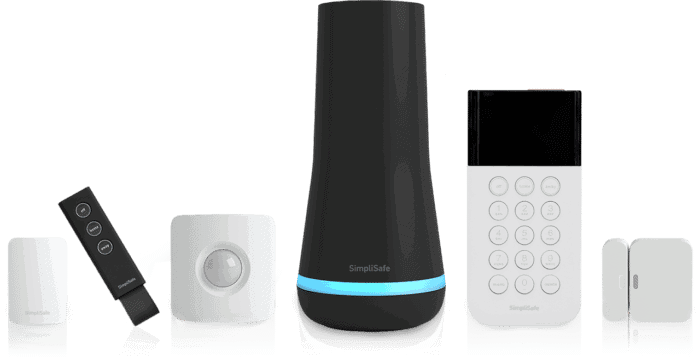
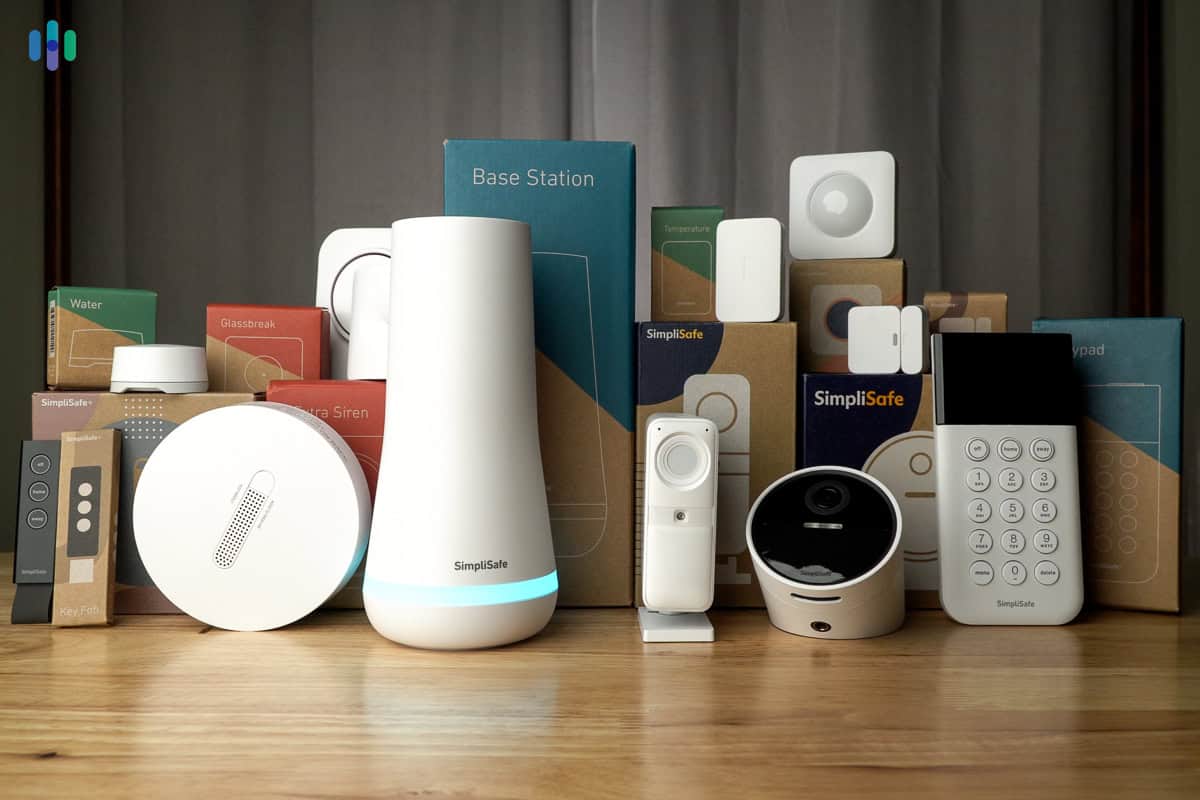
Our SimpliSafe security system unpacked and ready to install SimpliSafe didn’t ask us for our credit score. In fact, we didn’t speak to anyone from the company about anything. We bought all the products you see above from the website. There were several prebuilt equipment packages available from just $249.96, but we chose the Build My System menu option and carefully picked the devices we needed.
With all the gear loaded into our cart, we braced ourselves for a price shock. Thankfully, it never came. Everything came in well under $1,000. We paid it all upfront — no financing, no credit check, no hassle. From there, we installed the equipment and activated professional monitoring that same evening. That kind of simplicity is exactly why SimpliSafe is such a great fit for anyone who wants solid home security without a credit inquiry standing in the way.
What We Like
- Affordable professional monitoring
- All contracts are month-to-month
- Professional installation offered but not required
- SimpliSafe integrates with both Alexa and Google Assistant
What We Don’t Like
- Remote control functionality, notifications, and smart home integrations are locked behind the most expensive plan
- There are only three security cameras to choose from
- Professional monitoring costs keep climbing
SimpliSafe’s Pricing and Value
The reason we paid less than $1,000 for all the components we got is SimpliSafe’s affordable equipment prices. You’re not seeing things when you spot entry sensors priced at $14.99 or motion sensors under $35. Those are the real prices, and they’re backed by a 60-day money-back guarantee. When we tested Vivint, they only gave us three days.
Pro Tip: You can save even more money by waiting for a SimpliSafe sale, which happens more often than you think. The best time of year is Black Friday. In recent years, SimpliSafe has offered free cameras and accessories on top of slashing prices by up to 50 percent or more.
SimpliSafe’s monitoring plans are built to fit a range of budgets. You can self-monitor your home for free or pay $9.99 per month for camera recordings and remote access. Professional monitoring starts at $22.99 per month, but we recommend the Core plan at $32.99 per month.
Why do we recommend it? The Core plan comes with Intruder Intervention. SimpliSafe agents will access your Wireless Indoor Camera live feed and attempt to scare intruders off when the security system detects a potential burglar. The best part about SimpliSafe plans is that there are no contracts. We switch to the self-monitoring plan when we are working from home and upgrade to Core while we’re on vacation.
SimpliSafe’s Equipment Quality
SimpliSafe manufactures all of its own equipment, which keeps costs down and means everything runs through a single app. That’s worth appreciating in context — during our Cove testing, we had to use a separate app just to access the camera feed because the cameras were made by a third party.
On the camera side, the SimpliSafe Outdoor Camera stood out. It’s one of the only cameras we’ve tested with color night vision, which made a real difference in low-light situations. The SimpliSafe Video Doorbell Pro impressed us as well — false alarms were far less frequent than expected, thanks to motion detection that reliably distinguished between visitors and our cat causing chaos on the front porch.

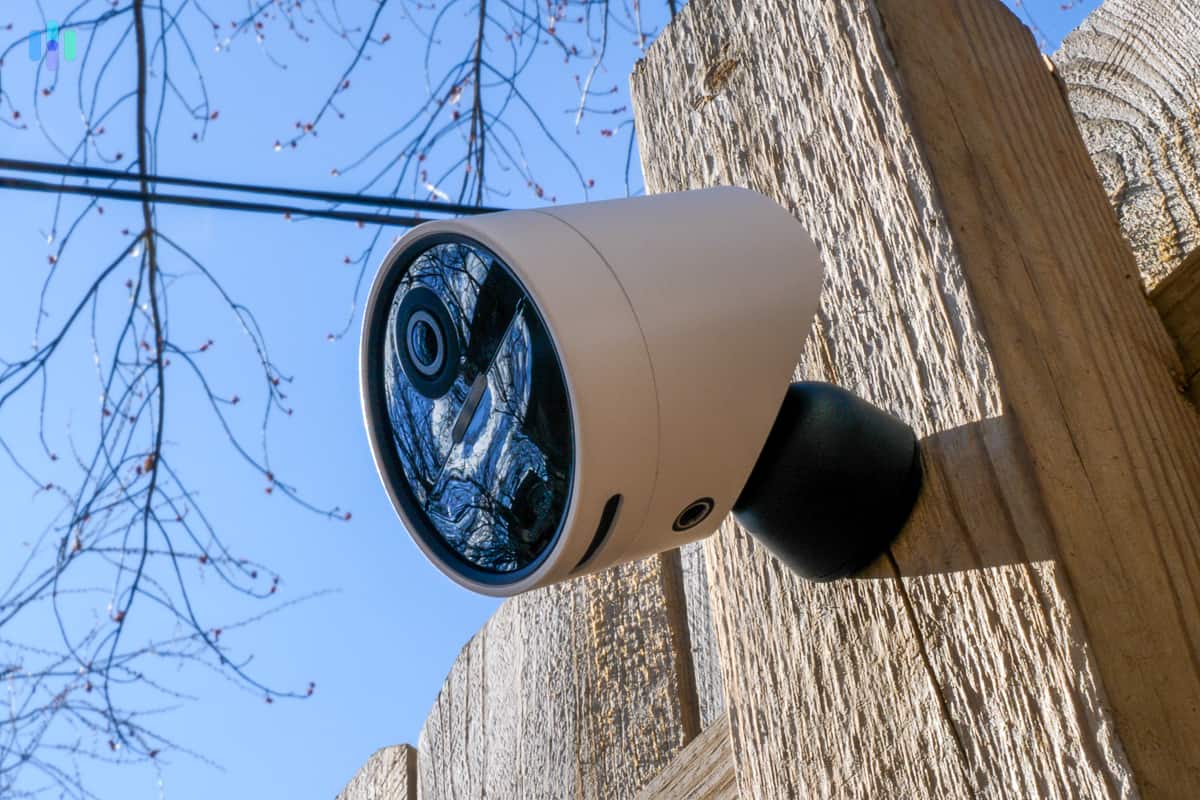
Our SimpliSafe Outdoor Camera has a built-in siren and spotlight to startle any potential intruders The cameras were a highlight, but not everything impressed us equally. The siren was barely audible from upstairs when we tested it from the living room, and the motion sensors are limited to a 90-degree detection angle, making corner placement essentially mandatory. Neither is a deal-breaker, and at SimpliSafe’s price point, a few trade-offs are to be expected.
>> Read More: How Do Motion Detectors Work?
Our Experience with SimpliSafe
We had the option to pay an authorized third-party technician to install our SimpliSafe system, but we’re glad we didn’t. It took us less than an hour to get everything up and running. That included checking we did everything right because we were surprised how quickly we finished.
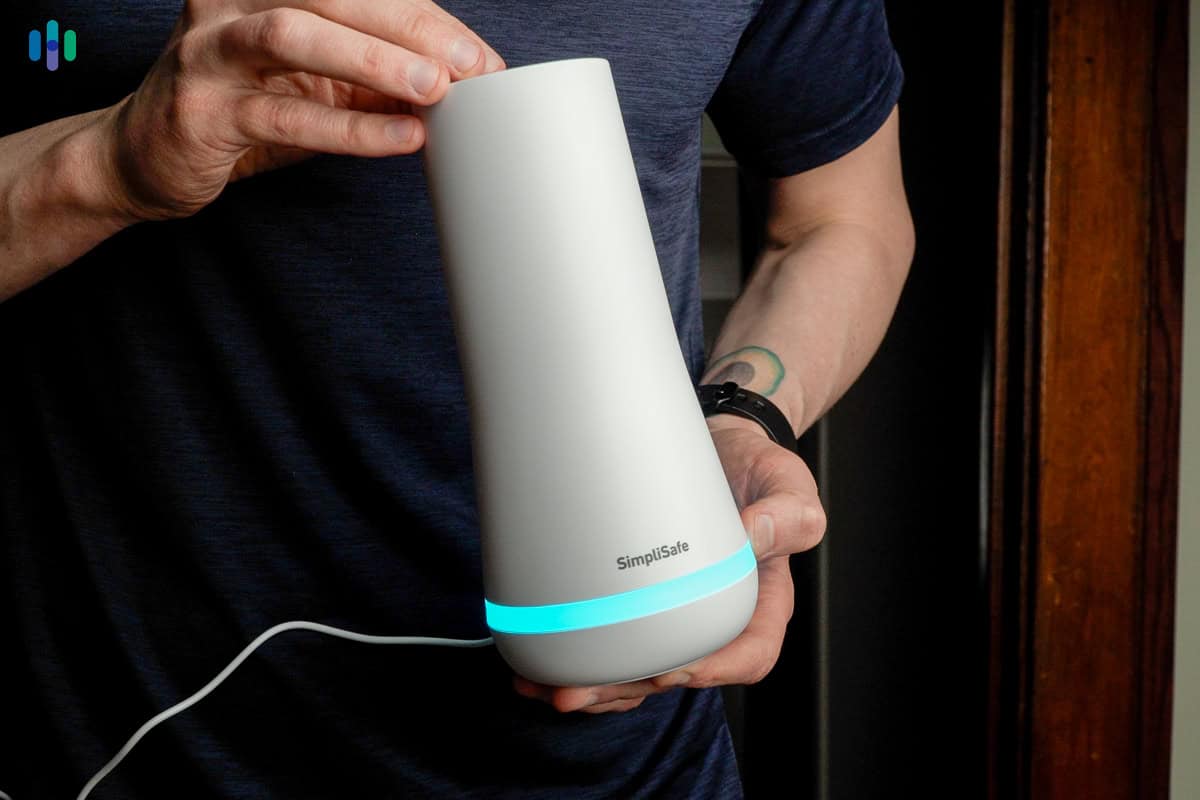
Deciding where to put our SimpliSafe System Base Station Managing the system was also straightforward and didn’t require us to read any long and boring manuals. We ended up using the SimpliSafe app to arm and disarm our system. It was easier than using the keypad. While in the app, we can access our camera live feeds and review notifications – things we can’t do from the keypad. There were even options to adjust the sensitivity of motion sensors if we were getting too many false alarms.
We wish SimpliSafe would connect with more third-party devices though. The best it can do is integrate with Google Assistant and Alexa. But the voice commands are limited. Despite this minor gripe, SimpliSafe met all our needs as a home security system.
-
3. abode - Best No Contract Security System

Product Specs
Equipment Costs Packages starting at $150 Monitoring Options Professional and DIY Monitoring Costs Starting at $26.99 per month Contract Lengths Month-to-month or Yearly Installation Options DIY or professional Smart Platform Integration Alexa, Google Home, and Apple HomeKit
abode Overview
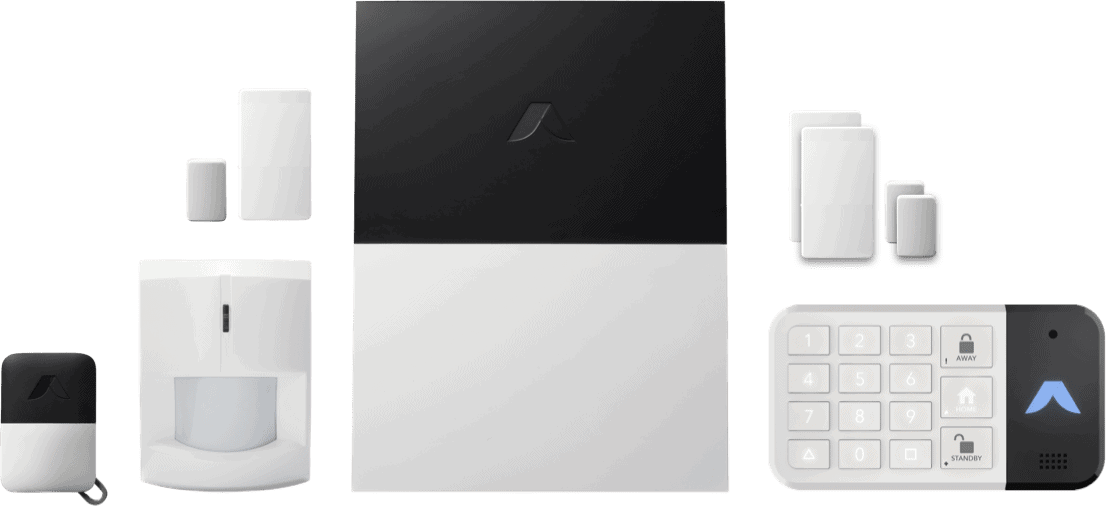
We like abode’s no-strings-attached philosophy. Everything from the equipment choices to the professional monitoring plans is optional. Of course, you’ll need some equipment to make it a home security system, but abode makes it easy to get started with its kits. These packages cover the basics and start from $150 for the Security Kit. You can add on more equipment at any time and activate monitoring whenever you feel you need it. You can even switch it off any time.

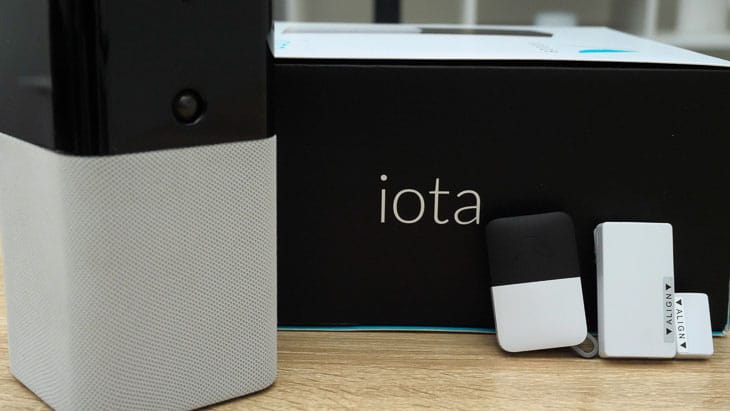
We started with the Iota All-in-One Security Kit and integrated it with all the smart devices we already own. Abode also works with pretty much every smart home device on the market. From major brands like Alexa and Google Home to standardized smart home formats that tons of small companies use, like Z-Wave and Zigbee. So, you can potentially save even more money by integrating all the smart home products you already own into one security system.
Pro Tip: If you’re buying an abode security system, we recommend going with the Smart Security Hub. It offers compelling features including full compatibility with the major smart home platforms (Zigbee, Z-Wave, Alexa, Google Assistant, HomeKit) and supports abode’s range of cameras and sensors.
What We Like
- Installing the system yourself is really easy, but you can still call in the pros if you need to
- You can integrate almost any smart home product on the market
- Every component can be purchased separately without a required bundle
What We Don’t Like
- The product line can get a bit confusing with multiple hub options available
- No longer offers professional installation
- The mobile app experience could be smoother
abode’s Equipment Quality
If you end up going with the iota Hub, that will probably be the majority of your equipment bill. It might be the most expensive hub on this list, but keep in mind that you can offset the cost by integrating any smart home device in your home. So you don’t need to rebuy security cameras or sensors if you have some lying around.
Unfortunately, these integrations are locked behind abode’s Standard Plan, which costs $8.49 per month. We recommend the Pro plan at $26.99 per month — it includes professional monitoring and cellular backup, plus free shipping on orders over $25. That way, you can grow your system gradually instead of buying everything at once.
>>Learn More: Abode Plans and Pricing
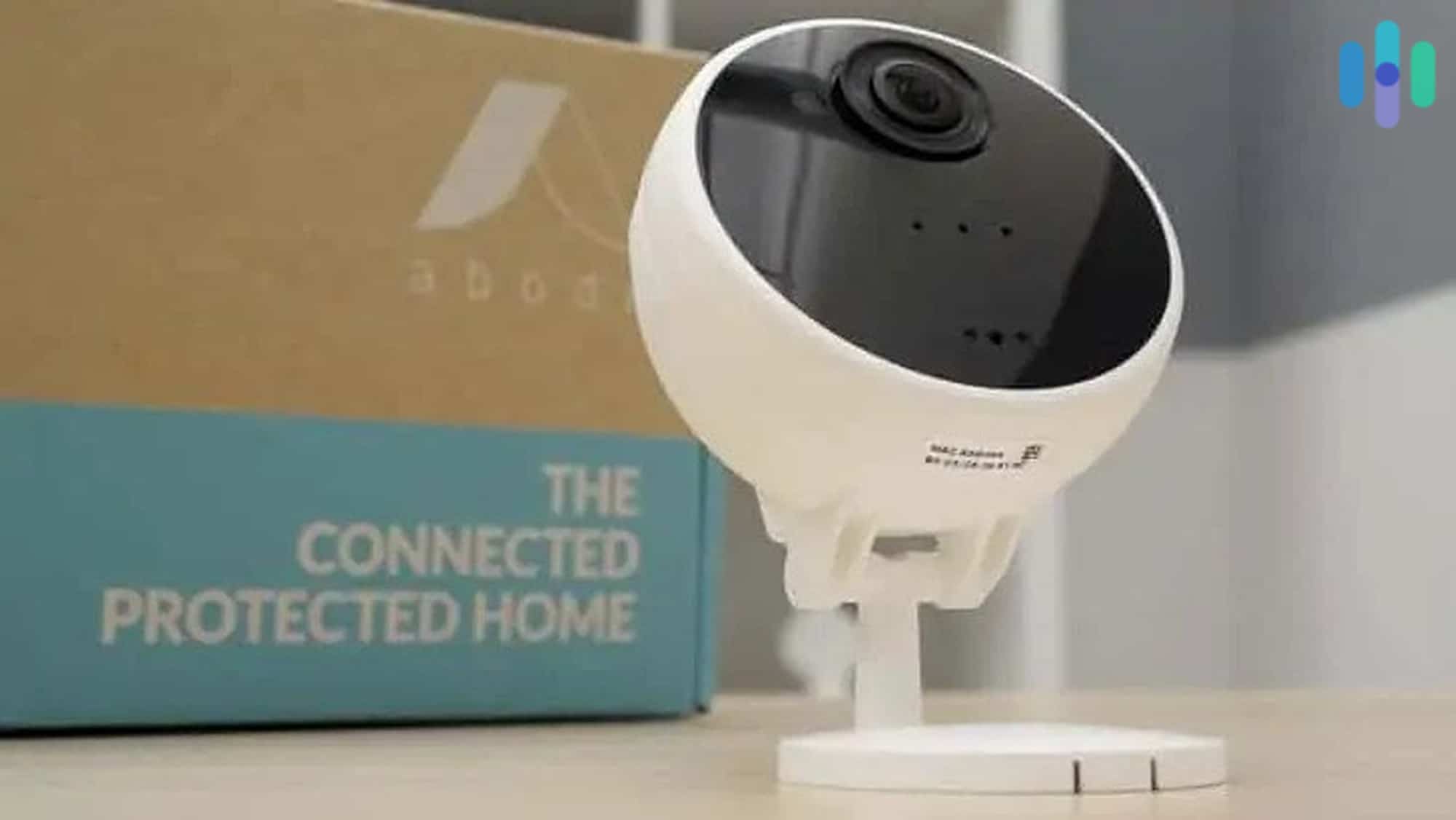
Where abode really shines is its security cameras. The Abode Cam 2 runs just $59.99 and gives you full flexibility in how you use it — it even works as a standalone device and connects directly to Alexa or Google Assistant. For comparison, SimpliSafe’s least expensive indoor camera is $149.99, so the value difference is pretty hard to ignore.
We had the choice to use the abode Cam 2 on its own or as part of a security system Although you can’t expect the same build quality or innovative features as SimpliSafe in all of abode’s products. The pricing for sensors, accessories, and doorbell cameras comes in just a bit lower than corresponding items from SimpliSafe, ADT, and Ring. When we tested our abode security system, all of the components worked fine. At the same time, nothing stood out and blew us away. Sure, the motion detector has 110-degree coverage instead of the normal 90-degree coverage. But that definitely won’t send anyone rushing to abodes over SimpliSafe.
>> Full Comparison: SimpliSafe Vs. abode
Our Experience with abode
Just like SimpliSafe, abode was super easy to install. Our system took only about 15 minutes from the time we opened the package to when our security system was up and running. All of the sensors are really easy to install without any tools. You just stick them onto a door, window, or wall like you would a command strip. Really, the only drawback is that we had to use an Ethernet cable to set up the hub, even though it’s fully Wi-Fi capable.
The next thing we did was use the abode app to set up home automations. The CUE system, which connects to all of your integrated smart home devices, uses the basic “if this happens, then do that” statements. We upped the security of our home by creating a rule that turns all of the lights in our living room on and triggers our Alexa speaker to make a siren sound at full blast if the front door opens between 11:00 p.m. and 6:00 a.m. Creating this rule took only a few seconds and within minutes we had a series of automations for all the smart devices in our home.
>> More Tips: 2025 Guide to Smart Homes.
We did run into a couple of drawbacks. The main one being that the cameras lack human detection capabilities, so you could get a lot of false alarms, especially if you have a pet who has a tendency to go nuts and do laps around the house.
Did You Know: abode’s iota Hub supports both Z-Wave and Zigbee protocols, giving you access to thousands of certified smart home devices. That means your security system can integrate and automate a massive ecosystem of smart gadgets right out of the box.
-
4. Ring Alarm - Best Alexa-Compatible Security System
 See Pricing Links to Ring.com
Product Specs
Equipment Costs Packages starting at $199.99 Monitoring Options Professional and DIY Monthly Monitoring Costs Starting at $19.99 per month Contract Lengths 1-12 months Installation Options DIY or professional Smart Platform Integration Alexa and Google Home
Ring Alarm Security Kit Overview
As one of the most well-known brands for doorbell video cameras, it makes sense that Ring would come out with its own alarm system too. It now has a full lineup of sensors, security cameras, sirens, and more. Like Ring’s video doorbells, the cost of a Ring Alarm system won’t break the bank. You can even add more security devices in the future when you need them.
We picked up the second-generation Ring Alarm system to test. Ring’s monitoring makes it easy to find a plan that fits your budget. The self-monitoring option is free, though it doesn’t include video storage. You’ll only get real-time motion alerts sent to your phone, and then you can pull up the live feed. For video storage, plans cost $4.99 per month for one camera or $9.99 per month for unlimited cameras.
If you want professional monitoring, the Ring Pro plan offers great value at $19.99 per month (or $199.99 annually). It includes 24/7 professional monitoring, video recording for unlimited Ring cameras, advanced AI features, and cellular backup for added reliability. As a no-contract subscription, you don’t need to worry about your credit rating at all.
What We Like
- Competitive professional monitoring rates that include cloud storage for unlimited Ring cameras
- If you already have a Ring Stick Up Cam Plug-In or Ring Video Doorbell 2, you can use them to fortify your Ring Alarm security system
- DIY installation is really easy and doesn’t require any tools; just peel and stick components in place
What We Don’t Like
- Privacy concerns with Ring cameras, especially indoor ones
- Wi-Fi connection can be spotty
- Equipment options are a bit limited
Ring Alarm Pricing and Value
Let’s talk dollars and cents here. Because Amazon is its parent company, you know the value of Ring Alarm is there, which we cover in our Ring Alarm Home Security System Cost and Pricing guide. But how does it compare to SimpliSafe, ADT, and abode?
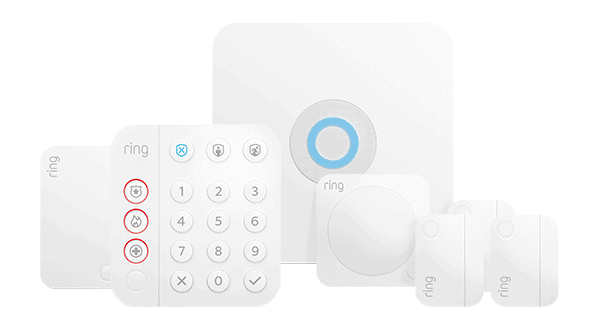
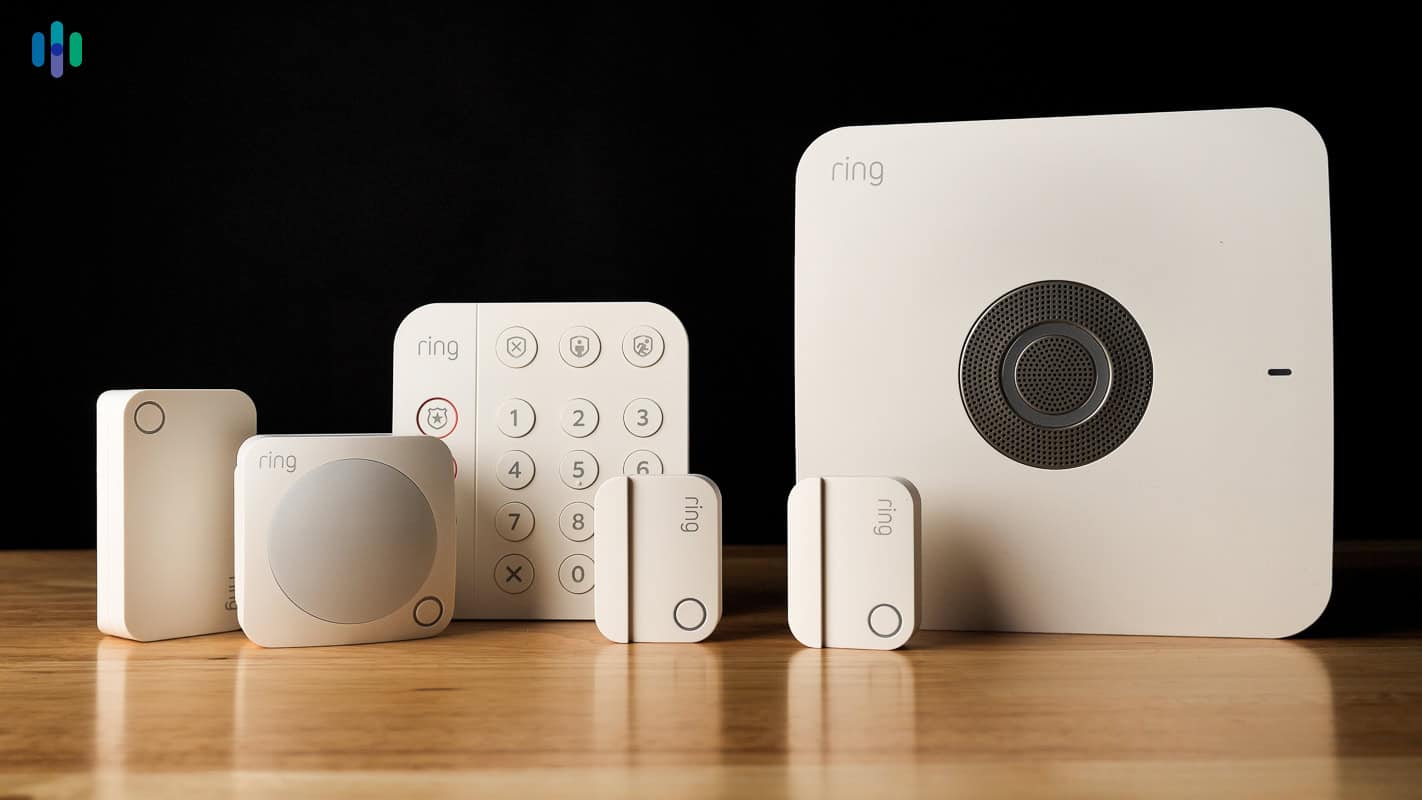
The Ring Alarm 5-Piece Kit runs $199.99 and includes the base station, keypad, one contact sensor, a motion detector, and a range extender. That’s on par with abode’s entry-level system, though Ring’s kit adds more equipment for a slightly higher price. SimpliSafe’s entry-level package offers similar components and starts around $250.
As for monthly fees, Ring now offers several monitoring and video service options:
- Ring Solo: At $4.99 per month (or $49.99 annually) per device, you get up to 180 days of cloud video playback, smart alerts (like person, package, and vehicle), extended live view, and basic recording for a single Ring camera or doorbell.
- Ring Multi: For $9.99 per month (or $99.99 annually) per location, you get all the benefits of Solo but for all Ring devices at that one location, plus extended warranties for those devices.
- Ring Pro: For $19.99 per month (or $199.99 annually), you get everything in Multi plus advanced AI features powered by Alexa Guard — like AI video descriptions and familiar faces — and 24/7 professional monitoring that can request help in an emergency when your Ring system is triggered.
- Virtual Security Guard: For $99 per month, you get all the AI Pro features and live video monitoring by real agents, including real-time threat deterrence and verified dispatch support.
Ring Solo and Multi plans are great if you want video history and smart alerts without paying for 24/7 dispatch. That said, Ring Pro offers the best value, bundling professional monitoring and video storage. Most competitors charge more for just professional monitoring. Finally, if you want a real human watching your cameras in real time, Virtual Security Guard is the top-tier option.
Pro Tip: If you want to cut the monthly expense out entirely, you might want to go with SimpliSafe instead since it still lets you get notifications even without a paid plan. Or check out one of the providers in our guide to the Best No-Monthly-Fee Home Security Systems in 2026.
Ring Alarm Equipment Quality
Ring’s cameras are well known, and for a good reason. They are high-end cameras that easily integrate into your Amazon ecosystem with the features we expect when we test cameras. With over 15 camera options and accessory pairings, you’ll definitely find a Ring Alarm camera that fits your needs.
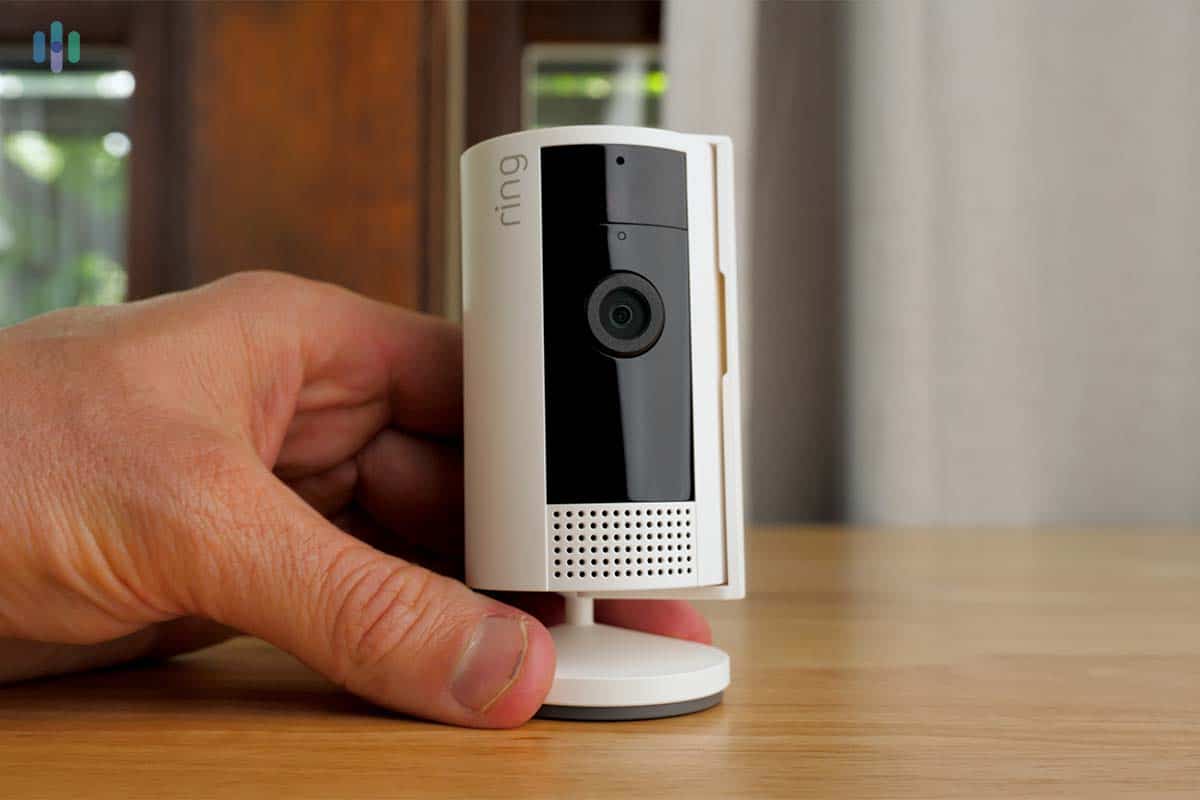
All we needed to do was pick a good spot to rest our Ring Indoor Cam. However, Ring lacks a couple of core pieces of equipment we expect in a home security system. It’s missing monitored smoke alarms and gas detectors. It has a product called an “Alarm Smoke and CO Listener” but it’s not actually a smoke or carbon monoxide sensor. Instead, it notifies you if it hears your fire alarm going off.
Unexpectedly, where Ring Alarm really stands out is with its motion detector. It uses patented motion detection technology that lets you set it to a low or medium detection setting. In its low detection setting, it ignores pets under 50 pounds. And in its medium detection setting, it ignores pets under 30 pounds. We loved this feature when we were pet-sitting for a friend while testing out the Ring Alarm system.
Pro Tip: Save some money on your Ring Alarm Security Kit by reusing any of your current Ring cameras in your new security system. Just looking for a Ring camera? Check out our Ring Stick Up Cam Plug-In review.
Our Experience with Ring Alarm
All of the components in the Ring Alarm Security Kits are really easy to install. Every piece uses a simple peel-and-stick adhesive backing, so it took us less than 30 minutes to get the entire system up and running — comparable to both abode’s and SimpliSafe’s installation times, and faster than most systems we’ve tested.
With so much time to spare, we dove into the Ring – Always Home app. We tweaked the sensitivity of our sensors and checked out live footage from all our cameras. The quality was excellent, and we could make out a lot of small details. For example, it showed us that the outdoor cameras were activating when people were walking past our place on the sidewalk. So we set up motion zones to exclude alerts from those areas, which cleared up most of the noise within the first day.
We also got to test the two-way talk feature with the Ring Battery Doorbell. It took a few seconds to connect, but once it did, the audio was clear in both directions. The doorbell even zoomed out automatically so we could see the delivery person from head to toe — then zoomed in on the package once they left. Small touches like that made the Ring app one of the more satisfying day-to-day experiences on this list. Read our full comparison between Ring Alarm vs. SimpliSafe DIY Security for a complete breakdown.
Our Methodology: How We Ranked The Best No-Credit-Check Home Security Systems
Our Testing Principles
Security systems are not all created equal, and our job is to find the ones that actually hold up. To do that, we physically set up, arm and disarm, and run each system we review over multiple weeks. We log every minute of the setup process, triggering sensors to measure professional monitoring response times and evaluating app performance. We also simulate network and power disruptions and accidental triggers, so we know how each system behaves when it matters most. Finally, we assess hardware and installation costs, recurring subscription fees, and lock-in and cancellation conditions to make sure the best security systems we highlight deliver reliable protection at a fair price. We test every security system in line with our Editorial Guidelines.
How We Selected These Systems
To find the best security systems that don’t require credit checks, we selected four essential criteria and ranked our top picks based on how well they satisfied them. Our criteria included:
- Overall costs: We broke down equipment costs, installation fees, and any ongoing monthly fees, taking into account how often brands run sales and include free items.
- Monitoring responsiveness: We tested free self-monitoring features and signed up for professional monitoring plans to compare costs, responsiveness, and backup systems, such as cellular connectivity.
- Equipment range: Where possible, we purchased the same security components and measured factors like detection accuracy, camera video quality, wireless connectivity, and overall durability. We also looked at how easy it is to add new devices at a later date.
- Company reputation: We didn’t want to choose any company that avoids credit checks. We focused on brands that have a good reputation in the industry and have earned customer trust.
Some other factors we considered include the installation process, smart home functionality, and app usability. We also looked at third-party integration, as some brands will let you connect Z-Wave and Zigbee devices to round out your setup.
Why Trust Our Recommendations
Security.org’s security system guides, just like this one, are headed by Paul Frew. He’s a seasoned home security expert with more than 10 years of hands-on experience testing security systems, cameras, and doorbell cameras. Paul’s rigorous testing standards guide how we approach every recommendation on this page.
Paul is backed by an independent team of security experts, featuring 20+ hands-on testers and researchers who have collectively clocked over 25,000 hours researching security products since 2018 and producing 740+ reviews and guides. Much of our work has been cited by The New York Times and CBS News.
That team includes:
- Gene Petrino: Retired S.W.A.T. commander and former law enforcement sergeant, contributing three decades of law enforcement and security expertise as a senior advisor
- Matthew Adkins: Researcher with a doctorate and a track record of testing and ranking 100+ security systems
- Corey Birnstengel: Editor, videographer, and product reviewer with 200+ in-depth video reviews spanning eight security and tech product categories
- Cort Honey: Engineering graduate with 1,000+ hours of product testing and a talent for making complex tech accessible to everyday readers
Our team ensures that all our recommendations are editorially independent. They are grounded on real testing and research, so no security system brand can pay their way to our recommendation lists.
Why Do Security System Providers Check Your Credit Score?
Just like every business that runs a credit check, at the end of the day, it all comes down to mitigating risks. Most security system providers require a long-term contract that includes all of the equipment you need for a monthly monitoring fee.
Those with lower credit scores are seen as higher-risk customers — ones who might miss payments or walk away from a contract entirely. If that happens, the security company eats the loss on any equipment it fronted. That’s exactly why providers want to vet you before shipping a box of gear to your door.
Can You Still Get a Security System With a Bad Credit Score?
A bad credit score absolutely does not mean you don’t deserve a safe home. It does limit your options, but you can still find everything you need to make your home safe and secure from no-credit-check security systems. They just usually require you to pay for your equipment upfront.
You can still access professional-grade equipment with 24/7 monitoring — no credit approval required. The main trade-off is that you likely won’t qualify for the long-term financing deals some companies push. Honestly, that’s not always a bad thing. No contract means more flexibility and one fewer recurring commitment hanging over your head.
Do No-Credit-Check Security Systems Offer Less Protection?
No-credit-check security systems are not the equivalent of loan sharks. The security companies we’ve recommended made our list of the best security systems and have some of the best reputations in the industry. The equipment and professional monitoring services are also some of the best around.
Avoiding a credit check is only one component of this list. Our primary focus is recommending effective security systems that protect you, your family, and your home. Not having your credit rating examined is a bonus.
How to Keep Your Home Secure on a Budget
Protecting your home doesn’t have to put a dent in your wallet. With the right approach, you can get the security you need on almost any budget. Here are a few tips to keep your home secure on a budget:
- Invest in a basic DIY security system that lets you cut all monthly fees as needed. Check out our roundup of the Best Affordable Home Security Systems for recommendations.
- Add inexpensive smart home devices like motion-sensing lights to deter would-be intruders.
- Make sure to lock your doors and windows every night and every time you leave your home.
- Install visible security signs on your windows and outside your main entryway.
With the right mindset and a little know-how, you can keep criminals away and your wallet intact.
Recap
While credit checks can limit your options with certain providers, user-friendly DIY security systems offer excellent alternatives that don’t require credit approval. You can still get all of the features you want in a home security system regardless of your credit score. From UL-certified 24/7 monitoring services to high-end features like smart platform integrations, the right security system for you is still out there even if you have a low credit score.
At the end of the day, everyone deserves to feel safe in their own home. Even if you’ve been turned down by a home security provider in the past because of your credit score, there are still solid options available. You may just need to pay for the equipment upfront rather than through a financing plan — and honestly, that’s not a bad deal. You’ll sidestep interest charges and own your gear outright from day one.
Frequently Asked Questions About No-Credit-Check Security Systems
-
What security systems require a credit check?
If a security company requires you to sign a long-term contract or finances equipment, it probably runs a credit check before approving service. This includes companies like Alder and Vivint. They run credit checks to gauge the risk of their customers defaulting on the contract, which would leave them with a financial loss if they can’t recover the installed equipment.
-
Are no-credit-check security systems still good?
For sure! A low credit score prevents you only from financing your home security system or signing up for a long-term contract. Nowadays, a lot of providers give you the option to buy the security system outright without locking you into a contract. SimpliSafe really led the industry this way when it first came out in 2006 with its DIY security system.
-
How much will a no-credit-check security system cost me?
Most DIY no-credit-check security systems start around $200 for basic equipment. A solid starter setup typically includes a couple of entry sensors for doors and first-floor windows, a video doorbell, and at least one outdoor security camera. Note that this would cost more than $200, largely due to the cameras. To keep costs down, lean on sensors over cameras wherever you can.
-
Can I finance a no-credit-check security system?
While most no-credit-check security systems require you to purchase the equipment upfront, they usually offer financing through a third party like Affirm. This allows you to break up the payments over a set amount of months. But these financing companies still run a soft credit check, which can impact your ability to qualify.
-
Do no-credit-check security systems have monthly fees?
There are plenty of no-credit-check security systems that let you sidestep monthly fees altogether. SimpliSafe, abode, and Ring Alarm are good examples. That said, the free tier usually comes with trade-offs, like losing notifications or remote controls. SimpliSafe stands out here because even on its no-cost plan, you still get real-time alerts, which most competitors lock behind a subscription.
-
Z-Wave Alliance. (2025). Z-Wave Alliance.
-
Connectivity Standards Alliance. (2023). Zigbee – The Full-Stack Solution for All Smart Devices.
csa-iot.org/all-solutions/zigbee/