Best Security Systems for Apartments & Renters in 2026
SimpliSafe is easy to install, provides affordable monitoring, and offers basic options without a contract, which is why it's our top pick.
 &
&
 Last Updated on Feb 10, 2026

- Affordable packages with frequent discounts
- Simple but effective product range with easy installation
- $32.99-per-month Core monitoring with Intruder Intervention
- Advanced Google Nest Cams offer facial recognition
- Most reliable professional monitoring in the industry
- Six-month money-back guarantee

- Affordable professional monitoring
- Frequent discounts
- Google Home integration
Finding the right security system for your apartment can feel overwhelming. Whether you’re securing a studio or a spacious two-bedroom, you need protection that won’t damage walls or break your budget.
We spent months testing apartment-friendly and renter-friendly security systems with tool-free installation and compact designs. Our team evaluated performance in real apartment settings to find systems that actually work in smaller spaces. SimpliSafe emerged as our top choice, with ADT, Cove, abode, and Ring Alarm also impressing us. Here’s what makes each system stand out for apartment security.
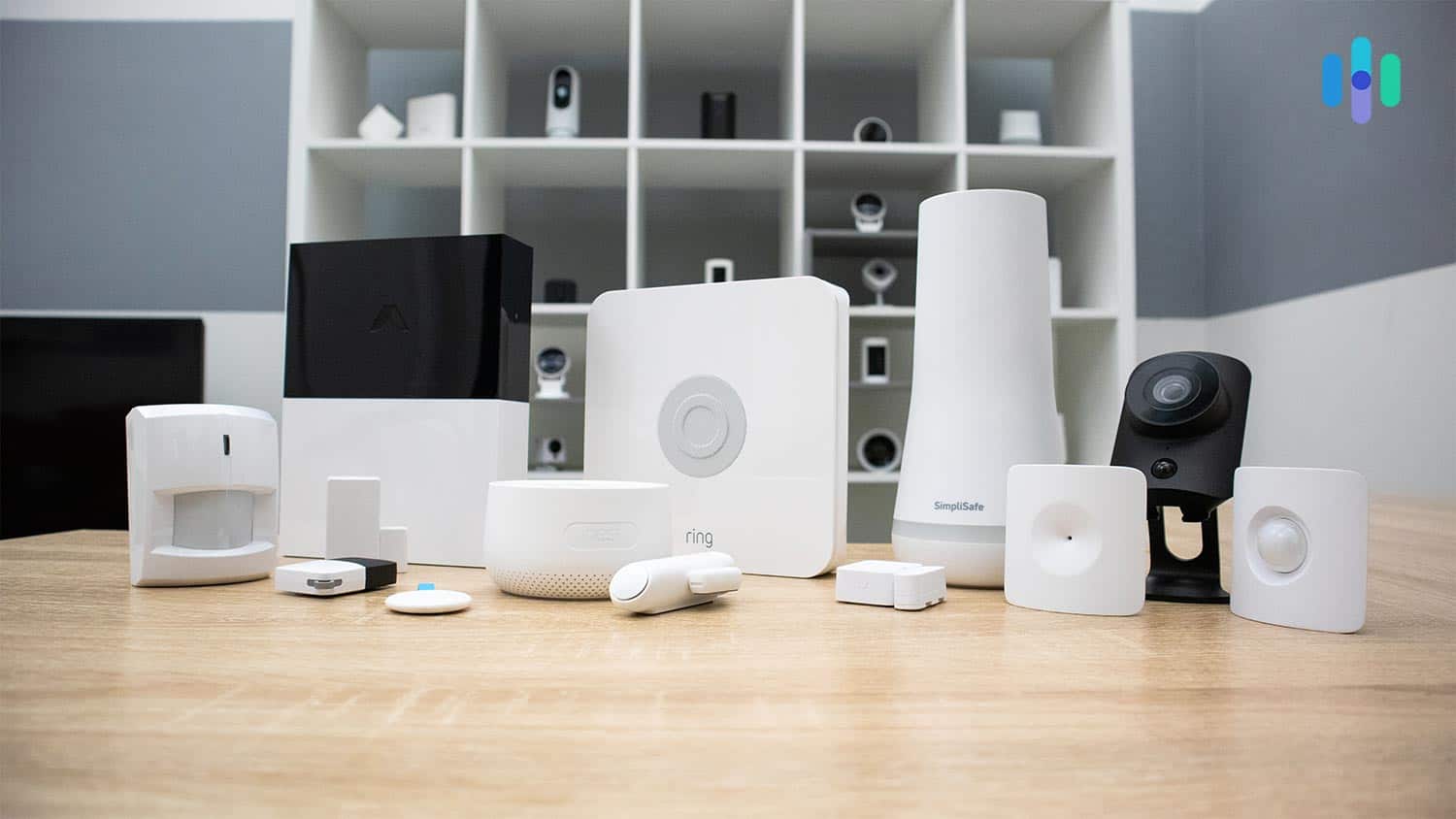
>> Read More: Comparing Home Security Systems
Summary of the Best Apartment & Renter Security Systems
- SimpliSafe - Best Apartment Security Equipment
- ADT Self Setup - Best Security Cameras
- Cove - Best for Affordable Professional Monitoring
- abode - Best for Smart Apartments
- Ring Alarm - Best for Alexa Users
Comparison of the Best Apartment & Renter Security Systems
| System |
SimpliSafe
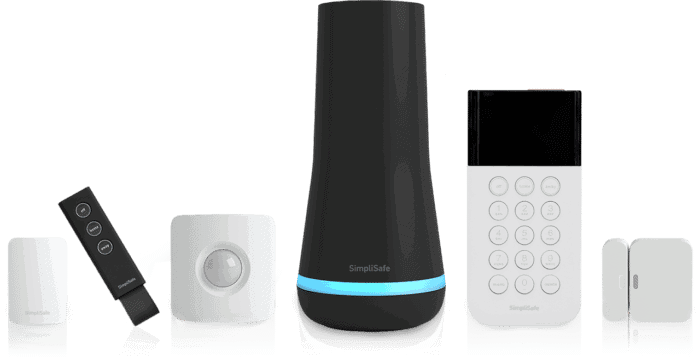
|
ADT Self Setup
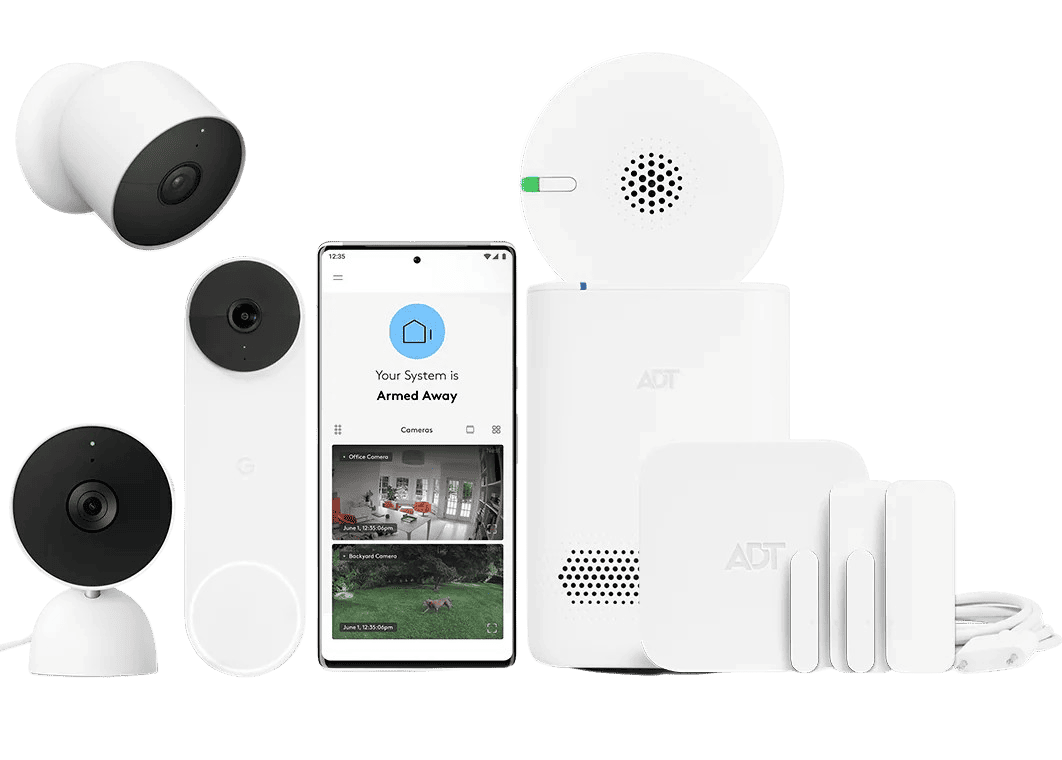
|
Cove
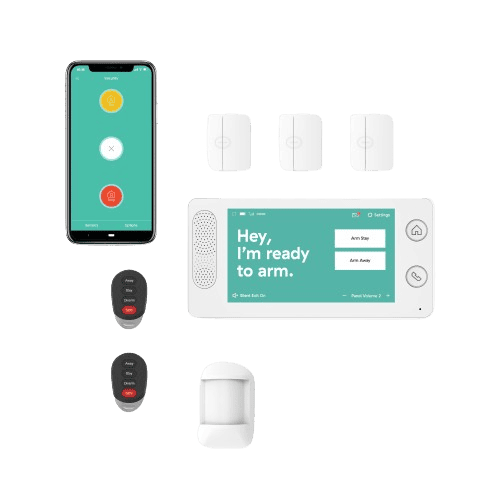
|
abode

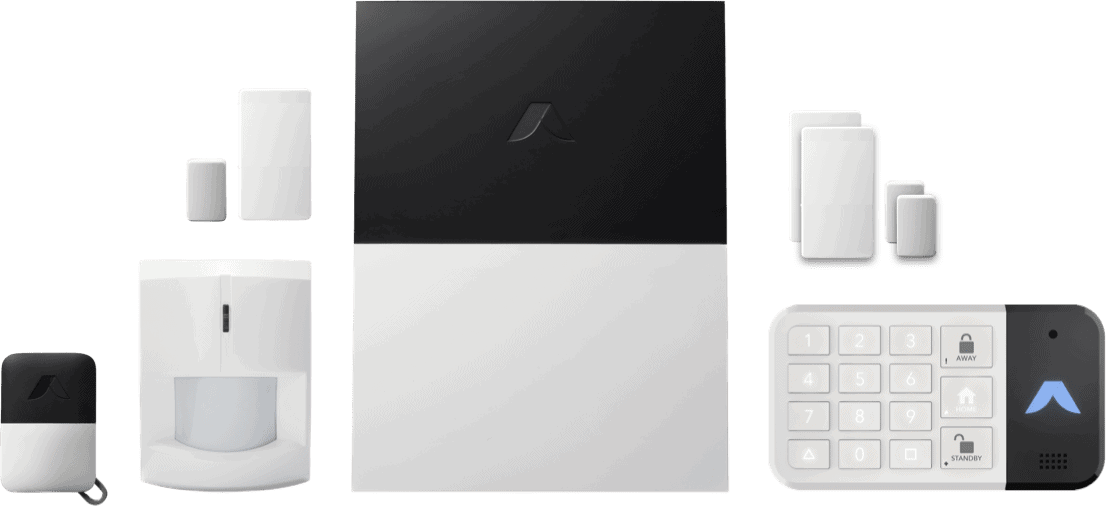
|
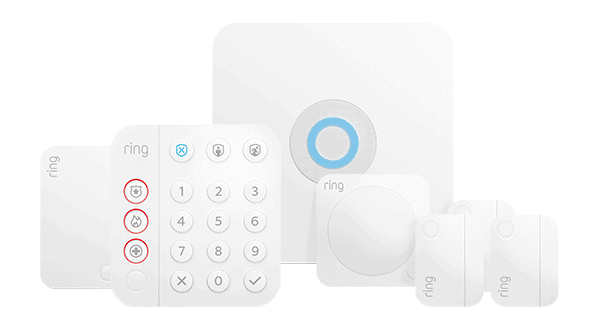
Ring Alarm

|
|---|---|---|---|---|---|
| Ranking | 1st | 2nd | 3rd | 4th | 5th |
| Ratings | 9.8/10 | 9.0/10 | 8.7/10 | 8.0/10 | 7.7/10 |
| Cost of starter package (MSRP) | $250.96 | $269 | $99 | $130 | $199.99 |
| Minimum cost per month of professional monitoring | $22.99 | $24.99 | $19.99 | $25.99 | $19.99 |
| Read Review | SimpliSafe Review | ADT Self Setup Review | Cove Review | abode Review | Ring Alarm Review |
-
1. SimpliSafe - Best Apartment Security Equipment

Product Specs
Equipment Costs Packages starting at $250.96 Monitoring Options Professional and DIY Monthly Monitoring Costs Starts at $22.99 per month Contract Lengths Month-to-month Installation Options DIY or professional Smart Platform Integration Alexa and Google Home SimpliSafe Overview
SimpliSafe started out 20 years ago offering DIY security systems. The company has since expanded its offerings to include devices for outdoor security and 24/7 professional monitoring service, making it a great alternative to ADT and one of the best security systems overall. Still, it maintains a strong focus on DIY security, which is why it remains ideal for apartments and rentals.

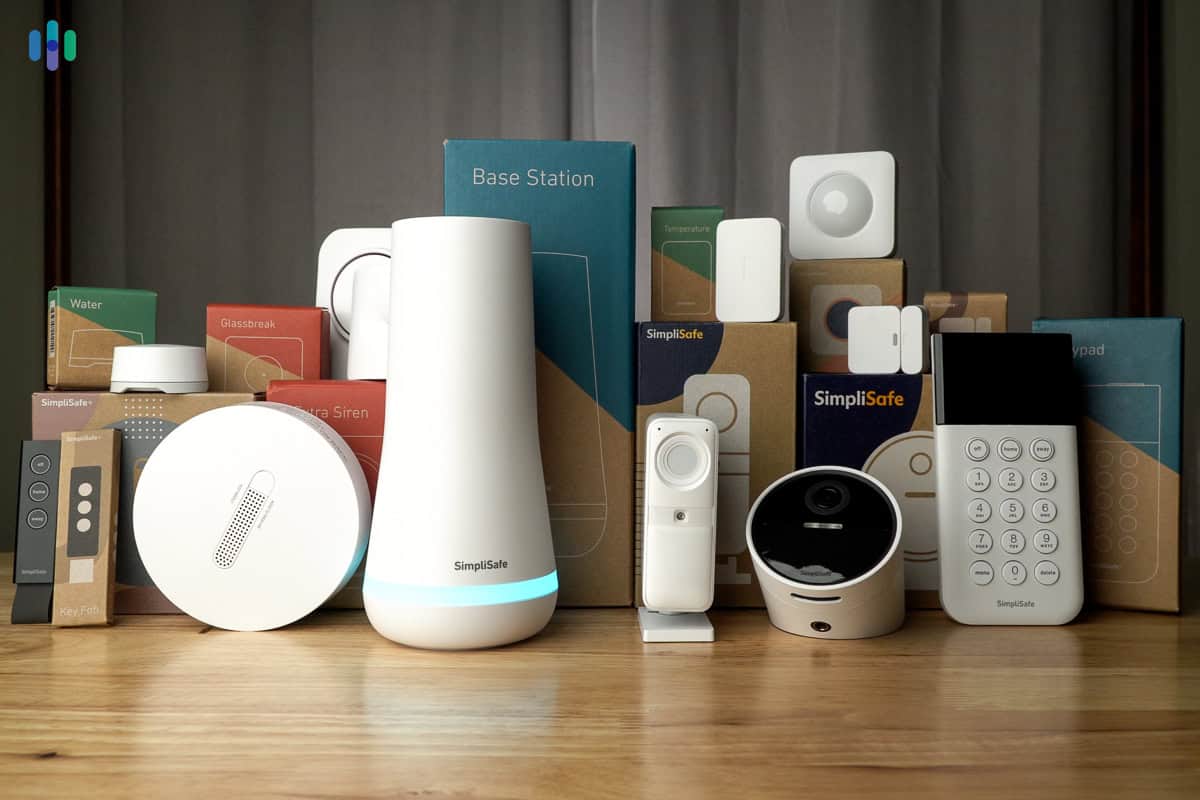
We tested every component SimpliSafe offers in our apartment. The packages from SimpliSafe don’t require major installation. We set ours up in about 30 minutes, and we like that you can add extra equipment incrementally instead of having to buy a comprehensive package from the start. You’re free to add more sensors or security cameras, for example.
For monitoring, SimpliSafe’s plans deliver real value. The Core plan stands out with its Intruder Intervention feature, allowing real human agents to respond via the indoor camera’s two-way talk. That said, professional monitoring is optional. You can choose whether to pay a monthly monitoring fee or not. There’s no obligation to continue a subscription. That can alleviate some financial headaches if you’re ever in a pinch.
FYI: When you become a homeowner, you can scale up SimpliSafe’s monitoring with their Pro or Pro Plus plans. Both add outdoor video monitoring to better deter crime. SimpliSafe may be great for apartments, but it’s also one of the best security systems for rural homes and top security systems for large homes.
What We Like
- Super-easy installation
- Affordable deluxe monitoring
- Basic functionality without a subscription
- DIY, wireless installation
- High-quality equipment
- No contract required
What We Don’t Like
- Must call to cancel subscription
- Key features require a subscription
- Limited smart home and automation capabilities
- No free cloud recording
SimpliSafe Install
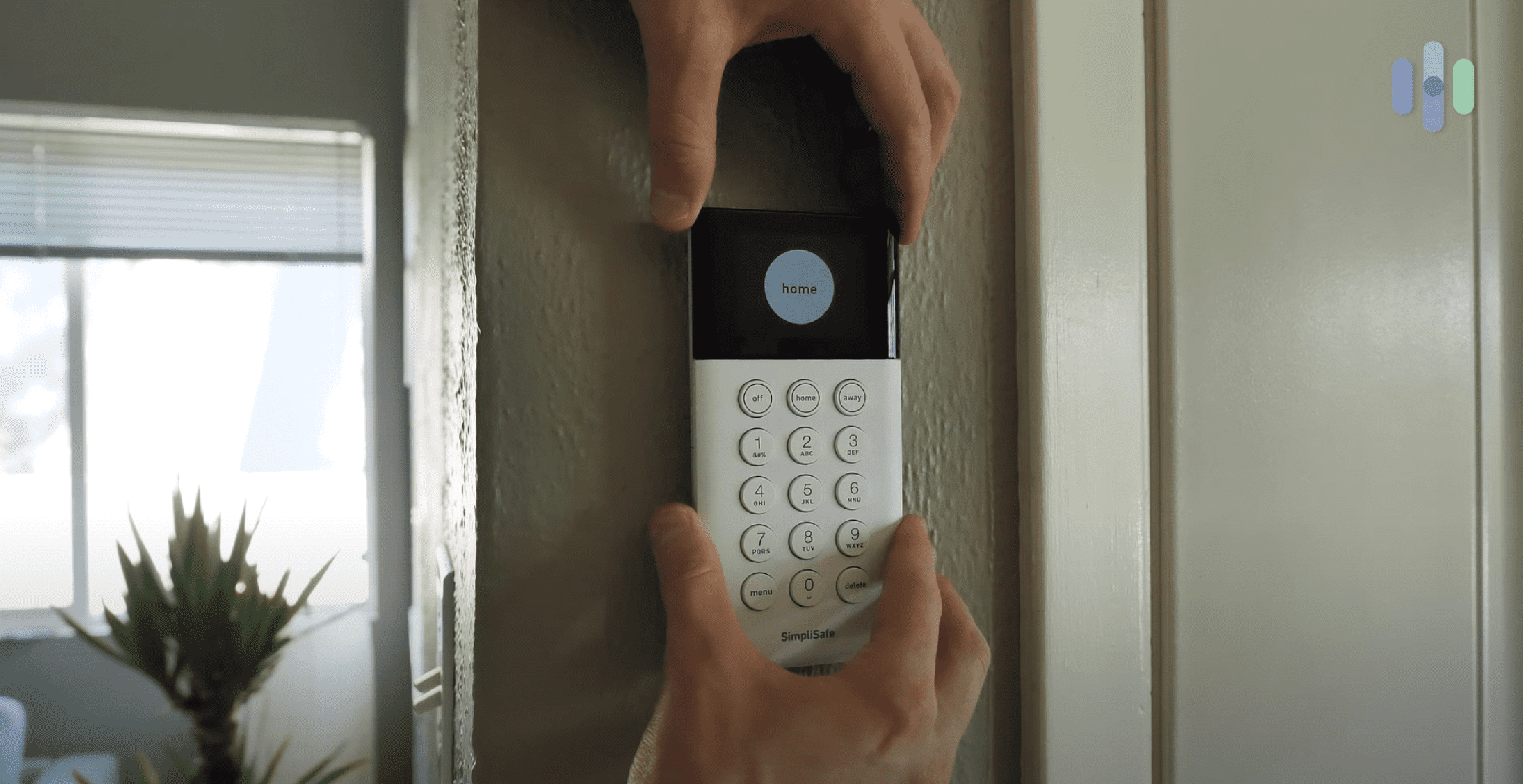
SimpliSafe is not a hardwired security system. You don’t need to worry about drilling holes or playing around with internal wiring. We started by plugging in our base station, setting a PIN, and checking the app to see what to do next.

We used the peel-and-stick adhesive backing to install our SimpliSafe keypad. The most difficult thing we had to do was install the sensors with peel-and-stick backing, and ‘difficult’ is an overstatement. Peel. Stick. Done. It was that easy. We don’t think the adhesive will hold up for years though, so if you don’t anticipate a move in the next year or so, we suggest asking your landlord if you can use the mounting screws instead. For the Wireless Indoor Camera, we recommend leaving it sitting on a flat surface like a bookshelf.
More complex components are available, like the smart lock or the SimpliSafe Video Doorbell we reviewed. Oddly, the doorbell camera requires hardwiring, so it may not be ideal for your apartment or rental unit. You could ask your landlord, or you could get a standalone battery-powered doorbell camera instead.
Pro Tip: If you do run into problems, SimpliSafe offers professional installation starting at $125.
SimpliSafe Price
SimpliSafe’s Foundation kit includes a base station, keypad, entry sensor, and motion sensor. From there, you can customize your setup by adding individual sensors and devices as needed. Customization usually means higher prices. However, when we compared SimpliSafe to ADT, SimpliSafe ended up costing less. ADT’s starter package costs $269 compared to $250.96 for SimpliSafe.
The add-on equipment kept SimpliSafe’s overall price low, too. Entry sensors cost $15.99, motion sensors run $34.99, and glass break sensors are $39.99 – each typically $4 to $10 less than ADT’s equivalent devices. SimpliSafe’s Outdoor Camera costs $20 more than ADT’s outdoor camera. However, ADT requires at least one month of professional monitoring with each package, while SimpliSafe is one of the best no monthly fee security systems.
Speaking of monitoring, we recommend the Core plan, which includes cloud storage, professional monitoring, and Intruder Intervention. It costs $32.99 per month. Here’s a closer look at the Core plan compared to SimpliSafe’s other monitoring subscriptions:
Standard Core Pro Pro Plus Monthly cost $22.99 $32.99 $49.99 $79.99 Professional monitoring Yes Yes Yes Yes Cellular backup Yes Yes Yes Yes Video storage No Yes Yes Yes AI-Assisted Active Guard Outdoor Protection No No Yes – from 8 p.m. to 6 a.m. local time Yes – 24/7 Smart home integration No Yes Yes Yes Event timeline Yes Yes Yes Yes To summarize, we recommend a SimpliSafe package with Core monitoring and a Wireless Indoor Camera for apartments. That gives you active monitoring and you likely only need one camera to cover every entrance into your apartment.
FYI: SimpliSafe has raised its subscription pricing several times as they’ve added new features. While prices have increased modestly, the service remains more affordable than premium competitors like Vivint and Frontpoint.
SimpliSafe Contract
Sure, canceling a security system contract with SimpliSafe is easier than companies like Vivint. But it could be easier. We still had to call up and speak to someone. It would be easier to cancel it on the SimpliSafe website where we bought our security system. Here’s how it ended up happening after we finished our month-long test:
How to Cancel a SimpliSafe Contract
- Call (888) 910-1458.
- Say your safe word.
- Prepare to resist sweet deals.
If you are cancelling your monitoring contract because of a move, SimpliSafe will offer to help you move your system to a new apartment or home. The company offered to send us boxes and fresh adhesives for our devices. They also offered deals on additional equipment if we were moving into a larger home.
-
2. ADT Self Setup - Best Security Cameras

Product Specs
Equipment Costs Packages starting at $269 Monitoring Options Professional or DIY Monthly Monitoring Costs Starts at $24.99 per month Contract Lengths Month-to-month Installation Options DIY Smart Platform Integrations Alexa and Google Home ADT Overview

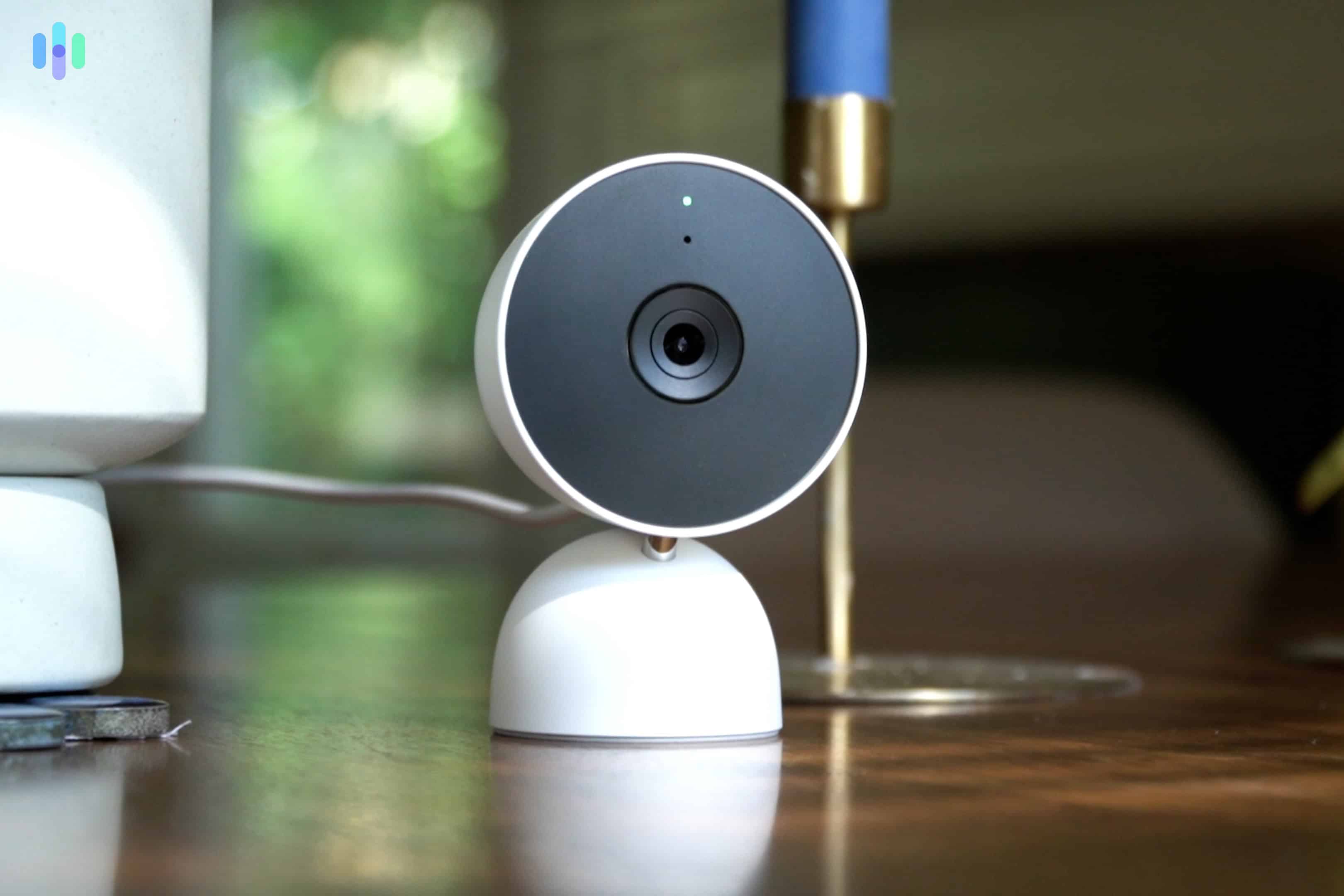
Our indoor Google Nest Cam told us who was at our door since we set it up to look out our window. For decades, ADT had focused on providing a full-service home security solution with professional installation and monitoring, but with ADT Self Setup, DIY installation and monitoring is not possible. On top of that, ADT has partnered with Google Nest to offer the Google Nest Cams we tested as part of an ADT system. These cameras supercharge ADT security systems to offer apartments and homes sophisticated video security features, including facial recognition and Trusted Neighbor.
ADT’s Trusted Neighbor feature uses facial recognition in unique ways for apartment living. The system can automatically grant access to pre-approved individuals like pet sitters or maintenance workers when you’re away. This worked seamlessly with our neighbor who feeds our cats during vacations. The Nest camera recognized her face, sent a notification to her phone, unlocked the smart lock, and disarmed the system automatically.
What We Like
- Most reliable monitoring with 12 redundant monitoring centers
- Cameras offer advanced capabilities like facial recognition
- Six-month money-back guarantee
What We Don’t Like
- Long-term financing requires a long-term contract of at least 36 months
- Relatively expensive for apartment security with packages starting at $269
- Monitoring with cloud storage costs $40 per month
ADT Install
ADT offers all the same components in their DIY and professionally installed systems. They also made their components easier to install. Like SimpliSafe, you’ll either plug something into an outlet or peel off an adhesive protector and stick it to a surface.

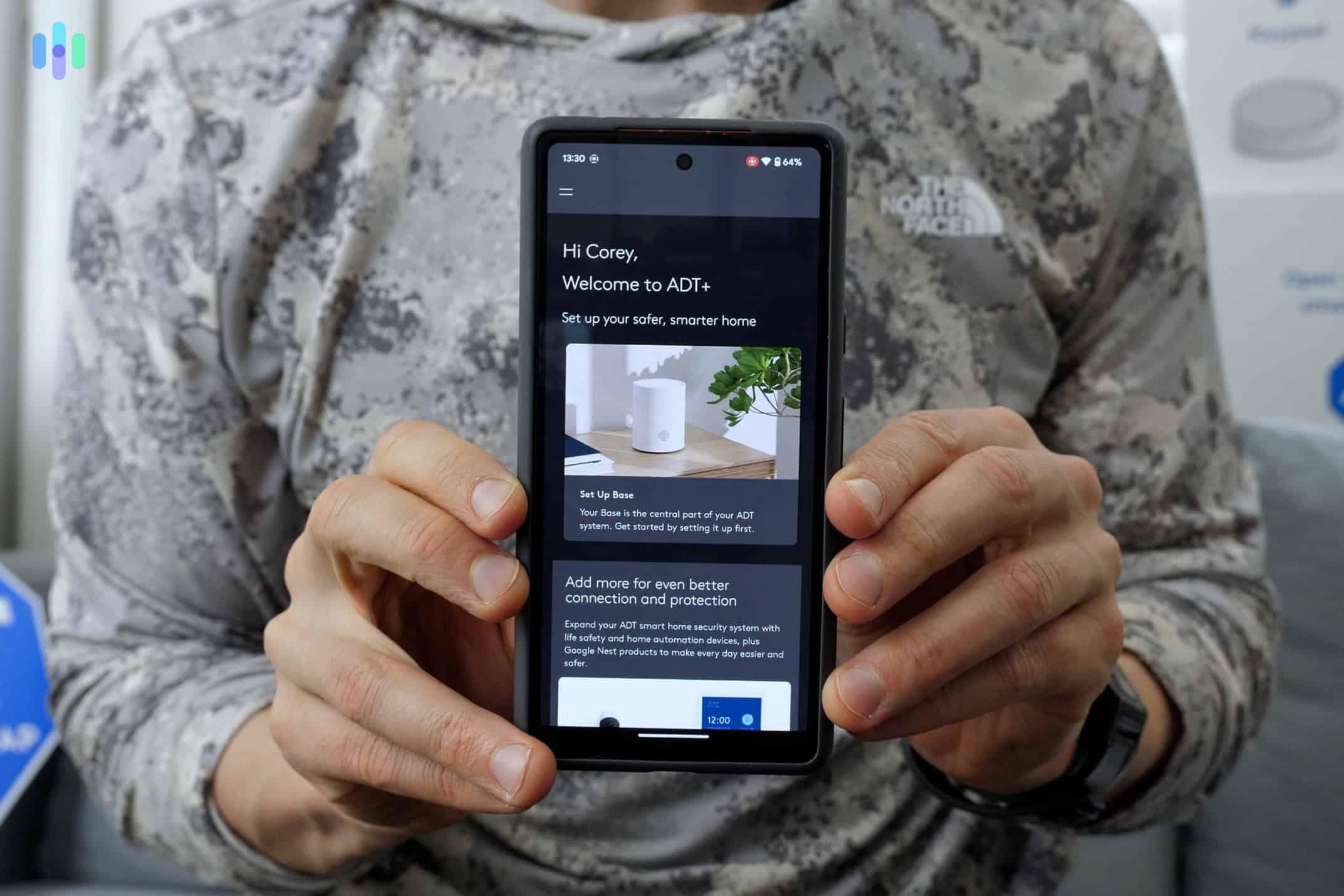
The new ADT+ app provided us step-by-step instructions to install our ADT system. The new ADT+ app did a great job at guiding us through the install process. It helped us hook up our base station and then connect each device to it. Each step of the way, it told us exactly what to do. We liked it so much that ADT took the top spot in our list of the best home security system apps.
If we needed it, we could have also requested a guided installation with live help from an ADT assistant. They’d tell us exactly how to install each component we ordered. Since we’ve installed dozens of security systems, the app provided more than enough guidance for us though. Overall, the install took about 15 minutes.
ADT Price

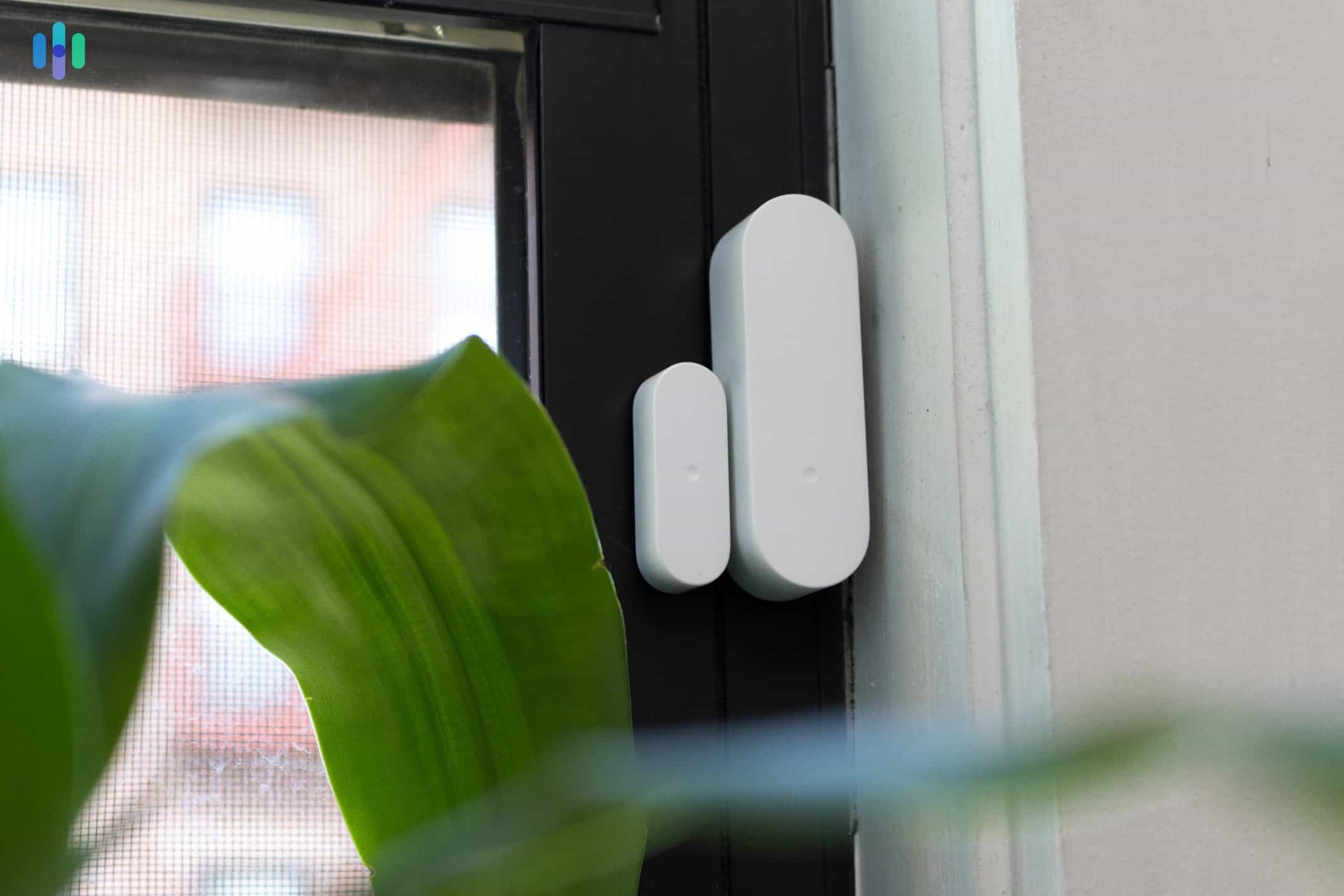
Our ADT window sensors after installation ADT’s pricing is higher than SimpliSafe. The cheapest Self Setup option is the Build Your Own System that starts at $269 for the base station and a single entry sensor. Additional entry sensors are $20, motion sensors are $40, and the cheapest indoor camera is a wired Google Nest cam for $99. Also, ADT requires one month of professional monitoring with every package.
You’re paying for premium features with ADT, especially with the Google Nest cameras. These cameras deliver AI-powered facial recognition and people, packages, and pet detection. After six months of testing, we found the investment worthwhile. Our apartment setup cost approximately $500, including an indoor Google Nest Cam, one door sensor, two window sensors, and a motion sensor.
Expert Insight: We pointed our indoor Google Nest Cam out the window so it could see anyone at our front door. That allowed us to use ADT’s Trusted Neighbor feature without an outdoor camera or video doorbell.
ADT Contract
ADT still requires a contract (usually three years), but ADT Self Setup does not. However, this means you’d have to pay for your equipment upfront. Otherwise, financing still requires signing the dotted line.
Since we didn’t sign a contract, that meant we could cancel our ADT subscription anytime we wanted without incurring a fee. When comparing ADT to SimpliSafe, they’re similar in the way we cancelled our contract. We needed to make time to give ADT a call to cancel our subscription. Here’s how we did it:
How to Cancel ADT
- Find the details of our contract in our MyADT dashboard under Account Documents and then Contracts.
- Call 1-800-238-2727 and tell the agent we would like to cancel our subscription.
- Confirm we own the system by telling them our contract number.
- Receive cancellation confirmation from the agent.
As a DIY system, we didn’t need to cancel ADT when we moved. We could take it with us for free. But, we needed to take the system down and reinstall it on our own when moving. It wasn’t bad though. Both taking our system down and reinstalling it took us less than an hour.
Pro Tip: With the options ADT provides, it’s easy to take your apartment security system and scale it up to secure a new home. All you’ll need to do is add a few entry sensors and maybe a security camera or two to your system. Check out our full ADT review to see how it protected our other staff member’s home.
-
3. Cove - Best for Affordable Professional Monitoring
 See Pricing Links to Covesmart.com
Product Specs
Equipment Costs Systems start at $99 Monitoring Options Professional only Monthly Monitoring Costs Starting at $19.99 per month Contract Lengths Month-to-month Installation Options Professional or DIY Smart Platform Integration Alexa and Google Home
Cove Overview
Cove is a top-rated DIY home security system, but its affordability is one of its greatest strengths. For one, Cove systems are always on sale, with discounts reaching up 75 percent on special days like Black Friday. Cove is also tied with Ring (also in this list) for the most affordable monitoring prices. Cove’s pricing starts at $19.99 per month.

Cove’s low prices let us buy a complete security system with cameras for our apartment. During our testing, Cove impressed us beyond its affordability. The miniaturized sensors practically disappear on doorframes, while their extended battery life (up to 10 years on some sensors) means less maintenance. To top it off, everything integrated flawlessly with Google Assistant, earning Cove a spot among the best home security systems for Google Home users.
What We Like
- Affordable professional monitoring
- Frequent discounts
- Google Home integration
What We Don’t Like
- Must call to cancel subscription
- Subscription required
- Key features require advanced subscription
Cove Install
Cove is yet another security system that claims to be easy-install. But is it? The short answer is yes. It took our team 25 minutes to install every component. All of the equipment is low contact and there’s no need to bust out any power tools.

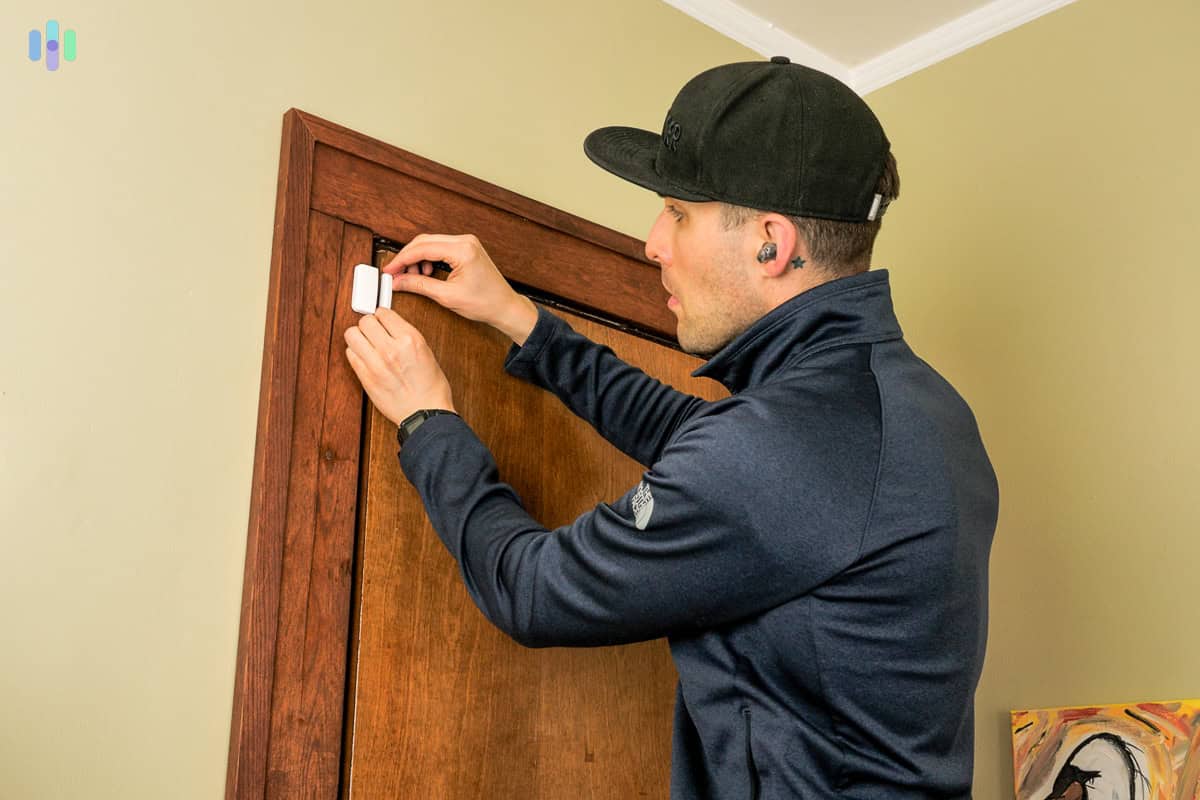
We used the peel-and-stick backing to install our Cove Entry Sensors. The sensors have adhesive backing. The base station is free standing. And the cameras? You can either mount them or set them on a flat surface, like a bookshelf or something. That all means none of Cove’s equipment is permanently installed, so you can take Cove with you when you move.
We particularly like the compact design of Cove’s sensors. Measuring significantly smaller than SimpliSafe’s equivalents, they blend seamlessly with door frames and windows, too. Surprisingly, they didn’t sacrifice durability. The lighter weight actually makes the adhesive backing more reliable for long-term use.
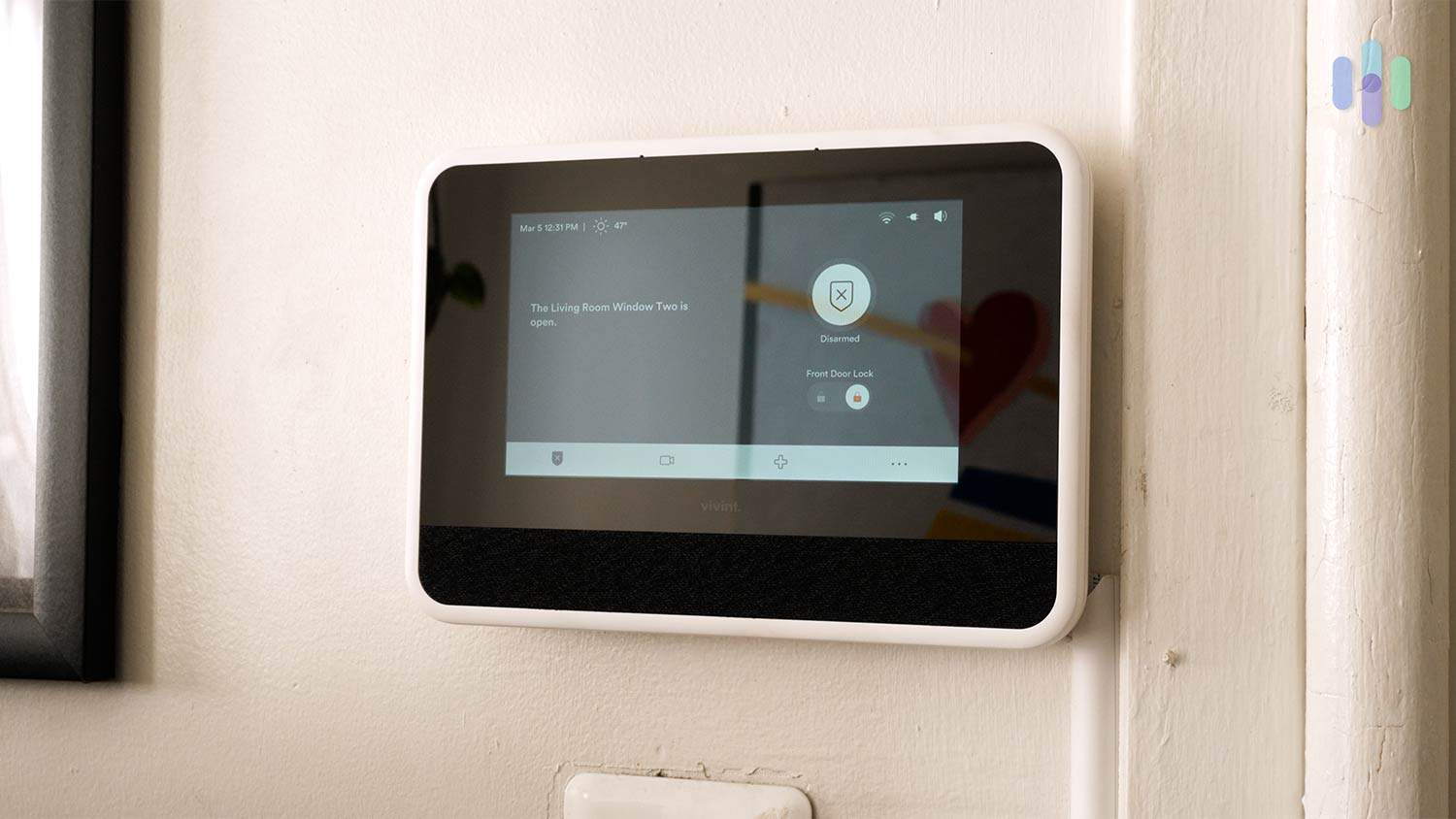
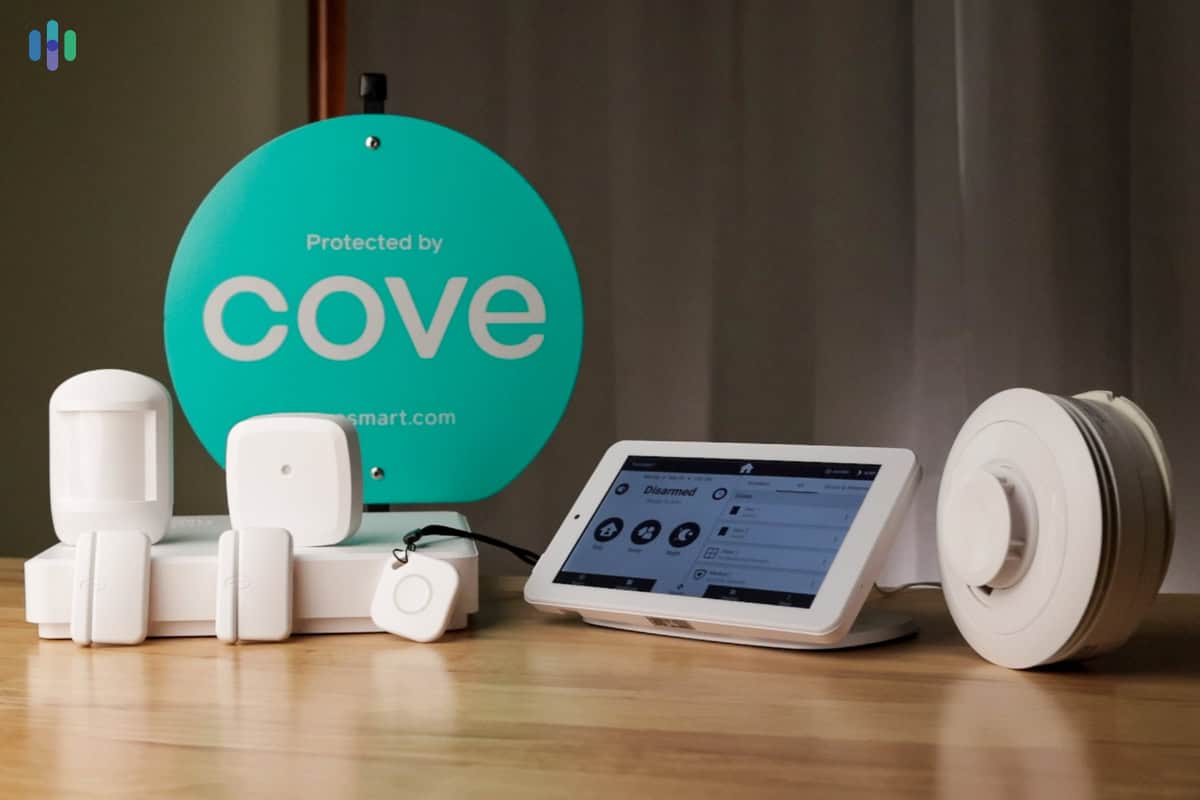
Cove also includes a portable touchscreen controller that sets it apart from competitors like SimpliSafe and ADT. Unlike base stations and wall-mounted keypads, this tablet-style panel can move around your apartment freely thanks to its built-in battery backup. We kept ours on the nightstand for easy nighttime access, then moved it to the kitchen counter during the day.
Tip: Wireless range wasn’t an issue with Cove, because aside from the tablet-like controller, there’s also a router-like hub responsible for connecting the sensors. As long as we put the hub in a central location, we could move the keypad around our apartment.
Cove Price
A Cove hub, touchscreen panel, and entry sensor already costs $315, but that’s the full price. Cove special offers are always in place, offering discounts ranging from 50 percent to 75 percent. We timed our purchase and got 65 percent off, reducing the base package’s price to $94.50.
Okay, calling those perpetually-in-place discounts “special offers” is borderline misleading, but no matter how you look at it, Cove is affordable. There’s just one caveat – professional monitoring is mandatory.
Basic Cove+ Monthly price $19.99 $29.99 Professional monitoring Yes Yes Cellular backup Yes Yes Video storage No Yes Google and Alexa Support No Yes That can be a little bit annoying if you’re looking for a subscription-free security system, but Cove’s monitoring prices are also affordable. A price of $20 for professional monitoring is comparable to Ring Alarm monitoring, although we must say that Ring offers more features for the same price. That $20 monitoring plan from Ring, for example, already includes cloud video storage for unlimited cameras.

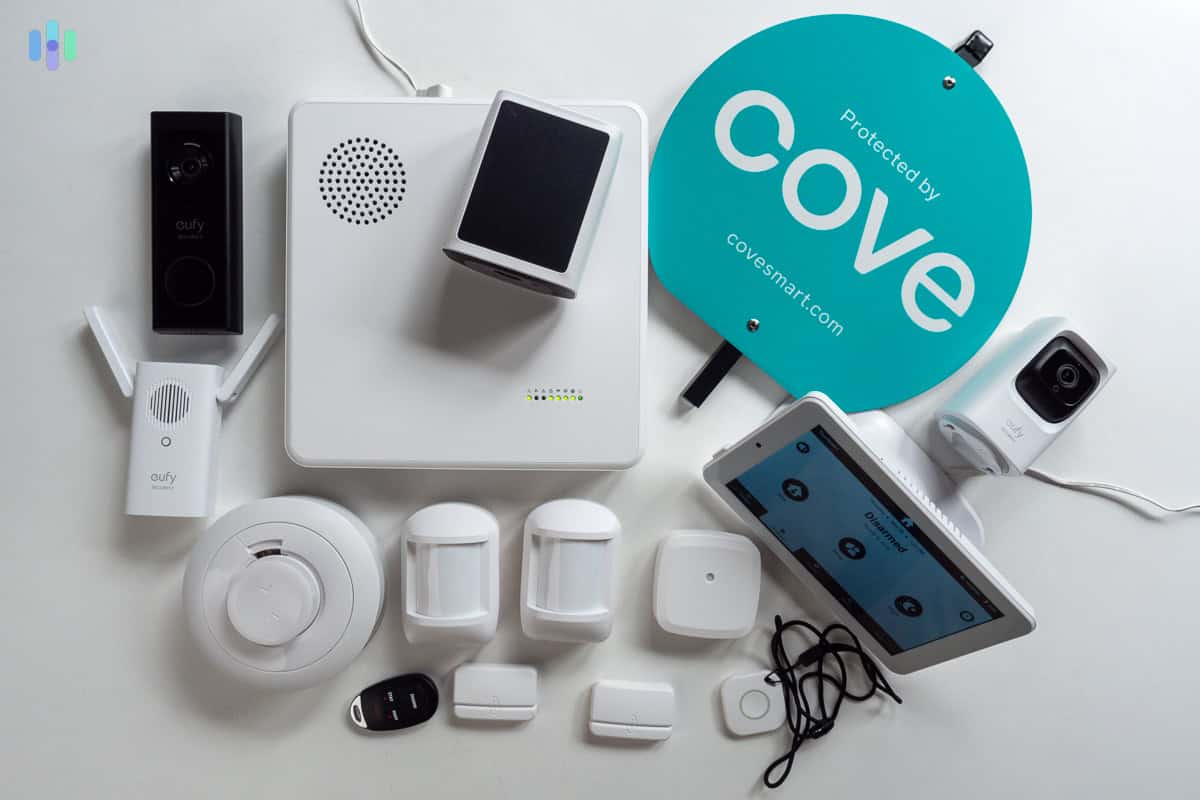
Here’s what the Cove security system we used to protect our apartment looked like. Cove Contract
You can cancel your Cove contract anytime as long as that time is at least 30 days before your next billing date. This is not ideal when your lease is up in two weeks and you realize you forgot to cancel your security subscription. We know because it happened to us. At least we didn’t have to pay a cancellation fee and given Cove’s low monitoring fees, that extra month only cost us $20.
Like SimpliSafe, canceling Cove requires an actual phone call. We think that’s a frustrating requirement. However, the process remains straightforward compared to traditional providers like Alder, which often involve lengthy retention calls and cancellation fees.
How to Cancel Cove
- Call (855) 268-3669 at least 30 days before your next billing date.
- Request the cancellation of your monitoring service.
- Confirm your monitoring service has been cancelled with Cove’s support agent.
You might not have to cancel Cove though. It’s as easy to uninstall as it is easy to install. You can take it with you and resume your monitoring plan at your new address, provided you’re just crossing city or state lines; not country. Just make sure you give Cove a call to update your billing and monitoring address. That way, they have your new location in case they need to send the cops to your house in an emergency.
Pro Tip: It’s not a requirement to update your address 30 days before your next billing date, but we recommend giving as much notice as you can. Then, call to confirm the change once you move.
-
4. abode - Best for Smart Apartments


Product Specs
Equipment Costs Packages starting at $65 Monitoring Options Professional and DIY Monitoring Costs Starting at $6.25 per month Contract Lengths Month-to-month or Yearly Installation Options DIY or professional Smart Platform Integration Alexa, Google Home, and Apple HomeKit
Abode Overview
Have you decked out your apartment with smart home products? You should consider abode. It has all the plug-and-play ease of SimpliSafe with the supercharged home automation of Vivint.
With easy home-assistant integration and a large selection of smart home components, abode is a great option for high-tech renters. The system works with Amazon Alexa, Google Home, and Apple HomeKit.
The CUE automation platform transformed how we think about apartment security. We created sophisticated rules that go beyond basic triggers – like automatically turning on lights and playing audio alerts when doors open during sleeping hours. This creates an effective deterrent without the jarring disruption of a full alarm if we come home late.

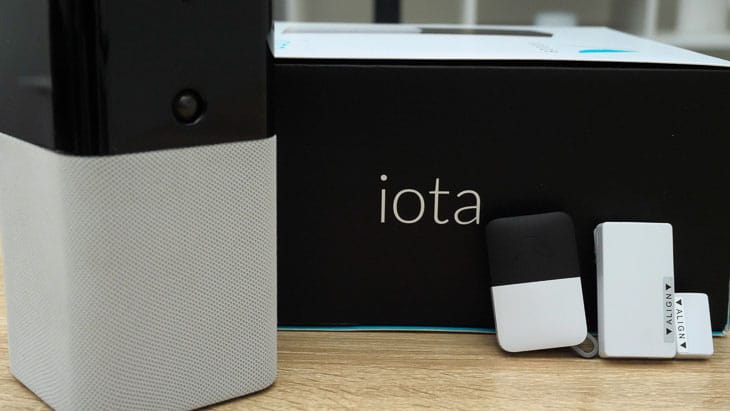
We bought the abode Iota Security Kit to experience their full home automation capabilities. FYI: Abode’s iota system integrates with Alexa, Google Home, and Apple HomeKit.
What We Like
- Works with just about every smart home platform
- Affordable equipment
- Can cancel subscription in-app
- Strong home-automation offering
- Security camera built into the Iota hub
- Lots of equipment options
What We Don’t Like
- Not every package comes with full smart home integrations
- Some sensors require drilling
- Lack of camera options
- Confusing kits and bundles
- $7-per-month fee for self-monitoring with video storage
Abode Install

We pulled the sticker off the peel-and-stick backing on the abode Entry Sensor to install it on our door. Peel-and-stick sensors made for an easy installation. Installing our abode kit was almost as easy as placing stickers in a scrapbook. It would be a different story if we’d gone with abode’s recessed door sensors. Because they require drilling, we might have needed permission from our landlord, and a drill. But with almost all our Abode equipment, installation was simple.
All in all, it only took about 20 minutes to stick our sensors and strategically place our Iota hub so its camera could get a good view. That’s pretty standard – maybe even a little faster – than our experience with SimpliSafe and ADT, both of which took around 30 minutes to install.
FYI: The most confusing part of abode isn’t installation; it’s ordering. The iota hub supports pretty much every smart home protocol, while the security hub supports only Google Home and Alexa. Make sure you order the right hub for your apartment.
abode Price
Abode offers a great range of pricing options. You can choose to keep your costs low with a simple system, or you can flex abode’s robust automation with a more expensive security system.
The cheapest abode kit has an MSRP of $130, which is usually discounted. It’s also as basic as it gets: one entry sensor, one key fob, and a security hub. For comparison, the Ring Alarm starter kit costs $199.99, and it has one entry sensor and one motion detector.
Did You Know: To use abode’s smart home integrations, you’ll need at least the Smart Security Hub. Those packages start at $299.99. For the CUE automation we fell in love with though, you’ll need the Iota Hub which costs $399.99.
As for features, you can stream security camera footage, control smart home products, and receive push notifications. That’s not so unusual. What is unusual is the price: free. Unlike with SimpliSafe, Ring, and others, you don’t need a subscription to automate with abode.
If you do decide you want a subscription, you have two plan options: Standard and Pro. Both are pretty good deals.
Standard Pro Yearly price $74.99 $199 Professional monitoring No, User-monitored Yes Cellular backup No Yes Live video Yes Yes Event timeline Yes Yes We should emphasize that abode’s biggest selling point is CUE, the company’s proprietary automation platform. We used it to create schedules, set up automation rules, and program smart scenes. Just note that the full functions of the CUE platform require a monitoring subscription.
Pro Tip: Want abode on a budget? Try its price-match program. If you find a comparable security package that is cheaper, abode will do its best to match it.
Abode Contract
Most subscription-based companies make you jump through hoops or talk to a representative who gives you the hard sell on staying. Not abode. All we had to do to cancel our subscription was open the app and tap unsubscribe.
Compare abode and SimpliSafe, which requires you to call its customer service line. This convenience is critical for apartment residents who plan to move in the near future. Haggling with a rep is the last thing you want to do while shaking up your living situation.
How to Cancel abode
- Open the abode app.
- Tap Plan Details.
- Tap Unsubscribe.
When it comes to moving, an abode system comes down just as fast as it goes up, which we’ll get to in a second. That ease is a big reason we think Abode is great for apartments. Just know that Abode won’t go the extra step like SimpliSafe and send you moving boxes for your kit.
FYI: If you signed up for monitoring through your phone’s app store, you’ll need to cancel your subscription the same way. On an iPhone, open Settings, tap Subscriptions, and, when you find the right one, tap Cancel Subscription.3
-
5. Ring Alarm - Best for Alexa Users
 View on Amazon Links to Amazon.com
Product Specs
Equipment Costs Packages starting at $199.99 Monitoring Options Professional and DIY Monthly Monitoring Costs Starting at $19.99 per month Contract Lengths 1-12 months Installation Options DIY or professional Smart Platform Integration Alexa and Google Home
Ring Alarm Overview

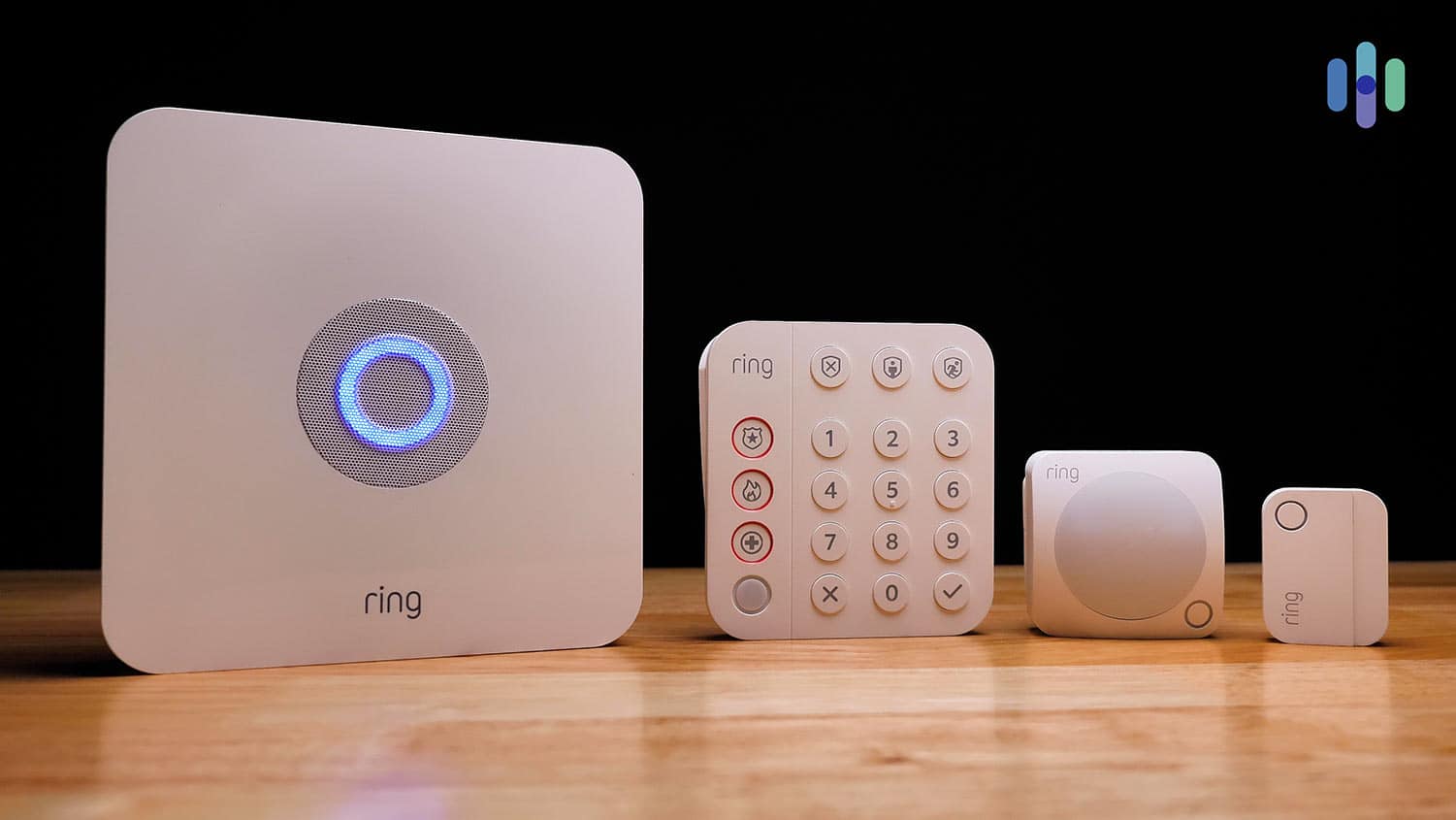
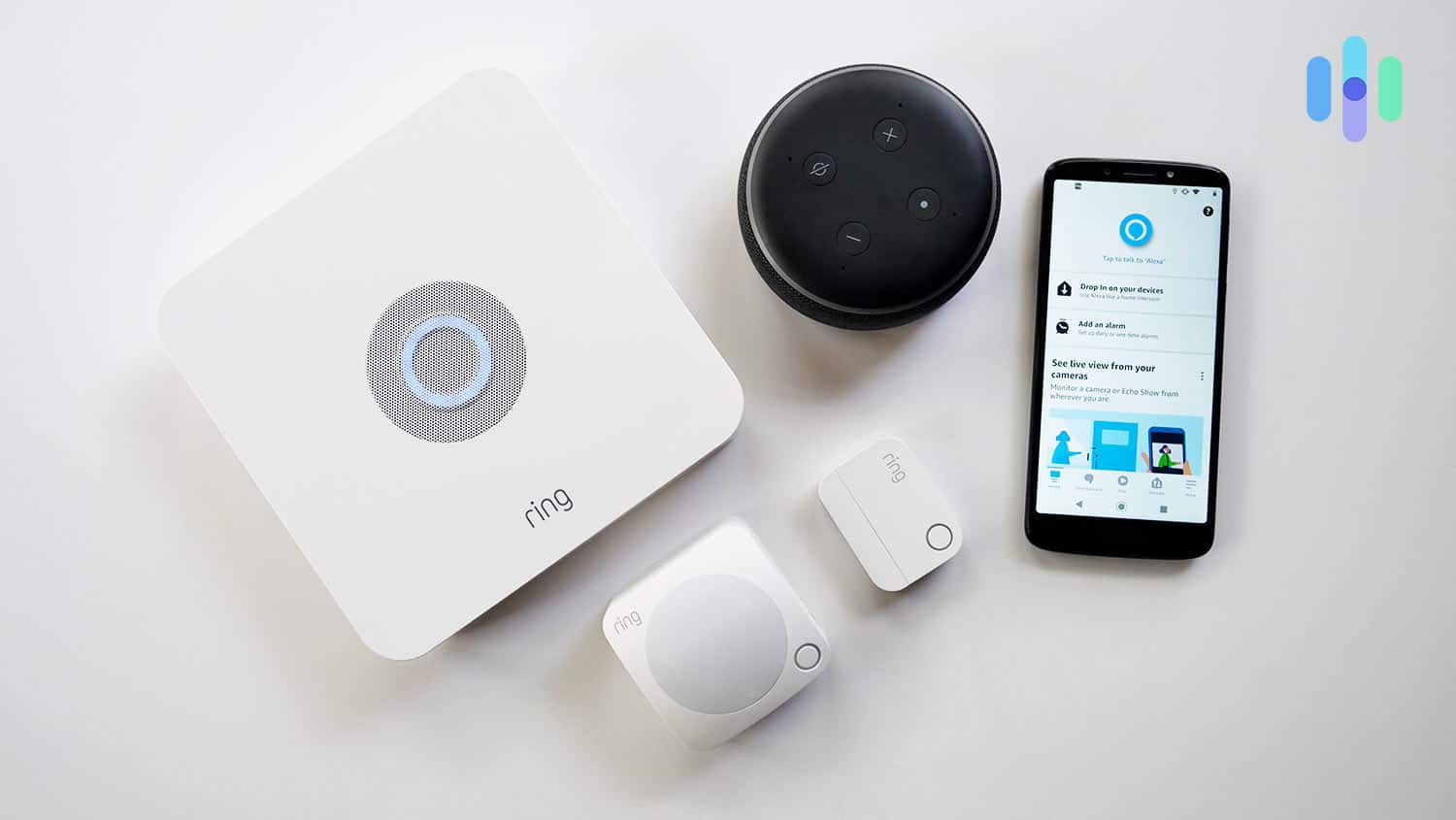
Our Ring Alarm system came with enough components to keep our small apartment secure. Ring Alarm is the home security arm of Ring that’s meant to complement the company’s video doorbells. During our most recent tests, we came away impressed. Yes, the cameras captured clear video, but we also like that the motion sensor ignored our cat. The Ring app kept us informed and allowed for convenient control.
Even better? It’s affordable. For less than $200 down and as low as $19.99 per month, you get a professionally-monitored security system. That’s hard to beat, even for a bargain system.
What We Like
- Wide range of equipment, from bare bones to advanced
- Works with Alexa
- Only $19.99 per month for professional monitoring
- Huge list of equipment options
- Inexpensive equipment
What We Don’t Like
- Some equipment is pricey
- Virtual Guard feature is expensive
- Not fully compatible with Apple HomeKit or Google Assistant
- History of privacy issues
- No local video storage
Ring Alarm Install
The basic Ring Alarm package is dead simple to install. It took us under half an hour to get the five-piece package up and running.

We paired our Ring Alarm Equipment with Alexa to get voice alerts on our phone. That’s even more impressive because we ran into some technical difficulties. Our base station wouldn’t connect to the Wi-Fi network at first. Obviously, it would be better if the process was bug-free. But the fact that we handled this snag and installed everything else in less than 30 minutes is telling of Ring’s user-friendliness.
The “everything else” came together so quickly thanks to Ring’s peel-and-stick sensors. All we had to do was remove the pull tabs from the battery slots, peel off the protective film, and affix the sensors on our doors, windows, and walls.
Ring Alarm Price
At $199.99, the Ring Alarm Security Kit splits the difference between affordability and comprehensive security. One entry sensor and a motion detector is enough for most apartments. While the basic kit doesn’t include a video doorbell, you can always add one for as little as $50.
Does that mean Ring is cheap? Not necessarily. You could go all out on Ring.com buying up the place. The most expensive piece of equipment we’ve found on the site is nearly $500.
While Ring offers premium equipment reaching into the hundreds of dollars, apartment dwellers can build effective security without breaking the bank. Focus on the essentials: the starter kit provides excellent coverage, and you can always expand later with cameras or smart home devices.
Pro Tip: If you do decide to buy a pricey Ring package, you can spread out the cost with Affirm.
Ring Alarm functions without a subscription, letting you view live camera feeds and receive notifications for free. However, the subscription plans unlock significant value. Note that professional monitoring costs an additional $10 per month on top of the Standard or Premium plans. That brings the total to $19.99 or $29.99 respectively – still competitive with other affordable options.
Ring Solo Ring Multi AI Pro Monthly price $4.99 $9.99 $19.99 Alarm Professional monitoring No No Yes Cellular backup No No Yes Video storage 180 days; 1 camera 180 days; unlimited cameras 180 days; unlimited cameras Smart home integration Yes Yes Yes Event summary No Yes Yes >> Read More: Ring Alarm vs. SimpliSafe
Ring Alarm Contract
Ring doesn’t require a contract, so it’s fairly easy to cancel. When we canceled our Ring Alarm after concluding our tests, all we had to do was go online and literally click ‘cancel.’
How to Cancel Ring Protect Pro
- Log in to Ring.com.
- Select Protect Plan.
- Click Cancel Plan.
- Select now or at end of billing cycle.
- Confirm.
The process was far easier compared to other systems that force you to call them to cancel. In this day and age, we all know what that means: a hard sell on getting you to change your mind.
FYI: Did you sign up on the Amazon website? You can head over there instead.
Methodology: How We Chose the Best Security Systems for Apartments & Renters
To figure out which security systems work the best for apartments, we tested them out in a two-bedroom, one bathroom apartment with a living room/kitchen space. We started the process by getting input from our team members who have tested over 60 security systems in their homes. Then, we bought eight systems to install and live with in our test apartment.
Those eight systems took us six months to test. That means we tested each one for close to a month. Some of them we tested for longer like ADT and abode so we could fully test out their advanced features.
After finishing our tests, we scored each system based on its useability, the security it offered, its flexibility, and of course how much it costs amongst other factors. After all, nobody wants to pay the $1,149 Deep Sentinel price tag in an apartment. We used these scores to figure out the top five security systems and described our experience with them here.
Why You Need a Security System for Your Apartment or Rental
Whether you own or rent, you could be a target for burglars and thieves. That includes at rental homes, condos, townhomes, and ADUs. Sometimes renters have even bigger targets on their backs than traditional homeowners.
Apartment buildings are prime targets for thieves because it’s a lot easier to come and go unnoticed. If you live on the ground floor, you should take your physical security seriously.
Many renters assume building security and neighbors provide adequate protection. But apartments face unique vulnerabilities – from package theft in common areas to maintenance workers with master keys. A security system adds a crucial layer of protection you control.
Apartments face security risks too, though. They experience break-ins. They suffer fire damage. They flood. And you’re the one dealing with the aftermath. Here are several more reasons to invest in apartment security.
FYI: Studies of police data consistently show that most burglaries occur during the daytime.1 Ground-floor units are also at a higher risk than upper-floor units as they provide easier access for burglars.
Protect Yourself From Roommates
Do you share your apartment with friends (or enemies)? Those people are among the most likely to steal from you.
Pop an entry sensor on your bedroom door and an indoor camera in your room. That way, you’ll know if they go rifling through your things.
Prevent Package Theft
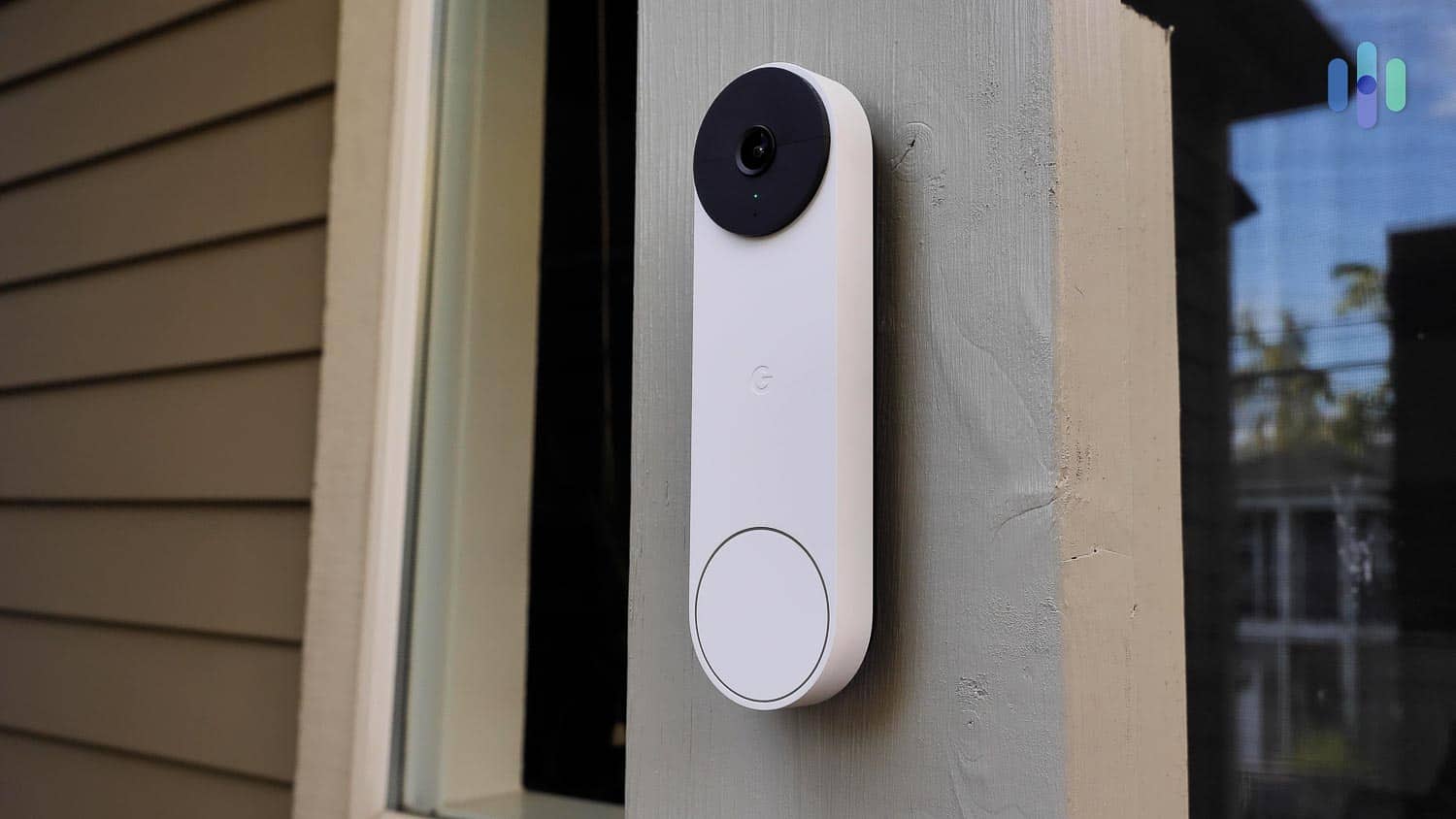
Package theft affects 1 in 7 Americans annually, with apartment buildings being particularly vulnerable. Thieves can easily access common areas and grab multiple packages in one trip.2
FYI: Did your Amazon order get swiped? Report package theft here to be included in our national database.
Stop thieves in their tracks with a doorbell camera. The best doorbell cams alert you when anyone starts snooping, so you can use two-way audio to scare them off.
Get a Discount on Renters Insurance
Many insurance companies offer five to 20 percent discounts on renters insurance for apartments with monitored security systems. State Farm, Allstate, and Liberty Mutual all provide discounts, though specific rates vary by location and policy details. Contact your insurer to confirm eligibility and required documentation.
Pro Tip: Don’t have renters insurance? You should probably get it. It won’t stop a disaster from happening, but it will make your life a lot easier when it does.
Special Considerations for Renters
Whether you’re renting an apartment, condo, townhome, or house, you face unique challenges when setting up a security system. Contracts, professional installation that requires drilling, and strict moving policies take a few of our normal recommendations out of the equation. Here’s what renters need to know to make the best choice.
No-Damage Installation Options
As a renter, one of the top priorities is to make sure you don’t lose your security deposit when installing a security system. The systems on our list are all mostly DIY-friendly and use wireless equipment that doesn’t require drilling or hardwiring.
- Peel-and-stick sensors: All our recommended systems use adhesive-backed sensors that attach to doors and windows without drilling. SimpliSafe, Cove, Ring, and abode all include peel-and-stick options.
- Tabletop cameras: Many indoor cameras can sit on shelves or tables rather than being mounted to walls.
- Plug-and-play base stations: Hub units simply plug into outlets and connect to your Wi-Fi.
- Battery-powered devices: Wireless outdoor cameras and doorbells eliminate the need for electrical work.
Pro Tip: While peel-and-stick tape keeps sensors in place for months, it may not hold up for years. If you plan to stay in your rental for an extended period, ask your landlord about using small screws to anchor sensors more securely.
Portable Systems You Can Take When You Move
Unlike homeowners, renters frequently move. The best security systems for renters are designed to be easily uninstalled and reinstalled at your next address.
- SimpliSafe: Offers a free Mover’s Kit with boxes and fresh adhesives when you’re relocating. The company will help you set up at your new address.
- ADT Self Setup: Let’s you pack up your security system after notifying ADT, and then set up the equipment in your new home.
- Cove: Easy to uninstall and move. Just call to update your billing and monitoring address.
- abode: Comes down as fast as it goes up, though they won’t provide moving supplies like SimpliSafe.
- Ring Alarm: Completely portable—just take down your system and reinstall it yourself at your new place.
Renter-Friendly Contracts
Long-term contracts aren’t a good fit for most renters. Our recommendations offer flexible, no-contract solutions:
| System | Contract Requirement | Cancellation Process |
|---|---|---|
| SimpliSafe | Month-to-month, no contract required | Call (888) 910-1458 |
| ADT Self Setup | Month-to-month if you pay upfront; 36+ months if financing | Call 1-800-238-2727 |
| Cove | Month-to-month, cancel anytime | Call (855) 268-3669 at least 30 days before billing date |
| abode | Month-to-month or yearly options | Cancel directly in the app |
| Ring Alarm | Month-to-month, no contract required | Cancel online at Ring.com |
Worth Noting: If you finance your equipment instead of paying upfront, you may be locked into a longer contract. ADT, for example, requires at least a 36-month contract when financing. To maintain flexibility, we recommend paying for equipment upfront when possible.
Rental House Recommendations
If you’re renting a house rather than an apartment, your security needs may differ. Houses typically have more entry points, larger yards, and may allow for more comprehensive outdoor camera coverage.
Best Systems for Rental Houses
If you rent a house, we recommend the Core plan (formerly Fast Protect). This system relies on SimpliSafe’s Wireless Indoor Camera and allows professional monitors to check your live feed if an alarm goes off. It will help SimpliSafe communicate directly with authorities about the situation, whether there is a fire, an intruder, or a medical emergency.
A rental house might need more coverage because of:
- More doors and windows requiring entry sensors
- Larger perimeter that may benefit from outdoor cameras
- Potentially more hiding spots for intruders
- May have basement or garage entry points to secure
Equipment Recommendations for Rental Houses
For rental house security, we recommend the following equipment:
- An entry sensor for each door and first-floor window
- At least one wireless outdoor camera
- At least one wireless indoor camera
- One indoor motion sensor for main living areas
- A video doorbell (if your landlord permits)
Can You Install a Security System in Your Apartment or Rental?
You can almost certainly install a security system at your place — whether that place is a shared apartment or a farmhouse. There are some questions you should ask yourself first, however.
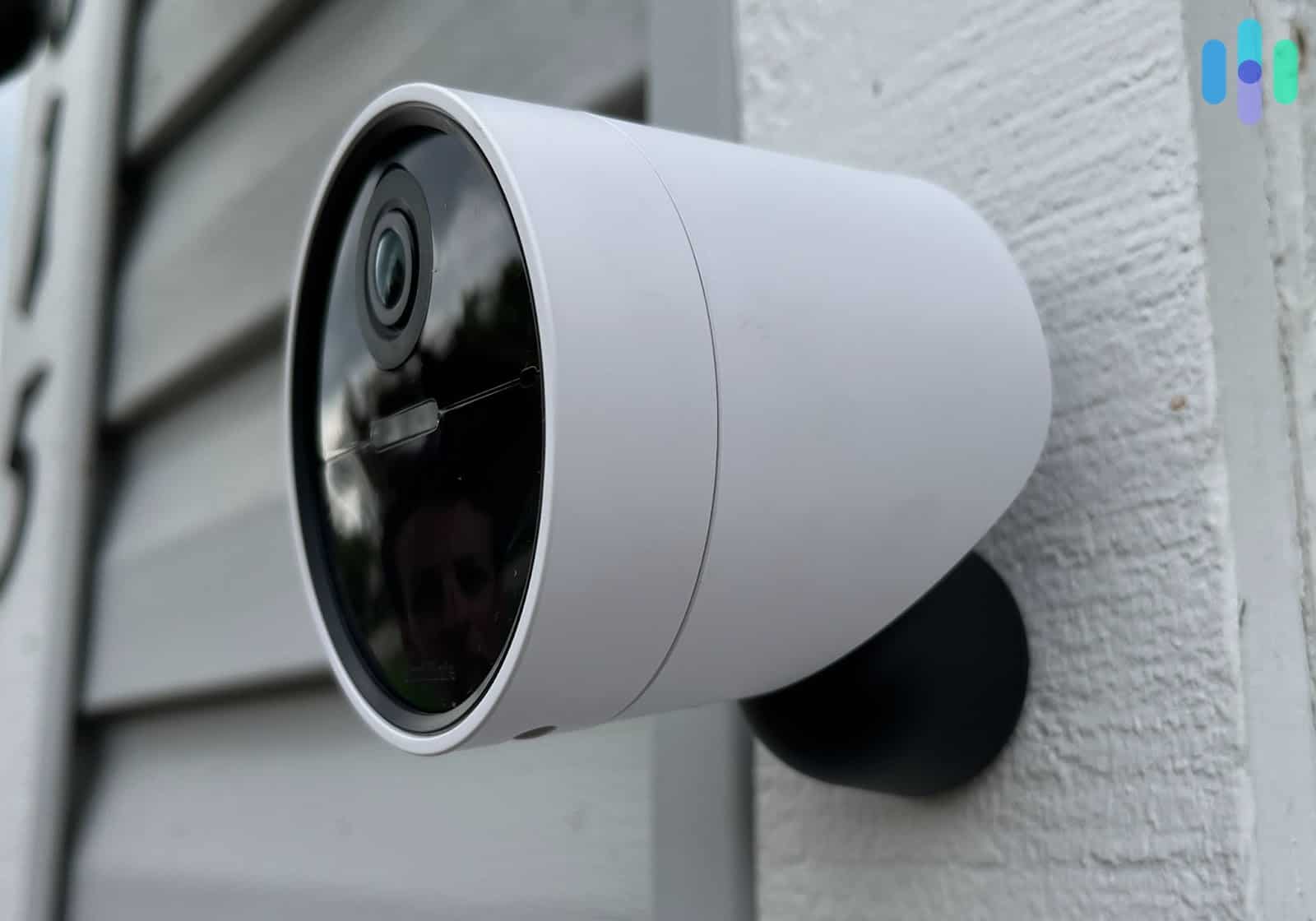
Will the Security Camera Capture Anyone Else?
The legality of security cameras is pretty clear. You have the right to record your private space — and no one else’s. But, when you live in an apartment complex, it can be tough to place security cameras in a spot where you’re the only one they see.
You could always stick to the basics and skip the security cameras. Alternatively, ask your neighbors. They might appreciate the extra security.
Will Installation Damage the Property?
Many apartment-dwellers rent. Because every renter dreads losing their deposit, it helps to go with a peel-and-stick system. That way, you’re not doing anything more damaging than hanging a poster to the wall.
Is Installing a Home Security System Difficult?
Home security systems aren’t all created equal, and some are more difficult to install than others. The security systems on this list are all mostly DIY-friendly, which means they’re designed for average people to set up without assistance.
Generally speaking, the installation process goes like this:
- Download the app. Most modern DIY security providers have a smartphone app for Android and iPhone.
- Set up the hub. Plug it in at a central location, connect it to your home’s Wi-Fi, and pair it with your phone.
- Install the components. Use sticky command strips to affix sensors to walls and thresholds, or small screws if your landlord permits.
- Set up your monitoring. Set up an account and provide payment information if you want professional monitoring.
Start to finish, it shouldn’t take you more than an hour.
Working With Your Landlord
Most landlords will allow you to install a security system, but it’s important to communicate and follow proper procedures.
Obviously, you should check with your landlord or management company to make sure you’re not doing anything that could invalidate your lease. You’ll probably be fine as long as you’re not doing anything that involves:
- Major structural changes (installing hardwired control panels)
- Putting up equipment that would infringe on the privacy of your neighbors (such as an outdoor security camera pointed at a shared courtyard space)
- Drilling into walls without approval
- Modifying door locks without landlord consent
Now, as for protecting your security deposit, the best way is to choose equipment that doesn’t require permanent installation:
- Use adhesive sensors: All our top picks offer peel-and-stick sensors
- Avoid drilling: Choose wireless, battery-powered devices (e.g. security cameras) that sit on shelves or use removable mounts
- Document everything: Take photos before installation in case you need to prove pre-existing conditions
- Keep original hardware: If you change locks (with permission), save the originals to reinstall when you move out
- Remove adhesive carefully: Use a hairdryer to warm adhesive before removal to prevent paint damage
More Ways to Keep Your Apartment Safe
Your safety doesn’t stop with your security system. Here are three important ways to secure your home — even if your home is a 300-square-foot studio.
Move Into a Safe Apartment
The first step starts before you move in. Choose a safe apartment.
Of course, not everyone can afford to live in a high-rise with a doorman. But you don’t need to. Keep these tips in mind instead:
- Avoid the ground floor. It’s easier for an intruder to access.
- Avoid high-crime areas. Check your local police department’s website for crime statistics in the neighborhood you’re considering.
- Inspect thoroughly. Is there a tree nearby that could crash through your window? A neighbor that doesn’t feel right? A rusted old fire escape? Take note when you tour.
Install Better Equipment
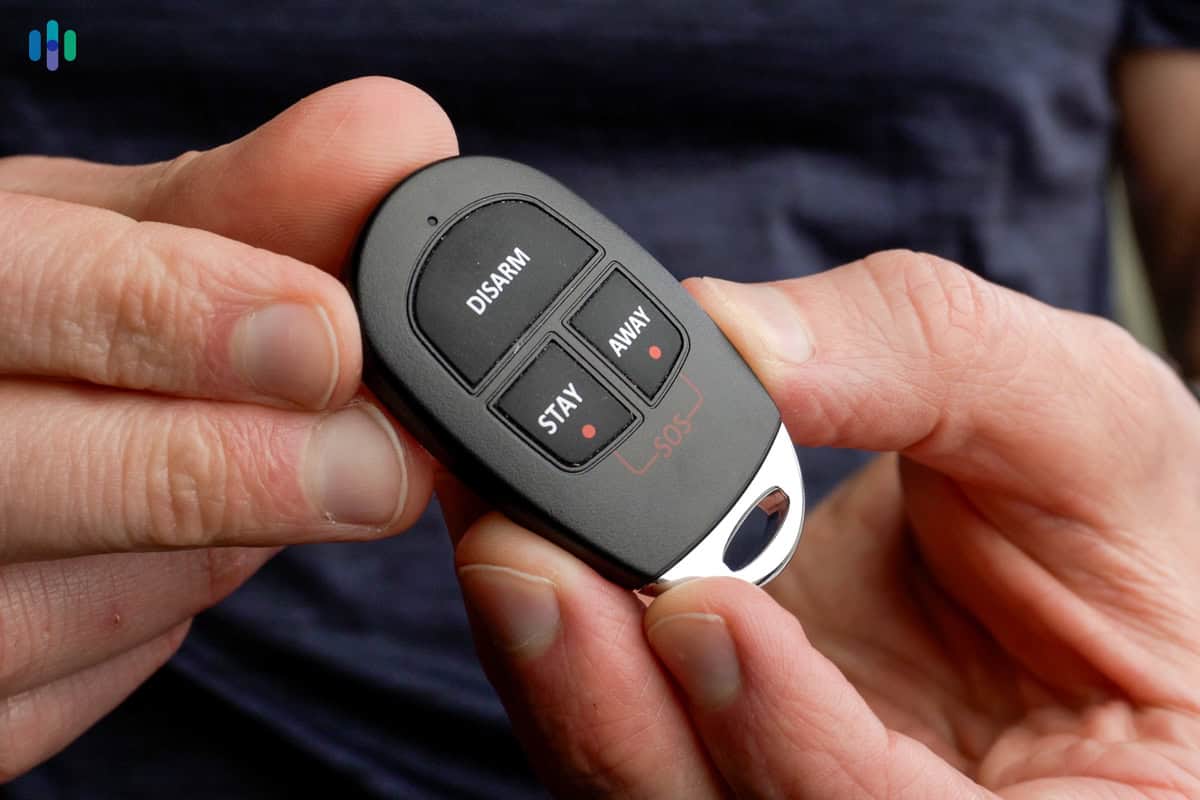
Standard apartment locks often provide minimal security. Consider upgrading to a Grade 1 deadbolt (the highest security rating).3 Also consider reinforcing your door frames with longer screws that reach the wall studs. Smart locks are another good investment, adding convenience while maintaining security. Just remember, always get your landlord’s approval before making permanent changes.
You don’t have to settle for unsafe equipment. If your apartment came with subpar locks, change them. While you’re at it, upgrade your blinds. Keep creeps from peeking in and burglars from breaking in. Just check in with your landlord before changing the locks.
Develop Good Habits
Now that you’ve got those nice, new high-quality blinds and locks, use them. Leaving your blinds open lets every burglar passing by see what you have. Forgetting to lock the door seals the deal — you’re at risk for a break-in.
Pro Tip: Do you often forget to lock your doors? The best smart locks will do it for you. Just set a time for them to auto-lock.
How We Rank Home Security Systems for Apartments & Renters
How We Review Home Security Systems for Apartments
To recommend the best security systems for apartments, we researched over 60 services and tested the top eight ourselves in an apartment setting.
Most of these systems are designed for homes, but we found they make excellent security options for smaller spaces like apartments as well. We tailored our review process accordingly, focusing on factors that are most important for renters (and owners) of apartments, like ease of installation, no-contract options, and of course, price.
How We Rank Home Security Systems for Apartments
While 4K security cameras or outdoor floodlight cameras are great for front yards, you don’t need them to secure an apartment on a budget. Instead, when ranking our top security systems for apartments, we focused on the following three criteria.
- Low cost (40%): Apartments aren’t usually permanent, so you don’t want to blow the bank on a setup you might be tearing down in a year or two. We chose security systems that don’t cost much to get started.
- Low-impact installation (30%): If you don’t own your apartment, you’ll want to avoid drilling holes and any heavy-duty rewiring. The best apartment security systems have low-impact, DIY installations with things like peel-and-stick sensors and tabletop cameras.
- No contract (30%): Long-term, multiyear agreements aren’t a good fit for most renters. Our recommendations for apartment security systems offer no-contract solutions.
The Security.Org Team
We’re a team of security professionals who research and write about all things home and digital security. Together, we’ve written over 1,000 articles and studies, a number of which have been cited in top publications like HuffPost, The New York Times, The Washington Post, and Tech Radar.
- Gene Petrino is a former SWAT Commander and home security expert.
- Corey Birnstengel is a top home security and cybersecurity influencer. He’s installed and reviewed over 200 security cameras.
- Brett Cruz is our resident digital safety expert. He leads our security team in all things VPN and Antivirus.
- Paul Frew is an expert in home security and family safety. He tests and reviews security cameras, doorbell cameras, and home security systems.
- Cort Honey is an engineer with a focus on digital security. He heads our Identity Theft and Data Removal software unit.
Our team milestones:
- 600+ written product reviews and counting
- 450+ video reviews on our YouTube channel
- 100+ research and studies
- 50+ guides on home, personal, and digital safety topics
Recap
Your apartment or rental deserves the same level of protection as any home. Modern security systems have evolved to meet the unique needs of renters and apartment owners. The best options offer tool-free installation, portable designs, and month-to-month contracts that work with your lifestyle.
SimpliSafe’s sensors are built for apartments and rentals, using peel-and-stick adhesives for equipment. You can cancel Ring Protect any time by just tapping a button in the app. Cove systems are budget-friendly, starting at under $100.
Most importantly, these security systems deliver results. You get dependable equipment, smart home compatibility, and professional monitoring, for a fee. Any of these options will help protect your apartment or rental home from intruders or package thieves targeting your deliveries.
FAQs
-
Can I put a home security system in my apartment?
The short answer is yes, but you need to make sure you’re not infringing on the privacy of other residents.
-
Can I take my security system with me when I move?
Most security providers allow you to buy your equipment upfront. If you signed a contract to pay over time, you may need to pay the full amount before you move the equipment to another location.
-
Does professional monitoring work for apartments?
Yes, professional monitoring for apartments works just as well as professional monitoring for a house. We always recommend subscribing to professional monitoring in an apartment too.
-
When I buy a home, can I take my apartment security system with me?
Most security systems let you move them yourself. If it requires professional installation, expect another installation fee for moving though.
-
Will my landlord let me install a security system in my apartment?
Usually, landlords like it when their tenants install security systems as long as it doesn’t require permanent alterations to the apartment. It helps keep the community safe.
-
Can I set up cameras around my rental?
Indoor cameras are almost always fine. Outdoor cameras depend on your living situation—check with your landlord or management company, especially in apartment complexes where privacy of neighbors is a concern.
-
Fox 13 Seattle. (2024). Home burglaries are most likely to happen at these times, security experts warn.
https://www.fox13seattle.com/news/home-burglaries-most-common-times-security-experts -
Capital One Shopping. (2025). Package Theft Statistics.
https://capitaloneshopping.com/research/package-theft-statistics/ -
Federal Bureau of Investigation. (2019). Burglary. ucr.fbi.gov/crime-in-the-u.s/2019/crime-in-the-u.s.-2019/topic-pages/burglary
-
Builders Hardware Manufacturers Association. (2025). Product Grade Levels.
https://buildershardware.com/ANSI-BHMA-Standards/Product-Grade-Levels