

McAfee Safe Connect VPN Review
McAfee is a great antivirus, but does its VPN live up to its promises?
 &
&
 Last Updated on Nov 13, 2025
What We Like
- Highly-rated iOS and Android apps: Although their names are somewhat confusing, actually connecting to McAfee on mobile is as easy as one tap.
- 30-day money-back guarantee: You get a full month to test McAfee Safe Connect risk-free, which should be plenty of time to see if it meets your needs.
- AES-256 encryption: Perhaps the most important thing, the McAfee Safe Connect VPN hid our web activity and IP addresses using the current industry standard for encryption, AES-256.
What We Don't Like
- Based in the U.S: That means that the U.S government could legally force McAfee Safe Connect VPN to give over customer information under Five Eyes jurisdiction.
- Logs IP addresses and web activity: Not to be a Negative Nancy, but McAfee Safe Connect VPN has one of the worst data-logging policies we’ve ever seen.
- Kill switch on Windows only: If McAfee Safe Connect VPN disconnected on our iOS or Android phones, our ISP would have been able to clearly see what we were doing online.
Bottom Line
the security.brief
McAfee Safe Connect VPN has solid encryption, but logs IPs and web activity, lacks macOS app, and is based in the U.S., raising privacy concerns.
Nearly every major security brand offers a VPN, which shouldn’t be unusual. A VPN adds an extra layer of protection by encrypting your connection before threats can even reach you. So rather than just detecting malware once they get to your device, antivirus software that also offers VPNs can help prevent malware from ever reaching you.
Malware is one of the many examples of antivirus software with a VPN. We’ve already tested the McAfee antivirus software; now it’s time for the VPN to take the spotlight. Here’s what we thought when we tested the McAfee VPN – McAfee Safe Connect.
Features
| Apps | Windows, iOS, and Android |
|---|---|
| Kill switch | Windows, but not Android or iOS |
| Split-tunneling | Android only, but not Windows or iOS |
| Multi hop | No |
| IP addresses | Dynamic |

What We Think of McAfee Safe Connect
McAfee Safe Connect works alongside the broader McAfee ecosystem. If you're already using McAfee's Total Protection or LiveSafe bundles, adding the VPN makes sense. You'll have everything under one roof with consistent interfaces and billing. We just don’t think it’s the best standalone VPN. We’ve found some stronger options out there for privacy-focused folks.That said, read on to find out exactly what McAfee Safe Connect offers.



Privacy
When you connect to a VPN, you’re trusting that company with your internet traffic. The service encrypts the data from your ISP, but the VPN can potentially see everything.
A VPN will encrypt your online traffic and hide your IP address, but for you to enjoy internet access, the VPN server to which you’re connected has the encryption keys. That means the VPN server itself, or the VPN company can potentially be the source of a leak if the company lacks appropriate privacy and security measures.
So how does McAfee do in that regard?
Headquarters in the U.S
Quick history lesson. The U.S is a member of Five Eyes, an international alliance of countries that can legally force companies to give their governments customers’ data. This applies to any company headquartered in the U.S, which includes McAfee (they’re based in San Jose, California). Now, this wouldn’t be a huge problem if they barely kept any of our data but, as you’ll read below, this is far from the case.
It’s important to note that the government won’t take your data just because. Government agencies need a valid reason to request a person’s information from a company. They must also follow a legal process, which includes getting a court order. Usually, the government exercises the power to request information for use in court, criminal investigation, or preventing terrorism and threats to national security.
The FBI is probably not interested in your Netflix habits, but the legal framework for data requests exists, and that’s worth considering. Law enforcement agencies send hundreds of thousands of data requests to tech companies every year. That’s why we generally prefer VPN providers based in privacy-friendly jurisdictions like Switzerland or Panama. But if a company has good privacy practices, we’re open to giving it our seal of approval even though it’s based in a high-risk country like the U.S. That brings us to our next topic: Does McAfee have good privacy practices?
Logging Policy
A company won’t have any information to give the government if it doesn’t collect sensitive data in the first place. By ‘sensitive data,’ we mean your original IP address and the websites you visit. If a VPN logs those, anyone with that information will be able to connect the dots and figure out your past online activities. On the other hand, VPNs that don’t log those are called “no-logs” VPNs. Where does McAfee fall?
Unfortunately, McAfee’s privacy policy reads like a data collector’s wishlist. True no-log VPNs only keep minimal operational data. However, McAfee’s policy explicitly states they may collect substantial information about your usage.
On top of that, the privacy policy of McAfee itself states that the company may collect information, including:
- Mailing address
- Phone number
- Username
- Password
- Timestamps of connections
- IP addresses of devices
- Browser type
- Geo-location information
- Information from third parties
Between this extensive data collection and McAfee’s location in a Five Eyes country, this isn’t the VPN we’d recommend to someone looking to protect their privacy. We’d suggest VPNs like Surfshark and NordVPN instead. They have undergone independent audits confirming they don’t log user activity.
More VPN Reviews: If privacy is your main concern, look for VPN providers that have had their no-logs claims audited by third parties. Companies like Deloitte and PwC regularly audit VPN providers to verify their practices.
Security
Privacy aside, McAfee Safe Connect VPN takes a decent amount of effort to encrypt our data and hide it from our ISP, at the very least. So although they keep a ton of our data (and could potentially share it with the U.S government), at the very least their encryption methods are sound.
Encryption Methods
McAfee Safe Connect uses AES-256 encryption, which is the gold standard in the industry. Trying to crack this encryption would take the world’s fastest supercomputer billions of years, so it’s pretty secure. The U.S. government even uses AES-256 to protect classified information.
Kill Switch
A kill switch is a failsafe that shuts down all web browsers in case a VPN fails, and while the Windows McAfee Safe Connect VPN has one, the iOS and Android apps do not. This definitely makes the McAfee Safe Connect VPN a better VPN for Windows users rather than iPhone or Android users.
Multi-Hop
Multi-hop (also known as double VPN) routes your traffic through two or more servers for extra security. McAfee Safe Connect doesn’t offer this feature, which isn’t surprising given its focus on simplicity over advanced privacy features.
Dynamic IP Addresses
On a more positive note, we loved the fact that every time we connected to McAfee Safe Connect VPN, our device’s private IP address was replaced with a totally new and unique one. For a hacker trying to trace our online activity, essentially changing our disguises frequently made that an impossibility, or near.

DNS Leaks
Sure, McAfee claims that with their VPN turned on, our ISP can’t see our domain names, the names of the websites we visit. But we decided to test that out for sure using a website called, plainly, DNSLeakTest.com. The verdict? No leaks, making McAfee Safe Connect VPN pass the bare minimum that we expect from these Virtual Private Networks.
WebRTC Leaks
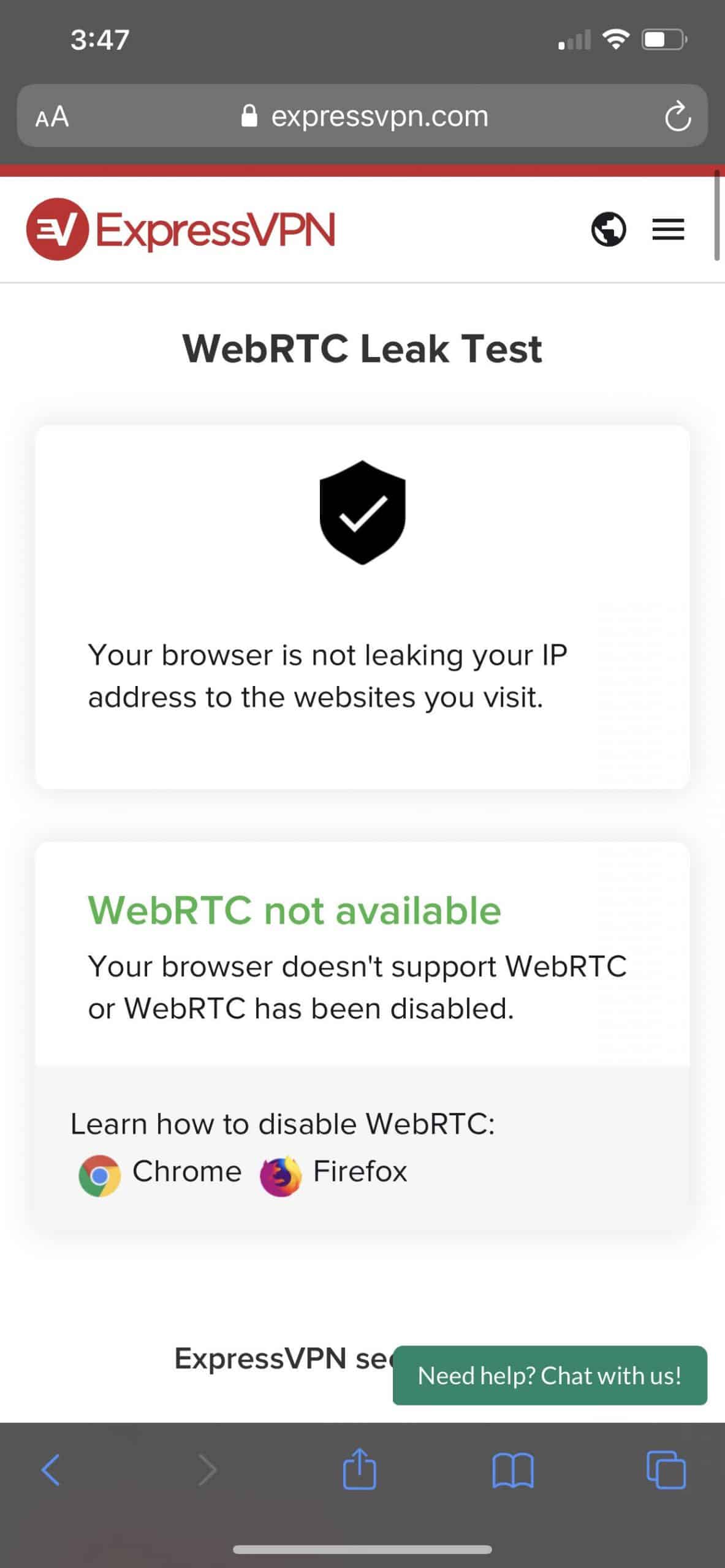
Lastly, we also want to make sure that our private IP address isn’t being leaked as well. We found that out by testing for WebRTC leaks, a technology that lets browsers save bandwidth by communicating directly with each other, which requires knowing the other’s private IP address. WebRTC is enabled by default on Chrome, Firefox, Edge, and Opera browsers. Using a tool from the ExpressVPN website, we found no WebRTC leaks with McAfee Safe Connect VPN connected. Woohoo!
FYI: WebRTC leaks can expose your real IP even when using a VPN. We recommend disabling WebRTC in your browser settings. Alternatively, use browser extensions like WebRTC Leak Prevent for extra protection.
Features
Privacy and security aside, there are a few extra features we like to see in VPNs, but they’re not dealbreakers by any means.
Split Tunneling
When we tested out the McAfee Safe Connect VPN on Android, we could route some of our traffic directly to the public Wi-Fi network to save on bandwidth, a process called split tunneling. This is handy when you want to use a VPN for sensitive activities like banking while allowing other traffic (like news sites) to use your normal connection. Unfortunately, you can only use this feature on Android devices.
>> Related: Compare NordVPN to McAfee
Netflix
We found McAfee’s streaming capability hit and miss. Some days Netflix worked perfectly. Other days we got that dreaded proxy error. In our testing, McAfee worked with Netflix about 40 percent of the time, which isn’t great if you only want a VPN for streaming. However, if streaming Netflix on a VPN is your biggest goal, we recommend one of the best VPNs for Netflix as the most surefire option.
Torrenting
Torrenting, on the other hand, worked with the McAfee Safe Connect VPN much more consistently in our testing. While its privacy issues preclude it from being one of the best VPNs for torrenting, if those aren’t a concern for you, then McAfee Safe Connect VPN can definitely get the job done when it comes to torrenting.
Pricing
McAfee’s pricing structure is simple. The renewal rates might catch you off guard if you’re not reading the fine print.
If you purchase the VPN standalone, you’re looking at $29.99 for the first year (that’s about $2.50 per month). However, the price jumps to $89.99 per year when you renew, which is one of the steepest hikes we’ve seen.
Lastly, if you’re worried about buyer’s remorse, McAfee gives a 30-day money-back guarantee. If the VPN doesn’t work out for you, you can cancel and get your money back within the first 30 days.
Speed
VPNs will always slow down your connection. Your data has to travel further and go through encryption/decryption processes. Some VPNs handle this better than others. Let’s see how McAfee performs.
iPhone 11 Pro Max
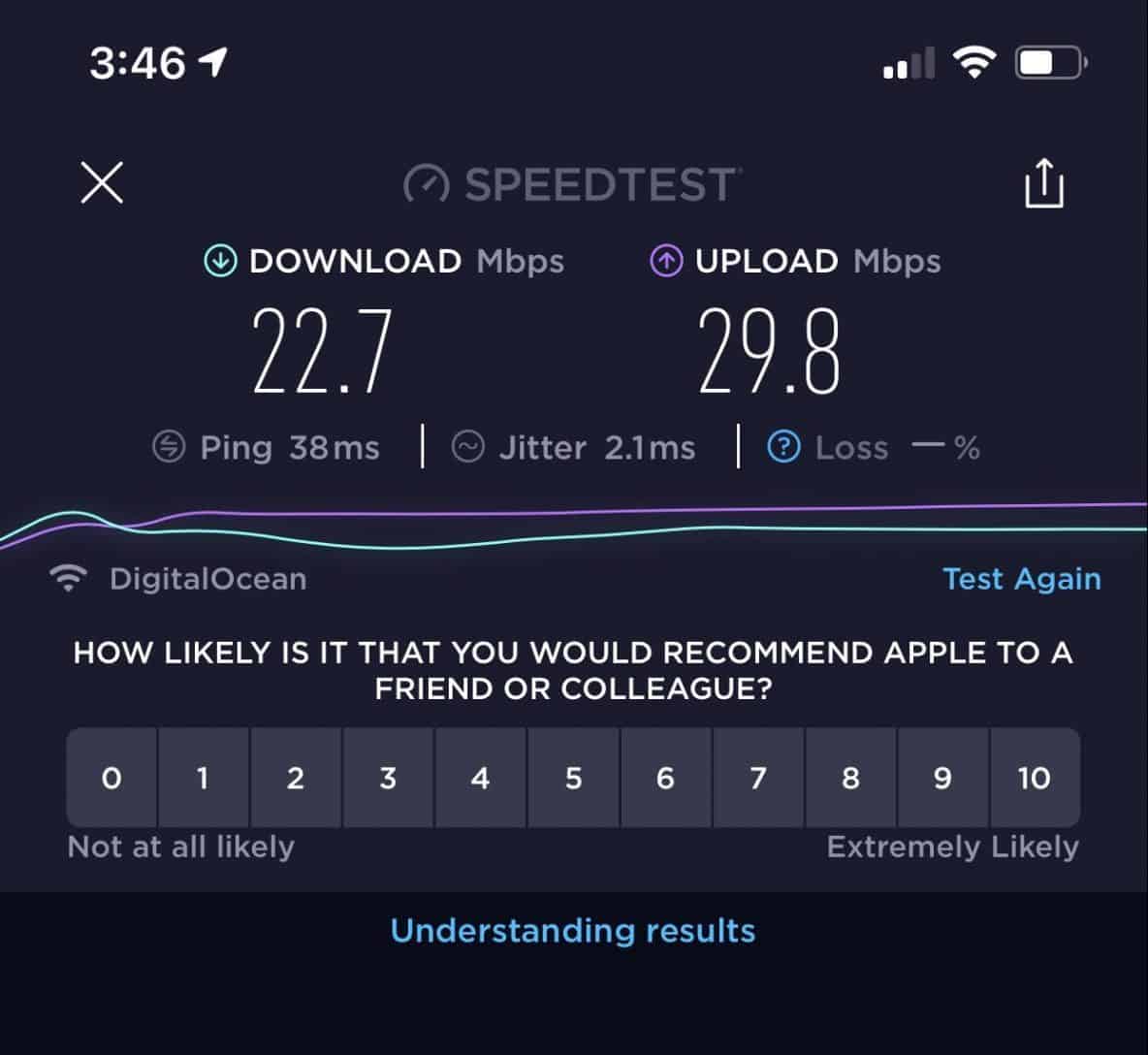
Testing out McAfee Safe Connect VPN on our iPhone, we only saw our upload speed increase by 16 percent and our download speed increase by 23 percent. That would be great, except for the fact that we had 660 percent more latency. Yikes!
Windows 10 Aspire 5
Strangely, we also had a ton of latency on our Windows 10 Aspire 5, 600 percent more, if you can believe it. But when it came to download and upload speed differences, we only had increases of nine and twelve percent, respectively.
In sum? If you’re a gamer and latency is your enemy, stay far away from the McAfee Safe Connect VPN (but also, we recommend doing your own speed tests in the free trial period).
Servers
Although they’re based in the U.S, the McAfee Safe Connect VPN has 2,000 servers in 23 countries. Sure, it’s not the largest VPN network we’ve ever seen, but if you want to connect to a server in any of the following countries, you’re in luck:
- Australia
- Argentina
- Brazil
- Canada
- Denmark
- Finland
- France
- Germany
- India
- Ireland
- Italy
- Japan
- Mexico
- Netherlands
- New Zealand
- Norway
- Romania
- Singapore
- Spain
- Sweden
- Switzerland
- U.K
- U.S.
Note: The McAfee Safe Connect VPN no longer has servers in Hong Kong.
App
Last but certainly not least, let’s talk about McAfee Safe Connect VPN’s mobile applications.
iOS App
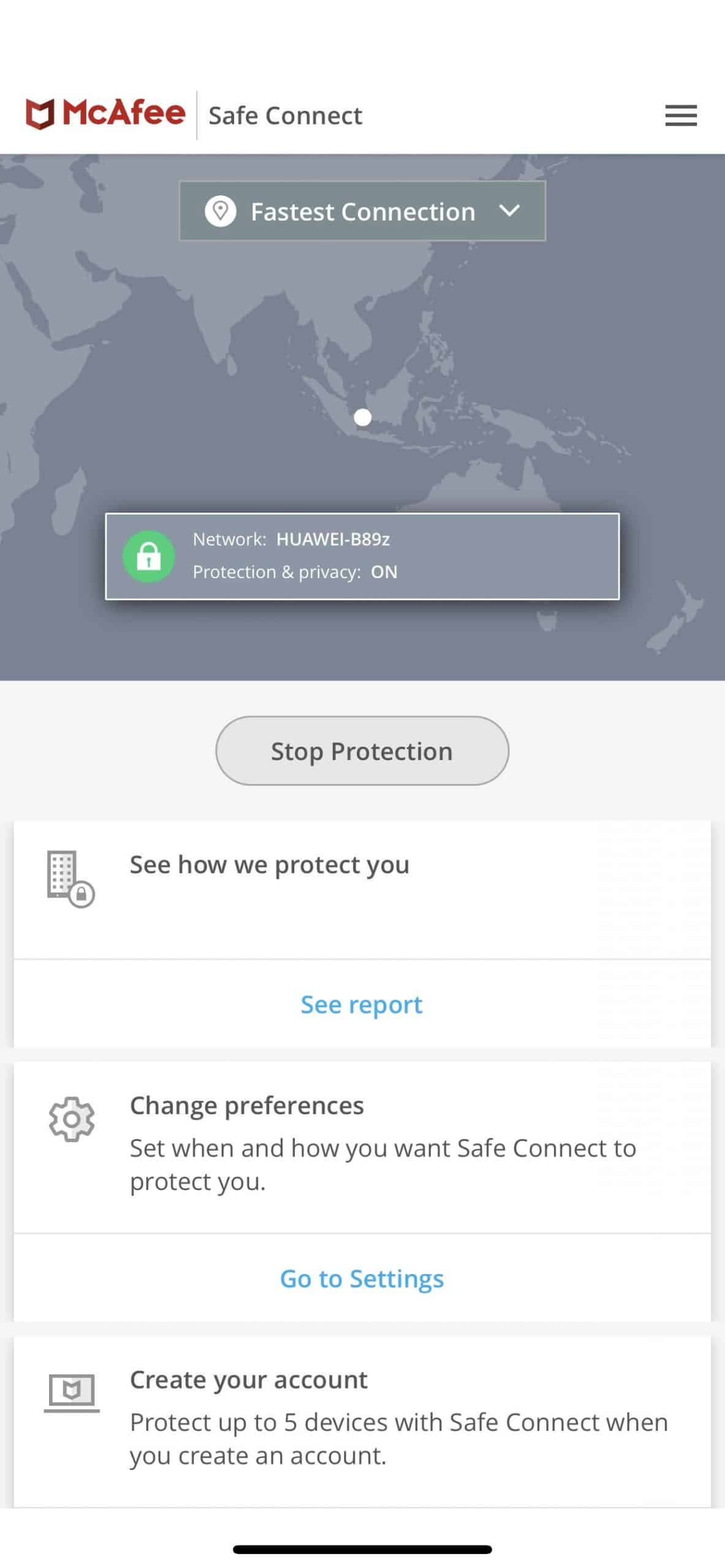
Called the Safe VPN Connect— VPN Proxy, the iOS app has a four-star rating, and we found it really easy to navigate.
Android App
Also user-friendly, the Android Safe Connect VPN: Proxy Wi-Fi Hotspot, Secure VPN, is a great choice for Android-users (despite its long name).
While McAfee Safe Connect VPN lacks a macOS app, iPhone and Android-users should have no issues getting it up and running on their phones and tablets.
Our McAfee Safe Connect VPN Research and Data
The following is the data and research conducted for this review by our industry-experts. Learn More.
Encryption
| In Transit | Yes |
|---|---|
| At rest? | Yes |
| All network communications and capabilities? | Yes |
Security Updates
| Automatic, regular software/ firmware updates? | No |
|---|---|
| Product available to use during updates? | No |
Passwords
| Mandatory password? | Yes |
|---|---|
| Two-Factor authentication? | Yes |
| Multi-Factor authentication? | Yes |
Vulnerability Management
| Point of contact for reporting vulnerabilities? | psirt@mcafee.com |
|---|---|
| Bug bounty program? | No |
Privacy Policy
| Link | https://www.mcafee.com/en-us/consumer-support/policy/legal.html |
|---|---|
| Specific to device? | No |
| Readable? | Yes |
| What data they log | Name, email address, mailing address, phone number, payment information, account credentials, products purchased, interests, demographic information, photographs and videos, biometric data like fingerprints or voice prints, social media login information, information of products looked at or searched for, IP address, devices, applications, networks, cookie identifiers, mobile carrier, Bluetooth device IDs, mobile device ID, mobile advertising identifiers, Internet browser type and language, geo-location information, operating system, Internet service provider, when you use products, crash logs and network usage. |
| What data they don’t log | n/a |
| Can you delete your data? | Yes, for California residents |
| Third-party sharing policies | Shares information with third-parties |
Surveillance
| Log camera device/ app footage | Yes |
|---|---|
| Log microphone device/ app | Yes |
| Location tracking device/ app | Yes |
Parental Controls
| Are there parental controls? | No |
|---|
Company History
| Any security breaches/ surveillance issues in past? | No |
|---|---|
| Did they do anything to fix it? | n/a |
Additional Security Features
| Anything like privacy shutters, privacy zones, etc.? | n/a |
|---|
Summary
Clearly, the McAfee Safe Connect VPN is not without its issues, so it’s not for everyone. However, some people may be looking for different things from their VPN, so we broke down who we think it would be good for below.
Get McAfee Safe Connect VPN if you want:
- Easy to use apps for iOS, Android, and Windows
- Torrenting access
- Free week-long trial
- Dynamic IP addresses
But avoid McAfee Safe Connect VPN if you want:
- App for macOS
- No logging of IP addresses and web activity
- Non Five Eyes-member
- Low latency on iOS and Windows
If you’re a Mac-user, a good place for you to start would be our list of the best VPNs for Mac. Or, if you want to take it back to basics, read our VPN guide to see what to look for.
FAQ
Below you'll find our answers to some of the most common questions we've heard about McAfee Safe Connect.
-
Is the McAfee Safe Connect good?
The McAfee Safe Connect is good for those who want an easy to use VPN with dynamic IP addresses, access to torrenting, and a seven-day free trial. On top of that, McAfee is one of the most established digital security companies, so with their backing, you can rest assured that the McAfee Safe Connect is a good choice for a VPN.
-
Is the McAfee Safe Connect VPN safe to use?
The McAfee Safe Connect VPN is safe to use thanks to its 256-bit AES encryption. 256-bit AES encryption is the industry standard for VPNs, which ensures that your internet traffic and IP address stays hidden from your ISP. However, while the McAfee Safe Connect hides your browsing data from your ISP, McAfee keeps some data for itself, including:
- Mailing addresses
- Phone numbers
- Usernames
- Passwords
- Timestamps of connections
- IP addresses of devices
- Browser types
- Geo-location information
- The pages you visit before and after using the VPN
- The URLs and domain names of the websites you visit while on the VPN
- Information from third parties
On top of that, McAfee’s headquarters is in the U.S., making it under the jurisdiction of the Five Eyes, Nine Eyes, and 14 Eyes alliance. That means the government can force McAfee to hand over any data it has on customers. Overall, it’s safe to use but not ideal for privacy.
-
Is the McAfee Safe Connect free?
The McAfee Safe Connect is free for seven days. After the week-long free trial, however, you’ll need to get a subscription to continue using the VPN. Monthly subscriptions start at $7.99, but you can get a yearly subscription for $19.99 or roughly $1.67 per month in the first year.
-
How much does the McAfee Safe Connect VPN cost?
McAfee VPN costs $7.99 per month. However, McAfee offers annual plans with monthly rates as low as $1.67. If you choose the annual plan, McAfee will bill you $19.99 on the first year and $47.99 on the second and subsequent years.

-
McAfee. (2020). About McAfee.
mcafee.com/enterprise/en-us/about.html -
Hashed Out. (2019). How strong is 256-bit Encryption?
thesslstore.com/blog/what-is-256-bit-encryption/