
Best VPNs for Chrome in 2026
With AES-256 encryption, fast speeds, and a no-log policy, NordVPN is our top choice for Chrome users.
 &
&
 Last Updated on Sep 01, 2026

- Chrome version includes AES-256 encryption for top-tier security
- Fast speeds when using the Chrome browser
- Company doesn’t log your online activity when you’re using Chrome
- Easy VPN setup on Chrome
- Chrome version includes features like split-tunneling, a kill switch, and a strict privacy policy
- Works with Chromecast in addition to the Chrome browser
- Provides enhanced privacy via an audited no-logs policy and Secure Core servers
- User-friendly Chrome extension that includes a quick-connect feature
- Delivers very fast speeds, and works with over 90 streaming platforms
the security.brief
NordVPN tops our Chrome VPN list for 2026 with AES-256 encryption, fast speeds, and a strict no-log policy.
We personally love Chrome; it’s fast, stable, and easy to use. But we must admit that it’s not inherently secure. To shore up your personal digital security while browsing, we think a VPN is worth the investment. A VPN encrypts your internet traffic so onlookers can’t see what you’re doing online. That’s useful for privacy, sure, but also handy for things like streaming Netflix from other countries or booking cheaper flights. And no, Incognito mode isn’t the same as a VPN — that’s a common misconception.
A standalone VPN protects all traffic on your device regardless of browser, but many providers also offer dedicated Chrome extensions for quick, in-browser control. If Chrome isn’t your primary browser, we’ve also rounded up the best Firefox VPNs and Safari VPNs. And if you’re realizing you want something browser-agnostic, head over to our list of the best all-around VPN services.
If you’re still reading, you’re in the right place — let’s get into what makes a great Chrome VPN.
Features to Look for in a VPN for Chrome
| Chrome extension | This one’s a no-brainer. If you’re looking for a VPN specifically for your Chrome browser, the provider needs to offer a Chrome extension. |
|---|---|
| Kill switch | A kill switch is a security feature that will disable your internet connection if your VPN fails. It’s important if you’re serious about keeping your data private. |
| Strong encryption and data protection | We recommend buying a VPN that encrypts your data using AES 256-bit encryption, and preferably one that uses RAM-only servers, which erase themselves whenever they’re shut down. In the absence of that feature, look for a strict no-log policy that has been verified by third-party auditors. |
| Speed | If you’re using a VPN, you’ll probably notice slight decreases in your computer’s performance. That’s just a fact of life. We always recommend the fastest VPNs, so the slowdowns aren’t too noticeable. |
| Extra features | We know you’re looking for a VPN that offers a Chrome extension, but since you’ll likely be signing up for a full-service provider anyway, why not get one that offers features such as additional security and streaming optimizations? |
Before we get on to our list, we want to reiterate that a Chrome extension is only a proxy service for traffic going through a particular browser. To encrypt and protect everything and to have access to advanced security features, you’ll want to pay for and download the VPN service. We’ll give you information on both here, so you’ll get the full picture.
With that, let’s talk VPNs with Chrome extensions.
The Best VPNs for Chrome
- NordVPN - Best encryption
- Surfshark - Best for torrenting
- Proton VPN - Best for privacy
- Private Internet Access - Best user experience
- ExpressVPN - Best rotating IPs
- CyberGhost VPN - Best free Chrome Extension
Comparison of the Best VPNs for Chrome
| System |
NordVPN
|
Surfshark
|
Proton VPN
|
Private Internet Access

|
ExpressVPN

|
CyberGhost VPN
|
|---|---|---|---|---|---|---|
| Ranking | 1st | 2nd | 3rd | 4th | 5th | 6th |
| Ratings | 9.7/10 | 9.5/10 | 9.3/10 | 9.4/10 | 9.1/10 | 8.9/10 |
| Minimum Monthly Cost | $3.49 | $2.49 | $4.49 | $2.19 | $8.32 | $2.19 |
| Subscription Length | 1 to 24 months | 1 to 24 months | 1 to 24 months | 1 to 36 months | 1 to 12 months | 1 to 24 months |
| Split Tunneling | No | Yes | Yes | Yes | Yes | No |
| Streaming | Yes | Yes | Yes | Sometimes | Yes | Yes |
| P2P Support | Yes | Yes | Yes | Yes | Yes | Yes |
| Five Eyes, Nine Eyes and 14 Eyes Member | No | No | No | Yes | No | No |
| Read Review | NordVPN Review | Surfshark Review | Proton VPN Review | Private Internet Access Review | ExpressVPN Review | CyberGhost VPN Review |
A Detailed List of the Best Chrome VPNs
-
1. NordVPN - Best Encryption
Get NordVPN Links to NordVPN
Product Specs
Server locations 137 countries Average Speed Loss 6% download & 4% upload Apps Windows, MacOS, Linux, Android, iOS, Chrome, Firefox, Edge, Android TV, tvOS Best Monthly Rate $3.49/mo with a 2-year plan Money-Back Guarantee 30 days full refund
What We Like
- Best-in-class AES-256 encryption on its Chrome extension
- Scam and phishing protection blocks ads and malicious links directly in Chrome
- 9,300+ servers in 137 countries for flexible geo-unblocking
- Consistently bypasses Netflix geo-restrictions across multiple regional libraries
What We Don’t Like
- Chrome extension only protects browser traffic, not the full device
- No split tunneling on the Chrome extension
- Kill switch unavailable in the Chrome extension (full app only)

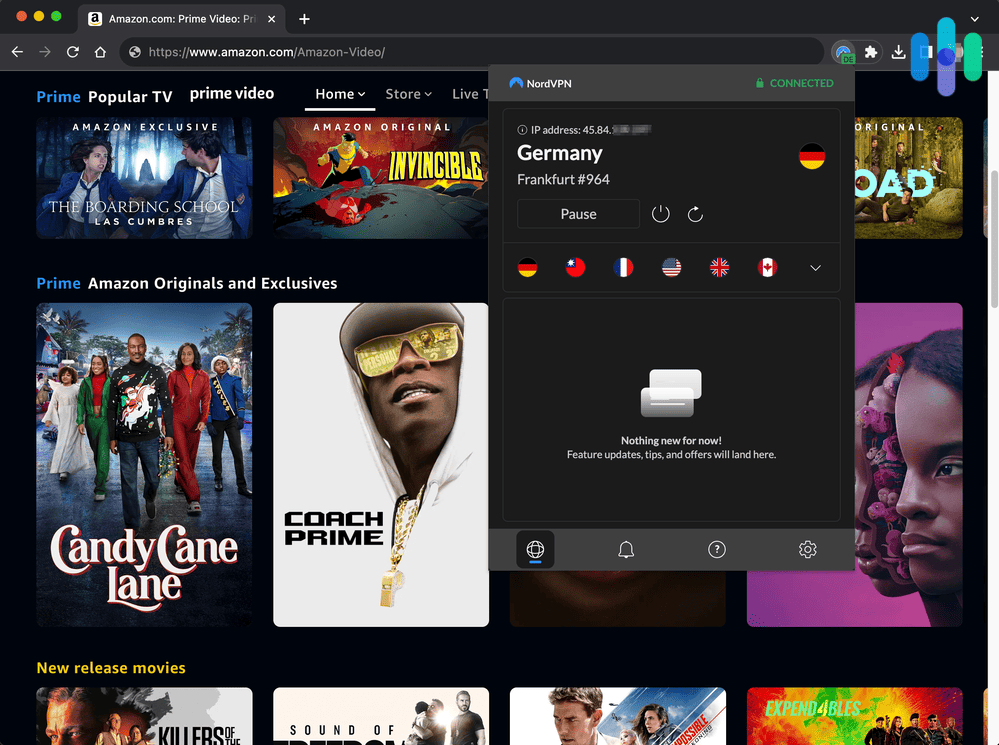
Testing the NordVPN Chrome App on Prime Video Chrome Extension
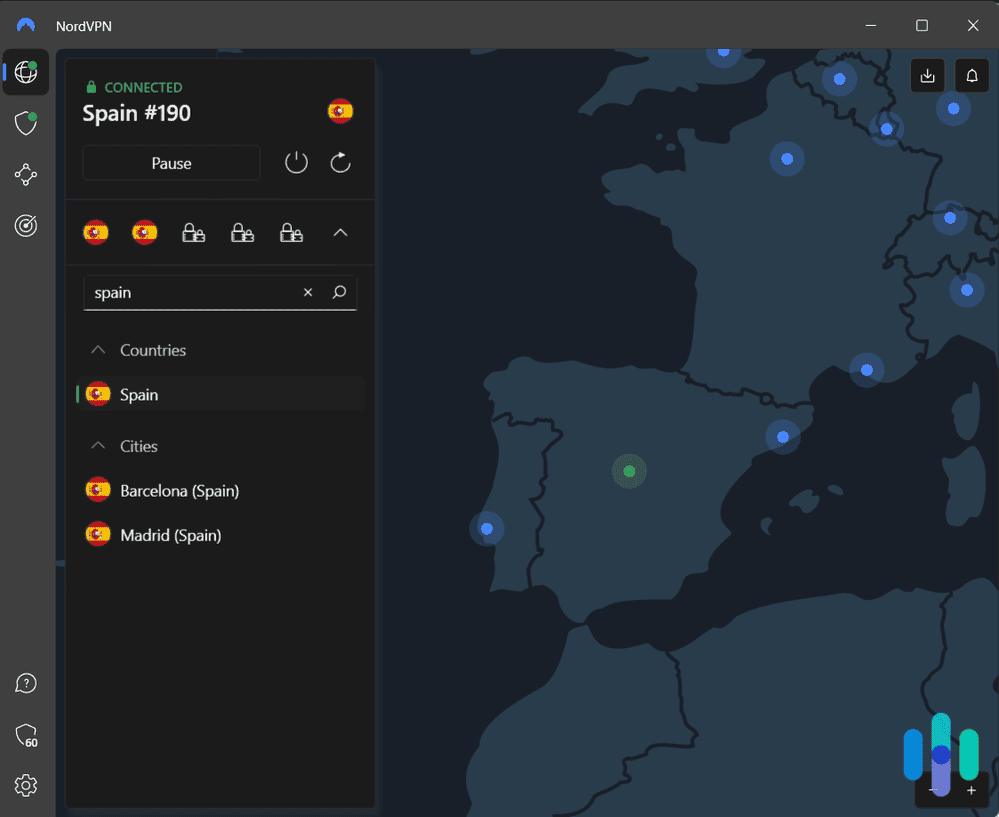
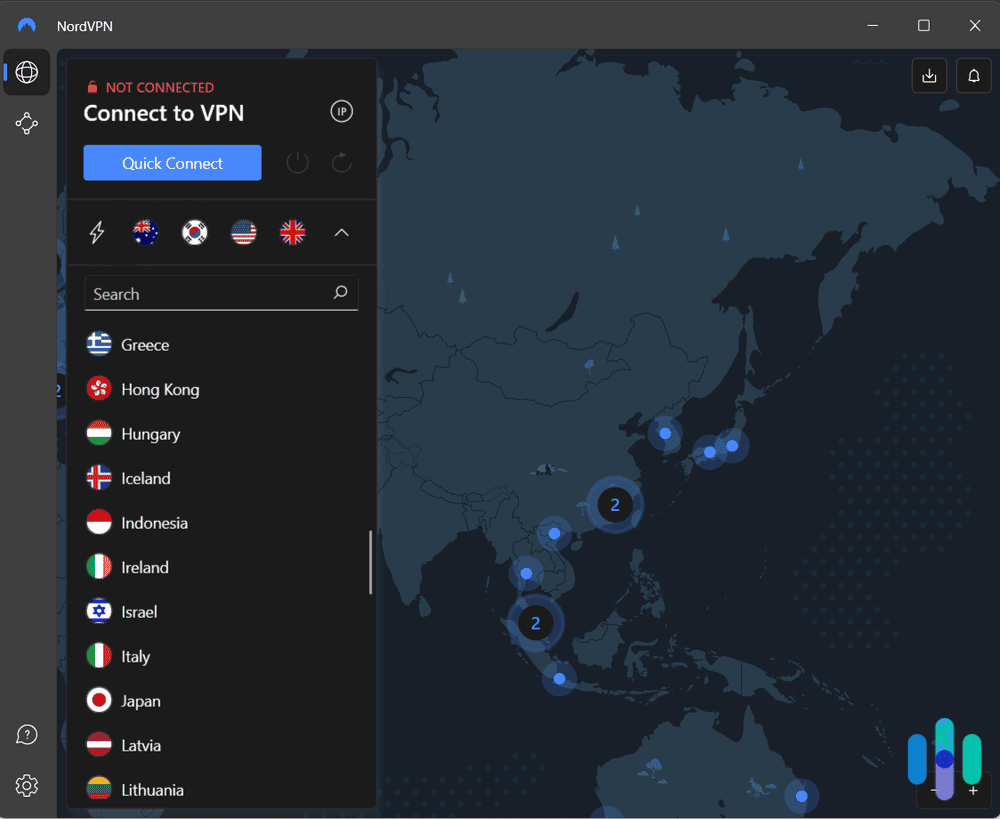
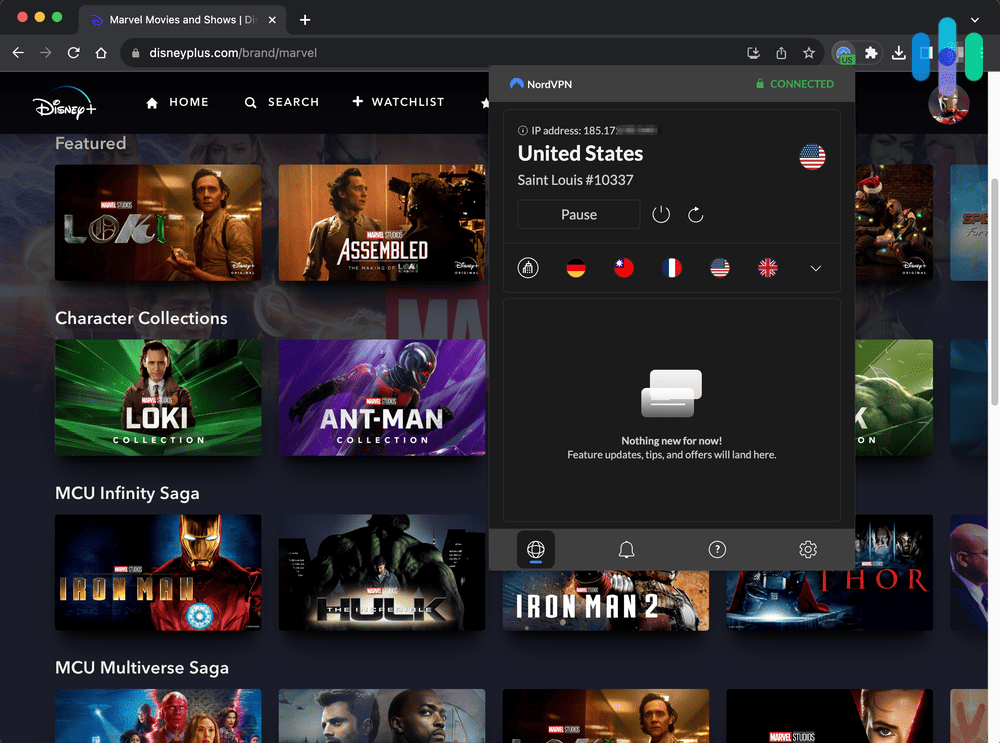
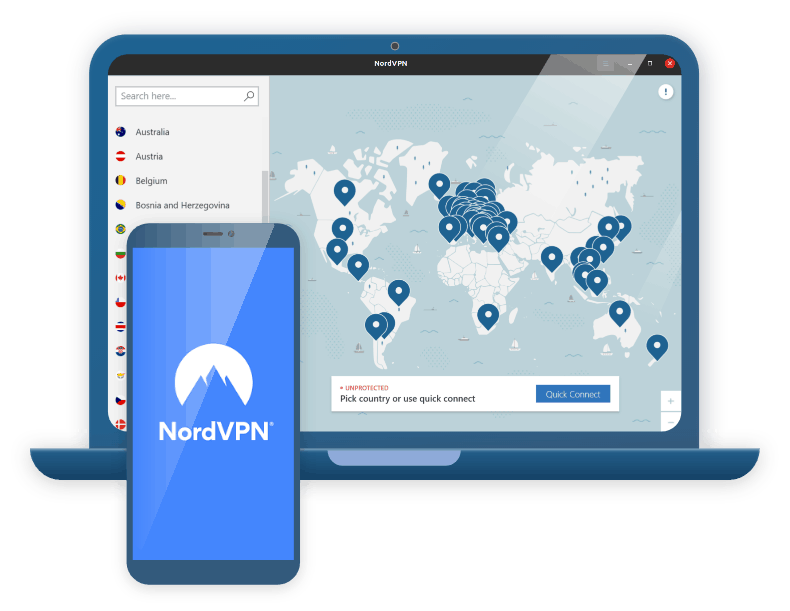
The NordVPN extension for Chrome is a VPN proxy that will help you secure and anonymize your browser data, but it also comes with a few extra features, including scam and phishing protection, which will automatically block ads and dangerous links. Like every extension on our list, it’s easy to download and set up from the Chrome store.
Soon, there could be more great Nord extensions to choose from. In 2023, Nord announced Sonar, an AI-powered browser extension that will help detect and protect users from phishing attacks in their inboxes.1 It’s still in beta testing, but we’ll be sure to review it once it’s released to everyone.
Stand-Out Features
The NordVPN Chrome extension goes beyond basic IP masking. It includes scam and phishing protection, which automatically blocks ads, trackers, and dangerous links while you browse. Like every extension on our list, it’s easy to install directly from the Chrome Web Store.
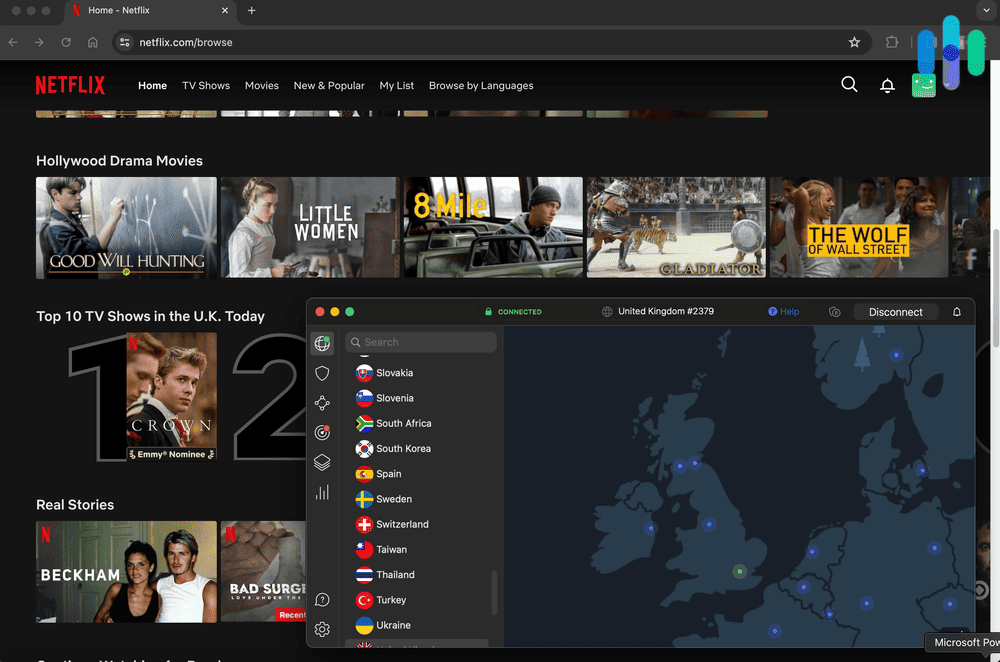
With 9,300+ servers across 137 countries, NordVPN gives you granular control over where your traffic appears to originate.When we tested it, we connected through a European server and pulled up an entirely different Netflix library — including the British version, which carries the American run of The Office (but not vice versa, oddly enough). It also helped us get a U.S. IP address while traveling abroad to catch live sports back home. We’ve also put together a list of the best VPNs for streaming ESPN+ if that’s relevant to you.
Nord’s obfuscation feature is worth calling out specifically for Chrome users. Streaming platforms and ISPs actively block known VPN traffic, but with obfuscation enabled, NordVPN masks the fact that you’re using a VPN at all. In our testing across South America and Europe, we accessed our usual Netflix library without issue, even though the platform is notorious for detecting and blocking VPN connections.
>> Read About: What Is a Static IP Address?
Speed
We tested NordVPN inside and out, and we didn’t notice any significant slowdowns — and that’s true of the Chrome extension as well. In our trials, we noticed only a 33 percent connectivity degradation on average, which is certainly not enough to outweigh the security benefits of using NordVPN.
Price
NordVPN costs are pretty much on par with the industry average of $5 to $10. We always recommend taking advantage of longer contract terms so you can drive your overall price down. Here’s a breakdown of NordVPN’s complete prices:
NordVPN Price Breakdown
Nord plan Basic Complete Prime Month-to-month $14.99 per month $19.99 per month $29.99 per month 1-year plan $5.49 per month $6.49 per month $9.49 per month 2-year plan $3.49 per month $4.49 per month $7.49 per month -
2. Surfshark - Best for Torrenting
Get Surfshark VPN Links to Surfshark.com
Product Specs
Server locations 100 countries countries Average Speed Loss 8% download & 50% upload Apps Windows, MacOS, Linux, Android, iOS, Chrome, Firefox, Edge, tvOS, Android TV, Fire TV Best Monthly Rate $2.49/mo with a 2-year plan Money-Back Guarantee 30 days full refund
What We Like
- Chrome extension blocks cookies, pop-up ads, and trackers beyond Chrome’s built-in protections
- 100% RAM-only server infrastructure, so no data persists after a server reset
- Unlimited devices per subscription
- One of the lowest prices on our list
What We Don’t Like
- Chrome extension is a proxy only and doesn’t protect traffic outside the browser
- 4,500 servers across 100 countries, fewer than NordVPN and PIA
- Multihop feature noticeably slows speeds when streaming or downloading large files

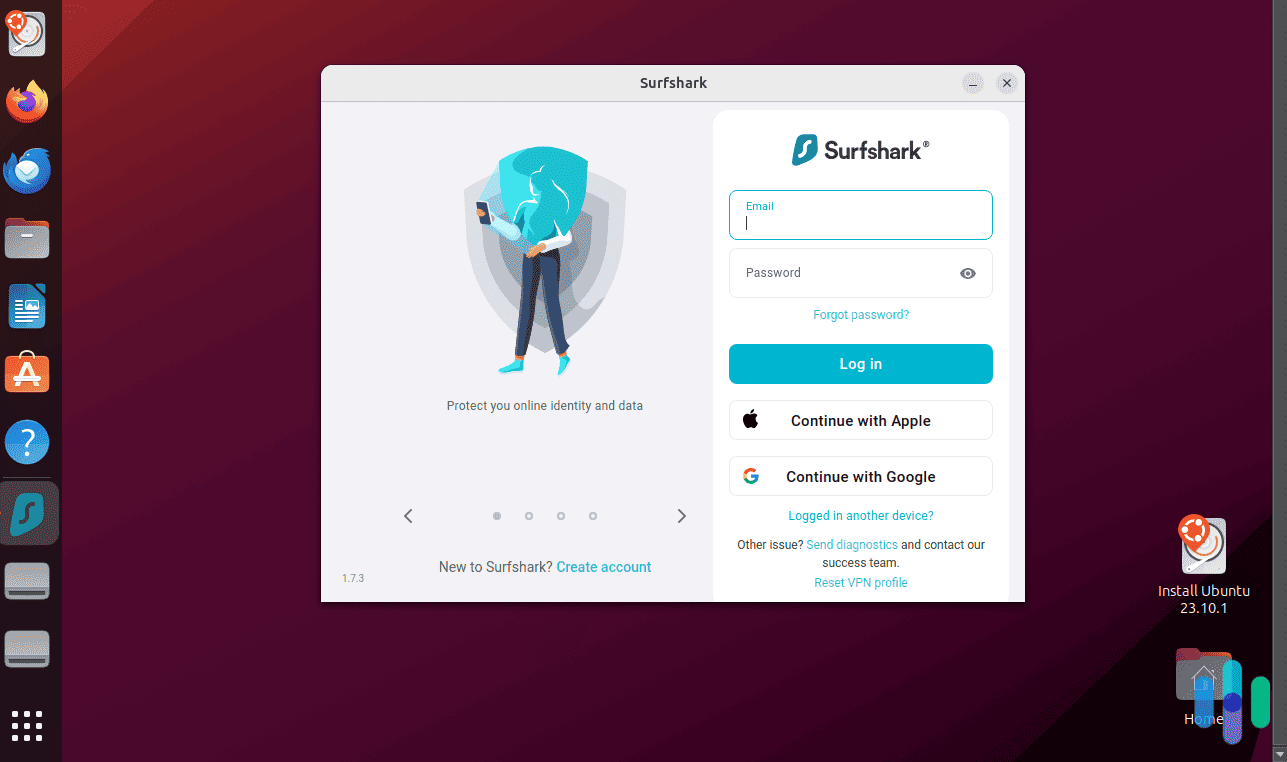
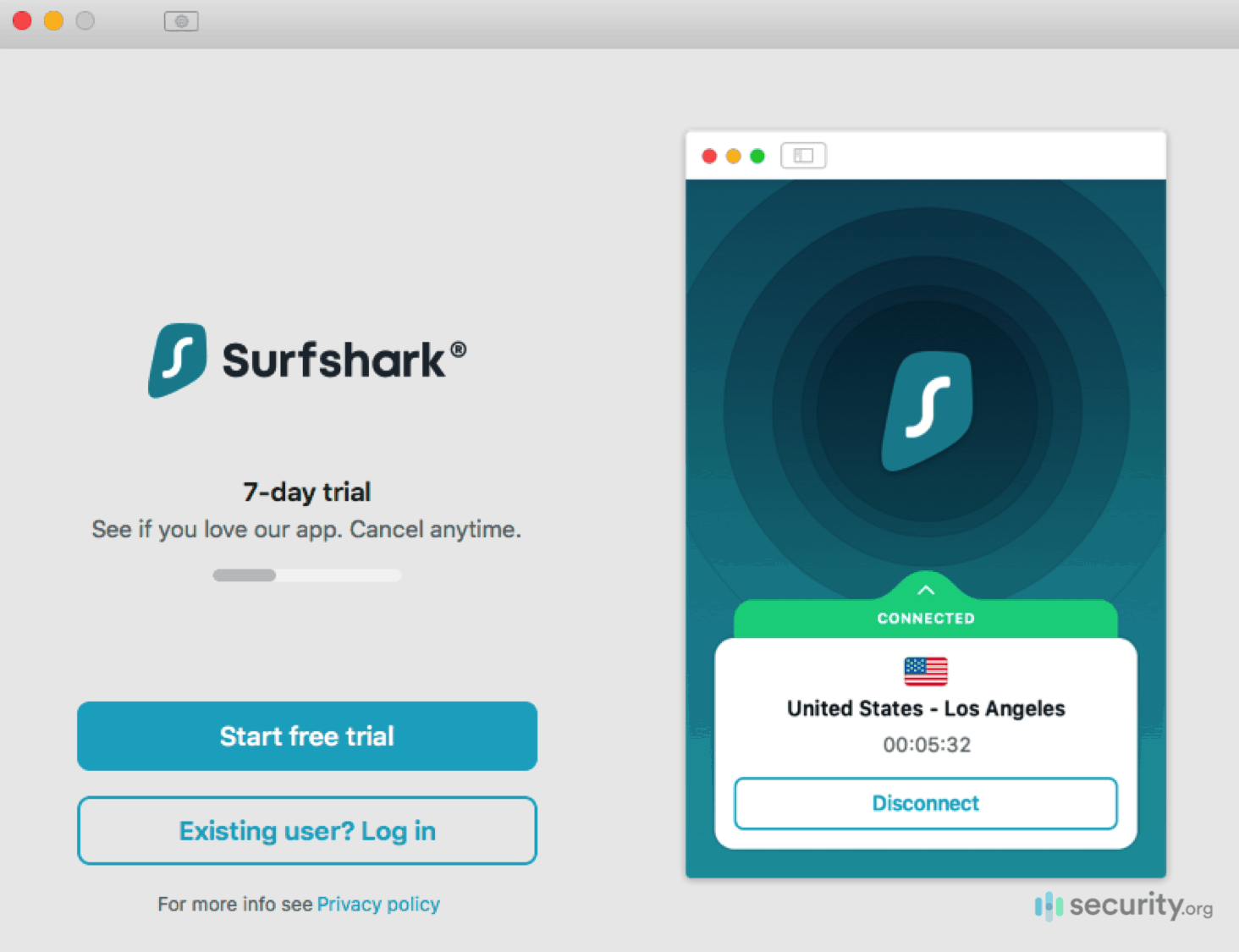
Surfshark app login page. Chrome Extension
Like the others on this list, Surfshark’s Chrome extension is a VPN proxy that makes it harder to track your digital comings and goings. It also goes the extra mile by blocking cookies, pop-up ads, and trackers that may slip through Chrome’s protections.
Stand-Out Features
Like NordVPN, Surfshark’s Chrome extension actively cleans up your browsing experience by blocking cookies, pop-up ads, and trackers that Chrome’s built-in protections often miss. Full disclosure, though: We saw the same feature from the full Surfshark app via the CleanWeb feature, so using the full app gives the same effect. What actually separates Surfshark from most VPNs on this list is its unlimited device policy. Whether you’re using multiple browsers or multiple devices, one Surfshark subscription is all you’ll need.
For Chrome users who want an added layer of anonymity, we also recommend Surfshark’s multihop feature. It routes your traffic through two VPN servers instead of one. It’s not something you’d run all the time — we noticed steep speed drops during streaming and large downloads — but it’s a useful option for high-stakes browsing when privacy matters more than performance. Surfshark also made our list of the best VPNs for torrenting and the best VPNs for Brave Browser.
Security
Surfshark is one of the few VPN providers that has undergone a full independent audit from the cybersecurity experts at Cure53, and it passed with flying colors. Whatever you’re doing online stays with you. Surfshark also recently updated its infrastructure to be 100 percent RAM-only, which means even if the company wanted to collect your data, there would be no data to collect. RAM requires power to store data, which means whenever a server resets, everything on it is irretrievably gone.
To make things even more secure, you can use Surfshark’s multihop feature, which essentially runs your data through the VPN network twice for added protection. Just be careful: When we tested Surfshark, we found that our connection started to feel a little sluggish when we were using multihop, particularly when we were streaming video or downloading large files.
Speed
Surfshark’s state-of-the-art server infrastructure makes it one of the most secure VPNs, but it also makes it one of the speediest. Most of its servers are capable of 10 Gbps, and many can handle 20. When we put it to the test, we could barely tell we were running a VPN. We averaged around a 30 percent download speed slowdown on a Mac and a 17 percent slowdown on a Windows device.
Price
Surfshark costs $2.49 per month for a two-year term or $10.99 month-to-month. That’s not half bad, considering the industry average is around $10. Here’s a quick breakdown of what Surfshark prices look like.
Surfshark Price Breakdown
Plan Surfshark Starter Surfshark One Surfshark One+ Month-to-Month $15.45 $15.95 $17.95 Annual plan (paid monthly) $2.49 $4.09 $6.49 -
3. Proton VPN - Best for Privacy
 View Plans Links to Proton VPN
Product Specs
Server locations 129 countries countries Average Speed Loss 8% download & 4% upload Apps Windows, MacOS, Linux, Android, iOS, Chrome, Firefox, Android TV, tvOS, Firestick Best Monthly Rate $2.99/mo with a 2-year plan Money-Back Guarantee 30 days
What We Like
- Has a Chrome extension that’s very intuitive and easy to navigate
- Delivers high-end privacy via Secure Core servers
- Compatible with over 90 streaming services
What We Don’t Like
- The Chrome extension doesn’t include ad-blocking
- There’s a 30-day money-back guarantee, but it’s prorated
Chrome Extension

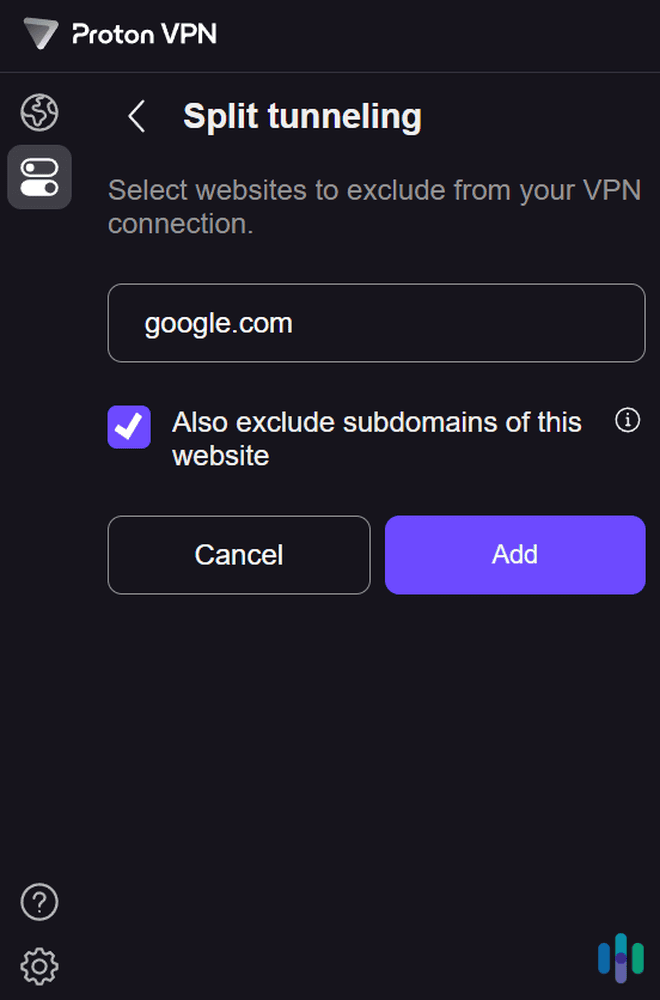
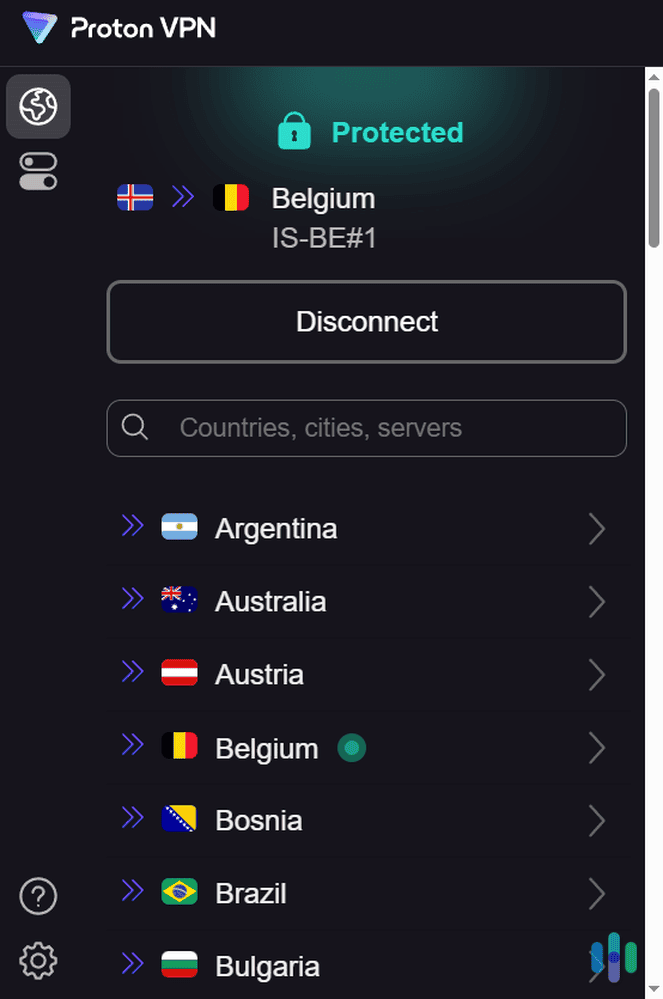
Proton VPN’s Chrome extension lets you split-tunnel websites. Proton VPN’s Chrome extension is very intuitive and easy to use. It includes a quick-connect feature that automatically picks the fastest server. There’s also a search bar for instant access to specific server locations.
The VPN’s Chrome extension also supports split-tunneling, allowing you to exclude certain sites from the VPN connection. In our tests, we used it to bypass our bank’s site (which normally blocks VPN IPs), and it worked seamlessly.
Stand-Out Features

Secure Core servers add an extra layer of encryption, and route your data through a server in a privacy-friendly location. Proton VPN’s Chrome extension is one of the more thoughtfully built options on our list. It includes a quick-connect feature that automatically picks the fastest server, a search bar for instant access to specific locations, and split tunneling that lets you exclude certain sites from the VPN connection. In our tests, we used split tunneling to bypass our bank’s site, which typically blocks VPN IPs, and it worked without a hitch.
Where Proton VPN stands out for privacy-conscious Chrome users is its Secure Core architecture. Rather than routing your traffic through a single server, Secure Core passes it through an additional VPN server in a privacy-friendly country before it reaches the open internet. That adds a meaningful layer of protection against network-level surveillance. Proton also enforces a strict no-logs policy that’s been independently audited, and it supports over 90 streaming platforms. In our tests, it worked reliably with Netflix, BBC iPlayer, Max, Disney+, and YouTube TV. For a deeper comparison with our top pick, check out Proton VPN vs. NordVPN.
FYI: Proton VPN also has apps for Windows, macOS, Linux, iOS, Android, and smart TVs. All apps are open-source and audited, support Secure Core servers, and include protection against ads, trackers, and malicious sites.
Speed
Proton VPN is one of the fastest VPNs in 2026, closely rivaling NordVPN. In our latest speed tests, it reduced both download and upload speeds by no more than eight percent. We streamed HD videos without buffering, held lag-free Zoom calls, and didn’t wait more than two seconds for sites to load.
Proton VPN’s impressive performance is due to its huge VPN server network: 13,000+ servers in 117 countries. It also supports WireGuard, a protocol known for its fast speeds and reliability.
>> Find Out More: Proton VPN vs. NordVPN
Price
Proton VPN has one of the best free plans in 2026. It offers unlimited data, fast speeds, and strong privacy and security. We recommend using the free version to test Proton VPN risk-free.
It also has two paid tiers: “VPN Plus” and “Proton Unlimited.” “VPN Plus” includes all core VPN features, while “Proton Unlimited” adds extra privacy tools, like Proton Pass and Proton Mail. All plans come with a 30-day money-back guarantee, but it’s prorated — you’ll only get a refund for the unused portion of the subscription.
Proton VPN Subscription “VPN Plus” “Proton Unlimited” 1-Month Plan $9.99/month $12.99/month 1-Year Plan $4.99/month $9.99/month 2-Year Plan $4.49/month $7.99/month -
4. Private Internet Access - Best User Experience
 View Plans Links to Private Internet Access
Product Specs
Server locations 91 countries Average Speed Loss 5% download & 84% download Apps Windows, MacOS, Linux, Android, iOS, Chrome, Firefox, Android TV, tvOS Best Monthly Rate $1.98/mo with a 3-year plan Money-Back Guarantee 30 days full refund
What We Like
- Chrome extension includes WebRTC blocking to prevent IP exposure in-browser
- Audited no-logs policy
- Sort gateways by latency for faster Chrome browsing
- Split tunneling lets you route specific website traffic outside the VPN
What We Don’t Like
- Limited server choices in the Chrome extension compared to the full app
- Offshore servers have high latencies
- No kill switch on the Chrome extension
- Based in the U.S., a Five Eyes member country

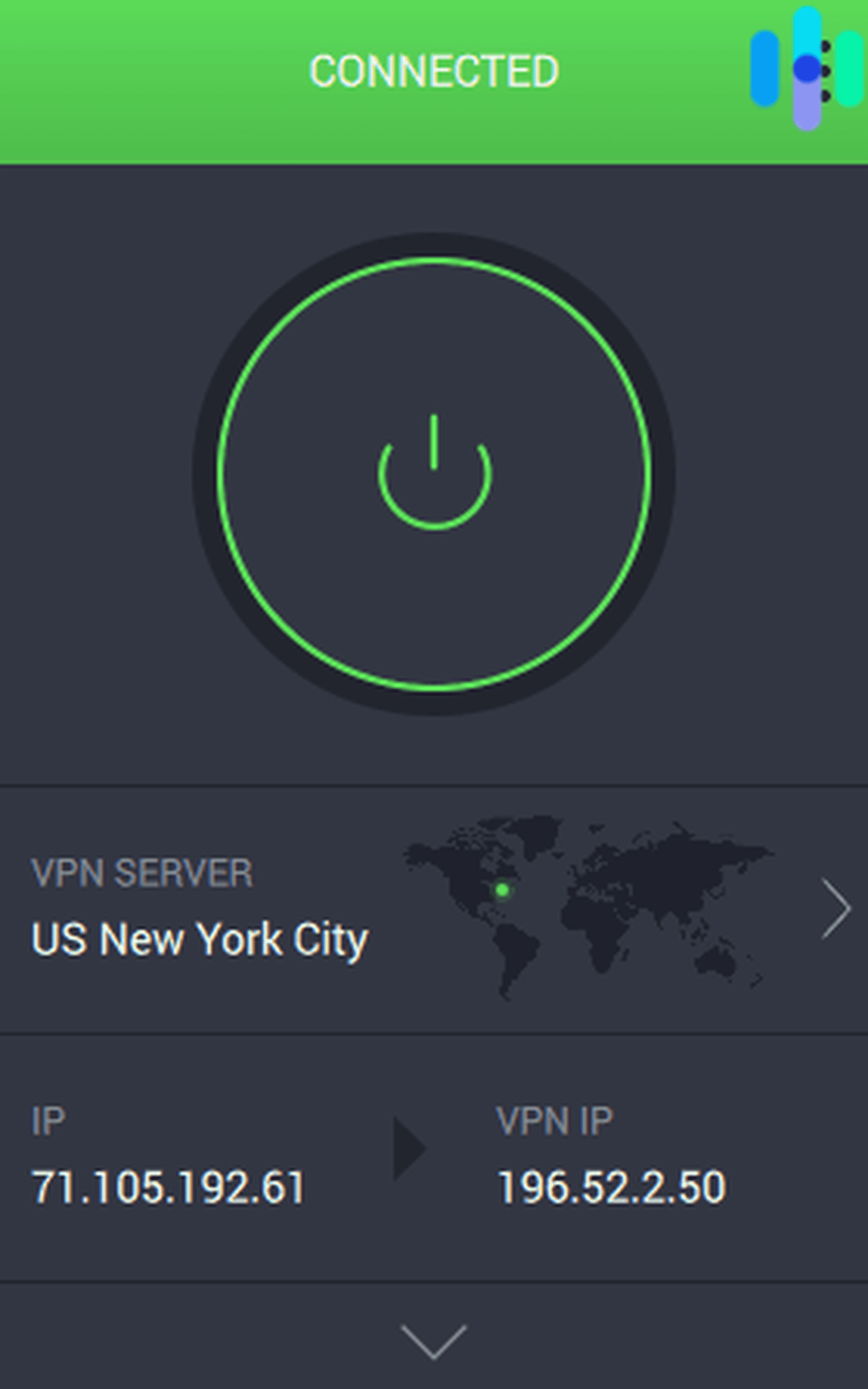
Private Internet Access connected through New York. Chrome Extension
Another great option if you’re looking for a Chrome VPN proxy, Private Internet Access — or PIA, for short — lets you anonymously browse the internet but offers a few interesting features we liked.
- WebRTC blocking
- Sort gateways by latency
- Website URL whitelist
- Easy on/off switch
In our tests, we found that we could increase our performance on Chrome pretty noticeably when we sorted by latency and whitelisted certain websites — like when we were watching reviews on YouTube. Just something to keep in mind if you find yourself slowing down more than you’d like.
Stand-Out Features
PIA is king when it comes to customizability. When we tested PIA, we found the user interface pretty intuitive, although it took us a second to figure out where all the features were. Once we messed around with it for a few hours, we were able to fine-tune our experience, taking advantage of the company’s 129 locations in 91 countries to find exactly what we were looking for: Japanese Netflix. Seriously, watch it if you can. The game shows are incredible.
PIA’s split tunneling is also a good feature if you’re concerned with performance. Using the Chrome extension or the stand-alone VPN, you can decide which traffic is routed where, which we found helpful when checking our work email while watching the aforementioned Japanese game shows. (Yes, sometimes we check our work email on the weekends.)
Security
PIA is pretty buttoned up on the security front. It uses AES-256 encryption and enforces a strict no-logs policy that’s been independently audited. On the jurisdiction side, PIA is based in the U.S. — a Five Eyes member country — which is worth factoring in if government data requests are a concern for you. That said, its audited no-logs policy means there’s little data to hand over even if compelled.
Speed
Take this with a grain of salt, but when we connected to PIA from our Brooklyn office on an Optimum network, we were slowed down on our Mac by about 65 percent. Some fiddling with the settings helped — we cycled through the protocols, eventually landing on WireGuard — but we still noticed some slowdowns. It worked a lot better on a Windows machine though. Our download speeds decreased by only about 15 percent.
Price
Private Internet Access costs are on the cheaper side compared to top VPNs such as Nord and ExpressVPN.
PIA Price Breakdown
Subscription term Monthly cost Total cost Month-to-month $11.95 per month — 1-year plan $3.33 per month $39.95 3-year plan* $1.98 per month $79.00 *Includes four free months
-
5. ExpressVPN - Best Rotating IPs
 Get ExpressVPN Links to ExpressVPN
Product Specs
Server locations 105 countries Average Speed Loss 7% download & 24% upload Apps Windows, MacOS, Linux, Android, iOS, Chrome, Firefox, Edge, Android TV, tvOS Best Monthly Rate $2.79/mo with a 2-year plan Money-Back Guarantee 30 days full refund
What We Like
- Over 2,000 servers in 105 countries
- Ability to torrent
- Split tunneling
- Outside of Five Eyes, Nine Eyes, and 14 Eyes territories
What We Don’t Like
- No customer support available via phone
- On the pricier side
- Can connect only five devices at the same time
- Slower on Macs
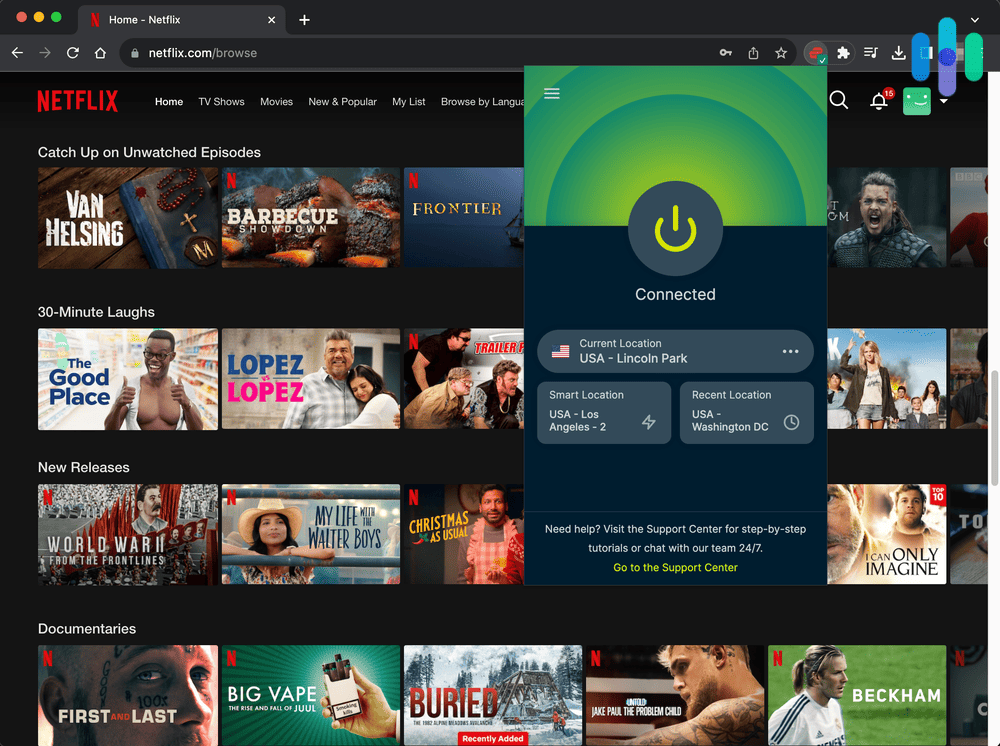
Browsing Netflix while using the ExpressVPN Chrome App Chrome Extension
If you’re serious about your Chrome extension’s security, ExpressVPN is a good option. There are three security features in particular on Chrome that we find pretty impressive:
- Location spoofing: Stops HTML5 geolocation from revealing your whereabouts.
- WebRTC blocking: Prevents websites from discovering your IP address and location.
- HTTPS everywhere: Automatically connects to the more secure HTTPS version of websites.
That’s just the extension though. Let’s talk about the features of the stand-alone VPN.
Stand-Out Features
One of the best ExpressVPN features is Lightway, the company’s proprietary VPN protocol it says offers better reliability, speeds, and security than more traditional models. When we tested it, we couldn’t find any data to discredit that statement. After cycling through several U.S. and European servers, we were consistently getting the best browsing experience when we used the Lightway protocol — especially when we were streaming Netflix or when we switched over to watch Futurama on Hulu. Oh, and just a tip: We’ve also listed the best VPNs for streaming Hulu, if that happens to be your platform of choice.
ExpressVPN offers quite a few servers to choose from — about 3,000 across 105 countries. The number of servers is a little low, but we like that they’re so far flung. We’re privacy junkies, so we always want to stay up to date on new rules and regulations across the globe. When we tested ExpressVPN, it was easy to see the headlines in some of the more clandestine countries. For some perspective, though, PureVPN has about 6,000 servers, while PIA has over 60,000.
Security
ExpressVPN was one of the first services to switch to RAM-only servers, essentially putting its money where its mouth is on its no-log policy. With its TrustedServer technology, nothing is ever physically written — not even the server’s operating systems or apps. PricewaterhouseCoopers independently audited that claim and found no issues, so we wouldn’t think twice about checking our Bank of America account at JFK Airport with ExpressVPN.
Speed
We tested ExpressVPN on a MacBook Air and a Windows Vivobook from our office in Brooklyn. The Mac’s download speed slowed by about 39 percent, and the Windows speed slowed by about 37 percent. Upload speeds were a little better — only about 14 percent on the Mac and 23 percent on the Windows computer. Plenty fast, in our opinion.
» Did You Know: Best VPN for Mac
Price
ExpressVPN recently revamped its pricing structure, introducing three tiers — Basic, Advanced, and Pro — which brought its entry-level price down significantly. The Basic plan now starts at $2.44/month on a two-year term or $3.49/month on an annual plan, making it far more competitive than it used to be. It’s still on the pricier side compared to NordVPN and Surfshark, but the gap has narrowed.
All plans come with a 30-day money-back guarantee, so you can test it risk-free before fully committing. ExpressVPN costs vary by tier, so if you want the full breakdown, we cover it in our dedicated review.
-
6. CyberGhost VPN - Best Free Chrome Extention
 Get Cyberghost VPN Links To CyberGhost
Product Specs
Multihop No Obfuscated Servers No Kill Switch Yes Split Tunneling Yes Netflix Yes Torrenting Yes
What We Like
- Unlimited devices per subscription
- Low cost
- Access to Netflix
- Split tunneling
- Free Chrome extension
What We Don’t Like
- Static IP addresses
- No support available via phone
- Kill switch is manual on Windows

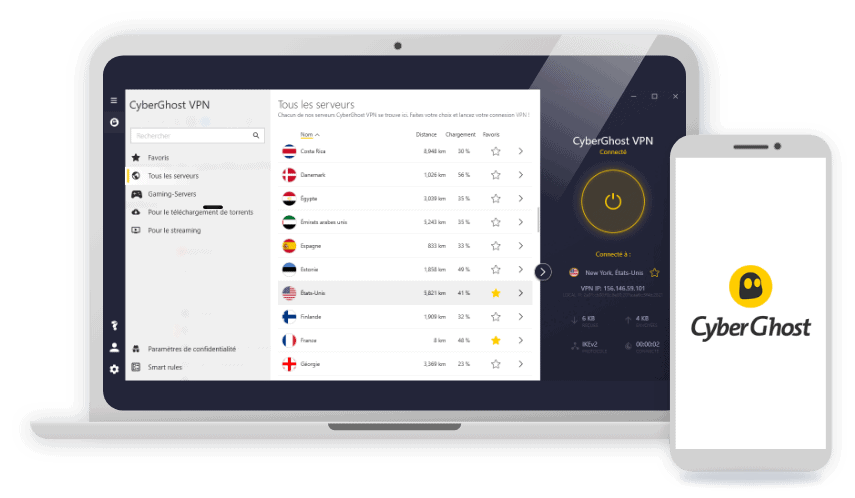
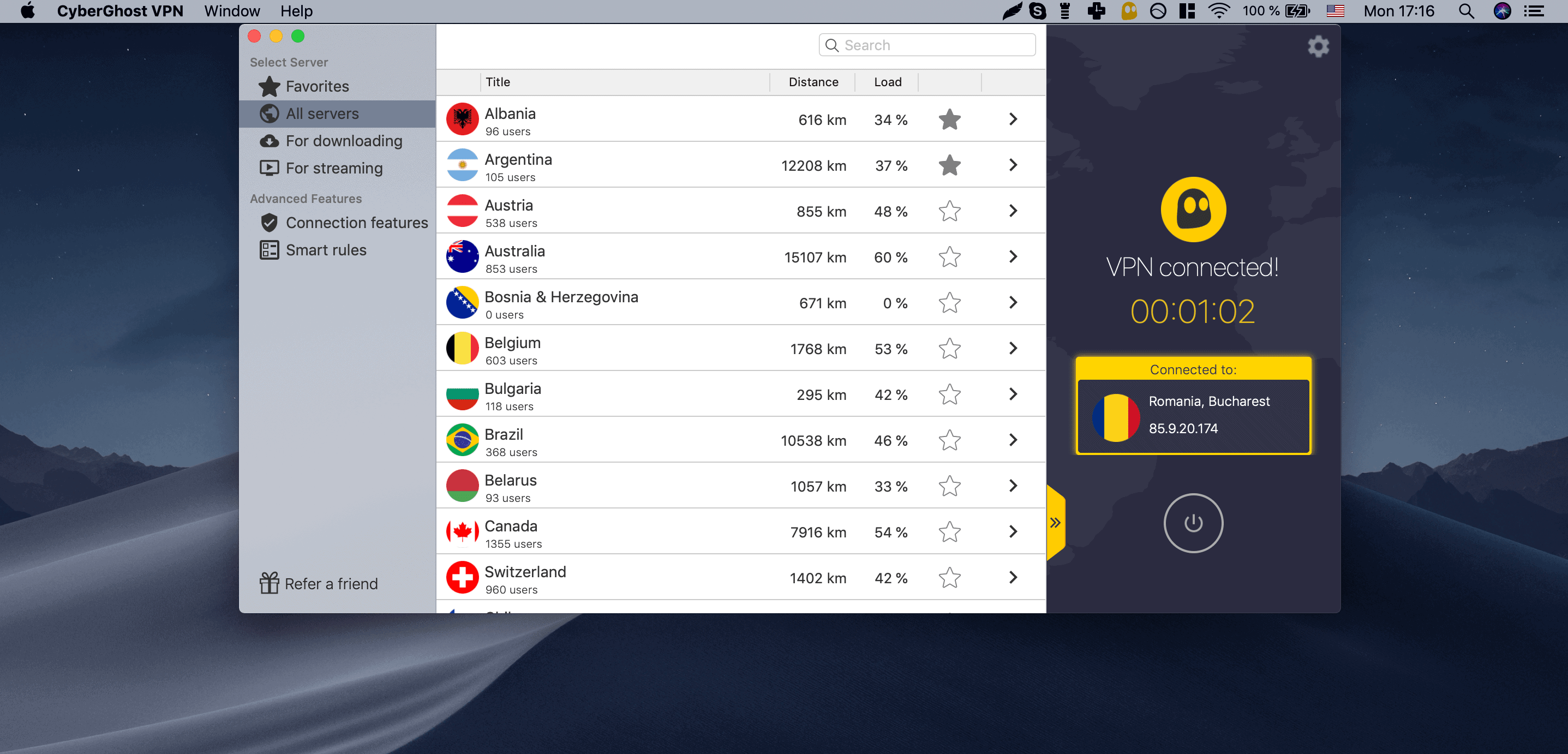
CyberGhost on MacOS. Photo provided by CyberGhost. Chrome Extension
The CyberGhost Proxy Chrome extension was built on the Ethereum blockchain, which pretty much guarantees that your data stays private and mitigates the risk of censorship, fraud, or third-party interference. The best news? It’s free — the only one on our list that doesn’t require a subscription to the stand-alone service.
It’s worth driving home the point, though, that this extension is just a proxy — it’s not the same as an actual VPN, and it won’t give you all the protections a stand-alone service would. Still, if you’re looking to increase your security online without spending a dime, this is certainly an effective way to do it.
Stand-Out Features
Aside from having the only free Chrome extension on our list, CyberGhost is a powerful VPN that offers some pretty interesting perks. It doesn’t offer server obfuscation, but it’s still great for streaming and it was able to dodge the VPN blockers most streaming services use the last time we tested and reviewed CyberGhost. It’s even fairly easy to install CyberGhost on a router, which allowed us to run our Samsung TV through the VPN service.
As much as we love traveling and spending time in the great outdoors, we still love sitting on the couch and streaming our favorite shows. With CyberGhost, we could veg out with some snacks and not have to worry about our privacy. Since CyberGhost has servers in 100 countries, we also accessed shows and movies in other places, which was an entirely different cultural experience without having to leave Brooklyn.
FYI: Netflix is always changing its security to try to dodge VPNs. Although CyberGhost is currently able to access Netflix content, that may not always be the case. If you find CyberGhost isn’t working, you may want to try one of our other favorite VPNs for streaming Netflix.
Security
While we were researching CyberGhost, one thing that raised some eyebrows was its data-logging policy. After we went through the fine print, however, we weren’t too concerned.
Pretty much every VPN claims to have no logs, but the truth is they all collect data in some form. CyberGhost is pretty clear about that and gathers connection data that pertains to usage requests during certain hours, days, weeks, or months. It also records from which country the requests originated, as well as the version of the app of the device used. CyberGhost also uses RAM-only servers, like many others on this list. That made us feel better, since even if they wanted to collect data, there would be nothing to collect.
» Need to Know: Best VPN with No-Logs
Speed
In our tests, we found that CyberGhost worked a lot better on our Mac than it did on our Windows machine. Ping time increased by just 14 percent on the former, but 78 percent on the latter. That’s a different measure than our upload and download speeds, but you can think of it as a “reaction time.” Just another way to conceptualize it.
Price
CyberGhost costs between $2.19 and $12.99 a month. That price is a little high given the services provided, but we have no problem signing up for a two-year term if it means we’re only paying pocket change — especially when you consider CyberGhost offers a 45-day money-back guarantee.
Methodology: How We Picked The Best VPNs for Chrome
Our Review Guidelines
Recommending the right VPN for your needs means more than reading claims VPN brands make on their websites. Our recommendations are guided by our Editorial Guidelines. They require that our testers sign up for and run every VPN through our full suite of tests.
These VPN tests involve measuring connection speeds across multiple protocols and regions, checking for all major leak types under active and dropped connections, verifying kill switch reliability across platforms and protocols, evaluating each provider’s logging claims against real independent audits, and checking whether each VPN reliably bypasses streaming geo-restrictions. We also scrutinize subscription pricing, device coverage per plan, refund windows, and long-term value to ensure every VPN we list delivers consistent security without the marketing noise.
Our Evaluation Criteria
Every Chrome VPN we test gets judged based on the same key criteria that assess it based on the factors most important to Chrome users. Here is an overview of the main criteria we considered:
- Chrome extension: Most Chrome VPN extensions are actually proxies and not VPNs. We always prefer when VPN extensions are, well, VPNs, but it won’t disqualify a provider as long as they offer dedicated apps for all common devices.
- Site-specific split tunneling: A few innovative VPNs now offer site-specific split tunneling so you can choose which sites connect through your VPN and which ones go directly through your network. This is particularly useful for Chrome users.
- Unblocking geo-restricted content: Some sites restrict access or content based on your location. A good VPN gets around these restrictions by making the site think you’re in a different location. We use this most often for getting around geo-restrictions on streaming sites, but it also helps us log into our bank account when travelling abroad.
- Security and privacy: We assessed each VPN’s overall security and privacy measures, paying particular attention to its DNS and WebRTC leak protection capabilities as those are your biggest vulnerabilities when using a VPN on Chrome.
Defining these criteria allows us to reliably compare providers in a transparent and trustworthy way.
» Did You Know: Learn What Someone Can Do With Your IP Address
Why Trust Our Recommendations
We are an independent team of security experts with one goal: helping you find the right VPN. We have more than 20 security researchers and hands-on testers who have collectively published over 740 VPN and security reviews since 2018.
Our VPN testing is led by Brett Cruz, a cybersecurity expert and VPN specialist who has tested hundreds of VPNs, privacy tools, and cybersecurity software with a detail-oriented, consumer-first methodology. The broader team behind our VPN recommendations includes:
- Ozzie Enriquez: West Point graduate with 30+ years of experience spanning the Department of Homeland Security and Department of Defense, contributing expertise in federal security operations and digital risk assessment as a lead advisor
- Gene Petrino: Retired law enforcement sergeant and S.W.A.T. commander, contributing three decades of law enforcement and security expertise as a subject matter advisor
- Cort Honey: Product tester with an engineering background and over 1,000 hours of hands-on testing who has a talent for making complicated security tech digestible for everyday consumers
- Corey Birnstengel: Editor and videographer behind 200+ in-depth video reviews spanning eight security and tech product categories
No brand can pay to change our recommendation lists. Our recommendations are unbiased and editorially independent.
VPN Chrome Extension vs. Full App: Which Do You Actually Need?
Chrome VPNs and a full VPN app are different tools. While both encrypt your traffic, Chrome VPNs limit that protection to Chrome. Full VPN apps cover everything connected to the internet on your device.
If you’re using a VPN extension, even from a reputable provider like NordVPN or Surfshark, encryption is scoped to Chrome alone. This means everything else on your device – like Zoom calls, Slack messages, torrents, game clients, and email apps – continues sending data through your regular, unprotected connection. If someone’s monitoring your network, they can still see activity from any app outside Chrome.
A full VPN app works at the operating system level. It creates an encrypted tunnel for all traffic leaving your device, regardless of which app generates it. That’s the difference between browser-level coverage and actual device-wide security. If you want coverage that extends beyond your devices entirely, you can always install a VPN on your router.
» Learn more: Best VPN Routers
What Extensions Can and Can’t Do
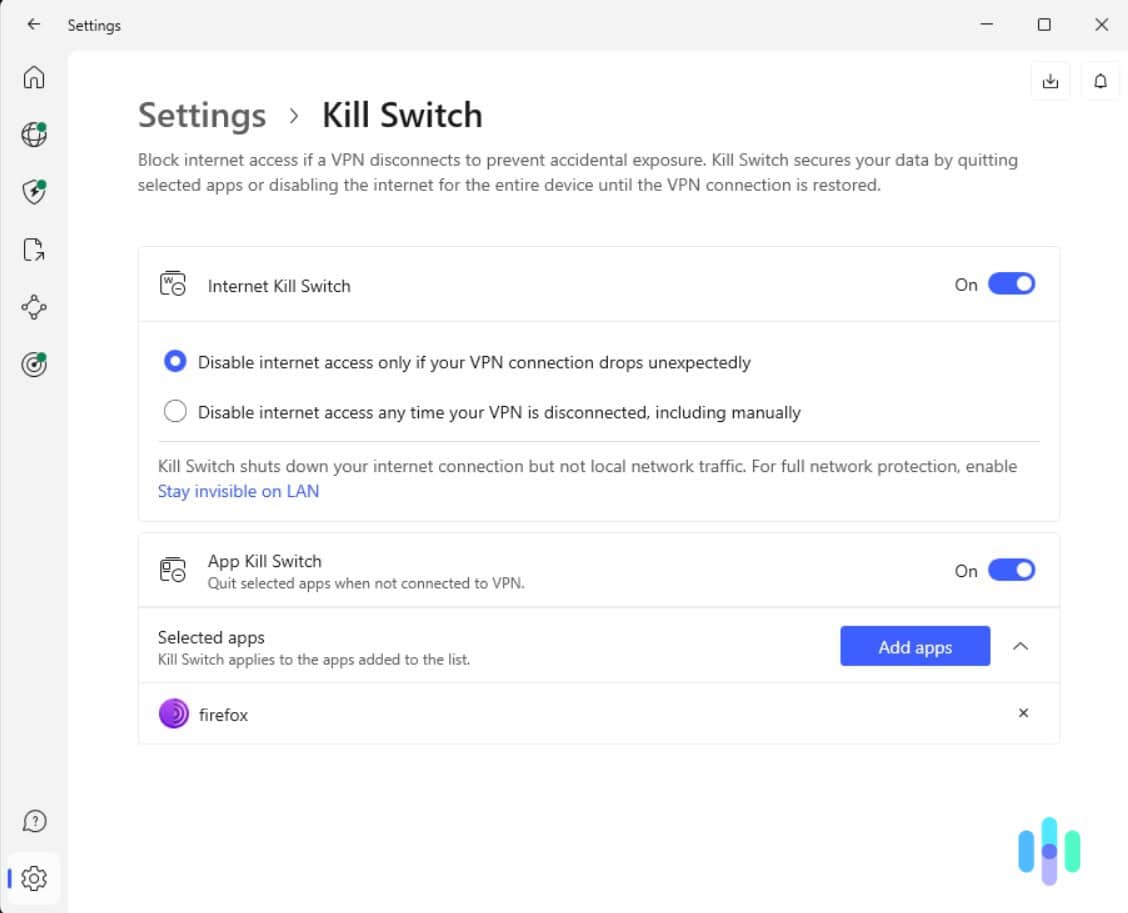
Extensions are fast to toggle, light on resources, and perfect for casual use. We use them to mask our IP while browsing, bypass geo-blocks on streaming sites, or add a layer of privacy on public Wi-Fi when using Chrome.
Unfortunately, Chrome extensions don’t have a kill switch, meaning if the VPN connection drops, your browser traffic is instantly exposed. Extensions also don’t support protocols like WireGuard or OpenVPN, which offer stronger security and better performance. We suggest using a Chrome extension in these scenarios.
- You’re at a coffee shop and need a quick privacy layer for casual browsing.
- You want to access geo-restricted streaming content in Chrome.
- You’re bypassing a regional content block and don’t need full device coverage.
- You want to test a VPN provider before committing to a subscription.
- System resources are a concern — extensions use negligible RAM compared to a full app.
We recommend using a VPN app in these scenarios.
- You need all internet traffic protected, not just Chrome.
- You’re torrenting or using P2P file-sharing software.
- You want a kill switch that actually cuts your connection if the VPN fails.
- You need access to advanced protocols like WireGuard or OpenVPN.
- You’re working remotely and need apps like Slack or Zoom to be encrypted.
- You’re in a high-risk environment — public networks, travel to restrictive countries.
| Feature | Chrome Extension | Full VPN App |
| Traffic protected | Browser only | All device traffic |
| Encryption type | Browser-level VPN | Full device VPN (AES-256) |
| Kill switch | No | Yes |
| Protocol support | Limited | WireGuard, OpenVPN, etc. |
| Protects Zoom/Slack/gaming | No | Yes |
| Free option available | Sometimes | Rarely |
| Resource usage | Minimal | Moderate |
| Setup complexity | Instant | Simple install |
| Best for | Casual browsing, geo-unblocking | Full privacy, remote work, torrenting |
We think it’s a good idea to install both on your device. The full app can take care of device-wide protection, while the extension adds a convenient in-browser toggle. Every provider on our list supports this setup. For the most comprehensive coverage, consider going a step further and using a VPN router. It protects every device connected to your network without requiring an app at all.
Why Do I Need a VPN With Chrome?
When you use Chrome to access the internet, you’re wading into some dark waters. That isn’t to say the browser itself is particularly vulnerable, but there are all sorts of creeps online who want to track what you’re doing. Advertisers, ISPs, governments — you name it. They all want to get their hands on your data.
You can slap that hand away with a VPN. For maximum security, we tend to use a stand-alone VPN — NordVPN is our provider of choice — but if we’re out at a cafe checking our email, we’ll just flip on the browser. Regardless of how you’re using the VPN, the peace of mind knowing you’re making it next to impossible to track your online comings and goings is definitely worth the price of entry.
Chrome-Specific Security: VPN Leak Protection and Privacy Pitfalls
Chrome has a few privacy quirks that can undercut your protection if you don’t know where to look. Here’s what to watch for and how to address each one.
WebRTC Leaks
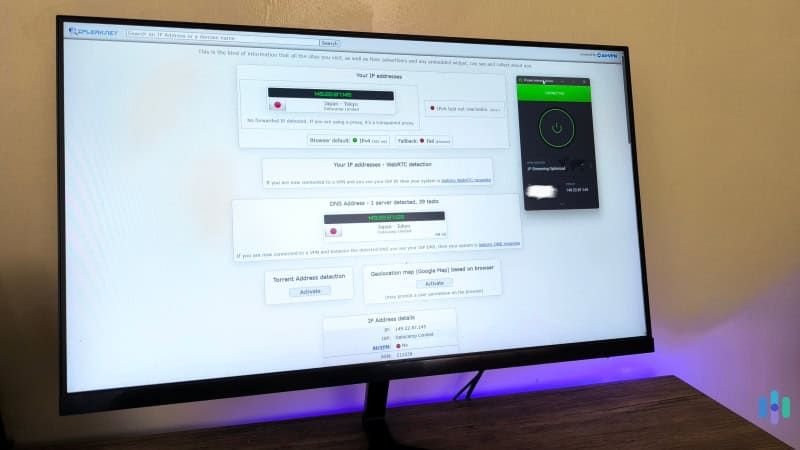
WebRTC is a Chrome feature that enables real-time communication like video calls and live streaming. The only problem is that it can bypass your VPN tunnel and expose your real IP address directly to websites, even when your VPN is active. This is one of the most common ways Chrome users think they’re protected when they aren’t. To test for a WebRTC leak:
- Connect your VPN.
- Visit a tool like BrowserLeaks.com or ExpressVPN’s leak checker.
- If your real IP appears under “Local IP Address,” you have a leak.
ExpressVPN, Private Internet Access, and NordVPN all include built-in WebRTC blocking in their Chrome extensions. If yours doesn’t, you can install a dedicated WebRTC blocking extension from the Chrome Web Store.
>> Find Out: How to Find Your Computer’s IP Address
DNS Leaks and Chrome’s DNS-over-HTTPS
Chrome has its own DNS-over-HTTPS (DoH) feature that encrypts DNS queries. This may conflict with your VPN’s DNS handling, though. When both are active, Chrome may route DNS requests through Google’s servers instead of your VPN’s, effectively telling Google every site you visit even while your VPN is on. To check if it’s working correctly:
- Go to our DNS Leak Test tool.
- If you see Google or your ISP listed as a DNS server, your VPN isn’t handling DNS properly.
- To fix the issue, disable Chrome’s DoH setting (found under Settings, Privacy and Security, Security, Use secure DNS) and let your VPN manage DNS instead.
All the VPNs on our list operate their own DNS servers specifically to prevent this.
Chrome Sync and Google Account Tracking
A VPN masks your IP address, but if you’re signed into your Google account in Chrome, Google is still building a profile of your browsing activity through Chrome Sync with bookmarks, history, open tabs, and more. Your VPN has no visibility into this data layer.
If privacy from Google specifically is your concern, either sign out of your Google account while browsing or use Chrome’s guest mode. Pairing a VPN with a logged-out session is more private than running a VPN while synced into your Google account.
>> Learn About: How to Disable a VPN on Any Device
Incognito Mode + VPN: Do You Need Both?
Incognito mode and a VPN do different things. Incognito prevents Chrome from saving your browsing history locally, but it doesn’t hide your traffic from your ISP, network administrator, or the websites you visit. A VPN encrypts your traffic and masks your IP, but doesn’t clear local history or cookies.
Used together, they complement each other. The VPN handles network-level privacy, incognito handles on-device privacy. If you’re on a shared computer or a monitored network, running both makes sense.
Extension Permissions
When you install a VPN extension from the Chrome Web Store, we recommend reviewing the permissions it requests. Most legitimate VPN extensions need access to your browser traffic to route and encrypt it properly. What you don’t want to see is permissions for things like reading clipboard data or accessing data on all websites with no stated reason.
Google Safe Browsing
Chrome’s Safe Browsing feature checks URLs against Google’s database of known malicious sites. It does send partial URL data to Google in the process, which some privacy-focused users prefer to disable. You’ll find the setting under Settings, Privacy and Security, Security. Disabling it does reduce a layer of protection against phishing, so weigh that tradeoff. Several VPNs on our list, including NordVPN (scam and phishing protection) and Surfshark (CleanWeb), offer their own malicious site blocking as an alternative.
>> Related Reading: Best Password Managers for Chrome
Streaming and Geo-Unblocking With a Chrome VPN
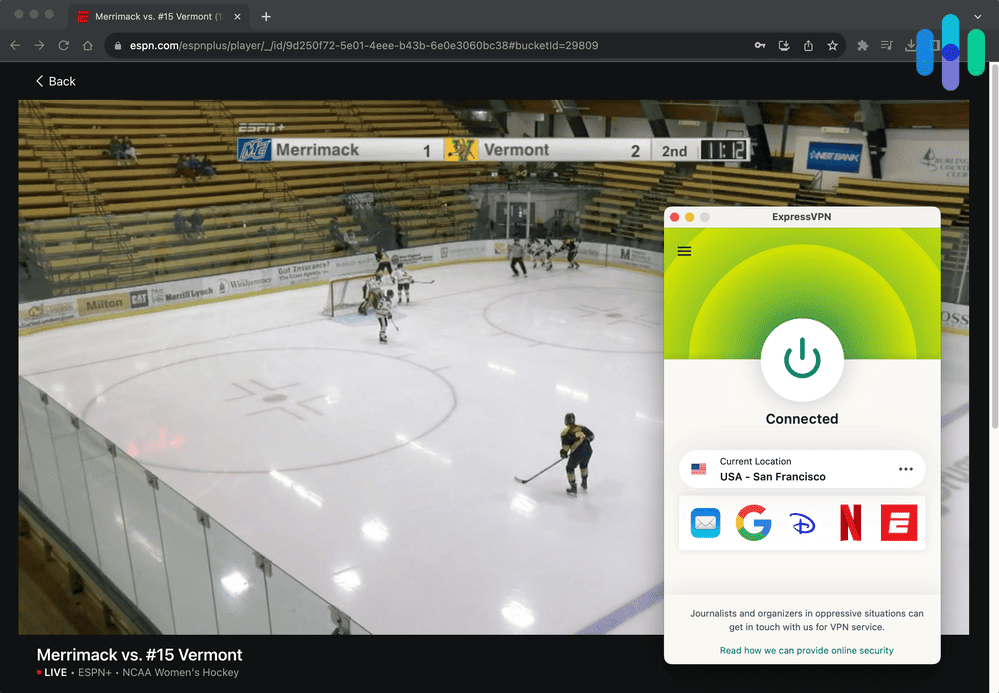
Chrome is one of the most common ways people stream video, and unlocking geo-restricted content is one of the top reasons people use a VPN in the first place. Not all VPNs unblock all platforms, though. That’s why the extension vs. full app distinction matters here too. Here’s what you actually need to know before hitting play.
Extension vs. Full App for Streaming
For streaming within Chrome, an extension is sufficient. You’re watching in the browser anyway, so browser-level encryption covers the stream. The catch is that some platforms are better at detecting and blocking VPN traffic than others. In our experience, full apps tend to have more sophisticated obfuscation and server-switching tools than extensions do. If an extension isn’t working on a particular platform, switching to the full app is usually the first fix worth trying.
Speed is the other variable. Extensions add minimal overhead, but full apps running WireGuard or similar modern protocols often deliver faster, more stable connections. This matters when you’re trying to hold a 4K stream. As a general benchmark, you need at least 15 Mbps for HD and 25 Mbps for 4K. Most of our recommended VPNs lose well under 40 percent of baseline speed, which means even modest home internet connections stay comfortably above those thresholds.
| Quality | Minimum Speed Needed | Recommended VPN Speed Loss |
| SD (480p) | 3 Mbps | Any VPN qualifies |
| HD (1080p) | 15 Mbps | Under 50% speed loss |
| 4K HDR | 25 Mbps | Under 30% speed loss |
| 4K + multiple devices | 50 Mbps+ | Under 20% speed loss |
Chromecast and Smart TV Browsers
Chrome VPN extensions don’t extend to Chromecast. When you cast from Chrome to a Chromecast device, the stream is handed off to the Chromecast hardware, which operates outside your browser entirely. Your VPN extension has no reach there. The same applies to smart TV browsers. If your TV has a built-in browser, it won’t inherit the VPN from your laptop or phone.
>> Learn More: How to Set Up a VPN on Android
FAQs About Chrome VPNs
-
Will a VPN track me?
Generally, no, you cannot be tracked if you use a VPN. The point of a VPN is to hide web traffic. That said, some VPN companies log things such as your IP address, what device you use, and potentially more. It’s important to look at each VPN’s privacy policy, because what is tracked differs from company to company.
-
How do I get a VPN on Chrome?
To get a VPN on Chrome, you must first subscribe to a VPN service. Once you pick a provider, you can search for the VPN in the Google Chrome web store and download the appropriate plug-in. An icon should then appear in the upper-right corner of your Chrome window. (It’s worth noting that CyberGhost offers a free VPN extension for Chrome.)
-
Do VPNs cost money?
Yes, most of the time you will have to pay for a VPN. Some companies offer free options, but they will likely come with a lot of limitations that often make it not worth it. There are, however, plenty of affordable VPNs on the market, and most companies offer some type of free trial or money-back guarantee to allow you to take the VPN for a test run.
-
How do I get a VPN?
You can get a VPN by purchasing one online through the VPN’s website. You can also get a VPN through your device’s app store. Once you subscribe to a VPN service, be sure to log in through all your devices since you can typically use the same subscription across your laptops, mobile phones, and tablets.
-
Is it legal to use a VPN?
Yes, VPNs are legal to use in almost every country, except for some of the more restrictive ones such as North Korea and Russia. That doesn’t mean you can use a VPN to do illegal things online though. You’ll still get in trouble for that.
-
PR Newswire. (2023). NordVPN launches Sonar to prevent phishing attacks.
prnewswire.com/news-releases/nordvpn-launches-sonar-to-prevent-phishing-attacks-301933129.html